Step 1 of 8
Define and Call a Reusable Function
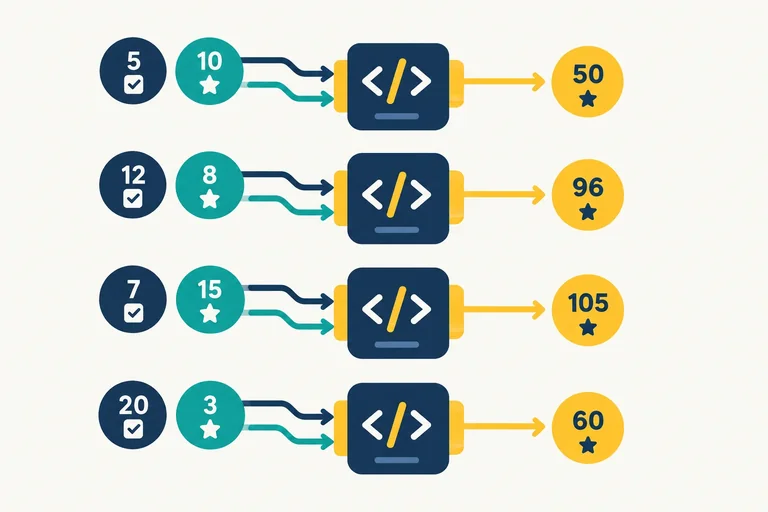
Declare a reusable score function, connect positional arguments to parameters, and call the same calculation with different inputs.

Learning path · Level 4 · Tutorial 3
Package a calculation or decision into a reusable function and explain which values that function can access through lexical scope.
 Define and Call a Reusable Function
Declare a reusable score function, connect positional arguments to parameters, and call the same calculation with different inputs. 3 min
Define and Call a Reusable Function
Declare a reusable score function, connect positional arguments to parameters, and call the same calculation with different inputs. 3 min
 Return a Value, Not Just a Message
Use returned values in later code, distinguish them from console output, and recognize when a function supplies undefined. 3 min
Return a Value, Not Just a Message
Use returned values in later code, distinguish them from console output, and recognize when a function supplies undefined. 3 min
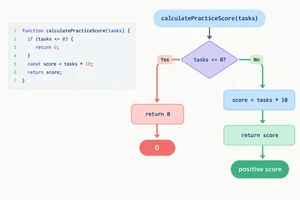 Handle a Special Case with an Early Return
Use an early-return guard to handle nonpositive task counts before calculating a normal practice-session score. 2 min
Handle a Special Case with an Early Return
Use an early-return guard to handle nonpositive task counts before calculating a normal practice-session score. 2 min
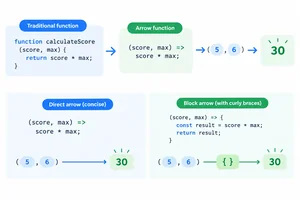 Write Function Expressions and Arrow Functions
Write and recognize function expressions and arrow functions, including the different return rules for expression and block bodies. 3 min
Write Function Expressions and Arrow Functions
Write and recognize function expressions and arrow functions, including the different return rules for expression and block bodies. 3 min
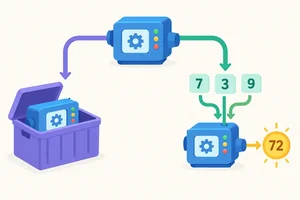 Distinguish a Function from Its Result
Store a function value, call it deliberately for a return value, and recognize what reaches the console in each case. 2 min
Distinguish a Function from Its Result
Store a function value, call it deliberately for a return value, and recognize what reaches the console in each case. 2 min
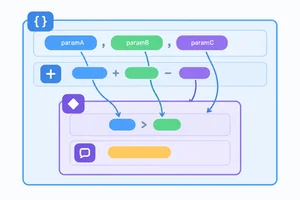 Locate Function and Block Boundaries
Determine where parameters and let or const bindings are accessible within a function and its nested blocks. 3 min
Locate Function and Block Boundaries
Determine where parameters and let or const bindings are accessible within a function and its nested blocks. 3 min
 Trace Lexical Lookup and Shadowing
Trace identifier lookup through enclosing scopes, shadowing, and a helper's definition location. 3 min
Trace Lexical Lookup and Shadowing
Trace identifier lookup through enclosing scopes, shadowing, and a helper's definition location. 3 min
 Apply and Review the Complete Function
Complete, run, and explain a score function that combines an early return, a local calculation, a function value, and lexical lookup. 3 min
Apply and Review the Complete Function
Complete, run, and explain a score function that combines an early return, a local calculation, a function value, and lexical lookup. 3 min
Step 1 of 8
Declare a reusable score function, connect positional arguments to parameters, and call the same calculation with different inputs.
A function declaration packages instructions under a reusable name. Writing the declaration prepares those instructions; it does not run the calculation yet.
This declaration has four parts:
calculateScorecompletedTasks and pointsPerTaskA later call can provide different inputs to the same declaration. The next step examines return behavior in more detail.
Study this function declaration. It defines the score calculation but does not call it.
function calculateScore(completedTasks, pointsPerTask) {
  return completedTasks * pointsPerTask;
}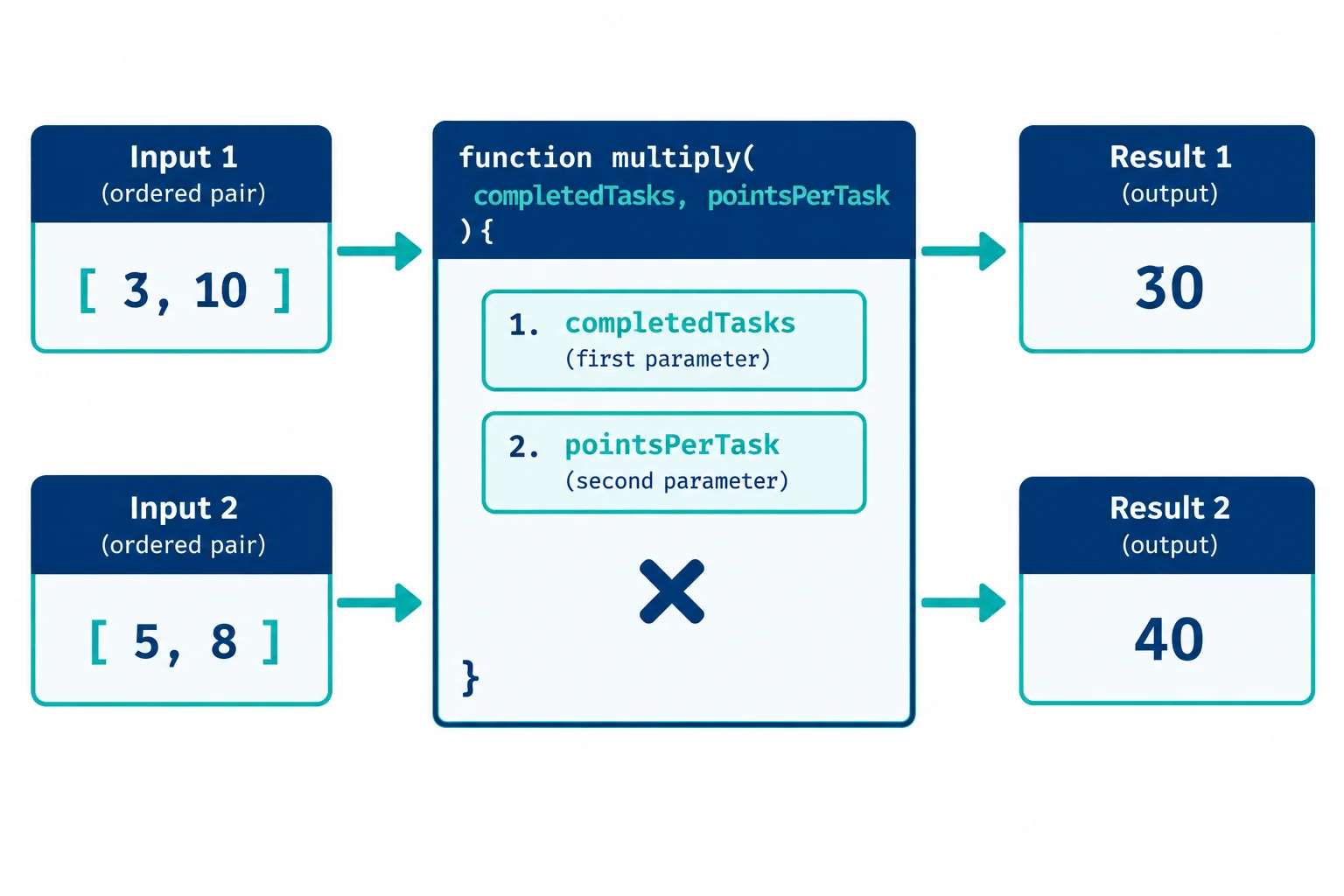
Arguments bind by position: the first argument goes to completedTasks, and the second goes to pointsPerTask. The same declaration can calculate both 30 and 40.
Create a folder with these two files. Copy both examples exactly. Then open index.html in your browser, open the browser console, and use your usual edit-save-refresh workflow.
The script is deferred, so the browser loads the HTML first and then runs functions.js. The two calls reuse one function body with different arguments.
Save this complete file as index.html.
<!doctype html>
<html lang="en">
  <head>
    <meta charset="utf-8">
    <meta name="viewport" content="width=device-width, initial-scale=1">
    <title>Function Practice</title>
    <script src="functions.js" defer></script>
  </head>
  <body>
    <h1>Function Practice</h1>
  </body>
</html>Save this complete file as functions.js.
function calculateScore(completedTasks, pointsPerTask) {
  return completedTasks * pointsPerTask;
}

console.log(calculateScore(3, 10));
console.log(calculateScore(5, 8));30 40
The two lines are console output from the two function calls.
Match each parameter use to the positional argument it receives.
Tap an item and then its matching pair.
Write a complete answer for a new pair of calls. Do not change the calculation itself.
calculateScore declaration.Use two console.log(...) calls in your code.
Write at least 100 characters (0/100).
Step 2 of 8
Use returned values in later code, distinguish them from console output, and recognize when a function supplies undefined.
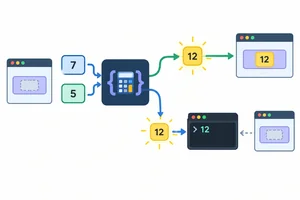
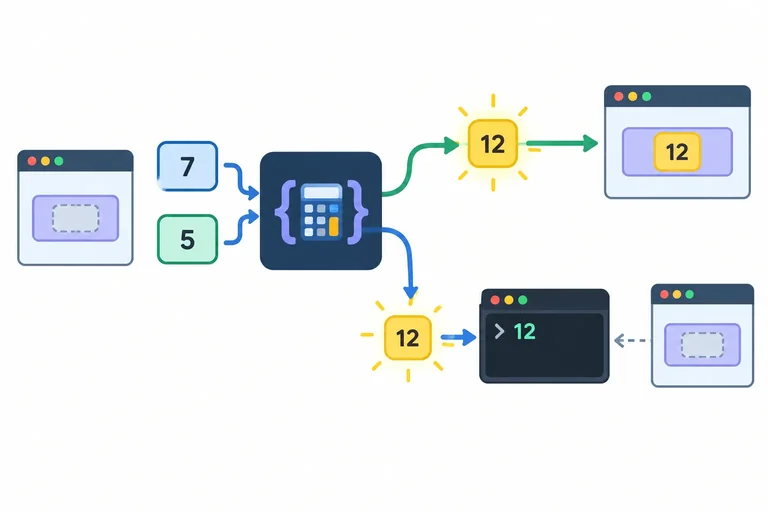
A function call is an expression. When the function executes return, the returned value becomes the value of that call expression.
For example, calculateScore(3, 10) can produce the number 30. The caller can store that return value in a binding, use it in another calculation, or pass it to console.log(...).
console.log(...) has a different job: it displays information in the console. Displaying a number does not send that number back to the caller.
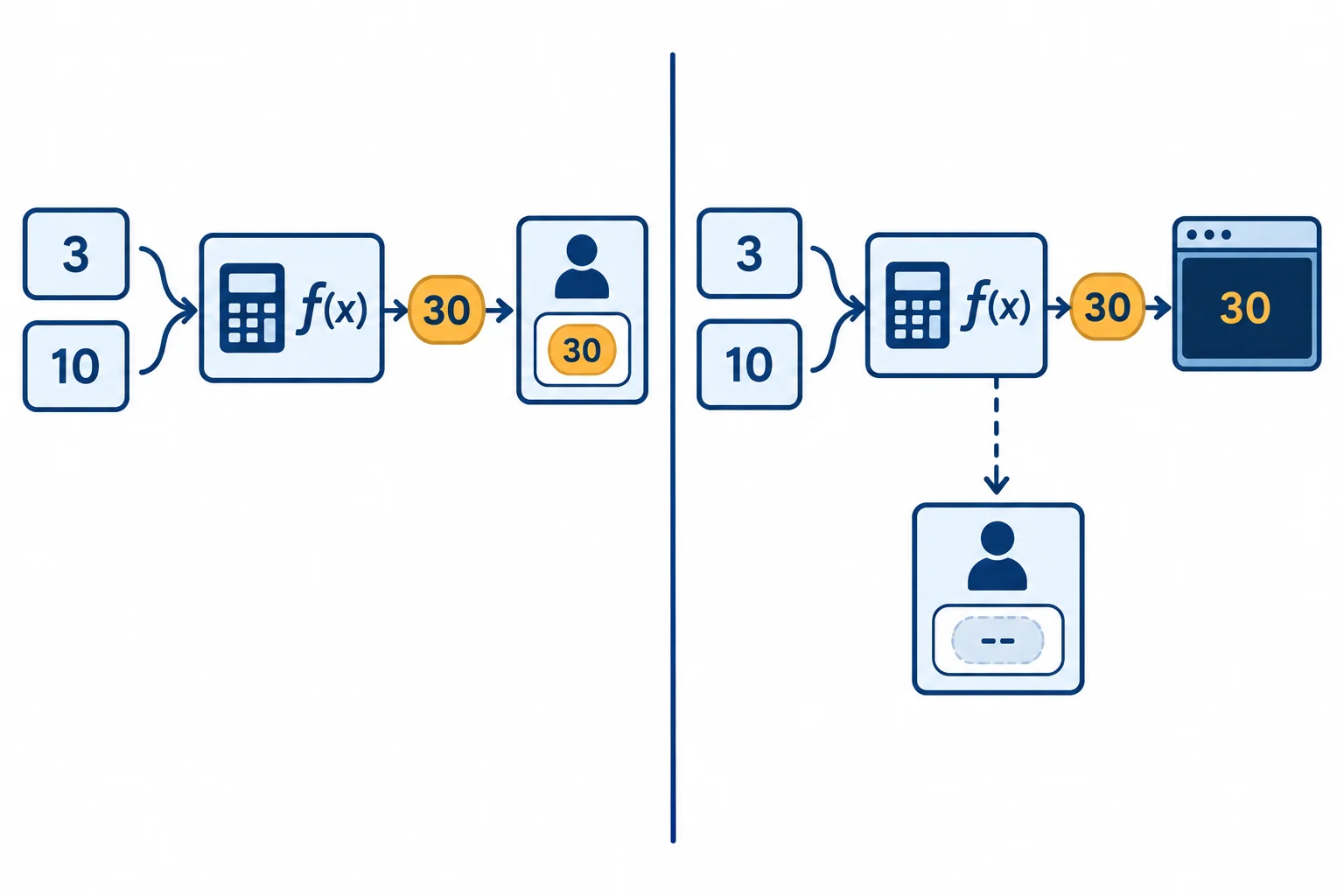
Returning supplies a value to the caller. Logging makes information visible in the console only.
Use return when the caller needs the calculated value. The assignment below receives the function's return value, and the final console.log(...) displays that stored value.
When JavaScript executes return, the current function call ends immediately. Any later statement in that same call does not run.
A function does not automatically return its last calculation or its console output. Only a return followed by a value supplies that value to the caller.
| Function path | Value supplied to the caller |
|---|---|
| Executes `return expression;` | The expression's value |
| Reaches the end without `return` | `undefined` |
| Executes `return;` | `undefined` |
Place this complete code in functions.js, save it, refresh index.html, and inspect the browser console.
function calculateScore(completedTasks, pointsPerTask) {
  return completedTasks * pointsPerTask;
}

const practiceScore = calculateScore(3, 10);
console.log("Practice score:", practiceScore);Practice score: 30
The return value is stored first; the console output comes from the final console.log call.
This version displays a calculated score, but it does not return one. Compare its console output with the value assigned to storedScore.
function displayScore(completedTasks, pointsPerTask) {
  console.log("Calculated score:", completedTasks * pointsPerTask);
}

const storedScore = displayScore(3, 10);
console.log("Stored score:", storedScore);Calculated score: 30 Stored score: undefined
The first line is console output from inside displayScore. The second line shows the value supplied by the call expression.
Which statement correctly distinguishes a return value from console output?
Choose one answer.
Trace this version before repairing it. Do not add a conditional; focus only on the difference between logging and returning.
function calculateScore(completedTasks, pointsPerTask) {
  console.log("Calculated score:", completedTasks * pointsPerTask);
}

const storedScore = calculateScore(3, 10);
console.log("Stored score:", storedScore);Before any repair, state the value stored in storedScore and write the two console output lines in order. Then replace the first statement inside calculateScore with one statement that supplies the calculated score to the caller without logging it.
Write at least 40 characters (0/40).
Step 3 of 8
Use an early-return guard to handle nonpositive task counts before calculating a normal practice-session score.
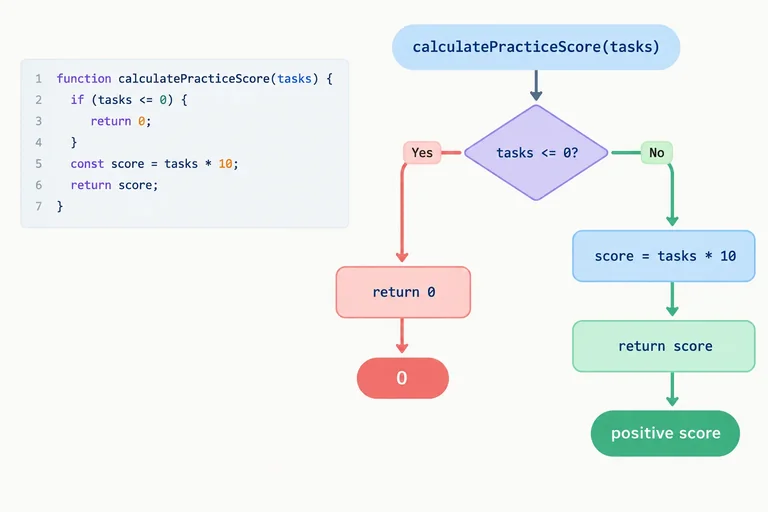
An early return handles a special case before the main calculation.
For a practice-session score, a task count of zero or less should produce 0. Put that check first. If it matches, return 0; ends that function call immediately.
When the count is positive, the condition is false, so execution continues to the normal calculation. There is no need to wrap that calculation in an else block.
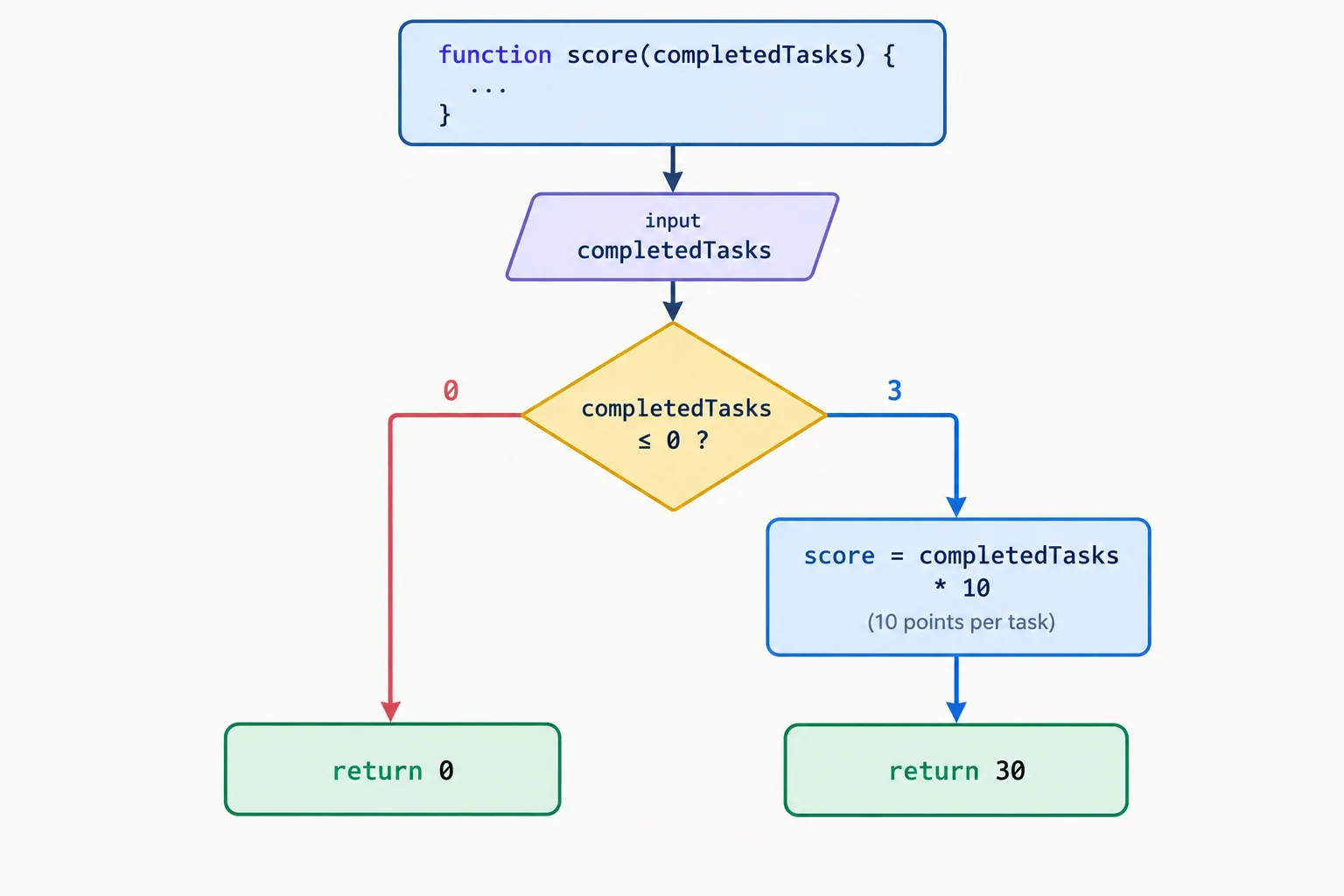
A call reaches only one return: the guard return for a nonpositive count, or the normal calculation return for a positive count.
Replace the current calculateScore declaration in functions.js with this version, then save, refresh your local page, and inspect the browser console.
function calculateScore(completedTasks, pointsPerTask) {
  if (completedTasks <= 0) {
    return 0;
  }

  return completedTasks * pointsPerTask;
}

console.log(calculateScore(0, 10));
console.log(calculateScore(3, 10));0 30
The first call enters the if block and ends at its return value. The second call skips that block and reaches the final return value.
Both intended paths return a number. Without the final return, a positive call would reach the end of the function and produce undefined instead of a score.
Complete the guard so the special case returns before the normal calculation.
function calculateScore(completedTasks, pointsPerTask) {
  if () {
    return ;
  }

  return completedTasks * pointsPerTask;
}Arrange these lines into one valid function with an early-return guard.
Write the complete calculateScore function in the correct order. Then state the return value for calculateScore(0, 10) and for calculateScore(3, 10). Briefly identify which return each call reaches.
Write at least 120 characters (0/120).
Step 4 of 8
Write and recognize function expressions and arrow functions, including the different return rules for expression and block bodies.
A function expression creates a function value and assigns it to a binding. The function body does not run when the assignment is made. It runs only when you call the binding with parentheses.
Here, calculateScore holds a function value. The call supplies arguments, and its return value is logged.
A function expression assigned to calculateScore.
const calculateScore = function (completedTasks, pointsPerTask) {
  return completedTasks * pointsPerTask;
};

console.log(calculateScore(3, 10));30
Each row is a standalone replacement for the others. Do not put multiple alternatives under the same function name in one script.
| Form | Core syntax | How the result is provided |
|---|---|---|
| Function declaration | function name(parameters) { ... } | Explicit return statement |
| Function expression | const name = function (parameters) { ... }; | Explicit return statement |
| Arrow function | const name = (parameters) => expression; | Expression body returns implicitly |
| Arrow with braces | const name = (parameters) => { ... }; | Explicit return statement |
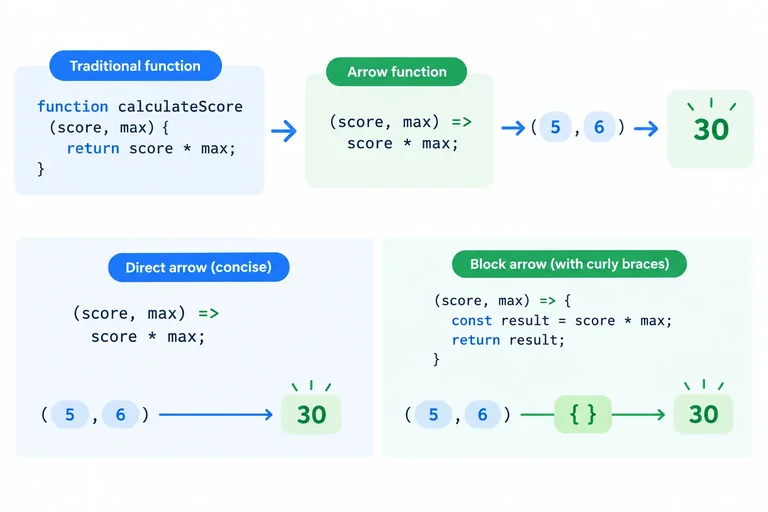
An arrow function is another way to create a function value. With an expression body, the expression immediately after => becomes the return value automatically.
Keep parentheses around parameters, even when a function has just one parameter. This arrow function produces the same score as the earlier forms.
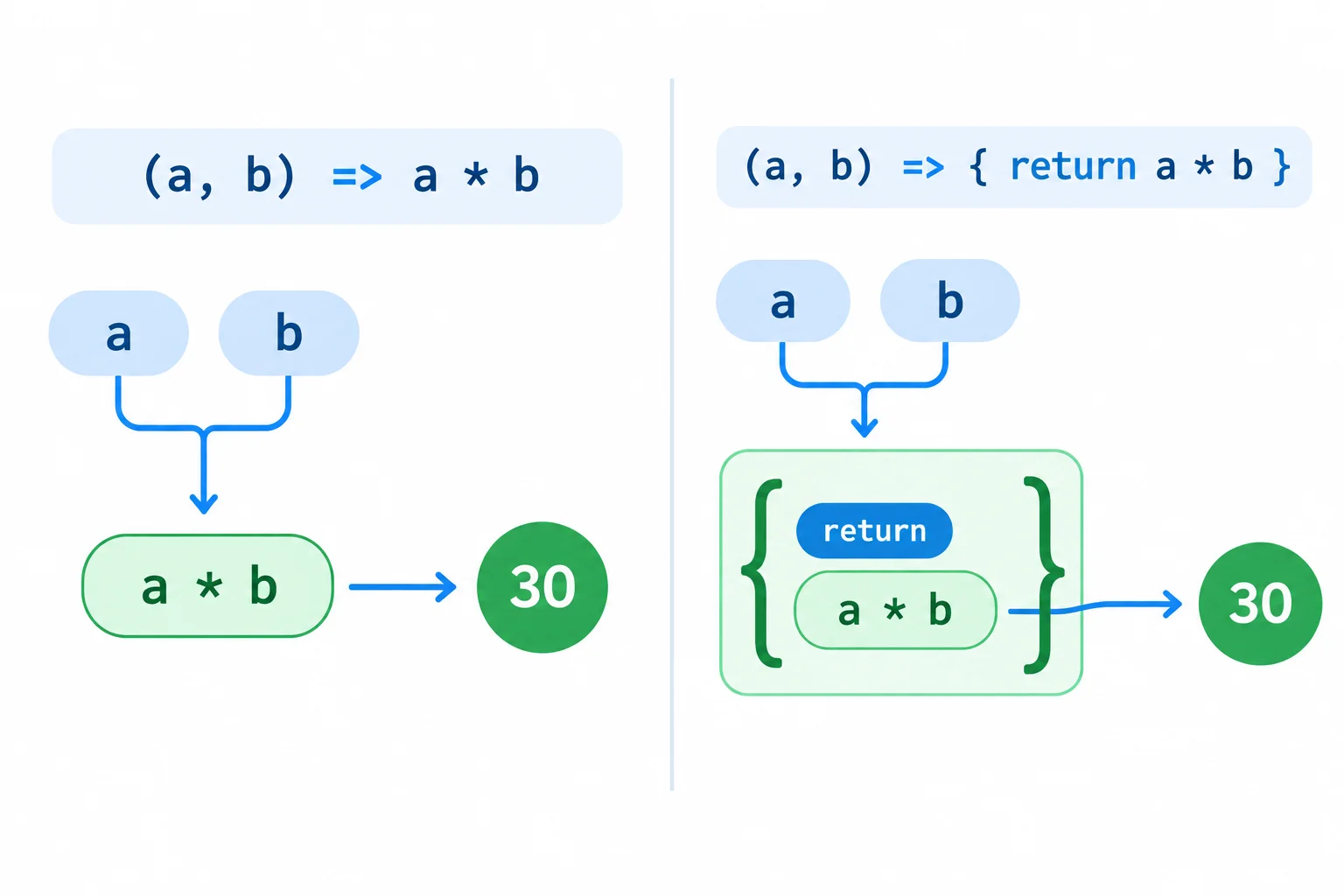
A direct expression is returned implicitly. Braces create a block body, so the result needs an explicit return statement.
An arrow function with an expression body.
const calculateScore = (completedTasks, pointsPerTask) => completedTasks * pointsPerTask;

console.log(calculateScore(3, 10));30
Tip
Adding { } changes the arrow function to a block body. In a block body, write return when the caller needs the calculated value; otherwise the call reaches the end and produces undefined.
Match each function form to the syntax that identifies it.
Tap an item and then its matching pair.
Complete the expression-bodied arrow function and repair the block-bodied version so both produce the score.
const calculateScore = (completedTasks, pointsPerTask)  completedTasks * pointsPerTask;

const calculateScoreWithBlock = (completedTasks, pointsPerTask) => {
   completedTasks * pointsPerTask;
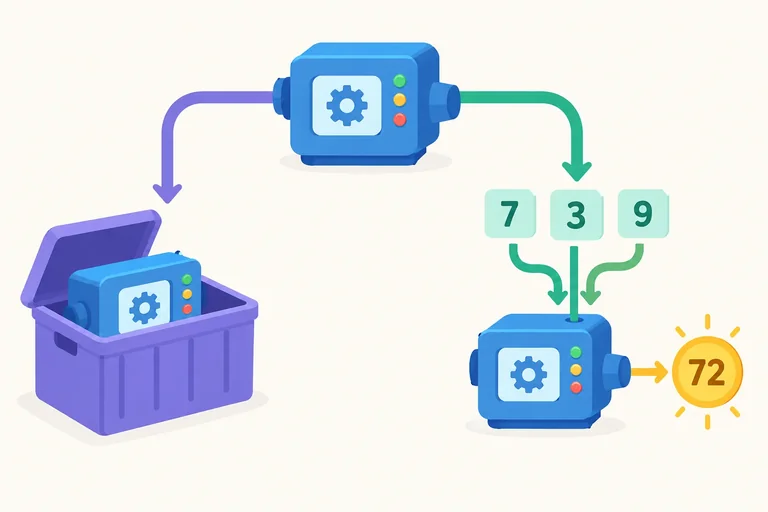
};
Step 5 of 8
Store a function value, call it deliberately for a return value, and recognize what reaches the console in each case.
A function name without call parentheses refers to a function value. It does not run the function.
Add parentheses and arguments to call it: calculateScore(3, 10). That call evaluates to its return value: a number.
You can store the function value in another binding. That new binding can call the same function later.
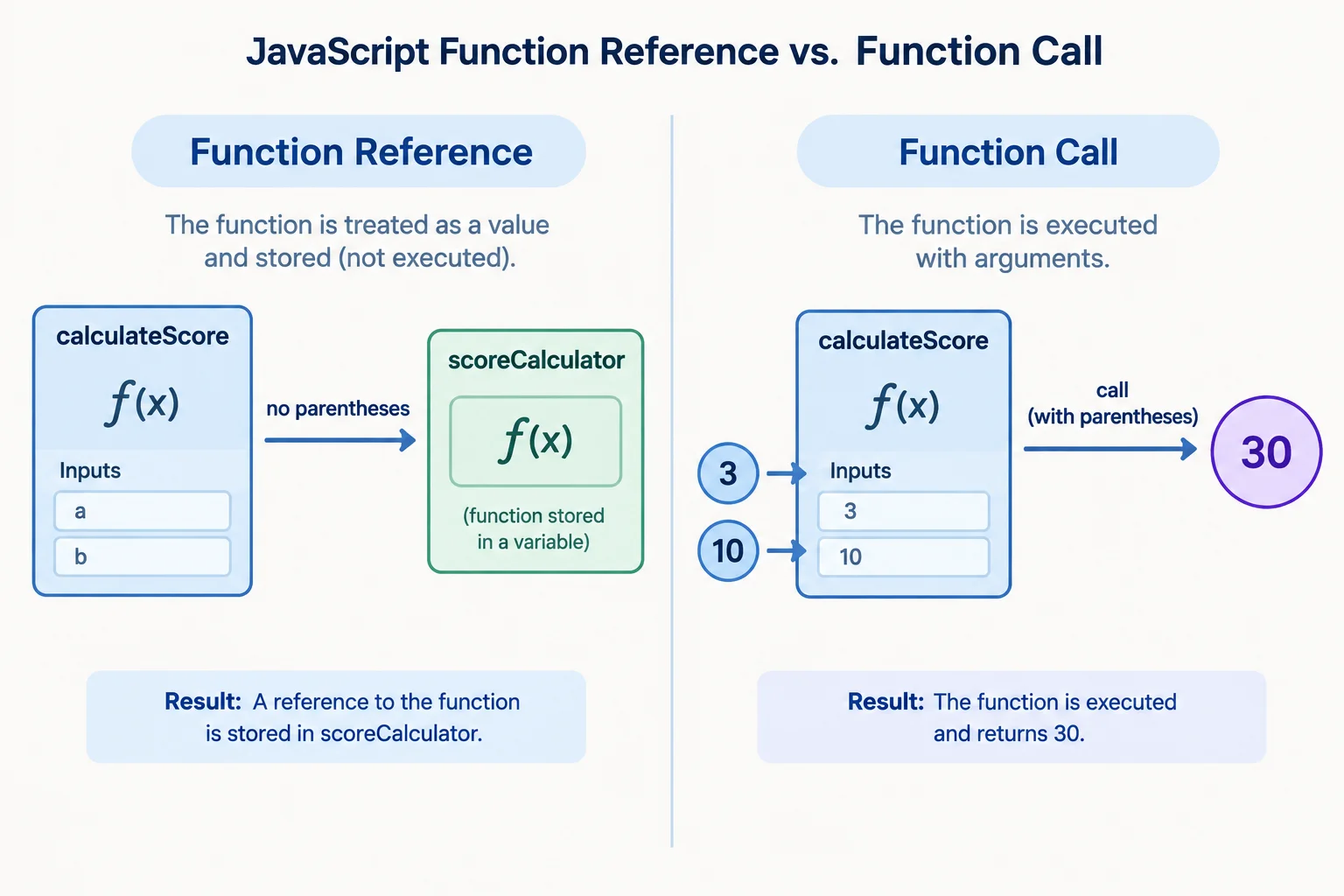
Parentheses change a function reference into a function call.
Compare the two values in the console.
const calculateScore = (completedTasks, pointsPerTask) => completedTasks * pointsPerTask;

const scoreCalculator = calculateScore;
const savedScore = calculateScore(3, 10);

console.log("function value:", scoreCalculator);
console.log("returned score:", savedScore);function value: [function representation] returned score: 30
The first line varies by browser because it is a function representation, not a score. The second line is the numeric return value.
Read the parentheses before deciding what a value is. console.log receives whatever expression you place inside its parentheses; it does not add a call to a function reference.
Each row uses the same calculation with three completed tasks at ten points each.
| Expression | What it provides |
|---|---|
| calculateScore | The function value |
| calculateScore(3, 10) | The return value: 30 |
| console.log(calculateScore) | A function representation |
| console.log(calculateScore(3, 10)) | The number 30 |
scoreCalculator already stores a score-calculating function. Which line stores the numeric score for 4 completed tasks worth 10 points each in nextScore?
Complete the snippet so one binding stores the function value, one binding receives a numeric result, and the console receives a later call through the alias.
const calculateScore = (completedTasks, pointsPerTask) => completedTasks * pointsPerTask;

const scoreCalculator = ;
const storedScore = ;

console.log();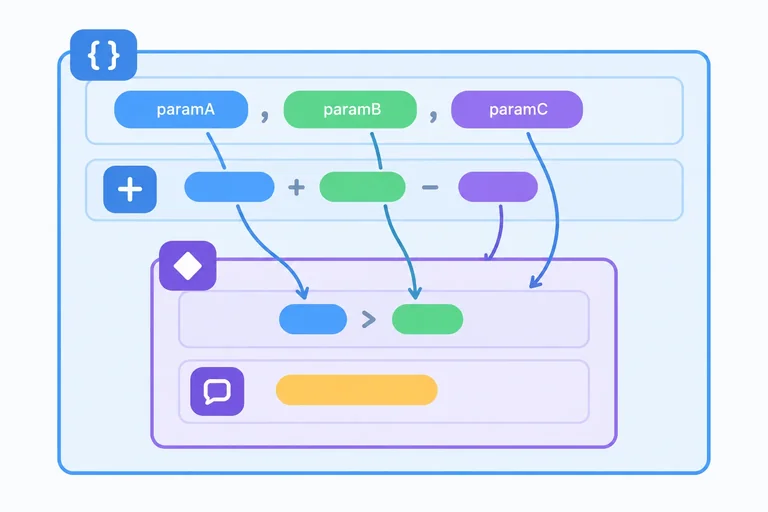
Step 6 of 8
Determine where parameters and let or const bindings are accessible within a function and its nested blocks.
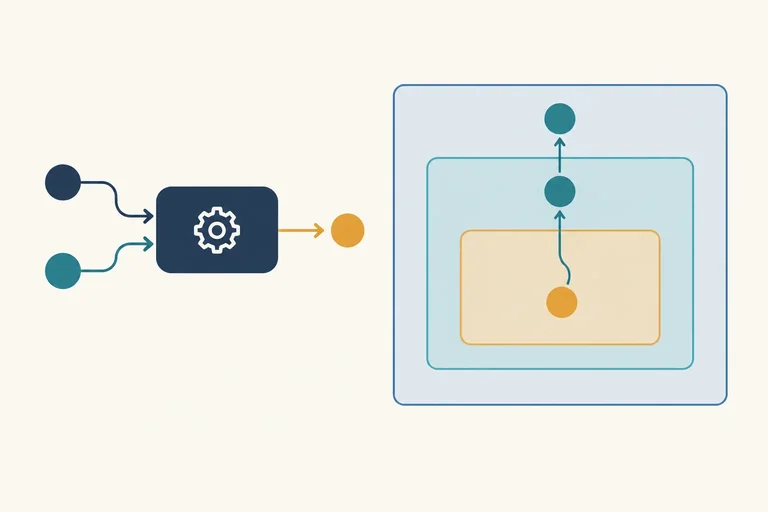
The braces of a function body define its lexical Function scope because of where the function is written. Parameters and bindings declared directly in that body belong to this scope; outside the function’s closing brace, completedTasks, pointsPerTask, and baseScore are not available names.
Each call creates a fresh set of parameter and local bindings within that same written Function scope. An if body adds a nested Block scope for let and const. Code inside the block can use accessible bindings from the surrounding Function scope, but a binding declared inside the block stays inside that block.
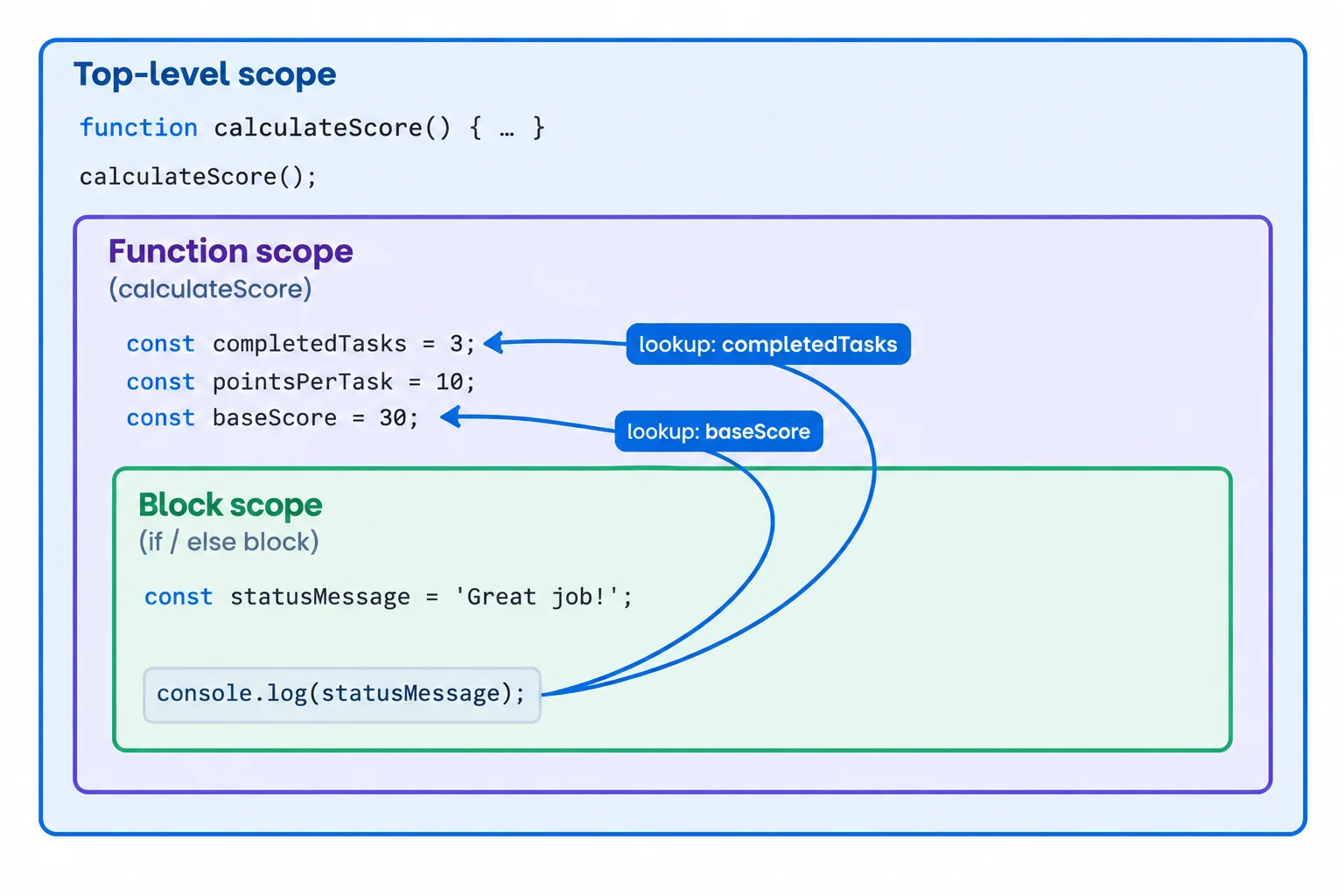
Lookup from an inner block can reach bindings in its enclosing Function scope.
The conditional block can use baseScore, but statusMessage is limited to that block.
function calculateScore(completedTasks, pointsPerTask) {
  const baseScore = completedTasks * pointsPerTask;

  if (completedTasks > 0) {
    const statusMessage = "Score calculated";
    console.log(statusMessage);
  }

  return baseScore;
}

console.log(calculateScore(3, 10));Score calculated 30
The first line is logged inside the conditional. The second line is the returned value logged at top level.
The bindings are created again for every call. When calculateScore(3, 10) finishes, its parameter bindings and its local baseScore are no longer available. A later call receives a separate set of local bindings in the function body that was defined earlier.
Put a local declaration in the Function scope when both an inner block and code after that block need it. Do not move that local calculation to Top-level scope just to make it reachable.
These calls use the same function definition, but each call calculates with its own parameter values and local baseScore.
function calculateScore(completedTasks, pointsPerTask) {
  const baseScore = completedTasks * pointsPerTask;
  return baseScore;
}

const firstScore = calculateScore(3, 10);
const secondScore = calculateScore(4, 10);

console.log(firstScore);
console.log(secondScore);30 40
Each top-level console.log displays the return value from one completed function call.
A const statusMessage declared inside an if block can be used by a return statement written after that block’s closing brace.
Complete the missing declaration. It must make baseScore accessible at both A and B while remaining local to calculateScore.
function calculateScore(completedTasks, pointsPerTask) {


  if (completedTasks > 0) {
    // A: use baseScore here
    console.log(baseScore);
  }

  // B: return baseScore here
  return baseScore;
}
Step 7 of 8
Trace identifier lookup through enclosing scopes, shadowing, and a helper's definition location.
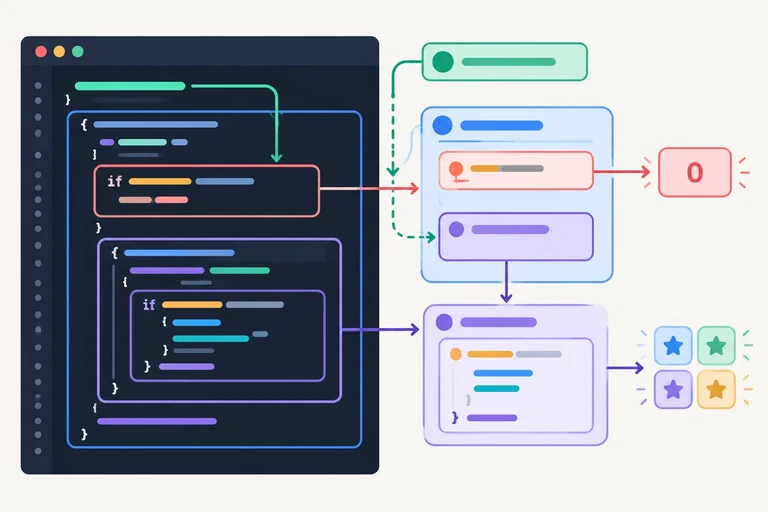
Lexical scope follows where code is written, not where a function is called. To resolve an identifier, JavaScript checks the current scope first, then each enclosing scope until it finds a matching binding.
If an inner scope declares the same name, that nearer binding shadows the outer one. The outer binding still exists; it is simply not the one used from inside the inner scope.
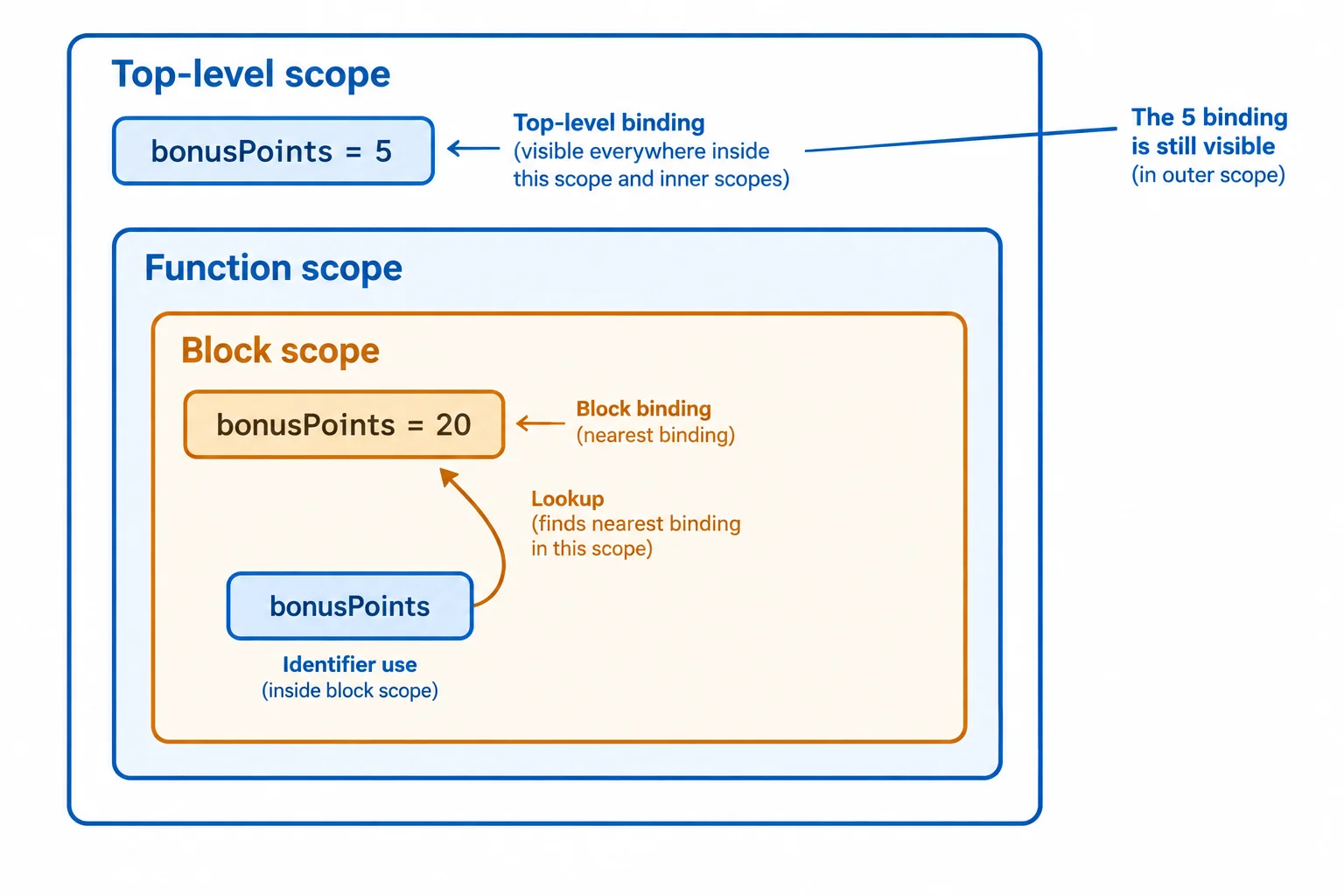
A lookup stops at the nearest enclosing binding with the requested name.
Tip
A block binding can shadow an enclosing binding, just as a function-local binding can. This rule does not overwrite the outer value. It only determines which binding an identifier use reaches from that written location.
A helper written inside a function can use bindings from that enclosing Function scope. In this version, addBonus starts its lookup in its own arrow-function body. It finds score there, then finds bonusPoints in the surrounding calculateScore function.
The helper returns 35 for three completed tasks: baseScore is 30 and the enclosing bonusPoints is 5.
Save this as functions.js and refresh your local page. Open the browser console to check the result.
function calculateScore(completedTasks, pointsPerTask) {
  if (completedTasks <= 0) {
    return 0;
  }

  const baseScore = completedTasks * pointsPerTask;
  const bonusPoints = 5;
  const addBonus = (score) => score + bonusPoints;

  return addBonus(baseScore);
}

console.log(calculateScore(3, 10));35
Now addBonus is written in Top-level scope instead. That changes which declarations can be found by its lexical lookup: it can use the Top-level bonusPoints, but it cannot use a caller's local bindings.
previewScore has its own bonusPoints value of 20. That binding shadows the top-level name only inside previewScore. Calling the already-defined addBonus does not give addBonus access to the caller's Function scope, so the console output is still 35.
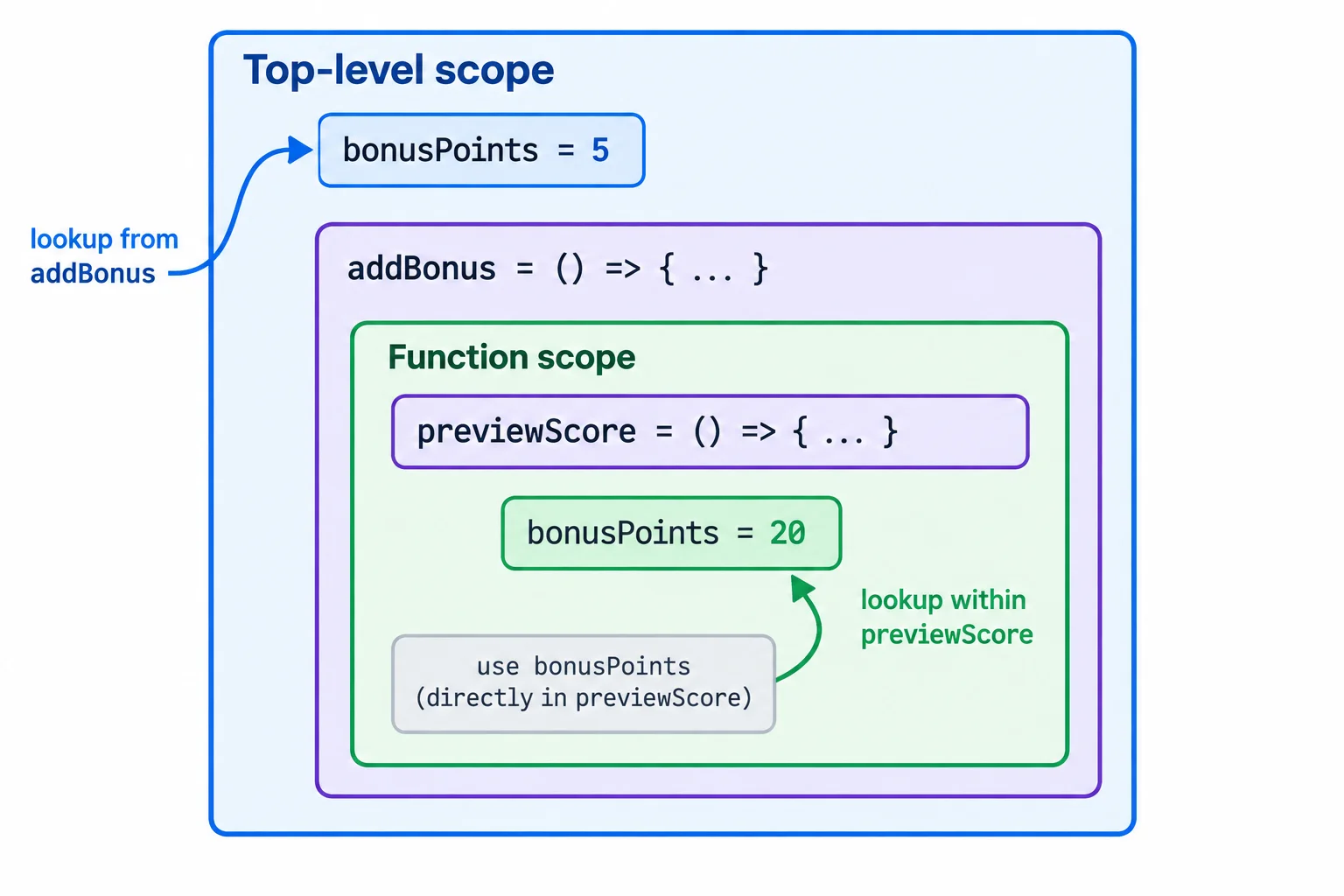
addBonus uses the scope around its definition, not the scope of previewScore that calls it.
Replace the previous functions.js code with this version to observe the same score through previewScore.
const bonusPoints = 5;

const addBonus = (score) => score + bonusPoints;

function calculateScore(completedTasks, pointsPerTask) {
  if (completedTasks <= 0) {
    return 0;
  }

  const baseScore = completedTasks * pointsPerTask;
  return addBonus(baseScore);
}

function previewScore() {
  const bonusPoints = 20;
  return calculateScore(3, 10);
}

console.log(previewScore());35
Using the code from the previous screen, match each identifier use or observable result to what lexical scope determines.
Tap an item and then its matching pair.
Step 8 of 8
Complete, run, and explain a score function that combines an early return, a local calculation, a function value, and lexical lookup.
Create a folder containing index.html and functions.js. Save the complete HTML below as index.html. On the next screen, complete the JavaScript in your own functions.js, then save and refresh the page. Open the browser console to check the logged results.
Save this complete file as index.html in the same folder as functions.js.
<!doctype html>
<html lang="en">
  <head>
    <meta charset="utf-8">
    <meta name="viewport" content="width=device-width, initial-scale=1">
    <title>Function Practice</title>
    <script src="functions.js" defer></script>
  </head>
  <body>
    <h1>Function Practice</h1>
  </body>
</html>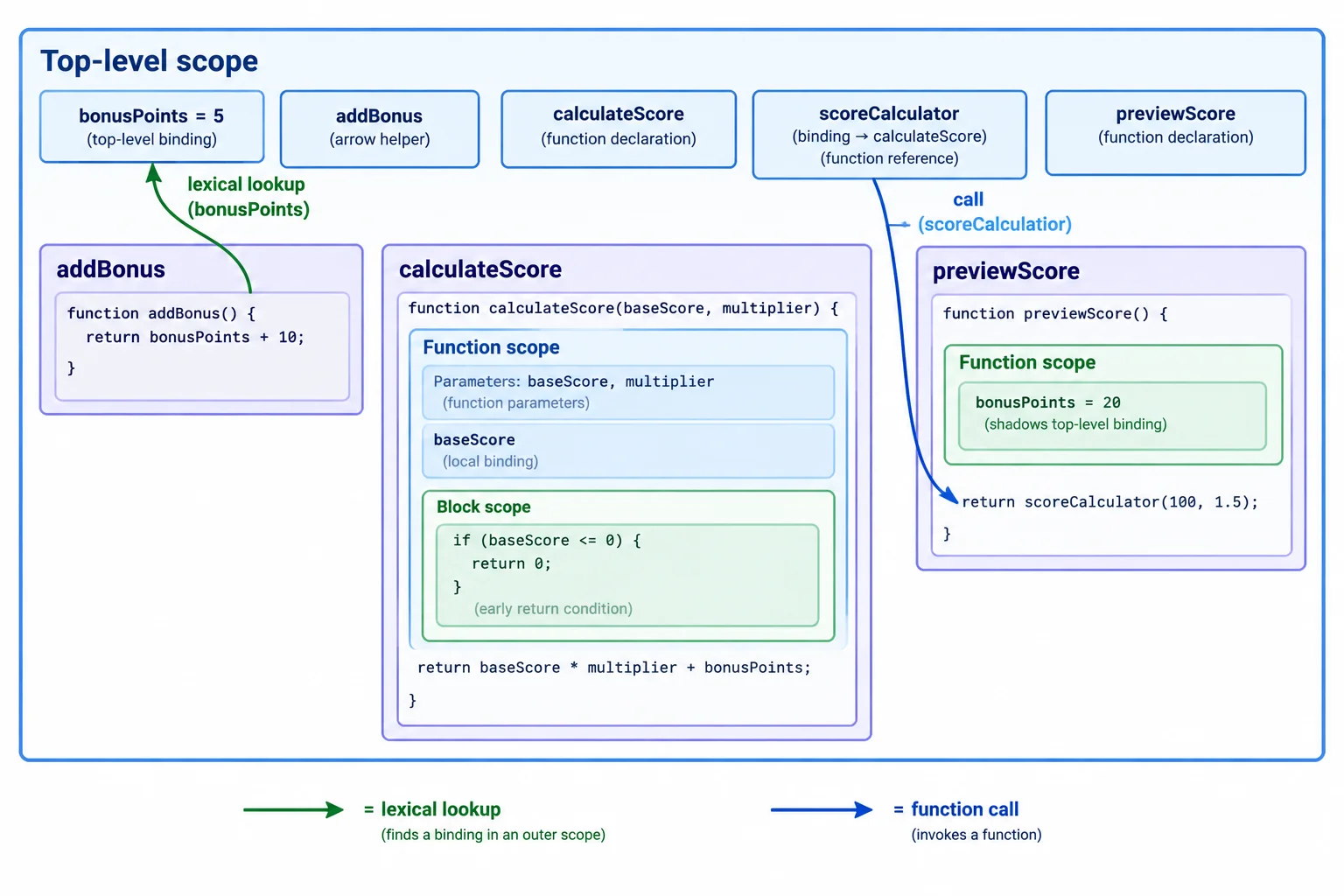
previewScore calls scoreCalculator; it does not supply its local bindings to addBonus.
Complete every marker. Then enter the finished program in your local functions.js, preserving the names, formatting, and console calls.
const bonusPoints = 5;

const addBonus = (score) => ;

function (completedTasks, pointsPerTask) {
  if () {
    return ;
  }

  const baseScore = completedTasks * pointsPerTask;
  return ;
}

const scoreCalculator = ;

function previewScore() {
  const bonusPoints = 20;
  return scoreCalculator(5, 10);
}

console.log("Zero tasks:", scoreCalculator(0, 10));
console.log("Three tasks:", scoreCalculator(3, 10));
console.log("Five tasks:", previewScore());Save your completed functions.js, refresh index.html, and inspect the browser console. Check each labeled console output against the expected number below. The positive calls each use the same outer bonus through addBonus.
These are the values produced by the completed code after a refresh.
| Console label | Expected number | Return path |
|---|---|---|
| Zero tasks: | 0 | The early return ends the call. |
| Three tasks: | 35 | 30 base points plus the outer bonus of 5. |
| Five tasks: | 55 | 50 base points plus the outer bonus of 5. |
Write a short verification report based on your completed local program. Include the three labeled console values for the zero-task, three-task, and preview calls. State what scoreCalculator holds before parentheses are used. Then explain why the bonusPoints binding inside previewScore() does not change the bonus read by addBonus. Refer to where the helper was defined, not only where it was called.
Write at least 220 characters (0/220).
Congratulations! You completed: Write Functions with Parameters and Lexical Scope
Thousands of online courses in video, ebooks and audiobooks.
To test your knowledge during online courses
Generated directly from your cell phone's photo gallery and sent to your email

Download our app via QR Code or the links below:.



Carry knowledge in your pocket.
Download the Cursa app.
There are hundreds of free courses available, with a free certificate of completion that is saved in your mobile image gallery.
Download the app to access the Course Completion Certificate for Free.


+ 10 million
students

Free and Valid
Certificate

60 thousand free
exercises

4.8/5 rating in
app stores

Free courses in
video and ebooks