
Step 1 of 8
Choose the HTTP Boundary and State Contract
Define the HTTP boundary to control and the observable interface states that ProjectList must satisfy.

Learning path · Level 12 · Tutorial 3
Control API responses in local React tests to verify loading, populated, empty, failure, and recovery behavior without relying on external services or timing guesses.
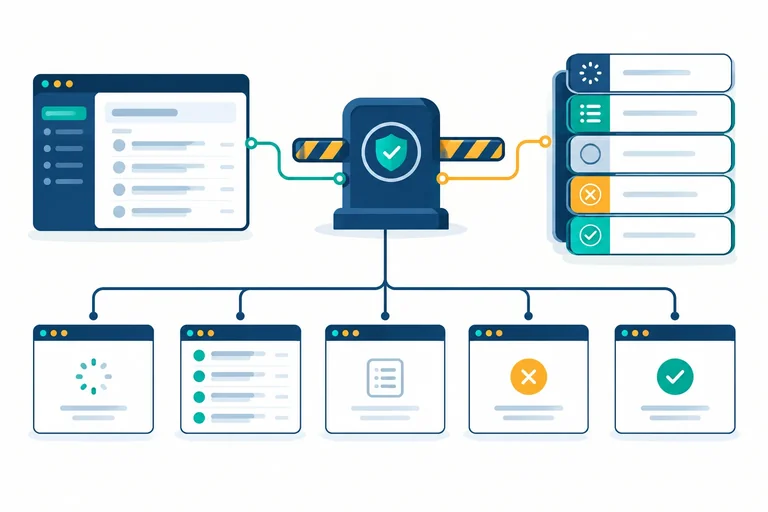
 Choose the HTTP Boundary and State Contract
Define the HTTP boundary to control and the observable interface states that ProjectList must satisfy. 3 min
Choose the HTTP Boundary and State Contract
Define the HTTP boundary to control and the observable interface states that ProjectList must satisfy. 3 min
 Intercept Requests with MSW
Configure local MSW 2.x interception for the ProjectList request, with an exact default handler, strict matching, and a repeatable Vitest lifecycle. 3 min
Intercept Requests with MSW
Configure local MSW 2.x interception for the ProjectList request, with an exact default handler, strict matching, and a repeatable Vitest lifecycle. 3 min
 Isolate Query State Between Tests
Create a reusable test renderer and coordinated teardown so cached query data, mounted DOM, and MSW overrides cannot leak between tests. 3 min
Isolate Query State Between Tests
Create a reusable test renderer and coordinated teardown so cached query data, mounted DOM, and MSW overrides cannot leak between tests. 3 min
 Hold a Response Until Loading Is Verified
Use a per-test response gate to prove loading is visible before a controlled MSW response completes, then observe the rendered transition without timing guesses. 4 min
Hold a Response Until Loading Is Verified
Use a per-test response gate to prove loading is visible before a controlled MSW response completes, then observe the rendered transition without timing guesses. 4 min
 Verify Populated and Empty Results
Write independent interface tests for populated and valid-empty project responses using controlled MSW handlers and accessible assertions. 3 min
Verify Populated and Empty Results
Write independent interface tests for populated and valid-empty project responses using controlled MSW handlers and accessible assertions. 3 min
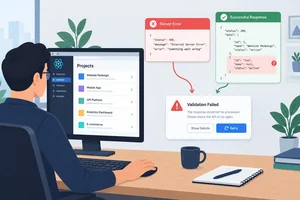 Exercise HTTP and Invalid-Data Failures
Control deliberate HTTP and invalid-data responses to verify that both reach the recoverable ProjectList interface without masking valid empty data. 3 min
Exercise HTTP and Invalid-Data Failures
Control deliberate HTTP and invalid-data responses to verify that both reach the recoverable ProjectList interface without masking valid empty data. 3 min
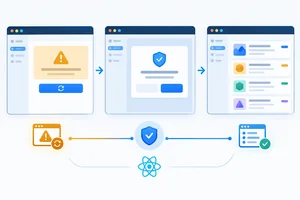 Prove Failure-to-Recovery Behavior
Test one explicit retry that replaces failure feedback with loading and then successful results on the same component instance. 3 min
Prove Failure-to-Recovery Behavior
Test one explicit retry that replaces failure feedback with loading and then successful results on the same component instance. 3 min
 Apply and Review the Controlled-Response Suite
Complete, run, and review the deterministic ProjectList controlled-response suite while identifying what its local interface guarantees and does not prove. 3 min
Apply and Review the Controlled-Response Suite
Complete, run, and review the deterministic ProjectList controlled-response suite while identifying what its local interface guarantees and does not prove. 3 min
Step 1 of 8
Define the HTTP boundary to control and the observable interface states that ProjectList must satisfy.
For this suite, control the HTTP boundary: the response to GET http://localhost:3000/api/projects. Do not replace application internals.
The test will keep the real getProjects function, fetch, HTTP-status check, runtime validation, TanStack Query state, ProjectList rendering, and accessible DOM assertions. A controlled response lets the same request produce populated data, valid empty data, an HTTP failure, or invalid data without contacting a live service.
A later interceptor will substitute only the response at this boundary.
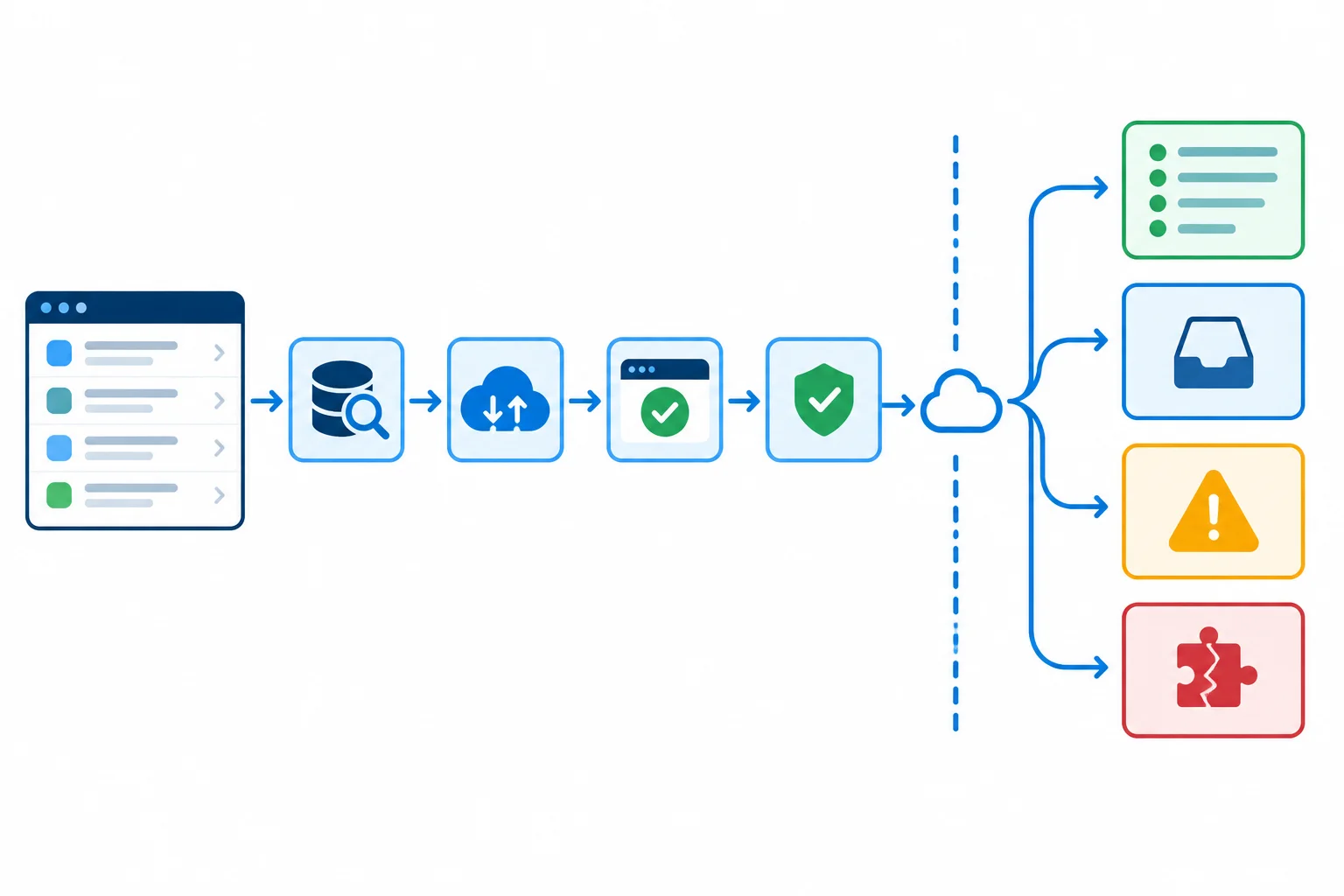
Keep the application path real; vary only what returns across the HTTP boundary.
Tip
Replacing fetch, a query hook, or component state can make a screen appear correct while skipping the data-access and validation behavior that needs verification. Control the response instead, so those paths still execute.
Create this supplied module in src/projects.ts. It is the code under test: it forwards TanStack Query’s cancellation signal, rejects unsuccessful HTTP responses, validates unknown JSON, and exports the single populated fixture used by later handlers and tests.
src/projects.ts
export type Project = {
  id: number;
  name: string;
};

export const PROJECTS_URL = 'http://localhost:3000/api/projects';

export const populatedProjects: Project[] = [
  { id: 1, name: 'Atlas' },
  { id: 2, name: 'Beacon' },
];

function isProject(value: unknown): value is Project {
  if (typeof value !== 'object' || value === null) {
    return false;
  }

  const candidate = value as Record<string, unknown>;

  return (
    typeof candidate.id === 'number' &&
    typeof candidate.name === 'string'
  );
}

function isProjectArray(value: unknown): value is Project[] {
  return Array.isArray(value) && value.every(isProject);
}

export async function getProjects(signal: AbortSignal): Promise<Project[]> {
  const response = await fetch(PROJECTS_URL, { signal });

  if (!response.ok) {
    throw new Error(`Projects request failed: ${response.status}`);
  }

  const data: unknown = await response.json();

  if (!isProjectArray(data)) {
    throw new Error('Projects response has an invalid shape.');
  }

  return data;
}
Create src/ProjectList.tsx. Fetching takes precedence, so it replaces failure feedback both during the initial request and during an explicit retry.
import { useQuery } from '@tanstack/react-query';

import { getProjects } from './projects';

export function ProjectList() {
  const { data, error, isFetching, refetch } = useQuery({
    queryKey: ['projects'],
    queryFn: ({ signal }) => getProjects(signal),
  });

  if (isFetching) {
    return <p role='status'>Loading projects...</p>;
  }

  if (error) {
    return (
      <section>
        <p role='alert'>Could not load projects.</p>
        <button onClick={() => { void refetch(); }}>Try again</button>
      </section>
    );
  }

  if (data?.length === 0) {
    return <p>No projects yet.</p>;
  }

  return (
    <ul aria-label='Projects'>
      {data?.map((project) => (
        <li key={project.id}>{project.name}</li>
      ))}
    </ul>
  );
}
Treat these as a user-visible contract. Later tests will observe roles, names, and text in the rendered interface—not query-hook variables or direct calls to getProjects.
| Controlled response or phase | Required visible evidence | Must not remain visible |
|---|---|---|
| Request unresolved | status: Loading projects... | Alert, list, empty message |
| 200 populated array | List named Projects with Atlas and Beacon | Loading, alert, empty message |
| 200 with [] | No projects yet. | Loading, alert, results list |
| 503 response | Could not load projects. alert; Try again button | Loading, list, empty message |
| 200 invalid project shape | Could not load projects. alert; Try again button | Loading, list, empty message |
| Retry request unresolved | status: Loading projects... | Previous alert and Try again button |
Match each responsibility or response category to its controlled boundary or required rendered outcome.
Tap an item and then its matching pair.

Step 2 of 8
Configure local MSW 2.x interception for the ProjectList request, with an exact default handler, strict matching, and a repeatable Vitest lifecycle.
MSW 2.x intercepts requests inside Vitest’s local Node test process. It needs a Node version that provides fetch. Use a current supported LTS release—such as Node 20 or Node 22—and confirm that it is supported by the package versions your project installs. Do not assume every Node 18 installation is compatible with the newest packages.
You do not start an API server. This setup also does not register a browser service worker: setupServer intercepts requests in the test process.
Run these commands from the project root when the packages are missing. The ranges explicitly select TanStack Query 5.x and MSW 2.x APIs used in this tutorial.
npm install @tanstack/react-query@^5.0.0
npm install -D msw@^2.0.0 vitest@^2.0.0 jsdom@^25.0.0 @testing-library/react@^16.0.0 @testing-library/jest-dom@^6.0.0 @testing-library/user-event@^14.0.0Create or update vitest.config.ts. Component tests run in jsdom and load one shared setup file. Tests retain explicit Vitest imports rather than relying on globals.
import { defineConfig } from 'vitest/config';

export default defineConfig({
  test: {
    environment: 'jsdom',
    setupFiles: ['./src/test/setup.ts'],
    globals: false,
  },
});MSW controls the HTTP boundary only. ProjectList, TanStack Query, getProjects, fetch, runtime validation, and rendered assertions remain real application behavior.
The default handler must match the application’s exact GET request to the shared PROJECTS_URL. It returns the populated fixture unless a test adds a temporary handler with server.use(...). Exporting the fixture here also supports tests that import it from src/test/server.ts.
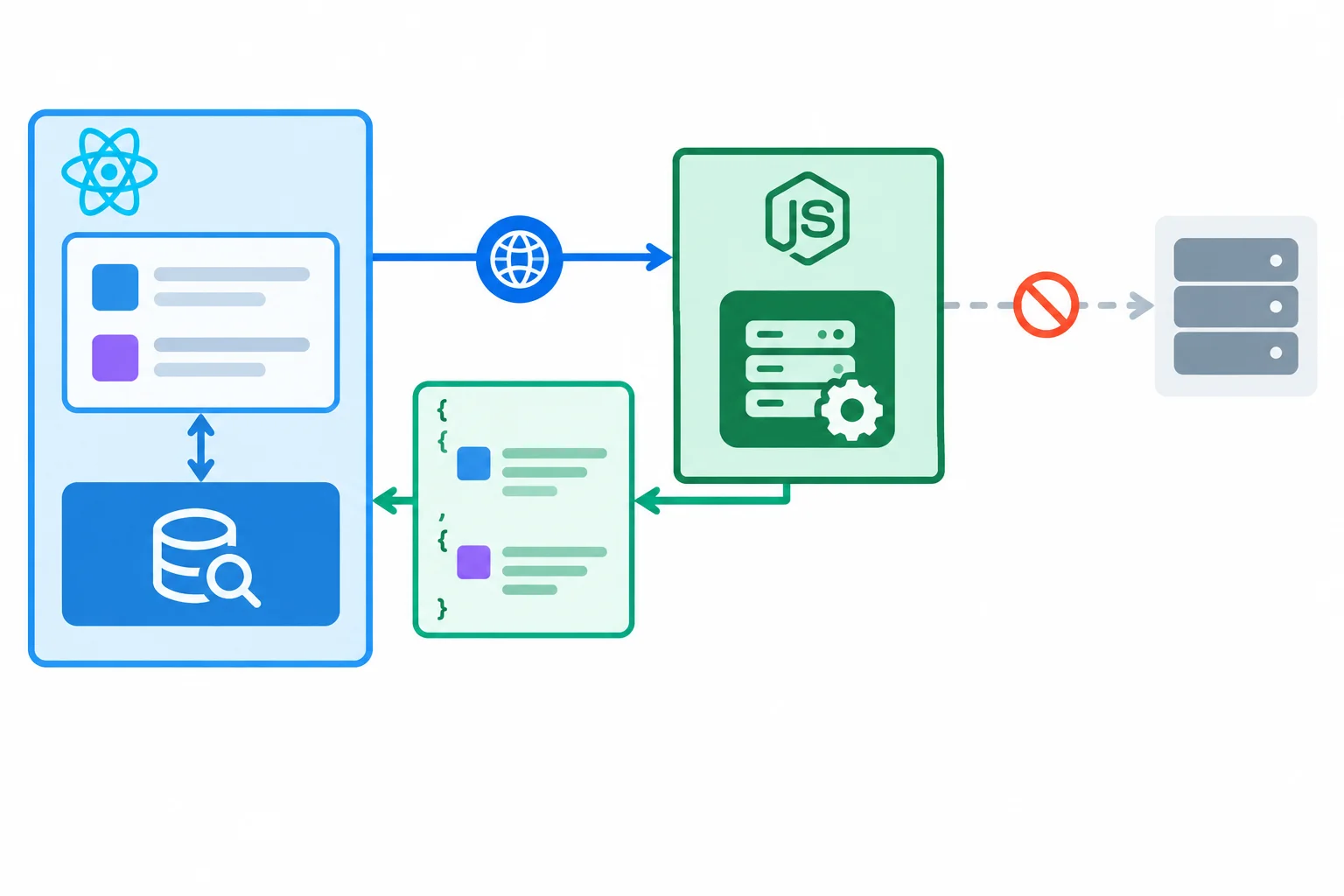
The application still makes its normal request; MSW substitutes only the response at the HTTP boundary.
Create src/test/server.ts. Both the component and this default handler use the endpoint exported by src/projects.ts.
import { HttpResponse, http } from 'msw';
import { setupServer } from 'msw/node';

import { PROJECTS_URL, populatedProjects } from '../projects';

export { populatedProjects };

export const server = setupServer(
  http.get(PROJECTS_URL, () =>
    HttpResponse.json(populatedProjects, { status: 200 }),
  ),
);Start interception once before the suite. After every test, reset runtime overrides so the default handler is active again. Close interception once after the suite.
server.use(...) adds a test-specific handler with precedence over the default. server.resetHandlers() removes those additions; it does not remove the default handler declared in setupServer(...). A later step extends this same afterEach callback with query-resource cleanup.
Create src/test/setup.ts. It retains jest-dom integration and makes unmatched requests fail immediately.
import '@testing-library/jest-dom/vitest';
import { cleanup } from '@testing-library/react';
import { afterAll, afterEach, beforeAll } from 'vitest';

import { server } from './server';

beforeAll(() => {
  server.listen({ onUnhandledRequest: 'error' });
});

afterEach(() => {
  cleanup();
  server.resetHandlers();
});

afterAll(() => {
  server.close();
});
Warning
Treat an MSW unhandled-request diagnostic as a setup defect, not as an intentional application failure. Check the request method and the exact PROJECTS_URL, then correct the handler. Do not add a delay or allow the request to pass through.
ProjectList makes its documented request, but the only MSW handler was registered with http.post(PROJECTS_URL, ...). How should this result be classified?
Complete the handler, lifecycle sequence, strict unmatched-request policy, and diagnosis. The callback positions represent their required runtime order.
export const server = setupServer(
  http.(PROJECTS_URL, () =>
    HttpResponse.json(populatedProjects, { status: 200 }),
  ),
);

(() => {
  server.listen({ onUnhandledRequest: '' });
});

(() => {
  server.resetHandlers();
});

(() => {
  server.close();
});

// A handler with the wrong method or URL is a .
Step 3 of 8
Create a reusable test renderer and coordinated teardown so cached query data, mounted DOM, and MSW overrides cannot leak between tests.
server.resetHandlers() and query cleanup solve different leakage problems. Resetting MSW removes a test’s temporary HTTP handlers, but it does not remove data already stored by a QueryClient.
If tests share one client, a later test can display cached projects immediately instead of making the request intended for its own handler. Each renderWithQuery(...) call must therefore create a fresh client. After every case, remove the rendered DOM, clear tracked query clients, and restore MSW’s default handler.
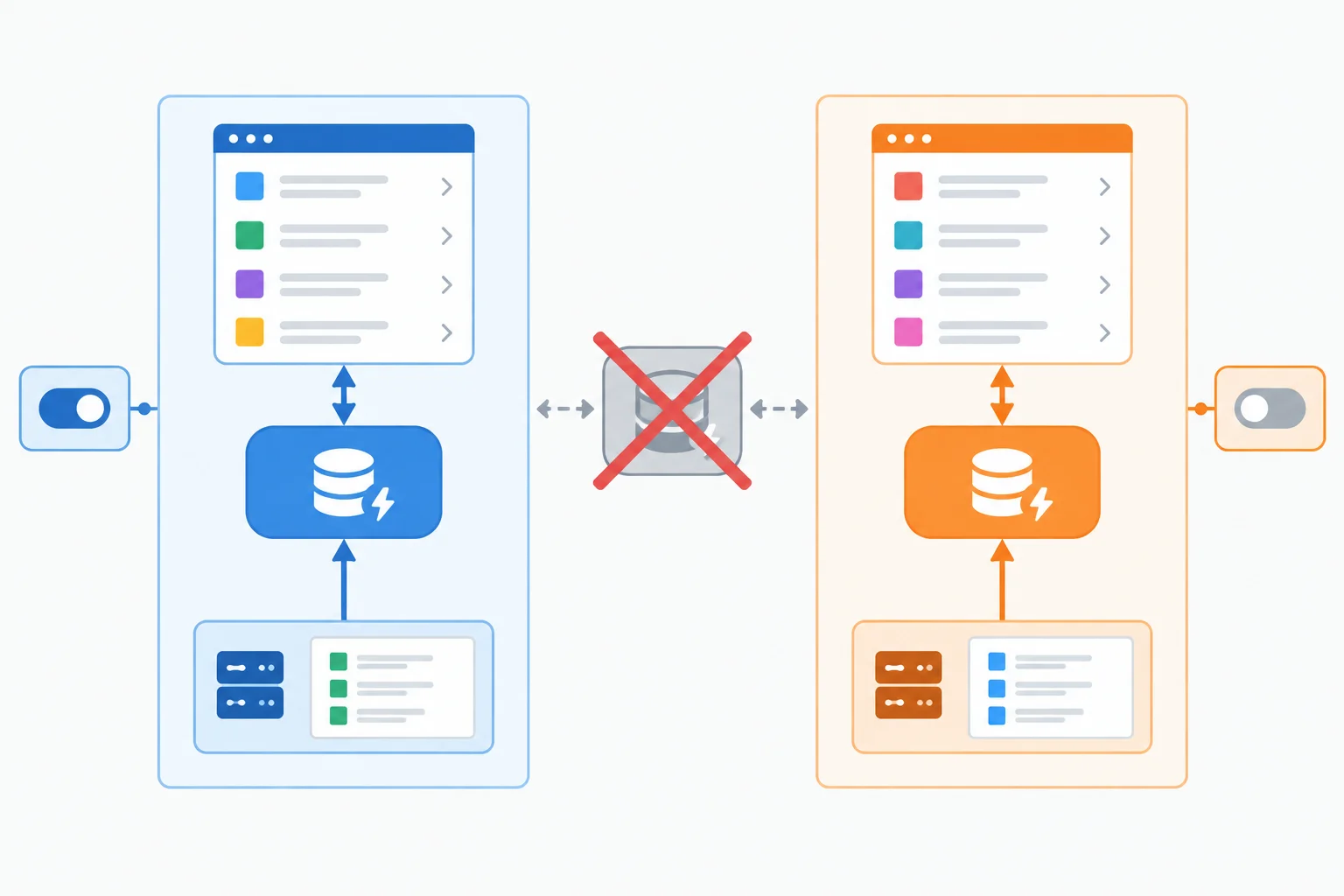
A handler override controls HTTP behavior; a fresh QueryClient prevents cached data from reaching another test.
Use one coordinated teardown sequence. Each action has a distinct responsibility; none replaces the others.
| Resource | Cleanup action | Purpose |
|---|---|---|
| Rendered DOM | cleanup() | Unmounts components and effects. |
| Query cache | clearQueryClients() | Clears cached data and tracked clients. |
| MSW overrides | server.resetHandlers() | Restores the default populated-response handler. |
Create src/test/renderWithQuery.tsx. This helper accepts the JSX passed by every later test, creates a new QueryClient for that render, and tracks it for teardown.
The options below are deliberately test-only: retry: false prevents background attempts from changing a case, refetchOnWindowFocus: false prevents focus-driven requests, and gcTime: Infinity keeps clients available until the explicit cleanup function clears them. They are not production policy recommendations.
src/test/renderWithQuery.tsx
import type { ReactElement } from 'react';
import { QueryClient, QueryClientProvider } from '@tanstack/react-query';
import { render } from '@testing-library/react';

const queryClients = new Set<QueryClient>();

export function renderWithQuery(ui: ReactElement) {
  const queryClient = new QueryClient({
    defaultOptions: {
      queries: {
        retry: false,
        gcTime: Infinity,
        refetchOnWindowFocus: false,
      },
    },
  });

  queryClients.add(queryClient);

  return render(
    <QueryClientProvider client={queryClient}>
      {ui}
    </QueryClientProvider>,
  );
}

export function clearQueryClients(): void {
  for (const queryClient of queryClients) {
    queryClient.clear();
  }

  queryClients.clear();
}
Tip
The module-level Set is only a registry for cleanup. It is not the client cache used by ProjectList. Every renderWithQuery(<ProjectList />) call creates and provides its own client.
Extend the existing src/test/setup.ts callback from the MSW step. Do not add a competing afterEach hook. The sequence first unmounts the interface, then clears all tracked query resources, then removes runtime MSW overrides.
src/test/setup.ts
import '@testing-library/jest-dom/vitest';
import { cleanup } from '@testing-library/react';
import { afterAll, afterEach, beforeAll } from 'vitest';

import { clearQueryClients } from './renderWithQuery';
import { server } from './server';

beforeAll(() => {
  server.listen({ onUnhandledRequest: 'error' });
});

afterEach(() => {
  cleanup();
  clearQueryClients();
  server.resetHandlers();
});

afterAll(() => {
  server.close();
});
Tip
With this lifecycle, a test-specific server.use(...) override cannot affect the next case, and a previous result cannot be read from the next case’s query cache. The tests can run independently rather than relying on their execution order.
Complete the isolated renderer and coordinated teardown. The finished code must give every rendered UI its own client and assign DOM, query-resource, and handler cleanup to their correct operations.
const queryClients = new Set<QueryClient>();

export function renderWithQuery(ui: ReactElement) {
  const queryClient = new ({
    defaultOptions: {
      queries: {
        retry: ,
        gcTime: Infinity,
        refetchOnWindowFocus: false,
      },
    },
  });

  queryClients.(queryClient);

  return render(
    <QueryClientProvider client={queryClient}>
      {ui}
    </QueryClientProvider>,
  );
}

export function clearQueryClients(): void {
  for (const queryClient of queryClients) {
    queryClient.clear();
  }

  queryClients.();
}

afterEach(() => {
  ();
  clearQueryClients();
  server.();
});
Step 4 of 8
Use a per-test response gate to prove loading is visible before a controlled MSW response completes, then observe the rendered transition without timing guesses.
A response gate gives the test control over when an intercepted request may finish. The component, its TanStack Query request, the real getProjects validation, and rendering still run normally. Only the MSW response pauses.
Create one gate per test. Its pending promise stays unresolved until the test opens it. An MSW resolver awaits that promise before returning JSON, allowing the test to prove that the loading state is visible while the request is genuinely unfinished.
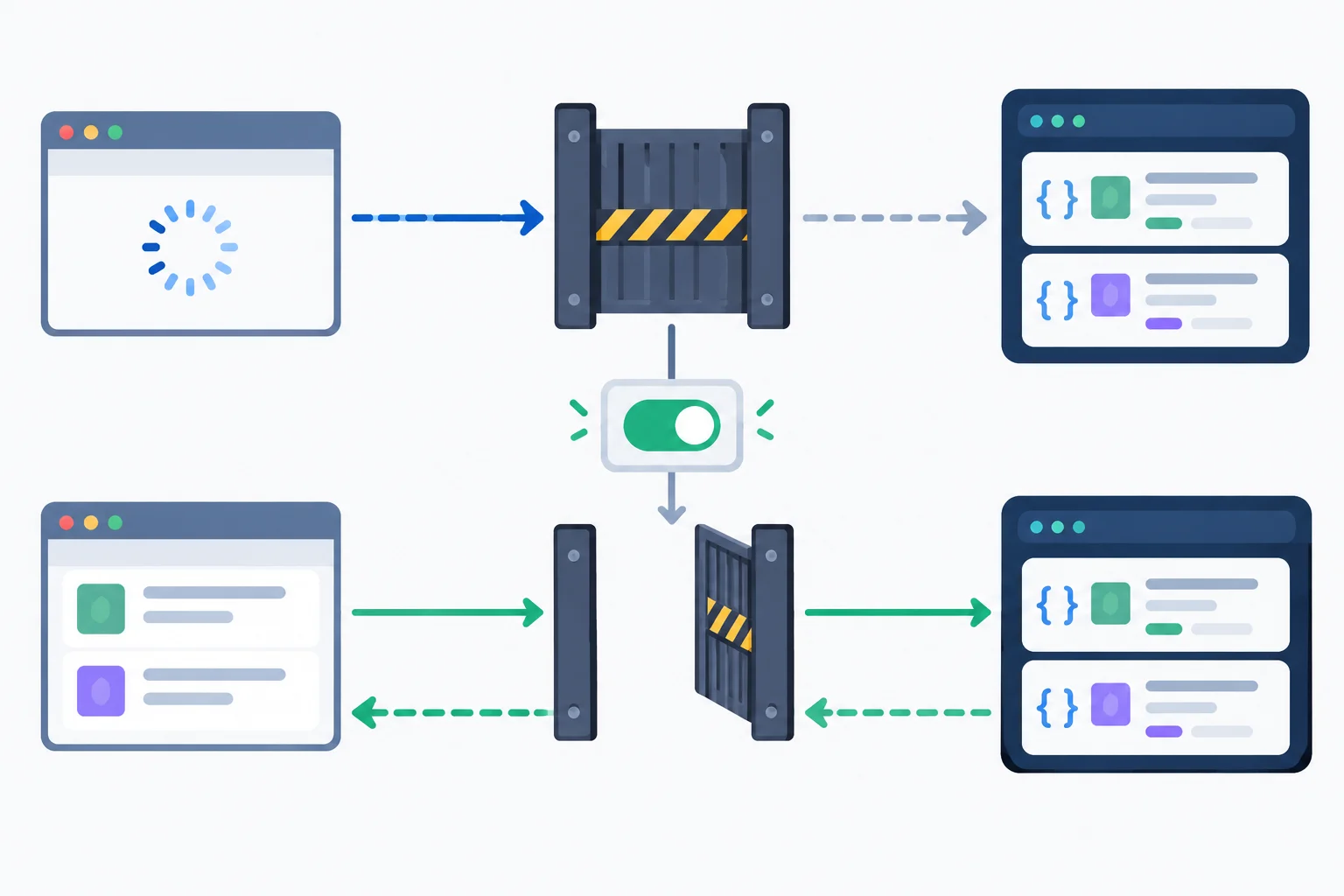
The gate delays only the controlled response; fetch, query state, validation, and rendering remain real application behavior.
Create this helper. Its promise remains pending until the test calls the returned function.
export function createResponseGate(): {
  wait: Promise<void>;
  release: () => void;
} {
  let resolveWait: () => void = () => {
    throw new Error('Response gate was not initialized.');
  };

  const wait = new Promise<void>((resolve) => {
    resolveWait = resolve;
  });

  return {
    wait,
    release: () => {
      resolveWait();
    },
  };
}
Install the gated override before rendering. Put rendering and the intermediate loading assertion inside try; finally opens the gate even if an assertion throws. Each case owns its own gate.
After opening the gate, use findByRole for an eventual visible result. The named Projects list is positive terminal evidence. Once it is visible, a retryable assertion can verify that loading has disappeared. The gate controls when the response may finish; Testing Library queries wait for React to display the consequence.
Add this test to src/ProjectList.test.tsx. The fixture comes from ./projects; the MSW instance comes from ./test/server.
import { screen, waitFor } from '@testing-library/react';
import { HttpResponse, http } from 'msw';
import { expect, it } from 'vitest';

import { ProjectList } from './ProjectList';
import { PROJECTS_URL, populatedProjects } from './projects';
import { createResponseGate } from './test/responseGate';
import { renderWithQuery } from './test/renderWithQuery';
import { server } from './test/server';

it('shows loading until the projects response is released', async () => {
  const gate = createResponseGate();

  server.use(
    http.get(PROJECTS_URL, async () => {
      await gate.wait;
      return HttpResponse.json(populatedProjects, { status: 200 });
    }),
  );

  try {
    renderWithQuery(<ProjectList />);

    expect(screen.getByRole('status')).toHaveTextContent('Loading projects...');

    gate.release();

    const list = await screen.findByRole('list', { name: 'Projects' });

    await waitFor(() => {
      expect(screen.queryByRole('status')).not.toBeInTheDocument();
    });

    expect(list).toHaveTextContent('Atlas');
    expect(list).toHaveTextContent('Beacon');
  } finally {
    gate.release();
  }
});
Warning
Do not synchronize with a fixed sleep, such as a timer promise after rendering. Do not put renderWithQuery, server.use, a click, or gate control inside waitFor: its callback can run more than once.
Perform each one-time action once, outside the retrying callback. Use waitFor only for an assertion about observable DOM state. The finally block prevents a failed loading assertion from leaving an intercepted request blocked.
Complete the corrected deterministic test. It replaces a rejected version that guessed with a sleep and put a one-time action inside a retrying callback.
it('shows loading until the projects response is released', async () => {
  const gate = createResponseGate();

  server.use(
    http.get(PROJECTS_URL, async () => {
      await gate.;
      return HttpResponse.json(populatedProjects, { status: 200 });
    }),
  );

  try {
    renderWithQuery(<ProjectList />);

    expect(screen.getByRole('status')).toHaveTextContent('Loading projects...');

    gate.();

    const list = await screen.('list', { name: 'Projects' });

    await (() => {
      expect(screen.('status')).not.toBeInTheDocument();
    });

    expect(list).toHaveTextContent('Atlas');
  } finally {
    gate.();
  }
});

Step 5 of 8
Write independent interface tests for populated and valid-empty project responses using controlled MSW handlers and accessible assertions.
Each independent test begins with a fresh query cache. Let the component make its real request, then prove the rendered terminal state.
For populated data, wait for the named Projects list and inspect its contents. For a valid empty array, install that response before rendering and wait for the empty-state message. In both cases, only check that loading has disappeared after a terminal state is positively visible.
Do not inspect query-hook state or call getProjects directly: the useful evidence is what a user can find in the interface.
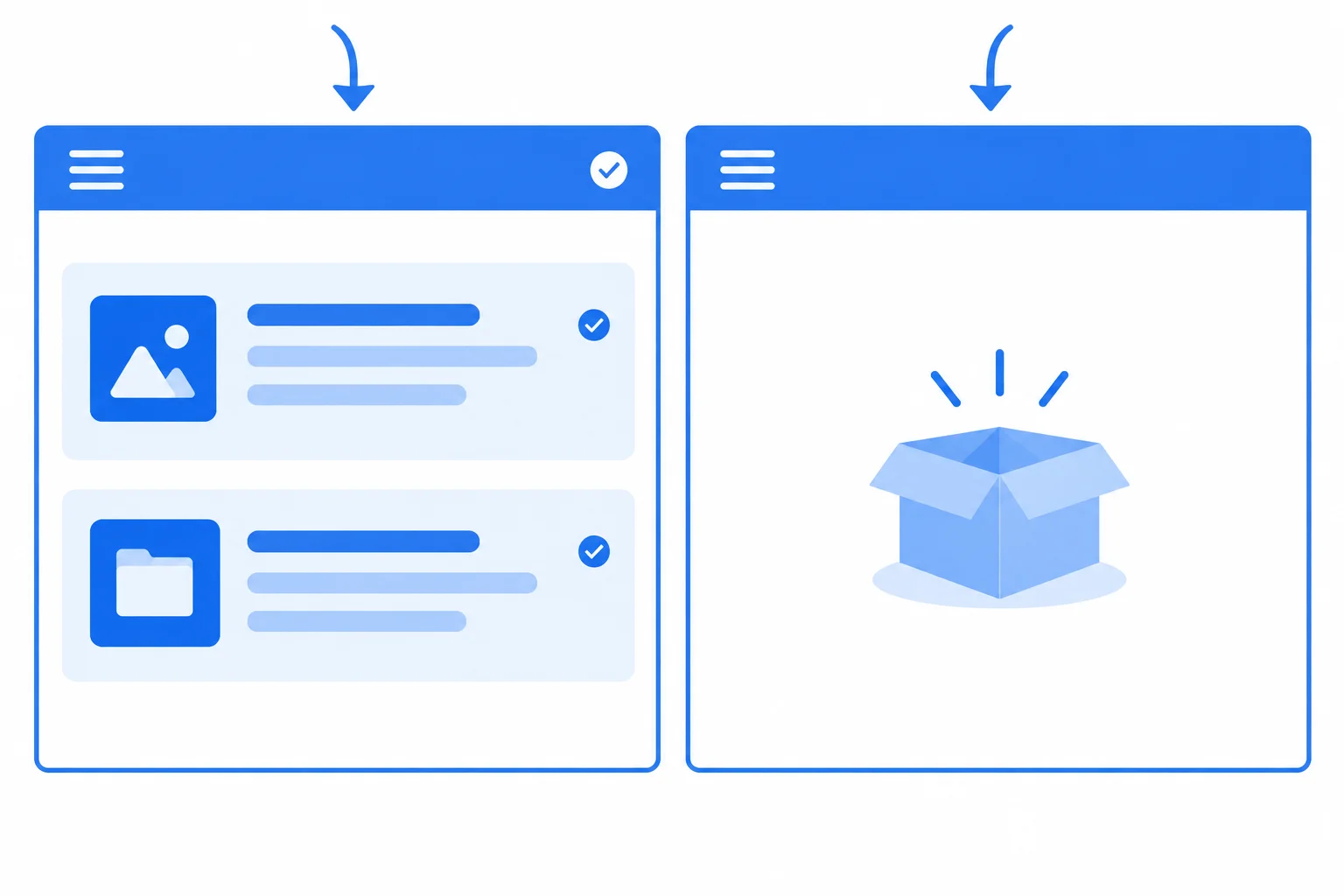
A populated array and an empty array are both successful outcomes, but they require different visible evidence.
Use this matrix to keep assertions specific to the state being tested.
| Response data | Positive evidence | Must be absent |
|---|---|---|
| Two projects | Named Projects list; Atlas; Beacon; 2 items | Alert; loading status |
| Empty array | No projects yet. | Projects list; alert; loading status |
In src/ProjectList.test.tsx, the default MSW handler already returns the populated fixture. Add this test; it waits for the accessible list, scopes item assertions to that list, and then checks the settled interface.
import { screen, within } from '@testing-library/react';
import { expect, it } from 'vitest';
import { ProjectList } from './ProjectList';
import { renderWithQuery } from './test/renderWithQuery';

it('renders populated projects', async () => {
  renderWithQuery(<ProjectList />);

  const list = await screen.findByRole('list', { name: 'Projects' });

  expect(within(list).getByText('Atlas')).toBeInTheDocument();
  expect(within(list).getByText('Beacon')).toBeInTheDocument();
  expect(within(list).getAllByRole('listitem')).toHaveLength(2);
  expect(screen.queryByRole('alert')).not.toBeInTheDocument();
  expect(screen.queryByRole('status')).not.toBeInTheDocument();
});
Tip
findByRole waits for the observable result. Once the list exists, the negative checks establish that this is a settled populated state—not merely a screen that happens not to show an error.
For the empty case, override the default handler before rendering. The HTTP response is still successful; only its valid payload differs.
import { http, HttpResponse } from 'msw';
import { screen } from '@testing-library/react';
import { expect, it } from 'vitest';
import { ProjectList } from './ProjectList';
import { PROJECTS_URL } from './projects';
import { renderWithQuery } from './test/renderWithQuery';
import { server } from './test/server';

it('renders a valid empty result', async () => {
  server.use(
    http.get(PROJECTS_URL, () => HttpResponse.json([], { status: 200 })),
  );

  renderWithQuery(<ProjectList />);

  expect(await screen.findByText('No projects yet.')).toBeInTheDocument();
  expect(screen.queryByRole('list', { name: 'Projects' })).not.toBeInTheDocument();
  expect(screen.queryByRole('alert')).not.toBeInTheDocument();
  expect(screen.queryByRole('status')).not.toBeInTheDocument();
});
Tip
Install server.use(...) before renderWithQuery(...). The lifecycle cleanup from earlier steps restores the default handler after this test, so this override cannot affect another case.
Complete the two independent tests using the existing imports and helpers.
it('renders populated projects', async () => {
  renderWithQuery(<ProjectList />);

  const list = await screen.findByRole('', { name: 'Projects' });

  expect(within(list).getByText('Atlas')).toBeInTheDocument();
  expect(within(list).getByText('Beacon')).toBeInTheDocument();
  expect(within(list).getAllByRole('listitem')).toHaveLength();
  expect(screen.queryByRole('alert')).not.toBeInTheDocument();
  expect(screen.queryByRole('status')).not.toBeInTheDocument();
});

it('renders a valid empty result', async () => {
  server.use(
    http.get(PROJECTS_URL, () => HttpResponse.json(, { status: 200 })),
  );

  renderWithQuery(<ProjectList />);

  expect(await screen.findByText('No projects yet.')).toBeInTheDocument();
  expect(screen.queryByRole('list', { name: 'Projects' })).not.toBeInTheDocument();
  expect(screen.queryByRole('alert')).not.toBeInTheDocument();
  expect(screen.queryByRole('status')).not.toBeInTheDocument();
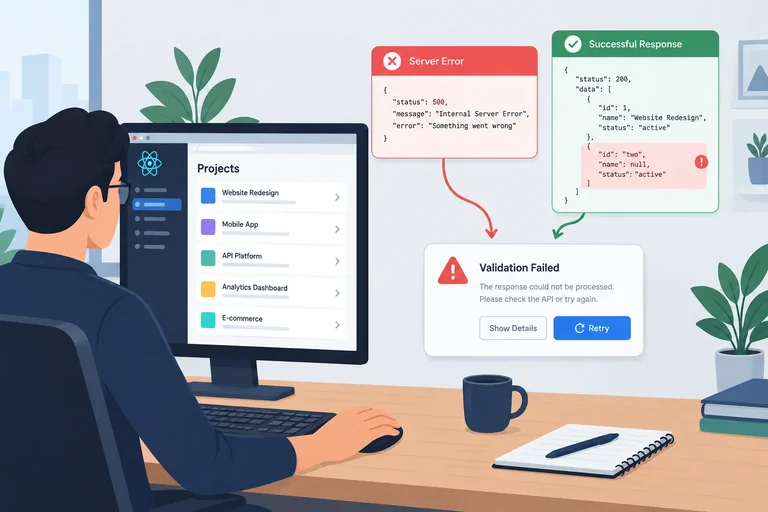
});
Step 6 of 8
Control deliberate HTTP and invalid-data responses to verify that both reach the recoverable ProjectList interface without masking valid empty data.
Two different response defects should produce the same recoverable interface, but they must travel through different real application checks.
getProjects.[] is neither failure: it is the empty state.Do not mock a query hook or throw from the test. Control the HTTP boundary so the real fetch, status check, validator, query state, and component rendering all participate.
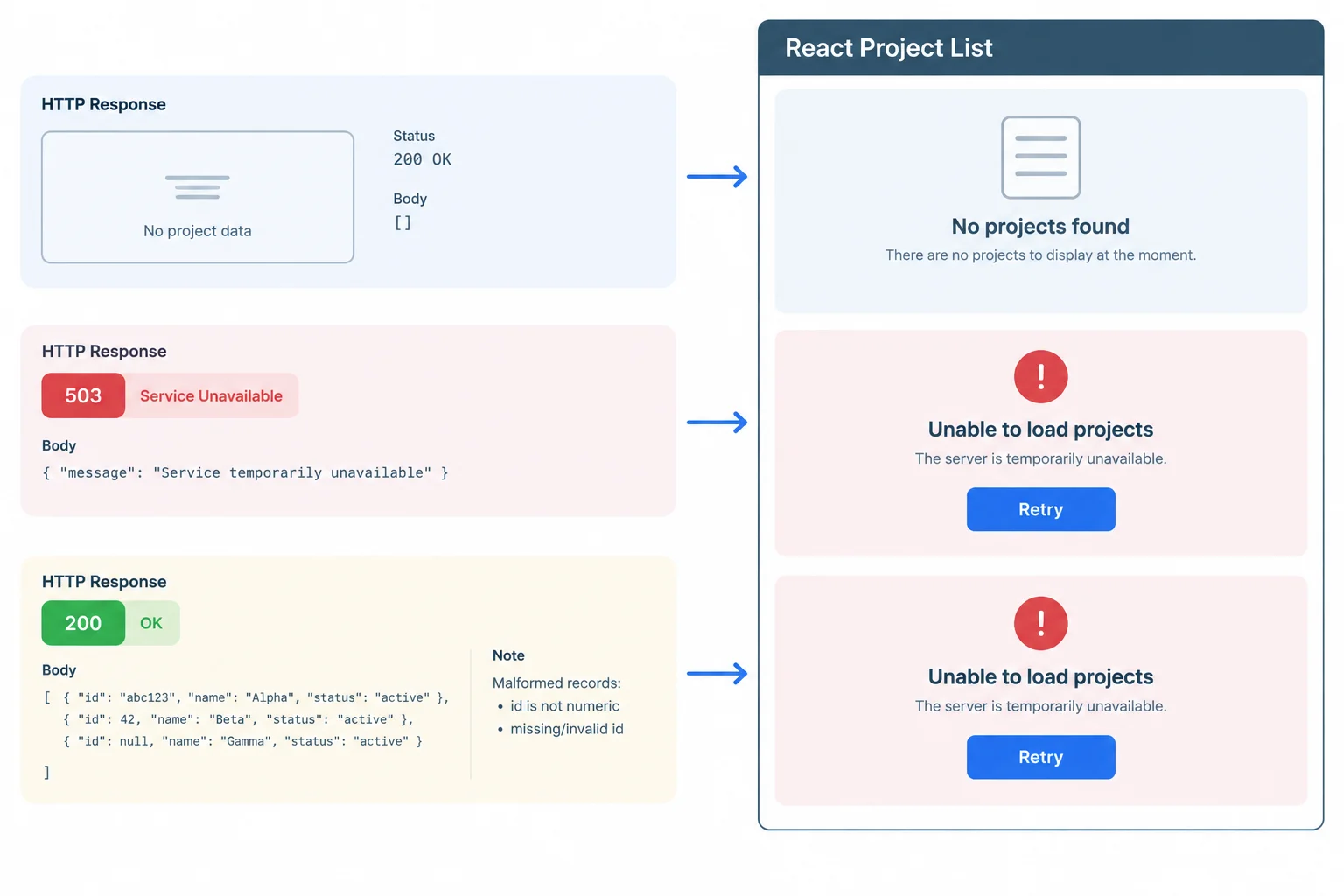
An empty array is valid data. An unsuccessful status and invalid successful data are distinct causes of the same recoverable failure interface.
Use this matrix to keep the cases independent and to assert what users can observe—not query-hook internals.
| Scenario | Status | Payload | Positive evidence | Must be absent |
|---|---|---|---|---|
| Valid empty | 200 | [] | No projects yet. | Alert, list, loading |
| HTTP failure | 503 | { message: 'Unavailable' } | Alert and Try again | List, empty state, loading |
| Invalid data | 200 | Project record with invalid id | Alert and Try again | List, empty state, loading |
Install this override before rendering. The component still calls getProjects, which receives the actual 503 response and rejects through its existing HTTP-status check.
import { screen } from '@testing-library/react';
import { http, HttpResponse } from 'msw';
import { expect, it } from 'vitest';

import { ProjectList } from './ProjectList';
import { PROJECTS_URL } from './projects';
import { renderWithQuery } from './test/renderWithQuery';
import { server } from './test/server';

it('shows recoverable feedback for a 503 response', async () => {
  server.use(
    http.get(PROJECTS_URL, () =>
      HttpResponse.json({ message: 'Unavailable' }, { status: 503 }),
    ),
  );

  renderWithQuery(<ProjectList />);

  const alert = await screen.findByRole('alert');
  expect(alert).toHaveTextContent('Could not load projects.');
  expect(screen.getByRole('button', { name: 'Try again' })).toBeVisible();
  expect(screen.queryByRole('status')).not.toBeInTheDocument();
  expect(screen.queryByText('No projects yet.')).not.toBeInTheDocument();
  expect(screen.queryByRole('list', { name: 'Projects' })).not.toBeInTheDocument();
});
Warning
A rendered alert is not proof that your intended MSW handler matched. With onUnhandledRequest: 'error', resolve any MSW unhandled-request diagnostic by checking the request method and exact PROJECTS_URL. Do not reinterpret that setup defect as an application failure case.
This override keeps the response syntactically valid JSON and returns status 200. Its id value violates the Project contract, so the existing runtime validator—not an HTTP check—must lead to recoverable feedback.
it('shows recoverable feedback for invalid project data', async () => {
  server.use(
    http.get(PROJECTS_URL, () =>
      HttpResponse.json([{ id: 'invalid', name: 'Atlas' }], { status: 200 }),
    ),
  );

  renderWithQuery(<ProjectList />);

  const alert = await screen.findByRole('alert');
  expect(alert).toHaveTextContent('Could not load projects.');
  expect(screen.getByRole('button', { name: 'Try again' })).toBeVisible();
  expect(screen.queryByRole('status')).not.toBeInTheDocument();
  expect(screen.queryByText('No projects yet.')).not.toBeInTheDocument();
  expect(screen.queryByRole('list', { name: 'Projects' })).not.toBeInTheDocument();
});
Tip
The shared alert text does not erase the distinction between these tests. One establishes that non-successful HTTP status is handled; the other establishes that a successful transport response cannot bypass the Project shape contract.
Complete the two controlled response cases and the missing absence-query methods. Each case must prove recoverable failure feedback while ruling out loading, valid empty, and populated results.
const cases = [
  {
    name: 'HTTP failure',
    response: HttpResponse.json(, { status:  }),
  },
  {
    name: 'Invalid project data',
    response: HttpResponse.json(, { status:  }),
  },
];

it.each(cases)('$name shows recoverable feedback', async ({ response }) => {
  server.use(http.get(PROJECTS_URL, () => response));

  renderWithQuery(<ProjectList />);

  const alert = await screen.findByRole('alert');
  expect(alert).toHaveTextContent('Could not load projects.');
  expect(screen.getByRole('button', { name: 'Try again' })).toBeVisible();
  expect(screen.('status')).not.toBeInTheDocument();
  expect(screen.('No projects yet.')).not.toBeInTheDocument();
  expect(screen.queryByRole('list', { name: 'Projects' })).not.toBeInTheDocument();
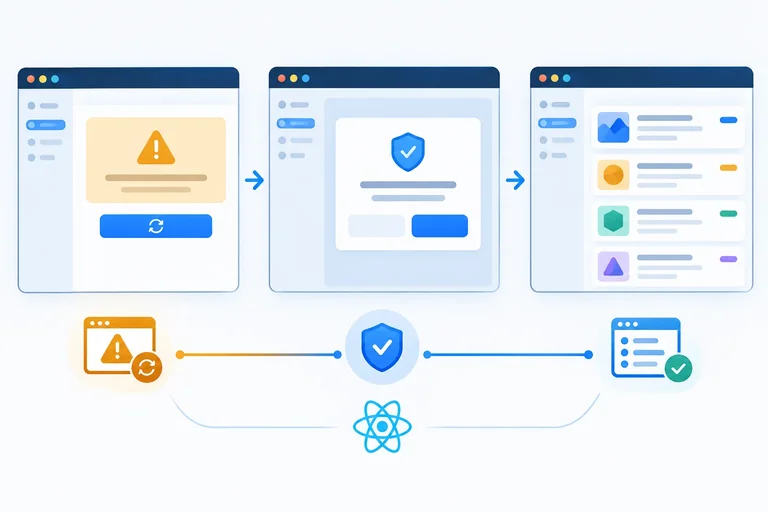
});
Step 7 of 8
Test one explicit retry that replaces failure feedback with loading and then successful results on the same component instance.
A recovery test is one continuous user story on one mounted ProjectList and one QueryClient:
The test renderer disables automatic query retries. Therefore, successful results after the failure are evidence of the explicit user action—not a background attempt.
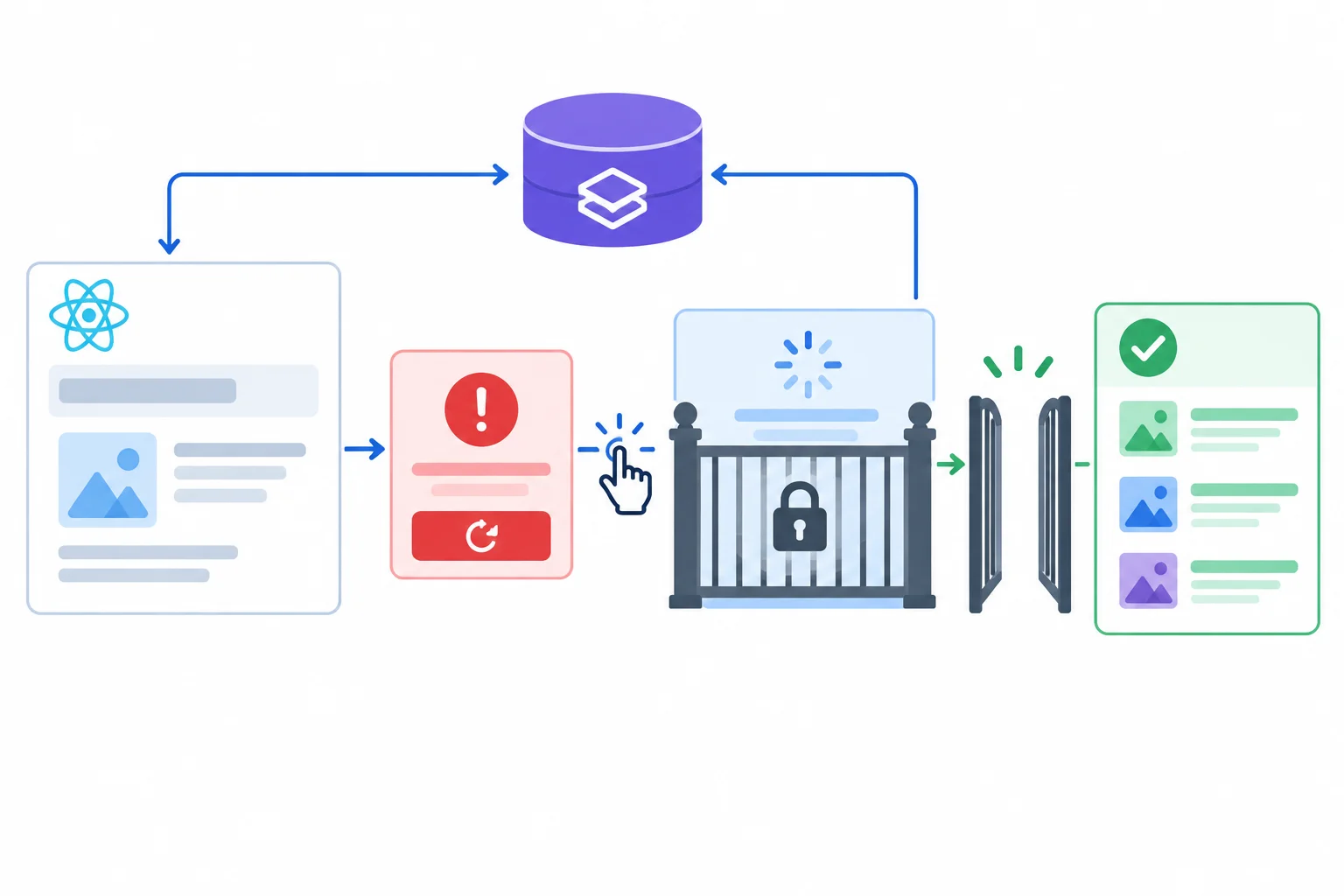
Keep the component and its query client mounted across all three phases; only the controlled HTTP response changes.
Tip
A retry test does not prove recovery if it unmounts and renders a new component, clears the query cache during the interaction, or lets a second click trigger the success path. Those actions create a new scenario instead of verifying the transition the user sees.
Add these imports and test to src/ProjectList.test.tsx. The new server.use(...) call is installed after the initial failure has settled but before the click. MSW gives that most recently added runtime handler precedence for the retry request.
import { screen } from '@testing-library/react';
import userEvent from '@testing-library/user-event';
import { HttpResponse, http } from 'msw';
import { expect, it } from 'vitest';

import { ProjectList } from './ProjectList';
import { PROJECTS_URL, populatedProjects } from './projects';
import { createResponseGate } from './test/responseGate';
import { renderWithQuery } from './test/renderWithQuery';
import { server } from './test/server';it('recovers after one explicit retry', async () => {
server.use(
http.get(PROJECTS_URL, () =>
HttpResponse.json({ message: 'Unavailable' }, { status: 503 }),
),
);
const user = userEvent.setup();
renderWithQuery(<ProjectList />);
expect(await screen.findByRole('alert')).toHaveTextContent(
'Could not load projects.',
);
const retryButton = screen.getByRole('button', { name: 'Try again' });
const gate = createResponseGate();
server.use(
http.get(PROJECTS_URL, async () => {
await gate.wait;
return HttpResponse.json(populatedProjects, { status: 200 });
}),
);
try {
await user.click(retryButton);
expect(screen.getByRole('status')).toHaveTextContent('Loading projects...');
expect(screen.queryByRole('alert')).not.toBeInTheDocument();
} finally {
gate.release();
}
const list = await screen.findByRole('list', { name: 'Projects' });
expect(list).toHaveTextContent('Atlas');
expect(list).toHaveTextContent('Beacon');
expect(screen.queryByRole('status')).not.toBeInTheDocument();
expect(screen.queryByRole('alert')).not.toBeInTheDocument();
expect(screen.queryByRole('button', { name: 'Try again' })).not.toBeInTheDocument();
expect(screen.queryByText('No projects yet.')).not.toBeInTheDocument();
});Warning
Do not put user.click, server.use, rendering, or gate.release() inside waitFor. They are actions, not retryable observations. Here, findByRole waits for the positive terminal evidence—the named results list—then the absence assertions are anchored to that observed state.
Assume the initial 503 state and its retry button have already been observed. Complete the controlled recovery sequence.
const gate = createResponseGate();

(
  http.get(PROJECTS_URL, async () => {
    await gate.;
    return HttpResponse.json(populatedProjects, { status: 200 });
  }),
);

try {
  await user.click(retryButton);
  expect(screen.getByRole('status')).toHaveTextContent('Loading projects...');
  expect(screen.('alert')).not.toBeInTheDocument();
} finally {
  gate.();
}

const list = await screen.('list', { name: 'Projects' });
expect(list).toHaveTextContent('Atlas');
expect(screen.('button', { name: 'Try again' })).not.toBeInTheDocument();
expect(screen.queryByText('No projects yet.')).not.toBeInTheDocument();
expect(screen.queryByRole('status')).not.toBeInTheDocument();
Step 8 of 8
Complete, run, and review the deterministic ProjectList controlled-response suite while identifying what its local interface guarantees and does not prove.
A controlled-response suite is strongest when each modeled response has positive visible evidence and incompatible UI has disappeared. Review the rendered contract—not query internals, mocked hooks, fetch-call counts, or timing guesses.
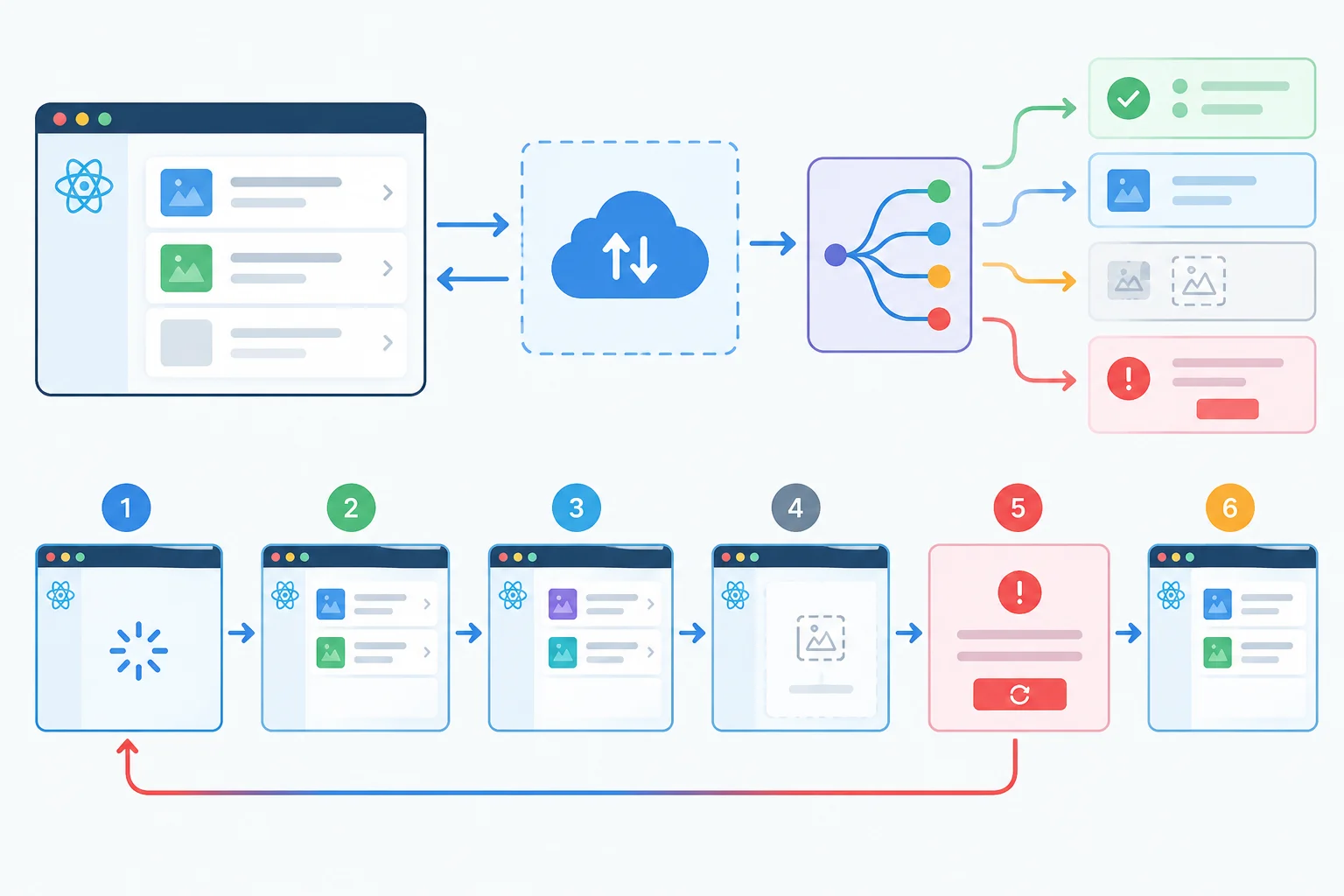
Every modeled response has a visible destination; recovery is one continuous transition on the same component.
Check each scenario through accessible roles, names, and visible text.
| Scenario | Positive evidence | Must be absent |
|---|---|---|
| Held initial request | status with loading text | alert, list, empty message |
| 200 populated array | Projects list with Atlas and Beacon | status, alert, empty message |
| 200 empty array | empty-state text | Projects list, status, alert |
| 503 response | alert and retry button | Projects list, empty message, status |
| 200 invalid data | alert and retry button | Projects list, empty message, status |
| Explicit recovery | loading, then Projects list | old alert, retry button, empty message, status after settling |
Repair these two omissions in the existing suite. This is not a new scenario: it restores the isolation and guaranteed-release behavior required by the six scenarios already written.
afterEach(() => {
  cleanup();
  ;
  server.resetHandlers();
});

it('shows loading until the projects response is released', async () => {
  const gate = createResponseGate();

  server.use(
    http.get(PROJECTS_URL, async () => {
      await gate.wait;
      return HttpResponse.json(populatedProjects, { status: 200 });
    }),
  );

  try {
    renderWithQuery(<ProjectList />);
    expect(screen.getByRole('status')).toHaveTextContent('Loading projects...');
  } finally {
    ;
  }
});Replace the contents of src/ProjectList.test.tsx with these four consecutive sections. This first section contains the merged imports and the held-loading case.
import { screen, within } from '@testing-library/react';
import userEvent from '@testing-library/user-event';
import { HttpResponse, http } from 'msw';
import { expect, it } from 'vitest';

import { ProjectList } from './ProjectList';
import { PROJECTS_URL, populatedProjects } from './projects';
import { createResponseGate } from './test/responseGate';
import { renderWithQuery } from './test/renderWithQuery';
import { server } from './test/server';

it('shows loading until the projects response is released', async () => {
  const gate = createResponseGate();
  server.use(http.get(PROJECTS_URL, async () => {
    await gate.wait;
    return HttpResponse.json(populatedProjects, { status: 200 });
  }));

  try {
    renderWithQuery(<ProjectList />);
    expect(screen.getByRole('status')).toHaveTextContent('Loading projects...');
    gate.release();
    const list = await screen.findByRole('list', { name: 'Projects' });
    expect(list).toHaveTextContent('Atlas');
    expect(screen.queryByRole('status')).not.toBeInTheDocument();
  } finally {
    gate.release();
  }
});Continue directly below the first section.
it('renders populated projects', async () => {
  renderWithQuery(<ProjectList />);

  const list = await screen.findByRole('list', { name: 'Projects' });
  expect(within(list).getByText('Atlas')).toBeInTheDocument();
  expect(within(list).getByText('Beacon')).toBeInTheDocument();
  expect(within(list).getAllByRole('listitem')).toHaveLength(2);
  expect(screen.queryByRole('alert')).not.toBeInTheDocument();
  expect(screen.queryByRole('status')).not.toBeInTheDocument();
});

it('renders a valid empty result', async () => {
  server.use(http.get(PROJECTS_URL, () =>
    HttpResponse.json([], { status: 200 }),
  ));

  renderWithQuery(<ProjectList />);

  expect(await screen.findByText('No projects yet.')).toBeInTheDocument();
  expect(screen.queryByRole('list', { name: 'Projects' })).not.toBeInTheDocument();
  expect(screen.queryByRole('alert')).not.toBeInTheDocument();
  expect(screen.queryByRole('status')).not.toBeInTheDocument();
});Continue directly below the populated and empty tests. it.each creates one independent test for each failure mode.
const failureCases = [
  {
    name: 'a 503 response',
    body: { message: 'Unavailable' },
    status: 503,
  },
  {
    name: 'invalid project data',
    body: [{ id: 'invalid', name: 'Atlas' }],
    status: 200,
  },
];

it.each(failureCases)('$name shows recoverable feedback', async ({ body, status }) => {
  server.use(http.get(PROJECTS_URL, () =>
    HttpResponse.json(body, { status }),
  ));

  renderWithQuery(<ProjectList />);

  const alert = await screen.findByRole('alert');
  expect(alert).toHaveTextContent('Could not load projects.');
  expect(screen.getByRole('button', { name: 'Try again' })).toBeVisible();
  expect(screen.queryByRole('status')).not.toBeInTheDocument();
  expect(screen.queryByText('No projects yet.')).not.toBeInTheDocument();
  expect(screen.queryByRole('list', { name: 'Projects' })).not.toBeInTheDocument();
});Finish the same file with the existing one-click recovery scenario. Do not append another recovery test.
it('recovers after one explicit retry', async () => {
  server.use(http.get(PROJECTS_URL, () =>
    HttpResponse.json({ message: 'Unavailable' }, { status: 503 }),
  ));
  const user = userEvent.setup();
  renderWithQuery(<ProjectList />);

  expect(await screen.findByRole('alert')).toHaveTextContent('Could not load projects.');
  const retryButton = screen.getByRole('button', { name: 'Try again' });
  const gate = createResponseGate();
  server.use(http.get(PROJECTS_URL, async () => {
    await gate.wait;
    return HttpResponse.json(populatedProjects, { status: 200 });
  }));

  try {
    await user.click(retryButton);
    expect(screen.getByRole('status')).toHaveTextContent('Loading projects...');
    expect(screen.queryByRole('alert')).not.toBeInTheDocument();
  } finally {
    gate.release();
  }

  const list = await screen.findByRole('list', { name: 'Projects' });
  expect(list).toHaveTextContent('Atlas');
  expect(list).toHaveTextContent('Beacon');
  expect(screen.queryByRole('status')).not.toBeInTheDocument();
  expect(screen.queryByRole('alert')).not.toBeInTheDocument();
  expect(screen.queryByRole('button', { name: 'Try again' })).not.toBeInTheDocument();
  expect(screen.queryByText('No projects yet.')).not.toBeInTheDocument();
});
Summary
This finished file defines six tests: held loading, populated data, valid empty data, 503 failure, invalid-data failure, and one explicit recovery. Its shared setup remains responsible for unmounting, clearing query clients, and resetting MSW overrides after every case.
http.get(PROJECTS_URL, ...); treat unhandled-request diagnostics as setup defects.finally, including when an intermediate assertion fails.From the project root, save the repaired shared setup and the assembled test file, then run the focused local suite.
npx vitest run src/ProjectList.test.tsx✓ src/ProjectList.test.tsx (6 tests)
Test Files 1 passed (1)
Tests 6 passed (6)Vitest version, duration, and totals can vary if your project contains additional tests. For the supplied `ProjectList.test.tsx`, the focused file reports six passing tests.
Warning
Do not add a sleep to hide a failure. Use the failure evidence to make one targeted correction, then rerun the same command.
PROJECTS_URL, or interception lifecycle is wrong.renderWithQuery or query clients were not cleared.findBy... query or an assertion-only waitFor, never a repeated click in its callback.This suite verifies that ProjectList renders the intended accessible states for modeled HTTP responses through local MSW interception. It does not verify a live backend, deployment networking, real-browser behavior, cross-engine compatibility, or actual screen-reader output. Those require additional approaches later in the path.
Complete the local repair or confirm that the supplied files already match it, then run the focused suite. Report: (1) your observed pass/fail result, (2) how the six scenarios cover loading, populated, empty, 503 failure, invalid-data failure, and one-click recovery, (3) whether MSW reported an unhandled request, and (4) any targeted correction and rerun result. If no correction was needed, state that explicitly.
Write at least 300 characters (0/300).
Congratulations! You completed: Test Asynchronous Interfaces with Controlled Responses
Thousands of online courses in video, ebooks and audiobooks.
To test your knowledge during online courses
Generated directly from your cell phone's photo gallery and sent to your email

Download our app via QR Code or the links below:.



Carry knowledge in your pocket.
Download the Cursa app.
There are hundreds of free courses available, with a free certificate of completion that is saved in your mobile image gallery.
Download the app to access the Course Completion Certificate for Free.


+ 10 million
students

Free and Valid
Certificate

60 thousand free
exercises

4.8/5 rating in
app stores

Free courses in
video and ebooks