
Step 1 of 8
Identify the Type Relationship
Recognize the input-to-output type relationship that a reusable collection helper must preserve.

Learning path · Level 8 · Tutorial 5
Write small reusable functions and contracts that preserve specific data types instead of losing information or duplicating nearly identical definitions.

 Identify the Type Relationship
Recognize the input-to-output type relationship that a reusable collection helper must preserve. 2 min
Identify the Type Relationship
Recognize the input-to-output type relationship that a reusable collection helper must preserve. 2 min
 Write a Type-Preserving Collection Function
Declare and implement a generic filtering helper that keeps the caller's record type in its callback and returned array. 3 min
Write a Type-Preserving Collection Function
Declare and implement a generic filtering helper that keeps the caller's record type in its callback and returned array. 3 min
 Choose Inferred or Explicit Type Arguments
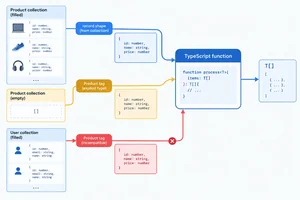
Use TypeScript inference when a typed collection already identifies the element type, and provide a checked explicit type argument when an empty input does not. 2 min
Choose Inferred or Explicit Type Arguments
Use TypeScript inference when a typed collection already identifies the element type, and provide a checked explicit type argument when an empty input does not. 2 min
 Preserve Types When a Lookup Can Fail
Implement a generic predicate-based lookup that retains the caller's record type while accurately representing a missing match as undefined. 3 min
Preserve Types When a Lookup Can Fail
Implement a generic predicate-based lookup that retains the caller's record type while accurately representing a missing match as undefined. 3 min
 Require a Property Without Losing the Record Type
Add a minimum ID constraint to a generic lookup without losing caller-specific record information. 3 min
Require a Property Without Losing the Record Type
Add a minimum ID constraint to a generic lookup without losing caller-specific record information. 3 min
 Define Reusable Containers and Results
Define generic collection and result contracts that preserve their contained record types, then narrow a successful result before accessing Product data. 3 min
Define Reusable Containers and Results
Define generic collection and result contracts that preserve their contained record types, then narrow a successful result before accessing Product data. 3 min
 Use Generics Only Where They Add a Relationship
Choose concrete or generic TypeScript contracts based on whether an API must preserve a caller-specific type relationship. 2 min
Use Generics Only Where They Add a Relationship
Choose concrete or generic TypeScript contracts based on whether an API must preserve a caller-specific type relationship. 2 min
 Apply and Verify the Complete Relationship
Combine constrained lookup, typed collections, and typed results in one local TypeScript workflow while preserving record-specific information. 3 min
Apply and Verify the Complete Relationship
Combine constrained lookup, typed collections, and typed results in one local TypeScript workflow while preserving record-specific information. 3 min
Step 1 of 8
Recognize the input-to-output type relationship that a reusable collection helper must preserve.
Two helpers may have the same algorithm but be tied to different record types. Here, each helper filters an array with a callback. The meaningful differences are repeated in three places: the array element type, the callback parameter type, and the result type.
These declarations use two separate contracts for the same filtering operation.
type Product = { id: string; name: string; inStock: boolean };
type User = { id: string; displayName: string };

function keepMatchingProducts(
  items: Product[],
  matches: (item: Product) => boolean
): Product[] {
  return items.filter(matches);
}

function keepMatchingUsers(
  items: User[],
  matches: (item: User) => boolean
): User[] {
  return items.filter(matches);
}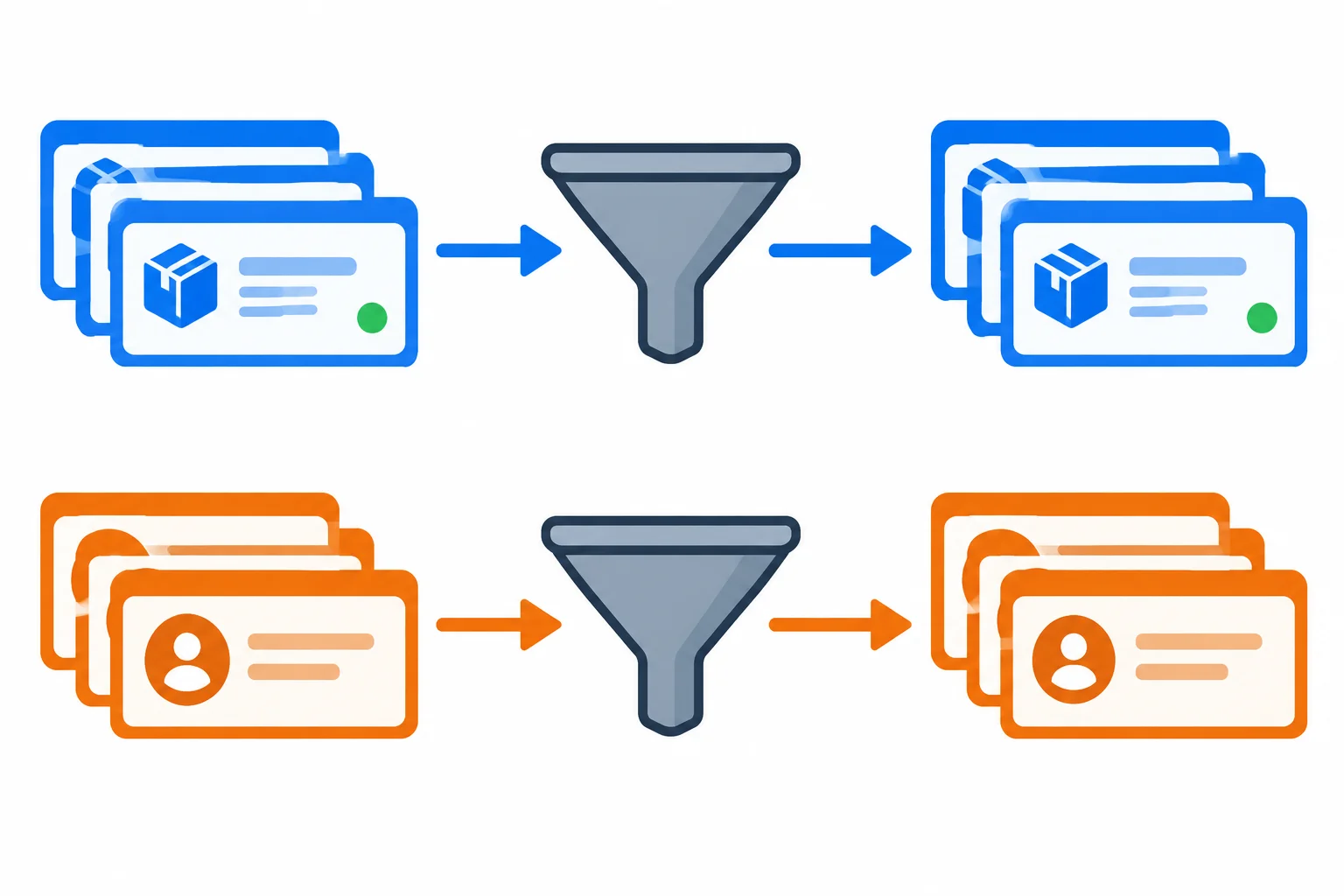
The filtering action is reusable, but each caller needs its own element type to remain connected from input to output.
A broad union can accept both shapes, but it does not say which shape comes back for a particular call. A reusable contract needs a relationship: when the caller supplies Product records, the result must be known as Product records; when the caller supplies User records, it must be known as User records.
A generic type parameter will express that caller-specific relationship in the next step. It is not a third record shape and does not change objects at runtime.
This widening is allowed, but it throws away useful compile-time information.
type Product = { id: string; name: string; inStock: boolean };
type User = { id: string; displayName: string };

const products: Product[] = [
  { id: "p1", name: "Desk Lamp", inStock: true },
  { id: "p2", name: "Notebook", inStock: false }
];

const productMatches: Product[] = products.filter(
  (item) => item.inStock
);

const broadMatches: (Product | User)[] = productMatches;

// broadMatches[0].inStock;
// TypeScript rejects this: a User might not have inStock.
Tip
broadMatches still points to Product objects at runtime, so those objects still have name and inStock. The annotation did not remove any property.
However, compile-time type checking must honor the declared Product | User element type. It only permits properties guaranteed on both alternatives, such as id. The lost information is the compiler's knowledge that this particular result came from Products.
Match each situation to the type information a reusable filtering helper should preserve or loses.
Tap an item and then its matching pair.

Step 2 of 8
Declare and implement a generic filtering helper that keeps the caller's record type in its callback and returned array.
keepMatching needs one type parameter because one caller-specific element type appears in several places.
T is the declared type parameter. Within one call, it represents the array element type:
Product[], the predicate receives a Product and the result is Product[].User[], the predicate receives a User and the result is User[].The repeated T is the relationship: the helper does not replace a specific record type with a broad shared type.
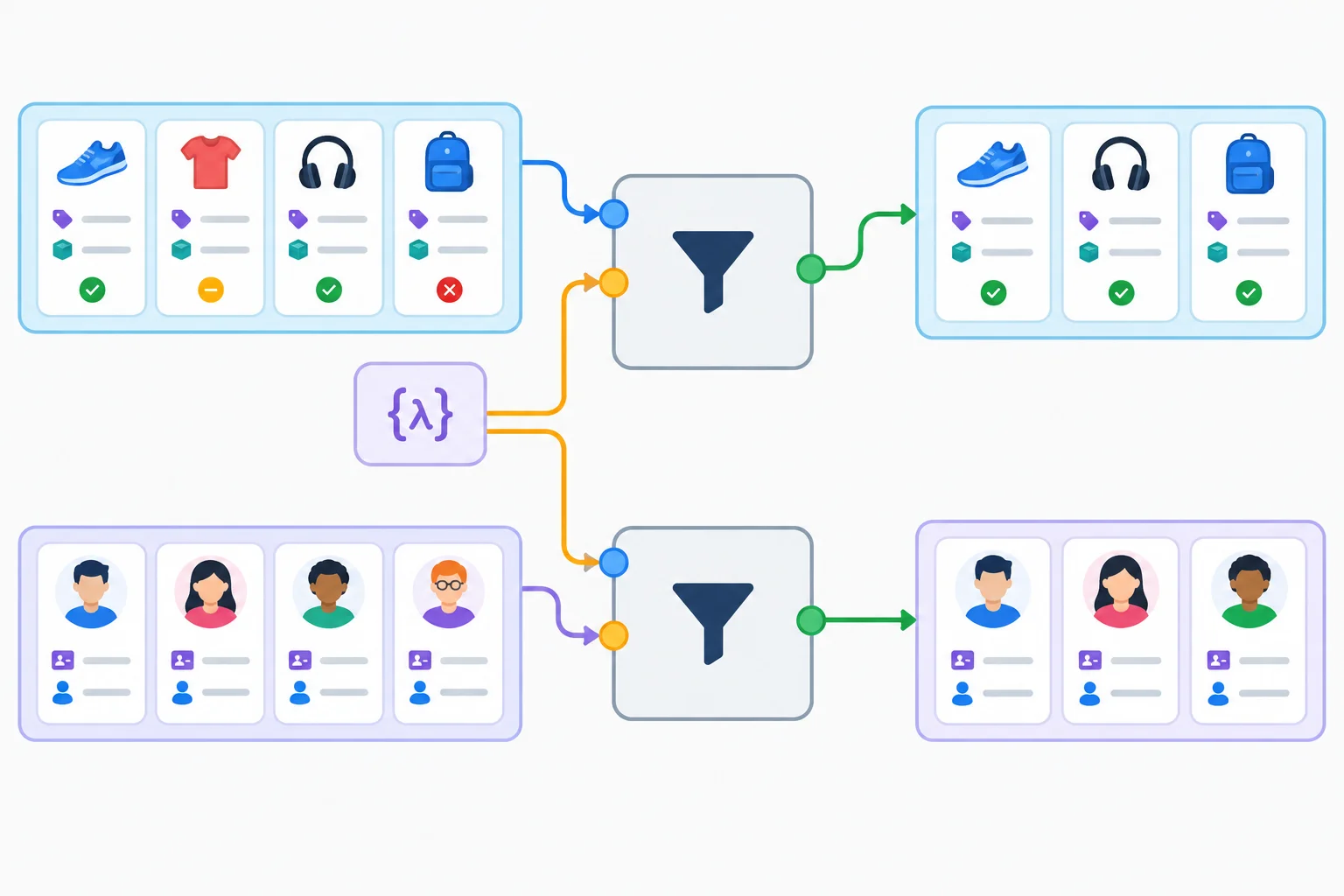
The same T connects the input items, each predicate item, and the returned matches.
In src/generics.ts, create or replace the practice file with this code. The helper stays independent of record-specific properties: it passes each item to matches and returns the filtered array. The caller's callback can use the properties of its own record type.
Save the file and run npx tsc --noEmit from the project root. With no diagnostics, strict compile-time type checking accepts the relationships.
export {};

type Product = { id: string; name: string; inStock: boolean };
type User = { id: string; displayName: string };

const products: Product[] = [
  { id: "p1", name: "Desk Lamp", inStock: true },
  { id: "p2", name: "Notebook", inStock: false }
];

const users: User[] = [
  { id: "u1", displayName: "Avery" }
];

function keepMatching<T>(
  items: T[],
  matches: (item: T) => boolean
): T[] {
  return items.filter(matches);
}

const stockedProducts = keepMatching(products, (product) => product.inStock);
const productNames = stockedProducts.map((product) => product.name);

const namedUsers = keepMatching(users, (user) =>
  user.displayName.startsWith("A")
);
const userIds = namedUsers.map((user) => user.id);No terminal output; exit code 0.
Expected terminal result: no text is printed and the command exits successfully with code 0.
Tip
Inside the helper body, T stands for an unspecified caller type, so the implementation should not assume fields such as inStock or displayName exist. Calling items.filter(matches) works for every T because both values use that same T relationship.
Complete the generic declaration, filtering implementation, and the record-specific property reads available in each callback and returned array.
function keepMatching<>(
  items: T[],
  matches: (item: T) => boolean
): T[] {
  return items.(matches);
}

const stockedProducts = keepMatching(products, (product) => product.);
const productNames = stockedProducts.map((product) => product.);

const namedUsers = keepMatching(users, (user) =>
  user..startsWith("A")
);
const userIds = namedUsers.map((user) => user.);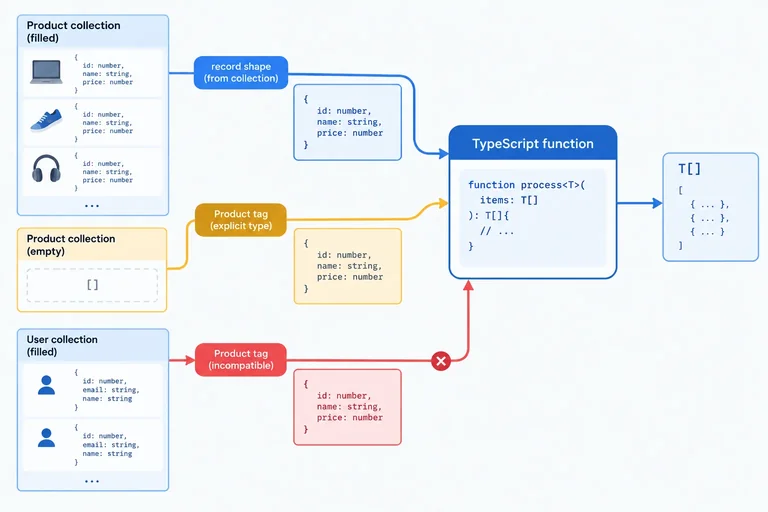
Step 3 of 8
Use TypeScript inference when a typed collection already identifies the element type, and provide a checked explicit type argument when an empty input does not.
keepMatching declares one type parameter, T. At each call, TypeScript can often choose the matching type argument from a typed input.
Because products is Product[], this call infers T as Product. The callback parameter is a Product, and stocked is a Product[].
Because users is User[], the second call independently infers T as User. You do not need to write type arguments when the input already provides clear type information.
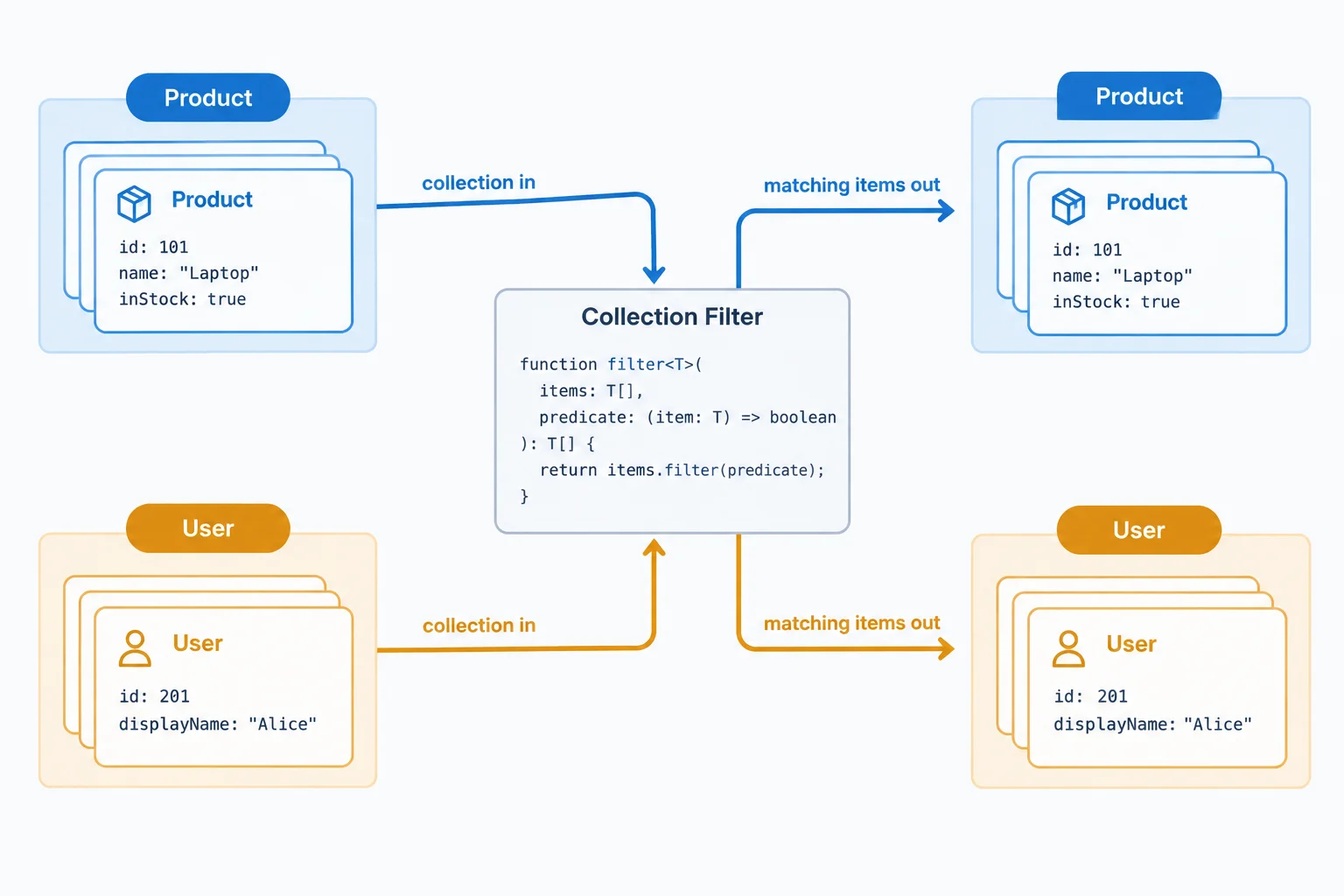
The caller's typed array gives TypeScript enough information to infer a different type argument for each call.
Two calls to the helper from the previous step use inference; no type argument is written.
const stocked = keepMatching(
  products,
  (product) => product.inStock
);

const matchingUsers = keepMatching(
  users,
  (user) => user.displayName.startsWith("A")
);You can supply a type argument after the function name when the intended element type is not clear from the values. An empty array literal has no record elements to communicate that intention.
Here, <Product> supplies the type argument. It makes the empty input a Product[] for this call and gives product the Product type in the predicate.
An explicit type argument is still checked. It is not a conversion: keepMatching<Product>(users, ...) is a compile-time error because users is User[], not Product[]. Runtime objects are not changed by a type argument.
This call needs an explicit type argument because the empty array does not reveal its intended element shape.
const emptyProducts = keepMatching<Product>(
  [],
  (product) => product.inStock
);Compare how the function learns, or is given, the type argument.
| Call input | TypeScript's choice for T | Why |
|---|---|---|
| products: Product[] | Product | The array elements are typed. |
| users: User[] | User | The array elements are typed. |
| [] | Not usefully determined | There are no elements to describe. |
| keepMatching<Product>([]) | Product | The supplied type argument sets the intended type. |
Complete the explicit type argument so this empty-input call filters the intended record type.
const selected = keepMatching<>(
  [],
  (product) => product.inStock
);Which review correctly describes these three situations: filtering the typed products collection, filtering an empty array intended for product records, and attempting keepMatching<Product>(users, ...)?

Step 4 of 8
Implement a generic predicate-based lookup that retains the caller's record type while accurately representing a missing match as undefined.
A filtering helper always returns an array. A lookup is different: it returns one matching item, or it returns no item.
findMatching<T> uses the same type parameter in the input array, predicate, and return type. For a Product[] input, the result is Product | undefined. For a User[] input, it is User | undefined.
The union is honest about runtime behavior: a predicate can fail to match. At the same time, T preserves the caller's specific record type whenever an item is available.

The input determines the available record type; the empty outcome is represented separately as possible absence.
Continue in the existing src/generics.ts file from the earlier steps. Keep its existing export {};, record contracts, sample collections, and keepMatching code. Add only the following snippet below the existing code—do not copy the earlier declarations again.
Array.find already returns an element or undefined, so the helper can return items.find(matches) directly. Each guard proves that a value exists before its record-specific property is read.
Add this incremental snippet below the code already in src/generics.ts.
function findMatching<T>(
  items: T[],
  matches: (item: T) => boolean
): T | undefined {
  return items.find(matches);
}

const foundProduct = findMatching(products, (product) => product.inStock);

if (foundProduct !== undefined) {
  console.log(foundProduct.name);
}

const missingProduct = findMatching(
  products,
  (product) => product.id === "p9"
);

if (missingProduct === undefined) {
  console.log("Product not found");
}

const foundUser = findMatching(users, (user) => user.id === "u1");

if (foundUser !== undefined) {
  console.log(foundUser.displayName);
}From the project root, save the file and run the local TypeScript compiler.
npx tsc --noEmitNo terminal output; command exits successfully with status 0.
Complete the generic return contract and the availability check before reading the User-specific property.
function findMatching<T>(
  items: T[],
  matches: (item: T) => boolean
):  {
  return items.find(matches);
}

const foundUser = findMatching(users, (user) => user.id === "u1");

if () {
  console.log(foundUser.displayName);
}Which fragment completes the generic lookup contract and correctly consumes both a matching Product lookup and the nonmatching lookup for "p9"? The two variables must have the same declared result type, and every Product-specific property read must handle absence first.

Step 5 of 8
Add a minimum ID constraint to a generic lookup without losing caller-specific record information.
An unconstrained type parameter, written as <T>, could stand for any type. TypeScript therefore cannot assume an item has an id property, so item.id is not valid inside an unconstrained generic helper.
Define the smallest shape the lookup needs:
type Identified = { id: string };
Then write <T extends Identified>. This requires every accepted T to have a string id. It does not replace T with Identified: a caller can still supply richer records such as Product or User.

The constraint requires a string identifier while the caller-specific record type remains intact.
Continue in the existing src/generics.ts file from the earlier steps. Keep its existing export {};, Product and User contracts, sample collections, keepMatching, and findMatching declarations. Add only this snippet below that existing code; do not redeclare earlier names.
The constraint lets the implementation compare item.id with the requested string ID. Because the return type is still T | undefined, each call retains its complete element type while honestly representing a missing match.
Add this incremental snippet below the existing code in src/generics.ts.
type Identified = { id: string };

function findById<T extends Identified>(
  items: T[],
  id: string
): T | undefined {
  return items.find((item) => item.id === id);
}

const productById = findById(products, "p1");

if (productById !== undefined) {
  console.log(productById.name);
  console.log(productById.inStock);
}

const missingProductById = findById(products, "p9");

if (missingProductById === undefined) {
  console.log("Product not found");
}

const userById = findById(users, "u1");

if (userById !== undefined) {
  console.log(userById.displayName);
}
Tip
Save the file, then run npx tsc --noEmit from the project root. A successful check prints no diagnostics. The calls infer different results: the product lookup is Product | undefined, while the user lookup is User | undefined.
After an undefined guard, the complete record type is available. The constraint gives the helper access to id; it does not discard name, inStock, or displayName.
Complete the constrained generic signature for an ID lookup.
type Identified = { id: string };

function findById<T  Identified>(
  items: T[],
  id: string
):  {
  return items.find((item) => item.id === id);
}Which complete review of findById is accurate?

Step 6 of 8
Define generic collection and result contracts that preserve their contained record types, then narrow a successful result before accessing Product data.
A generic container keeps its contained type connected to the container contract. In Collection<T>, the type parameter appears in items: T[].
Collection<Product> therefore has Product[] items, while Collection<User> has User[] items. Both use the same reusable shape. total is always a numeric item count, so it does not need T.

The container shape is reusable; its item type remains specific.
Continue in the existing src/generics.ts file from the earlier steps. Keep the existing declarations, sample collections, and helpers. Add only this snippet below the existing code; do not redeclare Product, User, products, or users.
interface Collection<T> {
  items: T[];
  total: number;
}

const productCollection: Collection<Product> = {
  items: products,
  total: 2
};

const userCollection: Collection<User> = {
  items: users,
  total: 1
};A result can represent success or failure while preserving the success value's type. In Result<T>, only the ok: true variant carries data: T. The ok: false variant carries an error string instead.
Check ok before reading data. This is the discriminant narrowing technique you already know. With Result<Product>, data in the successful branch is a Product; with Result<User>, it is a User.

The successful branch carries T as data; the failure branch carries an error string instead.
Add this below the Collection<T> snippet. These distinct variable names avoid conflicts with the lookup variables from earlier steps. The if statements narrow each result before a branch-specific property is read.
type Result<T> = { ok: true; data: T } | { ok: false; error: string };

const savedProductResult: Result<Product> = {
  ok: true,
  data: { id: "p1", name: "Desk Lamp", inStock: true }
};

const missingProductResult: Result<Product> = {
  ok: false,
  error: "Product not found"
};

const savedUserResult: Result<User> = {
  ok: true,
  data: { id: "u1", displayName: "Avery" }
};

if (savedProductResult.ok) {
  console.log(savedProductResult.data.name);
}

if (!missingProductResult.ok) {
  console.log(missingProductResult.error);
}

if (savedUserResult.ok) {
  console.log(savedUserResult.data.displayName);
}After adding both the Collection<T> and Result<T> snippets, save src/generics.ts and run the project-local compiler from the project root.
npx tsc --noEmitNo diagnostics; command exits successfully.
Match each generic instantiation or result branch to what it guarantees.
Tap an item and then its matching pair.
Complete both generic contracts. Then complete the narrowing check so the function logs the Product Boolean stock value only in the successful result branch.
function showProductStatus(
  practiceProductResult: Result<Product>
): void {
  if (practiceProductResult.) {
    console.log(practiceProductResult.data.);
  }
}
Step 7 of 8
Choose concrete or generic TypeScript contracts based on whether an API must preserve a caller-specific type relationship.
A generic is useful when one caller-specific type must stay connected to another part of an API.
For example, keepMatching receives T[], gives T to its callback, and returns T[]. If the caller supplies Product[], the result remains Product[].
Do not add T merely because an input is a record. Ask: Does the caller need a specific type preserved somewhere else? If not, a concrete contract is usually clearer.
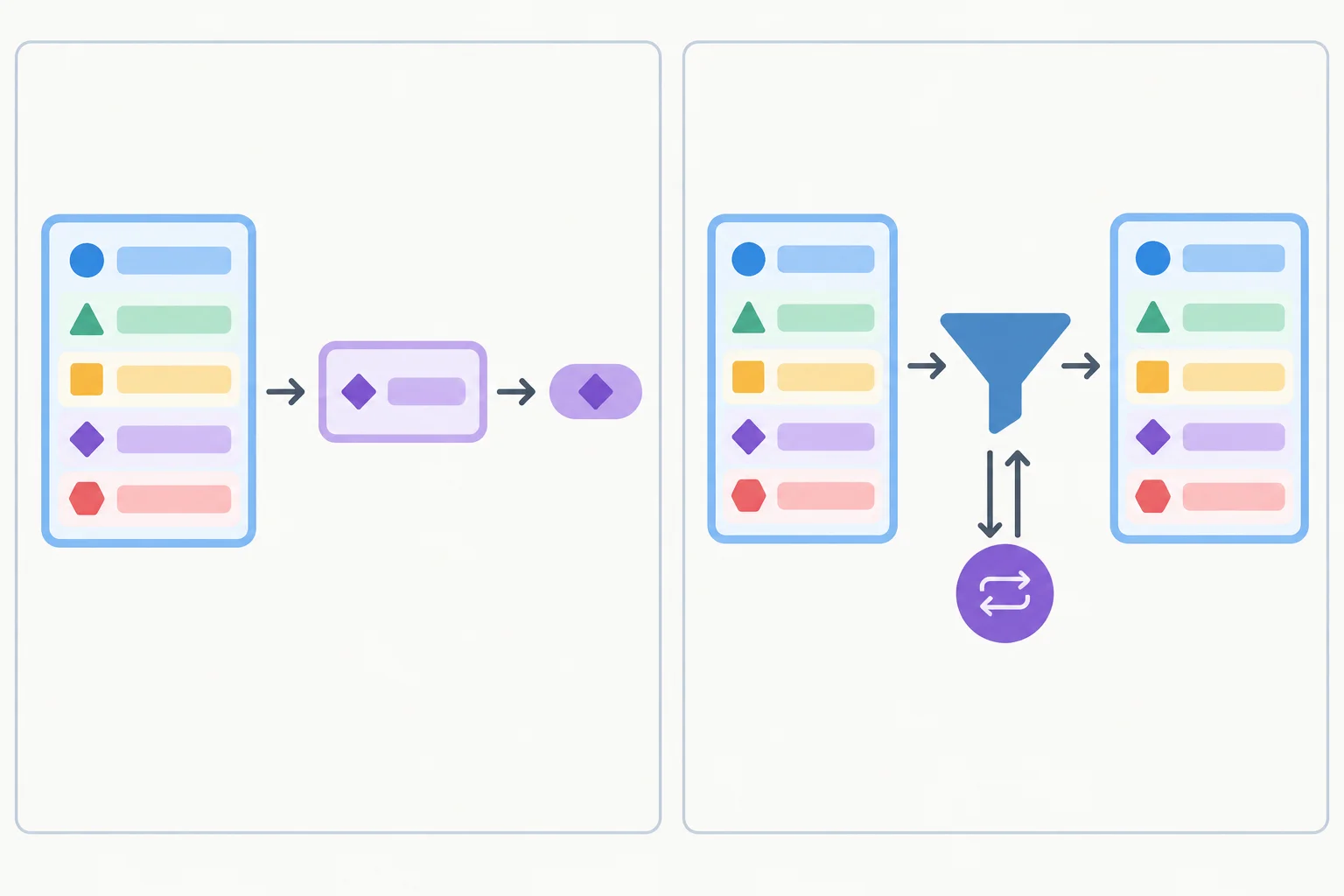
Use a generic when the same caller-specific shape must continue through the operation. Use a concrete contract when the output does not need that shape.
getId needs only one capability: an item with a string id. It returns a string, so it does not need to preserve the caller's full record type.
A Product can be passed to this concrete parameter because structural typing permits a richer record where an Identified record is required. In contrast, filtering returns records, so keepMatching uses T to preserve their complete type.
Compare a concrete operation with a type-preserving operation.
type Identified = { id: string };
type Product = { id: string; name: string; inStock: boolean };

function getId(item: Identified): string {
  return item.id;
}

function keepMatching<T>(
  items: T[],
  matches: (item: T) => boolean
): T[] {
  return items.filter(matches);
}

const products: Product[] = [
  { id: "p1", name: "Desk Lamp", inStock: true },
  { id: "p2", name: "Notebook", inStock: false }
];

const productId: string = getId(products[0]);
const availableProducts: Product[] = keepMatching(
  products,
  (item) => item.inStock
);Choose the smallest contract that expresses the job.
| Need | Appropriate contract | Connection preserved |
|---|---|---|
| Extract an ID | `Identified` → `string` | None needed |
| Filter records | `T[]` → `T[]` | Input, callback, and result |
| Store typed items | `Collection<T>` | Contained item type |
| Store success data | `Result<T>` | Successful data type |
Generics describe relationships for compile-time type checking. They do not add a runtime check to JavaScript.
For example, getId and keepMatching help the compiler check code written against their contracts. At runtime, their type annotations are erased; a generic annotation cannot verify that data arriving from outside the application really has the expected shape.
Use generics to preserve information in typed code. Treat runtime validation as a separate boundary concern.
Tip
A type parameter should make a relationship clearer—not make a signature look more advanced.
Match each API need to the most accurate contract or statement.
Tap an item and then its matching pair.

Step 8 of 8
Combine constrained lookup, typed collections, and typed results in one local TypeScript workflow while preserving record-specific information.
A useful generic relationship can survive an entire workflow. Collection<Product> supplies Product items; findById returns the same record type or undefined; then Result<Product> keeps that Product type in its successful branch.
The constraint on findById stays small: its implementation needs an id, not every Product property. Since T remains the caller’s complete type, an available Product still has name and inStock. The same lookup also accepts User records and preserves displayName.
These are compile-time type checking relationships. They help TypeScript check code that uses values; they do not validate unknown external data at runtime.
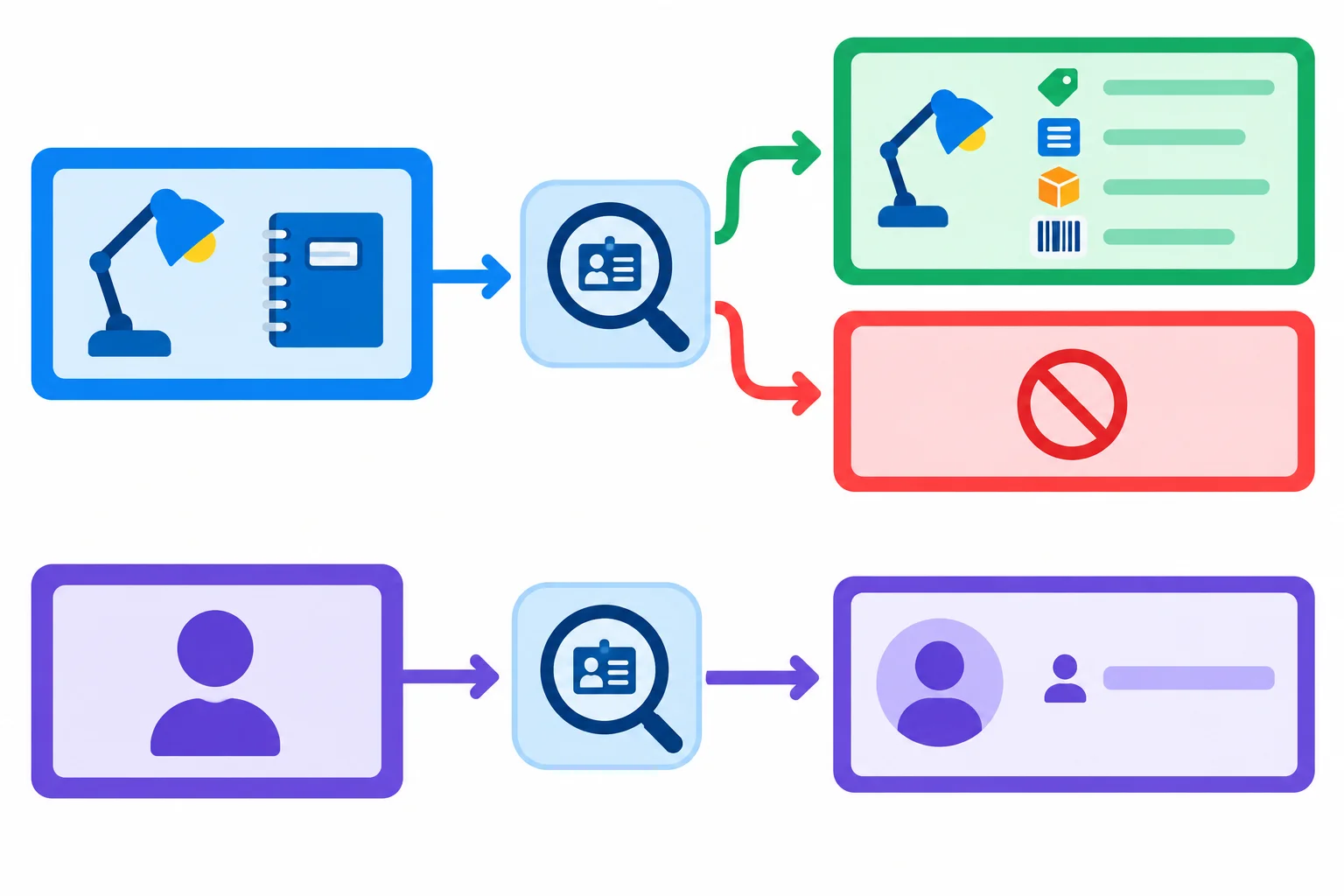
The lookup requires only an ID, while its type parameter carries each caller’s richer record type through the workflow.
For this final local exercise, replace the entire current contents of src/generics.ts. Do not append these declarations below code from earlier steps, because that would create duplicate names.
The next two snippets form one complete replacement file. First select all content in src/generics.ts and paste Part 1. Then paste Part 2 immediately below it. The temporary function bodies type-check, but do not yet perform the intended lookup or result conversion.
src/generics.ts — Part 1 of 2
export {};

type Product = { id: string; name: string; inStock: boolean };
type User = { id: string; displayName: string };
type Identified = { id: string };

interface Collection<T> {
  items: T[];
  total: number;
}

type Result<T> = { ok: true; data: T } | { ok: false; error: string };

const products: Product[] = [
  { id: "p1", name: "Desk Lamp", inStock: true },
  { id: "p2", name: "Notebook", inStock: false }
];

const users: User[] = [
  { id: "u1", displayName: "Avery" }
];

const productCollection: Collection<Product> = {
  items: products,
  total: 2
};

const userCollection: Collection<User> = {
  items: users,
  total: 1
};src/generics.ts — Part 2 of 2
function findById<T extends Identified>(
  items: T[],
  id: string
): T | undefined {
  return undefined;
}

function toProductResult(value: Product | undefined): Result<Product> {
  return { ok: false, error: "Not implemented" };
}

const foundProduct = findById(productCollection.items, "p1");
const missingProduct = findById(productCollection.items, "p9");
const foundResult = toProductResult(foundProduct);
const missingResult = toProductResult(missingProduct);
const foundUser = findById(userCollection.items, "u1");

if (foundResult.ok) {
  console.log(foundResult.data.name);
}

if (!missingResult.ok) {
  console.log(missingResult.error);
}

if (foundUser !== undefined) {
  console.log(foundUser.displayName);
}Complete the constrained lookup and the conversion from a possibly absent Product to a Product result.
function findById<T extends Identified>(
  items: T[],
  id: string
): T | undefined {
  return ;
}

function toProductResult(value: Product | undefined): Result<Product> {
  if () {
    return ;
  }

  return ;
}Summary
T | undefined, then narrow before using record-specific properties.After replacing the two temporary function bodies with your completed code, save src/generics.ts and run this command from the project root.
npx tsc --noEmitNo terminal output; command exits successfully with status 0.
A successful TypeScript check is silent: the command prints no terminal text and exits with status 0.
In your local src/generics.ts, complete the two temporary function bodies using the prior exercise. Keep the Product lookups for "p1" and missing "p9", plus the User lookup for "u1". Run the type-check command.
Write a short verification report based on editor hover information and the compiler result. State the inferred types of the two Product lookup variables and the User lookup variable, the type of the two Product result variables, which outcome each Product ID follows, and whether the compiler reported diagnostics.
Write at least 180 characters (0/180).
Congratulations! You completed: Preserve Type Relationships with Generics
Thousands of online courses in video, ebooks and audiobooks.
To test your knowledge during online courses
Generated directly from your cell phone's photo gallery and sent to your email

Download our app via QR Code or the links below:.



Carry knowledge in your pocket.
Download the Cursa app.
There are hundreds of free courses available, with a free certificate of completion that is saved in your mobile image gallery.
Download the app to access the Course Completion Certificate for Free.


+ 10 million
students

Free and Valid
Certificate

60 thousand free
exercises

4.8/5 rating in
app stores

Free courses in
video and ebooks