Step 1 of 5
Meet the Browser and the Server
Learn the roles of the browser and server in a simple request-response flow.

Learning path · Level 1 · Tutorial 1
Explain how a browser obtains and displays a web page, and distinguish the responsibilities of HTML, CSS, and JavaScript.
 Meet the Browser and the Server
Learn the roles of the browser and server in a simple request-response flow. 2 min
Meet the Browser and the Server
Learn the roles of the browser and server in a simple request-response flow. 2 min
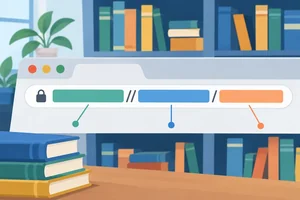 Read a Web Address
Identify the scheme, hostname, and path in a simple HTTPS URL. 1 min
Read a Web Address
Identify the scheme, hostname, and path in a simple HTTPS URL. 1 min
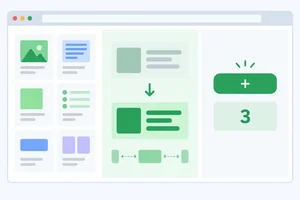 Separate Structure, Presentation, and Behavior
Separate page content and structure, visual presentation, and custom behavior in a Maple Library page. 2 min
Separate Structure, Presentation, and Behavior
Separate page content and structure, visual presentation, and custom behavior in a Maple Library page. 2 min
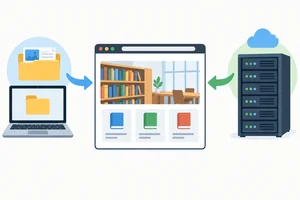 Compare Local Files and Server Pages
Distinguish a browser opening a local HTML document from requesting the main document through a server. 1 min
Compare Local Files and Server Pages
Distinguish a browser opening a local HTML document from requesting the main document through a server. 1 min
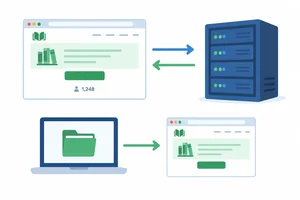 Explain a Complete Page Visit
Bring URL parts, resource flow, technology roles, and the local-file alternative together in one Maple Library scenario. 2 min
Explain a Complete Page Visit
Bring URL parts, resource flow, technology roles, and the local-file alternative together in one Maple Library scenario. 2 min
Step 1 of 5
Learn the roles of the browser and server in a simple request-response flow.
When you open a web page, the browser is the application that works for you. In this role, it is called a client.
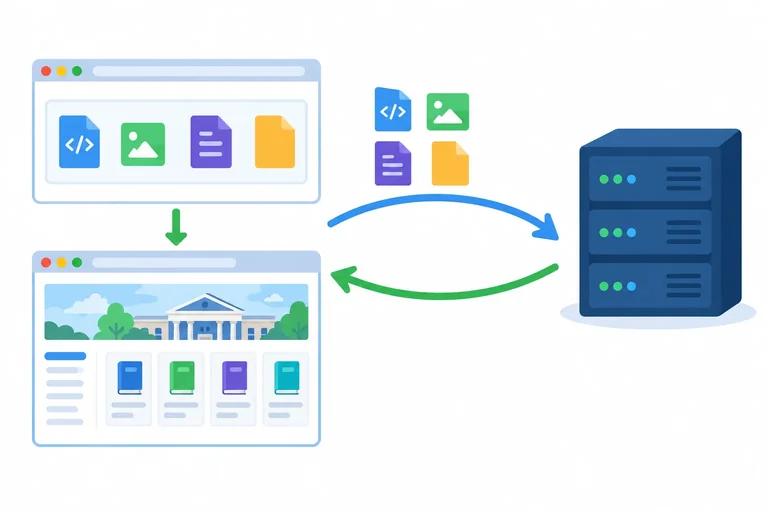
The browser obtains web resources, interprets them, and displays the page. A server is a computer system that receives the browser’s requests and sends resources back.
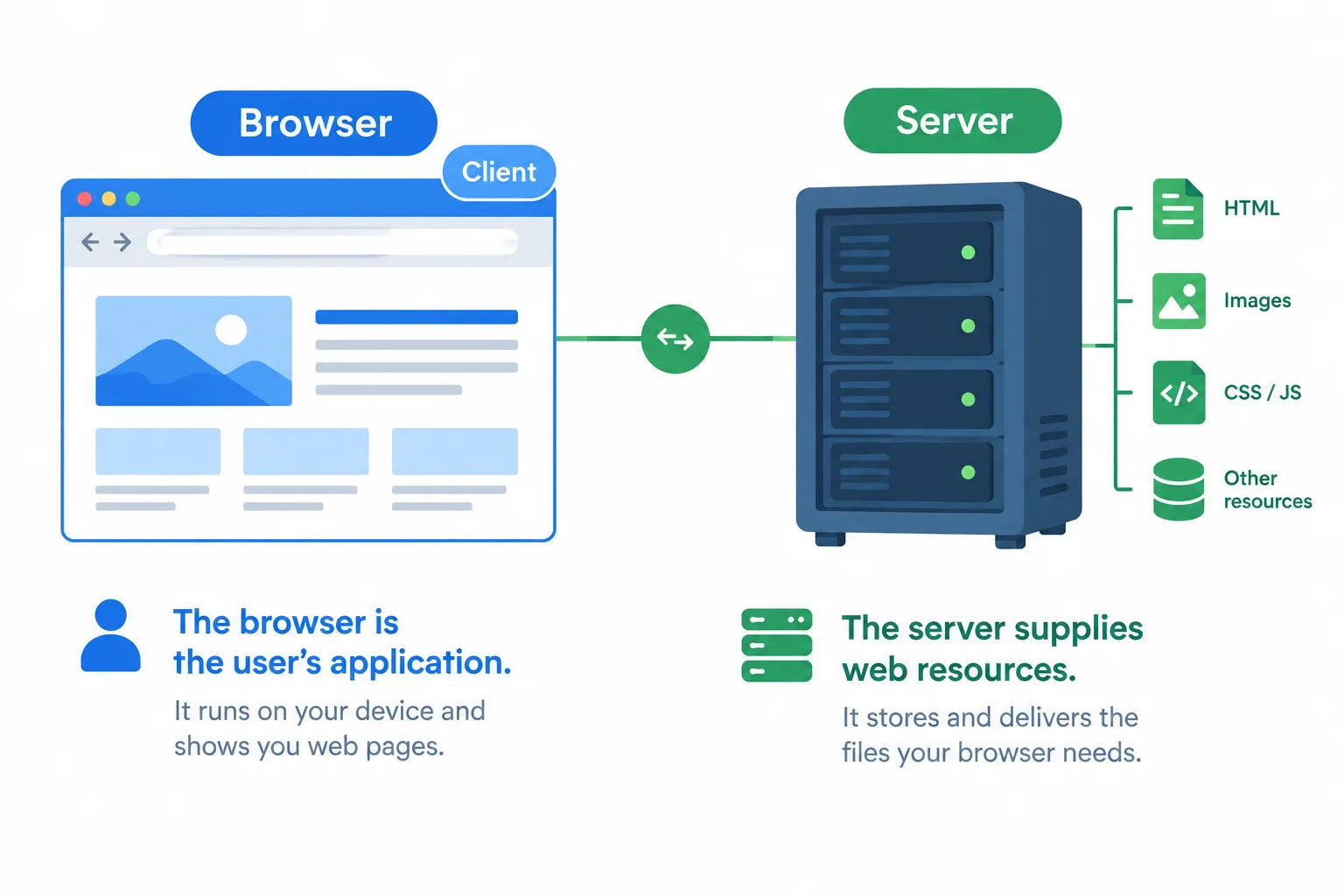
The browser acts as the client; the server supplies requested resources.
A simplified successful page visit has a short exchange:
To render means to display a page from its resources.
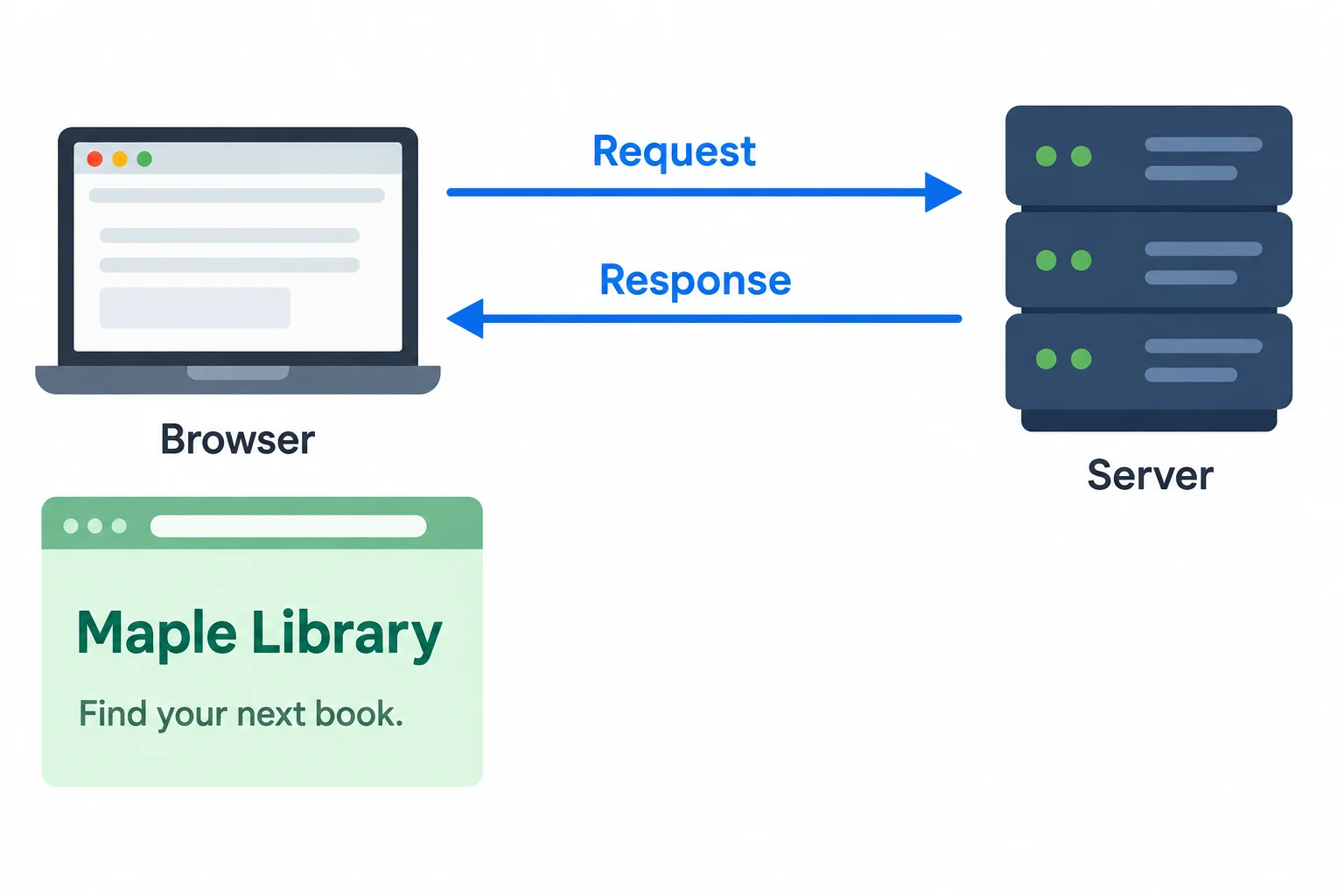
The browser requests resources, receives a response, and then renders the page.
The server generally does not send a finished screenshot of the page. Instead, it sends resources that the browser can interpret.
The browser produces the visible result on your screen. This is why the browser is responsible for displaying the page after the response arrives.
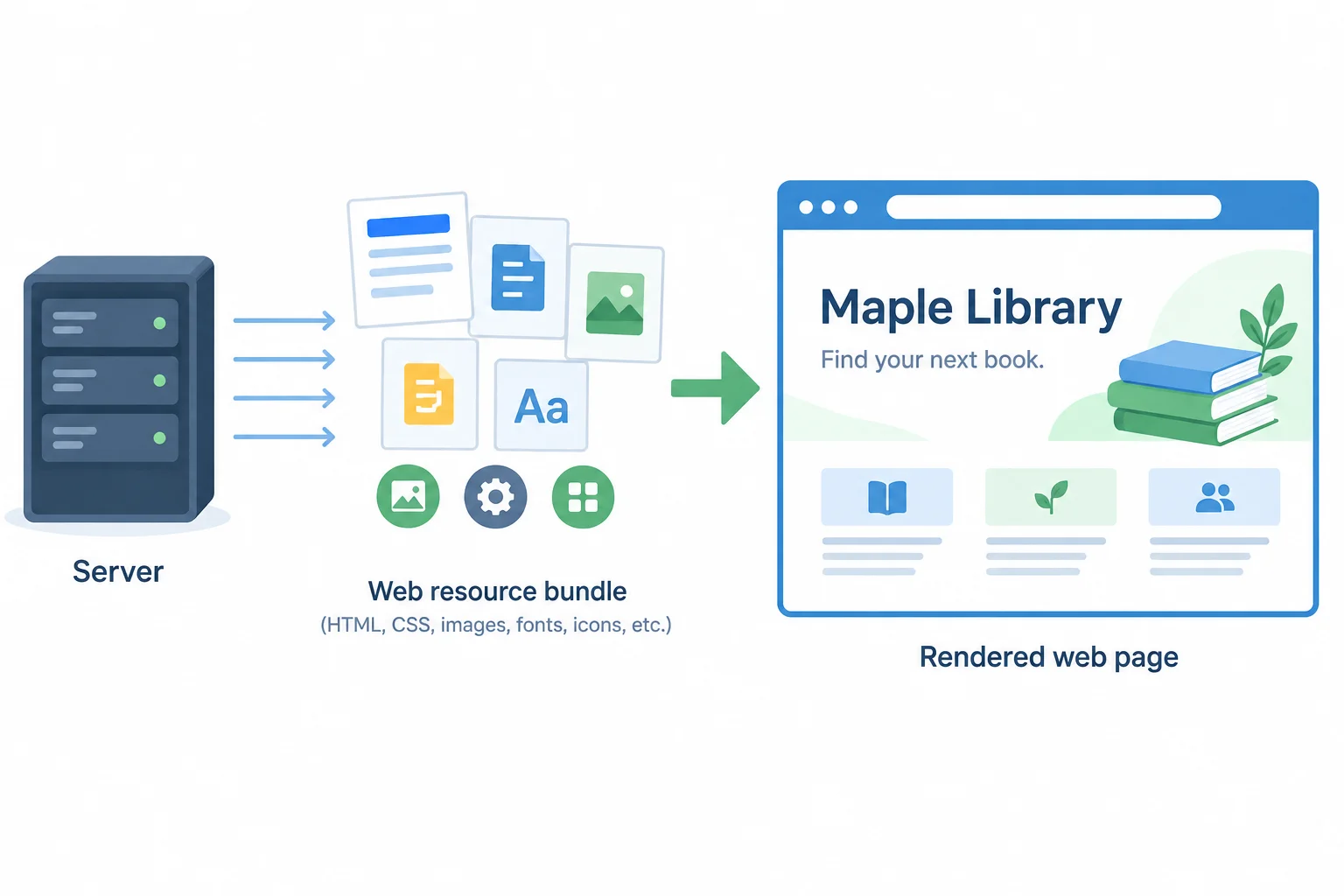
The server returns resources; the browser creates the visible page from them.
Arrange these events from first to last in a successful page visit.
Step 2 of 5
Identify the scheme, hostname, and path in a simple HTTPS URL.
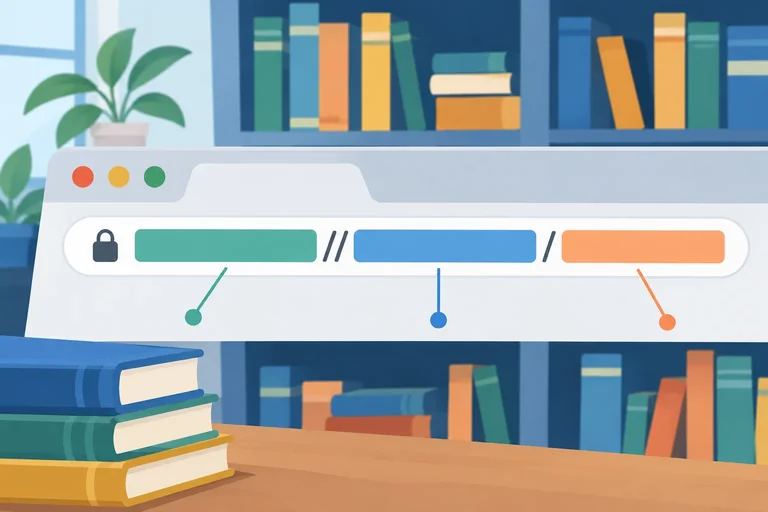
Before making a request, a browser reads a URL (Uniform Resource Locator). A URL is an address that tells the browser how and where to access a resource.
Use this illustrative Maple Library address throughout this step. You do not need to visit it:
https://library.example/books/index.html
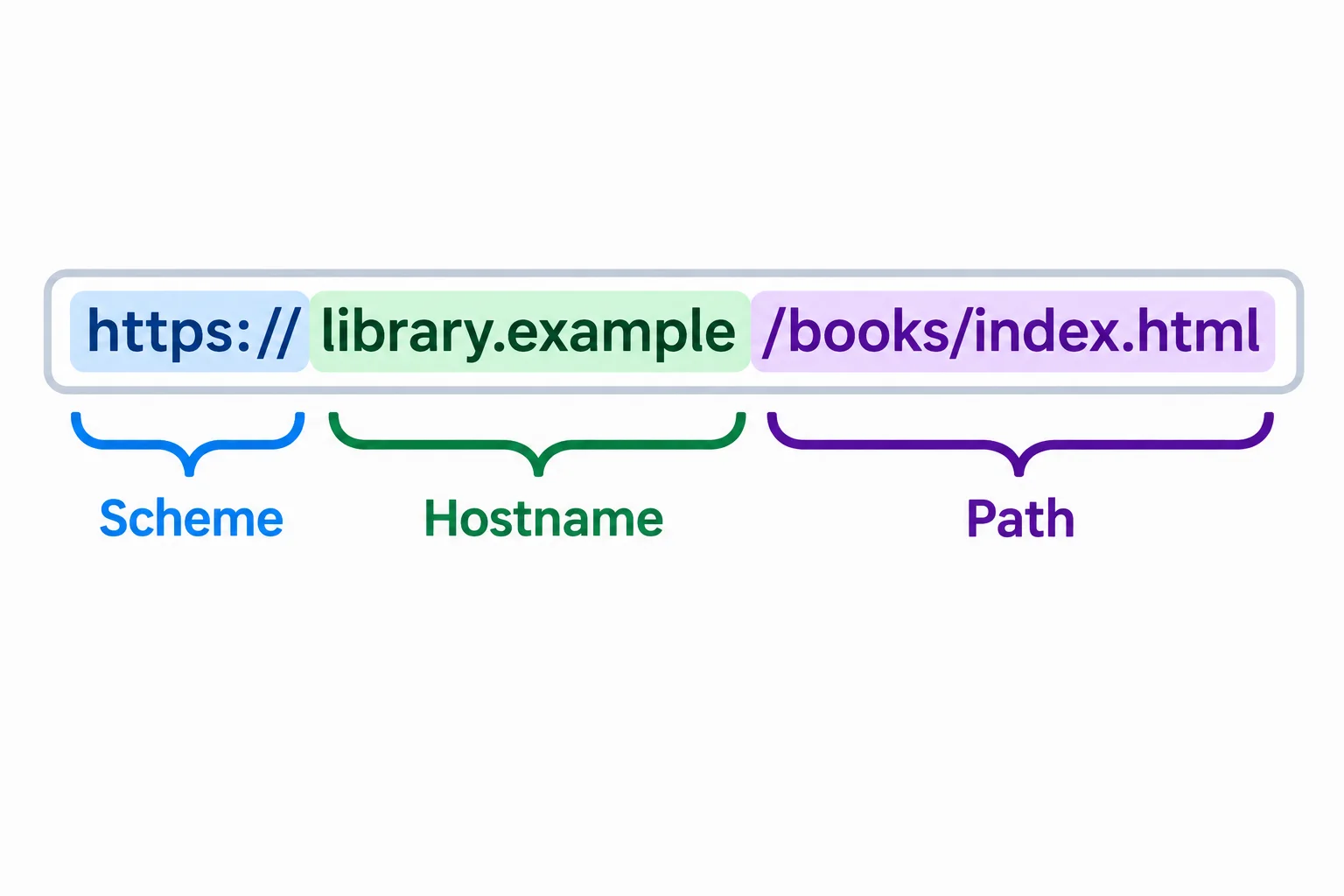
Read the URL from left to right: scheme, hostname, then path.
Each component answers a different question about the resource the browser will request.
The Maple Library URL is an illustrative address.
| Component | Value in the example | What it identifies |
|---|---|---|
| scheme | https | The access method; HTTPS provides secure communication with a server. |
| hostname | library.example | The named web destination. |
| path | /books/index.html | The resource requested at that destination. |
Tip
A path can resemble folders, but it does not prove that physical folders with those names exist on the server. It is the part of the address used to identify the requested resource.
Match each entry to its correct label or outcome. For the last entry, the browser is still contacting the same named destination but requests a different resource.
Tap an item and then its matching pair.
Step 3 of 5
Separate page content and structure, visual presentation, and custom behavior in a Maple Library page.
A displayed page can involve three primary responsibilities:
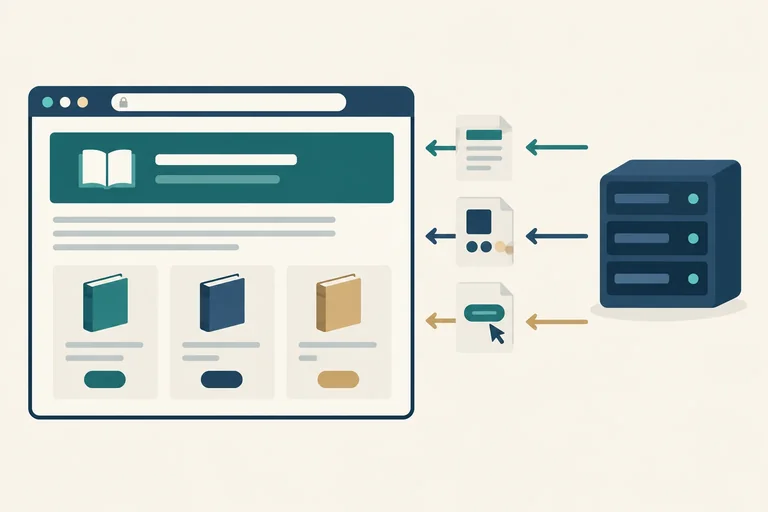
Maple Library and the paragraph Find your next book.Select book.When a browser uses these resources to display a page, it renders the page.
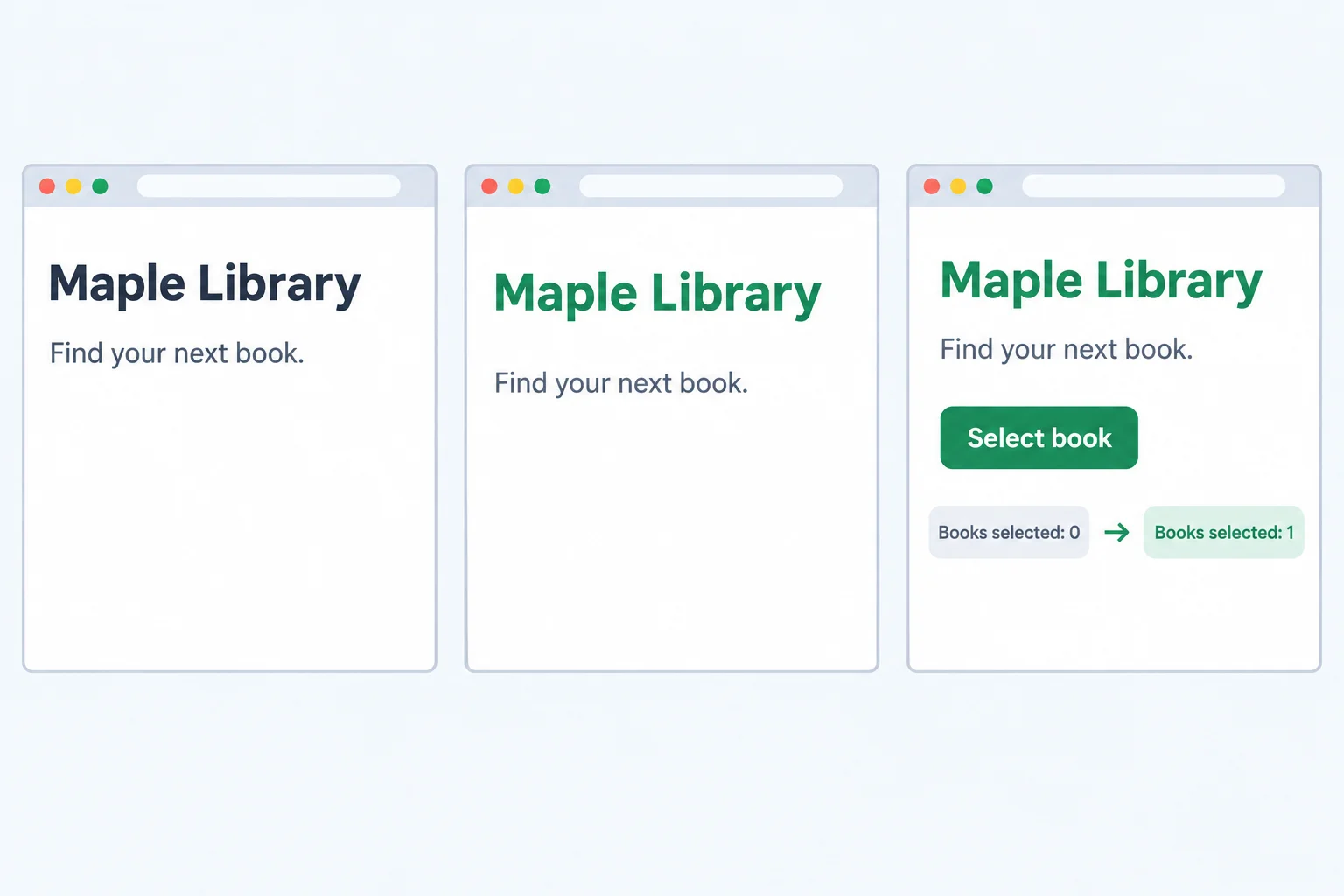
HTML supplies the content, CSS changes its appearance, and JavaScript can create the custom counter update.
A browser can render an HTML page even when its author provides no CSS or JavaScript. The browser supplies a basic default appearance for the content.
CSS and JavaScript are optional additions, not requirements for every page. A browser also has built-in behavior: it can follow an ordinary link without author-provided JavaScript.
A page may reference extra CSS or JavaScript resources, which the browser can request separately. However, a page does not need all three technologies, and they do not have to exist as three separate files.
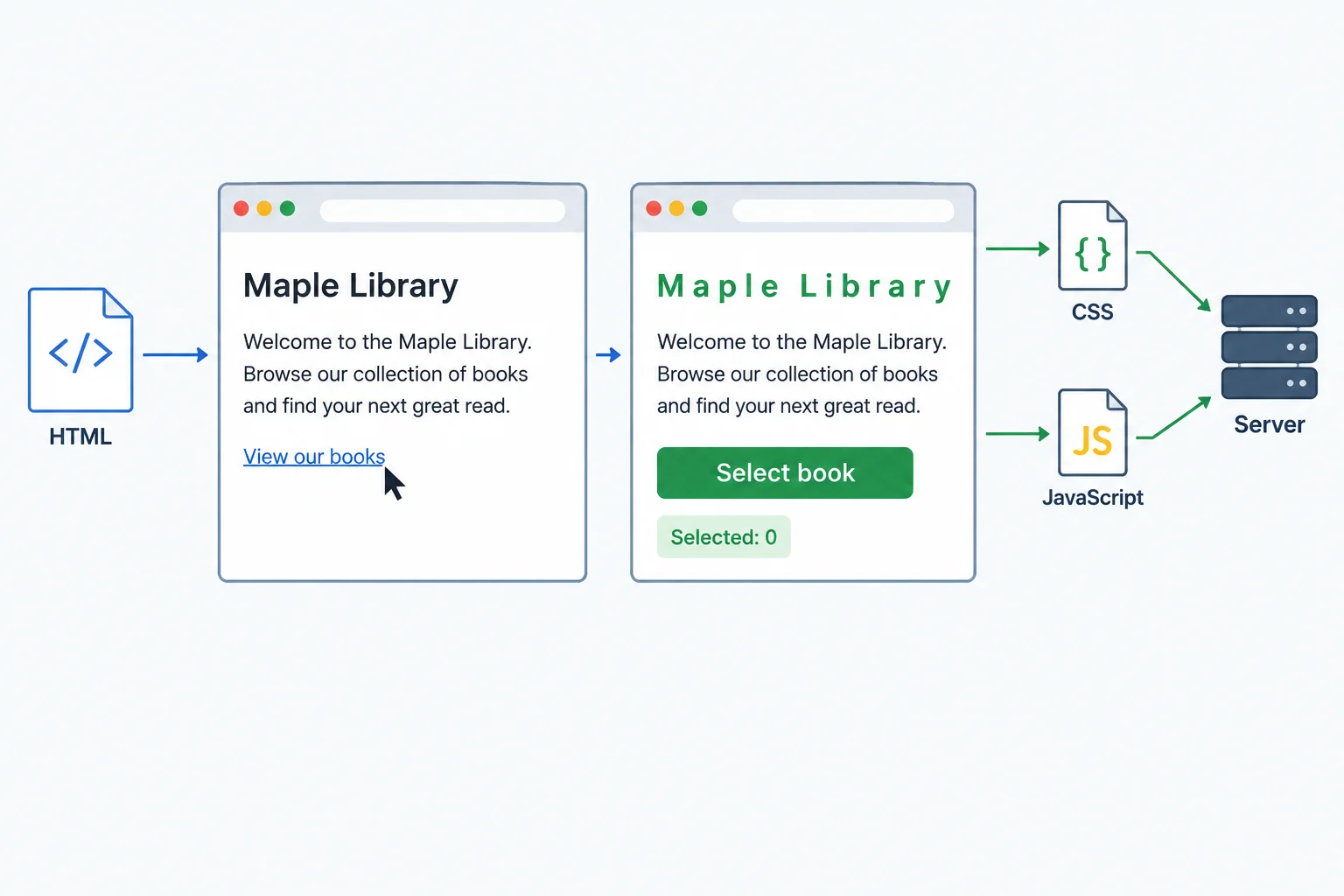
HTML can display with browser defaults. Referenced CSS and JavaScript can be requested separately, while ordinary link-following is built into the browser.
Tip
When Select book changes Books selected: 0 to Books selected: 1, that is an on-page update. This example does not mean that the selection was saved as server data.
True or false: A browser can follow an ordinary link without author-provided JavaScript.
Match each Maple Library feature to its primary responsibility.
Tap an item and then its matching pair.
Step 4 of 5
Distinguish a browser opening a local HTML document from requesting the main document through a server.
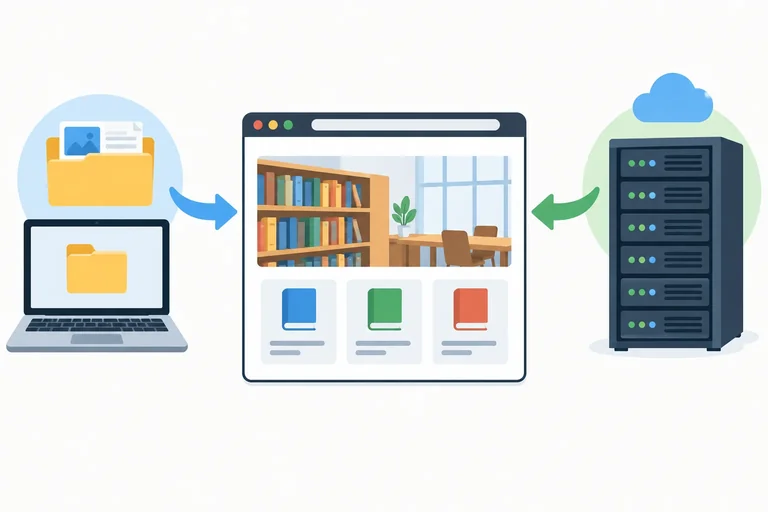
A browser can display an HTML document from two different starting points.
With the hosted Maple Library address, https://library.example/books/index.html, the browser requests the main document from a server. With file:///learning/maple-library/books/index.html, the browser opens the main document from local storage on the learner’s computer.
The file address is an illustrative local address; its exact form can vary by operating system. In both cases, the browser interprets the HTML and renders it: it displays a page from its resources.
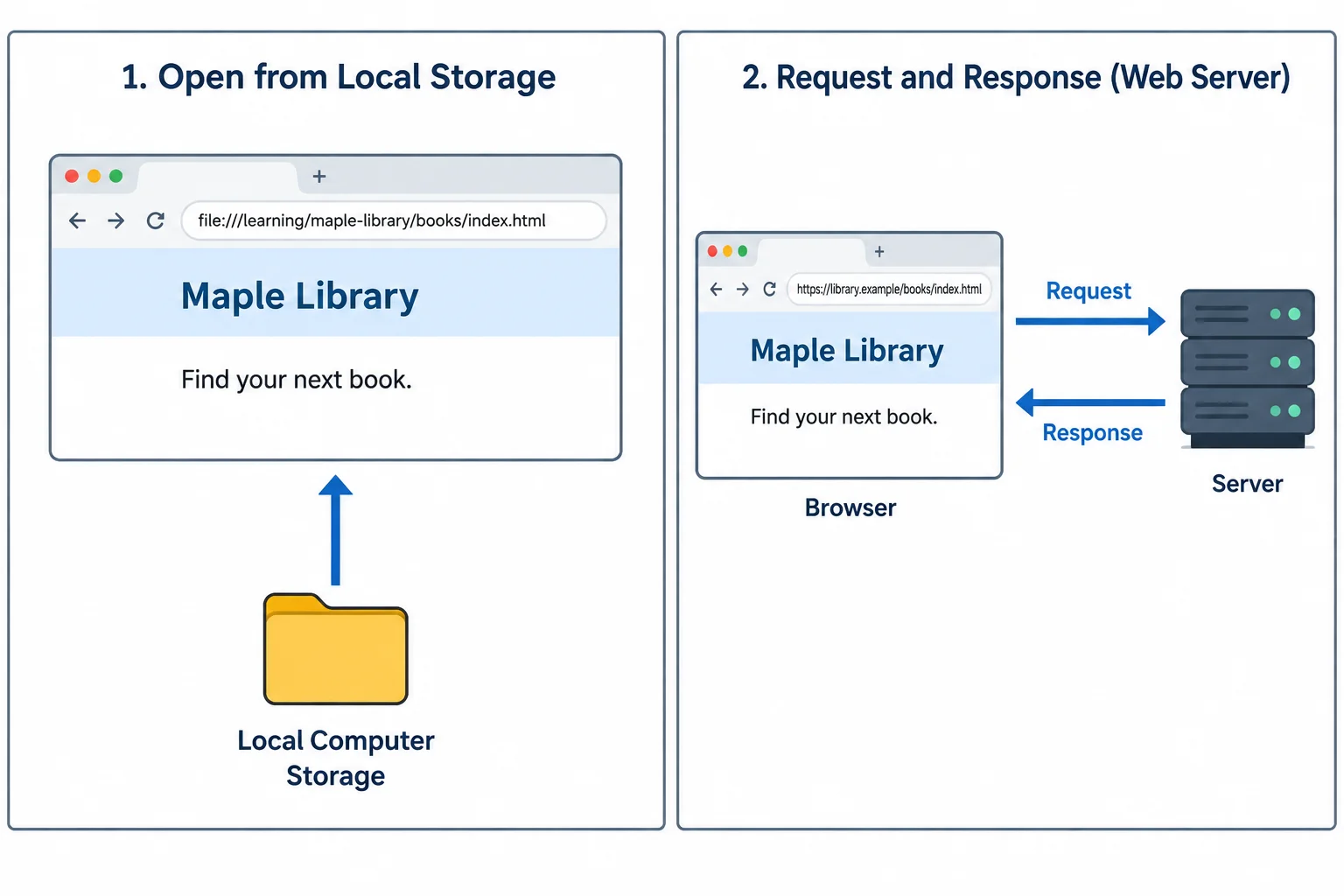
The source changes, but the browser still interprets HTML and renders the page.
The important difference is the source of the main document. A local file starts on the computer that opens it. A hosted page starts with a browser request to a server.
| Address example | Main document comes from | Main server request? |
|---|---|---|
| https://library.example/books/index.html | A server | Yes |
| file:///learning/maple-library/books/index.html | Local storage on the computer | No |
Opening a local file does not publish it. The document remains on that computer; opening it does not send it to a server or make it available to other people.
A local HTML document can still reference resources online. For example, a page may need an online image, stylesheet, or script. If that resource is unavailable, the page may not work or look complete while offline. Local-file access does not guarantee that every page resource is available offline.
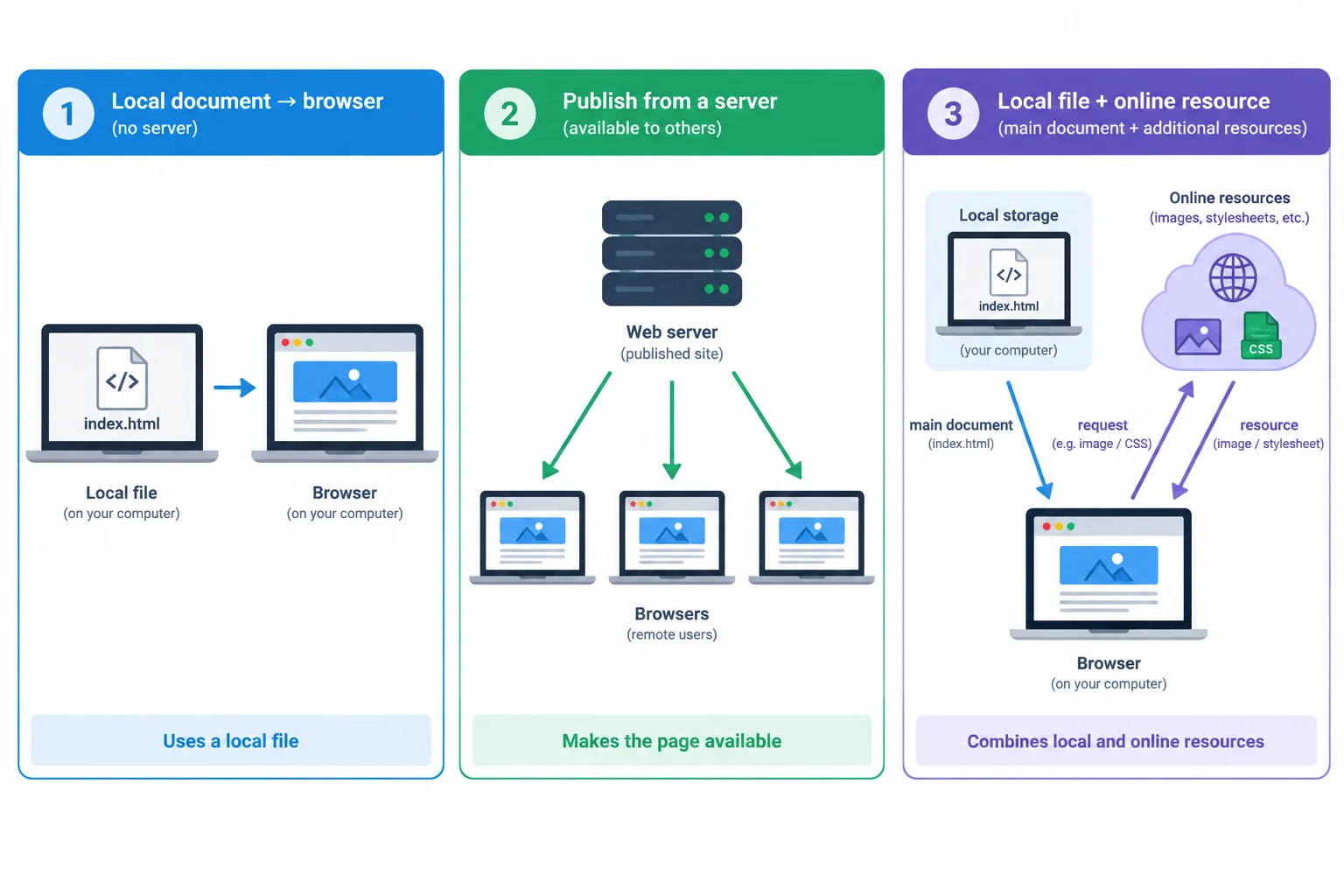
A local main document is not automatically published, and it can still depend on resources requested online.
Tip
Keep these ideas separate:
A page can be local without being published, and local without being fully offline.
True or false: If a browser opens a local HTML file, the entire page must work offline.
Compare these two addresses:
A. https://library.example/books/index.html
B. file:///learning/maple-library/books/index.html
For each one, state where the browser gets the main HTML document. Then explain why opening B neither publishes the document nor guarantees that the full page works offline.
Write at least 120 characters (0/120).
Step 5 of 5
Bring URL parts, resource flow, technology roles, and the local-file alternative together in one Maple Library scenario.
Use one Maple Library visit to connect the ideas. In https://library.example/books/index.html, the scheme is https, the hostname is library.example, and the path is /books/index.html.
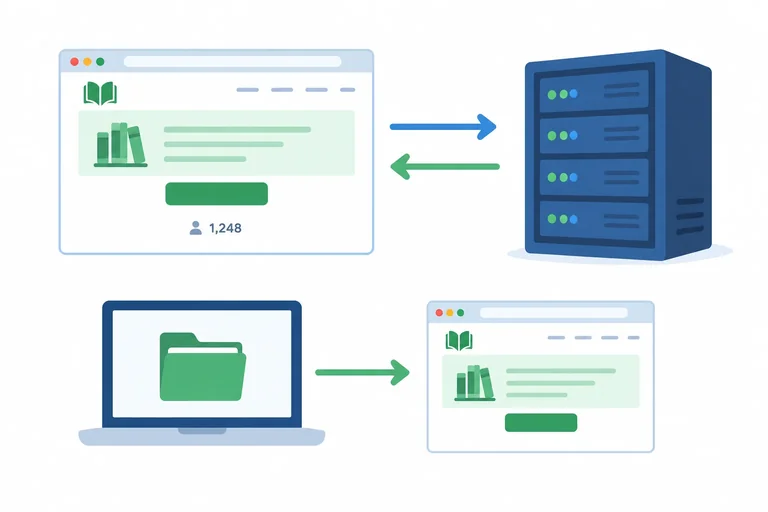
The browser is the client. It sends a Request to the server named by the hostname. The server sends a Response with page resources. The browser then renders the page: it displays a page from its resources. HTML supplies structure, CSS controls presentation, and JavaScript can add an on-page update.
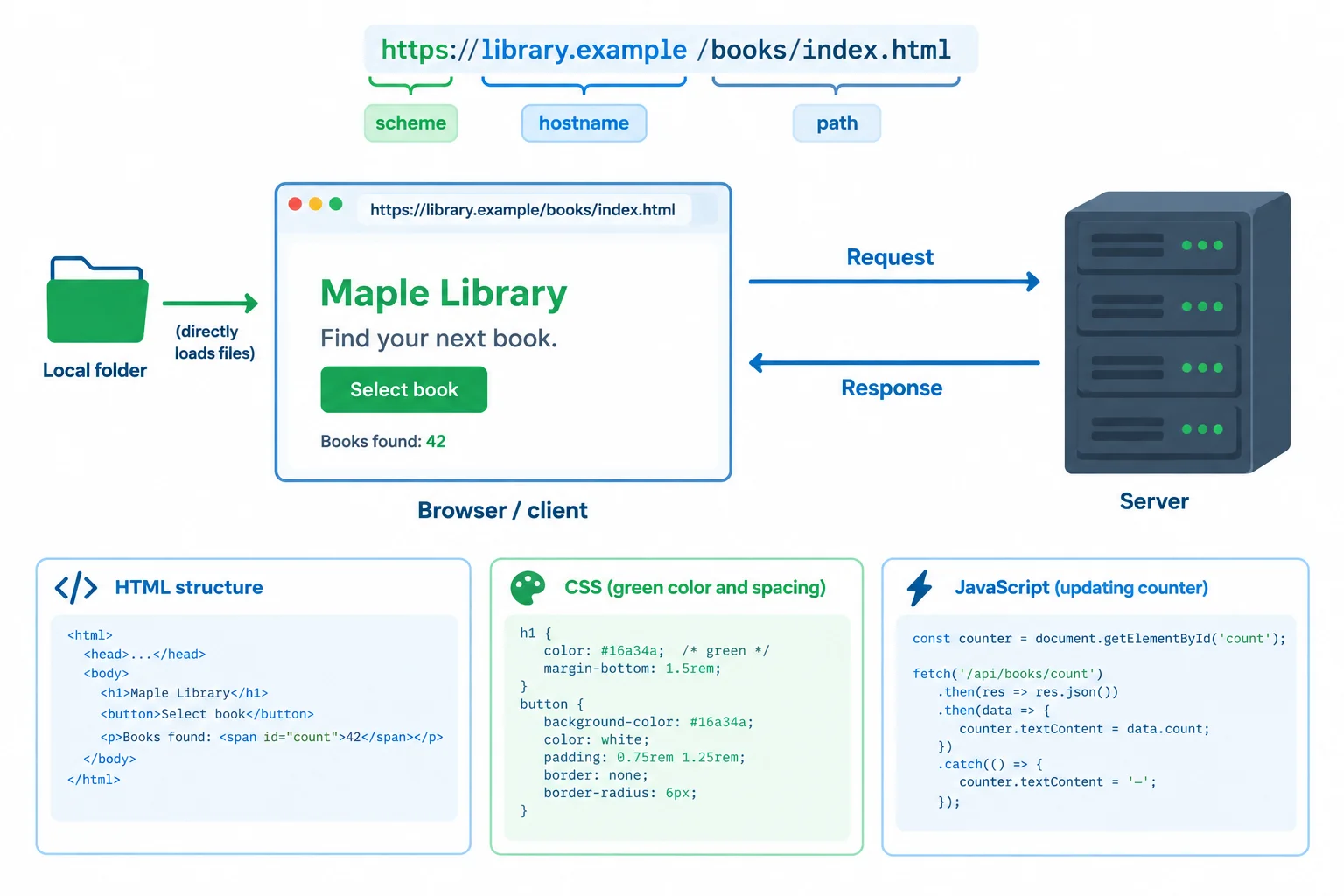
A hosted page uses a browser-to-server Request and server-to-browser Response. A local main document opens from the computer instead.
Match each page feature to the technology primarily responsible for it.
Match the Maple Library features to their primary technology.
Tap an item and then its matching pair.
Using the Maple Library scenario, write a concise four-part explanation:
https://library.example/books/index.html.Select book is activated.file:///learning/maple-library/books/index.html as the main document.Use the terms browser, client, server, Request, Response, and render.
Write at least 180 characters (0/180).
Summary
file: address opens the main HTML document locally; it does not publish that document.Congratulations! You completed: How Browsers Display Web Pages
Thousands of online courses in video, ebooks and audiobooks.
To test your knowledge during online courses
Generated directly from your cell phone's photo gallery and sent to your email

Download our app via QR Code or the links below:.



Carry knowledge in your pocket.
Download the Cursa app.
There are hundreds of free courses available, with a free certificate of completion that is saved in your mobile image gallery.
Download the app to access the Course Completion Certificate for Free.


+ 10 million
students

Free and Valid
Certificate

60 thousand free
exercises

4.8/5 rating in
app stores

Free courses in
video and ebooks