Step 1 of 6
When a Table Is the Right Choice
Decide when content has the meaningful row-and-column relationships that justify a data table.

Learning path · Level 1 · Tutorial 5
Build a semantic data table with a descriptive caption and clear row and column header associations, without using tables for page layout.
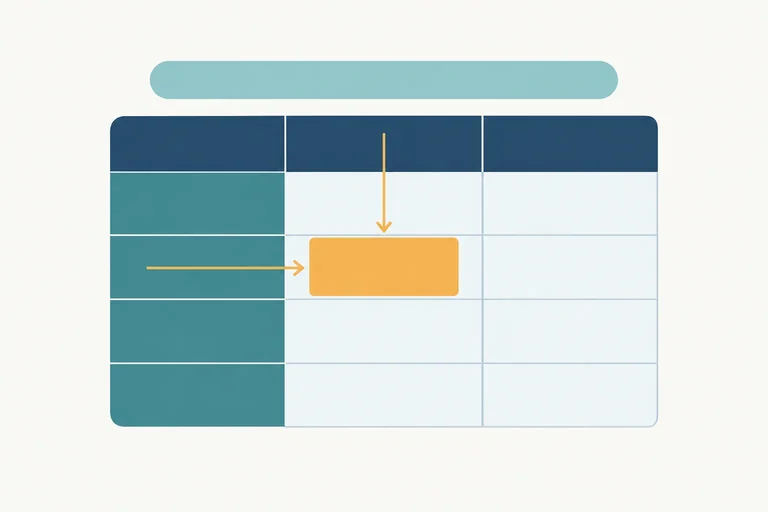
 When a Table Is the Right Choice
Decide when content has the meaningful row-and-column relationships that justify a data table. 2 min
When a Table Is the Right Choice
Decide when content has the meaningful row-and-column relationships that justify a data table. 2 min
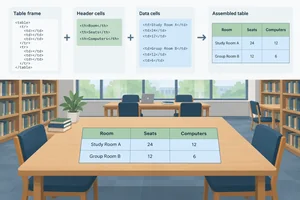 Build Rows and Cells
Build the basic row-and-cell structure of a semantic HTML data table. 2 min
Build Rows and Cells
Build the basic row-and-cell structure of a semantic HTML data table. 2 min
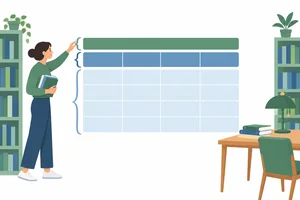 Name and Organize the Table
Add a descriptive caption and organize the header and body rows of a simple data table. 2 min
Name and Organize the Table
Add a descriptive caption and organize the header and body rows of a simple data table. 2 min
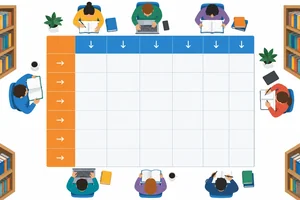 Connect Column and Row Headers
Make column and row relationships explicit by applying the correct scope value to each header cell. 3 min
Connect Column and Row Headers
Make column and row relationships explicit by applying the correct scope value to each header cell. 3 min
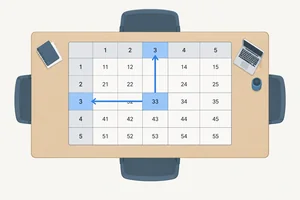 Check a Cell's Context
Identify the two headers that give a data cell meaning and spot simple header-markup errors. 2 min
Check a Cell's Context
Identify the two headers that give a data cell meaning and spot simple header-markup errors. 2 min
 Build and Verify Your Table
Create a complete local data table, verify its markup, and explain the context of a selected value. 3 min
Build and Verify Your Table
Create a complete local data table, verify its markup, and explain the context of a selected value. 3 min
Step 1 of 6
Decide when content has the meaningful row-and-column relationships that justify a data table.
A table is for tabular data: information whose values gain meaning from both a row and a column.
Our library data compares the same properties for several study rooms. Each room has a Seats value and a Computers value. That repeated pattern lets someone compare rooms or compare one property across rooms.
Choose a table because of these relationships—not because you want content to look like columns.
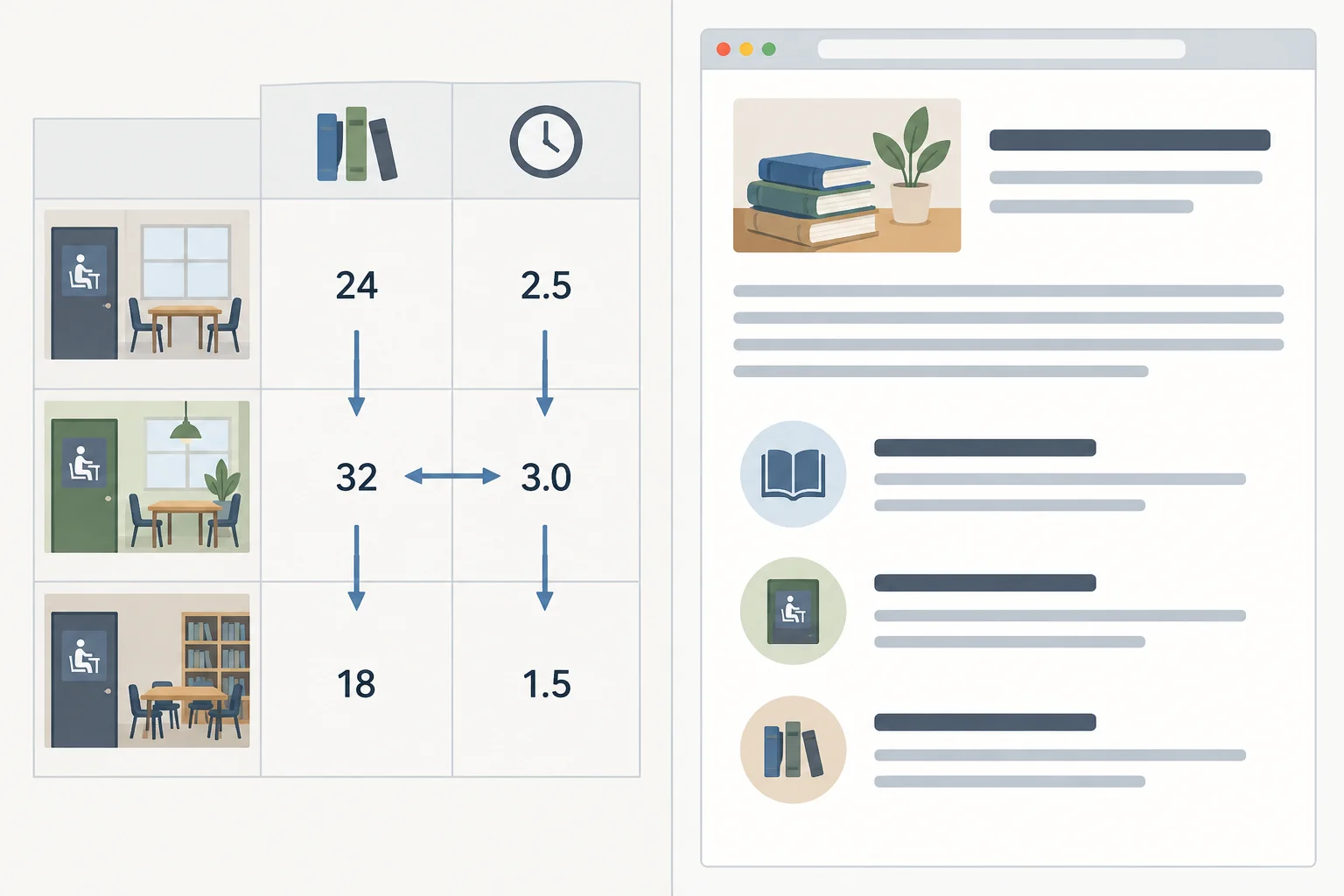
Aligned records and properties form a data matrix; ordinary content has its own document structure.
Example
The shared dataset is a genuine comparison dataset:
For example, a reader can compare the Seats values for Maple, Oak, and Pine, or compare Seats and Computers for Oak. Those intersections are the reason to use a table.
Do not use a table merely to place unrelated content beside other content.
A library page with a welcome paragraph, opening-hours text, and a list of events should use the ordinary semantic structure you already know: headings, paragraphs, and lists. Even if a visual design later places those sections in columns, they do not become a comparison dataset.
Ask: “Does each item belong at the intersection of a consistent row and column?” If yes, a table may fit. If no, use ordinary page structure.
Tip
A table communicates relationships. It is not a tool for positioning a page's sections.
Which content is the best candidate for a data table?
Step 2 of 6
Build the basic row-and-cell structure of a semantic HTML data table.
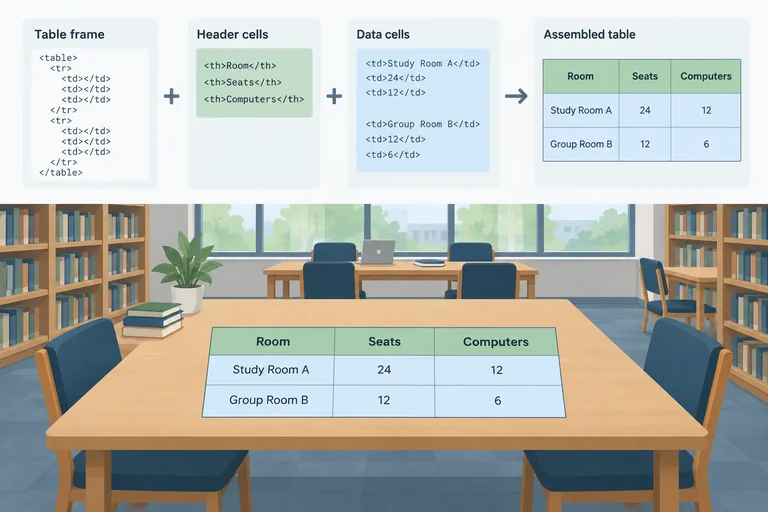
A <table> contains related data. Inside it, each <tr> creates one row, and cells belong inside that row.
Use <th> for a header cell and <td> for a data cell. This is semantic meaning—not a choice to make text look bold. In this fragment, the first row names the values below it. In the next row, Maple is also a header cell because it identifies that room; 12 and 2 are data cells.
Each row has three cells. Their left-to-right sequence establishes their positions: Room, Seats, then Computers.
A short structural fragment using the shared dataset
<table>
  <tr>
    <th>Room</th>
    <th>Seats</th>
    <th>Computers</th>
  </tr>
  <tr>
    <th>Maple</th>
    <td>12</td>
    <td>2</td>
  </tr>
</table>Read each row from left to right. The first cell in the second row aligns with Room; the second aligns with Seats; the third aligns with Computers.
The browser may display a simple grid, but the HTML nesting supplies the structure: a table contains rows, and rows contain cells.
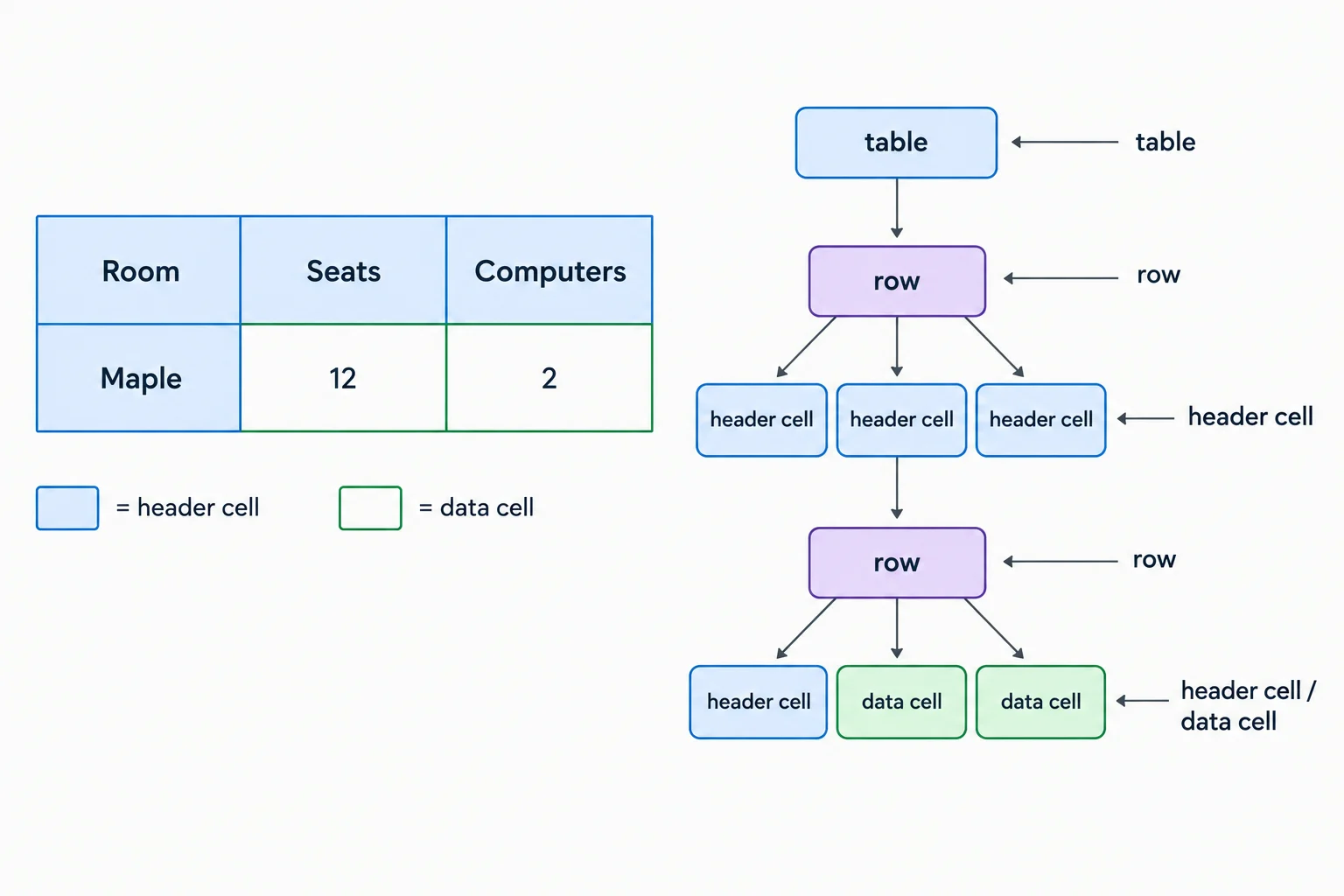
Cells stay inside their row, and their order determines the column position.
Complete the opening tags so this fragment has correctly nested rows and cells. Enter tag names only.
<>
  <>
    <>Room</th>
    <th>Seats</th>
    <th>Computers</th>
  </tr>
  <tr>
    <th>Oak</th>
    <>8</td>
    <td>0</td>
  </tr>
</table>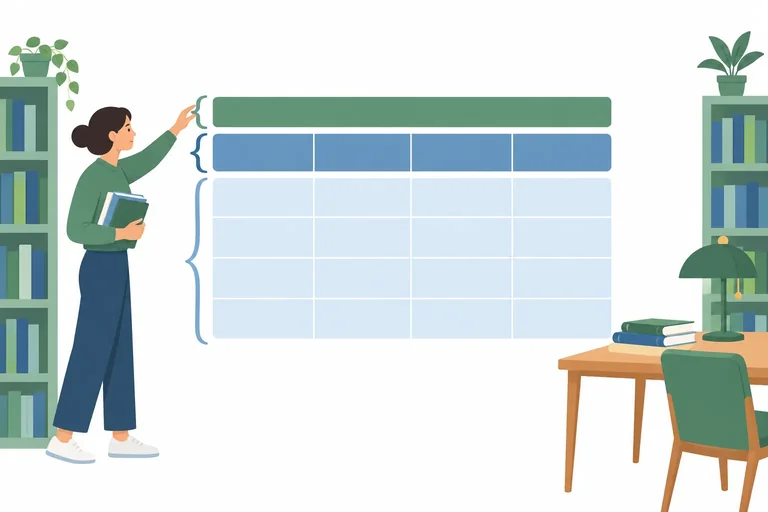
Step 3 of 6
Add a descriptive caption and organize the header and body rows of a simple data table.
A caption tells readers what a table is about. It is associated with the table as a whole; it does not replace the column header or row header cells inside the table.
Put <caption> directly inside <table> as its first child, before any row groups. For this table, use: Library study rooms: seats and computers.
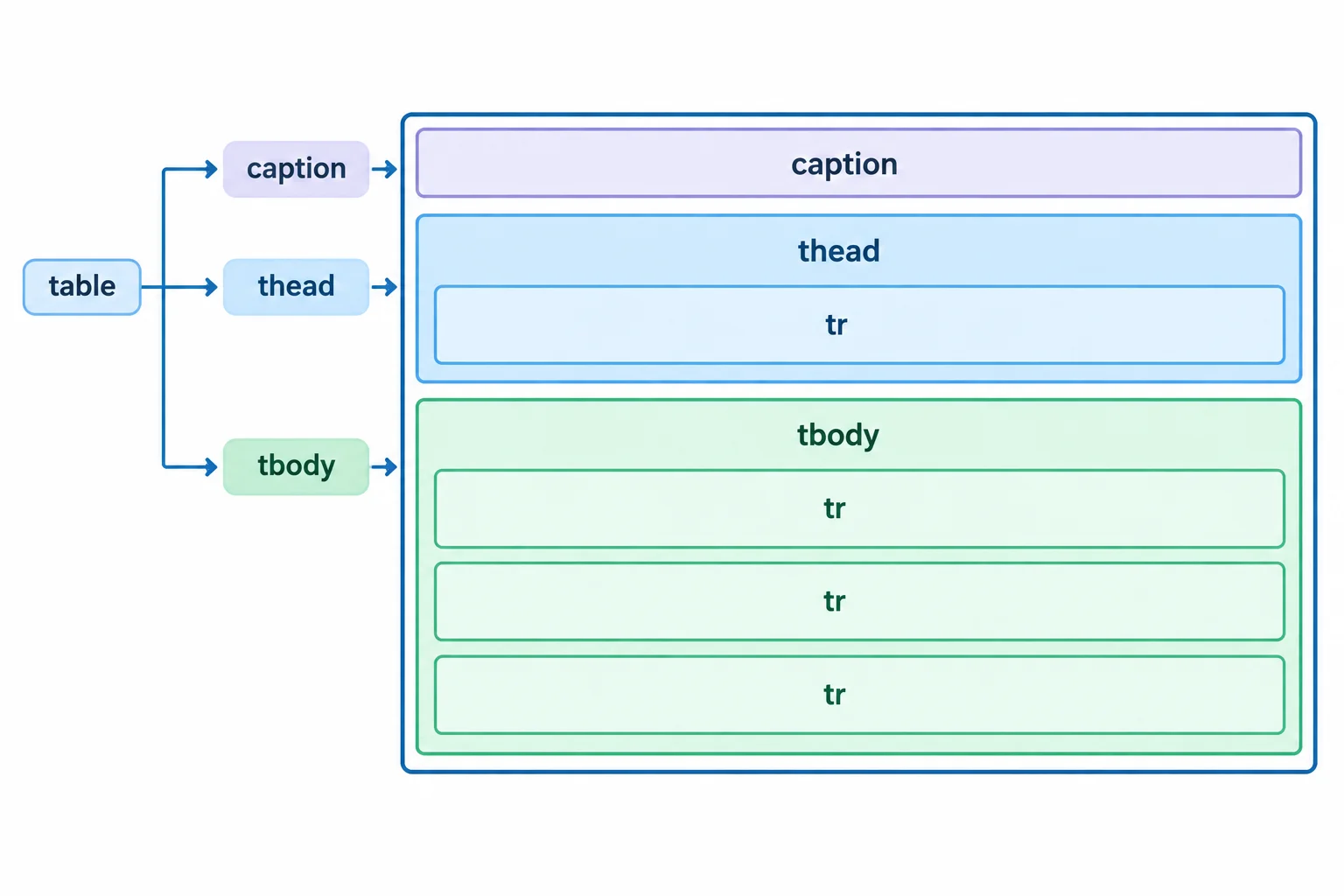
The caption names the table; the row groups organize its rows.
<thead> and <tbody> are row groups. Put <tr> elements directly inside these groups—never put <th> or <td> elements directly inside a row group.
<thead> contains the one column header row. <tbody> contains the three room rows. These elements organize rows only: existing header cells remain <th>, and numeric data cells remain <td>.
This structural outline focuses on where the caption and row groups go. The existing cells stay inside their rows.
<table>
  <caption>Library study rooms: seats and computers</caption>
  <thead>
    <tr>
      <!-- existing column header cells -->
    </tr>
  </thead>
  <tbody>
    <tr>
      <!-- existing Maple cells -->
    </tr>
    <tr>
      <!-- existing Oak cells -->
    </tr>
    <tr>
      <!-- existing Pine cells -->
    </tr>
  </tbody>
</table>Match each element to its purpose.
Tap an item and then its matching pair.
Complete the missing opening tags without changing any existing cell elements.
<table>
  Library study rooms: seats and computers</caption>
  <>
    <tr>
      <th>Room</th>
      <th>Seats</th>
      <th>Computers</th>
    </tr>
  </thead>
  <>
    <tr>
      <th>Maple</th>
      <td>12</td>
      <td>2</td>
    </tr>
    <tr>
      <th>Oak</th>
      <td>8</td>
      <td>0</td>
    </tr>
    <tr>
      <th>Pine</th>
      <td>16</td>
      <td>4</td>
    </tr>
  </tbody>
</table>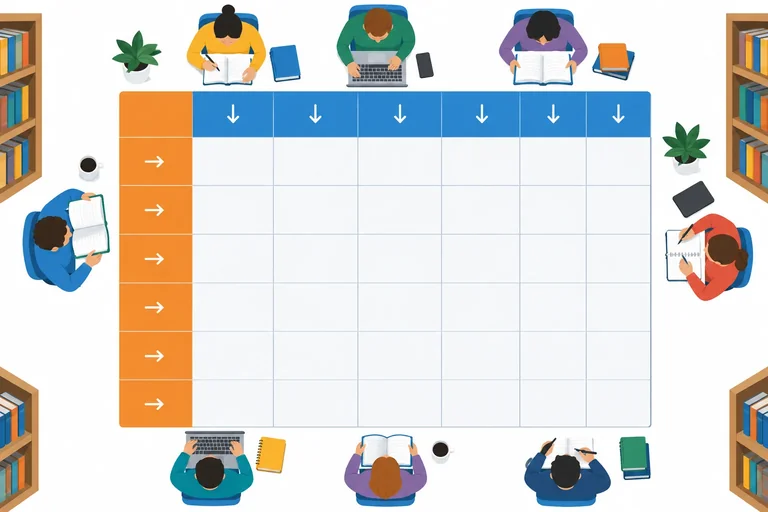
Step 4 of 6
Make column and row relationships explicit by applying the correct scope value to each header cell.
A column header names a property that runs down a column, such as Seats or Computers. A row header names the record that runs across a row, such as Maple or Oak.
In this simple table, add scope="col" to each column header in the top row. Add scope="row" to each room-name header, even though those headers are inside <tbody>. The numeric entries remain data cells (<td>).
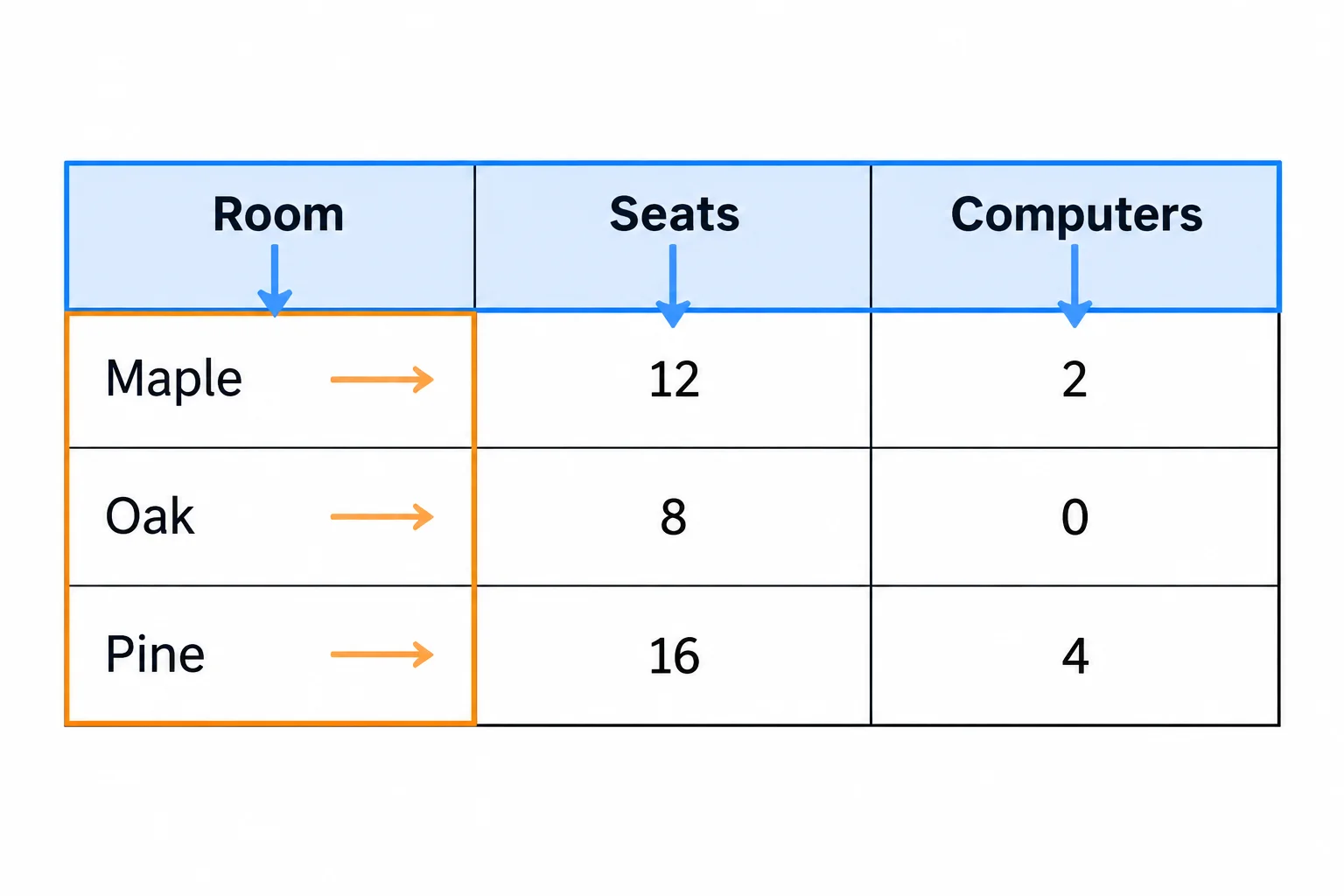
Top headers provide column context; room-name headers provide row context.
scope makes the header direction explicit. Put it on a <th>, never on a <td>.
This reference uses scope="col" across the top and scope="row" for each room name in the body.
Complete table markup with explicit header directions
<table>
  <caption>Library study rooms: seats and computers</caption>
  <thead>
    <tr>
      <th scope="col">Room</th>
      <th scope="col">Seats</th>
      <th scope="col">Computers</th>
    </tr>
  </thead>
  <tbody>
    <tr>
      <th scope="row">Maple</th>
      <td>12</td>
      <td>2</td>
    </tr>
    <tr>
      <th scope="row">Oak</th>
      <td>8</td>
      <td>0</td>
    </tr>
    <tr>
      <th scope="row">Pine</th>
      <td>16</td>
      <td>4</td>
    </tr>
  </tbody>
</table>The scope value follows the header’s relationship to nearby data.
| Header kind | What it identifies | Markup pattern |
|---|---|---|
| column header | A property down a column | <th scope="col"> |
| row header | A record across a row | <th scope="row"> |
| data cell | A value at an intersection | <td> |
Complete the six missing attributes on the header cells.
<table>
  <caption>Library study rooms: seats and computers</caption>
  <thead>
    <tr>
      <th >Room</th>
      <th >Seats</th>
      <th >Computers</th>
    </tr>
  </thead>
  <tbody>
    <tr>
      <th >Maple</th>
      <td>12</td>
      <td>2</td>
    </tr>
    <tr>
      <th >Oak</th>
      <td>8</td>
      <td>0</td>
    </tr>
    <tr>
      <th >Pine</th>
      <td>16</td>
      <td>4</td>
    </tr>
  </tbody>
</table>
Step 5 of 6
Identify the two headers that give a data cell meaning and spot simple header-markup errors.
A data cell is meaningful because of the two headers that meet at its position. Trace from the cell up to find its column header, then left to find its row header.
For example, a value of 8 is not useful by itself. Its full context is expressed with the row header first: Oak / Seats = 8.
This two-direction trace is a practical way to check a simple table. Correct header markup helps assistive technologies convey that context, although the exact announcement can vary by browser and assistive technology.
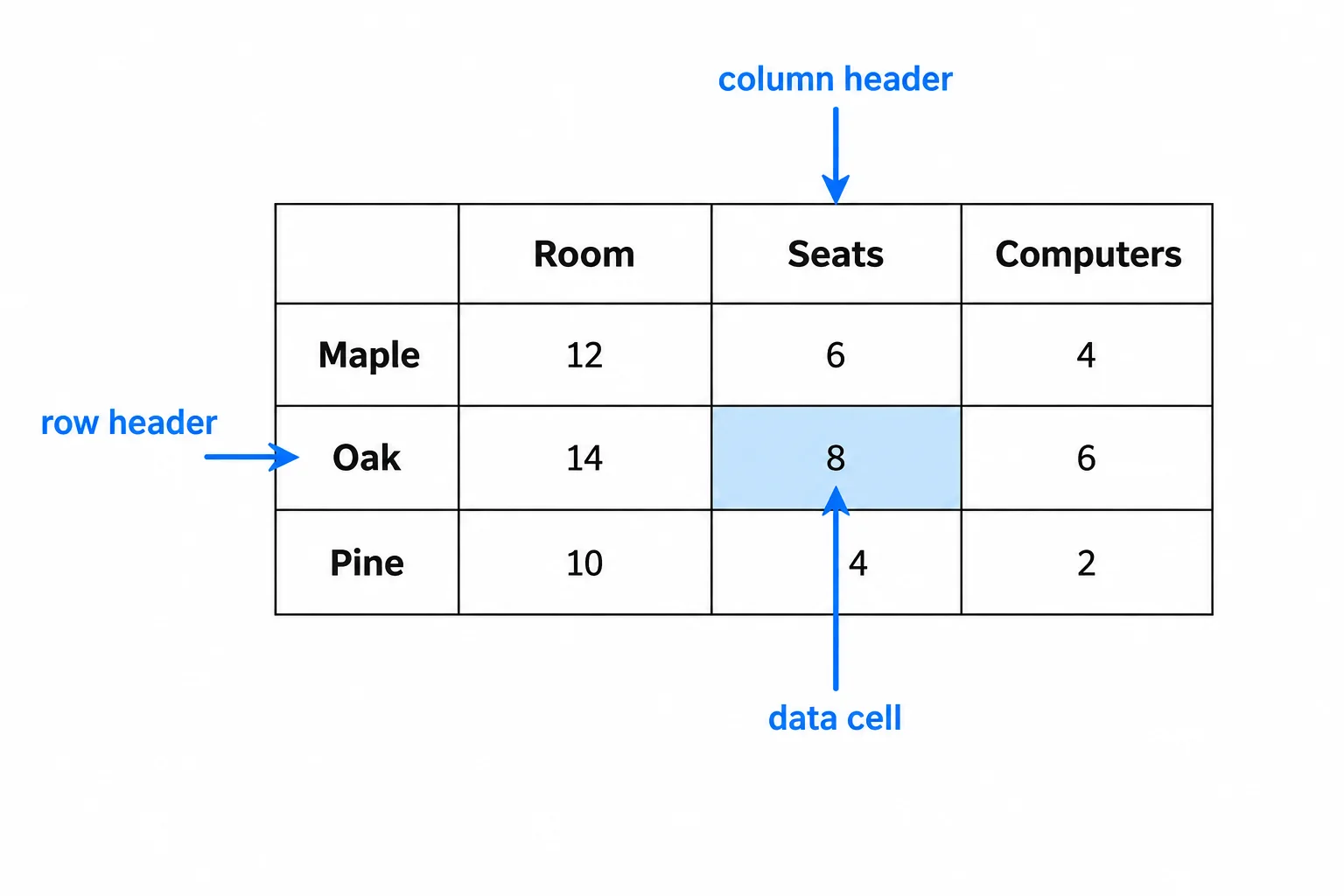
A data cell gets its specific meaning from the row header and column header that intersect at that cell.
A table can look understandable in a browser even when its HTML weakens the header associations. Inspect the element and its scope value, not only the visible text.
A room name in a body row is a row header. A property name across the top is a column header. scope belongs on a <th>, never on a <td>.
Compare the header role and direction in these short fragments.
<!-- A property across the top of the table -->
<th scope="col">Seats</th>

<!-- A room name at the start of a body row -->
<th scope="row">Oak</th>

<!-- These look similar, but do not provide the intended row-header meaning -->
<td>Oak</td>
<th scope="col">Oak</th>Match each data-cell context or flawed markup fragment with its correct interpretation or repair.
Tap an item and then its matching pair.
Step 6 of 6
Create a complete local data table, verify its markup, and explain the context of a selected value.
Work on your own computer in study-rooms.html. The starting file below produces only the page heading. Save it, open it in your browser, and confirm that initial state before adding the table.
Then place a table after the <h1>. Use the shared rooms and values in this order: Maple—12 seats and 2 computers; Oak—8 seats and 0 computers; Pine—16 seats and 4 computers.
Include the required caption, one <thead> for the column-header row, and one <tbody> for the three room rows. Each row has exactly three cells. Save and refresh after you build your version.
Save this as study-rooms.html if you need a standalone starting point. Before adding the table, opening this file shows only the heading in the output below.
<!doctype html>
<html lang="en">
<head>
  <meta charset="utf-8">
  <title>Library study rooms</title>
</head>
<body>
  <h1>Library study rooms</h1>
  <!-- Add your table here. -->
</body>
</html>Library study rooms
This is the expected browser content before you add the table. Browser default font size and spacing can vary.
After building your own version, compare your saved HTML with this reference. The completed browser view should include the caption and all table values. No CSS, borders, or presentational attributes are needed.
Complete reference solution
<!doctype html>
<html lang="en">
<head>
  <meta charset="utf-8">
  <title>Library study rooms</title>
</head>
<body>
  <h1>Library study rooms</h1>
  <table>
    <caption>Library study rooms: seats and computers</caption>
    <thead>
      <tr>
        <th scope="col">Room</th>
        <th scope="col">Seats</th>
        <th scope="col">Computers</th>
      </tr>
    </thead>
    <tbody>
      <tr>
        <th scope="row">Maple</th>
        <td>12</td>
        <td>2</td>
      </tr>
      <tr>
        <th scope="row">Oak</th>
        <td>8</td>
        <td>0</td>
      </tr>
      <tr>
        <th scope="row">Pine</th>
        <td>16</td>
        <td>4</td>
      </tr>
    </tbody>
  </table>
</body>
</html>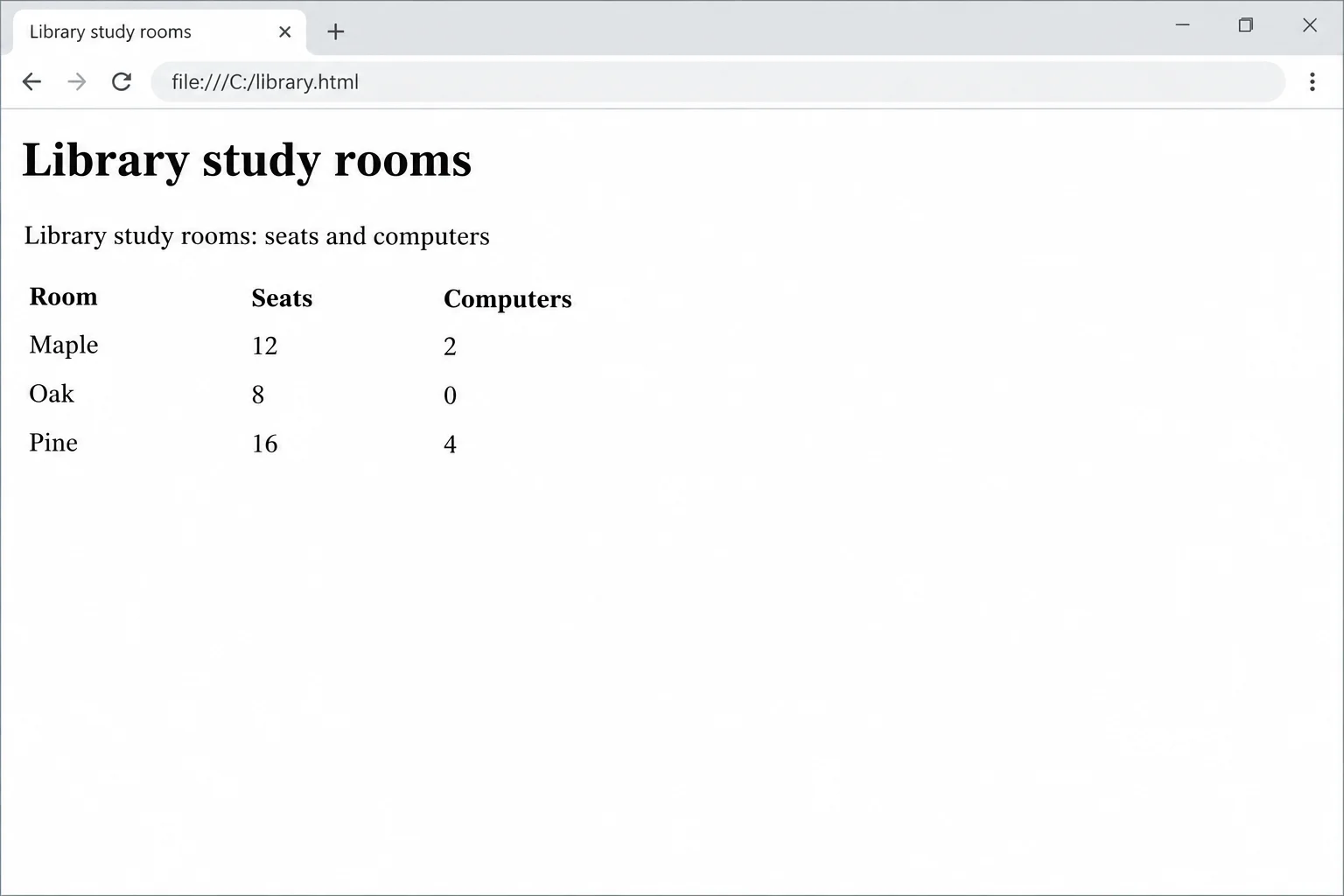
This is the completed state after you add the table; it is different from the heading-only starting-file state.
Complete this integrated markup check using the semantic roles and header directions in the table.
<table>
  <caption></caption>
  <thead>
    <tr>
      <th scope="">Room</th>
      <th scope="">Seats</th>
      <th scope="">Computers</th>
    </tr>
  </thead>
  <tbody>
    <tr>
      <th scope="">Maple</th>
      <>12</td>
      <td>2</td>
    </tr>
  </tbody>
</table>Verify both the rendered page and the saved HTML. In the browser, check that the caption and all six numeric values appear. In the source, check that the caption is the first child of <table>, there is one <thead> and one <tbody>, every row has three cells, and scope appears only on <th> elements.
After saving and refreshing your own file, choose one numeric data cell. Report its context in this format:
Caption: ...; row header: ...; column header: ...; meaning: ...
Your meaning should state what the number tells a reader about that room.
Write at least 60 characters (0/60).
Summary
Use this checklist whenever you create a simple data table.
<thead> and data rows in <tbody>.<th scope="col"> for column headers and <th scope="row"> for row headers.<td> for data cells and trace both headers to understand a value.Congratulations! You completed: Build Accessible Data Tables
Thousands of online courses in video, ebooks and audiobooks.
To test your knowledge during online courses
Generated directly from your cell phone's photo gallery and sent to your email

Download our app via QR Code or the links below:.



Carry knowledge in your pocket.
Download the Cursa app.
There are hundreds of free courses available, with a free certificate of completion that is saved in your mobile image gallery.
Download the app to access the Course Completion Certificate for Free.


+ 10 million
students

Free and Valid
Certificate

60 thousand free
exercises

4.8/5 rating in
app stores

Free courses in
video and ebooks