Step 1 of 8
Separate State Ownership from Context
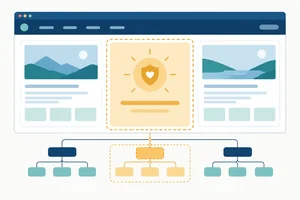
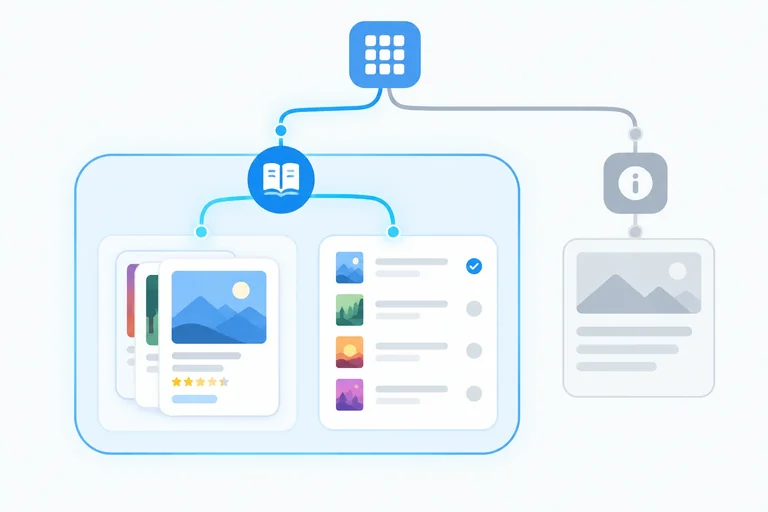
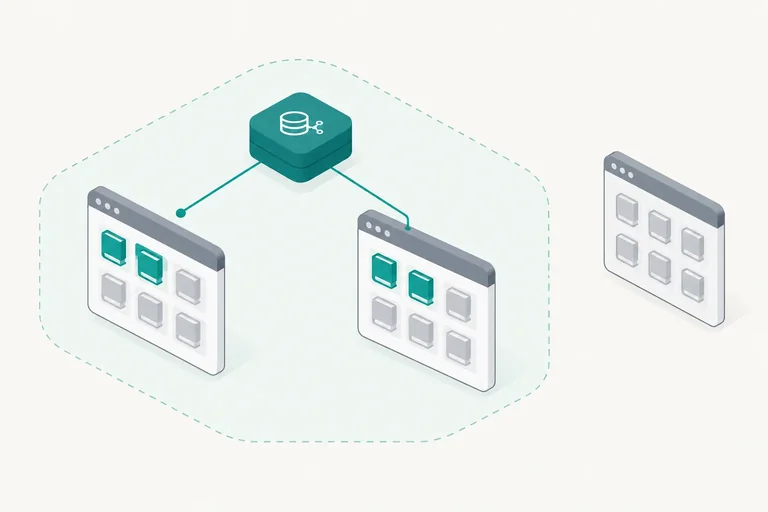
Distinguish reducer state ownership from context delivery, then identify the Books feature as the focused subtree for the shared shortlist.

Learning path · Level 10 · Tutorial 6
Share a focused piece of client state across routed views using context and a reducer. Place the provider deliberately so state survives the intended navigation without becoming application-wide by default.
 Separate State Ownership from Context
Distinguish reducer state ownership from context delivery, then identify the Books feature as the focused subtree for the shared shortlist. 2 min
Separate State Ownership from Context
Distinguish reducer state ownership from context delivery, then identify the Books feature as the focused subtree for the shared shortlist. 2 min
 Define a Typed Context Contract
Declare a typed context contract for Books shortlist state and dispatch, using null to represent a missing provider. 2 min
Define a Typed Context Contract
Declare a typed context contract for Books shortlist state and dispatch, using null to represent a missing provider. 2 min
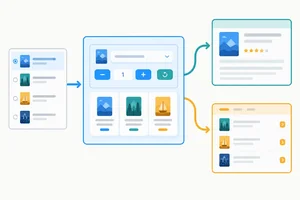 Provide Reducer-Owned State
Implement a focused provider that owns reducer state and supplies one shared context value to its descendants. 2 min
Provide Reducer-Owned State
Implement a focused provider that owns reducer state and supplies one shared context value to its descendants. 2 min
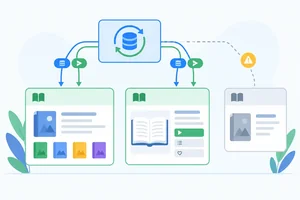 Read Context Through a Checked Hook
Create a checked consumer Hook that returns the shared shortlist contract to valid descendants and clearly reports a missing provider. 2 min
Read Context Through a Checked Hook
Create a checked consumer Hook that returns the shared shortlist contract to valid descendants and clearly reports a missing provider. 2 min
 Share One Provider Across Routed Views
Place one feature-scoped provider in a shared route layout so the Books list, shortlist view, and summary use the same reducer-owned client state. 3 min
Share One Provider Across Routed Views
Place one feature-scoped provider in a shared route layout so the Books list, shortlist view, and summary use the same reducer-owned client state. 3 min
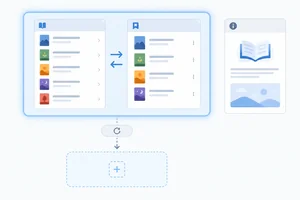 Observe the Provider's State Lifetime
Predict and test when the Books shortlist remains in memory and when a provider remount initializes it again. 3 min
Observe the Provider's State Lifetime
Predict and test when the Books shortlist remains in memory and when a provider remount initializes it again. 3 min
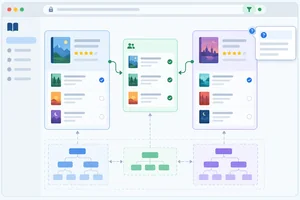 Keep Unrelated State Out
Assign shared selection, temporary interaction details, addressable filters, and derived values to focused owners. 2 min
Keep Unrelated State Out
Assign shared selection, temporary interaction details, addressable filters, and derived values to focused owners. 2 min
 Apply and Verify the Scoped Design
Repair and verify a feature-scoped context design that shares a Books shortlist across related routes while preserving clear ownership and lifetime boundaries. 2 min
Apply and Verify the Scoped Design
Repair and verify a feature-scoped context design that shares a Books shortlist across related routes while preserving clear ownership and lifetime boundaries. 2 min
Step 1 of 8
Distinguish reducer state ownership from context delivery, then identify the Books feature as the focused subtree for the shared shortlist.
Context distributes a value through a component subtree. It is a delivery mechanism, not state storage by itself.
For the Books feature, a component can own the shortlist reducer state. A provider then makes that component’s current value available below it. These are separate responsibilities:
A consumer does not receive state from a sibling or from a provider elsewhere in the tree. It follows its ancestor path upward until it finds the nearest matching provider.
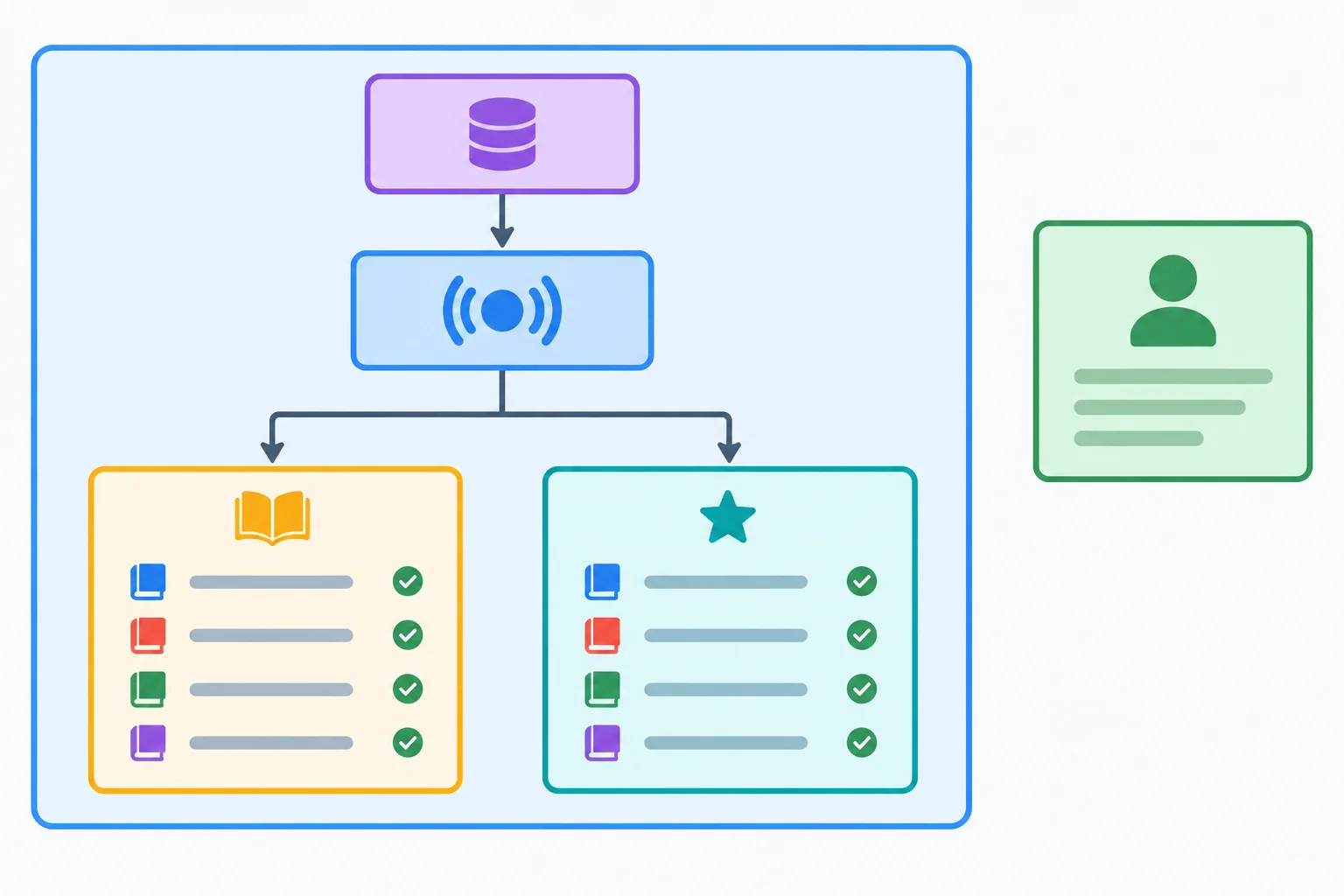
The provider distributes the owner’s current value only to descendants in its subtree. A consumer uses the nearest matching provider above it.
The Books list and its shortlist view are related: both need the same shared client state while someone moves between those feature views. That makes the Books subtree the useful scope.
About has no need to read or change the shortlist. Putting the value above every route would make it available there without a demonstrated requirement.
Start with the smallest subtree containing every consumer that genuinely needs the value. You can widen that boundary later only when a new requirement proves it necessary.
Tip
Context can avoid passing a shared value through many intermediate components. It does not change the ownership decision: first identify who should retain the state, then distribute that owner’s value to the consumers that need it.
A Books list and a shortlist view must share one selection, but About does not use it. Which design identifies both the owner and the appropriate scope?

Step 2 of 8
Declare a typed context contract for Books shortlist state and dispatch, using null to represent a missing provider.
This step does not require files from an earlier tutorial. Create a Vite React–TypeScript project, install React Router, and create the Books feature folder.
The reducer below is supplied reference code. In this step, you will define a separate context contract that exposes its state and typed dispatch.
Run these commands in your terminal.
npm create vite@latest books-context -- --template react-ts
cd books-context
npm install
npm install react-router
mkdir -p src/features/books◇ Scaffolding project in ./books-context... ◇ Done. Now run: cd books-context npm install npm run dev added packages found 0 vulnerabilities added react-router found 0 vulnerabilities
This is representative output. Exact package versions, package counts, and audit messages can vary. The important signals are that Vite scaffolds the project and both installations finish successfully.
Create src/features/books/books.ts. These are local fixture records, not fetched resources.
export type Book = {
  id: string;
  title: string;
};

export const books: Book[] = [
  { id: "b1", title: "Practical CSS" },
  { id: "b2", title: "TypeScript Patterns" },
  { id: "b3", title: "React Interfaces" },
];Create src/features/books/shortlist.ts. This supplied reducer remains responsible for transition rules; the context contract will only describe the value shared with descendants.
export type ShortlistState = {
  selectedIds: string[];
};

export type ShortlistAction =
  | { type: "bookToggled"; bookId: string }
  | { type: "selectionCleared" };

export const initialShortlistState: ShortlistState = {
  selectedIds: [],
};

export function shortlistReducer(
  state: ShortlistState,
  action: ShortlistAction,
): ShortlistState {
  switch (action.type) {
    case "bookToggled": {
      const selectedIds = state.selectedIds.includes(action.bookId)
        ? state.selectedIds.filter((id) => id !== action.bookId)
        : [...state.selectedIds, action.bookId];

      return { selectedIds };
    }
    case "selectionCleared":
      return initialShortlistState;
  }
}ShortlistState describes reducer data only: the selected book IDs. A context value needs a wider contract because descendants need both the current data and a typed way to request a transition.
ShortlistContextValue therefore contains state and dispatch. It is distinct from ShortlistState rather than a replacement for it.
Declare the context once at module level. That exported object is the shared context identity that a future provider and future consumers will both use.
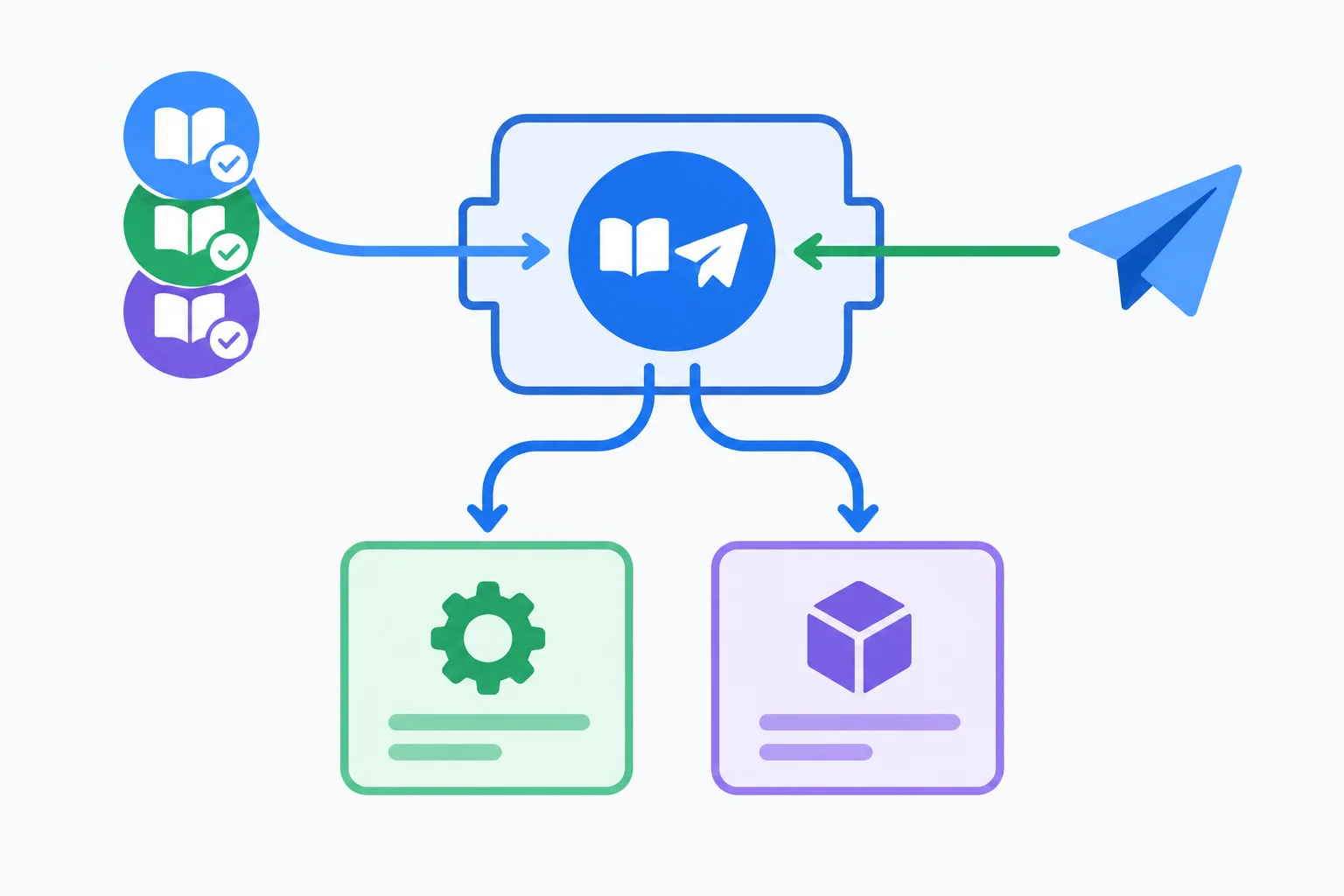
The context value packages reducer state and typed dispatch; one module-level context object gives future participants the same identity.
Create src/features/books/ShortlistContext.ts. This module declares a contract only: it does not create reducer state and does not render a provider.
import { createContext } from "react";
import type { Dispatch } from "react";
import type {
  ShortlistAction,
  ShortlistState,
} from "./shortlist";

export type ShortlistContextValue = {
  state: ShortlistState;
  dispatch: Dispatch<ShortlistAction>;
};

export const ShortlistContext =
  createContext<ShortlistContextValue | null>(null);
Warning
null is intentional: it means no matching provider has supplied a value. Do not use an empty state and a no-op dispatch as the default. Those values would appear usable and could hide an incorrect component-tree configuration.
The real initial state remains initialShortlistState in the reducer module. The explicit null sentinel preserves the distinction between an absent provider and a supplied shortlist value.
Complete the contract in ShortlistContext.ts. Keep the missing-provider case explicit rather than fabricating state.
import { createContext } from "react";
import type { Dispatch } from "react";
import type {
  ShortlistAction,
  ShortlistState,
} from "./shortlist";

export type  = {
  state: ShortlistState;
  dispatch: ;
};

export const ShortlistContext =
  createContext<>();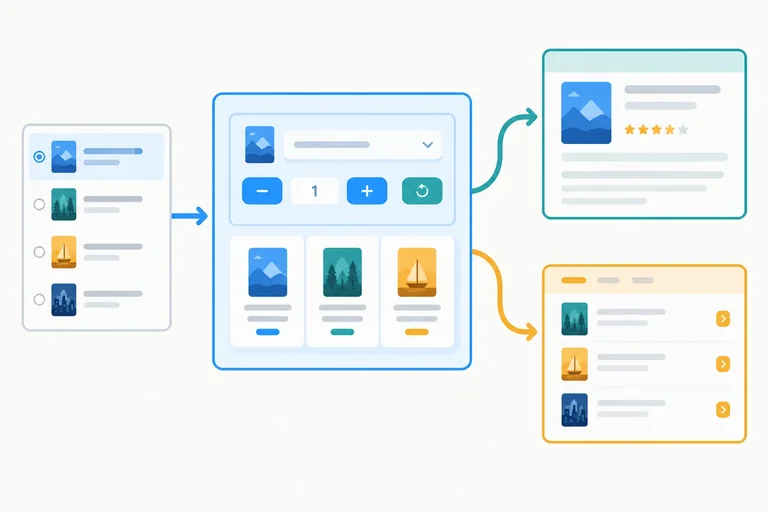
Step 3 of 8
Implement a focused provider that owns reducer state and supplies one shared context value to its descendants.
Context distributes a value through a subtree; it does not own the shortlist by itself. In this feature, ShortlistProvider is the state owner: its reducer holds the current selectedIds, and its context value delivers both state and dispatch to descendants.
A descendant interaction dispatches an action to that one reducer. React calculates the next state, then the provider supplies the updated value to every consumer below it.
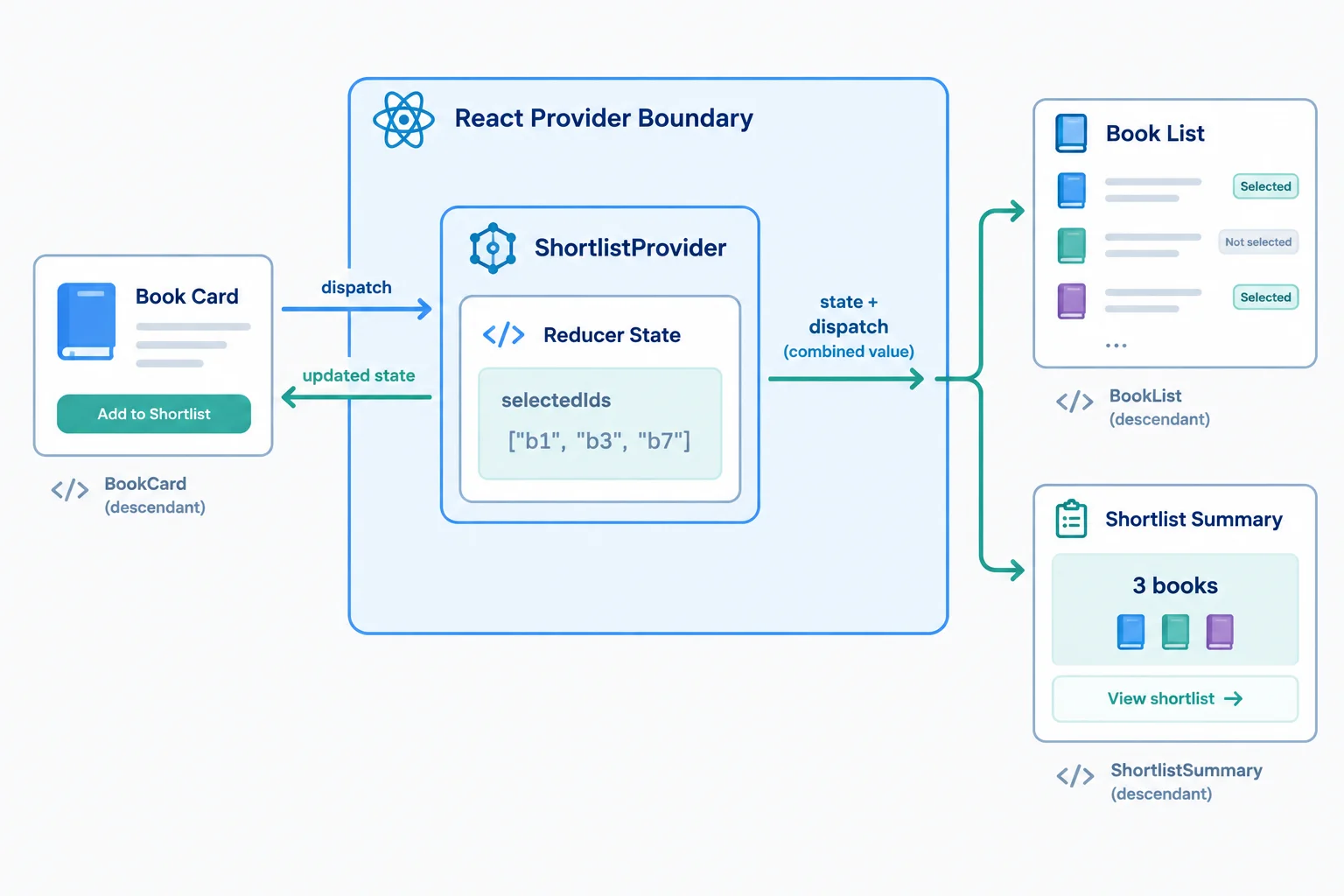
The provider owns the reducer state. Context is the delivery path from that owner to descendant consumers.
Tip
The provider must wrap a consumer in the rendered component tree. A component is not below a provider merely because it returns provider JSX: its own code runs before that returned provider exists. Put the consumer in a descendant component instead.
Create src/features/books/ShortlistProvider.tsx. The reducer and context contract already exist; this component connects them. useReducer creates state for this mounted provider instance, while the explicit provider element makes the current contract available below it.
ShortlistProvider owns reducer state and supplies the typed context value to its children.
import { useReducer } from "react";
import type { ReactNode } from "react";
import { ShortlistContext } from "./ShortlistContext";
import type { ShortlistContextValue } from "./ShortlistContext";
import {
  initialShortlistState,
  shortlistReducer,
} from "./shortlist";

type ShortlistProviderProps = {
  children: ReactNode;
};

export function ShortlistProvider({
  children,
}: ShortlistProviderProps) {
  const [state, dispatch] = useReducer(
    shortlistReducer,
    initialShortlistState,
  );

  const value: ShortlistContextValue = { state, dispatch };

  return (
    <ShortlistContext.Provider value={value}>
      {children}
    </ShortlistContext.Provider>
  );
}
Each mounted ShortlistProvider calls useReducer for itself. Therefore, two separately mounted provider instances have two independent selectedIds arrays and two dispatch functions.
A dispatch from a descendant of Provider A updates only Provider A. To make multiple descendants share one shortlist, place all of them beneath the same provider instance.
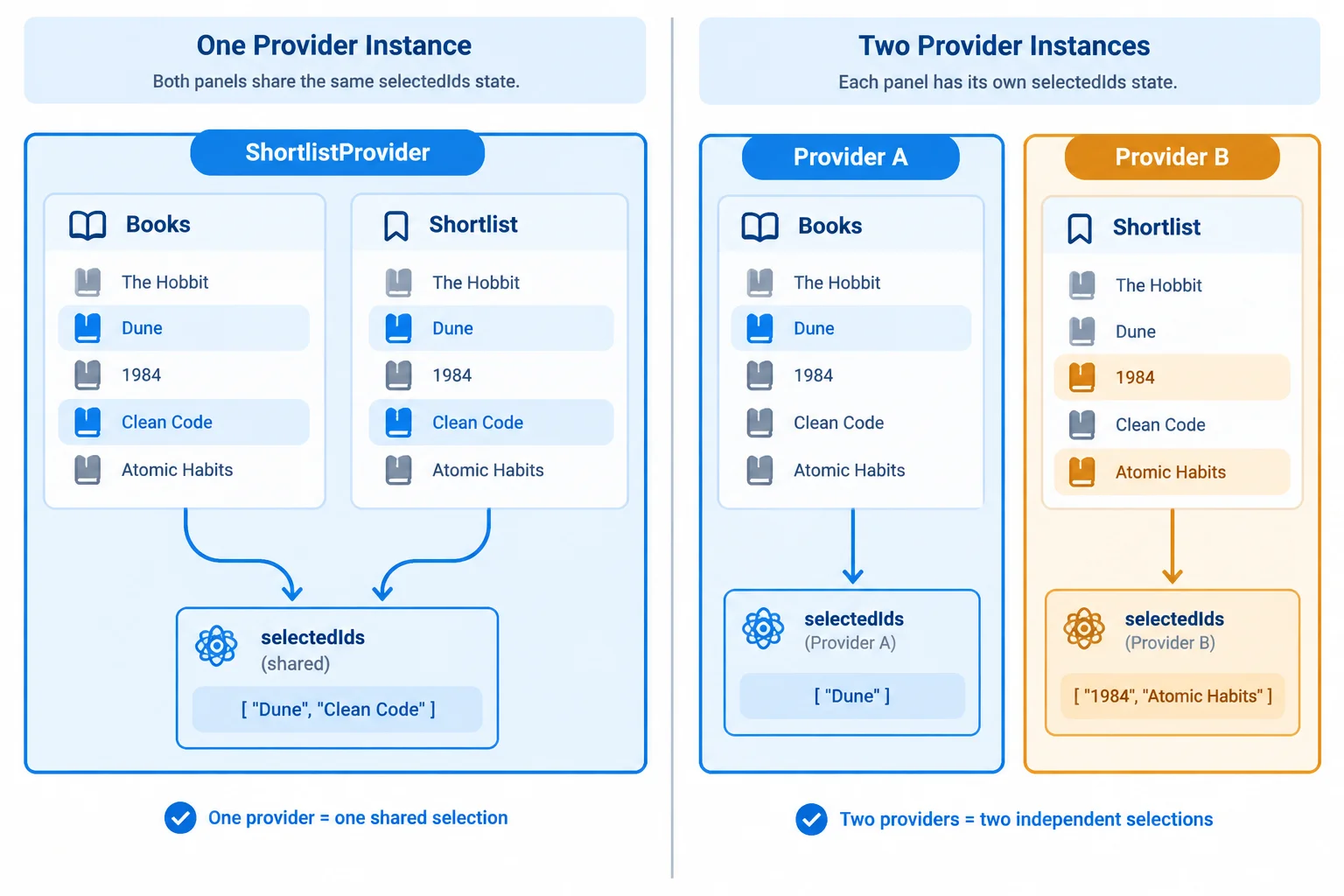
One enclosing provider creates shared client state for its descendants. Separate providers create independent state owners.
Complete the provider fragment and the two instance relationships.
export function ShortlistProvider({
  children,
}: ShortlistProviderProps) {
  const [state, dispatch] = ;

  const value: ShortlistContextValue = ;

  return (
    <ShortlistContext.Provider value={value}>
      {children}
    </ShortlistContext.Provider>
  );
}

// With one provider wrapping both views, they use  provider instance.
// With one provider around each view, they use  provider instances.
Step 4 of 8
Create a checked consumer Hook that returns the shared shortlist contract to valid descendants and clearly reports a missing provider.
ShortlistProvider already owns the reducer state. A consumer should read the value that this provider supplies rather than create another reducer.
Create one consumer Hook, useShortlist(). It calls useContext(ShortlistContext) and returns the shared contract: state plus dispatch. Calling this Hook in several descendants reads the same provider-owned value; the Hook does not create state of its own.
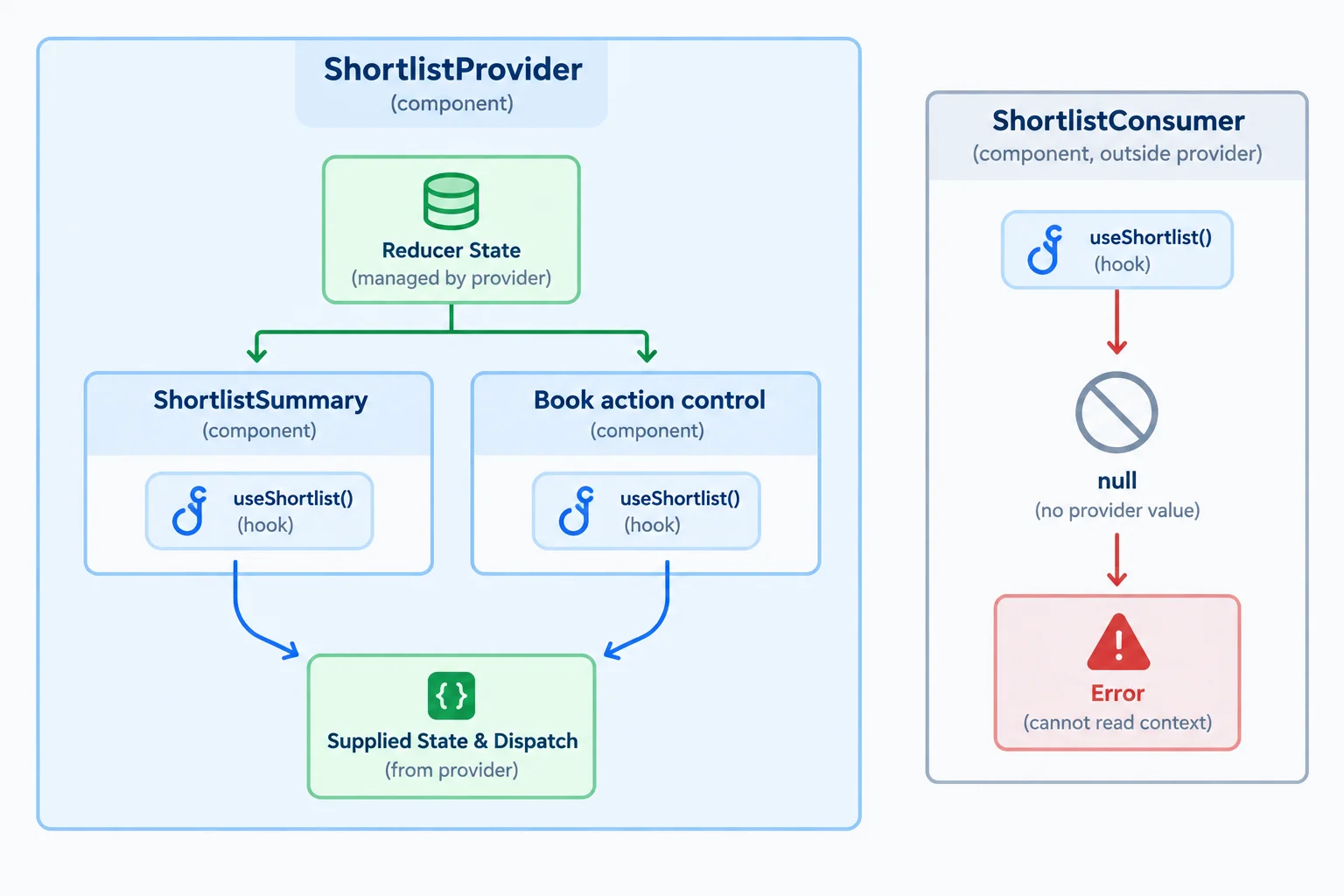
The Hook reads a provider value. It does not create another reducer instance.
Tip
The context was deliberately created with null as its default. That value is not usable application state—it is evidence that no matching provider exists above the consumer.
Check for null once inside the Hook. TypeScript then narrows the remaining return value to ShortlistContextValue, so components need neither ! nor repeated provider checks.
In src/features/books/useShortlist.ts, put the provider check at the boundary used by every consumer.
import { useContext } from "react";
import { ShortlistContext } from "./ShortlistContext";
import type { ShortlistContextValue } from "./ShortlistContext";

export function useShortlist(): ShortlistContextValue {
  const value = useContext(ShortlistContext);

  if (value === null) {
    throw new Error("useShortlist must be used within ShortlistProvider.");
  }

  return value;
}
Consumers destructure the checked contract. A summary reads derived display data; a control dispatches a semantic action to the existing reducer owner.
import { useShortlist } from "./useShortlist";

export function ShortlistSummary() {
  const { state } = useShortlist();

  return <p>Shortlist: {state.selectedIds.length}</p>;
}

function ShortlistToggle({ bookId }: { bookId: string }) {
  const { state, dispatch } = useShortlist();
  const isSelected = state.selectedIds.includes(bookId);

  return (
    <button
      type="button"
      onClick={() => dispatch({ type: "bookToggled", bookId })}
    >
      {isSelected ? "Remove from shortlist" : "Add to shortlist"}
    </button>
  );
}
The error identifies a configuration problem at the point where it occurs: a component called the feature Hook without being below ShortlistProvider. Fix the component tree placement; do not invent fallback state or a no-op dispatch.
Complete the missing-provider guard and the checked return path.
export function useShortlist(): ShortlistContextValue {
  const value = useContext(ShortlistContext);

  if (value === ) {
    throw new Error();
  }

  return ;
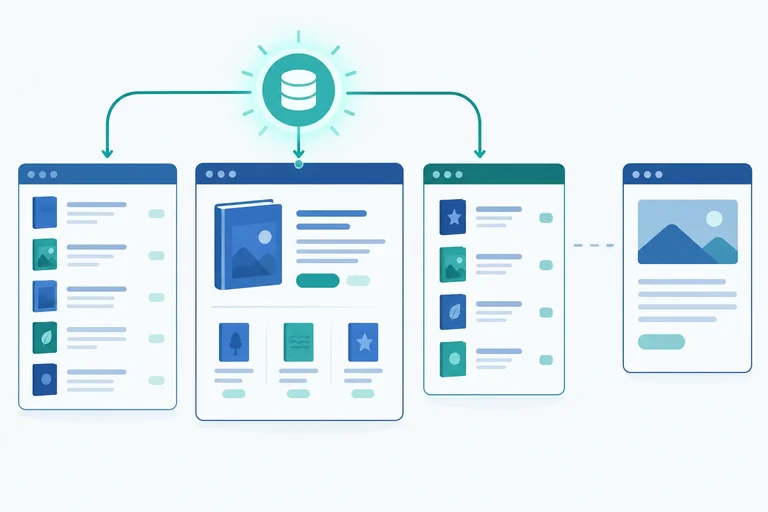
}Which diagram has a consumer calling useShortlist outside its required provider?
Step 5 of 8
Place one feature-scoped provider in a shared route layout so the Books list, shortlist view, and summary use the same reducer-owned client state.
A context provider shares its value only with descendants in its component subtree. Put one ShortlistProvider in BooksLayout, the shared layout for both Books routes.
ShortlistSummary and Outlet are siblings beneath that provider. When the child route changes from the Books list to the Shortlist view, the layout still supplies the same shared client state. /about is a sibling route, not a descendant of the Books layout, so it remains outside this feature scope.
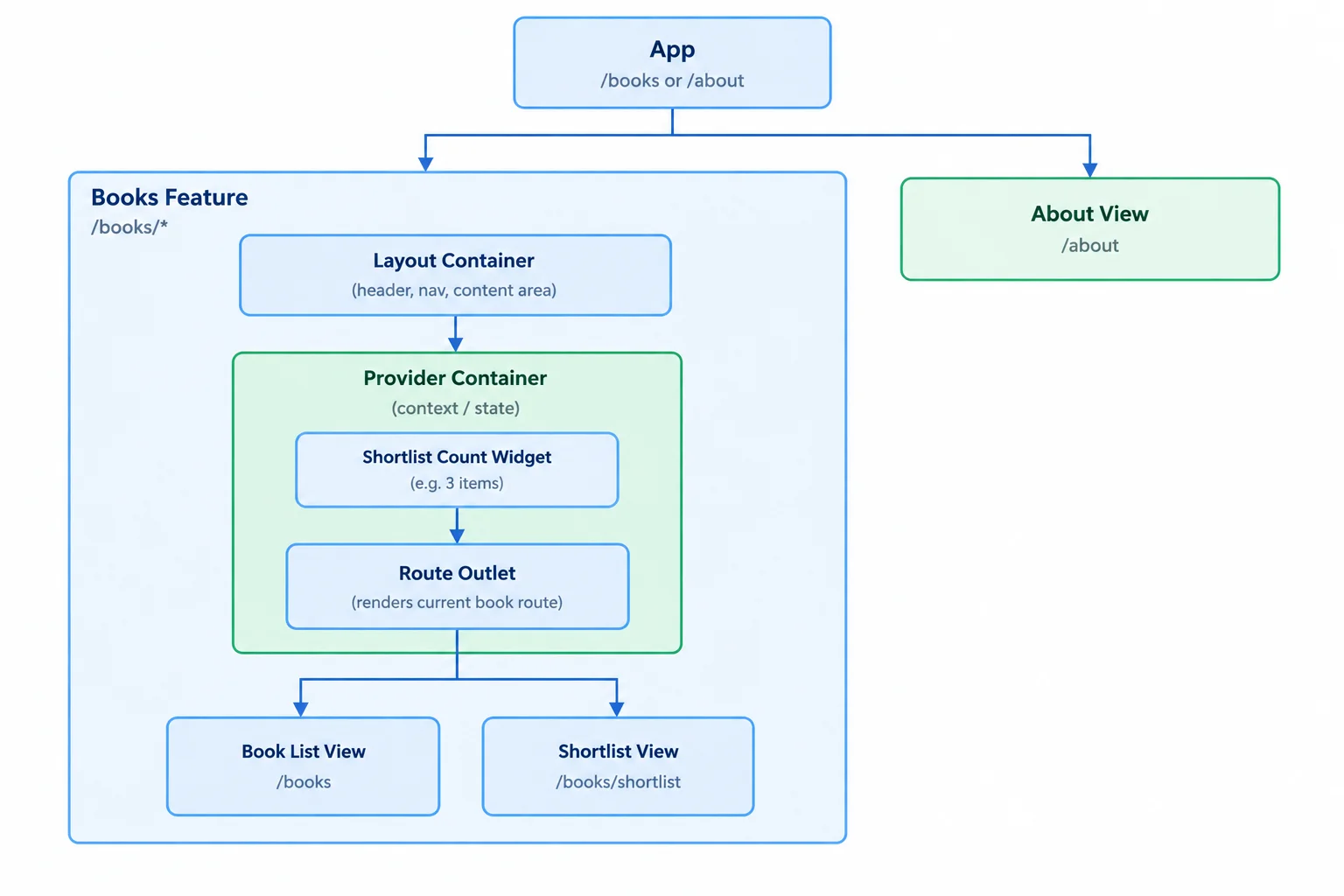
The layout is the smallest shared subtree that contains both Books views.
Create src/features/books/BookViews.tsx with the complete source below. These consumers use the checked Hook rather than receiving shortlist props through route components. The list and shortlist route can therefore read and update the same provider-owned state.
src/features/books/BookViews.tsx
import { Link } from "react-router";
import { books } from "./books";
import { useShortlist } from "./useShortlist";

export function BooksView() {
  const { state, dispatch } = useShortlist();

  return (
    <section>
      <h1>Books</h1>
      <ul>
        {books.map((book) => {
          const selected = state.selectedIds.includes(book.id);

          return (
            <li key={book.id}>
              {book.title}{" "}
              <button
                type="button"
                onClick={() =>
                  dispatch({ type: "bookToggled", bookId: book.id })
                }
              >
                {selected ? "Remove from shortlist" : "Add to shortlist"}
              </button>
            </li>
          );
        })}
      </ul>
      <Link to="shortlist">Shortlist</Link>
    </section>
  );
}

export function ShortlistView() {
  const { state, dispatch } = useShortlist();
  const selectedBooks = books.filter((book) =>
    state.selectedIds.includes(book.id),
  );

  return (
    <section>
      <h1>Shortlist</h1>
      {selectedBooks.length === 0 ? (
        <p>No books selected.</p>
      ) : (
        <ul>
          {selectedBooks.map((book) => (
            <li key={book.id}>
              {book.title}{" "}
              <button
                type="button"
                onClick={() =>
                  dispatch({ type: "bookToggled", bookId: book.id })
                }
              >
                Remove from shortlist
              </button>
            </li>
          ))}
        </ul>
      )}
      <button
        type="button"
        onClick={() => dispatch({ type: "selectionCleared" })}
      >
        Clear shortlist
      </button>{" "}
      <Link to="/books">Books</Link>
    </section>
  );
}

export function ShortlistSummary() {
  const { state } = useShortlist();

  return <p>Shortlist: {state.selectedIds.length}</p>;
}
Add the shared layout, route composition, and entry point below. BooksLayout composes the existing provider around the summary and Outlet; it does not create another reducer.
After saving, run npm run dev. Vite prints a local origin such as http://localhost:5173. Open that origin followed by /books—for example, http://localhost:5173/books—because the application routes start at /books.
src/features/books/BooksLayout.tsx
import { NavLink, Outlet } from "react-router";
import { ShortlistSummary } from "./BookViews";
import { ShortlistProvider } from "./ShortlistProvider";

export function BooksLayout() {
  return (
    <ShortlistProvider>
      <nav aria-label="Books navigation">
        <NavLink to="/books" end>
          Books
        </NavLink>{" "}
        <NavLink to="/books/shortlist">
          Shortlist
        </NavLink>{" "}
        <NavLink to="/about">About</NavLink>
      </nav>
      <ShortlistSummary />
      <Outlet />
    </ShortlistProvider>
  );
}
src/App.tsx
import { Link, Route, Routes } from "react-router";
import { BooksLayout } from "./features/books/BooksLayout";
import {
  BooksView,
  ShortlistView,
} from "./features/books/BookViews";

function AboutView() {
  return (
    <section>
      <h1>About</h1>
      <Link to="/books">Books</Link>
    </section>
  );
}

export default function App() {
  return (
    <Routes>
      <Route path="/books" element={<BooksLayout />}>
        <Route index element={<BooksView />} />
        <Route path="shortlist" element={<ShortlistView />} />
      </Route>
      <Route path="/about" element={<AboutView />} />
    </Routes>
  );
}
src/main.tsx
import { StrictMode } from "react";
import { createRoot } from "react-dom/client";
import { BrowserRouter } from "react-router";
import App from "./App";

const rootElement = document.getElementById("root");

if (rootElement === null) {
  throw new Error("Root element not found.");
}

createRoot(rootElement).render(
  <StrictMode>
    <BrowserRouter>
      <App />
    </BrowserRouter>
  </StrictMode>,
);
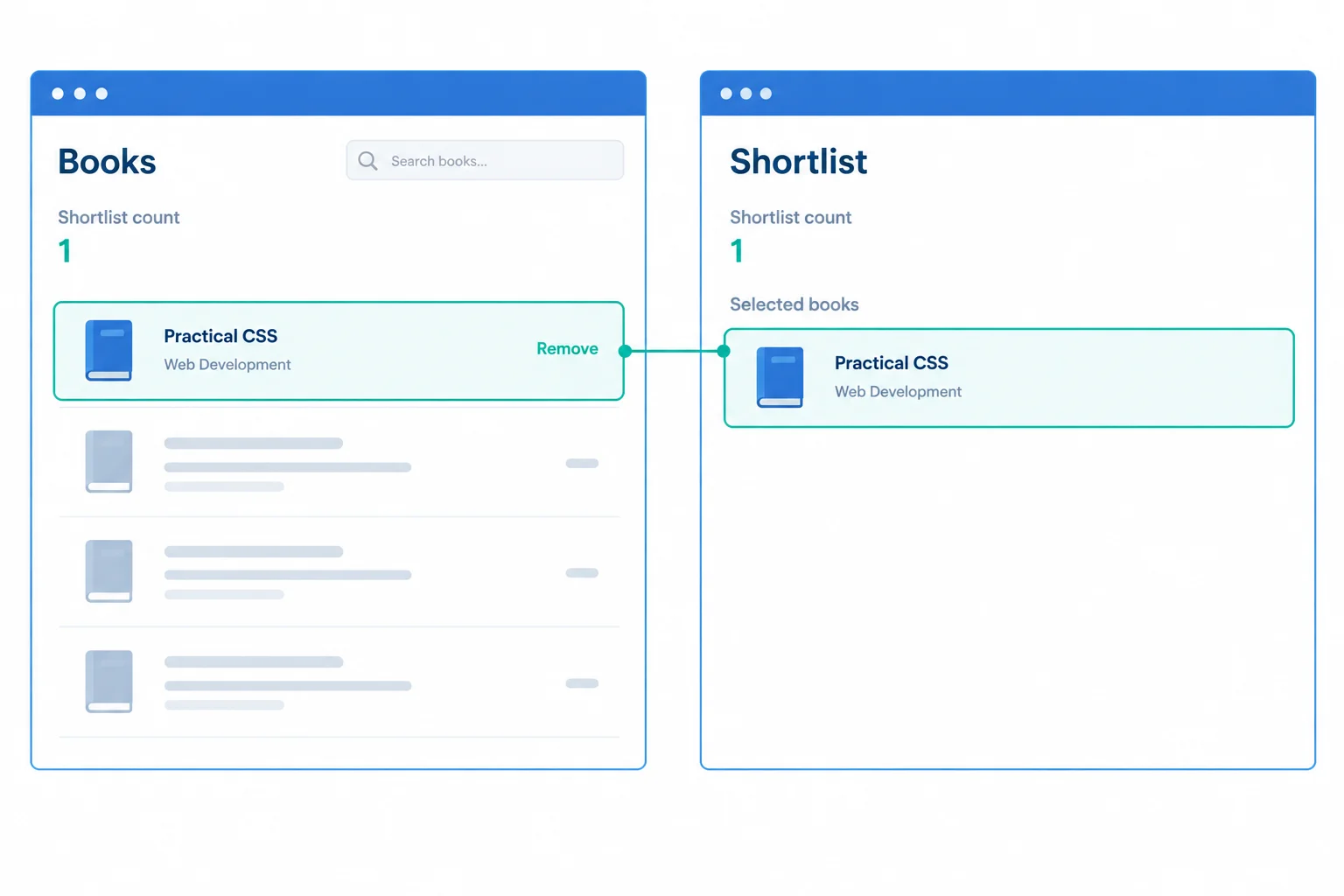
Changing the route changes the outlet content, not the provider instance above it. Both screens therefore reflect one shared selection.
Complete the JSX boundary that encloses both shared descendants.
export function BooksLayout() {
  return (

      <ShortlistSummary />
      <Outlet />

  );
}
On your computer, open the Vite origin at /books. Add exactly one book in Books, then navigate to Shortlist. Report the shortlist count and book title you observed, and state whether the summary agreed with the selected-book view.
Write at least 30 characters (0/30).
Step 6 of 8
Predict and test when the Books shortlist remains in memory and when a provider remount initializes it again.
A provider instance owns the reducer state created by useReducer. Its context value is available only while that specific instance stays mounted.
An ordinary re-render does not create a new provider instance, so the shortlist remains. Changing between child routes under BooksLayout also keeps the layout—and its provider instance—mounted.
State initializes again when React removes that provider or deliberately gives it a new identity with a different key.
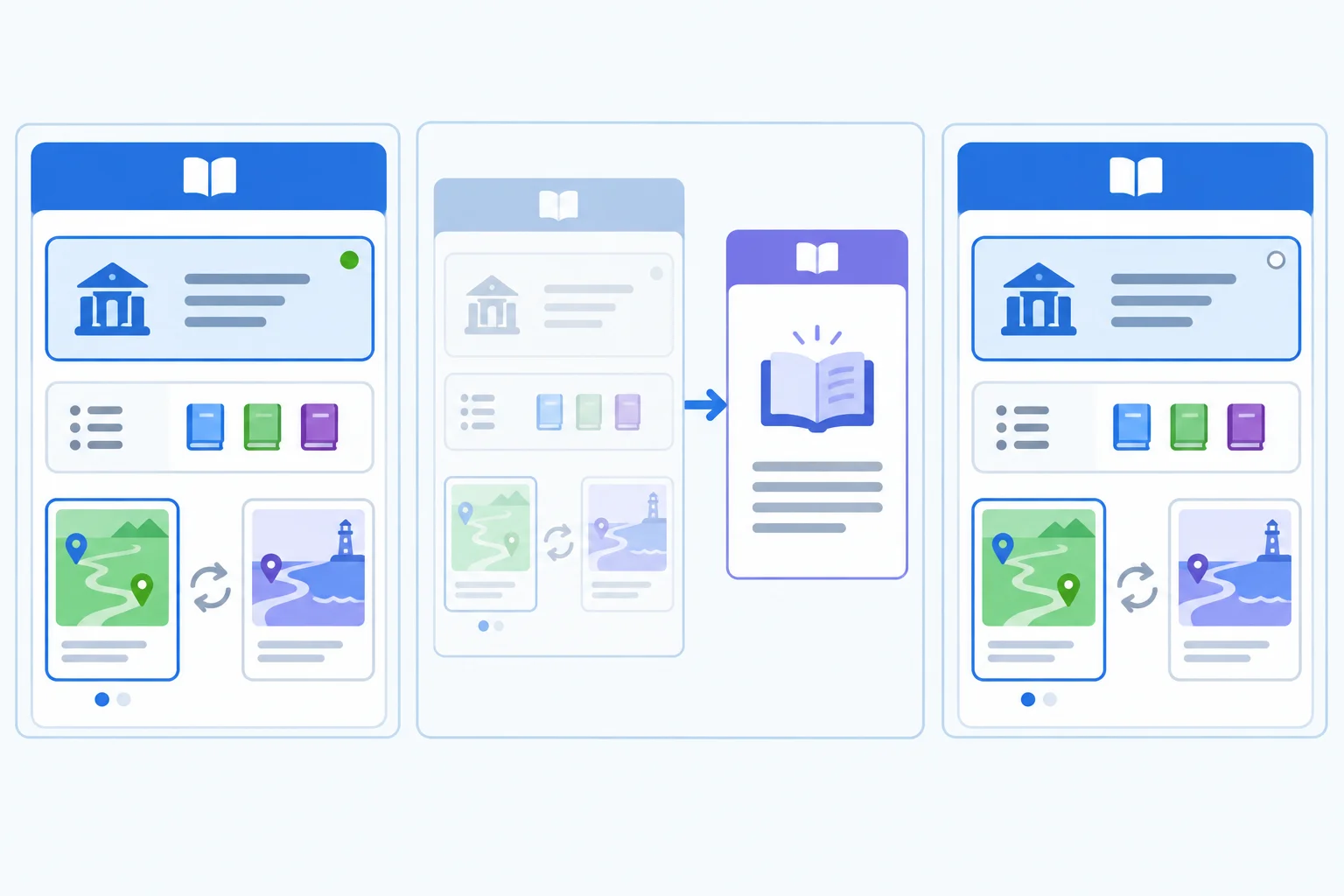
The changing route view is not the lifetime boundary. The mounted provider instance is.
Use the component tree, not the URL alone, to predict the shortlist. A URL change can preserve state when the same feature layout remains mounted.
Each row describes what happens to the provider instance that owns the shared client state.
| Change | Provider instance | Shortlist result |
|---|---|---|
| Books to Shortlist | Same instance remains mounted | Retained |
| Ordinary BooksLayout re-render | Same stable identity | Retained |
| Books to About | Books provider unmounts | Removed from memory |
| About back to Books | New instance mounts | Initialized again |
| Change provider key | Old instance is replaced | Initialized again |
| Full page reload | New JavaScript runtime and instance | Initialized again |
Tip
This is in-memory shared client state, not durable persistence. Reloading the page initializes this example again. Storage-backed restoration is a separate design decision.
Replace src/features/books/BooksLayout.tsx with this temporary remount demonstration. The counter is outside ShortlistProvider, so clicking the button can change the provider’s identity. The provider still wraps both ShortlistSummary and Outlet.
Keep the About navigation link: use it for client-side navigation when testing the feature boundary.
This file edit is not run by itself. Save it, then use your existing Vite development server to test the route journey.
import { useState } from "react";
import { NavLink, Outlet } from "react-router";
import { ShortlistSummary } from "./BookViews";
import { ShortlistProvider } from "./ShortlistProvider";

export function BooksLayout() {
  const [resetVersion, setResetVersion] = useState(0);

  return (
    <section>
      <nav aria-label="Books navigation">
        <NavLink to="/books" end>
          Books
        </NavLink>{" "}
        <NavLink to="/books/shortlist">
          Shortlist
        </NavLink>{" "}
        <NavLink to="/about">
          About
        </NavLink>
      </nav>

      <button
        type="button"
        onClick={() => setResetVersion((version) => version + 1)}
      >
        Remount shortlist
      </button>

      <ShortlistProvider key={resetVersion}>
        <ShortlistSummary />
        <Outlet />
      </ShortlistProvider>
    </section>
  );
}
Tip
resetVersion is state owned by BooksLayout, not by the provider it resets. When its value changes, key={resetVersion} identifies a replacement provider instance. That replacement runs useReducer(shortlistReducer, initialShortlistState) again.
Run the app and use its navigation links; do not reload the page or type a new address for these transitions.
Report the shortlist result after each numbered event and identify whether the relevant provider instance was retained, unmounted, or replaced.
Write at least 140 characters (0/140).
Step 7 of 8
Assign shared selection, temporary interaction details, addressable filters, and derived values to focused owners.
A context contract should hold only state that genuinely needs to be shared by several descendants of its provider instance. In this feature, the selected book IDs are shared client state: the Books view changes them, while the shortlist view and summary read them.
That does not make the context a default destination for every value used near Books.
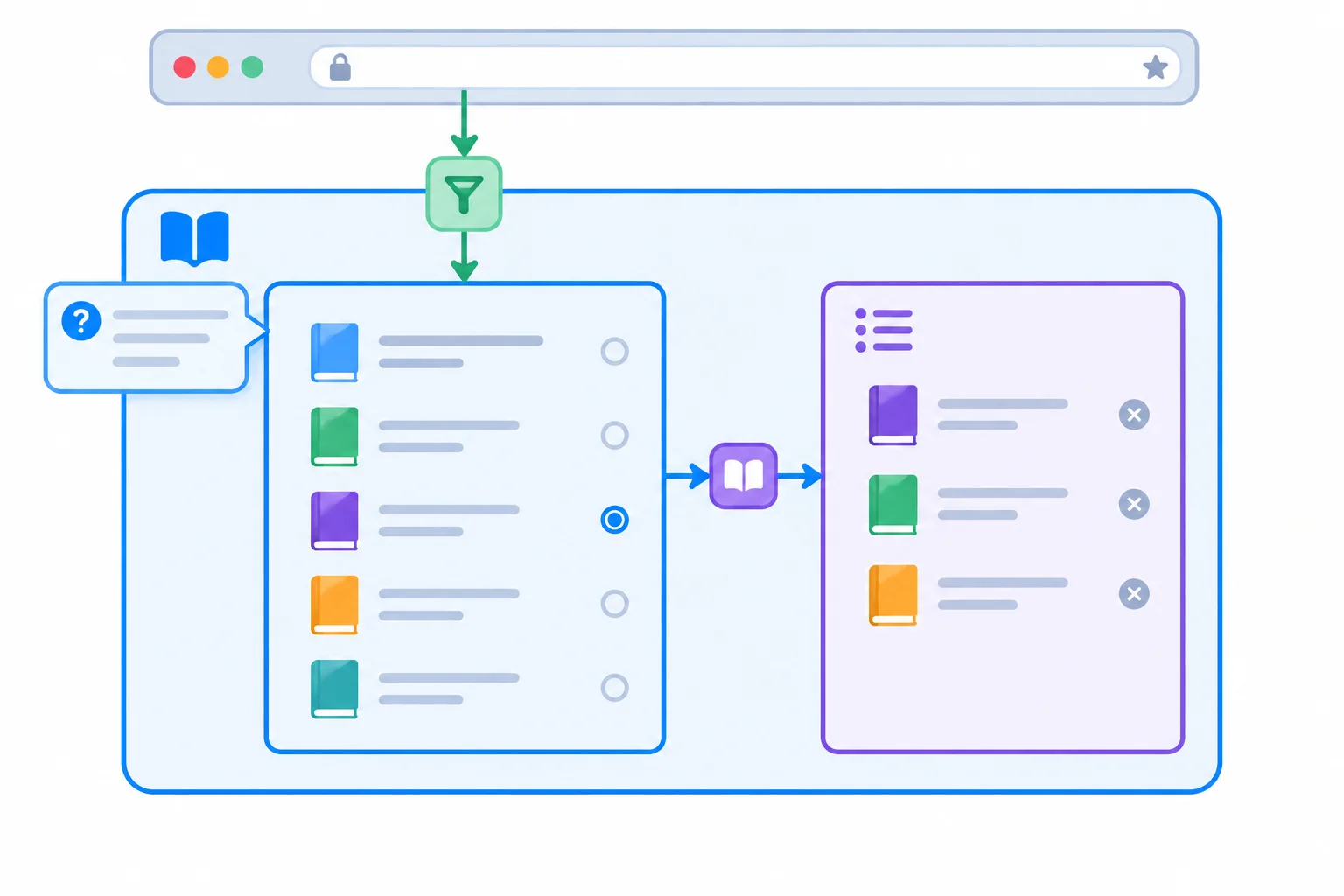
The selection crosses related Books views. The help panel and the addressable filter have narrower or different owners.
Use the authoritative source that matches each requirement. Avoid duplicate fields that must stay synchronized.
| Requirement | Source of truth | Scope and reason |
|---|---|---|
| Selected book IDs | ShortlistContext state | Shared by Books descendants |
| Help panel expanded state | Help-panel component state | Only that interaction needs it |
| Addressable q filter | URL query parameter | A link and browser navigation can represent it |
| Selected-book count | Derived from selectedIds | Computed while rendering; no duplicate field |
| Remote-resource freshness | Outside this context | Has separate data concerns |
For example, compute a summary count from state.selectedIds.length. Storing both selectedIds and a separate count in ShortlistContextValue creates two values that could disagree.
Likewise, keep q authoritative in the URL. Copying it into shortlist context would create a second, competing source of truth.
Tip
This context is for client-owned selection within the Books feature. Remote-resource freshness and caching have separate concerns and are not added to this context contract.
Match each requirement to its appropriate owner.
Tap an item and then its matching pair.
Step 8 of 8
Repair and verify a feature-scoped context design that shares a Books shortlist across related routes while preserving clear ownership and lifetime boundaries.
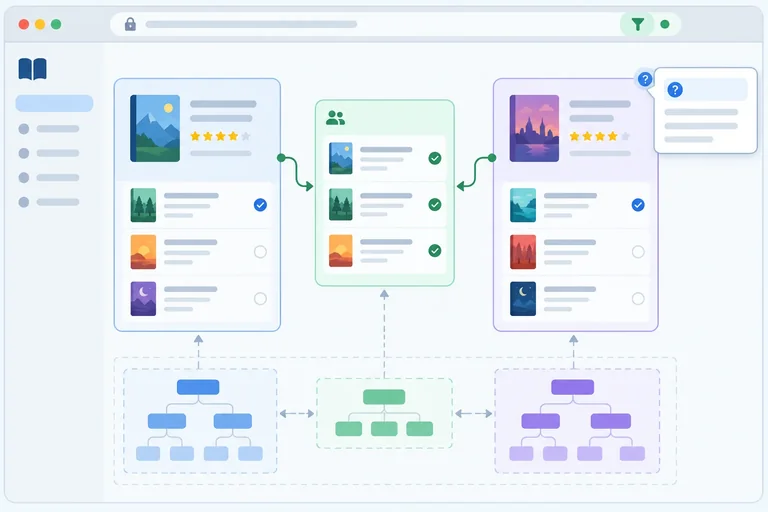
The Books feature needs one provider instance above both routed views. A faulty integration can look reasonable when each view is wrapped separately, but each wrapper mounts its own reducer state. A selection made in one view is therefore unavailable to the other.
The repair is structural: the parent /books route must render the existing shared layout, whose provider stays above changing nested route content. The /about route remains outside that feature boundary.
These are only the faulty route wrappers. Each wrapper creates a separate provider instance.
function BooksRoute() {
  return (
    <ShortlistProvider>
      <BooksView />
    </ShortlistProvider>
  );
}

function ShortlistRoute() {
  return (
    <ShortlistProvider>
      <ShortlistView />
    </ShortlistProvider>
  );
}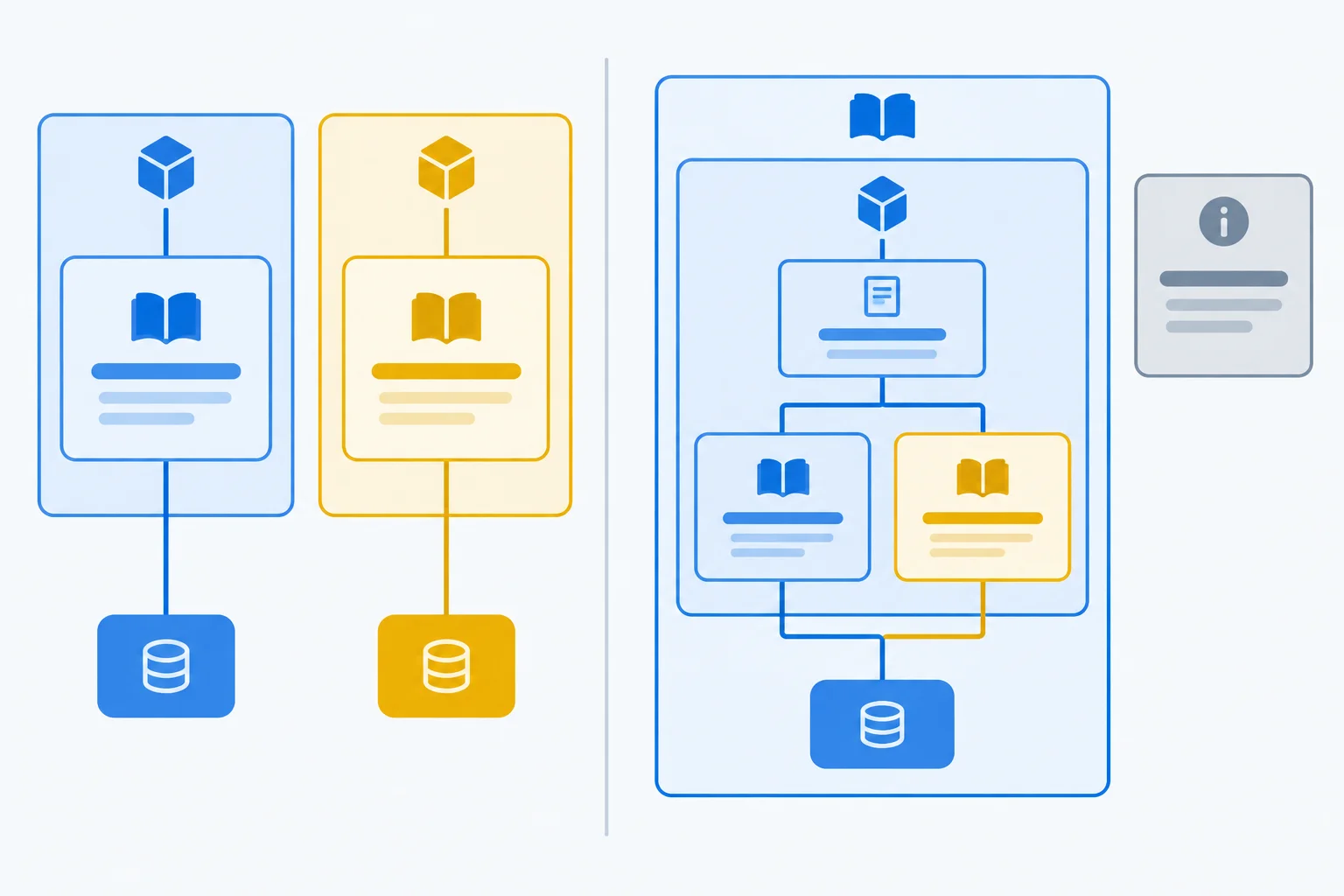
One provider above changing route content gives both Books views the same reducer-owned shared client state. About remains outside the feature scope.
In src/App.tsx, replace the entire existing <Routes>...</Routes> block inside the default App export with the block below. Preserve the existing imports and the existing AboutView declaration.
<Routes>
  <Route path="/books" element={< />}>
    <Route index element={<BooksView />} />
    <Route path="shortlist" element={<ShortlistView />} />
  </Route>
  <Route path="/about" element={<AboutView />} />
</Routes>Use the existing local app and the temporary Remount shortlist control from the previous step. Run npm run dev, open /books, and use the application links for every navigation change. Do not reload the page during this journey.
This verifies the implemented shortlist behavior. It does not require you to implement a q filter.
Perform these actions in order. Observe the summary and visible route content after each action.
| Action | Expected observation |
|---|---|
| At `/books`, add Practical CSS | The summary shows one selected item. |
| Use Shortlist navigation | Practical CSS is listed and the summary still shows one. |
| Remove Practical CSS in Shortlist | The summary returns to zero. |
| Return to Books, add TypeScript Patterns, then choose Remount shortlist | The replacement provider starts with an empty shortlist. |
| Add React Interfaces, use About, then return through the Books link | Re-entering Books shows an empty shortlist. |
After completing the repair and local journey, write 5–8 sentences that explain the complete scoped design. Include all of the following:
q filter would remain authoritative in URL state rather than be copied into ShortlistContext.Do not add a filter for this response; assess q as an ownership decision only.
Write at least 420 characters (0/420).
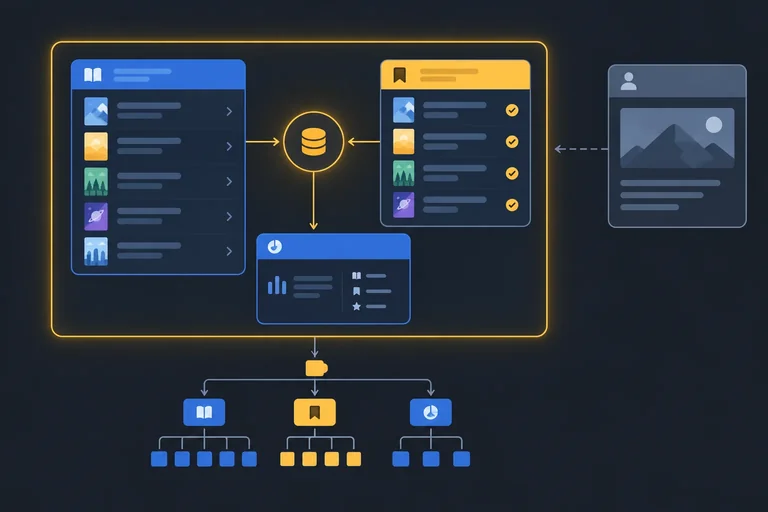
Summary
ShortlistProvider remains the reducer state owner.useShortlist Hook gives Books descendants one typed state-and-dispatch contract and reports incorrect placement clearly./books, and /books/shortlist.selectedIds, and keep an addressable q filter in URL state.Congratulations! You completed: Share Scoped Client State with Context
Thousands of online courses in video, ebooks and audiobooks.
To test your knowledge during online courses
Generated directly from your cell phone's photo gallery and sent to your email

Download our app via QR Code or the links below:.



Carry knowledge in your pocket.
Download the Cursa app.
There are hundreds of free courses available, with a free certificate of completion that is saved in your mobile image gallery.
Download the app to access the Course Completion Certificate for Free.


+ 10 million
students

Free and Valid
Certificate

60 thousand free
exercises

4.8/5 rating in
app stores

Free courses in
video and ebooks