Step 1 of 7
Recognize an Interrupted Operation
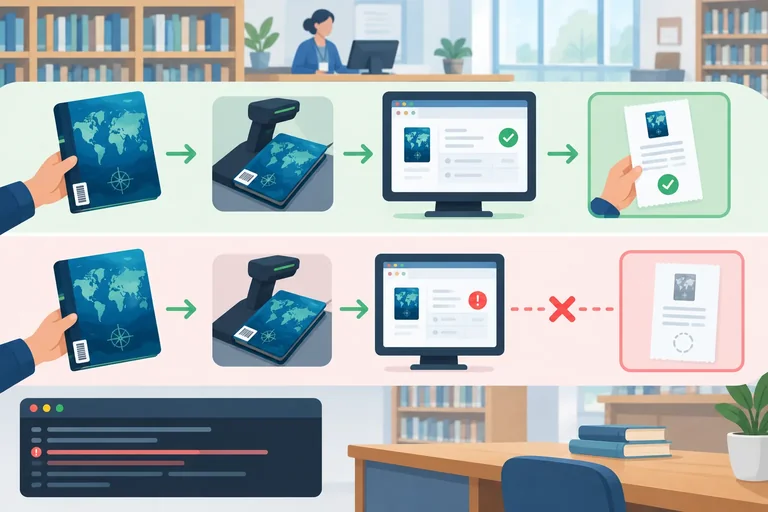
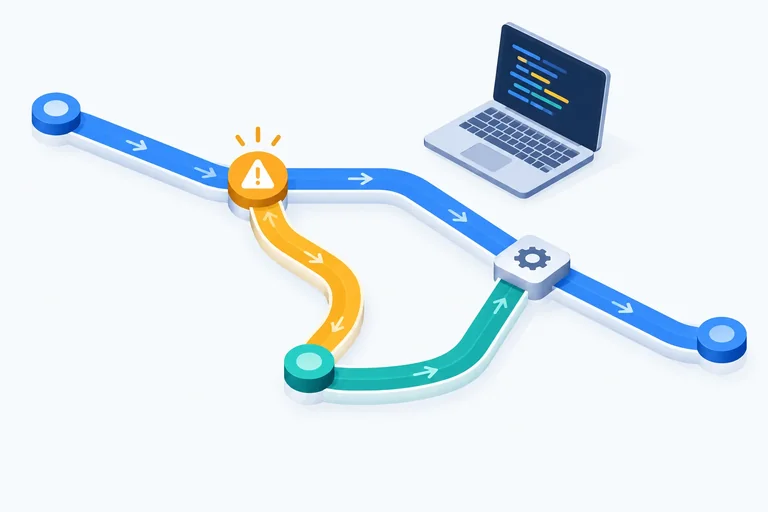
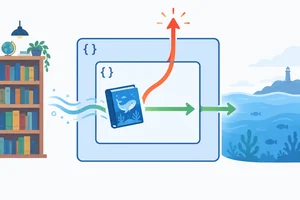
See how an exception differs from an ordinary function result and interrupts the current synchronous execution path.

Learning path · Level 4 · Tutorial 8
Signal invalid operations with exceptions and handle recoverable failures without silently hiding programming errors.
 Recognize an Interrupted Operation
See how an exception differs from an ordinary function result and interrupts the current synchronous execution path. 1 min
Recognize an Interrupted Operation
See how an exception differs from an ordinary function result and interrupts the current synchronous execution path. 1 min
 Throw an Error with a Useful Message
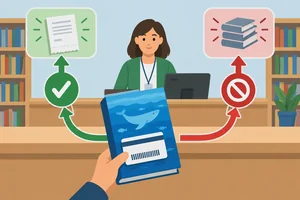
Use a guard to create and throw an informative Error when a library loan cannot be created. 2 min
Throw an Error with a Useful Message
Use a guard to create and throw an informative Error when a library loan cannot be created. 2 min
 Follow an Exception Through Function Calls
2 min
Follow an Exception Through Function Calls
2 min
 Catch a Failure at the Request Boundary
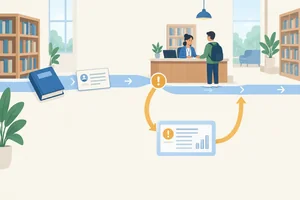
Handle a propagated synchronous exception at the request boundary and continue clearly after the catch. 2 min
Catch a Failure at the Request Boundary
Handle a propagated synchronous exception at the request boundary and continue clearly after the catch. 2 min
 Recover Deliberately or Rethrow
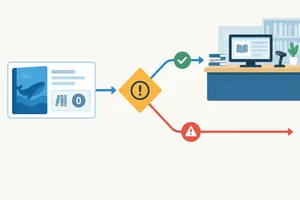
Handle a known recoverable loan failure while allowing unrecognized exceptions to continue outward. 2 min
Recover Deliberately or Rethrow
Handle a known recoverable loan failure while allowing unrecognized exceptions to continue outward. 2 min
 Clean Up with finally
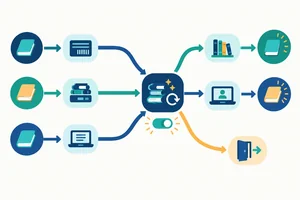
Place temporary-state cleanup in finally so it runs for normal completion, a handled recoverable failure, and a propagated exception. 2 min
Clean Up with finally
Place temporary-state cleanup in finally so it runs for normal completion, a handled recoverable failure, and a propagated exception. 2 min
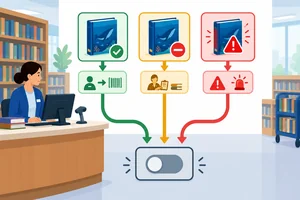 Apply and Verify the Complete Failure Flow
Complete and verify a local library-loan simulation that succeeds honestly, handles a recoverable failure, preserves an unexpected exception, and cleans up in every case. 4 min
Apply and Verify the Complete Failure Flow
Complete and verify a local library-loan simulation that succeeds honestly, handles a recoverable failure, preserves an unexpected exception, and cleans up in every case. 4 min
Step 1 of 7
See how an exception differs from an ordinary function result and interrupts the current synchronous execution path.
A function normally completes by returning an ordinary result to its caller. The caller can then continue with its next statement.
An exception is different: it interrupts the current operation. Instead of providing an ordinary result, it changes the execution path immediately. The statements that were still waiting on that failing path do not run as if the operation had succeeded.
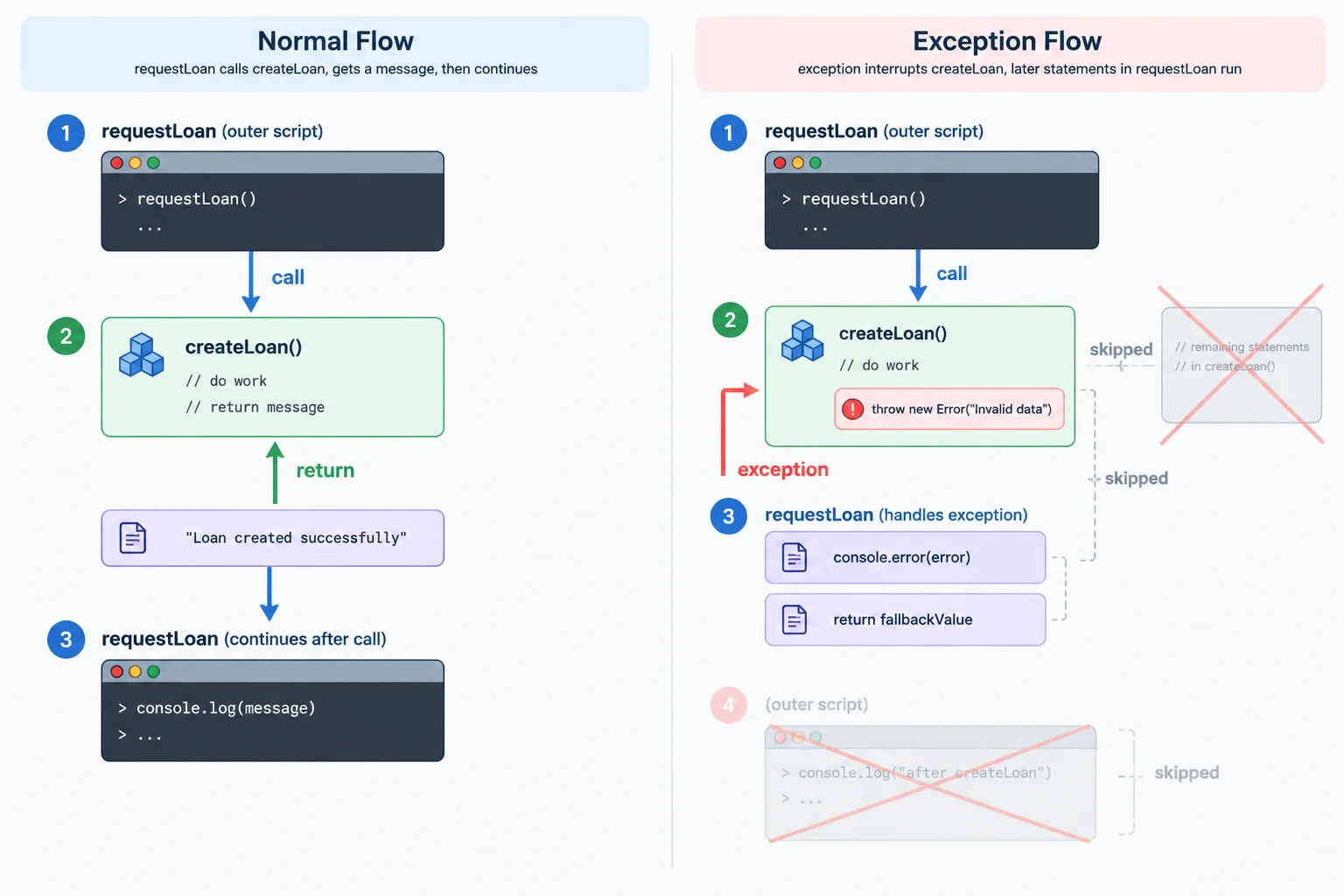
A normal return comes back to the caller. An exception interrupts the pending synchronous path instead.
Think of the library-loan simulation as one synchronous chain: a request starts, it calls the loan operation, and later statements wait for that call to finish.
If an exception is unhandled, JavaScript stops the current synchronous execution at that point. It does not continue through the remaining statements with a pretend failure result.
This does not mean the browser permanently stops. You can still inspect the console, edit your local files, save, refresh, and run a corrected script again.
Compare the two outcomes of one function call.
| Question | Ordinary return | Unhandled exception |
|---|---|---|
| What reaches the caller? | A normal result | No ordinary result |
| What happens next? | Later synchronous statements can run | Pending synchronous statements are skipped |
| Does the operation finish normally? | Yes | No; it is interrupted |
| What happens to the browser? | It remains usable | It remains usable after this run stops |
Read this synchronous execution trace:
requestLoan begins.requestLoan calls createLoan.createLoan.requestLoan has a statement immediately after its call.requestLoan.Which statement correctly describes this unhandled path?

Step 2 of 7
Use a guard to create and throw an informative Error when a library loan cannot be created.
new Error(message) creates an Error object. By itself, that expression does not interrupt a function; the next statement can still run.
throw is the statement that transfers control away from the current operation. Use both together when createLoan(book) cannot honestly produce its normal loan message.
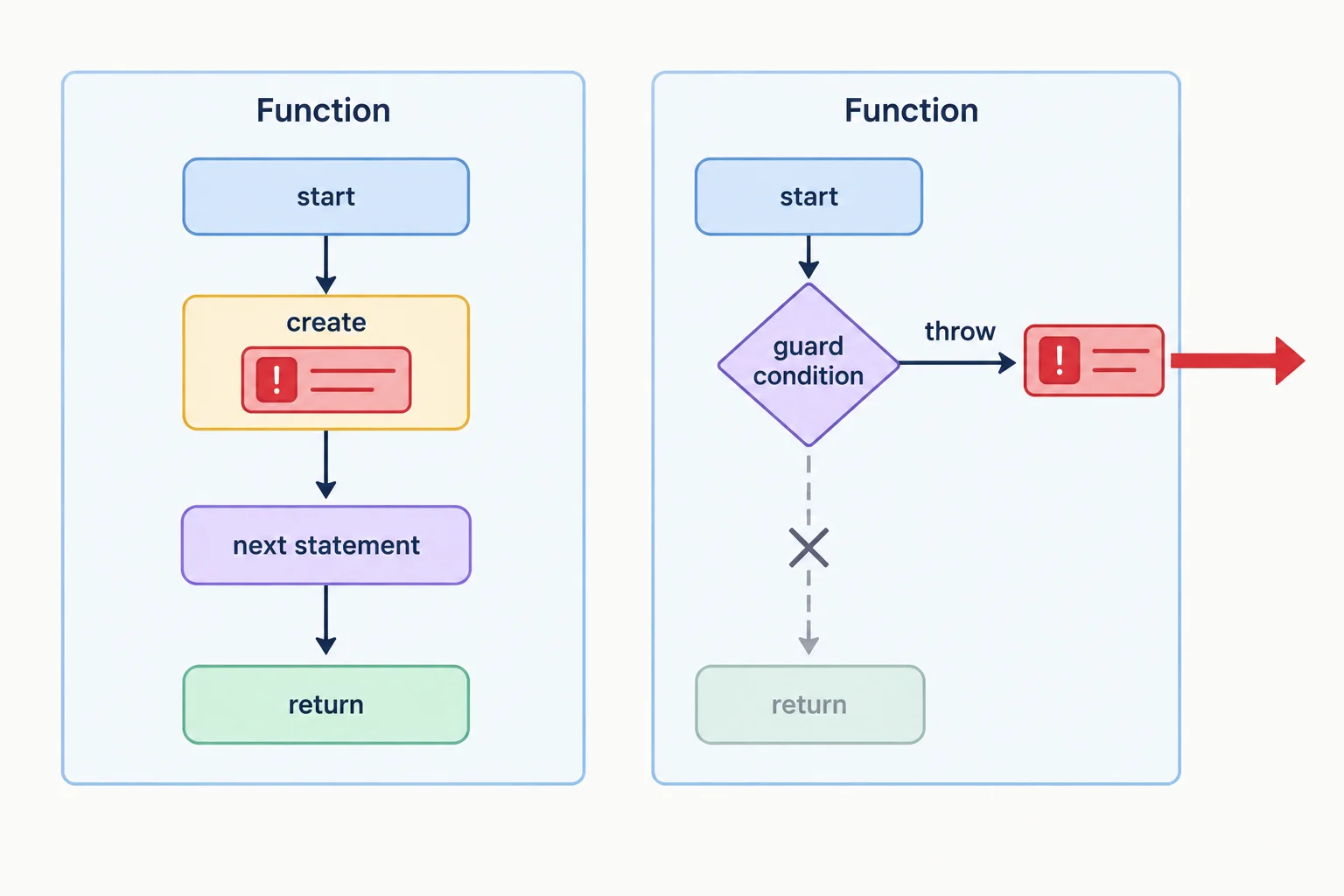
An Error object becomes an exception only when it is thrown.
In index.html, keep the local script connection:
<script src="exceptions.js" defer></script>
Put the following complete example in exceptions.js. Save both files, refresh the browser, and view the browser console.
exceptions.js
const book = {
  title: "Ocean Atlas",
  copies: 2
};

function createLoan(book) {
  if (book.copies === 0) {
    throw new Error(
      `Cannot create a loan for ${book.title}: no copies available.`
    );
  }

  return `Loan created for ${book.title}.`;
}

const message = createLoan(book);
console.log(message);Loan created for Ocean Atlas.
With `copies: 2`, the normal message is logged. To observe the failing path, change only `copies` to `0`, save, and refresh; the normal return and its console log do not run.
Example
The guard checks the invalid case first. Its message names the operation (create a loan), the relevant book (Ocean Atlas), and the reason (no copies available).
Do not use return new Error(...) for this guard. That is an ordinary return value, so the function has not thrown an exception. Likewise, creating an Error without throw leaves execution able to continue.
Which line interrupts createLoan(book) when it runs?
Complete the unavailable-book path so the function cannot continue to its normal success result.
function createLoan(book) {
  if (book.copies === 0) {
      Error(
      `Cannot create a loan for ${book.title}: no copies available.`
    );
  }

  return `Loan created for ${book.title}.`;
}
Step 3 of 7
When requestLoan(book) calls createLoan(book), an available book produces an ordinary result that returns to the caller. requestLoan can store that result in message and continue.
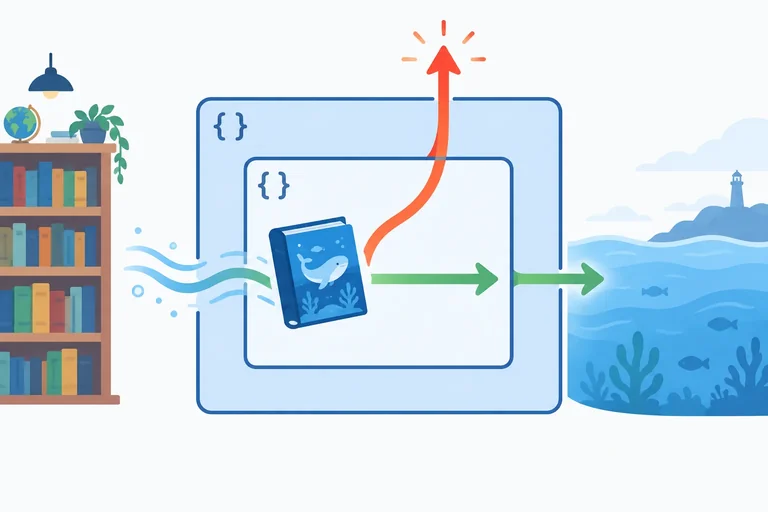
For an unavailable book, createLoan throws before it can return. With no handler in either function, the synchronous exception leaves createLoan, then propagates out through requestLoan. It does not supply a value for message, so statements waiting after the unsuccessful call are skipped.
The same nested calls therefore have two routes: normal return for an available book, or propagation for an unavailable book.
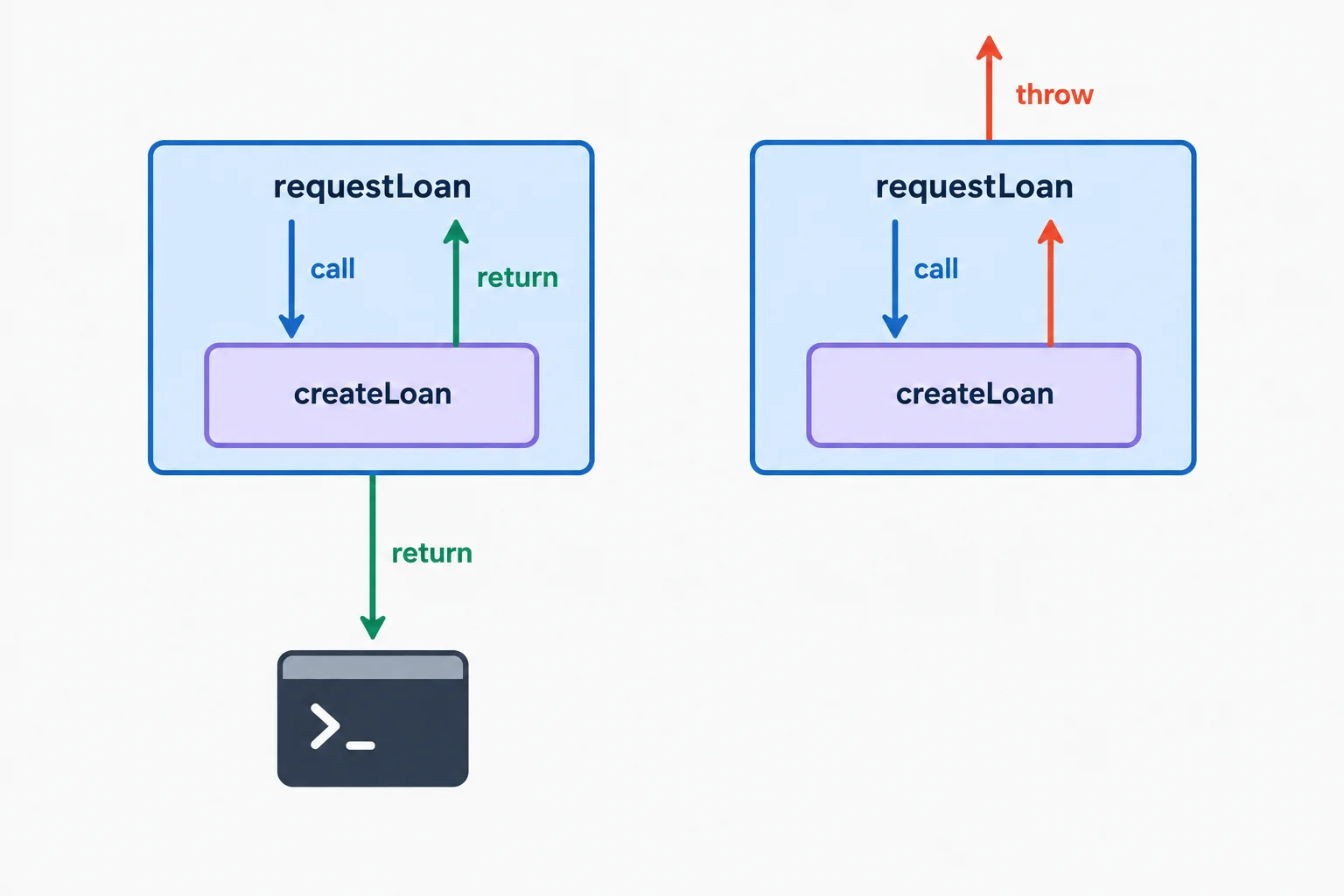
A normal result returns to its caller. An unhandled exception exits each caller on its way outward.
In your local setup, save this complete version as exceptions.js, refresh index.html, and inspect the browser console. With two copies, createLoan returns normally, so both later logging statements run.
const book = { title: "Ocean Atlas", copies: 2 };

function createLoan(book) {
  if (book.copies === 0) {
    throw new Error(
      `Cannot create a loan for ${book.title}: no copies available.`
    );
  }

  return `Loan created for ${book.title}.`;
}

function requestLoan(book) {
  const message = createLoan(book);
  console.log(message);
}

requestLoan(book);
console.log("Request finished.");Loan created for Ocean Atlas. Request finished.
This is the browser-console output when `copies` is 2.
Now run this separate unavailable-book version. Save it as exceptions.js and refresh index.html. The exception occurs before the normal return. Because it is unhandled, it exits both functions, so neither later console.log statement runs.
const book = { title: "Ocean Atlas", copies: 0 };

function createLoan(book) {
  if (book.copies === 0) {
    throw new Error(
      `Cannot create a loan for ${book.title}: no copies available.`
    );
  }

  return `Loan created for ${book.title}.`;
}

function requestLoan(book) {
  const message = createLoan(book);
  console.log(message);
}

requestLoan(book);
console.log("Request finished.");Uncaught Error: Cannot create a loan for Ocean Atlas: no copies available.
Verify the first error line. Browsers may add a source location and differently formatted diagnostic details after it.
Each save-and-refresh action starts a separate synchronous run. The unavailable run does not prevent you from editing the file and refreshing again to observe the available run.
| Book copies | createLoan outcome | Later statements |
|---|---|---|
| 2 | Returns the loan message | Both console.log statements run |
| 0 | Throws an Error | The return and both later logging statements are skipped |
With copies set to 0 and no handler present, which option gives the correct execution order and identifies the skipped statements?
Step 4 of 7
Handle a propagated synchronous exception at the request boundary and continue clearly after the catch.
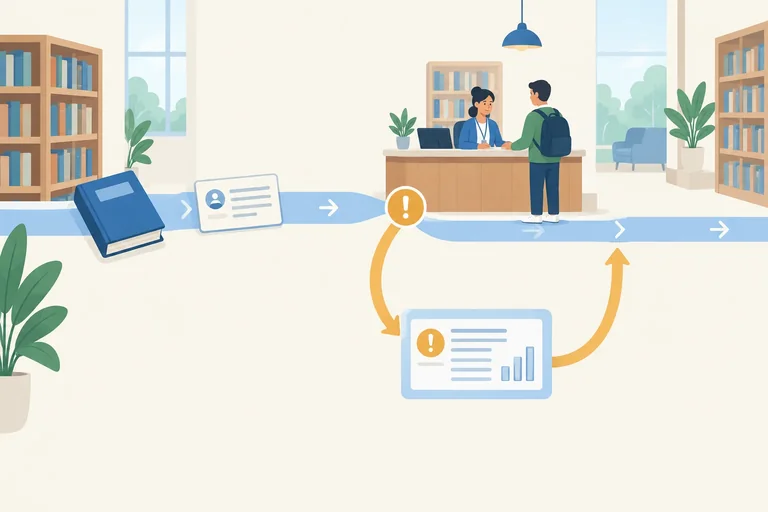
createLoan(book) may throw because it cannot create the loan. requestLoan(book) is a useful handling boundary: it knows that someone requested a loan and can clearly report that request failure.
Put try around the operation that may fail. If createLoan(book) returns normally, the remaining statements in try run. If it throws, the remaining try statements are skipped and control moves to catch (error).
The error binding is available only inside its catch block. After that catch finishes normally, execution resumes after the whole try/catch statement—not at the line where the exception was thrown.
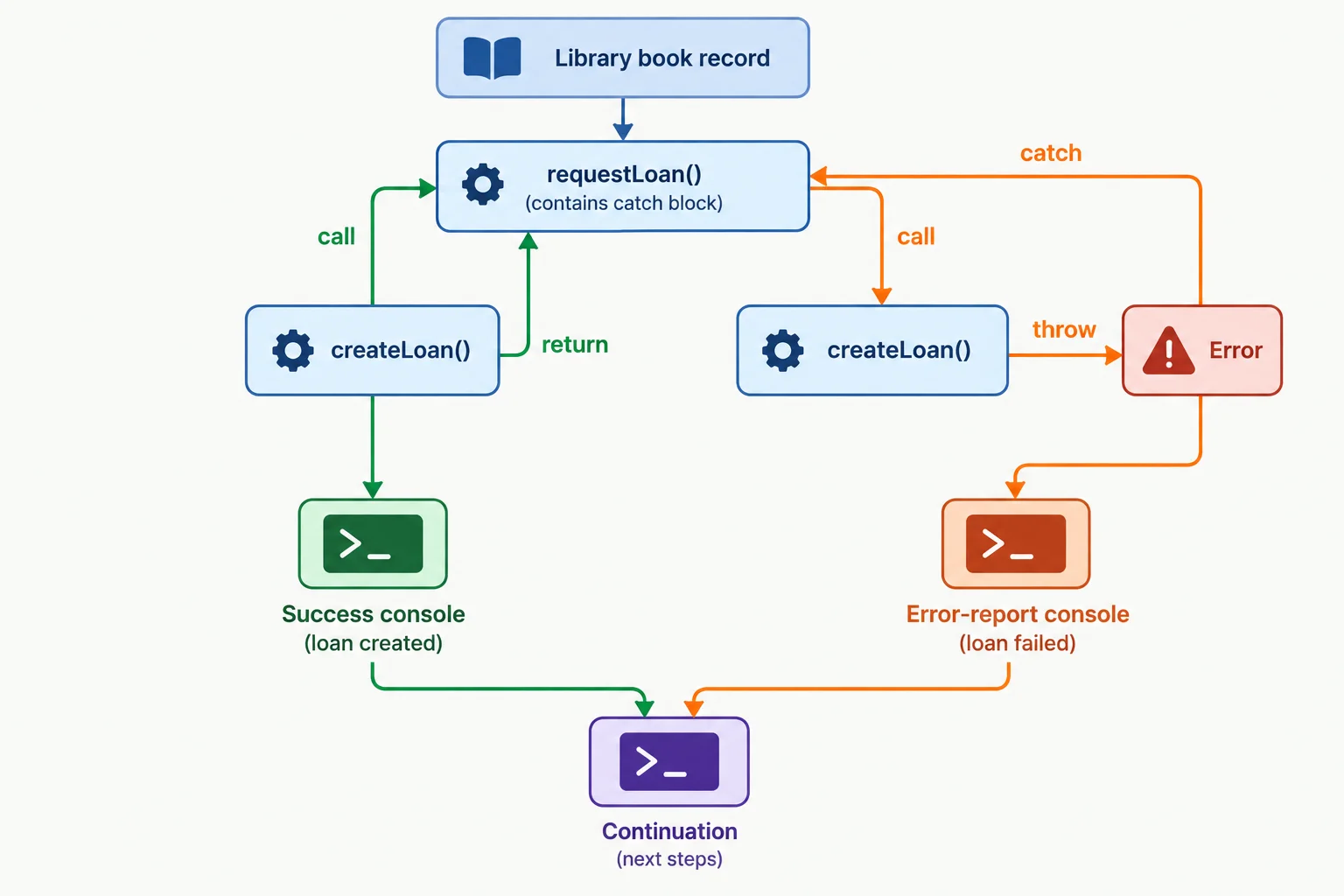
A catch handles an exception at the caller that has enough context to report the failed request.
Create these two local files. With copies: 0, refresh index.html and inspect the browser console. The success log is inside try, so it cannot run on the failing path. The catch reports the Error message, then the checkpoint confirms that synchronous execution continued after the handled failure.
index.html
<!doctype html>
<html lang="en">
  <head>
    <meta charset="utf-8">
    <title>Library Loans</title>
  </head>
  <body>
    <script src="exceptions.js" defer></script>
  </body>
</html>
exceptions.js
const book = { title: "Ocean Atlas", copies: 0 };

function createLoan(book) {
  if (book.copies === 0) {
    throw new Error(`Cannot create a loan for ${book.title}: no copies available.`);
  }

  return `Loan created for ${book.title}.`;
}

function requestLoan(book) {
  try {
    const message = createLoan(book);
    console.log(message);
  } catch (error) {
    console.error("Loan not created:", error.message);
  }
}

requestLoan(book);
console.log("Request finished.");Loan not created: Cannot create a loan for Ocean Atlas: no copies available. Request finished.
The first line may use the browser console's error styling because it comes from console.error().
Complete the request-level handler.
function requestLoan(book) {
   {
    const message = createLoan(book);
    console.log(message);
  }  {

  }
}For a zero-copy book, write requestLoan(book) with a narrowly scoped try/catch. It must call createLoan(book), log the returned message only on success, and report the failure with the caught error's message. Then, on a separate line, identify the continuation checkpoint statement that executes after requestLoan(book) completes.
Do not add a catch inside createLoan(book).
Write at least 140 characters (0/140).
Step 5 of 7
Handle a known recoverable loan failure while allowing unrecognized exceptions to continue outward.
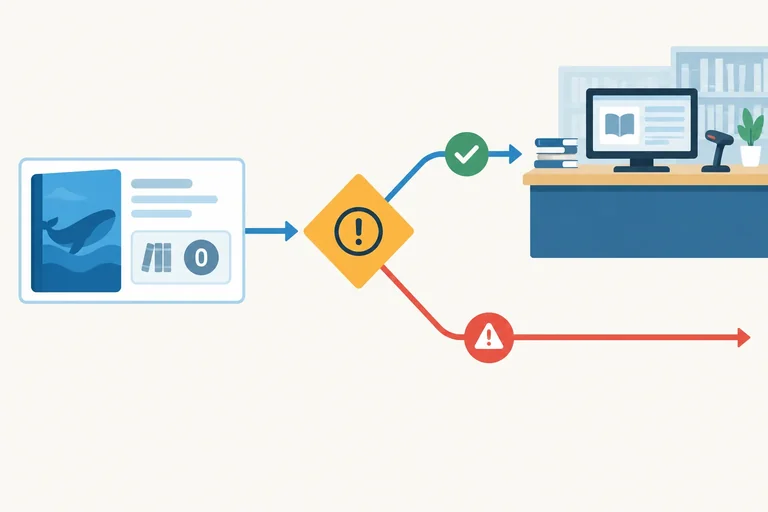
A recoverable failure is a condition this boundary understands and can report honestly. In this simulation, a book with no copies is known: the request cannot create a loan, but the caller can tell the user why.
An unexpected exception is different. This function does not know how to respond safely to every possible failure, so it should preserve that exception for an outer caller rather than pretending the request succeeded.
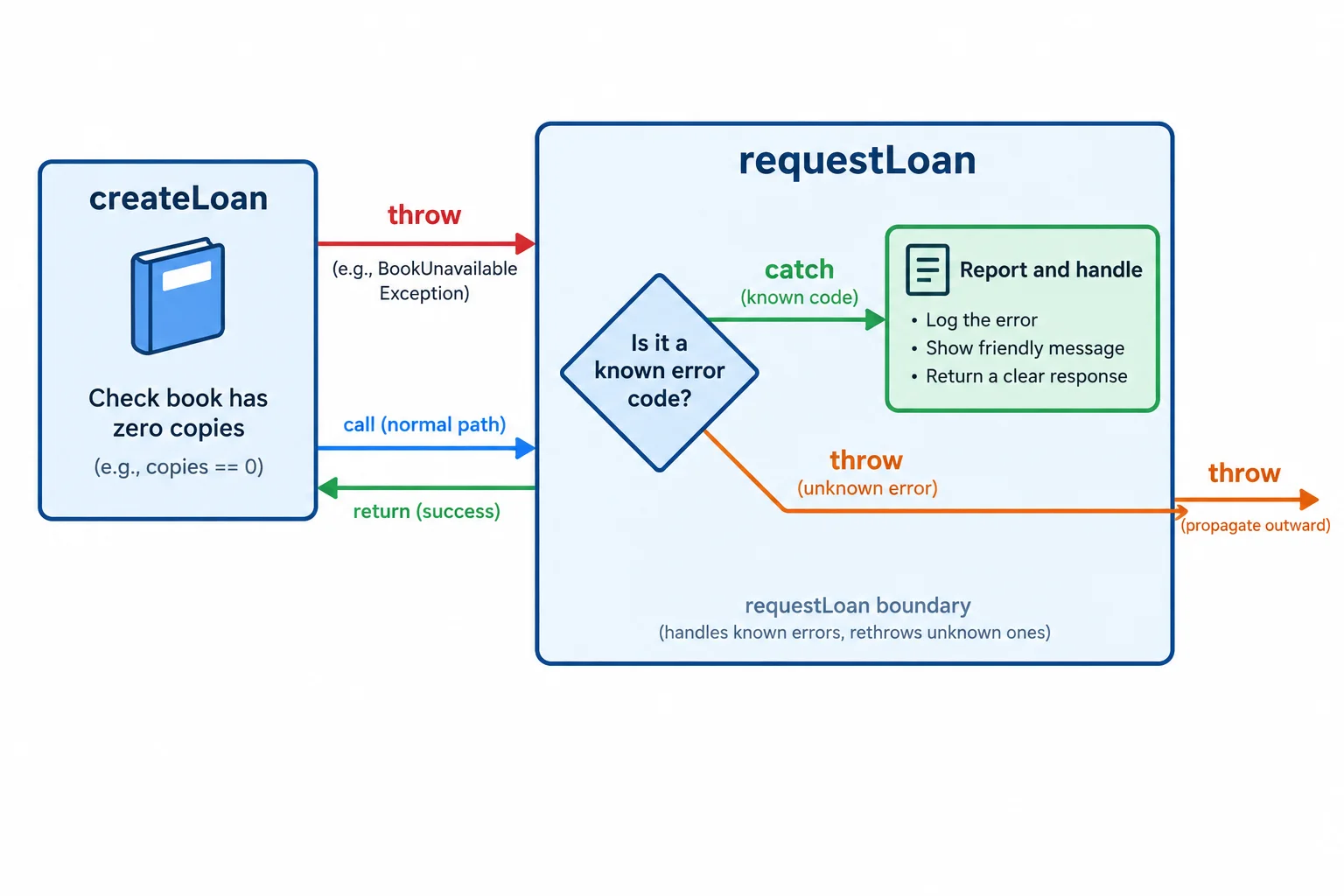
Use a catch when this boundary can make a truthful response. Otherwise, let the exception continue outward.
Give the unavailable-book Error an application-defined code property. code is not a built-in Error feature; this application chooses its meaning. The catch compares that stable identifier instead of comparing a human-readable message.
For the known code, report the failure. For every other exception, use throw error; to preserve the same Error object and continue propagation.
Replace the current contents of exceptions.js with this example, save it, refresh index.html, and view the browser console.
const book = { title: "Ocean Atlas", copies: 0 };

function createLoan(book) {
  if (book.copies === 0) {
    const error = new Error(`Cannot create a loan for ${book.title}: no copies available.`);
    error.code = "NO_COPIES";
    throw error;
  }

  return `Loan created for ${book.title}.`;
}

function requestLoan(book) {
  try {
    const message = createLoan(book);
    console.log(message);
  } catch (error) {
    if (error.code === "NO_COPIES") {
      console.error("Loan not created:", error.message);
    } else {
      throw error;
    }
  }

  console.log("Request finished.");
}

requestLoan(book);Loan not created: Cannot create a loan for Ocean Atlas: no copies available. Request finished.
Console error styling varies by browser. The two messages appear in this execution order.
Warning
Do not use an empty catch block or log a success-like fallback after a failure. Both hide the fact that no loan was created and can conceal programming mistakes.
The continuation message means this request boundary finished handling a known recoverable failure. It does not mean the loan operation succeeded.
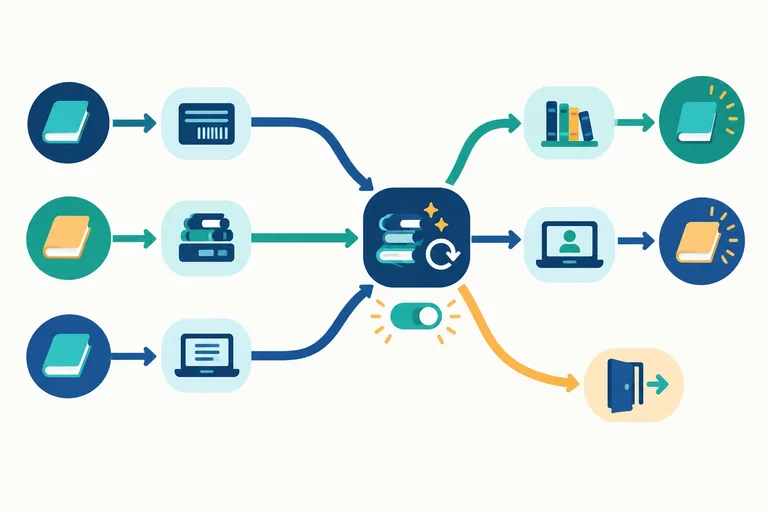
Match each situation to the most honest action at the request boundary.
Tap an item and then its matching pair.
Complete the decision for the recognized condition and the branch that preserves an unclassified exception.
function requestLoan(book) {
  try {
    const message = createLoan(book);
    console.log(message);
  } catch (error) {
    if (error.code === ) {
      console.error("Loan not created:", error.message);
    } else {
      ;
    }
  }

  console.log("Request finished.");
}
Step 6 of 7
Place temporary-state cleanup in finally so it runs for normal completion, a handled recoverable failure, and a propagated exception.
A finally block is a shared location for cleanup. It runs after a try block finishes normally and also when that block exits because of an exception.
For a loan request, temporary processing state must end on every path. Set isProcessing to true when the request starts, then reset it during cleanup.
finally does not handle an exception and does not mean that a loan was created. It performs cleanup before execution either continues normally or an exception moves outward.
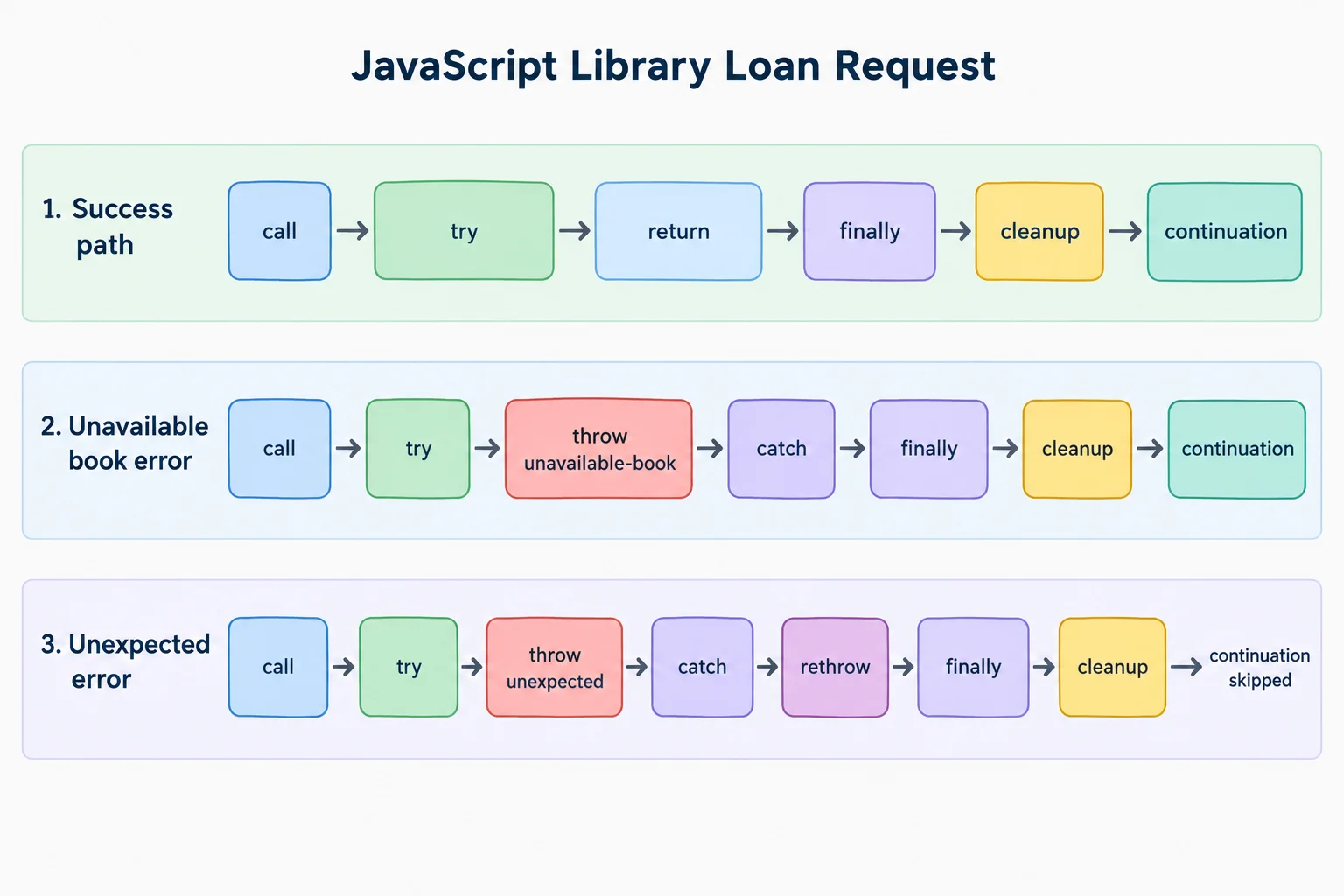
finally runs before normal continuation after a handled failure and before a rethrown exception leaves the function.
Keep the index.html file from the earlier request-handler step, including <script src="exceptions.js" defer></script>. Replace the entire contents of exceptions.js with the complete example below.
Start with scenario set to "available", save, refresh, and inspect the browser console. Then run two separate checks: change scenario to "unavailable", save and refresh; finally change it to "unexpected", save and refresh. Each refresh starts a new synchronous run.
This complete local file handles the known recoverable failure, rethrows an unclassified failure, and performs cleanup in every case.
const scenario = "available";

const book = { title: "Ocean Atlas", copies: 2 };
let isProcessing = false;

if (scenario === "unavailable") {
  book.copies = 0;
}

function createLoan(book) {
  if (book.copies === 0) {
    const error = new Error(
      `Cannot create a loan for ${book.title}: no copies available.`
    );
    error.code = "NO_COPIES";
    throw error;
  }

  return `Loan created for ${book.title}.`;
}

function requestLoan(book) {
  isProcessing = true;

  try {
    if (scenario === "unexpected") {
      throw new Error("Unexpected loan failure.");
    }

    const message = createLoan(book);
    console.log(message);
  } catch (error) {
    if (error.code === "NO_COPIES") {
      console.error("Loan not created:", error.message);
    } else {
      throw error;
    }
  } finally {
    isProcessing = false;
    console.log("Processing:", isProcessing);
  }

  console.log("Request finished.");
}

requestLoan(book);Loan created for Ocean Atlas. Processing: false Request finished.
This output is for the initial `"available"` scenario. Use the table below to check the two edited scenarios. For `"unexpected"`, the browser also shows uncaught-Error details whose formatting and stack lines vary by browser.
Each row is a separate save-and-refresh run. “Execution action” describes control flow; “observable console output” contains only what you can observe in the console.
| Scenario | Execution action | Observable console output, in order | After try/catch/finally |
|---|---|---|---|
| Available | The try path returns normally. | Loan created for Ocean Atlas. → Processing: false → Request finished. | The request finishes normally. |
| Unavailable | catch recognizes `NO_COPIES` as a recoverable failure. | Loan not created: Cannot create a loan for Ocean Atlas: no copies available. → Processing: false → Request finished. | The request finishes normally. |
| Unexpected | catch rethrows the unclassified Error. | Processing: false → browser reports an uncaught Error. | `Request finished.` is skipped. |
Use try/finally when a function has cleanup responsibility but has no meaningful recovery to perform. With no catch, an exception from createLoan(book) still propagates after cleanup.
This is an alternative requestLoan version for understanding propagation. Do not place it together with the previous requestLoan definition.
If createLoan(book) throws, finally runs first. The same exception then continues outward, so the last console.log does not run.
function requestLoan(book) {
  isProcessing = true;

  try {
    const message = createLoan(book);
    console.log(message);
  } finally {
    isProcessing = false;
    console.log("Processing:", isProcessing);
  }

  console.log("Request finished.");
}
Warning
Keep cleanup focused on cleanup. Do not return a replacement value or throw a replacement exception from finally: either action can override the result or exception already in progress. Resetting temporary state and logging that reset are safe cleanup tasks here.
Complete the shared cleanup block that resets temporary processing state on every exit path.
function requestLoan(book) {
  isProcessing = true;

  try {
    const message = createLoan(book);
    console.log(message);
  } catch (error) {
    if (error.code === "NO_COPIES") {
      console.error("Loan not created:", error.message);
    } else {
      throw error;
    }
  }  {
    isProcessing = ;
    console.log("Processing:", isProcessing);
  }

  console.log("Request finished.");
}For the same request handler, write the two-line cleanup block that resets the processing state and logs it, including its block keyword. Then give the observable console-output order for an available request, a recognized unavailable request, and an unclassified request. State what happens to the continuation checkpoint in the unclassified case and why.
Write at least 180 characters (0/180).
Step 7 of 7
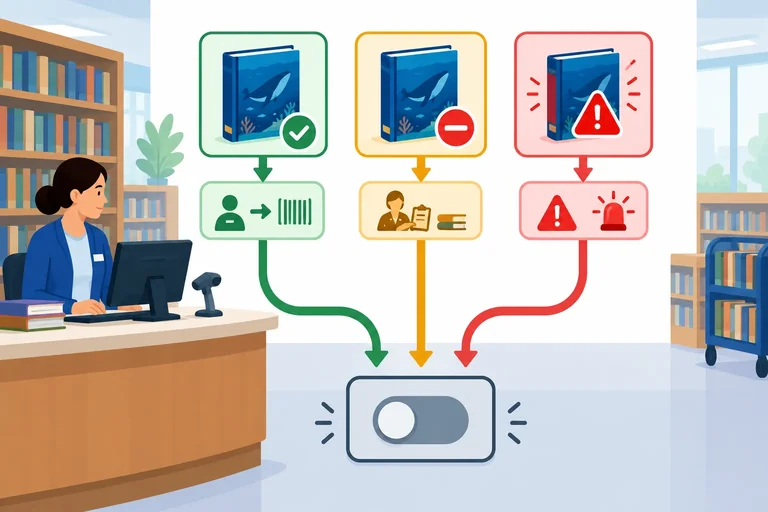
Complete and verify a local library-loan simulation that succeeds honestly, handles a recoverable failure, preserves an unexpected exception, and cleans up in every case.
Create a local folder with two files: index.html and exceptions.js. Open index.html in your browser, then use the browser console to inspect each run. The scenario value is the only value you will edit for the three checks.
Save this as index.html. The deferred script runs after the document is parsed.
<!doctype html>
<html lang="en">
  <head>
    <meta charset="utf-8">
    <meta name="viewport" content="width=device-width, initial-scale=1">
    <title>Library Loan Exceptions</title>
    <script src="exceptions.js" defer></script>
  </head>
  <body>
    <h1>Library loan simulation</h1>
  </body>
</html>Save this as exceptions.js. Start with the available scenario, then edit only the scenario value before each later save-and-refresh run.
const scenario = "available";

const book = { title: "Ocean Atlas", copies: 2 };
let isProcessing = false;

if (scenario === "unavailable") {
  book.copies = 0;
}

function createLoan(book) {
  if (book.copies === 0) {
    const error = new Error(
      `Cannot create a loan for ${book.title}: no copies available.`
    );
    error.code = "NO_COPIES";
    throw error;
  }

  return `Loan created for ${book.title}.`;
}

function requestLoan(book) {
  isProcessing = true;

  try {
    if (scenario === "unexpected") {
      throw new Error("Unexpected loan failure.");
    }

    const message = createLoan(book);
    console.log(message);
  } catch (error) {
    if (error.code === "NO_COPIES") {
      console.error("Loan not created:", error.message);
    } else {
      throw error;
    }
  } finally {
    isProcessing = false;
    console.log("Processing:", isProcessing);
  }

  console.log("Request finished.");
}

requestLoan(book);Loan created for Ocean Atlas. Processing: false Request finished.
This output is for `const scenario = "available";`. Browser formatting for uncaught errors can vary in the unexpected scenario.
Run the file three separate times. First use "available". Next change scenario to "unavailable", save, and refresh. Finally change it to "unexpected", save, and refresh. Each refresh starts a new synchronous run, so the propagated exception in the final run does not prevent you from observing the earlier runs.
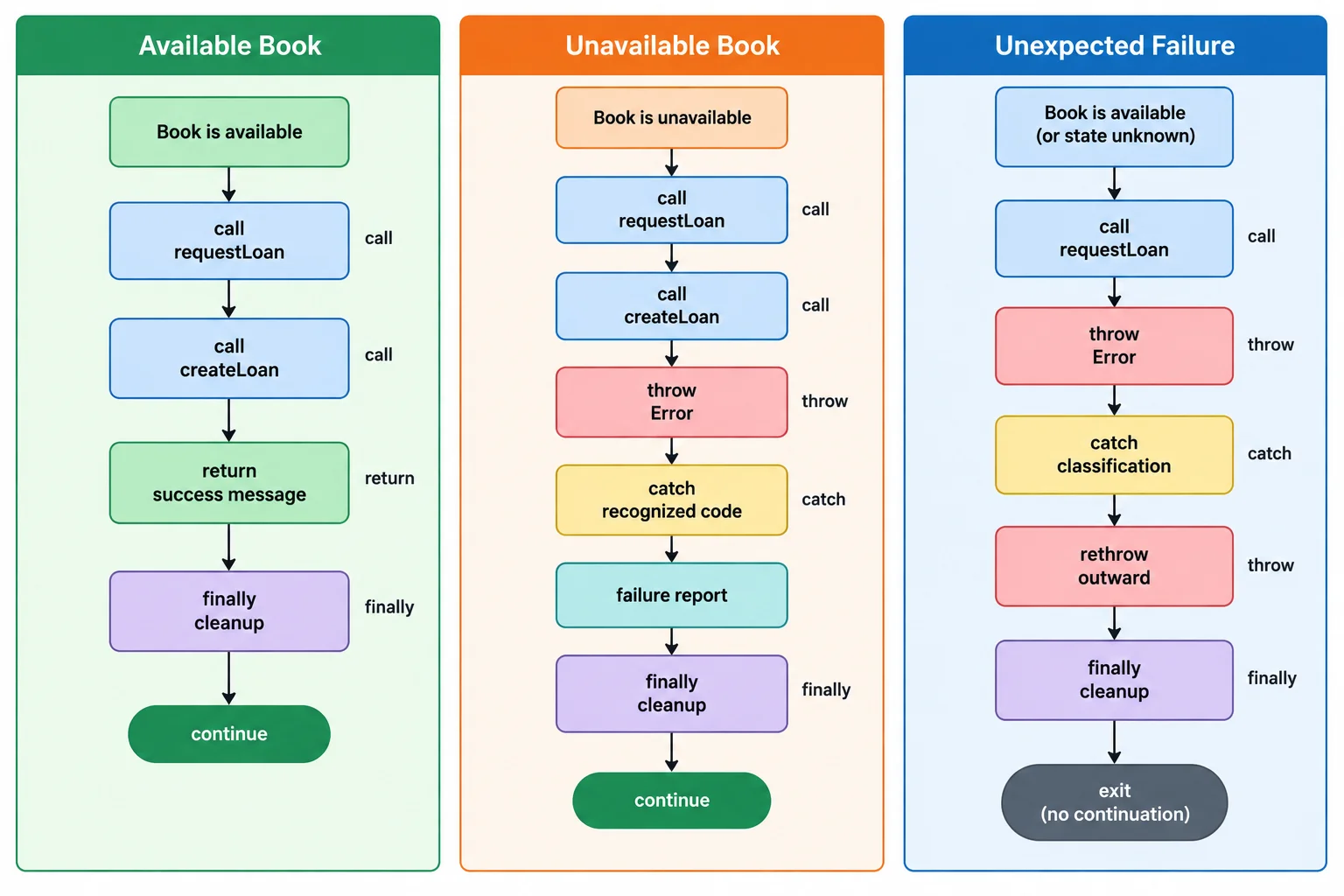
All three paths reach finally; only the recognized recoverable failure reaches the continuation after a catch.
Use this matrix to verify the essential result of each run. In the unexpected case, the browser also displays its normal uncaught-error details; you do not need to investigate those details yet.
| Scenario | Main console result | Cleanup output | Continuation checkpoint |
|---|---|---|---|
| available | Loan created for Ocean Atlas. | Processing: false | Runs |
| unavailable | Loan not created: Cannot create a loan for Ocean Atlas: no copies available. | Processing: false | Runs |
| unexpected | Uncaught Error: Unexpected loan failure. | Processing: false | Skipped |
Summary
throw interrupts the operation when it cannot complete honestly.catch reports only the recoverable NO_COPIES condition.throw error; preserves an unclassified Error and lets it propagate.finally performs cleanup whether the request succeeds, is handled, or propagates an exception.Complete the statements that classify the known failure, preserve other exceptions, and perform cleanup.
function createLoan(book) {
  if (book.copies === 0) {
    const error = new Error(
      `Cannot create a loan for ${book.title}: no copies available.`
    );
    error.code = ;
    throw error;
  }

  return `Loan created for ${book.title}.`;
}

function requestLoan(book) {
  isProcessing = true;

  try {
    const message = createLoan(book);
    console.log(message);
  } catch (error) {
     {
      console.error("Loan not created:", error.message);
    } else {

    }
  } finally {

    console.log("Processing:", isProcessing);
  }

  console.log("Request finished.");
}After completing the local example, run all three scenarios again. In 4–6 sentences, report which scenario logs the success message, which one reports the recoverable failure and continues, and which one propagates and skips the continuation checkpoint. State the cleanup value you observed in every run. Then explain why suppressing the unclassified Error would be misleading.
Write at least 250 characters (0/250).
Congratulations! You completed: Handle Failures with JavaScript Exceptions
Thousands of online courses in video, ebooks and audiobooks.
To test your knowledge during online courses
Generated directly from your cell phone's photo gallery and sent to your email

Download our app via QR Code or the links below:.



Carry knowledge in your pocket.
Download the Cursa app.
There are hundreds of free courses available, with a free certificate of completion that is saved in your mobile image gallery.
Download the app to access the Course Completion Certificate for Free.


+ 10 million
students

Free and Valid
Certificate

60 thousand free
exercises

4.8/5 rating in
app stores

Free courses in
video and ebooks