Step 1 of 8
See What the Cascade Decides
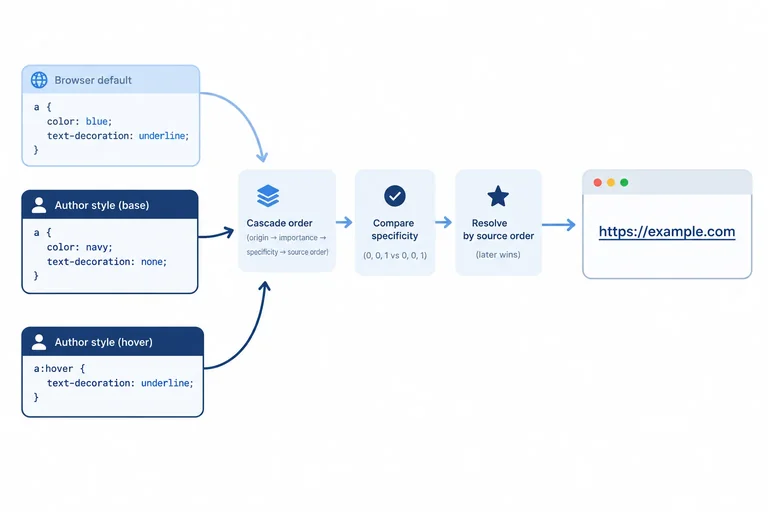
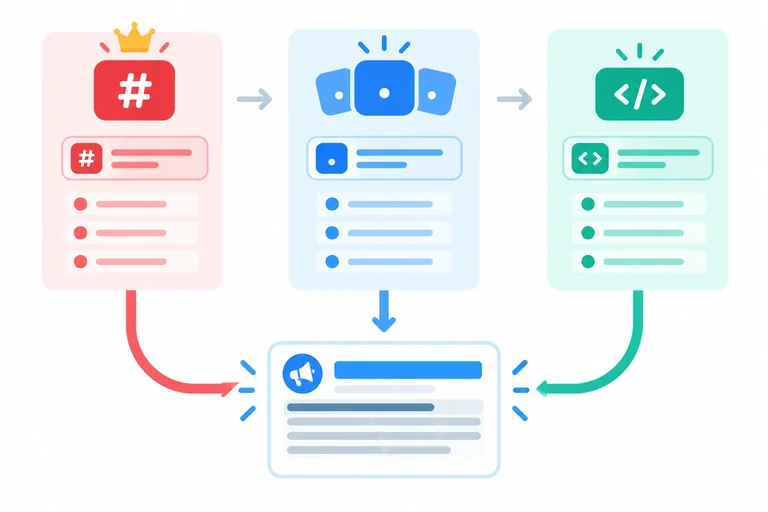
See how the cascade selects a winning declaration for one property and why an author color can replace a browser-default link color without changing its underline.

Learning path · Level 2 · Tutorial 2
Explain why a CSS declaration wins and correct unexpected styling using the cascade, specificity, and inheritance.
 See What the Cascade Decides
See how the cascade selects a winning declaration for one property and why an author color can replace a browser-default link color without changing its underline. 2 min
See What the Cascade Decides
See how the cascade selects a winning declaration for one property and why an author color can replace a browser-default link color without changing its underline. 2 min
 Compare Selector Specificity
Compare selector specificity tuples for competing normal author stylesheet declarations. 2 min
Compare Selector Specificity
Compare selector specificity tuples for competing normal author stylesheet declarations. 2 min
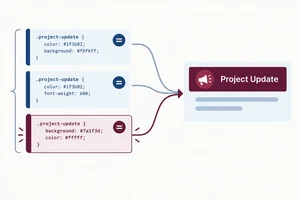 Use Source Order Only to Break a Tie
Use source order as a tie-breaker between equal-specificity stylesheet rules, and recognize when a higher-specificity selector still wins. 1 min
Use Source Order Only to Break a Tie
Use source order as a tie-breaker between equal-specificity stylesheet rules, and recognize when a higher-specificity selector still wins. 1 min
 Place Inline Styles and !important Correctly
Resolve author-style conflicts by separating normal inline precedence from declaration importance. 2 min
Place Inline Styles and !important Correctly
Resolve author-style conflicts by separating normal inline precedence from declaration importance. 2 min
 Separate Inheritance from Direct Styling
Determine whether a child’s color comes from its own declaration or from its parent, and use inherit intentionally. 2 min
Separate Inheritance from Direct Styling
Determine whether a child’s color comes from its own declaration or from its parent, and use inherit intentionally. 2 min
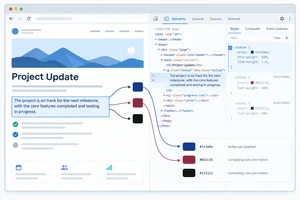 Trace the Winning Declaration in Developer Tools
Use Developer Tools to locate the declaration responsible for an unexpected color, distinguish overridden and inherited entries, and confirm the computed value. 2 min
Trace the Winning Declaration in Developer Tools
Use Developer Tools to locate the declaration responsible for an unexpected color, distinguish overridden and inherited entries, and confirm the computed value. 2 min
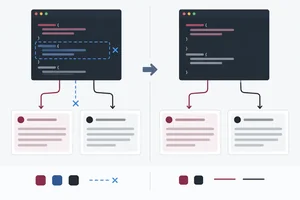 Fix the Cause Instead of Escalating
Repair a diagnosed CSS color conflict by changing its source-level cause instead of increasing selector specificity or importance. 1 min
Fix the Cause Instead of Escalating
Repair a diagnosed CSS color conflict by changing its source-level cause instead of increasing selector specificity or importance. 1 min
 Resolve a Complete Styling Conflict
Independently diagnose, repair, and verify a CSS color conflict in the local Project Update example. 2 min
Resolve a Complete Styling Conflict
Independently diagnose, repair, and verify a CSS color conflict in the local Project Update example. 2 min
Step 1 of 8
See how the cascade selects a winning declaration for one property and why an author color can replace a browser-default link color without changing its underline.
The cascade chooses a winning declaration one property at a time. It does not declare an entire CSS rule a winner or loser.
For a given element and property, the browser considers only declarations that are valid, applicable, and matched by their selectors. A rule can therefore win for color while another property still comes from browser default styles.
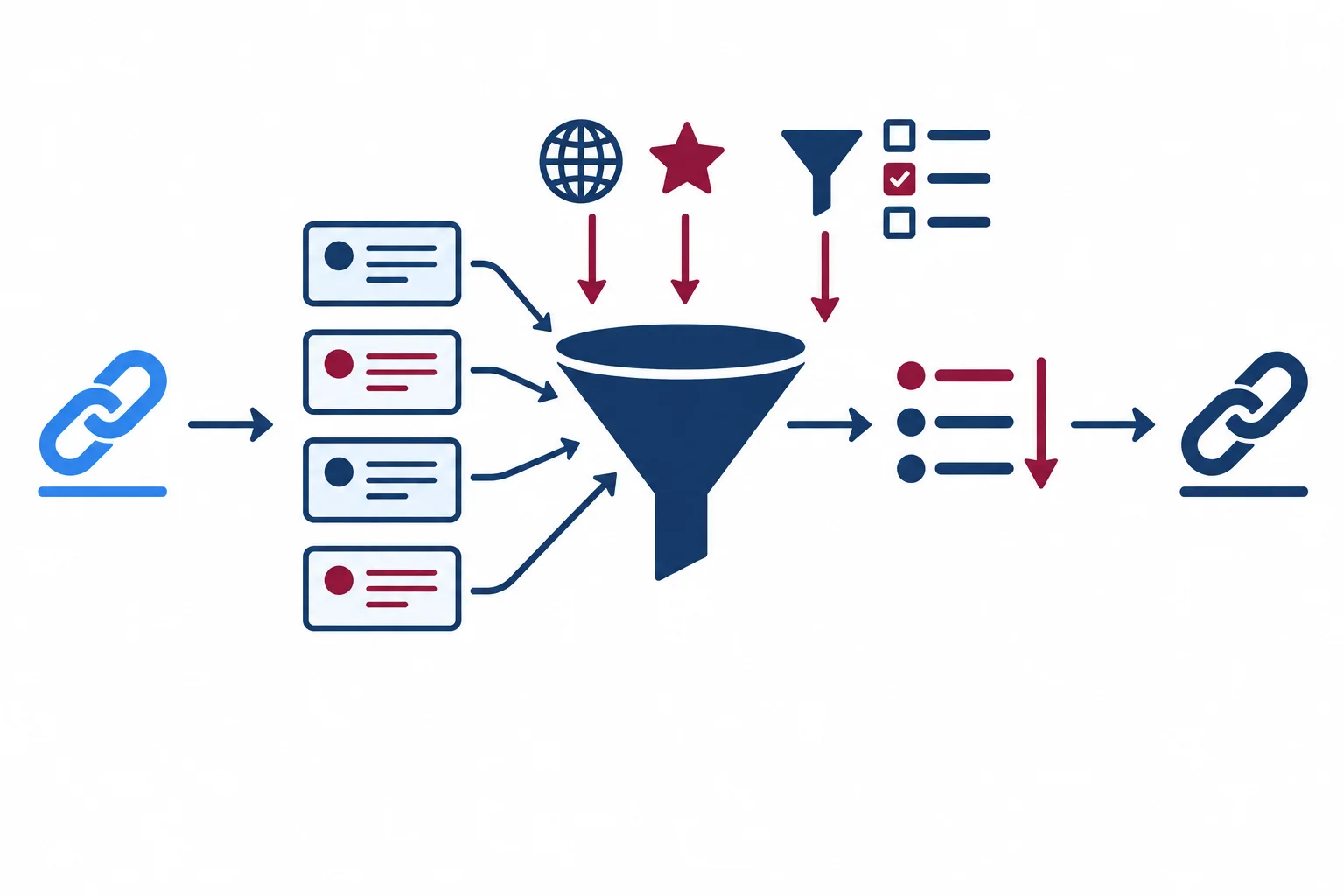
For one property, compare origin and importance first. If needed, compare selectors next; source order resolves a remaining tie. An inline declaration is a distinct consideration within author styles.
Tip
This tutorial uses ordinary unlayered CSS. It does not cover scoped rules, animations, or transitions. Those features can add further cascade considerations.
Browser default styles come from the browser, also called the user-agent origin. Styles in styles.css are author styles.
A normal author declaration takes precedence over a normal browser-default declaration. That comparison decides only the property being considered. If no author declaration changes a link's text-decoration, its native underline can remain even when its color changes.
Save this as index.html. Keep it in the same folder as styles.css.
<!doctype html>
<html lang="en">
<head>
  <meta charset="utf-8">
  <title>Project Update</title>
  <link rel="stylesheet" href="styles.css">
</head>
<body>
  <main class="notice">
    <h1>Project Update</h1>
    <p id="status" class="message is-alert">Review needed.</p>
    <p class="message">Next update tomorrow.</p>
    <a href="#status">Read the update</a>
  </main>
</body>
</html>Save this matching stylesheet as styles.css, then open or refresh index.html in your browser.
a {
  color: navy;
}Read the update is navy and remains underlined.
Expected browser result after both files are saved in the same folder and index.html is opened.
The a rule matches the link and contains a valid color declaration. It is a normal author style, so it becomes the winning declaration for the link's color instead of the normal browser-default link color. The rule says nothing about text-decoration, so it does not remove the native underline.
A browser's default styles give a link both a color and an underline. The following matching author rule is then loaded:
a {
  color: navy;
}
Write the link's final color. Then explain why its underline remains visible, using the ideas of browser default styles, author styles, and separate properties.
Write at least 80 characters (0/80).
Step 2 of 8
Compare selector specificity tuples for competing normal author stylesheet declarations.
When two normal author stylesheet declarations set the same property on the status paragraph, compare their selector specificity. Write each selector as (IDs, classes/pseudo-classes, types).
Count an ID in the first column, a class or ordinary pseudo-class in the second, and a type selector in the third. Compare from left to right. A value in an earlier column always matters more than any number in a later column.
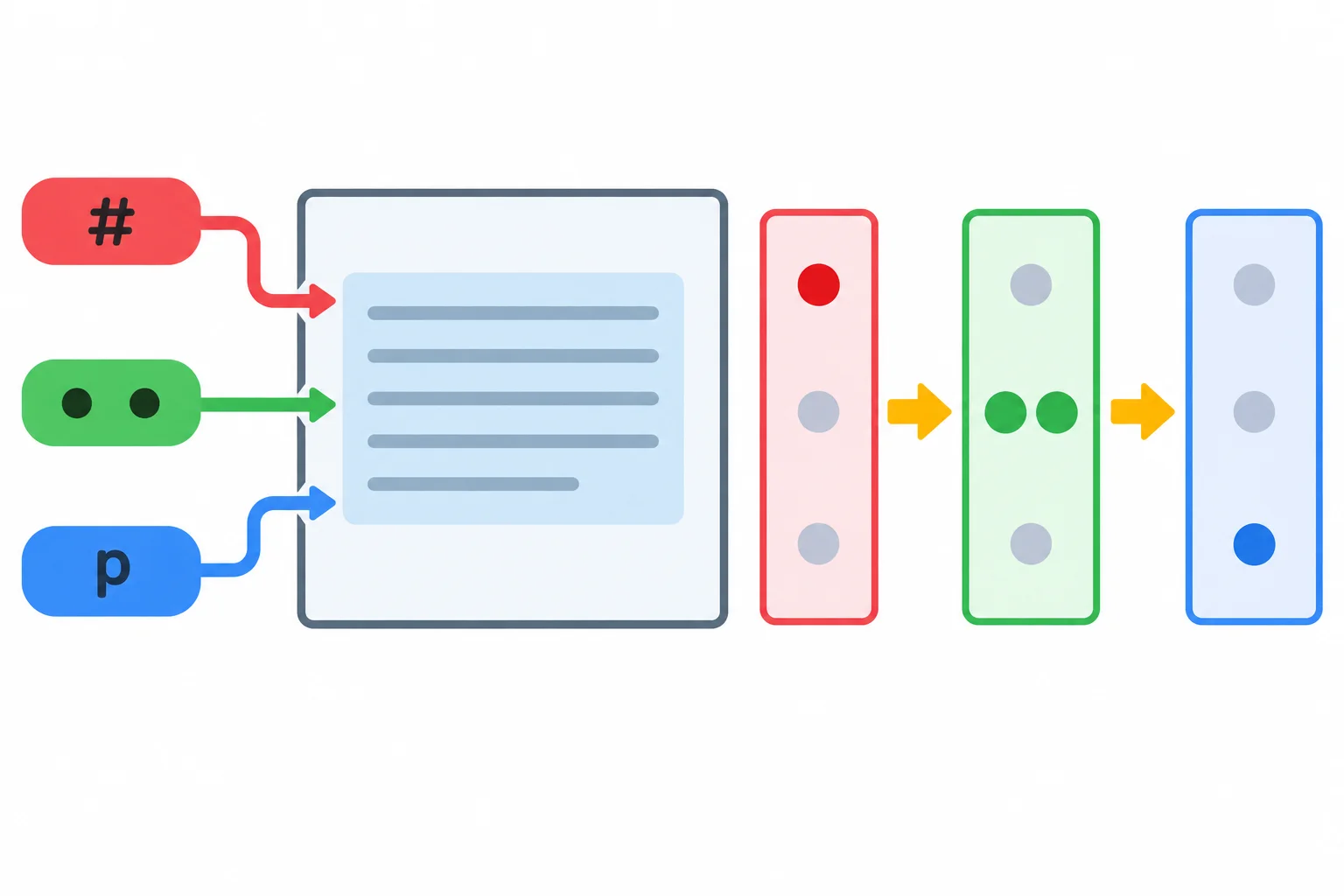
Compare IDs first, then classes and pseudo-classes, then type selectors.
For example, #status is (1, 0, 0), while .notice > .message is (0, 2, 0). The first selector wins this comparison because 1 ID beats 0 IDs.
The > child combinator adds nothing. Neither does the universal selector *. A selector is not stronger merely because it looks longer or more deeply nested.
These selectors are familiar from the Project Update page. :root is an ordinary pseudo-class, so it contributes to the middle column. The universal selector and the child combinator contribute zero.
| Selector | IDs | Classes/pseudo-classes | Types | Tuple |
|---|---|---|---|---|
| p | 0 | 0 | 1 | (0, 0, 1) |
| .message | 0 | 1 | 0 | (0, 1, 0) |
| .notice > .message | 0 | 2 | 0 | (0, 2, 0) |
| #status | 1 | 0 | 0 | (1, 0, 0) |
| :root | 0 | 1 | 0 | (0, 1, 0) |
| * | 0 | 0 | 0 | (0, 0, 0) |
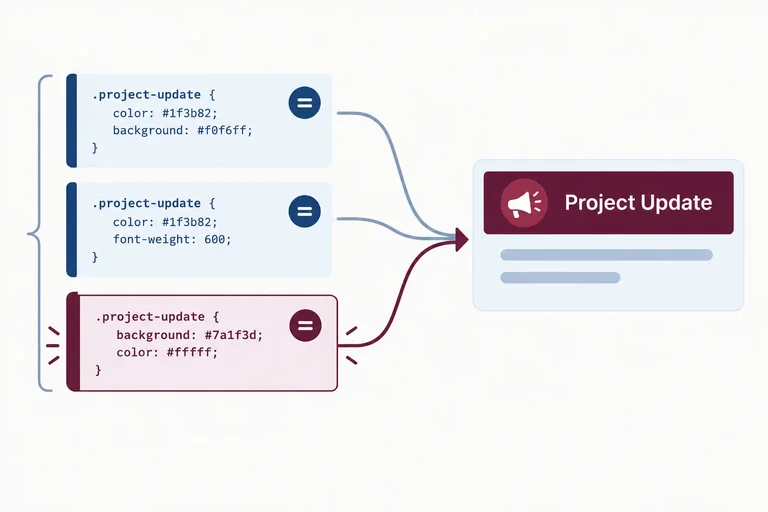
All three rules match the status paragraph. Because these are competing normal author stylesheet declarations, specificity decides this conflict.
p {
  color: black;
}

.notice > .message {
  color: navy;
}

#status {
  color: maroon;
}The winning declaration is color: maroon; from #status, with (1, 0, 0). Even though .notice > .message has two class selectors, (0, 2, 0) cannot defeat a selector with one ID.
If competing declarations have equal tuples, specificity alone cannot decide; another cascade check is needed.
Match each selector to its specificity tuple.
Tap an item and then its matching pair.
Complete the declaration that produces the same status result established in the previous example.
p {
  color: navy;
}

.notice > .message {
  color: black;
}

#status {
  color: ;
}
Step 3 of 8
Use source order as a tie-breaker between equal-specificity stylesheet rules, and recognize when a higher-specificity selector still wins.
The status paragraph matches both class selectors below. .message and .is-alert each have specificity (0, 1, 0).
When earlier cascade priorities and specificity are equal, the declaration written later in source order becomes the winning declaration. Source order is only a tie-breaker: a later declaration does not automatically win every conflict.
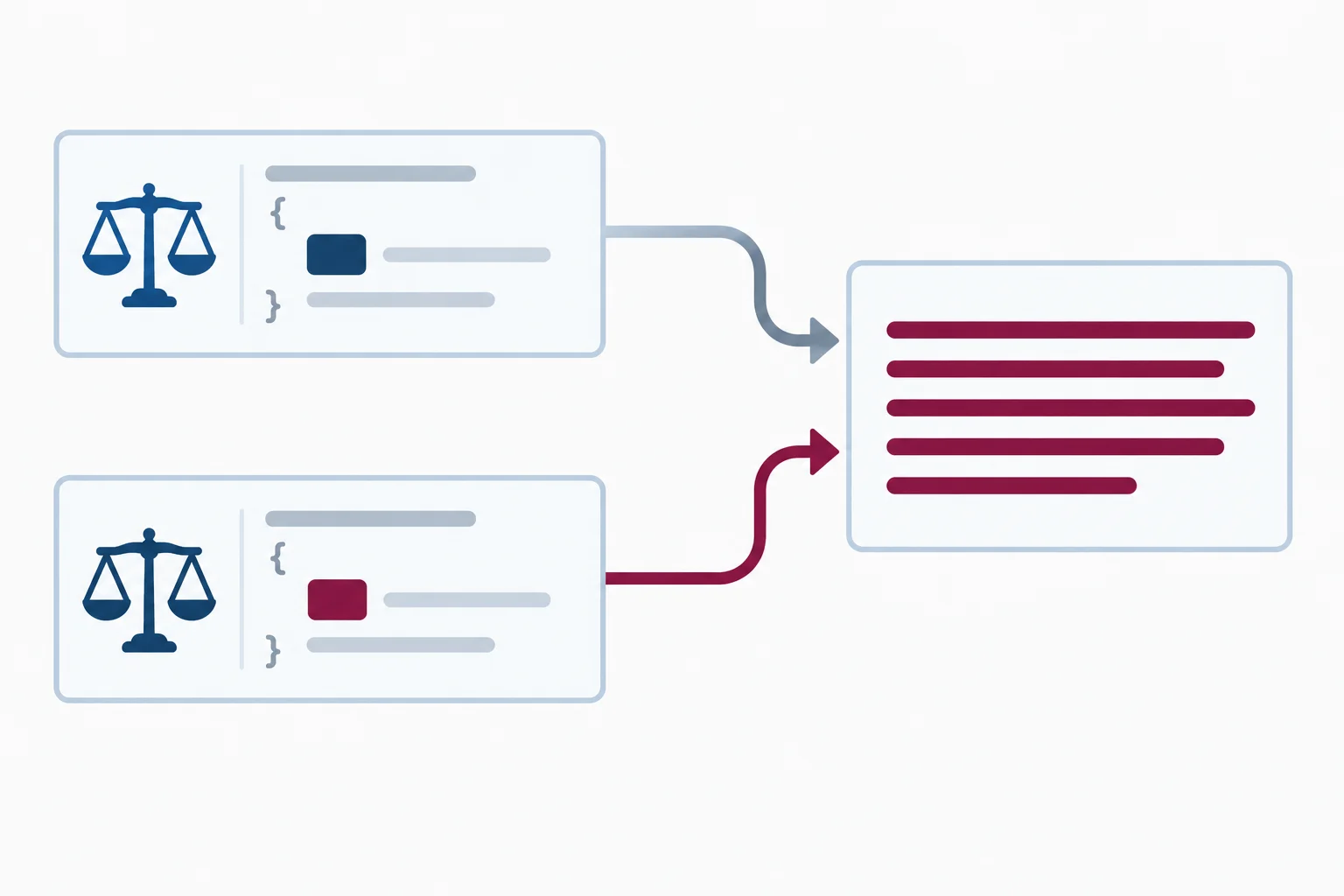
Both matching class selectors have (0, 1, 0), so the later .is-alert declaration wins for the status paragraph.
In styles.css, place the alert rule after the shared message rule. With the shared index.html from this tutorial, save the file and refresh the page.
.message {
  color: navy;
}

.is-alert {
  color: maroon;
}Review needed. is maroon. Next update tomorrow. is navy.
Expected rendered result after saving and refreshing the linked local page.
The order of names in an HTML class attribute only lists the classes an element has. It does not establish CSS source order.
Therefore, class="message is-alert" and class="is-alert message" match the same two selectors. The positions of the rules in styles.css resolve their tie.
For ordinary linked stylesheets, the document order of stylesheet links also matters. It does not depend on which stylesheet file finishes downloading first.
Use source order only after the competing declarations are otherwise tied.
| Location | Does it decide an equal-priority, equal-specificity tie? |
|---|---|
| Order of names in `class` | No |
| Rule position in `styles.css` | Yes |
| Position of stylesheet links in the document | Yes |
| File download completion | No |
Arrange the two stylesheet rules to make the status paragraph maroon. The comparison paragraph should remain navy.
Your sentence
Available words
Write a short two-part cascade check.
.message and .is-alert, in the source order that makes the status paragraph maroon while the comparison paragraph remains navy. Include the two specificity tuples and explain the tie-break.Write at least 120 characters (0/120).

Step 4 of 8
Resolve author-style conflicts by separating normal inline precedence from declaration importance.
An inline declaration is written in an element’s style attribute. In ordinary unlayered author CSS, a normal inline declaration takes precedence over normal author stylesheet declarations that target the same property.
This is not a fourth part of a specificity tuple. First compare the applicable declarations’ priority; normal inline styling has its own precedence within author styles. The status paragraph therefore displays navy here, even though #status is an ID selector.
index.html
<!doctype html>
<html lang="en">
<head>
  <meta charset="utf-8">
  <title>Project Update</title>
  <link rel="stylesheet" href="styles.css">
</head>
<body>
  <main class="notice">
    <h1>Project Update</h1>
    <p id="status" class="message is-alert" style="color: navy;">Review needed.</p>
    <p class="message">Next update tomorrow.</p>
    <a href="#status">Read the update</a>
  </main>
</body>
</html>styles.css
#status {
  color: maroon;
}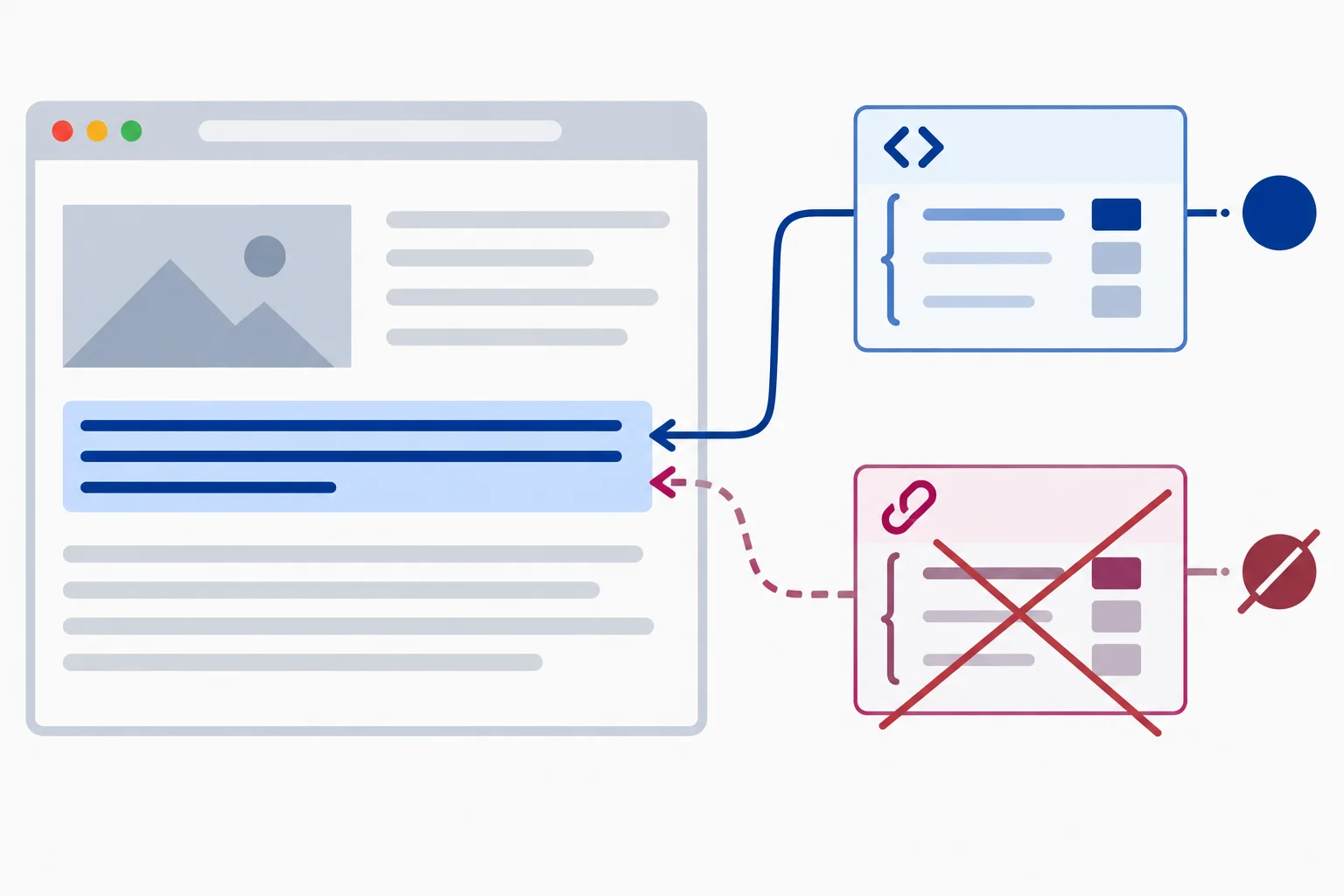
The normal inline declaration is the winning declaration for color; the matching normal stylesheet declaration is overridden.
!important belongs to one declaration, not to a selector or an entire rule. It changes that declaration’s importance category.
If the stylesheet declaration below replaces the normal declaration from the prior screen, it defeats the normal inline color: navy; declaration. The status paragraph becomes maroon.
styles.css
#status {
  color: maroon !important;
}Within the ordinary author-style cases used here, compare importance before deciding between inline and stylesheet declarations. If both declarations are important, the inline declaration takes precedence. For two stylesheet declarations at equal importance, continue with specificity and then source order.
| Conflict | Winning color | Deciding factor |
|---|---|---|
| Normal inline navy vs. normal stylesheet maroon | navy | Normal inline precedence |
| Normal inline navy vs. important stylesheet maroon | maroon | Importance category |
| Important inline navy vs. important stylesheet maroon | navy | Inline precedence at equal author importance |
Warning
Do not treat !important as a universal override. Important user and browser declarations can outrank important author declarations. This tutorial focuses on the common author-style conflicts in ordinary unlayered CSS.
Which statement accurately describes !important?
Match each author-style conflict on #status to its winning color and deciding factor. Assume ordinary unlayered CSS and no higher-origin important declaration.
Tap an item and then its matching pair.

Step 5 of 8
Determine whether a child’s color comes from its own declaration or from its parent, and use inherit intentionally.
The cascade first looks for declarations that determine color on the child itself. If the child has no such declaration, color can inherit the parent’s computed value.
So a parent declaration is not a competing candidate against a declaration that directly targets its child. It supplies a value only when the child needs one. color inherits, but not every CSS property does.
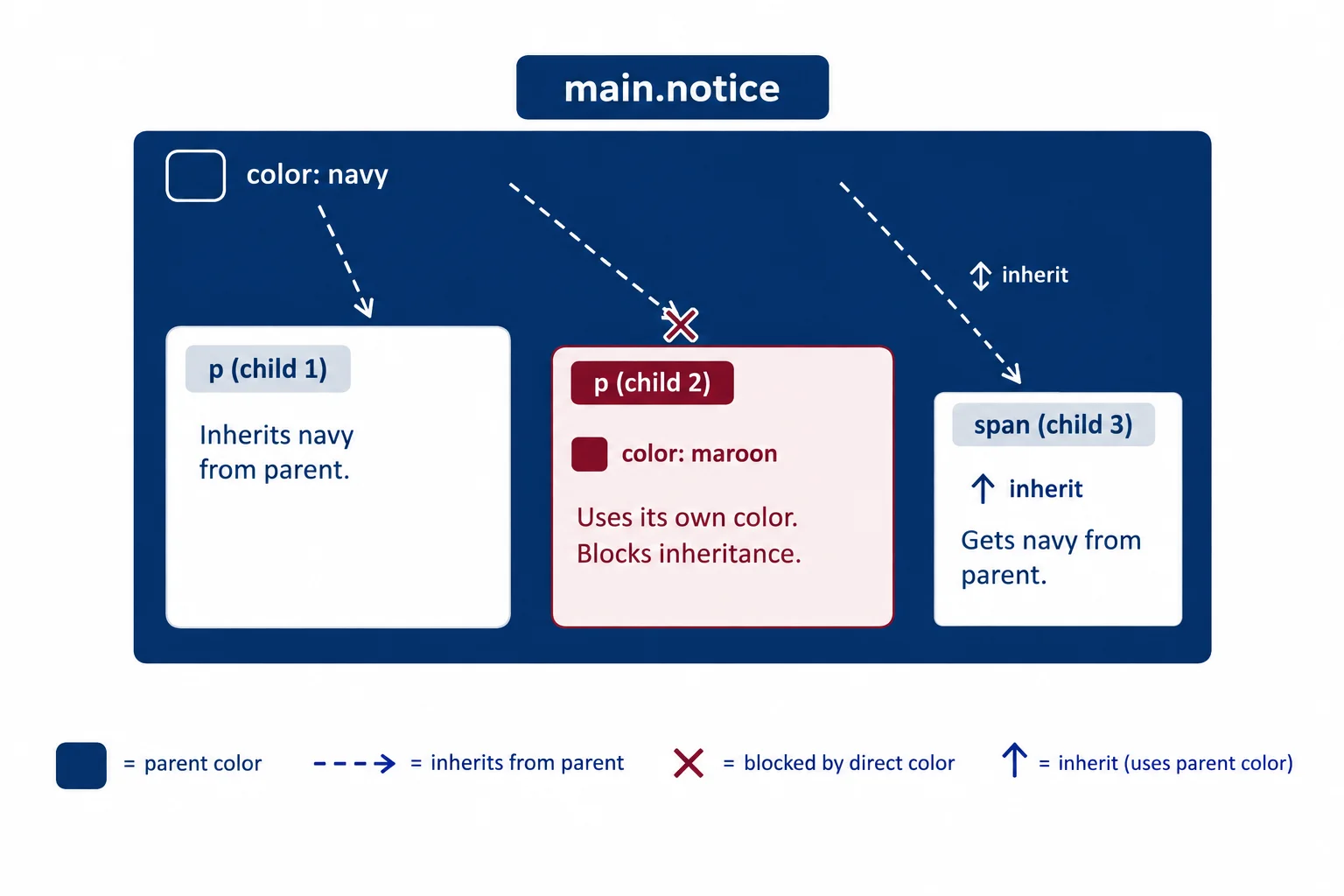
Inheritance supplies the parent’s computed color only when no winning declaration determines the child’s color.
A selector on the parent may be more specific, and its declaration may be important, but it still targets the parent—not the paragraph. The p rule below directly targets each paragraph, so its color replaces inheritance.
Then #status directly targets the status paragraph. Its winning color: inherit; declaration intentionally asks for the parent’s computed color.
These author styles apply to the shared Project Update structure.
main.notice {
  color: maroon !important;
}

p {
  color: navy;
}

#status {
  color: inherit;
}
Tip
With all three rules present, the comparison paragraph uses its direct p color: navy. The status paragraph’s #status declaration wins among declarations targeting that paragraph, then inherit makes it use the parent’s computed maroon color.
Do not compare main.notice and p specificity to decide the paragraph’s direct color. They apply to different elements.
Consider these separate author-style cases for the status paragraph inside main.notice:
main.notice {
  color: maroon !important;
}#status.#status {
color: navy;
}#status {
color: inherit;
}Which complete prediction is correct?
Step 6 of 8
Use Developer Tools to locate the declaration responsible for an unexpected color, distinguish overridden and inherited entries, and confirm the computed value.
Use your existing local folder containing the Project Update files as a diagnostic checkpoint. Replace the contents of index.html and styles.css with the following files, then open or refresh index.html in your browser. This checkpoint intentionally gives the status paragraph several valid, matching color declarations to inspect.
Save as index.html in the same folder as styles.css.
<!doctype html>
<html lang="en">
<head>
<meta charset="utf-8">
<title>Project Update</title>
<link rel="stylesheet" href="styles.css">
</head>
<body>
<main class="notice">
<h1>Project Update</h1>
<p id="status" class="message is-alert">Review needed.</p>
<p class="message">Next update tomorrow.</p>
<a href="#status">Read the update</a>
</main>
</body>
</html>Save as styles.css, then refresh the browser page.
.notice {
color: navy;
}
.message {
color: black;
}
.is-alert {
color: maroon;
}
#status {
  color: navy;
}Expected browser result: - The status paragraph “Review needed.” appears navy. - The comparison paragraph “Next update tomorrow.” appears black.
The heading can inherit navy from `.notice`. The link keeps its browser default styles because this stylesheet does not target it.
Inspect the actual Review needed. paragraph, not its parent. In Styles (Rules in Firefox), filter the matched rules for color.
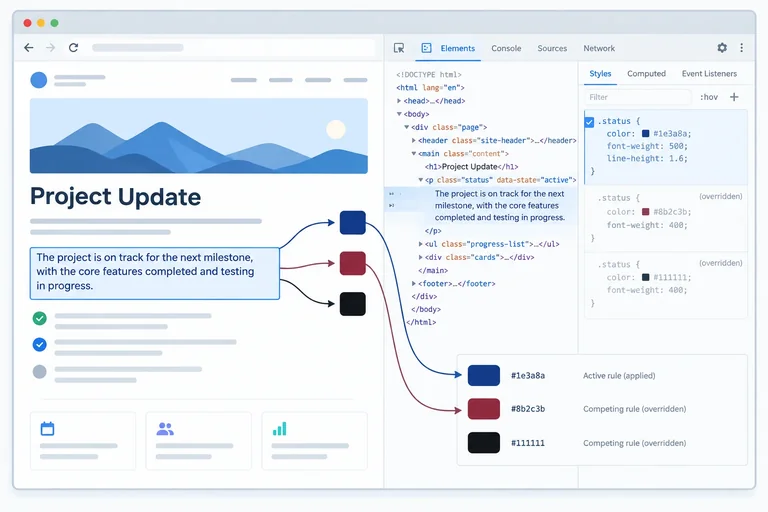
A crossed-out declaration is an overridden declaration: it matches, but it is not the winning declaration. An entry under an inherited section comes from an ancestor. It supplies a value only when the selected element has no direct winning value for that property.
For these files, the direct #status rule is active. The .is-alert and .message color declarations are crossed out. The parent’s .notice color can appear in an inherited section, but it does not compete with declarations that directly target the paragraph.
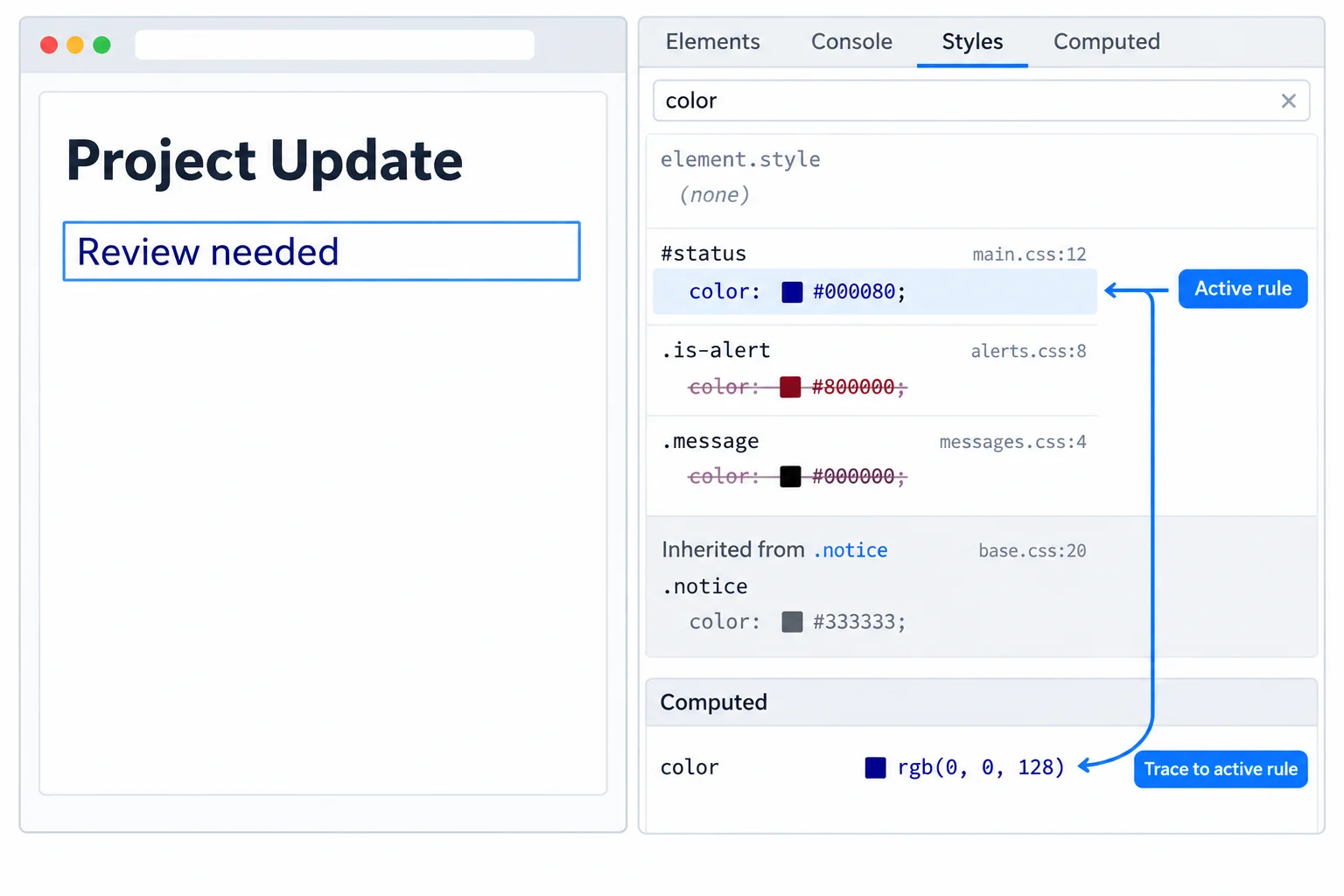
Inspect the selected paragraph first. The active direct declaration determines its computed color.
Tip
Open Computed and filter for color. Browsers may normalize the named value navy to rgb(0, 0, 128). These are the same color, not a styling conflict. Expand or follow the property trace to confirm that the responsible rule is #status in styles.css.
To test your explanation, temporarily uncheck color: navy; in the #status rule. The status paragraph changes to maroon because the matching .is-alert declaration then wins. Re-check it afterward. This edit is diagnostic: it normally changes only Developer Tools, not your saved source file.
Match each developer-tool region to what it represents.
Tap an item and then its matching pair.
Using your local checkpoint, inspect Review needed. and write one short diagnostic report:
color value appears in Computed?Use the evidence from your own Developer Tools.
Write at least 80 characters (0/80).
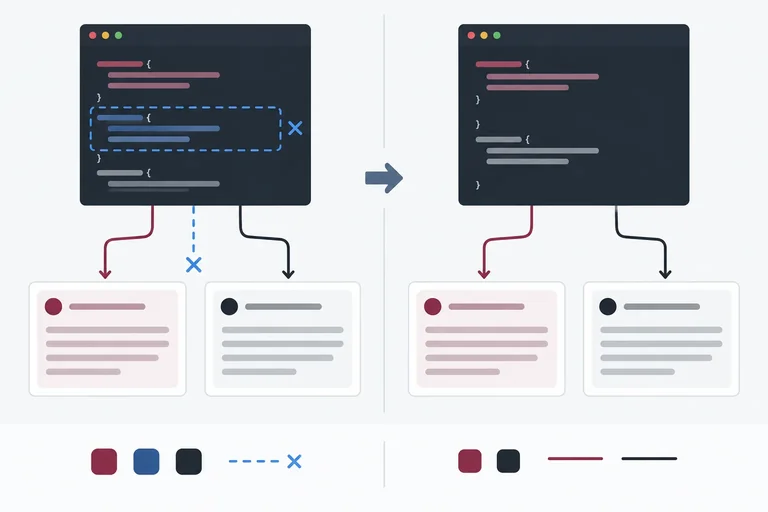
Step 7 of 8
Repair a diagnosed CSS color conflict by changing its source-level cause instead of increasing selector specificity or importance.
Begin a repair with evidence, not more cascade power. In the exact styles.css checkpoint from the previous step, Developer Tools identified #status { color: navy; } as the winning declaration for the status paragraph.
The intended result is:
That evidence points to one obsolete, status-only rule. It does not point to a need for a stronger selector. Keep .message as the shared rule and .is-alert as the intended exception.
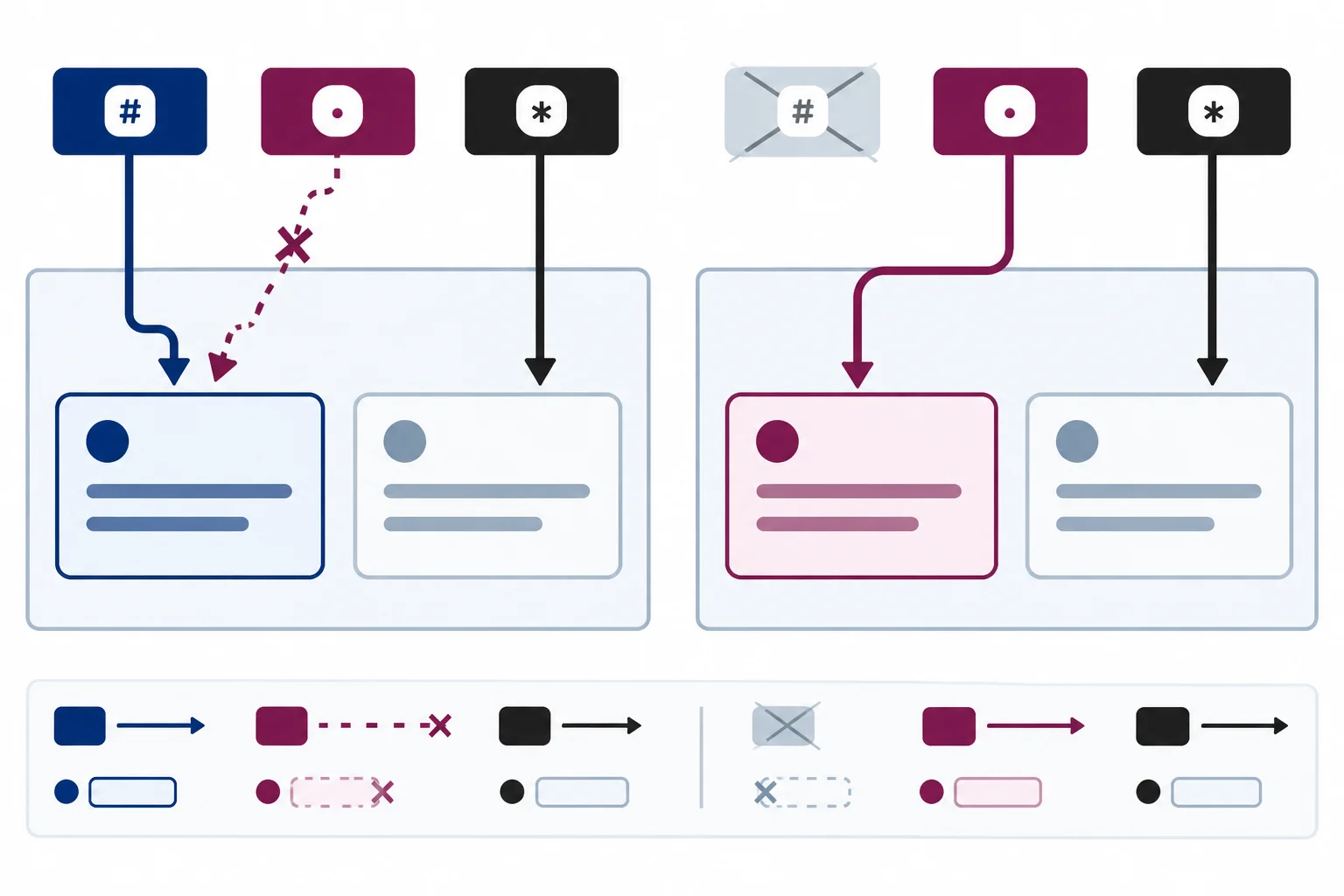
Remove the cause of the conflict so the intended exception can win without changing the shared rule.
Use the responsible declaration as evidence before editing.
| Diagnosed cause | Smallest repair | Avoid |
|---|---|---|
| Wrong value in the winning rule | Correct that value | Adding a stronger selector |
| Obsolete inline color | Remove the inline declaration | Adding !important elsewhere |
| Unnecessary !important | Remove it when normal priority is enough | Adding another !important |
| Overly specific rule | Simplify or remove it | Matching it with more IDs |
| Genuine equal-specificity tie | Put the intended rule later in source order | Changing specificity when no tie exists |
Warning
Do not add another ID selector or !important merely to defeat a declaration that should not exist. That creates a new specificity or importance contest and makes a later repair harder to understand. First correct, remove, simplify, or reorder the declaration that inspection identified as the cause.
Current styles.css from the Step 6 diagnostic checkpoint
.notice {
  color: navy;
}

.message {
  color: black;
}

.is-alert {
  color: maroon;
}

#status {
  color: navy;
}Status paragraph color: navy Comparison paragraph color: black
Expected visible colors after saving this unchanged checkpoint and refreshing the browser. The link is not part of this color checkpoint.
This is the same stylesheet used in the prior diagnostic checkpoint. The direct #status declaration has specificity (1, 0, 0), so it overrides .is-alert.
In your local styles.css, delete the entire #status rule. Save the source file and refresh the browser. Do not make this change only in Developer Tools.
Afterward, .message and .is-alert both match the status paragraph with (0, 1, 0). The later alert rule wins by source order. The comparison paragraph matches .message only, so it remains black. In Computed, these may appear as rgb(128, 0, 0) and rgb(0, 0, 0).
After deleting the obsolete direct status rule in your local file, complete the repaired stylesheet.
.notice {
  color: navy;
}

.message {
  color: ;
}

.is-alert {
  color: ;
}Make the targeted repair in your local source file, save it, refresh the page, and inspect both paragraphs in Styles (Rules in Firefox) and Computed. Write a short report that identifies the rule you removed, the active declaration for the status paragraph after the repair, and the computed color of each paragraph. Then explain why adding another ID selector or !important was unnecessary and why the comparison paragraph was preserved.
Write at least 120 characters (0/120).

Step 8 of 8
Independently diagnose, repair, and verify a CSS color conflict in the local Project Update example.
Project UpdateUse your local index.html and styles.css in the same folder. Replace their contents with the checkpoint below. Save both files and refresh the browser.
Before editing, inspect the result. Your repair target is:
!important declaration.Predict the initial winning declaration before you change anything.
Replace the complete contents of index.html.
<!doctype html>
<html lang="en">
<head>
  <meta charset="utf-8">
  <title>Project Update</title>
  <link rel="stylesheet" href="styles.css">
</head>
<body>
  <main class="notice">
    <h1>Project Update</h1>
    <p id="status" class="message is-alert" style="color: navy;">Review needed.</p>
    <p class="message">Next update tomorrow.</p>
    <a href="#status">Read the update</a>
  </main>
</body>
</html>Replace the complete contents of styles.css, then refresh index.html.
.notice {
  color: navy;
}

.is-alert {
  color: maroon;
}

.message {
  color: black;
}Review needed. is navy because of the inline declaration. Next update tomorrow. is black because of the direct .message declaration.
This describes the visible initial browser result after both files are saved and the page is refreshed.
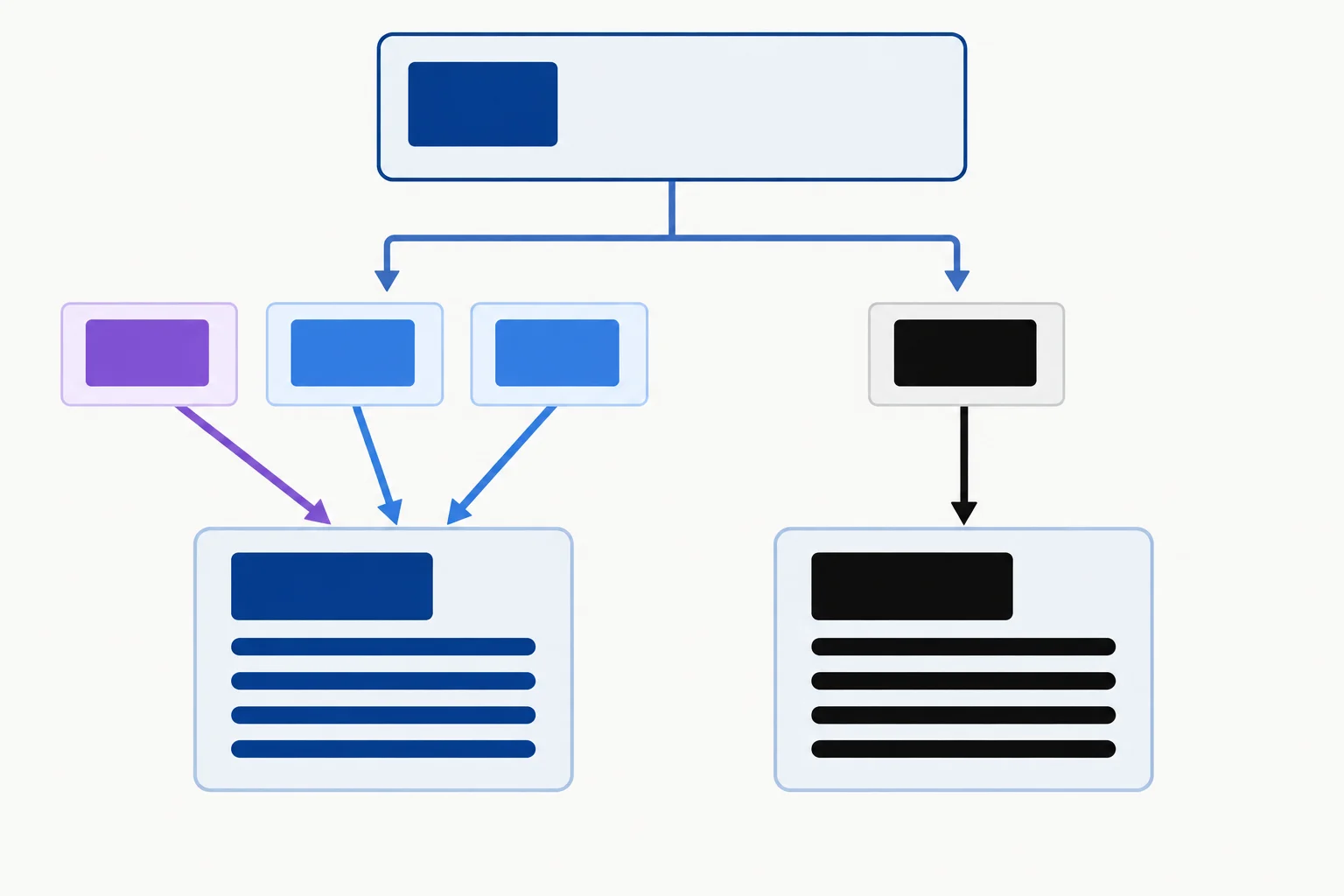
The status paragraph has several applicable declarations. The comparison paragraph has a direct declaration, so it is not currently using the parent’s color.
Before you edit either file, which declaration is the initial winning declaration for the status paragraph?
Now repair the source files on your computer.
index.html, delete the stale inline style attribute from the status paragraph.styles.css, put the shared .message rule before the alert rule, as in the exercise below.Save both files after making the changes.
Complete the repaired stylesheet rules.
.notice {
  color: navy;
}

.message {
  color: ;
}

.is-alert {
  color: ;
}Save your edits, refresh the page, and inspect each paragraph separately.
In developer tools, select the affected element. In Styles (Rules in Firefox), filter for color and identify the active declaration versus crossed-out overridden declarations. Then use Computed to confirm the final value. A named color can appear there in normalized rgb(...) form.
Developer-tool edits are useful tests, but make sure the source files contain your final repair.
Write a short diagnostic report. Include:
rgb(...) values.Write at least 180 characters (0/180).
Summary
Congratulations! You completed: Resolve CSS Conflicts with the Cascade
Thousands of online courses in video, ebooks and audiobooks.
To test your knowledge during online courses
Generated directly from your cell phone's photo gallery and sent to your email

Download our app via QR Code or the links below:.



Carry knowledge in your pocket.
Download the Cursa app.
There are hundreds of free courses available, with a free certificate of completion that is saved in your mobile image gallery.
Download the app to access the Course Completion Certificate for Free.


+ 10 million
students

Free and Valid
Certificate

60 thousand free
exercises

4.8/5 rating in
app stores

Free courses in
video and ebooks