Step 1 of 7
Visit Array Values with for...of
Use for...of to perform one operation on each product in array order.

Learning path · Level 4 · Tutorial 5
Use loops to process collections and repeat calculations while keeping iteration boundaries and termination explicit.
 Visit Array Values with for...of
Use `for...of` to perform one operation on each product in array order. 2 min
Visit Array Values with for...of
Use `for...of` to perform one operation on each product in array order. 2 min
 Build a Summary with Accumulators
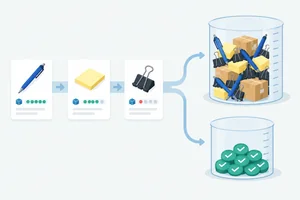
Build a reusable stock summary by preserving running values across a `for...of` traversal. 3 min
Build a Summary with Accumulators
Build a reusable stock summary by preserving running values across a `for...of` traversal. 3 min
 Control an Index with for
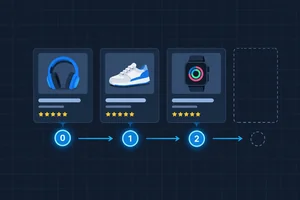
Write and trace an indexed `for` loop that processes every array position exactly once. 3 min
Control an Index with for
Write and trace an indexed `for` loop that processes every array position exactly once. 3 min
 Check Boundaries and Empty Collections
Repair indexed-loop boundaries and predict the results for empty and single-element collections. 2 min
Check Boundaries and Empty Collections
Repair indexed-loop boundaries and predict the results for empty and single-element collections. 2 min
 Repeat While a Condition Holds
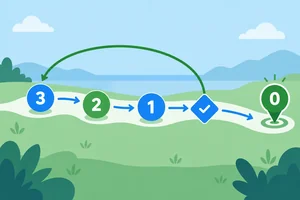
Use changing state to control a terminating while loop, and inspect loop progress before running suspicious code. 3 min
Repeat While a Condition Holds
Use changing state to control a terminating while loop, and inspect loop progress before running suspicious code. 3 min
 Stop Early with break
Use `break` to end a collection search at its first matching record while preserving a clear `null` result when no match exists. 2 min
Stop Early with break
Use `break` to end a collection search at its first matching record while preserving a clear `null` result when no match exists. 2 min
 Apply and Verify Your Loop Choices
Choose suitable loop forms and verify a complete collection-processing solution against normal and boundary cases. 4 min
Apply and Verify Your Loop Choices
Choose suitable loop forms and verify a complete collection-processing solution against normal and boundary cases. 4 min
Step 1 of 7
Use for...of to perform one operation on each product in array order.
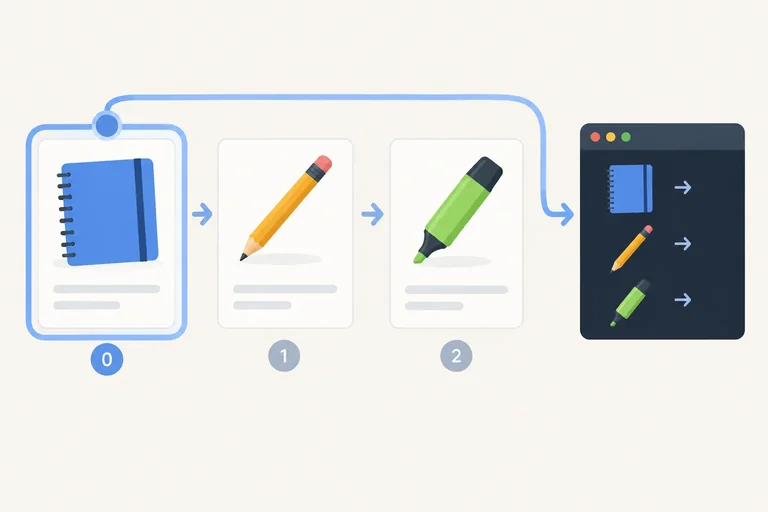
for...of visits the values in an array one at a time, in the array's existing order. Each pass is an iteration: JavaScript gives the loop body the current value, then moves to the next value.
In for (const product of products), product is the current product record. You can read product.name during that iteration without changing the source array. No explicit index is needed when the value itself is all you need.
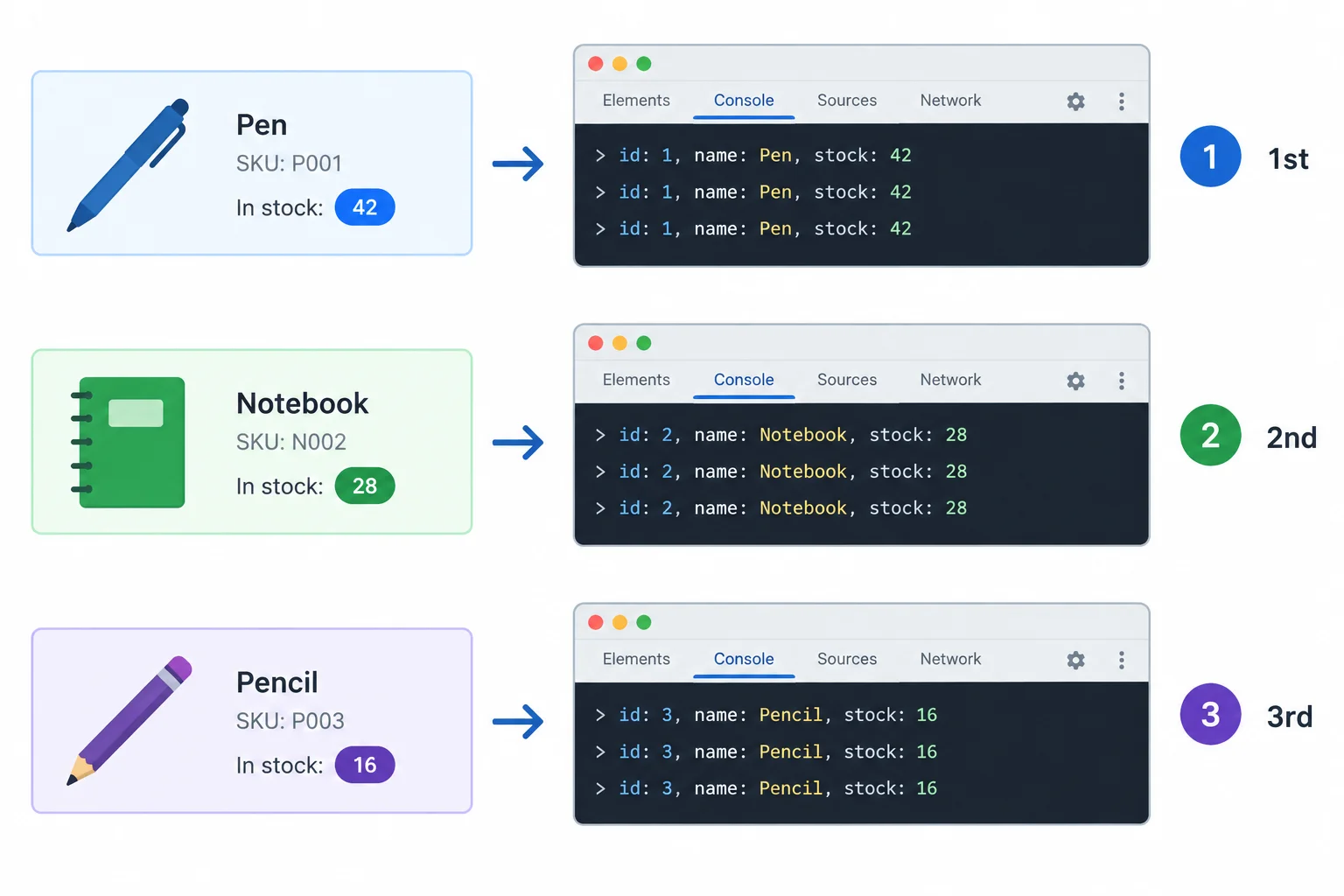
The loop body runs once per record: Notebook produces the first line, Pen the second, and Folder the third.
Use your familiar edit-save-refresh workflow. Keep these two local files together. Replace the complete contents of loops.js with the script shown, refresh index.html in the browser, and open the console.
The loop body logs one name for each current product. Reading .name does not modify any record.
index.html
<!doctype html>
<html lang="en">
<head>
  <meta charset="utf-8">
  <meta name="viewport" content="width=device-width, initial-scale=1">
  <title>Product Loop</title>
  <script src="loops.js" defer></script>
</head>
<body>
  <h1>Product Loop</h1>
  <p>Open the browser console to view results.</p>
</body>
</html>
loops.js
const products = [{ name: "Notebook", stock: 3 }, { name: "Pen", stock: 0 }, { name: "Folder", stock: 5 }];

for (const product of products) {
  console.log(product.name);
}Notebook Pen Folder
These three lines appear in the browser console, in this order.
Complete the full for...of header and the current-value property access. Then fill the final three blanks with the console order for the shared products collection.
 {
  console.log(.);
}

// Console order: → → 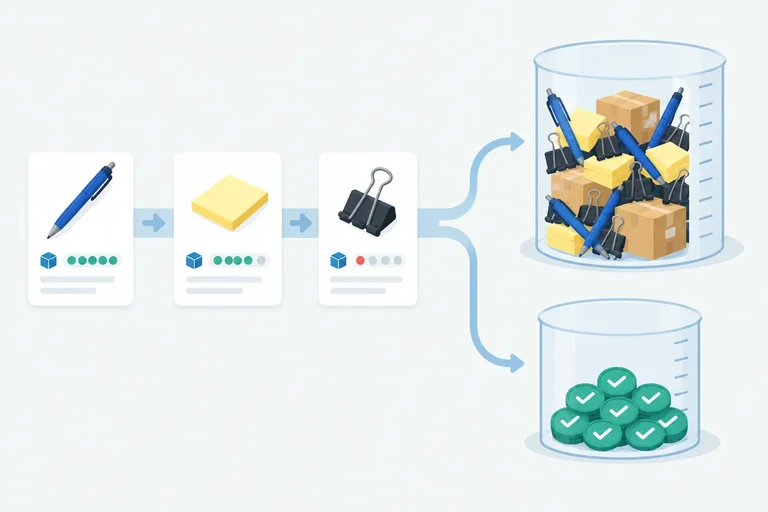
Step 2 of 7
Build a reusable stock summary by preserving running values across a for...of traversal.
An accumulator is a local variable that keeps a running result as iterations happen. For a stock summary, one accumulator adds every product.stock; another counts only records whose stock is greater than zero.
Create both inside summarizeStock(products), before the loop. Each function call then starts with fresh values instead of reusing a result from an earlier call.
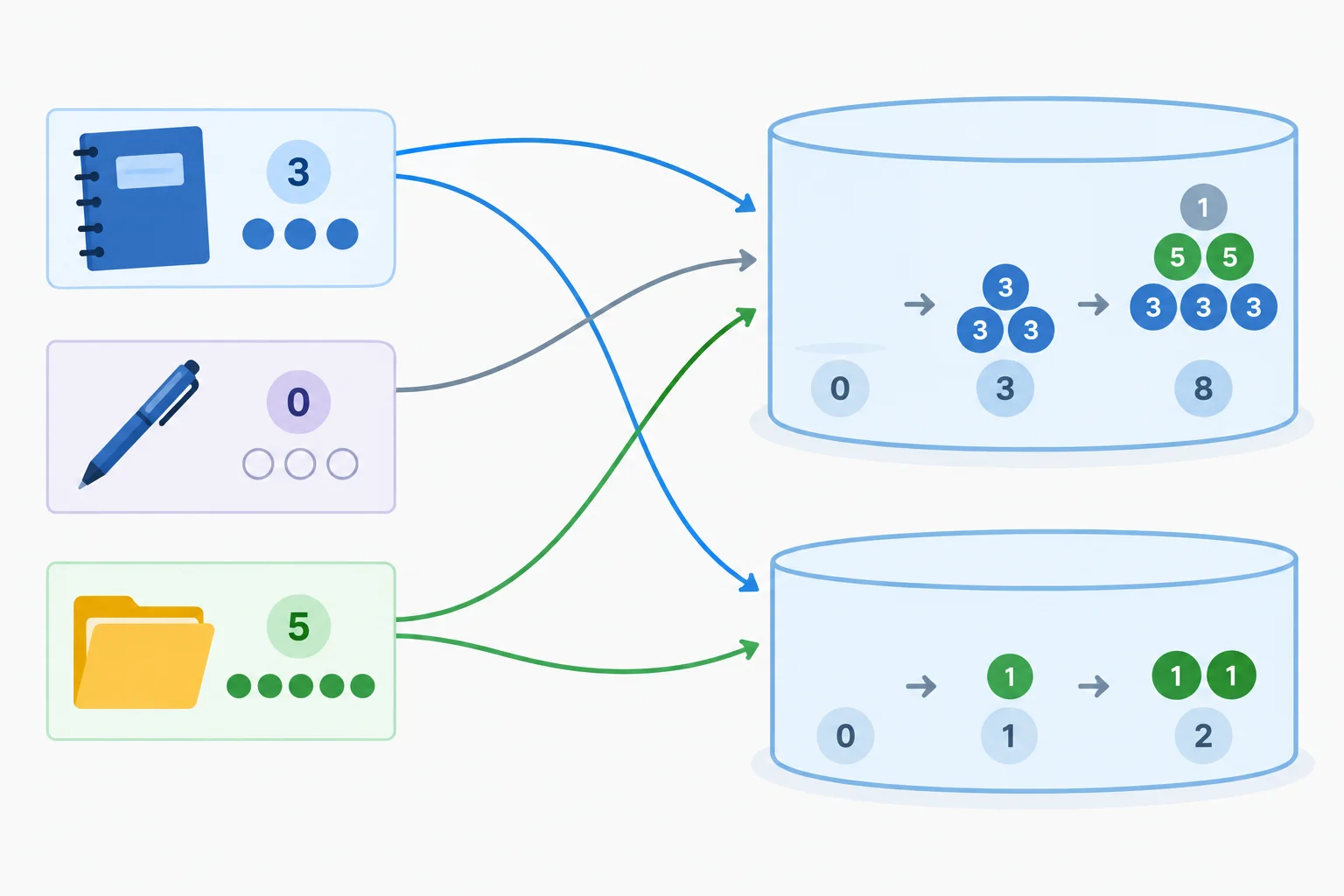
Every iteration updates totalStock; only a positive stock value updates stockedProducts.
Trace the loop body one product at a time. totalStock changes on every iteration. stockedProducts changes only when the if condition is true.
The state after each iteration of the shared collection.
| Current record | Stock | totalStock | stockedProducts |
|---|---|---|---|
| Before the loop | — | 0 | 0 |
| Notebook | 3 | 3 | 1 |
| Pen | 0 | 3 | 1 |
| Folder | 5 | 8 | 2 |
Tip
Put return after the loop. Returning from inside the loop body would end the function during its first iteration, before the remaining records can update the accumulators.
Use this local index.html file to load your script.
<!doctype html>
<html lang="en">
  <head>
    <meta charset="utf-8">
    <title>Stock Summary</title>
    <script src="loops.js" defer></script>
  </head>
  <body>
  </body>
</html>Replace the contents of loops.js with this complete script. Save, refresh the page, and inspect the browser console.
const products = [{ name: "Notebook", stock: 3 }, { name: "Pen", stock: 0 }, { name: "Folder", stock: 5 }];

function summarizeStock(products) {
  let totalStock = 0;
  let stockedProducts = 0;

  for (const product of products) {
    totalStock = totalStock + product.stock;

    if (product.stock > 0) {
      stockedProducts = stockedProducts + 1;
    }
  }

  return { totalStock: totalStock, stockedProducts: stockedProducts };
}

const summary = summarizeStock(products);
console.log("totalStock:", summary.totalStock);
console.log("stockedProducts:", summary.stockedProducts);totalStock: 8 stockedProducts: 2
The labels make the two final values easy to compare in the console.
Complete the summary function, then run it locally to verify both summary values.
const products = [{ name: "Notebook", stock: 3 }, { name: "Pen", stock: 0 }, { name: "Folder", stock: 5 }];

function summarizeStock(products) {
  let totalStock = ;
  let stockedProducts = ;

  for (const product of products) {
    totalStock = totalStock + ;

    if () {
      stockedProducts = stockedProducts + ;
    }
  }

  return ;
}

const summary = summarizeStock(products);
console.log("totalStock:", summary.totalStock);
console.log("stockedProducts:", summary.stockedProducts);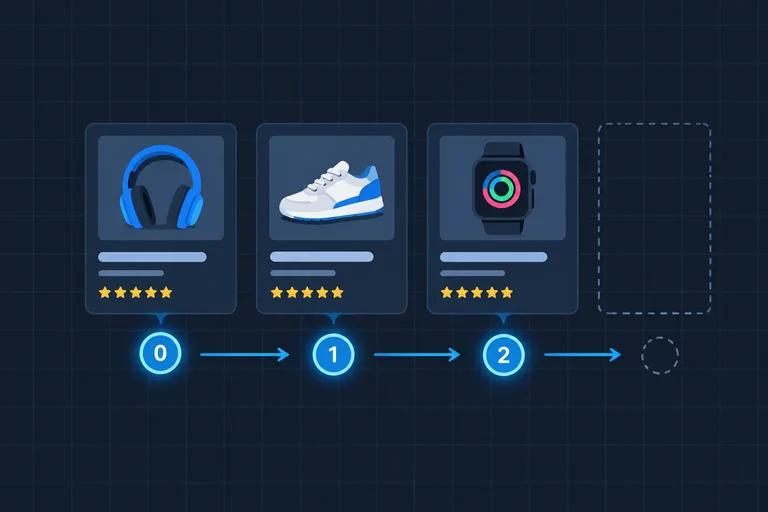
Step 3 of 7
Write and trace an indexed for loop that processes every array position exactly once.
Use an indexed for loop when the position matters as well as the current value. Its header keeps three controls together:
let i = 0 runs once;i < products.length is checked before each iteration;i = i + 1 runs after each loop body.Inside the body, products[i] reads the product at the current position. The loop does not change the array.
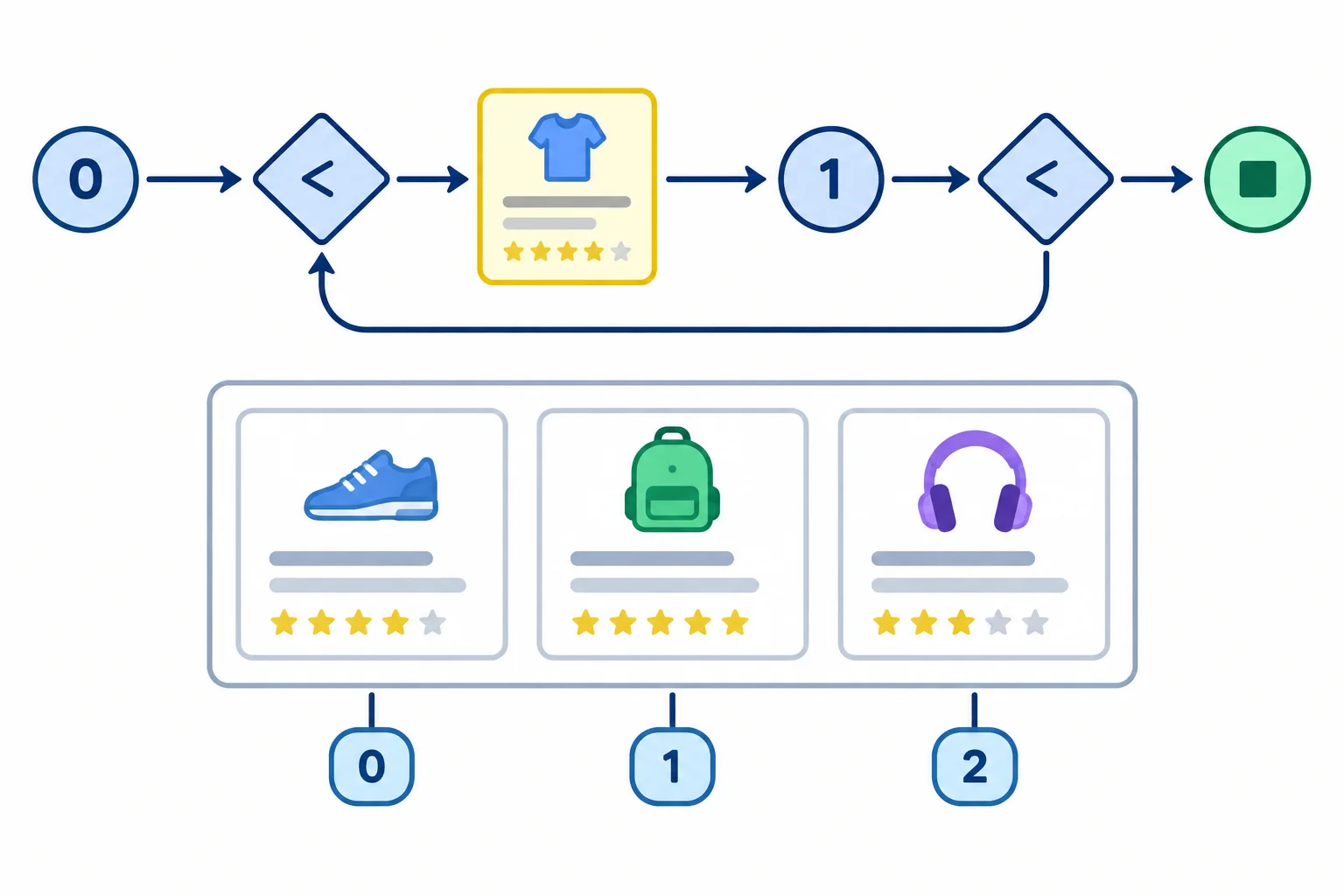
The index selects one existing array position per iteration. The continuation condition prevents the loop body from running for the first position beyond the array.
The execution order is always: initialization once, condition check, loop body, update, then another condition check. If the condition is false, the loop body does not run.
Here, products.length is 3. The condition permits i values 0, 1, and 2; after the final update, i is 3, so the loop ends before an invalid array position is read.
Replace your entire loops.js with this code. Save the file, refresh your existing local page, and inspect the browser console.
const products = [
  { name: "Notebook", stock: 3 },
  { name: "Pen", stock: 0 },
  { name: "Folder", stock: 5 }
];

for (let i = 0; i < products.length; i = i + 1) {
  const product = products[i];
  console.log("Index " + i + ": " + product.name);
}Index 0: Notebook Index 1: Pen Index 2: Folder
The important pattern is one console line for each existing index, in array order.
Follow the values through the condition and loop body.
| Condition check | Current product | Console output |
|---|---|---|
| i = 0, true | Notebook | Index 0: Notebook |
| i = 1, true | Pen | Index 1: Pen |
| i = 2, true | Folder | Index 2: Folder |
| i = 3, false | No product read | Loop ends |
Put the stages of an indexed for loop in their execution order for its first iteration.
Complete the indexed loop so it logs indexes 0, 1, and 2 with their corresponding product names.
const products = [
  { name: "Notebook", stock: 3 },
  { name: "Pen", stock: 0 },
  { name: "Folder", stock: 5 }
];

for () {
  const product = ;
  console.log("Index " + i + ": " + product.name);
}
Step 4 of 7
Repair indexed-loop boundaries and predict the results for empty and single-element collections.
An off-by-one error makes a loop visit one position too many or skip a position it needs. For an array of length 3, the permitted indexes are 0, 1, and 2. The value 3 is the first index outside the array.
With an indexed loop, i < products.length checks that i is still a permitted index before the loop body runs. Starting with i = 1 is not a boundary fix: it skips the first record at index 0.
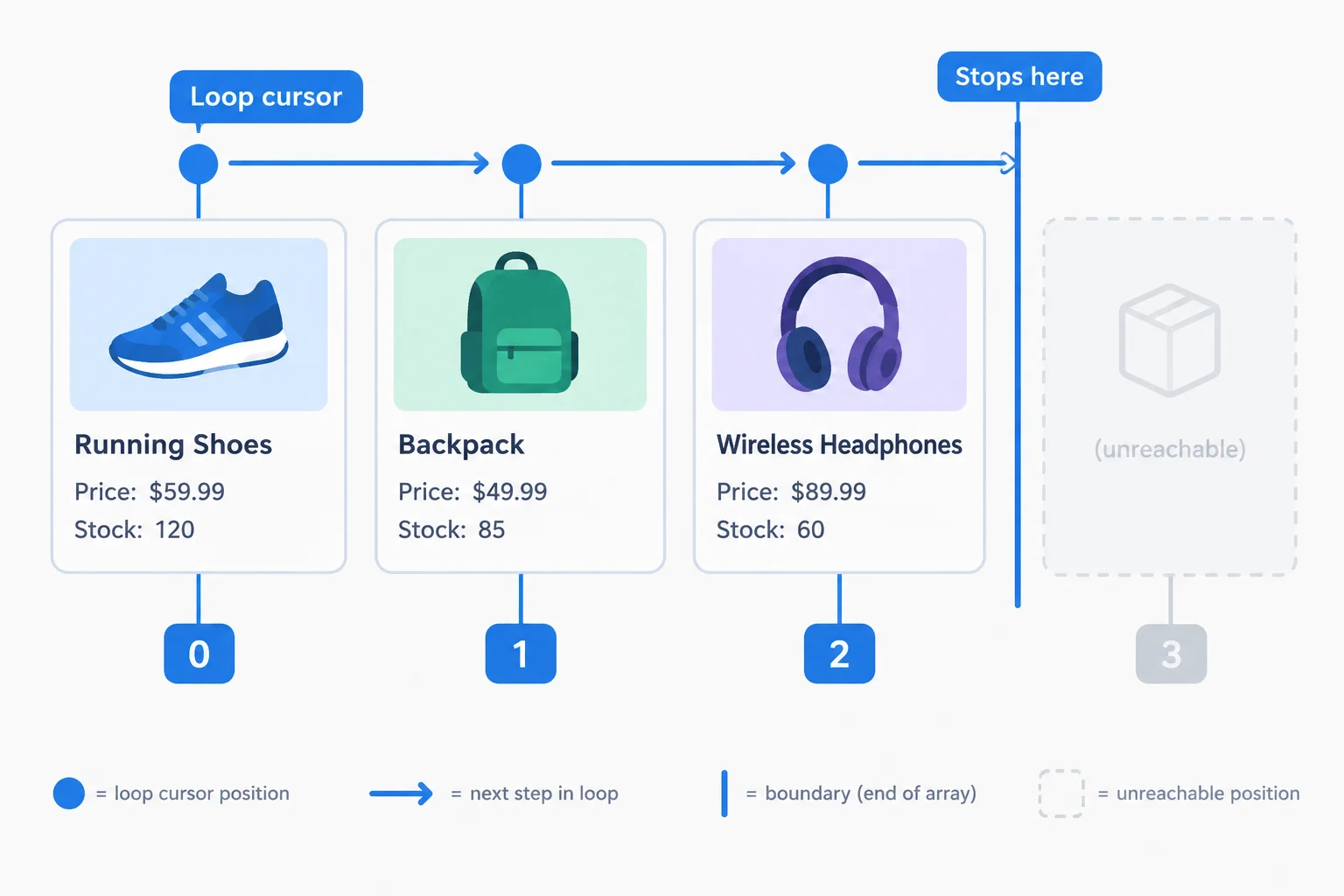
The condition is checked before each iteration. The loop body can use indexes from 0 through products.length - 1, but not products.length itself.
Use these small collections to check both boundaries and summary results.
| Collection | Length | Iterations | totalStock | stockedProducts |
|---|---|---|---|---|
| [] | 0 | 0 | 0 | 0 |
| [products[0]] | 1 | 1 | 3 | 1 |
| products | 3 | 3 | 8 | 2 |
Run this complete local example. It checks the shared collection plus an empty collection and a one-record collection. An empty array never enters the loop body, so the initial accumulator values are returned unchanged.
<!doctype html>
<html lang="en">
  <head>
    <meta charset="utf-8">
    <title>Loop Boundaries</title>
    <script src="loops.js" defer></script>
  </head>
  <body>
    <h1>Loop Boundaries</h1>
  </body>
</html>const products = [{ name: "Notebook", stock: 3 }, { name: "Pen", stock: 0 }, { name: "Folder", stock: 5 }];
function summarizeStock(products) {
let totalStock = 0;
let stockedProducts = 0;
for (let i = 0; i < products.length; i = i + 1) {
const product = products[i];
totalStock = totalStock + product.stock;
if (product.stock > 0) {
stockedProducts = stockedProducts + 1;
}
}
return { totalStock: totalStock, stockedProducts: stockedProducts };
}
const emptySummary = summarizeStock([]);
const singleSummary = summarizeStock([products[0]]);
const allSummary = summarizeStock(products);
console.log("Empty: totalStock=" + emptySummary.totalStock + ", stockedProducts=" + emptySummary.stockedProducts);
console.log("Single: totalStock=" + singleSummary.totalStock + ", stockedProducts=" + singleSummary.stockedProducts);
console.log("All: totalStock=" + allSummary.totalStock + ", stockedProducts=" + allSummary.stockedProducts);Empty: totalStock=0, stockedProducts=0 Single: totalStock=3, stockedProducts=1 All: totalStock=8, stockedProducts=2
The three lines appear in the browser console after you save both files and refresh the page.
Replace the incorrect comparison so this loop visits only valid array positions.
const products = [{ name: "Notebook", stock: 3 }, { name: "Pen", stock: 0 }, { name: "Folder", stock: 5 }];

for (let i = 0; i  products.length; i = i + 1) {
  const product = products[i];
  console.log(product.name);
}Without running code, write a short boundary check. Include: the corrected indexed for header; whether a loop that starts at index 1 is acceptable and why; and the iteration count plus totalStock and stockedProducts for [] and [products[0]].
Write at least 80 characters (0/80).
Step 5 of 7
Use changing state to control a terminating while loop, and inspect loop progress before running suspicious code.
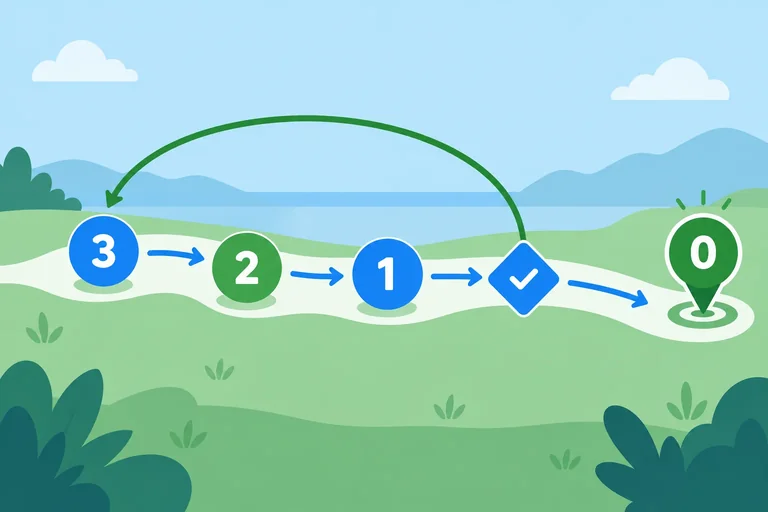
A while loop repeats because a continuation condition is true. Before every iteration, JavaScript checks that condition. If it is false at the first check, the loop body runs zero times.
Use while when changing state controls repetition. Unlike for...of, it does not automatically visit array values. You must create the state before the loop and change it in the loop body so it can reach a stopping point.
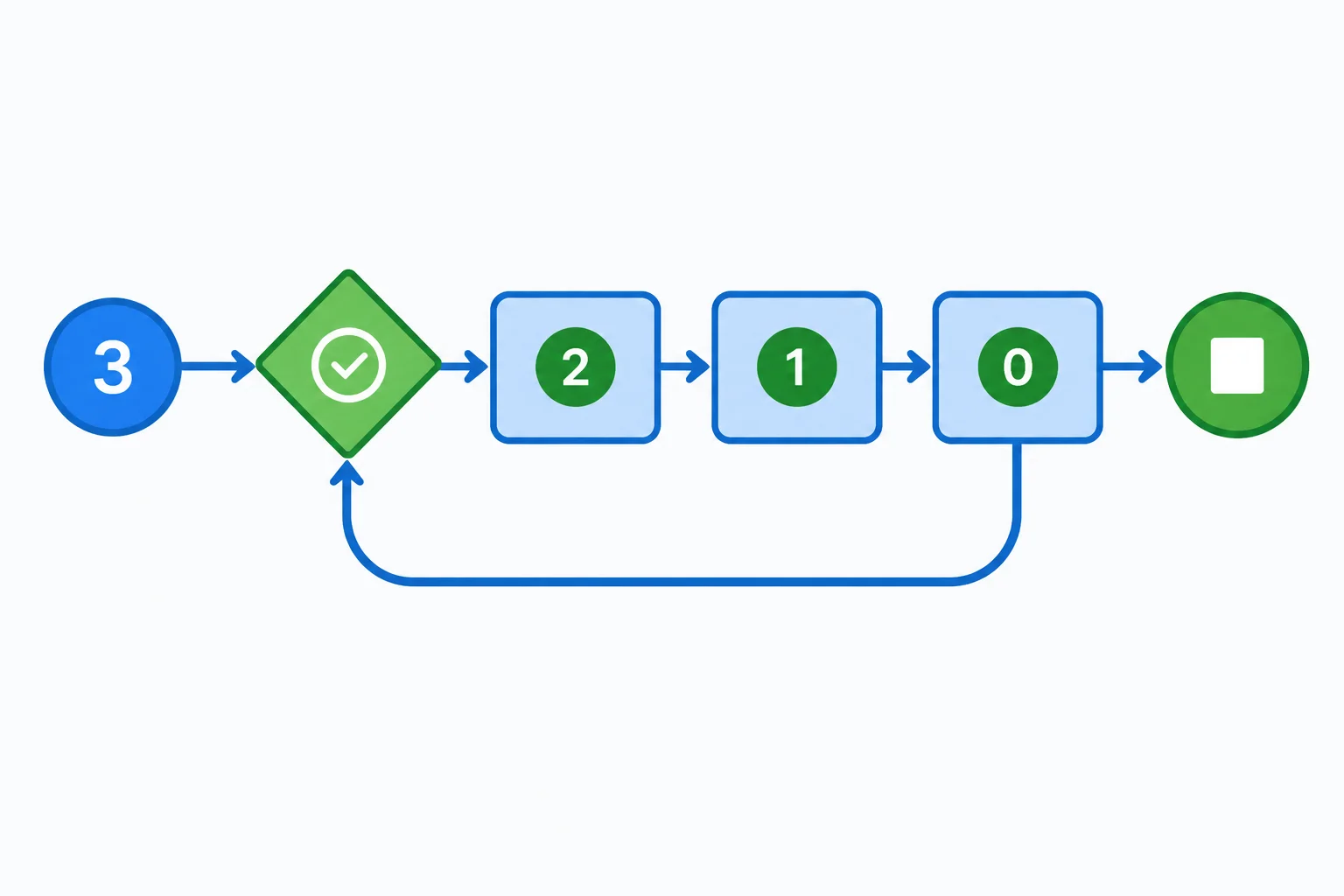
The condition is checked before each iteration. Values 3, 2, and 1 enter the loop body; value 0 stops it.
Create or replace loops.js with this complete script. In your existing index.html, keep the deferred connection to loops.js. This loop processes units represented by remaining; it does not modify products.
The initialization is before the loop. Each iteration logs the current state, then the update moves that state toward termination.
Save as loops.js, then refresh the browser and inspect the console.
const products = [
  { name: "Notebook", stock: 3 },
  { name: "Pen", stock: 0 },
  { name: "Folder", stock: 5 }
];

let remaining = 3;

while (remaining > 0) {
  console.log("Units remaining: " + remaining);
  remaining = remaining - 1;
}

console.log("Finished processing units.");Units remaining: 3 Units remaining: 2 Units remaining: 1 Finished processing units.
The important result is that the last logged unit count is 1; the loop does not log a count of 0.
Termination depends on a path from the starting state to a false continuation condition. Here, subtracting one moves remaining from 3 to 2, then 1, then 0. At 0, remaining > 0 is false, so JavaScript skips the loop body.
Before running a new while loop, trace at least a few state changes on paper or in your head.
Warning
Do not run this variant. Its update moves remaining away from the stopping point, so a positive starting value stays positive indefinitely. A missing update can cause the same problem. Inspect suspicious loops by tracing their state rather than letting the browser run forever.
Diagnostic example only — do not save or run this code.
let remaining = 3;

while (remaining > 0) {
  remaining = remaining + 1;
}Complete the continuation condition and the progress update.
const products = [
  { name: "Notebook", stock: 3 },
  { name: "Pen", stock: 0 },
  { name: "Folder", stock: 5 }
];

let remaining = 3;

while () {
  console.log("Units remaining: " + remaining);

}Set remaining to 0 immediately before the same loop. What happens?
A loop starts with 3 units remaining. It continues while the value is positive, but every iteration adds 1 to the remaining value. Which description is correct?

Step 6 of 7
Use break to end a collection search at its first matching record while preserving a clear null result when no match exists.
A search needs a result even when no record matches. In firstOutOfStockName(products), begin with outOfStockName set to null.
Each iteration checks one product. When product.stock === 0, first save product.name in the result variable. Then use break to exit the current loop immediately. Code after the loop still runs, so the function returns the saved result after traversal stops.
If no product has zero stock, the loop ends normally and the result remains null. An empty collection also performs zero iterations and returns null.
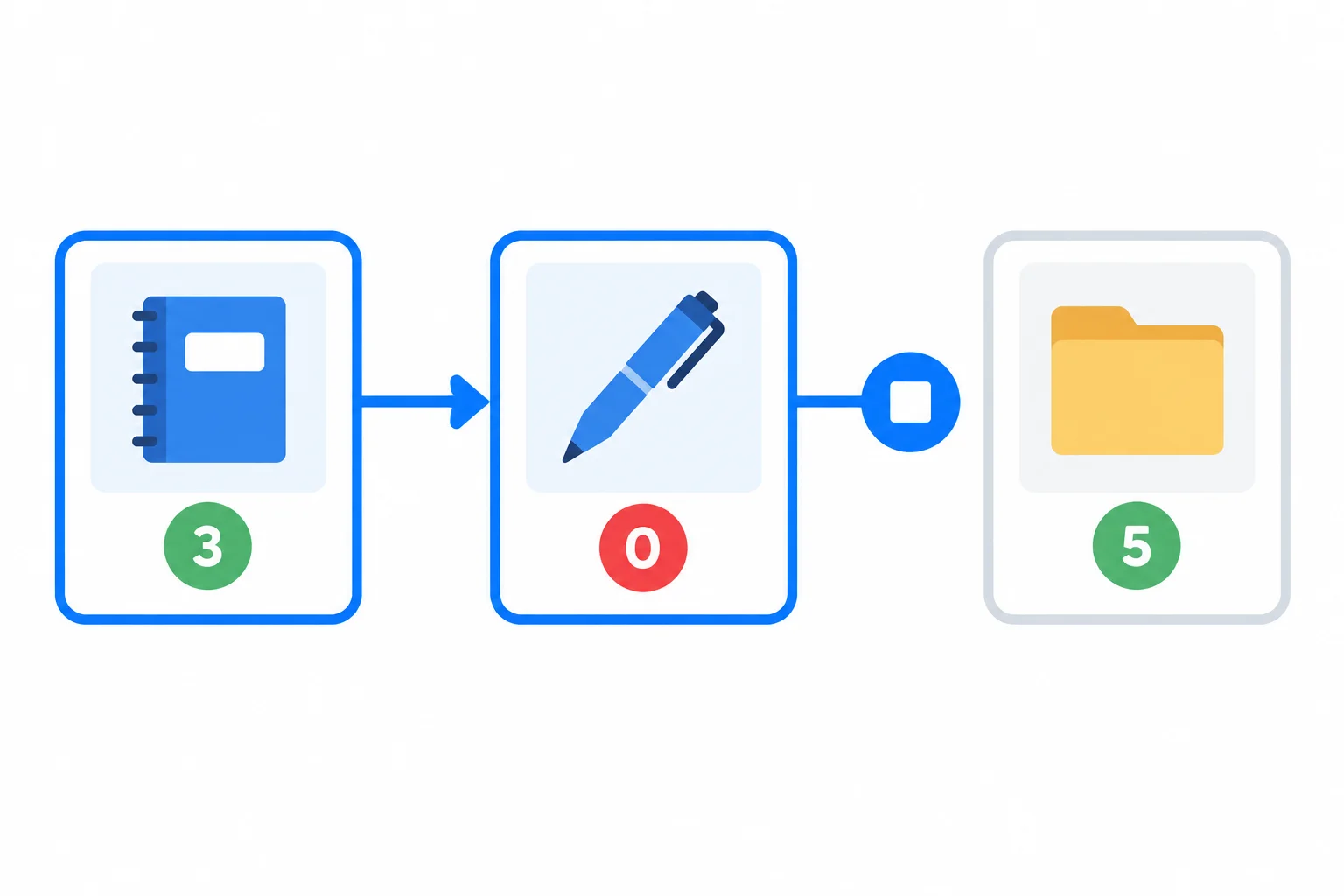
The match is saved at the zero-stock record before break ends the loop. Records after that match are not visited.
Create or replace these local files, save them, refresh index.html, and inspect the browser console. The script searches the shared collection, a collection with no zero-stock record, and an empty collection. It does not change any product record.
<!doctype html>
<html lang="en">
<head>
  <meta charset="utf-8">
  <title>Loop Search</title>
  <script src="loops.js" defer></script>
</head>
<body>
  <h1>Loop Search</h1>
</body>
</html>const products = [{ name: "Notebook", stock: 3 }, { name: "Pen", stock: 0 }, { name: "Folder", stock: 5 }];
function firstOutOfStockName(products) {
let outOfStockName = null;
for (const product of products) {
if (product.stock === 0) {
outOfStockName = product.name;
break;
}
}
return outOfStockName;
}
console.log("First out of stock:", firstOutOfStockName(products));
console.log("No out of stock:", firstOutOfStockName([products[0], products[2]]));
console.log("Empty collection:", firstOutOfStockName([]));First out of stock: Pen No out of stock: null Empty collection: null
The important difference is that the shared collection stops at its first zero-stock record, while the other two calls finish without a match.
Complete the two statements in the match branch.
function firstOutOfStockName(products) {
  let outOfStockName = null;

  for (const product of products) {
    if (product.stock === 0) {


    }
  }

  return outOfStockName;
}After the function is completed correctly, which outcome describes both searches?

Step 7 of 7
Choose suitable loop forms and verify a complete collection-processing solution against normal and boundary cases.
Choose the loop form by asking what controls repetition:
for...of when you need each array value and its existing order.for when an explicit index or counter is central to the task.while when changing state controls whether another iteration happens.Before you run any loop, check five things: the starting state, the continuation condition, the progress update, required boundaries such as an empty array, and any early-stop condition. A loop can sometimes be written in more than one form; prefer the form that makes its control most visible.
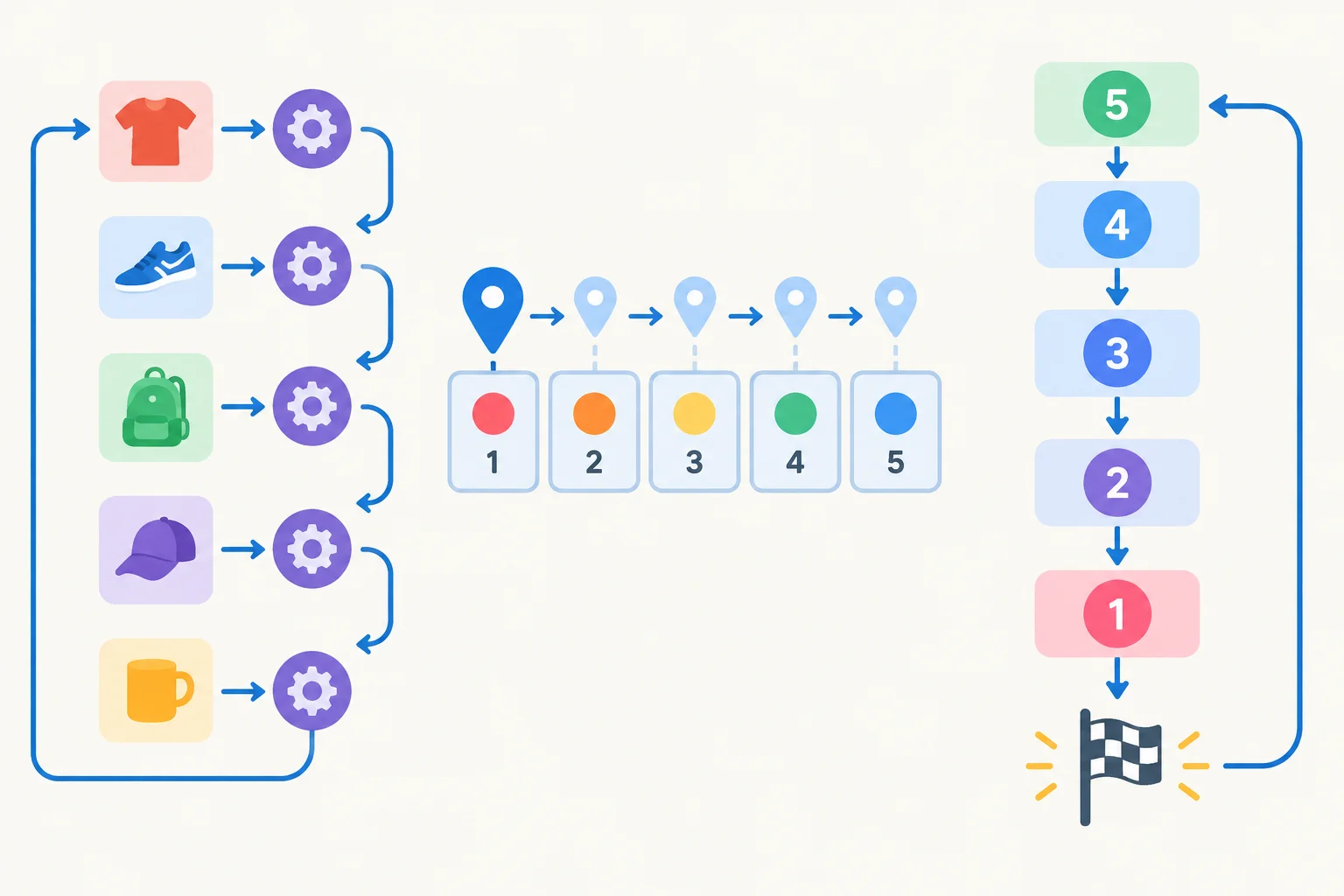
Array values suggest for...of; positions suggest for; changing state suggests while.
Use this guide when selecting a loop. The final check applies regardless of the chosen form.
| Task focus | Prefer | Why |
|---|---|---|
| Current array value | `for...of` | No explicit index is needed |
| Array position or counter | `for` | Initialization, continuation condition, and update are visible |
| Changing state | `while` | The continuation condition is checked before each iteration |
| First matching value | `for...of` + `break` | Stop immediately after saving the first match |
Match each task to the loop form that makes its control clearest.
Tap an item and then its matching pair.
Complete the two functions. Keep the source collection unchanged, make the summary cover every product, and stop the search at its first zero-stock product.
const products = [
  { name: "Notebook", stock: 3 },
  { name: "Pen", stock: 0 },
  { name: "Folder", stock: 5 }
];

function summarizeStock(products) {
  let totalStock = 0;
  let stockedProducts = 0;

  for (const product of products) {

    if () {

    }
  }

  return { totalStock: totalStock, stockedProducts: stockedProducts };
}

function firstOutOfStockName(products) {
  let outOfStockName = null;

  for (const product of products) {
    if () {


    }
  }

  return outOfStockName;
}Create or confirm these two local files. Then replace the complete contents of loops.js with the verification script on this screen. Save both files, open or refresh index.html, and inspect the browser console.
index.html
<!doctype html>
<html lang="en">
  <head>
    <meta charset="UTF-8">
    <meta name="viewport" content="width=device-width, initial-scale=1.0">
    <title>Loop verification</title>
    <script src="loops.js" defer></script>
  </head>
  <body>
    <h1>Loop verification</h1>
  </body>
</html>loops.js
const products = [
  { name: "Notebook", stock: 3 },
  { name: "Pen", stock: 0 },
  { name: "Folder", stock: 5 }
];

function summarizeStock(products) {
  let totalStock = 0;
  let stockedProducts = 0;

  for (const product of products) {
    totalStock = totalStock + product.stock;
    if (product.stock > 0) {
      stockedProducts = stockedProducts + 1;
    }
  }

  return { totalStock: totalStock, stockedProducts: stockedProducts };
}

function firstOutOfStockName(products) {
  let outOfStockName = null;

  for (const product of products) {
    if (product.stock === 0) {
      outOfStockName = product.name;
      break;
    }
  }

  return outOfStockName;
}

const sharedSummary = summarizeStock(products);
const emptySummary = summarizeStock([]);
const singleSummary = summarizeStock([products[0]]);
const emptyOutOfStockName = firstOutOfStockName([]);
const noOutOfStockName = firstOutOfStockName([products[0], products[2]]);

console.log("Shared totalStock:", sharedSummary.totalStock);
console.log("Shared stockedProducts:", sharedSummary.stockedProducts);
console.log("Shared first out-of-stock name:", firstOutOfStockName(products));
console.log("Empty totalStock:", emptySummary.totalStock);
console.log("Empty stockedProducts:", emptySummary.stockedProducts);
console.log("Empty first out-of-stock name:", emptyOutOfStockName);
console.log("Single totalStock:", singleSummary.totalStock);
console.log("Single stockedProducts:", singleSummary.stockedProducts);
console.log("No-out-of-stock name:", noOutOfStockName);Shared totalStock: 8 Shared stockedProducts: 2 Shared first out-of-stock name: Pen Empty totalStock: 0 Empty stockedProducts: 0 Empty first out-of-stock name: null Single totalStock: 3 Single stockedProducts: 1 No-out-of-stock name: null
Console spacing and styling can differ slightly by browser; the labels and values should match.
After running the script, report:
totalStock, stockedProducts, and first out-of-stock name.Do not paste code; report the observed values and your reasoning.
Write at least 100 characters (0/100).
Congratulations! You completed: Process Collections with JavaScript Loops
Thousands of online courses in video, ebooks and audiobooks.
To test your knowledge during online courses
Generated directly from your cell phone's photo gallery and sent to your email

Download our app via QR Code or the links below:.



Carry knowledge in your pocket.
Download the Cursa app.
There are hundreds of free courses available, with a free certificate of completion that is saved in your mobile image gallery.
Download the app to access the Course Completion Certificate for Free.


+ 10 million
students

Free and Valid
Certificate

60 thousand free
exercises

4.8/5 rating in
app stores

Free courses in
video and ebooks