Step 1 of 8
Compare Origins Before Diagnosing
Classify HTTP(S) URLs by comparing their scheme, hostname, and effective port before investigating a request problem.

Learning path · Level 7 · Tutorial 4
Investigate browser request failures by checking origins, the Network panel, and console messages. Determine which problems your client code can fix and which require changes from the API owner, without disabling browser protections.

 Compare Origins Before Diagnosing
Classify HTTP(S) URLs by comparing their scheme, hostname, and effective port before investigating a request problem. 2 min
Compare Origins Before Diagnosing
Classify HTTP(S) URLs by comparing their scheme, hostname, and effective port before investigating a request problem. 2 min
 Separate Sending from Reading
See CORS as a browser decision about exposing a cross-origin response to JavaScript, while keeping request sending, response receipt, and JavaScript access distinct. 2 min
Separate Sending from Reading
See CORS as a browser decision about exposing a cross-origin response to JavaScript, while keeping request sending, response receipt, and JavaScript access distinct. 2 min
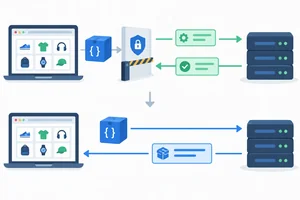 Read the Preflight Exchange
Examine a CORS preflight, identify the distinct permission checks, and distinguish a denied preflight from an actual request whose response is blocked from JavaScript. 3 min
Read the Preflight Exchange
Examine a CORS preflight, identify the distinct permission checks, and distinguish a denied preflight from an actual request whose response is blocked from JavaScript. 3 min
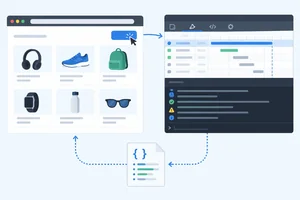 Collect Evidence in Your Browser
Create a safe local GET diagnostic and capture the page origin, request details, Network evidence, Console evidence, and JavaScript outcome. 3 min
Collect Evidence in Your Browser
Create a safe local GET diagnostic and capture the page origin, request details, Network evidence, Console evidence, and JavaScript outcome. 3 min
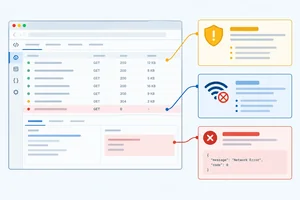 Distinguish the Failure Categories
Use browser and JavaScript evidence together to distinguish HTTP errors, connectivity failures, mixed-content blocks, and CORS restrictions. 3 min
Distinguish the Failure Categories
Use browser and JavaScript evidence together to distinguish HTTP errors, connectivity failures, mixed-content blocks, and CORS restrictions. 3 min
 Reject Browser-Only CORS Workarounds
Reject client-side CORS bypasses and use normal browser request behavior while recognizing that readable access still depends on API-server permission. 2 min
Reject Browser-Only CORS Workarounds
Reject client-side CORS bypasses and use normal browser request behavior while recognizing that readable access still depends on API-server permission. 2 min
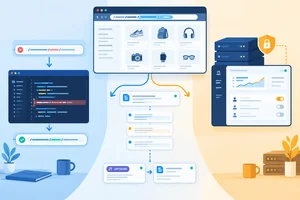 Choose the Next Action and Owner
Choose safe next actions from browser evidence and identify whether the client developer or API owner is responsible. 2 min
Choose the Next Action and Owner
Choose safe next actions from browser evidence and identify whether the client developer or API owner is responsible. 2 min
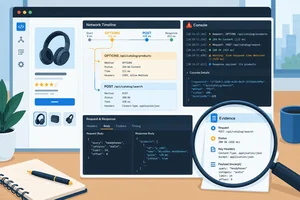 Complete a Request-Failure Diagnosis
Integrate origin comparison, browser evidence, failure classification, and ownership decisions into a complete request-failure diagnosis. 3 min
Complete a Request-Failure Diagnosis
Integrate origin comparison, browser evidence, failure classification, and ownership decisions into a complete request-failure diagnosis. 3 min
Step 1 of 8
Classify HTTP(S) URLs by comparing their scheme, hostname, and effective port before investigating a request problem.
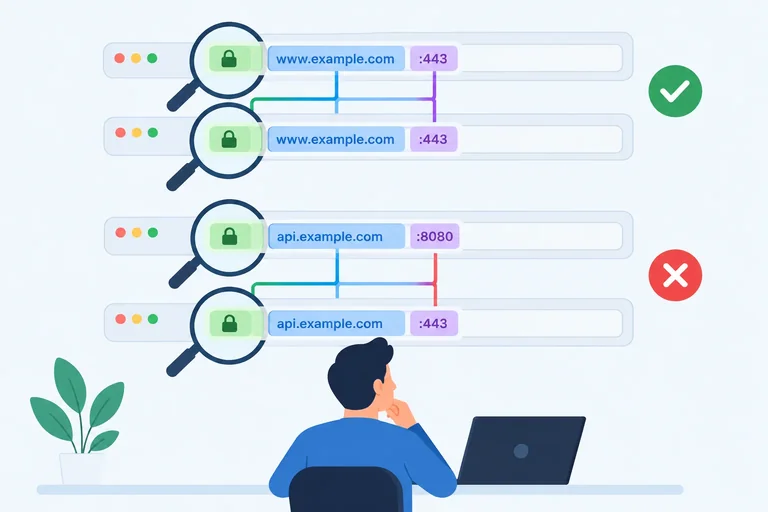
An HTTP(S) origin has exactly three parts: scheme + hostname + effective port. Compare those parts to decide whether two URLs are same-origin or cross-origin.
Everything after the port—path, query string, and fragment—can identify a resource, but it does not change the origin.
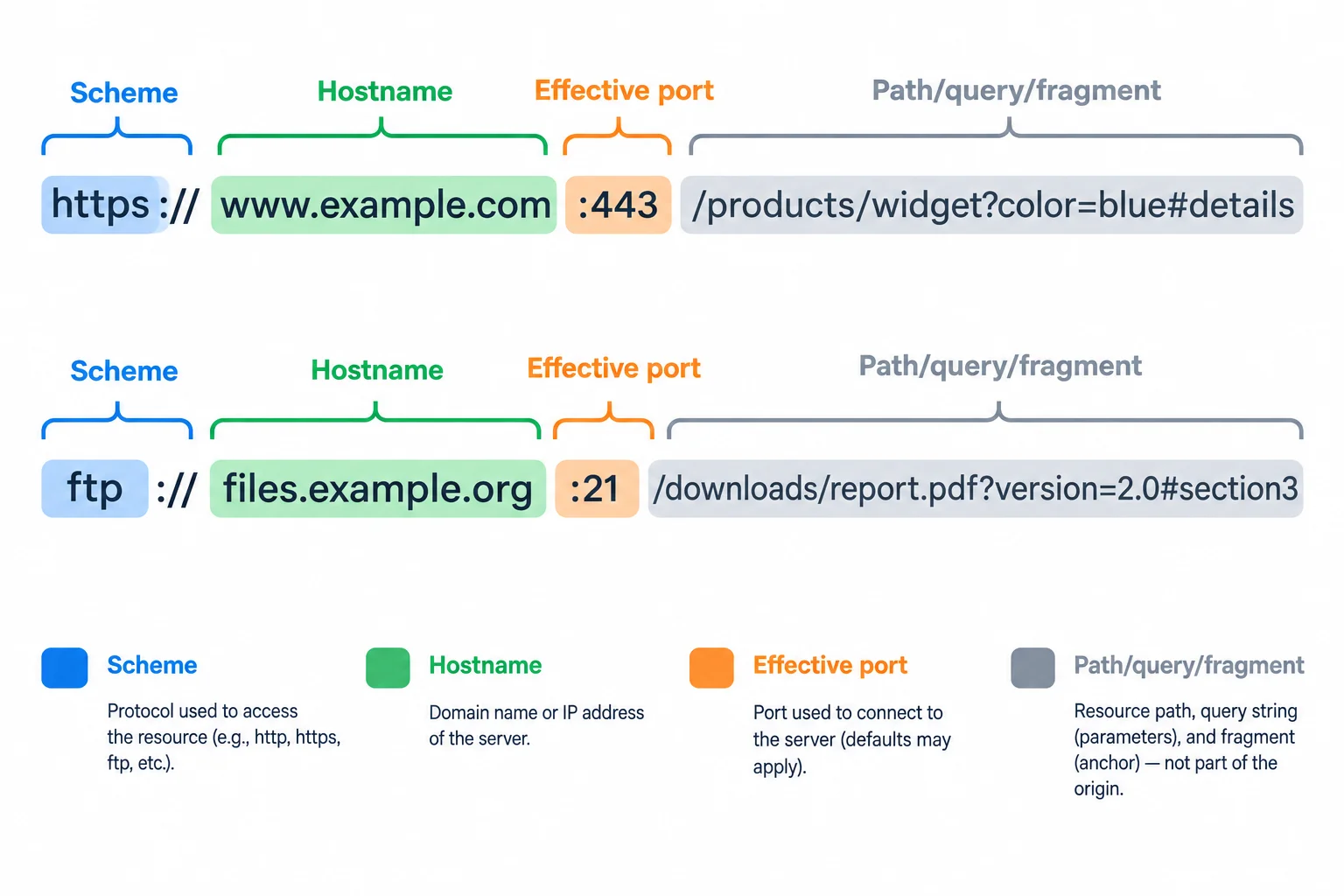
Compare scheme, hostname, and effective port—not the rest of the URL.
A port that is omitted still has an effective value: HTTPS uses port 443 and HTTP uses port 80 by default. Normalize default ports before comparing.
For example, https://app.example.test:443 and https://app.example.test have the same origin. In contrast, a Vite page at http://localhost:5173 and a URL at http://localhost:3000/products are cross-origin because their effective ports differ.
The origin is shown in normalized form, without its default port.
| URL | Normalized origin | Comparison note |
|---|---|---|
| https://app.example.test/products?sort=name#top | https://app.example.test | Path, query, and fragment ignored |
| https://app.example.test:443/products | https://app.example.test | 443 is the HTTPS default |
| http://app.example.test:80/products | http://app.example.test | 80 is the HTTP default |
| http://localhost:5173/products | http://localhost:5173 | 5173 is part of the origin |
Example
localhost and 127.0.0.1 are different hostnames. Even when they use the same scheme and port, changing between them creates a cross-origin pair.
Match each URL pair to its origin classification and the component that matters.
Tap an item and then its matching pair.
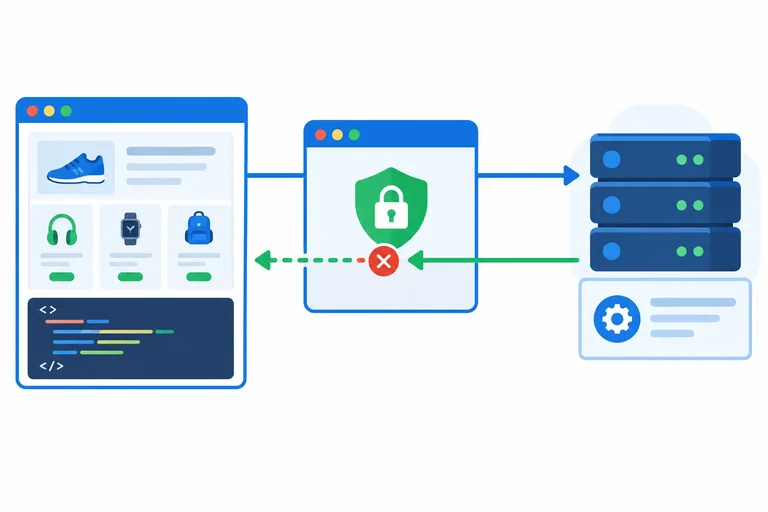
Step 2 of 8
See CORS as a browser decision about exposing a cross-origin response to JavaScript, while keeping request sending, response receipt, and JavaScript access distinct.
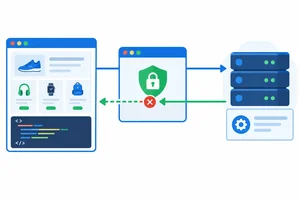
A cross-origin request crosses an important boundary: browser JavaScript is not automatically allowed to read the response.
For a request from https://app.example.test to https://api.example.test/products, the browser applies the same-origin policy. The API server must grant CORS permission before the browser exposes that cross-origin response to the page's JavaScript.
This is about access to the response—not a promise that the request was never sent.
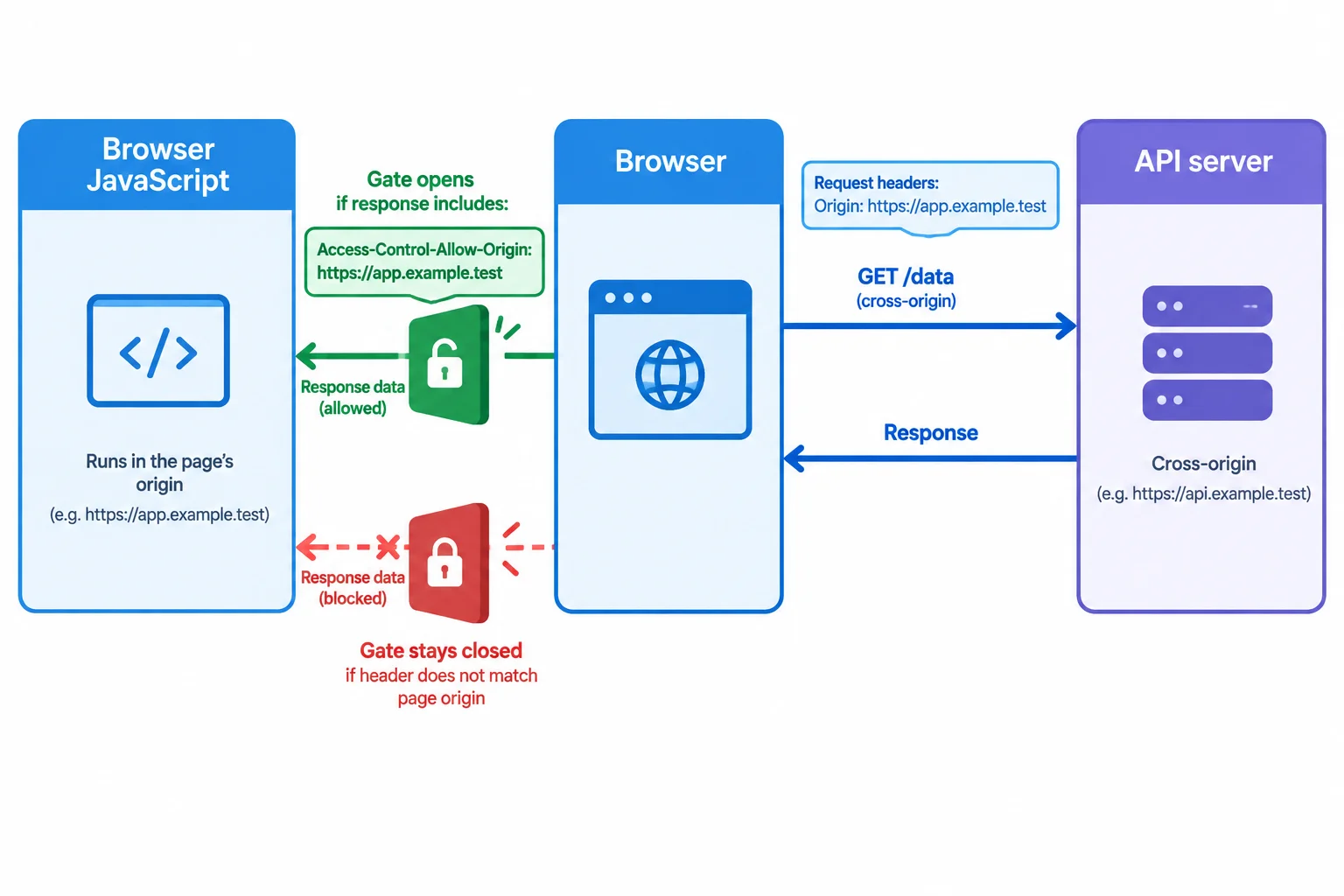
The browser can receive a response while keeping it unavailable to Browser JavaScript.
In these cross-origin fetch() examples, the browser supplies an Origin request header that identifies the page making the request.
The API can grant permission with the response header Access-Control-Allow-Origin. Its value must identify the requesting page origin.
For example, a page at https://app.example.test needs a response permission value for https://app.example.test—not https://api.example.test, which is the API's own origin.
Example
A Product Catalog page runs this cross-origin request:
const response = await fetch('https://api.example.test/products');The browser supplies these request details:
Request headers
Origin: https://app.example.testIf the API response includes:
Response headers
Access-Control-Allow-Origin: https://app.example.testthen the browser may expose the response to the page's JavaScript. The permission names the page that is allowed to read, not the API server.
Keep these events separate when diagnosing a cross-origin GET:
A simple cross-origin GET can reach the API even when the response lacks CORS permission. In that case, JavaScript cannot read the response, but that alone does not prove the API received nothing.
Later, use Network and Console evidence to investigate what happened; do not infer server receipt from JavaScript access alone.
Tip
For a response that does not include a suitable Access-Control-Allow-Origin value, the browser withholds that cross-origin response from page JavaScript. The missing permission is about what JavaScript may read after the exchange, not proof that the API never handled the GET.
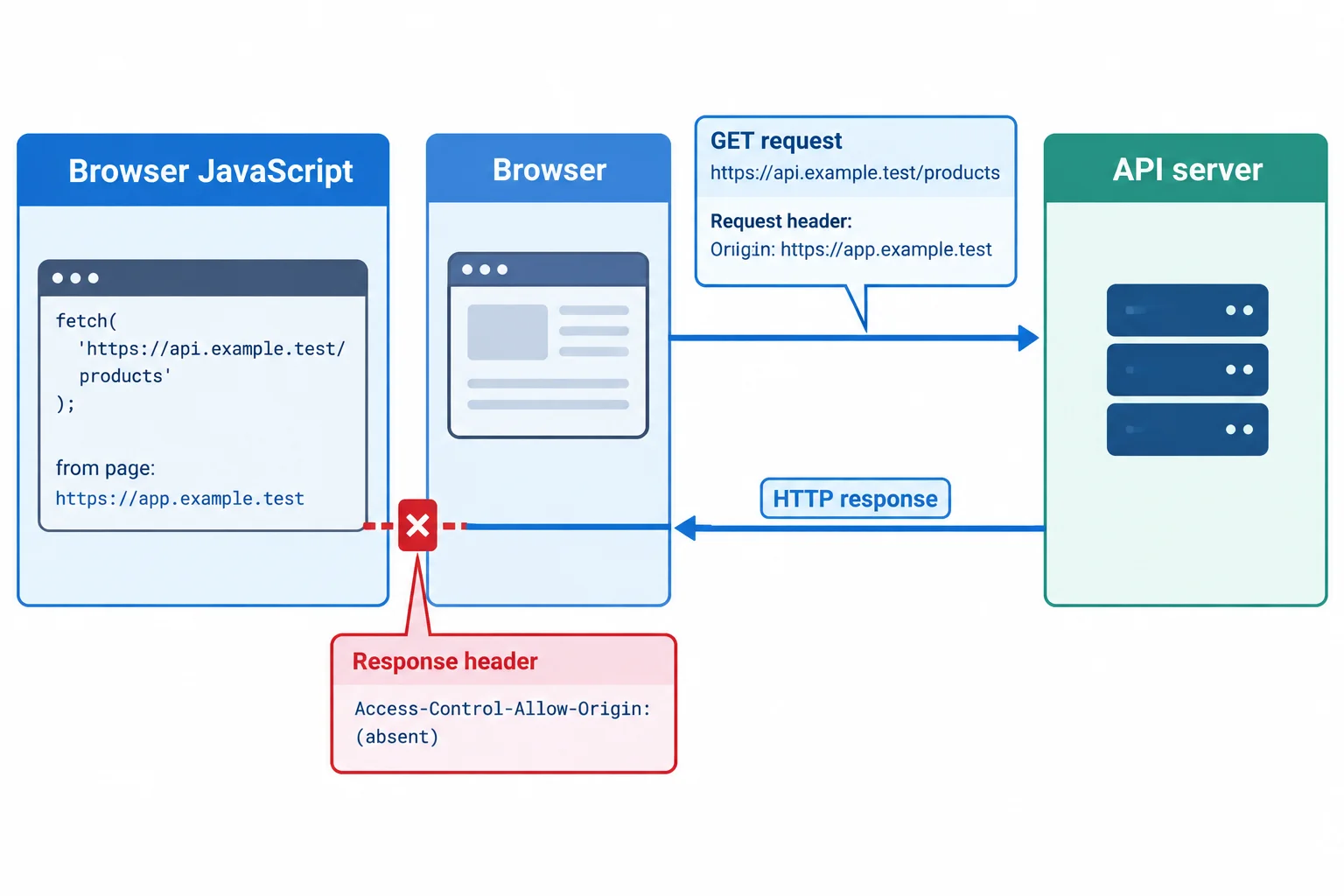
Use the request and response path shown to choose the most accurate conclusion.
Based on the diagram, which conclusion is best supported?
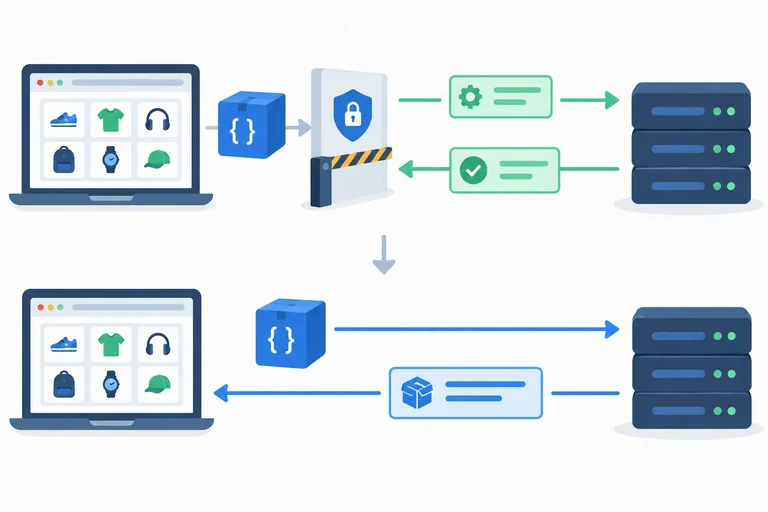
Step 3 of 8
Examine a CORS preflight, identify the distinct permission checks, and distinguish a denied preflight from an actual request whose response is blocked from JavaScript.
A preflight is a browser-generated OPTIONS request that asks permission before a cross-origin actual request. The Browser sends it when the proposed request has features outside the CORS safelist.
A cross-origin POST with Content-Type: application/json triggers preflight because application/json is not a CORS-safelisted media type. POST itself is a CORS-safelisted method; the non-safelisted request header is what requires this check.
JSON-looking body text alone is not the trigger. The configured Content-Type matters. Cross-origin PUT and DELETE also trigger preflight because those methods are not CORS-safelisted.
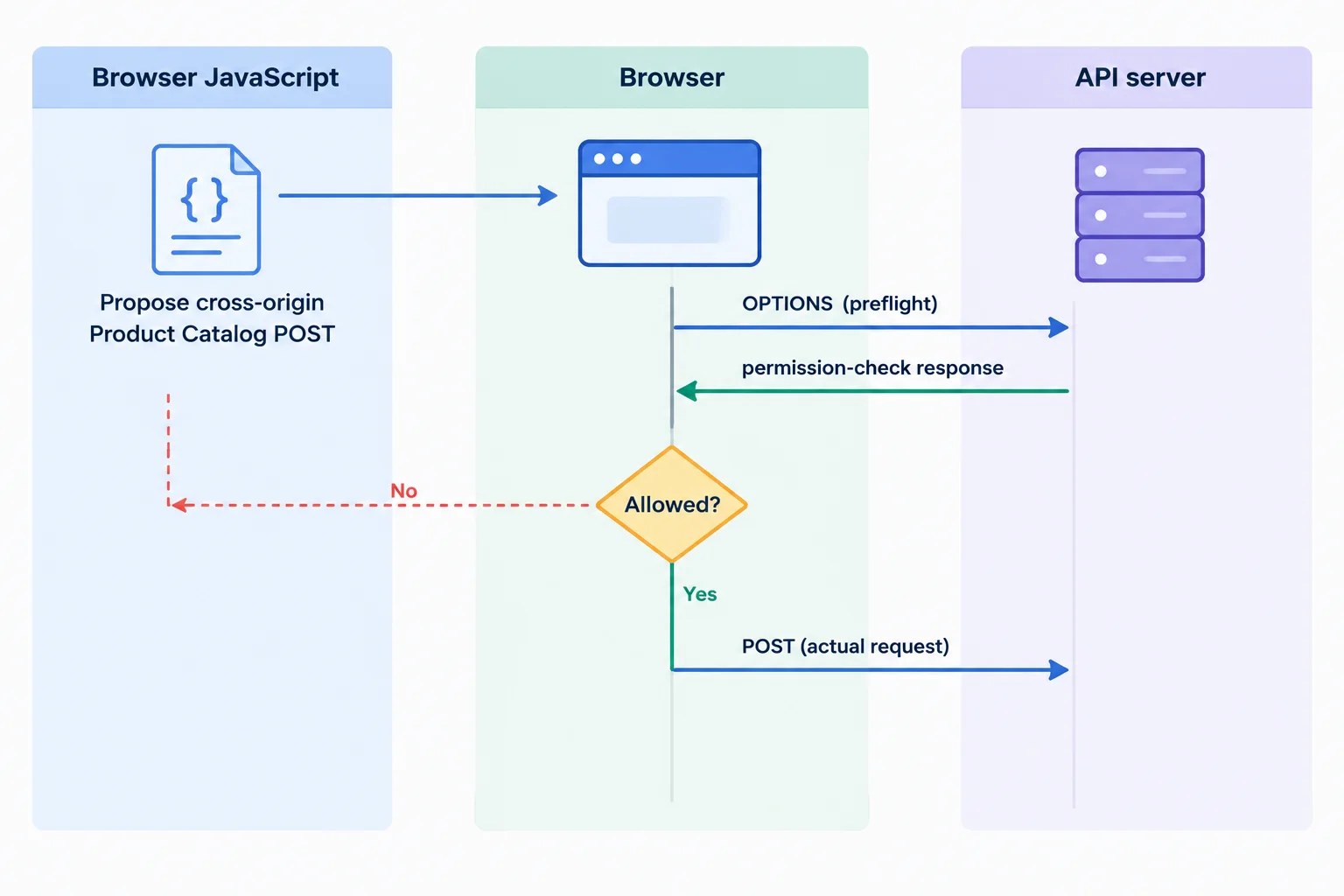
For a preflight-triggering request, the Browser evaluates permission before it sends the actual request.
This cross-origin Product Catalog request has a non-safelisted Content-Type, so the Browser preflights it.
const requestUrl = 'https://api.example.test/products';

const response = await fetch(requestUrl, {
  method: 'POST',
  headers: {
    'Content-Type': 'application/json'
  },
  body: JSON.stringify({ name: 'Notebook' })
});The preflight tells the API what the Browser proposes to send. The API must return the permissions relevant to that proposal. A successful OPTIONS status alone does not establish permission.
For a JSON POST, the Browser needs an allowed requesting origin and permission for the non-safelisted Content-Type header. For a PUT or DELETE, it also checks permission for that non-safelisted method.
Illustrative excerpts for a page at https://app.example.test requesting https://api.example.test/products.
| Exchange | Header excerpt | Role |
|---|---|---|
| Request headers | Origin: https://app.example.test | Identifies the requesting page origin |
| Request headers | Access-Control-Request-Method: POST | States the proposed method |
| Request headers | Access-Control-Request-Headers: content-type | States the non-safelisted requested header |
| Response headers | Access-Control-Allow-Origin: https://app.example.test | Permits this requesting page origin |
| Response headers | Access-Control-Allow-Headers: Content-Type | Permits the JSON POST request header |
| Response headers | Access-Control-Allow-Methods: PUT, DELETE | Permits those non-safelisted methods |
Tip
An OPTIONS response with HTTP 204 can still fail preflight when its permission headers do not authorize the needed origin, method, or requested headers.
The Browser can reuse a previously granted preflight permission. Therefore, no new OPTIONS entry in Network does not prove that a request had no preflight requirements.
A failed preflight stops the actual request for that attempt. For example, a JSON POST can be denied when the preflight response does not allow the requested Content-Type header. A PUT can be denied when the response does not allow PUT in Access-Control-Allow-Methods.
When preflight succeeds, the Browser sends the actual request. That actual response must still provide suitable CORS permission before Browser JavaScript can read it.
Use Network and Console evidence together before making a claim about server receipt.
| Evidence pattern | JavaScript outcome | Supported conclusion |
|---|---|---|
| JSON POST preflight lacks Access-Control-Allow-Headers for Content-Type; no actual POST appears | fetch rejects; no readable Response | The Browser withheld the actual POST for this attempt |
| PUT preflight lacks PUT in Access-Control-Allow-Methods; no actual PUT appears | fetch rejects; no readable Response | The Browser withheld the actual PUT for this attempt |
| Preflight permits JSON POST; actual POST appears; actual response lacks Access-Control-Allow-Origin | fetch rejects; no readable Response | The POST may have reached the API, but JavaScript cannot read its response |
Warning
Do not conclude “the server received nothing” merely because fetch() gives no readable response. That conclusion is supported when a failed preflight withheld the actual request. It is not supported when Network shows that the actual request was sent and only its response was blocked from Browser JavaScript.
Match each response header to the permission it provides.
Tap an item and then its matching pair.
Put this successful cross-origin JSON POST sequence in order.
Complete all three parts from the evidence below.
Access-Control-Allow-Origin, Access-Control-Allow-Headers, and Access-Control-Allow-Methods.Case X: A JSON POST preflight returns HTTP 204 and a matching Access-Control-Allow-Origin, but it does not allow Content-Type in Access-Control-Allow-Headers. No actual POST appears.
Case Y: The JSON POST preflight allows the page origin and Content-Type; an actual POST appears, but its response lacks Access-Control-Allow-Origin.
For each case, say whether the actual request proceeded and what JavaScript can read.
Write at least 250 characters (0/250).
Step 4 of 8
Create a safe local GET diagnostic and capture the page origin, request details, Network evidence, Console evidence, and JavaScript outcome.
Start with a record, not a diagnosis. For each attempt, capture these facts:
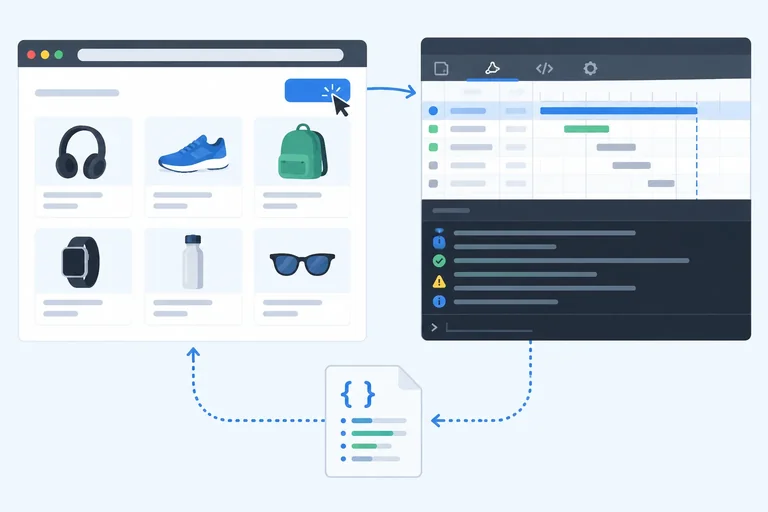
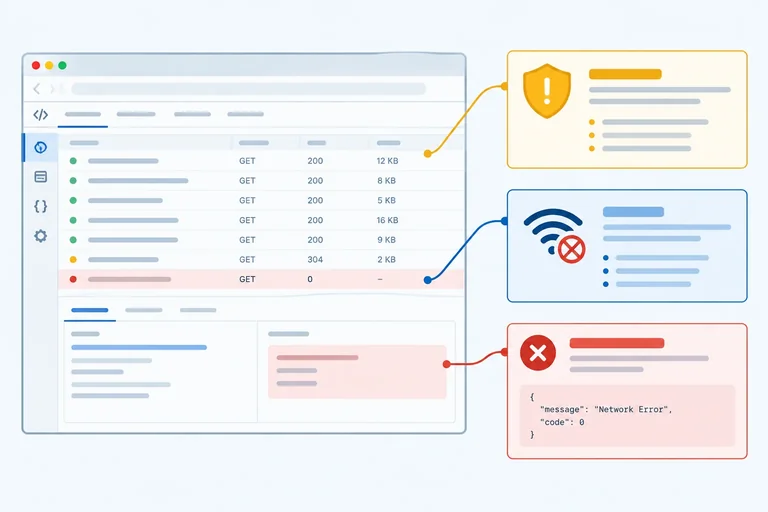
The Network panel and Console are separate evidence sources. A Network entry can reveal request or response details that page JavaScript cannot access. Seeing a detail in DevTools does not mean your code can read it.
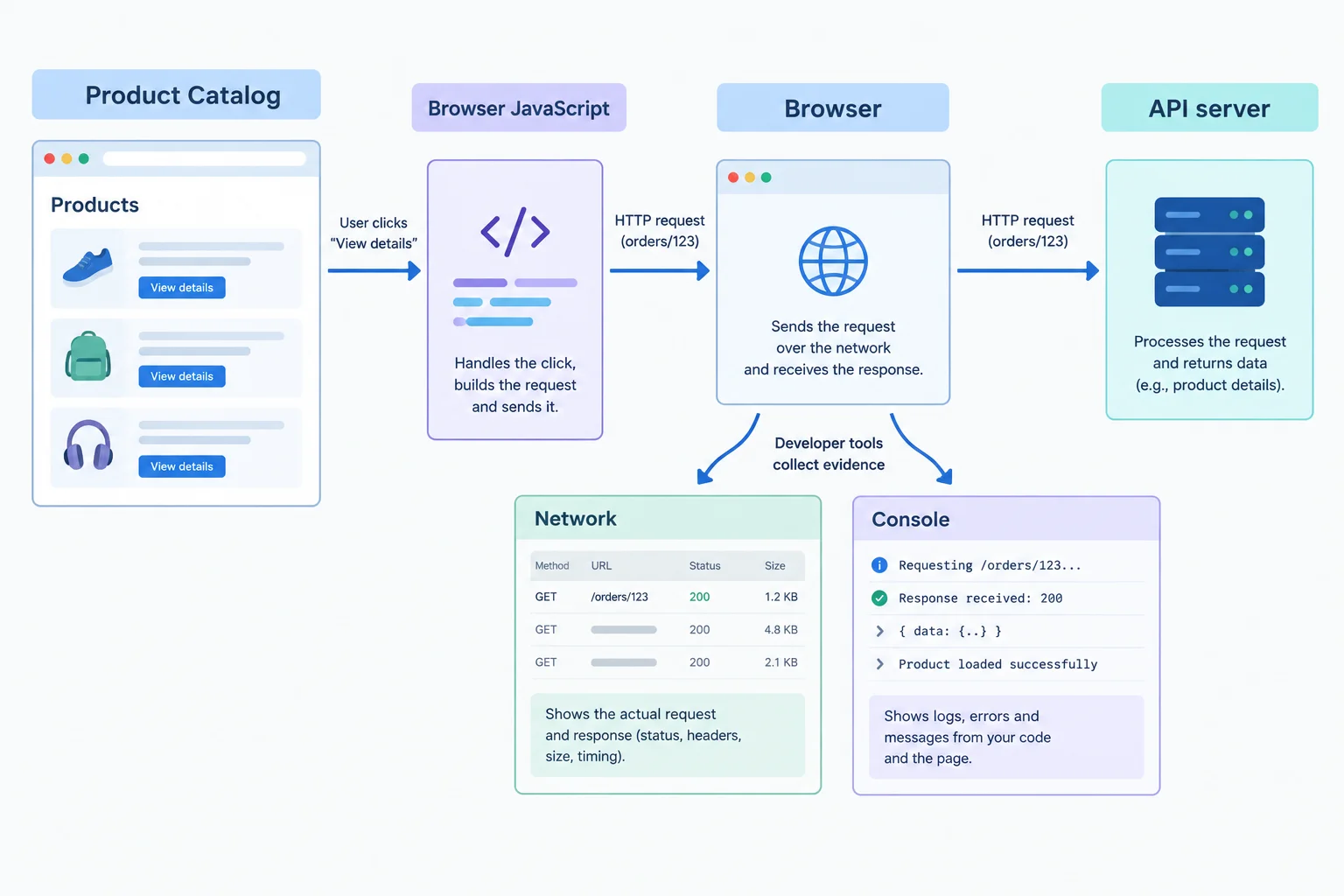
Record what the Network panel and Console show alongside what JavaScript reports.
Tip
Use location.origin rather than guessing a localhost port. It reports the current page origin: scheme + hostname + effective port. Your Vite server may use a port other than the illustrative 5173.
Record the Console wording as you see it. Browsers can phrase the same situation differently, so an exact message is evidence—not a conclusion by itself.
In your own Vite project, create this read-only local data file. Vite serves files in public from the site root, so this file is available at /diagnostic.json.
[{"id":1,"name":"Notebook"}]Create diagnose.html in the project root. Start Vite, open the address it reports followed by /diagnose.html, open DevTools with both Network and Console visible, and click Run request.
This page reports to the Console only; it does not build application loading or error states. The cache: 'no-store' option makes this diagnostic GET less likely to reuse a cached response.
<!doctype html>
<html lang="en">
  <head>
    <meta charset="UTF-8">
    <meta name="viewport" content="width=device-width, initial-scale=1.0">
    <title>Request diagnostic</title>
  </head>
  <body>
    <button id="runRequest" type="button">Run request</button>

    <script type="module">
      const runButton = document.querySelector('#runRequest');

      runButton.addEventListener('click', async () => {
        const requestUrl = new URL('/diagnostic.json', location.origin).href;
        const requestMethod = 'GET';

        console.log('Page origin:', location.origin);
        console.log('Request URL:', requestUrl);
        console.log('Method:', requestMethod);

        let response;

        try {
          response = await fetch(requestUrl, {
            method: requestMethod,
            cache: 'no-store'
          });
        } catch (error) {
          console.error('JavaScript outcome: fetch rejected', error);
          return;
        }

        console.log('JavaScript outcome:', 'Response received');
        console.log('Status:', 'HTTP ' + response.status);

        try {
          const products = await response.json();
          console.log('Products:', JSON.stringify(products));
        } catch (error) {
          console.error('JavaScript outcome: response JSON decoding failed', error);
        }
      });
    </script>
  </body>
</html>Page origin: http://localhost:5173
Request URL: http://localhost:5173/diagnostic.json
Method: GET
JavaScript outcome: Response received
Status: HTTP 200
Products: [{"id":1,"name":"Notebook"}]The page origin and Request URL use the address of your own Vite server, so their port may differ. Console formatting can vary slightly by browser.
Complete the expression that logs the current page origin.
console.log('Page origin:', );In your own diagnose.html, ensure the page-origin logging expression is complete. With Vite running, open your actual /diagnose.html address, clear Network and Console, then click Run request.
Submit one observation record from your browser. Use this structure and replace every bracketed description with what you observed:
Page origin: [actual page origin]
Request URL: [actual full request URL]
Method: [method shown]
Network evidence: [request entry and HTTP status]
Console evidence: [relevant Console lines]
JavaScript outcome: [outcome reported by the script]
Do not infer values from this tutorial's illustrative port; use your server's address.
Write at least 80 characters (0/80).
Step 5 of 8
Use browser and JavaScript evidence together to distinguish HTTP errors, connectivity failures, mixed-content blocks, and CORS restrictions.
Do not diagnose a failed request from a catch block alone. Combine what JavaScript receives with what the browser records.
A readable HTTP error means fetch() resolved with a Response; code can inspect a status such as HTTP 403, even though response.ok is false.
A rejection means JavaScript received no readable Response. Connectivity trouble, mixed-content blocking, and CORS restrictions can all produce that outcome. The rejection itself does not identify which one.
Network and Console can expose facts that application JavaScript cannot read. Treat those facts as separate evidence.
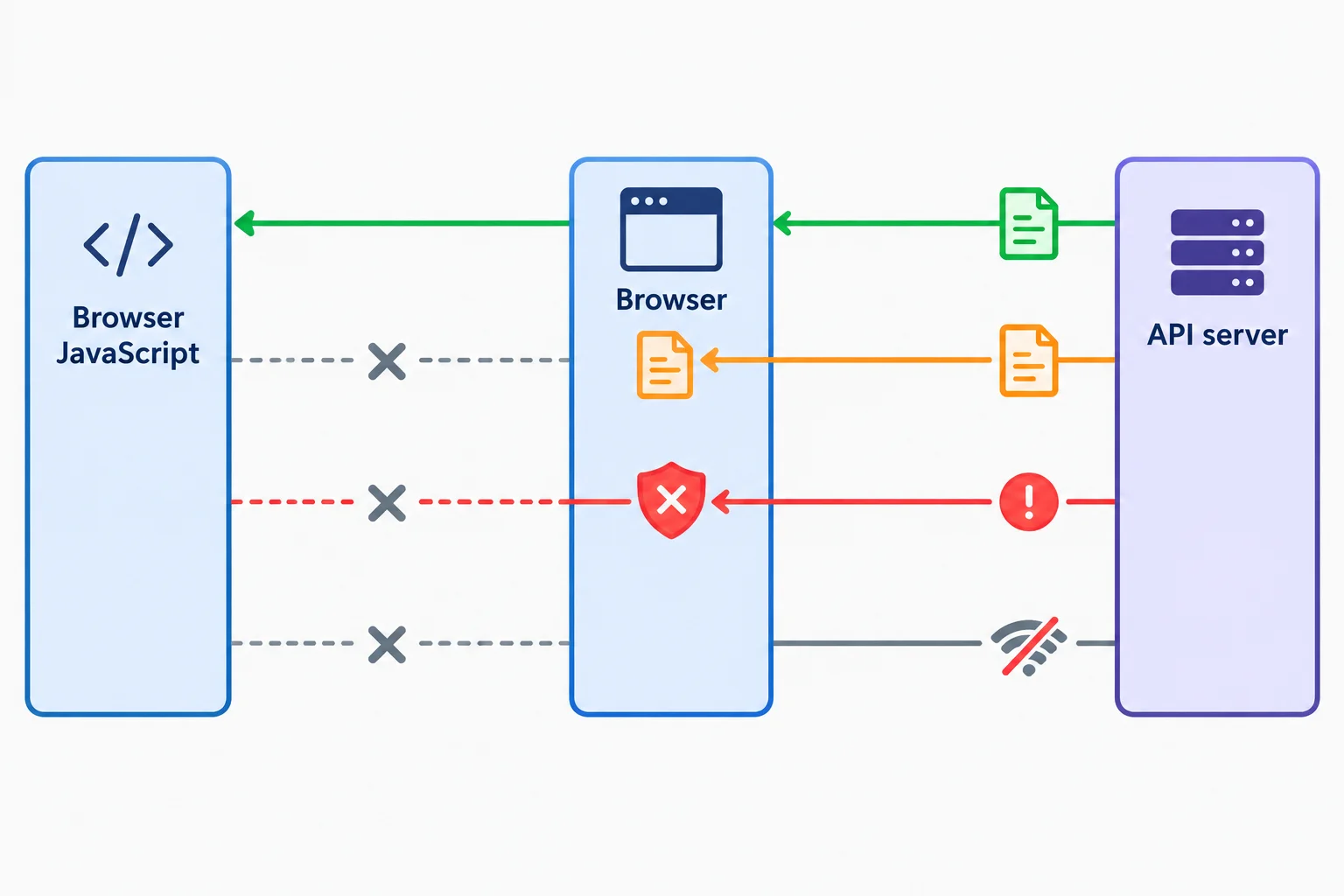
The browser may record more about an exchange than it exposes to Browser JavaScript.
Use these signatures as a starting point, then inspect the actual record.
| Pattern | Decisive evidence | What it establishes |
|---|---|---|
| Readable HTTP error | Actual request has HTTP 403; JavaScript has a Response | The response is readable to code. |
| Connectivity failure | Network shows a failure or no HTTP status; evidence indicates a network problem | No HTTP response was made available to the browser. |
| Mixed-content block | HTTPS page targets an ordinary HTTP URL; Console identifies mixed content | Browser blocked insecure active content. |
| CORS restriction | Cross-origin record, CORS policy message, and missing or unsuitable permission | JavaScript cannot read the cross-origin result. |
| Hidden HTTP error | Network shows an actual HTTP error, but actual-response permission is absent | The server may have responded although fetch rejects. |
Match each observation to the interpretation best supported by its evidence.
Tap an item and then its matching pair.
Create one controlled connectivity record with the local diagnostic page from the previous step:
diagnose.html open at the address reported by your Vite server./diagnostic.json with cache: 'no-store'.Expect a failed request rather than a readable HTTP response. Console wording differs by browser, so record what you actually observe.
Warning
Offline mode is evidence for this controlled test only. In an unfamiliar case, a generic fetch rejection does not prove the device is offline, does not prove CORS, and does not identify DNS or connection-refusal trouble by itself.
For Records A–C and for your own Offline observation, write a compact evidence-based classification using these fields:
Record A
http://localhost:5173http://localhost:3000/productsGETHTTP 403. Response headers include Access-Control-Allow-Origin: http://localhost:5173.fetch() resolves to a Response with status 403.Record B
https://app.example.testhttp://api.example.test/productsGETfetch() rejects.Record C
http://localhost:5173http://localhost:3000/productsPOSTHTTP 403. Response headers on that actual response do not include Access-Control-Allow-Origin.fetch() rejects with no readable Response.Finally, explain why an otherwise identical JavaScript outcome containing only TypeError: Failed to fetch is insufficient to diagnose CORS.
Write at least 350 characters (0/350).
Step 6 of 8
Reject client-side CORS bypasses and use normal browser request behavior while recognizing that readable access still depends on API-server permission.
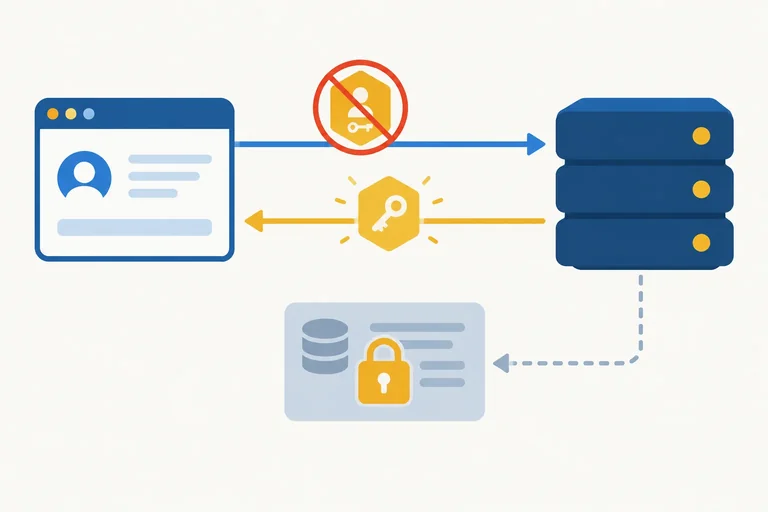
CORS permission is granted by the API server in its response, not by the page making the request. Access-Control-Allow-Origin is a Response header: it tells the browser which page origin may read the response.
Putting that header into Request headers does not authorize anything. It is merely a client-authored custom header, and because it is not CORS-safelisted, it can cause the browser to send a preflight first. The API must still grant permission in its response.
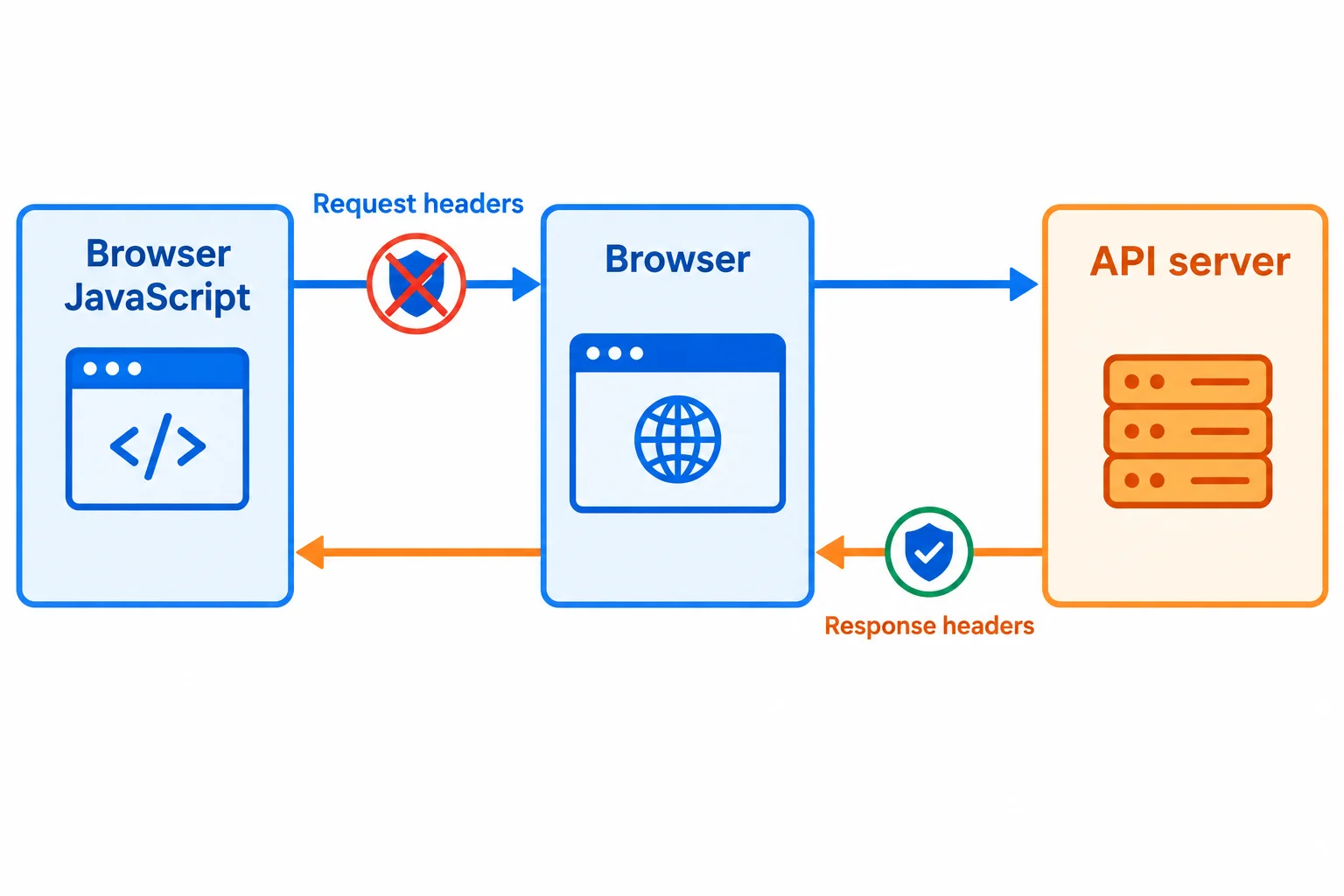
The server's response headers, not headers authored by browser JavaScript, determine whether the browser exposes a cross-origin response.
This request does not create CORS permission.
const requestUrl = 'https://api.example.test/products';

await fetch(requestUrl, {
  headers: {
    'Access-Control-Allow-Origin': 'https://app.example.test'
  }
});mode: 'no-cors' does not make restricted Product Catalog JSON available to your code. If the browser can complete an eligible cross-origin request, it gives JavaScript an opaque response.
An opaque response has an exposed status of 0, not the server's real HTTP status. JavaScript cannot read its body or response headers, so it cannot call response.json() to obtain products.
This mode also constrains methods and request headers. It is not a general substitute for a JSON API request: for example, it cannot freely use PUT, DELETE, arbitrary headers, or Content-Type: application/json. Returning to normal CORS behavior still requires the API server to grant permission.
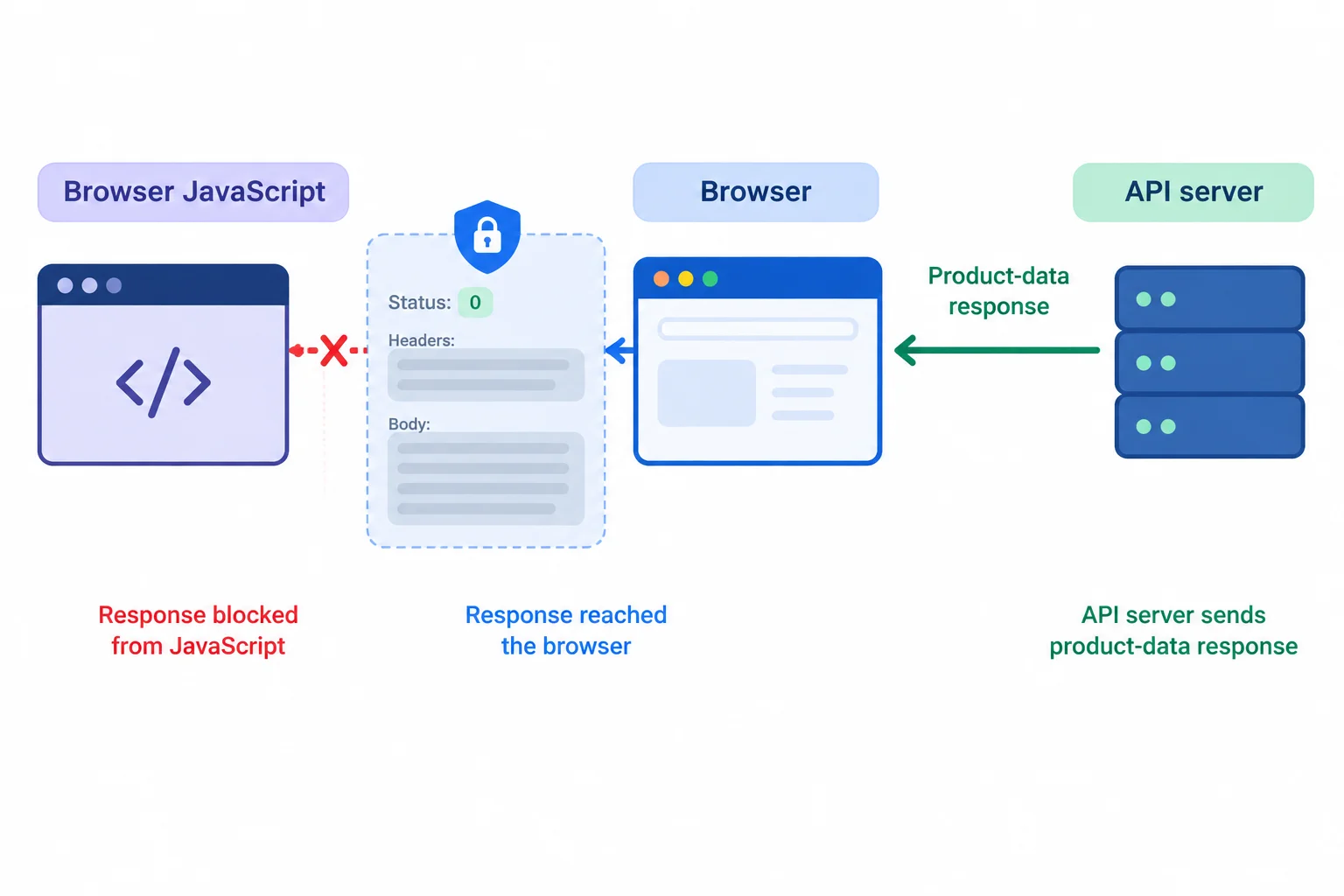
Opaque means the browser does not expose the response data, headers, or real HTTP status to JavaScript.
This illustrates why the response cannot supply product data to the application.
const requestUrl = 'https://api.example.test/products';

const response = await fetch(requestUrl, {
  mode: 'no-cors'
});

console.log(response.type); // opaque
console.log(response.status); // 0
await response.json(); // Cannot read an opaque body.
Warning
Do not disable browser security, install a CORS-bypass extension, or send data through an untrusted public proxy to make development appear to work. Those approaches remove or shift the protection instead of fixing the API contract, and they can expose users or data to risk. Use supported API configuration or an authorized integration path.
A Product Catalog page at https://app.example.test cannot read a response from https://api.example.test/products because the browser reports a CORS policy failure. Which is the appropriate next action?
Complete this read request using the ordinary cross-origin configuration and the request header that communicates the representation the client can receive. The response remains readable only when the API server permits the page origin.
const requestUrl = 'https://api.example.test/products';

const response = await fetch(requestUrl, {
  mode: '',
  headers: {
    '': 'application/json'
  }
});

const products = await response.json();
Step 7 of 8
Choose safe next actions from browser evidence and identify whether the client developer or API owner is responsible.
Choose the action from the evidence—not from a browser error alone.
Client developer fixes: use the documented endpoint, use its documented HTTPS URL, and send the method and headers required by the API contract.
API owner fixes: authorize the page origin, method, and requested headers with CORS response permissions, or provide a supported integration.
Do not disguise a JSON body as another media type just to avoid a preflight. If the contract requires JSON, keep Content-Type: application/json; changing it can make the request incorrect without granting access.
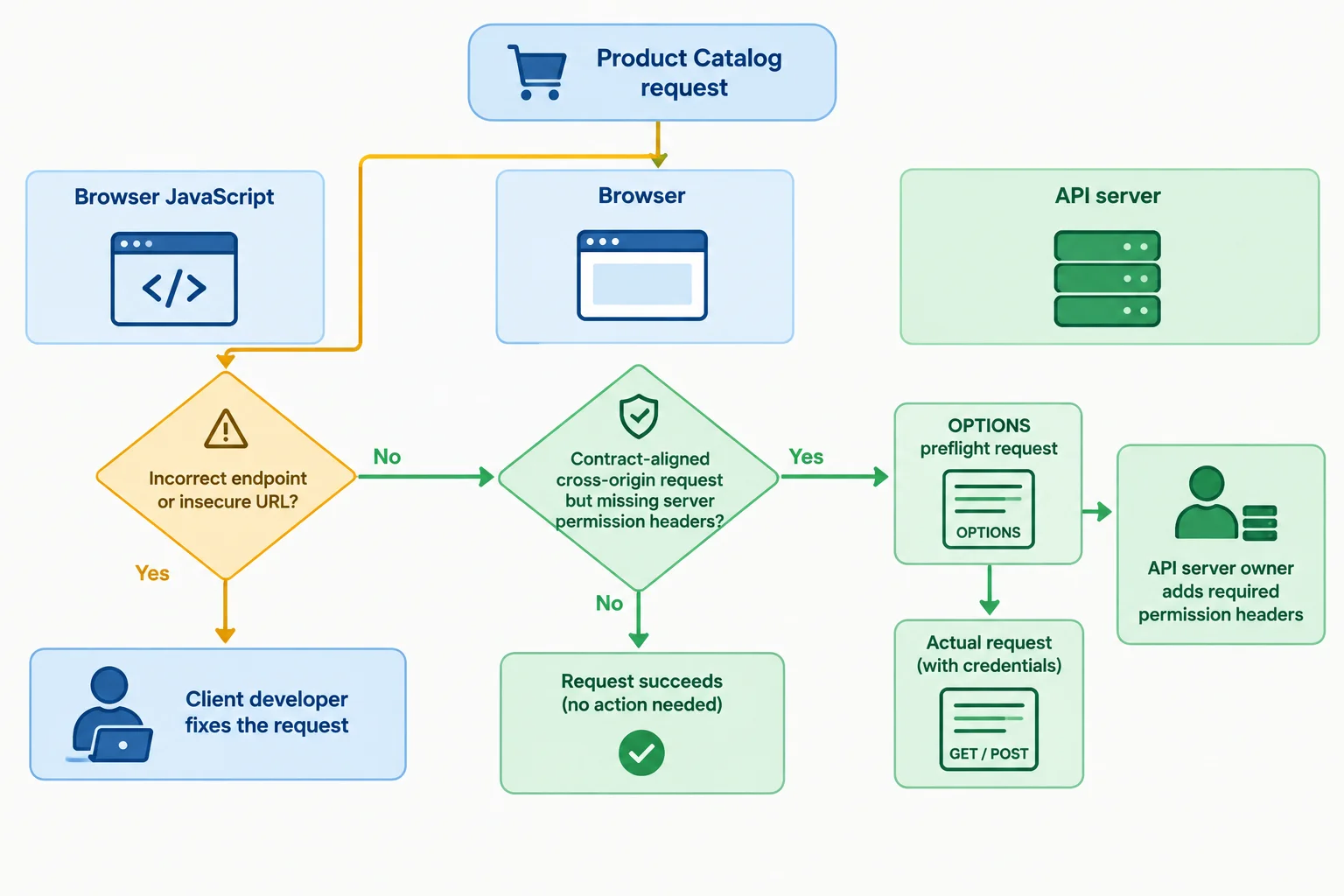
First align the request with the API contract. Server permission is a separate responsibility.
Use this distinction when deciding the next action.
| Observed situation | Owner | Next action |
|---|---|---|
| Request URL differs from API documentation | Client developer | Correct the endpoint |
| HTTPS page calls an HTTP URL when HTTPS is documented | Client developer | Use the documented HTTPS URL |
| Documented JSON request uses POST and Content-Type: application/json | Client developer | Keep the contract-aligned request |
| Preflight denies the required origin, method, or header | API owner | Authorize the intended request |
| Actual response lacks Access-Control-Allow-Origin | API owner | Return permission on that response |
An escalation should separate observed facts from conclusions you cannot support. Use this compact conclusion structure:
Diagnosis: the evidence-based category.
Evidence: Page origin, Request URL, Method, Network evidence, Console evidence, and relevant header excerpts.
Next action: a safe, specific action.
Owner: client developer or API owner.
Server receipt certainty: what the exchange establishes—and what remains unknown.
For an API-owner report, include the OPTIONS observation and the actual-request observation when present. Label header excerpts clearly as Request headers or Response headers. Include the Console message as observed, because wording varies across browsers.
Warning
Do not include credentials, tokens, cookies, authorization values, or sensitive request payloads in a report.
A failed preflight means the browser withheld the actual request for that attempt. In contrast, an actual request whose response is unreadable to JavaScript does not prove that the server received nothing—or that a write had no effect. Verify an uncertain write through an authorized read or with the API owner; do not blindly repeat it.
Match each situation to the owner and safe next action.
Tap an item and then its matching pair.
Use the following Product Catalog case record. The API contract requires a JSON POST to this URL.
Page origin: https://app.example.test
Request URL: https://api.example.test/products
Method: POST with Content-Type: application/json
Network evidence: OPTIONS appears first and returns HTTP 204. Response headers: Access-Control-Allow-Origin: https://app.example.test; Access-Control-Allow-Methods: POST; Access-Control-Allow-Headers: Content-Type. An actual POST then appears with HTTP 403. Its Response headers do not contain Access-Control-Allow-Origin.
Console evidence: the browser reports that access to the POST response was blocked by CORS policy.
JavaScript outcome: fetch rejects; no readable Response is available.
Write a concise escalation for this case. Use these headings: Diagnosis, Evidence, Next action, Owner, and Server receipt certainty. Assign the safe fix to the correct owner, keep the documented JSON request intact, and state why the POST must not be blindly repeated.
Write at least 350 characters (0/350).
Step 8 of 8
Integrate origin comparison, browser evidence, failure classification, and ownership decisions into a complete request-failure diagnosis.
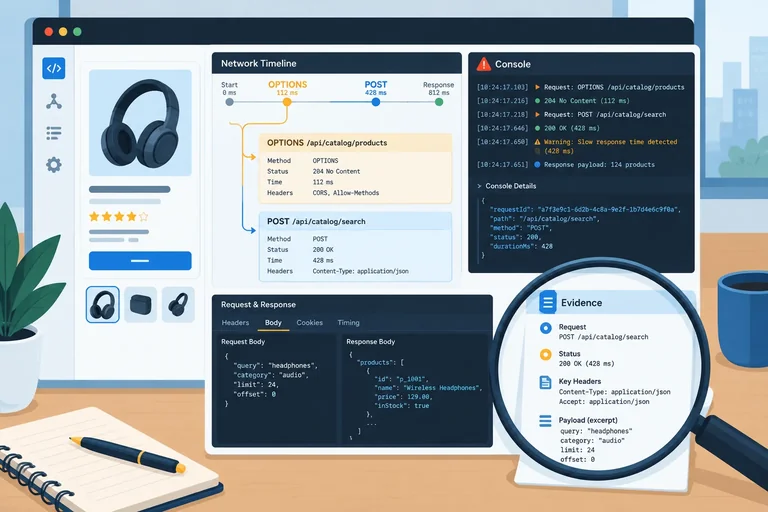
Use the same evidence path for every Product Catalog request:
A rejected fetch() does not identify CORS by itself. In particular, distinguish a denied preflight from an actual request that was sent but whose response was withheld from Browser JavaScript.
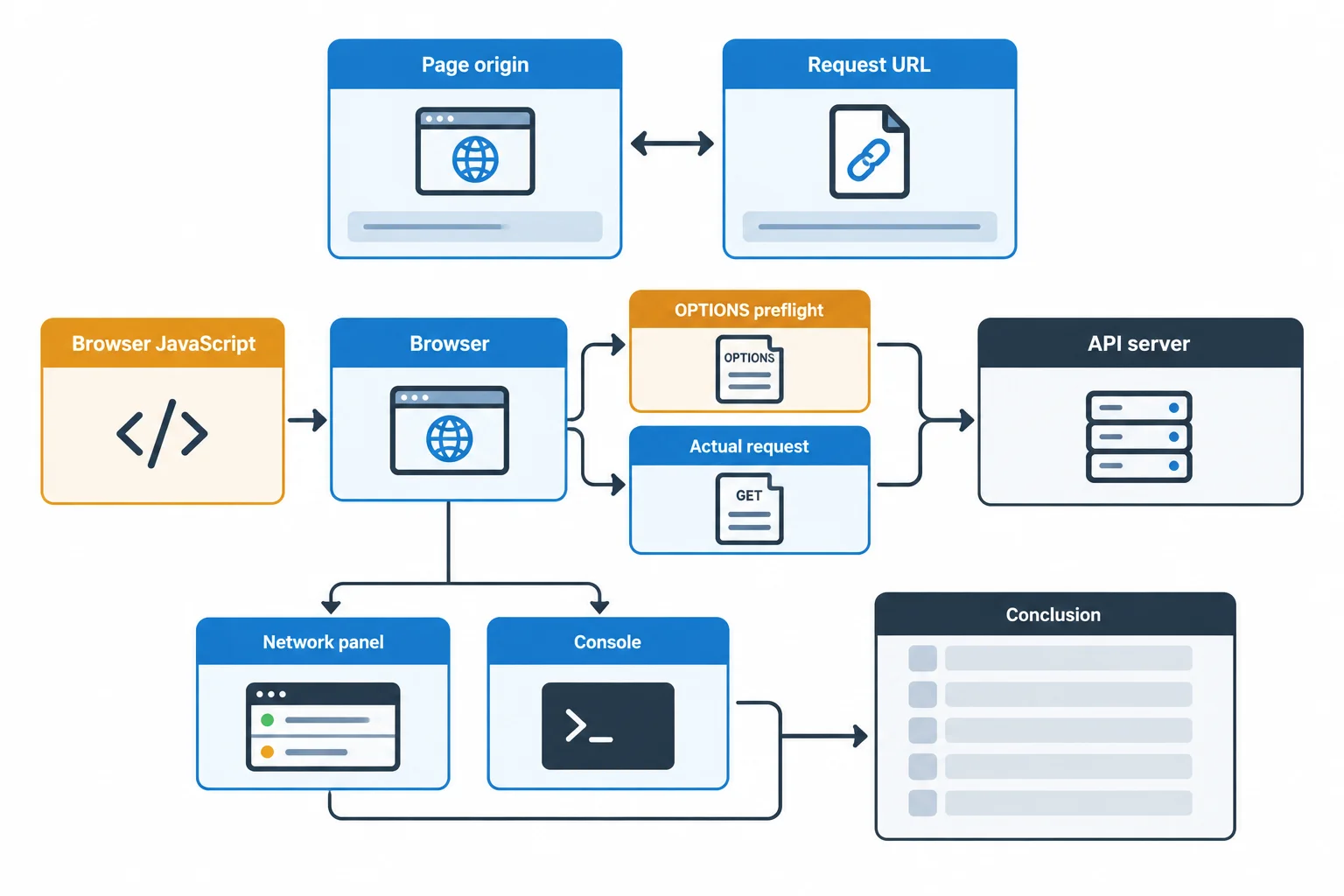
Network and Console evidence reveal which exchange occurred and what remains uncertain.
Example
Page origin: https://app.example.test
Request URL: https://api.example.test/products
Method: GET
Network evidence: An actual request is listed with HTTP 403. Response headers include Access-Control-Allow-Origin: https://app.example.test.
Console evidence: No CORS policy message appears.
JavaScript outcome: fetch() resolves to a readable Response; response.status is 403.
Example
Page origin: http://localhost:5173
Request URL: http://localhost:3000/products
Method: POST with Content-Type: application/json
Network evidence: An OPTIONS entry appears with HTTP 204, but no actual POST entry appears. Request headers include Origin: http://localhost:5173, Access-Control-Request-Method: POST, and Access-Control-Request-Headers: Content-Type. Response headers include Access-Control-Allow-Origin: http://localhost:5173 and Access-Control-Allow-Methods: POST; they do not include Access-Control-Allow-Headers permitting Content-Type.
Console evidence: The browser reports that request header Content-Type is not allowed by the preflight response.
JavaScript outcome: fetch() rejects; JavaScript receives no readable Response.
Example
Page origin: http://localhost:5173
Request URL: http://localhost:3000/products
Method: POST with Content-Type: application/json
Network evidence: OPTIONS appears first with HTTP 204. Response headers include Access-Control-Allow-Origin: http://localhost:5173, Access-Control-Allow-Methods: POST, and Access-Control-Allow-Headers: Content-Type. An actual POST then appears with HTTP 201, but its Response headers do not include Access-Control-Allow-Origin.
Console evidence: The browser reports that access to the actual response was blocked by CORS.
JavaScript outcome: fetch() rejects; JavaScript receives no readable Response.
For each record—A, B, and C—write a complete conclusion using these labels:
Base every claim on the supplied Network and Console evidence. In the final field, distinguish an OPTIONS request from an actual request. Do not state that a write took effect merely because the browser recorded an actual request or because JavaScript could not read its response.
Write at least 600 characters (0/600).
Compare your reasoning with these evidence-based conclusions. Browser diagnostics can show an actual exchange even when Browser JavaScript cannot access its response.
| Record | Diagnosis | Evidence | Next action | Owner | Server receipt certainty |
|---|---|---|---|---|---|
| A | Readable HTTP error | Actual GET is HTTP 403; allowed-origin header; readable Response | Check the documented access requirements and request context before changing CORS settings | Client developer first | The API received the GET and returned HTTP 403. |
| B | Denied preflight | OPTIONS does not permit requested Content-Type; no actual POST entry | Request CORS permission for the documented Content-Type header | API owner | The API received OPTIONS; the Browser withheld the actual POST for this attempt. |
| C | Actual response blocked by CORS | Preflight permits POST and Content-Type; actual POST is HTTP 201 but lacks allowed-origin header | Authorize the page origin on the actual response; verify the result through an authorized read or the API owner | API owner | The actual POST reached the API and a response was recorded. The intended catalog state still needs verification. |
Summary
Congratulations! You completed: Diagnose Request Failures and CORS Restrictions
Thousands of online courses in video, ebooks and audiobooks.
To test your knowledge during online courses
Generated directly from your cell phone's photo gallery and sent to your email

Download our app via QR Code or the links below:.



Carry knowledge in your pocket.
Download the Cursa app.
There are hundreds of free courses available, with a free certificate of completion that is saved in your mobile image gallery.
Download the app to access the Course Completion Certificate for Free.


+ 10 million
students

Free and Valid
Certificate

60 thousand free
exercises

4.8/5 rating in
app stores

Free courses in
video and ebooks