Step 1 of 9
Give Routed Views One Query Cache
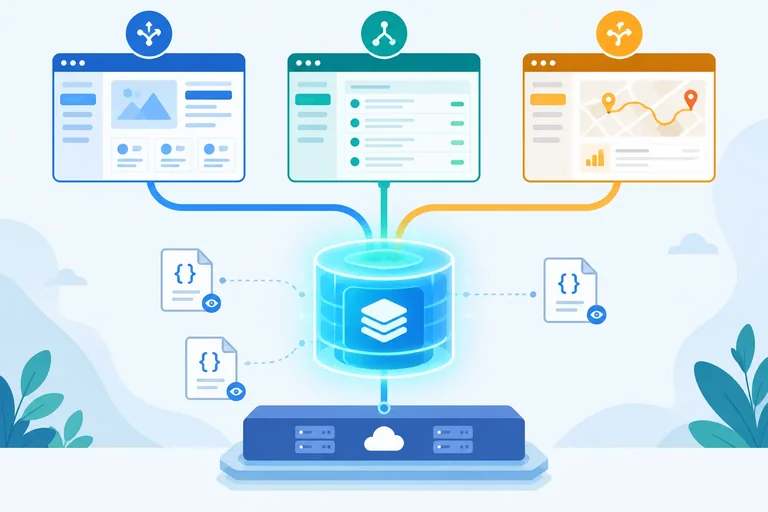
Set up one application-level query cache for routed React views before adding project reads.

Learning path · Level 10 · Tutorial 8
Connect routed React views to a typed query cache. Fetch JSON files you create locally through Vite, reuse resources across routes, and recover from failed reads without a backend.
 Give Routed Views One Query Cache
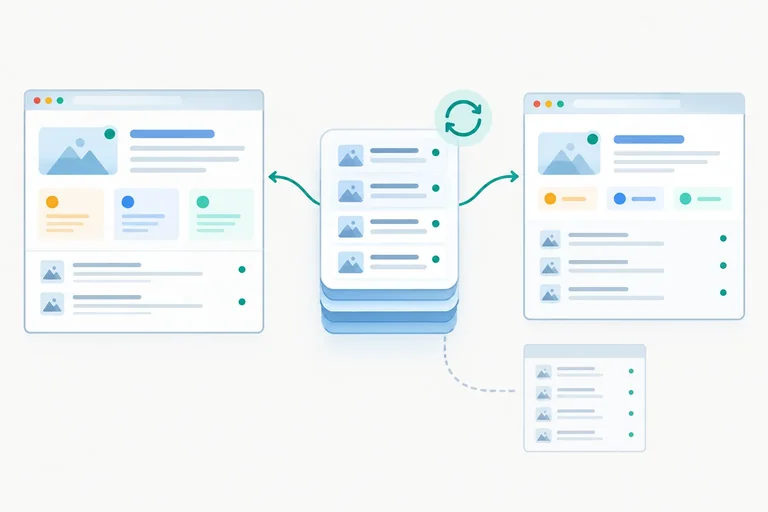
Set up one application-level query cache for routed React views before adding project reads. 2 min
Give Routed Views One Query Cache
Set up one application-level query cache for routed React views before adding project reads. 2 min
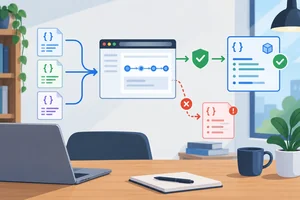 Read Typed Resources from Local JSON
Create validated data-access functions that read local Vite JSON fixtures and preserve the difference between empty data and failed reads. 3 min
Read Typed Resources from Local JSON
Create validated data-access functions that read local Vite JSON fixtures and preserve the difference between empty data and failed reads. 3 min
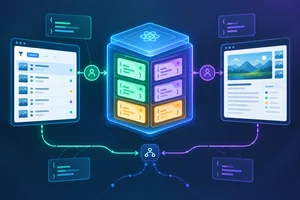 Identify Results with Query Keys
Construct result-specific query keys and connect a cancellable, typed list read to TanStack Query. 3 min
Identify Results with Query Keys
Construct result-specific query keys and connect a cancellable, typed list read to TanStack Query. 3 min
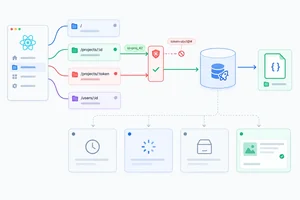 Gate Queries and Show the Right Initial State
3 min
Gate Queries and Show the Right Initial State
3 min
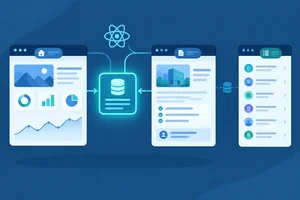 Reuse a Project Across Route Consumers
Use one detail query entry across the overview and brief routes while keeping list data, route input, and cached resource data in their proper roles. 2 min
Reuse a Project Across Route Consumers
Use one detail query entry across the overview and brief routes while keeping list data, route input, and cached resource data in their proper roles. 2 min
 Separate Freshness from Cache Retention
Configure short freshness and inactive-retention periods, then predict how cached project data behaves during navigation. 3 min
Separate Freshness from Cache Retention
Configure short freshness and inactive-retention periods, then predict how cached project data behaves during navigation. 3 min
 Observe Cache Behavior During Navigation
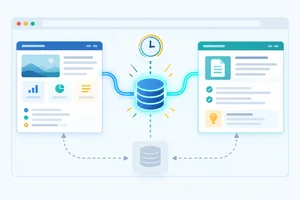
Observe fresh reuse, stale background fetching, and inactive-entry removal while navigating between routed project views. 3 min
Observe Cache Behavior During Navigation
Observe fresh reuse, stale background fetching, and inactive-entry removal while navigating between routed project views. 3 min
 Recover Without Discarding Useful Data
Configure bounded read retries and recover from initial and background failures without discarding previously successful project data. 3 min
Recover Without Discarding Useful Data
Configure bounded read retries and recover from initial and background failures without discarding previously successful project data. 3 min
 Verify the Complete Routed Read Flow
Verify the integrated local application, including guarded route input, cache reuse, freshness behavior, and recovery from read failures. 3 min
Verify the Complete Routed Read Flow
Verify the integrated local application, including guarded route input, cache reuse, freshness behavior, and recovery from read failures. 3 min
Step 1 of 9
Set up one application-level query cache for routed React views before adding project reads.
Project records are resource data: they remain owned outside React even while the application holds an in-memory cached copy. In this tutorial, their source will be read-only JSON served locally by Vite; another application might read the same kind of data from an API.
A query cache handles reuse of resource data and preserves the outcome of reads. That responsibility differs from temporary interaction state, such as whether one route’s help panel is open. Do not copy fetched project records into component state or general context merely to share them between routes.
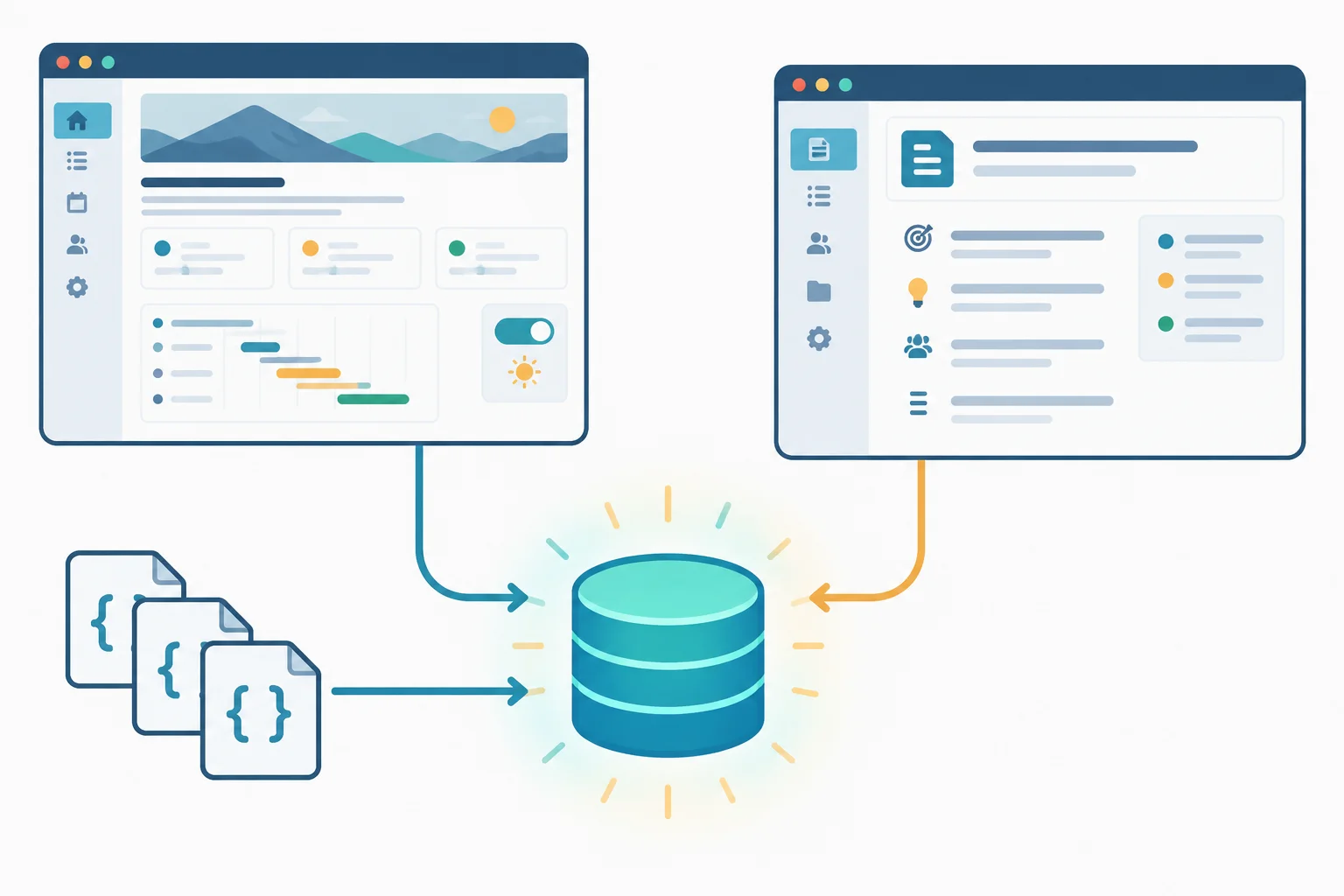
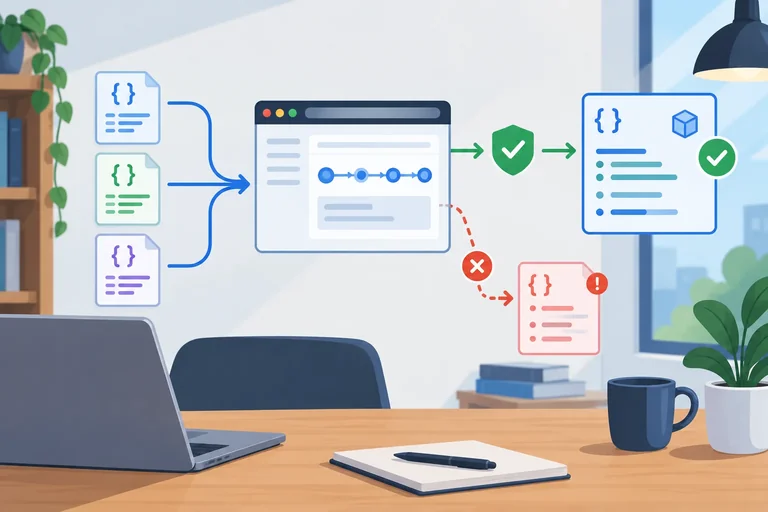
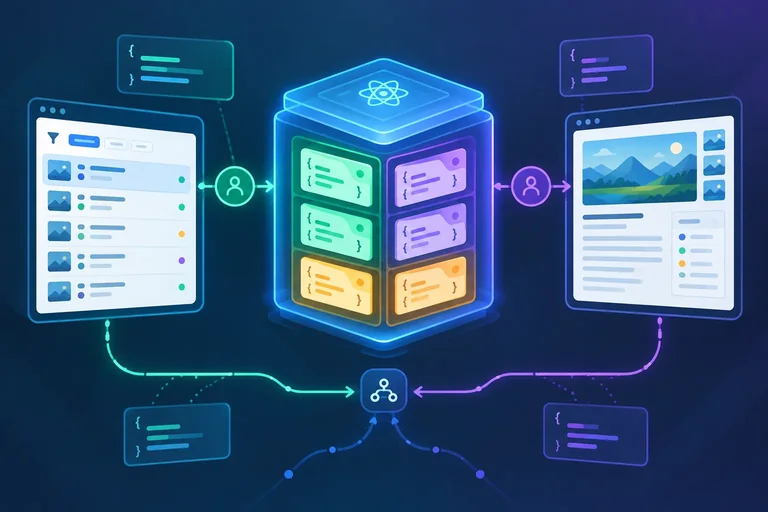
Route views can consume shared cached resource data while temporary interface details stay local.
Tip
The query cache is in-memory application infrastructure, not durable storage. It can survive route changes while this application instance runs, but a full browser reload evaluates the modules again and starts with a new, empty cache.
In your own Vite project, install TanStack Query. Then create one QueryClient at module scope in src/main.tsx. This gives the running application one stable cache instead of replacing it during rendering.
Use the default client configuration for now. Later steps add demonstration settings for freshness, retention, and retry behavior.
Run this from the project folder.
npm install @tanstack/react-query@5added 2 packages, and audited 214 packages in 2s found 0 vulnerabilities
The package count, audit details, and elapsed time vary by npm version and existing dependencies.
Create or replace src/main.tsx. The provider encloses the router and every routed view. Keep any route-level error boundary below this provider so route recovery does not replace the application cache.
import { StrictMode } from 'react';
import { createRoot } from 'react-dom/client';
import { BrowserRouter } from 'react-router';
import { QueryClient, QueryClientProvider } from '@tanstack/react-query';
import App from './App';

const queryClient = new QueryClient();

createRoot(document.getElementById('root')!).render(
  <StrictMode>
    <QueryClientProvider client={queryClient}>
      <BrowserRouter>
        <App />
      </BrowserRouter>
    </QueryClientProvider>
  </StrictMode>,
);
Keep route composition below the provider. This navigation shell intentionally has no resource reads yet: later steps replace these temporary route views with query-driven presentations. It uses the three project URLs that the completed application will support.
Create src/App.tsx. This default export matches the import in src/main.tsx.
import { Link, Route, Routes } from 'react-router';
import { ProjectBriefPage } from './features/projects/ProjectBriefPage';
import { ProjectListPage } from './features/projects/ProjectListPage';
import { ProjectPage } from './features/projects/ProjectPage';

export default function App() {
  return (
    <>
      <nav aria-label='Projects'>
        <Link to='/projects?status=active'>Projects</Link>{' '}
        <Link to='/projects/p-101'>Atlas overview</Link>{' '}
        <Link to='/projects/p-101/brief'>Atlas brief</Link>
      </nav>
      <Routes>
        <Route path='/projects' element={<ProjectListPage />} />
        <Route path='/projects/:projectId' element={<ProjectPage />} />
        <Route path='/projects/:projectId/brief' element={<ProjectBriefPage />} />
        <Route path='*' element={<p>Page not found.</p>} />
      </Routes>
    </>
  );
}Create these three files under src/features/projects/, splitting the snippet at each file comment.
// src/features/projects/ProjectListPage.tsx
export function ProjectListPage() {
  return <h1>Projects</h1>;
}

// src/features/projects/ProjectPage.tsx
export function ProjectPage() {
  return <h1>Project overview</h1>;
}

// src/features/projects/ProjectBriefPage.tsx
export function ProjectBriefPage() {
  return <h1>Project brief</h1>;
}
Complete the provider boundary around the routed application.
createRoot(document.getElementById('root')!).render(
  <StrictMode>

      <BrowserRouter>
        <App />
      </BrowserRouter>

  </StrictMode>,
);Match each value or situation to its appropriate owner or consequence.
Tap an item and then its matching pair.
Step 2 of 9
Create validated data-access functions that read local Vite JSON fixtures and preserve the difference between empty data and failed reads.
Create these read-only fixtures in your Vite project. Files inside public are served from the site root, so the browser requests /data/projects.json—never /public/data/projects.json.
Create the public/data/projects folder before adding the two detail files.
[
  {
    "id": "p-101",
    "name": "Atlas",
    "status": "active",
    "summary": "Map neighborhood walking routes."
  },
  {
    "id": "p-102",
    "name": "Harbor",
    "status": "active",
    "summary": "Coordinate community events."
  }
]{
"id": "p-101",
"name": "Atlas",
"status": "active",
"summary": "Map neighborhood walking routes."
}{
"id": "p-102",
"name": "Harbor",
"status": "active",
"summary": "Coordinate community events."
}Keep transport and runtime validation in src/features/projects/projectData.ts. A successful HTTP response only gives decoded unknown data; it does not prove that the data is a Project.
Start the file with the shared record contract and validators below. The validators are the boundary that prevents invalid JSON values from entering the typed application.
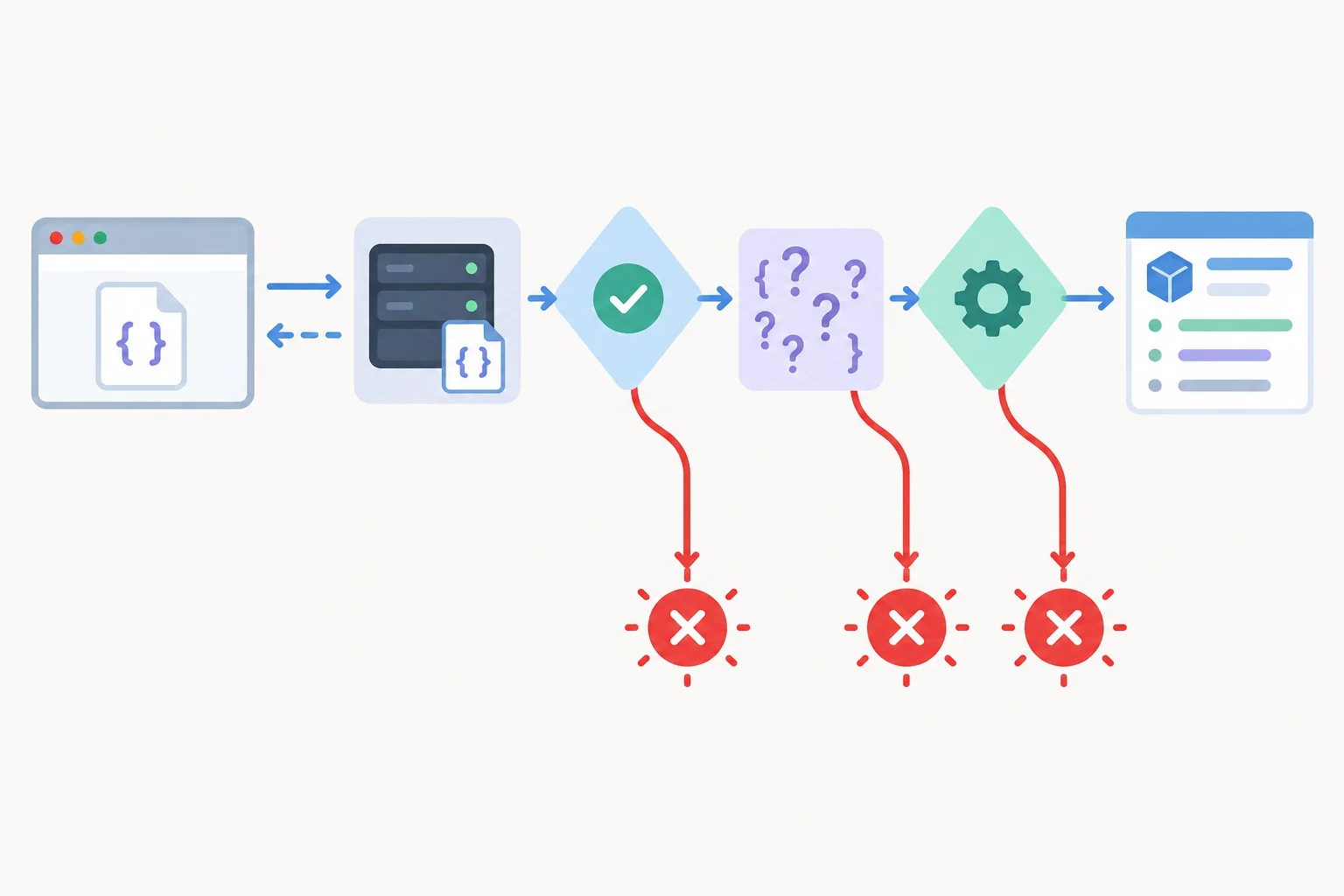
Only data that passes both the HTTP and runtime-shape checks becomes typed resource data.
Begin src/features/projects/projectData.ts with these declarations and validation helpers.
export type Project = {
  id: string;
  name: string;
  status: 'active' | 'archived';
  summary: string;
};

function isRecord(value: unknown): value is Record<string, unknown> {
  return typeof value === 'object' && value !== null;
}

function isProject(value: unknown): value is Project {
  return isRecord(value)
    && typeof value.id === 'string'
    && typeof value.name === 'string'
    && (value.status === 'active' || value.status === 'archived')
    && typeof value.summary === 'string';
}

function parseProject(value: unknown): Project {
  if (!isProject(value)) {
    throw new Error('Invalid project data.');
  }

  return value;
}

function parseProjects(value: unknown): Project[] {
  if (!Array.isArray(value) || !value.every(isProject)) {
    throw new Error('Invalid project list data.');
  }

  return value;
}Append these functions to the same projectData.ts file. fetch receives the supplied signal, unsuccessful HTTP responses reject, and response.json() is retained as unknown until validation succeeds.
async function readJson(url: string, signal: AbortSignal): Promise<unknown> {
  const response = await fetch(url, { signal });

  if (!response.ok) {
    throw new Error(`Request failed: ${response.status}.`);
  }

  const decoded: unknown = await response.json();
  return decoded;
}

export async function fetchProjects(
  status: 'all' | Project['status'],
  signal: AbortSignal,
): Promise<Project[]> {
  const decoded = await readJson('/data/projects.json', signal);
  const projects = parseProjects(decoded);

  return status === 'all'
    ? projects
    : projects.filter((project) => project.status === status);
}

export async function fetchProject(
  projectId: string,
  signal: AbortSignal,
): Promise<Project> {
  const decoded = await readJson(`/data/projects/${projectId}.json`, signal);
  const project = parseProject(decoded);

  if (project.id !== projectId) {
    throw new Error('Project ID does not match the requested resource.');
  }

  return project;
}fetchProjects('archived', signal) currently resolves to []: both fixture records are active. That empty array is valid successful data.
By contrast, a non-OK response, malformed JSON, an invalid record shape, or a detail record whose id differs from the requested ID must reject. Do not replace any of those failures with [] or an invented Project.
Warning
These JSON files are served as read-only Vite resources. This module performs reads only; it does not treat the files as writable API endpoints.
Complete the validated-read boundary. Each blank represents one expression or keyword.
async function readJson(url: string, signal: AbortSignal): Promise<unknown> {
  const response = await fetch(url, {  });

  if () {
    throw new Error(`Request failed: ${response.status}.`);
  }

  const decoded: unknown = await response.json();
  return decoded;
}

async function fetchProjects(
  status: 'all' | Project['status'],
  signal: AbortSignal,
): Promise<Project[]> {
  const decoded = await readJson('/data/projects.json', signal);
  const projects = (decoded);

  return status === 'all'
    ? projects
    : projects.filter((project) => project.status === status);
}

async function fetchProject(projectId: string, signal: AbortSignal): Promise<Project> {
  const decoded = await readJson(`/data/projects/${projectId}.json`, signal);
  const project = parseProject(decoded);

  if (project.id !== projectId) {
     new Error('Project ID does not match the requested resource.');
  }

  return project;
}
Step 3 of 9
Construct result-specific query keys and connect a cancellable, typed list read to TanStack Query.
A query key is the identity of a result inside one QueryClient. The request URL describes where data is read from, but it does not by itself separate cached results.
For example, the active-project list and archived-project list read the same /data/projects.json resource. They are different results because the normalized status changes which records fetchProjects returns. Their query keys must therefore differ.
Treat every input that changes a returned result as part of that result’s query key.
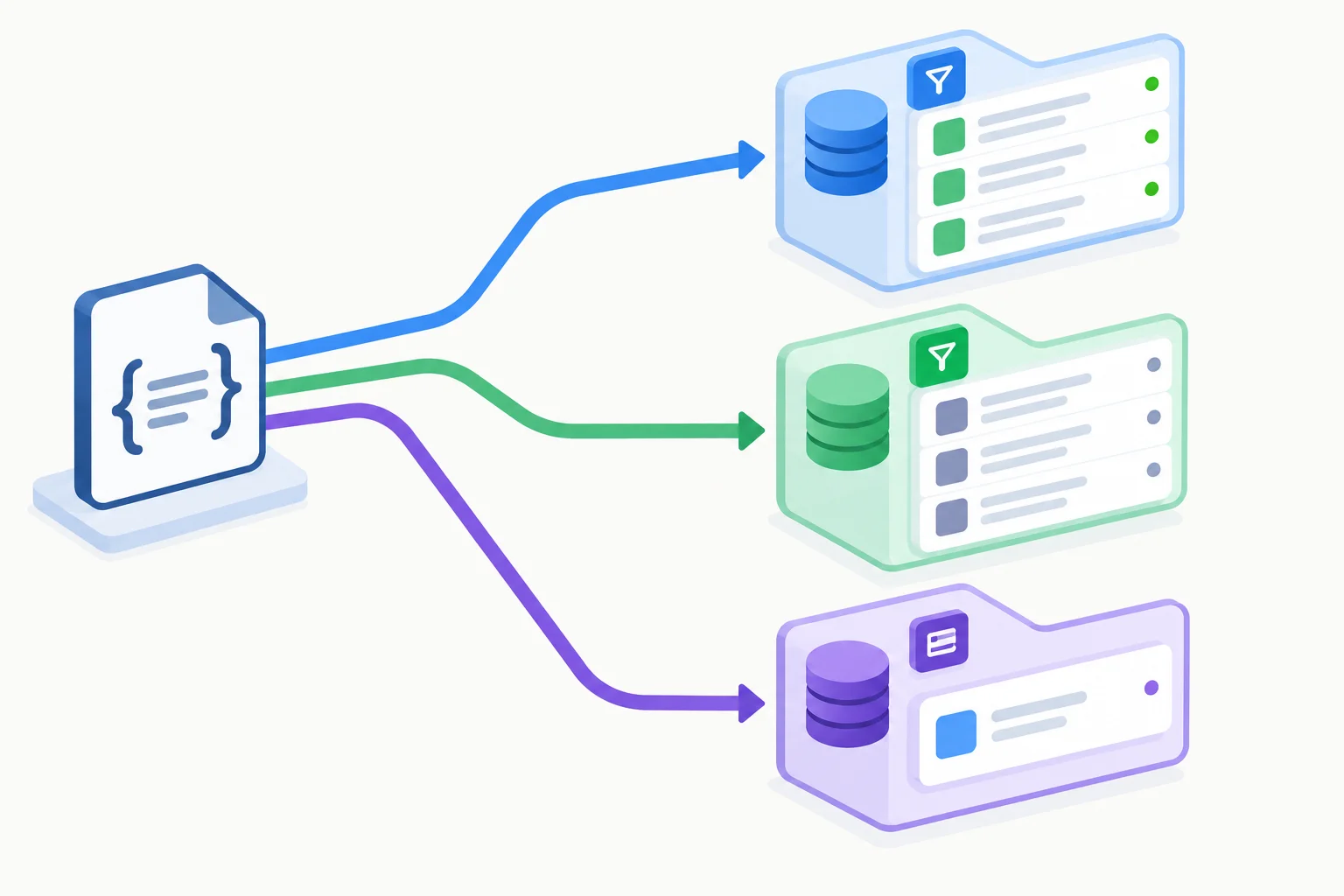
The same HTTP resource can support multiple query-cache entries when the returned result depends on different inputs.
Keep key shapes in one factory. This prevents one consumer from writing a list key differently from another consumer.
The list key includes normalized status. The detail key includes the project identifier. The detail signature accepts string | null so the key contract is ready for route input; execution guarding comes in the next step.
In src/features/projects/projectQueries.ts, define the shared result identities.
import type { Project } from './projectData';

export type ProjectListStatus = 'all' | Project['status'];

export const projectKeys = {
  list: (status: ProjectListStatus) =>
    ['projects', 'list', { status }] as const,
  detail: (projectId: string | null) =>
    ['projects', 'detail', projectId] as const,
};These examples show why omitting status from a list key is an identity error: two differently filtered results would be assigned the same cache location.
| Consumer input | Factory call | Result identity |
|---|---|---|
| Normalized active filter | projectKeys.list('active') | Projects list: active |
| Normalized archived filter | projectKeys.list('archived') | Projects list: archived |
| Project identifier p-101 | projectKeys.detail('p-101') | Project detail: p-101 |
Add the list Hook beneath the factory. useQuery receives the key and a query function. When the URL-derived filter changes, status changes in both places: a new key selects the appropriate cache entry, and the query function reads the matching result.
The query-function context supplies an AbortSignal. Forward it to the data-access function, which forwards it to fetch. That lets TanStack Query cancel an obsolete read rather than leaving transport cancellation disconnected from query management.
Add this to src/features/projects/projectQueries.ts.
import { useQuery } from '@tanstack/react-query';
import { fetchProjects } from './projectData';

export function useProjects(status: ProjectListStatus) {
  const query = useQuery({
    queryKey: projectKeys.list(status),
    queryFn: ({ signal }) => fetchProjects(status, signal),
  });

  return query;
}
Tip
Do not hand-write a partial key such as ['projects', 'list']. It loses the filter that distinguishes results. Also do not replace the supplied signal with a newly created controller: the query manager must control the signal that reaches fetch.
Complete the two result-specific keys and forward the query-managed cancellation signal into the active-list read.
import { useQuery } from '@tanstack/react-query';
import { fetchProjects } from './projectData';

// Do not use ['projects', 'list']: it omits a result-changing input.
const activeListKey = ;
const atlasDetailKey = ;

export function useActiveProjects() {
  const query = useQuery({
    queryKey: activeListKey,
    queryFn: (context) => fetchProjects('active', ),
  });

  return query;
}

void atlasDetailKey;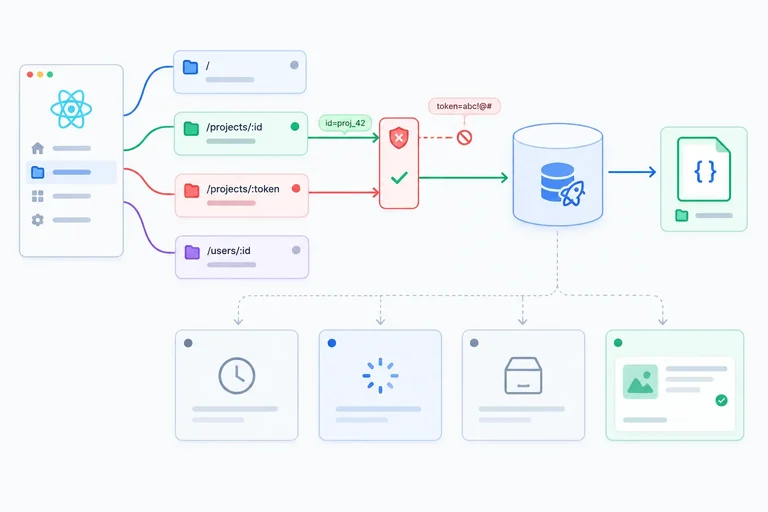
Step 4 of 9
A route parameter is input, not proof that a resource can be read. Normalize it before calling the detail Hook: an identifier that does not match the accepted format becomes null.
/projects/not-an-id becomes null. It must not start a request./projects/p-999 can start a request, but its JSON resource may be unavailable. That is a read failure, not an invalid link.This distinction lets the interface report Invalid project link immediately while valid resource reads remain the query cache's responsibility.
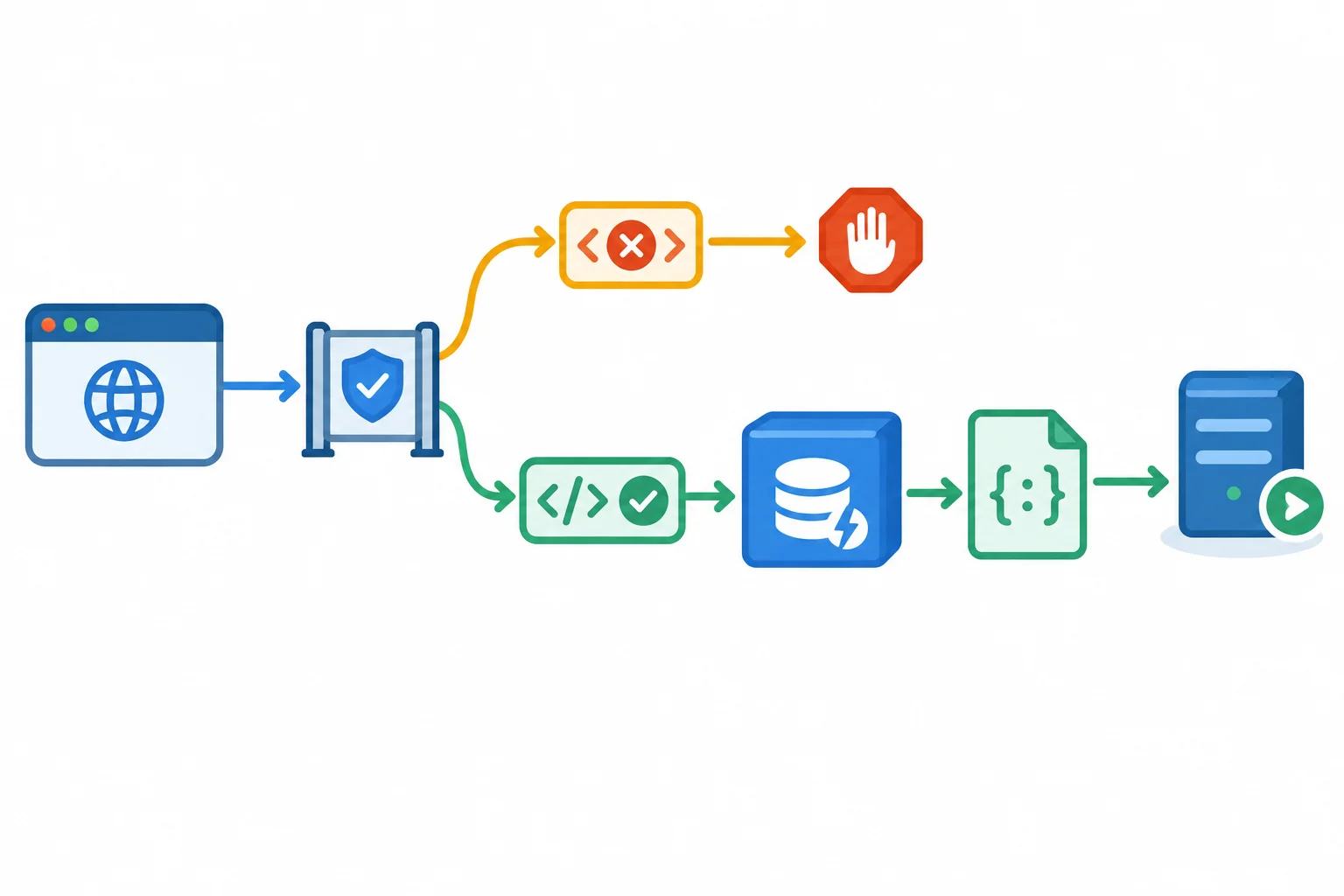
Malformed input stops at the gate. A format-valid identifier may read, whether or not a matching resource exists.
Tip
A disabled, uncached query may have status: 'pending' and fetchStatus: 'idle'. It is waiting, not loading. Do not use isPending alone to show a loading spinner.
isLoading identifies an active initial fetch: it is true when the query is both pending and fetching. Handle invalid route input before evaluating query flags, and do not offer an action that could explicitly refetch an invalid query.
Create the route-input helpers in src/features/projects/projectRoute.ts. isProjectId is exported for code that needs a boolean type guard; normalizeProjectId is the route-facing helper used by both detail pages. Unsupported or absent list-filter values normalize to 'all'.
export type ProjectStatusFilter = 'all' | 'active' | 'archived';

export function isProjectId(value: string | undefined): value is string {
  return typeof value === 'string' && /^p-\d{3}$/.test(value);
}

export function normalizeProjectId(value: string | undefined): string | null {
  return isProjectId(value) ? value : null;
}

export function normalizeProjectStatus(value: string | null): ProjectStatusFilter {
  if (value === 'active' || value === 'archived') {
    return value;
  }

  return 'all';
}
Replace the full contents of src/features/projects/projectQueries.ts with this consolidated version. Step 3 already added useQuery; replacing the file avoids a duplicate import while preserving the list Hook and adding the guarded detail Hook.
Call useProject unconditionally. enabled prevents automatic execution for null, while the query-function guard protects fetchProject if code explicitly invokes a disabled query.
import { useQuery } from '@tanstack/react-query';
import {
  fetchProject,
  fetchProjects,
  type Project,
} from './projectData';

export type ProjectListStatus = 'all' | Project['status'];

export const projectKeys = {
  list: (status: ProjectListStatus) =>
    ['projects', 'list', { status }] as const,
  detail: (projectId: string | null) =>
    ['projects', 'detail', projectId] as const,
};

export function useProjects(status: ProjectListStatus) {
  const query = useQuery({
    queryKey: projectKeys.list(status),
    queryFn: ({ signal }) => fetchProjects(status, signal),
  });

  return query;
}

export function useProject(projectId: string | null) {
  const query = useQuery({
    queryKey: projectKeys.detail(projectId),
    queryFn: ({ signal }) => {
      if (projectId === null) {
        throw new Error('Invalid project link');
      }

      return fetchProject(projectId, signal);
    },
    enabled: projectId !== null,
  });

  return query;
}
For a detail page, render Invalid project link first when normalization returned null. This branch deliberately does not inspect query flags or offer a refetch action.
For valid input, use query.isLoading for the active initial read. If no data is available after that, render initial-failure feedback. A format-valid but unavailable ID belongs in this failure branch, not in the malformed-link branch.
For a list, availability and emptiness are separate checks. An empty array is successful data, so test its length only after confirming query.data !== undefined.
These are initial-state snapshots. Status answers whether a result has succeeded or failed; fetch status answers whether a request is currently active.
| Situation | Query status | Fetch status | Appropriate render |
|---|---|---|---|
| Malformed project input | pending | idle | Invalid project link |
| Disabled, uncached detail | pending | idle | Invalid project link |
| Initial valid read | pending | fetching | Loading feedback |
| Initial read failure | error | idle | Failure feedback |
| Successful filtered list with [] | success | idle | No matching projects |
| Successful project | success | idle | Project content |
This complete list view imports the helpers created in this step. The archived filter currently produces a successful empty array because both local fixture records are active.
import { Link, useSearchParams } from 'react-router';
import { useProjects } from './projectQueries';
import { normalizeProjectStatus } from './projectRoute';

export function ProjectListPage() {
  const [searchParams] = useSearchParams();
  const status = normalizeProjectStatus(searchParams.get('status'));
  const query = useProjects(status);

  if (query.isLoading) {
    return <p>Loading projects…</p>;
  }

  if (query.isError) {
    return <p>Project list could not be loaded.</p>;
  }

  if (query.data === undefined) {
    return <p>Waiting to load projects.</p>;
  }

  if (query.data.length === 0) {
    return <p>No matching projects</p>;
  }

  return (
    <main>
      <h1>Projects</h1>
      <ul>
        {query.data.map((project) => (
          <li key={project.id}>
            <Link to={`/projects/${project.id}`}>{project.name}</Link>
          </li>
        ))}
      </ul>
    </main>
  );
}
Complete the guarded detail query and the two initial-state conditions. The spinner condition must remain false for an uncached query whose automatic execution is disabled.
export function useProject(projectId: string | null) {
  const query = useQuery({
    queryKey: projectKeys.detail(projectId),
    queryFn: ({ signal }) => {
      if () {
        throw new Error('Invalid project link');
      }

      return fetchProject(projectId, signal);
    },
    enabled: ,
  });

  return query;
}

const showInitialSpinner = ;
const showEmptyList =
  listQuery.data !== undefined && ;
Step 5 of 9
Use one detail query entry across the overview and brief routes while keeping list data, route input, and cached resource data in their proper roles.
ProjectPage and ProjectBriefPage are different presentations of one external resource. When both normalize the route input to the same ID and call useProject, they address the same detail entry in the same query cache.
For example, both routes for p-101 observe the entry identified by the detail query key. The brief can render a shorter view without receiving a copied Project through props, component state, or context.
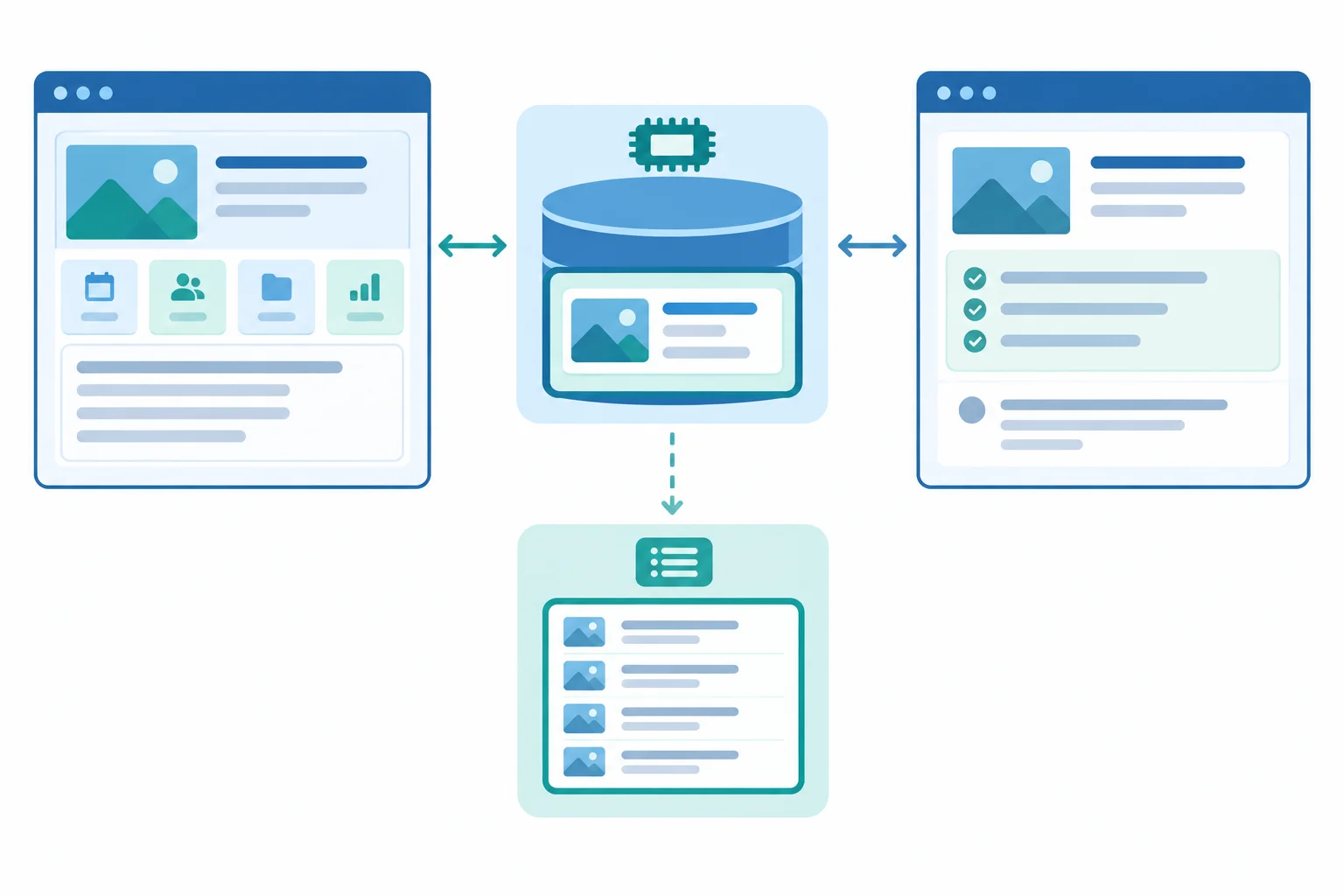
Equal normalized IDs plus the same detail query key select one shared cached resource.
Tip
Do not create ProjectContext just to distribute this server-owned record. Context would be a second source of truth that can drift from the query cache. Read query.data in each consumer instead.
A cache hit may make data available immediately. That does not guarantee that no request can occur; the freshness policy controls whether a background refresh is appropriate.
Keep the route-specific presentation in each named page component. Each component normalizes its own route parameter, calls the same Hook, and renders directly from available query data. normalizeProjectId is the route-input helper established earlier; it returns string | null.
import { Link, useParams } from 'react-router';
import { normalizeProjectId } from './projectRoute';
import { useProject } from './projectQueries';

export function ProjectPage() {
  const { projectId: routeProjectId } = useParams();
  const projectId = normalizeProjectId(routeProjectId);
  const query = useProject(projectId);

  if (projectId === null) return <p>Invalid project link</p>;

  if (query.data !== undefined) {
    const project = query.data;
    return <main><h1>{project.name}</h1><p>{project.summary}</p><Link to={`/projects/${project.id}/brief`}>Read brief</Link></main>;
  }

  if (query.isLoading) return <p>Loading project…</p>;
  return <p>Could not load project.</p>;
}import { Link, useParams } from 'react-router';
import { normalizeProjectId } from './projectRoute';
import { useProject } from './projectQueries';
export function ProjectBriefPage() {
const { projectId: routeProjectId } = useParams();
const projectId = normalizeProjectId(routeProjectId);
const query = useProject(projectId);
if (projectId === null) return <p>Invalid project link</p>;
if (query.data !== undefined) {
const project = query.data;
return <main><h1>{project.name} brief</h1><p>Status: {project.status}</p><Link to={`/projects/${project.id}`}>Project overview</Link></main>;
}
if (query.isLoading) return <p>Loading project…</p>;
return <p>Could not load project.</p>;
}Complete the key expression in the shared Hook. Both route consumers depend on this one detail identity when they pass an equal normalized project ID.
export function useProject(projectId: string | null) {
  const query = useQuery({
    queryKey: (projectId),
    queryFn: ({ signal }) => {
      if (projectId === null) {
        throw new Error('Invalid project link');
      }

      return fetchProject(projectId, signal);
    },
    enabled: projectId !== null,
  });

  return query;
}Assume both routes normalize their parameter to p-101. Write the query line that belongs in each route component. Then explain why the record should not be copied into ProjectContext, and why an identical record inside a list result is not interchangeable with the detail result.
Write at least 140 characters (0/140).
Step 6 of 9
Configure short freshness and inactive-retention periods, then predict how cached project data behaves during navigation.
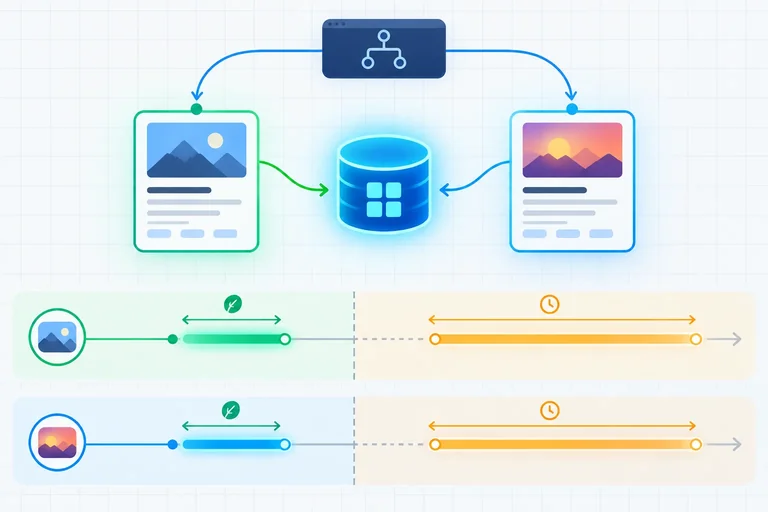
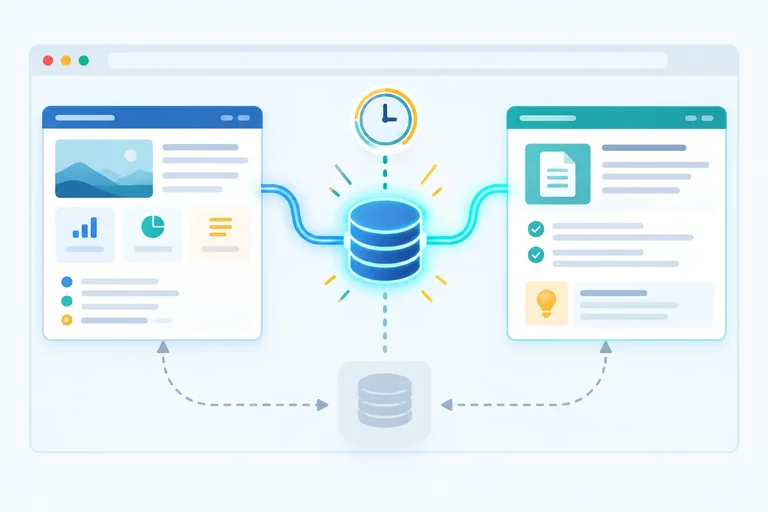
A successful query result has two separate timers.
For this demonstration, data is fresh for 30 s. If neither routed view is using an entry, that inactive entry is retained for 60 s before it can be removed.
These are intentionally short values for observing behavior locally, not universal production defaults.
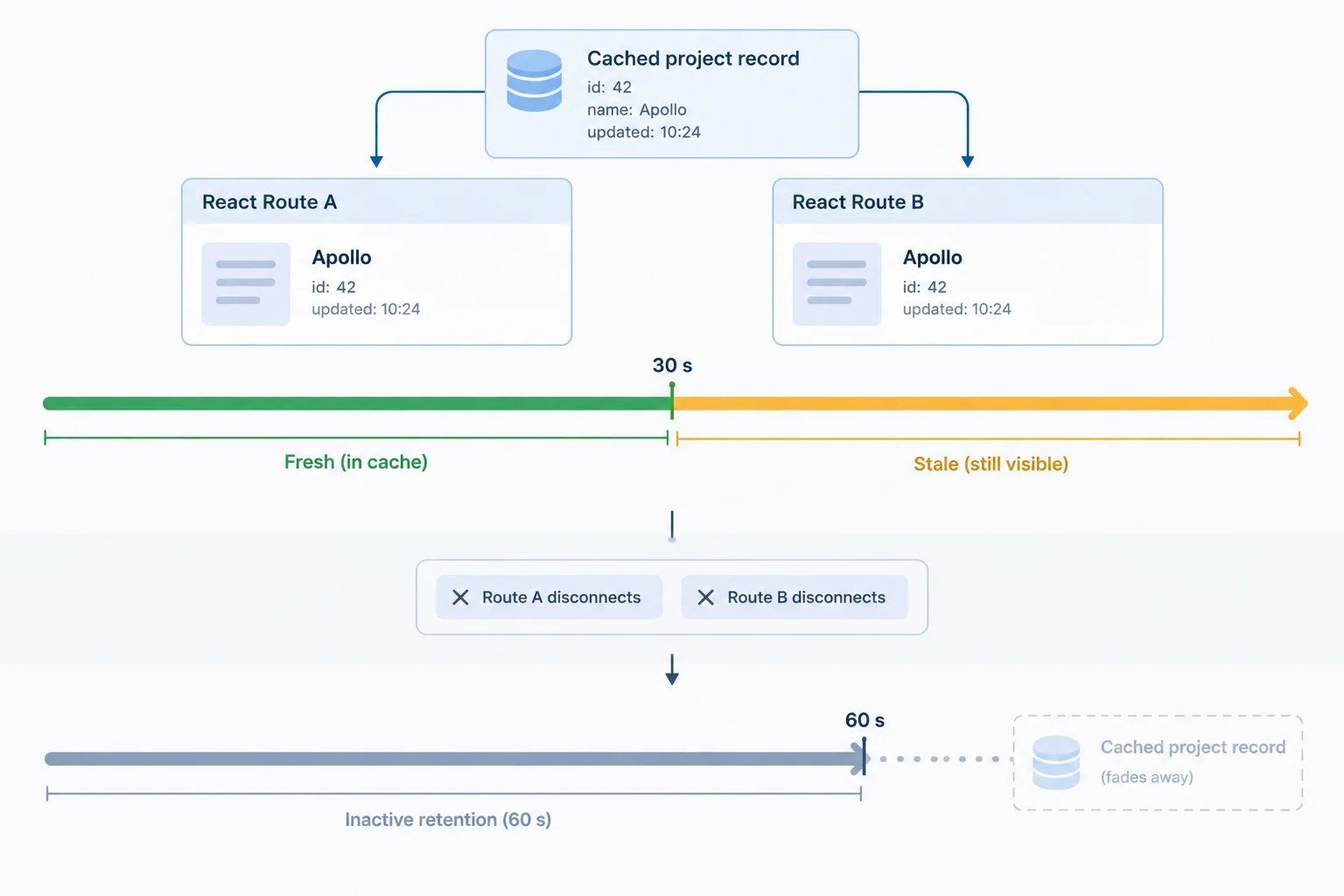
Freshness is measured from successful data. Inactive retention begins later, when the final active consumer leaves.
Becoming stale does not delete data and does not independently start a request. Stale cached data remains available for rendering.
With the normal mount, window-focus, and reconnect behaviors enabled, a new consumer mount, returning focus, or reconnecting can refetch a stale entry. Those ordinary triggers do not refetch an entry that is still fresh.
An active consumer prevents the inactive-retention countdown. Age alone never causes garbage collection.
The two settings answer different questions about the same cached result.
| Setting | Clock starts | Effect |
|---|---|---|
| staleTime | Successful data arrives | Data is fresh for 30 s |
| gcTime | Last active consumer leaves | Inactive entry is retained for 60 s |
| Stale entry | Freshness ends | Data remains available |
| Active entry | A consumer is mounted | Inactive retention does not start |
In src/main.tsx, replace the module-scope client construction. Keep the existing QueryClientProvider and routed application beneath this stable client.
const queryClient = new QueryClient({
  defaultOptions: {
    queries: {
      staleTime: 30_000,
      gcTime: 60_000,
    },
  },
});Complete the query-cache timing configuration.
const queryClient = new QueryClient({
  defaultOptions: {
    queries: {
      staleTime: ,
      gcTime: ,
    },
  },
});Match each timeline scenario to its expected data availability and request behavior.
Tap an item and then its matching pair.
Step 7 of 9
Observe fresh reuse, stale background fetching, and inactive-entry removal while navigating between routed project views.
A project can already be available from the query cache while TanStack Query performs another read. Do not replace that content with an initial-loading screen.
Use query.data !== undefined to keep rendering the last successful project. When query.isFetching is also true, add the restrained status Refreshing…. The overview and brief links remain usable during this background refresh.
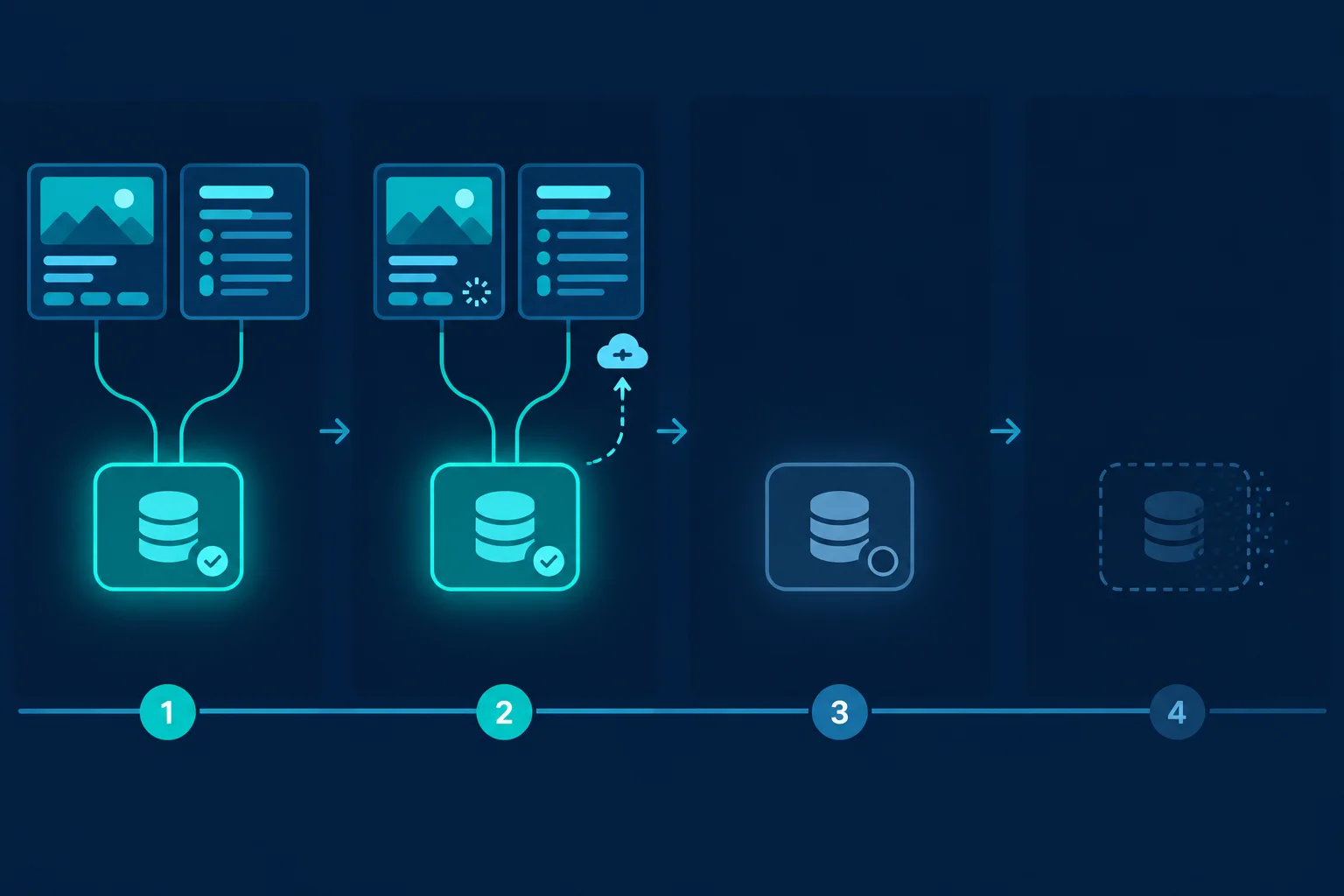
Fresh data can be reused without a read. Stale retained data remains visible while a trigger starts a background refresh; an inactive entry can later be collected.
Replace the result-rendering portion of the established ProjectPage with this pattern. It keeps a cached project visible before considering loading or unavailable-data UI.
if (query.data !== undefined) {
  const project = query.data;

  return (
    <main aria-busy={query.isFetching}>
      {query.data !== undefined && query.isFetching && (
        <p role='status'>Refreshing…</p>
      )}
      <h1>{project.name}</h1>
      <p>{project.summary}</p>
      <Link to={`/projects/${project.id}/brief`}>Read brief</Link>
    </main>
  );
}

if (query.isLoading) {
  return <p>Loading project…</p>;
}

return <p>Could not load project.</p>;Open browser DevTools before the experiment. In Network, filter for projects and enable Disable cache while DevTools remains open. This prevents the browser HTTP cache from hiding fixture reads; it does not clear TanStack Query's in-memory query cache.
Use a full browser reload when you need a cold query cache. For a more visible initial or background state, you may temporarily throttle the network.
Use /projects/p-101 and /projects/p-101/brief. To make the detail entry inactive, navigate to /projects so neither detail route is mounted.
| Case | Query-cache situation | Expected request behavior |
|---|---|---|
| First detail after full reload | No detail entry | Initial mount reads the fixture |
| Overview to brief within 30 s | Fresh shared detail entry | No mount refetch |
| Wait past 30 s while viewing detail | Stale but still active | Time alone starts no read |
| Return while stale and inactive under 60 s | Stale retained detail entry | Remount can background refresh |
| Return after over 60 s inactive | Detail entry was collected | New mount starts an initial read |
Tip
Do not infer one exact request count from a development session. React StrictMode can start and then cancel a request during its extra development mount cycle. A canceled Network entry is an aborted request, not a completed resource read or a read failure. Also account for a stale query refetching when the browser regains focus.
Complete the condition that renders the non-blocking refresh status for an available project during an active fetch.
return (
  <main aria-busy={query.isFetching}>
    {{} &&  && (
      <p role='status'>Refreshing…</p>
    )}
    <h1>{project.name}</h1>
    <p>{project.summary}</p>
    <Link to={`/projects/${project.id}/brief`}>Read brief</Link>
  </main>
);After completing the condition, run the fresh, stale-retained, and collected-entry cases in your local app. Keep DevTools Network open with Disable cache enabled. Record observations rather than trying to match a fixed development request count.
Write a short report from your local run. Include all of the following:
/projects/p-101 to /projects/p-101/brief within 30 s: what project content stayed visible, and what fixture request did you observe?Write at least 180 characters (0/180).
Step 8 of 9
Configure bounded read retries and recover from initial and background failures without discarding previously successful project data.
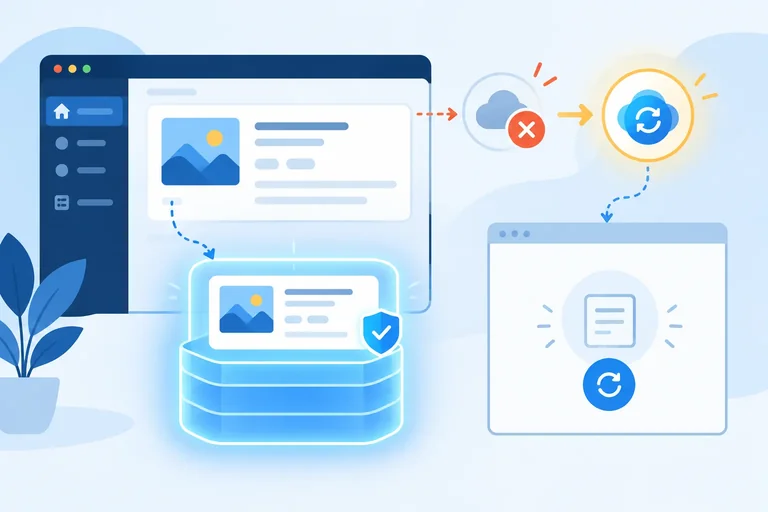
A failed resource read is ordinary query state, not a rendering crash. Keep throwOnError: false so each routed view can render an expected recovery state. For this local demonstration, retry: 1 permits one managed retry after an unsuccessful read, and retryDelay: 1_000 waits 1 s before that retry.
The existing 30 s staleTime and 60 s gcTime settings remain in place. Mount, window-focus, and reconnect refetch behavior stays enabled because this configuration does not override it.
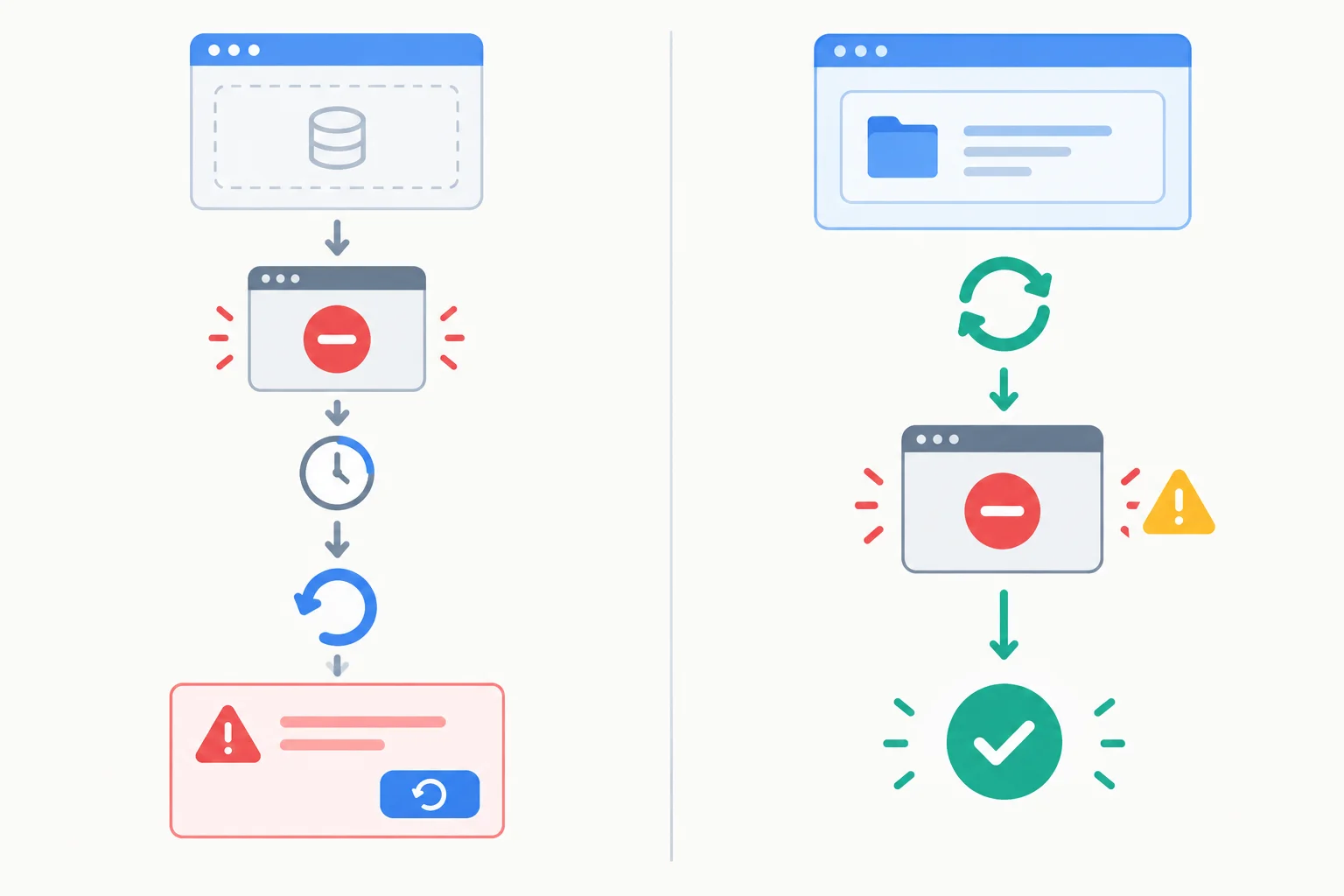
The key question is whether query data is available: no data needs a retry screen, while available data stays visible during a refresh failure.
Replace src/main.tsx with this version. App remains the default export established earlier. The stable module-scope client now adds the bounded retry policy.
import { StrictMode } from 'react';
import { createRoot } from 'react-dom/client';
import { BrowserRouter } from 'react-router';
import { QueryClient, QueryClientProvider } from '@tanstack/react-query';
import App from './App';

const queryClient = new QueryClient({
  defaultOptions: {
    queries: {
      staleTime: 30_000,
      gcTime: 60_000,
      retry: 1,
      retryDelay: 1_000,
      throwOnError: false,
    },
  },
});

createRoot(document.getElementById('root')!).render(
  <StrictMode>
    <QueryClientProvider client={queryClient}>
      <BrowserRouter>
        <App />
      </BrowserRouter>
    </QueryClientProvider>
  </StrictMode>,
);Handle expected HTTP, decoding, and validation failures from query state. A route-level error boundary still protects unexpected rendering failures, but it should not replace ordinary read-recovery UI.
For a valid project route, check query.data !== undefined before making a broad error return. An error with data means the latest background refresh failed; it does not mean the last successful project disappeared. Keep the invalid-link branch first, because it must not offer refetch for a null identifier.
Replace src/features/projects/ProjectPage.tsx with this version. Apply the same data-first error structure to ProjectBriefPage, while retaining its brief-specific successful presentation.
import { Link, useParams } from 'react-router';
import { normalizeProjectId } from './projectRoute';
import { useProject } from './projectQueries';

export function ProjectPage() {
  const { projectId: routeProjectId } = useParams();
  const projectId = normalizeProjectId(routeProjectId);
  const query = useProject(projectId);

  if (projectId === null) {
    return <p>Invalid project link</p>;
  }

  if (query.data === undefined) {
    if (query.isLoading) {
      return <p>Loading project…</p>;
    }

    if (query.isError) {
      return (
        <section>
          <p role='alert'>Could not load project.</p>
          <button type='button' onClick={() => void query.refetch()}>
            Try again
          </button>
        </section>
      );
    }

    return <p>Waiting to load project.</p>;
  }

  const project = query.data;

  return (
    <main aria-busy={query.isFetching}>
      {query.isFetching && <p role='status'>Refreshing…</p>}
      {query.isError && (
        <p role='alert'>Refresh failed. Showing previously loaded data.</p>
      )}
      <h1>{project.name}</h1>
      <p>{project.summary}</p>
      <button
        type='button'
        disabled={query.isFetching}
        onClick={() => void query.refetch()}
      >
        Refresh
      </button>
      <Link to={`/projects/${project.id}/brief`}>Read brief</Link>
    </main>
  );
}
Tip
refetch() deliberately requests an update even when cached data is fresh. Disable Refresh while query.isFetching is true to prevent repeated activation. After a terminal refresh failure, fetching has stopped, so Refresh becomes available again once the cause is fixed.
Complete the state checks in this rendering fragment. It must provide retry UI for a terminal failure without cached data, retain available data after a terminal refresh failure, and block repeated Refresh activation during an active request.
if (query.data === undefined) {
  if (query.isLoading) {
    return <p>Loading project…</p>;
  }

  if () {
    return (
      <button type='button' onClick={() => void query.refetch()}>
        Try again
      </button>
    );
  }
}

if (query.data !== undefined) {
  const project = query.data;

  return (
    <main aria-busy={query.isFetching}>
      {{} && (
        <p role='alert'>Refresh failed. Showing previously loaded data.</p>
      )}
      <button
        type='button'
        disabled={}
        onClick={() => void query.refetch()}
      >
        Refresh
      </button>
      <h1>{project.name}</h1>
    </main>
  );
}

return <p>Waiting to load project.</p>;Use DevTools request blocking while the browser remains online. In Network, block the exact /data/projects/p-101.json request URL.
/projects/p-101 and perform a full reload for a cold query cache. Observe the completed failed read and the one managed retry about 1 s later before initial-error feedback appears.Do not use offline mode for this experiment: it can pause a query rather than create the failed-read path being tested. Navigation cancellation is also not a recovery failure.
After completing the rendering and local experiment, write a 4–6 sentence report. Include the initial-failure branch and background-failure branch you implemented; evidence of the failed initial read followed by its managed retry after about 1 s; how you distinguished any canceled development entry; and what happened after each unblocked refetch. Name the visible Atlas content and feedback from the background-failure case.
Write at least 300 characters (0/300).
Step 9 of 9
Verify the integrated local application, including guarded route input, cache reuse, freshness behavior, and recovery from read failures.
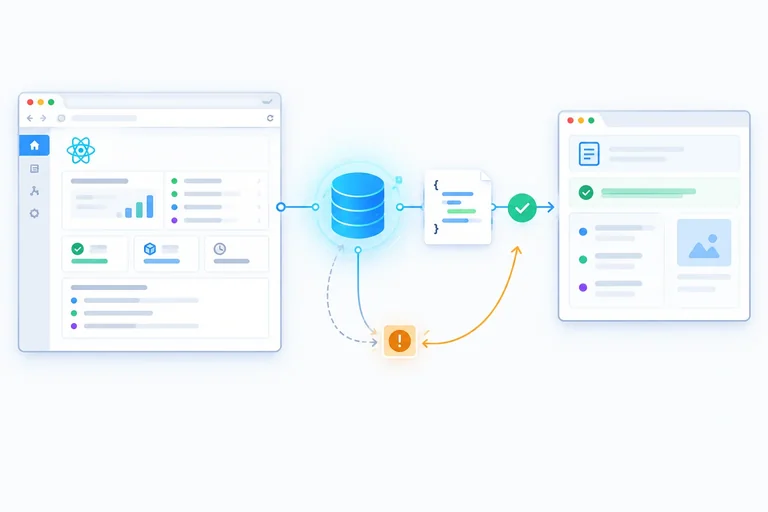
Your finished application has one read pipeline, not several copies of project state:
main.tsx creates one module-scope QueryClient and places its provider above the routed app.public/data/ supplies the read-only JSON fixtures through Vite HTTP URLs.projectData.ts validates unknown JSON and rejects failed reads.projectQueries.ts turns normalized inputs into query keys and query functions.ProjectListPage, ProjectPage, and ProjectBriefPage present the query result for their route.A route value becomes a normalized filter or projectId, then selects a query key. The query function reads and validates the resource. The query cache holds the result, and each route presents that result directly. Do not copy it into context or initialize component state from it.
A full browser reload starts a new in-memory query cache; ordinary route navigation does not.
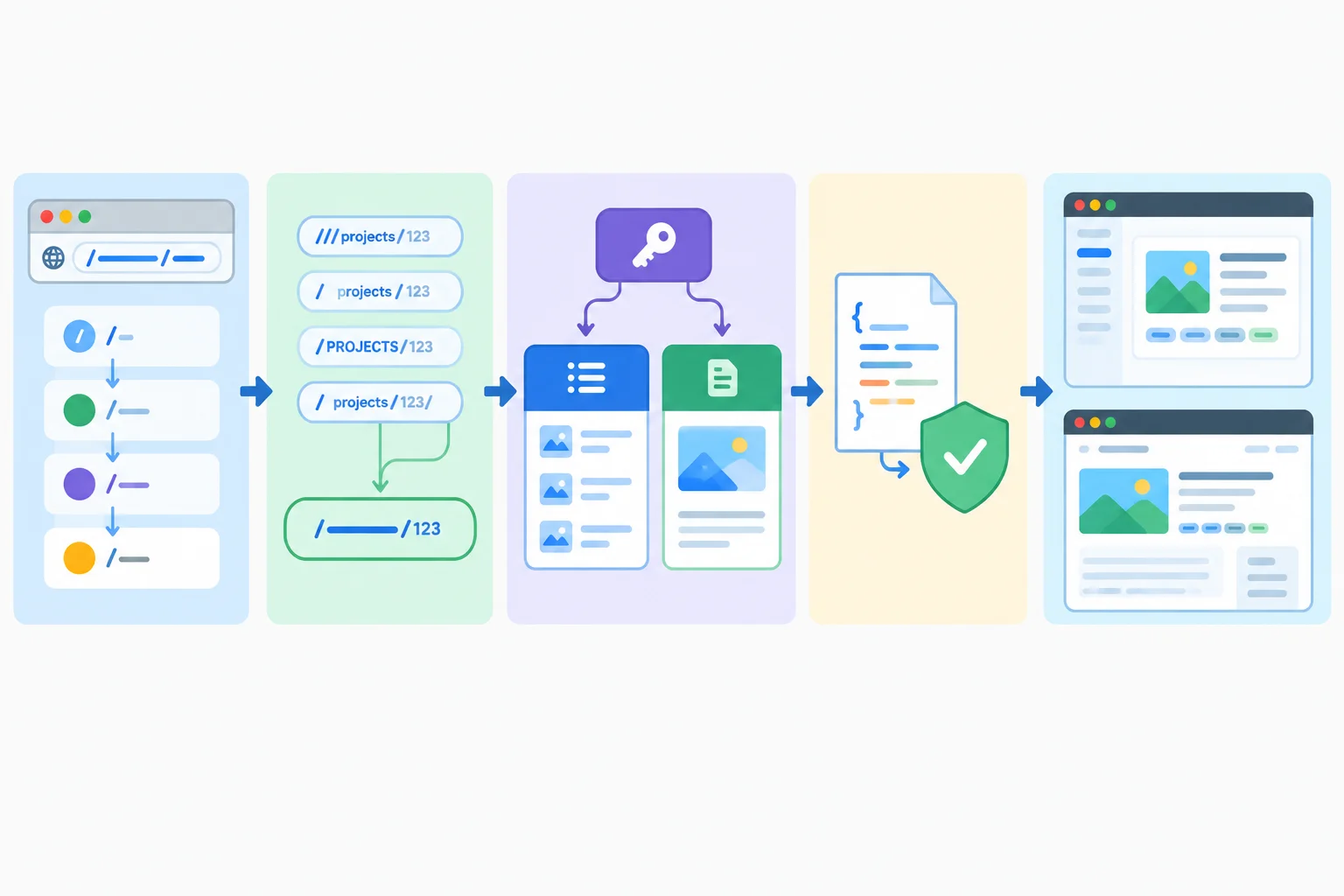
The overview and brief are different presentations, but the same valid detail input selects the same detail cache entry.
Complete this integration fragment. Each blank protects a different part of the routed read flow.
const projectKeys = {
  detail: (projectId: string | null) =>
    ['projects', 'detail', ] as const,
};

export function useProject(projectId: string | null) {
  return useQuery({
    queryKey: projectKeys.detail(projectId),
    queryFn: ({ signal }) => {
      if (projectId === null) {
        return Promise.reject(new Error('Missing project identifier.'));
      }

      return fetchProject(projectId, );
    },
    enabled: ,
  });
}

export function ProjectPage() {
  const { projectId } = useParams();
  const normalizedProjectId = isProjectId(projectId) ? projectId : null;
  const query = useProject(normalizedProjectId);

  if (normalizedProjectId === null) {
    return <p>Invalid project link</p>;
  }

  if () {
    return (
      <main>
        {query.isError && (
          <p role='status'>Refresh failed. Showing previously loaded data.</p>
        )}
        <button
          type='button'
          onClick={() => void query.refetch()}
          disabled={query.isFetching}
        >
          Refresh
        </button>
        <h1>{query.data.name}</h1>
      </main>
    );
  }

  return <p>Loading or initial failure UI goes here.</p>;
}Use your local app and the Network panel to collect concise evidence. Keep the earlier timing experiments as your reference; you do not need to repeat every wait.
For request observations, disable the browser HTTP cache in developer tools if you used that setting earlier. This helps expose network behavior but does not clear the in-memory query cache. A full reload does clear that cache.
Expected interface outcome and evidence to inspect
| Route or action | Expected interface result | Evidence to inspect |
|---|---|---|
| `/projects/not-a-project` | Invalid project link | No detail JSON request |
| `/projects?status=archived` | No matching projects | Successful empty array, not an error |
| Open overview, then brief for `p-101` within 30 s | Atlas appears in both views | Same detail key; fresh cached reuse |
| After earlier successful data, block the exact detail JSON URL and trigger a stale refresh | Previous project remains visible with refresh-failure feedback | A rejected refresh did not erase cached data |
| Unblock the URL and activate Refresh | Current project remains or returns visible | A successful explicit refetch recovers the read |
Write a 4–6 sentence verification note from your own local run. Include the two URL edge cases, evidence that overview and brief reused p-101, and what happened when you recovered from a blocked background refresh. Name the evidence you used, such as visible interface feedback or a Network-panel request.
Write at least 220 characters (0/220).
Summary
null and the guarded query stays disabled.Congratulations! You completed: Reuse Resource Data Across Routes with TanStack Query
Thousands of online courses in video, ebooks and audiobooks.
To test your knowledge during online courses
Generated directly from your cell phone's photo gallery and sent to your email

Download our app via QR Code or the links below:.



Carry knowledge in your pocket.
Download the Cursa app.
There are hundreds of free courses available, with a free certificate of completion that is saved in your mobile image gallery.
Download the app to access the Course Completion Certificate for Free.


+ 10 million
students

Free and Valid
Certificate

60 thousand free
exercises

4.8/5 rating in
app stores

Free courses in
video and ebooks