Step 1 of 7
Tasks Take Turns on the Main Thread
Predict why synchronous JavaScript keeps queued event and timer callbacks waiting on the main thread.

Learning path · Level 13 · Tutorial 1
Explain when browser work can become visible and why JavaScript can delay interaction even when an interface uses asynchronous functions.
 Tasks Take Turns on the Main Thread
Predict why synchronous JavaScript keeps queued event and timer callbacks waiting on the main thread. 1 min
Tasks Take Turns on the Main Thread
Predict why synchronous JavaScript keeps queued event and timer callbacks waiting on the main thread. 1 min
 Place Microtasks Between Tasks
Trace how synchronous statements, promise reactions, and timer callbacks are ordered across a task and its microtask checkpoint. 2 min
Place Microtasks Between Tasks
Trace how synchronous statements, promise reactions, and timer callbacks are ordered across a task and its microtask checkpoint. 2 min
 Separate DOM Changes from Visible Frames
2 min
Separate DOM Changes from Visible Frames
2 min
 Why Await Does Not Guarantee a Paint
2 min
Why Await Does Not Guarantee a Paint
2 min
 Follow a Browser Update to the Screen
2 min
Follow a Browser Update to the Screen
2 min
 Distinguish Waiting from Computing
Identify whether elapsed time comes from pending resources, synchronous main-thread computation, or both. 2 min
Distinguish Waiting from Computing
Identify whether elapsed time comes from pending resources, synchronous main-thread computation, or both. 2 min
 Trace an Interaction from Click to Frame
Integrate tasks, microtasks, rendering opportunities, rendering stages, and the difference between waiting and computation in one click-handler scenario. 2 min
Trace an Interaction from Click to Frame
Integrate tasks, microtasks, rendering opportunities, rendering stages, and the difference between waiting and computation in one click-handler scenario. 2 min
Step 1 of 7
Predict why synchronous JavaScript keeps queued event and timer callbacks waiting on the main thread.
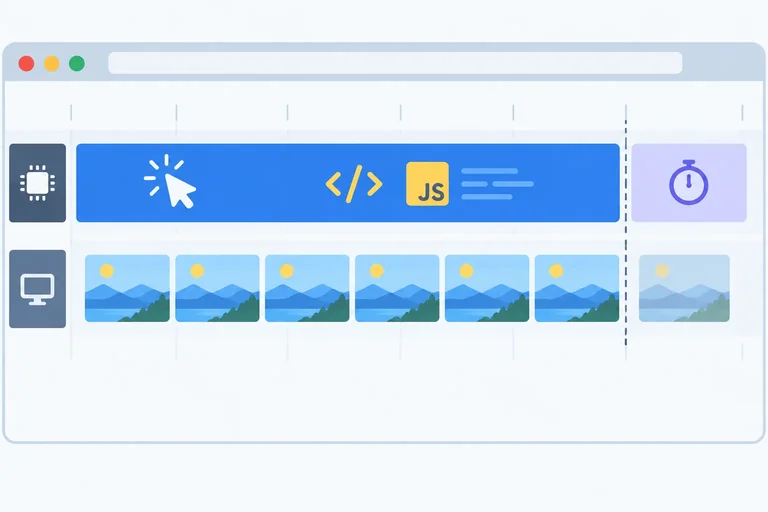
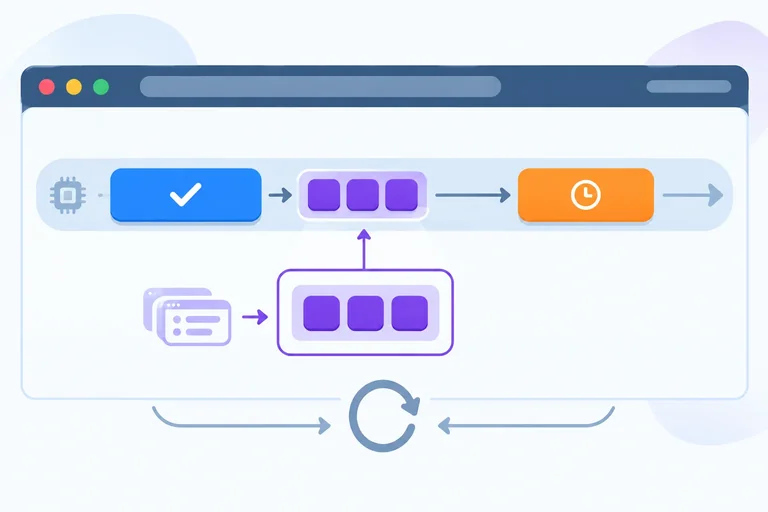
When JavaScript is executing synchronously on the main thread, the current task runs to completion. A click callback or timer callback that is waiting does not interrupt that JavaScript.
An event listener is work the browser can select as a task. If its handler performs a long calculation, other eligible tasks must wait—including later input and timer callbacks. Browser rendering work can also be delayed while that task occupies the main thread.
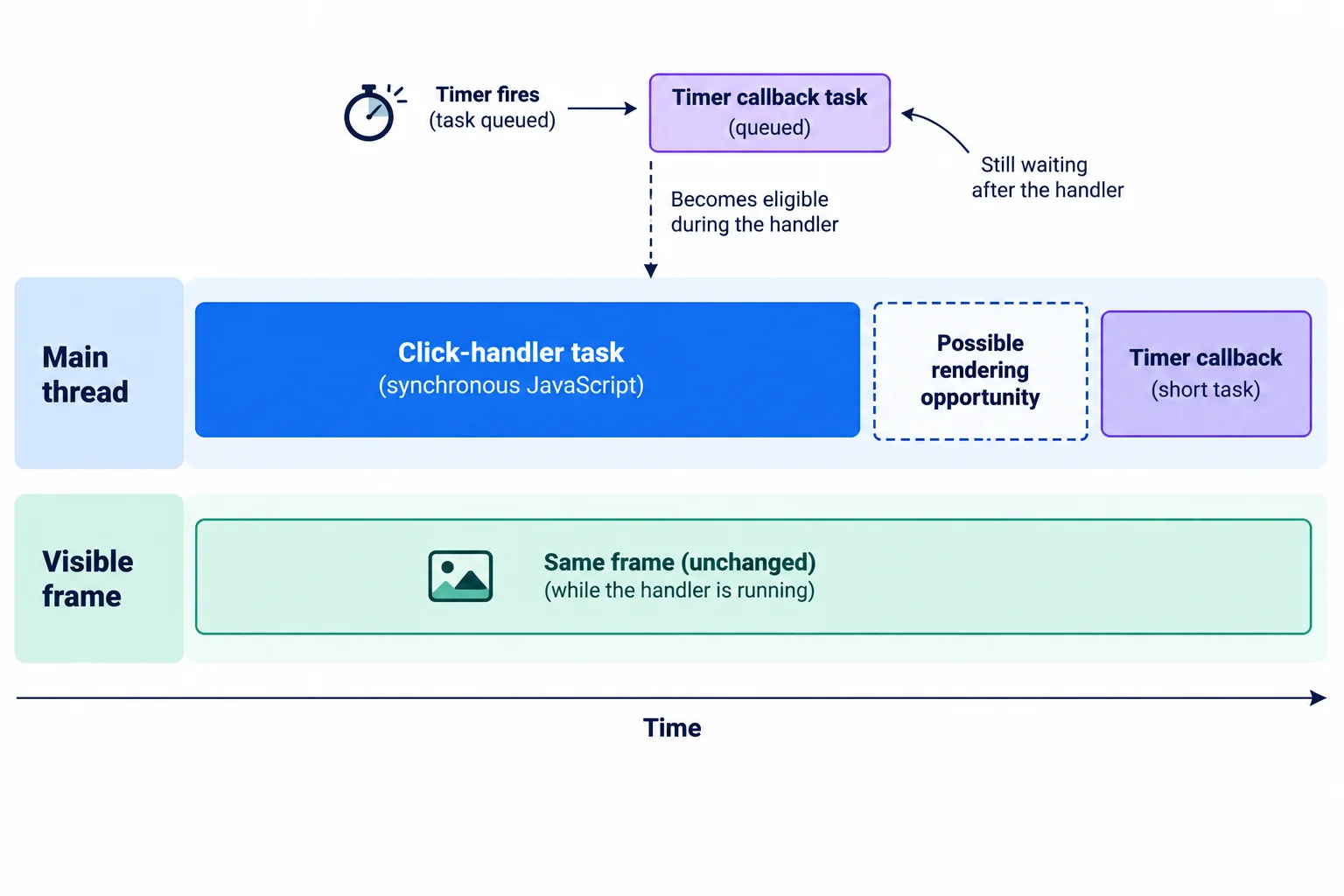
A zero-delay timer can become eligible during a handler, but its callback is queued task work and waits for the current task to finish.
Tip
This timeline is a useful simplified model, not a promise that every browser task source uses one universal first-in, first-out queue. The important rule here is narrower: a queued event or timer callback does not interrupt synchronous JavaScript that is already running on the main thread.
A delay of 0 means that the timer callback is eligible later; it does not mean “run inside the current function.” In this trace, the synchronous statements finish before the browser can select the timer callback as another task.
Run this function from a click handler or the browser console and inspect the log order.
function runDemo() {
  console.log('start');
  setTimeout(() => console.log('timer'), 0);
  console.log('end');
}

runDemo();start end timer
The timer callback runs after the current synchronous function has returned. Its exact elapsed delay is not established by this trace.
Which line schedules a timer callback as later task work rather than running the callback immediately?
During a click-handler task, this function runs:
function runDemo() {
  console.log('start');
  setTimeout(() => console.log('timer'), 0);
  doSynchronousWork();
  console.log('end');
}
Which statement correctly describes what must wait?
Step 2 of 7
Trace how synchronous statements, promise reactions, and timer callbacks are ordered across a task and its microtask checkpoint.
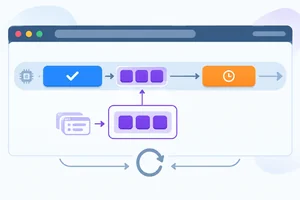
A promise reaction is a microtask once its promise has settled. During a task, synchronous JavaScript keeps running; the reaction does not run in the middle of those statements.
After the current task finishes its synchronous work, this tutorial’s short examples reach a microtask checkpoint. The browser runs queued microtasks there before selecting the next task. A timer callback that is eligible to run still waits for that checkpoint.
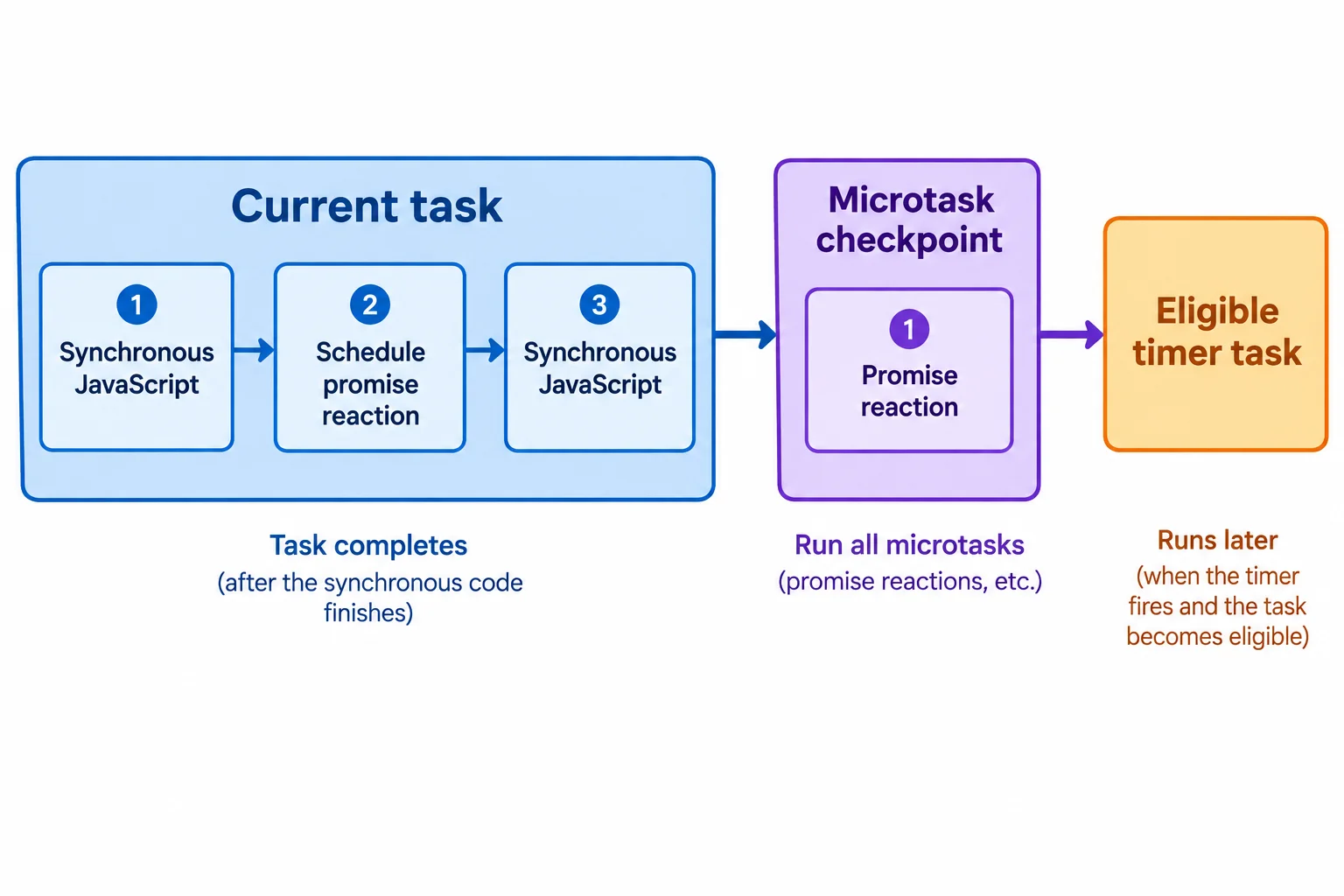
A settled promise reaction runs at the microtask checkpoint after the current task’s synchronous work.
This short trace schedules one promise reaction and one zero-delay timer. You can trace its order without assigning an exact elapsed time.
console.log('start');
Promise.resolve().then(() => console.log('promise'));
console.log('end');
setTimeout(() => console.log('timer'), 0);start end promise timer
The ordering is what matters; actual timing is not implied by these lines.
A microtask checkpoint drains the microtasks that are queued for it. If one microtask queues another microtask, the new one is added to that same checkpoint and runs before the browser selects a later task.
For the examples here, queued microtasks run in enqueue order. This is an execution-order model, not a measurement of how many milliseconds each step takes.
Tip
setTimeout(..., 0) makes the timer callback eligible for a later task. It does not let that callback jump ahead of microtasks that are waiting at the current checkpoint.
Order the console events produced by this script. The first promise reaction queues one additional microtask.
console.log('start');

Promise.resolve().then(() => {
  console.log('promise');
  Promise.resolve().then(() => console.log('promise'));
});

console.log('end');
setTimeout(() => console.log('timer'), 0);Put the console events in their execution order.

Step 3 of 7
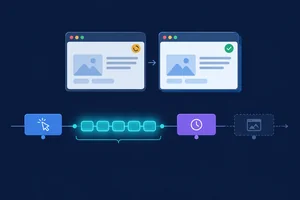
A DOM or style mutation updates browser state right away. For example, setting statusEl.textContent changes the element’s text in the DOM.
That does not mean the pixels on screen have already changed. The browser may need to update its rendering work later. Until a new visible frame is produced, the learner can still be looking at the previous frame.
Keep these facts separate:
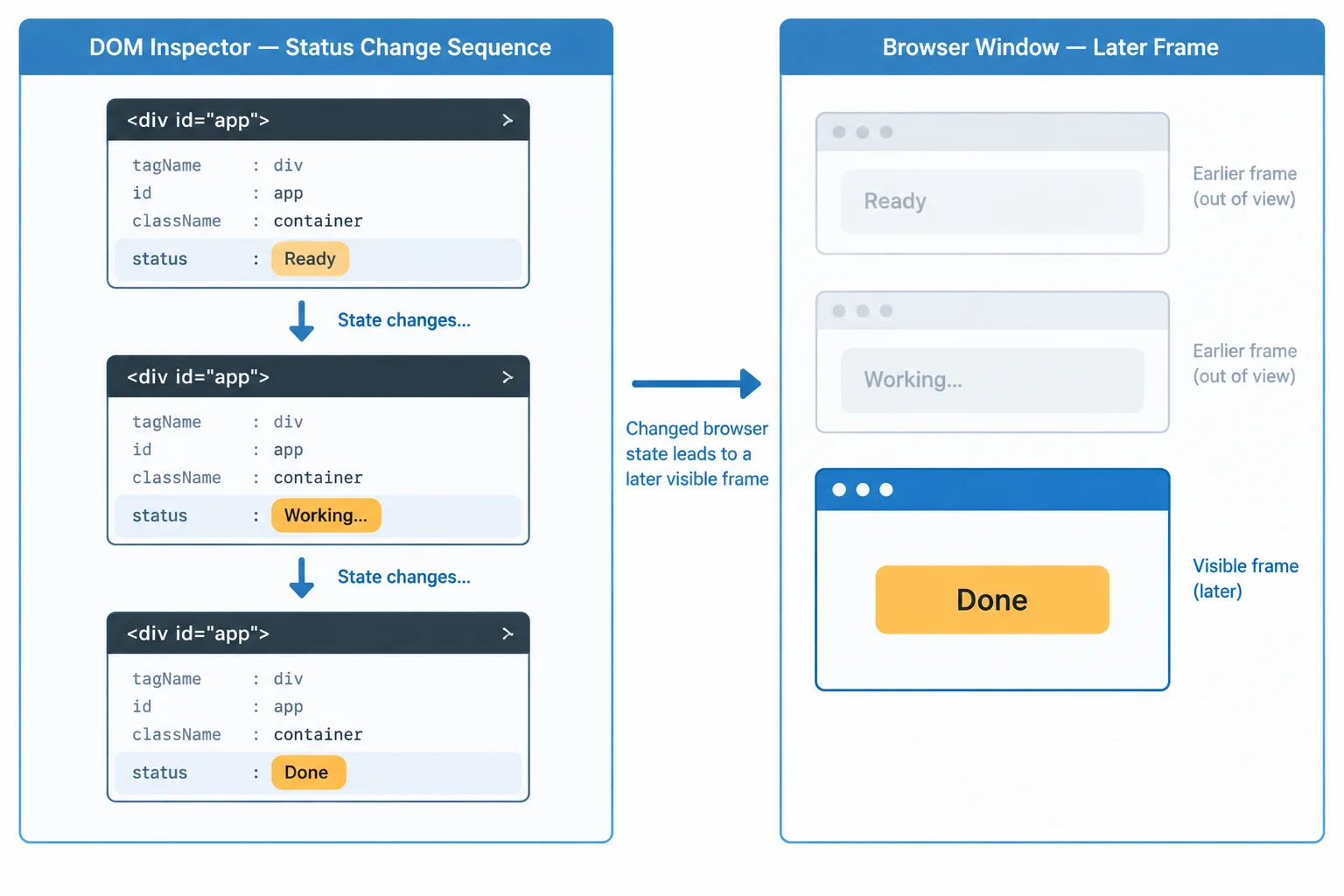
Multiple state changes can happen before the browser displays another frame.
A task does not come with a guaranteed paint at its end. After the current task finishes, the browser reaches the microtask checkpoint. In the examples in this tutorial, pending microtasks run before a possible rendering update.
Only then can there be a rendering opportunity. “Opportunity” matters: browser rendering is not promised after every task, statement, or DOM mutation.
If more than one mutation happens before an update, one later visible frame can reflect them together.
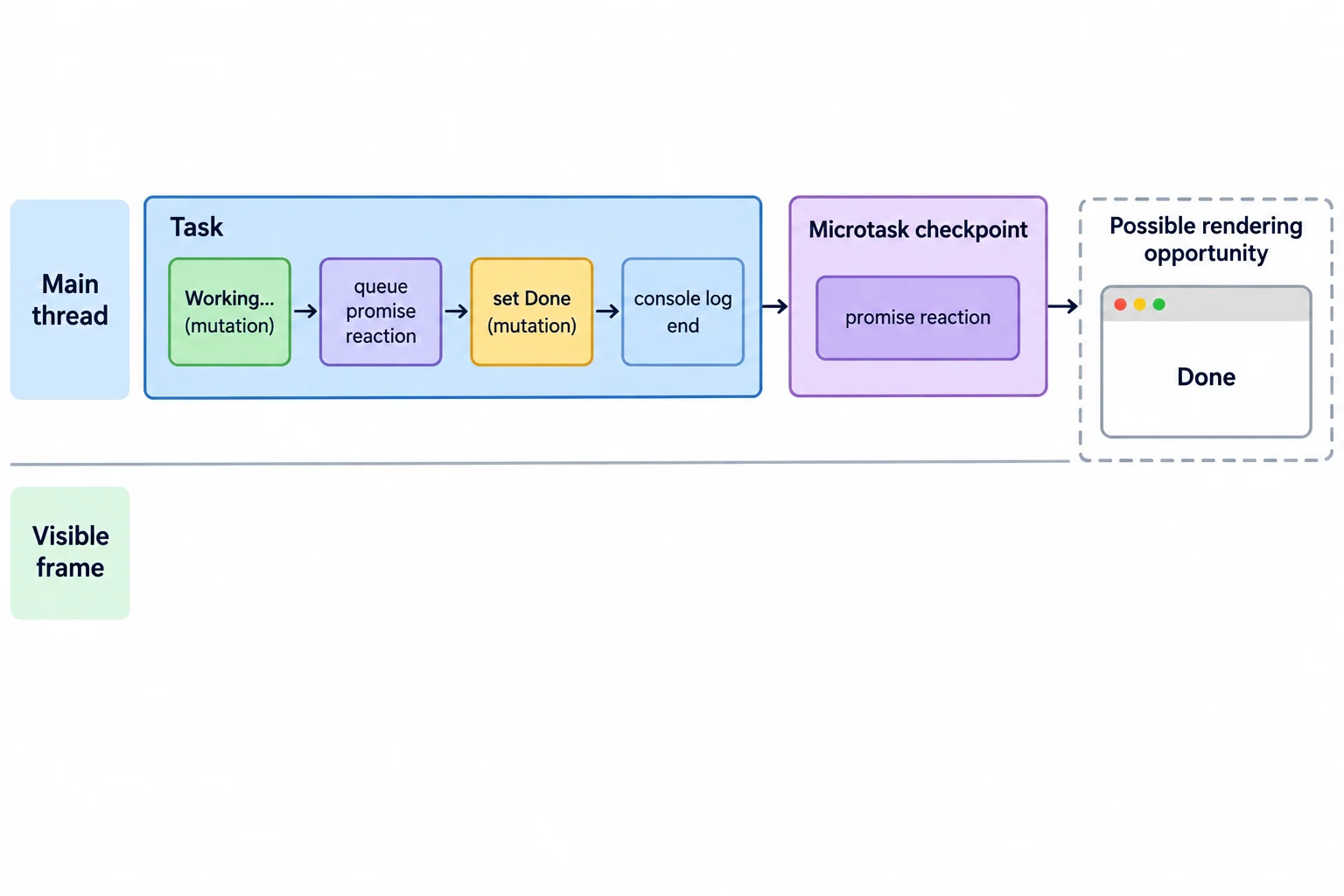
Both mutations can finish, and queued microtasks can drain, before a possible visible frame reflects the final state.
Assume this code runs during a click-handler task and statusEl refers to a status element. The console can establish the JavaScript sequence: synchronous statements run, then the promise reaction runs at the microtask checkpoint.
It cannot establish when pixels changed. Both status mutations can occur before the browser has a rendering opportunity, so Working... may never be a separately visible frame.
Trace this sequence; do not treat the log as a frame-by-frame record.
console.log('start');
statusEl.textContent = 'Working...';
Promise.resolve().then(() => console.log('promise'));
statusEl.textContent = 'Done';
console.log('end');
Tip
A console log proves that JavaScript reached that statement. It does not prove that browser rendering has already displayed the current DOM state. Use the execution trace to reason about ordering, and describe visible updates as possible unless a rendering result is known.
A click-handler task contains the code below. Which conclusion is justified?
console.log('start');
statusEl.textContent = 'Working...';
Promise.resolve().then(() => console.log('promise'));
statusEl.textContent = 'Done';
console.log('end');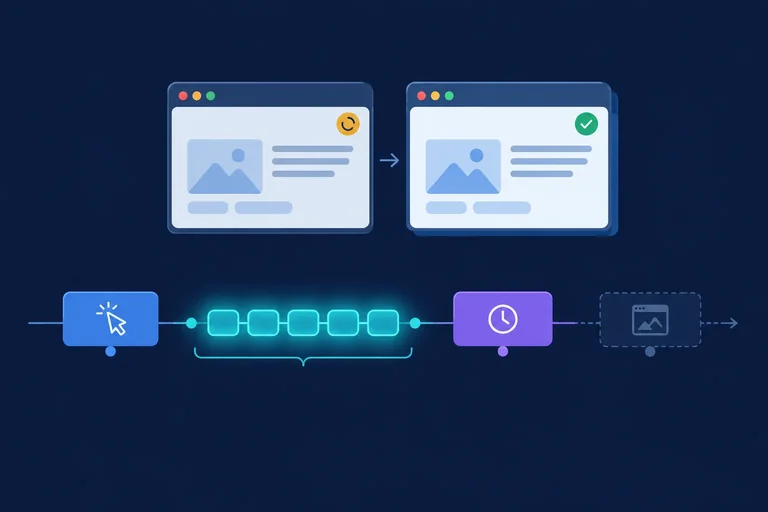
Step 4 of 7
An async function begins on the main thread just like any other function: it runs synchronous statements until it reaches await.
When the awaited promise is already fulfilled, there is no resource-waiting period. The code after await is queued as a microtask. After the current task ends, the browser performs a microtask checkpoint before it selects a later task such as a timer callback.
That ordering does not create a guaranteed visible frame between Working... and the later work.
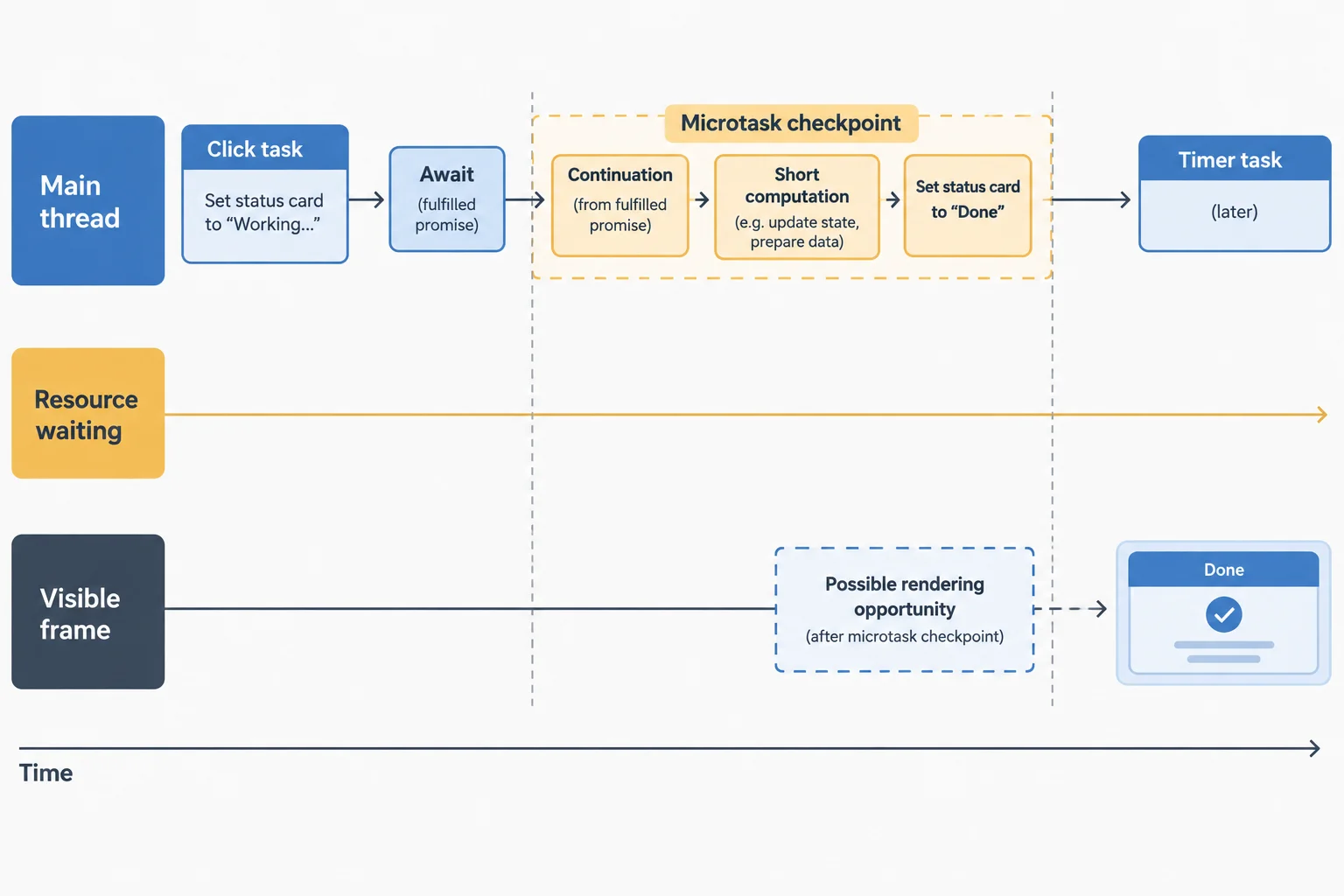
The browser can consider browser rendering only after the microtask checkpoint finishes; the intermediate status is not guaranteed to become a visible frame.
Tip
Console messages can prove JavaScript order, but they do not prove that a particular DOM state has painted. A rendering opportunity is still only an opportunity, not a promise of immediate pixels.
This handler places both a promise reaction and an already fulfilled await inside one click task. The promise reaction is queued first, so it runs first at the microtask checkpoint. The continuation then performs synchronous work before the timer can run.
Script portion for a page containing elements with IDs run and status. The console order is predictable; the moment browser rendering becomes visible is not.
const runButton = document.querySelector('#run');
const statusEl = document.querySelector('#status');

async function runDemo() {
  console.log('start');
  statusEl.textContent = 'Working...';

  Promise.resolve().then(() => console.log('promise'));
  setTimeout(() => console.log('timer'), 0);

  await Promise.resolve();
  console.log('after await');

  const endTime = performance.now() + 20;
  while (performance.now() < endTime) {
  }

  statusEl.textContent = 'Done';
  console.log('end');
}

runButton.addEventListener('click', runDemo);start promise after await end timer
This establishes JavaScript execution order. It does not establish that `Working...` was painted before `Done`.
A microtask can queue another microtask. The browser keeps draining the microtask checkpoint while more are queued, in enqueue order.
A short, finite chain can therefore postpone input tasks, timer tasks, and a possible rendering opportunity. An infinite chain would make the page unresponsive, so use finite chains only when reasoning about this behavior—not as an executable demonstration.
Complete the line so the statements that follow continue after a fulfilled promise settles.
async function runDemo() {
  statusEl.textContent = 'Working...';

  statusEl.textContent = 'Done';
}A click task sets the status to Working..., reaches an await for an already fulfilled promise, and has a timer queued. Its continuation performs a short synchronous calculation, changes the status to Done, and a finite chain of additional microtasks is queued before browser rendering.
Write two sentences: first, place the continuation relative to the click task and timer. Second, explain why neither the fulfilled-promise await nor the microtask chain guarantees that Working... becomes visible.
Write at least 120 characters (0/120).

Step 5 of 7
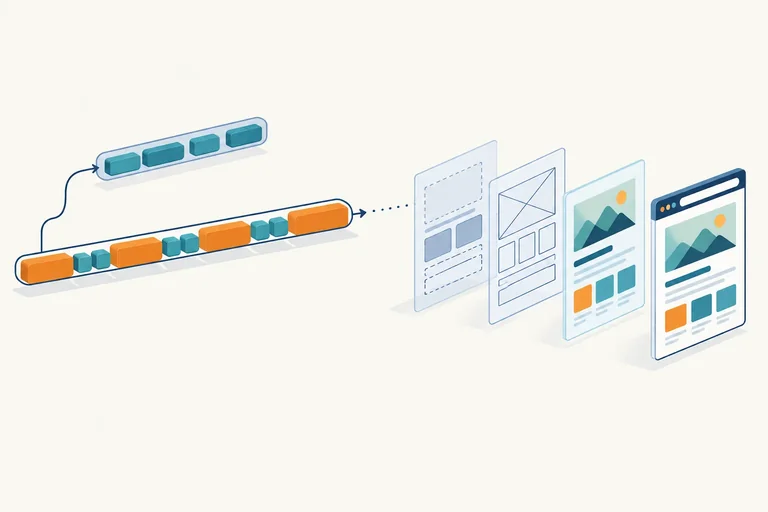
A visible browser update is a pipeline, not a direct result of one JavaScript statement. After a DOM or style change leaves rendering work pending, browser rendering can prepare a later frame through distinct responsibilities:
This is a conceptual sequence for following one update. It does not mean every change must repeat every stage, or that all rendering work is one synchronous operation on the main thread.
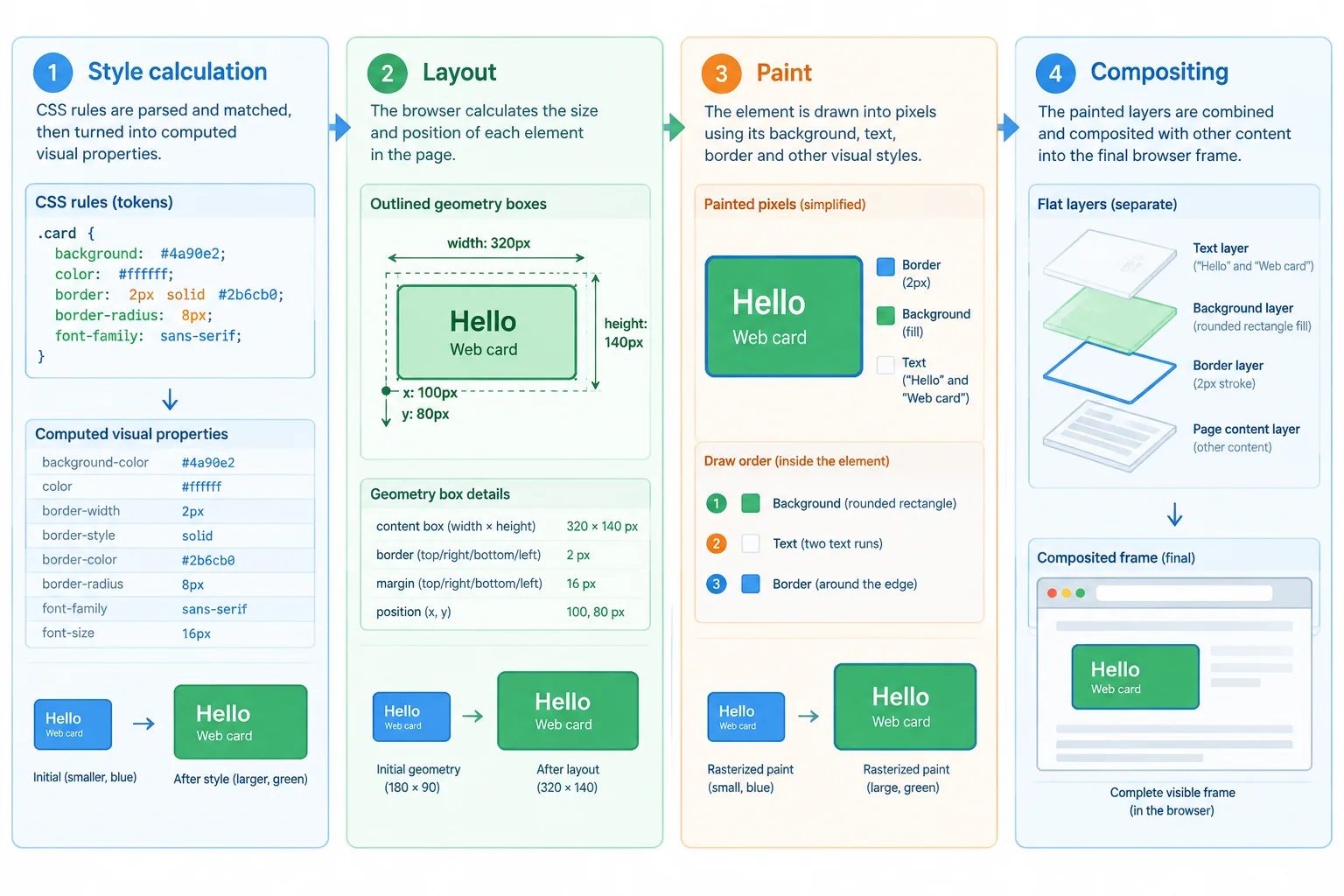
Each stage has a different output: applicable styles, geometry, drawn content, then an assembled frame.
Use the output of each stage to keep their roles separate. For example, changing a class may require new applicable styles; if those styles change an element's width, its geometry may also need updating before its content can be drawn.
The stages are distinct responsibilities, not a fixed cost charged in full for every update.
| Stage | Primary output | Example question |
|---|---|---|
| Style calculation | Computed styles | Which color and display rules apply? |
| Layout | Geometry boxes | Where is the element, and how large is it? |
| Paint | Drawn visual content | How are text, border, and background drawn? |
| Compositing | Displayed frame | How do rendered layers combine on screen? |
Tip
Browser rendering can reuse work that has not changed. A change does not automatically require every stage again. Also, some rendering work can occur off the main thread; this diagram does not describe four JavaScript functions running one after another.
Match each browser rendering concept to its result or rule.
Tap an item and then its matching pair.
Step 6 of 7
Identify whether elapsed time comes from pending resources, synchronous main-thread computation, or both.
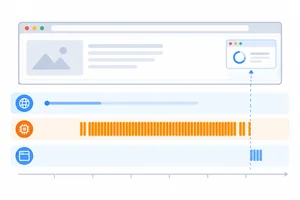
An asynchronous resource wait and synchronous computation can both make an operation take time, but they use the browser differently.
When a resource request is pending, that wait does not itself keep the main thread busy. The main thread can handle other eligible work, and the browser can have a rendering opportunity. Neither outcome is guaranteed: unrelated JavaScript or queued work could still occupy the main thread.
By contrast, a synchronous calculation occupies the main thread until it returns. During that interval, input handling and any new visible update whose remaining browser rendering work needs the main thread can be delayed.
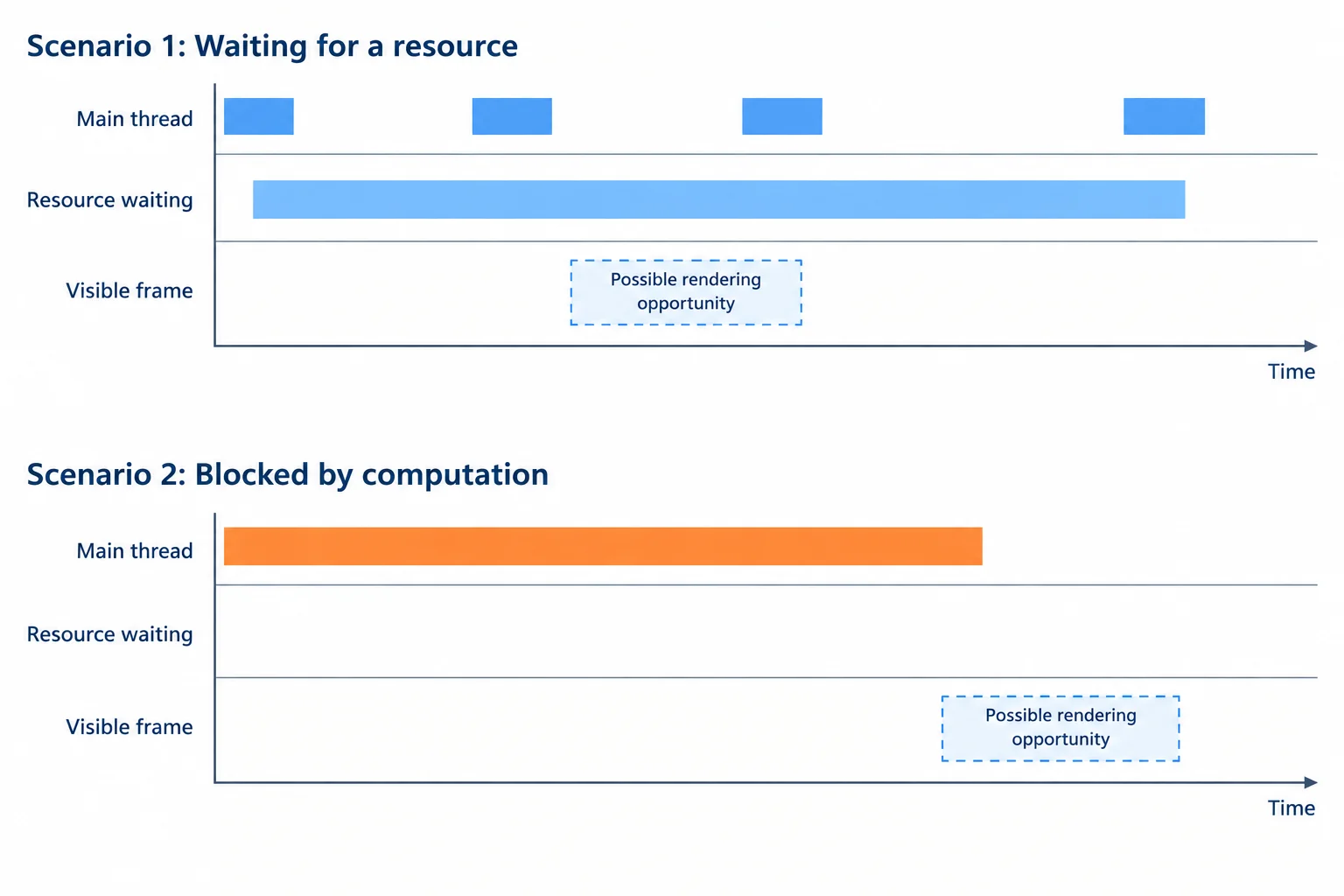
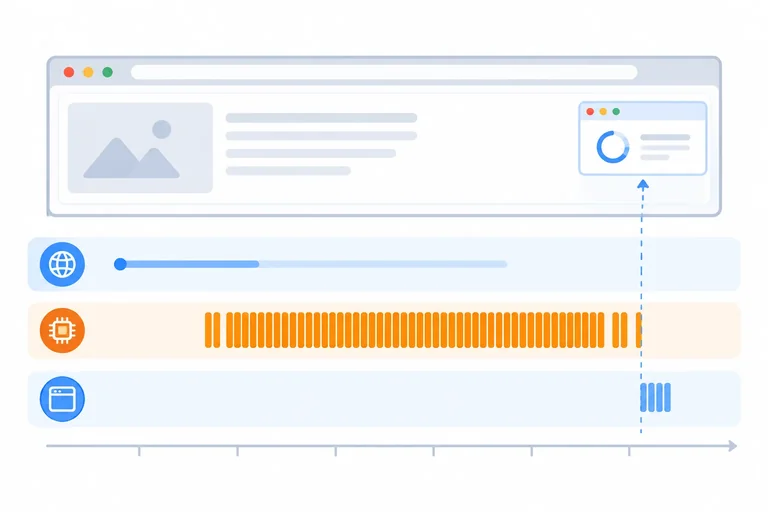
A pending resource can leave the main thread available for eligible work. A long synchronous computation occupies that lane and can delay updates that need main-thread rendering work.
An async function can contain both a resource wait and ordinary synchronous JavaScript. The await pauses this function while the request is pending. Once the data is available, the continuation runs and calculateTotals executes synchronously on the main thread.
The async keyword changes how the function delivers its result; it does not make expensive calculations run on a background thread. A synchronous calculation can delay input handling and a new visible update that depends on main-thread rendering work. This does not imply that every rendering-related operation stops: some compositing or other browser rendering work can occur off the main thread.
Study the two intervals in this function. It is a code-reading example, not a complete runnable file.
async function refreshSummary() {
  statusEl.textContent = 'Working...';

  const response = await fetch('/items.json');
  const items = await response.json();
  const total = calculateTotals(items);

  statusEl.textContent = 'Done';
  return total;
}
Tip
The request can be pending without this function consuming the main thread for the whole wait. After the awaited data is available, calculateTotals(items) does not become asynchronous merely because it appears in an async function.
Similar completion times can conceal very different main-thread occupancy. Focus on what occupies the main thread during each interval, not only on the time at which an operation finishes.
Two operations can each finish in about 600 ms while leaving different chances for the browser to process eligible work.
| Operation | Elapsed intervals | Main-thread effect |
|---|---|---|
| A | 500 ms resource waiting; 100 ms small update | The wait itself does not occupy the main thread; eligible work may run during that interval. |
| B | 100 ms resource waiting; 500 ms synchronous processing | The processing interval occupies the main thread and can delay input and updates needing main-thread rendering work. |
| C | 600 ms synchronous processing | The main thread is occupied for the whole processing interval. |
Tip
Resource waiting is not a guarantee of responsiveness. Another task or a busy microtask checkpoint can still delay input or browser rendering while a request is pending. Conversely, main-thread computation does not mean every rendering-related operation is blocked; some work can proceed off the main thread.
Match each scenario to its most accurate classification.
Tap an item and then its matching pair.
Step 7 of 7
Integrate tasks, microtasks, rendering opportunities, rendering stages, and the difference between waiting and computation in one click-handler scenario.
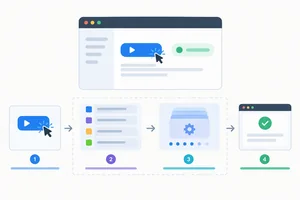
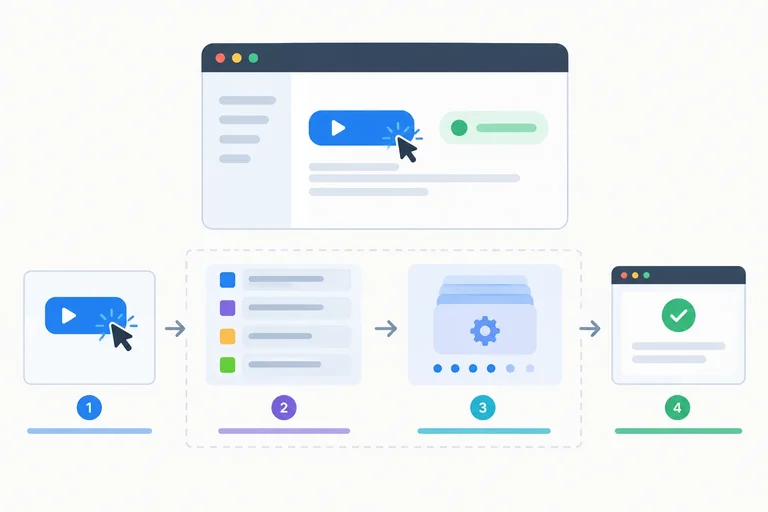
A click starts a task on the main thread. In this handler, JavaScript sets Working..., queues a timer task and a promise reaction, then reaches await Promise.resolve().
The handler’s synchronous portion stops at await, but its continuation is queued as a microtask. At the microtask checkpoint, the promise reaction runs, then the await continuation runs the finite calculation, sets Done, and logs end.
That JavaScript ordering is predictable. Visible pixels are different: after the checkpoint finishes, the browser can have a rendering opportunity. It may update pixels then, but not at a guaranteed exact point relative to later tasks. Therefore, Working... is not guaranteed to become visible before Done.
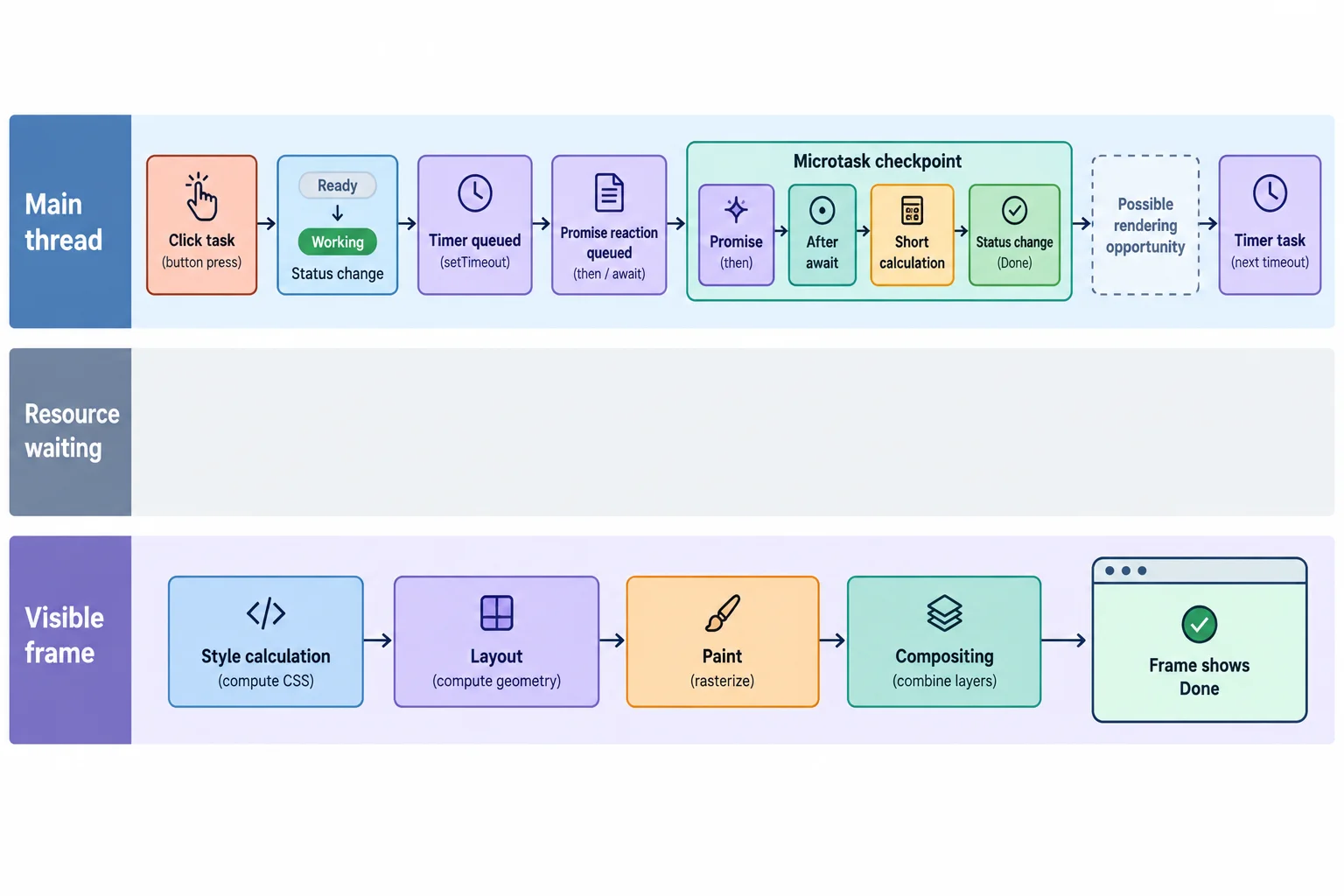
The log order comes from tasks and microtasks. The dashed rendering point is possible, not proof that an intermediate DOM state has painted.
For an optional local check, create a file named browser-tasks.html, paste this complete document, open it in a browser, open the developer console, and click Run demo once.
The console can confirm JavaScript execution order. It cannot prove when a particular status became visible on screen. The finite loop is synchronous main-thread computation after the fulfilled-promise await; its duration varies by computer.
Save as browser-tasks.html and open it locally.
<!doctype html>
<html lang="en">
<head>
  <meta charset="utf-8">
  <title>Task and Frame Demo</title>
  <style>
    body { font-family: sans-serif; padding: 24px; }
    #status { display: block; margin-top: 12px; }
  </style>
</head>
<body>
  <button id="run">Run demo</button>
  <output id="status">Ready</output>

  <script>
    const runButton = document.querySelector('#run');
    const statusEl = document.querySelector('#status');

    async function runDemo() {
      console.log('start');
      statusEl.textContent = 'Working...';
      setTimeout(() => console.log('timer'), 0);
      Promise.resolve().then(() => console.log('promise'));
      await Promise.resolve();
      console.log('after await');

      let total = 0;
      for (let index = 0; index < 5000000; index += 1) {
        total += index;
      }

      statusEl.dataset.total = String(total);
      statusEl.textContent = 'Done';
      console.log('end');
    }

    runButton.addEventListener('click', runDemo);
  </script>
</body>
</html>start promise after await end timer
The browser console may add source links or formatting, but the five log labels appear in this order. This output does not establish paint timing.
Companion scenario: if a request remains pending after an await, that resource wait does not itself occupy the main thread. The calculation in the demo does. A single async operation can include both intervals.
Compare the two sources of delay. Responsiveness depends on main-thread occupancy, not only on total completion time.
| Part of an operation | Main thread occupancy | What can happen meanwhile? |
|---|---|---|
| Pending resource request | Not occupied merely by waiting | Other eligible main-thread tasks and rendering opportunities may occur. |
| Finite calculation in the handler | Occupied until the calculation finishes | Queued input tasks and main-thread-dependent work needed for a new frame wait; some rendering work can be independent. |
| Processing after a resource settles | Occupied while processing runs | The earlier resource wait does not remove this later main-thread cost. |
After one click of the local demo, put the five console labels in their JavaScript execution order.
Write a compact explanation of the click scenario.
Working... is guaranteed before Done, and explain what await Promise.resolve() does instead of creating a reliable rendering break.Write at least 250 characters (0/250).
Congratulations! You completed: Understand Browser Tasks and Rendering
Thousands of online courses in video, ebooks and audiobooks.
To test your knowledge during online courses
Generated directly from your cell phone's photo gallery and sent to your email

Download our app via QR Code or the links below:.



Carry knowledge in your pocket.
Download the Cursa app.
There are hundreds of free courses available, with a free certificate of completion that is saved in your mobile image gallery.
Download the app to access the Course Completion Certificate for Free.


+ 10 million
students

Free and Valid
Certificate

60 thousand free
exercises

4.8/5 rating in
app stores

Free courses in
video and ebooks