Step 1 of 8
Understand How Array Methods Call Functions
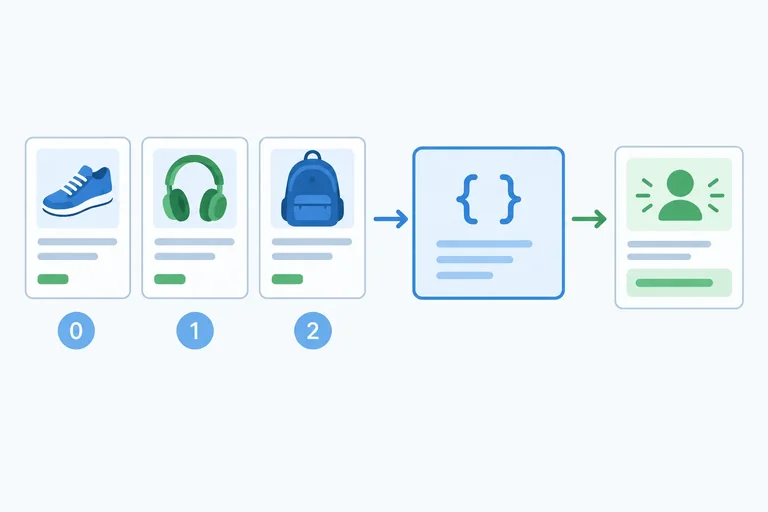
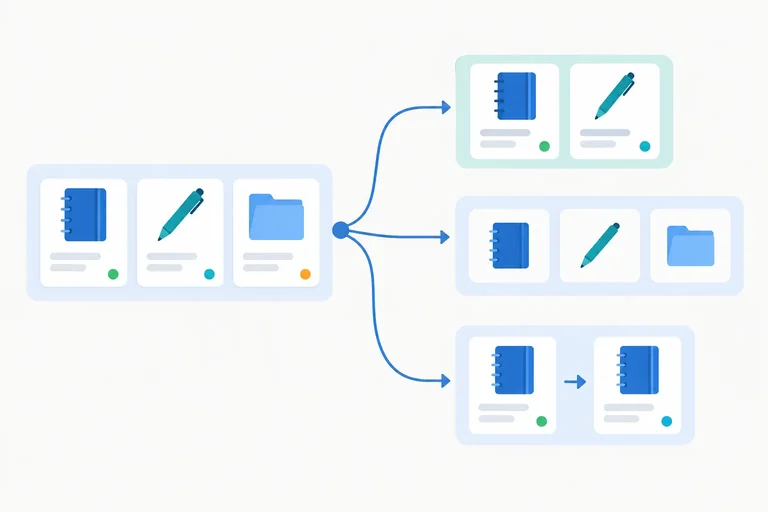
Pass callback functions to array methods and trace the current product and zero-based index supplied during synchronous invocation.

Learning path · Level 4 · Tutorial 7
Select and transform array data with callback methods, including creating updated records while preserving the source collection.
 Understand How Array Methods Call Functions
Pass callback functions to array methods and trace the current product and zero-based index supplied during synchronous invocation. 2 min
Understand How Array Methods Call Functions
Pass callback functions to array methods and trace the current product and zero-based index supplied during synchronous invocation. 2 min
 Transform Every Element with map()
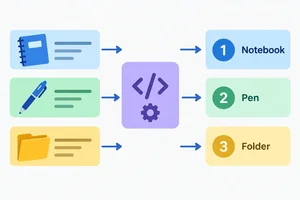
Create one transformed result per array element with map() callbacks and explicit return behavior. 3 min
Transform Every Element with map()
Create one transformed result per array element with map() callbacks and explicit return behavior. 3 min
 Keep Matching Elements with filter()
Use filter() predicates to retain matching product records while preserving source order and recognizing an empty result array. 2 min
Keep Matching Elements with filter()
Use filter() predicates to retain matching product records while preserving source order and recognizing an empty result array. 2 min
 Find One Record and Handle No Match
Retrieve the first matching array record with find() and safely handle a missing result. 3 min
Find One Record and Handle No Match
Retrieve the first matching array record with find() and safely handle a missing result. 3 min
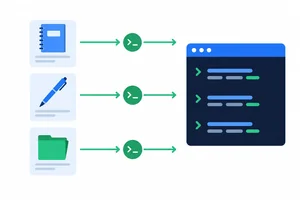 Use forEach() for Actions, Not Results
Choose the array method that matches the required result, and use forEach() for actions such as console logging. 2 min
Use forEach() for Actions, Not Results
Choose the array method that matches the required result, and use forEach() for actions such as console logging. 2 min
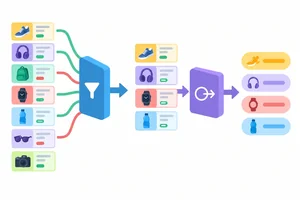 Combine Filtering and Mapping
Build readable filter-and-map pipelines, preserve the data needed by later callbacks, and trace result shapes, indexes, and empty results. 2 min
Combine Filtering and Mapping
Build readable filter-and-map pipelines, preserve the data needed by later callbacks, and trace result shapes, indexes, and empty results. 2 min
 Update Selected Records Without Mutation
Create a new collection that restocks one selected record without changing the source array or its Folder record. 3 min
Update Selected Records Without Mutation
Create a new collection that restocks one selected record without changing the source array or its Folder record. 3 min
 Apply and Verify a Complete Transformation
Complete and verify a small transformation workflow using map(), filter(), find(), and forEach() while preserving the source collection. 4 min
Apply and Verify a Complete Transformation
Complete and verify a small transformation workflow using map(), filter(), find(), and forEach() while preserving the source collection. 4 min
Step 1 of 8
Pass callback functions to array methods and trace the current product and zero-based index supplied during synchronous invocation.
A callback is a function passed to an array method so that the method can invoke it while processing the array.
In products.map(getProductName), getProductName is passed as a function value. There are no parentheses because it is not being called on that line. The array method supplies the current product when it invokes the callback.
By contrast, getProductName() calls the function immediately, before the method has supplied a product. These callbacks run synchronously: the method calls them during its own execution, not later in response to an event.
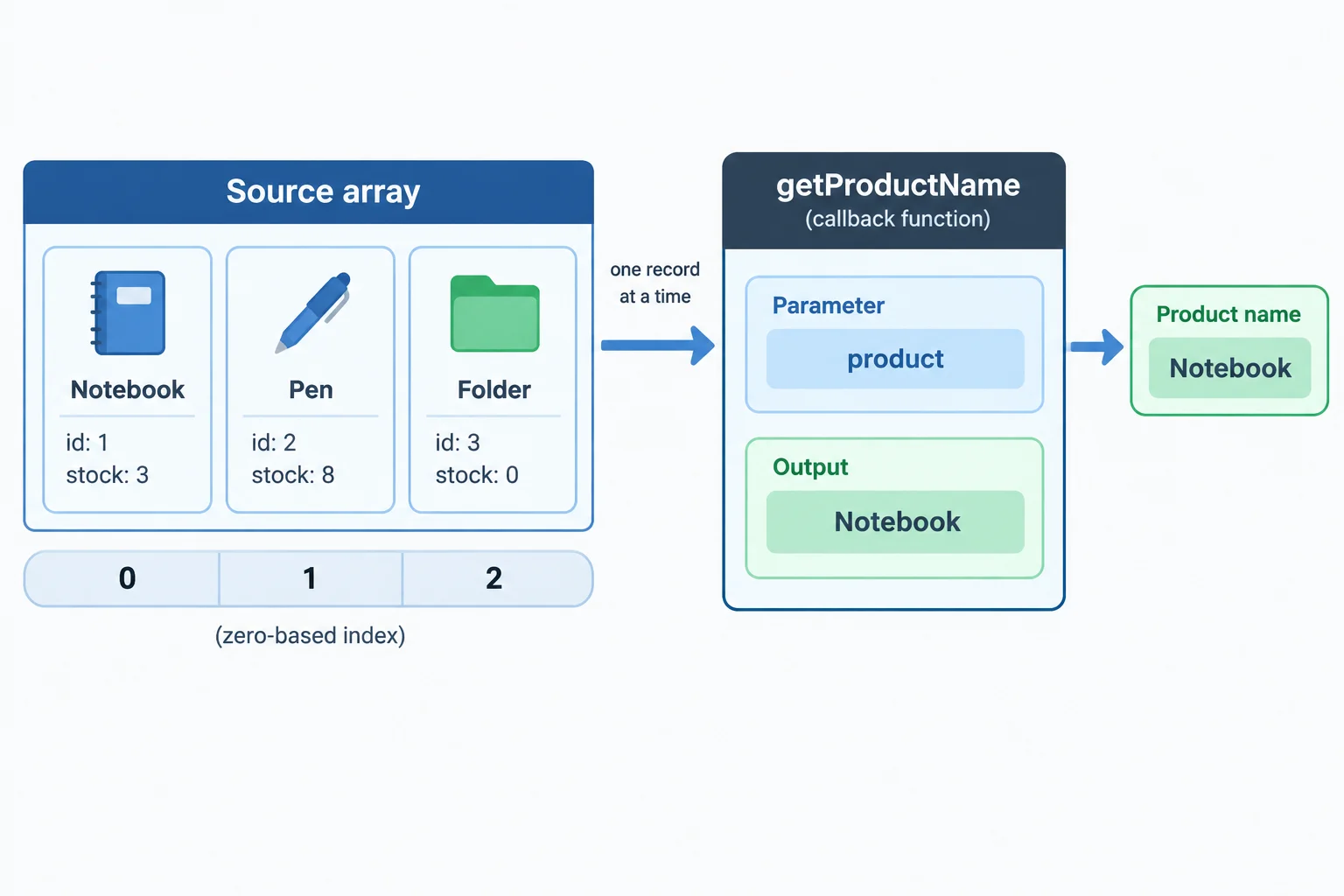
The method supplies one current product and its position as it invokes the callback.
A named callback can be defined separately, then passed by its name.
const products = [
  { id: 1, name: 'Notebook', stock: 3 },
  { id: 2, name: 'Pen', stock: 8 },
  { id: 3, name: 'Folder', stock: 0 }
];

function getProductName(product) {
  return product.name;
}

const productNames = products.map(getProductName);A callback can declare the parameters it needs. The first parameter is the current value; the second is its zero-based index in the source array.
For the source array, the callback receives Notebook with index 0, then Pen with index 1, then Folder with index 2. If the index is not needed, omit it, as getProductName(product) does.
Here, the callback uses both values to create human-readable labels. Its returned string is handed back to the array method for that invocation.
The index starts at 0, while the displayed number starts at 1.
const labels = products.map((product, index) => `${index + 1}. ${product.name}`);

console.log(labels);['1. Notebook', '2. Pen', '3. Folder']
A browser console may format the array differently, but these are its contents.
Tip
The callback is invoked in source order during this method call. An index is a position in the source array, so the second product has index 1, not 2. Adding 1 is only for the label people read.
Complete the callback-passing expression and the trace for the second product.
const productNames = products.map();
// Second callback: product = , index = 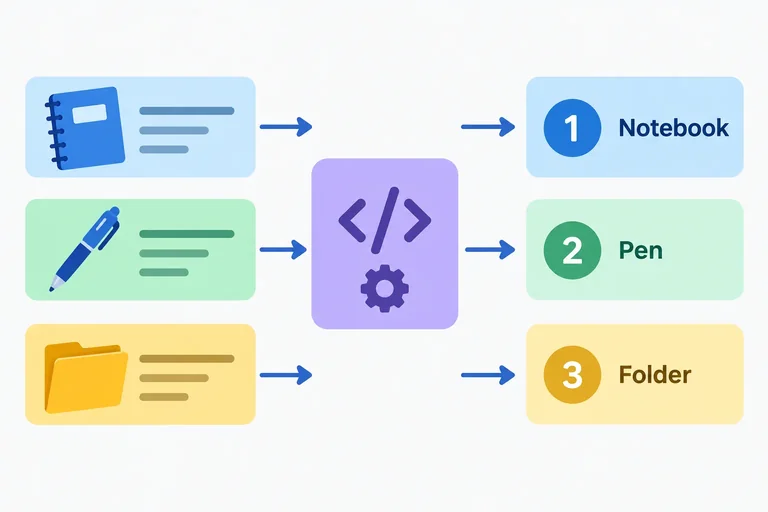
Step 2 of 8
Create one transformed result per array element with map() callbacks and explicit return behavior.
map() calls its callback once for every element in a source array. It creates a new result array with the callback’s returned value at the matching position.
For the three product records, a callback can return each name. The result then has three strings, in the same source order. map() changes the shape of the result values; it does not change the products array.
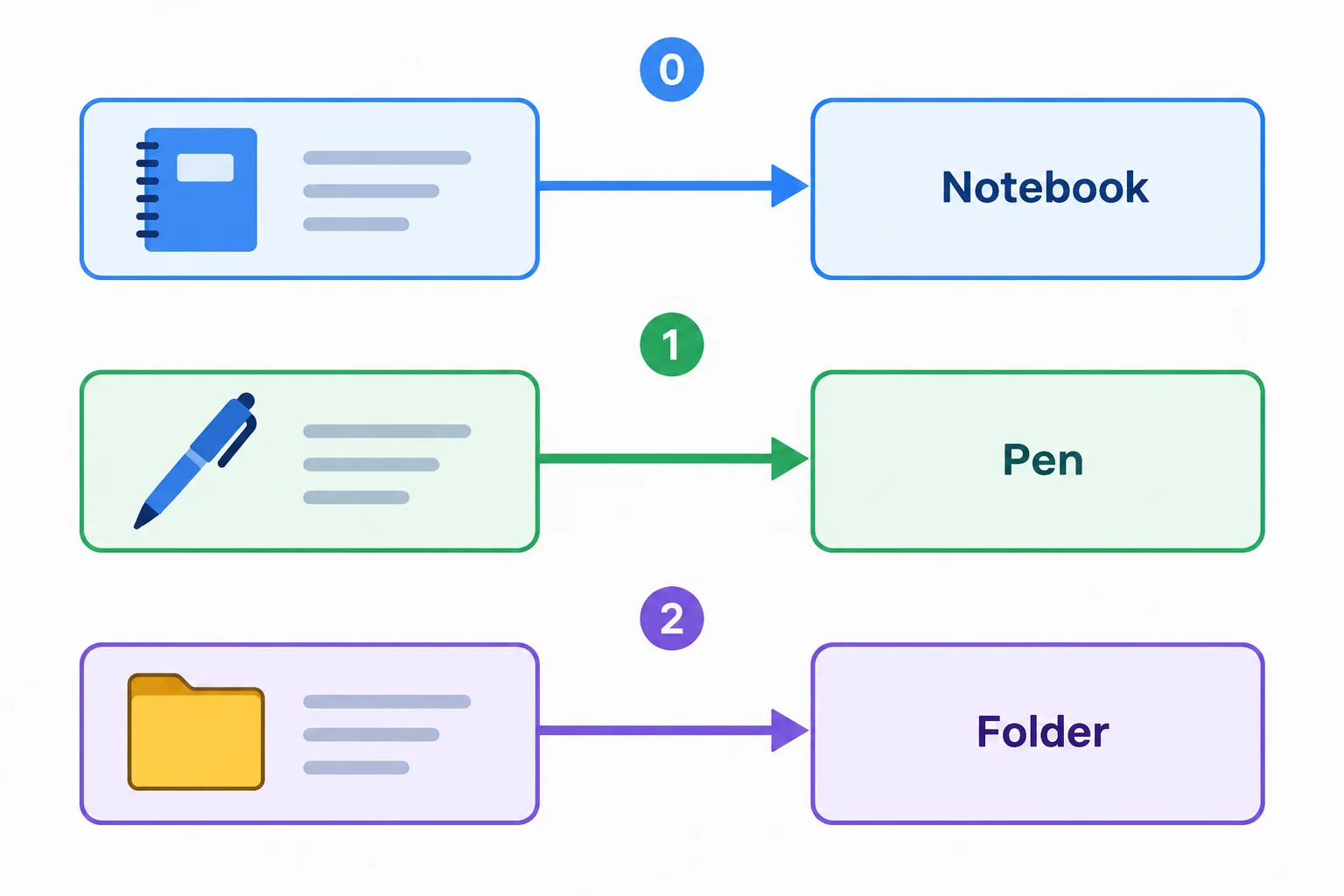
Each source element produces exactly one result element, so the ordinary arrays here keep the same length.
The expression after => is returned automatically. Here, each callback result becomes a string in productNames.
The second callback also receives the zero-based index. It uses index + 1 only to create human-readable numbering; neither callback changes a source record.
Run this after connecting your local arrays.js file. The console displays the result arrays; its visual layout can vary by browser.
const products = [{ id: 1, name: 'Notebook', stock: 3 }, { id: 2, name: 'Pen', stock: 8 }, { id: 3, name: 'Folder', stock: 0 }];

const productNames = products.map((product) => product.name);
const labels = products.map((product, index) => `${index + 1}. ${product.name}`);

console.log(productNames);
console.log(labels);['Notebook', 'Pen', 'Folder'] ['1. Notebook', '2. Pen', '3. Folder']
The expected array contents are shown as JavaScript literals. Browser consoles may format arrays differently.
Tip
map() is for building a result array. A value sent to console.log() is displayed, but logging does not make that value become the callback result.
What is the value of productNames after this code runs?
const productNames = products.map((product) => {
  console.log(product.name);
});Complete the transformation so that labels contains one numbered label for every product. Then complete the expression that obtains the number of labels.
const labels = products.map((product, index) => );
const labelCount = labels.;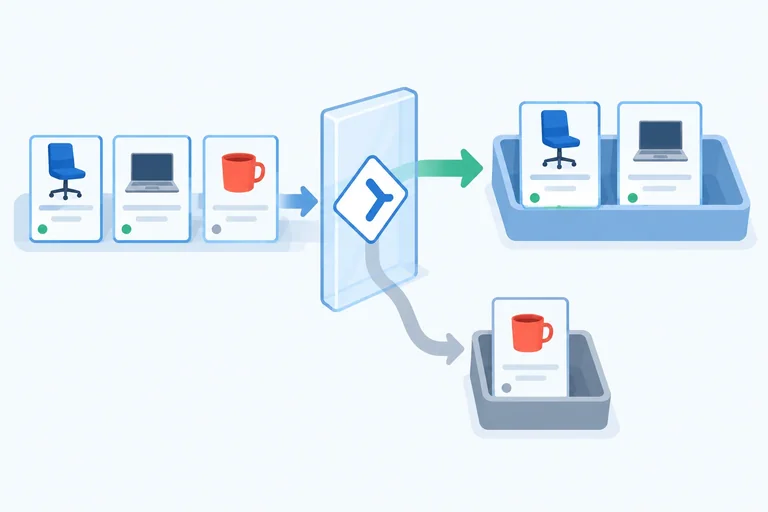
Step 3 of 8
Use filter() predicates to retain matching product records while preserving source order and recognizing an empty result array.
filter() calls its callback once for each source element. Its callback is a predicate: the returned value decides whether the current element is kept.
For availability, (product) => product.stock > 0 produces true for a product with positive stock and false otherwise. A truthy result retains the original product; a falsy result omits it.
filter() creates a new result array, preserves the retained products’ source order, and does not change their properties. It selects records rather than transforming or copying them. A filter can retain all, some, or none of the source elements; when none qualify, its result is an empty array ([]).
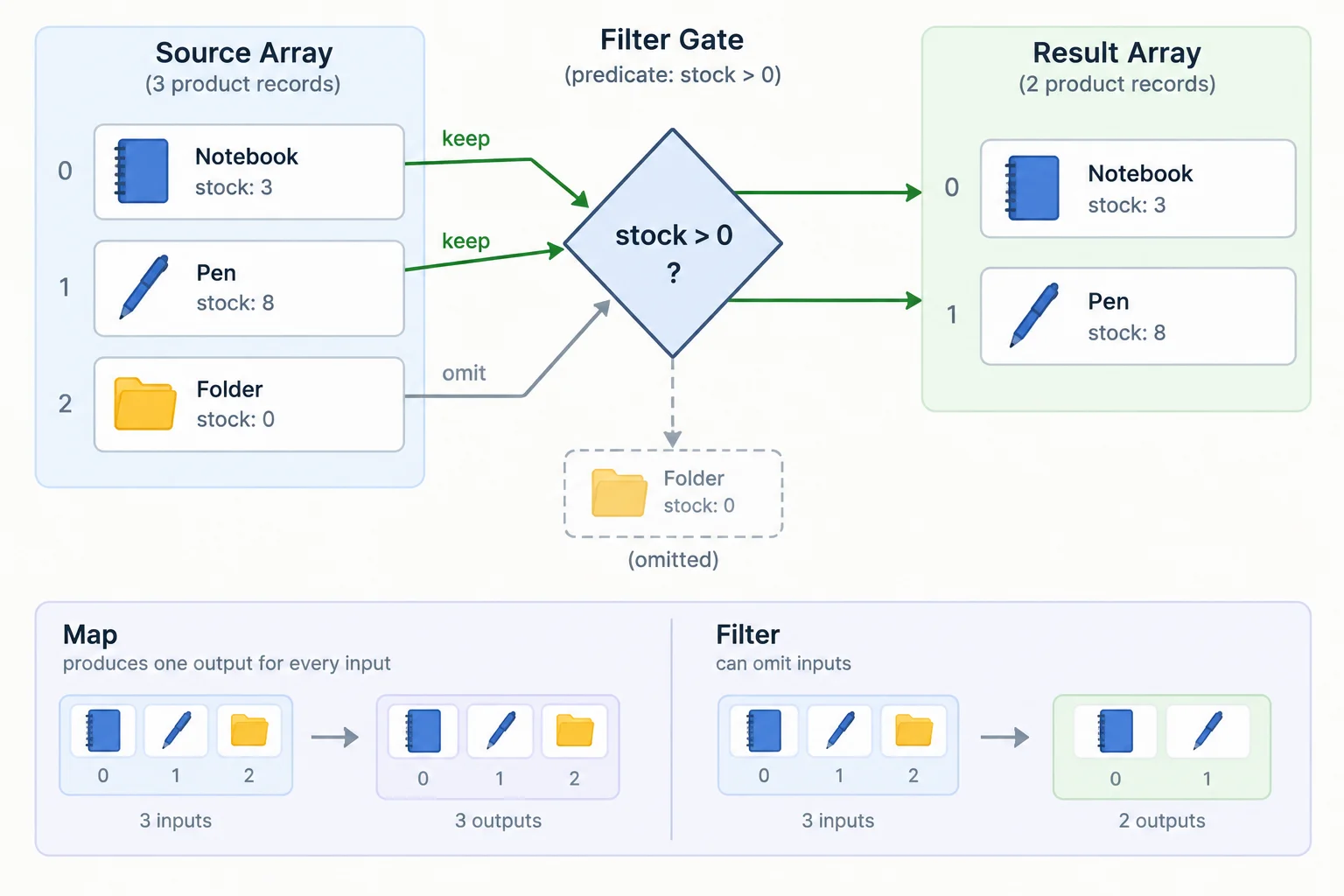
Unlike map(), filter() can omit source elements. The records that remain keep their original shape and order.
This predicate derives a result array of products that are available.
const products = [{ id: 1, name: 'Notebook', stock: 3 }, { id: 2, name: 'Pen', stock: 8 }, { id: 3, name: 'Folder', stock: 0 }];

const availableProducts = products.filter((product) => product.stock > 0);

console.log(availableProducts);[{ id: 1, name: 'Notebook', stock: 3 }, { id: 2, name: 'Pen', stock: 8 }]The important result is the JavaScript array literal: only the matching source records appear, in source order.
Complete the availability predicate.
const availableProducts = products.filter((product) => product.stock  0);

console.log(availableProducts);Use the established products source array. In your response:
availableProducts using the availability predicate.products.filter((product) => product.stock < 0), state whether the result is [] or undefined, and briefly explain why.Use a short code block or plain text.
Write at least 80 characters (0/80).
Step 4 of 8
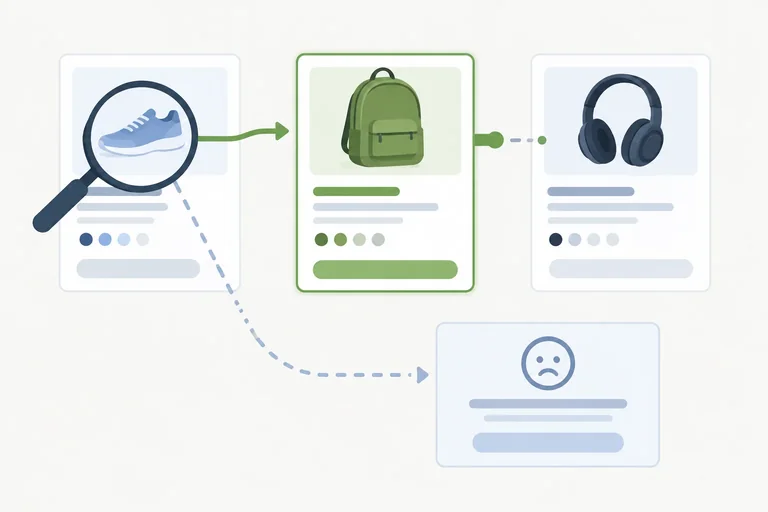
Retrieve the first matching array record with find() and safely handle a missing result.
find() calls its predicate from the start of the source array and returns the first source element whose predicate is true. It stops as soon as it finds that element.
The result is one record, not an array and not a copied record. In this search, foundProduct refers to the existing Pen record in products.
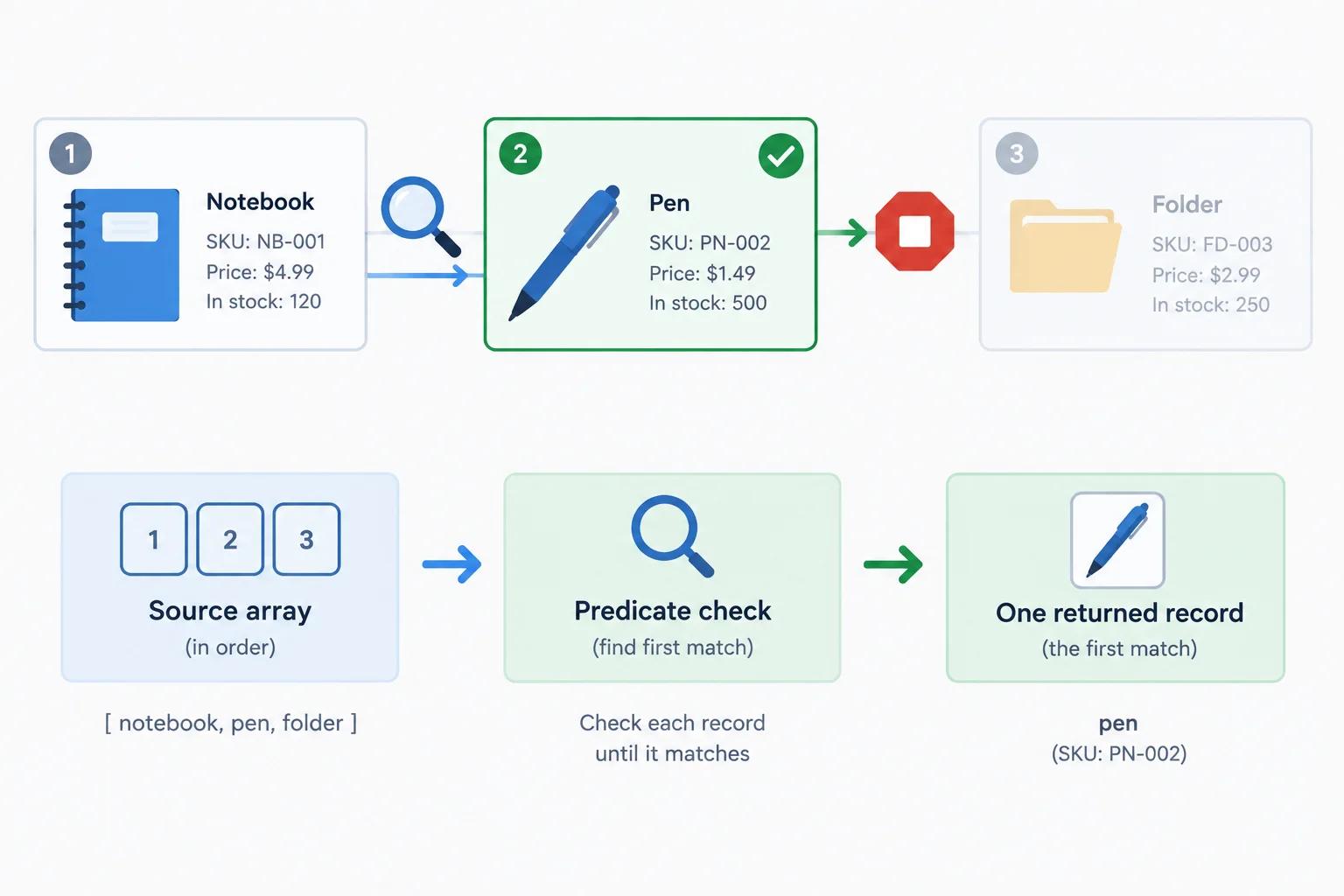
For a search for ID 2, find() checks Notebook, matches Pen, and stops. It returns the Pen record itself.
Run this after creating index.html and arrays.js as in earlier local practice.
const products = [{ id: 1, name: 'Notebook', stock: 3 }, { id: 2, name: 'Pen', stock: 8 }, { id: 3, name: 'Folder', stock: 0 }];

const foundProduct = products.find((product) => product.id === 2);
console.log(foundProduct);{ id: 2, name: 'Pen', stock: 8 }Browser consoles may display the object in an expandable layout; its values are the same.
When no element makes the predicate true, find() returns undefined. This is an ordinary search outcome, including when the source array is empty.
Do not read foundProduct.name until you have checked that foundProduct !== undefined. The else branch provides the fallback instead.
This guard prevents property access on an unsuccessful search.
const products = [{ id: 1, name: 'Notebook', stock: 3 }, { id: 2, name: 'Pen', stock: 8 }, { id: 3, name: 'Folder', stock: 0 }];

const foundProduct = products.find((product) => product.id === 99);

if (foundProduct !== undefined) {
  console.log(foundProduct.name);
} else {
  console.log('Product not found.');
}Product not found.
Use this compact contrast when choosing a search result.
| Method | Predicate goal | Overall result |
|---|---|---|
| find() | Locate the first match | One source record or undefined |
| filter() | Keep every match | A new array of source records |
You need the first product whose stock is greater than zero, as one record rather than an array. Which method fits?
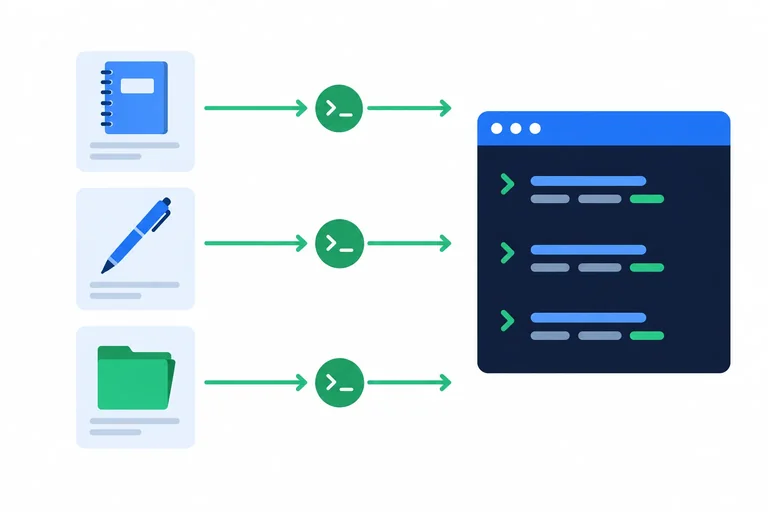
Complete the predicate and both guards. Before checking your answer, predict the two console messages: one from the successful lookup and one from the missing-ID lookup.
const products = [{ id: 1, name: 'Notebook', stock: 3 }, { id: 2, name: 'Pen', stock: 8 }, { id: 3, name: 'Folder', stock: 0 }];

let foundProduct = products.find((product) => product.id  2);

if (foundProduct !== ) {
  console.log(foundProduct.name);
} else {
  console.log('Product not found.');
}

foundProduct = products.find((product) => product.id === 99);

if (foundProduct !== ) {
  console.log(foundProduct.name);
} else {
  console.log('Product not found.');
}
Step 5 of 8
Choose the array method that matches the required result, and use forEach() for actions such as console logging.
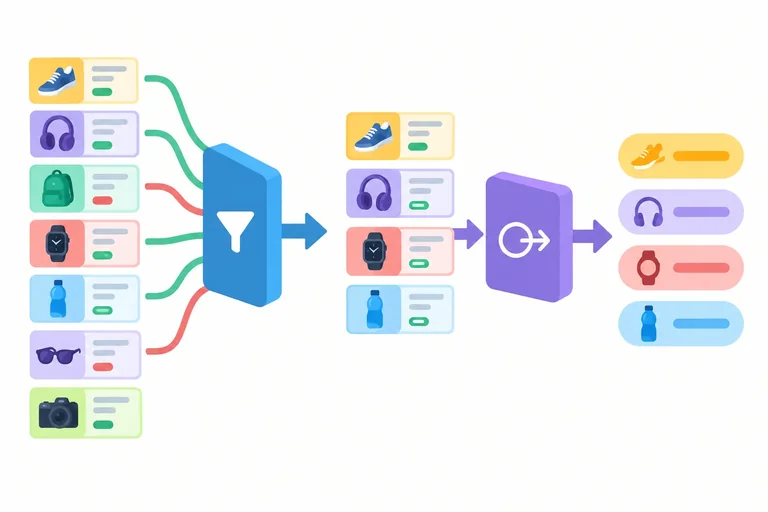
Use forEach() when each product should cause an action, such as writing a message to the console. It calls its callback once for every element, but it does not assemble callback results into a new array.
Use the same source array for this step.
Save this as the source collection in arrays.js.
const products = [{ id: 1, name: 'Notebook', stock: 3 }, { id: 2, name: 'Pen', stock: 8 }, { id: 3, name: 'Folder', stock: 0 }];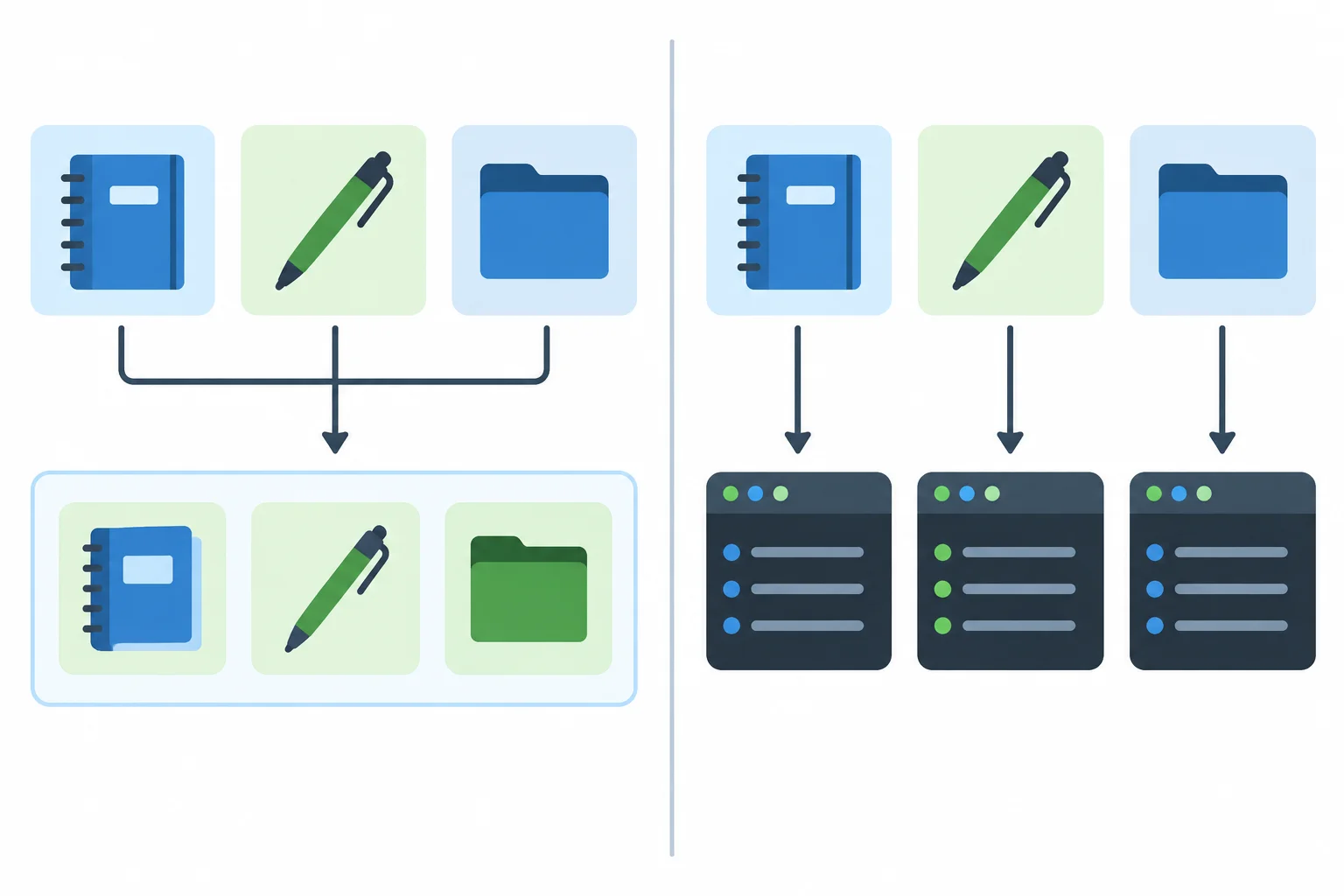
map() produces a result array. forEach() performs an action for each element, such as logging.
Choose the method from the result you need. The callback return has a different job for each method.
| Method | Purpose | Callback return role | Overall result |
|---|---|---|---|
| map() | Transform every element | Becomes a result element | New result array |
| filter() | Keep matching elements | Predicate decides keep or omit | New result array |
| find() | Retrieve one matching element | Predicate identifies a match | First match or undefined |
| forEach() | Perform an action for each element | Ignored by the method | undefined |
This logs a numbered label for every product. The assignment shows the overall return value of forEach().
const labels = products.forEach((product, index) => {
  console.log(`${index + 1}. ${product.name}`);
});

console.log(labels);1. Notebook 2. Pen 3. Folder undefined
The final `undefined` is the value assigned to `labels`; the preceding lines are produced by the callback actions.
Tip
A return inside a forEach() callback ends only that one callback invocation. It does not stop forEach() from moving to the next product, and the returned value is ignored. If you need collected values such as labels, use map() instead.
Match each required result to the method that fits it.
Tap an item and then its matching pair.
Complete the code to run an action for every product and log numbered labels. The assignment deliberately receives this method's overall result, so labels will be undefined rather than a result array.
const labels = products.((product, index) => {
  (`${index + 1}. ${product.name}`);
});
Step 6 of 8
Build readable filter-and-map pipelines, preserve the data needed by later callbacks, and trace result shapes, indexes, and empty results.
A pipeline lets one array method pass its result array directly to the next method. Start with product records, filter while each callback can still read product.stock, then map the retained records to names.
The source array stays unchanged. availableProducts is a new array of records; availableNames is a new array of strings.
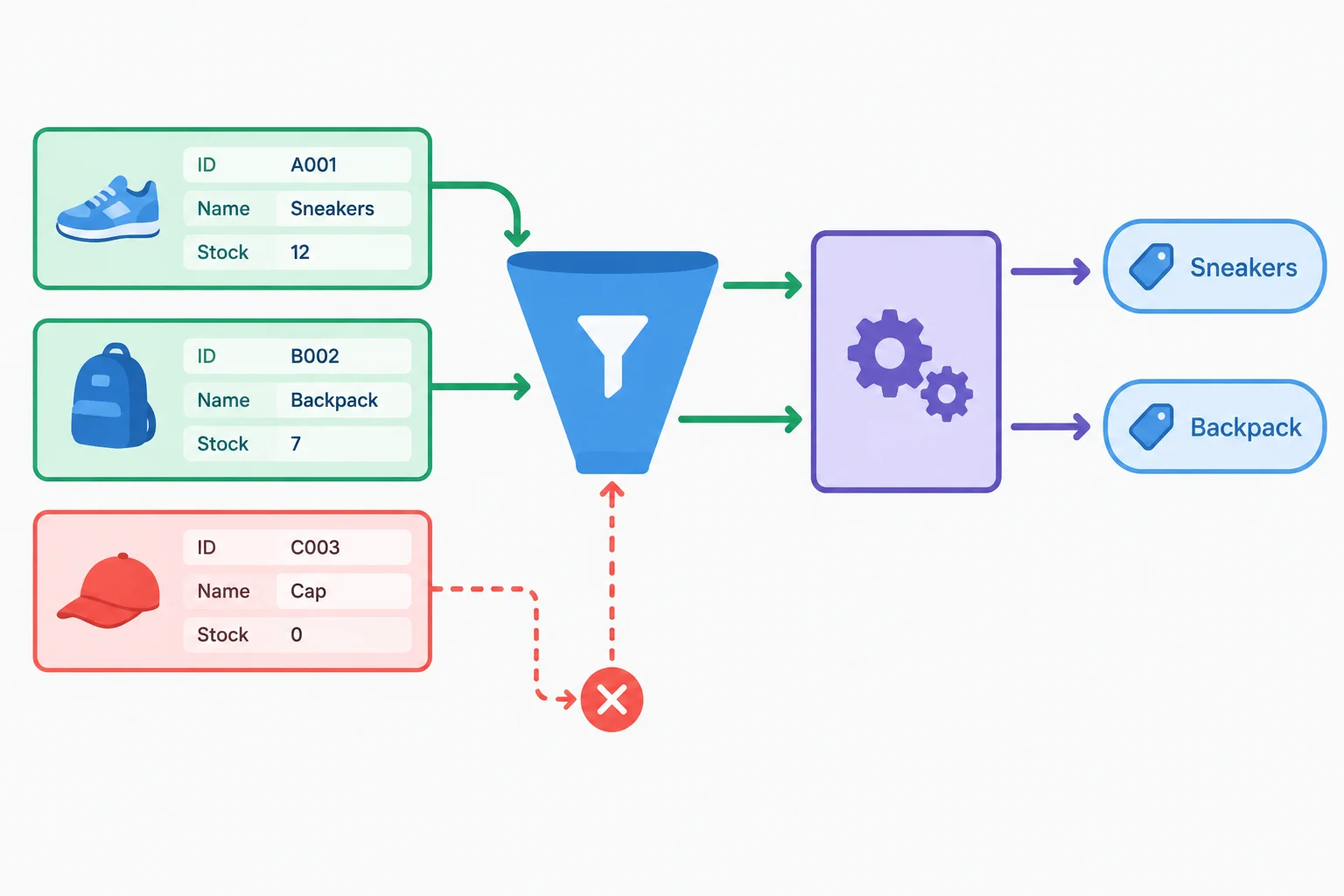
The source has 3 records. Filtering by product.stock > 0 produces 2 records: Notebook and Pen. Mapping those records to product.name produces 2 strings: 'Notebook' and 'Pen'.
Run this in arrays.js to inspect each result array.
const products = [{ id: 1, name: 'Notebook', stock: 3 }, { id: 2, name: 'Pen', stock: 8 }, { id: 3, name: 'Folder', stock: 0 }];

const availableProducts = products.filter((product) => product.stock > 0);
const availableNames = availableProducts.map((product) => product.name);

console.log(availableNames);['Notebook', 'Pen']
Browser consoles may format the array differently, but its contents are the same.
The result array from filter() becomes the direct input to map(). Therefore, the map() callback receives only available records.
Do not map names first when a later predicate needs stock: after mapping, each value is a string, so it has no stock property. Keep the record shape until every stage that needs record properties has finished.
Indexes belong to the array being mapped. Here, map() receives the two-item availableProducts array, so Notebook gets index 0 and Pen gets index 1.
const availableProducts = products.filter((product) => product.stock > 0);
const labels = availableProducts.map((product, index) => `${index + 1}. ${product.name}`);

console.log(labels);['1. Notebook', '2. Pen']
The important detail is that numbering is based on the filtered two-record array, not the original three-record source array.
Tip
If a predicate retains no records, its result is []. Calling map() on that empty result also produces []; no callback runs because there are no values to transform.
Complete the chain so it creates availableNames from the available product records.
const availableNames = products
  .((product) => product.stock > 0)
.((product) => );Using products, write four concise lines:
const availableNames = ... expression that selects available records before extracting names.availableNames.(product) => product.stock < 0 and that result is mapped to names.labels callback.Include the code on line 1 and use array literals for lines 2 and 3.
Write at least 60 characters (0/60).

Step 7 of 8
Create a new collection that restocks one selected record without changing the source array or its Folder record.
map() always creates a new outer array, but each callback decides which record goes into it. For the target record, return a copied record with the new stock. For every other record, return the current product unchanged.
This updates Folder in updatedProducts while leaving the Folder record in the source array untouched.
This callback creates the required updated collection.
const products = [{ id: 1, name: 'Notebook', stock: 3 }, { id: 2, name: 'Pen', stock: 8 }, { id: 3, name: 'Folder', stock: 0 }];

const updatedProducts = products.map((product) => {
  if (product.id === 3) {
    return { ...product, stock: 4 };
  }

  return product;
});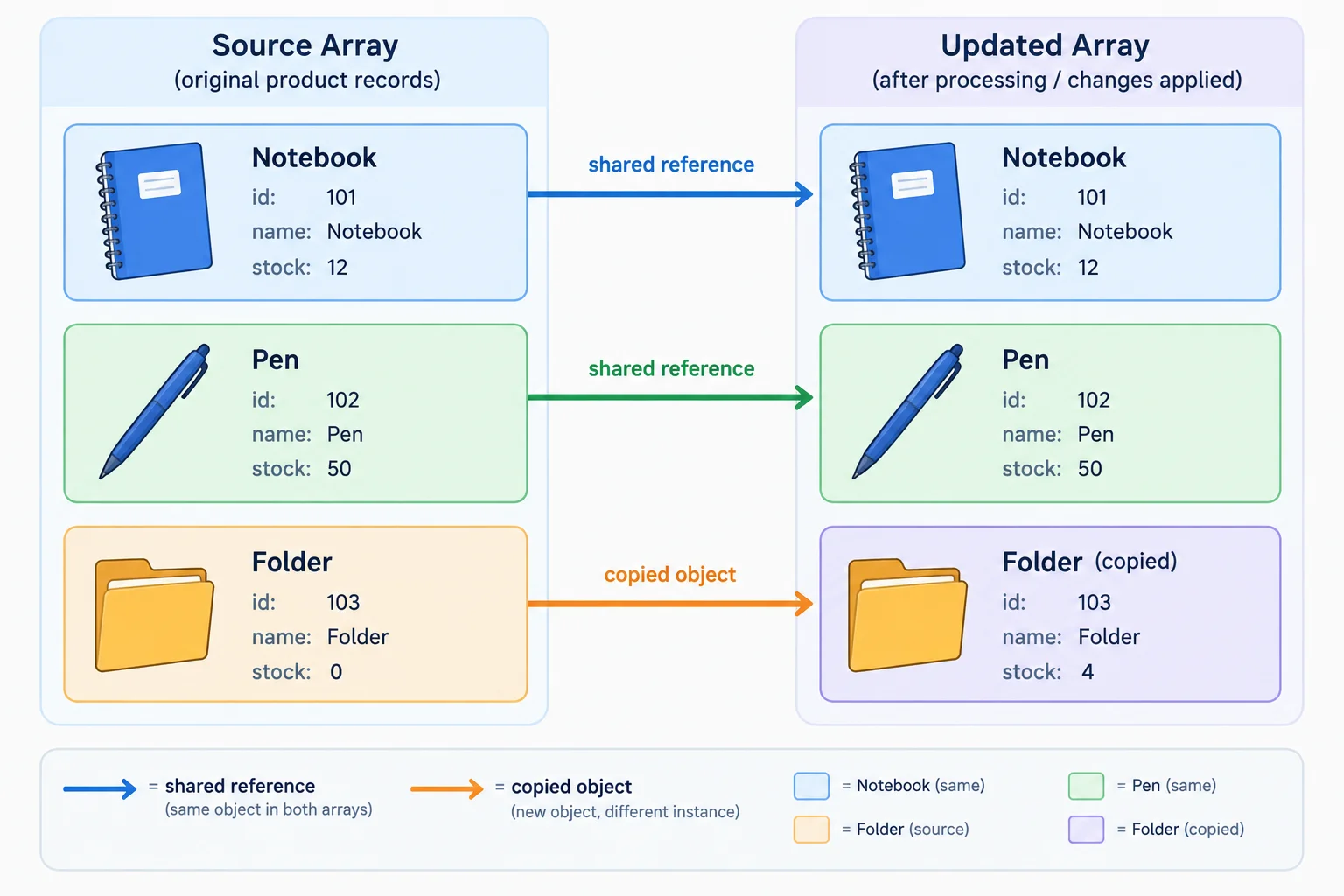
The outer array is new. Only the changed Folder record is also new; unchanged records may remain shared.
A new result array alone does not protect the source records. The callback parameter refers to the same object held by products. Assigning to product.stock changes that shared object before map() returns it.
Do not use this pattern for the update:
This code mutates the Folder record in products, so it is not a safe update.
const updatedProducts = products.map((product) => {
  if (product.id === 3) {
    product.stock = 4;
  }

  return product;
});After the safe update from the previous screen, run these checks in arrays.js.
console.log(products[2].stock);
console.log(updatedProducts[2].stock);
console.log(products[2] === updatedProducts[2]);
console.log(products[0] === updatedProducts[0]);0 4 false true
The first two lines verify source and result stock. The last two lines show that Folder was copied while an unchanged record remains shared.
True or false: Because map() creates a new result array, assigning product.stock = 4 inside its callback cannot change a source record.
Complete the safe update. It must target Folder, give it stock 4 only in updatedProducts, and leave the source record unchanged.
const updatedProducts = products.map((product) => {
  if () {
    return ;
  }

  return ;
});

console.log(products[2].stock);
console.log(updatedProducts[2].stock);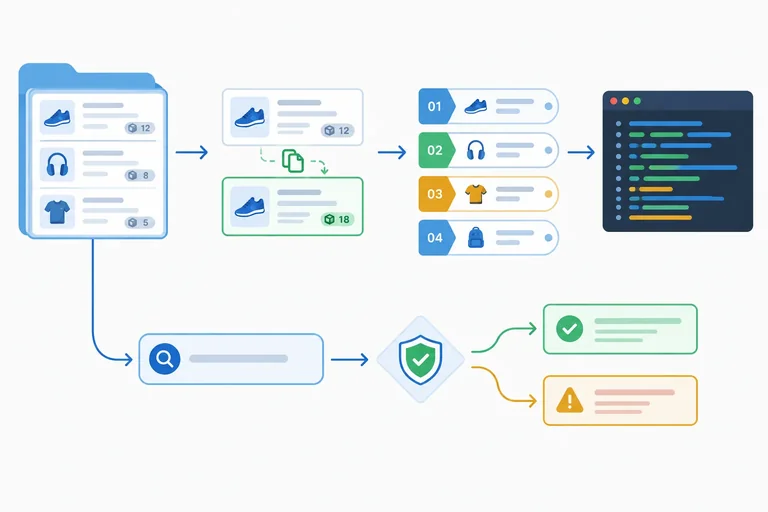
Step 8 of 8
Complete and verify a small transformation workflow using map(), filter(), find(), and forEach() while preserving the source collection.
Complete the workflow in stages. First, use map() to create updatedProducts, returning a copied record only for the selected product. Then filter() creates availableProducts, map() creates numbered labels, and forEach() logs each label.
Treat the search separately: find() may return undefined, so branch before reading a property. Finally, verify two things independently: the derived labels are correct, and the original products collection still has Folder stock 0.
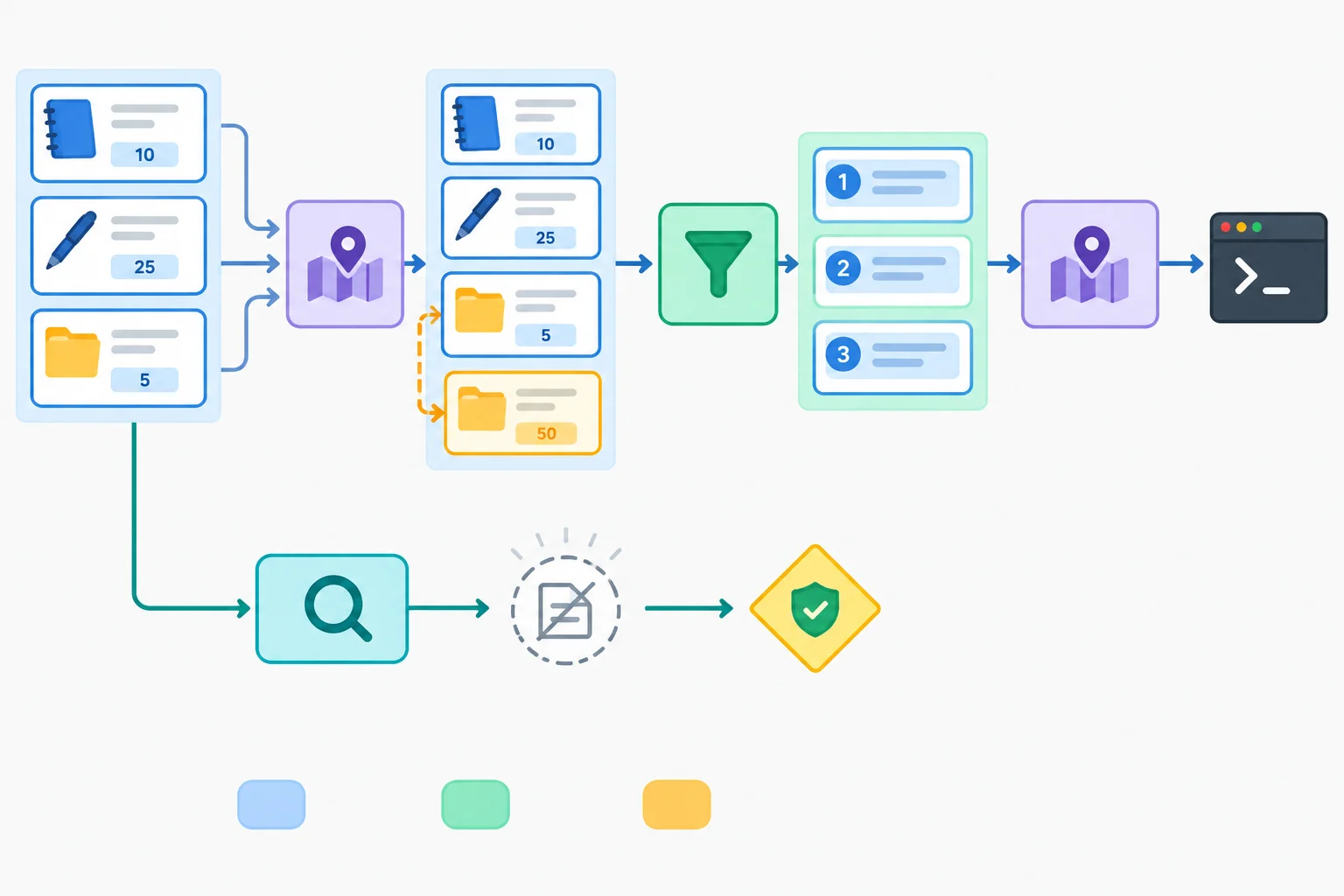
The outer arrays are new results. Only the changed Folder record is a copied record; the original source record remains unchanged.
Complete the marked method calls and callback return values.
const updatedProducts = products.((product) => {
  if (product.id === 3) {
    return ;
  }
  return product;
});

const availableProducts = updatedProducts.((product) => product.stock > 0);

const labels = availableProducts.((product, index) => );

const foundProduct = products.;

if (foundProduct !== undefined) {
  console.log(foundProduct.name);
} else {
  console.log('Product not found.');
}Create index.html and arrays.js in the same local folder. Save both files, open or refresh index.html, and inspect the browser console. This practice uses only the supplied source collection and browser JavaScript.
<!doctype html>
<html lang="en">
  <head>
    <meta charset="utf-8">
    <title>Array workflow</title>
    <script src="arrays.js" defer></script>
  </head>
  <body>
    <h1>Array workflow</h1>
  </body>
</html>const products = [{ id: 1, name: 'Notebook', stock: 3 }, { id: 2, name: 'Pen', stock: 8 }, { id: 3, name: 'Folder', stock: 0 }];
const updatedProducts = products.map((product) => {
if (product.id === 3) {
return { ...product, stock: 4 };
}
return product;
});
const availableProducts = updatedProducts.filter((product) => product.stock > 0);
const labels = availableProducts.map((product, index) => `${index + 1}. ${product.name}`);
labels.forEach((label) => {
console.log(label);
});
const foundProduct = products.find((product) => product.id === 99);
if (foundProduct !== undefined) {
console.log(foundProduct.name);
} else {
console.log('Product not found.');
}
console.log(products[2].stock);
console.log(updatedProducts[2].stock);
console.log(products[2] === updatedProducts[2]);1. Notebook 2. Pen 3. Folder Product not found. 0 4 false
The console presentation can vary by browser. Compare the line contents and order, not visual styling.
Run the supplied code, or trace it carefully if you cannot run it. In 1–3 sentences, report the three logged labels in order; the source and updated Folder stock values; whether the changed record identity is the same; and the message from the unsuccessful search. Explain which observation shows that the source array was preserved.
Write at least 80 characters (0/80).
Summary
map() when every source element needs a corresponding returned value; return a copied record when changing a selected record.filter() to retain records, then map the retained result when later work needs those records' properties.find() for one record and guard an unsuccessful result against undefined before property access.forEach() for logging actions, not for collecting a result array.Congratulations! You completed: Transform Arrays with Callback Functions
Thousands of online courses in video, ebooks and audiobooks.
To test your knowledge during online courses
Generated directly from your cell phone's photo gallery and sent to your email

Download our app via QR Code or the links below:.



Carry knowledge in your pocket.
Download the Cursa app.
There are hundreds of free courses available, with a free certificate of completion that is saved in your mobile image gallery.
Download the app to access the Course Completion Certificate for Free.


+ 10 million
students

Free and Valid
Certificate

60 thousand free
exercises

4.8/5 rating in
app stores

Free courses in
video and ebooks