
Step 1 of 8
Define What a Function Accepts
Annotate primitive and object parameters so a function accepts the intended arguments.

Learning path · Level 8 · Tutorial 3
Make function boundaries explicit, type callbacks without unnecessary annotations, and describe the results of asynchronous operations.

 Define What a Function Accepts
Annotate primitive and object parameters so a function accepts the intended arguments. 2 min
Define What a Function Accepts
Annotate primitive and object parameters so a function accepts the intended arguments. 2 min
 Choose How to Express the Return Type
Choose between return type inference and an explicit output contract, then use an explicit annotation to protect a maintained function boundary. 2 min
Choose How to Express the Return Type
Choose between return type inference and an explicit output contract, then use an explicit annotation to protect a maintained function boundary. 2 min
 Locate and Repair Boundary Errors
Use compiler diagnostics to distinguish an invalid call from an incompatible returned value, then repair the correct side of each function boundary. 2 min
Locate and Repair Boundary Errors
Use compiler diagnostics to distinguish an invalid call from an incompatible returned value, then repair the correct side of each function boundary. 2 min
 Name a Callback Contract
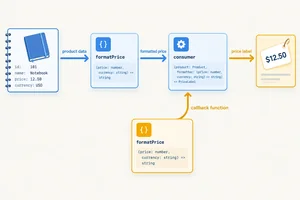
Name a formatting callback contract, pass it to a consumer, and check that concrete callbacks honor its input and output boundary. 3 min
Name a Callback Contract
Name a formatting callback contract, pass it to a consumer, and check that concrete callbacks honor its input and output boundary. 3 min
 Let Context Type Your Callbacks
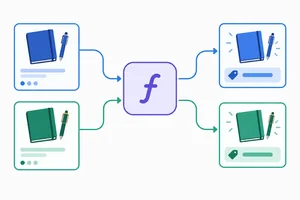
Use contextual typing to transform Product[] into string[] without redundant callback annotations. 3 min
Let Context Type Your Callbacks
Use contextual typing to transform Product[] into string[] without redundant callback annotations. 3 min
 Use void When the Caller Ignores the Result
Choose void for result-ignoring callbacks and distinguish callback compatibility from an explicit void implementation annotation. 2 min
Use void When the Caller Ignores the Result
Choose void for result-ignoring callbacks and distinguish callback compatibility from an explicit void implementation annotation. 2 min
 Describe an Asynchronous Result
Annotate an async function with Promise<Product[]> and distinguish the promise returned by a call from the Product[] available after await. 2 min
Describe an Asynchronous Result
Annotate an async function with Promise<Product[]> and distinguish the promise returned by a call from the Product[] available after await. 2 min
 Apply the Contracts to a Catalog Pipeline
3 min
Apply the Contracts to a Catalog Pipeline
3 min
Step 1 of 8
Annotate primitive and object parameters so a function accepts the intended arguments.
A parameter annotation states which values a caller may supply to a function. At a call site, each argument is checked against the parameter in the same position.
A standalone function declaration needs its own parameter annotations when no surrounding context supplies them. Calls written later do not infer parameter types back into the declaration.
Use a primitive type for one value, such as a price. Use a named object type such as Product when a function needs a complete product record.
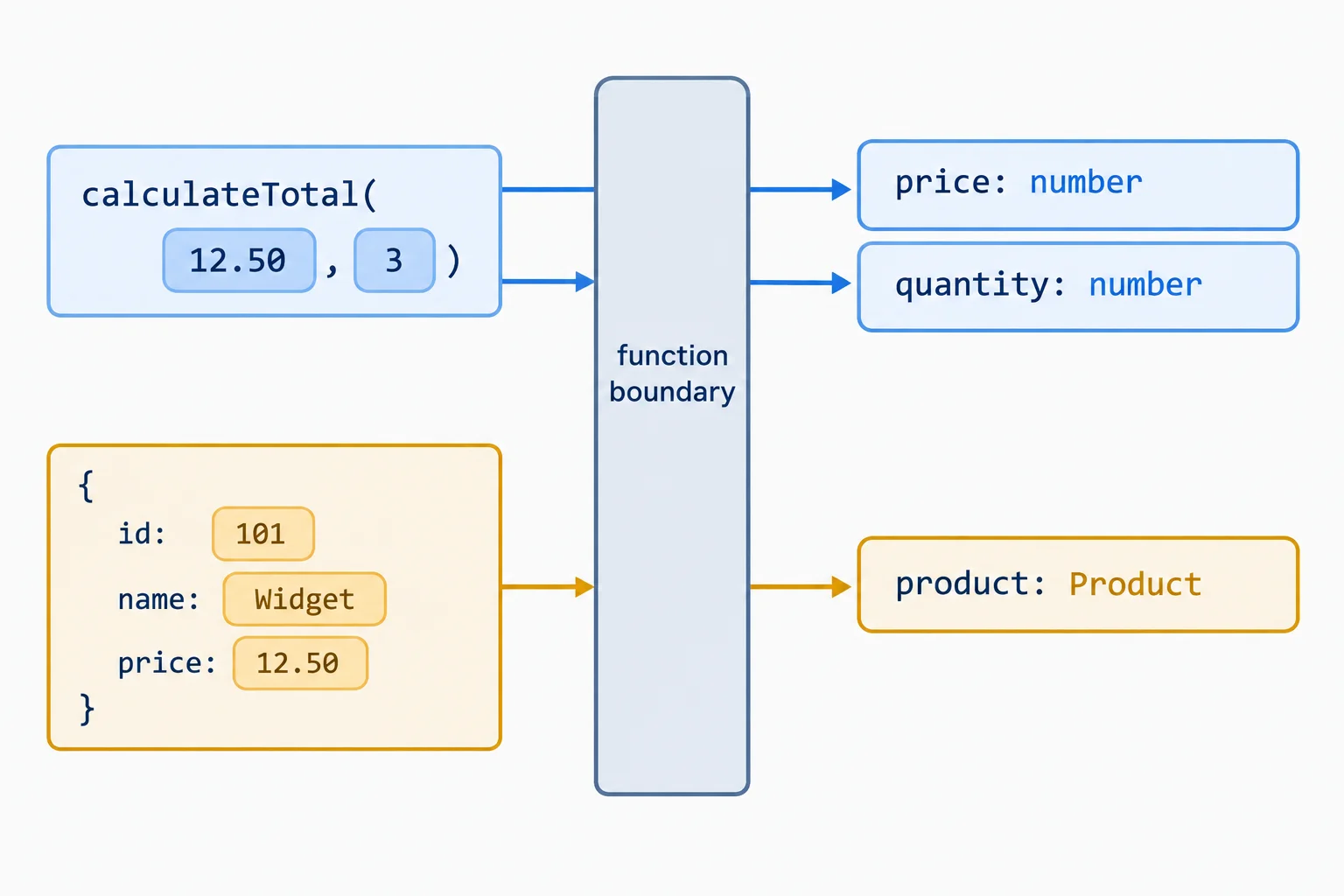
Each argument is checked against the annotated parameter in the corresponding position.
The annotation follows the parameter name. calculateTotal accepts two numeric inputs. formatProduct accepts one Product, so its caller must provide a record with all required id, name, and price properties.
Parameter names describe a value's role; annotations describe its permitted type. Argument order still matters: the first argument reaches the first parameter.
Two functions with different input contracts.
type Product = { id: string; name: string; price: number };

function calculateTotal(price: number, quantity: number) {
  return price * quantity;
}

function formatProduct(product: Product) {
  return `${product.name}: $${product.price.toFixed(2)}`;
}
Tip
A Product parameter does not mean “any object with a name.” The complete required record shape is the input contract. TypeScript checks that contract before the function body runs.
For this practice, make src/function-boundaries.ts contain the complete module below. It uses the shared Product shape and reports results in the browser console.
src/function-boundaries.ts
export {};

type Product = { id: string; name: string; price: number };

const products: Product[] = [
  { id: 'p1', name: 'Notebook', price: 6 },
  { id: 'p2', name: 'Pen', price: 2 }
];

function calculateTotal(price: number, quantity: number) {
  return price * quantity;
}

function formatProduct(product: Product) {
  return `${product.name}: $${product.price.toFixed(2)}`;
}

console.log('Notebook total:', calculateTotal(products[0].price, 2));
console.log(formatProduct(products[0]));Notebook total: 12 Notebook: $6.00
After starting Vite and opening the browser console, these are the expected console lines.
src/main.ts
import './function-boundaries.ts';Tip
From the existing project root, run npx tsc --noEmit to check the parameter contracts. Then run npm run dev and inspect the browser console. A successful compiler check normally produces no diagnostics; the console shows the JavaScript result.
Complete the parameter annotations and the two calls so both calls are compatible. For each call, use the named value declared immediately above it.
type Product = { id: string; name: string; price: number };

const products: Product[] = [
  { id: 'p1', name: 'Notebook', price: 6 },
  { id: 'p2', name: 'Pen', price: 2 }
];

const notebookPrice = 6;
const notebook = products[0];

function calculateTotal(price: , quantity: ) {
  return price * quantity;
}

function formatProduct(product: ) {
  return `${product.name}: $${product.price.toFixed(2)}`;
}

const total = calculateTotal(, 2);
const label = formatProduct();

console.log(total, label);
Step 2 of 8
Choose between return type inference and an explicit output contract, then use an explicit annotation to protect a maintained function boundary.
A parameter annotation defines what may enter a function. A return type describes what leaves it.
When a function has no declared return type, TypeScript uses return type inference: it examines the returned expression and derives the result type. Multiplying two number parameters produces a number result.
Writing : number after the parameter list makes the intended output contract visible without requiring a reader to inspect the body.
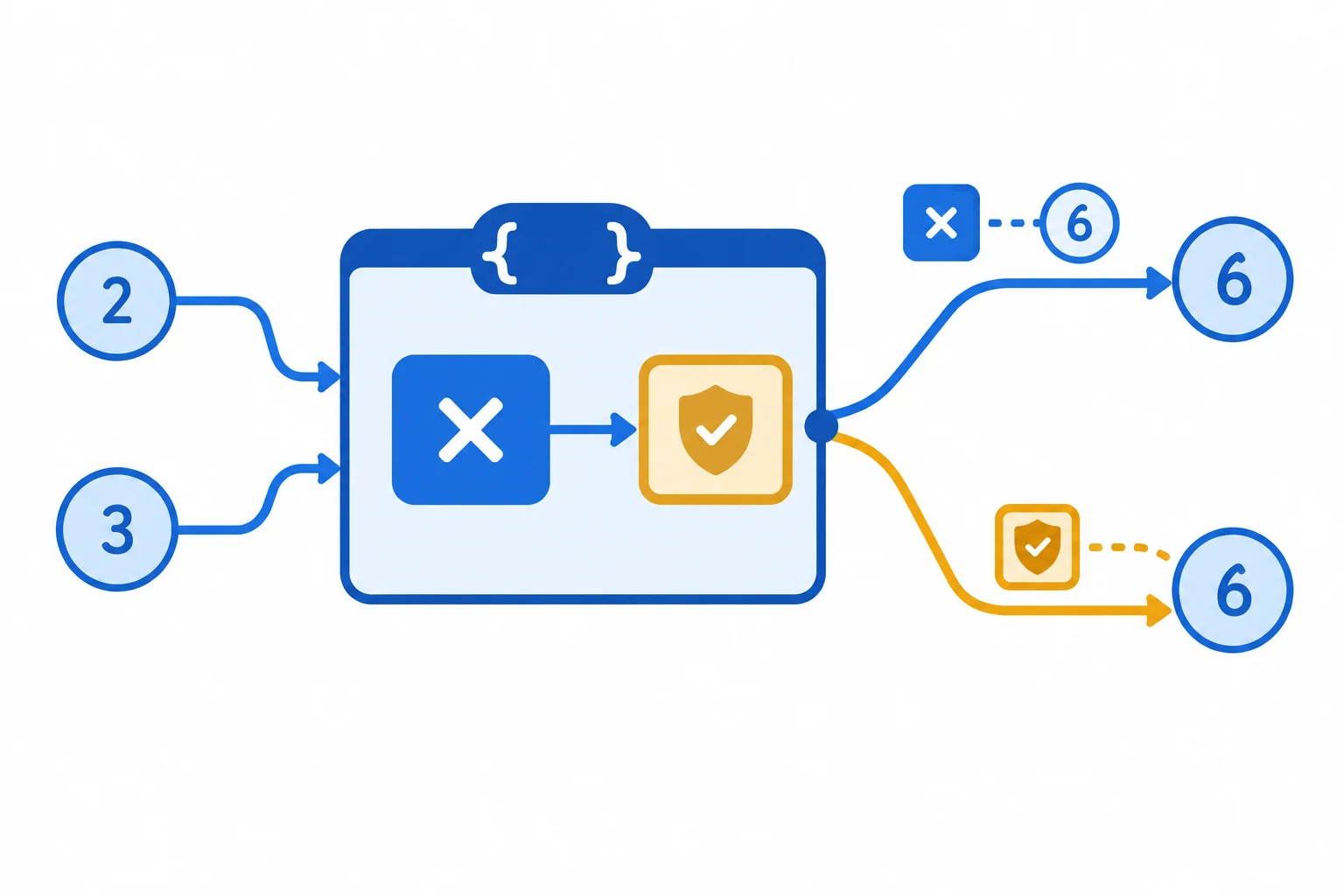
Inference follows the implementation; an explicit annotation states the intended result and checks the implementation against it.
Without an annotation, TypeScript infers the result type from the multiplication expression.
function calculateTotal(price: number, quantity: number) {
  return price * quantity;
}

const total = calculateTotal(6, 2);For a straightforward internal helper, return type inference keeps code concise while preserving a precise result type.
Use an explicit return annotation when a function has a deliberate boundary you want to preserve while its implementation changes. The annotation is a check, not a conversion: : number does not turn a returned string into a number. TypeScript instead reports that the implementation does not meet its stated contract.
Both approaches provide type information. The difference is where the output expectation is expressed.
| Approach | Type source | Useful when | What TypeScript checks |
|---|---|---|---|
| Return type inference | Returned expressions | A simple internal helper | The result derived from the body |
| Explicit `: number` | Declared function boundary | A maintained output requirement | Each returned value fits `number` |
Replace src/function-boundaries.ts with this version. calculateTotal now has an explicit numeric output contract, while formatProduct retains an inferred string result. Keep src/main.ts loading this module.
export {};

type Product = { id: string; name: string; price: number };

const products: Product[] = [
  { id: 'p1', name: 'Notebook', price: 6 },
  { id: 'p2', name: 'Pen', price: 2 }
];

function calculateTotal(price: number, quantity: number): number {
  return price * quantity;
}

function formatProduct(product: Product) {
  return `${product.name}: $${product.price.toFixed(2)}`;
}

console.log('Notebook total:', calculateTotal(products[0].price, 2));
console.log(formatProduct(products[0]));Notebook total: 12 Notebook: $6.00
A successful `npx tsc --noEmit` normally has no output. With `npm run dev` running, inspect the browser console for these lines.
Ensure the Vite entry module loads the practice file.
import './function-boundaries.ts';formatProduct is a straightforward helper used only inside one module. calculateTotal is a maintained boundary whose numeric output requirement should remain clear during later edits. Which strategy is best?
Respond with three labeled lines:
function getDefaultQuantity() { return 2; }, state the inferred return type.calculateTotal with its two typed parameters and an explicit numeric return annotation.Write at least 120 characters (0/120).

Step 3 of 8
Use compiler diagnostics to distinguish an invalid call from an incompatible returned value, then repair the correct side of each function boundary.
A TypeScript diagnostic tells you which side of a function boundary broke its contract.
return statement in a function with an explicit return annotation, the returned expression conflicts with that output contract. Repair the implementation's result.Read three details together: the diagnostic location, the expected type, and the received type. Keep a parameter or return annotation when it expresses the intended requirement; do not weaken the contract just to silence an error.

The diagnostic location identifies whether the caller or the implementation must change.
Use the location and the expected and received types to choose a repair that preserves the requirement.
| Diagnostic location | Expected type | Received type | Repair focus |
|---|---|---|---|
| At a function call | number parameter | string argument | Caller supplies a number |
| At a return statement | number return type | string expression | Implementation returns a number |
Match each diagnostic summary to the boundary that needs repair.
Tap an item and then its matching pair.
First, inspect this diagnostic-only snippet. It intentionally contains two errors, so do not run it. The first diagnostic is located at the call because a string argument is supplied to a number parameter. The second is located at return because the declared number output contract receives a string expression.
Then replace the entire contents of src/function-boundaries.ts with the repaired file shown below. Keep the existing import in src/main.ts.
Diagnostic snippet only — do not run
function calculateTotal(price: number, quantity: number): number {
  return '$12.00';
}

const notebookTotal = calculateTotal('6', 2);src/function-boundaries.ts — replace the entire file before running
export {};

type Product = { id: string; name: string; price: number };

const products: Product[] = [
  { id: 'p1', name: 'Notebook', price: 6 },
  { id: 'p2', name: 'Pen', price: 2 }
];

function calculateTotal(price: number, quantity: number): number {
  return price * quantity;
}

const notebookTotal = calculateTotal(products[0].price, 2);

console.log('Notebook total:', notebookTotal);Notebook total: 12
After `npx tsc --noEmit` succeeds, run `npm run dev` and inspect the browser console.
src/main.ts
import './function-boundaries.ts';Tip
Run npx tsc --noEmit from the existing project root. A successful compiler check normally produces no diagnostics. Then use npm run dev and compare the browser-console line with the output shown on the repaired code item.
The compiler confirms that the boundaries agree; the console confirms the JavaScript behavior.
Complete both repairs while retaining the displayed parameter and return contracts. Use the named variable as the argument at the call site.
type Product = { id: string; name: string; price: number };

const products: Product[] = [
  { id: 'p1', name: 'Notebook', price: 6 },
  { id: 'p2', name: 'Pen', price: 2 }
];

function calculateTotal(price: number, quantity: number): number {
  return ;
}

const notebookPrice = products[0].price;
const notebookTotal = calculateTotal(, 2);

console.log('Notebook total:', notebookTotal);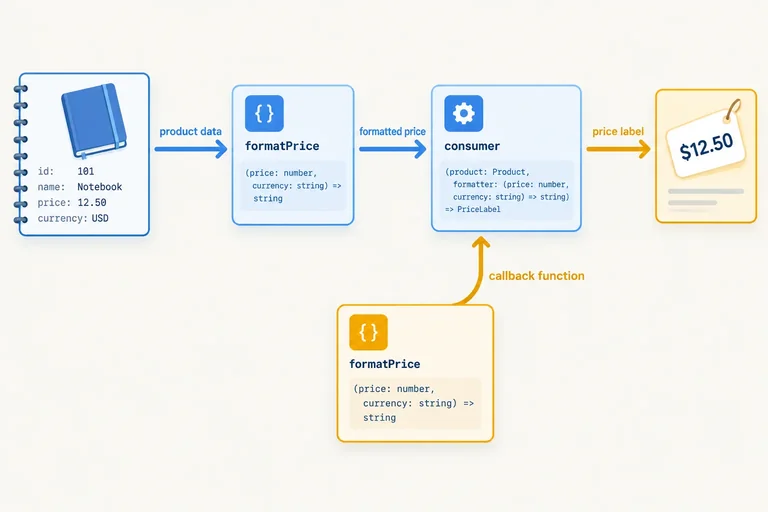
Step 4 of 8
Name a formatting callback contract, pass it to a consumer, and check that concrete callbacks honor its input and output boundary.
A function type expression describes a callable value without implementing it. It states the callback’s parameter types and result type.
A named alias lets consumers and implementations share one callback contract:
Product.string.The alias does not create a function or format anything by itself. It defines which function values are compatible with the ProductFormatter callback contract.
The named callback contract
type ProductFormatter = (product: Product) => string;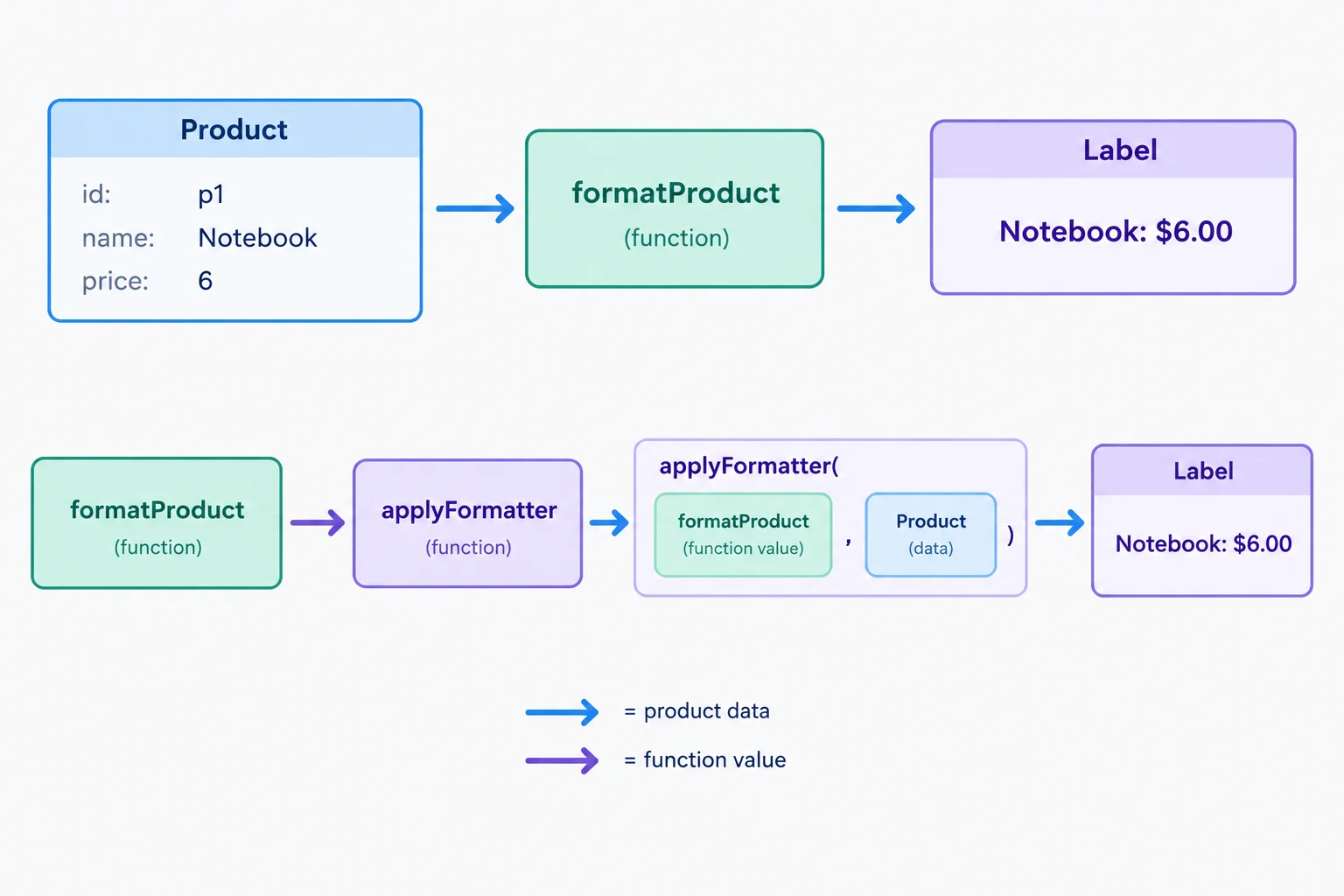
A caller passes a function as a callback; the consumer invokes that callback later with a Product.
A callback consumer receives a function value through its formatter parameter. Annotating that parameter with ProductFormatter guarantees that formatter(product) produces a string.
formatProduct is a concrete implementation. It is compatible because its parameter accepts a Product and its returned label is a string. applyFormatter does not need to know how formatting is implemented; it only relies on the callback contract.
src/function-boundaries.ts — replace the entire file
export {};

type Product = { id: string; name: string; price: number };

const products: Product[] = [
  { id: 'p1', name: 'Notebook', price: 6 },
  { id: 'p2', name: 'Pen', price: 2 }
];

type ProductFormatter = (product: Product) => string;

function formatProduct(product: Product): string {
  return `${product.name}: $${product.price.toFixed(2)}`;
}

function applyFormatter(
  product: Product,
  formatter: ProductFormatter
): string {
  return formatter(product);
}

for (const product of products) {
  console.log(applyFormatter(product, formatProduct));
}Notebook: $6.00 Pen: $2.00
First run `npx tsc --noEmit` from the existing project root. Then run `npm run dev` and inspect the browser console. Replacing the entire file ensures that no earlier console output, such as a total calculation, remains.
Keep the practice module loaded by the Vite entry module.
import './function-boundaries.ts';Tip
Compatibility has two parts:
Product that the consumer may supply.string that the consumer expects back.Do not weaken the callback contract merely to make an incompatible implementation compile. Preserve what the consumer needs.
Complete the named formatting callback contract.
type ProductFormatter = (product: ) => ;Write these two declarations from memory, then evaluate the implementation shown.
ProductFormatter type alias.applyFormatter, including its Product parameter, its formatter parameter, and its string return type.function priceOnly(product: Product): number {
return product.price;
}Write at least 120 characters (0/120).
Step 5 of 8
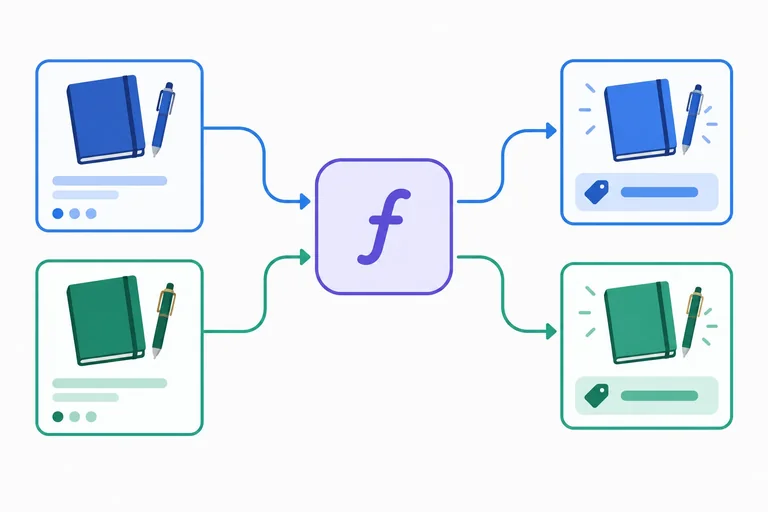
Use contextual typing to transform Product[] into string[] without redundant callback annotations.
products has the type Product[]. When an inline function is passed to products.map(...), the surrounding call supplies contextual typing. Its product parameter is therefore treated as Product without repeating product: Product.
The callback returns one formatted string for each product. Because the returned value is a string, map produces a string[]. You may annotate labels: string[] to make that output boundary visible, but the inline parameter already receives its type from the typed array and map call.
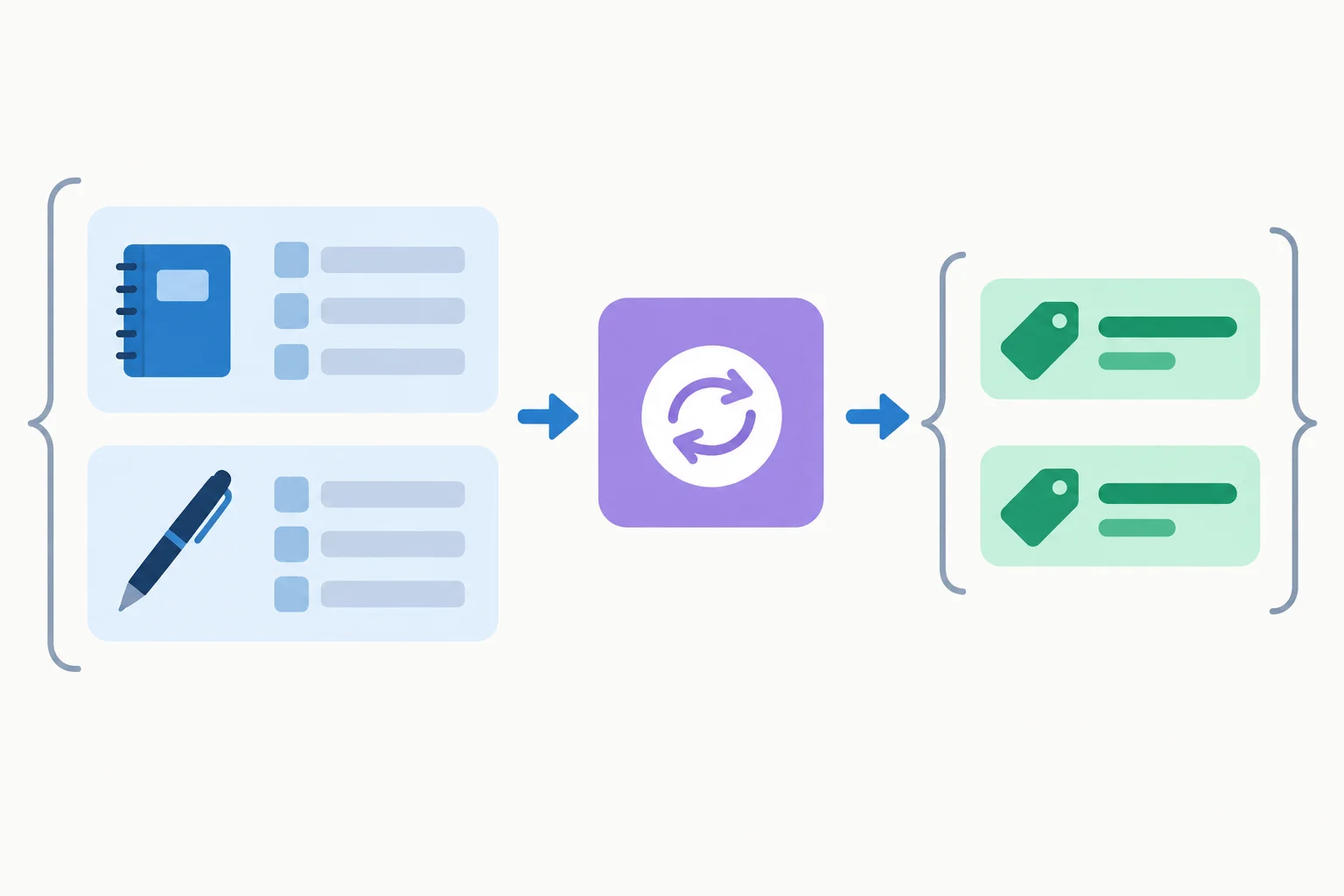
map contextually types the inline parameter from Product[]; each string result becomes an element of string[].
Replace the entire contents of src/function-boundaries.ts with this focused example. It contains only the contextual-typing practice, so its console output is predictable.
export {};

type Product = { id: string; name: string; price: number };

const products: Product[] = [
  { id: 'p1', name: 'Notebook', price: 6 },
  { id: 'p2', name: 'Pen', price: 2 }
];

const labels = products.map((product) => {
  return `${product.name}: $${product.price.toFixed(2)}`;
});

console.log(labels);['Notebook: $6.00', 'Pen: $2.00']
Browser developer tools may display the array with expandable formatting. The two string values are the important result.
Keep the practice module loaded by the Vite entry module.
import './function-boundaries.ts';Contextual typing needs a surrounding source of type information. Once a callback is extracted from products.map(...), the later map call cannot supply a type backward into that callback declaration.
Give an extracted callback its own parameter annotation, such as product: Product, or give its variable the established ProductFormatter callback contract. In the contract form, ProductFormatter contextually types product as Product and also requires a string result. Use one clear source of type information; do not repeat both forms unnecessarily.
An inline callback gets its context from its surrounding call. An extracted callback must establish context where it is declared.
| Callback location | Source of the Product parameter type |
|---|---|
| Inline in `products.map` | The typed `Product[]` and `map` callback expectation |
| Extracted function | Its own `product: Product` annotation |
| Extracted variable | Its `ProductFormatter` callback contract |
This extracted formatter uses the callback contract from the previous step. The variable annotation supplies contextual typing to the inline arrow function, so its parameter needs no repeated annotation.
type ProductFormatter = (product: Product) => string;

const formatProduct: ProductFormatter = (product) => {
  return `${product.name}: $${product.price.toFixed(2)}`;
};Complete the inline formatting callback, identify the contextual parameter type and the resulting array type, then repair the extracted callback with its own parameter annotation.
const labels:  = products.map((product) => {
  return `${product.name}: $${product.price.}`;
});

type InlineParameter = ;

const formatProduct = (product: ) => {
  return product.name;
};
Step 6 of 8
Choose void for result-ignoring callbacks and distinguish callback compatibility from an explicit void implementation annotation.
A transformation callback produces a value for the next step. A result-ignoring callback performs a side effect, such as logging a label that already exists.
void says callers are not intended to use the callback result. Use ProductFormatter when a Product becomes a string. Use LabelSink when a string label is delivered to a side effect.
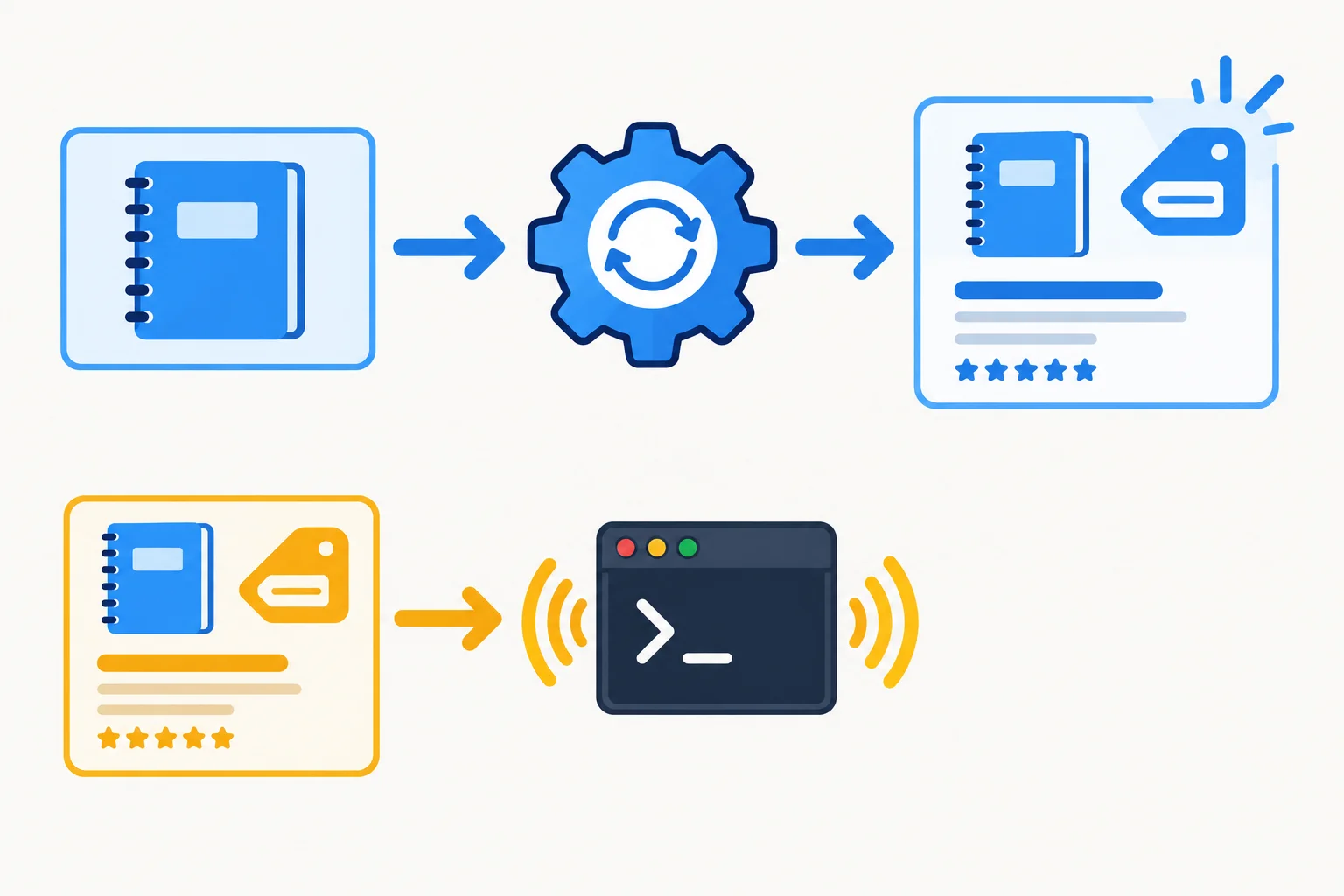
A formatter produces a string for later use; a label sink receives a string for a side effect.
These named callback contracts state whether the caller uses the callback result.
type ProductFormatter = (product: Product) => string;
type LabelSink = (label: string) => void;Compatibility depends on what the caller needs. A function that accepts a string and also returns a number can satisfy LabelSink: the caller invokes it for its side effect and ignores that number.
This differs from explicitly writing : void on an implementation. That annotation checks the implementation itself, so returning a usable string or number is an error. Assigning a function to a void callback contract does not erase its runtime return value.
Replace the entire contents of src/function-boundaries.ts with this complete example. It declares each callback contract once and logs only the behavior used in this step. Keep src/main.ts loading this module with import './function-boundaries.ts';.
export {};

type Product = { id: string; name: string; price: number };

const products: Product[] = [
  { id: 'p1', name: 'Notebook', price: 6 },
  { id: 'p2', name: 'Pen', price: 2 }
];

type ProductFormatter = (product: Product) => string;
type LabelSink = (label: string) => void;

function formatProduct(product: Product): string {
  return `${product.name}: $${product.price.toFixed(2)}`;
}

const measureLabel = (label: string) => {
  console.log('Logged label:', label);
  return label.length;
};

const sendLabel: LabelSink = measureLabel;

function logLabel(label: string): void {
  console.log('Logged label:', label);
  // return label.length; // Error: number is not assignable to void.
}

const label = formatProduct(products[0]);
sendLabel(label);
console.log('Measured length:', measureLabel(label));Logged label: Notebook: $6.00 Logged label: Notebook: $6.00 Measured length: 15
The `sendLabel` call is typed as a void-result callback use. Calling `measureLabel` directly demonstrates that its original runtime number is still available.
Tip
Run npx tsc --noEmit from the existing project root. After a successful check, run npm run dev and inspect the browser console. The compiler checks the callback contracts; the console demonstrates that the original measureLabel function still returns its number when called directly.
Compare the contracts by the role of the callback result.
| Contract | Input | Caller uses callback result? | Result contract |
|---|---|---|---|
| ProductFormatter | Product | Yes | string |
| LabelSink | string label | No | void |
True or false: A callback written as (label: string) => label.length can be assigned to a LabelSink variable, even though it returns a number.
Write a short response with all four parts:
LabelSink for a label-logging callback.Product into a catalog label.label.length to the label-logging contract;label.length from an implementation whose own return annotation is : void.Write at least 180 characters (0/180).

Step 7 of 8
Annotate an async function with Promise<Product[]> and distinguish the promise returned by a call from the Product[] available after await.
An async function gives its caller a promise. If the value available after fulfillment is a Product[], its explicit return annotation is Promise<Product[]>.
Inside loadProducts, the return statement still supplies the fulfilled value directly: products is a Product[]. The async function wraps that eventual result for its caller.
Promise is a built-in type you can consume here. You do not need to define another type or a reusable generic implementation.
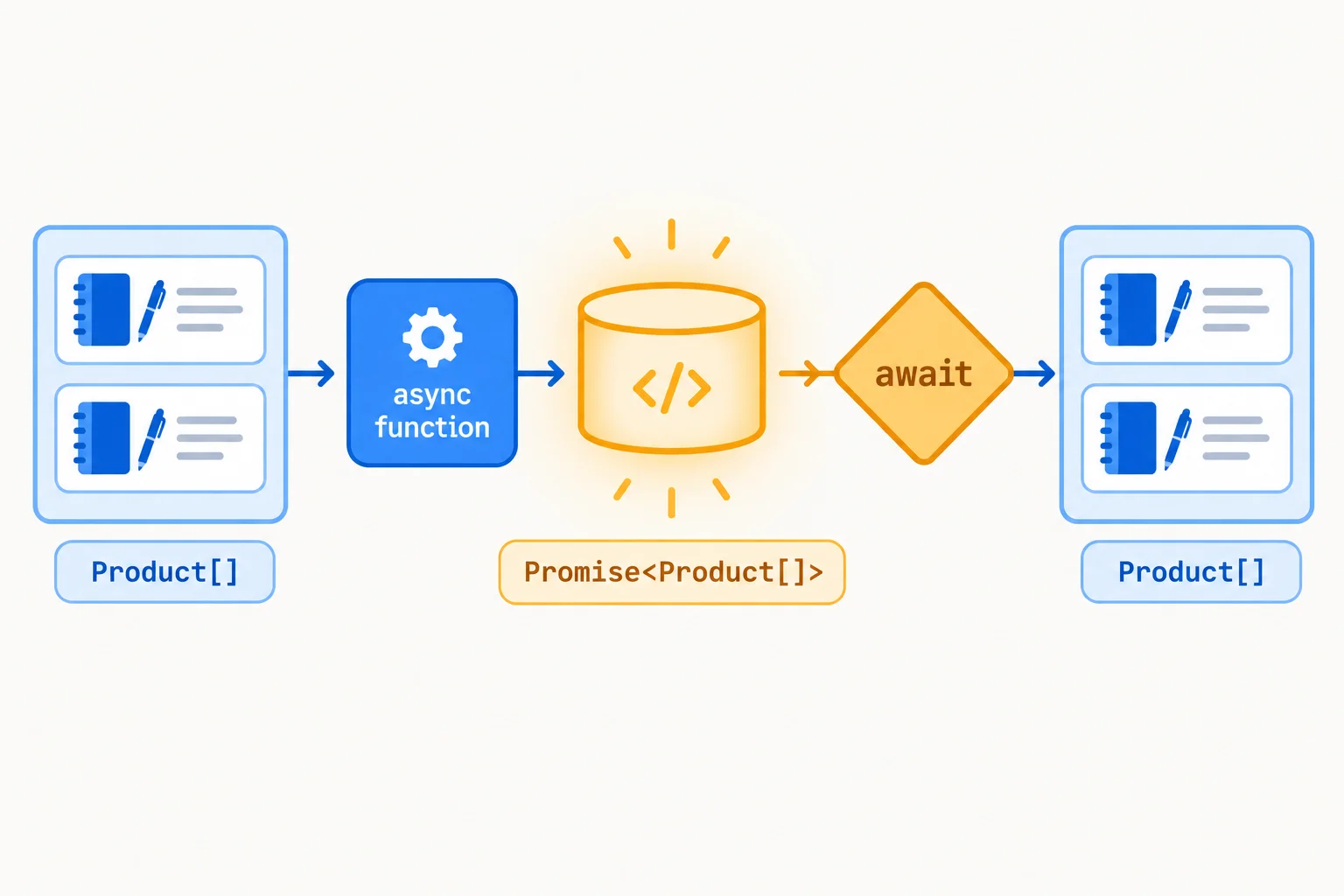
The call produces a promise; await provides its fulfilled Product[] value.
Replace the entire contents of src/function-boundaries.ts with this self-contained asynchronous example. It uses a local in-memory source, so no network request is involved. Then run npx tsc --noEmit from the project root. To observe the result, run npm run dev and inspect the browser console.
export {};

type Product = { id: string; name: string; price: number };

const products: Product[] = [
  { id: 'p1', name: 'Notebook', price: 6 },
  { id: 'p2', name: 'Pen', price: 2 }
];

async function loadProducts(): Promise<Product[]> {
  return products;
}

async function showProducts() {
  const loadedProducts = await loadProducts();
  console.log('Loaded product count:', loadedProducts.length);
}

showProducts();Loaded product count: 2
Browser-console formatting can vary, but confirm that the reported count is 2.
Ensure that the Vite entry module loads the practice file.
import './function-boundaries.ts';Complete the explicit return annotation for loadProducts.
async function loadProducts():  {
  return products;
}Match each expression to its type.
Tap an item and then its matching pair.
Use the local source contract below for a final boundary trace.
Assume products has type Product[] and loadProducts is an async function with no parameters.
// Implementation A
return products;

// Implementation B
return ['Notebook: $6.00', 'Pen: $2.00'];
Write a response with all three parts:
loadProducts, including its explicit return annotation.loadProducts() and the type of await loadProducts().Write at least 120 characters (0/120).
Step 8 of 8
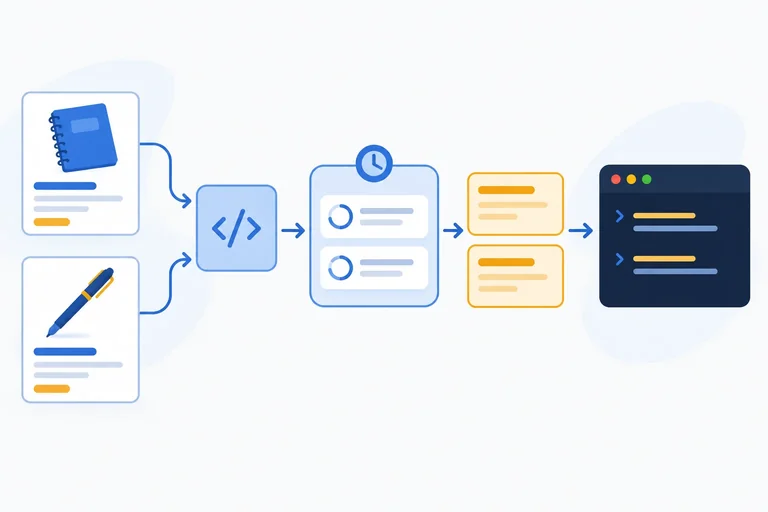
Bring the established contracts together in one pipeline. buildCatalogLabels accepts a ProductFormatter to turn each product into a label and a LabelSink to receive each label for a side effect. Its own result is Promise<string[]>.
There are two asynchronous boundaries to trace: loadProducts() is awaited to obtain Product[], then formatting produces string[]. Calling buildCatalogLabels(...) produces a promise; awaiting that call produces the label array.
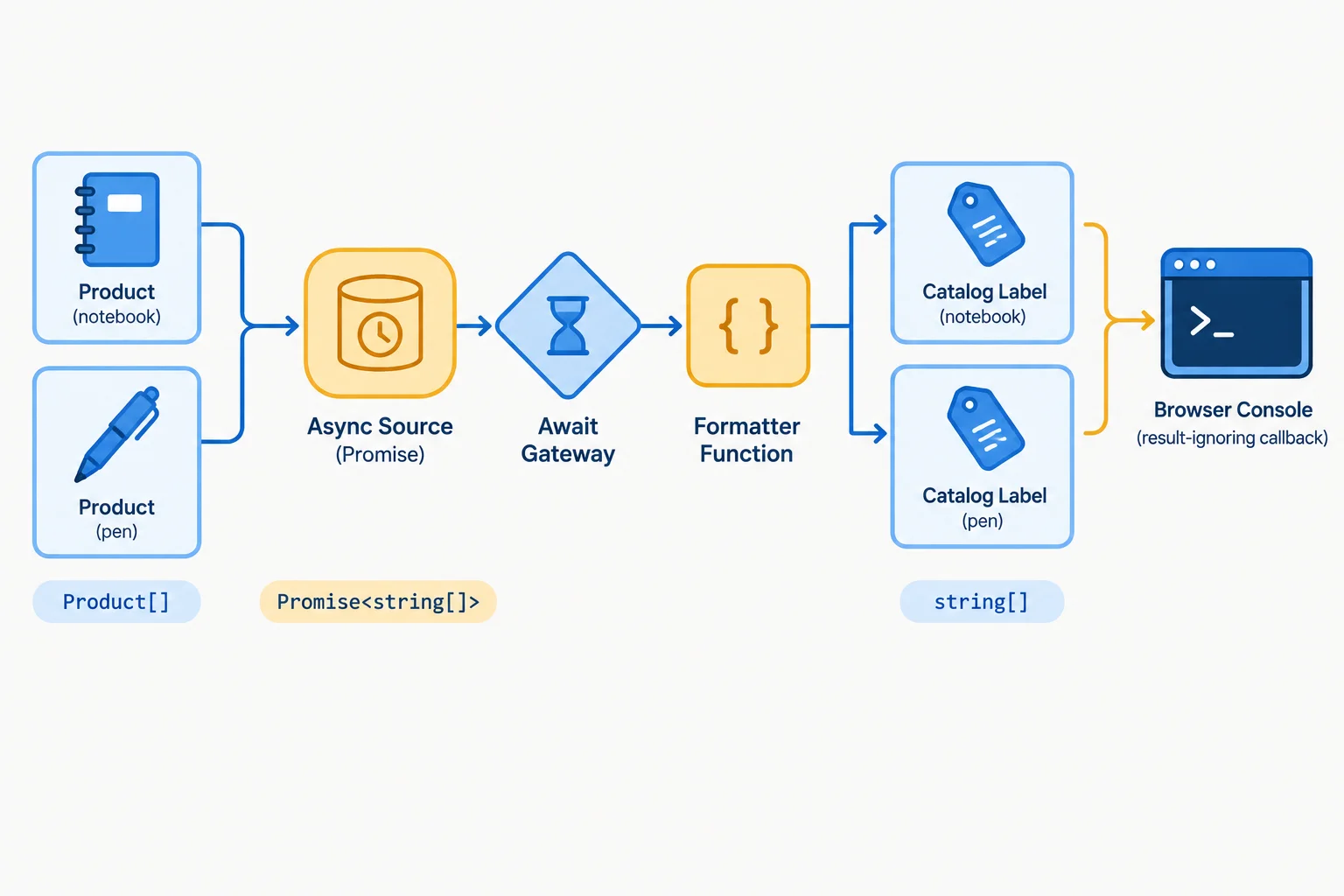
The call returns a promise; await exposes the fulfilled array at the next boundary.
Complete the three contract annotations for the catalog pipeline.
async function buildCatalogLabels(
  formatter: ,
  sink:
):  {
  const loadedProducts = await loadProducts();
  const labels = loadedProducts.map((product) =>
    applyFormatter(product, formatter)
  );

  labels.forEach((label) => {
    sink(label);
  });

  return labels;
}In your existing local project, replace the contents of src/function-boundaries.ts with the complete example below. Ensure that src/main.ts loads it.
From the project root, run npx tsc --noEmit. After it succeeds, run npm run dev, open the app, and inspect the browser console. The compiler confirms the contracts; the console shows the runtime behavior.
src/function-boundaries.ts
export {};

type Product = { id: string; name: string; price: number };

const products: Product[] = [
  { id: 'p1', name: 'Notebook', price: 6 },
  { id: 'p2', name: 'Pen', price: 2 }
];

type ProductFormatter = (product: Product) => string;
type LabelSink = (label: string) => void;

function formatProduct(product: Product): string {
  return `${product.name}: $${product.price.toFixed(2)}`;
}

function applyFormatter(
  product: Product,
  formatter: ProductFormatter
): string {
  return formatter(product);
}

async function loadProducts(): Promise<Product[]> {
  return products;
}

async function buildCatalogLabels(
  formatter: ProductFormatter,
  sink: LabelSink
): Promise<string[]> {
  const loadedProducts = await loadProducts();
  const labels = loadedProducts.map((product) =>
    applyFormatter(product, formatter)
  );

  labels.forEach((label) => {
    sink(label);
  });

  return labels;
}

async function showCatalog(): Promise<void> {
  const labels = await buildCatalogLabels(formatProduct, (label) => {
    console.log(label);
  });

  console.log(labels);
}

showCatalog();Notebook: $6.00 Pen: $2.00 ['Notebook: $6.00', 'Pen: $2.00']
The two individual label lines are the required runtime confirmation. Browser developer tools may render the final array with different spacing or an item-count prefix.
src/main.ts
import './function-boundaries.ts';After running the complete example locally, report all three parts: the two individual label lines you observed in the browser console; the type of the buildCatalogLabels(...) call before await; and the type of the value assigned after awaiting that call.
Write at least 70 characters (0/70).
Summary
buildCatalogLabels receives a ProductFormatter and a LabelSink.buildCatalogLabels returns Promise<string[]>.await separately: awaiting the product source gives Product[]; awaiting the catalog call gives string[].Congratulations! You completed: Type Function Boundaries and Callbacks
Thousands of online courses in video, ebooks and audiobooks.
To test your knowledge during online courses
Generated directly from your cell phone's photo gallery and sent to your email

Download our app via QR Code or the links below:.



Carry knowledge in your pocket.
Download the Cursa app.
There are hundreds of free courses available, with a free certificate of completion that is saved in your mobile image gallery.
Download the app to access the Course Completion Certificate for Free.


+ 10 million
students

Free and Valid
Certificate

60 thousand free
exercises

4.8/5 rating in
app stores

Free courses in
video and ebooks