Step 1 of 8
Set Up a Local Logic-Test Project
Prepare a local TypeScript project with Vitest, scripts for watch and single-run modes, and a separate static type-check command.

Learning path · Level 12 · Tutorial 1
Set up Vitest in a local TypeScript project and write independent tests for application rules and runtime data parsers, including edge cases and expected failures.
 Set Up a Local Logic-Test Project
Prepare a local TypeScript project with Vitest, scripts for watch and single-run modes, and a separate static type-check command. 3 min
Set Up a Local Logic-Test Project
Prepare a local TypeScript project with Vitest, scripts for watch and single-run modes, and a separate static type-check command. 3 min
 Write and Run a First Named Test
Write a first Vitest unit test for workshop-booking logic, then run it once and in watch mode on your local computer. 2 min
Write and Run a First Named Test
Write a first Vitest unit test for workshop-booking logic, then run it once and in watch mode on your local computer. 2 min
 Assert Structured Parser Results
Assert a normalized runtime parser result with structural equality rather than object identity. 2 min
Assert Structured Parser Results
Assert a normalized runtime parser result with structural equality rather than object identity. 2 min
 Test Expected Failures
Write passing Vitest tests for invalid booking data by letting `toThrow` observe the parser’s expected exception. 2 min
Test Expected Failures
Write passing Vitest tests for invalid booking data by letting `toThrow` observe the parser’s expected exception. 2 min
 Choose Cases from the Contract
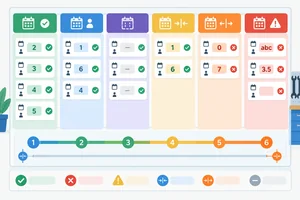
Build a compact contract-based test matrix for booking totals and runtime booking parsing. 2 min
Choose Cases from the Contract
Build a compact contract-based test matrix for booking totals and runtime booking parsing. 2 min
 Parameterize Cases Without Sharing State
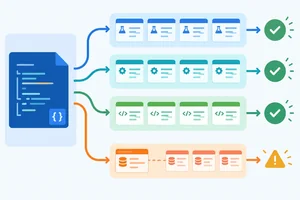
Turn repeated booking-parser cases into readable parameterized tests while keeping every test independent of execution order. 3 min
Parameterize Cases Without Sharing State
Turn repeated booking-parser cases into readable parameterized tests while keeping every test independent of execution order. 3 min
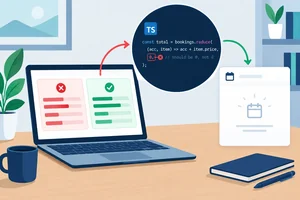 Diagnose a Failure and Preserve the Regression Test
Trace an empty-input failure from a Vitest assertion to a faulty accumulator, repair the local implementation, and retain the reproducing regression test. 3 min
Diagnose a Failure and Preserve the Regression Test
Trace an empty-input failure from a Vitest assertion to a faulty accumulator, repair the local implementation, and retain the reproducing regression test. 3 min
 Complete and Review the Logic-Test Suite
Finish the local booking logic-test suite, run its two separate checks, and explain what their results do and do not demonstrate. 2 min
Complete and Review the Logic-Test Suite
Finish the local booking logic-test suite, run its two separate checks, and explain what their results do and do not demonstrate. 2 min
Step 1 of 8
Prepare a local TypeScript project with Vitest, scripts for watch and single-run modes, and a separate static type-check command.
A unit test checks a function’s observable contract: given an input, what result or failure should a caller observe? It does not need a browser, React rendering, or a live service.
In this tutorial, the contracts are workshop-booking rules in ordinary TypeScript modules. Vitest runs those local logic checks in Node’s default environment. Component and browser tests are separate concerns for later tutorials.
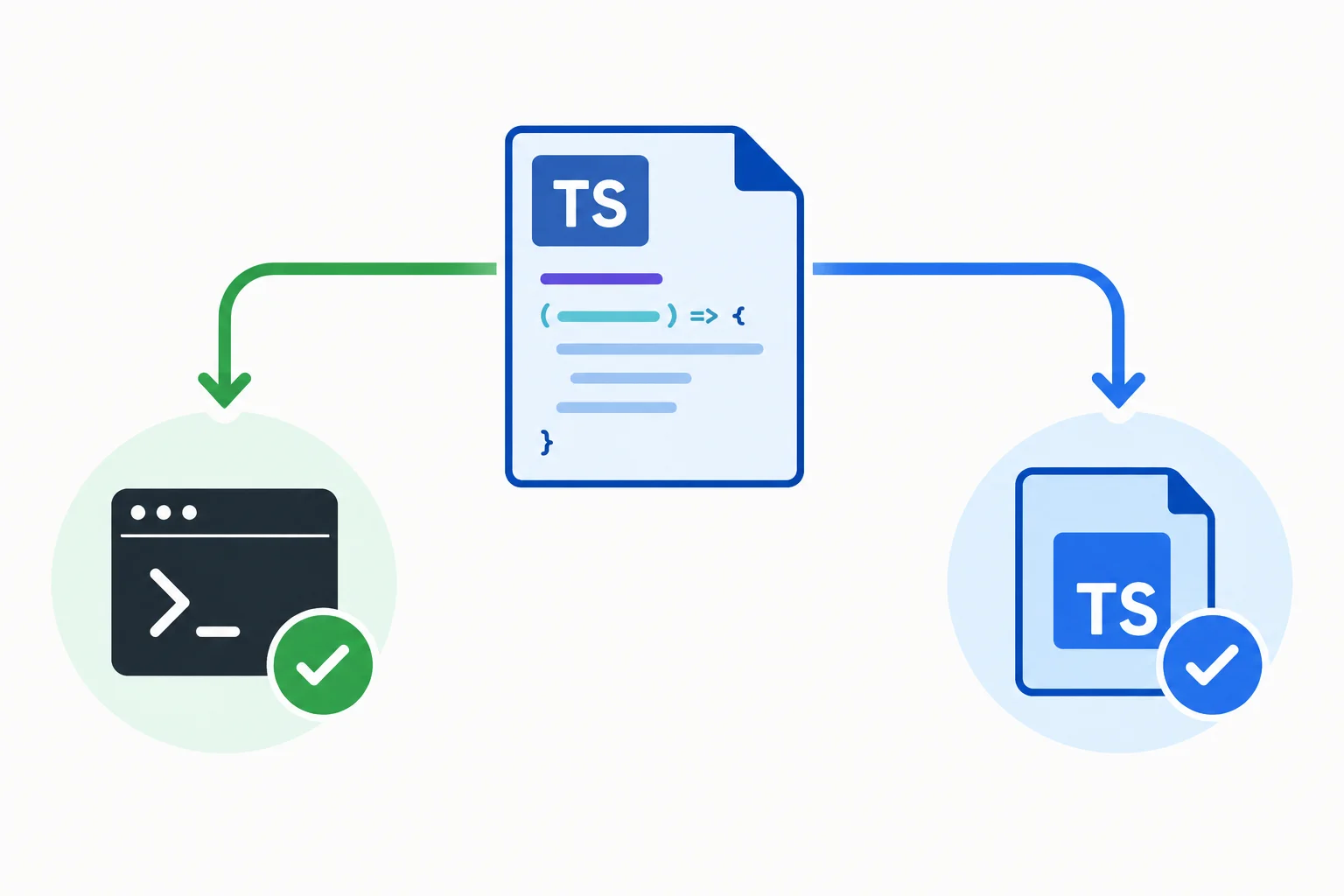
Vitest checks runtime behavior; the TypeScript compiler performs a separate static check.
Create a self-contained folder named vitest-booking-lab. In a terminal, install the runner, TypeScript, and Node type definitions as development dependencies. The install creates package.json and a lockfile; create the src folder for the TypeScript files.
Before installing, ensure your installed Node.js version satisfies the Vitest version’s Node requirement. Check your local version with node --version, then compare it with the requirement reported by the Vitest release you install.
Run these commands from the parent folder where you want the project to live.
mkdir vitest-booking-lab
cd vitest-booking-lab
npm init -y
npm install -D vitest typescript @types/node
mkdir srcCreate tsconfig.json in the project root with this strict configuration. It includes only files in src.
{
  "compilerOptions": {
    "target": "ES2022",
    "module": "ESNext",
    "moduleResolution": "Bundler",
    "strict": true,
    "types": ["node"],
    "skipLibCheck": true
  },
  "include": ["src"]
}
Tip
Create the files src/booking.ts and src/booking.test.ts in your editor. Vitest recognizes booking.test.ts as a test file because of its name. You will add the first implementation and test in the next step.
Set the project to use ES modules and add the three scripts below. These scripts are different checks, even though each is started with npm.
Do not run the test scripts yet: the first test is added in the next step.
Run these commands inside vitest-booking-lab. They update the package.json you created.
npm pkg set type=module
npm pkg set scripts.test="vitest"
npm pkg set scripts.test:run="vitest run"
npm pkg set scripts.typecheck="tsc --noEmit"Use these commands after tests exist.
| Command | Purpose | When it finishes |
|---|---|---|
| npm test | Starts Vitest in watch mode | After you stop it |
| npm run test:run | Runs Vitest once | After one test run |
| npm run typecheck | Runs static TypeScript checking | After one compiler check |
Warning
Watch mode stays open and reruns relevant tests after saved changes. Single-run mode executes once and exits, which is useful for a deliberate full check.
Vitest transforms and executes TypeScript test files. tsc --noEmit instead analyzes types without writing JavaScript output. A passing test run does not replace a successful type check, and a successful type check does not prove runtime behavior.
Match each command to the check it performs.
Match every command with its purpose.
Tap an item and then its matching pair.
Complete the values for the three package scripts.
{
  "scripts": {
    "test": "",
    "test:run": "",
    "typecheck": ""
  }
}
Step 2 of 8
Write a first Vitest unit test for workshop-booking logic, then run it once and in watch mode on your local computer.
A unit test checks a function’s observable contract without a browser, React rendering, or a live service. For this workshop example, totalSeats receives valid bookings and returns their combined seat count.
In src/booking.ts, define the shared type and function below. The reduction starts at 0, so an empty collection can later produce a numeric total without special setup. The function reads each booking and does not change the input array.
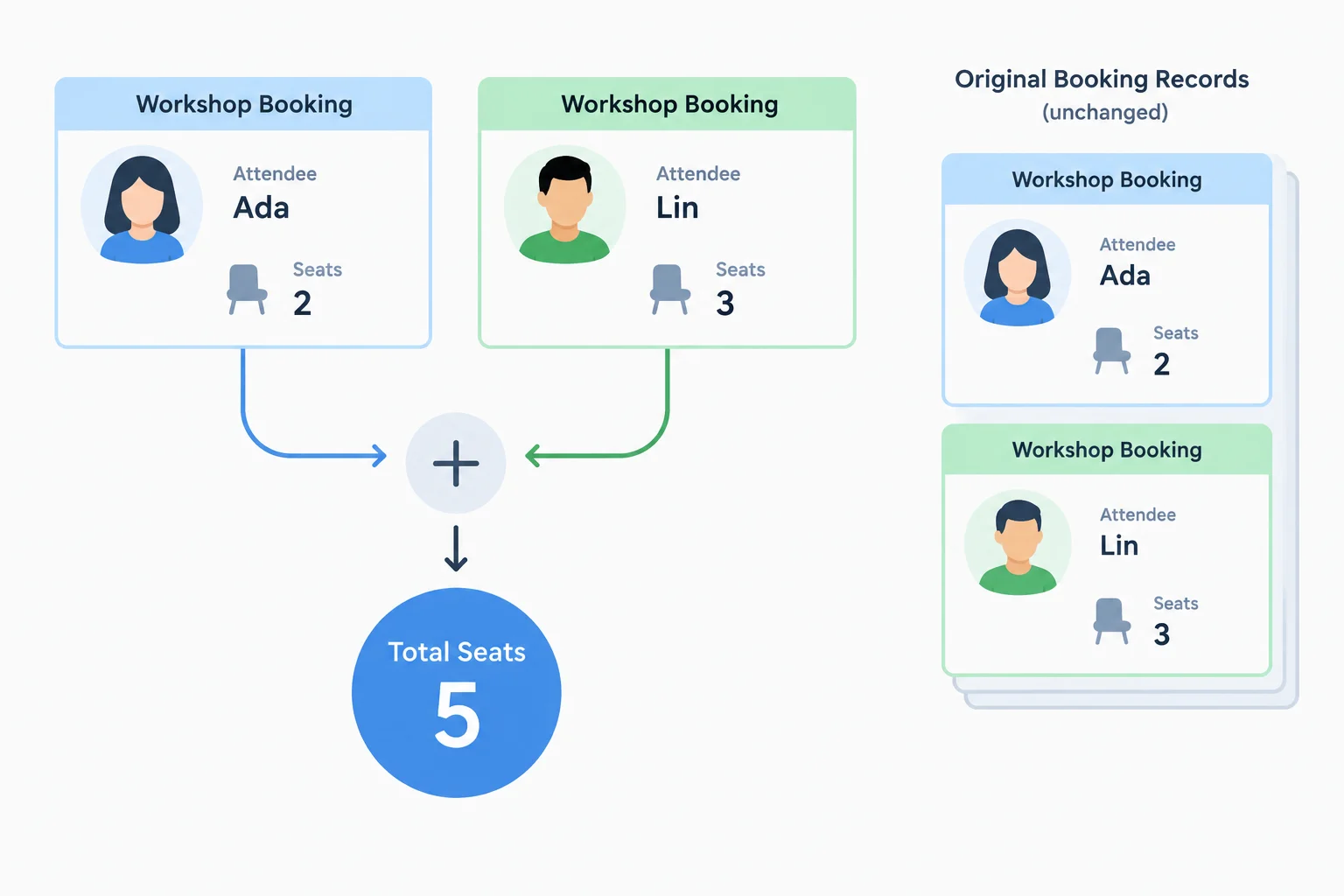
totalSeats reads booking records and returns one numeric total.
Create or replace src/booking.ts with this implementation.
export type Booking = {
  attendee: string;
  seats: number;
};

export function totalSeats(bookings: Booking[]): number {
  return bookings.reduce((total, booking) => total + booking.seats, 0);
}Put the colocated test in src/booking.test.ts. The explicit Vitest imports provide the test API:
describe groups behavior for one exported function.it gives one observable behavior a readable name.expect checks the result.The test follows Arrange, Act, Assert. It verifies the returned number with toBe; it does not care whether the implementation uses reduce, a loop, or another internal technique.
Create src/booking.test.ts.
import { describe, it, expect } from 'vitest';
import { totalSeats } from './booking';

describe('totalSeats', () => {
  it('returns total seats for standard bookings', () => {
    // Arrange
    const bookings = [
      { attendee: 'Ada', seats: 2 },
      { attendee: 'Lin', seats: 3 }
    ];

    // Act
    const result = totalSeats(bookings);

    // Assert
    expect(result).toBe(5);
  });
});
Tip
A good case name reads like a behavior statement. If this test fails, its name tells you what outcome the function did not provide—not which implementation detail changed.
First, run the suite once. This is single-run mode: Vitest executes the discovered tests and then finishes.
Run this command from the vitest-booking-lab folder.
npm run test:run> vitest-booking-lab@1.0.0 test:run
> vitest run
RUN v2.1.9 /path/to/vitest-booking-lab
✓ src/booking.test.ts (1 test) 3ms
Test Files 1 passed (1)
Tests 1 passed (1)
Start at 10:24:00
Duration 412msThe Vitest version, timings, and exact formatting can differ. The important result is one passing test file and one passing test.
Then start watch mode. While it remains active, make a harmless change in src/booking.test.ts—for example, add one space to a blank line—and save. Vitest reruns the test after the save. Stop it with Ctrl+C in the terminal.
npm test> vitest-booking-lab@1.0.0 test
> vitest
DEV v2.1.9 /path/to/vitest-booking-lab
✓ src/booking.test.ts (1 test) 3ms
Test Files 1 passed (1)
Tests 1 passed (1)
PASS Waiting for file changes...
press h to show help, press q to quitAfter each saved test-file change, Vitest reports another run. The process stays active until you interrupt it.
Complete the missing test-section labels, function call, and expected number.
import { describe, it, expect } from 'vitest';
import { totalSeats } from './booking';

describe('totalSeats', () => {
  it('returns total seats for standard bookings', () => {
    //
    const bookings = [
      { attendee: 'Ada', seats: 2 },
      { attendee: 'Lin', seats: 3 }
    ];

    //
    const result = (bookings);

    //
    expect(result).toBe();
  });
});
Step 3 of 8
Assert a normalized runtime parser result with structural equality rather than object identity.
parseBooking is a runtime boundary: it receives unknown data and returns a Booking only when the value meets the booking contract.
For a successful result, the input must be a non-null object, not an array. It needs an attendee string that remains nonempty after trimming, plus an integer seats value from 1 through 6. The parser does not convert '2' into the number 2.
A successful result is a new Booking. It contains the trimmed attendee and validated seat count, but not unrelated input fields.
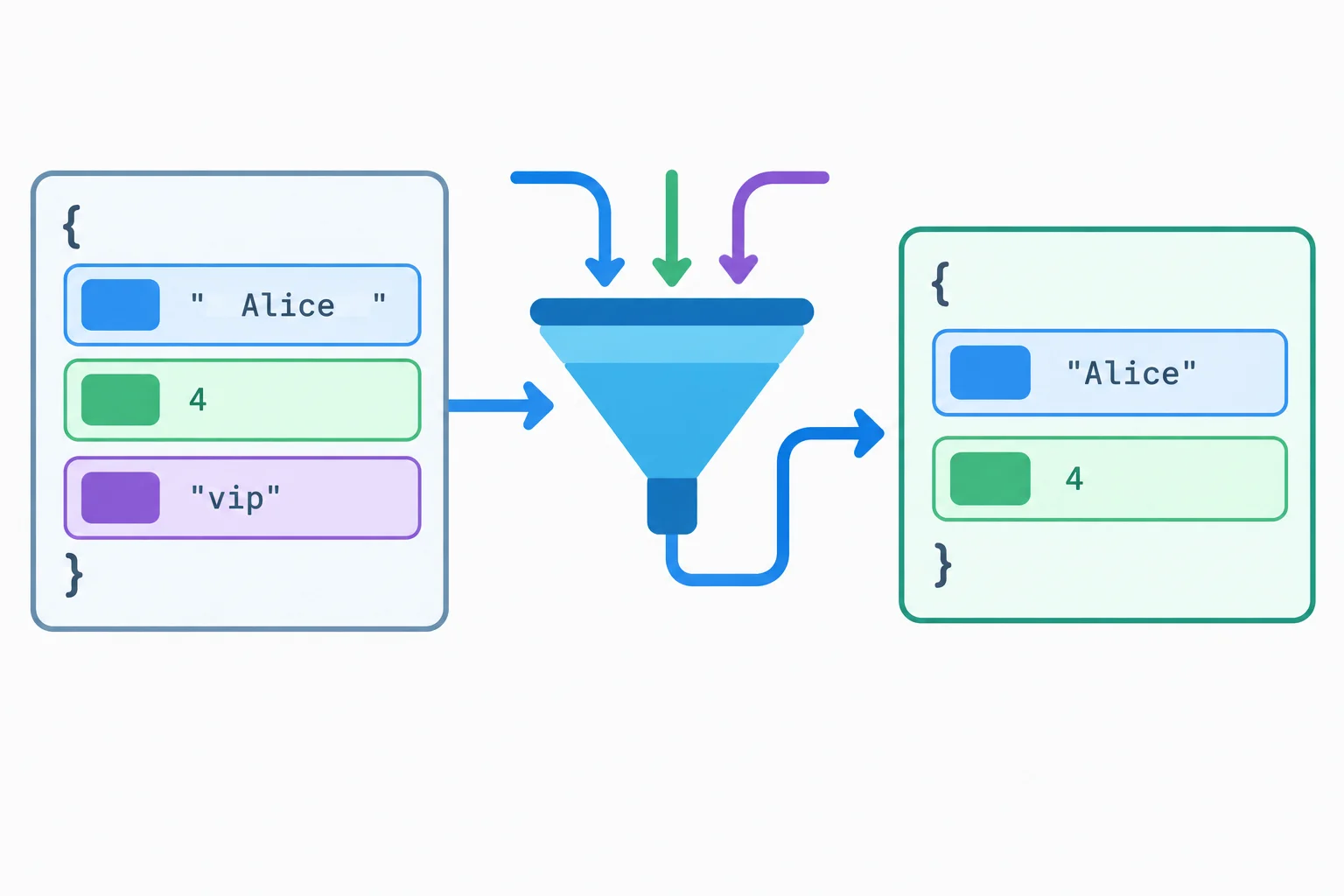
The parser normalizes the attendee and creates a new object with only the Booking fields.
Keep the existing Booking type and totalSeats function in src/booking.ts. Add this complete parser export below them. Its implementation is supplied so this step can focus on checking its successful returned result.
export function parseBooking(value: unknown): Booking {
  if (
    typeof value !== 'object' ||
    value === null ||
    Array.isArray(value)
  ) {
    throw new Error('Invalid booking');
  }

  const record = value as Record<string, unknown>;
  const attendee = record.attendee;
  const seats = record.seats;

  if (
    typeof attendee !== 'string' ||
    attendee.trim() === '' ||
    typeof seats !== 'number' ||
    !Number.isInteger(seats) ||
    seats < 1 ||
    seats > 6
  ) {
    throw new Error('Invalid booking');
  }

  return { attendee: attendee.trim(), seats };
}
Tip
Notice the return statement: it constructs a fresh object instead of returning the input record. The parser's observable result is therefore its fields and values, not its reference identity.
For a number, toBe checks a primitive result. For a parser result, use toEqual to compare the Booking structure and field values.
Two object literals with matching fields are still separate objects in memory. toBe is identity-style comparison for objects, so it is not appropriate when the expected Booking is constructed separately.
Replace the contents of src/booking.test.ts with this cumulative file. It preserves the earlier totalSeats suite, imports both application functions once, and adds the parseBooking suite without duplicate Vitest imports.
import { describe, it, expect } from 'vitest';
import { totalSeats, parseBooking } from './booking';

describe('totalSeats', () => {
  it('returns total seats for standard bookings', () => {
    // Arrange
    const bookings = [
      { attendee: 'Ada', seats: 2 },
      { attendee: 'Lin', seats: 3 }
    ];

    // Act
    const result = totalSeats(bookings);

    // Assert
    expect(result).toBe(5);
  });
});

describe('parseBooking', () => {
  it('returns a trimmed booking from a valid record', () => {
    // Arrange
    const input: unknown = {
      attendee: '  Ada  ',
      seats: 2,
      note: 'window seat'
    };

    // Act
    const booking = parseBooking(input);

    // Assert
    expect(booking).toEqual({ attendee: 'Ada', seats: 2 });
  });
});Select the matcher based on the expected value type.
| Expected result | Appropriate assertion | Why |
|---|---|---|
| A numeric total | expect(total).toBe(5) | Numbers are primitive values. |
| A returned Booking | expect(booking).toEqual(expected) | Fields and values define the required structure. |
| A separate expected object | Avoid toBe | Matching fields do not create the same object reference. |
Complete the assertion for this valid parser result.
const parsed = parseBooking({
  attendee: ' Lin ',
  seats: 3,
  source: 'signup'
});

expect(parsed).({ attendee: , seats: });In one or two sentences, explain why toBe is inappropriate when the parser result and expected Booking are separately constructed objects.
Write at least 40 characters (0/40).

Step 4 of 8
Write passing Vitest tests for invalid booking data by letting toThrow observe the parser’s expected exception.
Invalid external data is part of a parser’s contract. When parseBooking receives invalid input, the correct behavior is to throw Error('Invalid booking')—not to return a partial booking.
A rejection test therefore passes when Vitest observes that expected exception. An exception that occurs outside the assertion, or no exception at all, makes the test fail.
toThrow('Invalid booking') checks whether the thrown error message contains that text. It does not require an exact-message equality match.
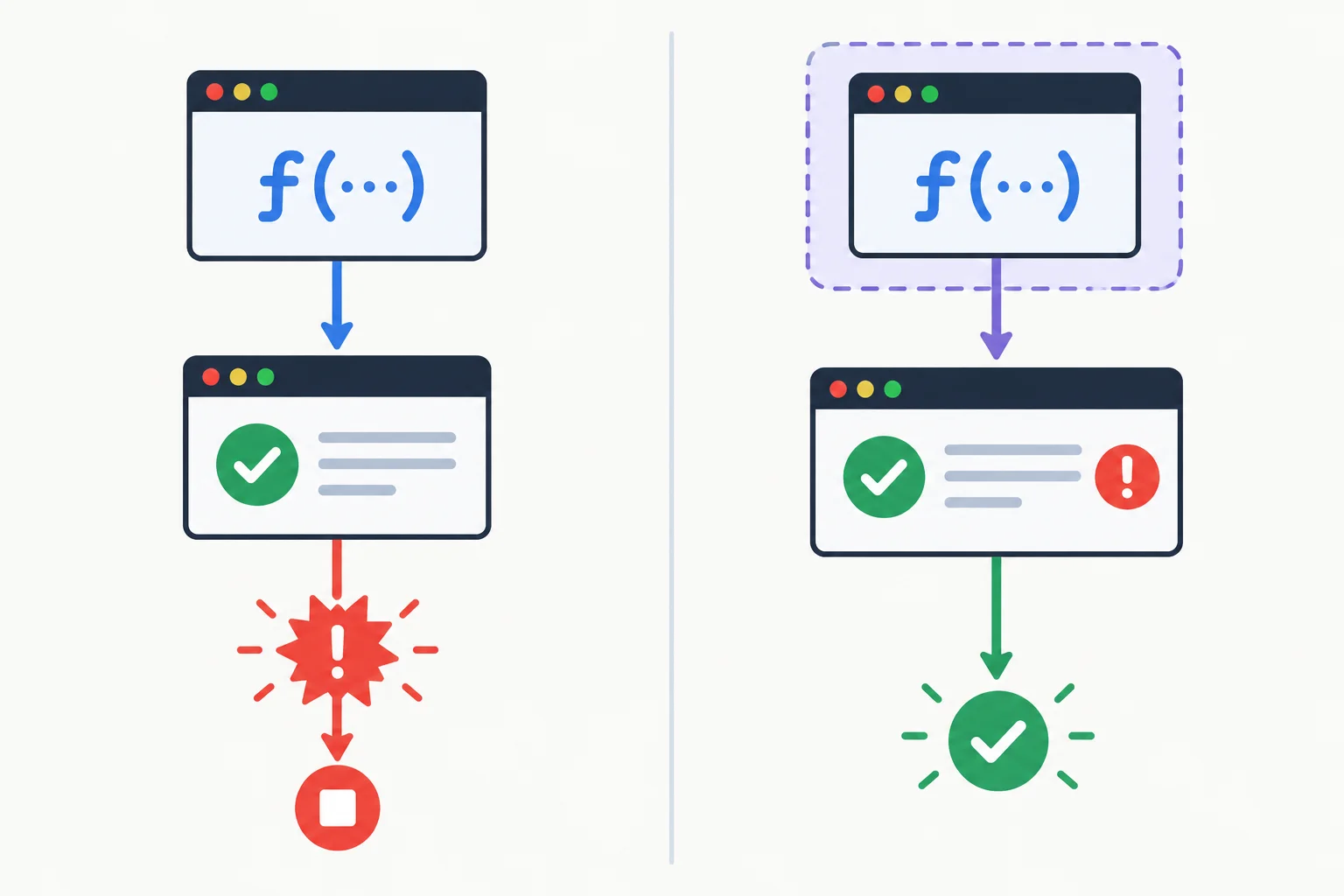
Put the parser call inside a callback so the toThrow matcher can invoke it.
Inside the existing describe('parseBooking', ...) suite in src/booking.test.ts, add these two test cases. Each callback delays the parser call until the matcher evaluates it.
it('rejects null', () => {
  // Arrange
  const input: unknown = null;

  // Act
  const act = () => parseBooking(input);

  // Assert
  expect(act).toThrow('Invalid booking');
});

it('rejects a string seat count', () => {
  // Arrange
  const input: unknown = { attendee: 'Ada', seats: '2' };

  // Act
  const act = () => parseBooking(input);

  // Assert
  expect(act).toThrow('Invalid booking');
});Save the file, then run the suite once. Your exact timing and reporter formatting can vary, but the two new rejection cases should be reported as passing.
npm run test:run> vitest-booking-lab@1.0.0 test:run
> vitest run
✓ src/booking.test.ts (4 tests)
Test Files 1 passed (1)
Tests 4 passed (4)The four tests are the two cases from earlier steps plus the two rejection cases here. Timing and formatting vary by Vitest version.
Which outcome makes a parser-rejection test pass?
Repair the exception assertion by supplying the callback expression that Vitest should invoke.
describe('parseBooking', () => {
  it('rejects invalid input', () => {
    // Arrange
    const input: unknown = null;

    // Act
    const act = ;

    // Assert
    expect(act).toThrow('Invalid booking');
  });
});
Step 5 of 8
Build a compact contract-based test matrix for booking totals and runtime booking parsing.
Choose cases from the written contract, not from the current implementation. A test matrix asks: which categories of input can produce meaningfully different observable outcomes?
For totalSeats, the contract distinguishes an ordinary collection, one booking, and no bookings. For parseBooking, the valid seat range has endpoints and nearby invalid values. External data can also have the wrong shape before it has become a Booking.
A focused matrix uses representative examples. It gives useful evidence for the contract; it does not prove every possible input is correct.
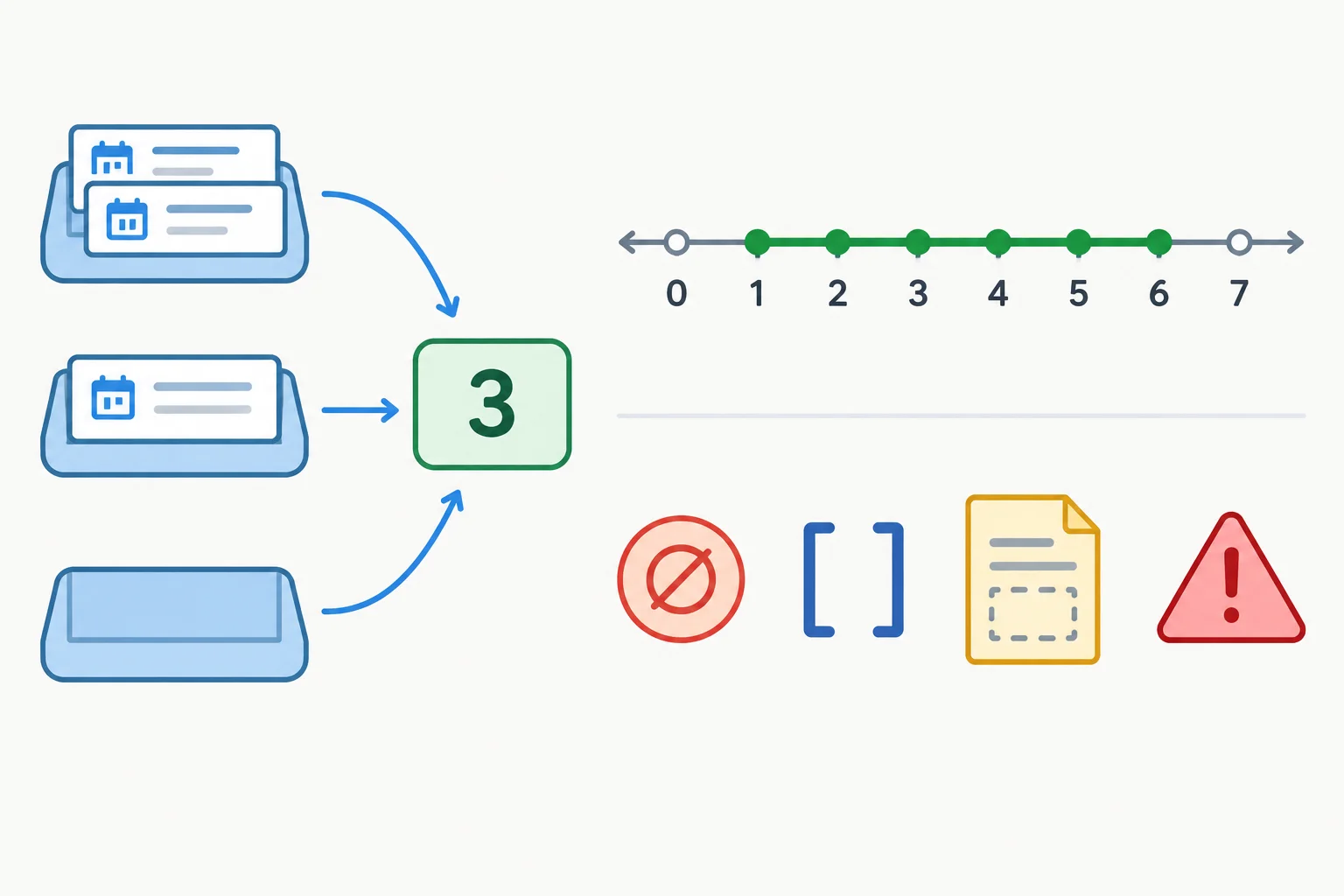
Different input categories deserve distinct test cases because their expected outcomes differ.
Use one compact matrix to record the category, the required outcome, and the matcher that observes it. The examples below are representative—not an invitation to force malformed values into a typed domain function.
| Function | Input category | Expected behavior | Matcher |
|---|---|---|---|
| totalSeats | Ordinary multi-booking list | Returns 5 | toBe |
| totalSeats | Single booking | Returns that booking's seat count | toBe |
| totalSeats | Empty collection | Returns 0 | toBe |
| parseBooking | Valid record, seats 1 | Returns a Booking | toEqual |
| parseBooking | Valid record, seats 6 | Returns a Booking | toEqual |
| parseBooking | Seats 0 | Throws Invalid booking | toThrow |
| parseBooking | Seats 7 | Throws Invalid booking | toThrow |
| parseBooking | Non-integer seats | Throws Invalid booking | toThrow |
| parseBooking | null, array, or missing field | Throws Invalid booking | toThrow |
| parseBooking | Wrong field type | Throws Invalid booking | toThrow |
| parseBooking | Whitespace-only attendee | Throws Invalid booking | toThrow |
Tip
Keep the boundary explicit: totalSeats receives Booking[], so its cases should be valid typed bookings. Values such as null, arrays, missing fields, and wrong field types arrive as unknown at the parser boundary.
Do not use an unsafe cast just to feed malformed data to totalSeats. That would test a situation outside its typed contract and hide where validation belongs.
A partial matrix already contains these rows:
0 → expected exception7 → expected exceptionIdentify the three missing contract rows needed to cover the empty total and both accepted parser endpoints. For each row, state the input category, expected behavior, and matcher.
Write at least 120 characters (0/120).
Step 6 of 8
Turn repeated booking-parser cases into readable parameterized tests while keeping every test independent of execution order.
it.each is useful when several examples exercise one behavioral rule and differ only in their data. Store each example in an object row, then use its fields in the test title and assertion.
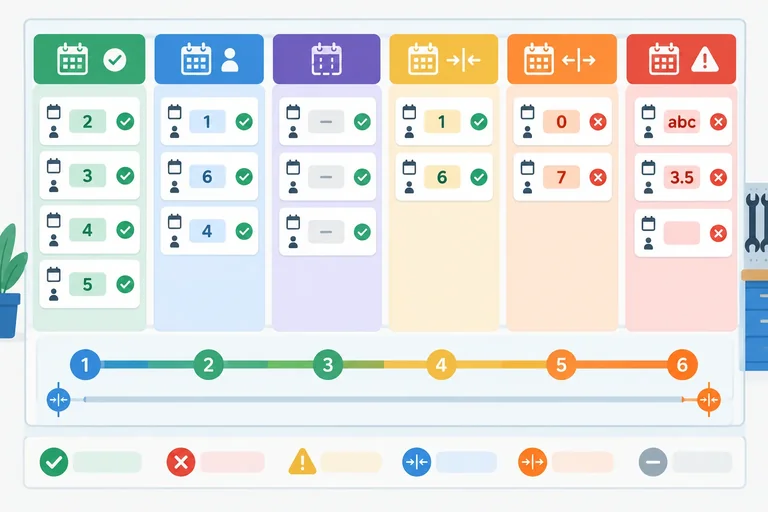
Use descriptive label values so a failure report identifies the input category. Keep accepted and rejected parser rows in separate parameterized groups: accepted rows return a Booking to compare, while rejected rows must throw.
Rows are data, not automatic fresh setup. If a test changes an array or object from a row, create independent local values before changing them.
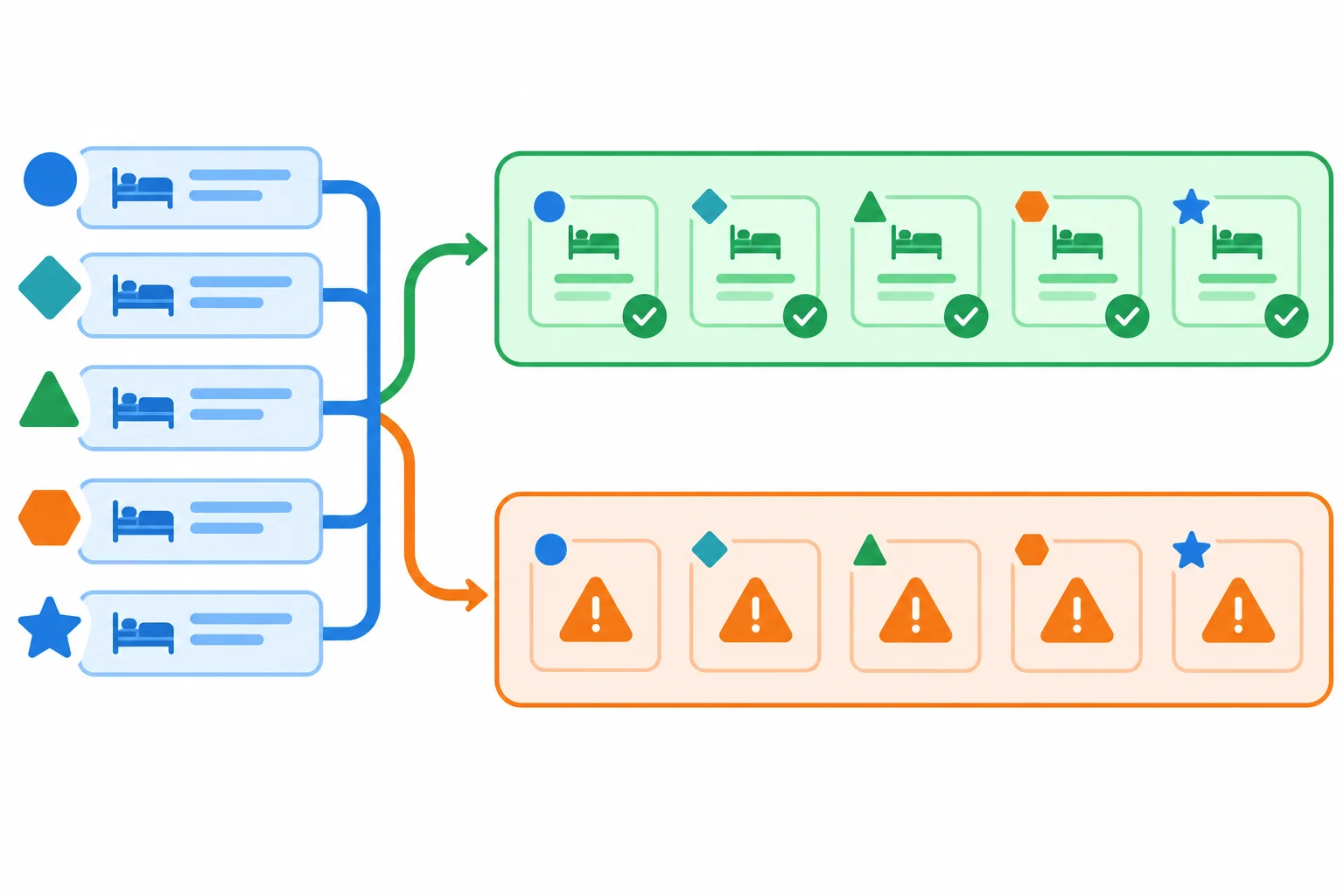
Separate parameterized groups when the observable outcome differs: returned data versus an expected exception.
Replace the entire contents of src/booking.test.ts with this first segment. It keeps the ordinary total cases and gives the empty-collection behavior its own named test. The type-only import and Booking[] annotation ensure that the empty fixture remains valid under the project's strict type check. Then append the next two segments on this screen, in order.
Replace the file contents with this first segment.
import { describe, it, expect } from 'vitest';
import { totalSeats, parseBooking } from './booking';
import type { Booking } from './booking';

describe('totalSeats', () => {
  it('returns total seats for standard bookings', () => {
    // Arrange
    const bookings = [
      { attendee: 'Ada', seats: 2 },
      { attendee: 'Lin', seats: 3 }
    ];

    // Act
    const result = totalSeats(bookings);

    // Assert
    expect(result).toBe(5);
  });

  it('returns the total for one booking', () => {
    // Arrange
    const bookings = [{ attendee: 'Ada', seats: 2 }];

    // Act
    const result = totalSeats(bookings);

    // Assert
    expect(result).toBe(2);
  });

  it('returns 0 for no bookings', () => {
    // Arrange
    const bookings: Booking[] = [];

    // Act
    const result = totalSeats(bookings);

    // Assert
    expect(result).toBe(0);
  });
});
Append these case arrays directly after segment 1. Their object rows use label, input, and expected where a returned value is compared.
const acceptedCases: {
  label: string;
  input: unknown;
  expected: { attendee: string; seats: number };
}[] = [
  {
    label: 'a trimmed attendee',
    input: { attendee: '  Ada  ', seats: 2, note: 'window seat' },
    expected: { attendee: 'Ada', seats: 2 }
  },
  {
    label: 'lowest seat count',
    input: { attendee: ' Ada ', seats: 1 },
    expected: { attendee: 'Ada', seats: 1 }
  },
  {
    label: 'highest seat count',
    input: { attendee: 'Lin', seats: 6 },
    expected: { attendee: 'Lin', seats: 6 }
  }
];

const rejectedCases: { label: string; input: unknown }[] = [
  { label: 'null', input: null },
  { label: 'an array', input: [] },
  { label: 'missing seats', input: { attendee: 'Ada' } },
  { label: 'a string attendee', input: { attendee: 12, seats: 2 } },
  { label: 'a whitespace attendee', input: { attendee: '   ', seats: 2 } },
  { label: 'a string seat count', input: { attendee: 'Ada', seats: '2' } },
  { label: 'seat count 0', input: { attendee: 'Ada', seats: 0 } },
  { label: 'seat count 7', input: { attendee: 'Ada', seats: 7 } },
  { label: 'a non-integer seat count', input: { attendee: 'Ada', seats: 2.5 } }
];
Finally, append this parser suite after the case arrays. The two bodies remain short because each group has one assertion pattern.
describe('parseBooking', () => {
  it.each(acceptedCases)('accepts $label', ({ input, expected }) => {
    // Act
    const booking = parseBooking(input);

    // Assert
    expect(booking).toEqual(expected);
  });

  it.each(rejectedCases)('rejects $label', ({ input }) => {
    // Assert
    expect(() => parseBooking(input)).toThrow('Invalid booking');
  });
});
A unit test should produce the same result when it runs alone or with the complete suite. A mutable array declared outside individual tests can couple cases: one test changes the data that another test assumes is unchanged.
Construct the bookings array and its booking objects inside each ordinary total test. If a parameterized test must change row data, make a fresh array and fresh booking objects first. Parameterization repeats a test pattern; it does not clone row objects or reset mutations for you.
The first pair is coupled because both cases use and change the same array. Replace that pattern with the second pair, which constructs inputs inside each test. No lifecycle hook is needed.
const sharedBookings = [{ attendee: 'Ada', seats: 2 }];

it('adds a booking', () => {
  sharedBookings.push({ attendee: 'Lin', seats: 3 });
  expect(totalSeats(sharedBookings)).toBe(5);
});

it('returns the total for one booking', () => {
  expect(totalSeats(sharedBookings)).toBe(2);
});

it('adds a booking independently', () => {
  const bookings = [{ attendee: 'Ada', seats: 2 }];
  bookings.push({ attendee: 'Lin', seats: 3 });
  expect(totalSeats(bookings)).toBe(5);
});

it('returns the total for one booking independently', () => {
  const bookings = [{ attendee: 'Ada', seats: 2 }];
  expect(totalSeats(bookings)).toBe(2);
});
Compare these setup choices before writing a test that changes bookings.
| Pattern | What changes | Result |
|---|---|---|
| Shared row input | A prior case can change the stored array or a booking object. | A later case may depend on run order. |
| Fresh local values | Only the current case changes its copied array and copied objects. | The case can run alone or with the suite. |
| Empty collection case | A new typed empty array is created inside its named test. | Its required result stays explicit: 0. |
Complete the structural assertion and the fresh-input expression. Each parameterized run must use its current row values, and the total test must not mutate a row's stored input.
const acceptedRows = [
  {
    label: 'a trimmed attendee',
    input: { attendee: ' Lin ', seats: 3 },
    expected: { attendee: 'Lin', seats: 3 }
  }
];

const totalRows = [
  {
    label: 'updates Ada and appends a booking',
    input: [{ attendee: 'Ada', seats: 1 }],
    expected: 5
  },
  {
    label: 'updates Lin and appends a booking',
    input: [{ attendee: 'Lin', seats: 2 }],
    expected: 6
  }
];

it.each(acceptedRows)('accepts $label', ({ input, expected }) => {
  const booking = parseBooking(input);
  expect(booking).(expected);
});

it.each(totalRows)('returns $expected for $label', ({ input, expected }) => {
  const bookings = ;
  bookings[0].seats += 1;
  bookings.push({ attendee: 'Lin', seats: 3 });
  expect(totalSeats(bookings)).toBe(expected);
});
Step 7 of 8
Trace an empty-input failure from a Vitest assertion to a faulty accumulator, repair the local implementation, and retain the reproducing regression test.
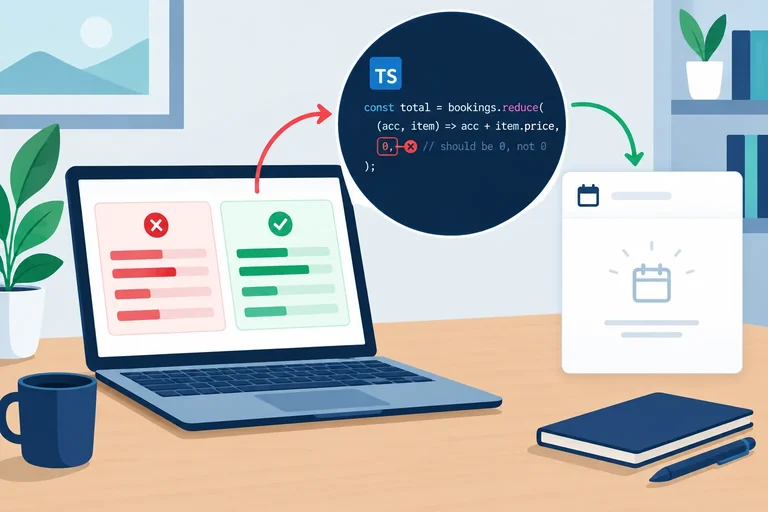
A failing unit test is evidence, not an instruction to edit the assertion. Reproduce the reported defect while keeping the named empty-input test unchanged: its contract says an empty booking collection has a total of 0.
In src/booking.ts, temporarily use the faulty revision below for totalSeats, then run the complete suite in single-run mode. This revision adds 1 to every result, including the empty collection.
Temporarily replace only the totalSeats function with this faulty revision. Leave parseBooking and the cumulative tests from the previous step in place.
export function totalSeats(bookings: Booking[]): number {
  return bookings.reduce((total, booking) => total + booking.seats, 1);
}Run the full local suite once. The faulty accumulator affects all three totalSeats cases; the parser cases still pass. Exact timing, Vitest version, and absolute paths can vary.
npm run test:run> vitest-booking-lab@1.0.0 test:run
> vitest run
RUN v2.1.0
❯ src/booking.test.ts (15 tests | 3 failed)
× totalSeats > returns total seats for standard bookings
→ expected 6 to be 5
× totalSeats > returns the total for one booking
→ expected 3 to be 2
× totalSeats > returns 0 for no bookings
→ expected 1 to be +0
FAIL src/booking.test.ts > totalSeats > returns 0 for no bookings
AssertionError: expected 1 to be +0
- Expected
+ Received
- 0
+ 1
❯ src/booking.test.ts:38:20
Test Files 1 failed (1)
Tests 3 failed | 12 passed (15)The source location identifies where Vitest observed the mismatch in the cumulative test file. It does not automatically identify the production-code defect.
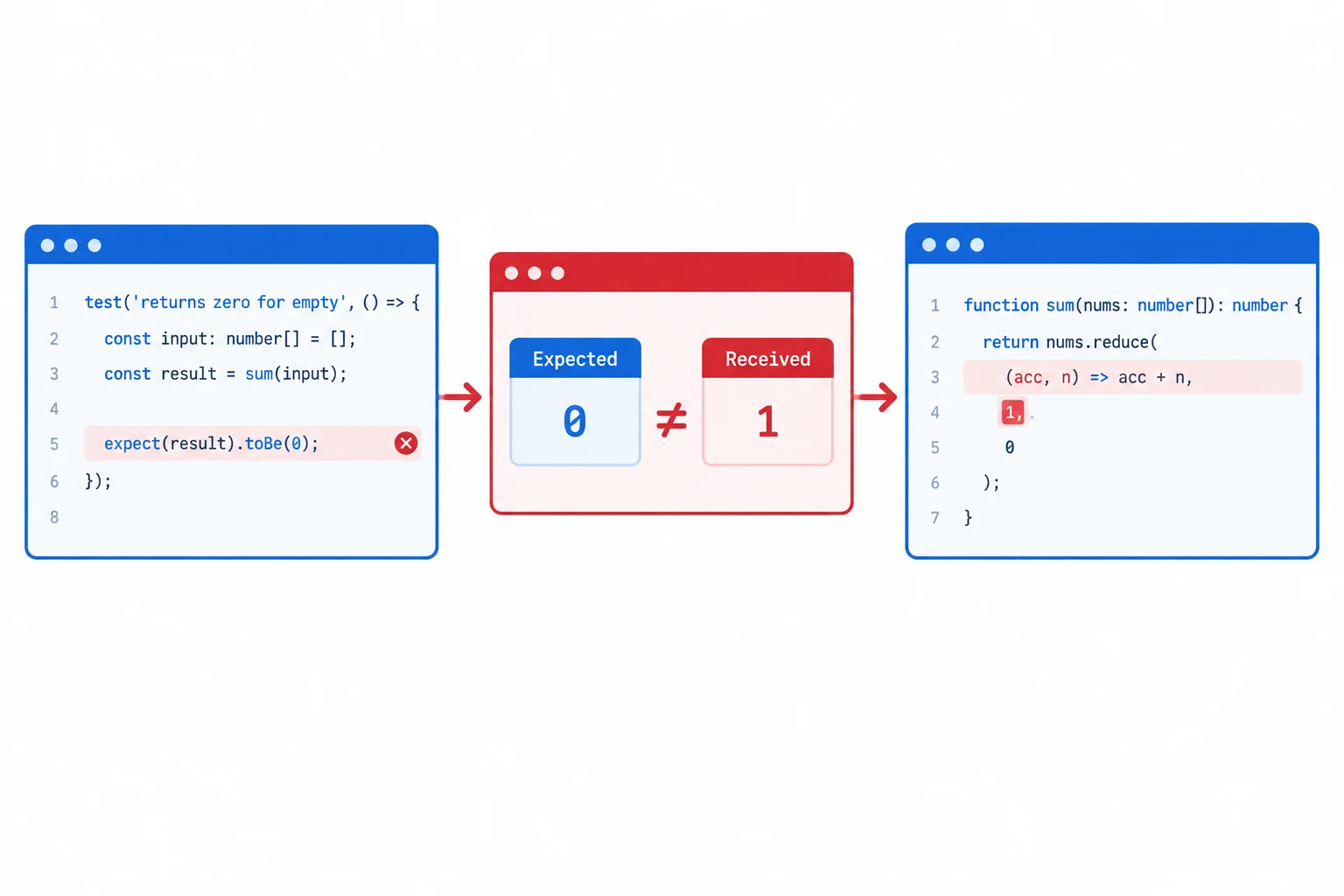
The assertion location shows where the unexpected behavior was observed. Follow the returned value back into the implementation to find its cause.
The report for returns 0 for no bookings shows Expected 0 and Received 1. What can you conclude before changing any code?
Put this diagnosis-and-repair workflow in order.
Warning
Do not make a failing suite green by changing the expected value to match the defect, deleting the assertion, or skipping the case. A reproducing test is valuable evidence: after the repair, keep it as a regression test.
After verifying the contract and the empty fixture, repair the accumulator. Fill the blank so this function satisfies the retained empty-input regression test while continuing to add each booking's seats.
export function totalSeats(bookings: Booking[]): number {
  return bookings.reduce((total, booking) => total + booking.seats, );
}The interactive exercise does not edit your local project. Now replace the faulty totalSeats function in src/booking.ts with the corrected version below. Leave it('returns 0 for no bookings', ...) unchanged in src/booking.test.ts; it is the regression test that reproduces the defect if the accumulator is changed again.
In src/booking.ts, restore this implementation. Keep the existing Booking type and parseBooking export in the same file.
export function totalSeats(bookings: Booking[]): number {
  return bookings.reduce((total, booking) => total + booking.seats, 0);
}Save src/booking.ts, then rerun the complete suite in single-run mode. All 15 current tests should pass before you continue to the final review.
npm run test:run> vitest-booking-lab@1.0.0 test:run
> vitest run
RUN v2.1.0
✓ src/booking.test.ts (15 tests) 8ms
Test Files 1 passed (1)
Tests 15 passed (15)
Start at 10:24:18
Duration 412msTiming and Vitest version can differ on your computer. The important result is 15 passing tests, including `returns 0 for no bookings`.

Step 8 of 8
Finish the local booking logic-test suite, run its two separate checks, and explain what their results do and do not demonstrate.
Treat this final review as an executable audit. Your completed src/booking.test.ts should contain three named totalSeats tests: the standard total of 5, one valid booking, and returns 0 for no bookings. Keep the empty-collection case unchanged: it is the regression test for the accumulator defect.
For parseBooking, retain accepted seat endpoints 1 and 6; rejected values 0, 7, and a non-integer; and representative malformed unknown inputs. Then add one new ordinary valid record and one new malformed record. The completed suite below has 17 tests: 3 total tests, 4 accepted parser cases, and 10 rejected parser cases.
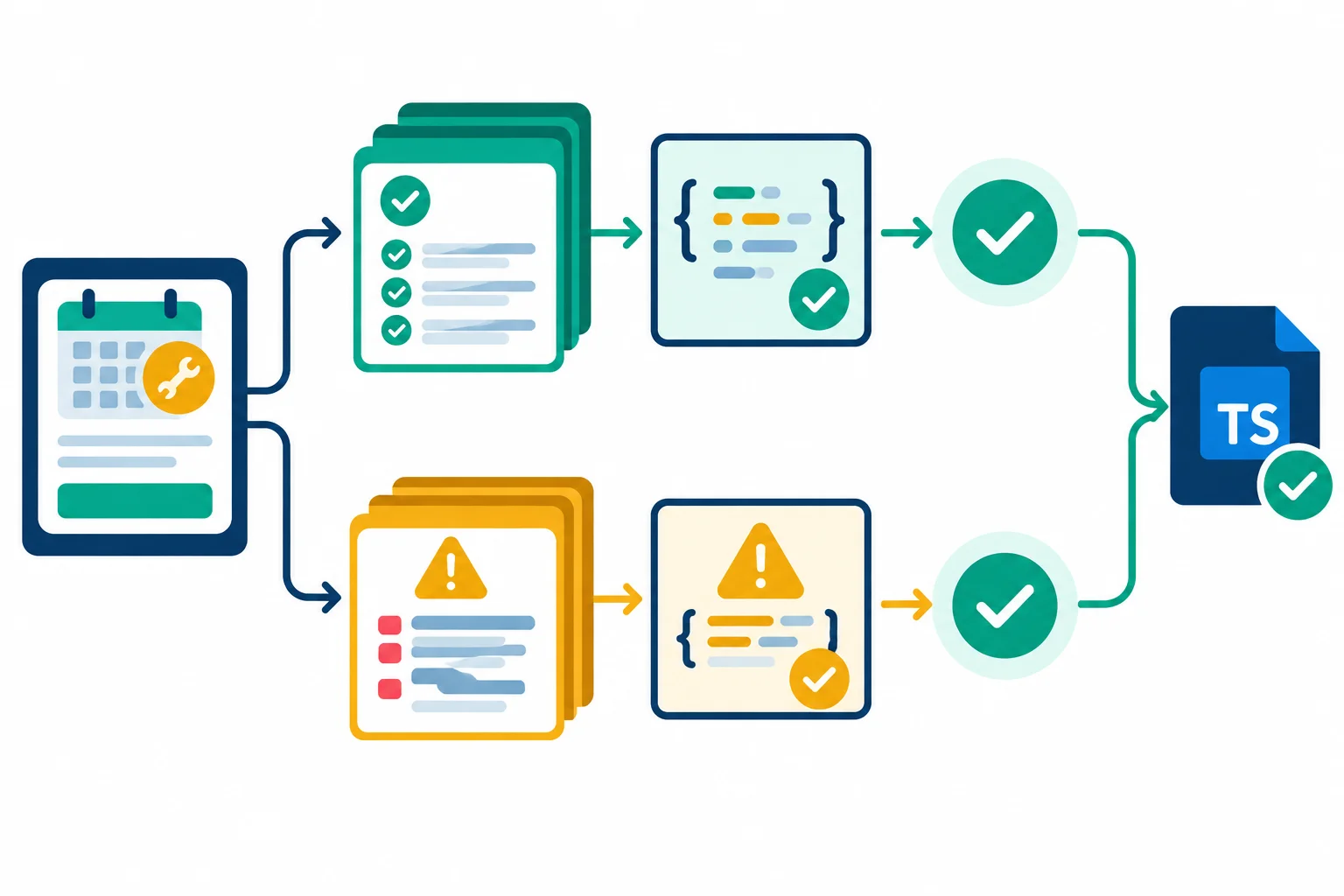
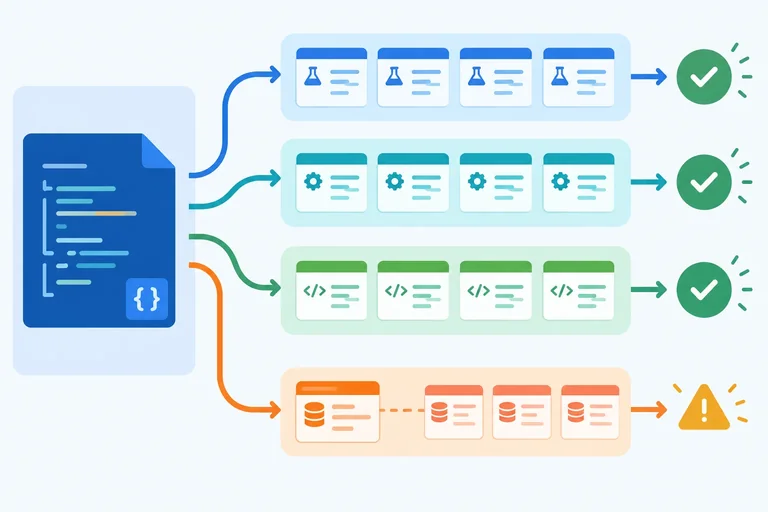
Representative runtime cases and static type analysis provide different evidence.
Use this list to compare your local file before you run the final commands.
| Area | Cases to retain or add | Evidence |
|---|---|---|
| Totals | Standard total, one booking, empty collection | Primitive result |
| Regression | Empty collection still returns 0 | Named regression test |
| Accepted parser | Ordinary valid record; seats 1 and 6 | Structured result |
| Rejected boundaries | Seats 0, 7, and a non-integer | Expected exception |
| Malformed records | null, array, missing field, wrong types, whitespace attendee | Expected exception |
| Independence | No test relies on another test changing data | Fresh or unmodified inputs |
Replace the existing acceptedCases declaration with this complete version. Keep the existing it.each(acceptedCases) test body below it; do not add another import or suite.
const acceptedCases: {
  label: string;
  input: unknown;
  expected: { attendee: string; seats: number };
}[] = [
  {
    label: 'a trimmed attendee',
    input: { attendee: '  Ada  ', seats: 2, note: 'window seat' },
    expected: { attendee: 'Ada', seats: 2 }
  },
  {
    label: 'lowest seat count',
    input: { attendee: ' Ada ', seats: 1 },
    expected: { attendee: 'Ada', seats: 1 }
  },
  {
    label: 'highest seat count',
    input: { attendee: 'Lin', seats: 6 },
    expected: { attendee: 'Lin', seats: 6 }
  },
  {
    label: 'an ordinary seat count',
    input: { attendee: '  Nia  ', seats: 4 },
    expected: { attendee: 'Nia', seats: 4 }
  }
];Replace the existing rejectedCases declaration with this complete version. It preserves every contract category and adds a malformed record not used earlier. The existing parameterized rejection test will run every row.
const rejectedCases: { label: string; input: unknown }[] = [
  { label: 'null', input: null },
  { label: 'an array', input: [] },
  { label: 'missing seats', input: { attendee: 'Ada' } },
  { label: 'a string attendee', input: { attendee: 12, seats: 2 } },
  { label: 'a whitespace attendee', input: { attendee: '   ', seats: 2 } },
  { label: 'a string seat count', input: { attendee: 'Ada', seats: '2' } },
  { label: 'a null seat count', input: { attendee: 'Nia', seats: null } },
  { label: 'seat count 0', input: { attendee: 'Ada', seats: 0 } },
  { label: 'seat count 7', input: { attendee: 'Ada', seats: 7 } },
  { label: 'a non-integer seat count', input: { attendee: 'Ada', seats: 2.5 } }
];Complete the two assertion patterns used by the case arrays. These bodies belong inside the existing describe('parseBooking', ...) suite.
it.each(acceptedCases)('accepts $label', ({ input, expected }) => {
  const booking = parseBooking(input);
  expect(booking).(expected);
});

it.each(rejectedCases)('rejects $label', ({ input }) => {
  expect().('Invalid booking');
});Save src/booking.ts and src/booking.test.ts, then run both checks from the vitest-booking-lab folder. With the three total tests and the case arrays on the previous screen, Vitest runs 17 tests.
npm run test:run
npm run typecheck> vitest-booking-lab@1.0.0 test:run
> vitest run
RUN v3.2.4 /Users/learner/projects/vitest-booking-lab
✓ src/booking.test.ts (17 tests) 6ms
Test Files 1 passed (1)
Tests 17 passed (17)
Start at 10:42:18
Duration 352ms (transform 52ms, setup 0ms, collect 46ms, tests 6ms, environment 0ms, prepare 78ms)
> vitest-booking-lab@1.0.0 typecheck
> tsc --noEmit
This is one concrete sample. Your Vitest version, path, timings, start time, and test count can differ if your suite contains additional cases. After the npm script lines, a successful `tsc --noEmit` run normally prints no diagnostics.
Tip
A passing npm run test:run means the selected runtime examples match their asserted contracts. A passing npm run typecheck means TypeScript found no static errors under this project configuration. If either check fails, investigate the contract, fixture, expected value, and implementation rather than weakening or removing a test.
Summary
Keep this workflow for future logic changes.
tsc --noEmit separately because they provide different evidence.After completing the assertions and running both commands on your computer, write 3–6 sentences. Report: (1) the new valid parser case and new malformed parser case you added, (2) the observed result of npm run test:run and the separate result of npm run typecheck, and (3) the retained regression test name and its expected outcome. If a check failed, state what you investigated and what you changed before rerunning it.
Write at least 220 characters (0/220).
Congratulations! You completed: Test TypeScript Logic with Vitest
Thousands of online courses in video, ebooks and audiobooks.
To test your knowledge during online courses
Generated directly from your cell phone's photo gallery and sent to your email

Download our app via QR Code or the links below:.



Carry knowledge in your pocket.
Download the Cursa app.
There are hundreds of free courses available, with a free certificate of completion that is saved in your mobile image gallery.
Download the app to access the Course Completion Certificate for Free.


+ 10 million
students

Free and Valid
Certificate

60 thousand free
exercises

4.8/5 rating in
app stores

Free courses in
video and ebooks