Step 1 of 9
Recognize a Promise and Its Outcome
Recognize promise states and distinguish a promise from the result or failure it eventually represents.

Learning path · Level 7 · Tutorial 1
Write asynchronous functions that wait for dependent results, handle failures, and perform cleanup. Use small delayed operations on your own computer to observe execution order before introducing network requests.
 Recognize a Promise and Its Outcome
Recognize promise states and distinguish a promise from the result or failure it eventually represents. 2 min
Recognize a Promise and Its Outcome
Recognize promise states and distinguish a promise from the result or failure it eventually represents. 2 min
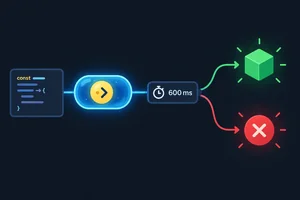 Create a Controlled Delayed Operation
Build a local promise-returning helper that settles after a controlled delay, without consuming its result or invoking its failure branch yet. 3 min
Create a Controlled Delayed Operation
Build a local promise-returning helper that settles after a controlled delay, without consuming its result or invoking its failure branch yet. 3 min
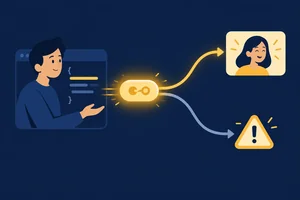 Understand What async Returns
Recognize that every async function call returns a promise, then predict whether that promise fulfills with a returned value or rejects from an uncaught throw. 3 min
Understand What async Returns
Recognize that every async function call returns a promise, then predict whether that promise fulfills with a returned value or rejects from an uncaught throw. 3 min
 Trace Execution Across await
Predict, run, and verify how an async workflow and its caller proceed around one awaited delayed result. 3 min
Trace Execution Across await
Predict, run, and verify how an async workflow and its caller proceed around one awaited delayed result. 3 min
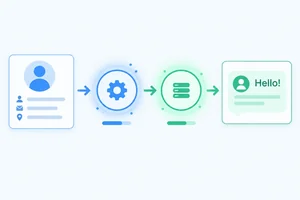 Sequence Work That Depends on a Result
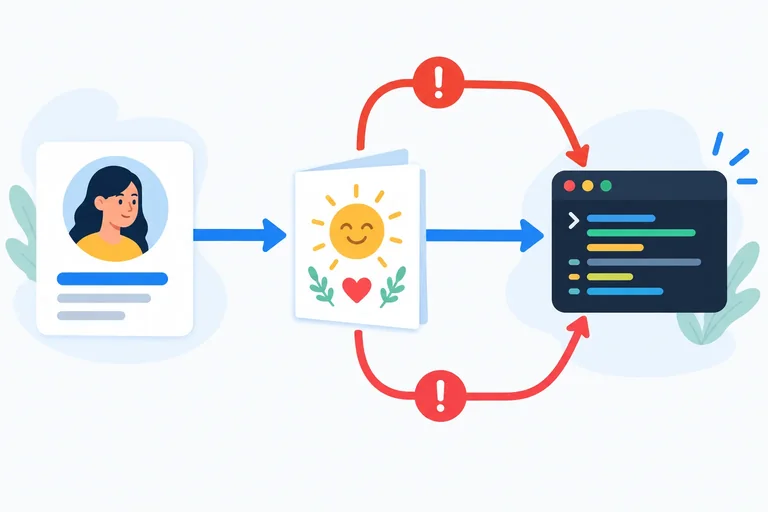
Use successive awaited assignments to wait for a profile and then create a greeting from its result. 4 min
Sequence Work That Depends on a Result
Use successive awaited assignments to wait for a profile and then create a greeting from its result. 4 min
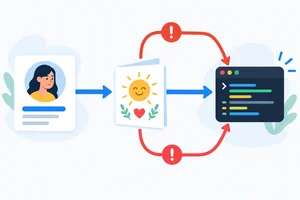 Catch Failures at the Awaited Operation
Handle rejected awaited operations locally with one try/catch and observe which dependent work is skipped. 3 min
Catch Failures at the Awaited Operation
Handle rejected awaited operations locally with one try/catch and observe which dependent work is skipped. 3 min
 Run Cleanup on Both Paths
Restore temporary workflow activity with finally after successful or failed awaited work. 2 min
Run Cleanup on Both Paths
Restore temporary workflow activity with finally after successful or failed awaited work. 2 min
 Handle the Promise at the Call Site
Ensure that a rejection escaping an async workflow is handled by its caller. 2 min
Handle the Promise at the Call Site
Ensure that a rejection escaping an async workflow is handled by its caller. 2 min
 Verify the Complete Async Workflow
Complete and locally verify a dependent asynchronous workflow with reliable failure handling and cleanup. 3 min
Verify the Complete Async Workflow
Complete and locally verify a dependent asynchronous workflow with reliable failure handling and cleanup. 3 min
Step 1 of 9
Recognize promise states and distinguish a promise from the result or failure it eventually represents.
A promise is an object that represents an outcome that will be available later. It is not the outcome itself.
Think of a delayed profile operation. While it is unfinished, you have a promise—not the profile. If it succeeds later, the promise provides a fulfillment value. If it fails later, it provides a rejection reason.
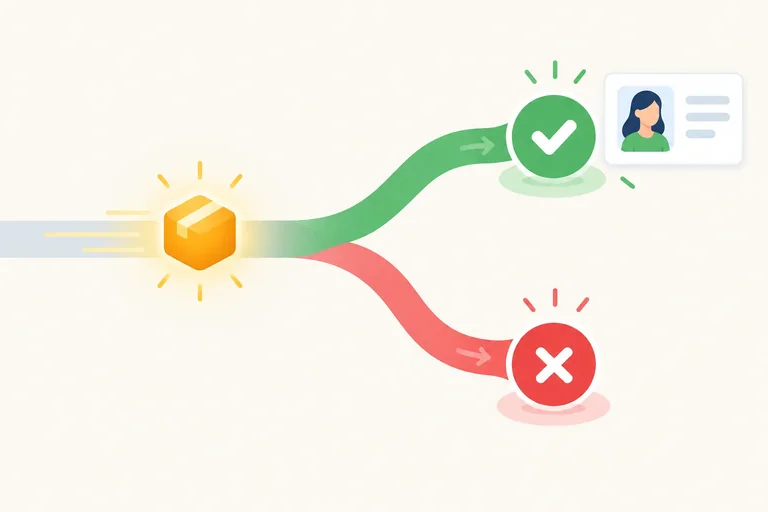
A promise begins in the pending state.
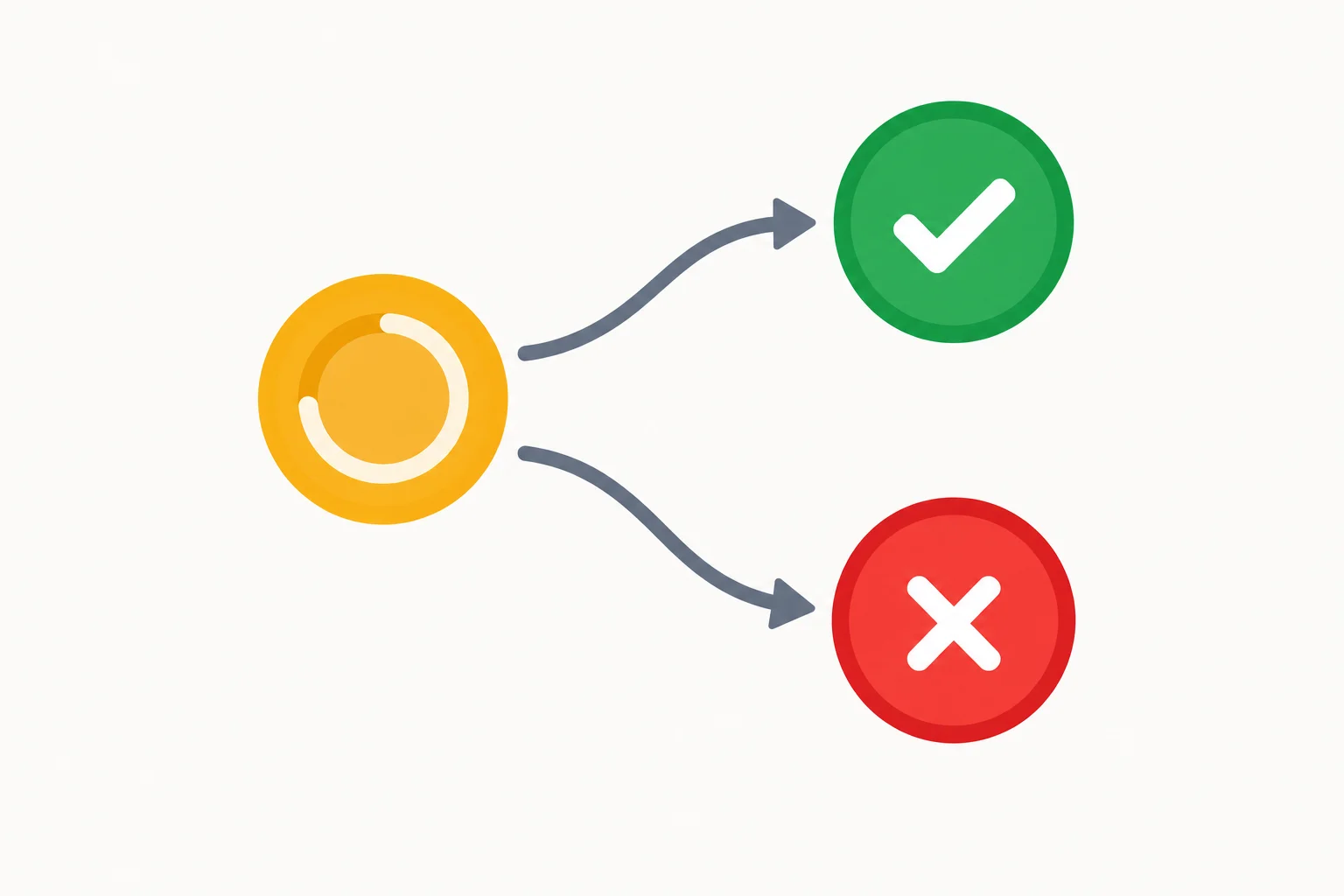
The amber node represents pending. The green and red end nodes represent the two possible settled outcomes.
A promise has three states:
Fulfilled and rejected are both settled. Once a promise is settled, it cannot switch to the other outcome or become pending again.
Example
Imagine an operation intended to provide a profile.
Immediately after it starts, profilePromise refers to the promise: an object representing the future result. It is not yet the profile object, so it does not stand for properties such as name.
If that promise fulfills, its fulfillment value might be { id: 7, name: "Maya" }. That profile object is the result the promise eventually provided—not the promise itself.
If it rejects instead, there is no fulfillment value from that operation; there is a rejection reason to handle.
Tip
Use the state to describe completion, then use the outcome to describe what completion produced.
Match each scenario to its best description.
Tap an item and then its matching pair.
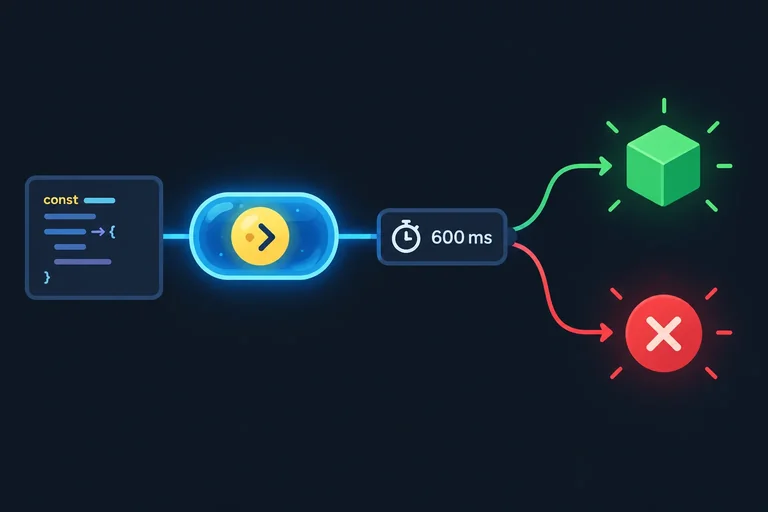
Step 2 of 9
Build a local promise-returning helper that settles after a controlled delay, without consuming its result or invoking its failure branch yet.
delayResult will create a promise whose outcome is controlled by a timer. Constructing the promise runs its executor immediately. The callback passed to setTimeout runs later, after at least the requested delay.
When that later callback runs, it chooses one outcome:
value.Error whose message is "Practice failure".The operation is still pending while the timer is waiting. A delay of 600 ms is a scheduling threshold, not a guarantee of an exact completion time.
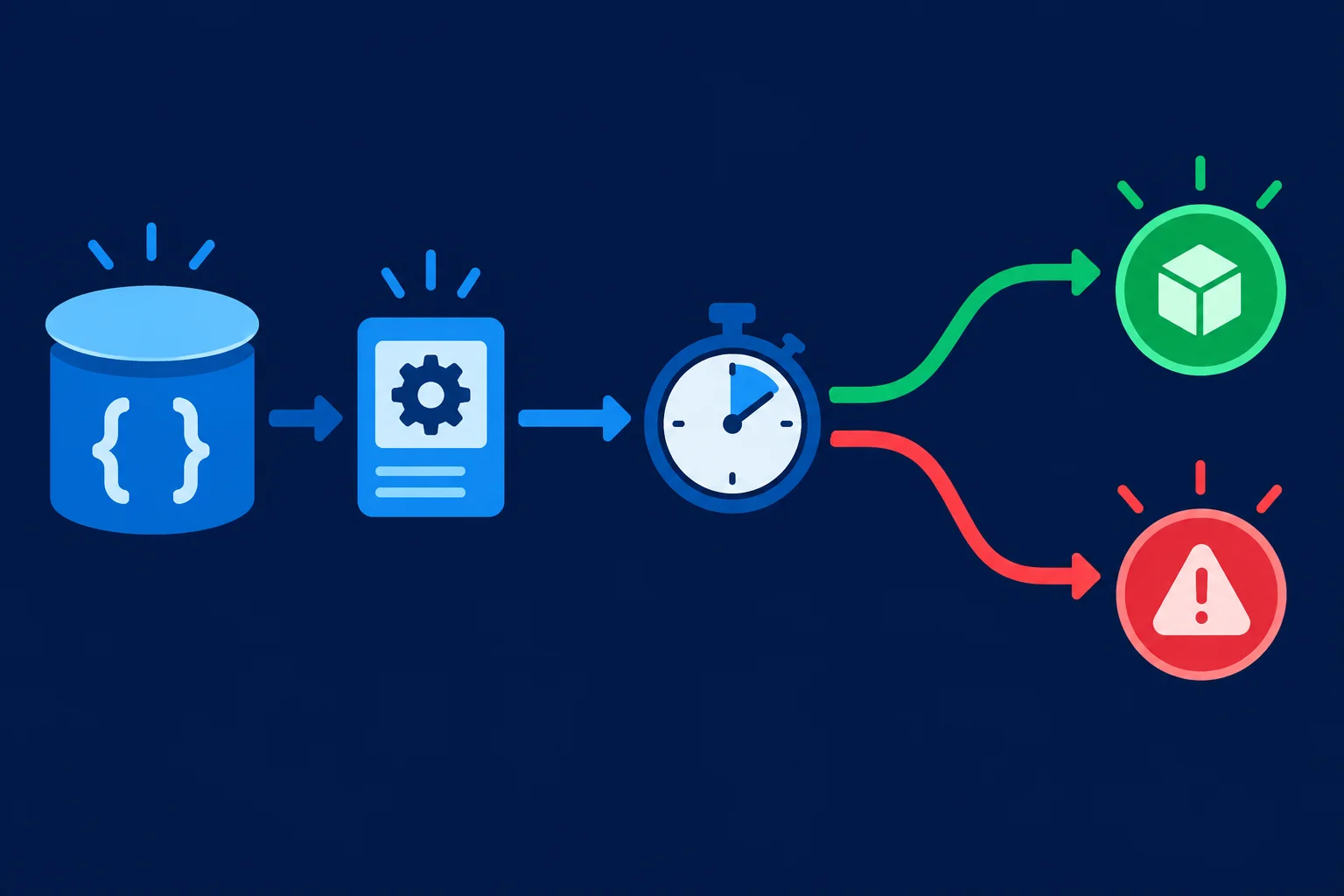
The executor starts during promise construction. The timer callback makes the later fulfillment-or-rejection decision.
Replace the contents of your local Vite project's two practice files. Open the browser console, then reload the page.
This first run calls the helper without its optional failure argument, so it uses the successful branch only. The logged promise is initially pending; browser consoles may update its expandable preview after it settles.
Replace index.html.
<!doctype html>
<html lang="en">
  <head>
    <meta charset="UTF-8" />
    <meta name="viewport" content="width=device-width, initial-scale=1.0" />
    <title>Async Practice</title>
  </head>
  <body>
    <script type="module" src="./main.js"></script>
  </body>
</html>Replace main.js.
function delayResult(value, shouldFail = false) {
  return new Promise((resolve, reject) => {
    setTimeout(() => {
      if (shouldFail) {
        reject(new Error("Practice failure"));
        return;
      }

      resolve(value);
    }, 600);
  });
}

const profilePromise = delayResult({ id: 7, name: "Maya" });
console.log(profilePromise);Promise {<pending>}The console initially represents the promise as pending. Its exact visual formatting and when its expandable preview updates vary by browser; after the timer completes, inspect it to see the fulfilled profile value.
Tip
Do not call delayResult with true yet. That would intentionally create a rejection before this tutorial has introduced a rejection handler. For now, examine how the helper is built and observe the successful promise settle.
Complete the controlled delayed helper. Use the branch structure to identify which outcome supplies an error and which supplies the provided value.
function delayResult(value, shouldFail = false) {
  return new ((resolve, reject) => {
    (() => {
      if (shouldFail) {
        (new ("Practice failure"));
        return;
      }

      ();
    }, 600);
  });
}
Step 3 of 9
Recognize that every async function call returns a promise, then predict whether that promise fulfills with a returned value or rejects from an uncaught throw.
Adding async changes what a caller receives. A regular function call provides its returned value directly. An async function call provides a promise immediately, even when the function body contains no await.
A normal return inside an async function becomes the fulfillment value of that returned promise. An uncaught throw becomes its rejection reason. The promise is therefore different from the value or error it eventually represents.
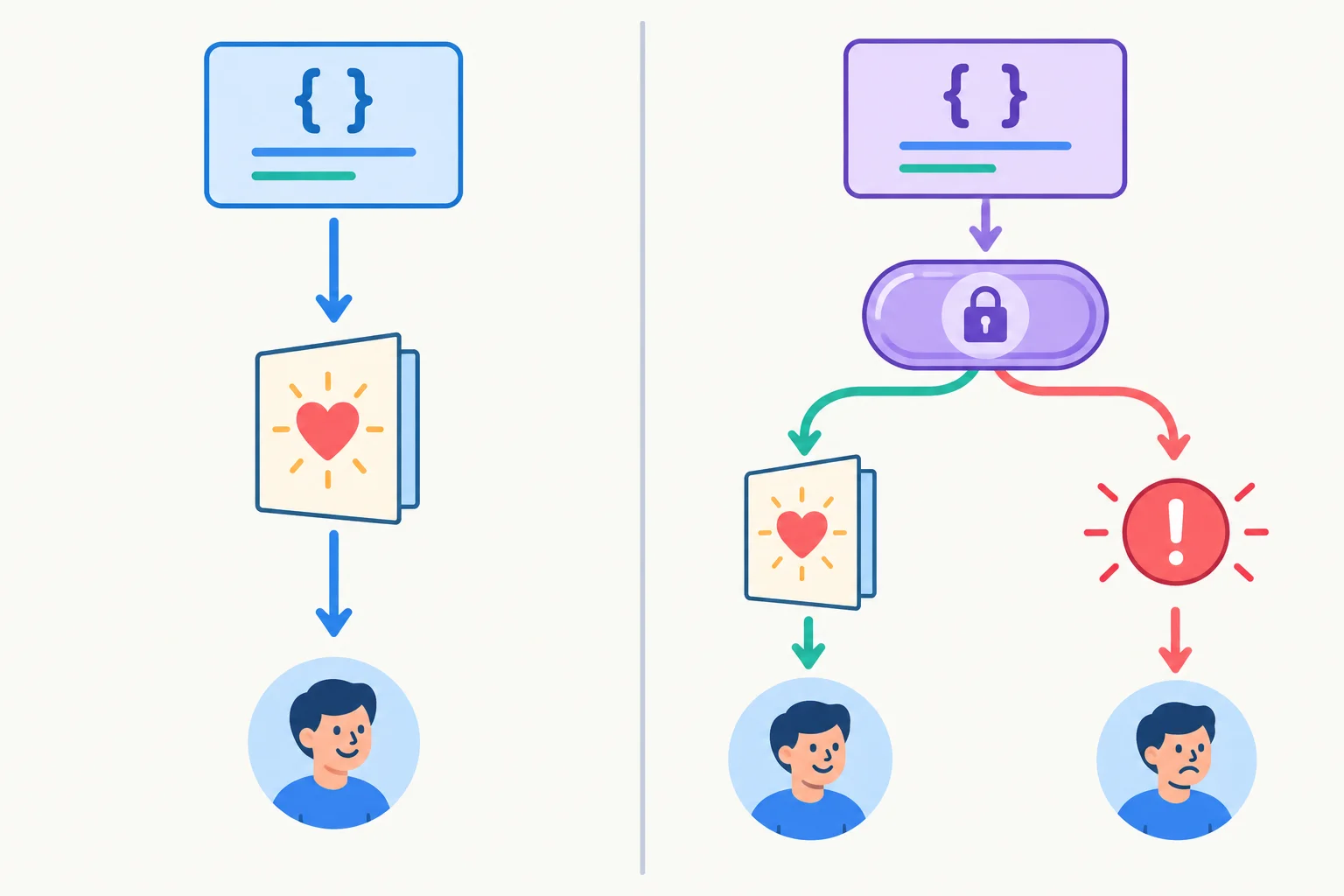
A regular call gives the caller a direct result. An async call gives the caller a promise whose outcome is determined by return or an uncaught throw.
Compare what the caller receives with what happens inside each function body.
| Function kind | Caller receives | Normal return | Uncaught throw |
|---|---|---|---|
| Regular function | Direct value | Caller receives that value | Caller receives a synchronous exception |
| Async function | Promise | Promise fulfills with that value | Promise rejects with that error |
This example deliberately contains no await. It is still an async function, so sequencePromise is a promise rather than the greeting string.
With the default selector, execution reaches return greeting;, so the returned promise fulfills with the greeting. With the "profile" selector, the uncaught throw makes the returned promise reject with an Error instead. Read that failure path as a prediction only: do not execute runSequence("profile") at this stage.
Study this static example. It intentionally has no await. You may use the default "none" call as written, but do not change it to "profile" or execute a rejection case yet; rejection handling is introduced later.
async function runSequence(failAt = "none") {
  if (failAt === "profile") {
    throw new Error("Practice failure");
  }

  const user = { id: 7, name: "Maya" };
  const greeting = `Hello, ${user.name}!`;
  return greeting;
}

const sequencePromise = runSequence("none");
Tip
return greeting; does not make the caller receive greeting directly. Because runSequence is async, it settles sequencePromise successfully with that string. The uncaught throw takes the other path: it makes the returned promise reject.
Match each code moment from the static example to the outcome it produces. Classify both paths without running the failure selector.
Tap an item and then its matching pair.
Step 4 of 9
Predict, run, and verify how an async workflow and its caller proceed around one awaited delayed result.
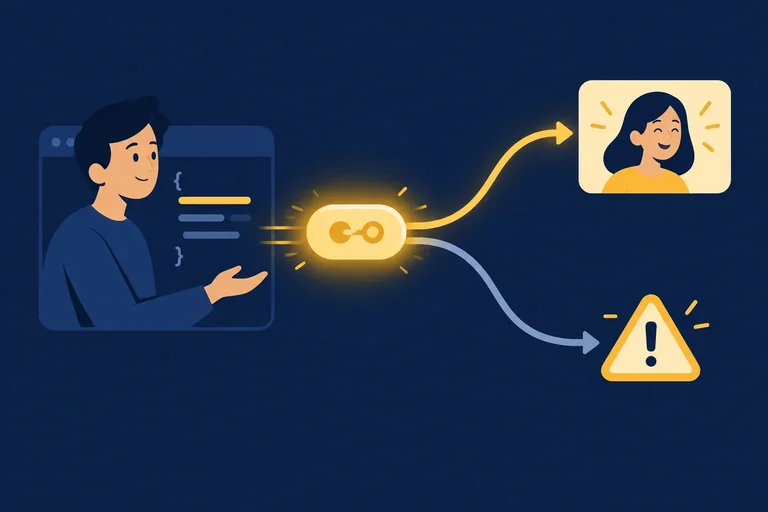
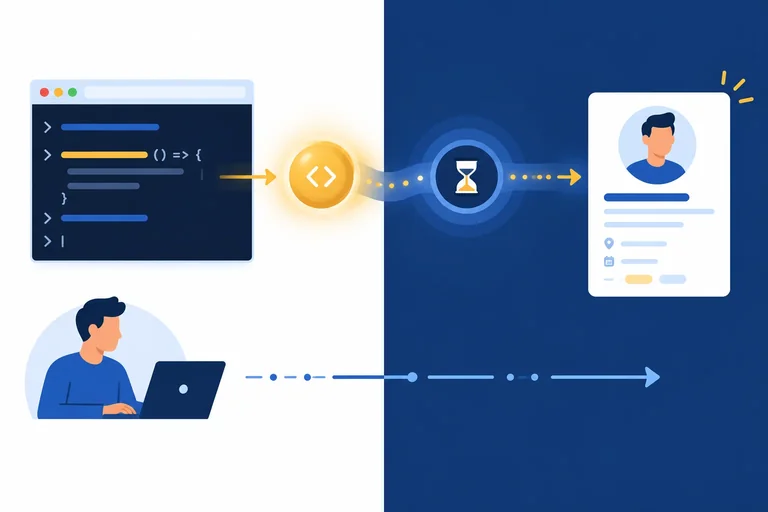
Inside an async function, await obtains the fulfillment value of a promise. When execution reaches its first await, the function's continuation pauses until that promise settles.
Calling delayResult(...) starts the delayed operation. await does not start it again—it waits for the outcome that the call already represented.
The caller receives a promise from runSequence() and can continue running ordinary statements. This waiting does not pause the entire browser, and it is not a way to move CPU-heavy work off the main thread.
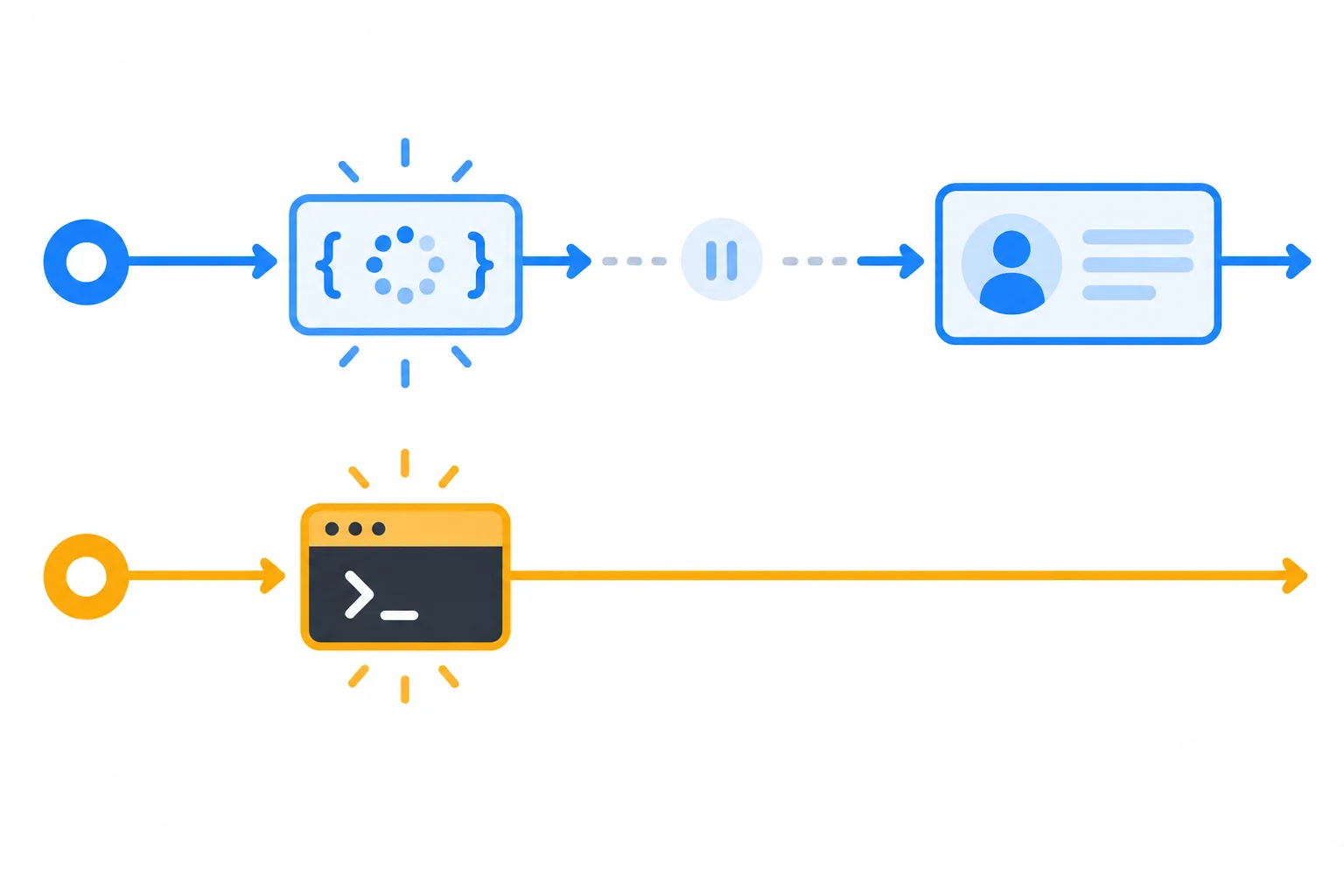
The workflow pauses at await; the caller continues and logs before the delayed profile is ready.
Before running the practice code, arrange these observable console labels from first to last.
Keep your existing Vite index.html entry with <script type="module" src="./main.js"></script>. Replace the contents of main.js with the code below, reload the local page, and inspect the browser console.
Run only runSequence("none") here. Do not use elapsed time as the check: the important evidence is the relative order of the three logs.
main.js
function delayResult(value, shouldFail = false) {
  return new Promise((resolve, reject) => {
    setTimeout(() => {
      if (shouldFail) {
        reject(new Error("Practice failure"));
        return;
      }

      resolve(value);
    }, 600);
  });
}

async function runSequence(failAt = "none") {
  console.log("Sequence started");

  const user = await delayResult(
    { id: 7, name: "Maya" },
    failAt === "profile"
  );

  console.log("Profile ready", user);
}

runSequence("none");
console.log("Caller continues");Sequence started
Caller continues
Profile ready { id: 7, name: "Maya" }Object formatting can differ slightly between browser developer tools. Check the log order, not an exact elapsed time.
Complete the assignment so user receives the delayed operation's fulfillment value.
async function runSequence(failAt = "none") {
  console.log("Sequence started");

  const user =  delayResult(
    { id: 7, name: "Maya" },
    failAt === "profile"
  );

  console.log("Profile ready", user);
}After running the successful case locally, report your observation in one to three sentences. State whether the console matched your prediction and list the three labels in the order you observed. Do not use timestamps or precise elapsed times.
Write at least 45 characters (0/45).
Step 5 of 9
Use successive awaited assignments to wait for a profile and then create a greeting from its result.
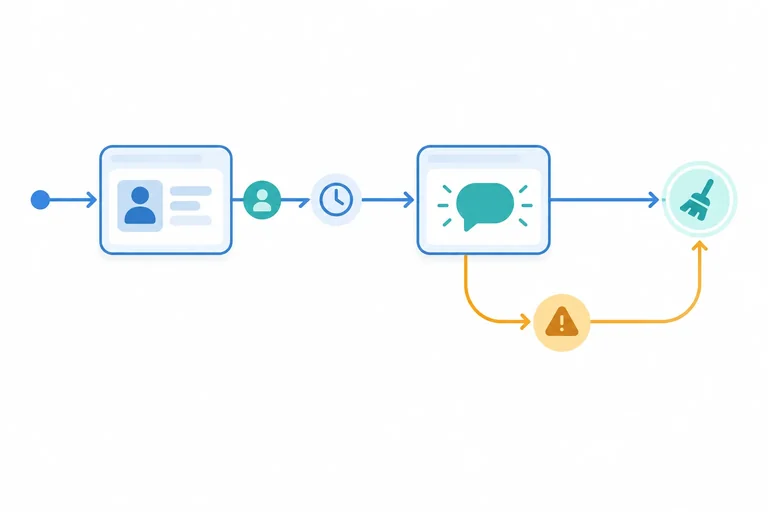
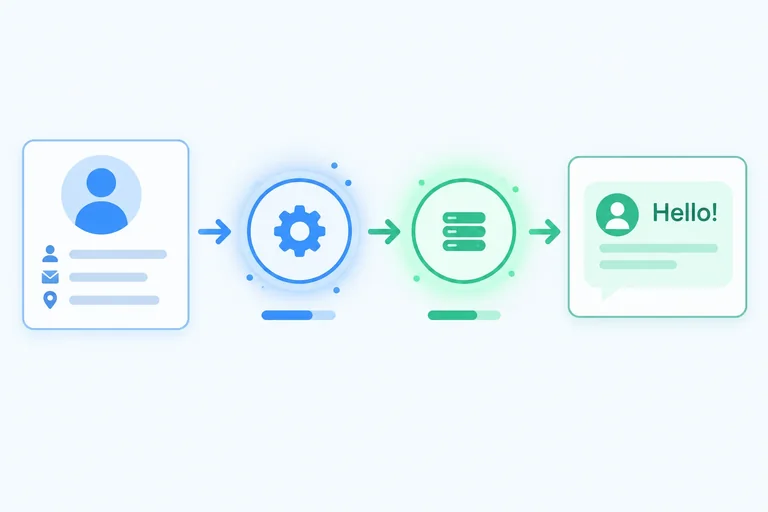
The greeting operation has a data dependency: it needs the profile’s name. That means the profile operation must fulfill first.
Store that fulfilled profile in user. Only then can the workflow use user.name to create the greeting input. Two successive awaited assignments express this order clearly—without nested callbacks.
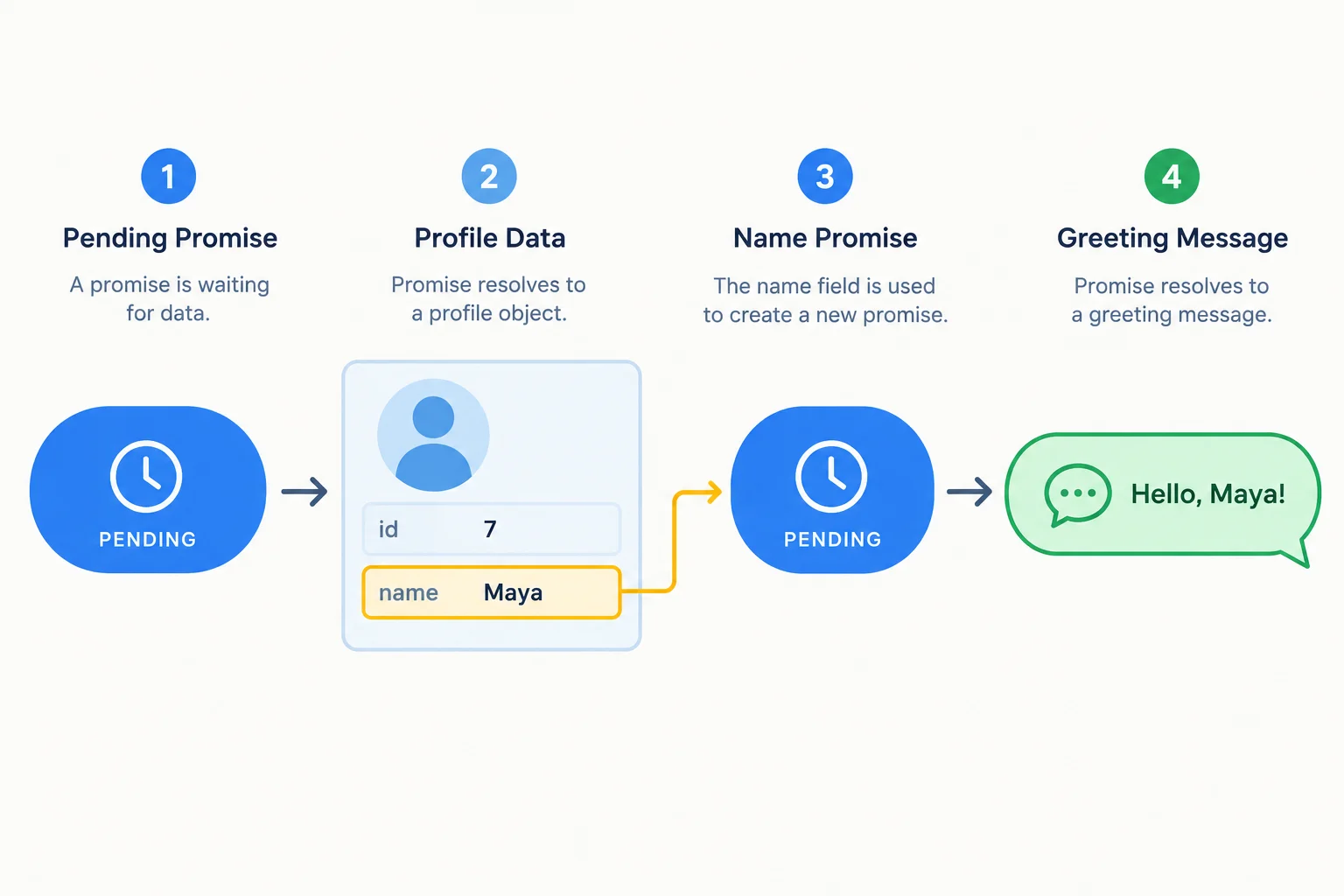
The greeting operation begins only after the profile result provides user.name.
Keep your existing index.html module script entry. Replace the contents of main.js with this success-only two-operation workflow, then reload the Vite page and inspect the browser console.
function delayResult(value, shouldFail = false) {
  return new Promise((resolve, reject) => {
    setTimeout(() => {
      if (shouldFail) {
        reject(new Error("Practice failure"));
        return;
      }

      resolve(value);
    }, 600);
  });
}

async function runSequence() {
  console.log("Sequence started");

  const user = await delayResult({ id: 7, name: "Maya" });
  console.log("Profile ready", user);

  const greeting = await delayResult(`Hello, ${user.name}!`);
  console.log("Greeting ready", greeting);
}

runSequence();
console.log("Caller continues");Sequence started
Caller continues
Profile ready { id: 7, name: "Maya" }
Greeting ready Hello, Maya!The browser may display the logged object with slightly different spacing or an expandable preview. The order of the four messages is the important result.
delayResult(...) immediately gives back a promise. That promise represents the future profile; it is not the profile object itself.
Reading a property from the promise does not wait for its fulfillment. Await the promise and use the resulting user value instead.
This contrast is for study. The first property read is on the promise object; the second is on the fulfilled profile object.
async function showName() {
  const userPromise = delayResult({ id: 7, name: "Maya" });
  console.log(userPromise.name); // undefined

  const user = await delayResult({ id: 7, name: "Maya" });
  console.log(user.name); // Maya
}
Tip
The first await creates a usable user binding. The second delayed operation can therefore receive a string built from that profile’s name.
Complete the two dependent assignments.
async function runSequence() {
  console.log("Sequence started");

  const user =  delayResult({ id: 7, name: "Maya" });
  console.log("Profile ready", user);

  const greeting = await delayResult(`Hello, !`);
  console.log("Greeting ready", greeting);
}After completing the code and running it locally, explain why the profile must arrive first. Then report the order of the two readiness logs and the final greeting string you observed.
Write at least 60 characters (0/60).
Step 6 of 9
Handle rejected awaited operations locally with one try/catch and observe which dependent work is skipped.
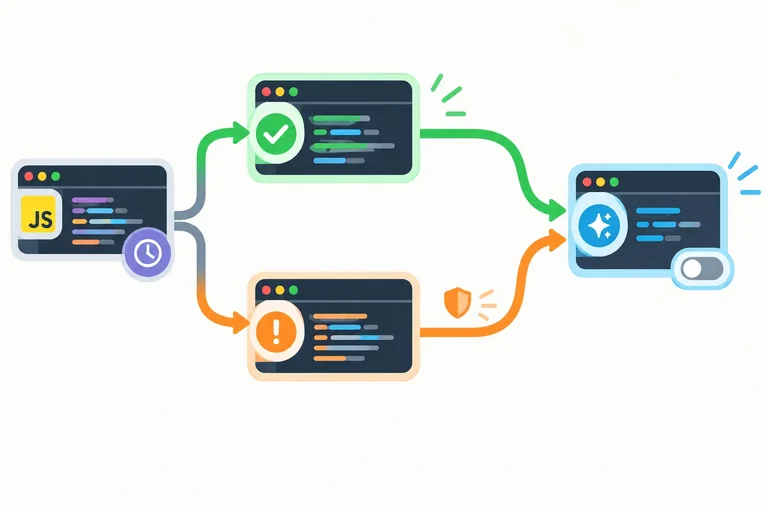
A rejected promise does not continue as a normal value. At the await expression, its rejection reason is thrown. A surrounding try/catch receives that reason, and JavaScript skips every later statement remaining in the try block.
Put both dependent awaits in one try block. If the profile operation rejects, the greeting operation never starts. If the greeting operation rejects, the profile has already succeeded, but the greeting-success log is skipped.
In this step, catch handles the failure locally and completes normally.
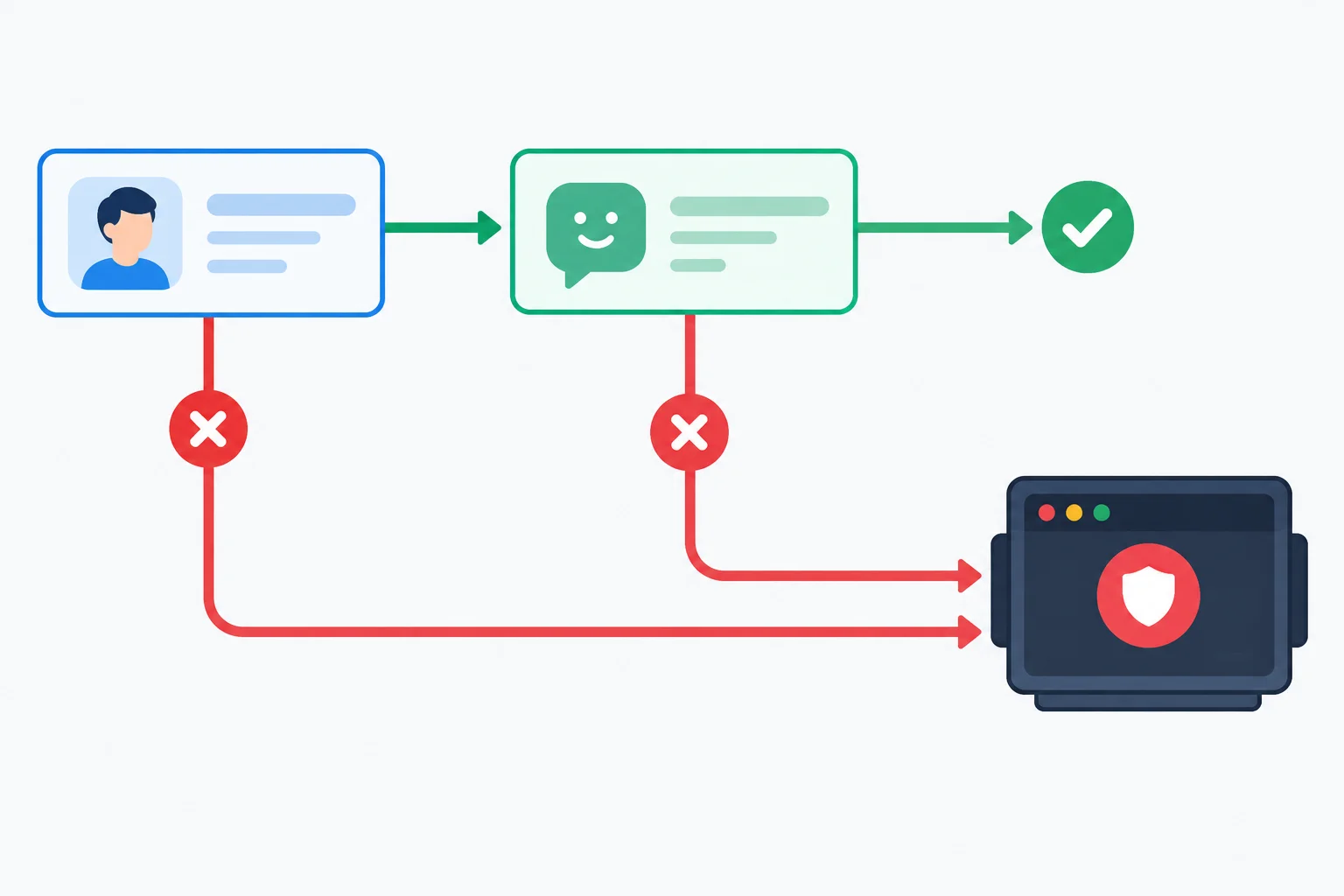
One catch handles either rejected await. The point of failure determines which later work is skipped.
Keep your existing index.html entry file. Replace main.js with this complete version, reload the Vite page, and inspect the browser console.
Start with "none". To test a failure, change only the value assigned to failAt to "profile" or "greeting", then reload. Run one selector per reload. The catch intentionally does not rethrow, so each selected failure is handled inside this local workflow.
Replace main.js, then run one selector per reload. The output below is for the selected "none" case.
function delayResult(value, shouldFail = false) {
  return new Promise((resolve, reject) => {
    setTimeout(() => {
      if (shouldFail) {
        reject(new Error("Practice failure"));
        return;
      }

      resolve(value);
    }, 600);
  });
}

async function runSequence(failAt = "none") {
  console.log("Sequence started");

  try {
    const user = await delayResult(
      { id: 7, name: "Maya" },
      failAt === "profile"
    );
    console.log("Profile ready", user);

    const greeting = await delayResult(
      `Hello, ${user.name}!`,
      failAt === "greeting"
    );
    console.log("Greeting ready", greeting);
  } catch (error) {
    console.error("Sequence interrupted", error.message);
  }
}

const failAt = "none";
runSequence(failAt);Sequence started
Profile ready { id: 7, name: "Maya" }
Greeting ready Hello, Maya!The displayed output is produced by the code as written with `failAt = "none"`. Expected trace when you change only `failAt` to `"profile"` (editorial heading, not console output): Sequence started Sequence interrupted Practice failure Expected trace when you change only `failAt` to `"greeting"` (editorial heading, not console output): Sequence started Profile ready { id: 7, name: "Maya" } Sequence interrupted Practice failure Browser formatting of the profile object can vary slightly. Compare the labels and their order.
Tip
The delay is at least 600 ms, but do not use elapsed time as your check. Compare each selector with its trace: a profile failure has no readiness log, while a greeting failure has the profile readiness log but no greeting readiness log.
Complete the control-flow keywords for the protected asynchronous sequence.
async function runSequence(failAt = "none") {
  console.log("Sequence started");

   {
    const user =  delayResult(
      { id: 7, name: "Maya" },
      failAt === "profile"
    );
    console.log("Profile ready", user);

    const greeting = await delayResult(
      `Hello, ${user.name}!`,
      failAt === "greeting"
    );
    console.log("Greeting ready", greeting);
  }  (error) {
    console.error("Sequence interrupted", error.message);
  }
}Use the completed structure in main.js. Run "none", "profile", and "greeting" separately, reloading after each selector change.
Before each reload, predict the last successful delayed operation. Then compare the console trace with the expected traces on the previous screen. In your response, state that both awaits are protected together, identify the last successful delayed operation for every selector (or state that none completed), and say whether each observed trace matched your prediction.
Write at least 90 characters (0/90).
Step 7 of 9
Restore temporary workflow activity with finally after successful or failed awaited work.
finally is the shared exit point for a protected asynchronous sequence. Set isRunning = true; before the try block, then restore it in finally.
After a successful sequence, control reaches finally. After a rejected awaited operation is handled by catch, control also reaches finally. This prevents duplicated cleanup in separate success and error branches.
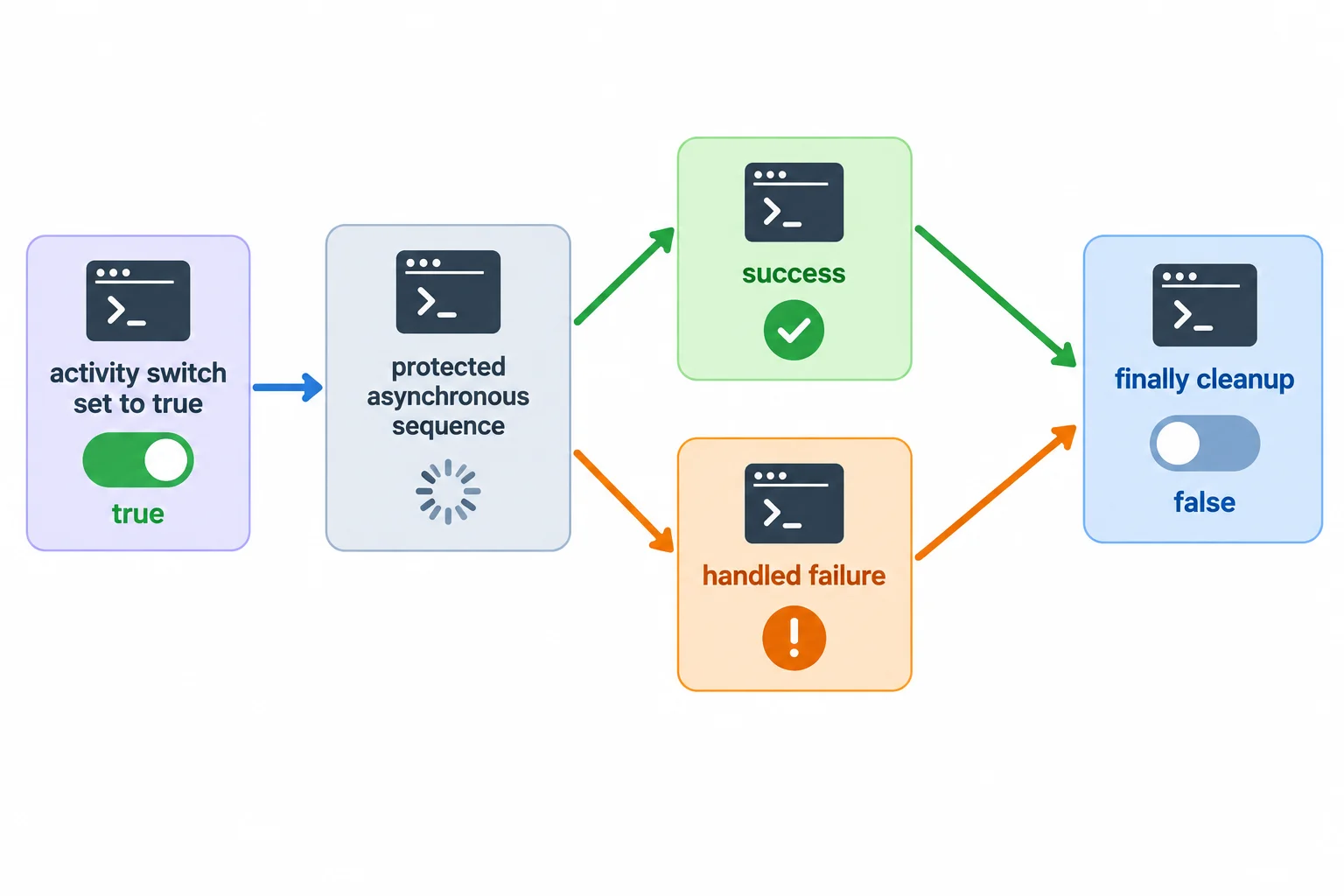
Put work that must happen on either path in finally.
Tip
Keep finally focused on cleanup. Do not put a return statement or a new throw there: either could replace the result or failure that the protected sequence was otherwise producing.
Keep your existing index.html module entry. Replace main.js with this complete local practice. Start with the selected success case, then change only the final selector to "profile" or "greeting" and reload once per case. The catch handles failures locally in this step; cleanup still runs afterward.
function delayResult(value, shouldFail = false) {
  return new Promise((resolve, reject) => {
    setTimeout(() => {
      if (shouldFail) {
        reject(new Error("Practice failure"));
        return;
      }

      resolve(value);
    }, 600);
  });
}

let isRunning = false;

async function runSequence(failAt = "none") {
  isRunning = true;
  console.log("Sequence started", isRunning);

  try {
    const user = await delayResult(
      { id: 7, name: "Maya" },
      failAt === "profile"
    );
    console.log("Profile ready", user);

    const greeting = await delayResult(
      `Hello, ${user.name}!`,
      failAt === "greeting"
    );
    console.log("Greeting ready", greeting);
  } catch (error) {
    console.error("Sequence interrupted", error.message);
  } finally {
    isRunning = false;
    console.log("Cleanup complete", isRunning);
  }
}

runSequence("none");Sequence started true
Profile ready { id: 7, name: "Maya" }
Greeting ready Hello, Maya!
Cleanup complete falseFor `runSequence("profile")`, the complete trace is: Sequence started true Sequence interrupted Practice failure Cleanup complete false For `runSequence("greeting")`, the complete trace is: Sequence started true Profile ready { id: 7, name: "Maya" } Sequence interrupted Practice failure Cleanup complete false Browser consoles may render the profile object differently. Compare the labels, their order, and the relevant values rather than exact object formatting.
Run one selector per reload. Every trace ends with cleanup, but each failure stops a different amount of dependent work.
| Selector | Complete expected trace |
|---|---|
| "none" | Sequence started true Profile ready { id: 7, name: "Maya" } Greeting ready Hello, Maya! Cleanup complete false |
| "profile" | Sequence started true Sequence interrupted Practice failure Cleanup complete false |
| "greeting" | Sequence started true Profile ready { id: 7, name: "Maya" } Sequence interrupted Practice failure Cleanup complete false |
Complete the shared cleanup for a successful sequence and for either locally handled failure.
async function runSequence(failAt = "none") {
  isRunning = true;

  try {
    const user = await delayResult(
      { id: 7, name: "Maya" },
      failAt === "profile"
    );
    console.log("Profile ready", user);

    const greeting = await delayResult(
      `Hello, ${user.name}!`,
      failAt === "greeting"
    );
    console.log("Greeting ready", greeting);
  } catch (error) {
    console.error("Sequence interrupted", error.message);
  }  {
    isRunning = ;
    console.log("Cleanup complete", isRunning);
  }
}After completing the cleanup and running "none", "profile", and "greeting" on separate reloads, report your verification in two to five sentences. State which block contains the shared cleanup, list the isRunning value logged with Cleanup complete for all three selectors, and identify which failure trace included Profile ready.
Write at least 80 characters (0/80).
Step 8 of 9
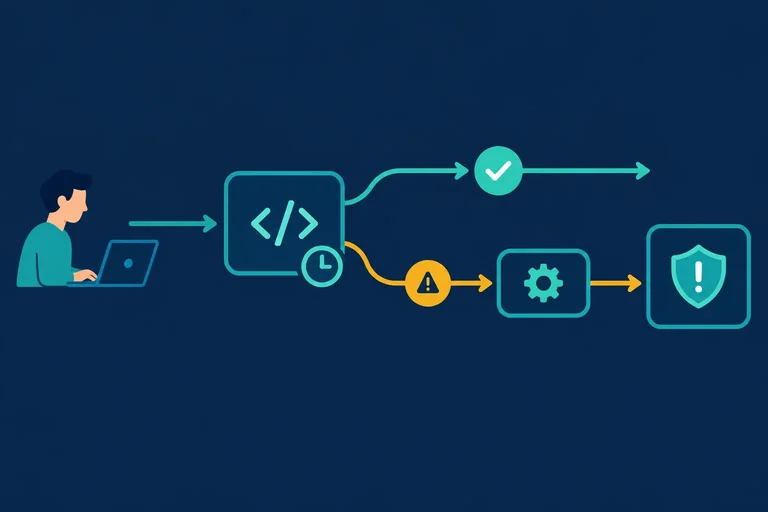
Ensure that a rejection escaping an async workflow is handled by its caller.
Calling an async workflow gives the caller a promise immediately. A synchronous try/catch around an unawaited call ends before that promise may reject, so it cannot catch a later rejection.
At a non-async entry point, attach .catch(reportFailure) as the terminal boundary handler. This tutorial uses .catch() only for that final handling step—not as a general chaining style.
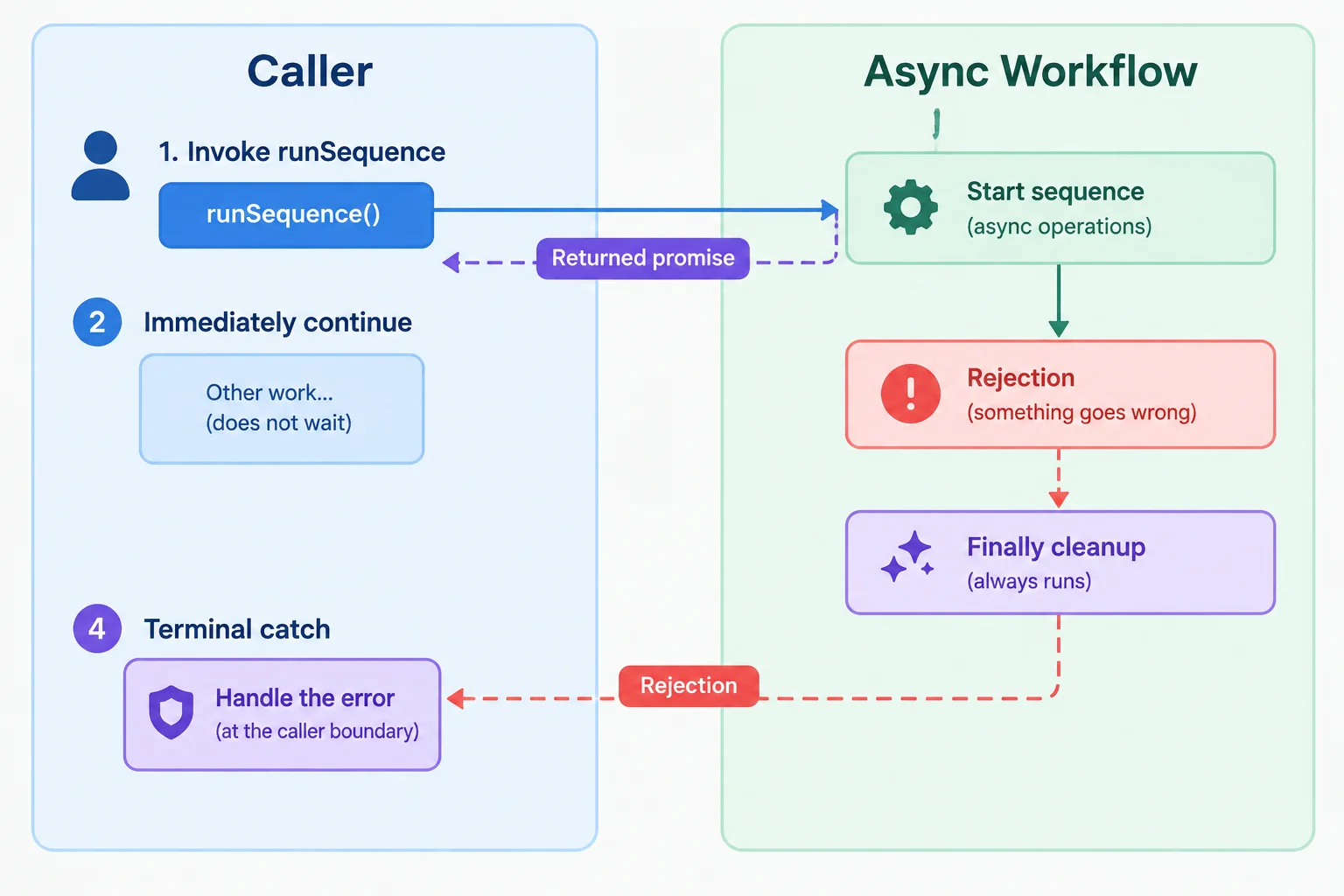
A rejection that is rethrown by the workflow remains on its returned promise until the caller handles it.
Choose the handling form that matches the caller's context.
| Caller context | Handling form | Result |
|---|---|---|
| Async caller | await inside try/catch | Catch receives rejection |
| Non-async entry point | .catch(reportFailure) | Handler receives rejection |
| Synchronous try around unawaited call | try { runSequence(); } | Later rejection escapes it |
Replace your entire main.js with this version. It deliberately runs the greeting-failure case. The workflow records the interruption, rethrows the same error, and still performs cleanup. The caller's terminal handler reports the escaping rejection.
Reload once and inspect the browser console. The caller continues after the workflow reaches its first await; it does not wait for the delayed work.
main.js
function delayResult(value, shouldFail = false) {
  return new Promise((resolve, reject) => {
    setTimeout(() => {
      if (shouldFail) {
        reject(new Error("Practice failure"));
        return;
      }

      resolve(value);
    }, 600);
  });
}

let isRunning = false;

async function runSequence(failAt = "none") {
  isRunning = true;
  console.log("Sequence started", isRunning);

  try {
    const user = await delayResult(
      { id: 7, name: "Maya" },
      failAt === "profile"
    );
    console.log("Profile ready", user);

    const greeting = await delayResult(
      `Hello, ${user.name}!`,
      failAt === "greeting"
    );
    console.log("Greeting ready", greeting);
  } catch (error) {
    console.error("Sequence interrupted", error.message);
    throw error;
  } finally {
    isRunning = false;
    console.log("Cleanup complete", isRunning);
  }
}

function reportFailure(error) {
  console.error("Sequence failed:", error.message);
}

runSequence("greeting").catch(reportFailure);
console.log("Caller continues");Sequence started true
Caller continues
Profile ready { id: 7, name: "Maya" }
Sequence interrupted Practice failure
Cleanup complete false
Sequence failed: Practice failureBrowser consoles may style error entries differently, but the observable event order is the same.
Inside runSequence, the catch block has already logged Sequence interrupted. Which statement lets the caller's terminal handler receive the same failure?
The workflow has already logged its interruption, rethrown the error, and run its finally cleanup. Complete the terminal handler so it reports the rejection reason. Then predict the final two console events for this greeting-failure call.
function reportFailure(error) {
  console.error("Sequence failed:", );
}

runSequence("greeting").catch(reportFailure);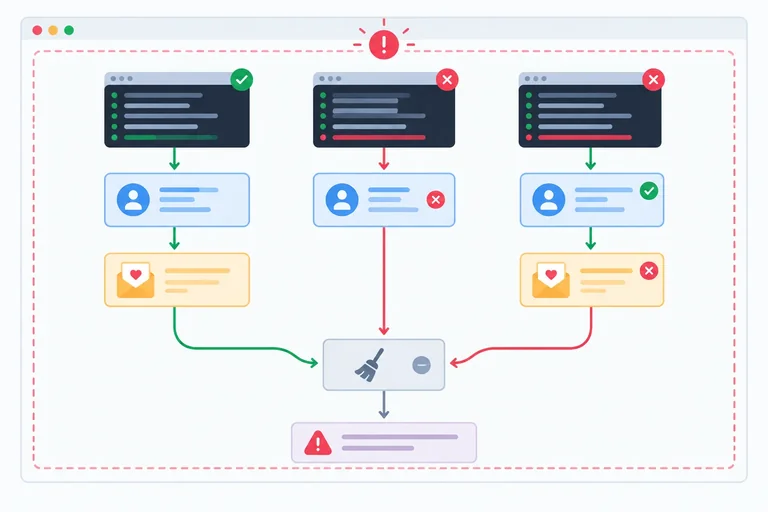
Step 9 of 9
Complete and locally verify a dependent asynchronous workflow with reliable failure handling and cleanup.
This final practice combines the patterns you have already used—without networking or interface features.
Your workflow should:
isRunning set to true;isRunning in finally; andUse one call per page reload. That keeps each console trace about one workflow, rather than several overlapping runs.
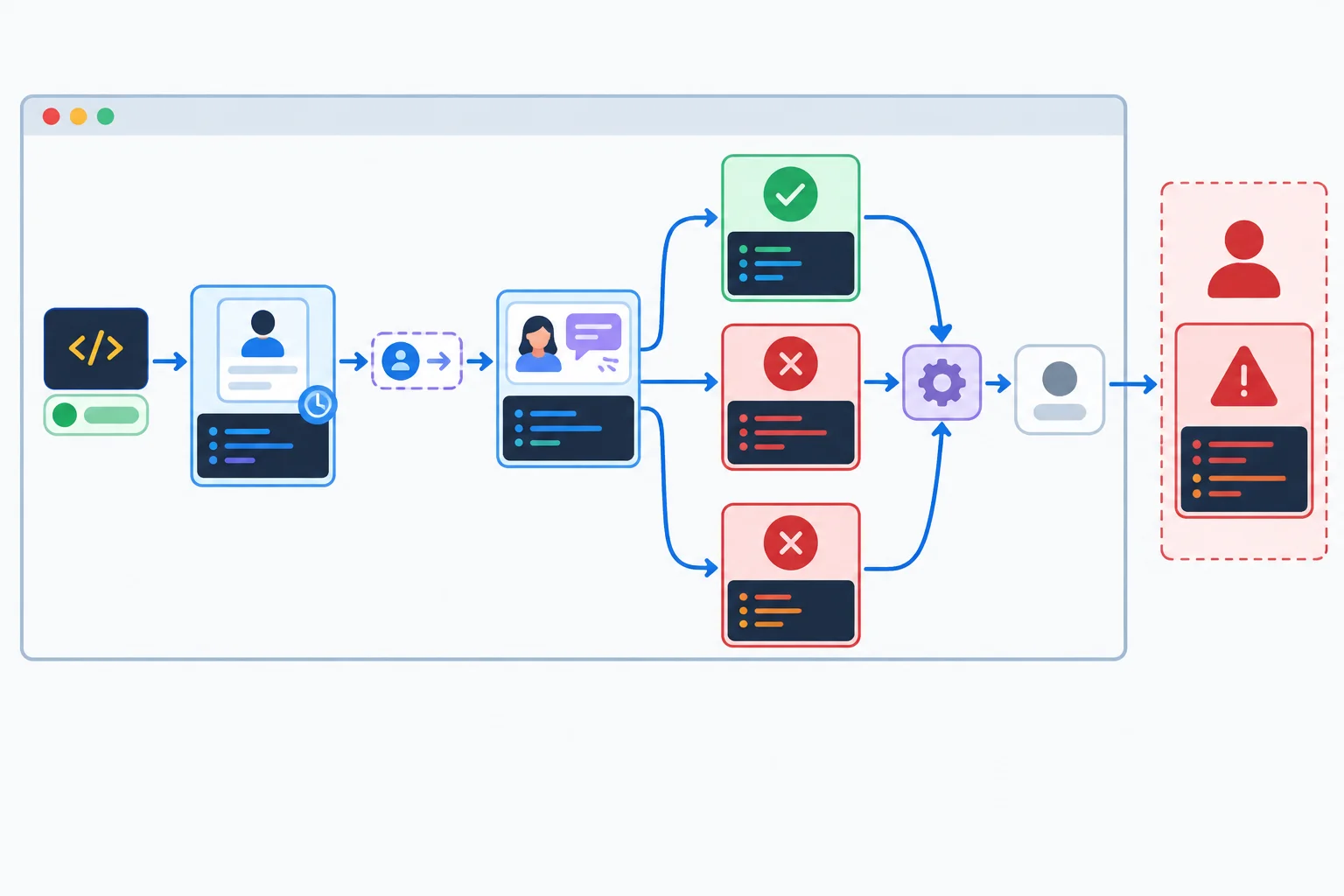
The greeting depends on the profile result. Cleanup is shared by every outcome, while only failures continue to the caller’s rejection handler.
Tip
Keep the browser console open. Console object formatting can vary slightly by browser, but the labels, their relative order, and the important values should match your prediction.
Keep this entry file in the Vite project root.
<!doctype html>
<html lang="en">
  <head>
    <meta charset="UTF-8" />
    <meta name="viewport" content="width=device-width, initial-scale=1.0" />
    <title>Async Practice</title>
  </head>
  <body>
    <script type="module" src="./main.js"></script>
  </body>
</html>Replace main.js with this complete version. Start with failAt set to "none". Then change only that value to "profile" and "greeting", reloading once for each case.
function delayResult(value, shouldFail = false) {
  return new Promise((resolve, reject) => {
    setTimeout(() => {
      if (shouldFail) {
        reject(new Error("Practice failure"));
        return;
      }

      resolve(value);
    }, 600);
  });
}

let isRunning = false;

async function runSequence(failAt = "none") {
  isRunning = true;
  console.log("Sequence started", isRunning);

  try {
    const user = await delayResult(
      { id: 7, name: "Maya" },
      failAt === "profile"
    );
    console.log("Profile ready", user);

    const greeting = await delayResult(
      `Hello, ${user.name}!`,
      failAt === "greeting"
    );
    console.log("Greeting ready", greeting);
  } catch (error) {
    console.error("Sequence interrupted", error.message);
    throw error;
  } finally {
    isRunning = false;
    console.log("Cleanup complete", isRunning);
  }
}

function reportFailure(error) {
  console.error("Sequence failed:", error.message);
}

const failAt = "none";
runSequence(failAt).catch(reportFailure);
console.log("Caller continues");Sequence started true
Caller continues
Profile ready { id: 7, name: "Maya" }
Greeting ready Hello, Maya!
Cleanup complete falseThe output field shows the exact trace for the current `"none"` run. Object formatting may vary by browser. Expected sequence after selecting `"profile"` and reloading (this heading is not a console line): `Sequence started true`, `Caller continues`, `Sequence interrupted Practice failure`, `Cleanup complete false`, then `Sequence failed: Practice failure`. Expected sequence after selecting `"greeting"` and reloading (this heading is not a console line): `Sequence started true`, `Caller continues`, `Profile ready` with Maya’s profile, `Sequence interrupted Practice failure`, `Cleanup complete false`, then `Sequence failed: Practice failure`. Neither failure case should show an unhandled-rejection message because `.catch(reportFailure)` handles the escaping rejection.
Run exactly one selector per reload. Use this as a compact checklist while you compare the console trace.
| Selector | Delayed-work result | Required checks |
|---|---|---|
| none | Profile fulfills, then greeting fulfills | Greeting is `Hello, Maya!`; cleanup logs `false`. |
| profile | Profile rejects; greeting does not start | No readiness label; cleanup precedes the caller failure report. |
| greeting | Profile fulfills; greeting rejects | No `Greeting ready` label; cleanup precedes the caller failure report. |
Complete the critical control-flow elements. Then use the complete main.js from the previous screen to run the baseline and both failure selectors separately.
async function runSequence(failAt = "none") {
  isRunning = true;
  console.log("Sequence started", isRunning);

  try {
    const user = await delayResult(
      { id: 7, name: "Maya" },
      failAt === "profile"
    );
    console.log("Profile ready", user);

    const greeting = await delayResult(
      `Hello, ${user.name}!`,
      failAt === "greeting"
    );
    console.log("Greeting ready", greeting);
  } catch (error) {
    console.error("Sequence interrupted", error.message);

  } finally {
    isRunning = ;
    console.log("Cleanup complete", isRunning);
  }
}

runSequence("greeting").(reportFailure);After running all three selectors on separate reloads, record what you observed in the browser console. Include:
isRunning value logged at cleanup in every case; andUse the exact console labels in your response. No file submission is required.
Write at least 180 characters (0/180).
Summary
await supplies its fulfilled value to the dependent next operation.finally provides one cleanup point that restores temporary state after success or failure.Congratulations! You completed: Sequence Asynchronous Work with async/await
Thousands of online courses in video, ebooks and audiobooks.
To test your knowledge during online courses
Generated directly from your cell phone's photo gallery and sent to your email

Download our app via QR Code or the links below:.



Carry knowledge in your pocket.
Download the Cursa app.
There are hundreds of free courses available, with a free certificate of completion that is saved in your mobile image gallery.
Download the app to access the Course Completion Certificate for Free.


+ 10 million
students

Free and Valid
Certificate

60 thousand free
exercises

4.8/5 rating in
app stores

Free courses in
video and ebooks