Step 1 of 7
Fetch a Local JSON Resource
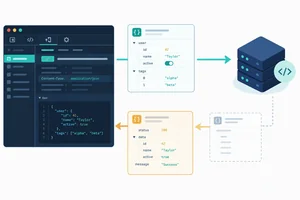
Request a product fixture through Vite and distinguish the returned Response from the product data it will later provide.

Learning path · Level 7 · Tutorial 2
Retrieve JSON with fetch, check the HTTP result, and verify the fields your interface needs before using the data. Practice with JSON files you create locally from text included in the tutorial and serve through Vite.
 Fetch a Local JSON Resource
Request a product fixture through Vite and distinguish the returned Response from the product data it will later provide. 3 min
Fetch a Local JSON Resource
Request a product fixture through Vite and distinguish the returned Response from the product data it will later provide. 3 min
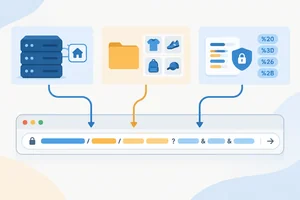 Build Query Strings Safely
Create a GET request URL with URL and URLSearchParams so spaces and special characters remain part of their intended query values. 3 min
Build Query Strings Safely
Create a GET request URL with URL and URLSearchParams so spaces and special characters remain part of their intended query values. 3 min
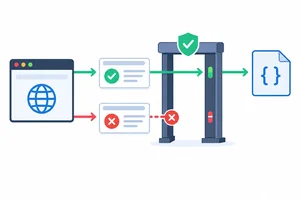 Check the HTTP Result First
Reject an unsuccessful HTTP response before processing its body. 3 min
Check the HTTP Result First
Reject an unsuccessful HTTP response before processing its body. 3 min
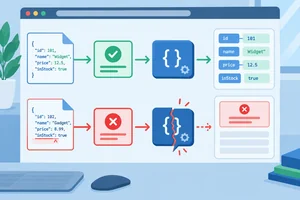 Decode the Body as JSON
Decode a successful response body once, use headers and the Network panel as diagnostic evidence, and distinguish decoding from HTTP failures. 3 min
Decode the Body as JSON
Decode a successful response body once, use headers and the Network panel as diagnostic evidence, and distinguish decoding from HTTP failures. 3 min
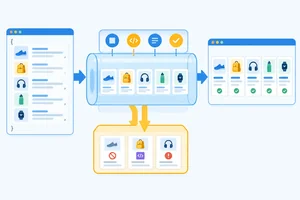 Validate the Records You Need
Validate decoded product data at the boundary before other code accesses its fields. 5 min
Validate the Records You Need
Validate decoded product data at the boundary before other code accesses its fields. 5 min
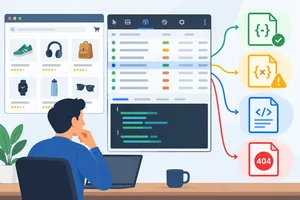 Diagnose Responses in the Network Panel
Inspect local fixture requests in the Network panel and use observed status, headers, and body evidence to identify the first response gate that rejects a result. 4 min
Diagnose Responses in the Network Panel
Inspect local fixture requests in the Network panel and use observed status, headers, and body evidence to identify the first response gate that rejects a result. 4 min
 Apply the Complete Fetch-and-Validate Flow
Assemble and verify a local browser JavaScript loader that returns only validated product records. 5 min
Apply the Complete Fetch-and-Validate Flow
Assemble and verify a local browser JavaScript loader that returns only validated product records. 5 min
Step 1 of 7
Request a product fixture through Vite and distinguish the returned Response from the product data it will later provide.
Use your existing Vite project and keep its development server running. Create the two files below exactly at these locations. The JSON file is a local fixture: it is data for the browser to request, not JavaScript to import.
index.html
<!doctype html>
<html lang="en">
  <head>
    <meta charset="UTF-8">
    <meta name="viewport" content="width=device-width, initial-scale=1.0">
    <title>Product catalog</title>
  </head>
  <body>
    <h1>Product catalog</h1>
    <script type="module" src="/main.js"></script>
  </body>
</html>public/data/products.json
[
  {"id":1,"name":"Notebook","inStock":true},
  {"id":2,"name":"Pen","inStock":false}
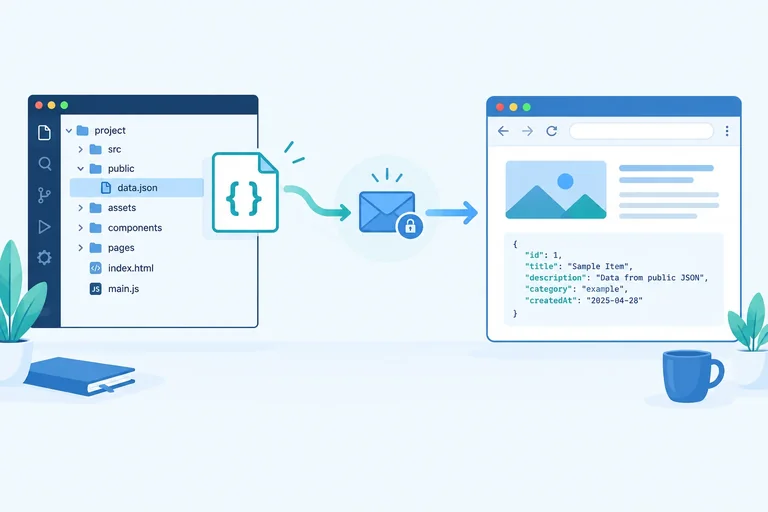
]Vite serves files inside public from the server root. Therefore, the file stored as public/data/products.json has the browser URL /data/products.json—not /public/data/products.json.
With no options, fetch(path) makes a GET request. Awaiting it gives the request result as a Response; it does not give the product array directly.
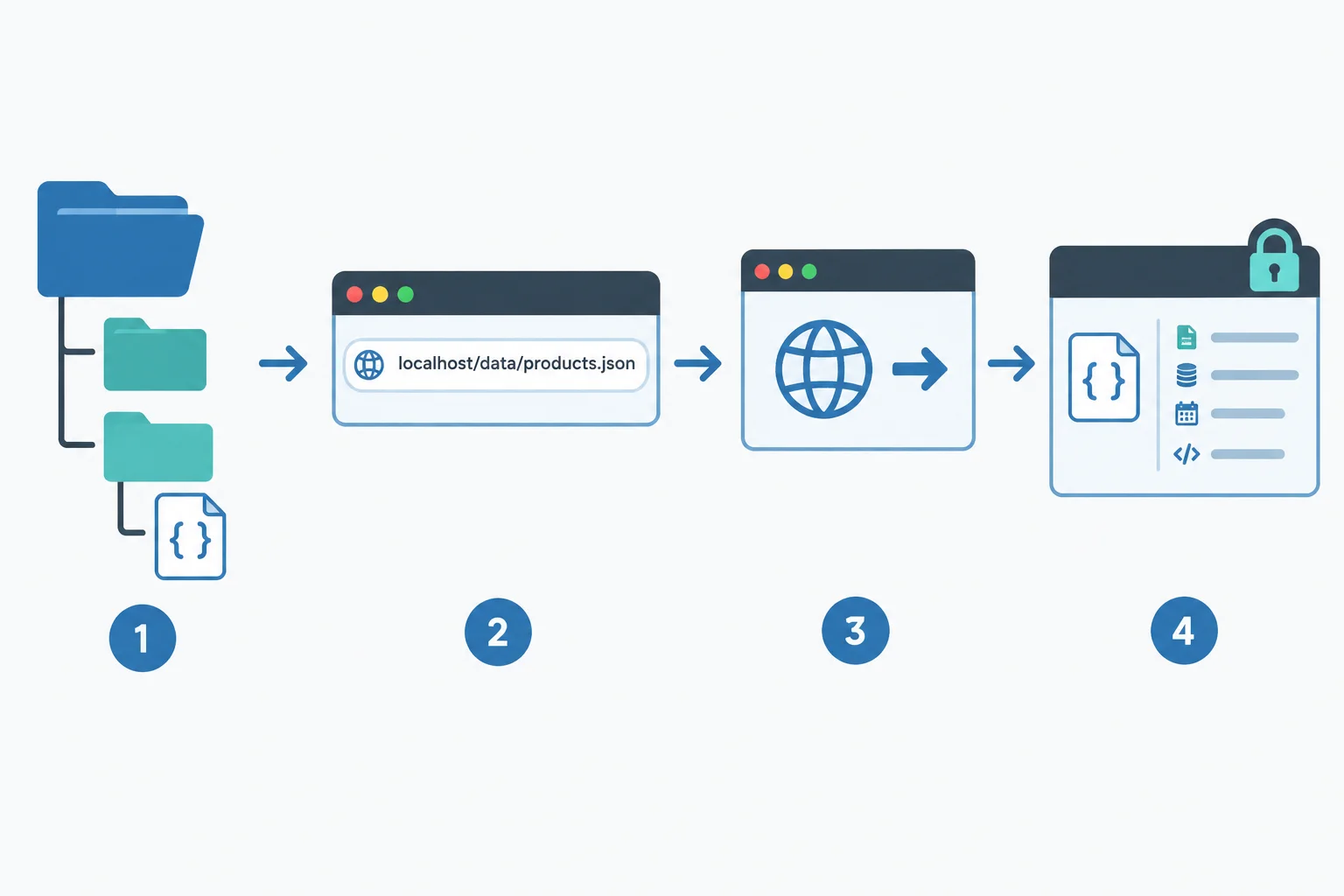
The local file and its HTTP URL are different things: Vite maps the public folder to the root URL path. The browser request returns a Response object.
main.js
async function loadProducts(path, query) {
  const response = await fetch(path);
  console.log(response.constructor.name);
}

loadProducts("/data/products.json", {});Response
The browser's console formatting can differ, but the logged value should identify the returned object as Response.
Tip
Do not open the JSON file with a file: URL. Open the localhost address reported by Vite, then use the browser console to see the result. The second function parameter will be used later; this first request has no query parameters.
Complete both blanks. The first must make the request, and the second must identify the kind of value held in response.
Fill in the missing code.
async function loadProducts(path, query) {
  const response = await (path);
  // `response` is a , not the product array.
  console.log(response);
}

loadProducts("/data/products.json", {});
Step 2 of 7
Create a GET request URL with URL and URLSearchParams so spaces and special characters remain part of their intended query values.
A URL has two useful parts here: the origin of the page Vite is serving and the root-relative resource path. Build a URL object instead of joining strings.
For a Vite project, the file at public/data/products.json is requested as /data/products.json. It is not requested as /public/data/products.json.
new URL(path, window.location.origin) combines the current local origin with that resource path. The resulting URL can be passed to fetch, which makes a GET request by default.
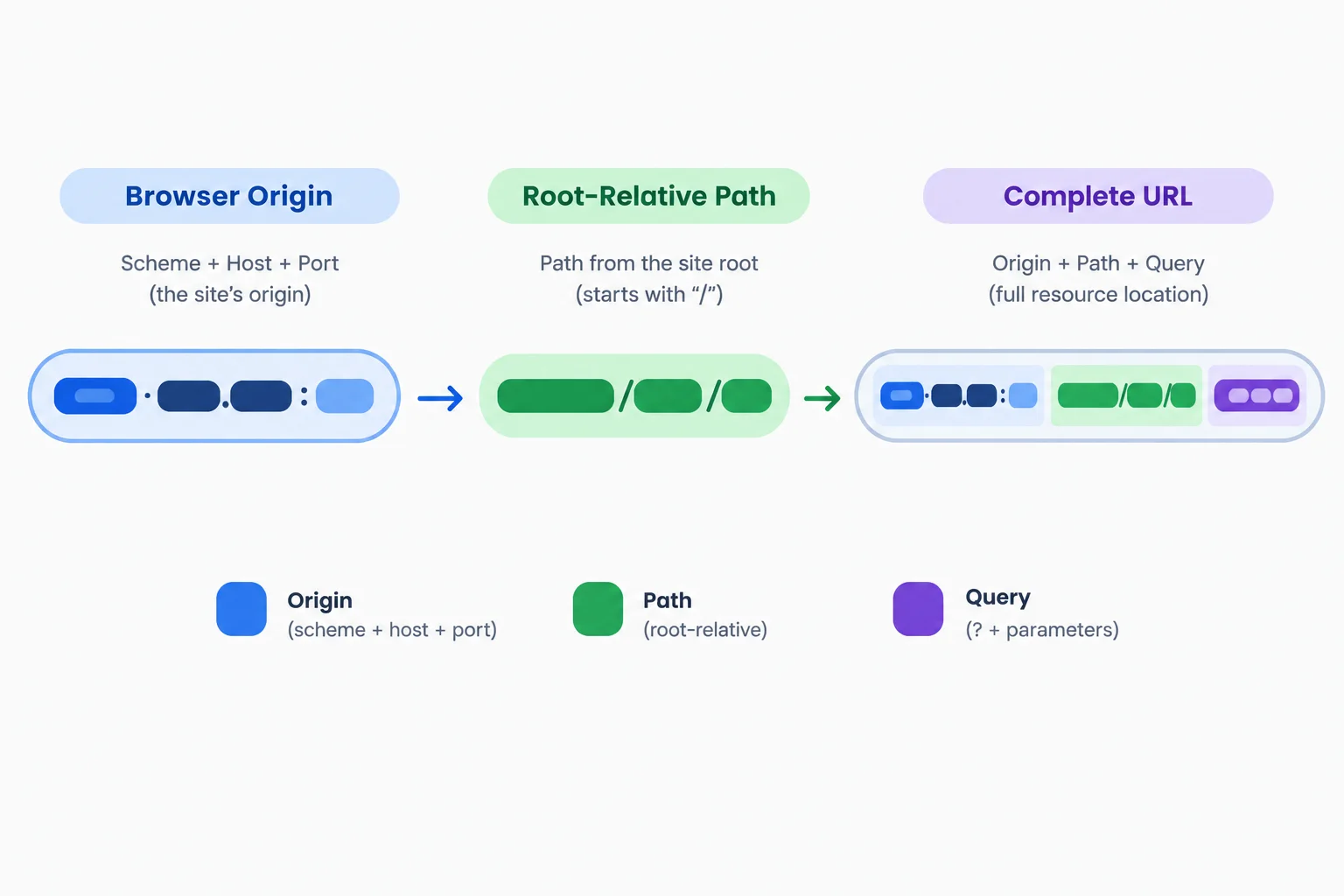
Create the URL from the page origin and /data/products.json; add the query string to that URL object afterward.
This code creates the base URL. It does not request the file yet.
const path = "/data/products.json";
const url = new URL(path, window.location.origin);Keep query values in their raw form. URLSearchParams serializes them safely, then its result becomes url.search.
For the raw value "notebook & pen", the space becomes + and the ampersand inside the value becomes %26. The final & before limit=2 is different: it separates two parameters.
Do not manually concatenate raw values into a query string. Also do not pre-encode values before passing them to URLSearchParams; it performs the encoding itself.
Place this temporary snippet in main.js and view the browser console while Vite is running.
const path = "/data/products.json";
const query = {
  q: "notebook & pen",
  limit: "2"
};
const url = new URL(path, window.location.origin);

url.search = new URLSearchParams(query).toString();

console.log(url.toString());http://localhost:5173/data/products.json?q=notebook+%26+pen&limit=2
Your Vite port may differ. The important search portion is `?q=notebook+%26+pen&limit=2`.
Tip
The query string changes the request URL, but it does not turn the static fixture into a search API. Vite still serves the same /data/products.json file for this example, regardless of q and limit.
Read the serialized query from left to right.
| Part | Meaning |
|---|---|
| q= | Start of the q parameter |
| notebook+%26+pen | One q value: notebook & pen |
| &limit=2 | A second parameter named limit |
Complete the URL construction so the raw search value remains one q value when serialized.
const query = {
  q: "notebook & pen",
  limit: "2"
};

const url = new ("/data/products.json", );
url.search = (query).toString();

console.log(url.search);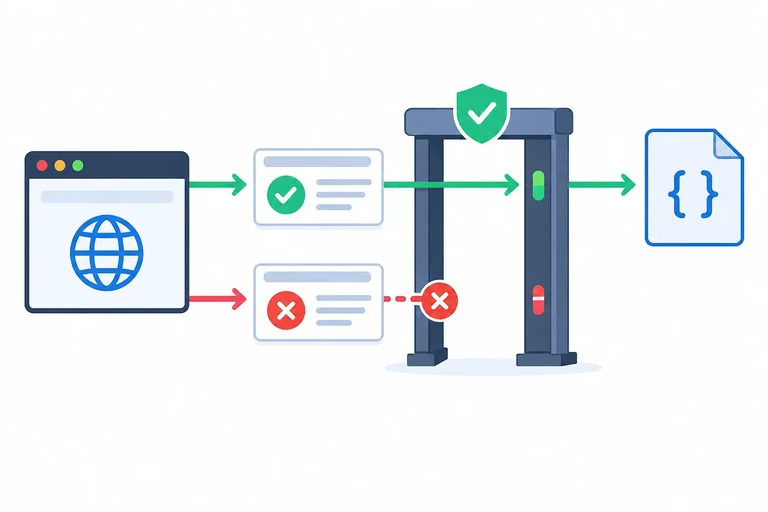
Step 3 of 7
Reject an unsuccessful HTTP response before processing its body.
fetch() can end in two importantly different ways. If the browser receives an HTTP response, await fetch(...) gives you a Response—even when its status is an error such as 404. That received response has a numeric response.status and an response.ok value.
response.ok is true only for status codes from 200 through 299. Check it before doing anything with the body.
A fetch rejection is different: await fetch(...) throws before there is a Response to inspect. The HTTP guard is not reached in that route.
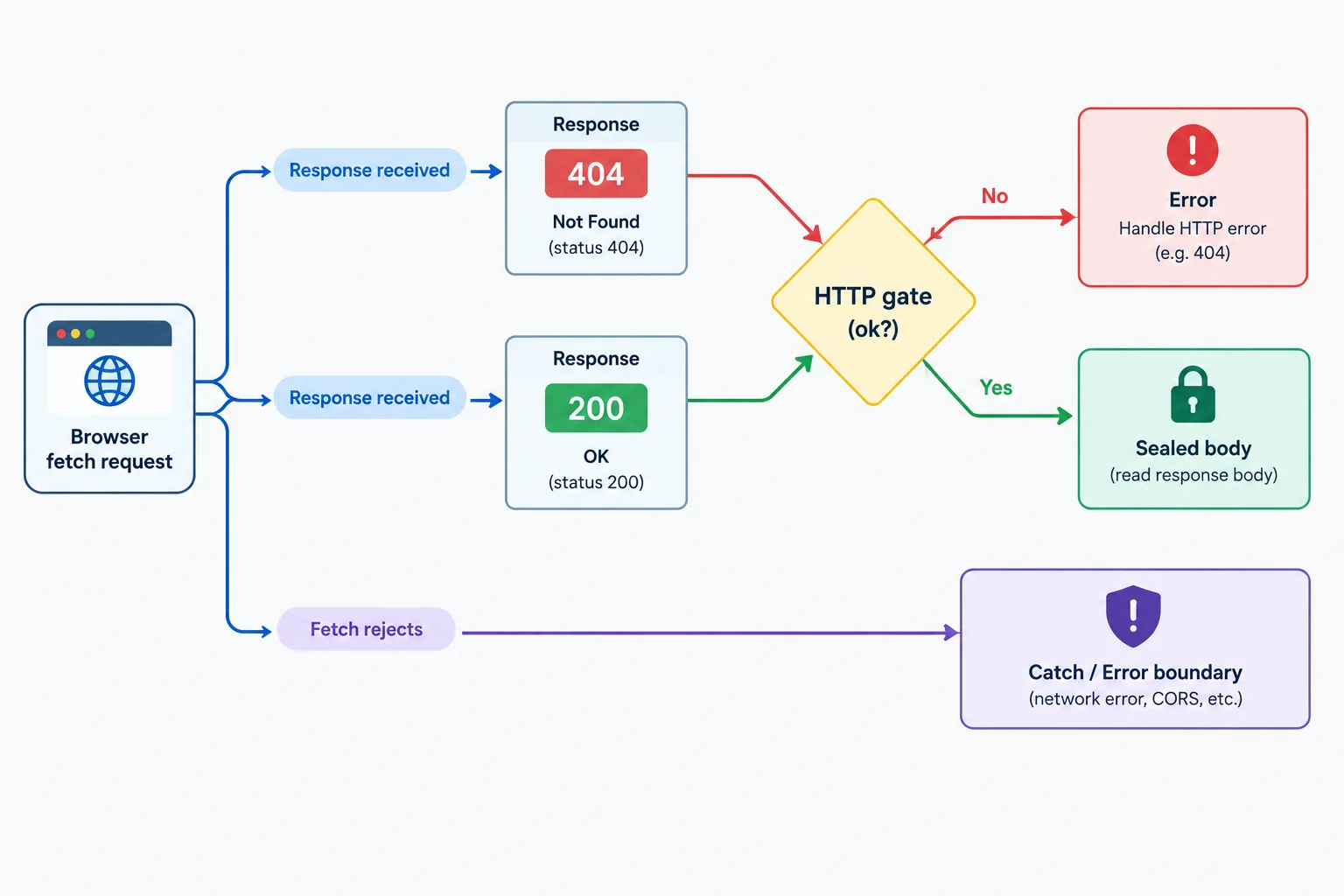
A 404 is a received Response, so the loader can inspect it. A fetch rejection has no readable Response in this flow.
Use status when reporting the result, and use ok for the compact success check. The guard belongs immediately after await fetch(url) and before any body-processing code.
These two outcomes both provide a Response, but only one is allowed past the HTTP gate.
| Observed status | response.ok | fetch result | Action before body use |
|---|---|---|---|
| 200 | true | Fulfills with Response | Continue past the gate |
| 404 | false | Fulfills with Response | Throw HTTP 404 |
This HTTP stage returns only a response that passed the status check. Body decoding belongs after this gate.
async function loadProducts(path, query) {
  const url = new URL(path, window.location.origin);
  url.search = new URLSearchParams(query).toString();

  const response = await fetch(url);

  if (!response.ok) {
    throw new Error(`HTTP ${response.status}`);
  }

  return response;
}Assume fetch() fulfills with a Response whose status is 404. What happens in a loader with an if (!response.ok) guard immediately after await fetch(...)?
Complete the HTTP gate. Assume fetch has fulfilled with a Response whose status is 404; this condition must route that received response to the thrown HTTP error.
async function loadProducts(path, query) {
  const url = new URL(path, window.location.origin);
  url.search = new URLSearchParams(query).toString();

  const response = await fetch(url);

  if () {
    throw new Error(`HTTP ${response.status}`);
  }

  return response;
}
Step 4 of 7
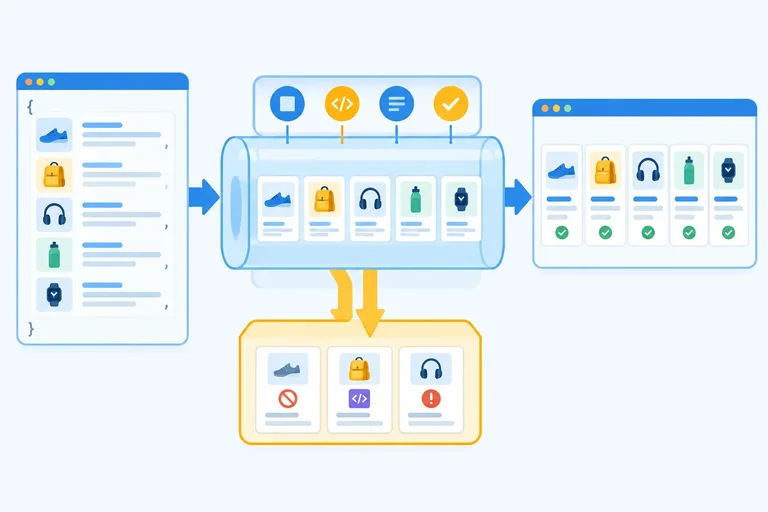
Decode a successful response body once, use headers and the Network panel as diagnostic evidence, and distinguish decoding from HTTP failures.
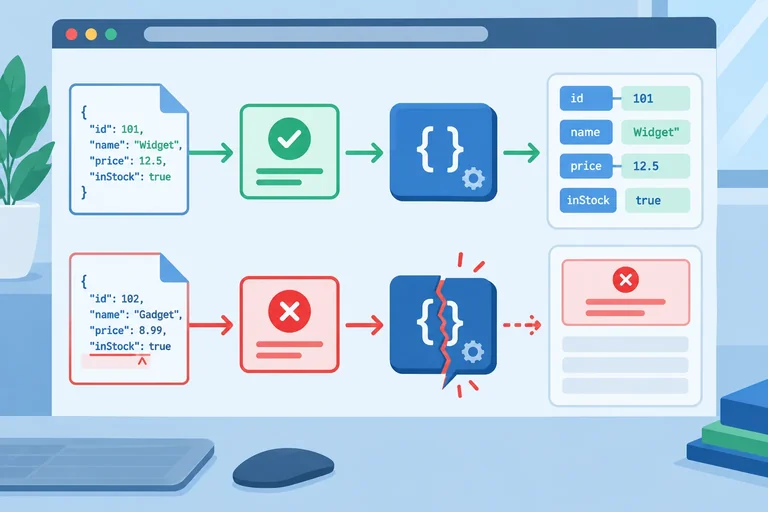
After the HTTP gate passes, decode the body with await response.json(). This asynchronous method reads the response body and parses JSON text into a JavaScript value.
The value is stored in data because it has been decoded but is not yet trusted. Valid JSON syntax does not prove that its records contain the fields your interface needs; that boundary check comes next.
Read the body only after response.ok is true. A received response, a decoded body, and accepted product records are separate stages.
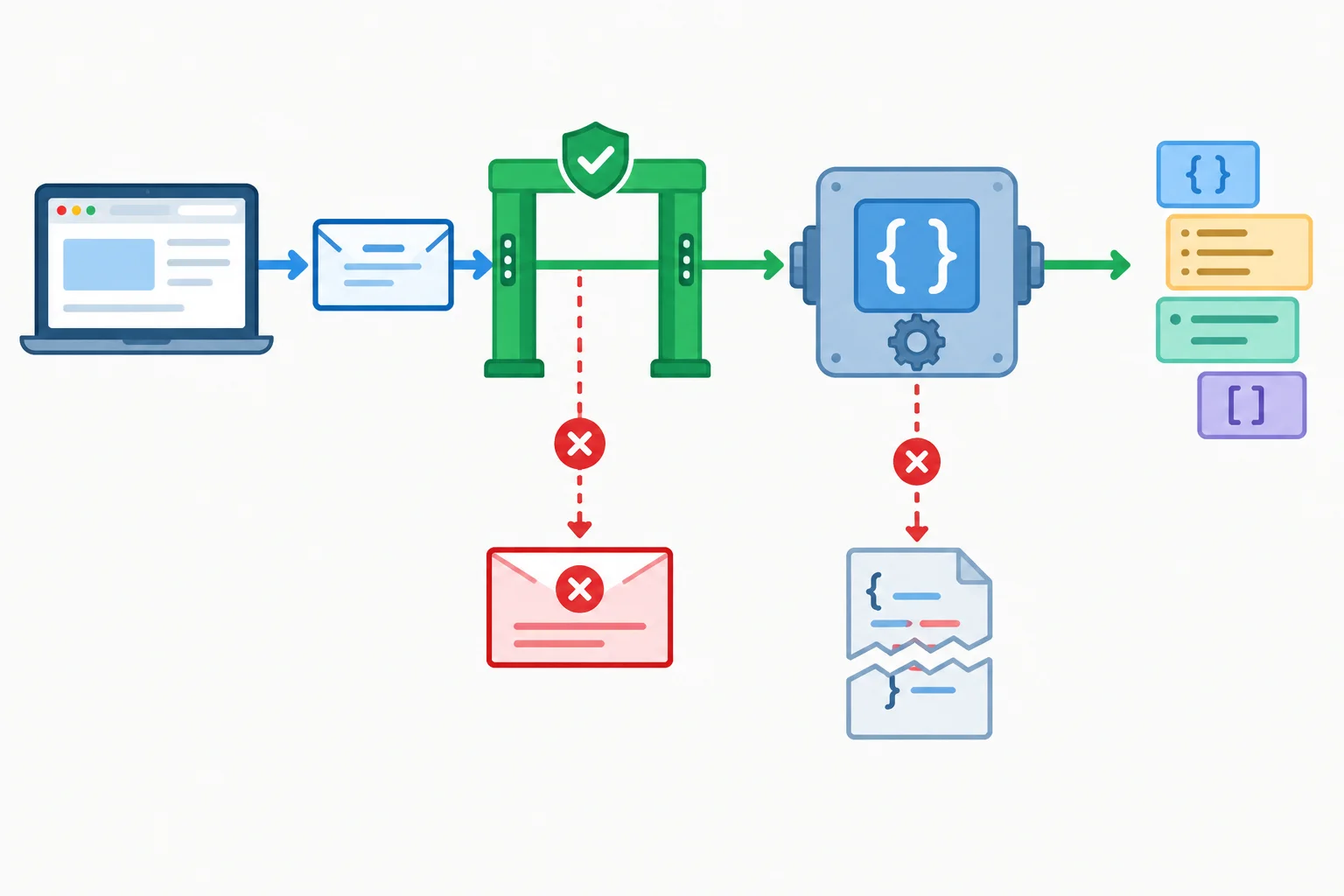
The HTTP check happens before the one-time body read. Parsing produces a JavaScript value, not yet validated product records.
Add this immediately after the established response.ok guard.
const data = await response.json();A response header can provide a useful clue while diagnosing a result:
const contentType = response.headers.get("content-type");For example, a JSON resource commonly reports a value containing application/json, while an HTML document commonly reports text/html. But this is evidence, not proof. A JSON-looking header cannot guarantee valid JSON syntax or the product fields your interface expects.
Likewise, response.json() attempts JSON decoding regardless of the declared content type. If an HTML body arrives where JSON is expected, decoding still fails.
Warning
A response body is a one-time resource. Do not add response.text() to inspect it and then call response.json() on the same response; the second read cannot use the already consumed body.
Instead, open the browser Network panel, select the request, and inspect its Response or Preview body there. This lets you compare the actual body with the decoding error without competing with your application code.
Assume the HTTP guard has already accepted this response. Complete the single method call that asynchronously reads and parses its body.
Complete the body-reading method.
const data = await response.();Match each observed response to its first result in the fetch-and-validate flow.
Tap an item and then its matching pair.
Step 5 of 7
Validate decoded product data at the boundary before other code accesses its fields.
Decoded JSON is still untrusted at the boundary. Before other code reads product fields, require a top-level array. Every record in that array must have:
id: a numbername: a stringinStock: a booleanThis is a structure contract, not a business-rule check. An empty array is valid. Extra fields are valid. inStock: false is valid because false is a boolean value, not a missing value.
If any record has an unexpected structure, reject the whole result instead of filtering, coercing, or partially using it.
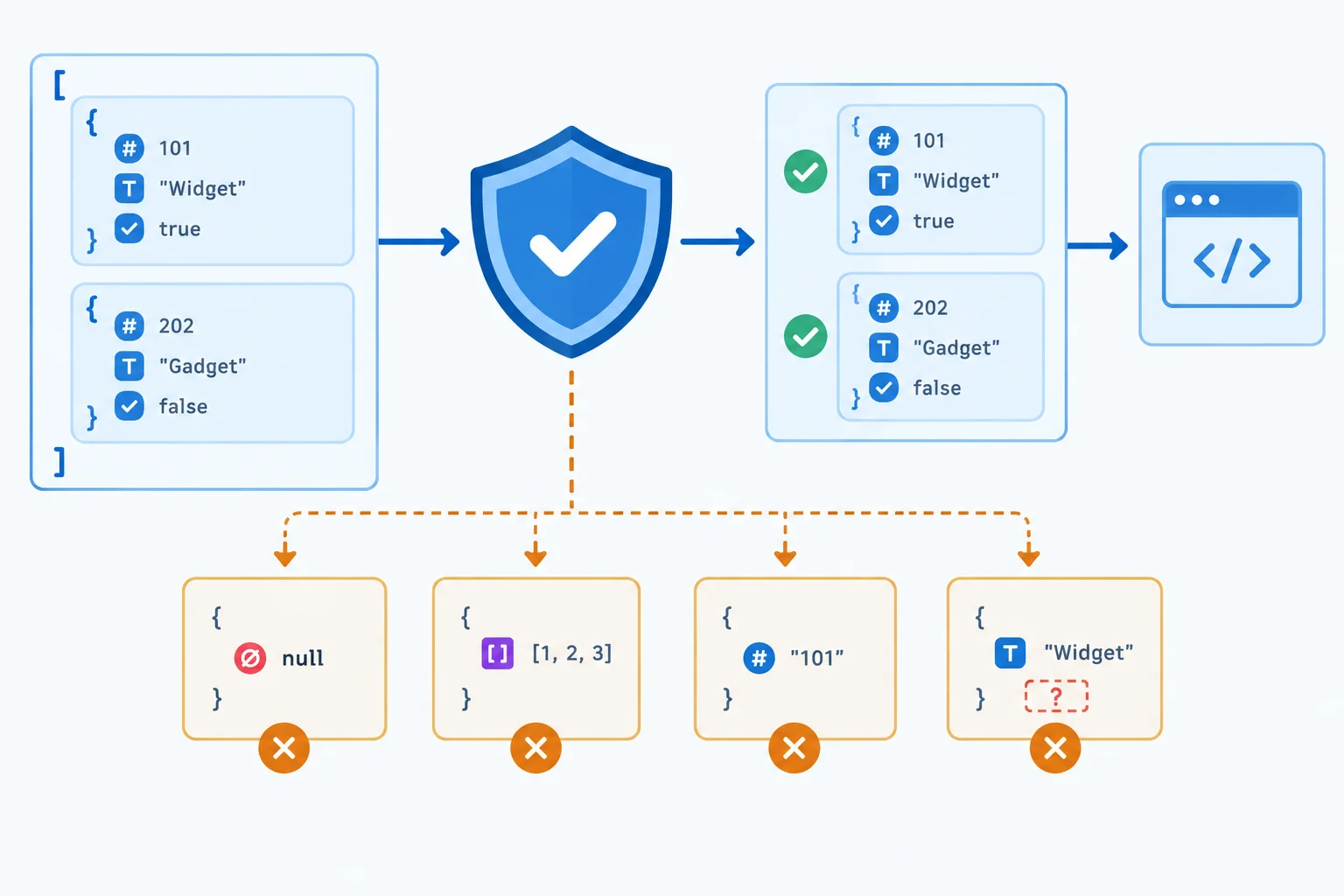
Validate the collection first, then validate every candidate record.
The contract intentionally allows valid values that might otherwise look unusual.
| Input case | Result | Why |
|---|---|---|
| Empty array | Accept | It satisfies the collection contract. |
| inStock is false | Accept | False has the required boolean type. |
| Additional price field | Accept | Extra fields are allowed. |
| id is a string | Reject | id must have number type. |
| Null record | Reject | A record must be a non-null object. |
Use one helper for a candidate record, then apply it to the complete collection. JavaScript stops an && chain as soon as a condition fails. Put the object guards before field reads, so property access happens only for a non-null object that is not an array.
Check Array.isArray(data) before calling data.every(...); a non-array has no applicable collection to validate this way. every returns true for an empty array, which correctly accepts an empty product list.
Add these helpers after decoding the body. Only the returned value has passed the product contract.
function isProduct(record) {
  return (
    typeof record === "object" &&
    record !== null &&
    !Array.isArray(record) &&
    typeof record.id === "number" &&
    typeof record.name === "string" &&
    typeof record.inStock === "boolean"
  );
}

function validateProducts(data) {
  if (!Array.isArray(data) || !data.every(isProduct)) {
    throw new Error("Invalid product data");
  }

  return data;
}

const products = validateProducts(data);
Tip
Do not use truthiness for required fields. For example, if (record.inStock) would reject the valid value false. A typeof check verifies the required kind of value instead. A missing field evaluates as undefined, so it also fails the expected type check.
True or false: Under this product contract, validateProducts([]) should return the empty array rather than throw Invalid product data.
Complete the validator so it accepts only the required product structure. It must reject a non-array collection, null records, arrays used as records, missing fields, and incorrect field types. It must still allow an empty array and a boolean value of false.
Complete all six guards.
function isProduct(record) {
  return (
     &&
     &&
     &&
     &&

  );
}

function validateProducts(data) {
  if (! || !data.every(isProduct)) {
    throw new Error("Invalid product data");
  }

  return data;
}
Step 6 of 7
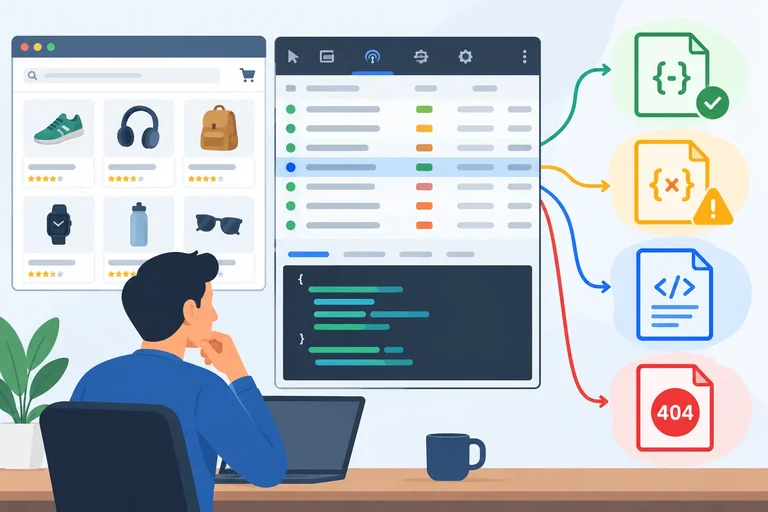
Inspect local fixture requests in the Network panel and use observed status, headers, and body evidence to identify the first response gate that rejects a result.
Open the browser DevTools Network panel before running a request. Reload the page or run the loader, then select the matching resource request. Inspect:
GET.content-type.Use this evidence to identify the first rejected gate. An unsuccessful status is an HTTP failure. A successful response whose body cannot be parsed is a JSON decoding failure. Valid JSON with records that break the product contract is a validation failure. A caught error alone does not tell you which category occurred.
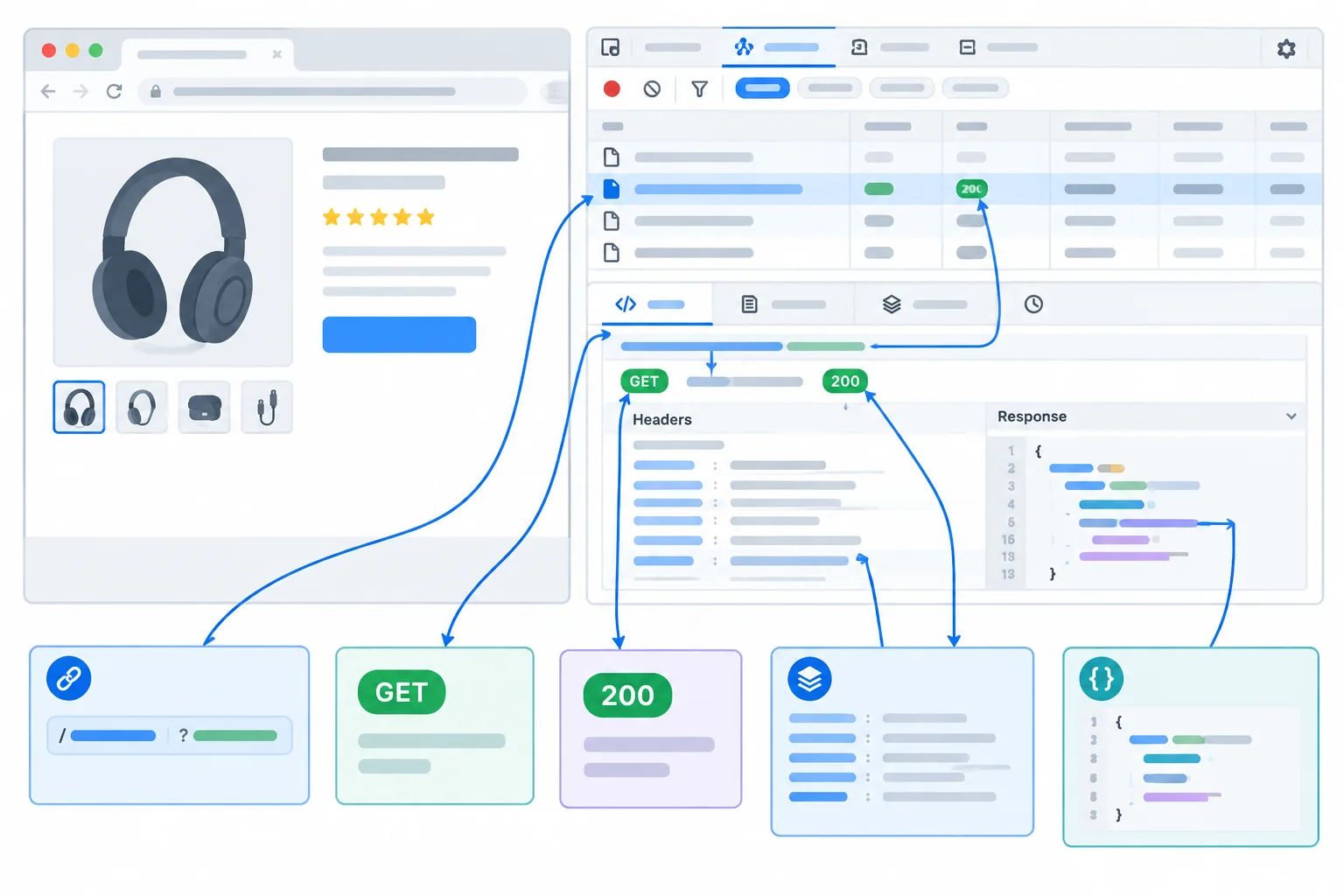
Select the matching request and inspect its URL, method, status, headers, and body as evidence.
Create these three files in public/data/. Their bodies deliberately represent three different diagnostic cases. Do not create /data/missing.json; it remains intentionally absent.
After creating the files, you will use one complete local loader and change only its path value for each request. The filename is not the diagnosis: inspect the returned status, headers, and body in the Network panel.
Create public/data/products-malformed.json.
[
  {"id":1,"name":"Notebook","inStock":true},
  {"id":2,"name":"Pen","inStock":false},
]Create public/data/products-invalid.json.
[
  {"id":"1","name":"Notebook","inStock":true},
  {"id":2,"name":"Pen","inStock":false}
]Create public/data/not-json.html.
<!doctype html>
<html>
  <body>
    <p>Not JSON</p>
  </body>
</html>Replace your root-level main.js with this diagnostic loader. It includes every gate: URL construction, HTTP checking, one JSON read, record validation, and a calling boundary that reports caught failures.
Start with the successful path. Then change only the path value near the bottom to each diagnostic path, reload, and inspect its Network entry. Keep the Network panel open while you do this.
Root-level main.js. Change only the path value between runs.
function isProduct(record) {
  return (
    typeof record === "object" &&
    record !== null &&
    !Array.isArray(record) &&
    typeof record.id === "number" &&
    typeof record.name === "string" &&
    typeof record.inStock === "boolean"
  );
}

function validateProducts(data) {
  if (!Array.isArray(data) || !data.every(isProduct)) {
    throw new Error("Invalid product data");
  }

  return data;
}

async function loadProducts(path, query) {
  const url = new URL(path, window.location.origin);
  url.search = new URLSearchParams(query).toString();

  const response = await fetch(url);
  if (!response.ok) {
    throw new Error(`HTTP ${response.status}`);
  }

  const data = await response.json();
  const products = validateProducts(data);
  return products;
}

async function start() {
  const path = "/data/products.json";

  try {
    const products = await loadProducts(path, {
      q: "notebook & pen",
      limit: "2"
    });
    console.log(products);
  } catch (error) {
    console.error(error.message);
  }
}

start();[
{ id: 1, name: "Notebook", inStock: true },
{ id: 2, name: "Pen", inStock: false }
]Browser consoles format logged arrays and objects differently. The important result is an accepted array containing Notebook and Pen; error wording from JSON decoding can vary by browser.
Tip
Use these values for path, one run at a time:
/data/products-malformed.json/data/products-invalid.json/data/not-json.html/data/missing.jsonFor the missing path, do not predict the result from the name. In a Vite application, an absent path can produce an HTML fallback with a successful status. The observed status determines whether the HTTP gate stops first; an accepted status can allow the HTML body to reach JSON decoding.
Read the body before naming the failure. content-type is useful evidence, but it does not prove JSON syntax or validate record fields. The first rejected gate is the diagnosis; do not describe every later problem that might have occurred.
The last row is a supplied Network reference, not a result you need Vite to produce locally. It ensures you can compare your local observations with an actual unsuccessful HTTP status.
Use observed evidence for the missing path rather than assuming it is a 404.
| Request | Typical Network evidence | First rejected gate | Body clue |
|---|---|---|---|
| /data/products-malformed.json | Successful status; JSON content type | JSON decoding failure | Trailing comma |
| /data/products-invalid.json | Successful status; JSON content type | Validation failure | id is a string |
| /data/not-json.html | Successful status; HTML content type | JSON decoding failure | HTML document |
| /data/missing.json | Observe actual status and body | Depends on evidence | Possible HTML fallback |
| Supplied 404 reference | 404; HTML content type | HTTP failure | Not Found response |
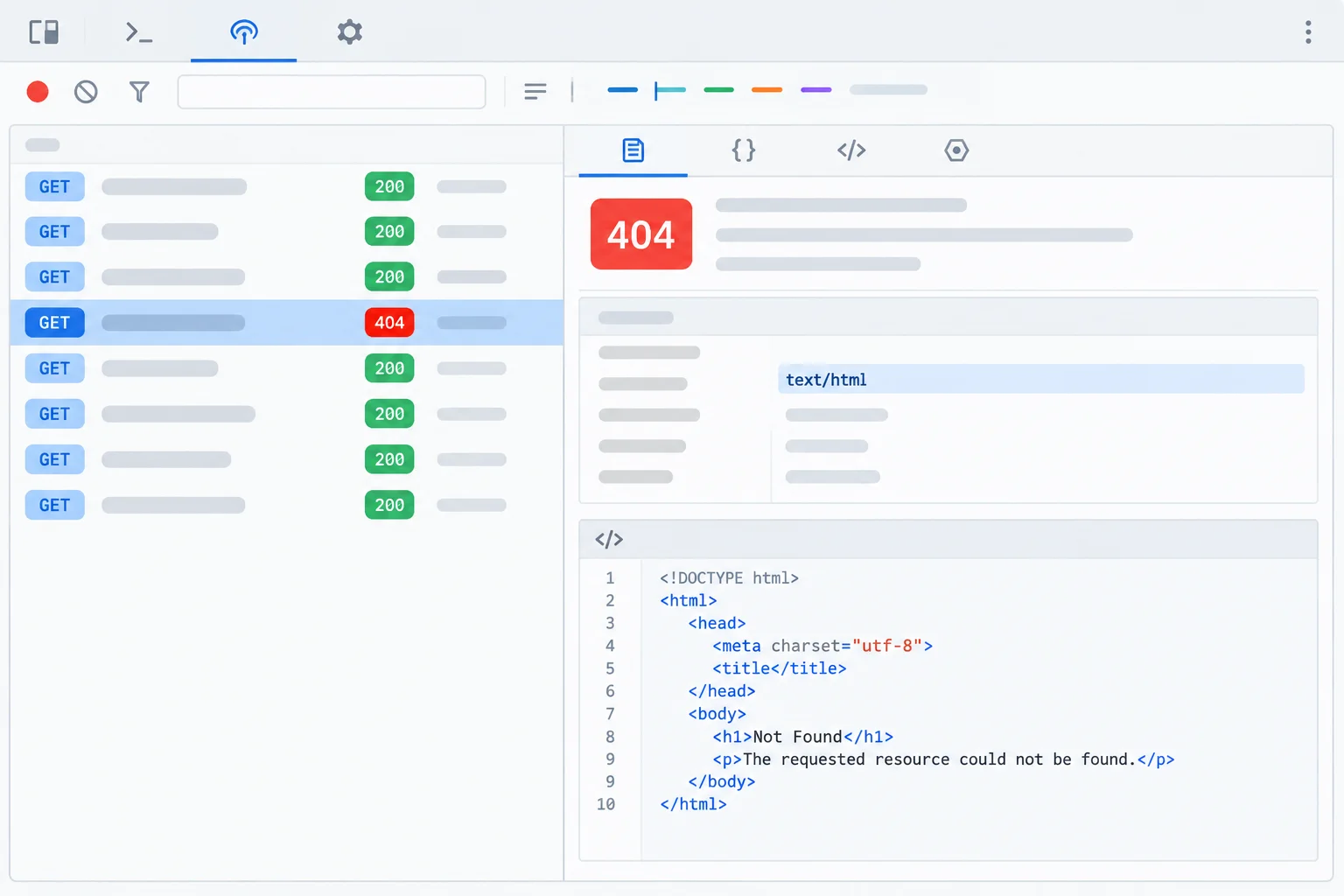
A status of 404 is an HTTP failure. The HTTP gate stops processing before the body needs JSON decoding.
Match each Network evidence pattern to the first failure category.
Tap an item and then its matching pair.
Choose one local failing request you ran: the malformed JSON fixture, invalid-record fixture, HTML fixture, or missing path. From its selected Network entry, classify the evidence by writing four labeled lines:
status: the observed integercontent-type: the observed header value, or nonebody clue: a short observationfirst failure: HTTP failure, JSON decoding failure, or validation failureYour classification must be based on the request evidence, not the filename.
Write at least 70 characters (0/70).

Step 7 of 7
Assemble and verify a local browser JavaScript loader that returns only validated product records.
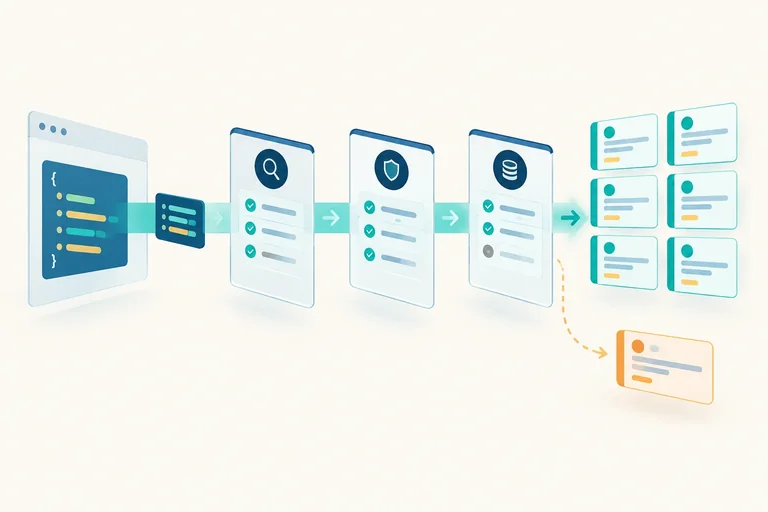
A fulfilled fetch() promise means only that the browser received a Response. Your caller should receive products only after the URL is built, the HTTP result is accepted, the body is decoded once, and the decoded value passes the product contract.
Continue with the local Vite project and fixtures from earlier steps. This loader makes a GET request; it adds no loading UI, retry behavior, or request cancellation. One try/catch at the calling boundary handles every thrown failure.
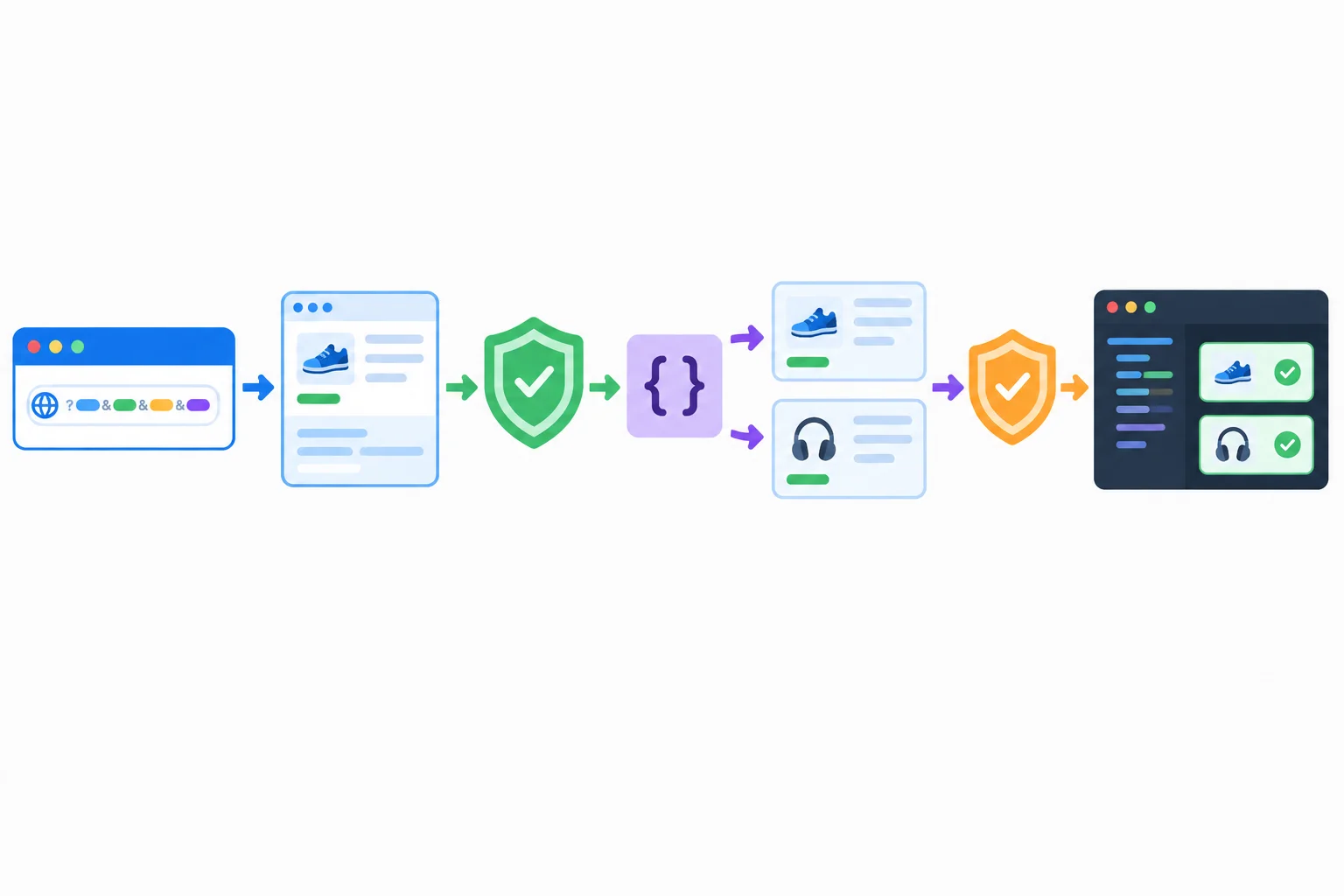
A Response is an intermediate result. The caller receives records only after the validation checkpoint.
Tip
Keep the Network panel open alongside the console while you run the cases. The request URL can contain the encoded search string, but Vite serves the same static fixture regardless of these example query values.
Replace the contents of root-level main.js with this complete loader. Your existing index.html continues to load /main.js. The successful run requests /data/products.json, then logs both the accepted records and their names at the calling boundary.
function isProduct(record) {
  return (
    typeof record === "object" &&
    record !== null &&
    !Array.isArray(record) &&
    typeof record.id === "number" &&
    typeof record.name === "string" &&
    typeof record.inStock === "boolean"
  );
}

function validateProducts(data) {
  if (!Array.isArray(data) || !data.every(isProduct)) {
    throw new Error("Invalid product data");
  }

  return data;
}

async function loadProducts(path, query) {
  const url = new URL(path, window.location.origin);
  url.search = new URLSearchParams(query).toString();

  const response = await fetch(url);
  if (!response.ok) {
    throw new Error(`HTTP ${response.status}`);
  }

  const data = await response.json();
  const products = validateProducts(data);
  return products;
}

async function start() {
  const path = "/data/products.json";

  try {
    const products = await loadProducts(path, {
      q: "notebook & pen",
      limit: "2"
    });
    console.log(products);
    console.log(products.map((product) => product.name));
  } catch (error) {
    console.error(error.message);
  }
}

start();[
{ id: 1, name: "Notebook", inStock: true },
{ id: 2, name: "Pen", inStock: false }
]
["Notebook", "Pen"]Browser developer tools may format logged objects differently. The important result is an accepted array of two records, followed by the two product names.
Change only the path value in start(), reload with the Network panel open, and inspect the matching request. Diagnose from its observed status and body—not from the filename.
| Request case | Network evidence | First failure | Console result |
|---|---|---|---|
| `/data/products.json` | 200; valid product array | No failure | Accepted products and names |
| `/data/products-malformed.json` | 200; trailing comma in body | JSON decoding failure | Native JSON error |
| `/data/products-invalid.json` | 200; id is a string | validation failure | Invalid product data |
| `/data/not-json.html` | 200; HTML document body | JSON decoding failure | Native JSON error |
| Supplied 404 example | 404 status | HTTP failure | HTTP 404 |
Summary
Follow this checklist on every run. Receiving a response, parsing its body, and accepting its records are distinct outcomes. For a missing path under Vite, use observed Network panel evidence rather than assuming the result is a 404.
Complete the four expressions so an unsuccessful HTTP result stops before decoding and only validated data is returned.
async function loadProducts(path, query) {
  const url = new URL(path, window.location.origin);
  url.search = new URLSearchParams(query).toString();

  const response = await fetch(url);
  if (!) {
    throw new Error(`HTTP ${response.}`);
  }

  const data = await response.();
  const products = (data);
  return products;
}Put the stages of one loader run in execution order.
Using the completed loader, run /data/products.json, then replace only its path with /data/products-malformed.json, /data/products-invalid.json, and /data/not-json.html.
Submit one concise report that includes:
Classify failures as HTTP failure, JSON decoding failure, or validation failure.
Write at least 180 characters (0/180).
Congratulations! You completed: Fetch and Validate JSON Responses
Thousands of online courses in video, ebooks and audiobooks.
To test your knowledge during online courses
Generated directly from your cell phone's photo gallery and sent to your email

Download our app via QR Code or the links below:.



Carry knowledge in your pocket.
Download the Cursa app.
There are hundreds of free courses available, with a free certificate of completion that is saved in your mobile image gallery.
Download the app to access the Course Completion Certificate for Free.


+ 10 million
students

Free and Valid
Certificate

60 thousand free
exercises

4.8/5 rating in
app stores

Free courses in
video and ebooks