Step 1 of 9
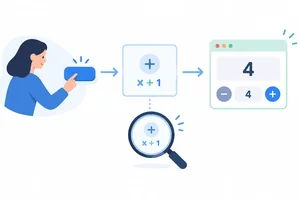
Connect a Button to Local State
Wire a button callback to inferred numeric state and explain which component instance changes.

Learning path · Level 9 · Tutorial 4
Make components respond to user events with typed local state, predictable queued updates, and immutable changes, using lint diagnostics to catch invalid Hook placement.
 Connect a Button to Local State
Wire a button callback to inferred numeric state and explain which component instance changes. 3 min
Connect a Button to Local State
Wire a button callback to inferred numeric state and explain which component instance changes. 3 min
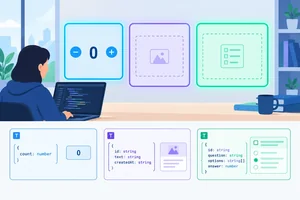 Declare the State Values You Allow
Select inferred or explicit state types that support intended updates without allowing invalid values. 2 min
Declare the State Values You Allow
Select inferred or explicit state types that support intended updates without allowing invalid values. 2 min
 Fix Invalid Hook Placement
Correct an ESLint-reported Hook placement issue by keeping useState at the component top level and verifying the repair locally. 2 min
Fix Invalid Hook Placement
Correct an ESLint-reported Hook placement issue by keeping useState at the component top level and verifying the repair locally. 2 min
 Read State as a Render Snapshot
Understand why a state setter requests a future render instead of changing the value already captured by a running event handler. 2 min
Read State as a Render Snapshot
Understand why a state setter requests a future render instead of changing the value already captured by a running event handler. 2 min
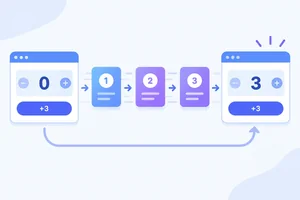 Apply Queued Updates Predictably
Choose functional updaters for cumulative changes, process queued replacements and updaters in order, and predict the rendered count after one event handler. 3 min
Apply Queued Updates Predictably
Choose functional updaters for cumulative changes, process queued replacements and updaters in order, and predict the rendered count after one event handler. 3 min
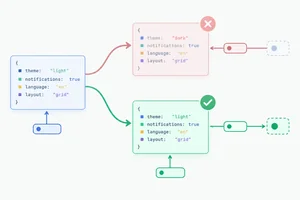 Replace Object State Without Losing Fields
Update object state immutably by returning a complete replacement that preserves unaffected fields. 2 min
Replace Object State Without Losing Fields
Update object state immutably by returning a complete replacement that preserves unaffected fields. 2 min
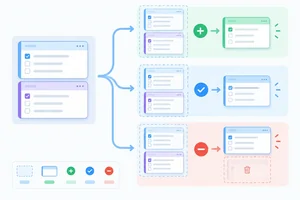 Add, Change, and Remove Array Records
Update a typed drill collection by appending, replacing, and removing records without mutation. 2 min
Add, Change, and Remove Array Records
Update a typed drill collection by appending, replacing, and removing records without mutation. 2 min
 Keep Rendering and Updaters Pure
Separate event-handler side effects from pure state calculations and rendering, including development Strict Mode checks. 2 min
Keep Rendering and Updaters Pure
Separate event-handler side effects from pure state calculations and rendering, including development Strict Mode checks. 2 min
 Repair and Verify the Practice Tracker
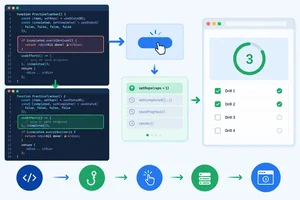
Complete, repair, and locally verify the PracticeTracker using typed state, functional updaters, immutable replacements, and lint-guided Hook placement. 4 min
Repair and Verify the Practice Tracker
Complete, repair, and locally verify the PracticeTracker using typed state, functional updaters, immutable replacements, and lint-guided Hook placement. 4 min
Step 1 of 9
Wire a button callback to inferred numeric state and explain which component instance changes.
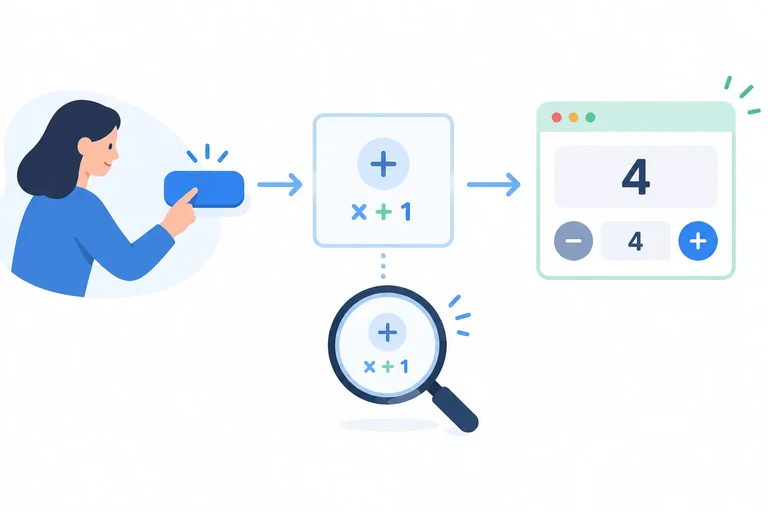
useState gives each mounted component instance its own local memory. The returned pair contains the current value and a setter that requests a changed value for a later render.
In PracticeTracker, useState(0) lets TypeScript infer that repetitions is a number and that setRepetitions accepts number values. If a page renders two <PracticeTracker /> instances, they do not share a count: each instance owns its own repetitions value.
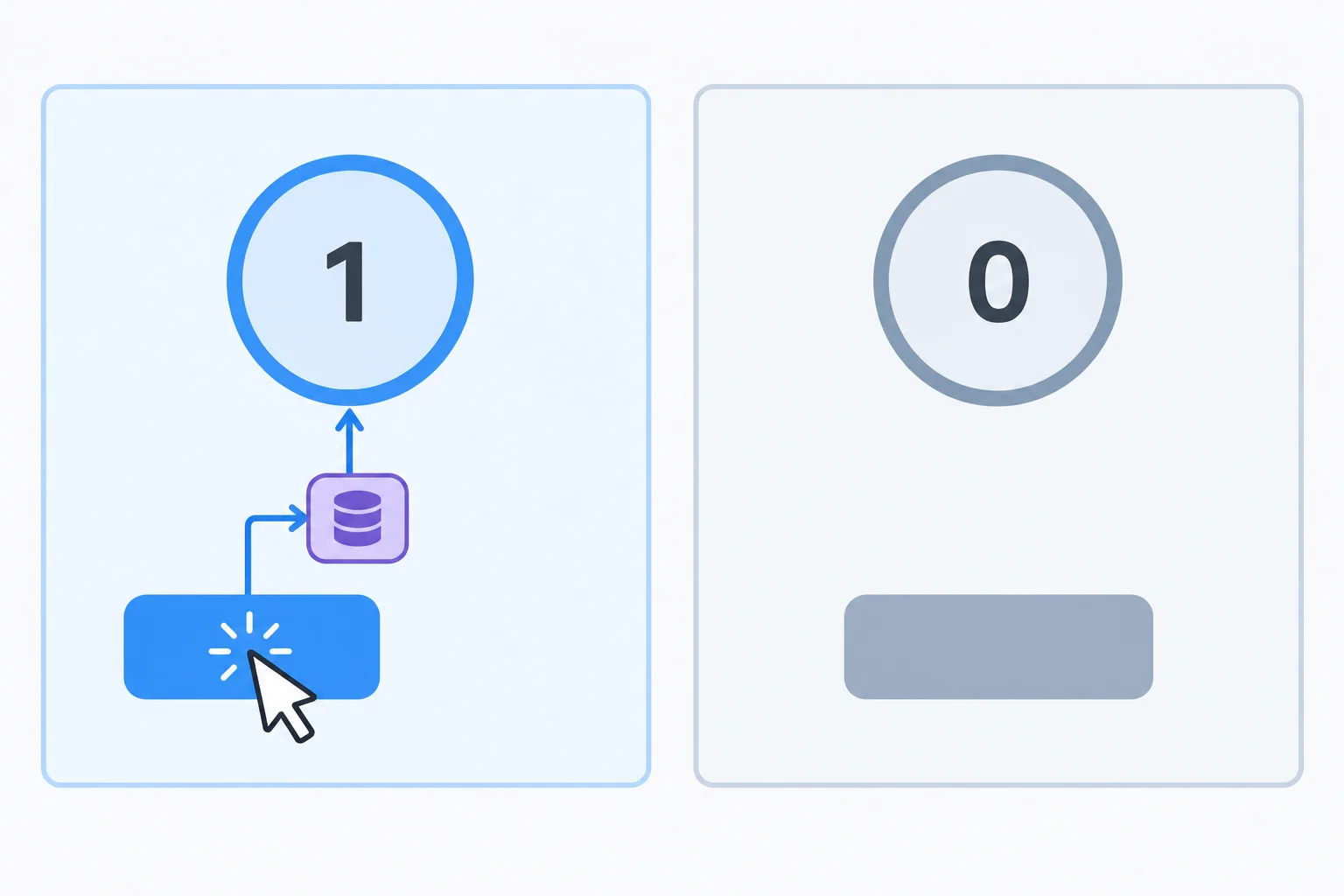
The clicked button's event handler requests an update for the component instance that owns that button.
Replace the contents of src/App.tsx with this example. Keep the existing StrictMode setup in src/main.tsx. A named event handler and an inline arrow callback can both request state updates from native buttons.
import { useState } from 'react';

function PracticeTracker() {
  const [repetitions, setRepetitions] = useState(0);

  function handleAddOne() {
    setRepetitions(repetitions + 1);
  }

  return (
    <section>
      <p>Repetitions: {repetitions}</p>
      <button type="button" onClick={handleAddOne}>
        Add 1
      </button>
      <button
        type="button"
        onClick={() => setRepetitions(repetitions + 3)}
      >
        Add 3
      </button>
    </section>
  );
}

export default function App() {
  return <PracticeTracker />;
}Initial interface: Repetitions: 0 [Add 1] [Add 3] After clicking Add 1 from the initial interface: Repetitions: 1 After clicking Add 3 from the initial interface: Repetitions: 3 After clicking Add 1 and then Add 3: Repetitions: 4
The count shown after a click depends on the count from which that click starts. The examples below show each action from the initial count, plus the result of clicking them in sequence.
Tip
Use onClick={handleAddOne}, not onClick={handleAddOne()}. The first passes an event handler callback for React to call later when a click occurs. The second invokes the function immediately while React is rendering, so it does not register the intended click callback.
Which button correctly registers handleAddOne to run when the user clicks it?
Write the missing state declaration and the complete handleAddOne function for this component. Then write the button's onClick expression and state which tracker changes if an app renders two <PracticeTracker /> instances and the user presses Add 1 in the second one.
function PracticeTracker() {
  // Write the inferred numeric state pair here.

  // Write handleAddOne here.

  return (
    <button type="button" onClick={/* write the expression */}>
      Add 1
    </button>
  );
}Write at least 80 characters (0/80).
Step 2 of 9
Select inferred or explicit state types that support intended updates without allowing invalid values.
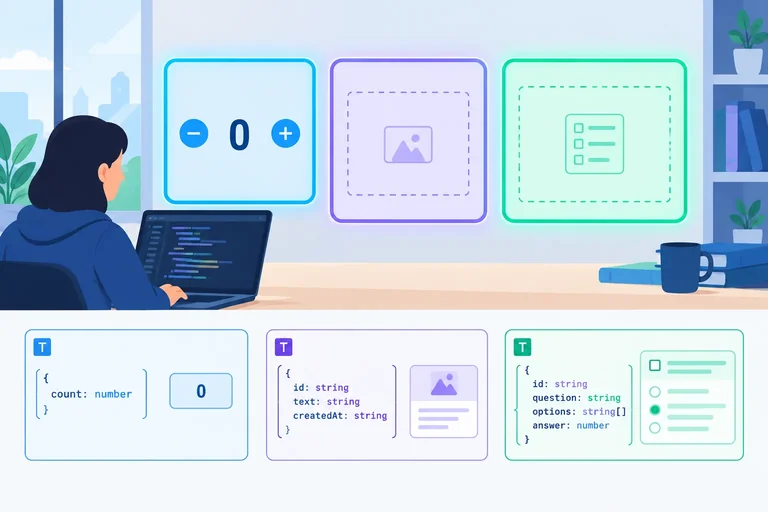
A primitive initial value can describe its own state type: useState(0) gives repetitions the type number. When an initial value intentionally does not show every future possibility, provide a type argument to useState.
For example, null does not reveal that a message may later be a string, and [] does not reveal which record type belongs in the array. Describe all permitted values instead of using any or an unsafe assertion.
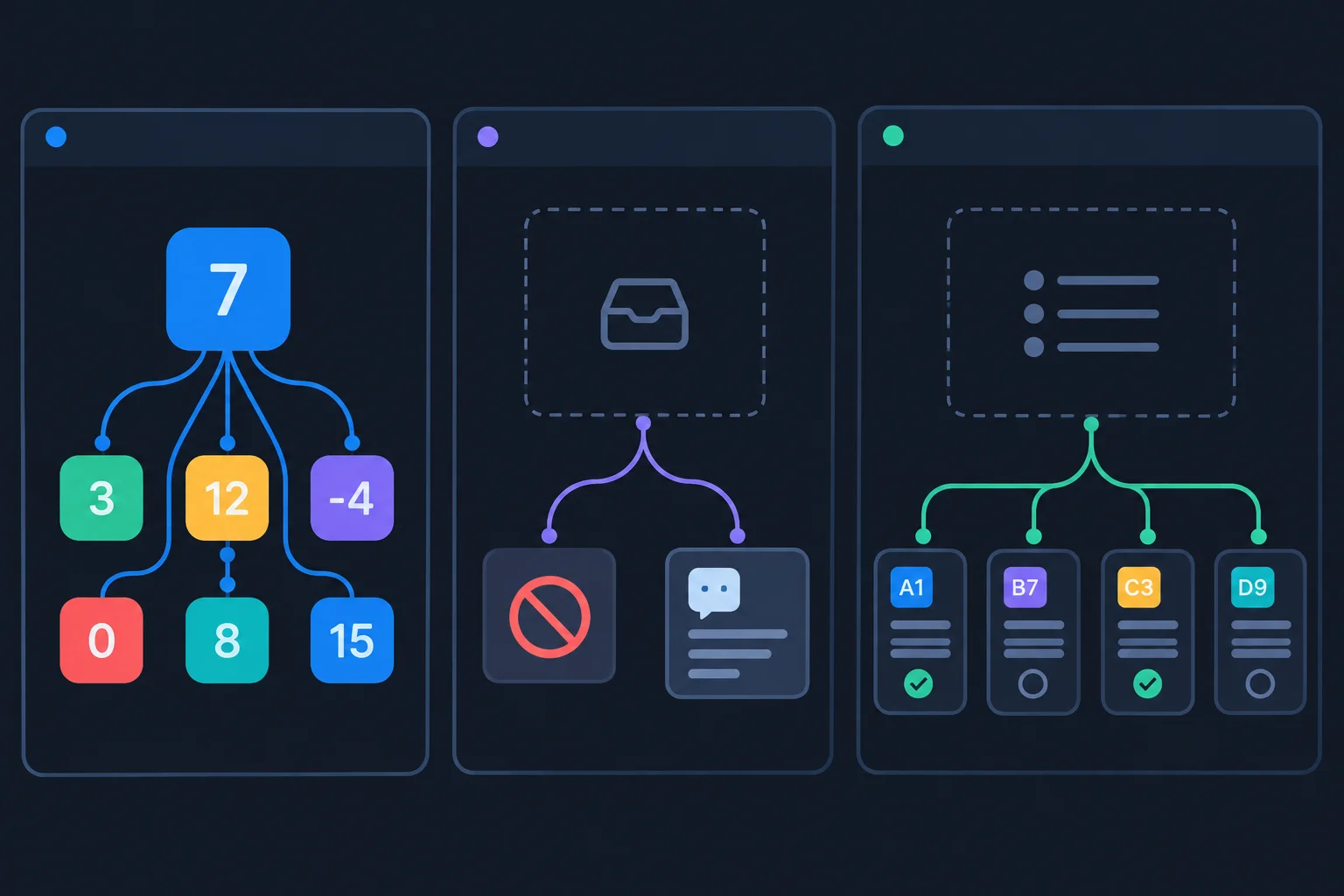
An initial value can be narrower than the complete set of values that state must support.
Use a literal union to limit state to supported strings. Include null when a value is absent at first but may later be a string. For an initially empty array, provide the array element type.
The setter accepts only values compatible with the declared state type. These isolated typing examples illustrate allowed values; they are not required features of the final tracker.
number is not an integer-only TypeScript type. The tracker’s event handlers maintain whole-number counts by the values they calculate, but TypeScript's number type itself also permits fractional values, NaN, and infinities.
| State | Initial value | Declaration | Permitted type |
|---|---|---|---|
| repetitions | 0 | useState(0) | number |
| mode | 'practice' | useState<Mode>('practice') | 'practice' or 'review' |
| lastMessage | null | useState<string | null>(null) | string or null |
| drills | [] | useState<Drill[]>([]) | array of Drill records |
These declarations belong inside a component. Reusable type aliases can remain outside it.
import { useState } from 'react';

type Mode = 'practice' | 'review';
type Drill = { id: string; label: string; done: boolean };

function PracticeTracker() {
  const [mode, setMode] = useState<Mode>('practice');
  const [lastMessage, setLastMessage] = useState<string | null>(null);
  const [drills, setDrills] = useState<Drill[]>([]);

  return null;
}Match each proposed setter call to the state type that accepts its replacement value.
Tap an item and then its matching pair.
Complete the union, nullable, and empty-array declarations. Then complete the state type matched by each proposed update.
import { useState } from 'react';

type Drill = { id: string; label: string; done: boolean };
type Mode = ;

function PracticeTracker() {
  const [mode, setMode] = useState<Mode>('practice');
  const [lastMessage, setLastMessage] = useState<>(null);
  const [drills, setDrills] = useState<>([]);

  // Match each proposed update to its accepting state type:
  // setMode('review') ->
  // setLastMessage('Saved') ->
  // setDrills([]) ->

  return null;
}
Step 3 of 9
Correct an ESLint-reported Hook placement issue by keeping useState at the component top level and verifying the repair locally.
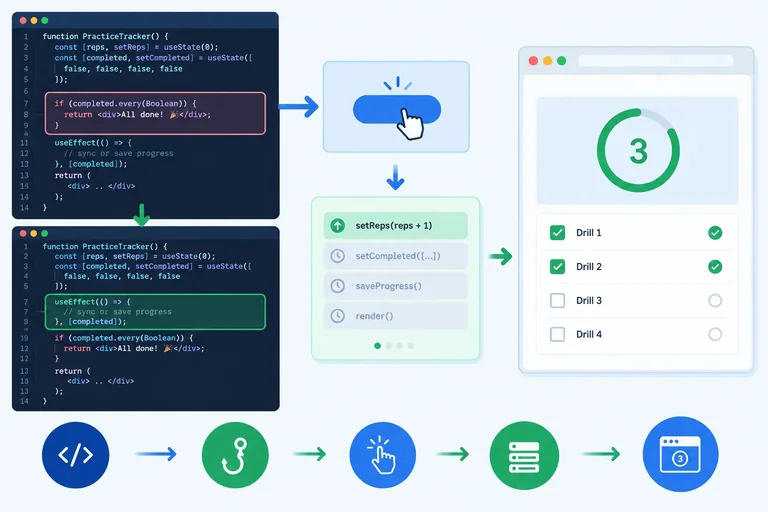
A Hook must run in the same order every time its component renders. Call useState at the top level of PracticeTracker, before any conditional return.
If an early return comes first, one render can reach the Hook while another returns before it. React then cannot reliably associate that Hook call with its stored state.
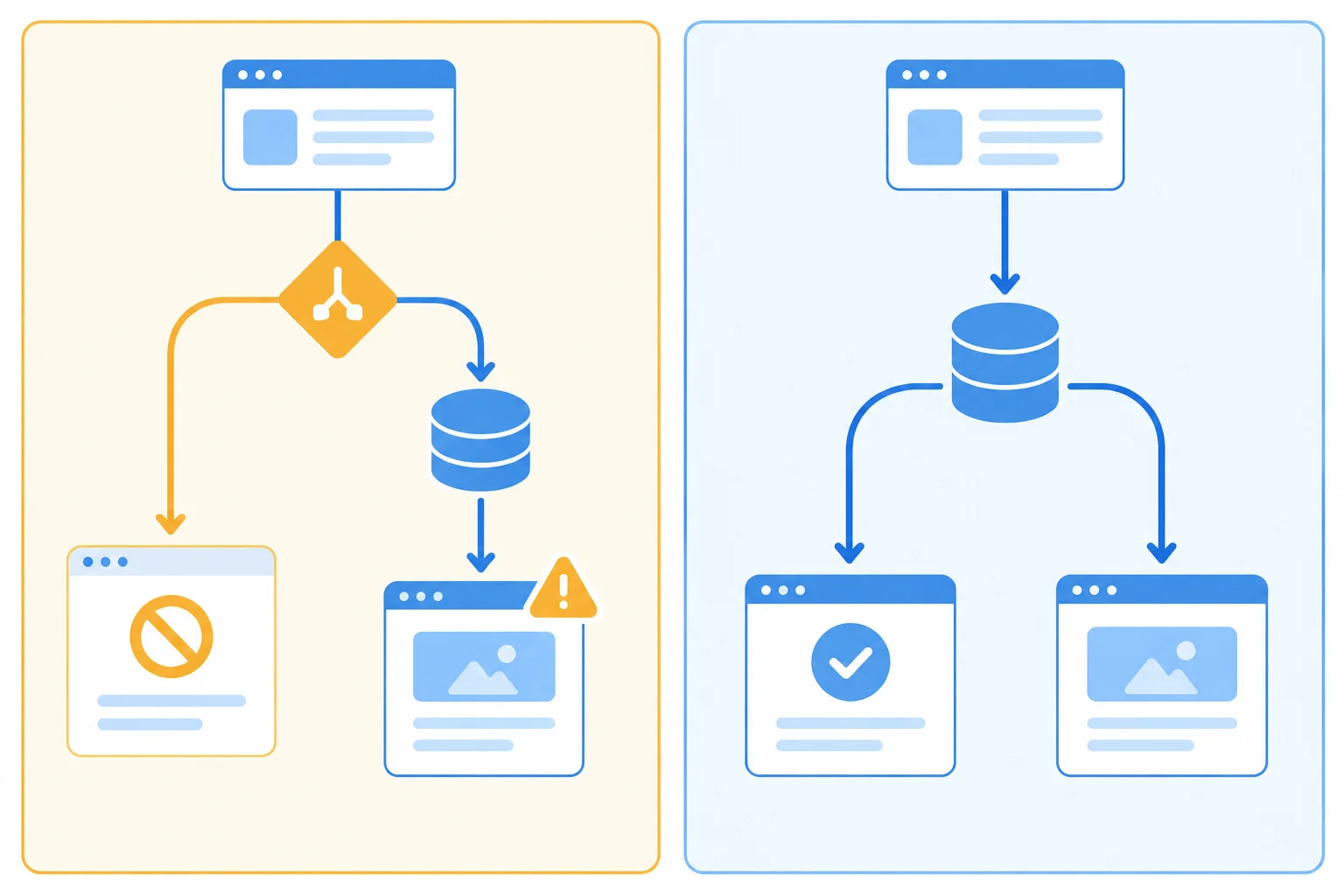
The safe outline calls the Hook first, then decides which interface output to return.
Warning
Do not call Hooks inside conditions, loops, nested callbacks, or event handlers. An event handler can call a setter that was created by a top-level Hook call, but it must not declare another Hook.
Temporarily replace the contents of src/App.tsx with this complete broken example. It still renders because shouldRenderTracker is currently true, but the Hook is below an early return. Save the file, then run the lint command before making a repair.
Broken src/App.tsx
import { useState } from 'react';

const shouldRenderTracker = true;

function PracticeTracker() {
  if (!shouldRenderTracker) {
    return null;
  }

  const [repetitions, setRepetitions] = useState(0);

  function handleAddOne() {
    setRepetitions(repetitions + 1);
  }

  return (
    <section>
      <p>Repetitions: {repetitions}</p>
      <button type="button" onClick={handleAddOne}>
        Add 1
      </button>
    </section>
  );
}

export default function App() {
  return <PracticeTracker />;
}Run lint before changing the file. Read the source location, the message, and the exact rule name.
npm run lint> eslint . src/App.tsx 10:41 error React Hook "useState" is called conditionally. React Hooks must be called in the exact same order in every component render. Did you accidentally call a React Hook after an early return? react-hooks/rules-of-hooks ✖ 1 problem (1 error, 0 warnings)
The npm script heading can vary by project. For the code shown, the important details are location `10:41`, the conditional Hook message, and `react-hooks/rules-of-hooks`.
Complete the missing top-level declaration before the conditional return.
function PracticeTracker() {


  if (!shouldRenderTracker) {
    return null;
  }

  function handleAddOne() {
    setRepetitions(repetitions + 1);
  }

  return <button type="button" onClick={handleAddOne}>Add 1</button>;
}Make the same move in your saved src/App.tsx: cut the existing state declaration and paste it immediately inside PracticeTracker, before the if statement. Keep the conditional output and keep react-hooks/rules-of-hooks enabled. Save, then verify the repair.
npm run lint> eslint .
The npm heading can differ by project. A successful lint run finishes with no ESLint diagnostic after the script command.
Use this short component to demonstrate the complete lint–repair–lint workflow. Identify the invalid Hook call, write the corrected opening of the component with the declaration in its valid position, and list the three local actions in order: initial lint, source repair, and verification lint.
function PracticeTracker() {
  if (!shouldRenderTracker) {
    return null;
  }

  const [repetitions, setRepetitions] = useState(0);

  return <p>Repetitions: {repetitions}</p>;
}Write at least 180 characters (0/180).

Step 4 of 9
Understand why a state setter requests a future render instead of changing the value already captured by a running event handler.
A state value is a state snapshot: the value available to one particular render of a component. The event handlers created during that render read that same snapshot.
When an event handler calls a setter, React receives a request for a new value. It does not rewrite the repetitions variable that the currently running handler captured. After the handler finishes, React can render again with the requested value.
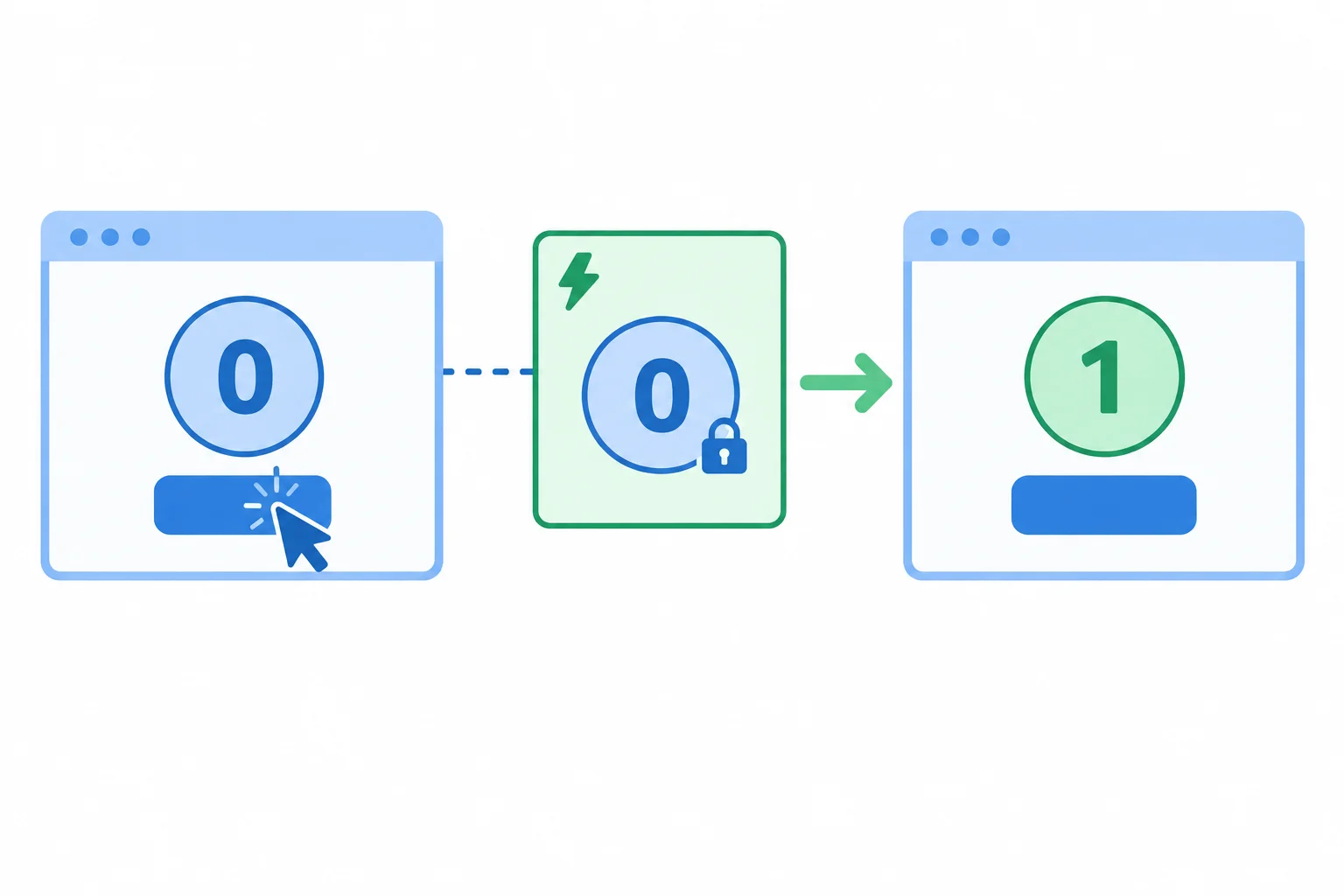
The handler reads the current render's snapshot. The requested value appears in the interface produced by the next render.
Tip
Think of the setter as sending a request to React, not as assigning to a local variable. A later render creates new handlers that close over the new state snapshot.
Trace this first click when the displayed count starts at 0. Both console messages run inside the same event handler, so both read the snapshot captured by that handler. Only the interface from the subsequent render displays the requested count.
Study this component and its first click.
import { useState } from 'react';

export function PracticeTracker() {
  const [repetitions, setRepetitions] = useState(0);

  function handleAddOne() {
    console.log('Before request:', repetitions);
    setRepetitions(repetitions + 1);
    console.log('After request:', repetitions);
  }

  return (
    <section>
      <p>Repetitions: {repetitions}</p>
      <button type="button" onClick={handleAddOne}>
        Add 1
      </button>
    </section>
  );
}
Tip
The expression repetitions + 1 is calculated from the current snapshot. Calling setRepetitions requests that calculated value for a later render; it does not alter either console read in the handler already running.
Complete the sentence: Each event handler reads the state __ from the render that created it.
The interface currently displays Repetitions: 4. The user clicks Add 1, which runs this handler:
function handleAddOne() {
  const before = repetitions;
  setRepetitions(repetitions + 1);
  const after = repetitions;
}
State the values of before, after, and the count displayed after React renders again. Then explain why the two variables inside the handler have their values.
Write at least 70 characters (0/70).
Step 5 of 9
Choose functional updaters for cumulative changes, process queued replacements and updaters in order, and predict the rendered count after one event handler.
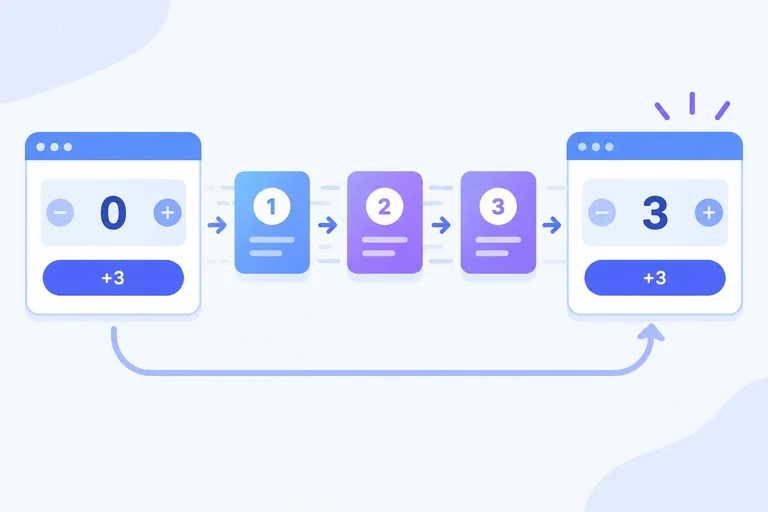
React queues state updates requested during one event handler. It normally waits until that handler finishes before rendering the interface again.
A handler reads one state snapshot. If repetitions is 0, each repetitions + 1 expression below is calculated from that same snapshot. Each call therefore requests the same replacement value, rather than building on the prior call.
Three calls, but each expression reads the same repetitions value from this render.
function handleAddThree() {
  setRepetitions(repetitions + 1);
  setRepetitions(repetitions + 1);
  setRepetitions(repetitions + 1);
}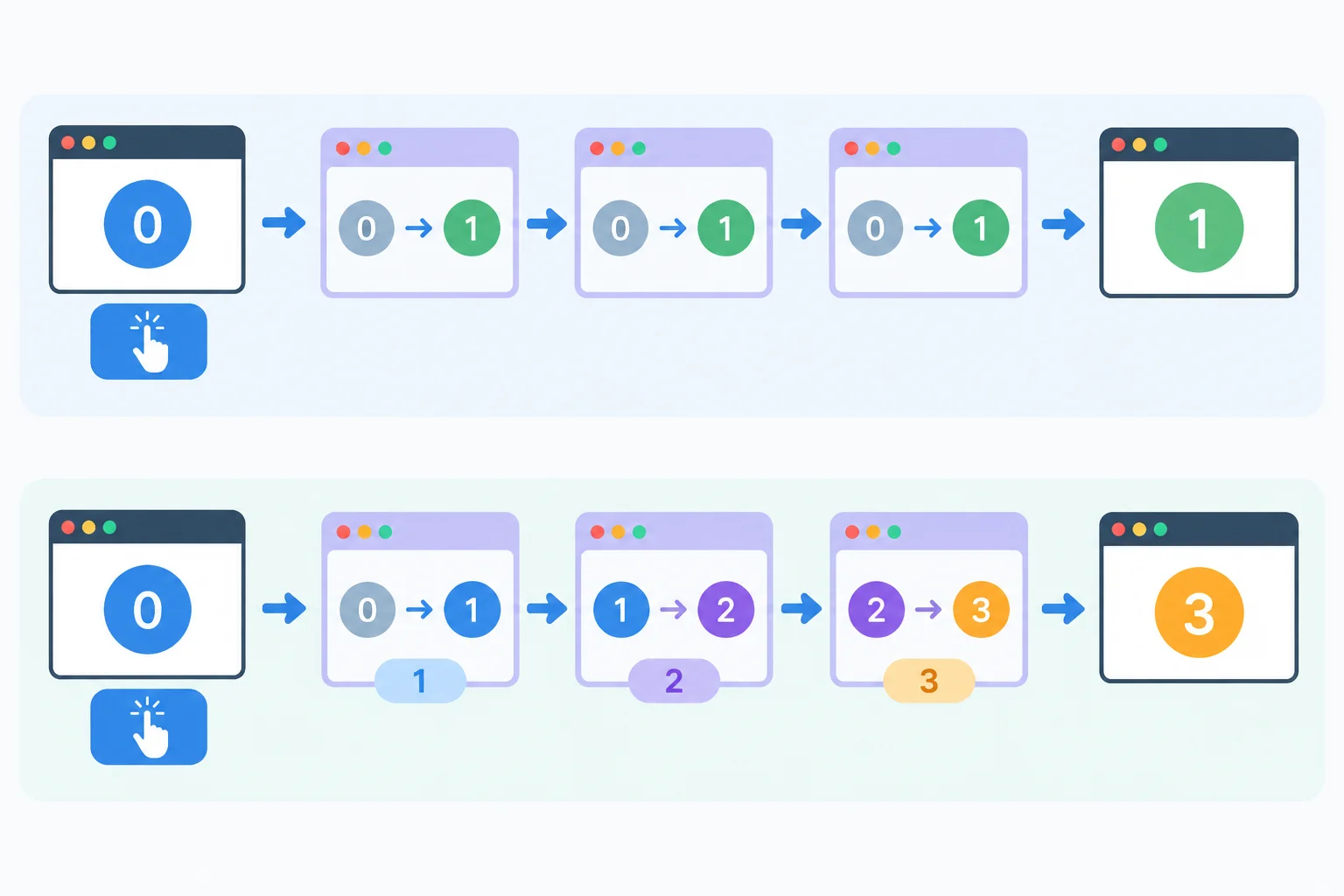
Snapshot-based expressions can request the same replacement value. Functional updaters receive the pending value created by earlier queue entries.
Use a functional updater when the next value is calculated from the previous or pending value. React processes each updater in call order, passing it the value produced by the preceding queued entry.
A direct replacement value is still useful when you deliberately want a fixed value. In a mixed queue, process both kinds of entry in their written order.
Each functional updater receives the pending value, not the original handler snapshot.
function handleAddThree() {
  setRepetitions(previous => previous + 1);
  setRepetitions(previous => previous + 1);
  setRepetitions(previous => previous + 1);
}Starting from repetitions = 0, this queue mixes deliberate replacement values with functional updaters.
| Queued entry | Pending value afterward |
|---|---|
| setRepetitions(10) | 10 |
| previous => previous - 2 | 8 |
| setRepetitions(4) | 4 |
| previous => previous + 1 | 5 |
Complete handleAddThree using three functional updater calls. Each call must add one.
function handleAddThree() {

}Starting from repetitions = 0, evaluate these three separate handlers:
A calls setRepetitions(repetitions + 1) three times.
B calls setRepetitions(previous => previous + 1) three times.
C queues these entries in order:
setRepetitions(5);
setRepetitions(previous => previous + 1);
setRepetitions(2);
setRepetitions(previous => previous * 3);
Report the final count for A, B, and C. Then write a handleAddThree function that queues three functional increments.
Write at least 80 characters (0/80).
Step 6 of 9
Update object state immutably by returning a complete replacement that preserves unaffected fields.
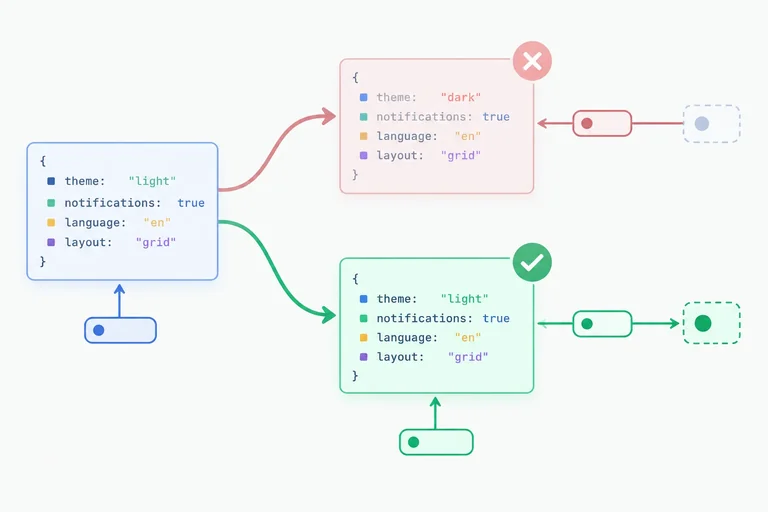
An object in state is a single value. Treat preferences as read-only during rendering and in event handlers. When you call setPreferences, React stores the replacement object you provide; it does not merge missing fields from the previous object.
To change showTips while retaining dailyGoal, create a new object. Because the next value is calculated from the current object, use a functional updater. It receives the pending previous state and returns the replacement.
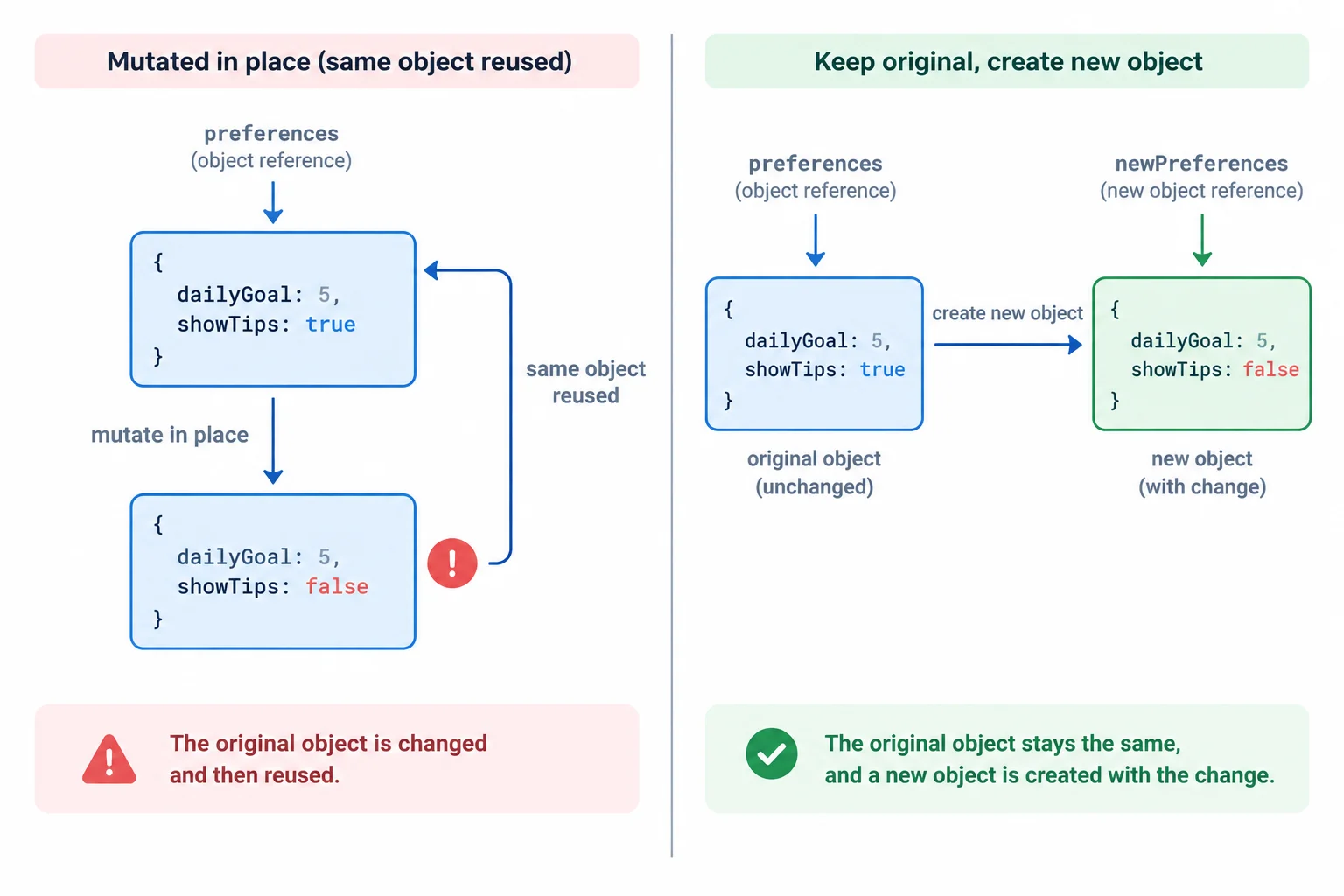
A safe update keeps the original object unchanged and returns a distinct replacement object.
This handler creates a replacement object: spread copies the existing fields, then the later showTips property overrides that one field.
import { useState } from 'react';

function PracticeTracker() {
  const [preferences, setPreferences] = useState({
    dailyGoal: 5,
    showTips: true
  });

  function handleToggleTips() {
    setPreferences(previous => ({
      ...previous,
      showTips: !previous.showTips
    }));
  }

  return (
    <section>
      <p>Daily goal: {preferences.dailyGoal}</p>
      <p>Tips: {preferences.showTips ? 'shown' : 'hidden'}</p>
      <button type="button" onClick={handleToggleTips}>
        Toggle tips
      </button>
    </section>
  );
}Avoid assigning into the state object, such as changing a property on preferences and then passing that same object to the setter. The old and new references would be identical, so React can skip the update. More importantly, mutation makes the previous state unreliable.
A functional updater should only calculate and return the next object. It must not modify previous before returning it.
Tip
Put the spread first and the changed property after it. Property order matters here: the later property value replaces the copied value for that key. The functional updater also remains correct if React processes other pending updates before this one.
True or false: calling setPreferences({ showTips: false }) automatically retains dailyGoal from the existing preferences object.
True or false: a functional updater may change previous.showTips and return previous because it was called through a setter.
Complete the updater so that clicking Toggle tips changes the tips setting while retaining the daily goal.
function handleToggleTips() {
  setPreferences(previous => ({
    ,
    showTips:
  }));
}
Step 7 of 9
Update a typed drill collection by appending, replacing, and removing records without mutation.
drills is an array of record references. Treat both the array and every record inside it as read-only state.
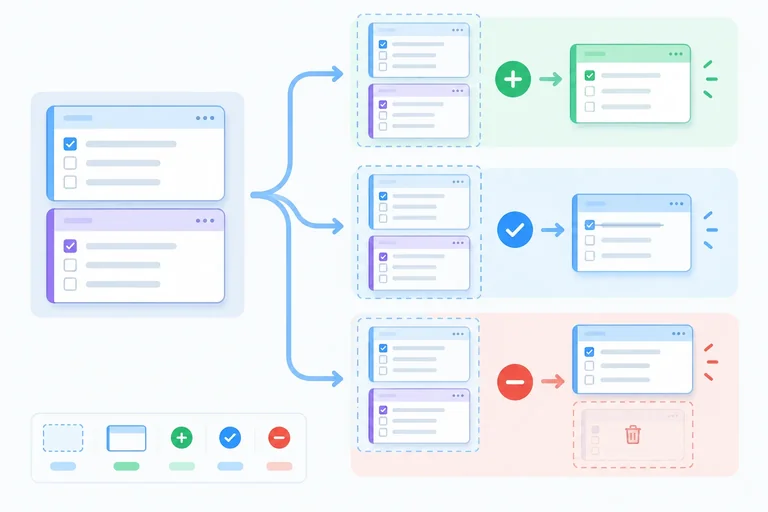
For each change, return replacements that describe the next collection:
Copying only the outer array is not enough if you then change a property on an existing record. The copied array would still contain a reference to a record from the previous state.
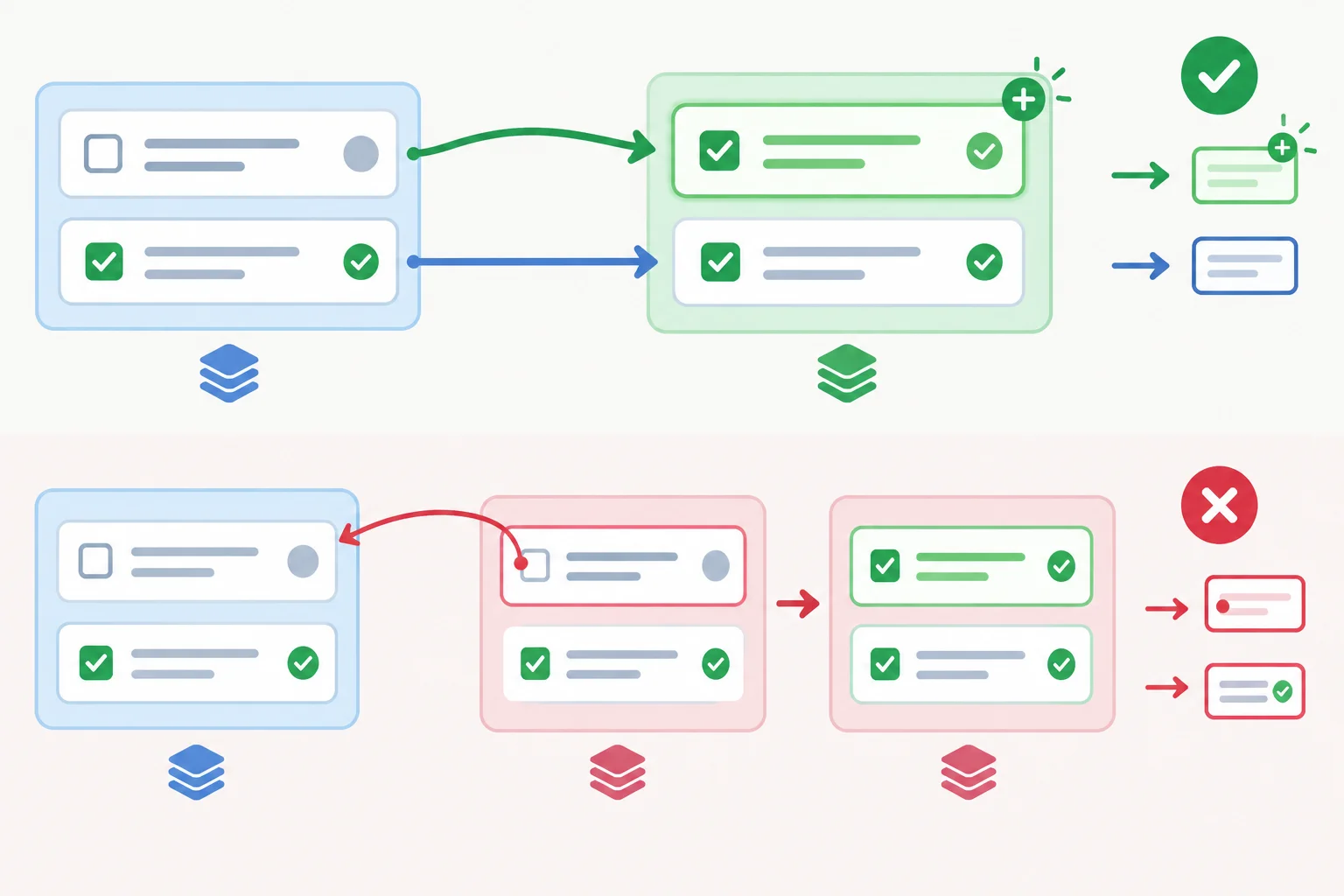
Completing a drill requires a new array and a replacement for the matched record. Unchanged records can be reused.
Keep fixed records at module scope. The Hook and the event handler must be inside PracticeTracker, where the Hook has a valid top-level position. Each click adds the first fixed drill whose ID is absent; when both records are present, it returns the existing collection unchanged.
import { useState } from 'react';

type Drill = { id: string; label: string; done: boolean };

const fixedDrills: Drill[] = [
  { id: 'drill-1', label: 'Trace a state update', done: false },
  { id: 'drill-2', label: 'Check Hook placement', done: false }
];

function PracticeTracker() {
  const [drills, setDrills] = useState<Drill[]>([]);

  function handleAddDrill() {
    setDrills(previous => {
      const nextDrill = fixedDrills.find(
        candidate => !previous.some(drill => drill.id === candidate.id)
      );
      return nextDrill ? [...previous, nextDrill] : previous;
    });
  }

  return (
    <button type="button" onClick={handleAddDrill}>
      Add drill
    </button>
  );
}Add these handlers inside the same PracticeTracker component, after its drills state declaration. map retains every position while replacing the matched record. filter retains every record except the matched one.
function handleComplete(id: string) {
  setDrills(previous =>
    previous.map(drill => (
      drill.id === id ? { ...drill, done: true } : drill
    ))
  );
}

function handleRemove(id: string) {
  setDrills(previous =>
    previous.filter(drill => drill.id !== id)
  );
}

// A rendered record supplies the target ID:
// onClick={() => handleComplete(drill.id)}
Tip
Use stable IDs to target a record, not its current array position. The Complete and Remove callbacks need an ID because each action affects one displayed drill; they do not need the browser event object.
Complete the immutable replacement for the matching drill.
setDrills(previous =>
  previous.map(drill =>
    drill.id === 'drill-1'
      ?
      : drill
  )
);Write three functional updater bodies for setDrills:
fixedDrills whose ID is not already in previous; if no such record exists, keep previous.'drill-1' as complete without mutating it.'drill-2'.Then inspect this proposed completion update. Identify the nested mutation and explain why copying its outer array does not make it immutable:
const next = [...previous];
next[0].done = true;
return next;Write at least 180 characters (0/180).
Step 8 of 9
Separate event-handler side effects from pure state calculations and rendering, including development Strict Mode checks.
A render calculates JSX from the current props and state snapshot. It should not change external data, write storage, make a request, or perform an action intended for a user click.
An event handler is the place for work caused by that click. A functional updater has one small job: calculate and return the next state from previous without mutation or other side effects.
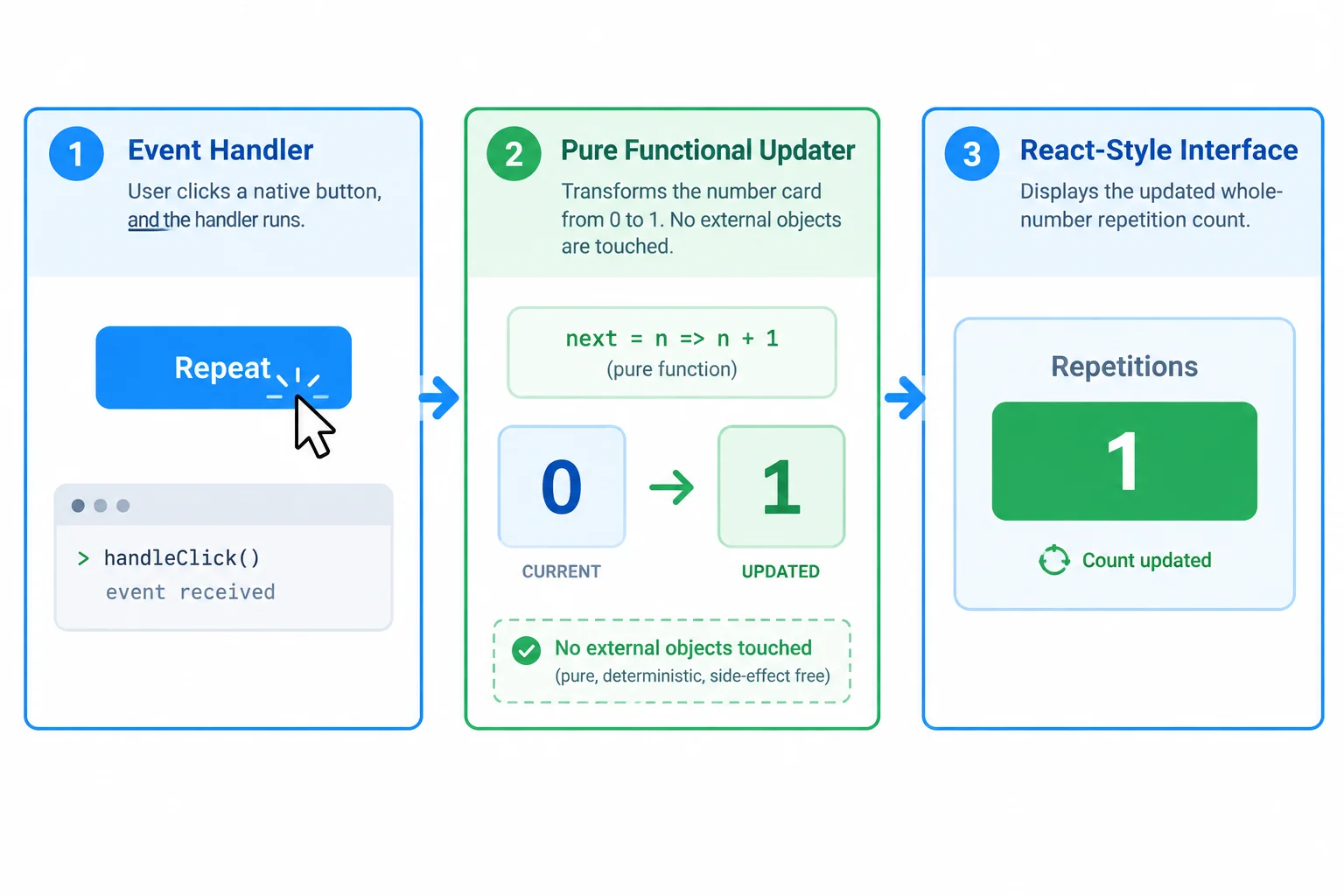
Keep user-triggered actions in the event handler; keep state calculations and rendering pure.
A console message is an action-specific side effect, so put it in the event handler. The functional updater only returns the next number. Rendering only describes the interface.
This structure stays reliable if React checks the component and updater more than once during development.
A pure updater returns a value; the handler owns the console message.
import { useState } from 'react';

export function PracticeTracker() {
  const [repetitions, setRepetitions] = useState(0);

  const handleAddOne = () => {
    console.log('Add 1 clicked');
    setRepetitions(previous => previous + 1);
  };

  return (
    <section>
      <p>Repetitions: {repetitions}</p>
      <button type="button" onClick={handleAddOne}>
        Add 1
      </button>
    </section>
  );
}
Warning
In development, Strict Mode may repeat rendering and functional-updater calls to expose impure logic. Do not rely on an exact number of render or updater logs. Strict Mode does not deliberately invoke an event handler twice, so one click is still one user interaction.
Complete the pure functional updater so the Add 1 action increases the current repetition count by one.
const handleAddOne = () => {
  console.log('Add 1 clicked');
  setRepetitions(previous => );
};Match each situation to the correct conclusion.
Tap an item and then its matching pair.
Step 9 of 9
Complete, repair, and locally verify the PracticeTracker using typed state, functional updaters, immutable replacements, and lint-guided Hook placement.
In src/App.tsx, repair the complete starter below. It deliberately contains one invalid Hook placement and several state changes that are not immutable.
Keep useState calls at the component's top level, before the early return. Do not disable react-hooks/rules-of-hooks. Then replace the update logic so it uses predictable queued updates and immutable replacements.
Starter code — part 1 of 2
import { useState } from 'react';

type Drill = {
  id: string;
  label: string;
  done: boolean;
};

const fixedDrills: Drill[] = [
  { id: 'drill-1', label: 'Trace a state update', done: false },
  { id: 'drill-2', label: 'Check Hook placement', done: false }
];

const shouldRenderTracker = true;

function PracticeTracker() {
  if (!shouldRenderTracker) {
    return null;
  }

  // ESLint reports react-hooks/rules-of-hooks here.
  const [repetitions, setRepetitions] = useState(0);
  const [preferences, setPreferences] = useState({
    dailyGoal: 5,
    showTips: true
  });
  const [drills, setDrills] = useState<Drill[]>([]);

  const handleAddOne = () => {
    setRepetitions(repetitions + 1);
    console.log('Added one repetition');
  };

  const handleAddThree = () => {
    setRepetitions(repetitions + 1);
    setRepetitions(repetitions + 1);
    setRepetitions(repetitions + 1);
  };

  const handleToggleTips = () => {
    preferences.showTips = !preferences.showTips;
    setPreferences(preferences);
};Starter code — part 2 of 2
  const handleAddDrill = () => {
    drills.push(fixedDrills[0]);
    setDrills(drills);
  };

  const handleComplete = (id: string) => {
    setDrills(drills.map(drill => {
      if (drill.id === id) {
        drill.done = true;
      }
      return drill;
    }));
  };

  const handleRemove = (id: string) => {
    setDrills(drills.filter(drill => drill.id !== id));
  };

  return (
    <section>
      <h1>Practice Tracker</h1>
      <p>Repetitions: {repetitions}</p>
      <button type="button" onClick={handleAddOne}>Add 1</button>
      <button type="button" onClick={handleAddThree}>Add 3</button>
      <p>Daily goal: {preferences.dailyGoal}</p>
      <button type="button" onClick={handleToggleTips}>Toggle tips</button>
      {preferences.showTips && <p>Tips are visible.</p>}
      <button type="button" onClick={handleAddDrill}>Add drill</button>
      <ul>
        {drills.map(drill => (
          <li key={drill.id}>
            {drill.label}: {drill.done ? 'Done' : 'Not done'}
            <button type="button" onClick={() => handleComplete(drill.id)}>Complete</button>
            <button type="button" onClick={() => handleRemove(drill.id)}>Remove</button>
          </li>
        ))}
      </ul>
    </section>
  );
}

export default function App() {
  return <PracticeTracker />;
}Complete the missing expressions. The declarations must remain before the early return; the two handlers must calculate immutable next state.
function PracticeTracker() {
  const [repetitions, setRepetitions] = ;
  const [preferences, setPreferences] = useState({
    dailyGoal: 5,
    showTips: true
  });

  if (!shouldRenderTracker) {
    return null;
  }

  const handleAddOne = () => {
    setRepetitions();
  };

  const handleToggleTips = () => {
    setPreferences();
  };
}Reference code — part 1 of 2
import { useState } from 'react';

type Drill = {
  id: string;
  label: string;
  done: boolean;
};

const fixedDrills: Drill[] = [
  { id: 'drill-1', label: 'Trace a state update', done: false },
  { id: 'drill-2', label: 'Check Hook placement', done: false }
];

const shouldRenderTracker = true;

function PracticeTracker() {
  const [repetitions, setRepetitions] = useState(0);
  const [preferences, setPreferences] = useState({
    dailyGoal: 5,
    showTips: true
  });
  const [drills, setDrills] = useState<Drill[]>([]);

  if (!shouldRenderTracker) {
    return null;
  }

  const handleAddOne = () => {
    setRepetitions(previous => previous + 1);
    console.log('Added one repetition');
  };

  const handleAddThree = () => {
    setRepetitions(previous => previous + 1);
    setRepetitions(previous => previous + 1);
    setRepetitions(previous => previous + 1);
  };

  const handleToggleTips = () => {
    setPreferences(previous => ({
      ...previous,
      showTips: !previous.showTips
    }));
};Reference code — part 2 of 2
  const handleAddDrill = () => {
    setDrills(previous => {
      const nextDrill = fixedDrills.find(
        candidate => !previous.some(drill => drill.id === candidate.id)
      );
      return nextDrill ? [...previous, nextDrill] : previous;
    });
  };

  const handleComplete = (id: string) => {
    setDrills(previous => previous.map(drill => (
      drill.id === id ? { ...drill, done: true } : drill
    )));
  };

  const handleRemove = (id: string) => {
    setDrills(previous => previous.filter(drill => drill.id !== id));
  };

  return (
    <section>
      <h1>Practice Tracker</h1>
      <p>Repetitions: {repetitions}</p>
      <button type="button" onClick={handleAddOne}>Add 1</button>
      <button type="button" onClick={handleAddThree}>Add 3</button>
      <p>Daily goal: {preferences.dailyGoal}</p>
      <button type="button" onClick={handleToggleTips}>Toggle tips</button>
      {preferences.showTips && <p>Tips are visible.</p>}
      <button type="button" onClick={handleAddDrill}>Add drill</button>
      <ul>
        {drills.map(drill => (
          <li key={drill.id}>
            {drill.label}: {drill.done ? 'Done' : 'Not done'}
            <button type="button" onClick={() => handleComplete(drill.id)}>Complete</button>
            <button type="button" onClick={() => handleRemove(drill.id)}>Remove</button>
          </li>
        ))}
      </ul>
    </section>
  );
}

export default function App() {
  return <PracticeTracker />;
}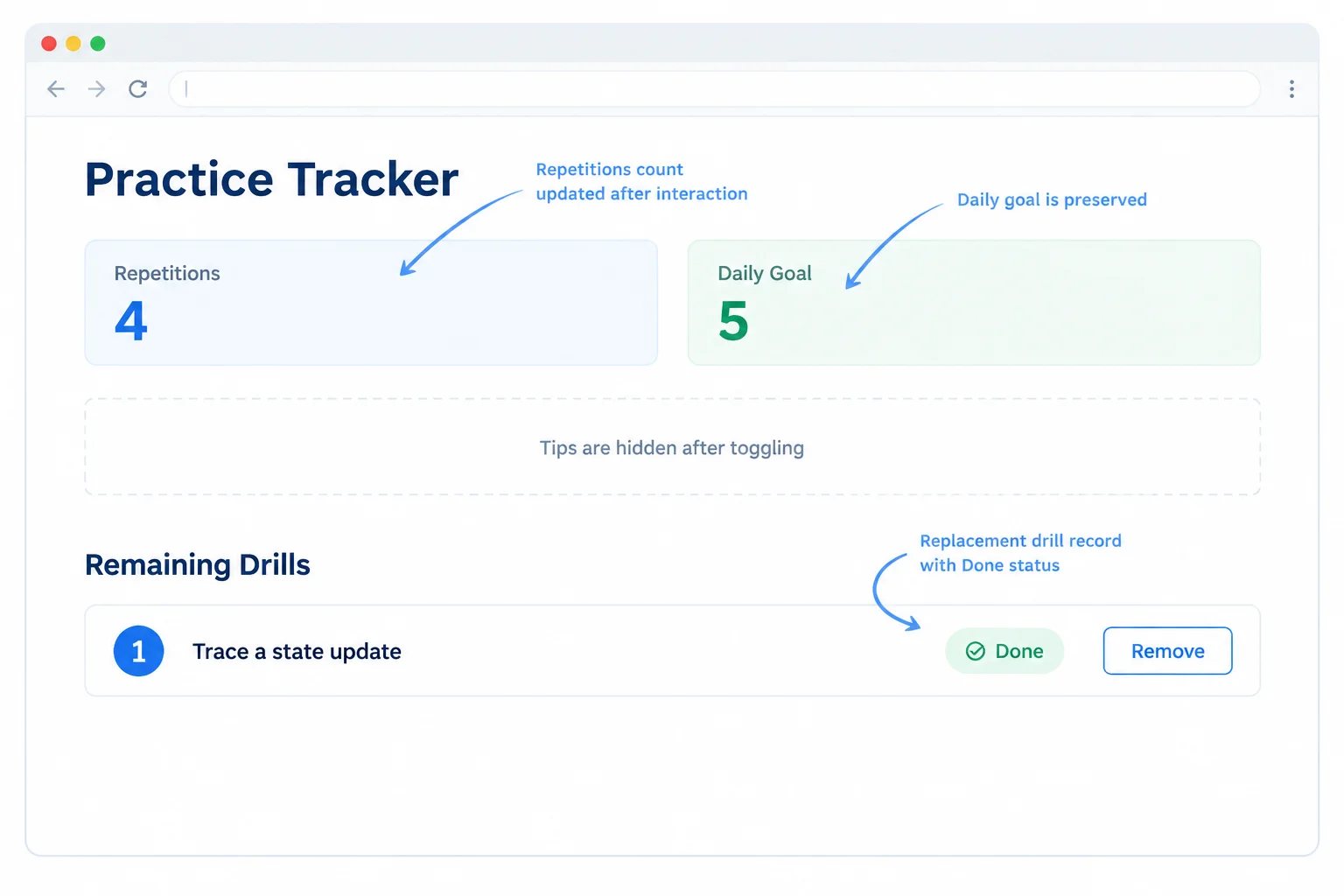
After the suggested interaction sequence, the count, preserved daily goal, hidden tips, and remaining completed drill provide visible checks of each update.
Run the local checks after saving src/App.tsx.
npx tsc --noEmit
npm run lint
npm run dev> eslint . > vite VITE vX.X.X ready in XXX ms ➜ Local: http://localhost:XXXX/ ➜ press h + enter to show help
Exact Vite version, timing, and local URL vary. The type-check and lint commands should finish without diagnostics. The development server continues running until you stop it.
Use your repaired local tracker. Click Add 1 once, then Add 3 once. Toggle tips once. Click Add drill twice, complete Trace a state update, and remove Check Hook placement.
Confirm the two checking commands finish without diagnostics and inspect the browser console after Add 1. Report what you observed, including the Hook-rule repair you made. Do not rely on file upload or automatic inspection.
Report your verification in 3–6 short sentences: state where you placed the Hooks, whether npx tsc --noEmit and npm run lint passed, the final repetition count, what happened to the daily goal and tips, the remaining drill and its status, and the console message after Add 1.
Write at least 180 characters (0/180).
Summary
Congratulations! You completed: Update Component State from User Events
Thousands of online courses in video, ebooks and audiobooks.
To test your knowledge during online courses
Generated directly from your cell phone's photo gallery and sent to your email

Download our app via QR Code or the links below:.



Carry knowledge in your pocket.
Download the Cursa app.
There are hundreds of free courses available, with a free certificate of completion that is saved in your mobile image gallery.
Download the app to access the Course Completion Certificate for Free.


+ 10 million
students

Free and Valid
Certificate

60 thousand free
exercises

4.8/5 rating in
app stores

Free courses in
video and ebooks