Step 1 of 6
Match the Method to the Operation
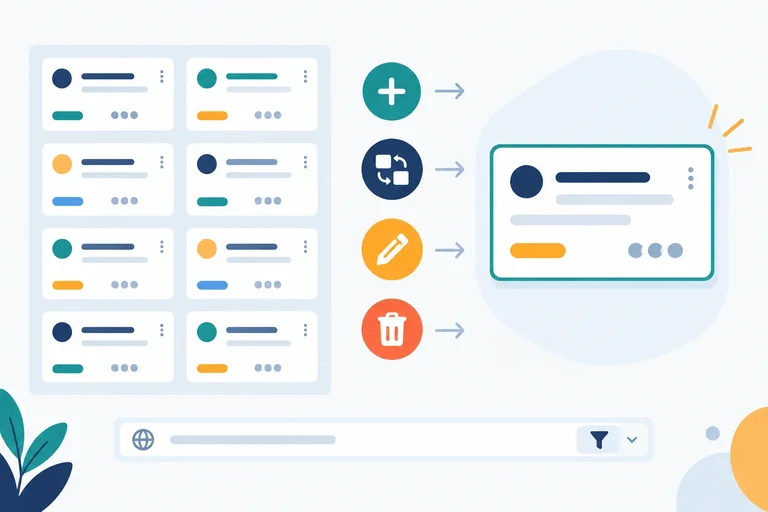
Choose POST, PUT, PATCH, DELETE, or GET from the documented task operation and determine when a request body belongs.

Learning path · Level 7 · Tutorial 3
Construct JSON write requests and handle their response contracts without assuming that sending data means it was saved. Inspect outgoing requests locally, using response examples to interpret successful writes and recognizing that the Vite server does not provide a writable API.
 Match the Method to the Operation
Choose POST, PUT, PATCH, DELETE, or GET from the documented task operation and determine when a request body belongs. 3 min
Match the Method to the Operation
Choose POST, PUT, PATCH, DELETE, or GET from the documented task operation and determine when a request body belongs. 3 min
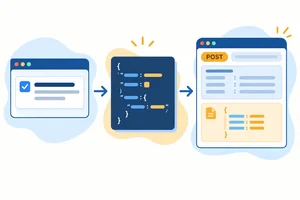 Build a JSON Request
Serialize a task object and configure the method, headers, and body of a JSON POST request. 4 min
Build a JSON Request
Serialize a task object and configure the method, headers, and body of a JSON POST request. 4 min
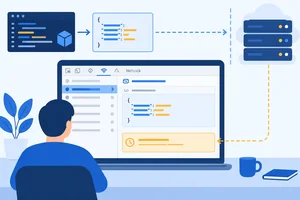 Inspect a Write Request in Vite
Send a JSON POST request from a Vite project, inspect it in DevTools, and distinguish an outgoing request from a confirmed API write. 4 min
Inspect a Write Request in Vite
Send a JSON POST request from a Vite project, inspect it in DevTools, and distinguish an outgoing request from a confirmed API write. 4 min
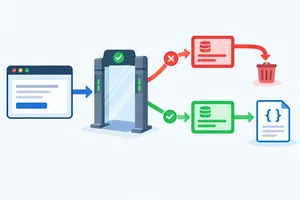 Keep Rejected Writes Out of the Success Path
Use an HTTP-status gate so rejected write responses never reach JSON decoding or a success confirmation. 3 min
Keep Rejected Writes Out of the Success Path
Use an HTTP-status gate so rejected write responses never reach JSON decoding or a success confirmation. 3 min
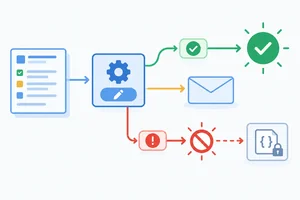 Handle JSON and 204 Responses
Implement operation-specific response validation and safely handle documented JSON and no-content write responses. 4 min
Handle JSON and 204 Responses
Implement operation-specific response validation and safely handle documented JSON and no-content write responses. 4 min
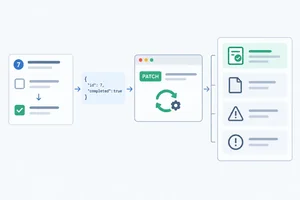 Apply the Complete Write Workflow
Construct and inspect a JSON task update locally, then use the documented response contract to distinguish confirmed writes from rejected or unconfirmed outcomes. 4 min
Apply the Complete Write Workflow
Construct and inspect a JSON task update locally, then use the documented response contract to distinguish confirmed writes from rejected or unconfirmed outcomes. 4 min
Step 1 of 6
Choose POST, PUT, PATCH, DELETE, or GET from the documented task operation and determine when a request body belongs.
An HTTP method follows the API’s documented operation—not a universal guess. For this illustrative task API, the collection is /api/tasks and task 7 is /api/tasks/7.
A task’s writable fields are title and completed. The target URL identifies an existing task; it is not part of the writable task representation.
Use this contract to choose both the method and whether a request body is expected. These are illustrative API rules; another API can document different rules.
| Operation | Endpoint | Method | Expected request body |
|---|---|---|---|
| Create a task | /api/tasks | POST | Full writable task |
| Replace task 7 fields | /api/tasks/7 | PUT | Full writable task |
| Update selected task 7 fields | /api/tasks/7 | PATCH | Only supplied fields |
| Delete task 7 | /api/tasks/7 | DELETE | No request body |
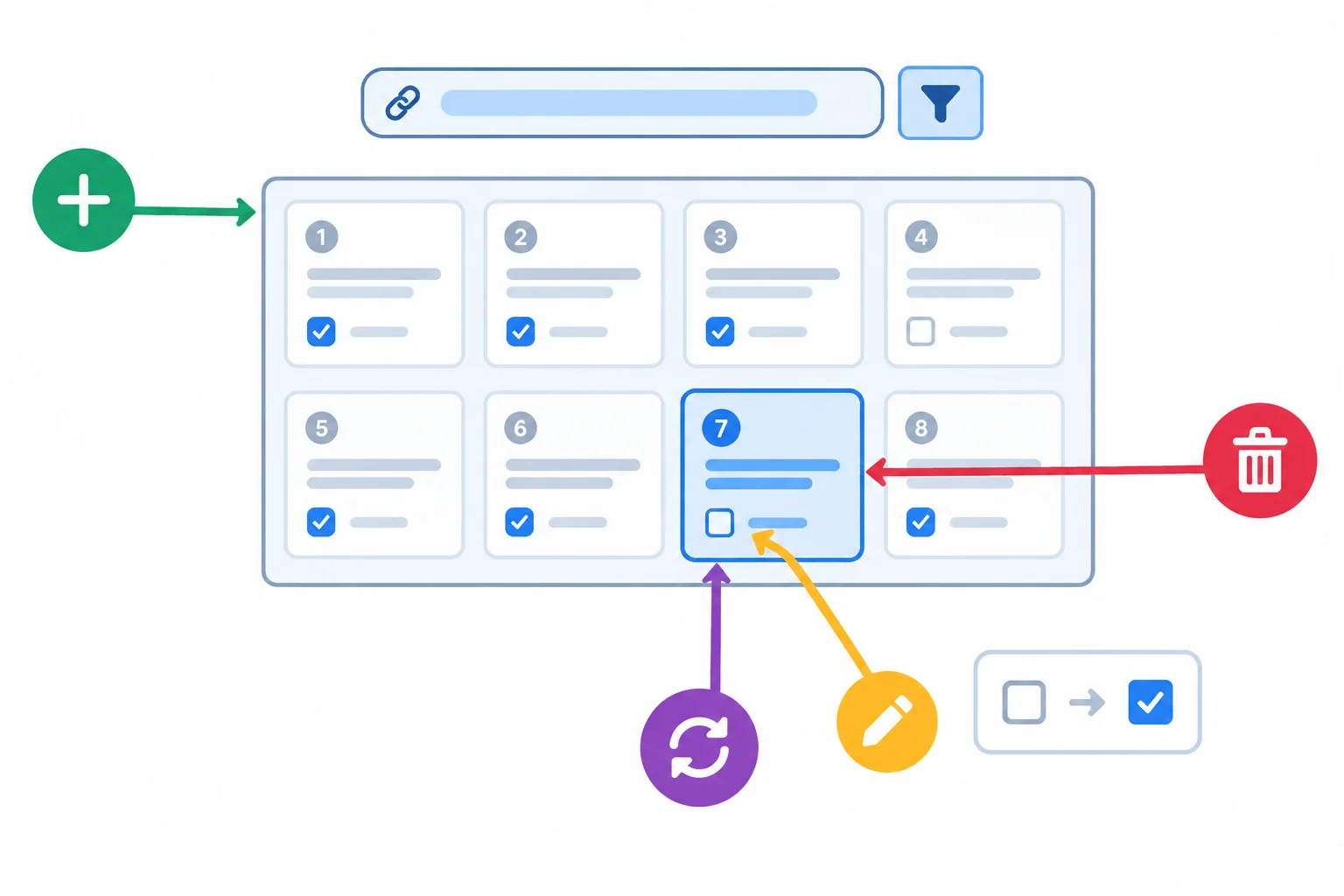
The collection path addresses many tasks; /api/tasks/7 addresses one existing task.
PUT replaces writable fields. For task 7, the documented PUT operation supplies the complete writable representation, such as:
{ "title": "Practice HTTP requests", "completed": false }
PATCH updates only supplied fields. To mark that task complete, its partial-update representation is:
{ "completed": true }
Under this contract, PATCH leaves writable fields that are not supplied unchanged. This is a plain partial representation, not a patch-document format.
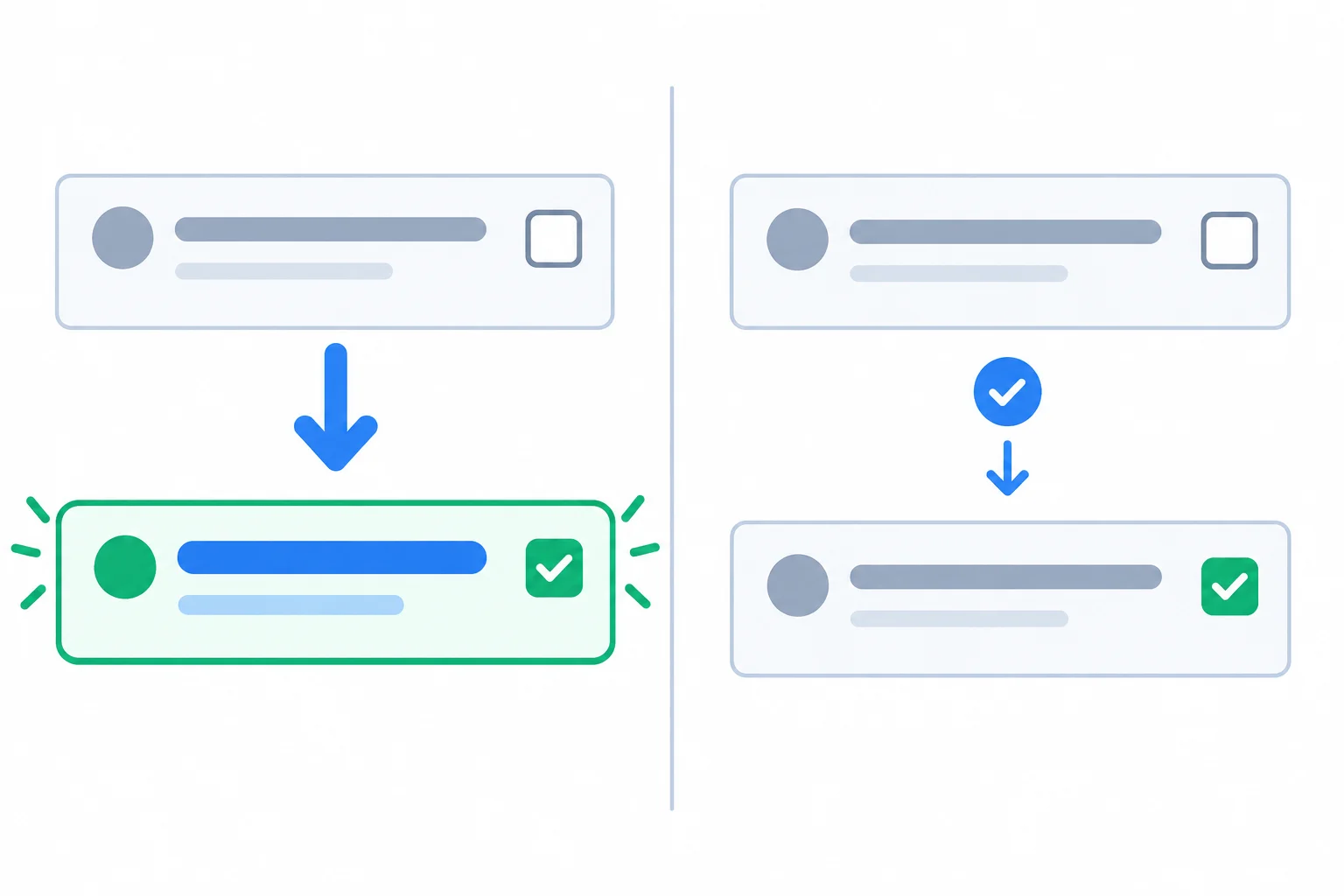
PUT supplies the complete writable representation; PATCH supplies only the fields to change.
A DELETE request targets the task to remove and has no request body in this contract.
GET is different: put filters in the URL, for example /api/tasks?completed=false, rather than supplying a request body. The URL describes which tasks to retrieve.
Tip
Do not infer a method from an endpoint name alone. First identify the documented operation: create, replace, update selected fields, delete, or retrieve filtered results.
Match each documented task operation to its correct method and body strategy.
Tap an item and then its matching pair.
Step 2 of 6
Serialize a task object and configure the method, headers, and body of a JSON POST request.
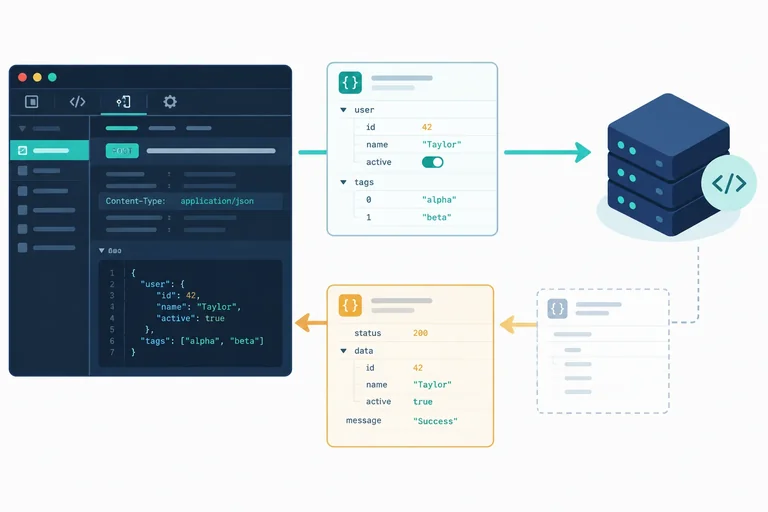
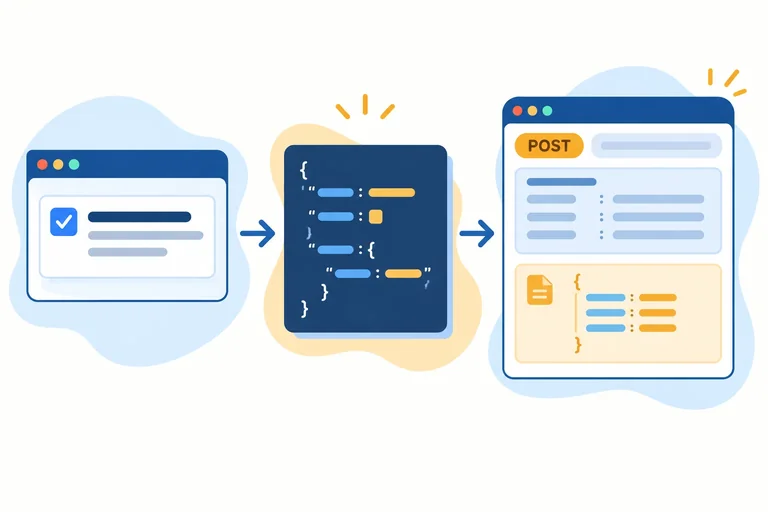
For the documented create operation, the request body must be JSON text—not a JavaScript object. Start with the task object, then call JSON.stringify(task) before placing the result in fetch().
The resulting request body is:
{"title":"Practice HTTP requests","completed":false}
It looks similar to the object, but it is text with JSON syntax: property names use double quotes, and there are no JavaScript variable names or object behavior attached.
The source object stays available in JavaScript; requestBody holds its JSON representation.
const task = { title: 'Practice HTTP requests', completed: false };
const requestBody = JSON.stringify(task);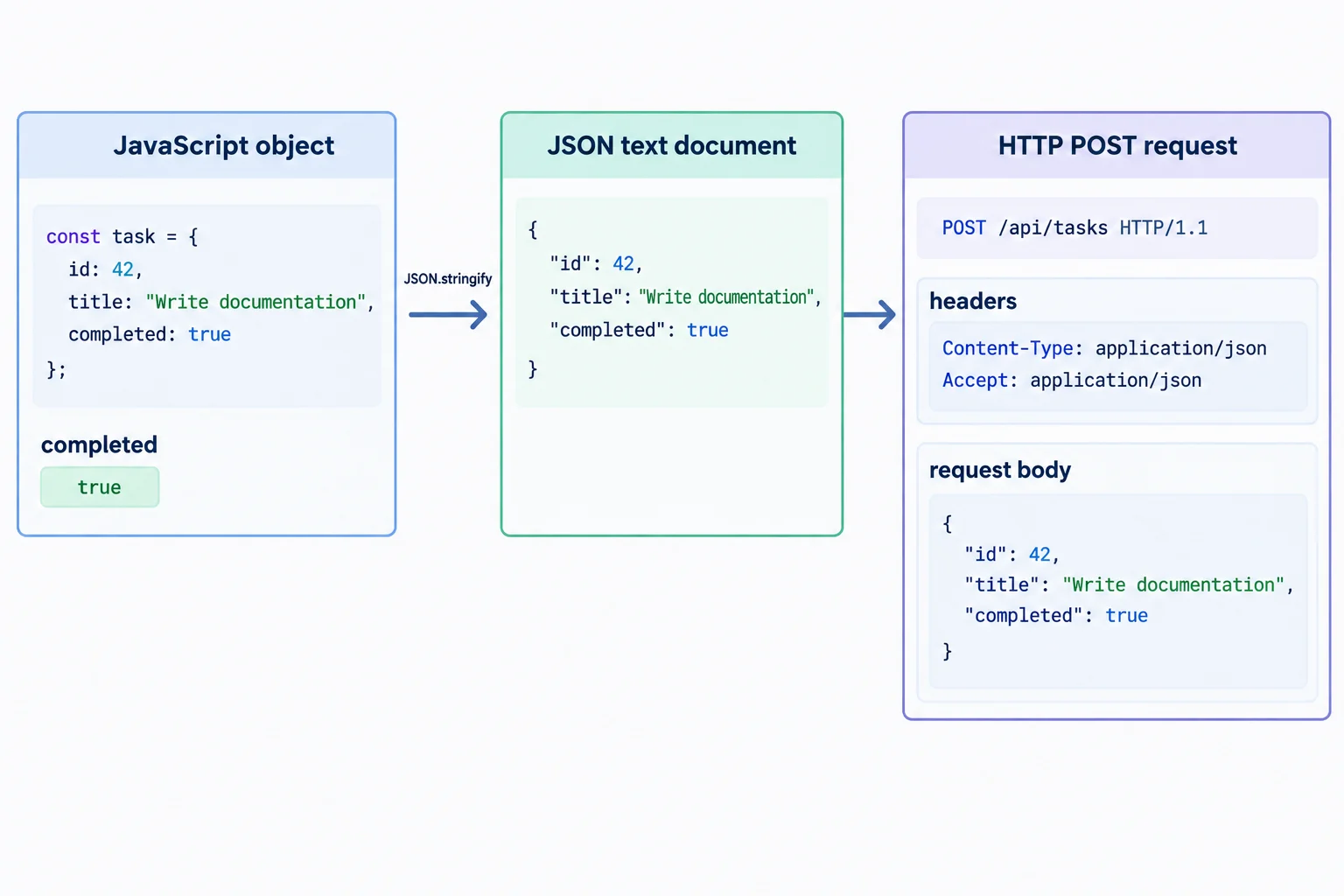
JSON.stringify() transforms the source object into the JSON text sent as the request body.
A create request combines the documented method with three options:
method states the operation: POST for this task creation contract.headers describe what is being sent and what format is preferred in return.body contains the serialized JSON text.Content-Type describes the outgoing request body. Accept expresses a preference for the response format. Neither header serializes task, and Accept does not guarantee what a server will return.
Use these two JSON headers for the illustrative task API.
| Part | Meaning |
|---|---|
| Content-Type | The request body is JSON |
| Accept | JSON is the preferred response format |
| body | Serialized JSON text from task |
| method | POST creates a task |
This function constructs the documented task-creation request. Response interpretation comes in a later step.
const task = { title: 'Practice HTTP requests', completed: false };

async function createTask() {
  const response = await fetch('/api/tasks', {
    method: 'POST',
    headers: {
      'Content-Type': 'application/json',
      'Accept': 'application/json'
    },
    body: JSON.stringify(task)
  });

  return response;
}
Tip
Do not treat a configured request as proof that a task was stored. The method, headers, and body describe what the browser will send; a later response check determines whether the API confirmed the write.
Complete this documented task-creation request.
const response = await fetch('/api/tasks', {
  method: '',
  headers: {
    '': '',
    '': ''
  },
  body:
});
Step 3 of 6
Send a JSON POST request from a Vite project, inspect it in DevTools, and distinguish an outgoing request from a confirmed API write.
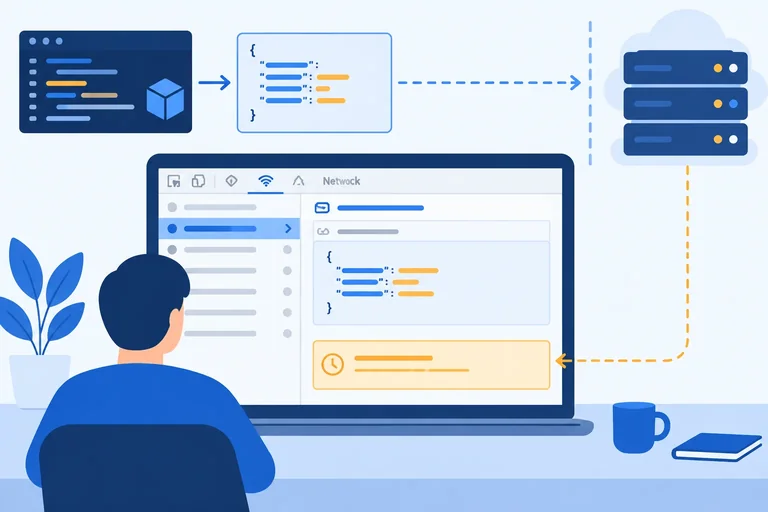
A request appearing in the browser is evidence that the browser attempted to send it. It is not evidence that a server accepted or stored a task.
In this local project, /api/tasks is an illustrative API path, not an API implemented by Vite. You can still inspect the outgoing request in DevTools and verify that its method, headers, and request body are correct.
Warning
Vite serves development resources; it does not turn /api/tasks into a writable task service. Likewise, sending POST to a static JSON resource would not edit that file. Record the response you actually receive—do not assume a particular status, fallback, or response format.
Use these complete files in your existing Vite project. Save them, run npm run dev, open the address reported by Vite, and open DevTools before clicking the button. The page intentionally has no status interface: inspect the request in DevTools instead.
Replace your project entry document with this page.
<!doctype html>
<html lang="en">
  <head>
    <meta charset="UTF-8">
    <meta name="viewport" content="width=device-width, initial-scale=1.0">
    <title>Inspect a task request</title>
  </head>
  <body>
    <main>
      <h1>Task request inspector</h1>
      <button id="send-request" type="button">Send task request</button>
    </main>
    <script type="module" src="/src/main.js"></script>
  </body>
</html>Rendered page: Task request inspector [Send task request]
This is the stable rendered result before any request is sent. Clicking the button sends one request; no page status is rendered.
Place this browser module in src/main.js. It logs the actual local response facts after one click.
const task = { title: 'Practice HTTP requests', completed: false };

const sendButton = document.querySelector('#send-request');

if (!sendButton) {
  throw new Error('Missing #send-request button.');
}

sendButton.addEventListener('click', async () => {
  const response = await fetch('/api/tasks', {
    method: 'POST',
    headers: {
      'Content-Type': 'application/json',
      'Accept': 'application/json'
    },
    body: JSON.stringify(task)
  });

  console.log('Observed Vite response', {
    status: response.status,
    contentType: response.headers.get('content-type')
  });
});After clicking Send task request once, the Console output has this shape:
Observed Vite response { status: <locally observed integer>, contentType: <locally observed header value or null> }The status and content type are deliberately not fixed: Vite behavior can vary. After clicking once, use the actual integer and header value shown in DevTools Network as your Observed Vite response.
In DevTools, open Network, click Send task request once, and select the request whose URL ends in /api/tasks.
Content-Type. Under Response Headers, record content-type if it is present.Label the status and response content type Observed Vite response. The method, request header, and payload show what the browser sent. They do not show that a task was stored.
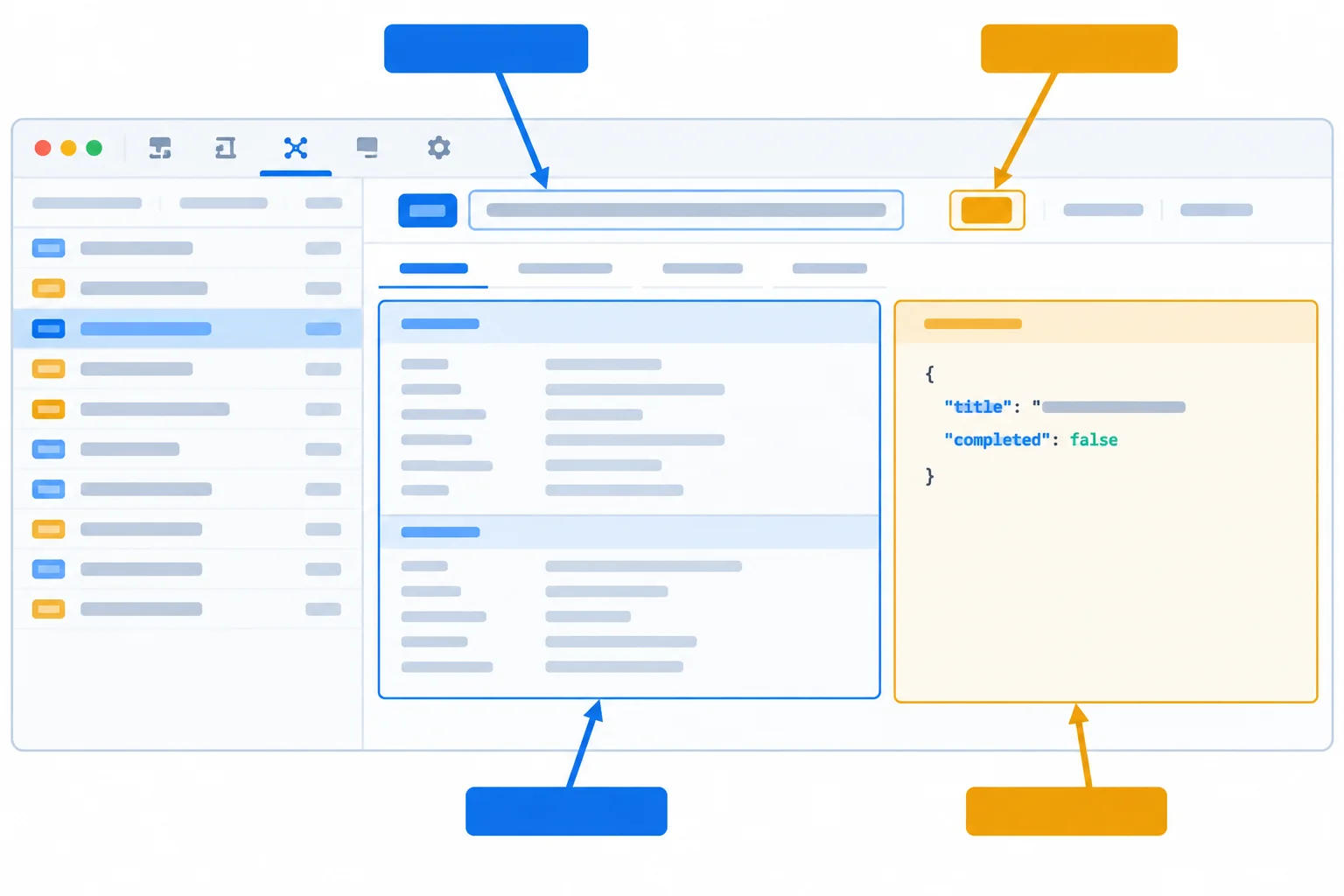
Use Network, Headers, and Payload to keep evidence about the outgoing request separate from the response returned by Vite.
Warning
A correctly formed outgoing POST proves only that browser code created and sent that request. A write can be confirmed only when an API responds according to its documented contract. This project has no implemented task API, so an Observed Vite response is not proof that a task was saved.
After clicking the button once, write a compact verification note. Include:
Content-Type;content-type you recorded as the Observed Vite response; andWrite at least 160 characters (0/160).
Step 4 of 6
Use an HTTP-status gate so rejected write responses never reach JSON decoding or a success confirmation.
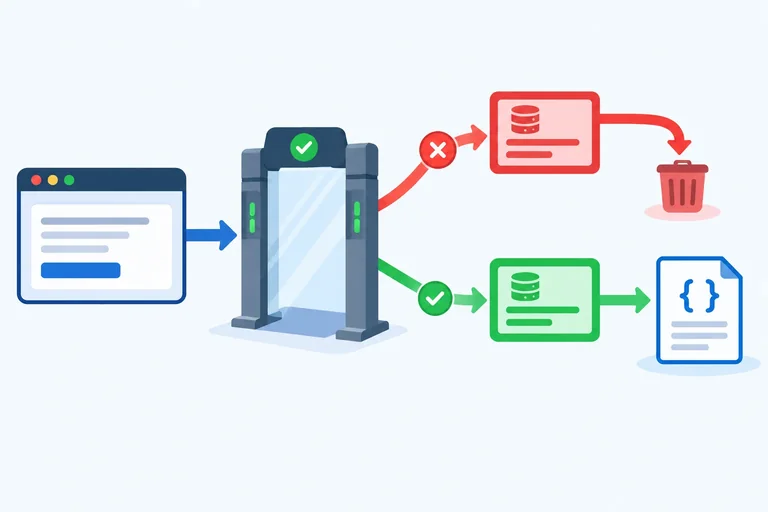
A write request can leave the browser and still be rejected by the server. Treat response.ok as a gate: only a documented successful HTTP response may continue toward decoding and confirmation.
Check that gate before reading a success body. Rejected responses may contain HTML, plain text, or no body at all. Trying response.json() first can hide the useful fact that the HTTP write was rejected.
For this task contract, a successful POST /api/tasks returns 201 Created with JSON. A response with ok === false must stop the success path.
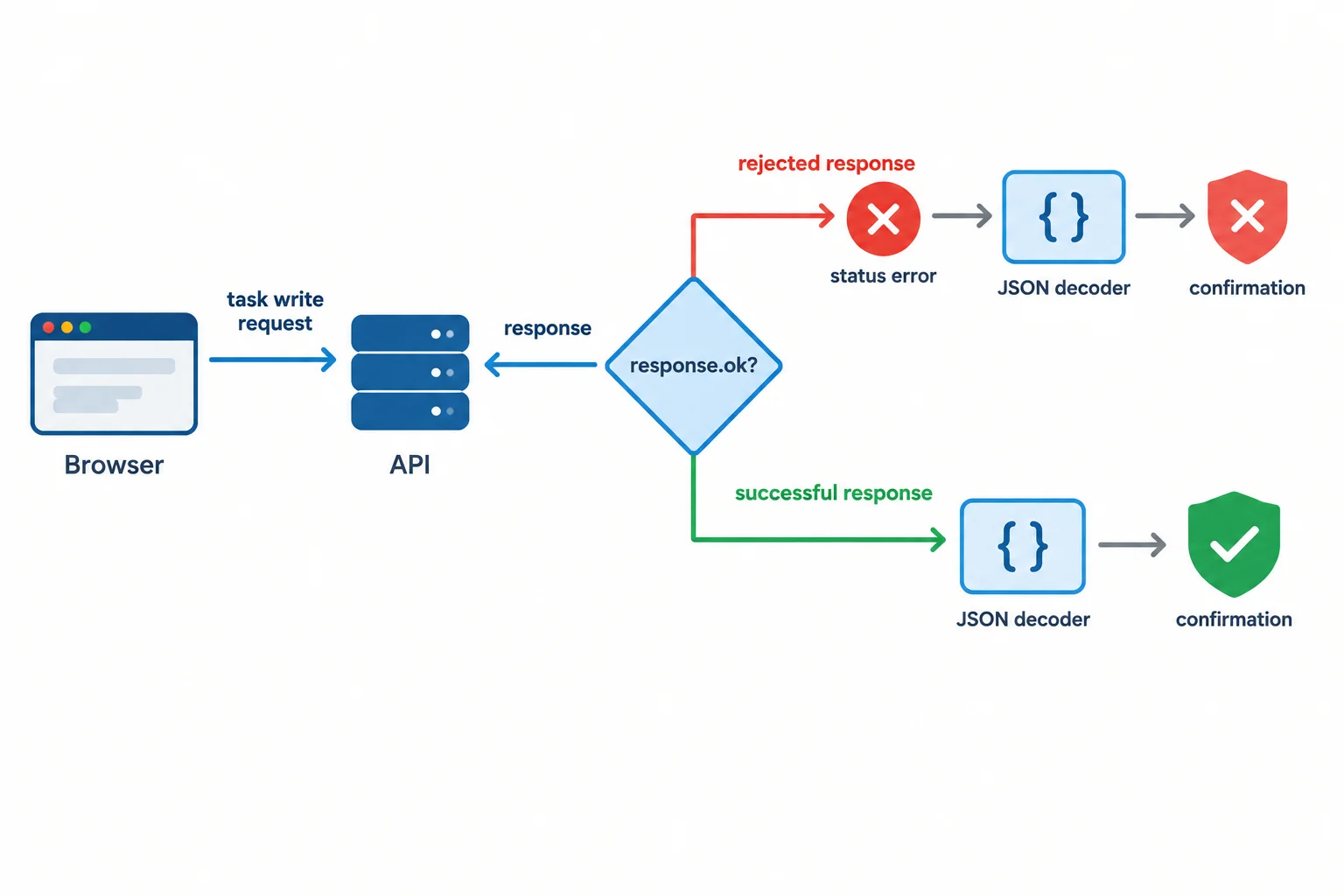
Check the HTTP result first; decode and confirm only on the successful branch.
Use a small status-based error when the API explicitly rejects the write. The error does not depend on a particular error-body format.
The catch also handles an unavailable response or a body that cannot be decoded. In either case, the outcome is unconfirmed—do not claim that remote work was undone or saved.
A focused creation function for the documented JSON response contract.
const task = { title: 'Practice HTTP requests', completed: false };

async function createTask() {
  try {
    const response = await fetch('/api/tasks', {
      method: 'POST',
      headers: {
        'Content-Type': 'application/json',
        'Accept': 'application/json'
      },
      body: JSON.stringify(task)
    });

    if (!response.ok) {
      throw new Error('Write rejected with status ' + response.status);
    }

    const data = await response.json();
    console.log(data);
    console.log('Write confirmed by the API.');
  } catch (error) {
    console.error('Write outcome is unconfirmed.', error);
  }
}Two non-success situations require different statements. Neither belongs on the confirmation path.
Use the evidence that is actually available.
| Situation | Evidence available | Correct handling | What not to claim |
|---|---|---|---|
| HTTP rejection | A Response exists; `response.ok` is false and status is available | Throw an error using the status before decoding a success body | That the write succeeded |
| Unavailable or unreadable outcome | No usable successful result; fetch may reject or JSON decoding may fail | Catch the failure and report an unconfirmed outcome | That the remote work was undone |
| Observed Vite response | A local development-server response, not a task API confirmation | Inspect it in DevTools and keep it separate from the illustrative contract | That Vite stored a task |
Complete the rejection guard so an illustrative rejected write cannot be decoded as a success or produce a success confirmation.
const response = await fetch('/api/tasks', options);

if () {
  throw new Error('Write rejected with status ' + response.status);
}

const data = await response.json();
console.log(data);
console.log('Write confirmed by the API.');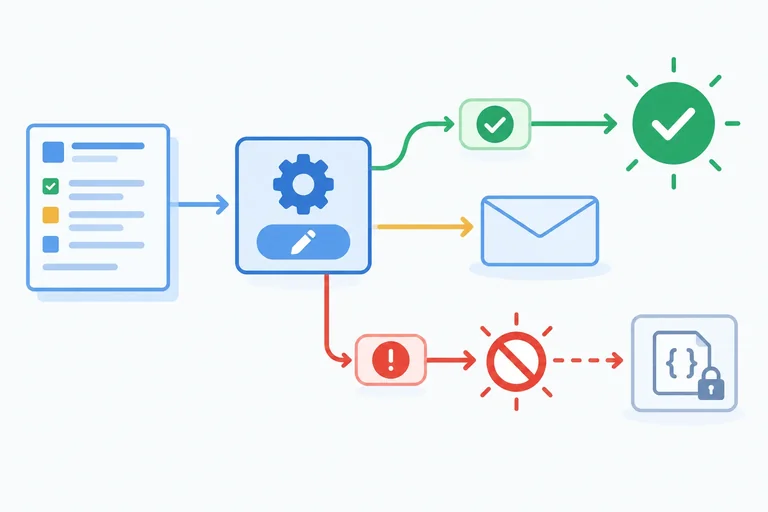
Step 5 of 6
Implement operation-specific response validation and safely handle documented JSON and no-content write responses.
A 2xx status is not enough on its own. The endpoint operation determines which successful status can confirm that write. Check that operation-specific status before passing the response to the body helper.
For example, a 201 Created response is correct for the documented create operation, but it is not a documented success for PATCH /api/tasks/7. Even valid-looking JSON with that unexpected status must not confirm the PATCH write.
After the caller accepts the operation's status, readWriteResponse(response) handles the response body: it returns a validated task record for JSON or null for permitted no content.
The documented status and body depend on the task operation.
| Operation | Endpoint | Permitted success | Body result |
|---|---|---|---|
| Create | /api/tasks | 201 Created | Task JSON |
| Replace | /api/tasks/7 | 200 OK or 204 No Content | Task JSON or no body |
| Partial update | /api/tasks/7 | 200 OK or 204 No Content | Task JSON or no body |
| Delete | /api/tasks/7 | 204 No Content | No body |
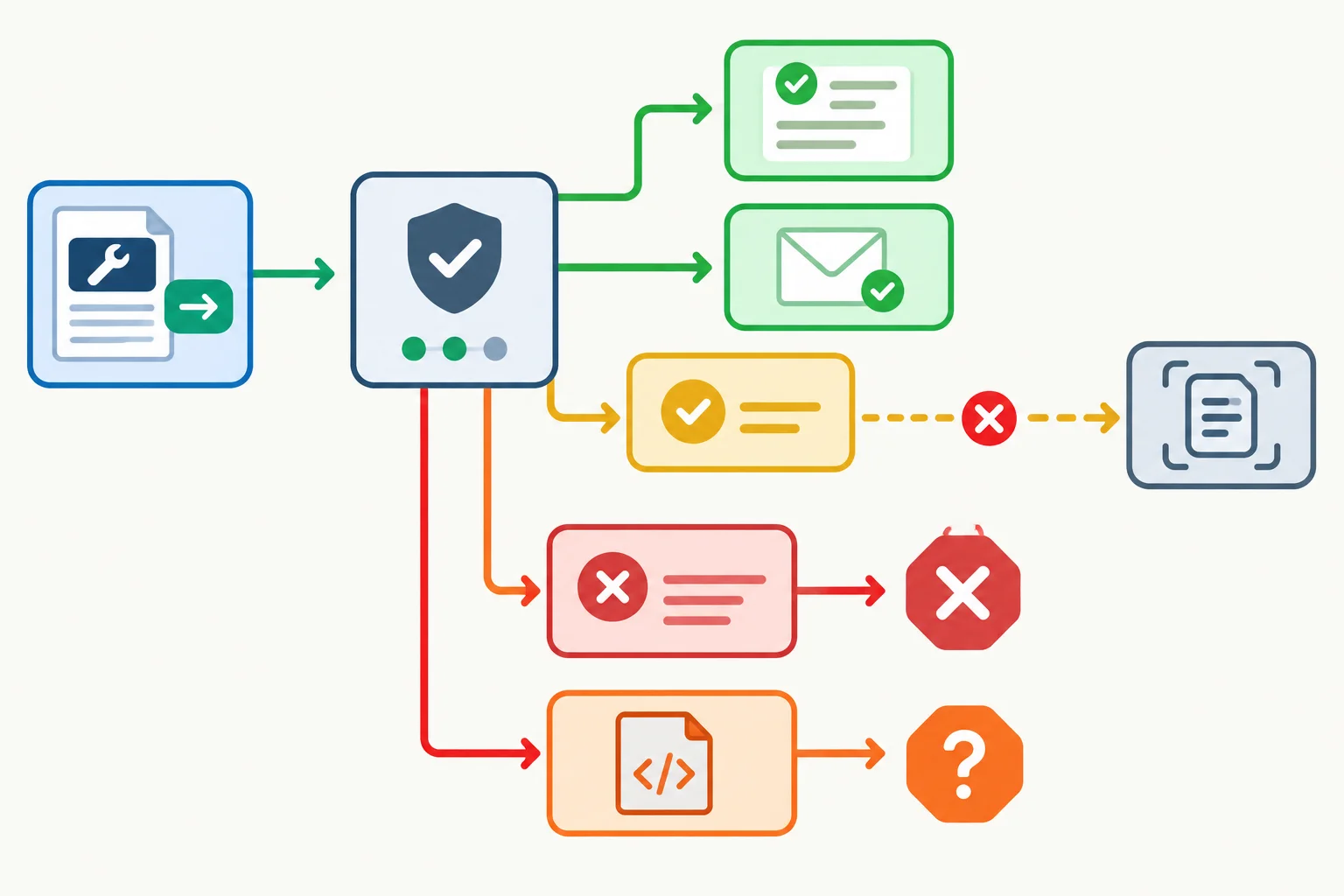
For PATCH, accept only its documented statuses. A permitted no-content response exits before JSON decoding.
Keep two responsibilities separate. The PATCH caller first rejects any status other than 200 OK or 204 No Content. Only then does it call readWriteResponse(response).
The helper keeps the earlier rejection guard as a defensive check. It returns null immediately for 204 No Content. For a permitted JSON path, it decodes data and validates the familiar id, title, and completed fields. An HTML fallback or malformed JSON makes response.json() fail; an incorrect record shape also throws. Both outcomes remain unconfirmed.
The status guard belongs to the PATCH caller. The helper is only reached after that guard accepts the documented PATCH status.
function isTask(value) {
  return value !== null &&
    typeof value === 'object' &&
    typeof value.id === 'number' &&
    typeof value.title === 'string' &&
    typeof value.completed === 'boolean';
}

function assertPatchResponseStatus(response) {
  if (!response.ok) {
    throw new Error('Write request failed: ' + response.status);
  }

  if (response.status !== 200 && response.status !== 204) {
    throw new Error('Unexpected PATCH success status: ' + response.status);
  }
}

async function readWriteResponse(response) {
  if (!response.ok) {
    throw new Error('Write request failed: ' + response.status);
  }

  if (response.status === 204) {
    return null;
  }

  const data = await response.json();

  if (!isTask(data)) {
    throw new Error('Response did not contain a valid task record.');
  }

  return data;
}
Tip
Accept: application/json is a preference, not proof of the returned format. Do not replace the status guard with a Content-Type guess. The documented status is checked first; then decoding and task-shape validation determine whether the JSON response can be used.
Example
PATCH returns 200 OK with task JSON
{"id":7,"title":"Practice HTTP requests","completed":true}
The PATCH status guard accepts 200. The helper decodes and validates the task record. Write confirmed by the API.
PATCH returns 204 No Content
The PATCH status guard accepts 204. The helper returns null before calling response.json(). Write confirmed by the API.
PATCH returns 201 Created with task JSON
The status guard throws because 201 is not documented for PATCH. The JSON body is not used to confirm the write.
A rejected status, or 200 OK with HTML
A rejected status stops at response.ok. HTML reaches JSON decoding and fails. Neither outcome is confirmed.
Warning
Run npm run dev and inspect only what your own browser received in DevTools. In Network, select the request; use Headers to record its status and response content-type, and use Payload to inspect the outgoing request body.
Label those facts Observed Vite response. Your Vite project does not implement /api/tasks or /api/tasks/7, so its response is not one of the illustrative API responses and is not evidence that a task was stored. Do not assume a particular Vite status or fallback format.
Complete and trace this response path for the documented PATCH operation. It must accept valid task JSON, return an empty result without decoding it when no content is permitted, reject an HTTP failure, and leave an HTML response unconfirmed.
const noContentStatus = ;

function isTask(value) {
  return value !== null &&
    typeof value === 'object' &&
    typeof value.id === 'number' &&
    typeof value.title === 'string' &&
    typeof value.completed === 'boolean';
}

async function readPatchResponse(response) {
  if () {
    throw new Error('Write request failed: ' + response.status);
  }

  if (response.status !== 200 && response.status !== noContentStatus) {
    throw new Error('Unexpected PATCH success status: ' + response.status);
  }

  return readWriteResponse(response);
}

async function readWriteResponse(response) {
  if (!response.ok) {
    throw new Error('Write request failed: ' + response.status);
  }

  if (response.status === noContentStatus) {
    return ;
  }

  const data = await response.();

  if (!isTask(data)) {
    throw new Error('Response did not contain a valid task record.');
  }

  return data;
}
Step 6 of 6
Construct and inspect a JSON task update locally, then use the documented response contract to distinguish confirmed writes from rejected or unconfirmed outcomes.
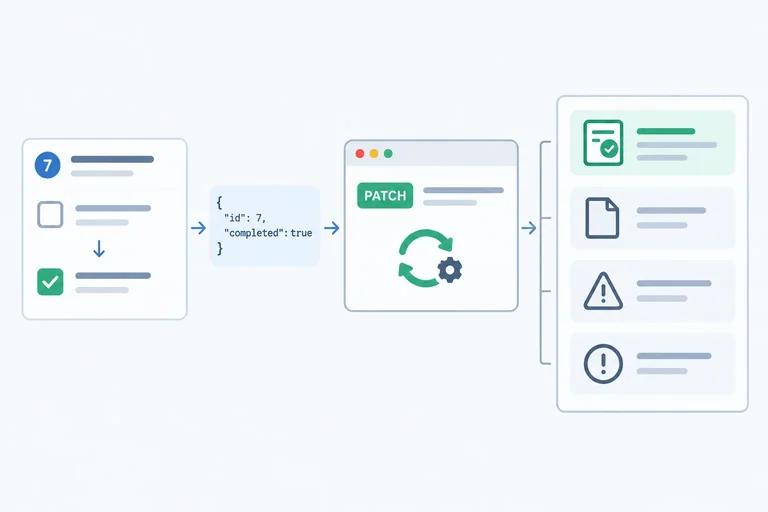
The final workflow has two separate checks. First, construct the documented partial update: PATCH /api/tasks/7 with the JSON request body { "completed": true }. Then inspect what the browser sent locally.
That inspection is request evidence, not storage evidence. Confirmation requires a response allowed by the PATCH contract:
200 OK with a valid complete task record.204 No Content, represented by null without decoding a body.A rejected status stops the path. An undocumented success status, such as 201 Created, also stops it. If a 200 response contains HTML or malformed JSON, the task record cannot be established, so the outcome remains unconfirmed.
The caller owns the operation-specific status check. readWriteResponse(response) remains focused on rejection protection, the permitted 204 branch, JSON decoding, and task validation.
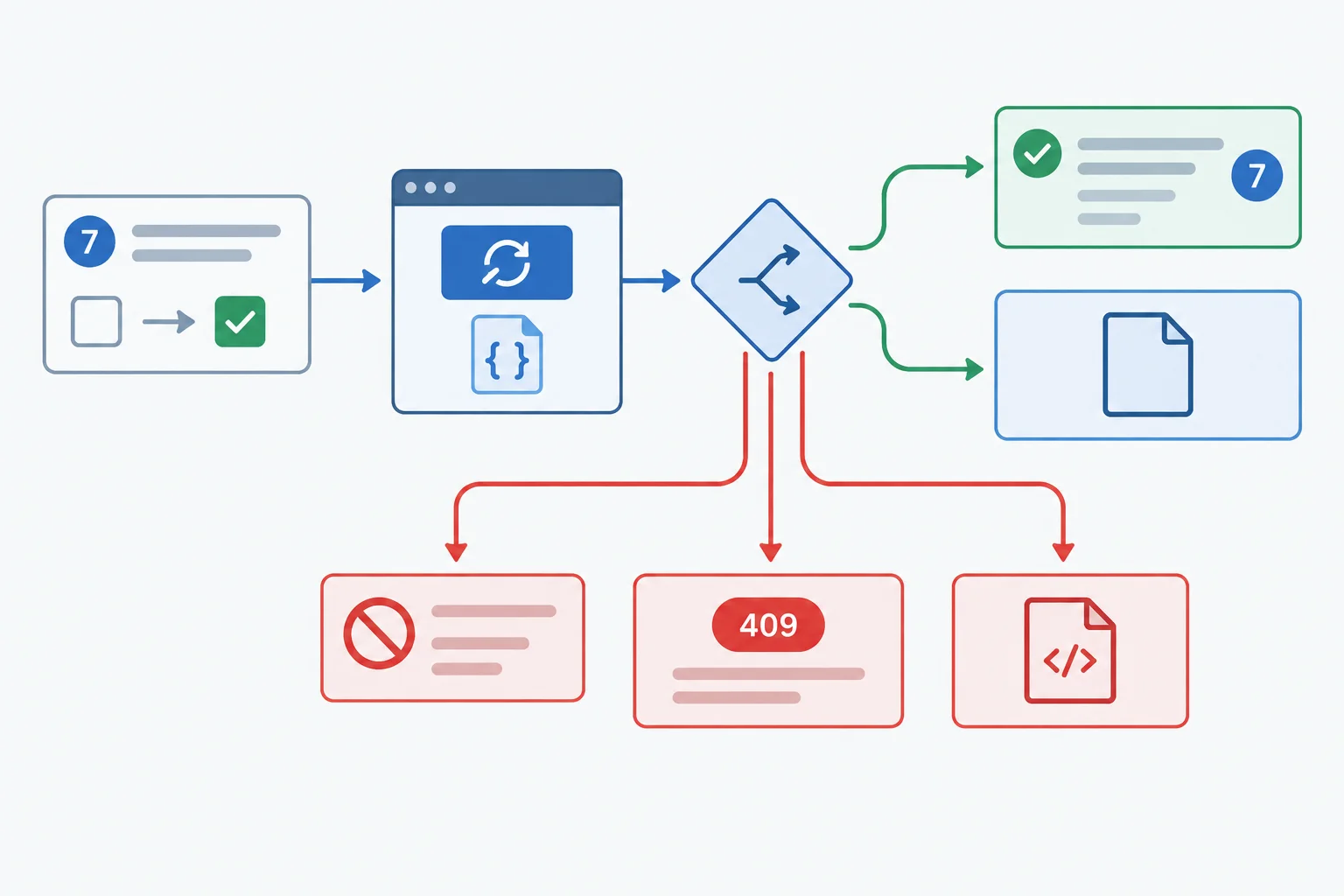
Inspect the outgoing request locally, then confirm only after the documented PATCH response path succeeds.
Tip
Workflow rule
readWriteResponse(response).Vite can help you inspect a request, but it does not implement this task API or demonstrate persistence.
Replace the contents of your own index.html and src/main.js with the complete examples below. Run npm run dev, open the URL reported by Vite, and use DevTools after clicking the button. The page intentionally has no status interface.
<!doctype html>
<html lang="en">
  <head>
    <meta charset="UTF-8">
    <meta name="viewport" content="width=device-width, initial-scale=1.0">
    <title>Inspect a task request</title>
  </head>
  <body>
    <main>
      <h1>Task request inspector</h1>
      <button id="send-request" type="button">Send task request</button>
    </main>
    <script type="module" src="/src/main.js"></script>
  </body>
</html>Task request inspector [Send task request]
When Vite serves this document, the browser displays the heading and button. Request facts and outcomes are examined in DevTools rather than on the page.
The PATCH-specific status check stays outside readWriteResponse(response). After assertPatchResponseStatus(response) accepts 200 or 204, the helper chooses the no-content or JSON-validation path. Any failure reaches the catch block without a confirmation.
const update = { completed: true };
const sendButton = document.querySelector('#send-request');

if (!sendButton) {
  throw new Error('Missing #send-request button.');
}

function isTask(value) {
  return value !== null &&
    typeof value === 'object' &&
    typeof value.id === 'number' &&
    typeof value.title === 'string' &&
    typeof value.completed === 'boolean';
}

function assertPatchResponseStatus(response) {
  if (!response.ok) {
    throw new Error('Write request failed: ' + response.status);
  }

  if (response.status !== 200 && response.status !== 204) {
    throw new Error('Unexpected PATCH success status: ' + response.status);
  }
}

async function readWriteResponse(response) {
  if (!response.ok) {
    throw new Error('Write request failed: ' + response.status);
  }

  if (response.status === 204) {
    return null;
  }

  const data = await response.json();

  if (!isTask(data)) {
    throw new Error('Response did not contain a valid task record.');
  }

  return data;
}

sendButton.addEventListener('click', async () => {
  try {
    const response = await fetch('/api/tasks/7', {
      method: 'PATCH',
      headers: {
        'Content-Type': 'application/json',
        'Accept': 'application/json'
      },
      body: JSON.stringify(update)
    });

    console.log('Observed Vite response', {
      status: response.status,
      contentType: response.headers.get('content-type')
    });
    assertPatchResponseStatus(response);
    const data = await readWriteResponse(response);
    console.log('Write confirmed by the API.', data);
  } catch (error) {
    console.error('Write outcome is unconfirmed.', error);
  }
});Observed Vite response { status: <status observed locally>, contentType: <content type observed locally or null> }
Write outcome is unconfirmed. Error: <HTTP status, decoding, or validation error>This is a template for an actual local observation, not a supplied API result. The status, content type, and error vary with your Vite response. Vite does not provide the illustrative task API, so do not treat any local result as confirmation.
Open DevTools before clicking Send task request once. In Network, select the request whose URL ends in /api/tasks/7.
In Headers, record the Request Method, Content-Type, response status, and response content-type when present. In Payload, record the exact JSON request body.
Label the received status and response content type Observed Vite response. These facts verify the outgoing PATCH request. Your Vite project does not implement /api/tasks/7, so they do not show that task 7 was stored or changed.
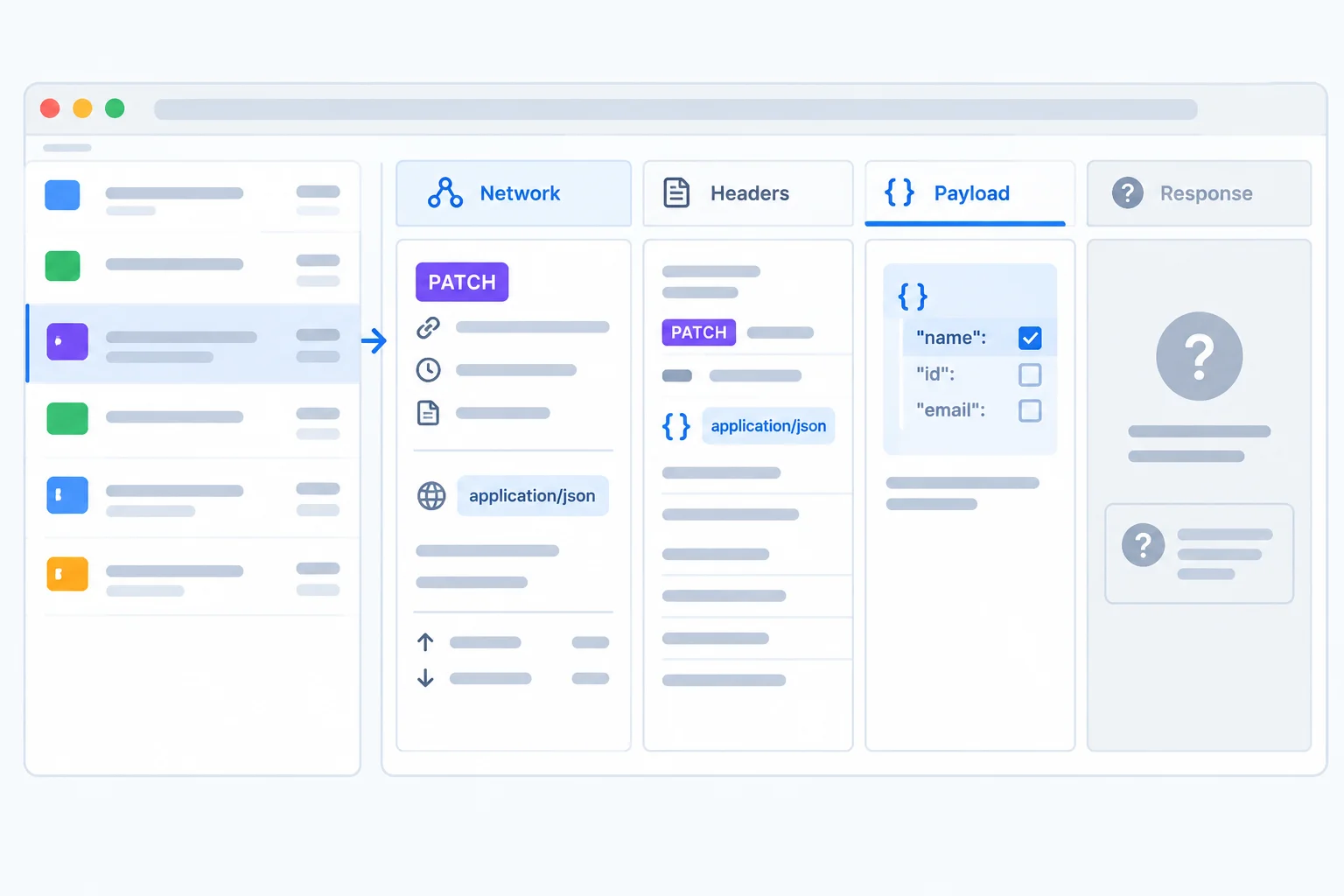
Use Network, Headers, and Payload to verify what left the browser; record the received response separately.
Warning
Observed Vite response is not an Illustrative API response.
Vite serves development resources rather than the writable task API used in this contract. Do not predict its status, its content type, or its fallback behavior. A rejected Vite response, HTML fallback, or any unreadable response must remain outside the success path.
Complete the request configuration for the documented task-7 partial update.
const update = { completed: true };

const response = await fetch('/api/tasks/7', {
  method: '',
  headers: {
    '': '',
    'Accept': 'application/json'
  },
  body:
});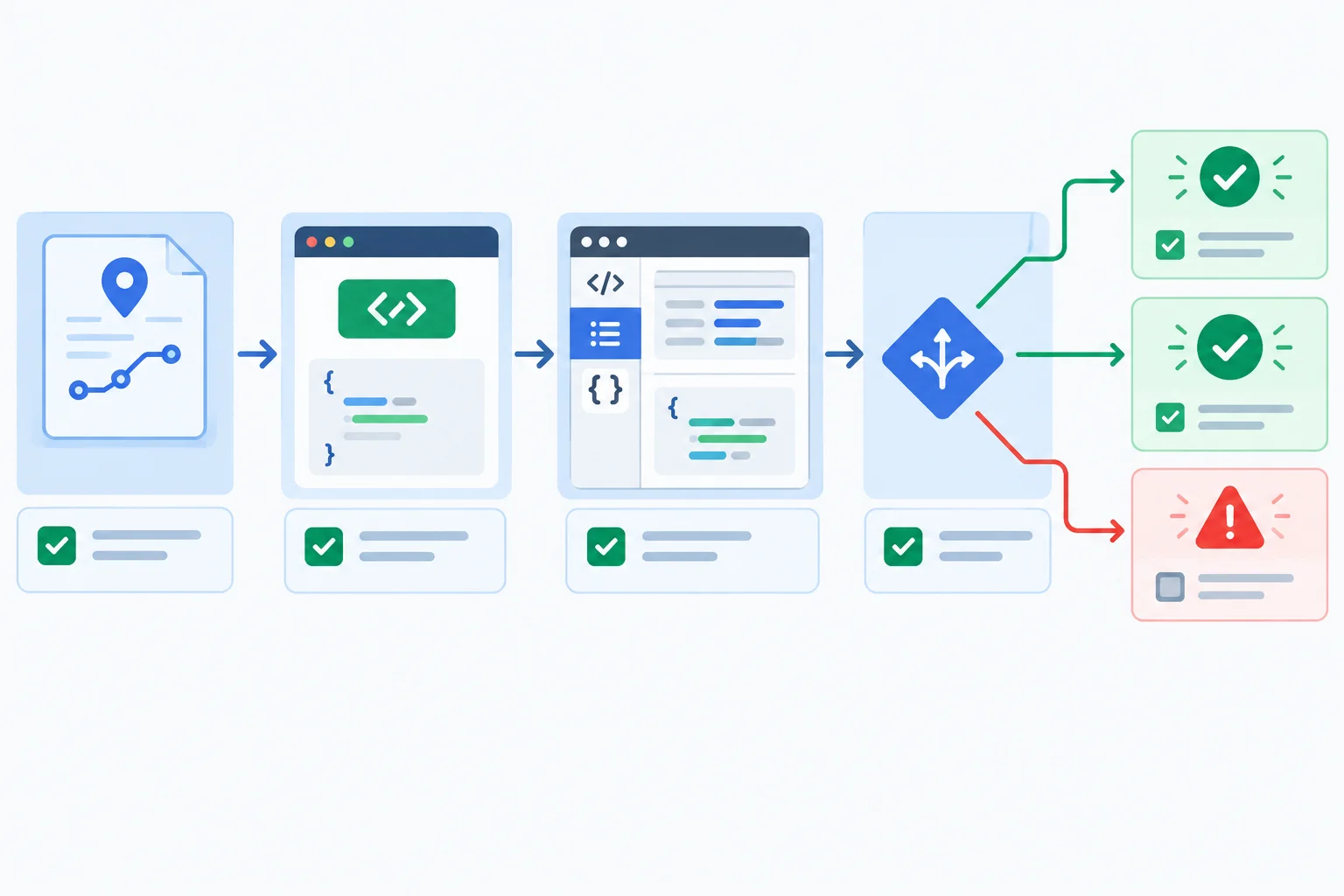
Documented operation → correct JSON request → inspected payload → checked response → contract-supported confirmation.
A complete workflow is evidence-based:
PATCH /api/tasks/7 and sends only { "completed": true } as JSON.assertPatchResponseStatus(response) accepts only 200 OK or 204 No Content for this PATCH contract.readWriteResponse(response) returns a validated task for 200 or null for 204.201 Created, HTML, malformed JSON, or an invalid task shape must not produce a success confirmation.Example
Illustrative API response
200 OK with {"id":7,"title":"Practice HTTP requests","completed":true} passes the status guard and task validation. Write confirmed by the API.204 No Content passes the status guard and returns null without JSON decoding. Write confirmed by the API.403 Forbidden is rejected by the HTTP gate.201 Created with task JSON is not a documented PATCH success, so it is unconfirmed.200 OK with an HTML document cannot produce a validated task, so it is unconfirmed.These are contract examples, not console output from Vite.
Warning
Before the final verification, distinguish the labels carefully: an Illustrative API response demonstrates the documented contract, while an Observed Vite response is only what your own local server returned.
Create one compact verification record for the complete workflow.
Content-Type, Accept, and body expression needed for the documented PATCH request.content-type you recorded as the Observed Vite response.200 OK with a valid task JSON record; 204 No Content; 403 Forbidden; 201 Created with task JSON; and 200 OK with an HTML document.Write at least 420 characters (0/420).
Congratulations! You completed: Send JSON Data with HTTP Requests
Thousands of online courses in video, ebooks and audiobooks.
To test your knowledge during online courses
Generated directly from your cell phone's photo gallery and sent to your email

Download our app via QR Code or the links below:.



Carry knowledge in your pocket.
Download the Cursa app.
There are hundreds of free courses available, with a free certificate of completion that is saved in your mobile image gallery.
Download the app to access the Course Completion Certificate for Free.


+ 10 million
students

Free and Valid
Certificate

60 thousand free
exercises

4.8/5 rating in
app stores

Free courses in
video and ebooks