Step 1 of 8
Identify Responsibilities in a Working Feature
Identify the mixed responsibilities in a working Trail Shop products feature and record the behavior that later refactoring must preserve.

Learning path · Level 10 · Tutorial 3
Organize a small routed application around features and clear responsibilities. Separate view composition, application rules, and typed data access without introducing unnecessary abstraction layers.
 Identify Responsibilities in a Working Feature
Identify the mixed responsibilities in a working Trail Shop products feature and record the behavior that later refactoring must preserve. 3 min
Identify Responsibilities in a Working Feature
Identify the mixed responsibilities in a working Trail Shop products feature and record the behavior that later refactoring must preserve. 3 min
 Map the Feature to a Small Module Structure
Choose a small feature-focused module structure for Trail Shop products before extracting code. 2 min
Map the Feature to a Small Module Structure
Choose a small feature-focused module structure for Trail Shop products before extracting code. 2 min
 Extract Pure Product Rules
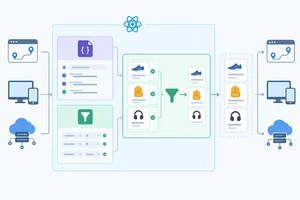
Extract the typed availability-selection rule into a product-specific domain module while leaving routing, rendering, and data access outside the rule. 2 min
Extract Pure Product Rules
Extract the typed availability-selection rule into a product-specific domain module while leaving routing, rendering, and data access outside the rule. 2 min
 Put Typed Data Access Behind One Operation
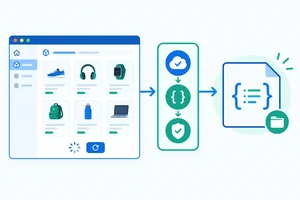
Separate transport and validation details from route orchestration without changing request behavior. 2 min
Put Typed Data Access Behind One Operation
Separate transport and validation details from route orchestration without changing request behavior. 2 min
 Give Presentation Components Data and Callbacks
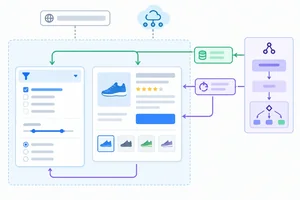
Define presentation contracts that receive typed data and semantic callbacks while route composition retains routing and data-access work. 2 min
Give Presentation Components Data and Callbacks
Define presentation contracts that receive typed data and semantic callbacks while route composition retains routing and data-access work. 2 min
 Reconnect the Routes as Composition Boundaries
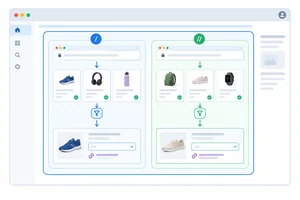
Reconnect extracted product modules through route composition while preserving URL behavior, request orchestration, native links, and page-level ownership. 3 min
Reconnect the Routes as Composition Boundaries
Reconnect extracted product modules through route composition while preserving URL behavior, request orchestration, native links, and page-level ownership. 3 min
 Define the Feature's Public Boundary
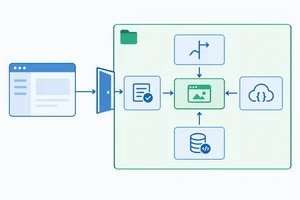
Expose the products feature through a small entry point and audit import direction without adding speculative shared layers. 2 min
Define the Feature's Public Boundary
Expose the products feature through a small entry point and audit import direction without adding speculative shared layers. 2 min
 Verify the Refactor Without Changing Behavior
Finish and audit the local refactor, repeat the baseline checks, and explain the resulting responsibility boundaries. 3 min
Verify the Refactor Without Changing Behavior
Finish and audit the local refactor, repeat the baseline checks, and explain the resulting responsibility boundaries. 3 min
Step 1 of 8
Identify the mixed responsibilities in a working Trail Shop products feature and record the behavior that later refactoring must preserve.
A working feature can temporarily place several jobs in one module. That is not automatically a bug—but unrelated changes become harder to isolate.
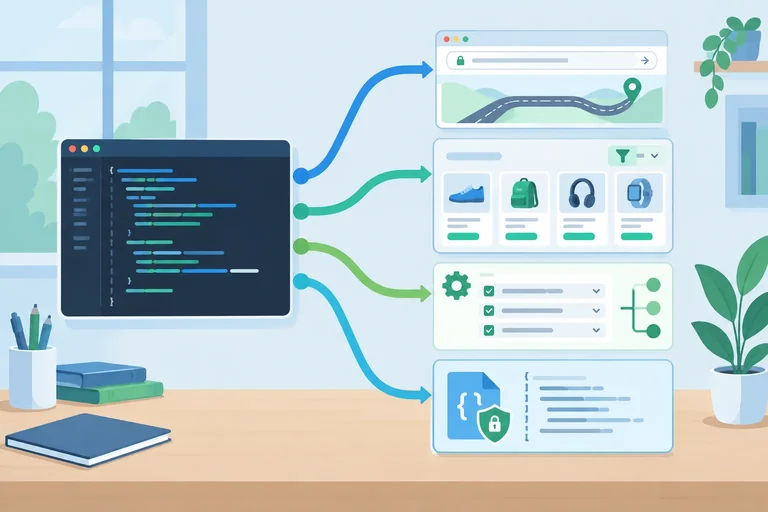
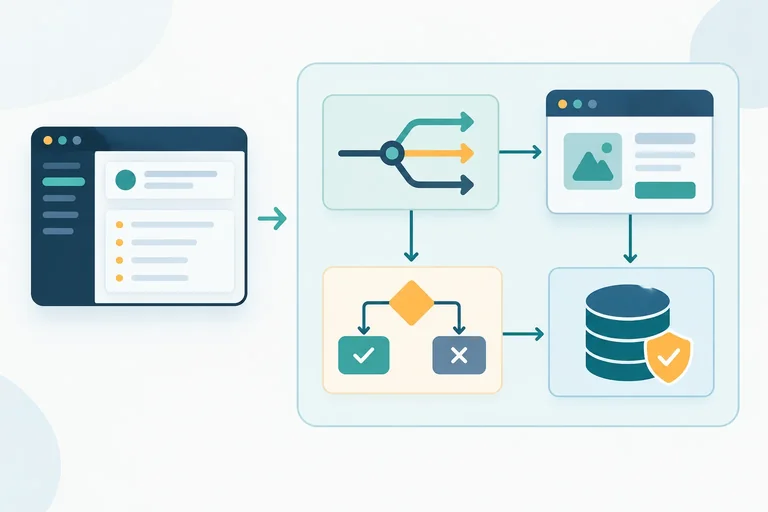
Use these four names as you inspect the Trail Shop starter:
First observe and name these jobs. Do not refactor yet.
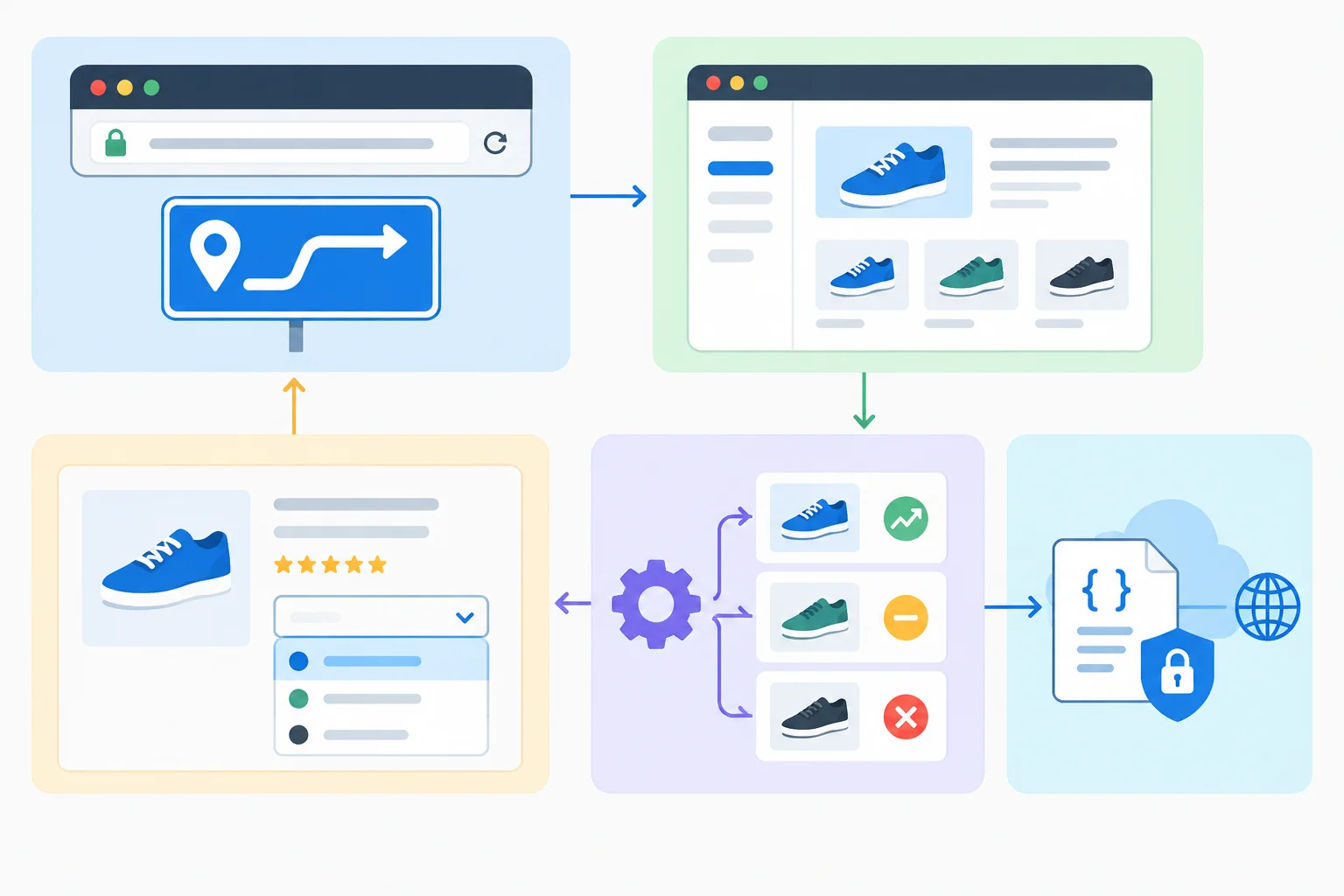
The jobs cooperate, but answer different questions: where the page is, what it renders, which records qualify, and how records become trustworthy.
A module may contain all four responsibilities at first. Classify code by what it does, not by the filename it currently has.
| Responsibility | Owns | Representative operation |
|---|---|---|
| Route composition | Page coordination | Read a search parameter and choose a page state |
| Presentation | Supplied interface output | Render a product name and stock label |
| Domain logic | Product-specific rule | Keep only records that are in stock |
| Data access | Transport and validation | Fetch JSON and reject an invalid record |
Create these four files in your local Vite React project. Everything needed for the starter is shown as copyable text; there is no download or hosted project.
The starter deliberately keeps several responsibilities in src/ProductRoutes.tsx. It is a working before state, not a model to copy into future features.
src/main.tsx
import { StrictMode } from 'react';
import { createRoot } from 'react-dom/client';
import { BrowserRouter } from 'react-router';
import { App } from './App';

createRoot(document.getElementById('root')!).render(
  <StrictMode>
    <BrowserRouter>
      <App />
    </BrowserRouter>
  </StrictMode>
);
src/App.tsx
import { useEffect, useRef } from 'react';
import { Link, Route, Routes, useLocation } from 'react-router';
import { ProductDetailRoute, ProductListRoute } from './ProductRoutes';

export function App() {
  const location = useLocation();
  const headingRef = useRef<HTMLHeadingElement>(null);

  useEffect(() => {
    document.title = location.pathname === '/products'
      ? 'Products | Trail Shop'
      : 'Trail Shop';
    headingRef.current?.focus();
  }, [location.pathname]);

  return (
    <>
      <header>
        <Link to='/products'>Products</Link>
      </header>
      <main>
        <h1 ref={headingRef} tabIndex={-1}>Trail Shop</h1>
        <Routes>
          <Route path='/products' element={<ProductListRoute />} />
          <Route path='/products/:productId' element={<ProductDetailRoute />} />
          <Route path='*' element={<p>Page not found.</p>} />
        </Routes>
      </main>
    </>
  );
}
public/products.json
[
  { "id": "p1", "name": "Trail Mug", "inStock": true },
  { "id": "p2", "name": "Rain Cap", "inStock": false },
  { "id": "p3", "name": "Day Pack", "inStock": true }
]
Create src/ProductRoutes.tsx by pasting Parts 1–6 below consecutively into one file, in order. The routes intentionally duplicate request orchestration for now: each route directly owns its state, Effect, retry trigger, and AbortController cleanup.
That duplication is temporary evidence of mixed responsibilities—not a custom Hook. Keep this starter unchanged while you record the baseline.
src/ProductRoutes.tsx — Part 1 of 6
import { useEffect, useState } from 'react';
import { Link, useParams, useSearchParams } from 'react-router';

type Product = {
  id: string;
  name: string;
  inStock: boolean;
};

type AvailabilityFilter = 'all' | 'in-stock';

function parseProducts(value: unknown): Product[] {
  if (!Array.isArray(value)) {
    throw new Error('Invalid product data.');
  }

  return value.map((item): Product => {
    if (typeof item !== 'object' || item === null) {
      throw new Error('Invalid product data.');
    }

    const product = item as Record<string, unknown>;
    if (
      typeof product.id !== 'string' ||
      typeof product.name !== 'string' ||
      typeof product.inStock !== 'boolean'
    ) {
      throw new Error('Invalid product data.');
    }

    return {
      id: product.id,
      name: product.name,
      inStock: product.inStock
    };
  });
}
Append to src/ProductRoutes.tsx — Part 2 of 6
export function ProductListRoute() {
  const [products, setProducts] = useState<Product[] | null>(null);
  const [error, setError] = useState<string | null>(null);
  const [retryVersion, setRetryVersion] = useState(0);
  const [params, setParams] = useSearchParams();

  useEffect(() => {
    const controller = new AbortController();

    async function load(): Promise<void> {
      setProducts(null);
      setError(null);

      try {
        const response = await fetch('/products.json', {
          signal: controller.signal
        });

        if (!response.ok) {
          throw new Error('Could not load products.');
        }

        const value: unknown = await response.json();
        setProducts(parseProducts(value));
      } catch (reason: unknown) {
        if (reason instanceof DOMException && reason.name === 'AbortError') {
          return;
        }

        setError(
          reason instanceof Error ? reason.message : 'Could not load products.'
        );
      }
    }

    void load();
    return () => controller.abort();
  }, [retryVersion]);
Append to src/ProductRoutes.tsx — Part 3 of 6
  const filter: AvailabilityFilter = params.get('availability') === 'in-stock'
    ? 'in-stock'
    : 'all';

  if (error) {
    return <><h2>Products</h2><p>{error}</p><button onClick={() => setRetryVersion((current) => current + 1)}>Retry</button></>;
  }

  if (!products) {
    return <><h2>Products</h2><p>Loading products…</p></>;
  }

  const visibleProducts = filter === 'in-stock'
    ? products.filter((product) => product.inStock)
    : products;
  const productSearch = params.toString();
Append to src/ProductRoutes.tsx — Part 4 of 6
  return (
    <section>
      <h2>Products</h2>
      <label>
        Availability
        <select
          value={filter}
          onChange={(event) => {
            const value: AvailabilityFilter = event.currentTarget.value === 'in-stock'
              ? 'in-stock'
              : 'all';
            setParams((current) => {
              const next = new URLSearchParams(current);
              if (value === 'all') {
                next.delete('availability');
              } else {
                next.set('availability', value);
              }
              return next;
            });
          }}
        >
          <option value='all'>All products</option>
          <option value='in-stock'>In stock only</option>
        </select>
      </label>
      <ul>
        {visibleProducts.map((product) => (
          <li key={product.id}>
            <Link to={`/products/${product.id}${productSearch ? `?${productSearch}` : ''}`}>
              {product.name}
            </Link>
            {' — '}{product.inStock ? 'In stock' : 'Out of stock'}
          </li>
        ))}
      </ul>
    </section>
  );
}
Append to src/ProductRoutes.tsx — Part 5 of 6
export function ProductDetailRoute() {
  const { productId } = useParams();
  const [products, setProducts] = useState<Product[] | null>(null);
  const [error, setError] = useState<string | null>(null);
  const [retryVersion, setRetryVersion] = useState(0);

  useEffect(() => {
    const controller = new AbortController();

    async function load(): Promise<void> {
      setProducts(null);
      setError(null);

      try {
        const response = await fetch('/products.json', {
          signal: controller.signal
        });

        if (!response.ok) {
          throw new Error('Could not load products.');
        }

        const value: unknown = await response.json();
        setProducts(parseProducts(value));
      } catch (reason: unknown) {
        if (reason instanceof DOMException && reason.name === 'AbortError') {
          return;
        }

        setError(
          reason instanceof Error ? reason.message : 'Could not load products.'
        );
      }
    }

    void load();
    return () => controller.abort();
  }, [retryVersion]);
Append to src/ProductRoutes.tsx — Part 6 of 6
  if (!productId || !/^p\d+$/.test(productId)) {
    return <><h2>Products</h2><p>Invalid product identifier.</p><Link to='/products'>Products</Link></>;
  }

  if (error) {
    return <><h2>Products</h2><p>{error}</p><button onClick={() => setRetryVersion((current) => current + 1)}>Retry</button></>;
  }

  if (!products) {
    return <><h2>Products</h2><p>Loading products…</p></>;
  }

  const product = products.find((item) => item.id === productId);
  if (!product) {
    return <><h2>Products</h2><p>Product not found.</p><Link to='/products'>Products</Link></>;
  }

  return (
    <section>
      <h2>{product.name}</h2>
      <p>{product.inStock ? 'In stock' : 'Out of stock'}</p>
      <Link to='/products'>Products</Link>
    </section>
  );
}
Run your usual local development server and record this Before checklist without editing the code. You will repeat the same checks after the later extractions.
For filter-only changes, focus should remain on the select control. For page navigation, the application’s established title and heading-focus behavior should occur. Record what your own browser does in the After column later; a successful type check does not prove these interactions.
Use the fixed Trail Shop fixture and the same URLs before and after the refactor.
| Check | Before | After |
|---|---|---|
| Open /products?source=practice | Three products appear | |
| Choose In stock only | Trail Mug and Day Pack appear; source=practice remains | |
| Activate Trail Mug from that filtered list | Details appear at /products/p1?source=practice&availability=in-stock | |
| Open /products/p1 | Matching product details appear | |
| Visit /products/p9 | Well-formed missing-product state appears | |
| Visit /products/nope | Invalid-identifier state appears | |
| Use Tab and Enter on a product link | Native link behavior, including opening another tab | |
| Use browser Back and Forward | Navigation history works | |
| Change only the filter | Filter retains focus; page title and heading focus do not change | |
| Navigate between pages | Established page title and heading-focus behavior occurs |
After recording the checklist, match each representative starter operation to its responsibility.
Tap an item and then its matching pair.
Step 2 of 8
Choose a small feature-focused module structure for Trail Shop products before extracting code.
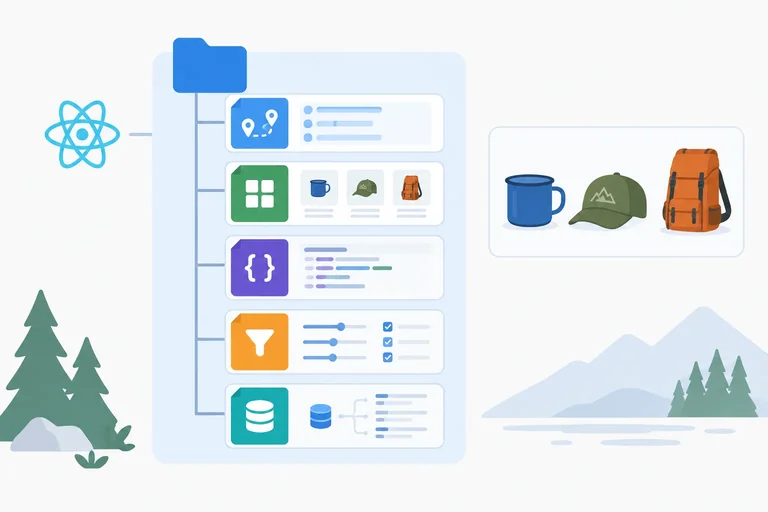
A feature-focused folder keeps the code that changes together. For Trail Shop, routes, views, contracts, rules, and data access for products belong under src/features/products/.
This is not a project-wide components/, utils/, or services/ reorganization. The product feature remains the context for each module, while each file has one primary responsibility.
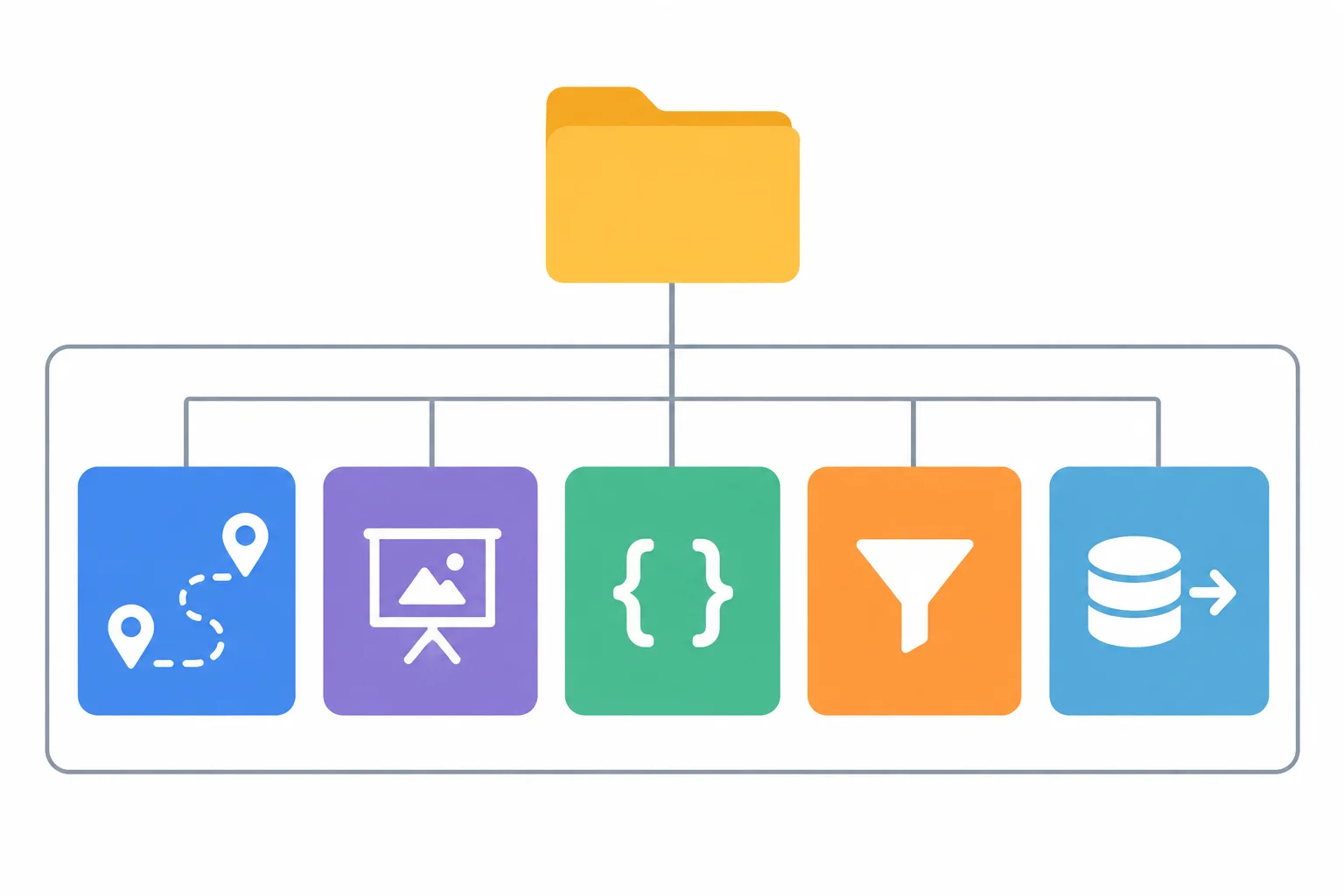
Organize by feature first; separate responsibilities inside that feature.
Target structure under src/
features/
  products/
    ProductListRoute.tsx
    ProductDetailRoute.tsx
    ProductViews.tsx
    productTypes.ts
    productRules.ts
    productsApi.ts
index.tsUse .tsx for the three modules that contain JSX. Use .ts for contracts, rules, data access, and the feature entry point.
ProductListRoute.tsx and ProductDetailRoute.tsx hold route composition. ProductViews.tsx groups the small, related presentation components ProductFilter and ProductDetails; separation by responsibility does not require one file per component.
The remaining files make product-specific responsibilities explicit without creating extra layers.
Shared product contracts belong in one feature-local module.
export type Product = {
  id: string;
  name: string;
  inStock: boolean;
};

export type AvailabilityFilter = 'all' | 'in-stock';A filename is only a promise; its contents and imports must keep that promise.
productTypes.ts contains shared product contracts. It must not import React, React Router, or transport code. productRules.ts remains product-specific even though it will contain a plain function. productsApi.ts keeps fixture reading and validation together. ProductViews.tsx renders supplied values and callbacks rather than taking over route or transport work.
Create the files as a map for the extraction. Keep the working starter route code in place until the specific dependency it needs has been moved and is ready to import. Do not point imports at empty or unfinished modules.
Tip
A helper being useful in more than one products module does not make it globally useful. Keep it local to features/products while its inputs, types, and meaning are specific to products. Move code beyond the feature only when multiple features have a concrete shared need.
You are planning the next extraction from the working starter. Assign each responsibility below to one target file, then explain the folder decision.
Product and AvailabilityFilter contractspublic/products.jsonWhy should the availability helper stay inside features/products rather than move now to a global utils folder?
Write at least 180 characters (0/180).
Step 3 of 8
Extract the typed availability-selection rule into a product-specific domain module while leaving routing, rendering, and data access outside the rule.
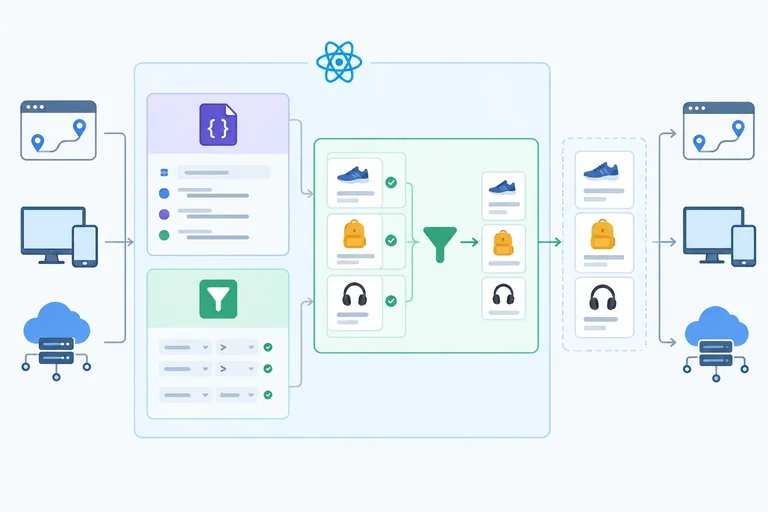
A domain logic rule answers a product question from explicit inputs. Here, the question is: which supplied products are visible for a supported availability filter?
selectVisibleProducts receives product records and an AvailabilityFilter, then returns the records that should be visible. It does not need JSX, a route parameter, component state, URLSearchParams, the DOM, or a request. Route composition supplies the inputs; presentation renders the result.
This makes the availability decision inspectable and changeable without carrying page-specific behavior with it.
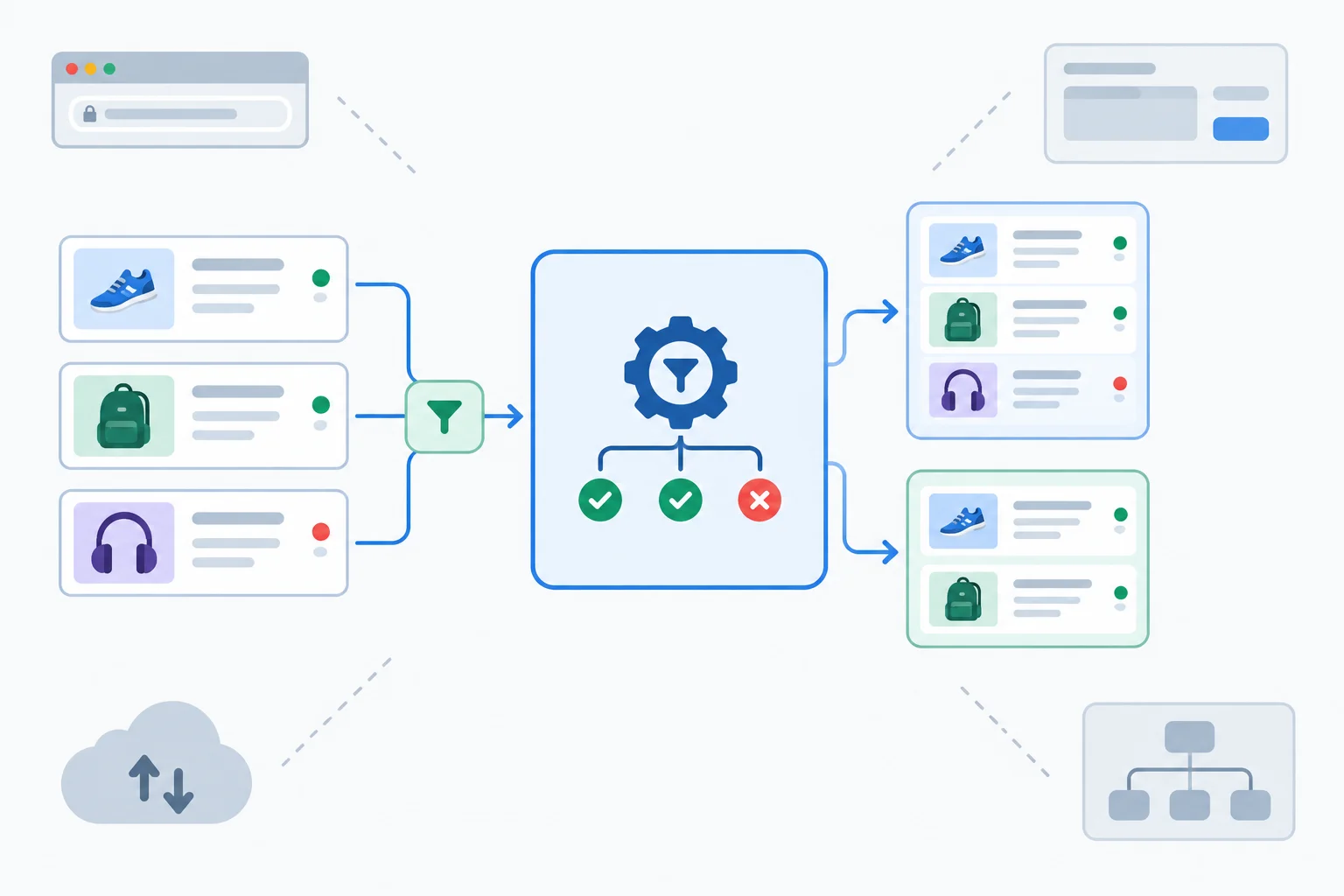
The rule transforms supplied product data. It does not obtain, interpret URLs for, or render that data.
Create src/features/products/productRules.ts. Its only dependency is the feature-local contract module created in the previous step.
import type { AvailabilityFilter, Product } from './productTypes';

export function selectVisibleProducts(
  products: Product[],
  filter: AvailabilityFilter
): Product[] {
  if (filter === 'in-stock') {
    return products.filter((product) => product.inStock);
  }

  return products;
}
Tip
With the fixed Trail Shop fixture, all returns the three records p1, p2, and p3. in-stock returns p1 and p3. Filtering creates the selected result without changing any input record.
Although this is a plain function, it is product-specific domain logic. Keep it in features/products rather than moving it to a shared utilities folder without a concrete cross-feature need.
Extract the contracts and rule first while the starter routes remain in src/ProductRoutes.tsx. Do not move fetching, validation, URL interpretation, or rendering in this step.
Remove the local Product and AvailabilityFilter declarations from src/ProductRoutes.tsx. Add the two feature imports below its existing React and React Router imports; keep the existing parseProducts function directly below the complete import block. Then replace only the list route’s inline visibleProducts conditional with the rule call.
The existing search-parameter update remains untouched, so its established behavior—including preserving source=practice—does not change.
Add these imports after the existing React and React Router imports in src/ProductRoutes.tsx.
import type {
  AvailabilityFilter,
  Product
} from './features/products/productTypes';
import { selectVisibleProducts } from './features/products/productRules';Replace the existing multi-line conditional that assigns visibleProducts in ProductListRoute with this declaration. The existing JSX can continue mapping visibleProducts.
const visibleProducts = selectVisibleProducts(products, filter);Complete the rule’s explicit input contracts, its use from the route caller, and the Router import that would incorrectly couple this domain module to route composition.
import type { ,  } from './productTypes';

export function selectVisibleProducts(
  products: Product[],
  filter: AvailabilityFilter
): Product[] {
  return filter === 'in-stock'
    ? products.filter((product) => product.inStock)
    : products;
}

// In ProductListRoute, after URL interpretation:
const visibleProducts = (products, filter);

// Boundary audit: productRules.ts must not import  from 'react-router'.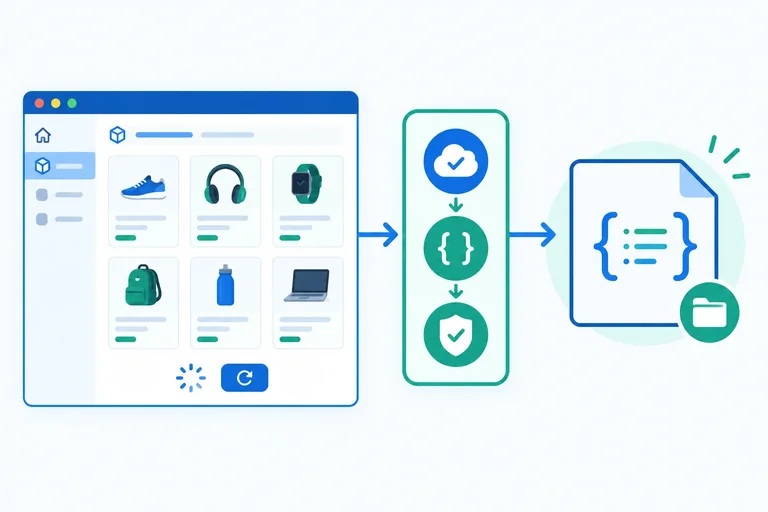
Step 4 of 8
Separate transport and validation details from route orchestration without changing request behavior.
A route needs product records, but it should not need to know the fixture path, inspect an HTTP response, decode JSON, and validate each record. Put those transport details behind one typed operation.
getProducts is the data-access boundary. Its consumer receives either a Promise<Product[]> or a rejection. It does not receive a Response, raw JSON, or a misleading empty array after a failure.
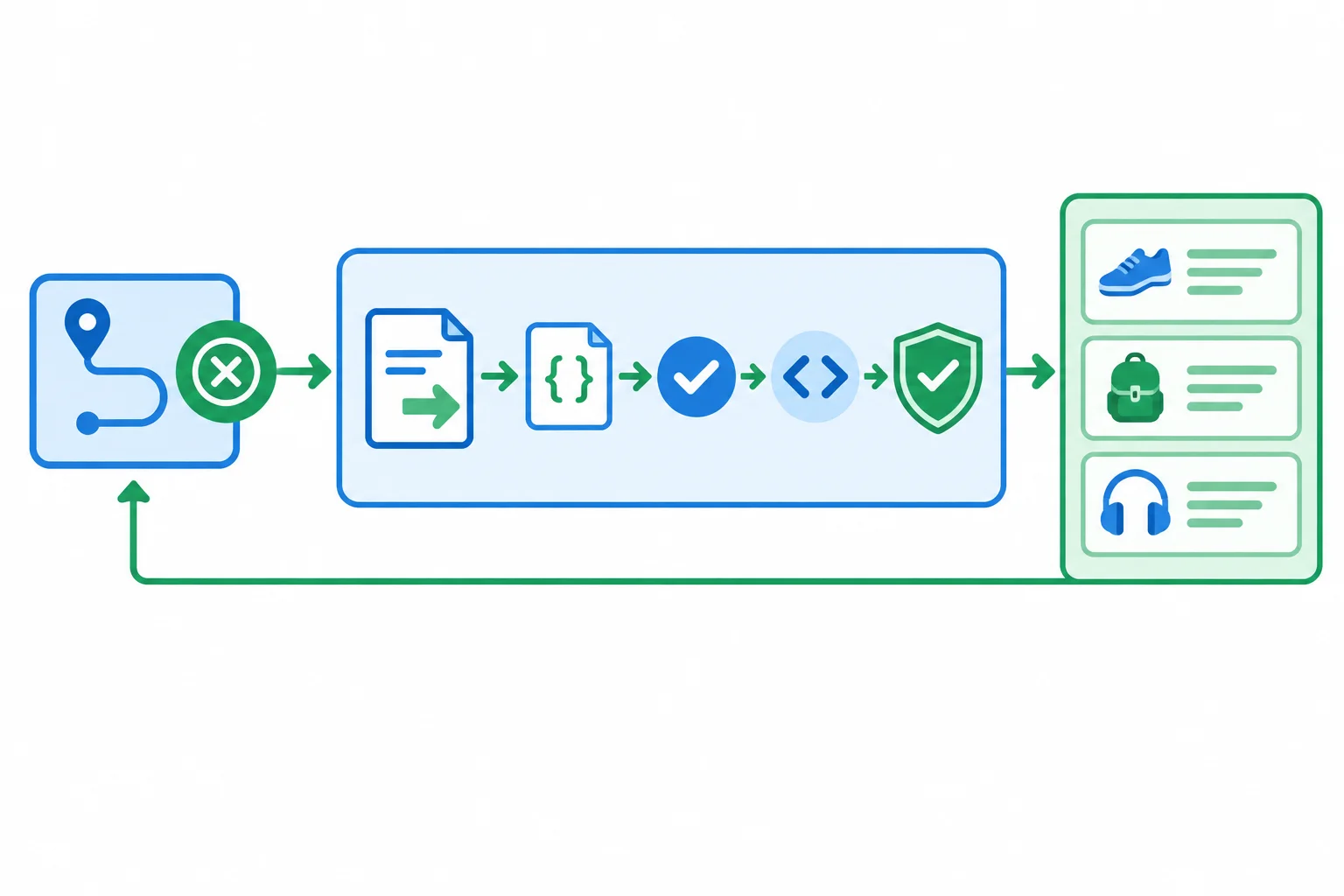
The route calls one operation; request and validation details stay together in the data-access module.
Create src/features/products/productsApi.ts. Move the existing parseProducts implementation from src/ProductRoutes.tsx into this file. The fixture remains a local, read-only JSON file; this module does not turn it into a writable API.
import type { Product } from './productTypes';

export async function getProducts(
  signal?: AbortSignal
): Promise<Product[]> {
  const response = await fetch('/products.json', { signal });

  if (!response.ok) {
    throw new Error('Could not load products.');
  }

  const value: unknown = await response.json();
  return parseProducts(value);
}

function parseProducts(value: unknown): Product[] {
  if (!Array.isArray(value)) {
    throw new Error('Invalid product data.');
  }

  return value.map((item): Product => {
    if (typeof item !== 'object' || item === null) {
      throw new Error('Invalid product data.');
    }

    const product = item as Record<string, unknown>;
    if (
      typeof product.id !== 'string' ||
      typeof product.name !== 'string' ||
      typeof product.inStock !== 'boolean'
    ) {
      throw new Error('Invalid product data.');
    }

    return {
      id: product.id,
      name: product.name,
      inStock: product.inStock
    };
  });
}
Warning
Promise<Product[]> describes the successful result for TypeScript; it cannot prove that decoded JSON has that shape at runtime. Keep parseProducts beside the request so invalid data rejects before it reaches a route.
Do not catch a request, decoding, or validation failure here just to return []. An empty successful result means something different from a failed request. Rejections let the route preserve its existing error message and Retry action.
The extraction changes the data boundary, not route ownership. ProductListRoute and ProductDetailRoute still create their own AbortController, clear and set their own loading/error state, use retryVersion, render Retry, and abort during Effect cleanup.
In src/ProductRoutes.tsx, remove the local parseProducts function after creating productsApi.ts. Then replace the route module's import block with the following imports.
Replace the imports at the top of src/ProductRoutes.tsx. This remains an intermediate route module until the later route-composition extraction.
import { useEffect, useState } from 'react';
import { Link, useParams, useSearchParams } from 'react-router';
import type {
  AvailabilityFilter,
  Product
} from './features/products/productTypes';
import { selectVisibleProducts } from './features/products/productRules';
import { getProducts } from './features/products/productsApi';
The two routes already have the same request pattern. In both ProductListRoute and ProductDetailRoute, replace the existing useEffect with this version. It removes direct fetch, response handling, JSON decoding, and validator calls while retaining the route-local state and cleanup.
Paste this in place of each existing request useEffect in src/ProductRoutes.tsx. Keep the surrounding products, error, and retryVersion state declarations and all existing rendering branches unchanged.
useEffect(() => {
  const controller = new AbortController();

  async function load(): Promise<void> {
    setProducts(null);
    setError(null);

    try {
      const nextProducts = await getProducts(controller.signal);
      setProducts(nextProducts);
    } catch (reason: unknown) {
      if (reason instanceof DOMException && reason.name === 'AbortError') {
        return;
      }

      setError(
        reason instanceof Error ? reason.message : 'Could not load products.'
      );
    }
  }

  void load();
  return () => controller.abort();
}, [retryVersion]);
The refactor changes where each concern lives, not the observable request behavior.
| Concern | Before | After |
|---|---|---|
| Fixture path and fetch call | Mixed into each route | productsApi.ts |
| HTTP check and JSON decoding | Mixed into each route | productsApi.ts |
| Runtime record validation | Mixed into each route | productsApi.ts |
| Loading, error, and Retry state | Route | Route |
| AbortController lifetime and cleanup | Route | Route |
Complete the boundary so transport validation stays in productsApi.ts and the route retains cancellation ownership.
// productsApi.ts
export async function getProducts(
  ?: AbortSignal
): Promise<Product[]> {
  const response = await fetch('/products.json', { signal });

  if (!) {
    throw new Error('Could not load products.');
  }

  const value: unknown = await ;
  return ;
}

// Inside a route Effect that created controller
const nextProducts = await getProducts();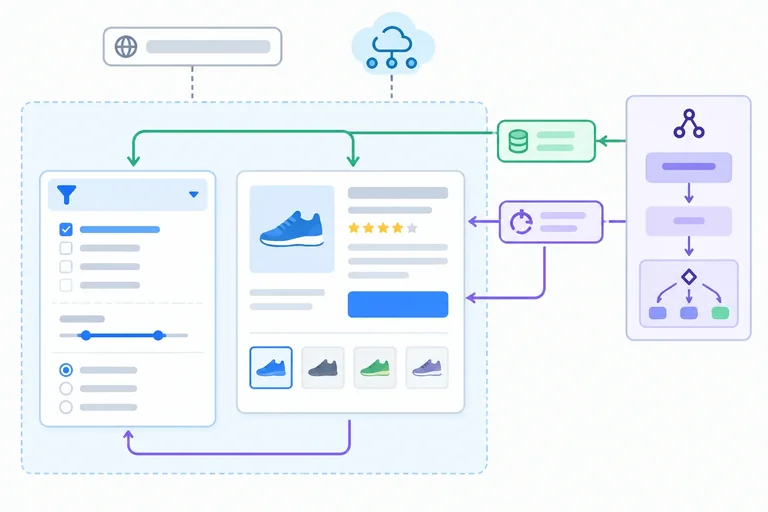
Step 5 of 8
Define presentation contracts that receive typed data and semantic callbacks while route composition retains routing and data-access work.
A presentation component receives what it needs to render and reports a user intention through props. It does not decide how the URL changes or where product records come from.
For this feature, ProductFilter receives the selected AvailabilityFilter plus an onChange callback. It turns a native select event into that semantic value. ProductDetails receives one resolved product and renders it.
The route composition layer still reads the URL, requests data, applies rules, and decides what to do when the callback runs.
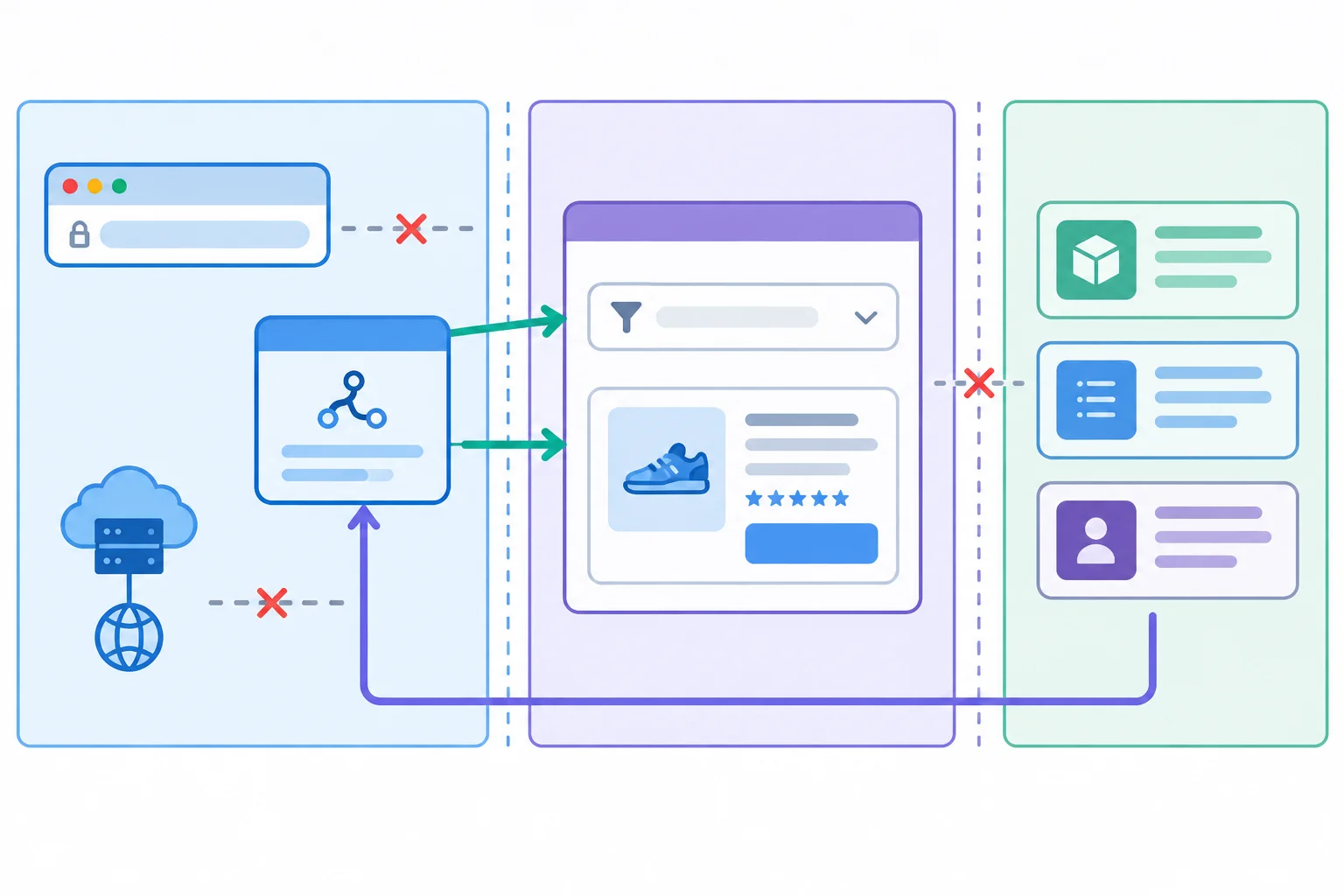
Presentation renders supplied inputs and sends semantic user choices back to its caller.
Tip
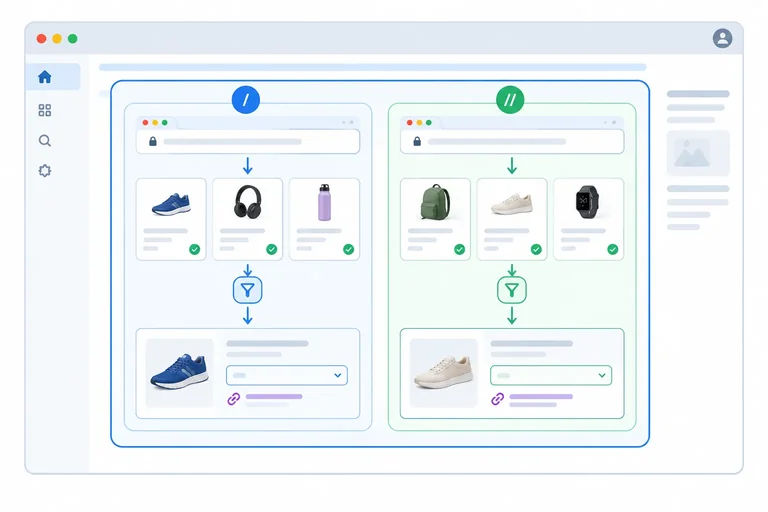
Keep navigation markup with the route when it expresses a routing decision. For example, the list route can map visible products to real Link elements. Those links keep keyboard activation, browser history, and opening a destination in another tab.
Extracting ProductFilter and ProductDetails does not mean every piece of JSX must move. A route may retain lightweight layout and its route-owned links.
Create src/features/products/ProductViews.tsx. It imports only feature contracts and renders supplied values. The select translates its native string value into the supported callback union; it does not inspect search parameters.
import type { AvailabilityFilter, Product } from './productTypes';

type ProductFilterProps = {
  value: AvailabilityFilter;
  onChange: (value: AvailabilityFilter) => void;
};

type ProductDetailsProps = {
  product: Product;
};

export function ProductFilter({ value, onChange }: ProductFilterProps) {
  return (
    <label>
      Availability
      <select
        value={value}
        onChange={(event) => {
          const nextValue = event.currentTarget.value;

          if (nextValue === 'all' || nextValue === 'in-stock') {
            onChange(nextValue);
          }
        }}
      >
        <option value="all">All products</option>
        <option value="in-stock">In stock only</option>
      </select>
    </label>
  );
}

export function ProductDetails({ product }: ProductDetailsProps) {
  return (
    <section>
      <h2>{product.name}</h2>
      <p>{product.inStock ? 'In stock' : 'Out of stock'}</p>
    </section>
  );
}ProductViews.tsx has no import from productsApi.ts and no React Router import. Its props make the dependencies visible: a filter value, a callback request, and a product to display.
A parent route can pass onChange that updates availability while preserving source=practice. That URL work stays outside this file.
Assume the feature types are already available in this file. Complete the two prop annotations.
type ProductFilterProps = {
  value: 'all' | 'in-stock';
  onChange: (value: ) => void;
};

type ProductDetailsProps = {
  product: ;
};Which import set belongs in ProductViews.tsx?
Step 6 of 8
Reconnect extracted product modules through route composition while preserving URL behavior, request orchestration, native links, and page-level ownership.
A route component is a composition boundary: it connects route inputs, route-owned request state, domain logic, and presentation. It does not absorb the implementation of those responsibilities.
ProductListRoute interprets availability, calls selectVisibleProducts, and turns ProductFilter’s semantic callback into the existing search-parameter update. ProductDetailRoute interprets productId, keeps invalid and missing-record outcomes distinct, and supplies a resolved product to ProductDetails.
Moving these components into features/products changes module ownership only. The routes still own their existing Effect, retry state, cancellation cleanup, loading and error branches, and route-owned Link elements. App.tsx still owns route registration, page title updates, and page-navigation focus.
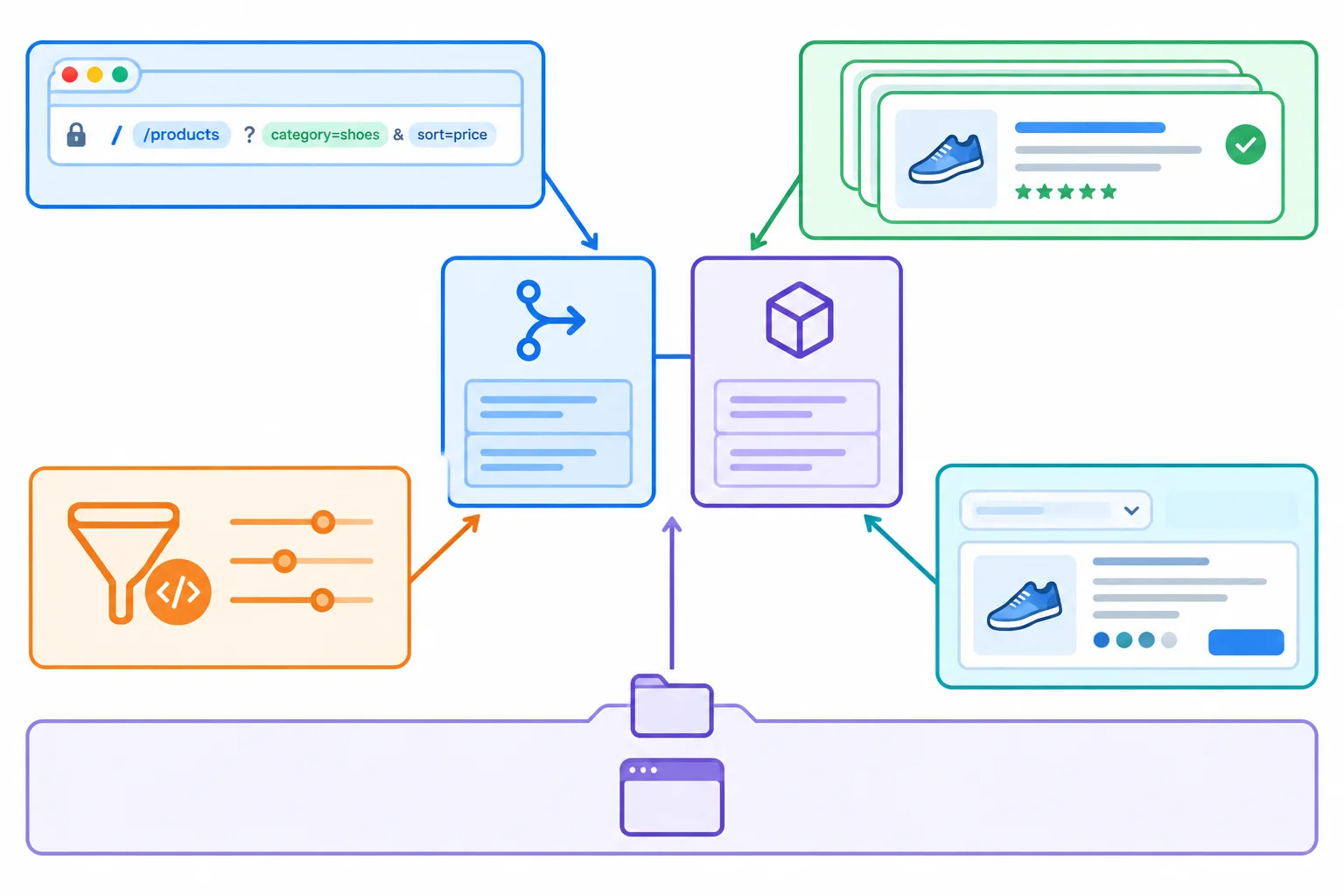
Import direction: App.tsx reaches the feature through its entry point later. Routes directly import sibling views, rules, and data access; arrows mean imports, not execution order.
The refactor relocates code without changing the established owner of each behavior.
| Responsibility | Owner after reconnection |
|---|---|
| Route composition, request state, retry, cleanup | ProductListRoute or ProductDetailRoute |
| Presentation | ProductViews.tsx |
| Domain logic | productRules.ts |
| Data access and validation | productsApi.ts |
| Route registration, page title, page focus | App.tsx |
Create src/features/products/ProductListRoute.tsx by pasting Parts 1 and 2 consecutively, in that order. This replaces the list-route implementation from the intermediate src/ProductRoutes.tsx; it does not change its request lifecycle.
The route accepts missing or unsupported availability values as all. When the filter changes to all, it deletes that parameter exactly as the starter did. It copies the current parameters before changing the filter, so source=practice remains. Product links keep the current search string when they open a detail route.
src/features/products/ProductListRoute.tsx — Part 1 of 2
import { useEffect, useState } from 'react';
import { Link, useSearchParams } from 'react-router';
import { ProductFilter } from './ProductViews';
import { getProducts } from './productsApi';
import { selectVisibleProducts } from './productRules';
import type { AvailabilityFilter, Product } from './productTypes';

export function ProductListRoute() {
  const [products, setProducts] = useState<Product[] | null>(null);
  const [error, setError] = useState<string | null>(null);
  const [retryVersion, setRetryVersion] = useState(0);
  const [params, setParams] = useSearchParams();

  useEffect(() => {
    const controller = new AbortController();

    async function load(): Promise<void> {
      setProducts(null);
      setError(null);

      try {
        const nextProducts = await getProducts(controller.signal);
        setProducts(nextProducts);
      } catch (reason: unknown) {
        if (reason instanceof DOMException && reason.name === 'AbortError') {
          return;
        }

        setError(
          reason instanceof Error ? reason.message : 'Could not load products.'
        );
      }
    }

    void load();
    return () => controller.abort();
  }, [retryVersion]);
src/features/products/ProductListRoute.tsx — Part 2 of 2
  const filter: AvailabilityFilter = params.get('availability') === 'in-stock'
    ? 'in-stock'
    : 'all';

  function handleFilterChange(value: AvailabilityFilter): void {
    setParams((current) => {
      const next = new URLSearchParams(current);
      if (value === 'all') {
        next.delete('availability');
      } else {
        next.set('availability', value);
      }
      return next;
    });
  }

  if (error) {
    return <><h2>Products</h2><p>{error}</p><button onClick={() => setRetryVersion((current) => current + 1)}>Retry</button></>;
  }

  if (!products) {
    return <><h2>Products</h2><p>Loading products…</p></>;
  }

  const visibleProducts = selectVisibleProducts(products, filter);
  const productSearch = params.toString();

  return (
    <section>
      <h2>Products</h2>
      <ProductFilter value={filter} onChange={handleFilterChange} />
      <ul>
        {visibleProducts.map((product) => (
          <li key={product.id}>
            <Link to={`/products/${product.id}${productSearch ? `?${productSearch}` : ''}`}>
              {product.name}
            </Link>
            {' — '}{product.inStock ? 'In stock' : 'Out of stock'}
          </li>
        ))}
      </ul>
    </section>
  );
}
Create src/features/products/ProductDetailRoute.tsx by pasting these two parts consecutively. The request Effect remains route-local and passes its AbortSignal to getProducts.
The identifier check remains before a lookup: nope is malformed and shows the invalid-identifier branch. A well-formed identifier such as p9 can load successfully but still have no matching record, so it shows the not-found branch. A matching p1 is passed as typed data to ProductDetails.
src/features/products/ProductDetailRoute.tsx — Part 1 of 2
import { useEffect, useState } from 'react';
import { Link, useParams } from 'react-router';
import { ProductDetails } from './ProductViews';
import { getProducts } from './productsApi';
import type { Product } from './productTypes';

export function ProductDetailRoute() {
  const { productId } = useParams();
  const [products, setProducts] = useState<Product[] | null>(null);
  const [error, setError] = useState<string | null>(null);
  const [retryVersion, setRetryVersion] = useState(0);

  useEffect(() => {
    const controller = new AbortController();

    async function load(): Promise<void> {
      setProducts(null);
      setError(null);

      try {
        const nextProducts = await getProducts(controller.signal);
        setProducts(nextProducts);
      } catch (reason: unknown) {
        if (reason instanceof DOMException && reason.name === 'AbortError') {
          return;
        }

        setError(
          reason instanceof Error ? reason.message : 'Could not load products.'
        );
      }
    }

    void load();
    return () => controller.abort();
  }, [retryVersion]);
src/features/products/ProductDetailRoute.tsx — Part 2 of 2
  if (!productId || !/^p\d+$/.test(productId)) {
    return <><h2>Products</h2><p>Invalid product identifier.</p><Link to='/products'>Products</Link></>;
  }

  if (error) {
    return <><h2>Products</h2><p>{error}</p><button onClick={() => setRetryVersion((current) => current + 1)}>Retry</button></>;
  }

  if (!products) {
    return <><h2>Products</h2><p>Loading products…</p></>;
  }

  const product = products.find((item) => item.id === productId);
  if (!product) {
    return <><h2>Products</h2><p>Product not found.</p><Link to='/products'>Products</Link></>;
  }

  return (
    <>
      <ProductDetails product={product} />
      <Link to='/products'>Products</Link>
    </>
  );
}
Complete the direct sibling imports and the value/callback wiring for the list route.
import { ProductFilter } from '';
import type { AvailabilityFilter } from '';
import { selectVisibleProducts } from '';

// Inside the loaded-success branch of ProductListRoute:
return (
  <ProductFilter value={} onChange={} />
);Arrange these integration changes from first to last so no caller depends on a missing module.
Step 7 of 8
Expose the products feature through a small entry point and audit import direction without adding speculative shared layers.
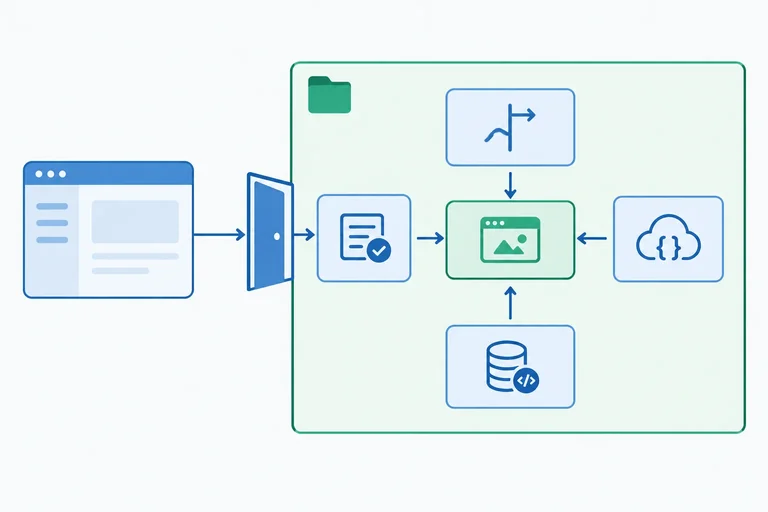
The application shell is the feature’s current consumer. It needs route components—not validators, fetch details, or presentation helpers. Make that small contract visible in the feature entry point, then let App.tsx import from it.
src/features/products/index.ts is the feature entry point.
export { ProductListRoute } from './ProductListRoute';
export { ProductDetailRoute } from './ProductDetailRoute';The application shell consumes the entry point rather than individual feature files.
import {
  ProductDetailRoute,
  ProductListRoute,
} from './features/products';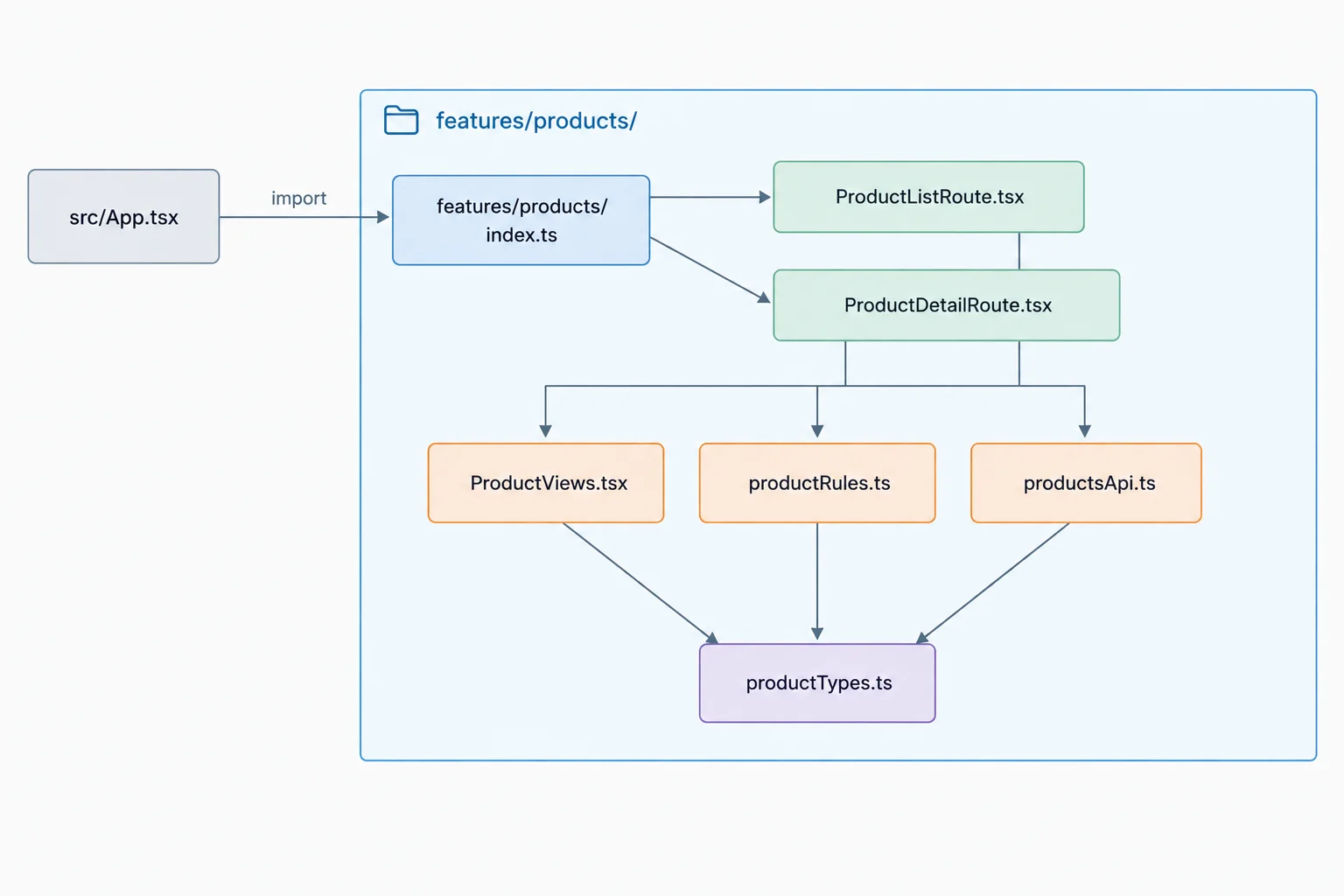
In this diagram, A → B means “A imports B.” The entry point is the boundary between the application shell and feature internals.
The folder name is not the boundary by itself. Inspect imports: each file should import only what its responsibility needs. Routes compose; views render; rules decide; data access reads and validates; types define contracts.
Use this as an import audit, not as a reason to add layers.
| Module | May import | Must not import |
|---|---|---|
| Route modules | Views, rules, data access, types, React Router | Transport implementation details outside products |
| ProductViews.tsx | Feature types and rendering dependencies | React Router, productsApi.ts |
| productRules.ts | Feature types | React, React Router, productsApi.ts |
| productsApi.ts | Feature types | React, React Router, view modules |
| productTypes.ts | Nothing from the feature | React, routing, transport |
| index.ts | Route modules for re-export | Internal implementation on behalf of routes |
Tip
An explicit entry point is a maintained convention. It makes the intended consumer path obvious, but it does not technically stop someone from deep-importing a file. Keep App.tsx on the public path and review new imports as the feature changes.
Do not move code merely because it might be useful later. A helper with one demonstrated consumer remains where that consumer owns it. Move feature code only when multiple real consumers require the same behavior; then evaluate the smallest useful shared location.
formatAvailability is called only by ProductViews.tsx. What is the best location now?
Complete this boundary audit: expose the two routes, repair the route’s internal import, and keep a one-consumer helper local.
// src/features/products/index.ts
export { ProductListRoute } from '';
export { ProductDetailRoute } from '';

// src/features/products/ProductListRoute.tsx
import { ProductFilter } from '';

// Audit note: formatAvailability is used only by ProductViews.tsx.
// Keep the helper in , not in a shared module.
Step 8 of 8
Finish and audit the local refactor, repeat the baseline checks, and explain the resulting responsibility boundaries.
Finish the migration deliberately: the application shell imports the two routes from the feature entry point, and modules inside src/features/products/ import sibling files directly. Keep src/App.tsx as the application shell and keep product-specific implementation in the feature folder.
Delete src/ProductRoutes.tsx only after App.tsx imports from ./features/products, the app runs, and no remaining caller imports the obsolete starter module. Moving files is complete only when the final import paths work locally.
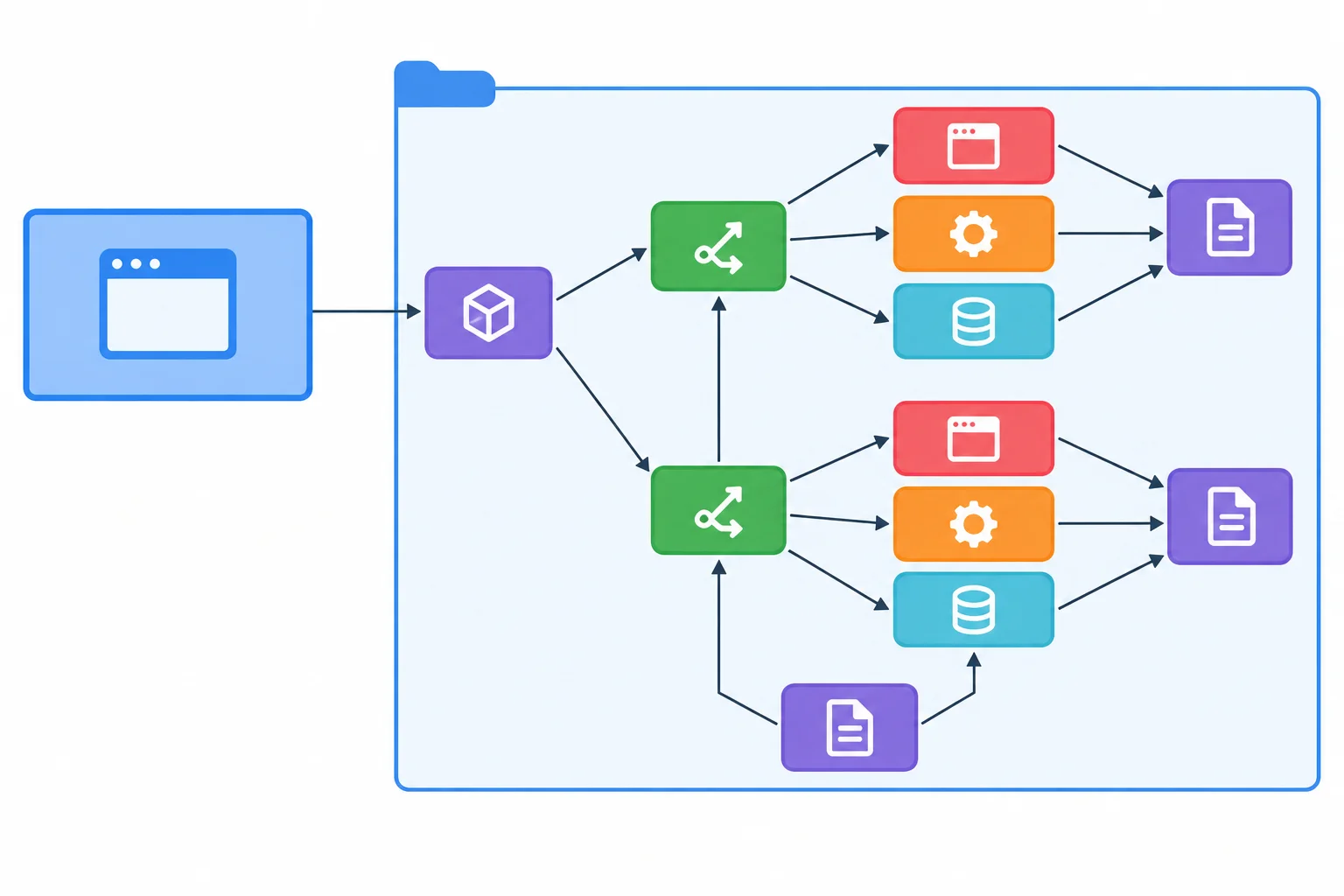
Import direction: App.tsx → features/products/index.ts → ProductListRoute.tsx or ProductDetailRoute.tsx. Routes import sibling modules directly. Here, A → B means “A imports B.”
The completed product feature has a small, inspectable local surface. The fixture remains a read-only local file; it is not a writable API.
| Location | Responsibility |
|---|---|
| src/main.tsx | Mounts the application |
| src/App.tsx | Application shell and route registration |
| src/features/products/ProductListRoute.tsx | List route composition |
| src/features/products/ProductDetailRoute.tsx | Detail route composition |
| src/features/products/ProductViews.tsx | Presentation |
| src/features/products/productTypes.ts | Shared feature contracts |
| src/features/products/productRules.ts | Domain logic |
| src/features/products/productsApi.ts | Data access and validation |
| src/features/products/index.ts | Public feature boundary |
| public/products.json | Read-only fixture |
| src/ProductRoutes.tsx | Removed after migration |
The shell consumes only the feature entry point.
// src/features/products/index.ts
export { ProductListRoute } from './ProductListRoute';
export { ProductDetailRoute } from './ProductDetailRoute';

// src/App.tsx
import {
  ProductDetailRoute,
  ProductListRoute
} from './features/products';Run the same local application and repeat the baseline journey. Start at /products?source=practice. Select In stock only, then activate the Trail Mug link from that filtered list. Verify the resulting detail URL before using the browser controls.
A successful type check and an import audit are useful evidence for contracts and boundaries. They do not demonstrate that URLs, focus, native links, or browser history still behave correctly.
Record what your own browser does in the After column. Use the same fixture and sequence as the Before check.
| Check | Before | After |
|---|---|---|
| Open /products?source=practice | Three products; Products heading and Availability label | Record observation |
| Select In stock only | p1 and p3 only; source=practice remains; filter retains focus | Record observation |
| Activate Trail Mug from filtered list | URL is /products/p1?source=practice&availability=in-stock; Trail Mug details and In stock appear | Record observation |
| Native link behavior | Keyboard activation works; product link can open in another tab | Record observation |
| Browser history | Back restores filtered list; Forward restores detail page | Record observation |
| Open /products/p1 | Matching product details appear | Record observation |
| Open /products/p9 | Well-formed missing identifier shows not-found behavior | Record observation |
| Open /products/nope | Malformed identifier shows invalid-identifier behavior | Record observation |
| Page navigation | Established document title and heading-focus behavior occurs | Record observation |
Tip
Use your browser observations together with the import audit for the final review.
Keep this checklist when you make future structural changes.
| Evidence | What it supports |
|---|---|
| Type checking | Typed contracts and compatible imports |
| Import inspection | Responsibility boundaries and intended dependency direction |
| Browser checklist | Observable URLs, rendering, focus, links, and history |
An import audit finds that ProductViews.tsx imports its Product type from the transport module. Complete the direct sibling import that repairs this dependency without changing the established ProductDetails markup.
import type { Product } from ;

type ProductDetailsProps = {
  product: Product;
};

export function ProductDetails({ product }: ProductDetailsProps) {
  return (
    <section>
      <h2>{product.name}</h2>
      <p>{product.inStock ? 'In stock' : 'Out of stock'}</p>
    </section>
  );
}After completing the import repair and running the local checks, write a concise Before/After verification report.
Report the three-product list, the two-product in-stock result with source=practice, and the URL after activating Trail Mug from that filtered list. Include what you observed for /products/p1, /products/p9, and /products/nope; keyboard activation and opening a product link in another tab; Back and Forward; filter-control focus; and established page title and heading-focus behavior.
Then identify, by final module name, who owns URL interpretation, rendering, product selection, and validated data access. State how type checking and import inspection helped, and why they did not establish behavioral equivalence alone.
Write at least 350 characters (0/350).
Congratulations! You completed: Organize React Features by Responsibility
Thousands of online courses in video, ebooks and audiobooks.
To test your knowledge during online courses
Generated directly from your cell phone's photo gallery and sent to your email

Download our app via QR Code or the links below:.



Carry knowledge in your pocket.
Download the Cursa app.
There are hundreds of free courses available, with a free certificate of completion that is saved in your mobile image gallery.
Download the app to access the Course Completion Certificate for Free.


+ 10 million
students

Free and Valid
Certificate

60 thousand free
exercises

4.8/5 rating in
app stores

Free courses in
video and ebooks