Step 1 of 8
Extract Named Values with Object Destructuring
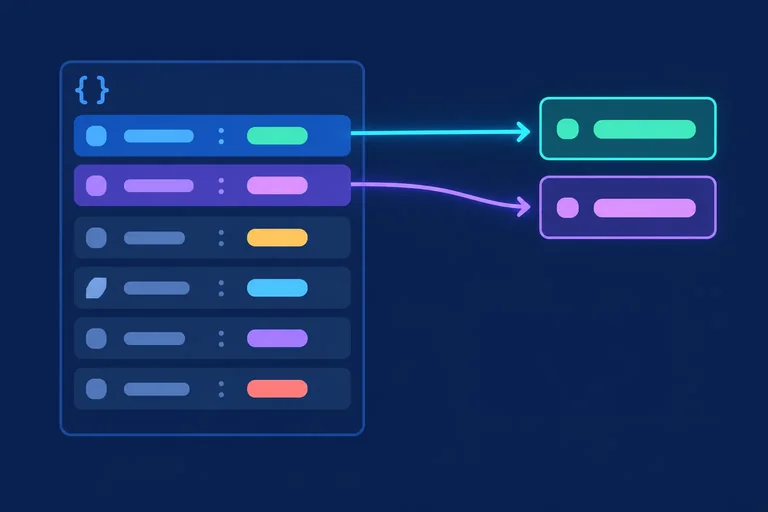
Extract named values from an object with destructuring while keeping the original task unchanged.

Learning path · Level 4 · Tutorial 6
Extract values with destructuring and produce updated copies with spread syntax without accidentally changing the original data.
 Extract Named Values with Object Destructuring
Extract named values from an object with destructuring while keeping the original task unchanged. 2 min
Extract Named Values with Object Destructuring
Extract named values from an object with destructuring while keeping the original task unchanged. 2 min
 Extract Positional Values with Array Destructuring
Extract the first two task tags with array destructuring while leaving the original tag array unchanged. 2 min
Extract Positional Values with Array Destructuring
Extract the first two task tags with array destructuring while leaving the original tag array unchanged. 2 min
 Create an Updated Object with Spread
Create a separate updated task object with object spread and verify that the source task remains unchanged. 3 min
Create an Updated Object with Spread
Create a separate updated task object with object spread and verify that the source task remains unchanged. 3 min
 Build a New Array with an Additional Item
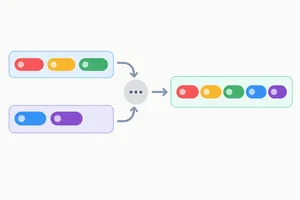
Use array spread to create a new tag array with an additional item while preserving the source array. 2 min
Build a New Array with an Additional Item
Use array spread to create a new tag array with an additional item while preserving the source array. 2 min
 Return Updated Copies from Functions
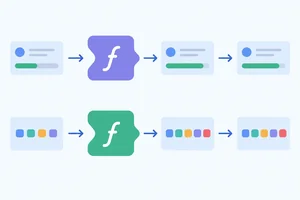
Use small updater functions to return new objects or arrays while keeping the caller's input unchanged. 2 min
Return Updated Copies from Functions
Use small updater functions to return new objects or arrays while keeping the caller's input unchanged. 2 min
 Recognize What a Shallow Copy Still Shares
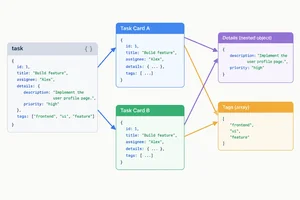
Predict which references remain shared after spread and observe why a nested write can affect the original data. 3 min
Recognize What a Shallow Copy Still Shares
Predict which references remain shared after spread and observe why a nested write can affect the original data. 3 min
 Copy Each Level Along the Changed Branch
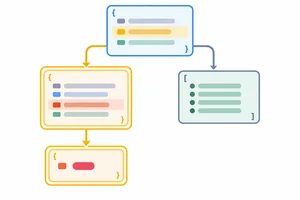
Update nested task data by copying each changed branch with spread syntax while preserving original values and unchanged sibling data. 3 min
Copy Each Level Along the Changed Branch
Update nested task data by copying each changed branch with spread syntax while preserving original values and unchanged sibling data. 3 min
 Apply and Verify a Complete Non-Mutating Update
Complete, run, and verify a nested non-mutating task update with destructuring and spread syntax. 3 min
Apply and Verify a Complete Non-Mutating Update
Complete, run, and verify a nested non-mutating task update with destructuring and spread syntax. 3 min
Step 1 of 8
Extract named values from an object with destructuring while keeping the original task unchanged.
Object destructuring lets you declare bindings by selecting properties from an object. The names inside the braces match the property names you want to read.
This reads title and done from task. It does not remove properties or write anything to the original object.
const task = { title: 'Practice JavaScript', done: false, details: { minutes: 20, priority: 'normal' }, tags: ['study', 'javascript'] };
const { title, done } = task;

console.log(title);
console.log(done);
console.log(task.title);
console.log(task.details.minutes);Practice JavaScript false Practice JavaScript 20
These scalar logs show the extracted values and confirm that the original task still provides its properties.
In an object destructuring pattern, property names choose the values. Their position does not choose an object property.
The title binding receives the value of task.title, and the done binding receives the value of task.done. Properties not named in the pattern, such as details and tags, simply remain on task.
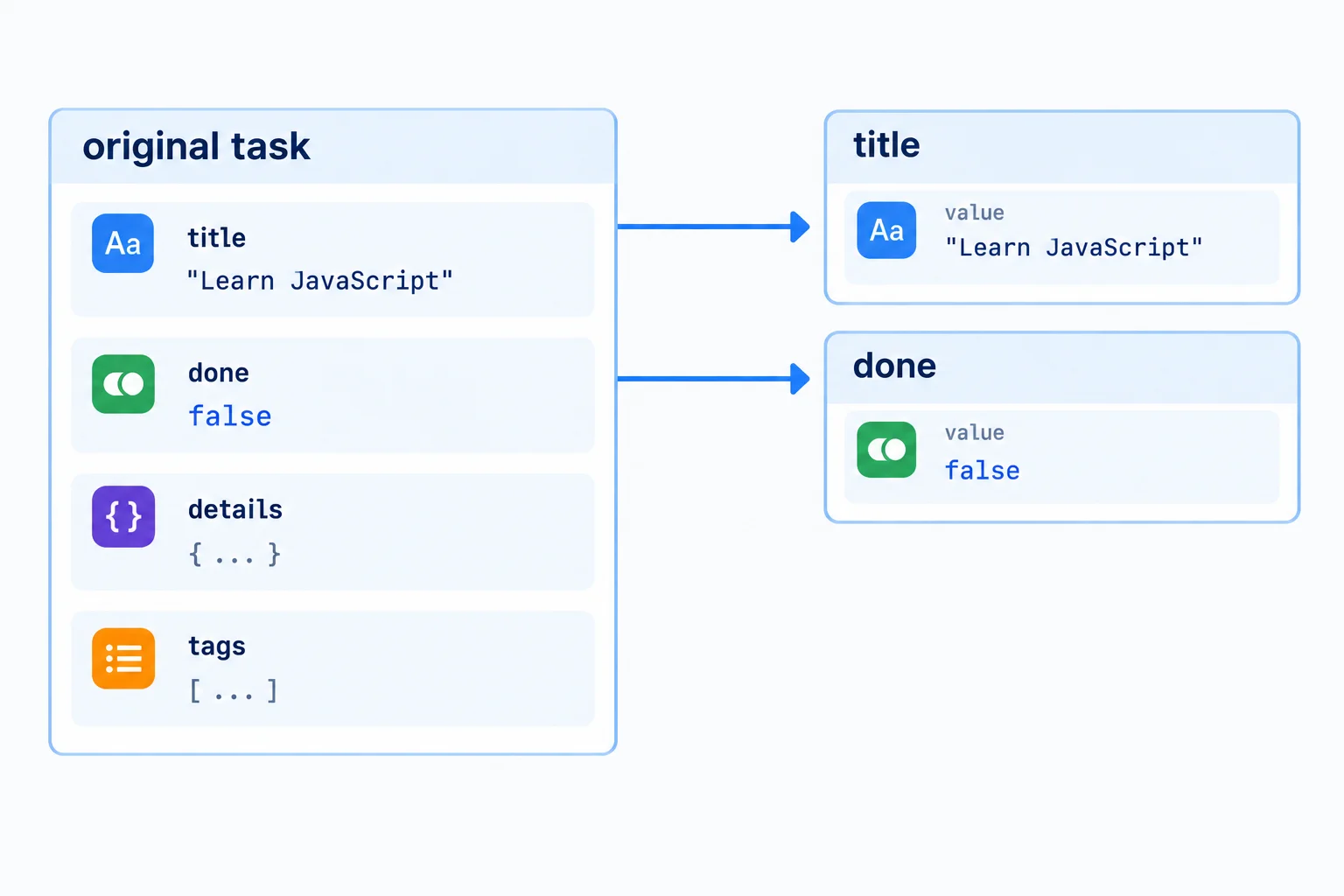
Object destructuring matches each requested binding name to a property with that name.
Complete the destructuring pattern using the two binding names introduced in this step.
const { , } = task;Using the original task record from this lesson, write the lesson’s two-binding object destructuring declaration. Then state the two extracted primitive values and name two properties that are still present on task.
Write at least 80 characters (0/80).
Step 2 of 8
Extract the first two task tags with array destructuring while leaving the original tag array unchanged.
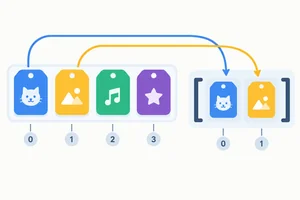
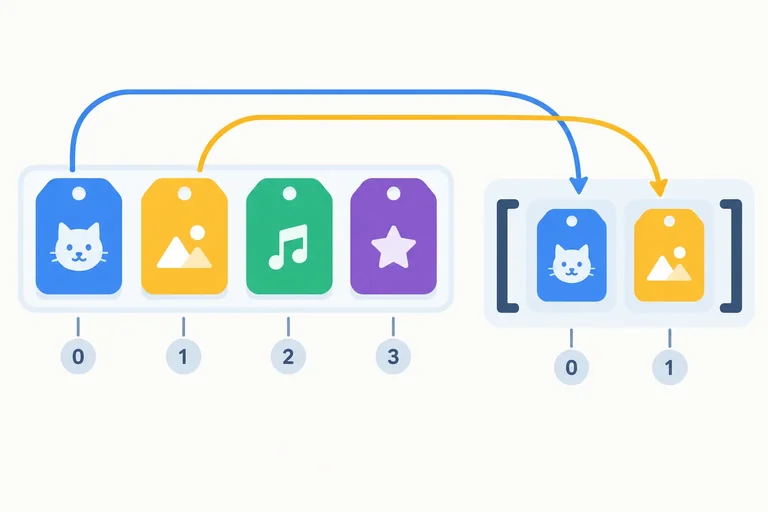
Array destructuring uses position. In a pattern with two bindings, the first binding receives the entry at index 0 and the second receives the entry at index 1.
The binding names are your choice; their order in the brackets determines which entry each one receives. This extracts values only—it does not remove anything from the source array.
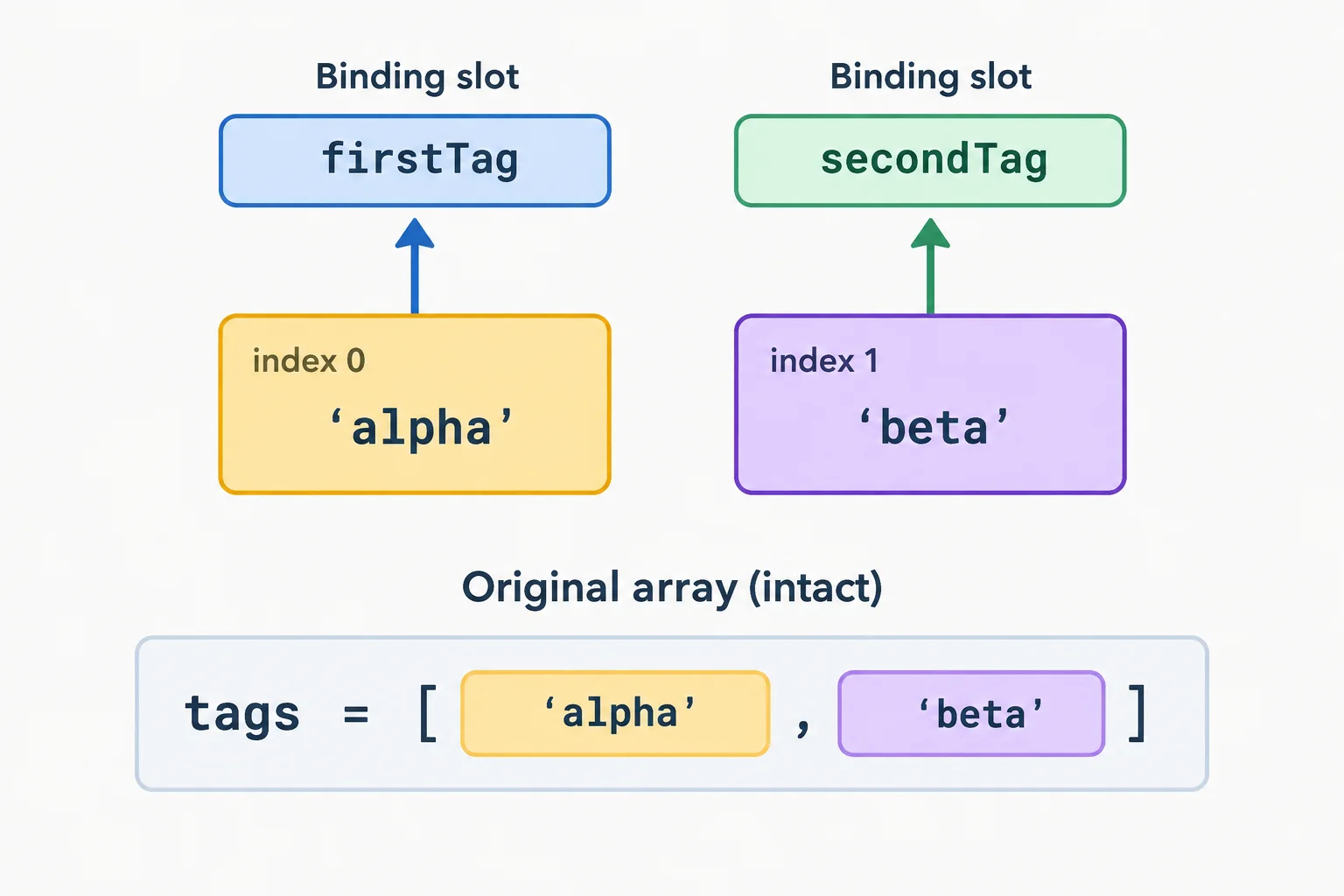
Array destructuring follows entry order: index 0 goes to the first binding, and index 1 goes to the second.
Run this in your browser console. The first two logs come from the new bindings. The final logs show that the original array still contains both entries.
{
  const task = { title: 'Practice JavaScript', done: false, details: { minutes: 20, priority: 'normal' }, tags: ['study', 'javascript'] };

  const [firstTag, secondTag] = task.tags;

  console.log(firstTag);
  console.log(secondTag);
  console.log(task.tags[0]);
  console.log(task.tags[1]);
}study javascript study javascript
Tip
firstTag and secondTag are not property names being searched for. They are bindings that receive the first and second array entries because of their positions in the pattern.
Complete the destructuring pattern using the established binding names.
{
  const task = { title: 'Practice JavaScript', done: false, details: { minutes: 20, priority: 'normal' }, tags: ['study', 'javascript'] };

  const [, ] = task.tags;
}Match each item to its correct meaning.
Tap an item and then its matching pair.

Step 3 of 8
Create a separate updated task object with object spread and verify that the source task remains unchanged.
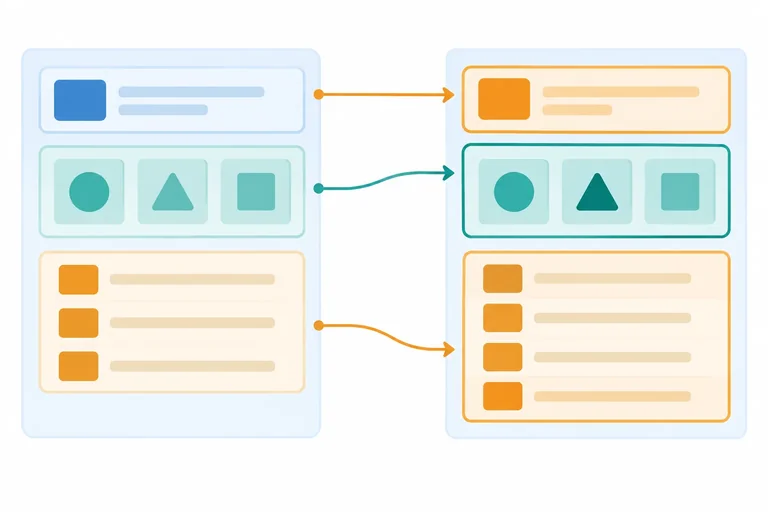
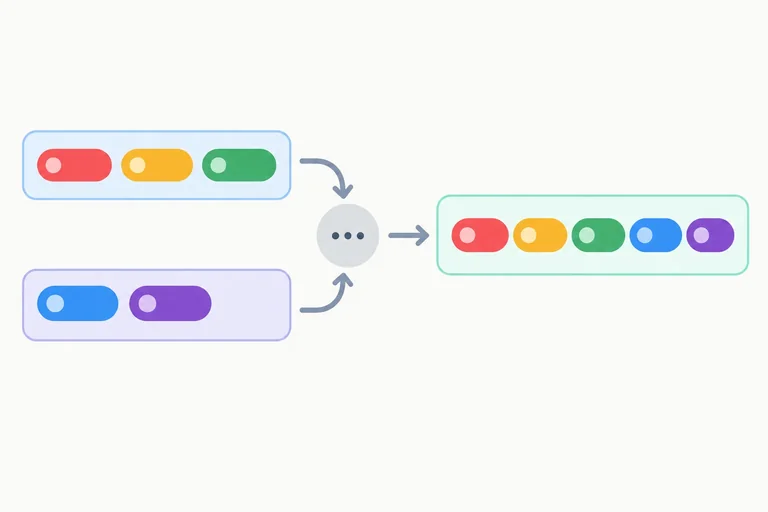
Object destructuring extracts values into bindings. Object spread syntax contributes an object's properties to a new object literal.
In { ...task, done: true }, spread contributes the existing task properties, then the explicit done: true entry supplies an updated value. The source task is not written to.
Use this task record for the examples in this tutorial. The surrounding block keeps this console snippet separate from examples on other screens.
{
  const task = { title: 'Practice JavaScript', done: false, details: { minutes: 20, priority: 'normal' }, tags: ['study', 'javascript'] };
}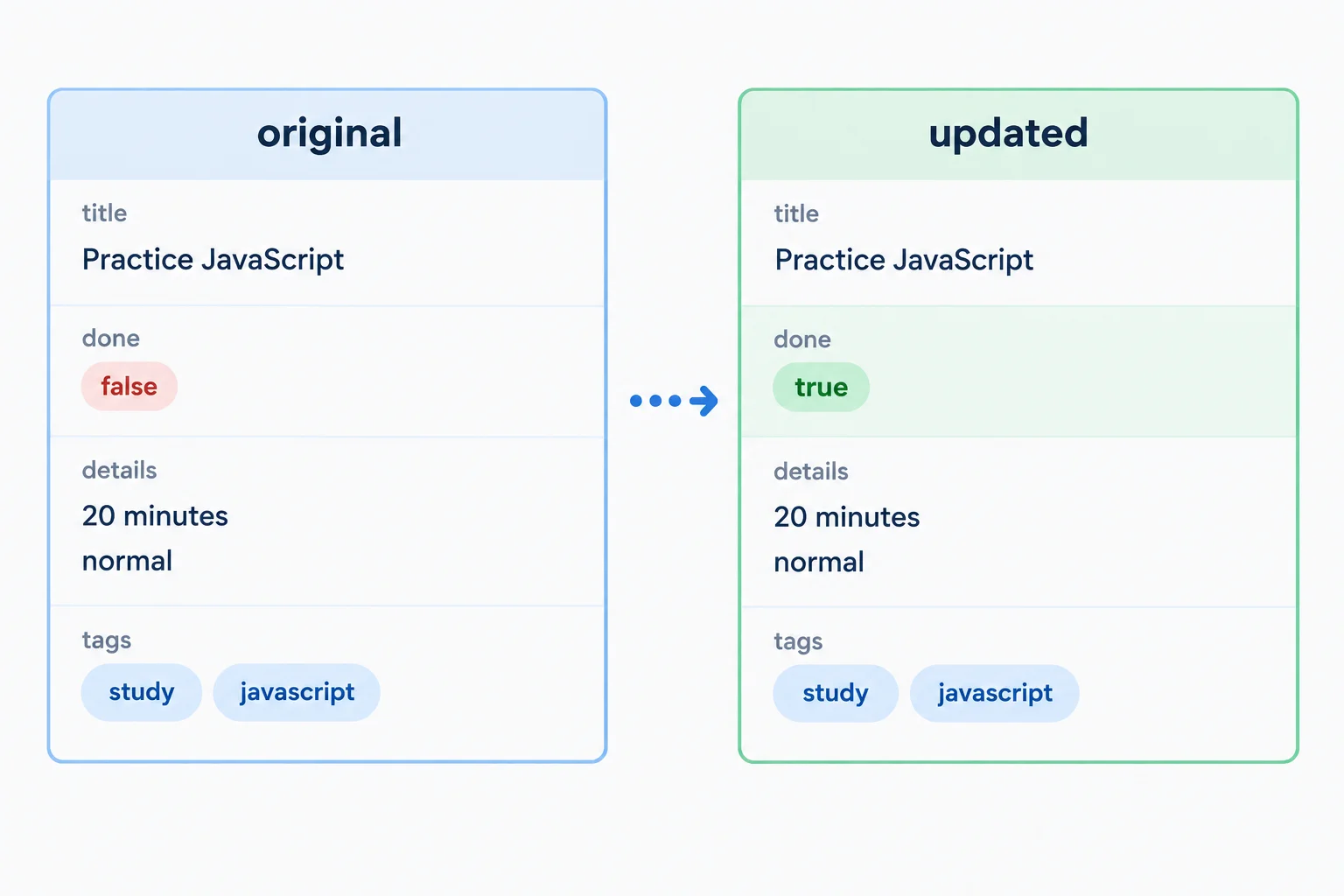
Spread contributes existing properties; the later explicit property provides the new value.
Property entries are processed from left to right. If a property appears more than once, the last supplied value wins.
So { ...task, done: true } produces a task whose done value is true. By contrast, { done: true, ...task } finishes by supplying task.done, which is still false.
Writing task.done = true would change the original object. Constructing updatedTask creates a non-mutating update instead.
Run this complete snippet in your browser console. The block makes it safe to run even after other lesson examples. Scalar logs show values and outer-object identity directly.
{
  const task = { title: 'Practice JavaScript', done: false, details: { minutes: 20, priority: 'normal' }, tags: ['study', 'javascript'] };
  const updatedTask = { ...task, done: true };

  console.log(task.done);
  console.log(updatedTask.done);
  console.log(task.title);
  console.log(updatedTask.title);
  console.log(task.details.minutes);
  console.log(updatedTask.details.minutes);
  console.log(updatedTask !== task);
}false true Practice JavaScript Practice JavaScript 20 20 true
The final true means updatedTask and task are different outer objects.
Tip
A non-mutating update keeps the original binding available. Use task when you need the unchanged record and updatedTask when you need the changed result.
Given the task record from the previous screen, which complete statement is correct?
Step 4 of 8
Use array spread to create a new tag array with an additional item while preserving the source array.
tags refers to the task’s tag array. Inside a new array literal, spread syntax contributes every existing entry in its current order.
[...tags] creates a new outer array with the same entries. It does not remove entries from tags or write to the source array.
Run this complete snippet in your browser console. The surrounding block keeps its bindings separate from other lesson examples.
{
  const task = { title: 'Practice JavaScript', done: false, details: { minutes: 20, priority: 'normal' }, tags: ['study', 'javascript'] };
  const tags = task.tags;
  const copiedTags = [...tags];

  console.log(copiedTags !== tags);
  console.log(tags.length);
  console.log(copiedTags.length);
}true 2 2
Tip
The true reference check shows that copiedTags and tags are different outer arrays. Both lengths are 2 because spread contributed the existing entries without changing the source array.
To build an updated array, put an additional entry in the new array literal. An entry after the spread is appended; an entry before the spread is prepended.
For this task, place 'spread' after ...tags. The original tags array keeps its two entries, while updatedTags contains three.
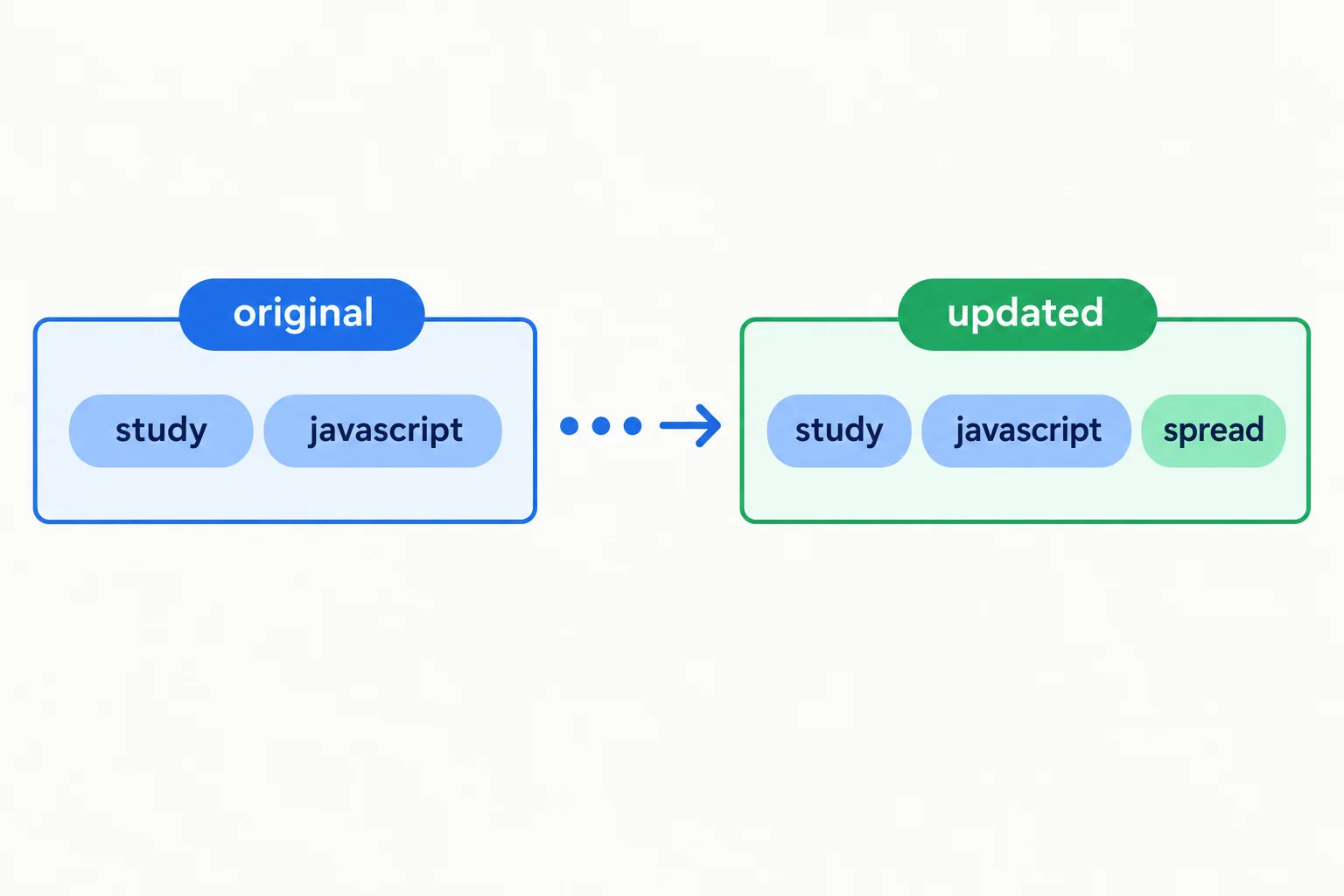
Array spread retains the source order, and an entry after the spread is appended to the new array.
Run this complete snippet in your browser console.
{
  const task = { title: 'Practice JavaScript', done: false, details: { minutes: 20, priority: 'normal' }, tags: ['study', 'javascript'] };
  const tags = task.tags;
  const updatedTags = [...tags, 'spread'];

  console.log(tags.length);
  console.log(updatedTags.length);
  console.log(tags[1]);
  console.log(updatedTags[2]);
}2 3 javascript spread
Arrange the entries of updatedTags from first to last.
Complete the array-spread expression so it creates the updated list in order. Then complete the two length predictions.
{
  const task = { title: 'Practice JavaScript', done: false, details: { minutes: 20, priority: 'normal' }, tags: ['study', 'javascript'] };
  const tags = task.tags;
  const updatedTags = [];

  console.log(tags.length === );
  console.log(updatedTags.length === );
}
Step 5 of 8
Use small updater functions to return new objects or arrays while keeping the caller's input unchanged.
A non-mutating updater receives an input, constructs a replacement, and returns that replacement instead of writing to its parameter.
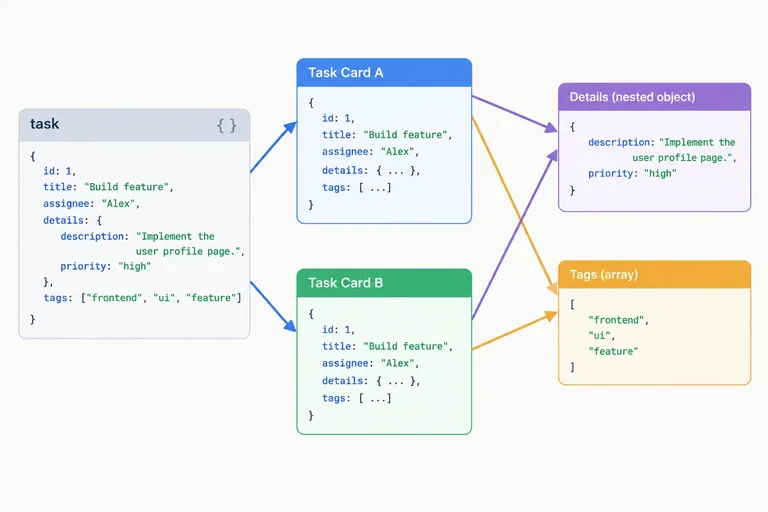
markDone(task) uses its parameter as the source for object spread. The caller keeps the original task and stores the returned object separately in updatedTask. The returned object has a changed top-level status; the input is not assigned to.
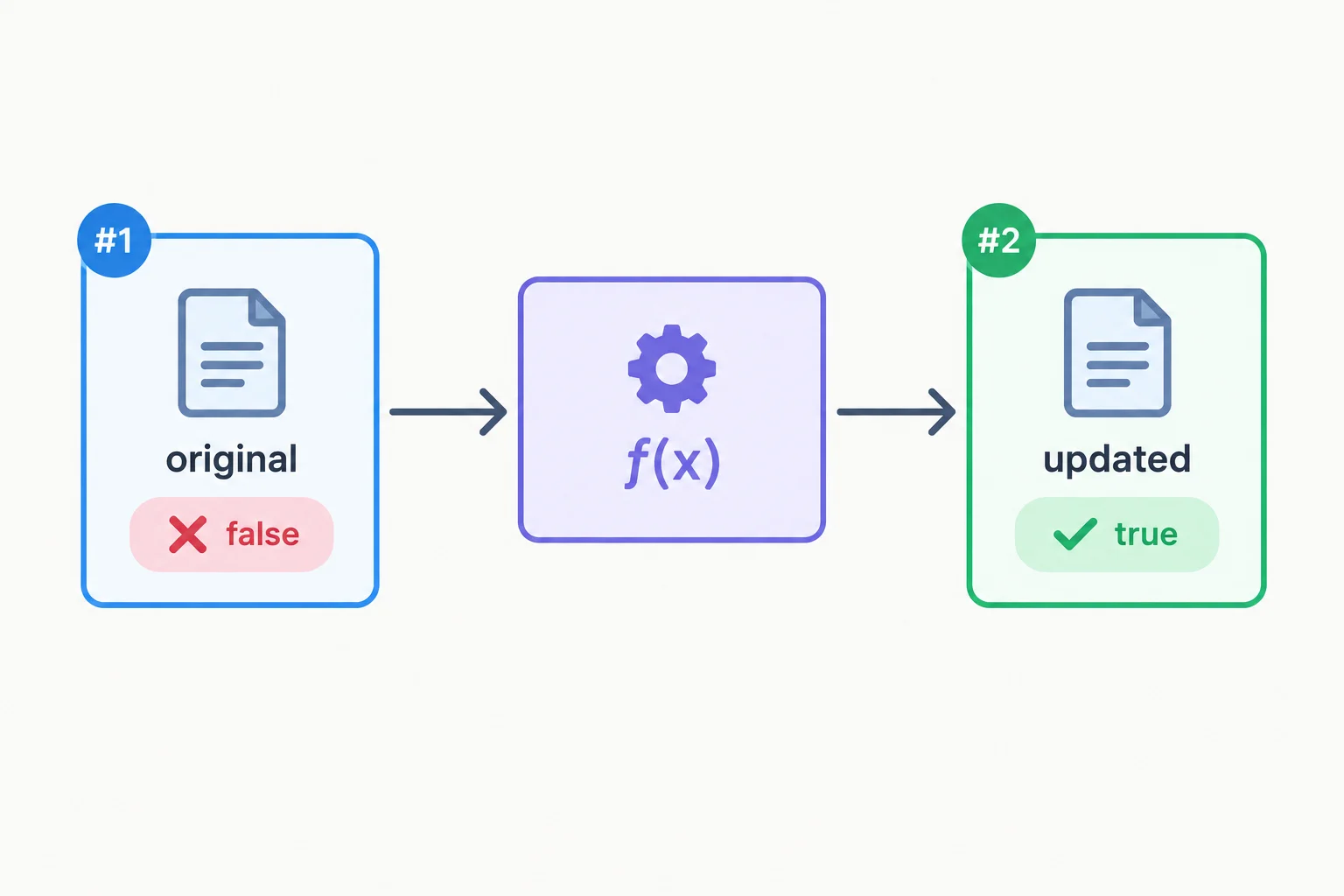
The caller retains the original task and captures a distinct outer object in updatedTask.
Run this complete block in your browser console. The logs verify the returned status, the unchanged input, and the distinct outer references.
{
  const task = { title: 'Practice JavaScript', done: false, details: { minutes: 20, priority: 'normal' }, tags: ['study', 'javascript'] };

  function markDone(task) {
    return { ...task, done: true };
  }

  const updatedTask = markDone(task);

  console.log(updatedTask.done);
  console.log(task.done);
  console.log(updatedTask !== task);
}true false true
The same pattern works for an array. addTag(tags) uses the parameter as the source of array spread, then returns a newly constructed array with one additional entry.
The caller still has tags, while updatedTags receives the returned array. A new array can contain the old entries without changing the source array’s length or entries.
Run this complete block in your browser console. It checks the returned array, the source array, and their outer references.
{
  const task = { title: 'Practice JavaScript', done: false, details: { minutes: 20, priority: 'normal' }, tags: ['study', 'javascript'] };
  const tags = task.tags;

  function addTag(tags) {
    return [...tags, 'spread'];
  }

  const updatedTags = addTag(tags);

  console.log(updatedTags !== tags);
  console.log(tags.length);
  console.log(updatedTags.length);
  console.log(updatedTags[2]);
}true 2 3 spread
Complete both return expressions, then complete the four value predictions. When complete, every console check evaluates to true. The final two checks distinguish each input reference from its returned outer reference.
{
  const task = { title: 'Practice JavaScript', done: false, details: { minutes: 20, priority: 'normal' }, tags: ['study', 'javascript'] };
  const tags = task.tags;

  function markDone(task) {
    return ;
  }

  function addTag(tags) {
    return ;
  }

  const updatedTask = markDone(task);
  const updatedTags = addTag(tags);

  console.log(updatedTask.done === );
  console.log(task.done === );
  console.log(updatedTags.length === );
  console.log(tags.length === );
  console.log(updatedTask !== task);
  console.log(updatedTags !== tags);
}
Step 6 of 8
Predict which references remain shared after spread and observe why a nested write can affect the original data.
Spread syntax makes a shallow copy. It creates a new outer object or array, but it does not recursively create new nested objects and arrays.
For task, the outer task object can be new while its details object and tags array remain shared references. Likewise, a new outer tasks array can still contain the same task object.
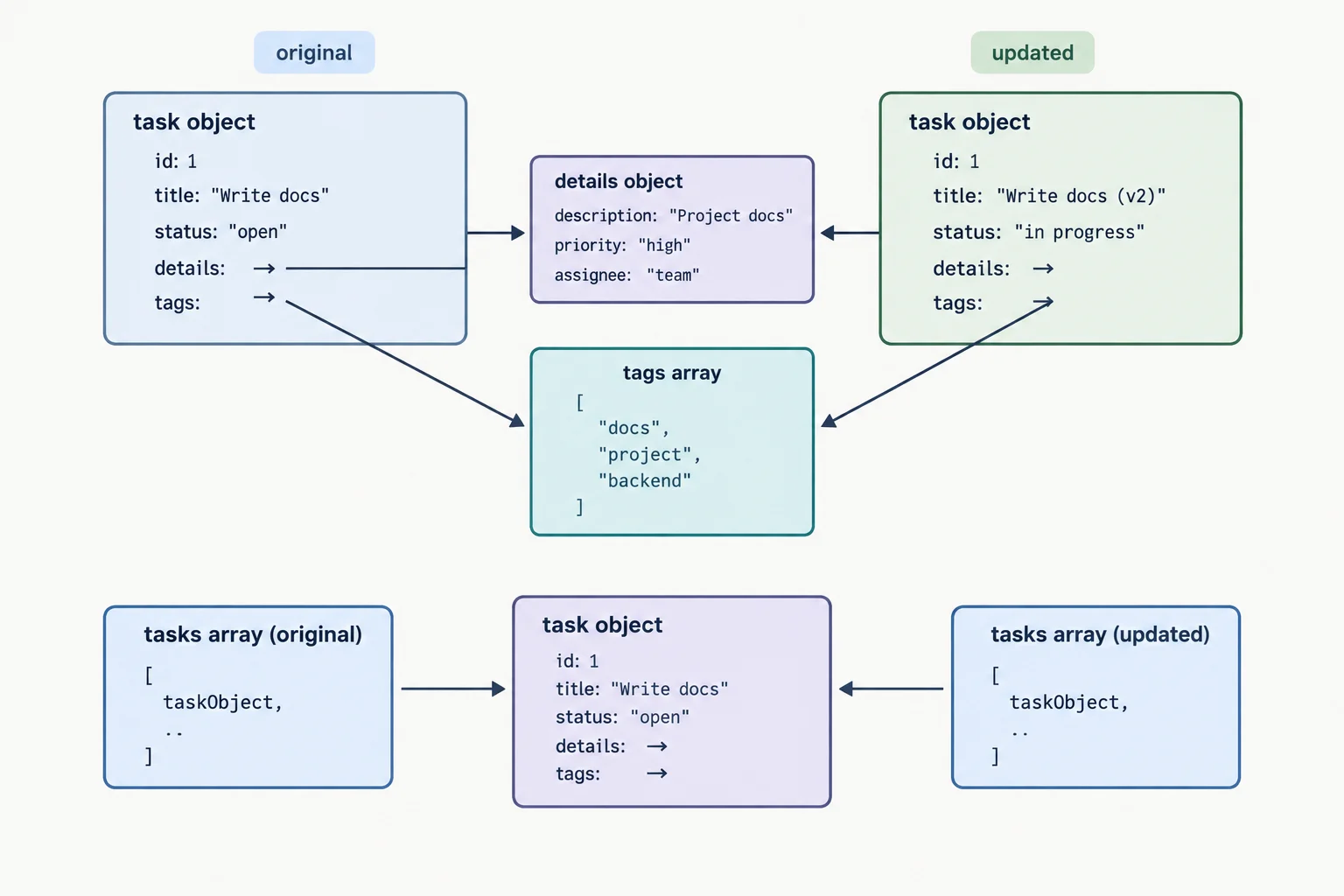
Spread separates the outer container only. Nested values can still be shared.
Tip
A new container is not automatically independent at every depth. Use reference comparisons to check which values are separate and which values are still shared.
Run these reference checks in your browser console. The surrounding block makes this example safe to run alongside other lesson snippets.
{
  const task = { title: 'Practice JavaScript', done: false, details: { minutes: 20, priority: 'normal' }, tags: ['study', 'javascript'] };
  const { details, tags } = task;
  const tasks = [task];

  const copiedTask = { ...task };
  const copiedTasks = [...tasks];

  console.log(copiedTask === task);
  console.log(copiedTask.details === details);
  console.log(copiedTask.tags === tags);
  console.log(copiedTasks === tasks);
  console.log(copiedTasks[0] === tasks[0]);
}false true true false true
Each line is a scalar boolean result from one comparison.
The first and fourth checks are false: spread made new outer containers. The nested details and tags references are still the same, and both arrays contain the same task object.
This is why spread is called a shallow copy. Destructuring details and tags selected their existing references; it did not clone either nested value.
Warning
A write through a shared nested reference is visible through every container that reaches that reference. The next snippet mutates deliberately so you can observe the risk; it is not a non-mutating update pattern.
Run this separate, scoped console snippet. Notice the original duration after the write.
{
  const task = { title: 'Practice JavaScript', done: false, details: { minutes: 20, priority: 'normal' }, tags: ['study', 'javascript'] };
  const { details, tags } = task;
  const copiedTask = { ...task };

  copiedTask.details.minutes = 30;

  console.log(task.details.minutes);
  console.log(details === task.details);
  console.log(tags === task.tags);
}30 true true
The first line shows the original task's nested duration after the deliberate write. The next two lines confirm that destructuring selected existing references.
copiedTask is a new outer object, but copiedTask.details reaches the same nested object as task.details. Therefore, changing minutes through the copy also changes the value visible through the original.
Destructuring a nested object or array extracts the existing reference; it does not clone that object or array.
Complete the reference checks and the final duration prediction.
{
  const task = { title: 'Practice JavaScript', done: false, details: { minutes: 20, priority: 'normal' }, tags: ['study', 'javascript'] };
  const tasks = [task];

  const copiedTask = { ...task };
  const copiedTasks = [...tasks];

  console.log(copiedTask  task);
  console.log(copiedTask.details  task.details);
  console.log(copiedTasks  tasks);
  console.log(copiedTasks[0]  tasks[0]);

  copiedTask.details.minutes = 30;
  console.log(task.details.minutes === );
}
Step 7 of 8
Update nested task data by copying each changed branch with spread syntax while preserving original values and unchanged sibling data.
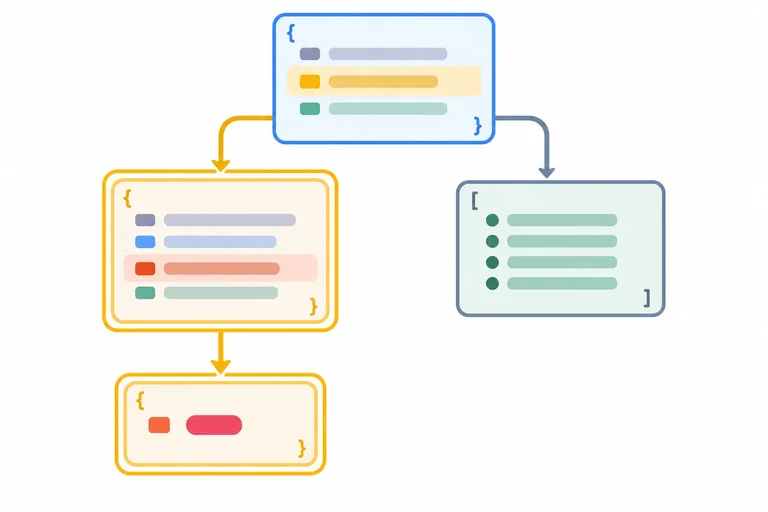
A nested non-mutating update creates a new container at every level on the path to the changed value. To change task.details.minutes, create a new outer task object and a new details object.
Branches outside that path do not need to be cloned. In a minutes-only update, tags is untouched, so it may remain a shared reference. This is deliberate: non-mutating does not mean copying every nested value.
| Part | Minutes-only update |
|---|---|
| Outer task | New object |
| details | New object |
| minutes | Changed to 30 |
| priority | Preserved |
| tags | May remain shared |
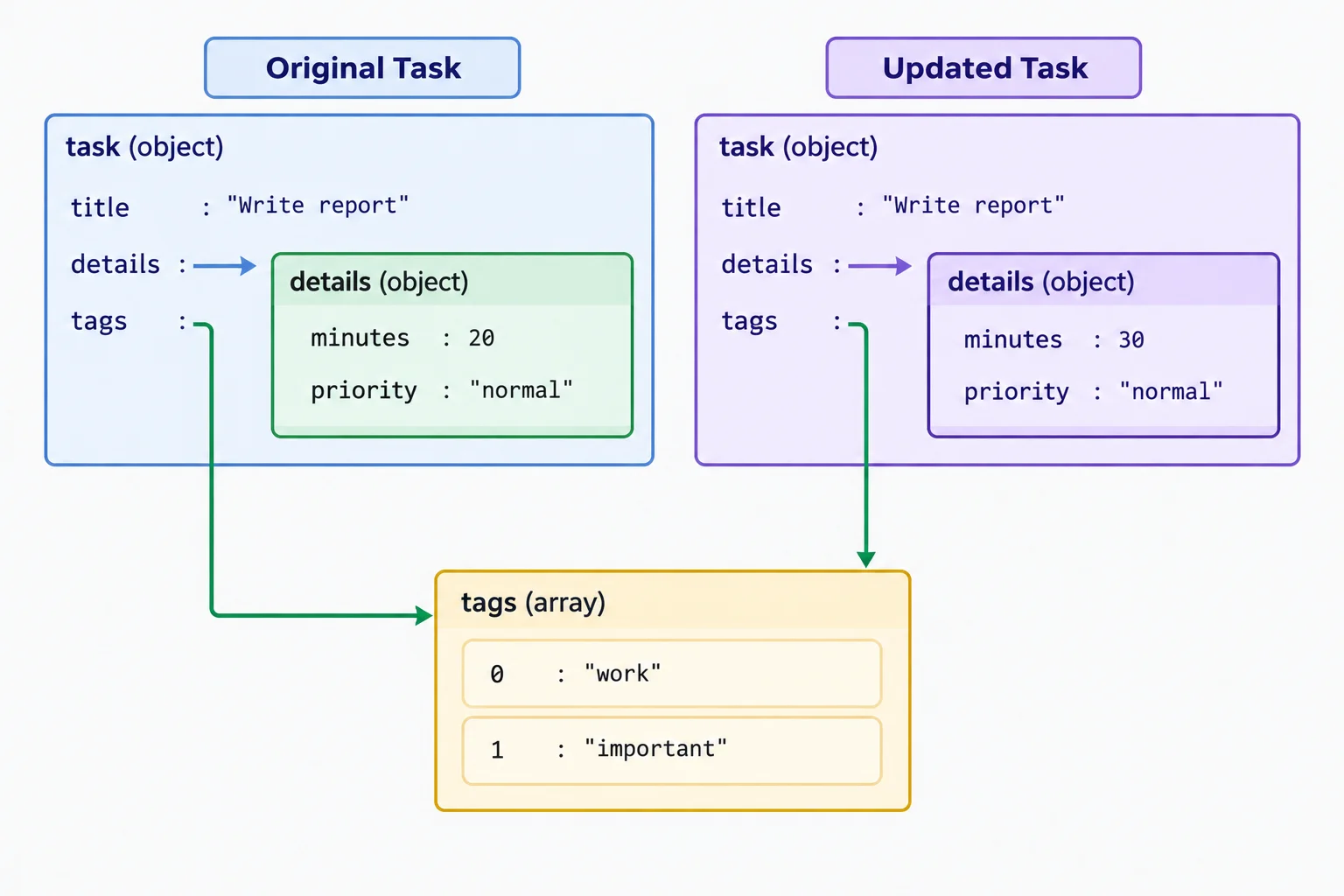
For a minutes update, copy the task and details containers; the unchanged tags branch may stay shared.
Put the outer spread first, then replace details with a new object. Inside the new details object, spread the existing details before setting minutes: 30.
The inner spread preserves the sibling priority property. The two changed containers are distinct, while the untouched tags branch can still be shared.
Run this complete, scoped snippet in your browser console. The block prevents its declarations from conflicting with examples on other screens.
{
  const task = { title: 'Practice JavaScript', done: false, details: { minutes: 20, priority: 'normal' }, tags: ['study', 'javascript'] };

  const updatedTask = {
    ...task,
    details: {
      ...task.details,
      minutes: 30
    }
  };

  console.log(task.details.minutes);
  console.log(updatedTask.details.minutes);
  console.log(updatedTask.details.priority);
  console.log(updatedTask !== task);
  console.log(updatedTask.details !== task.details);
  console.log(updatedTask.tags === task.tags);
}20 30 normal true true true
The final check is true because tags was not changed in this update, so that nested array remains shared.
When the tag list changes instead, the changed path is the outer task and its tags array. Create a new outer object, then use array spread to build a new array with the existing tags followed by 'spread'.
This time, details is untouched and may remain a shared reference. Copy the branch you change—not the entire structure.
Run this complete, scoped snippet in your browser console.
{
  const task = { title: 'Practice JavaScript', done: false, details: { minutes: 20, priority: 'normal' }, tags: ['study', 'javascript'] };

  const updatedTask = {
    ...task,
    tags: [...task.tags, 'spread']
  };

  console.log(task.tags.length);
  console.log(updatedTask.tags.length);
  console.log(task.tags[1]);
  console.log(updatedTask.tags[2]);
  console.log(updatedTask !== task);
  console.log(updatedTask.tags !== task.tags);
  console.log(updatedTask.details === task.details);
}2 3 javascript spread true true true
The final check is true because details was not changed, so that branch may remain shared.
Match each update situation to the required result.
Tap an item and then its matching pair.
Complete both nested non-mutating updates. Each scoped example also checks the untouched branch and the preserved sibling value.
{
  const task = { title: 'Practice JavaScript', done: false, details: { minutes: 20, priority: 'normal' }, tags: ['study', 'javascript'] };

  const updatedTask = {
    ...task,
    details: {
      ,
      minutes: 30
    }
  };

  console.log(updatedTask !== task);
  console.log(updatedTask.details !== task.details);
  console.log(updatedTask.tags  task.tags);
  console.log(updatedTask.details.priority === task.details.priority);
}

{
  const task = { title: 'Practice JavaScript', done: false, details: { minutes: 20, priority: 'normal' }, tags: ['study', 'javascript'] };

  const updatedTask = {
    ...task,
    tags: [, 'spread']
  };

  console.log(updatedTask !== task);
  console.log(updatedTask.tags !== task.tags);
  console.log(updatedTask.details  task.details);
}
Step 8 of 8
Complete, run, and verify a nested non-mutating task update with destructuring and spread syntax.
A complete non-mutating update combines the rules you have practiced:
prepareTask returns a new outer task with a new done value.details.minutes changes, it also creates a new details object.priority value is preserved when the new details object spreads the old details first.After the function returns, destructuring only extracts selected values from the returned task. It does not perform the update.
Think in paths: copy every container on a changed path, then override the final value. Unchanged branches may still use a shared reference.
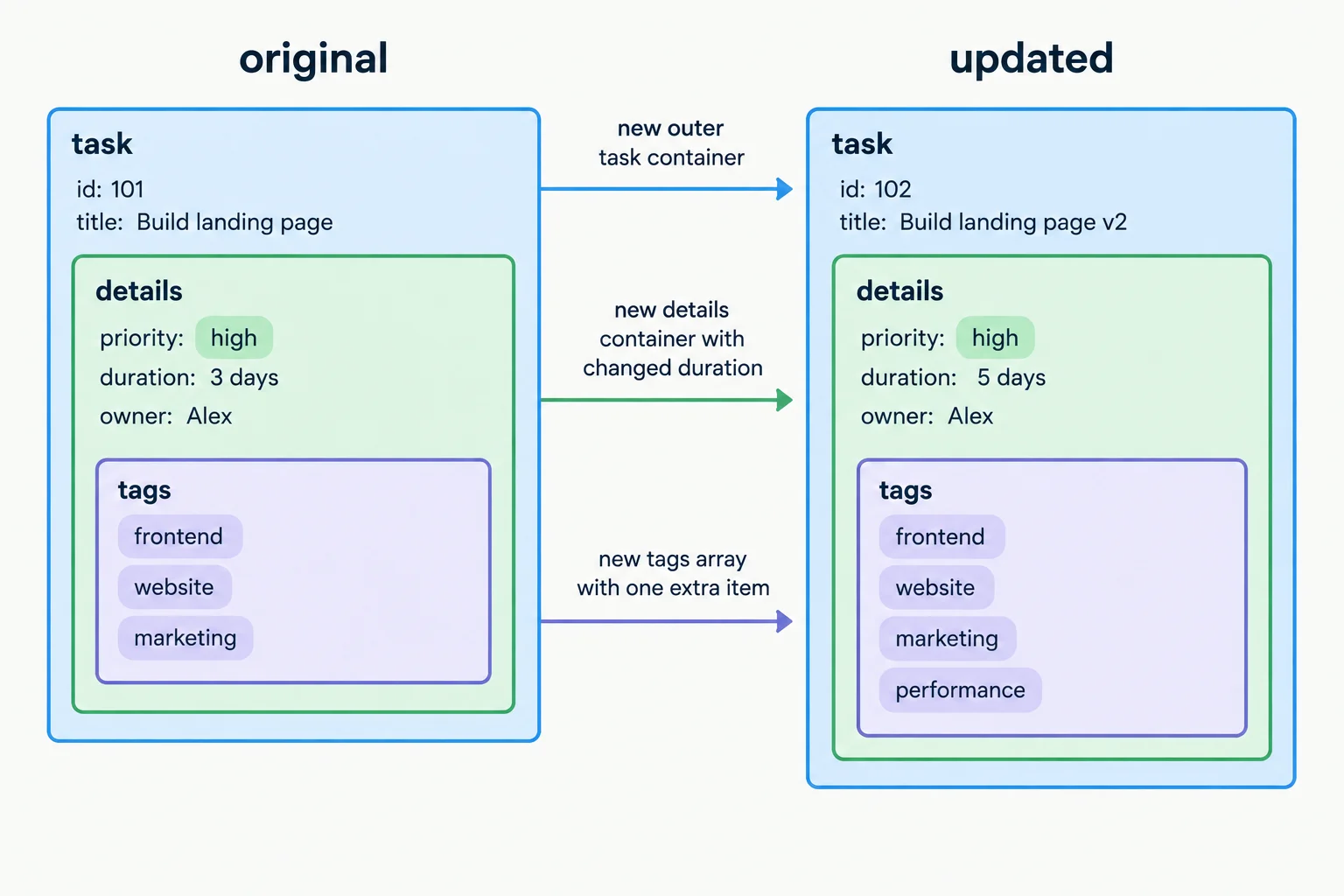
Copy the outer task and each changed nested branch; preserve sibling data with spread syntax.
Tip
A reference check answers a different question from a value check. A value check confirms what is stored. A comparison such as updatedTask.details !== task.details confirms that the changed nested container is distinct.
Complete prepareTask so it returns the intended updated task while preserving the input task and the sibling priority value.
function prepareTask(task) {
  const updatedTags = [...task.tags, 'spread'];

  return {
    ,
    done: ,
    details: {
      ,
      minutes:
    },
    tags: updatedTags
  };
}Paste this complete example into your browser console and run it. The surrounding block keeps these declarations separate from every earlier console example. Each log is a scalar value or a reference comparison, so you can verify the update without relying on an expandable object preview.
{
  const task = { title: 'Practice JavaScript', done: false, details: { minutes: 20, priority: 'normal' }, tags: ['study', 'javascript'] };

  function prepareTask(task) {
    const updatedTags = [...task.tags, 'spread'];

    return {
      ...task,
      done: true,
      details: {
        ...task.details,
        minutes: 30
      },
      tags: updatedTags
    };
  }

  const updatedTask = prepareTask(task);
  const { title, done } = updatedTask;
  const [firstTag, secondTag] = updatedTask.tags;

  console.log('Updated title:', title);
  console.log('Updated done:', done);
  console.log('First tag:', firstTag);
  console.log('Second tag:', secondTag);
  console.log('Updated minutes:', updatedTask.details.minutes);
  console.log('Last updated tag:', updatedTask.tags[2]);
  console.log('Original done:', task.done);
  console.log('Original minutes:', task.details.minutes);
  console.log('Original tag count:', task.tags.length);
  console.log('Preserved priority:', updatedTask.details.priority);
  console.log('Different task objects:', updatedTask !== task);
  console.log('Different details objects:', updatedTask.details !== task.details);
  console.log('Different tag arrays:', updatedTask.tags !== task.tags);
}Updated title: Practice JavaScript Updated done: true First tag: study Second tag: javascript Updated minutes: 30 Last updated tag: spread Original done: false Original minutes: 20 Original tag count: 2 Preserved priority: normal Different task objects: true Different details objects: true Different tag arrays: true
The labels and values below are the expected console output.
After running the example, write a short verification report. Include the original completion status, duration, and tag count; the returned completion status, duration, and added tag; the preserved priority; and the three reference comparisons that establish distinct outer, details, and tags containers.
Write at least 180 characters (0/180).
Summary
Congratulations! You completed: Make Non-Mutating Updates with Spread Syntax
Thousands of online courses in video, ebooks and audiobooks.
To test your knowledge during online courses
Generated directly from your cell phone's photo gallery and sent to your email

Download our app via QR Code or the links below:.



Carry knowledge in your pocket.
Download the Cursa app.
There are hundreds of free courses available, with a free certificate of completion that is saved in your mobile image gallery.
Download the app to access the Course Completion Certificate for Free.


+ 10 million
students

Free and Valid
Certificate

60 thousand free
exercises

4.8/5 rating in
app stores

Free courses in
video and ebooks