Step 1 of 7
Identify Which Operation Owns the Interface
Determine which operation controls replaceable interface feedback when user selections and completion order differ.

Learning path · Level 7 · Tutorial 6
Keep rapidly changing selections from displaying outdated results. Combine cancellation with request-identity checks so only the current operation can update results, errors, or loading feedback.
 Identify Which Operation Owns the Interface
Determine which operation controls replaceable interface feedback when user selections and completion order differ. 3 min
Identify Which Operation Owns the Interface
Determine which operation controls replaceable interface feedback when user selections and completion order differ. 3 min
 Reproduce an Out-of-Order Update Locally
Build a local product browser with deliberately delayed processing, then observe an older operation overwrite the latest selection. 5 min
Reproduce an Out-of-Order Update Locally
Build a local product browser with deliberately delayed processing, then observe an older operation overwrite the latest selection. 5 min
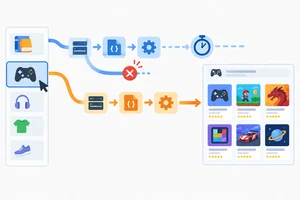 Cancel Superseded Requests
Abort superseded fetch work and distinguish intentional cancellation from a genuine failure without assuming cancellation guarantees interface correctness. 4 min
Cancel Superseded Requests
Abort superseded fetch work and distinguish intentional cancellation from a genuine failure without assuming cancellation guarantees interface correctness. 4 min
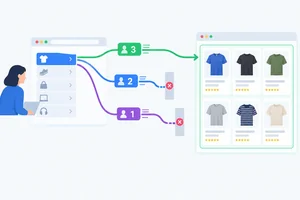 Allow Only the Current Success to Commit
Use request identifiers to ensure that only the current operation can commit a successful product result. 4 min
Allow Only the Current Success to Commit
Use request identifiers to ensure that only the current operation can commit a successful product result. 4 min
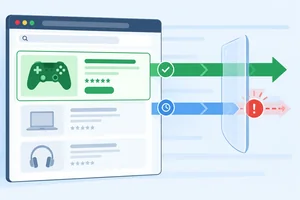 Ignore Outdated Failures
Prevent obsolete failures from replacing the current operation's results or feedback while preserving genuine current errors. 3 min
Ignore Outdated Failures
Prevent obsolete failures from replacing the current operation's results or feedback while preserving genuine current errors. 3 min
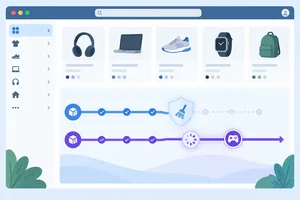 Protect Loading and Cleanup
Protect the current operation’s loading state and controller reference from obsolete cleanup handlers. 3 min
Protect Loading and Cleanup
Protect the current operation’s loading state and controller reference from obsolete cleanup handlers. 3 min
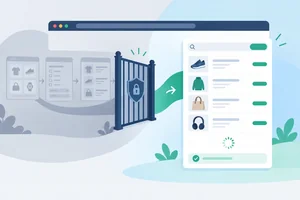 Verify Latest-Request-Wins Behavior
Manually confirm that the combined solution preserves the latest selection's results, errors, and loading feedback across controlled race scenarios. 5 min
Verify Latest-Request-Wins Behavior
Manually confirm that the combined solution preserves the latest selection's results, errors, and loading feedback across controlled race scenarios. 5 min
Step 1 of 7
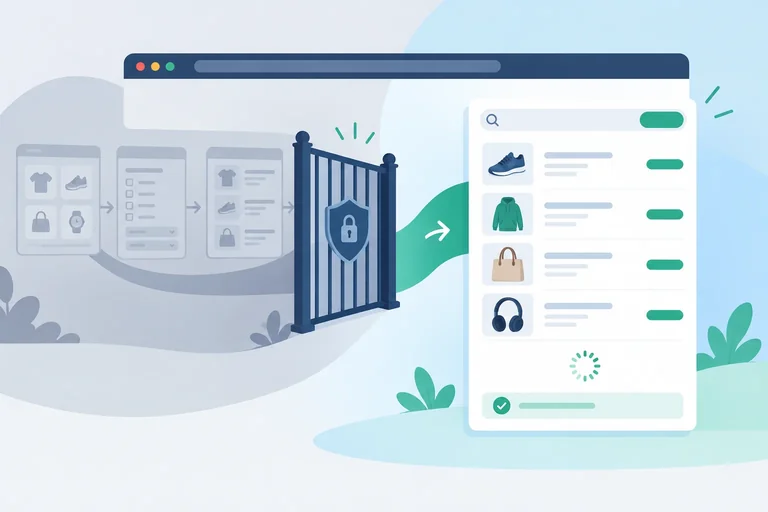
Determine which operation controls replaceable interface feedback when user selections and completion order differ.
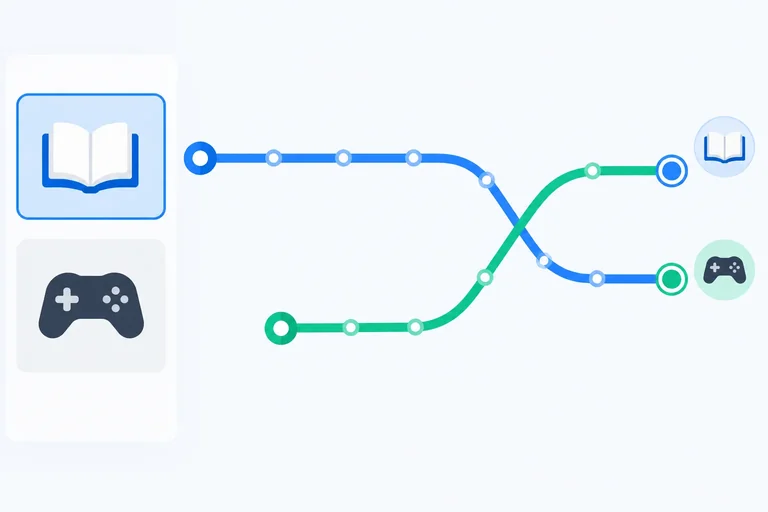
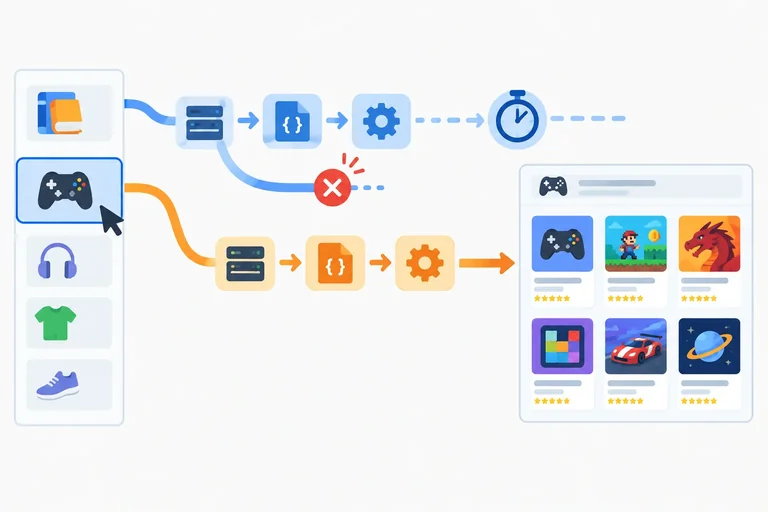
A selection starts an operation: the request and its later processing. Starting an asynchronous operation does not prevent the user from making another selection.
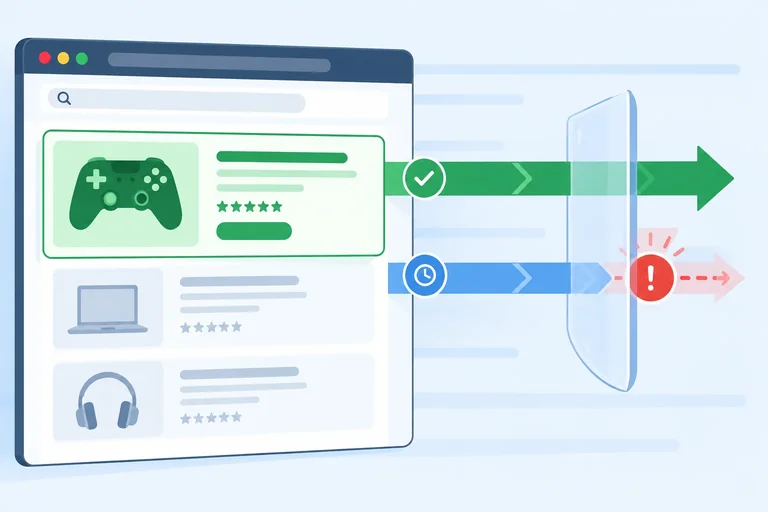
Imagine this sequence: the user selects Books, then quickly selects Games. Books started first, but it may finish after Games. Selection order and completion order are independent.
The interface must follow the user’s newest intent, not simply whichever operation happens to finish last.
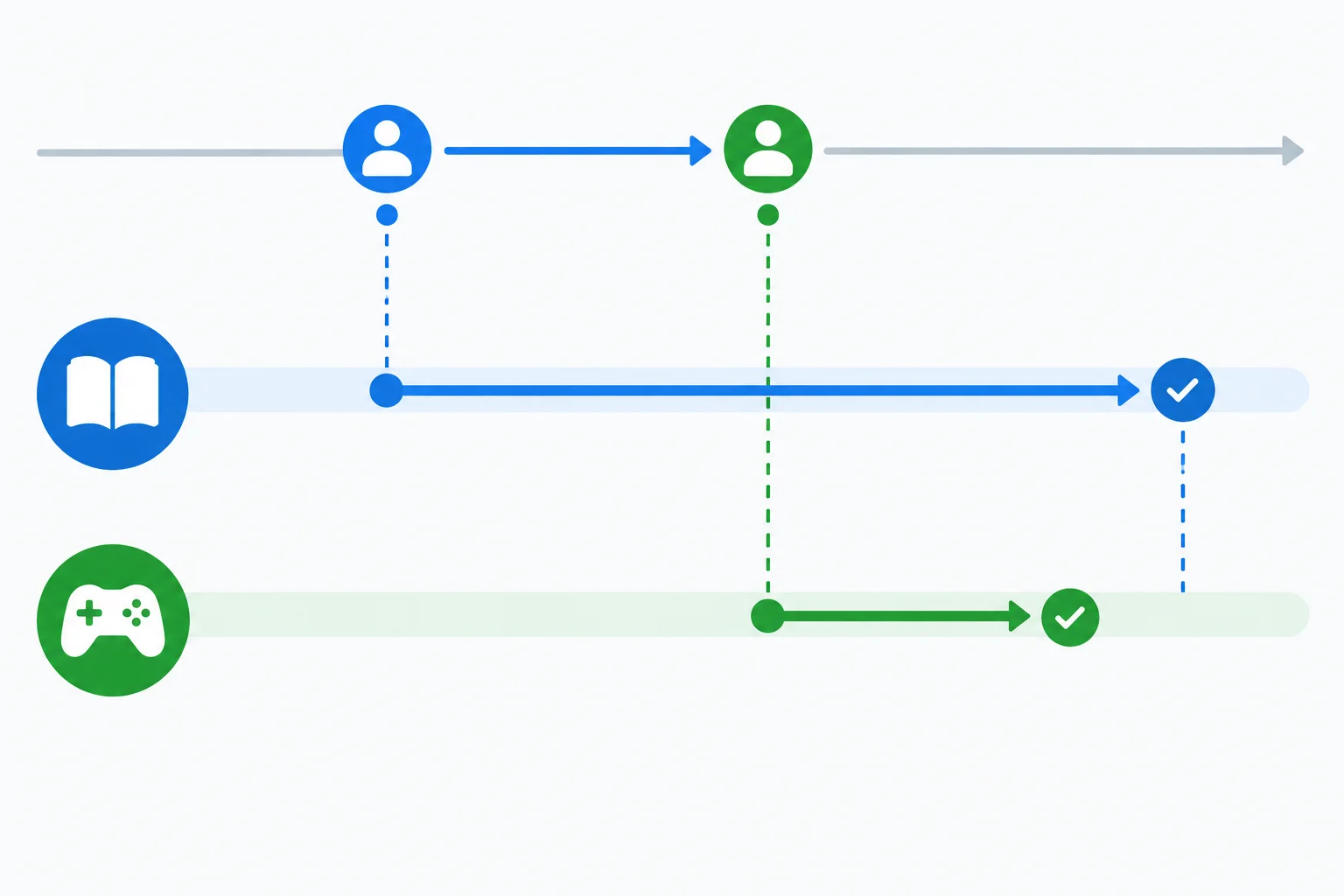
The later selection can complete first. Completion time does not decide which operation should control the interface.
Replaceable results need an ownership rule. Under a latest-request-wins policy, the most recently selected category is the current operation. It owns the results area and its loading, success, empty, or error feedback.
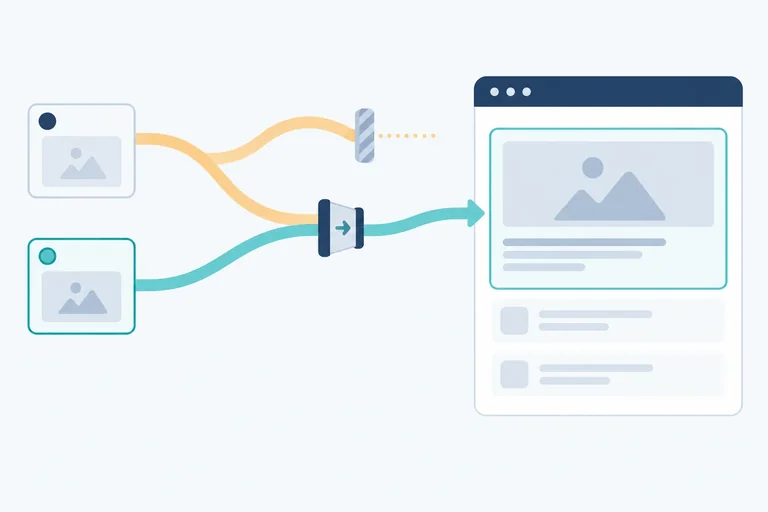
When an earlier operation later completes, it has become an outdated operation. It may have completed successfully, but it is no longer authorized to replace the current interface.
Example
User intent:
Possible completion order:
Because Games was selected most recently, Games remains authoritative. The later Books completion must not replace the visible Games result or its feedback.
Tip
Latest-request-wins is appropriate for replaceable reads, such as the products shown for one category selector. It is not a general rule for independent write operations. For example, two separate save actions may both matter and must not automatically be discarded merely because one finishes later.
Arrange this possible race timeline from earliest to latest.
A user selects Books, then selects Games. Games completes first. Books completes afterward. Which category is authoritative for the replaceable results and status feedback?
Step 2 of 7
Build a local product browser with deliberately delayed processing, then observe an older operation overwrite the latest selection.
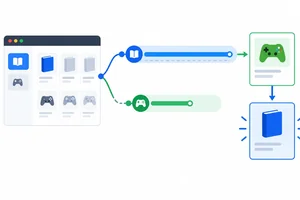
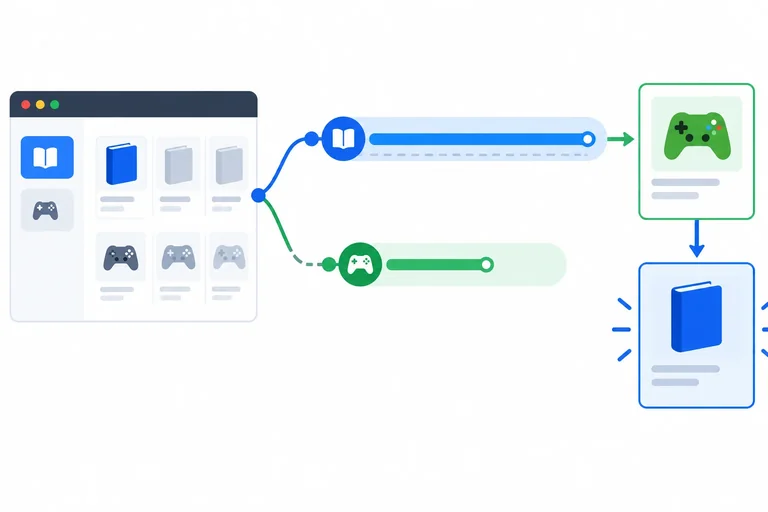
When a user changes a replaceable selection quickly, start order and completion order can differ. In this local product browser, Books starts first but pauses during deliberately delayed processing. Games starts later and completes sooner.
This first version intentionally has no cancellation and no request-identity protection. Both operations can write to the same shared interface state. The result is a visible race: an outdated operation can overwrite the result of the latest selection.
The delay you add is processing time after JSON decoding—not simulated network bandwidth. That makes the completion order repeatable.
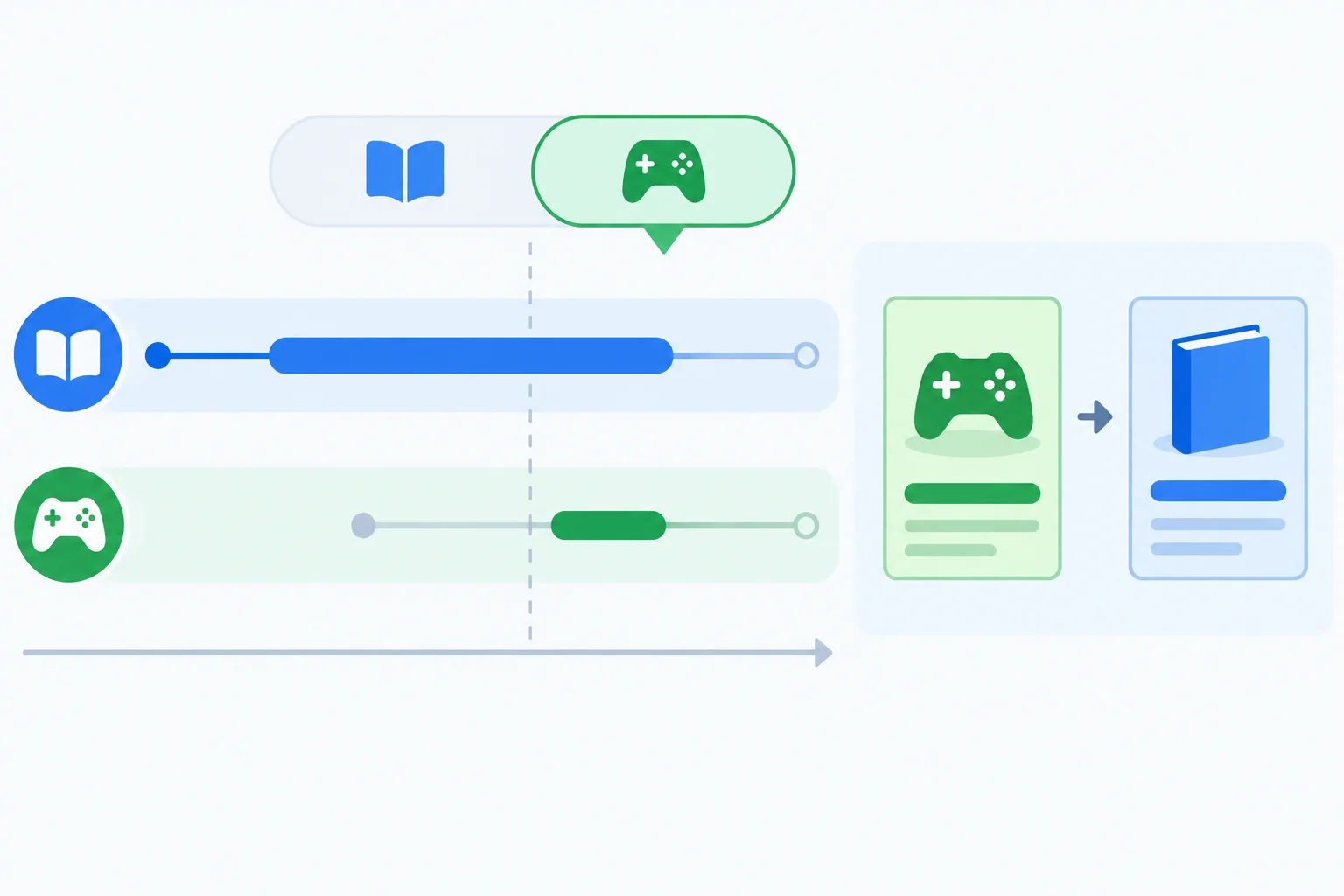
The latest selection is Games, yet the older Books operation can finish last and overwrite the results in the unprotected loader.
Create an empty folder for the project. Add the files below with these exact paths. The three JSON files are local fixtures; requests use /data/... paths because Vite serves public/ at the site root.
Create package.json first, then index.html, then the files in public/data/. You will add src/main.js on the next screen.
package.json
{
  "name": "product-race",
  "private": true,
  "version": "1.0.0",
  "type": "module",
  "scripts": {
    "dev": "vite"
  },
  "devDependencies": {
    "vite": "^6.0.0"
  }
}
index.html
<!doctype html>
<html lang="en">
  <head>
    <meta charset="UTF-8" />
    <meta name="viewport" content="width=device-width, initial-scale=1.0" />
    <title>Product browser race</title>
  </head>
  <body>
    <main>
      <h1>Products</h1>
      <label for="category">Category</label>
      <select id="category">
        <option value="books">Books</option>
        <option value="games">Games</option>
      </select>
      <p id="status" aria-live="polite"></p>
      <ul id="results" aria-busy="false"></ul>
    </main>
    <script type="module" src="/src/main.js"></script>
  </body>
</html>public/data/books.json
[
  {
    "id": 1,
    "name": "Field Notes"
  }
]public/data/games.json
[
  {
    "id": 2,
    "name": "Orbit Quest"
  }
]public/data/books-invalid.json
[
  {
    "id": 1,
    "name": 42
  }
]Now replace src/main.js with the following three sections in order: part 1, then part 2, then part 3. Together they form one complete file.
Notice that category, url, and delayMs are captured before any await. The loader must continue the operation that started, rather than rereading the selector after asynchronous work finishes.
src/main.js — part 1 of 3
const categorySelect = document.querySelector("#category");
const results = document.querySelector("#results");
const status = document.querySelector("#status");

const sources = {
  books: { url: "/data/books.json", delayMs: 2400 },
  games: { url: "/data/games.json", delayMs: 400 }
};

const state = {
  status: "idle",
  items: [],
  error: "",
  isLoading: false
};

function wait(ms) {
  return new Promise((resolve) => {
    window.setTimeout(resolve, ms);
  });
}src/main.js — part 2 of 3
function validateProducts(data) {
  const isValid = Array.isArray(data) && data.every((product) => {
    return product !== null &&
      typeof product === "object" &&
      typeof product.id === "number" &&
      typeof product.name === "string";
  });

  if (!isValid) {
    throw new Error("Product data has an invalid shape.");
  }

  return data;
}

function render() {
  results.setAttribute("aria-busy", String(state.isLoading));
  results.replaceChildren();

  for (const product of state.items) {
    const item = document.createElement("li");
    item.textContent = product.name;
    results.append(item);
  }

  if (state.status === "loading") {
    status.textContent = "Loading products...";
  } else if (state.status === "success") {
    status.textContent = "Products loaded.";
  } else if (state.status === "empty") {
    status.textContent = "No products found.";
  } else if (state.status === "error") {
    status.textContent = `Could not load products: ${state.error}`;
  } else {
    status.textContent = "Choose a category.";
  }
}src/main.js — part 3 of 3
async function loadProducts(category) {
  const { url, delayMs } = sources[category];

  state.status = "loading";
  state.items = [];
  state.error = "";
  state.isLoading = true;
  render();

  try {
    const response = await fetch(url);

    if (!response.ok) {
      throw new Error(`Request failed with status ${response.status}.`);
    }

    const data = await response.json();
    console.log("Processing:", category);
    await wait(delayMs);
    const items = validateProducts(data);

    state.items = items;
    state.error = "";
    state.status = items.length === 0 ? "empty" : "success";
  } catch (error) {
    state.items = [];
    state.error = error instanceof Error ? error.message : "Unknown error.";
    state.status = "error";
  } finally {
    state.isLoading = false;
    render();
  }
}

categorySelect.addEventListener("change", () => {
  loadProducts(categorySelect.value);
});

loadProducts(categorySelect.value);Complete the missing call at the processing boundary. The timer belongs after JSON decoding and the console marker, but before product validation.
Complete the function call that creates the controlled processing delay.
const data = await response.json();
console.log("Processing:", category);
await (delayMs);
const items = validateProducts(data);Save all files. In the project folder, install the dependency and start the local server. Open the localhost address that Vite reports, then open the browser Console.
With Books initially selected, wait until the Console shows the processing marker for Books. Immediately change Category to Games. Watch the results area until both operations have had time to finish.
Run these commands in the project folder after creating every file.
npm install
npm run devadded packages > product-race@1.0.0 dev > vite VITE v6.x.x ready in 150 ms ➜ Local: http://localhost:5173/ ➜ press h + enter to show help
Package counts, Vite version, and the localhost port can vary. Keep this terminal process running while you use the browser.
After running the experiment, report what your browser showed. Include the order in which you selected categories, the order in which product results appeared, and the final result that was incorrect for the latest selection.
Write at least 80 characters (0/80).
Step 3 of 7
Abort superseded fetch work and distinguish intentional cancellation from a genuine failure without assuming cancellation guarantees interface correctness.
Cancellation controls supported client-side request work; it does not decide which operation may update the interface. For every replacement load, abort the previously active controller, then create a fresh controller for the new operation.
Pass that controller’s signal to fetch(). If cancellation happens while fetch() is pending, or while response.json() is reading the body, the awaiting operation can reject with the default AbortError. That is intentional cancellation, not request-failure feedback.
An aborted controller stays aborted. Never reuse it for a later selection. Aborting also does not guarantee that a server undid remote work already started.
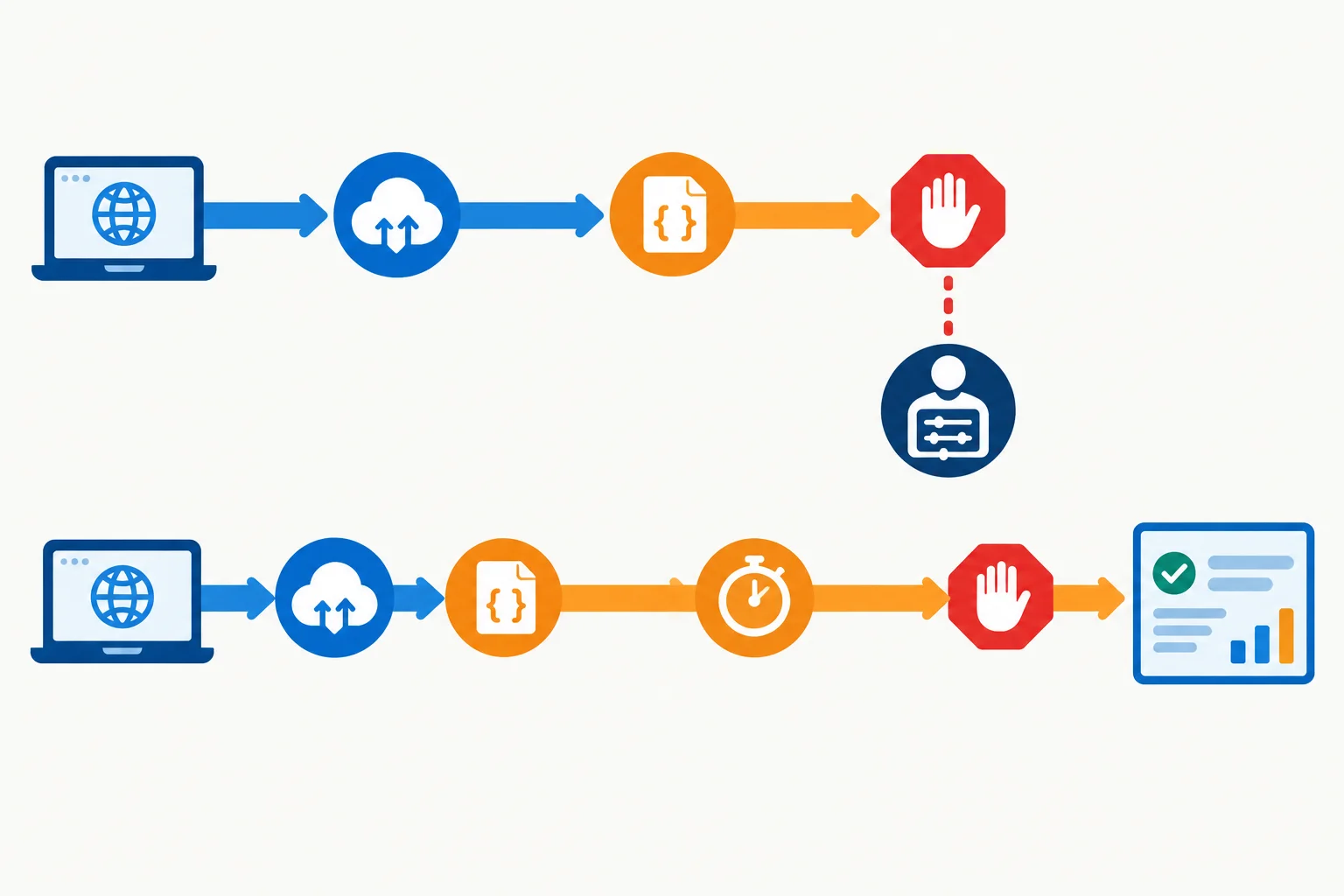
The signal can interrupt pending fetch work or body reading. After JSON decoding, the existing artificial processing timer does not listen to that signal.
Abort affects browser-side work where the browser and API support it. The deliberately delayed processing timer is separate from network work.
| Operation phase | Effect of abort() | Expected outcome |
|---|---|---|
| fetch is pending | Signal can reject the await | Intentional cancellation |
| response.json() is pending | Signal can interrupt body reading | Intentional cancellation |
| wait(delayMs) is pending | Timer keeps running | Later processing can continue |
| Remote work already started | No rollback guarantee | Server outcome is independent |
In src/main.js, add this declaration immediately after the existing state object and before wait(ms). It stores the controller for the operation that a later selection can supersede.
Place this immediately after the existing state object.
let activeController = null;Replace the entire existing loadProducts(category) function from step 2 with the complete function below. This avoids merging braces by hand. The controller block is now directly after the opening brace, before source lookup; fetch(url) is replaced by the signal-aware call; and the previous catch block is replaced by the AbortError filter. The existing success mutations and finally cleanup remain visible and unchanged for now.
Replace only the current loadProducts(category) function. Keep the existing change listener and initial loadProducts(categorySelect.value) call below it.
async function loadProducts(category) {
  if (activeController) {
    activeController.abort();
  }

  const controller = new AbortController();
  activeController = controller;
  const { url, delayMs } = sources[category];

  state.status = "loading";
  state.items = [];
  state.error = "";
  state.isLoading = true;
  render();

  try {
    const response = await fetch(url, { signal: controller.signal });

    if (!response.ok) {
      throw new Error(`Request failed with status ${response.status}.`);
    }

    const data = await response.json();
    console.log("Processing:", category);
    await wait(delayMs);
    const items = validateProducts(data);

    state.items = items;
    state.error = "";
    state.status = items.length === 0 ? "empty" : "success";
  } catch (error) {
    if (error.name === "AbortError") {
      return;
    }

    state.items = [];
    state.error = error instanceof Error ? error.message : "Unknown error.";
    state.status = "error";
  } finally {
    state.isLoading = false;
    render();
  }
}Complete the controller lifecycle and the intentional-cancellation filter.
if (activeController) {
  activeController.();
}

const controller = new ();
activeController = controller;

const response = await fetch(url, { : controller.signal });

if (error.name === "") {
  return;
}A Books operation has completed JSON decoding and is waiting in wait(2400). The user selects Games, which aborts the Books controller. Which statement correctly distinguishes this from aborting while Books was still fetching or decoding its response body?
Step 4 of 7
Use request identifiers to ensure that only the current operation can commit a successful product result.
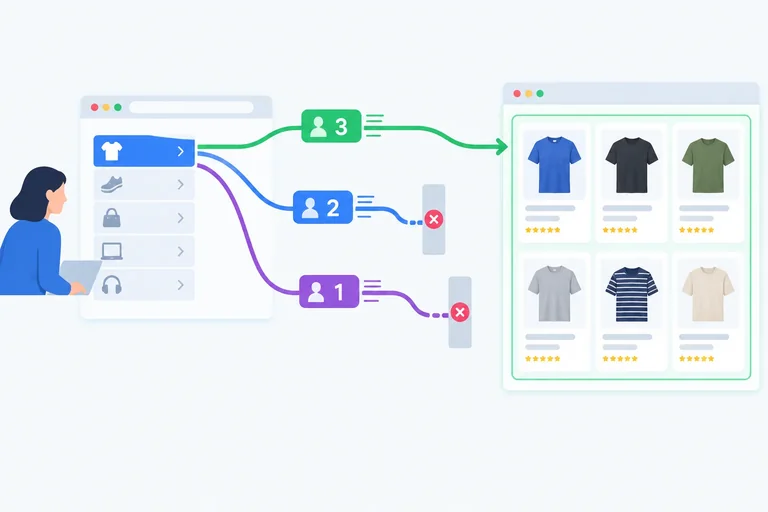
A category value is not an operation identity. A user can select Books, then Games, then Books again. Those are three operations, even though the first and third use the same category.
Use a monotonically increasing latestRequestId as a ticket counter. Each invocation captures its own requestId. Under latest-request-wins, only the operation whose ticket still matches the newest ticket may replace results or successful feedback.
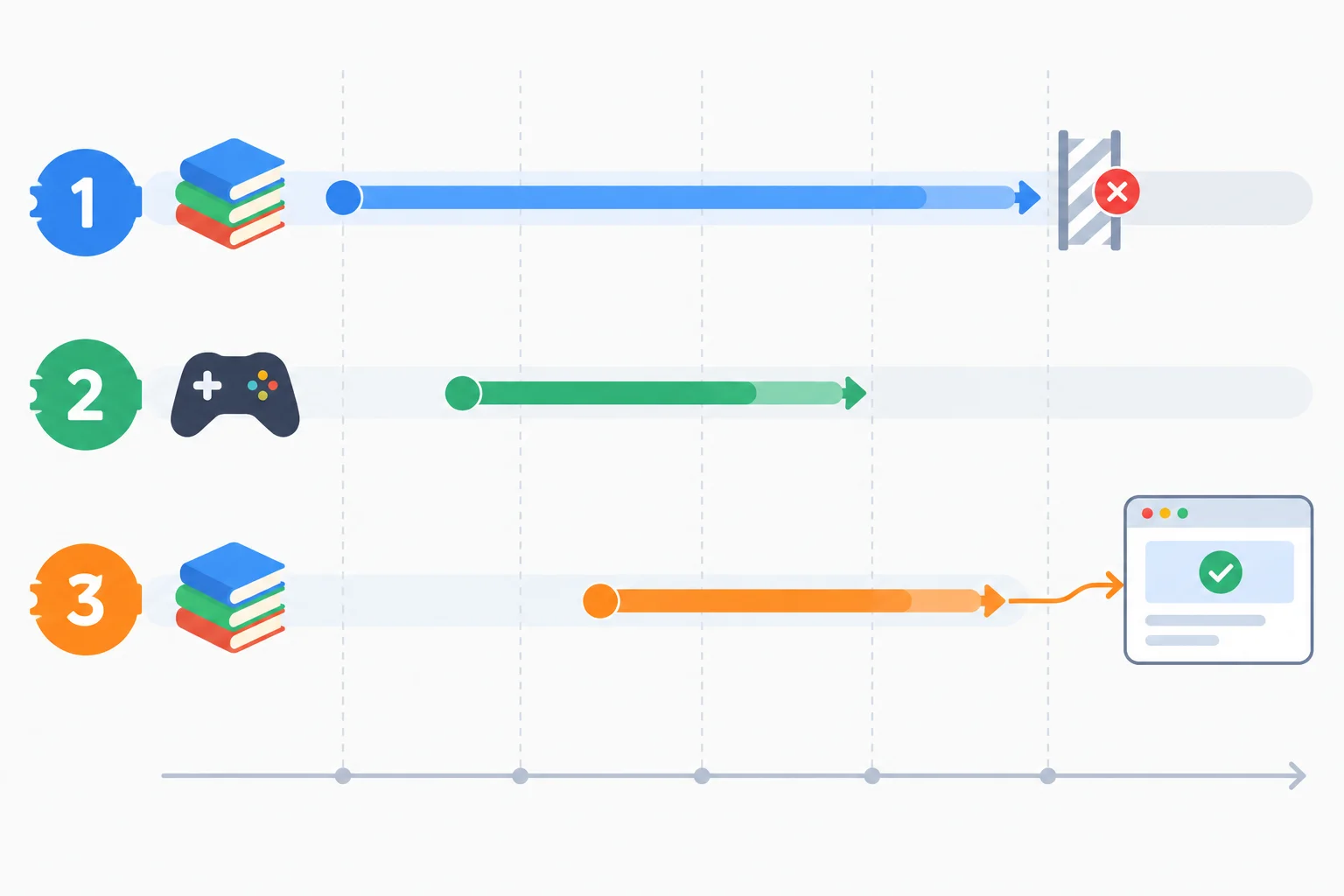
The repeated Books value does not make the first and third operations the same. The newest ticket owns the replaceable interface.
Make two targeted edits to the cancellation version from the previous step. Do not replace its loading setup, try, catch, or finally blocks.
First, locate let activeController = null; immediately after the shared state object. Add the counter directly above it. Then make the identifier assignment the first statement inside loadProducts(category), before the existing abort check. Incrementing before aborting ensures every invocation receives a distinct identity, including a repeated category selection.
Place this immediately above the existing let activeController = null; declaration in src/main.js.
let latestRequestId = 0;Inside the existing loadProducts(category) function, insert this as its first statement. Leave the existing if (activeController) block immediately after it.
const requestId = ++latestRequestId;After fetch, JSON decoding, delayed processing, and validation, an older operation can still succeed. Its data is valid, but it is no longer authorized to commit it.
In the existing success path, place the guard immediately after const items = validateProducts(data); and before the existing state.items assignment. Keep the guard and the following success-state mutations together: do not add an await between them. If the identifiers differ, return without changing items, error text, success or empty status.
For this step, preserve the existing catch and finally blocks exactly as they are. Their ownership rules are addressed separately.
In the existing try block, replace the success portion beginning with const items with this version. The function's existing catch and finally blocks remain below it unchanged.
const items = validateProducts(data);

if (requestId !== latestRequestId) return;

state.items = items;
state.error = "";
state.status = items.length === 0 ? "empty" : "success";Complete the counter setup, invocation identity, and success guard.
let latestRequestId = ;
let activeController = null;

async function loadProducts(category) {
  const requestId = ;

  if (activeController) {
    activeController.abort();
  }

  // Fetching, decoding, delayed processing, and validation happen here.
  const items = validateProducts(data);

  if ( !== ) return;

  state.items = items;
  state.error = "";
  state.status = items.length === 0 ? "empty" : "success";
}Starting with latestRequestId at 0, the user selects Books, then Games, then Books. The final Books operation completes first, Games completes next, and the first Books operation completes last. Assume all three operations validate successfully.
Write the identifier-creation line and the success-guard line. Then state the three captured identifiers in selection order, identify which successful completion may commit, and explain why comparing only the category value would fail.
Write at least 180 characters (0/180).
Step 5 of 7
Prevent obsolete failures from replacing the current operation's results or feedback while preserving genuine current errors.
A request can fail after it has become an outdated operation. That failure must not be allowed to replace feedback owned by the current operation.
To create a controlled late failure, temporarily change the Books source URL to /data/books-invalid.json. That file is valid JSON, so it reaches the delayed validation step. Its product has a numeric name, so validateProducts(data) throws after the 2400 ms processing delay.
Select Books, wait until the console shows Processing: books, then select Games. Games can render Orbit Quest first. Later, the older Books operation rejects during validation. The interface must keep the Games results and its current feedback.
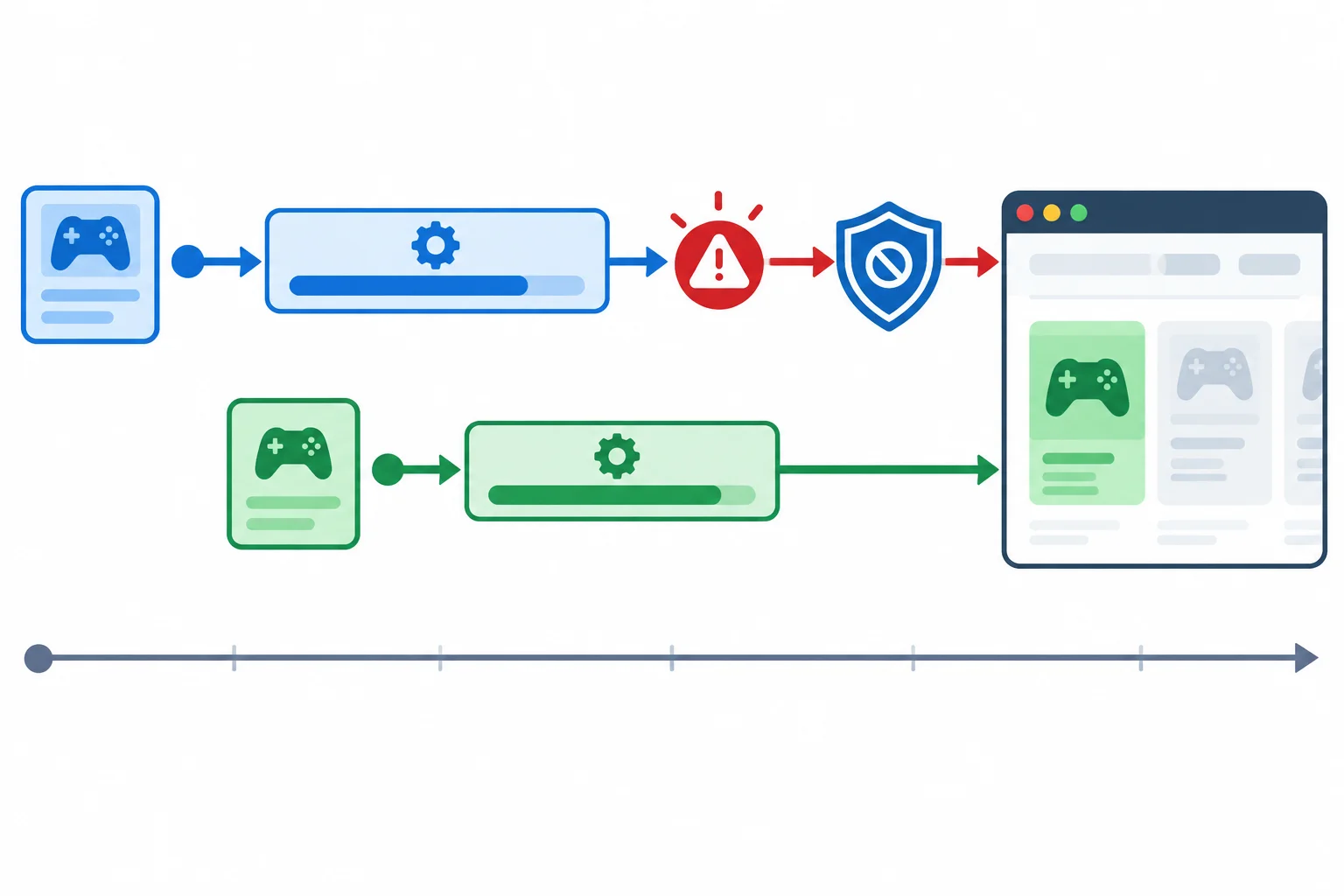
The older failure still happens, but it no longer has permission to change the interface.
In loadProducts(category), replace the existing catch block with the block below. Keep this check before every other catch decision.
The first guard answers ownership: is this still the current operation? If not, return immediately. Only a current operation reaches the cancellation check. An AbortError is intentional cancellation, so it also returns without error feedback. Every other current error updates the error state and renders it.
This ordering matters: filtering cancellation first would still let an outdated non-cancellation failure clear newer items or show an irrelevant error.
Replace the catch block inside loadProducts(category).
} catch (error) {
  if (requestId !== latestRequestId) return;

  if (error.name === "AbortError") return;

  state.status = "error";
  state.items = [];
  state.error = "Could not load products.";
  render();
}Use this policy for every rejection that reaches catch. The identifier check grants permission to update; cancellation filtering describes one kind of current rejection.
| Operation at catch time | Rejection | Interface action |
|---|---|---|
| Outdated | Validation failure | Return; preserve current interface |
| Current | AbortError | Return; do not show failure |
| Current | Validation failure | Render error feedback |
| Current | Other request failure | Render error feedback |
Complete the two conditions in this catch handler.
} catch (error) {
  if () return;

  if () return;

  state.status = "error";
  state.items = [];
  state.error = "Could not load products.";
  render();
}Match each catch-time outcome to the required interface action.
Tap an item and then its matching pair.
Step 6 of 7
Protect the current operation’s loading state and controller reference from obsolete cleanup handlers.
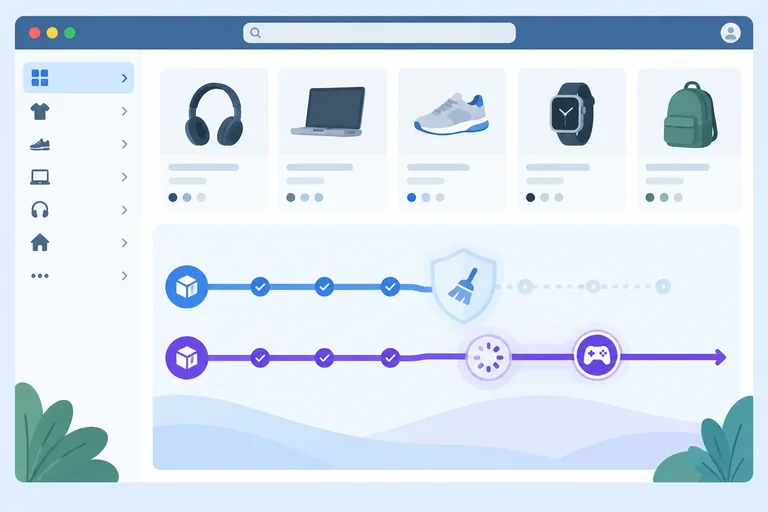
Success and catch already reject an outdated operation before changing shared state. But finally still runs after either path, including after an early return from try or catch.
That makes cleanup another interface-update path. Temporarily set sources.books.delayMs to 1200 and sources.games.delayMs to 3000. Start Books, wait for its Processing: marker, then select Games. Books can reach finally while Games is still the current operation and is processing.
If obsolete Books sets state.isLoading = false, Games can look finished. If it sets activeController = null, it can release the controller reference that belongs to Games. Cleanup needs the same ownership rule as results and errors.
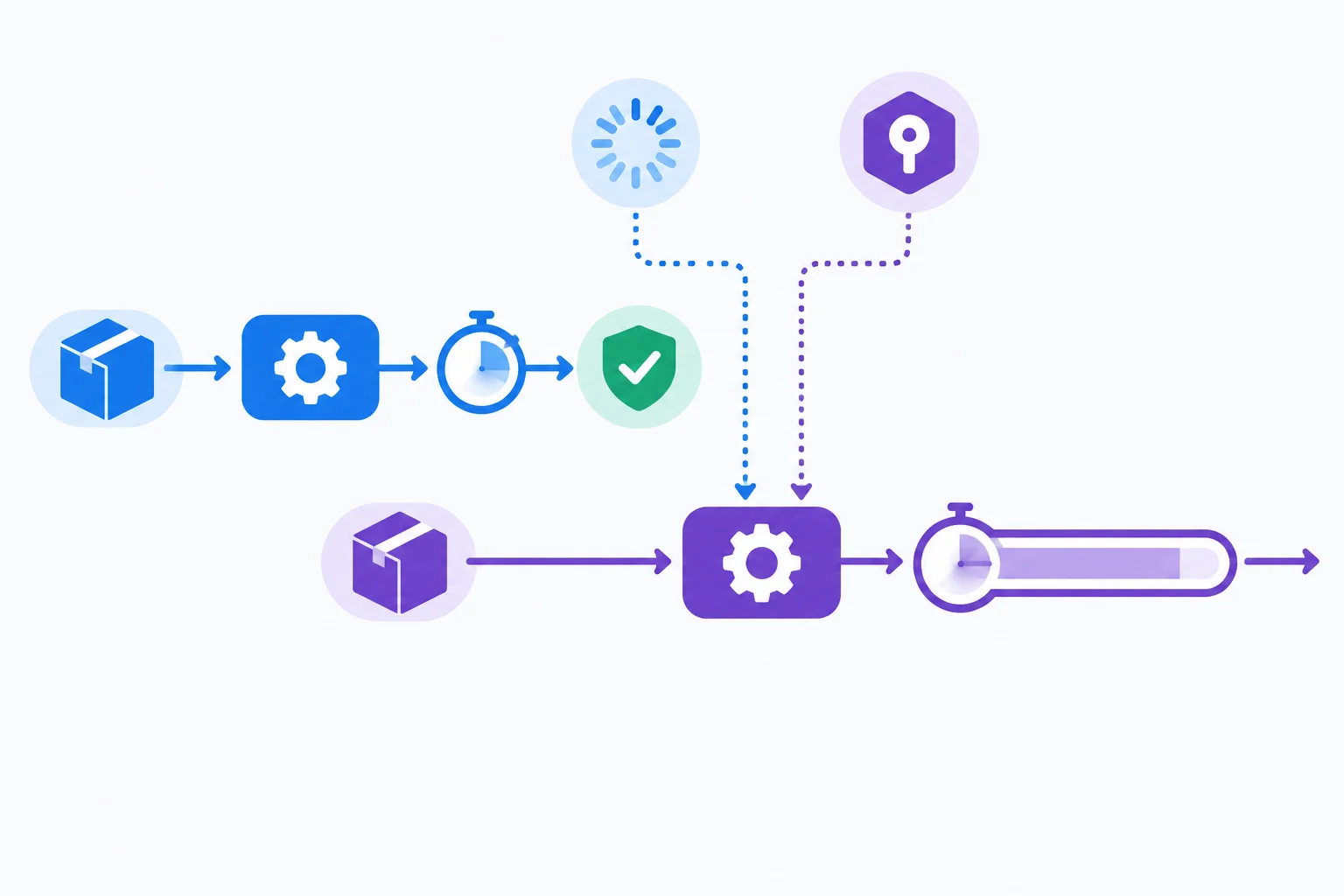
With Books at 1200 ms and Games at 3000 ms, Books can reach cleanup while the current Games operation remains pending.
Your loader already has a finally block after its catch block. Replace that existing finally block only; do not add a second one. The catch code below is context showing the replacement location. Keep it unchanged.
} catch (error) {
  if (requestId !== latestRequestId) return;

  if (error.name === "AbortError") return;

  state.status = "error";
  state.items = [];
  state.error = "Could not load products.";
  render();
} finally {
  if (requestId === latestRequestId) {
    state.isLoading = false;
    activeController = null;
    render();
  }
}
}The conditional block protects every cleanup action together. Only the current operation may clear loading, render its completed feedback, and release activeController. An outdated operation does none of those things.
Do not put a return inside finally: a return there can override an earlier return or thrown error. Let finally run normally, and place its shared-state mutations inside the ownership condition.
Latest-request-wins now covers success, empty results, genuine errors, intentional cancellation handling, loading feedback, and the shared controller reference.
Complete the ownership comparison that protects the replacement cleanup block.
finally {
  if ( === ) {
    state.isLoading = false;
    activeController = null;
    render();
  }
}Books starts with a 1200 ms processing delay. After Books has decoded its JSON, the user selects Games, which starts a 3000 ms processing delay. Books later reaches finally while Games is still pending. Books may have reached finally after an early return from either its try path or its catch path.
In 2–4 sentences, state the cleanup condition you would use and predict what happens to Games loading state and its controller reference when Books reaches finally.
Write at least 80 characters (0/80).
Step 7 of 7
Manually confirm that the combined solution preserves the latest selection's results, errors, and loading feedback across controlled race scenarios.
Replace src/main.js with the four ordered sections on the next screens. Together, they are the complete final loader for the existing index.html and fixtures. The category selector stays enabled while loading. Cancellation controls superseded work where supported; request identity controls permission to update the replaceable interface.
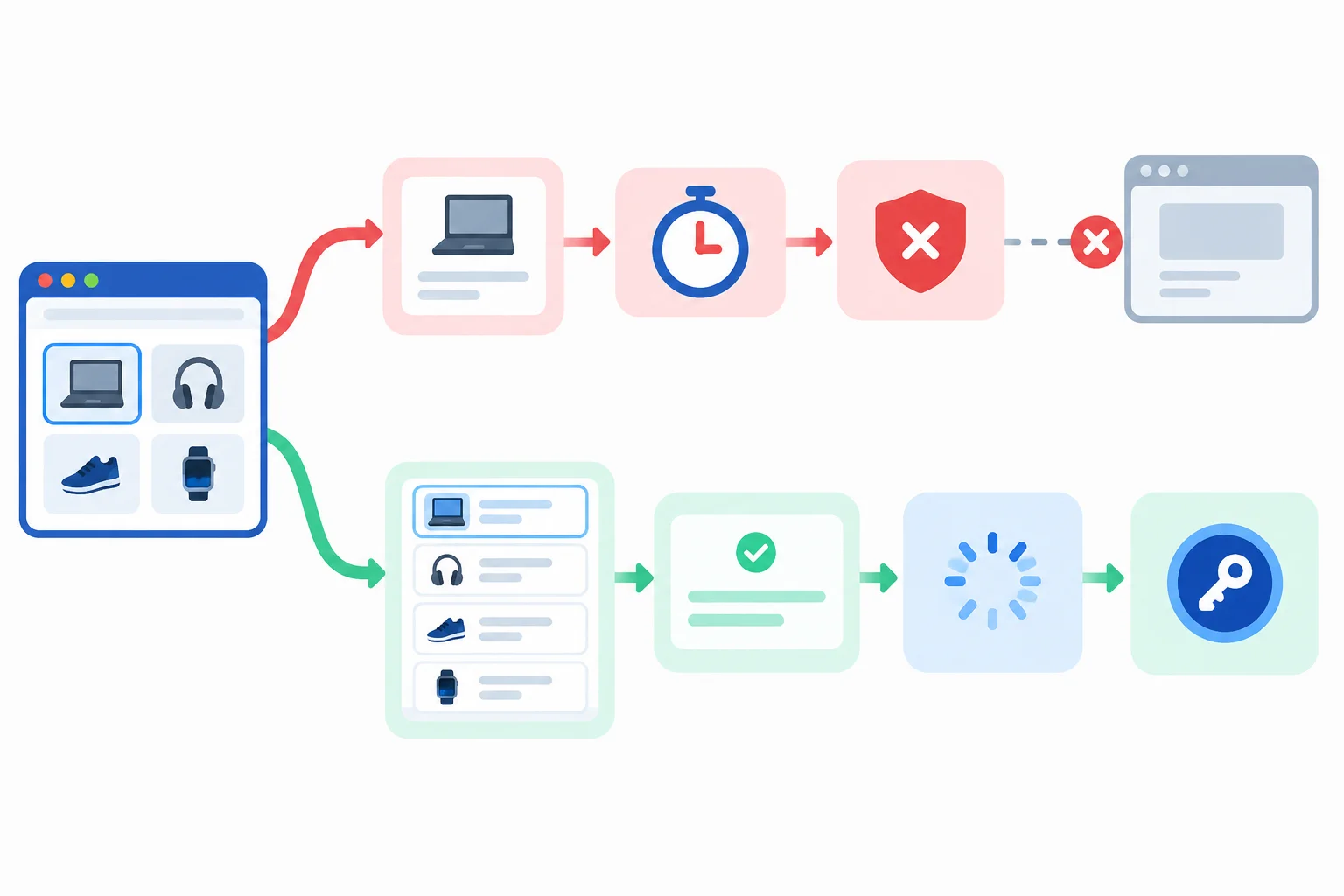
Cancellation can reduce superseded work; request identity gives only the current operation permission to update the interface.
Section 1 of 4 — place this at the top of src/main.js.
const categorySelect = document.querySelector("#category");
const results = document.querySelector("#results");
const status = document.querySelector("#status");

const sources = {
  books: { url: "/data/books.json", delayMs: 2400 },
  games: { url: "/data/games.json", delayMs: 400 }
};

const state = {
  status: "idle",
  items: [],
  error: "",
  isLoading: false
};

let latestRequestId = 0;
let activeController = null;Section 2 of 4 — paste this immediately after section 1. This preserves the list structure in #results: every product becomes an li.
function wait(ms) {
  return new Promise((resolve) => {
    window.setTimeout(resolve, ms);
  });
}

function validateProducts(data) {
  const isValid = Array.isArray(data) && data.every((product) => {
    return product !== null &&
      typeof product === "object" &&
      typeof product.id === "number" &&
      typeof product.name === "string";
  });

  if (!isValid) {
    throw new Error("Product data has an invalid shape.");
  }

  return data;
}

function render() {
  results.setAttribute("aria-busy", String(state.isLoading));
  results.replaceChildren();

  for (const product of state.items) {
    const item = document.createElement("li");
    item.textContent = product.name;
    results.append(item);
  }

  if (state.status === "loading") {
    status.textContent = "Loading products...";
  } else if (state.status === "success") {
    status.textContent = "Products loaded.";
  } else if (state.status === "empty") {
    status.textContent = "No products found.";
  } else if (state.status === "error") {
    status.textContent = `Could not load products: ${state.error}`;
  } else {
    status.textContent = "Choose a category.";
  }
}Section 3 of 4 — paste this after section 2. Continue directly with section 4; these two sections form one function.
async function loadProducts(category) {
  const requestId = ++latestRequestId;

  if (activeController) {
    activeController.abort();
  }

  const controller = new AbortController();
  activeController = controller;
  const { url, delayMs } = sources[category];

  state.status = "loading";
  state.items = [];
  state.error = "";
  state.isLoading = true;
  render();

  try {
    const response = await fetch(url, { signal: controller.signal });

    if (!response.ok) {
      throw new Error(`Request failed with status ${response.status}.`);
    }

    const data = await response.json();
    console.log("Processing:", category);
    await wait(delayMs);
const items = validateProducts(data);Section 4 of 4 — paste this immediately after section 3, then save the file. This completes the loader and reconnects the existing selector.
    if (requestId !== latestRequestId) return;

    state.items = items;
    state.error = "";
    state.status = items.length === 0 ? "empty" : "success";
  } catch (error) {
    if (requestId !== latestRequestId) return;

    if (error.name === "AbortError") return;

    state.status = "error";
    state.items = [];
    state.error = "Could not load products.";
    render();
  } finally {
    if (requestId === latestRequestId) {
      state.isLoading = false;
      activeController = null;
      render();
    }
  }
}

categorySelect.addEventListener("change", () => {
  loadProducts(categorySelect.value);
});

loadProducts(categorySelect.value);Run each row after saving the replacement. For delayed-processing checks, use the Processing: console marker plus the visible interface as evidence. Exact wall-clock completion times and any particular Network-panel cancellation label are not required.
| Scenario | Setup and action | Evidence and restore |
|---|---|---|
| Outdated success | Set Books URL to `/data/books.json`; set Books to 2400 ms and Games to 400 ms. Select Books, wait for its marker, then select Games. | Orbit Quest appears and remains after Books finishes. Leave the default URL and delays in place. |
| Outdated validation failure | Set Books URL to `/data/books-invalid.json`; use Books 2400 ms and Games 400 ms. Select Books, wait for its marker, then select Games. | Games remains visible; no Books validation error appears. Restore Books URL to `/data/books.json`. |
| Obsolete cleanup | Set Books URL to `/data/books.json`; set Books to 1200 ms and Games to 3000 ms. Select Books, wait for its marker, then select Games. | When Books finishes, Games remains loading and `aria-busy` stays true until Games finishes. Restore 2400 ms and 400 ms. |
| Current validation failure | Set Books URL to `/data/books-invalid.json`; set Books to 2400 ms and Games to 400 ms. Select Books and do not replace it. | An error is visible for current Books. Restore Books URL to `/data/books.json`. |
| Rapid selections | Set Books URL to `/data/books.json`; set Books to 2400 ms and Games to 400 ms. Select Books, Games, then Books quickly. | Field Notes is the final authoritative result. Leave the default URL and delays in place. |
| In-flight cancellation | Use default URL and delays. In DevTools Network, disable cache and choose temporary throttling. Start a selection, then promptly replace it. | No cancellation error flashes. Restore normal throttling and caching settings afterward. |
Summary
Complete the missing ownership guard in this success handler.
const items = validateProducts(data);


state.items = items;
state.error = "";
state.status = items.length === 0 ? "empty" : "success";After completing the applicable matrix rows, record what your local browser actually showed. Use the results region, status region, aria-busy, and Processing: markers as evidence rather than timing guesses.
Report observations from your local browser:
aria-busy stayed active when obsolete Books cleanup ran while Games was pending.Also mention the Processing: markers that helped you verify delayed-processing scenarios.
Write at least 350 characters (0/350).
Congratulations! You completed: Prevent Outdated Requests from Updating the Interface
You completed this level!
Up next: TypeScript for Front-End Code
 Enable Strict Type Checking in a Local Vite ProjectAdd TypeScript to a local Vite project, enable strict checking, and extend the existing ESLint workflow to cover TypeScript source while keeping linting, type checking, and browser execution separate.
Thousands of online courses in video, ebooks and audiobooks.
To test your knowledge during online courses
Generated directly from your cell phone's photo gallery and sent to your email

Download our app via QR Code or the links below:.



Carry knowledge in your pocket.
Download the Cursa app.
There are hundreds of free courses available, with a free certificate of completion that is saved in your mobile image gallery.
Download the app to access the Course Completion Certificate for Free.


+ 10 million
students

Free and Valid
Certificate

60 thousand free
exercises

4.8/5 rating in
app stores

Free courses in
video and ebooks