 Microsoft Windows
You will learn how to use a computer, navigate Windows, manage files, connect to the internet, and use common applications safely.

8

2

2

Launch your tech career with a free IT support course: learn troubleshooting, customer support essentials, and job-ready skills to earn a certificate.
5

(4)

18h43m

6 exercises
Build job-ready IT skills fast with this free course: hardware, Windows basics, networks, security, and troubleshooting—plus a certificate to prove it.
4.9
(12)
5h33m
22 exercises
Build essential computer skills fast with this free online course—devices, apps, safe browsing, and everyday tips—perfect for work, study, or a certificate.
4.9
(20)
55m
8 exercises
Free CourseIntroduction to Computer Science
4.8
(40)
17h05m
9 exercises
Free CourseHow to use Windows 10
4.8

(4)
3h51m
45 exercises
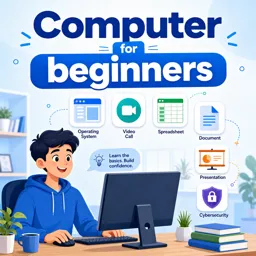
Free CourseComputer for beginners
4.4
(8)
7h03m
6 exercises
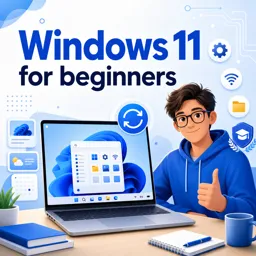
Free CourseWindows 11 for beginners
4
(1)
3h51m
29 exercises
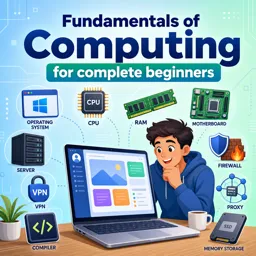
Free CourseFundamentals of Computing for complete beginners
New
46m
13 exercises
Exercises
Test your knowledge of ZIP archives, lossless compression, extraction, compression ratios, multipart files, and archive safety.
Start exercisesTest your knowledge of computer hardware basics, including CPUs, RAM, motherboards, storage drives, graphics cards, and power supplies.
Start exercisesTest your knowledge of operating systems, including OS functions, GUI, multitasking, security, hardware, Linux, Windows, macOS, and mobile OS.
Start exercisesTest your internet browsing fundamentals, including web browsers, URLs, refresh shortcuts, private browsing, hyperlinks, bookmarks, and homepages.
Start exercisesTest your basic informatics knowledge: CPU, RAM, operating systems, input/output devices, files, antivirus, and Python.
Start exercisesTest your knowledge of Microsoft Office applications, including Word, Excel, PowerPoint, Outlook, Access, formatting, charts, and macros.
Start exercises
The Modern BI Toolkit: Skills, Concepts, and Habits That Make Your Analytics Valuable
Learn the modern BI toolkit with core skills, data concepts, and practical habits that make analytics reliable, scalable, and decision-ready.

Understanding Software: Apps, Operating Systems, and How They Work Together
Understand software basics: operating systems, apps, installation, updates, and how they work together for everyday computer use.

Files, Folders, and Cloud Basics: How to Organize, Find, and Back Up Your Digital Life
Learn how to organize files, use folders, search efficiently, and back up your data with simple cloud and computer basics for beginners.

Everyday Productivity on a Computer: Email, Documents, and Simple Troubleshooting for Beginners
Learn everyday computer productivity with email, documents, downloads, shortcuts, and simple troubleshooting for beginners.

Digital Hygiene for Beginners: Safe Passwords, Smart Updates, and Scam Awareness
Learn digital hygiene basics with strong passwords, MFA, updates, scam awareness, backups, and privacy habits for safer everyday device use.

Customizing Your Microsoft Windows Experience: Personalization Tips and Tricks
Learn to personalize your Windows PC with themes, shortcuts, sounds, widgets, and accessibility tools to improve comfort and productivity.

Getting Started with Windows 11: A Beginner’s Guide
Windows 11 offers a sleek, user-friendly experience with enhanced multitasking, security, and customization features, making it perfect for work and play.

How to Use Virtual Desktops in Windows 11 for Multitasking
Virtual desktops in Windows 11 enhance multitasking by providing separate workspaces. Organize tasks, switch easily, and reduce clutter for a focused workflow.
Web Development

Programming Languages ( Python, Ruby, Java, C )
Office Productivity (Excel, Word and More)
Artificial Intelligence and Machine Learning

App Development
Databases
Software testing
Cyber Security
Cloud Computing and Web Servers
Robotics and Drones

Data Science and Business Intelligence
Backend development
Programming Fundamentals
Developer and IT Tools
Hardware, Operating Systems and IT Support
Game development
Strengthen your digital literacy through free online courses designed for beginners, students, job seekers, professionals, and anyone who wants to use computers with greater confidence. The learning content introduces computer hardware, software, operating systems, file management, internet navigation, information technology, cybersecurity awareness, and practical troubleshooting. Each course supports self-paced education and includes exercises that help reinforce concepts through active practice.
These educational resources cover foundational theory and practical computer skills. Learners can study how computing systems process information, understand common hardware components, work with applications, organize files and folders, navigate Windows environments, and explore IT support procedures. No previous technical knowledge is required, making the selection suitable for complete beginners.
Course topics can help you identify input, output, processing, and storage devices; understand the relationship between hardware and software; use desktop interfaces; manage documents; configure basic system settings; and apply safe online practices. Windows-focused lessons provide guided instruction for common tasks, while computer science and IT support courses introduce algorithms, data, networks, maintenance, diagnostics, and technical support workflows.
All courses are free and feature exercises for reviewing key terminology, evaluating comprehension, and applying new skills. Learners can progress according to their own schedules, repeat lessons when necessary, and build a structured foundation for further study in information technology, office productivity, programming, networking, or technical support. Free certification is also included, allowing learners to document course completion after meeting the applicable learning requirements.
To access the courses, users must install the Cursa app on a mobile device. Android users can get it from Google Play using Download for Android. iPhone users can install it from the App Store using Download for iOS / iPhone.
Choose a course that matches your learning goals and begin developing transferable digital competencies. Whether you need basic computer training, Windows instruction, an introduction to computer science, or preparation for entry-level IT learning, these free courses offer accessible lessons, practical exercises, and a clear educational pathway.
What will I learn in a computer basics course?
You will learn how to use a computer, navigate Windows, manage files, connect to the internet, and use common applications safely.
Are computer basics courses suitable for complete beginners?
Yes. Beginner courses start with essential skills such as using a mouse and keyboard, opening programs, and understanding the desktop.
Can I learn Windows 11 as a beginner?
Yes. Windows 11 beginner courses explain the Start menu, taskbar, settings, files, apps, and everyday computer tasks.
What is the difference between Windows 10 and Windows 11 training?
Both teach core computer use, but the menus, layout, settings, and features differ. Choose training that matches your device.
Do computer basics courses teach internet safety?
Many courses cover browsers, search, downloads, passwords, phishing awareness, and safe online habits.
What are the basic parts of a computer?
The main parts include the monitor, keyboard, mouse, computer or laptop, storage, operating system, and internet connection.
Can a computer fundamentals course help me prepare for IT support?
Yes. It can build foundational knowledge of hardware, software, operating systems, files, networks, and troubleshooting.

Complete any course and issue your certificate via the app — at no cost.

Download the app! to have access to more than 4,000 Online Courses + Certificate, all free!
Download the app! 100% free courses.


Carry knowledge in your pocket.
Download the Cursa app.
There are hundreds of free courses available, with a free certificate of completion that is saved in your mobile image gallery.
Download the app to access the Course Completion Certificate for Free.


+ 10 million
students

Free and Valid
Certificate

60 thousand free
exercises

4.8/5 rating in
app stores

Free courses in
video and ebooks
What are people saying about free online courses of Computer Basics
Reabetswe Innocentia Sefanyetso
It was so great ,I've learned everything
CourseComputer basics course
Busisiwe
I want ask about how to border our CV with computer
CourseHow to use Windows 10
Rahul Kumar
i appreciate your support .
CourseHow to use Windows 10
Malik Idowu
Well detailed and Understanding
CourseIntroduction to Computer Science