Step 1 of 8
Decide What the URL Should Represent
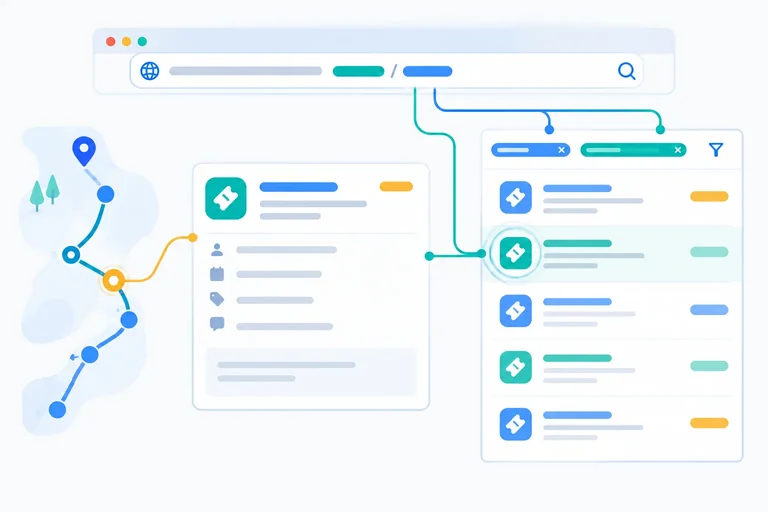
Decide which Issue Desk values belong in route parameters, search parameters, or temporary interaction state, then create a minimal local route shell.

Learning path · Level 10 · Tutorial 2
Make record selection and list filters reproducible through the URL. Handle invalid values and ensure that direct navigation, refresh, and browser history restore the intended view.
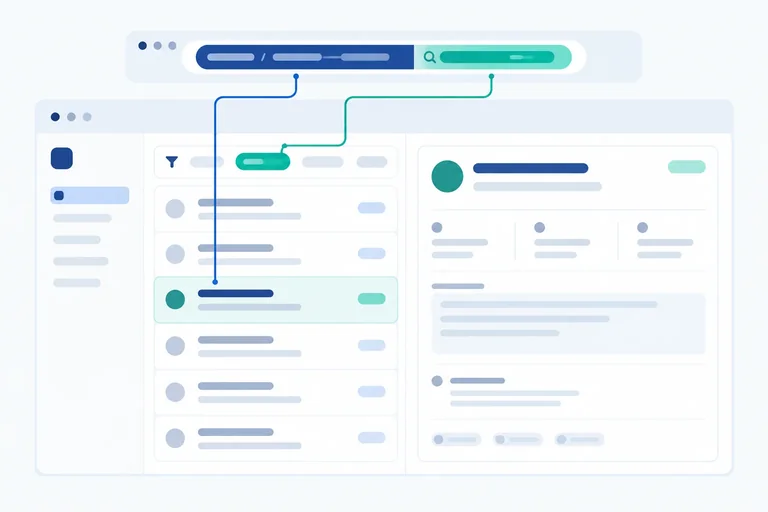
 Decide What the URL Should Represent
Decide which Issue Desk values belong in route parameters, search parameters, or temporary interaction state, then create a minimal local route shell. 2 min
Decide What the URL Should Represent
Decide which Issue Desk values belong in route parameters, search parameters, or temporary interaction state, then create a minimal local route shell. 2 min
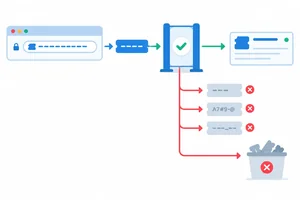 Read and Validate a Detail Identifier
Read the `ticketId` route parameter and convert it into either a validated string identifier or an explicit invalid result before selecting a ticket. 3 min
Read and Validate a Detail Identifier
Read the `ticketId` route parameter and convert it into either a validated string identifier or an explicit invalid result before selecting a ticket. 3 min
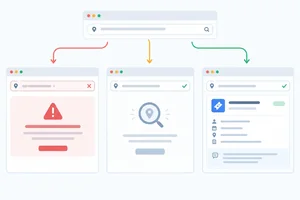 Distinguish Invalid IDs from Missing Tickets
Render distinct feedback for malformed identifiers, valid identifiers with no matching record, and matching tickets. 2 min
Distinguish Invalid IDs from Missing Tickets
Render distinct feedback for malformed identifiers, valid identifiers with no matching record, and matching tickets. 2 min
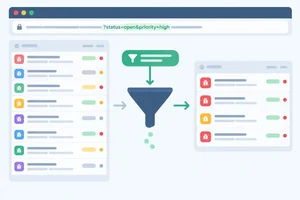 Parse Supported Filters from the URL
Convert ticket-list search-parameter values into a supported status filter and derive the matching records. 3 min
Parse Supported Filters from the URL
Convert ticket-list search-parameter values into a supported status filter and derive the matching records. 3 min
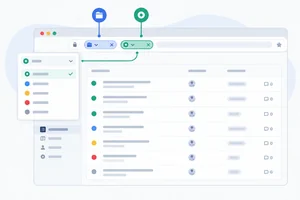 Update a Filter Without Losing Other URL Values
Build a URL-controlled status filter that preserves unrelated search parameters and reconstructs its view after direct navigation or refresh. 3 min
Update a Filter Without Losing Other URL Values
Build a URL-controlled status filter that preserves unrelated search parameters and reconstructs its view after direct navigation or refresh. 3 min
 Choose Meaningful History Entries
Choose push or replace intentionally so browser history reflects the meaning of each URL-based filter update. 2 min
Choose Meaningful History Entries
Choose push or replace intentionally so browser history reflects the meaning of each URL-based filter update. 2 min
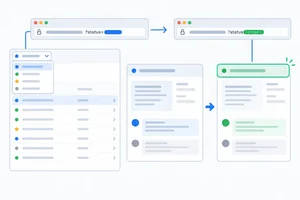 Keep Filter Focus Stable
Keep keyboard focus on the URL-controlled Status filter while preserving deliberate heading focus for client-side pathname navigation. 2 min
Keep Filter Focus Stable
Keep keyboard focus on the URL-controlled Status filter while preserving deliberate heading focus for client-side pathname navigation. 2 min
 Verify a Reproducible URL-Driven View
Verify that Issue Desk rebuilds detail and filter views from URL state, including invalid values, refresh, browser history, unrelated parameters, and keyboard focus. 3 min
Verify a Reproducible URL-Driven View
Verify that Issue Desk rebuilds detail and filter views from URL state, including invalid values, refresh, browser history, unrelated parameters, and keyboard focus. 3 min
Step 1 of 8
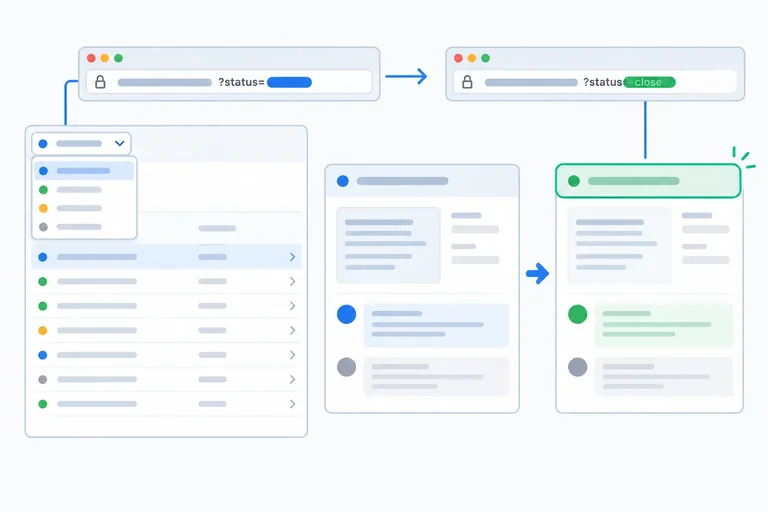
Decide which Issue Desk values belong in route parameters, search parameters, or temporary interaction state, then create a minimal local route shell.
In Issue Desk, an address can describe which ticket someone is viewing and which subset of tickets they chose to see. A person can copy that address, open it in a new tab, refresh it, or return to it with browser history.
Use a route parameter for the identity of one addressable ticket, such as /tickets/2. Use search parameters for a list view, such as /tickets?status=open.
The URL is authoritative for these values. A component derives its displayed ticket or filter from URL state instead of keeping a second React state value that could become unsynchronized.
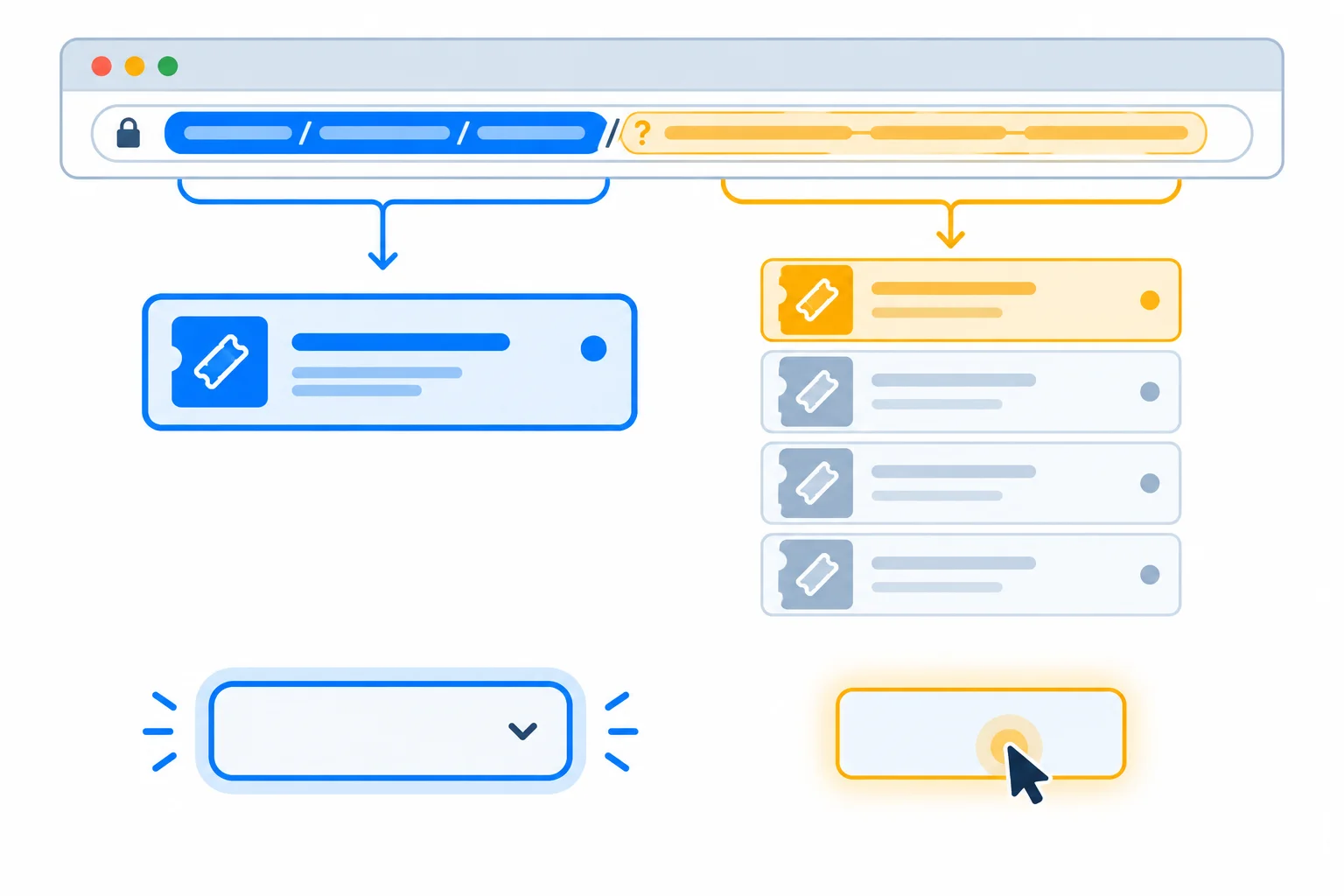
A ticket identity and a shareable list filter belong in URL state. Hover and current keyboard focus are temporary interaction details.
Use this decision rule:
For example, source=guide may appear beside the status filter in an address. It does not change the displayed tickets, but it is still URL state that later filter changes must not discard.
These examples use the URL conventions for this application. The filter's default view will later omit status from the address.
| Value | Location | Example |
|---|---|---|
| Selected ticket | Route parameter | /tickets/2 |
| Open-ticket list | Search parameter | /tickets?status=open |
| Guide source | Search parameter | source=guide |
| Keyboard focus | Non-URL interaction state | Focused Status control |
| Pointer hover | Non-URL interaction state | Hovered ticket link |
Create a local Vite React TypeScript app, install React Router, and start its development server. Then replace the generated src/main.tsx and src/App.tsx files and add src/tickets.ts with the complete files below.
Each route view owns its page's single <main> landmark. App only chooses which route view renders, so later detail and list updates do not create nested main landmarks. This shell deliberately defines the list and detail addresses before it implements selection or filtering.
npm create vite@latest issue-desk -- --template react-ts
cd issue-desk
npm install
npm install react-router
npm run dev> issue-desk@0.0.0 dev > vite VITE v7.x.x ready in ... ms ➜ Local: http://localhost:5173/ ➜ press h + enter to show help
The Vite version and local port can vary. Open the Local address printed by Vite.
import { StrictMode } from 'react';
import { createRoot } from 'react-dom/client';
import { BrowserRouter } from 'react-router';
import App from './App';

createRoot(document.getElementById('root')!).render(
  <StrictMode>
    <BrowserRouter>
      <App />
    </BrowserRouter>
  </StrictMode>,
);export type Ticket = {
id: string;
title: string;
status: 'open' | 'closed';
};
export const tickets: Ticket[] = [
{ id: '1', title: 'Fix navigation', status: 'open' },
{ id: '2', title: 'Improve contrast', status: 'closed' },
{ id: '3', title: 'Update help', status: 'open' },
];import { Link, Route, Routes } from 'react-router';
import { tickets } from './tickets';
export function TicketList() {
return (
<main>
<h1>Tickets</h1>
<ul>
{tickets.map((ticket) => (
<li key={ticket.id}>
<Link to={`/tickets/${ticket.id}`}>{ticket.title}</Link>
{' — '}{ticket.status}
</li>
))}
</ul>
</main>
);
}
export function TicketDetail() {
return (
<main>
<h1>Ticket detail</h1>
<p>This route will read its ticket ID in the next step.</p>
<Link to='/tickets'>Back to tickets</Link>
</main>
);
}
export default function App() {
return (
<Routes>
<Route path='/tickets' element={<TicketList />} />
<Route path='/tickets/:ticketId' element={<TicketDetail />} />
</Routes>
);
}Match each Issue Desk value to the place where it belongs.
Tap an item and then its matching pair.
Step 2 of 8
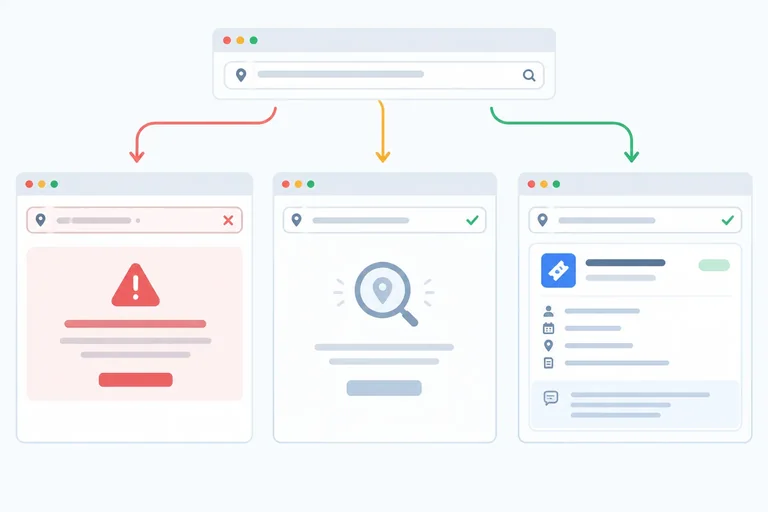
Read the ticketId route parameter and convert it into either a validated string identifier or an explicit invalid result before selecting a ticket.
A detail URL uses the dynamic segment /tickets/:ticketId. For example, opening /tickets/2 lets useParams supply the raw ticketId value.
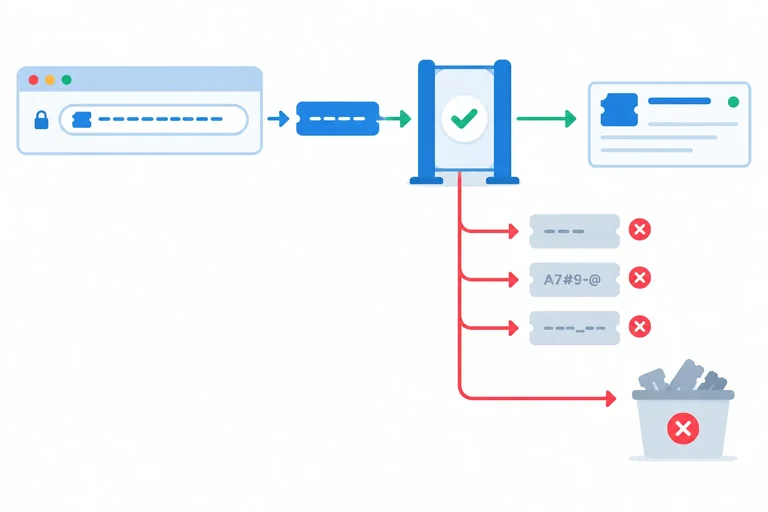
That value is URL state, so do not assume it is already a usable record ID. Its type is string | undefined. First parse it into one of two results:
null when the value is missing or malformedThis boundary answers only “does this value have the required ID format?” A well-formed value such as 999 remains a valid string even if no ticket has that ID. Record lookup and its interface outcomes come next.
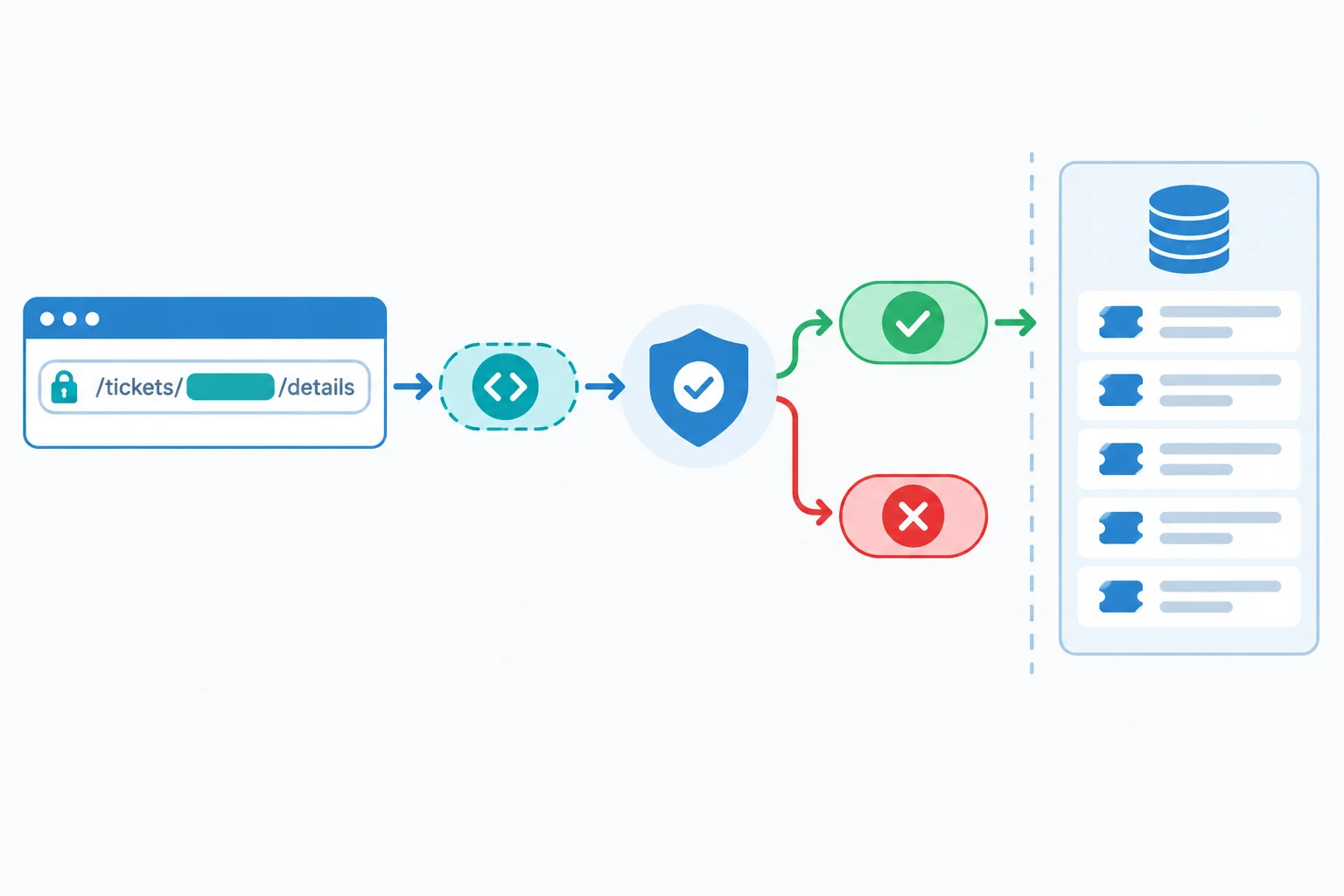
Validation checks identifier shape first; a later lookup checks whether that valid identifier has a matching ticket.
The route declaration from the starting app already uses the same segment name that TicketDetail reads. The name after : and the destructured parameter name must match exactly.
src/App.tsx — existing route declaration
<Routes>
<Route path='/tickets' element={<TicketList />} />
<Route path='/tickets/:ticketId' element={<TicketDetail />} />
</Routes>src/tickets.ts — replace the current file with this version. Keeping the parser exported here lets the detail component use the same ticket-ID rule as later detail logic.
export type Ticket = {
  id: string;
  title: string;
  status: 'open' | 'closed';
};

export const tickets: Ticket[] = [
  { id: '1', title: 'Fix navigation', status: 'open' },
  { id: '2', title: 'Improve contrast', status: 'closed' },
  { id: '3', title: 'Update help', status: 'open' },
];
export function parseTicketId(raw: string | undefined): string | null {
if (raw === undefined || raw.trim() !== raw) {
return null;
}
return /^[1-9][0-9]*$/.test(raw) ? raw : null;
}src/App.tsx — add useParams and parseTicketId to the existing imports, then replace only TicketDetail with this temporary parsing version. It deliberately does not look up a ticket yet.
import { Link, Route, Routes, useParams } from 'react-router';
import { parseTicketId, tickets } from './tickets';
export function TicketDetail() {
const { ticketId } = useParams();
const id = parseTicketId(ticketId);
return (
<main>
<h1>Ticket detail</h1>
<p>
{id === null
? 'The route does not contain a usable ticket identifier.'
: 'The route contains an identifier ready for lookup.'}
</p>
<Link to='/tickets'>Back to tickets</Link>
</main>
);
}Tip
The guard narrows away undefined before calling trim(). Then the anchored pattern requires the entire value to be a positive decimal string: no whitespace, letters, partial values, zero, or leading zeros.
Keep the successful value as its original string. Ticket IDs are strings, so a later lookup can compare candidate.id === id. Do not use partial numeric parsing: parseInt('2x', 10) would incorrectly turn malformed URL state into 2.
Complete the parameter-reading and validation flow. It must reject malformed values such as abc, 2x, and 01, while allowing a well-formed but unknown identifier to continue as a string.
function parseTicketId(raw: string | undefined): string | null {
if () {
return null;
}
return .test(raw) ? raw : null;
}
export function TicketDetail() {
const { } = useParams();
const id = ();
return <p>{id === null ? 'Not ready for lookup.' : 'Ready for lookup.'}</p>;
}
Step 3 of 8
Render distinct feedback for malformed identifiers, valid identifiers with no matching record, and matching tickets.
A URL can match the detail route and still fail to identify a ticket. TicketDetail has three separate outcomes:
/tickets/abc has a malformed route parameter. Render Invalid ticket ID and stop before lookup./tickets/999 has a well-formed ID, but no local record matches it. Render Ticket not found./tickets/2 has a well-formed ID that matches a record. Render that ticket’s details.Do not substitute a default ticket. These are outcomes inside /tickets/:ticketId; they are not the wildcard route for an unmatched application path.
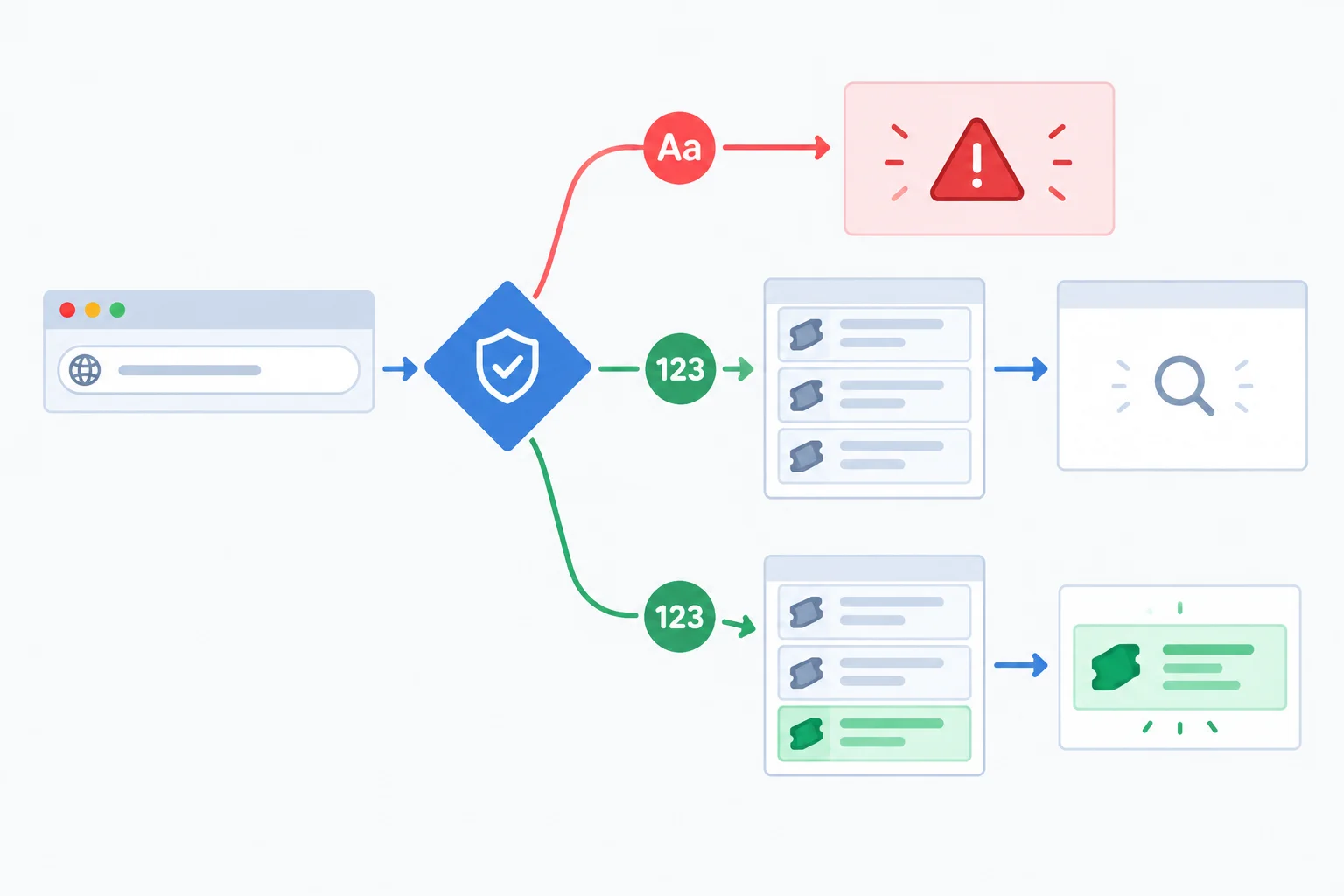
Validation failure and lookup failure are different outcomes.
Tip
/tickets/abc already matches /tickets/:ticketId, so it should not render a wildcard-route message. Each detail outcome includes a visible link to the ticket list. That gives someone who opened or shared an address a recovery path without requiring a previous browser-history entry.
The parser must be exported from src/tickets.ts so TicketDetail can import it. Replace that file with this complete version if your local file does not already contain the exported parser from the previous step.
export type Ticket = {
id: string;
title: string;
status: 'open' | 'closed';
};
export const tickets: Ticket[] = [
{ id: '1', title: 'Fix navigation', status: 'open' },
{ id: '2', title: 'Improve contrast', status: 'closed' },
{ id: '3', title: 'Update help', status: 'open' },
];
export function parseTicketId(raw: string | undefined): string | null {
if (raw === undefined || raw.trim() !== raw) {
return null;
}
return /^[1-9][0-9]*$/.test(raw) ? raw : null;
}Replace all of src/App.tsx with this version. Because it is a complete file, its import block replaces the earlier one rather than adding a second Link import.
import { Link, Route, Routes, useParams } from 'react-router';
import { parseTicketId, tickets } from './tickets';
export function TicketList() {
return (
<main>
<h1>Tickets</h1>
<ul>
{tickets.map((ticket) => (
<li key={ticket.id}>
<Link to={`/tickets/${ticket.id}`}>{ticket.title}</Link>
{' — '}{ticket.status}
</li>
))}
</ul>
</main>
);
}
export function TicketDetail() {
const { ticketId } = useParams();
const id = parseTicketId(ticketId);
if (id === null) {
return (
<main>
<h1>Invalid ticket ID</h1>
<p>The ticket address has an unsupported identifier.</p>
<Link to='/tickets'>Back to tickets</Link>
</main>
);
}
const ticket = tickets.find((candidate) => candidate.id === id);
if (ticket === undefined) {
return (
<main>
<h1>Ticket not found</h1>
<p>No ticket has this identifier.</p>
<Link to='/tickets'>Back to tickets</Link>
</main>
);
}
return (
<main>
<h1>{ticket.title}</h1>
<p>Status: {ticket.status}</p>
<Link to='/tickets'>Back to tickets</Link>
</main>
);
}
export default function App() {
return (
<Routes>
  <Route path='/tickets' element={<TicketList />} />
  <Route path='/tickets/:ticketId' element={<TicketDetail />} />
</Routes>
);
}useParams runs before every conditional return. Once id === null returns, the lookup receives only a validated string. The second branch then distinguishes an absent record from a malformed route parameter. At the final return, ticket is narrowed to an existing ticket.
Match each direct detail address to the outcome that TicketDetail renders.
Tap an item and then its matching pair.
Complete the conditional branches so the three standard direct detail addresses retain distinct outcomes.
const id = parseTicketId(ticketId);

if (id === null) {
  return <h1></h1>;
}

const ticket = tickets.find((candidate) => candidate.id === id);

if () {
  return <h1></h1>;
}

return <h1>{ticket.title}</h1>;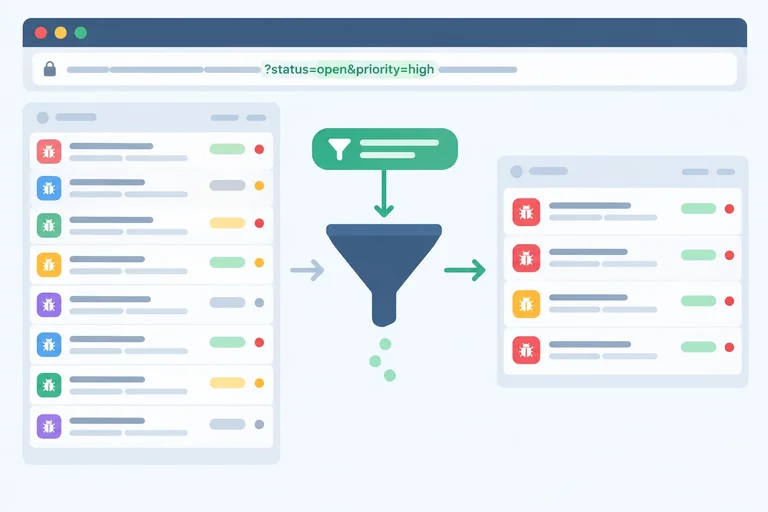
Step 4 of 8
Convert ticket-list search-parameter values into a supported status filter and derive the matching records.
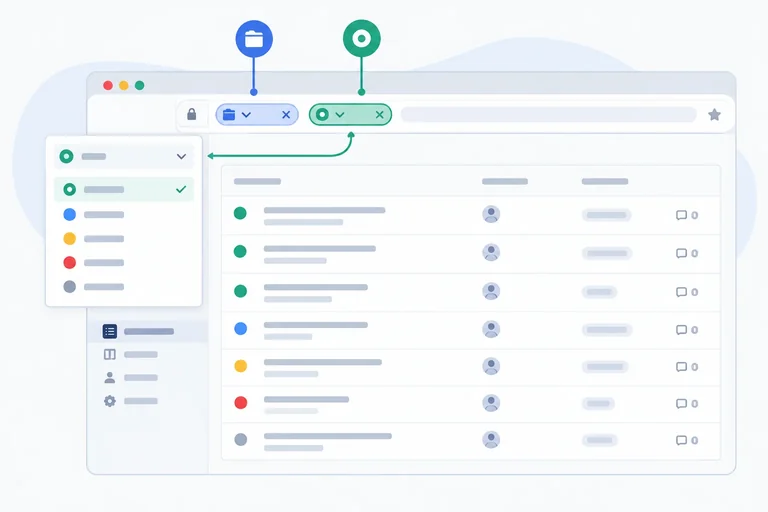
A list filter is URL state: the address supplies a raw string, the app parses it into one supported value, and the visible tickets are derived from that value.
For this list, the supported values are all, open, and closed. Do not trust a URL string merely because TypeScript knows it is a string. Parse it first, then use the parsed StatusFilter to filter the ticket array.
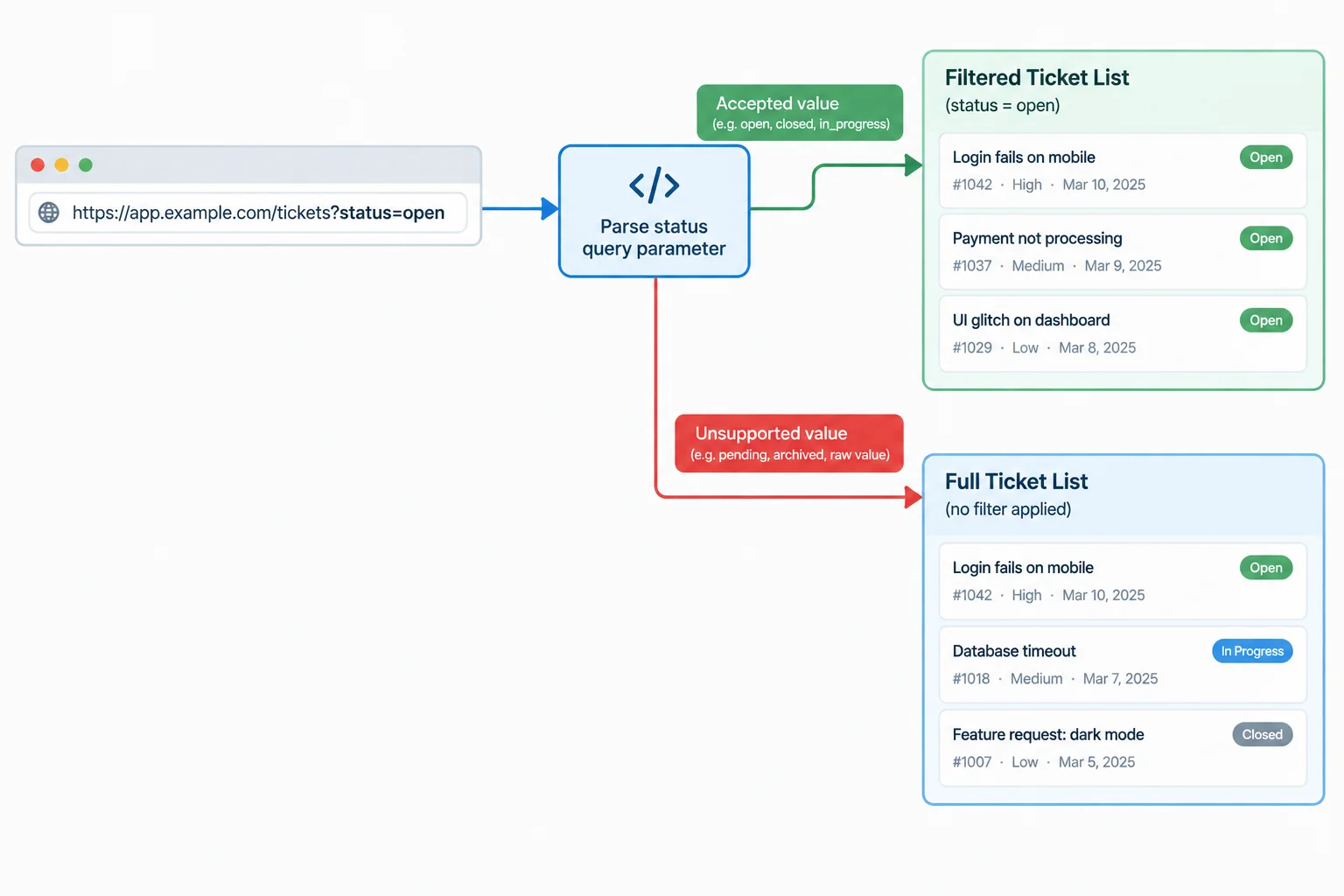
Read the raw URL value, parse it into a supported filter, then derive the displayed list.
searchParams.get('status') returns string | null: a string when the key is present, or null when it is absent. If status appears more than once, get uses its first value. That is the explicit read policy for this app.
Missing, empty, and unsupported values all fall back to all. Merely reading an unsupported value does not rewrite the address; the URL remains unchanged until a later deliberate update.
Add this union and parser near the top of the module that contains TicketList. The checks narrow raw to one of the supported string literals, so returning raw is type-safe.
export type StatusFilter = 'all' | 'open' | 'closed';

export function parseStatus(raw: string | null): StatusFilter {
  if (raw === 'open' || raw === 'closed' || raw === 'all') {
    return raw;
  }

  return 'all';
}The derived count uses the three local Issue Desk tickets: two are open and one is closed.
| URL status input | Parsed status | Visible tickets |
|---|---|---|
| Missing | all | 3 |
| Empty value | all | 3 |
| open | open | 2 |
| closed | closed | 1 |
| all | all | 3 |
| paused | all | 3 |
| closed, then open | closed | 1 |
In TicketList, read the URL on every render, parse its status value, and calculate the matching tickets. There is no second component state value to synchronize: direct navigation and refresh reconstruct this view from the URL.
The parsed status will also become the controlled select value in the next step.
Use this TicketList body after importing useSearchParams from react-router, importing tickets from ./tickets, and adding parseStatus above the component.
export function TicketList() {
  const [searchParams] = useSearchParams();
  const status = parseStatus(searchParams.get('status'));
  const visibleTickets = tickets.filter((ticket) => {
    return status === 'all' || ticket.status === status;
  });

  return (
    <main>
      <h1>Tickets</h1>
      <p>{visibleTickets.length} tickets shown</p>
      <ul>
        {visibleTickets.map((ticket) => (
          <li key={ticket.id}>
            {ticket.title} — {ticket.status}
          </li>
        ))}
      </ul>
    </main>
  );
}
Tip
The filter operation is derived during rendering. When the parsed value is all, every ticket is included; otherwise, only tickets whose status matches are included.
Complete the parser's two supported non-default literals. The completed function must make countVisible derive the correct result for supported, missing, empty, and unsupported URL values.
function parseStatus(raw: string | null): StatusFilter {
  if (raw === '' || raw === '' || raw === 'all') {
    return raw;
  }

  return 'all';
}

function countVisible(raw: string | null): number {
  const status = parseStatus(raw);

  return tickets.filter((ticket) => {
    return status === 'all' || ticket.status === status;
  }).length;
}
Step 5 of 8
Build a URL-controlled status filter that preserves unrelated search parameters and reconstructs its view after direct navigation or refresh.
The Status select has one source of truth: the parsed status value from the search parameters. Its value comes directly from that value, and the displayed tickets are derived from it.
Do not add a second useState value or an Effect to synchronize the select. When someone directly opens a URL or refreshes it, useSearchParams supplies the URL state again, so the control and list reconstruct together.
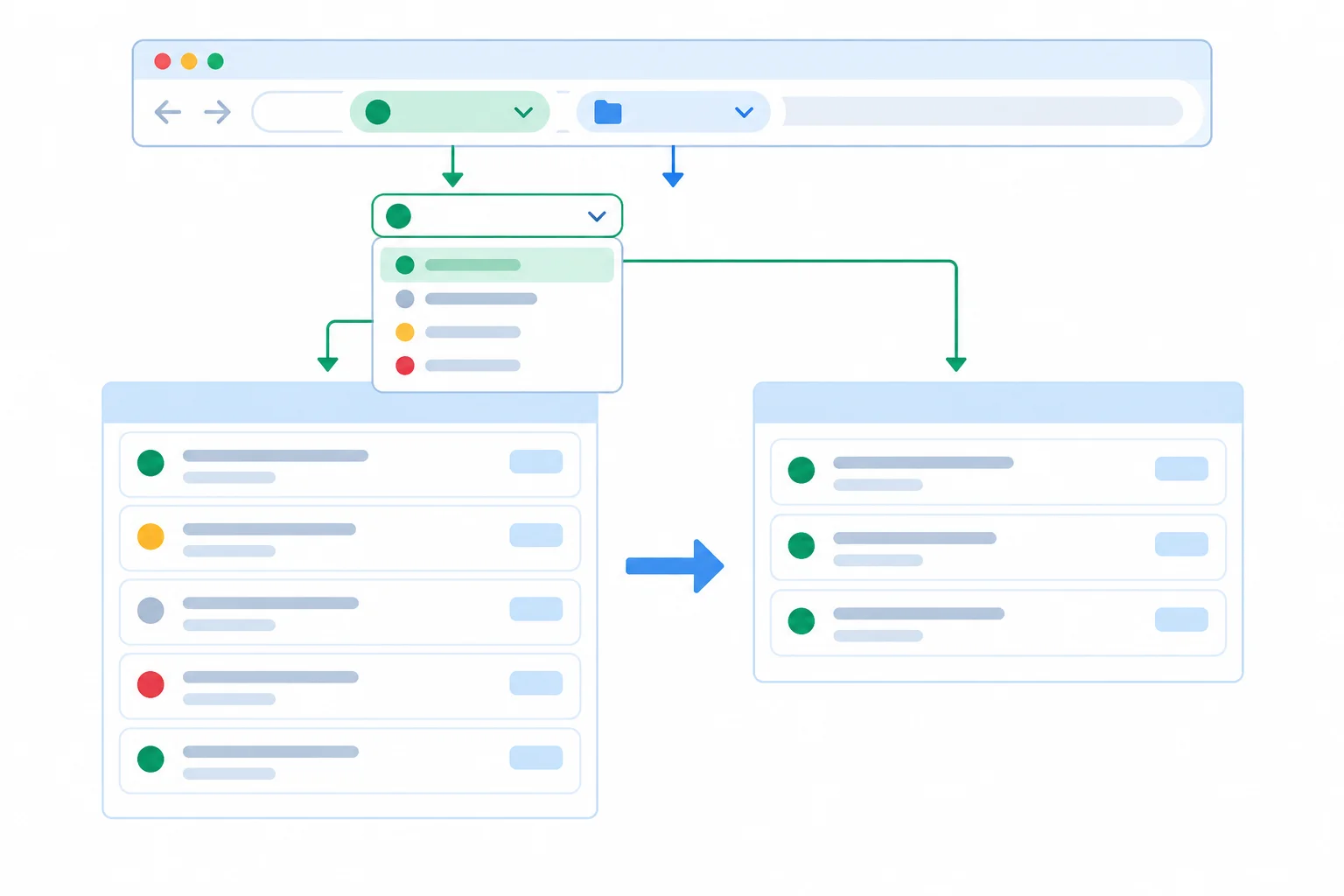
The parsed status value controls the select and the visible tickets. Updating status must retain unrelated URL values.
A filter control owns only the status key. Clone the current search parameters first, then change that clone:
status.status so the default URL stays compact.setSearchParams call.Starting from /tickets?status=open&source=guide, choosing All tickets must leave source=guide in the address. Do not mutate the searchParams object that the hook returned.
In src/App.tsx, replace the existing React and router import lines, the StatusFilter/parseStatus declarations, and TicketList with this consolidated version. StatusFilter and parseStatus stay in this module, where Step 4 introduced them; they are not imported from src/tickets.ts. The merged router import prevents duplicate Link bindings.
src/App.tsx — replacement imports, parser, and TicketList
import { type ChangeEvent } from 'react';
import {
  Link,
  Route,
  Routes,
  useLocation,
  useParams,
  useSearchParams,
} from 'react-router';
import { parseTicketId, tickets } from './tickets';

export type StatusFilter = 'all' | 'open' | 'closed';

export function parseStatus(raw: string | null): StatusFilter {
  if (raw === 'open' || raw === 'closed' || raw === 'all') {
    return raw;
  }

  return 'all';
}

export function TicketList() {
  const [searchParams, setSearchParams] = useSearchParams();
  const status = parseStatus(searchParams.get('status'));
  const visibleTickets = tickets.filter((ticket) => {
    return status === 'all' || ticket.status === status;
  });

  function handleStatusChange(event: ChangeEvent<HTMLSelectElement>) {
    const nextStatus = parseStatus(event.currentTarget.value);
    const next = new URLSearchParams(searchParams);

    if (nextStatus === 'all') {
      next.delete('status');
    } else {
      next.set('status', nextStatus);
    }

    setSearchParams(next);
  }

  const currentSearch = searchParams.toString();

  return (
    <main>
      <h1>Tickets</h1>
      <label>
        Status
        <select value={status} onChange={handleStatusChange}>
          <option value='all'>All tickets</option>
          <option value='open'>Open</option>
          <option value='closed'>Closed</option>
        </select>
      </label>
      <p>{visibleTickets.length} tickets shown</p>
      <ul>
        {visibleTickets.map((ticket) => (
          <li key={ticket.id}>
            <Link
              to={{
                pathname: `/tickets/${ticket.id}`,
                search: currentSearch === '' ? '' : `?${currentSearch}`,
              }}
            >
              {ticket.title}
            </Link>
            {' — '}{ticket.status}
          </li>
        ))}
      </ul>
    </main>
  );
}Detail links carry the current search parameters, and every return link carries them back to the list. This keeps a filtered context available even when a detail URL is opened directly, rather than relying on a previous browser-history entry. Call useLocation before the conditional returns, alongside the existing useParams call.
src/App.tsx — replace TicketDetail with this version
export function TicketDetail() {
  const { ticketId } = useParams();
  const location = useLocation();
  const id = parseTicketId(ticketId);
  const listTarget = {
    pathname: '/tickets',
    search: location.search,
  };

  if (id === null) {
    return (
      <main>
        <h1>Invalid ticket ID</h1>
        <p>The ticket address has an unsupported identifier.</p>
        <Link to={listTarget}>Back to tickets</Link>
      </main>
    );
  }

  const ticket = tickets.find((candidate) => candidate.id === id);

  if (ticket === undefined) {
    return (
      <main>
        <h1>Ticket not found</h1>
        <p>No ticket has this identifier.</p>
        <Link to={listTarget}>Back to tickets</Link>
      </main>
    );
  }

  return (
    <main>
      <h1>{ticket.title}</h1>
      <p>Status: {ticket.status}</p>
      <Link to={listTarget}>Back to tickets</Link>
    </main>
  );
}Complete the safe search-parameter update.
function handleStatusChange(event: ChangeEvent<HTMLSelectElement>) {
  const nextStatus = parseStatus(event.currentTarget.value);
  const next = new URLSearchParams(searchParams);

  if (nextStatus === 'all') {
    next.('status');
  } else {
    next.('status', nextStatus);
  }

  setSearchParams();
}Run your local Issue Desk app and directly enter /tickets?status=open&source=guide. Refresh the page. Then choose All tickets, copy the resulting address into a new tab or refresh it.
In 4–6 short lines, report both addresses, the selected Status label after each check, the ticket titles shown after each check, and whether source=guide remained after selecting All tickets.
Write at least 100 characters (0/100).

Step 6 of 8
Choose push or replace intentionally so browser history reflects the meaning of each URL-based filter update.
A history update is a navigation decision. A push adds a new URL state after the current one. A replace changes the current URL state in place.
For Issue Desk, a user choosing a committed Status value such as Open or Closed should usually be able to revisit that choice with Back. Use push for those selections.
Use replace when a change is corrective or intermediate and should not create another Back destination. The URL remains authoritative: when Back or Forward restores an address, TicketList reads its search parameters again and renders the matching filter.
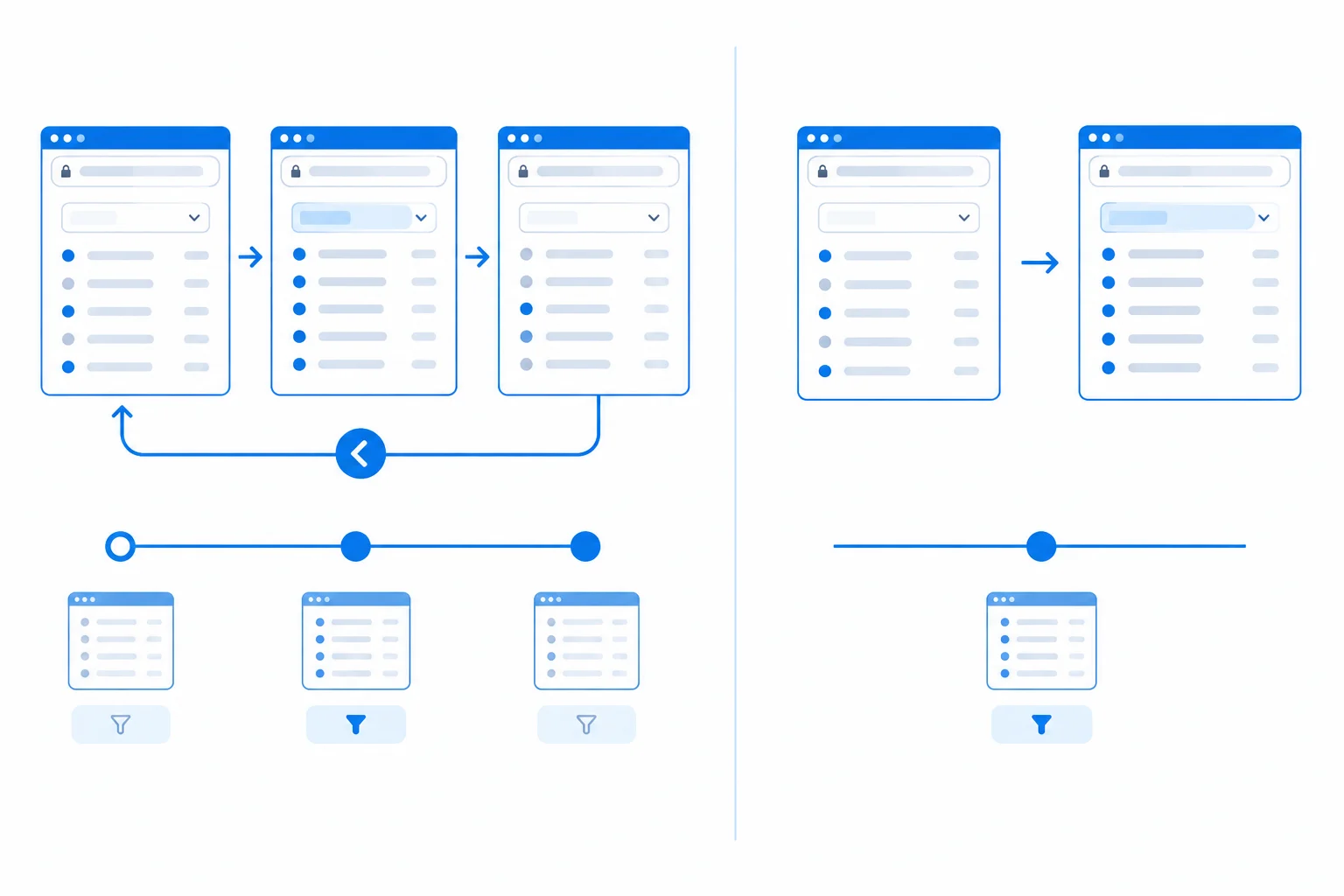
Push preserves a sequence to revisit; replace intentionally does not.
Choose based on the user meaning, not on whether the URL happens to change.
| Situation | Update | Back behavior |
|---|---|---|
| User commits Open, then Closed | Push | Returns through Open |
| Correct an existing URL value | Replace | Skips the corrected value |
| Intermediate edit | Replace | Avoids extra destinations |
Keep the existing cloning and status-update logic in TicketList. The final setter determines the history policy. This version pushes a committed filter selection, so it creates a revisitable history entry while retaining unrelated values already copied into next.
const next = new URLSearchParams(searchParams)

if (nextStatus === 'all') {
  next.delete('status')
} else {
  next.set('status', nextStatus)
}

setSearchParams(next)
Tip
To replace instead, keep the same next parameters and pass { replace: true } as the second argument. Do not add component state or a custom browser-history listener: a restored URL already supplies the filter that the list renders.
An intermediate correction should update the current history entry rather than add a new Back destination. Complete the setter argument.
Use the code exercise below to supply the missing setter option.
Complete the call for an intermediate URL correction.
setSearchParams(next)Run your local Issue Desk app. Start at /tickets?source=guide, then use the Status control to choose Open and then Closed.
In 4–6 short lines, report:
source=guide value;Use the browser controls to verify your prediction rather than relying only on the code.
Write at least 120 characters (0/120).
Step 7 of 8
Keep keyboard focus on the URL-controlled Status filter while preserving deliberate heading focus for client-side pathname navigation.
A Status change updates search parameters while the pathname stays /tickets. It changes the current list view, but it is not page-level navigation.
When a keyboard user changes Status, the same <select> should remain mounted and keep focus while the URL state and visible tickets update.
A detail change is different. /tickets/1 to /tickets/2 changes the pathname and selects a different addressable record. Treat it as page-level navigation and deliberately focus the new page heading.
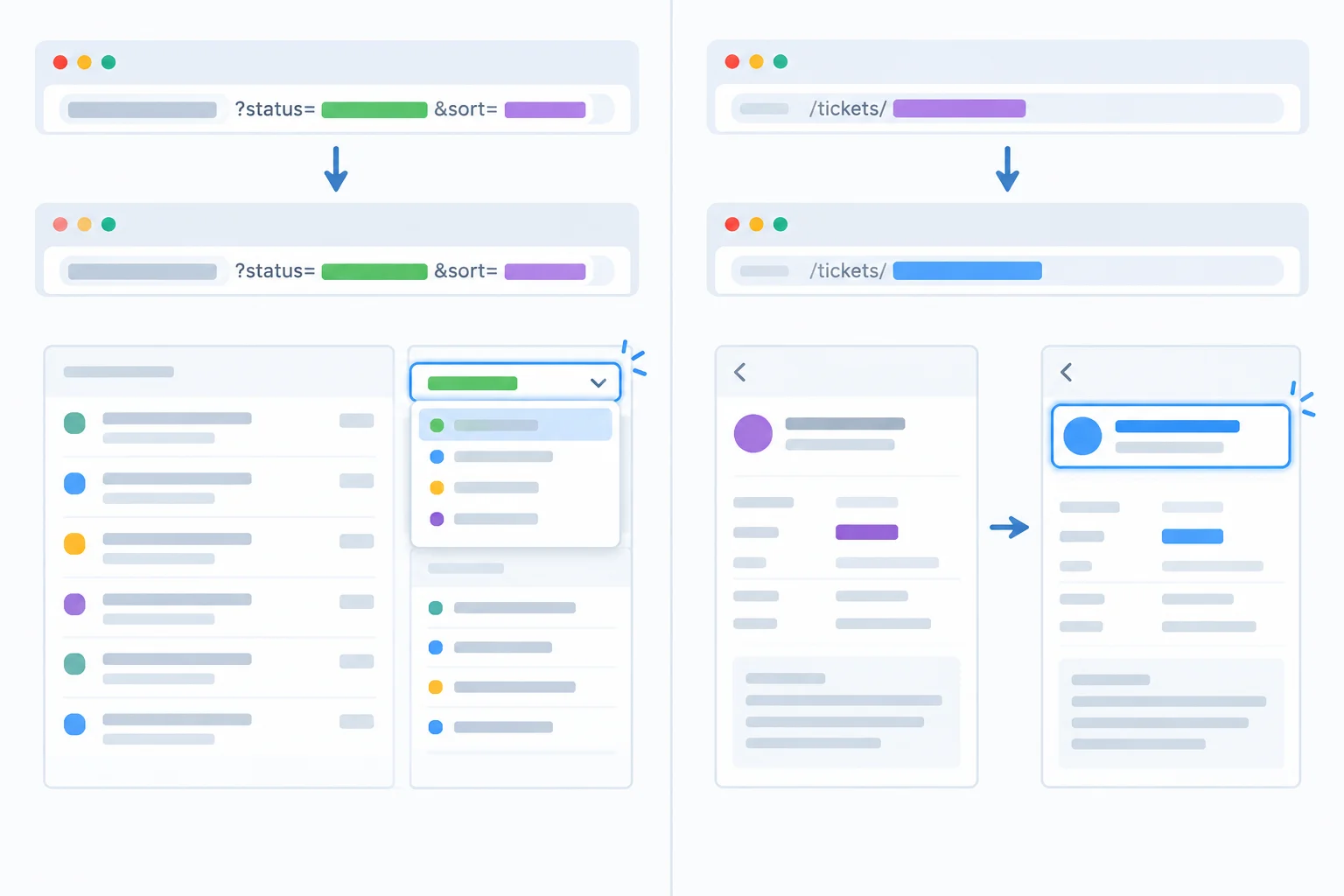
Search-parameter updates retain control focus; pathname changes use heading focus.
Tip
Do not add a key derived from the search string to TicketList, its form, or its <select>. A changed key remounts the element and replaces the focused DOM node.
Also, do not add an Effect that refocuses the select after each filter update. The browser retains native focus when the select keeps its identity.
The current Issue Desk files do not yet contain the heading-focus code, so add it now in src/App.tsx. This implementation preserves the initial-load guard: entering an address directly does not move focus. It reacts only after a client-side pathname change.
Make every change in this screen. The heading ref is passed to each route component so the effect in App always focuses the heading that is currently rendered.
Replace the current React and router imports in src/App.tsx, then add this type below the imports.
import {
  type ChangeEvent,
  type RefObject,
  useEffect,
  useRef,
} from 'react';
import {
  Link,
  Route,
  Routes,
  useLocation,
  useParams,
  useSearchParams,
} from 'react-router';

type RouteHeadingProps = {
  headingRef: RefObject<HTMLHeadingElement | null>;
};Change both route-component signatures and replace their existing <h1> elements with the corresponding focusable headings.
export function TicketList({ headingRef }: RouteHeadingProps) {
  // Keep the existing search-parameter and select logic.
  return (
    <main>
      <h1 ref={headingRef} tabIndex={-1}>Tickets</h1>
      {/* Keep the existing Status label, select, count, and list. */}
    </main>
  );
}

export function TicketDetail({ headingRef }: RouteHeadingProps) {
  // Keep the existing useParams, useLocation, parser, and branches.
  // Use this form for all three existing headings:
  // <h1 ref={headingRef} tabIndex={-1}>Invalid ticket ID</h1>
  // <h1 ref={headingRef} tabIndex={-1}>Ticket not found</h1>
  // <h1 ref={headingRef} tabIndex={-1}>{ticket.title}</h1>
}Replace the existing App function with this version. It initializes previousPathname from the current pathname, so the first render returns without focusing anything.
export default function App() {
  const { pathname } = useLocation();
  const headingRef = useRef<HTMLHeadingElement>(null);
  const previousPathname = useRef(pathname);

  useEffect(() => {
    if (previousPathname.current === pathname) {
      return;
    }

    previousPathname.current = pathname;
    headingRef.current?.focus();
  }, [pathname]);

  return (
    <Routes>
      <Route path='/tickets' element={<TicketList headingRef={headingRef} />} />
      <Route
        path='/tickets/:ticketId'
        element={<TicketDetail headingRef={headingRef} />}
      />
    </Routes>
  );
}To test detail-to-detail navigation without a full page load, add links inside the successful-ticket return of TicketDetail. Place this <nav> after <p>Status: {ticket.status}</p> and before the existing Back to tickets link.
The links retain the current search parameters, just as the existing return link does. From /tickets/1, the Improve contrast link provides a client-side navigation to /tickets/2.
Insert this navigation in the final successful-ticket branch of TicketDetail, where ticket is already known.
<nav aria-label='Other tickets'>
  <ul>
    {tickets
      .filter((candidate) => candidate.id !== ticket.id)
      .map((candidate) => (
        <li key={candidate.id}>
          <Link
            to={{
              pathname: `/tickets/${candidate.id}`,
              search: location.search,
            }}
          >
            {candidate.title}
          </Link>
        </li>
      ))}
  </ul>
</nav>
Tip
Changing /tickets?status=open&source=guide to another filter value rerenders TicketList, but its pathname remains /tickets. The Effect does not run, and the mounted Status select remains the active element.
By contrast, clicking Improve contrast from /tickets/1 changes the pathname to /tickets/2. The detail heading is newly rendered, then the Effect focuses it. Typing a detail address directly in the browser is an initial load, so the guard intentionally does not move focus in that case.
Complete the dependency array so the page-heading focus Effect responds to page-level navigation rather than every URL update.
const { pathname } = useLocation();

useEffect(() => {
  if (previousPathname.current === pathname) {
    return;
  }

  previousPathname.current = pathname;
  headingRef.current?.focus();
}, []);Run both checks in your local app after making the changes.
/tickets?status=open&source=guide, Tab to Status, and use the keyboard to choose Closed. Report the active element after the URL and list update./tickets/1, then click the in-app Improve contrast link. Report the active element after the route changes and identify the pathname-based navigation that triggered it.In 3–5 short lines, include the dependency used by the Effect and the observed active element after each check.
Write at least 110 characters (0/110).
Step 8 of 8
Verify that Issue Desk rebuilds detail and filter views from URL state, including invalid values, refresh, browser history, unrelated parameters, and keyboard focus.
A reproducible view can be rebuilt without any component memory: enter an address directly in a new tab, then refresh it. The route parameter selects a detail record; the status search parameter selects a list view.
Use your running local Vite app for this final check. Start by typing each address into a fresh tab rather than navigating there from an already-open view. This confirms that the URL state—not a previous interaction—determines what renders.
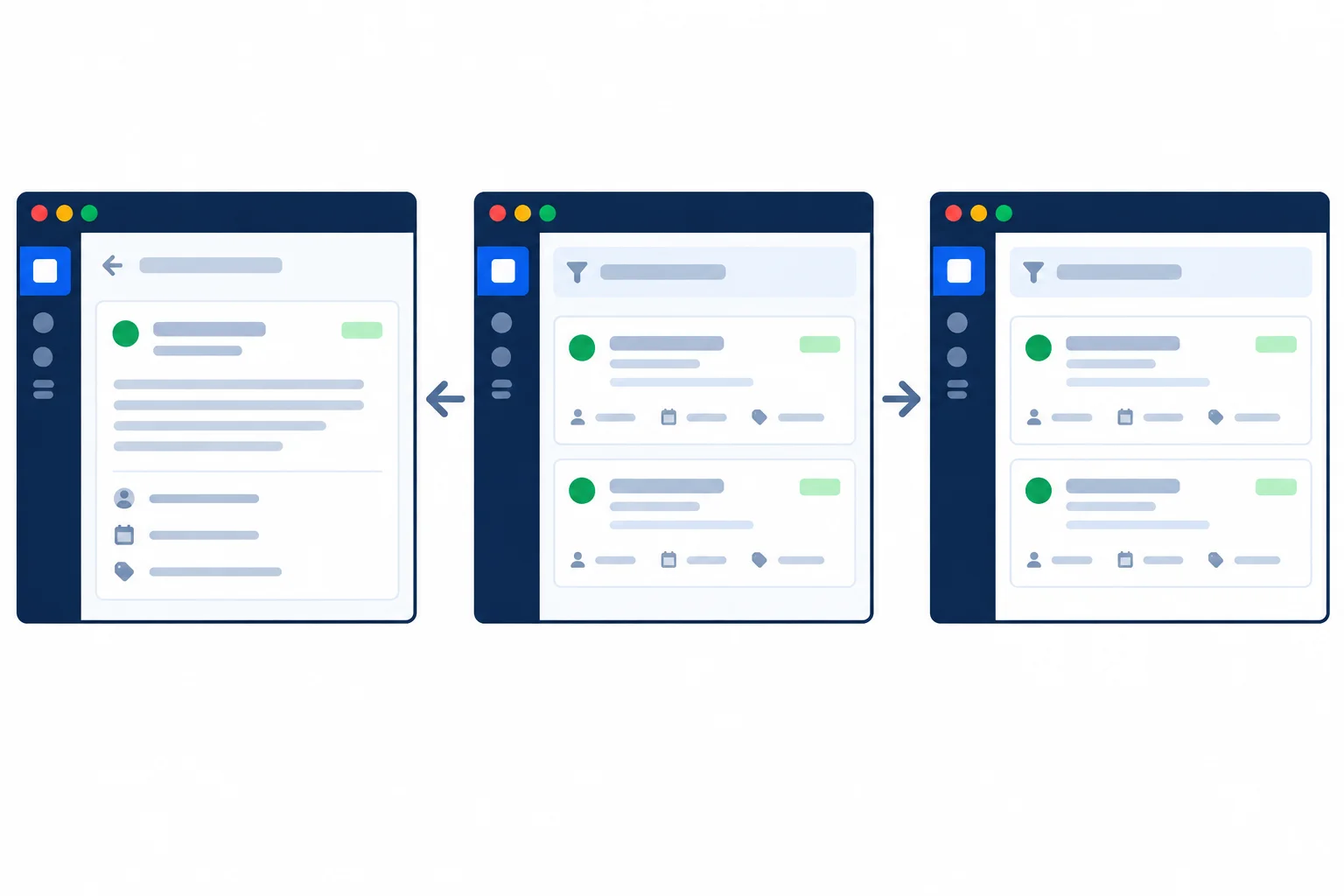
The address determines the selected detail or filtered list. Refresh and browser history provide an address for the components to read again.
Run this compact acceptance matrix after your repair. source=guide is intentionally unrelated to filtering: it must remain in the address but must not change the displayed tickets.
| Address or action | Expected result |
|---|---|
| `/tickets/2` | Detail for Improve contrast |
| `/tickets/abc` | Invalid ticket ID feedback |
| `/tickets/999` | Ticket not found feedback |
| `/tickets?status=open&source=guide` | Open selected; Fix navigation and Update help shown; source retained |
| `/tickets?status=waiting` | All tickets selected as fallback; address is not rewritten just by reading it |
For history, begin at /tickets?source=guide, select Open, then select Closed. With push updates, Back restores the earlier selected filter and Forward restores the later one.
For keyboard focus, Tab to Status and change its value with the keyboard. After the URL update, the same mounted select should still have focus. This is unlike a detail navigation, where heading focus is intentional.
Complete the missing conditions and URLSearchParams method names in this repair fragment. It preserves the three detail outcomes and changes only the URL-owned status key.
Complete the repair fragment.
function TicketDetail() {
  const { ticketId } = useParams();
  const id = parseTicketId(ticketId);

  if () {
    return <h1>Invalid ticket ID</h1>;
  }

  const ticket = tickets.find((item) => item.id === id);

  if () {
    return <h1>Ticket not found</h1>;
  }

  return <h1>{ticket.title}</h1>;
}

function TicketList() {
  const [searchParams, setSearchParams] = useSearchParams();
  const status = parseStatus(searchParams.get('status'));

  function handleStatusChange(event: ChangeEvent<HTMLSelectElement>) {
    const next = new URLSearchParams(searchParams);
    const nextStatus = parseStatus(event.currentTarget.value);

    if (nextStatus === 'all') {
      next.('status');
    } else {
      next.('status', nextStatus);
    }

    setSearchParams(next);
  }

  return <select aria-label="Status" value={status} onChange={handleStatusChange} />;
}Run the repaired app and record what you actually observe. Include all of the following:
/tickets/abc and /tickets/999 display./tickets?status=open&source=guide, the selected Status value, displayed tickets, and whether source=guide remains.Write at least 250 characters (0/250).
Summary
You verified one coherent URL-driven workflow without adding parallel component state.
ticketId and status are URL-owned state because they identify a reproducible view.source=guide during a filter update.Congratulations! You completed: Represent Detail Views and Filters in the URL
Thousands of online courses in video, ebooks and audiobooks.
To test your knowledge during online courses
Generated directly from your cell phone's photo gallery and sent to your email

Download our app via QR Code or the links below:.



Carry knowledge in your pocket.
Download the Cursa app.
There are hundreds of free courses available, with a free certificate of completion that is saved in your mobile image gallery.
Download the app to access the Course Completion Certificate for Free.


+ 10 million
students

Free and Valid
Certificate

60 thousand free
exercises

4.8/5 rating in
app stores

Free courses in
video and ebooks