
Step 1 of 8
Describe a Record with an Object Type
Describe required product record properties with an inline TypeScript object type.

Learning path · Level 8 · Tutorial 2
Describe records and collections with reusable TypeScript contracts, then share those contracts between modules without creating runtime data.

 Describe a Record with an Object Type
Describe required product record properties with an inline TypeScript object type. 2 min
Describe a Record with an Object Type
Describe required product record properties with an inline TypeScript object type. 2 min
 Name and Reuse an Object Shape
Replace repeated inline object annotations with one reusable type alias for product records. 2 min
Name and Reuse an Object Shape
Replace repeated inline object annotations with one reusable type alias for product records. 2 min
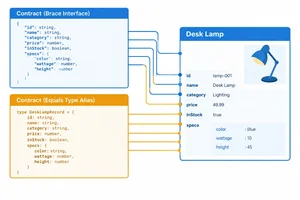 Express an Object Contract with an Interface
Define an interface for a simple Product record, compare it with a type alias, and practice their equivalent contract roles. 2 min
Express an Object Contract with an Interface
Define an interface for a simple Product record, compare it with a type alias, and practice their equivalent contract roles. 2 min
 Type Collections of Records
Annotate primitive arrays and product collections so that every element follows the intended contract. 2 min
Type Collections of Records
Annotate primitive arrays and product collections so that every element follows the intended contract. 2 min
 Compose Nested and Optional Properties
Build Product records with a required nested Category and an optional string description. 3 min
Compose Nested and Optional Properties
Build Product records with a required nested Category and an optional string description. 3 min
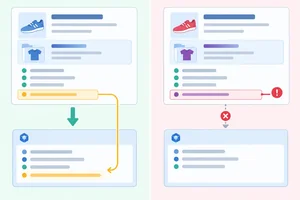 Predict Structural Compatibility
Predict assignment compatibility for typed product records, including the extra-property check for fresh object literals. 3 min
Predict Structural Compatibility
Predict assignment compatibility for typed product records, including the extra-property check for fresh object literals. 3 min
 Share Contracts Between Modules
Share reusable catalog contracts between modules while keeping type-only dependencies separate from runtime data imports. 2 min
Share Contracts Between Modules
Share reusable catalog contracts between modules while keeping type-only dependencies separate from runtime data imports. 2 min
 Apply and Review the Catalog Contracts
Complete and verify a reusable catalog model across contract, data, and entry modules. 3 min
Apply and Review the Catalog Contracts
Complete and verify a reusable catalog model across contract, data, and entry modules. 3 min
Step 1 of 8
Describe required product record properties with an inline TypeScript object type.
An inline object contract appears after a variable name and colon. Inside its braces, each property signature states a required property name and the value type it must receive.
For this catalog product, id and name must hold strings, while price must hold a number. The annotation describes the required shape; the object literal supplies the actual record.
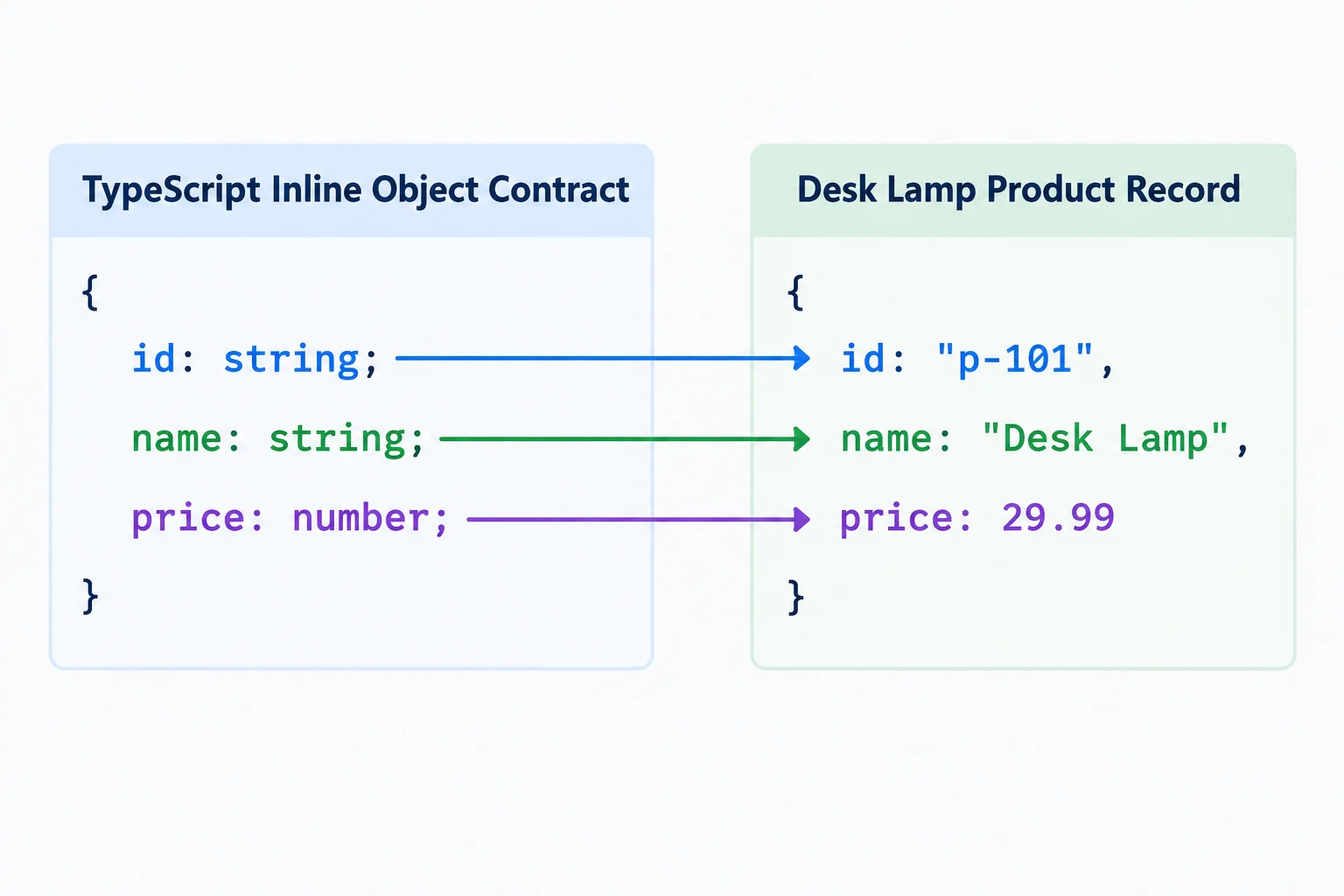
The contract requires the property names and their matching value types.
The annotation after : is the contract checked by TypeScript. The object literal after = is the record being assigned. Because every property in this contract is required, the record must include all three properties with compatible values.
If a required property is missing, add it with a compatible value. If a value has the wrong type, replace it with a value of the declared type.
const product: {
  id: string;
  name: string;
  price: number;
} = {
  id: 'p-101',
  name: 'Desk Lamp',
  price: 29.99
};
Tip
After saving your TypeScript file, run npx tsc --noEmit to perform a type check using your existing strict configuration.
Does not type-check:
const product: {
  id: string;
  name: string;
  price: number;
} = {
  id: 'p-101',
  name: 'Desk Lamp',
  price: '29.99'
};
Which statement identifies the assignment problem?
Complete the inline product annotation so this Desk Lamp record type-checks.
const product: {
  id: ;
  name: ;
  price: ;
} = {
  id: 'p-101',
  name: 'Desk Lamp',
  price: 29.99
};
Step 2 of 8
Replace repeated inline object annotations with one reusable type alias for product records.
When the same record shape appears in more than one annotation, the property list becomes repeated maintenance. Both records below require the same three properties with the same value types.
Two independently created product records repeat one inline contract.
const product: {
  id: string;
  name: string;
  price: number;
} = {
  id: 'p-101',
  name: 'Desk Lamp',
  price: 29.99,
};

const notebook: {
  id: string;
  name: string;
  price: number;
} = {
  id: 'p-102',
  name: 'Notebook',
  price: 4.5,
};A type declaration gives that object shape one reusable name. Use the name in each annotation instead of copying the inline object type. The values still create two separate records.
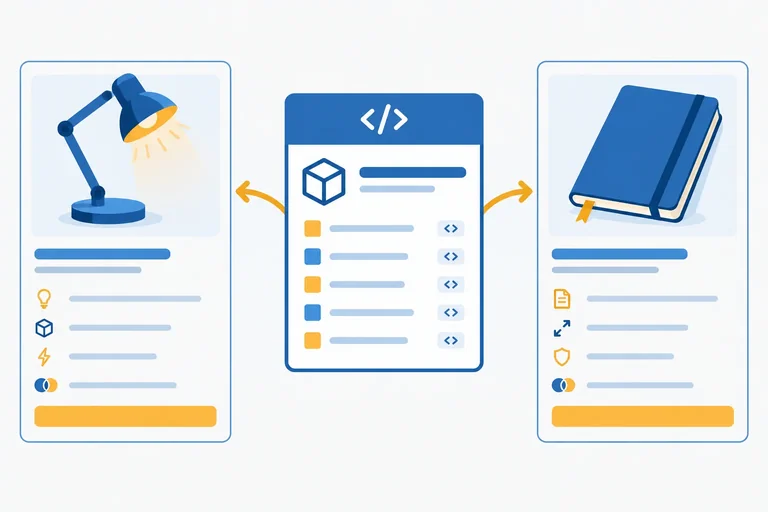
The Product alias is checked at both declarations.
type Product = {
  id: string;
  name: string;
  price: number;
};

const product: Product = {
  id: 'p-101',
  name: 'Desk Lamp',
  price: 29.99,
};

const notebook: Product = {
  id: 'p-102',
  name: 'Notebook',
  price: 4.5,
};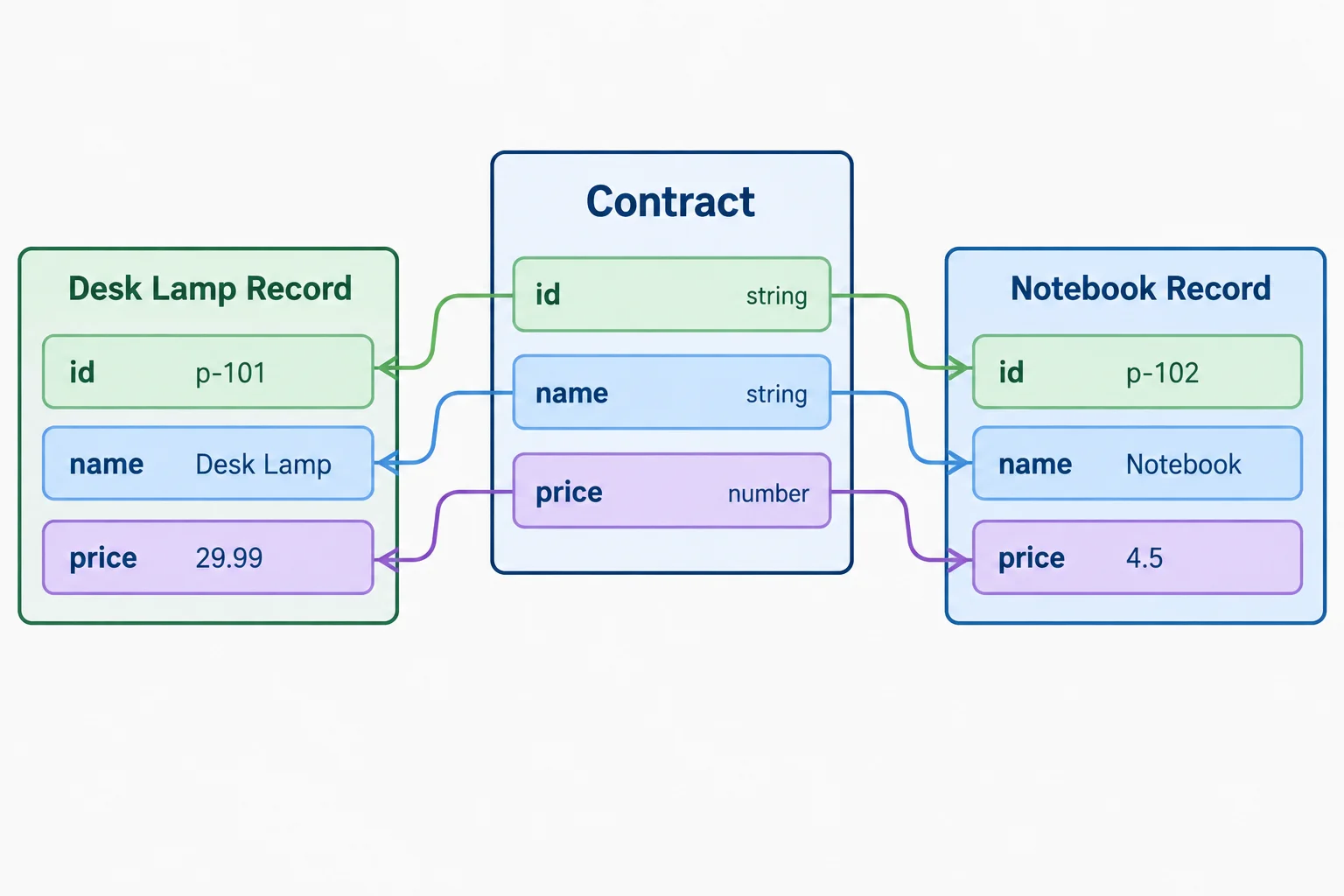
One named contract can check several independently created records.
Tip
A type alias is a compile-time contract, not a product object. Declaring it does not create runtime data. If you later add a required property to the shared contract, every value annotated with that alias is checked against the new requirement during the type check.
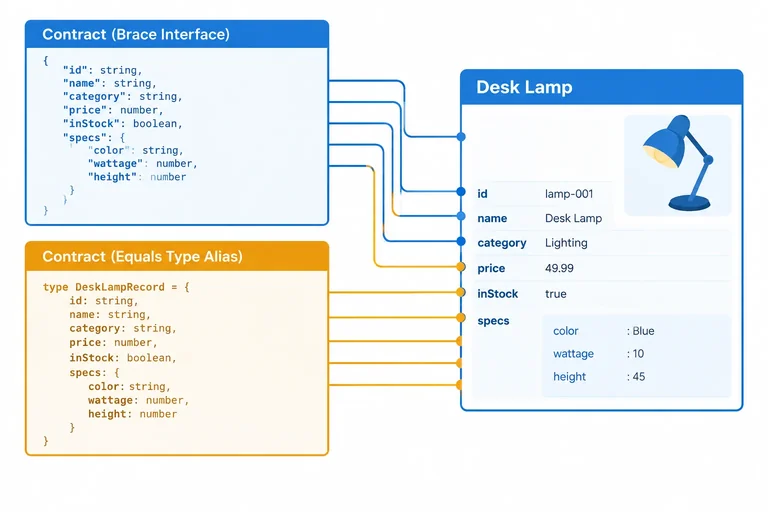
Extract the repeated object shape into one alias and apply that alias to both record declarations. Keep the runtime values unchanged.
type  = {
  id: ;
  name: ;
  price: ;
};

const product:  = {
  id: 'p-101',
  name: 'Desk Lamp',
  price: 29.99,
};

const notebook:  = {
  id: 'p-102',
  name: 'Notebook',
  price: 4.5,
};
Step 3 of 8
Define an interface for a simple Product record, compare it with a type alias, and practice their equivalent contract roles.
An interface gives an object contract a name. Its property signatures specify each required property and its value type. In this alternative declaration, Product is the contract; product is the independently created Desk Lamp record.
The annotation const product: Product asks the type checker to compare the record with that contract. Declaring an interface does not create a product object or add runtime validation.
interface Product {
  id: string;
  name: string;
  price: number;
}

const product: Product = {
  id: 'p-101',
  name: 'Desk Lamp',
  price: 29.99,
};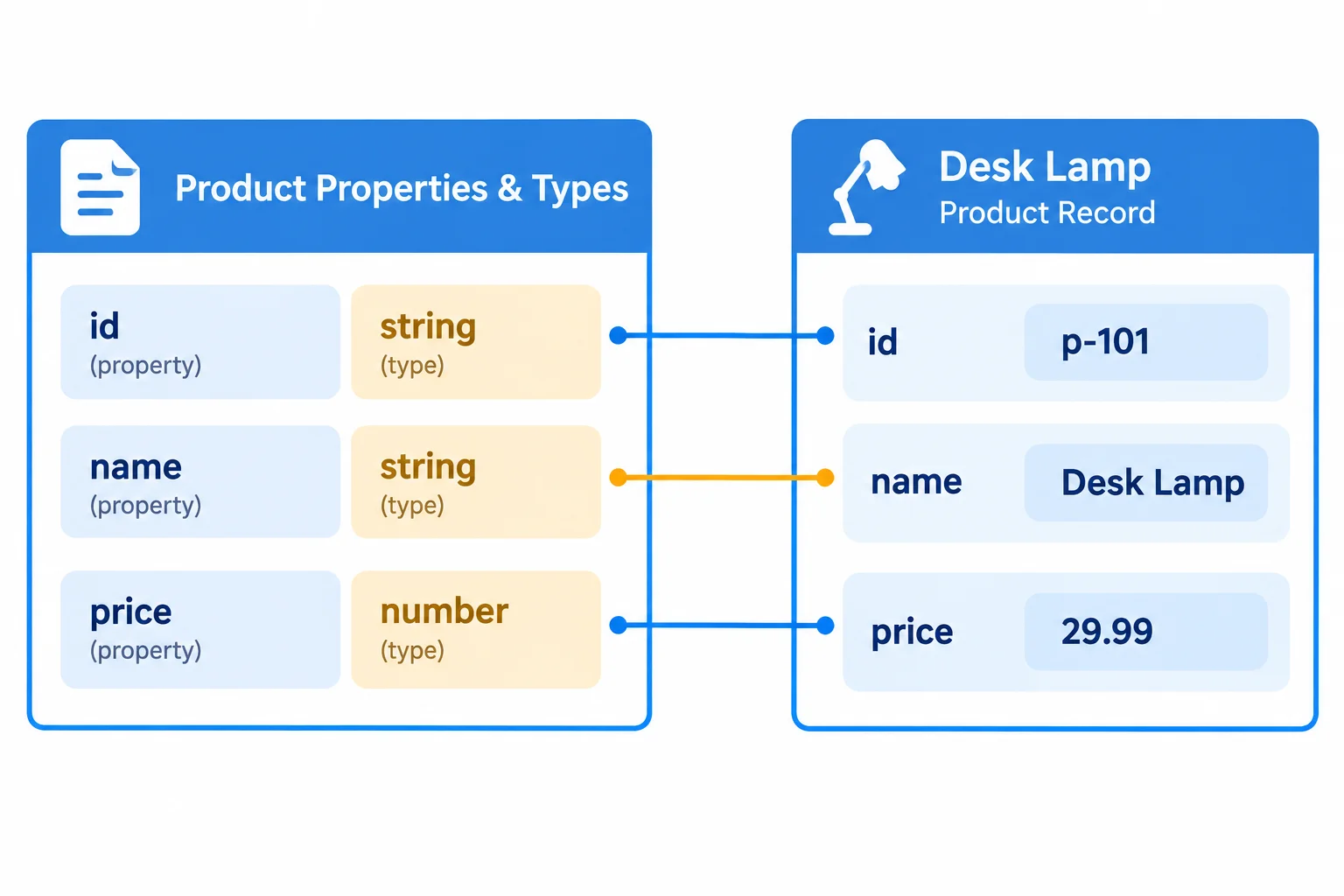
Each required property in the Product interface has a corresponding value of the declared type in the Desk Lamp record.
For this simple record, an interface and an object type alias require the same id, name, and price properties. Both can annotate a value as Product.
They are separate alternatives: do not declare both with the same name in one module. After comparing them, continue using the Product type alias for the catalog contract.
Comparison of two separate ways to name the same simple Product record contract.
| Feature | Interface form | Type alias form |
|---|---|---|
| Named declaration | interface Product { ... } | type Product = { ... }; |
| Required property | id: string; | id: string; |
| Value annotation | const product: Product | const product: Product |
| Simple Product result | Same required fields | Same required fields |
type Product = {
  id: string;
  name: string;
  price: number;
};

const product: Product = {
  id: 'p-101',
  name: 'Desk Lamp',
  price: 29.99,
};Complete the property signatures so this interface describes the same simple Product contract.
interface Product {
  id: ;
  name: ;
  price: ;
}Match each interface part to its corresponding role or syntax in the type-alias alternative.
Tap an item and then its matching pair.

Step 4 of 8
Annotate primitive arrays and product collections so that every element follows the intended contract.
An array annotation uses brackets after the element type. string[] means “an array in which every element is a string.”
The annotation belongs to the collection variable, not to one particular position. In the same way, Product[] means every record placed in that collection must satisfy the reusable Product contract.
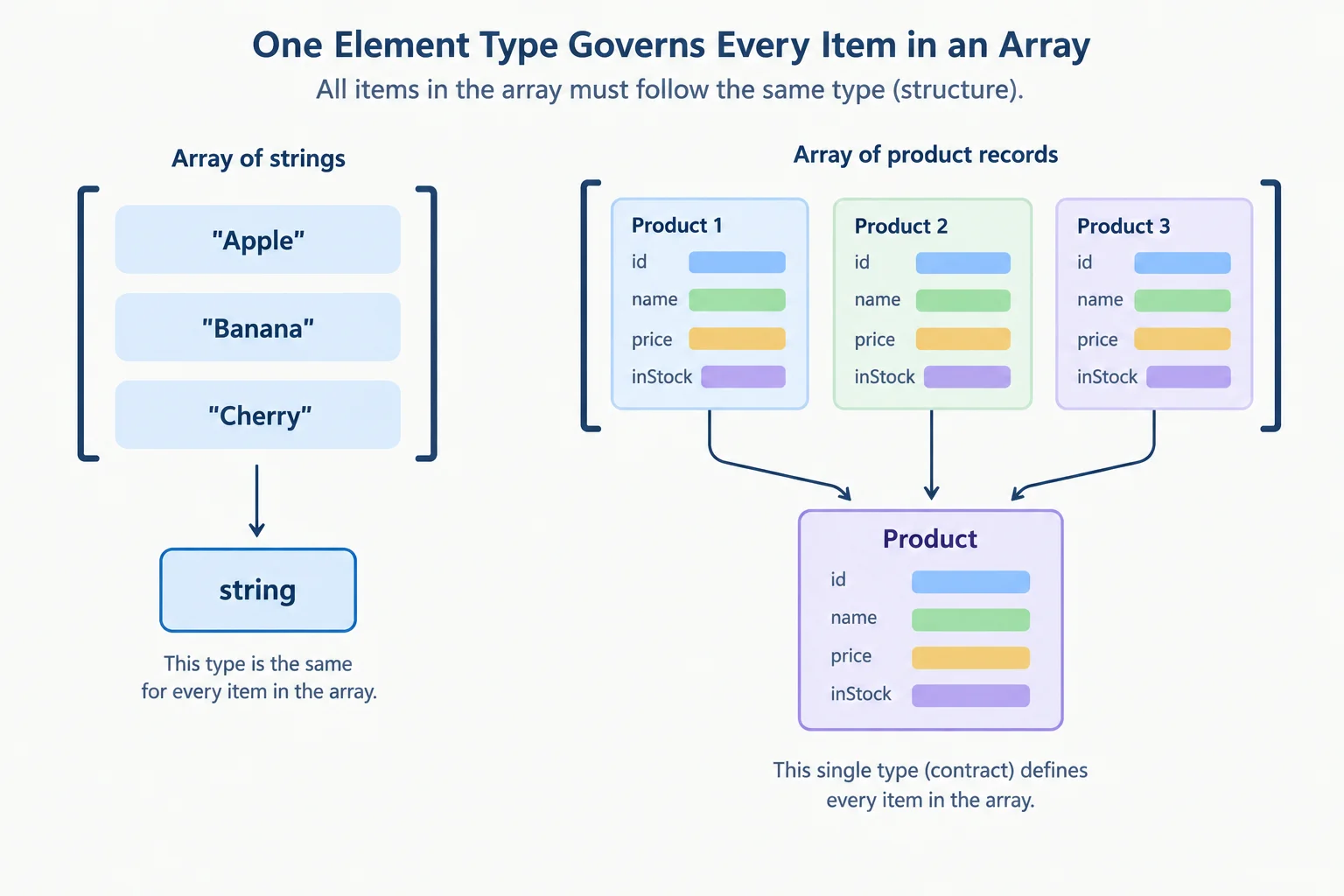
The brackets mean a collection repeats one element contract.
Use the existing Product alias as the element type. An explicit annotation is useful even when a collection starts empty: it tells the type checker what future elements must look like.
The following catalog starts with products empty, then adds the Desk Lamp record through product and adds the Notebook record directly. This code Type-checks.
A typed collection accepts Product records both at creation time and through later additions.
type Product = {
  id: string;
  name: string;
  price: number;
};

const product: Product = {
  id: 'p-101',
  name: 'Desk Lamp',
  price: 29.99,
};

const products: Product[] = [];

products.push(product);
products.push({
  id: 'p-102',
  name: 'Notebook',
  price: 4.5,
});The same element contract also checks records added later. This does not type-check because the price property is a string, while Product requires a number.
products.push({
  id: 'p-102',
  name: 'Notebook',
  price: '4.5',
});
Complete the annotation so this empty collection accepts only product records.
const products:  = [];

products.push({
  id: 'p-101',
  name: 'Desk Lamp',
  price: 29.99,
});Which snippet both creates an explicitly typed empty product collection and adds an element that type-checks?

Step 5 of 8
Build Product records with a required nested Category and an optional string description.
A property in one contract can use another named contract as its type. Here, every Product must include a category record that satisfies Category. The category property is required because it has no question mark.
One Product contract can refer to the Category interface.
interface Category {
  id: string;
  label: string;
}

type Product = {
  id: string;
  name: string;
  price: number;
  category: Category;
  description?: string;
};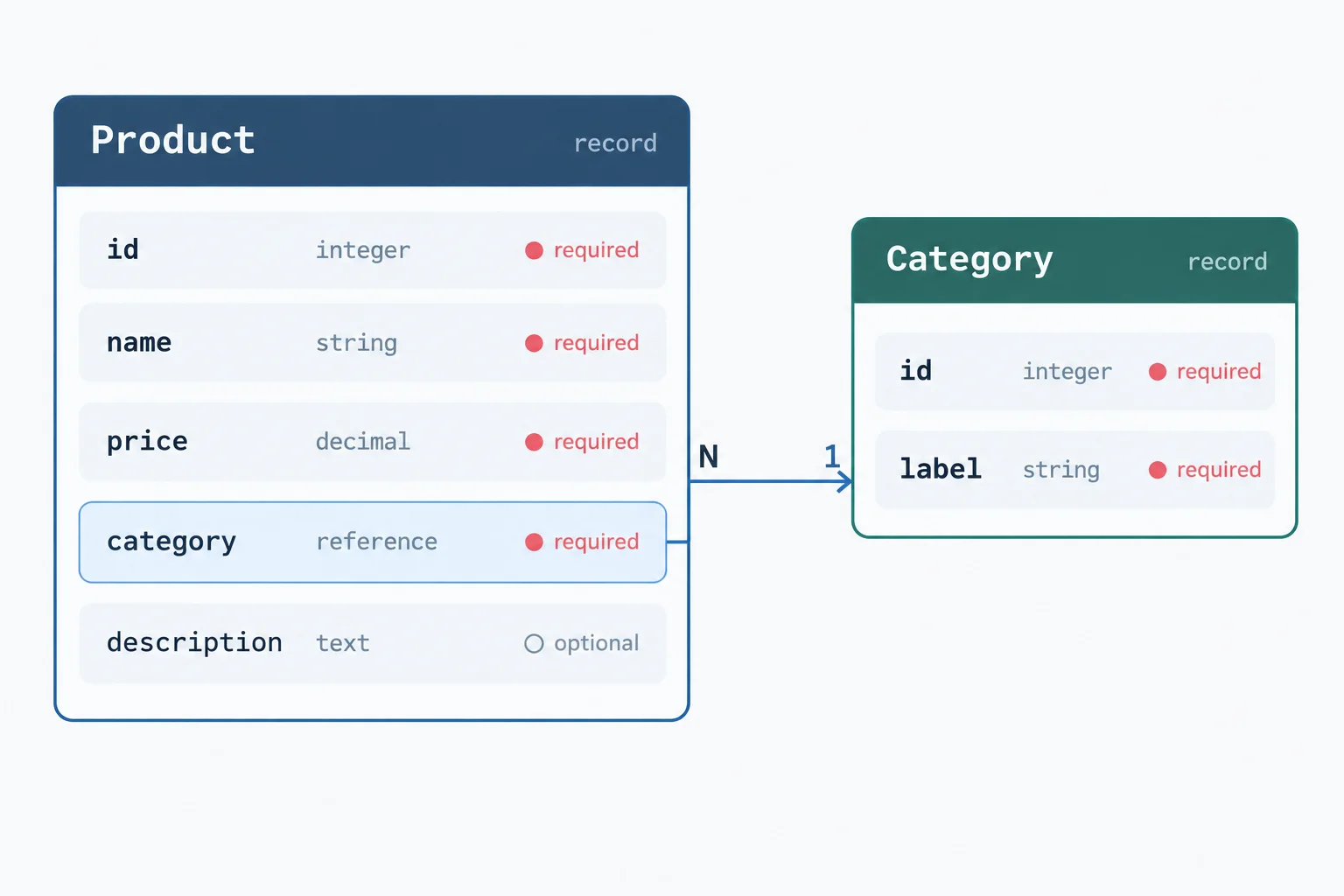
The category property must contain a record with Category’s required id and label fields.
The question mark in description?: string means a Product record may omit description. It does not create a default description. If a record supplies description, that concrete value must be a string.
The Desk Lamp supplies a description. The Notebook omits it, but both records supply a complete category.
const product: Product = {
  id: 'p-101',
  name: 'Desk Lamp',
  price: 29.99,
  category: { id: 'home', label: 'Home' },
  description: 'Warm desk light'
};

const products: Product[] = [
  product,
  {
    id: 'p-102',
    name: 'Notebook',
    price: 4.5,
    category: { id: 'office', label: 'Office' }
  }
];
Tip
A nested property has its own contract: category needs both id and label with string values. Optional applies only to description—not to category.
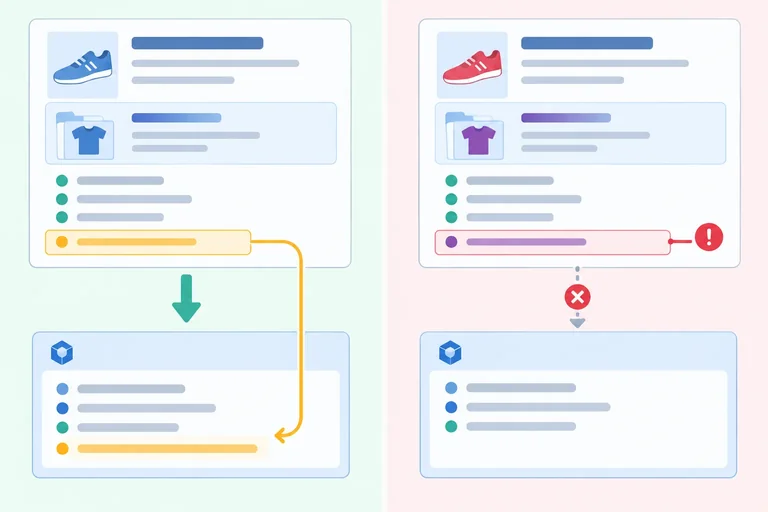
Complete the declarations for the nested Category record and the optional Product property.
interface Category {
  id: ;
  label: string;
}

type Product = {
  id: string;
  name: string;
  price: number;
  category: ;
  description: ;
};Match each fresh object literal assignment to its type-check result.
Tap an item and then its matching pair.
Step 6 of 8
Predict assignment compatibility for typed product records, including the extra-property check for fresh object literals.
TypeScript checks a record structurally: it asks whether the source makes every required Product property available with a compatible type. The source does not need to have been declared as Product.
An existing variable may carry extra properties and still be assigned to Product. The Product-annotated variable exposes the Product contract, while the original runtime record still retains its extra data.
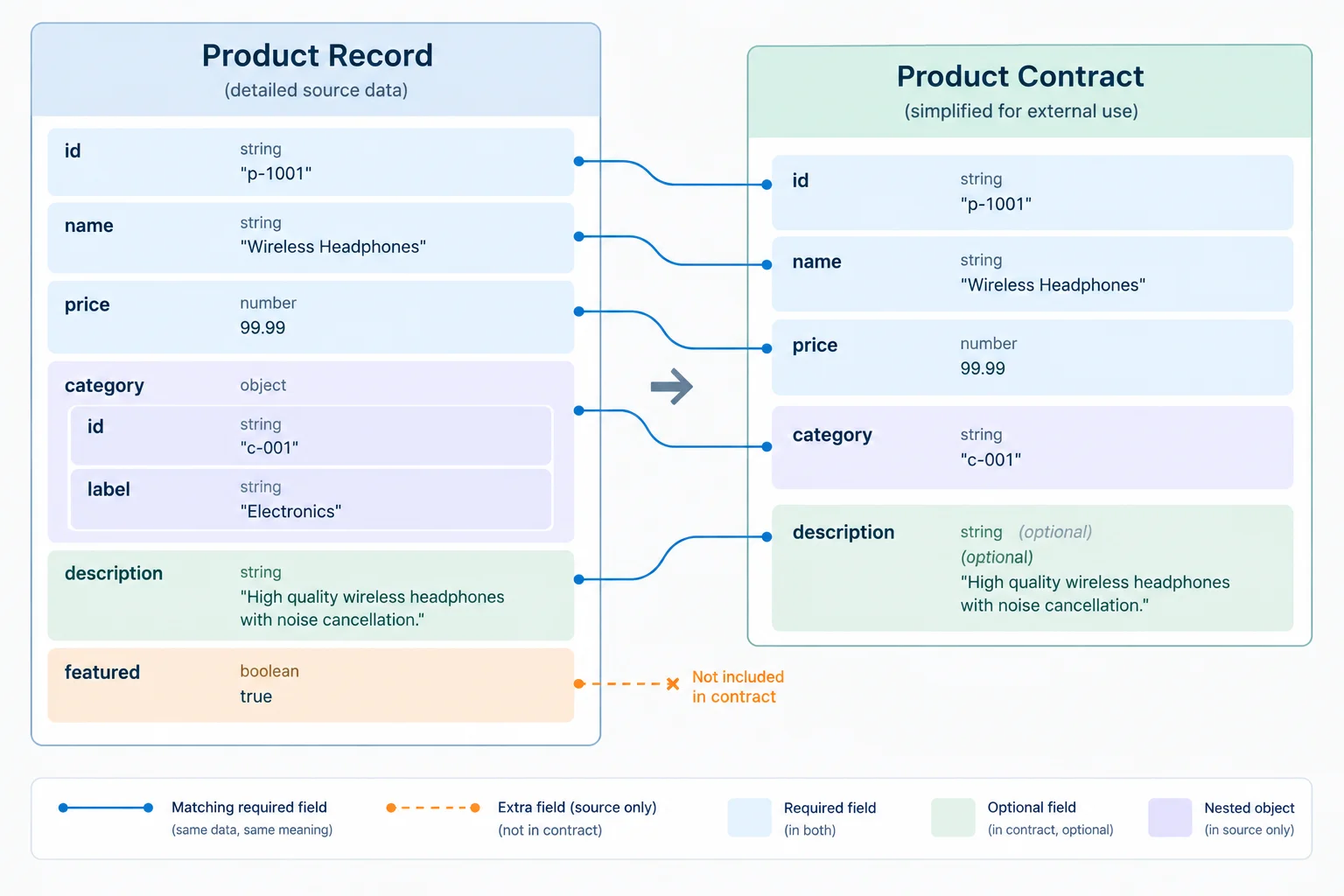
Compatible required fields allow the assignment; the extra property remains on the original record.
const catalogEntry = {
  id: 'p-101',
  name: 'Desk Lamp',
  price: 29.99,
  category: { id: 'home', label: 'Home' },
  description: 'Warm desk light',
  featured: true
};

const product: Product = catalogEntry;A direct assignment of a fresh object literal gets one additional check. TypeScript flags properties that are not declared by the target contract. This excess-property check is useful because an unexpected field may be a typo.
The two sources below have the same fields, but one is an existing variable and the other is a fresh object literal written directly at the Product assignment.
const product: Product = {
  id: 'p-101',
  name: 'Desk Lamp',
  price: 29.99,
  category: { id: 'home', label: 'Home' },
  description: 'Warm desk light',
  featured: true
};
Warning
Here, featured is not declared by Product, so the direct literal does not type-check. Remove or correct an unintended field. Add a field to the shared contract only when it is genuinely part of every product the contract should describe.
Compare the source form and the property issue before deciding whether an assignment will type-check.
| Situation | Outcome | Reason |
|---|---|---|
| Existing variable has all Product fields plus `featured` | Type-checks | Extra source property is allowed |
| Fresh literal has all Product fields plus `featured` | Does not type-check | Unexpected property is checked |
| Any source omits `category` | Does not type-check | Required nested record is absent |
| Any source uses a string for `price` | Does not type-check | `price` requires a number |
| A record omits `description` | Type-checks | `description` is optional |
True or false: assigning an existing record with an extra property to Product deletes that extra property from the runtime record.
Review these assignments.
const existingEntry = {
  id: 'p-101',
  name: 'Desk Lamp',
  price: 29.99,
  category: { id: 'home', label: 'Home' },
  description: 'Warm desk light',
  featured: true
};
const existingProduct: Product = existingEntry;

const literalProduct: Product = {
  id: 'p-101',
  name: 'Desk Lamp',
  price: 29.99,
  category: { id: 'home', label: 'Home' },
  description: 'Warm desk light',
  featured: true
};

const notebook: Product = {
  id: 'p-102',
  name: 'Notebook',
  price: '4.5',
  category: { id: 'office', label: 'Office' }
};
Classify the existingProduct and literalProduct assignments. Explain why their extra-property outcomes differ. Then state the change needed to make notebook type-check, without using an assertion.
Write at least 180 characters (0/180).

Step 7 of 8
Share reusable catalog contracts between modules while keeping type-only dependencies separate from runtime data imports.
Create src/catalog-types.ts for shapes that other modules can share. Export a named type alias with export type and a named interface with export interface.
These declarations describe data for the type checker. They do not create a product, a category, a constructor, or runtime validation.
src/catalog-types.ts
export interface Category {
  id: string;
  label: string;
}

export type Product = {
  id: string;
  name: string;
  price: number;
  category: Category;
  description?: string;
};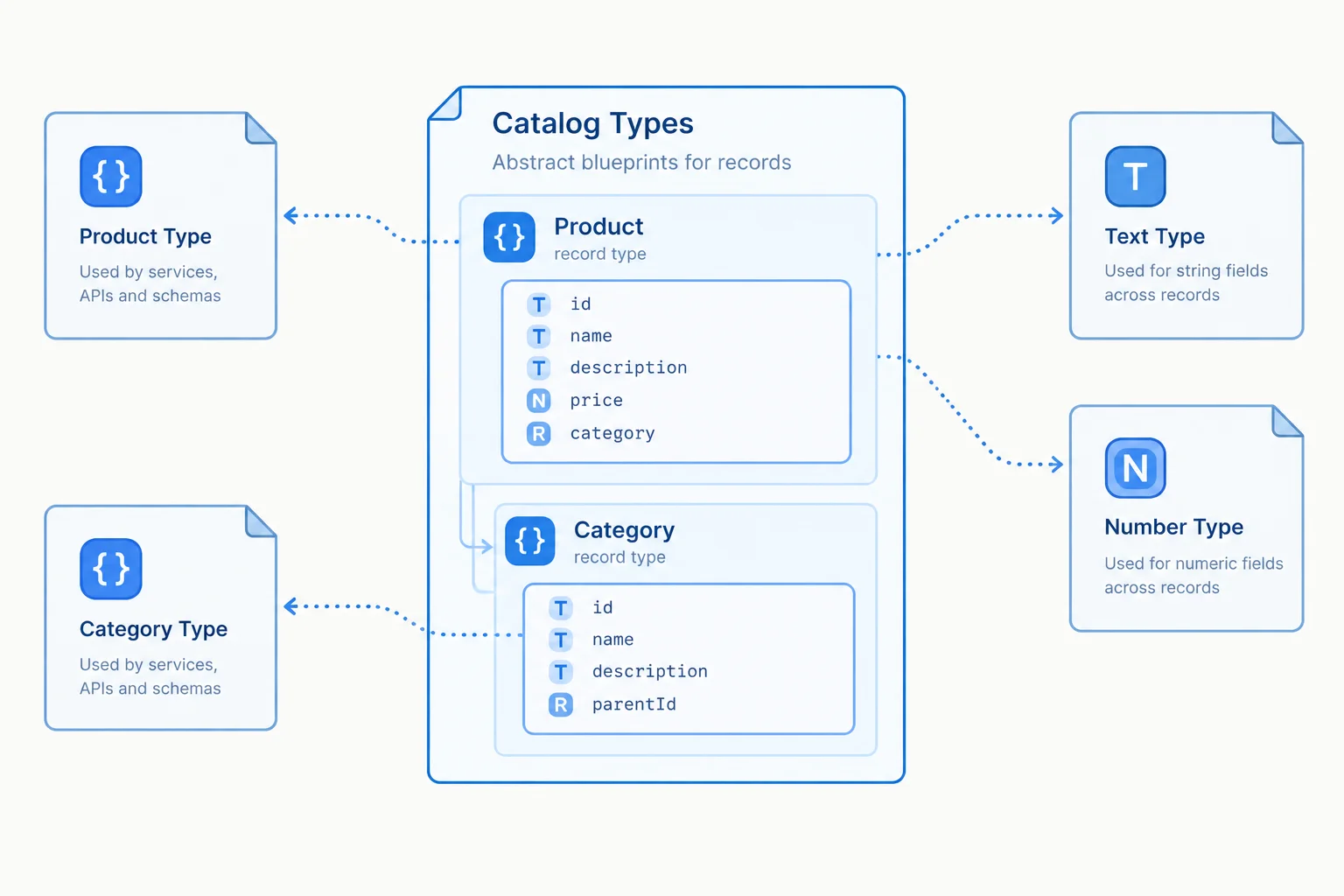
The contract module exports descriptions of records, not record data.
In src/catalog-data.ts, use a type-only import when Product is needed only as an annotation. import type makes that intent explicit: TypeScript uses the contract while checking, then removes this dependency from the emitted JavaScript.
This module still creates runtime data itself: the product record and the exported products collection.
src/catalog-data.ts
import type { Product } from './catalog-types.ts';

const product: Product = {
  id: 'p-101',
  name: 'Desk Lamp',
  price: 29.99,
  category: { id: 'home', label: 'Home' },
  description: 'Warm desk light'
};

export const products: Product[] = [
  product,
  {
    id: 'p-102',
    name: 'Notebook',
    price: 4.5,
    category: { id: 'office', label: 'Office' }
  }
];
Tip
Product checks every collection element, including the nested category. The notebook may omit description because that property is optional; omission does not add a default value.
src/main.ts needs the actual products array in the browser, so it uses a normal import—not import type. A normal import creates a runtime module dependency because the imported value is used by JavaScript.
Run npx tsc --noEmit as the type check after creating these files.
src/main.ts
import { products } from './catalog-data.ts';

console.log(`Catalog products: ${products.length}`);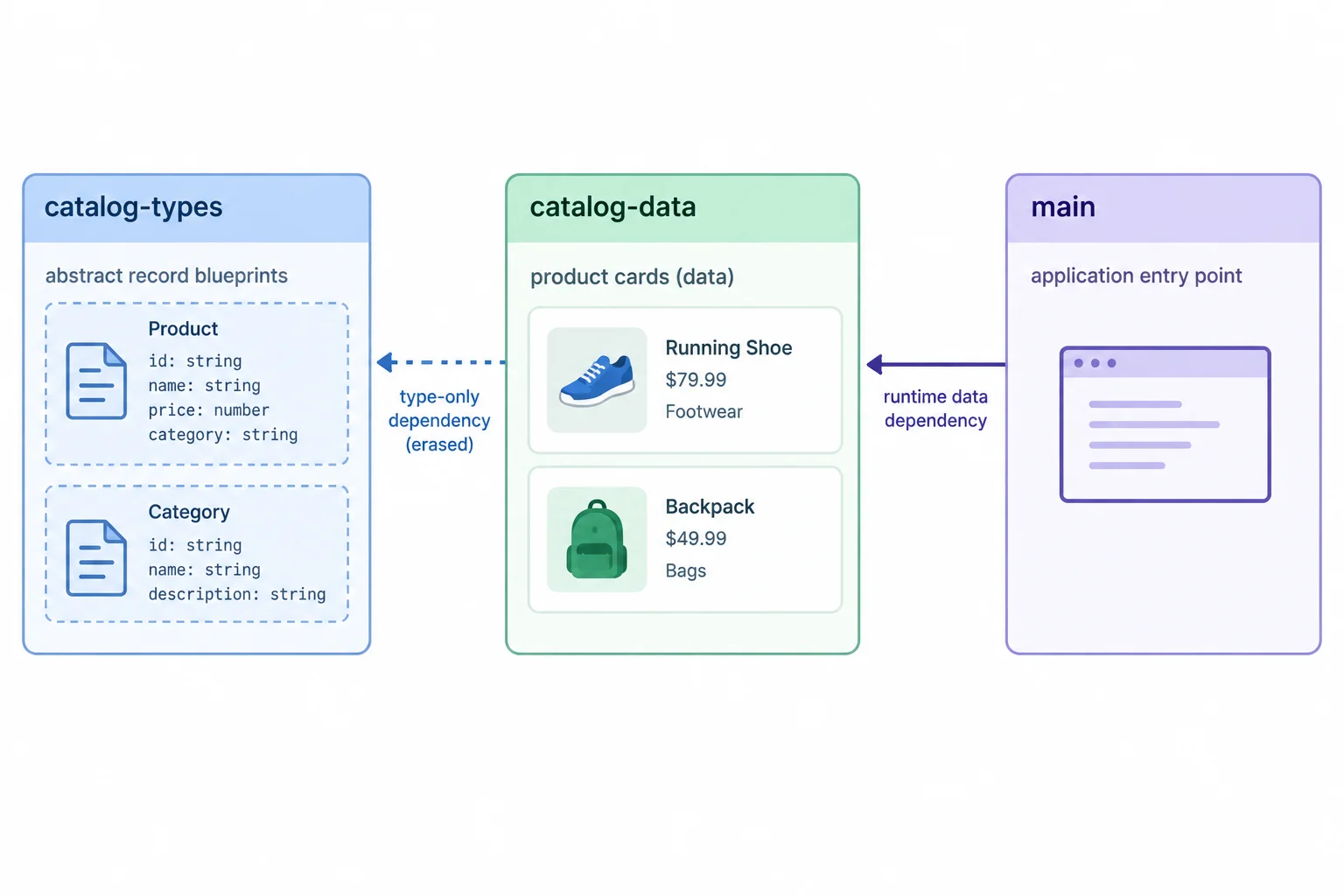
Type-only dependencies are erased; the products value remains available at runtime.
Complete the exports and imports. After completing the code, distinguish the erased type-only dependency from the import that supplies actual catalog data at runtime.
// src/catalog-types.ts
export  Product = {
  id: string;
  name: string;
  price: number;
  category: Category;
  description?: string;
};

export  Category {
  id: string;
  label: string;
}

// src/catalog-data.ts
import  { Product } from './catalog-types.ts';

const product: Product = {
  id: 'p-101',
  name: 'Desk Lamp',
  price: 29.99,
  category: { id: 'home', label: 'Home' },
  description: 'Warm desk light'
};

export const products: Product[] = [product];

// src/main.ts
 { products } from './catalog-data.ts';
Step 8 of 8
Complete and verify a reusable catalog model across contract, data, and entry modules.
A reusable catalog has three separate roles:
src/catalog-types.ts describes Category and Product for the checker. It creates no product records.src/catalog-data.ts creates the runtime products array and uses a type-only import to check it.src/main.ts imports products as runtime data.Create or replace these files in your own src folder with the complete example below. The product records contain required nested categories; the lamp includes an optional description, while the notebook omits it.
// src/catalog-types.ts
export interface Category {
  id: string;
  label: string;
}

export type Product = {
  id: string;
  name: string;
  price: number;
  category: Category;
  description?: string;
};

// src/catalog-data.ts
import type { Product } from './catalog-types.ts';

export const products: Product[] = [
  {
    id: 'p-101',
    name: 'Desk Lamp',
    price: 29.99,
    category: { id: 'home', label: 'Home' },
    description: 'Warm desk light'
  },
  {
    id: 'p-102',
    name: 'Notebook',
    price: 4.5,
    category: { id: 'office', label: 'Office' }
  }
];

// src/main.ts
import { products } from './catalog-data.ts';

console.log(products);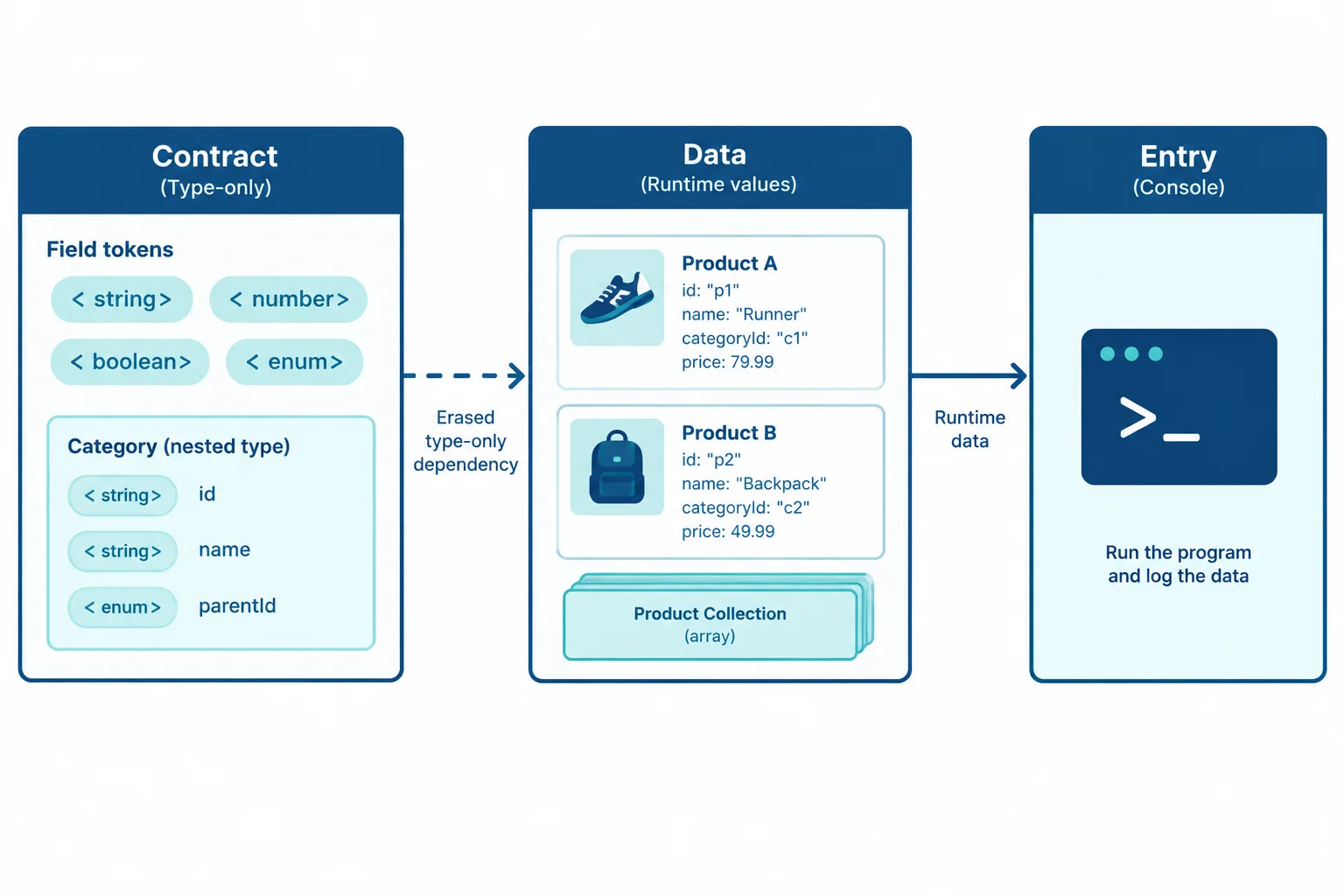
The contract guides checking; the data module creates the records; the entry module receives runtime data.
Review each record and module before relying on a successful type check. A type-only import is about the role of a dependency, while the other checks concern the data that is actually created.
Use this checklist when you repair catalog data.
| Area | Check |
|---|---|
| Required fields | Every product has id, name, price, and category. |
| Nested record | Each category has a string id and string label. |
| Optional field | Description may be omitted; when present it is a string. |
| Collection | The products value is annotated as a Product[] collection. |
| Import kind | Product is brought into the data module with a type-only import. |
To observe useful diagnostics locally, keep src/catalog-types.ts and src/main.ts from the previous screen, then temporarily replace only src/catalog-data.ts with this version. Run npx tsc --noEmit from your project root.
This file Does not type-check: the lamp lacks its required category, and the notebook supplies a number where description requires a string. Repair those properties, then run the type check again.
import type { Product } from './catalog-types.ts';

export const products: Product[] = [
  {
    id: 'p-101',
    name: 'Desk Lamp',
    price: 29.99
  },
  {
    id: 'p-102',
    name: 'Notebook',
    price: 4.5,
    category: { id: 'office', label: 'Office' },
    description: 4.5
  }
];Complete the integrated repair. The three snippets represent the contract module, the data module, and the entry module. Fill each marker so the catalog has an optional description, a type-only dependency, and an explicitly typed collection.
Complete the missing TypeScript syntax in these module snippets.
// src/catalog-types.ts
export interface Category {
  id: string;
  label: string;
}

export type Product = {
  id: string;
  name: string;
  price: number;
  category: Category;
  description: string;
};

// src/catalog-data.ts
import  { Product } from './catalog-types.ts';

export const products:  = [
  {
    id: 'p-101',
    name: 'Desk Lamp',
    price: 29.99,
    category: { id: 'home', label: 'Home' },
    description: 'Warm desk light'
  },
  {
    id: 'p-102',
    name: 'Notebook',
    price: 4.5,
    category: { id: 'office', label: 'Office' }
  }
];

// src/main.ts
import { products } from './catalog-data.ts';

console.log(products);On your computer, run the broken data-module example through npx tsc --noEmit, correct it, and run the type check again. Report one diagnostic you observed by naming the property and incompatibility, then state the exact correction you made. Also confirm that the final catalog has both nested categories, omits the notebook description, and uses the intended import kinds.
Write at least 100 characters (0/100).
Summary
TypeScript contracts describe assumptions for the checker. Product records and the products array are runtime values created by your data module. Exporting or importing a type does not create a constructor, a record, or runtime validation.
Congratulations! You completed: Define Reusable Object and Array Types
Thousands of online courses in video, ebooks and audiobooks.
To test your knowledge during online courses
Generated directly from your cell phone's photo gallery and sent to your email

Download our app via QR Code or the links below:.



Carry knowledge in your pocket.
Download the Cursa app.
There are hundreds of free courses available, with a free certificate of completion that is saved in your mobile image gallery.
Download the app to access the Course Completion Certificate for Free.


+ 10 million
students

Free and Valid
Certificate

60 thousand free
exercises

4.8/5 rating in
app stores

Free courses in
video and ebooks