Step 1 of 7
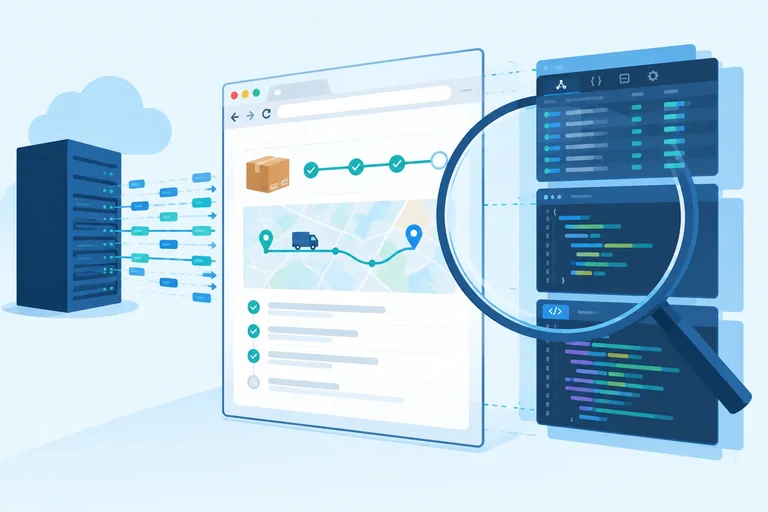
Identify What the Browser Receives
Identify delivered code and data as browser-visible to the user, even when the interface does not render every value.

Learning path · Level 11 · Tutorial 1
Review a front-end feature for exposed private credentials and unnecessary sensitive data, and identify which operations require a server-controlled boundary.
 Identify What the Browser Receives
Identify delivered code and data as browser-visible to the user, even when the interface does not render every value. 1 min
Identify What the Browser Receives
Identify delivered code and data as browser-visible to the user, even when the interface does not render every value. 1 min
 Classify Values Before Handling Them
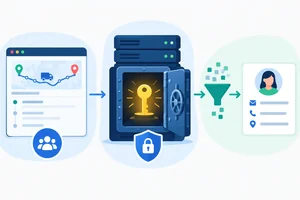
Classify Parcel Desk values as intentionally public configuration, private credentials, or sensitive user data according to their purpose. 1 min
Classify Values Before Handling Them
Classify Parcel Desk values as intentionally public configuration, private credentials, or sensitive user data according to their purpose. 1 min
 Recognize Client Environment Variables as Public Configuration
See why Vite client environment variables are public configuration rather than a place for private credentials. 2 min
Recognize Client Environment Variables as Public Configuration
See why Vite client environment variables are public configuration rather than a place for private credentials. 2 min
 Find Unnecessary Copies in URLs and Messages
Reduce unnecessary sensitive-data copies in Parcel Desk URLs, diagnostics, and error messages. 2 min
Find Unnecessary Copies in URLs and Messages
Reduce unnecessary sensitive-data copies in Parcel Desk URLs, diagnostics, and error messages. 2 min
 Minimize Delivered and Retained Data
Specify the smallest shipment-status record for the browser, then distinguish reduced retention from preventing unnecessary delivery. 2 min
Minimize Delivered and Retained Data
Specify the smallest shipment-status record for the browser, then distinguish reduced retention from preventing unnecessary delivery. 2 min
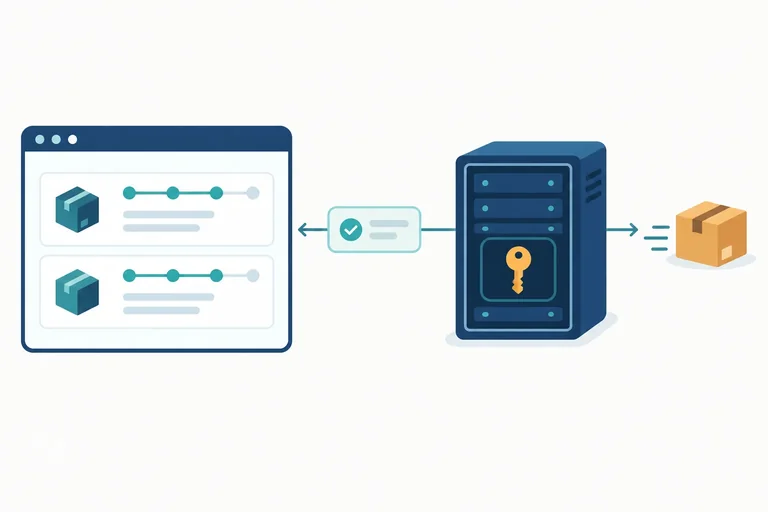
 Move Private-Key Operations Behind a Server Boundary
Redesign Parcel Desk shipment-status access so a private provider credential stays behind an application-controlled server operation. 2 min
Move Private-Key Operations Behind a Server Boundary
Redesign Parcel Desk shipment-status access so a private provider credential stays behind an application-controlled server operation. 2 min
 Apply the Browser-Boundary Review
Apply an integrated browser-boundary review to a flawed Parcel Desk shipment-status feature and propose a minimal safer flow. 2 min
Apply the Browser-Boundary Review
Apply an integrated browser-boundary review to a flawed Parcel Desk shipment-status feature and propose a minimal safer flow. 2 min
Step 1 of 7
Identify delivered code and data as browser-visible to the user, even when the interface does not render every value.
Treat anything delivered to the Browser as inspectable by its user. That includes JavaScript, client configuration, and response data.
A page can choose what to render, but that choice happens after the browser has received code and data. Developer tools can reveal delivered resources and network responses even when the interface never displays every value.
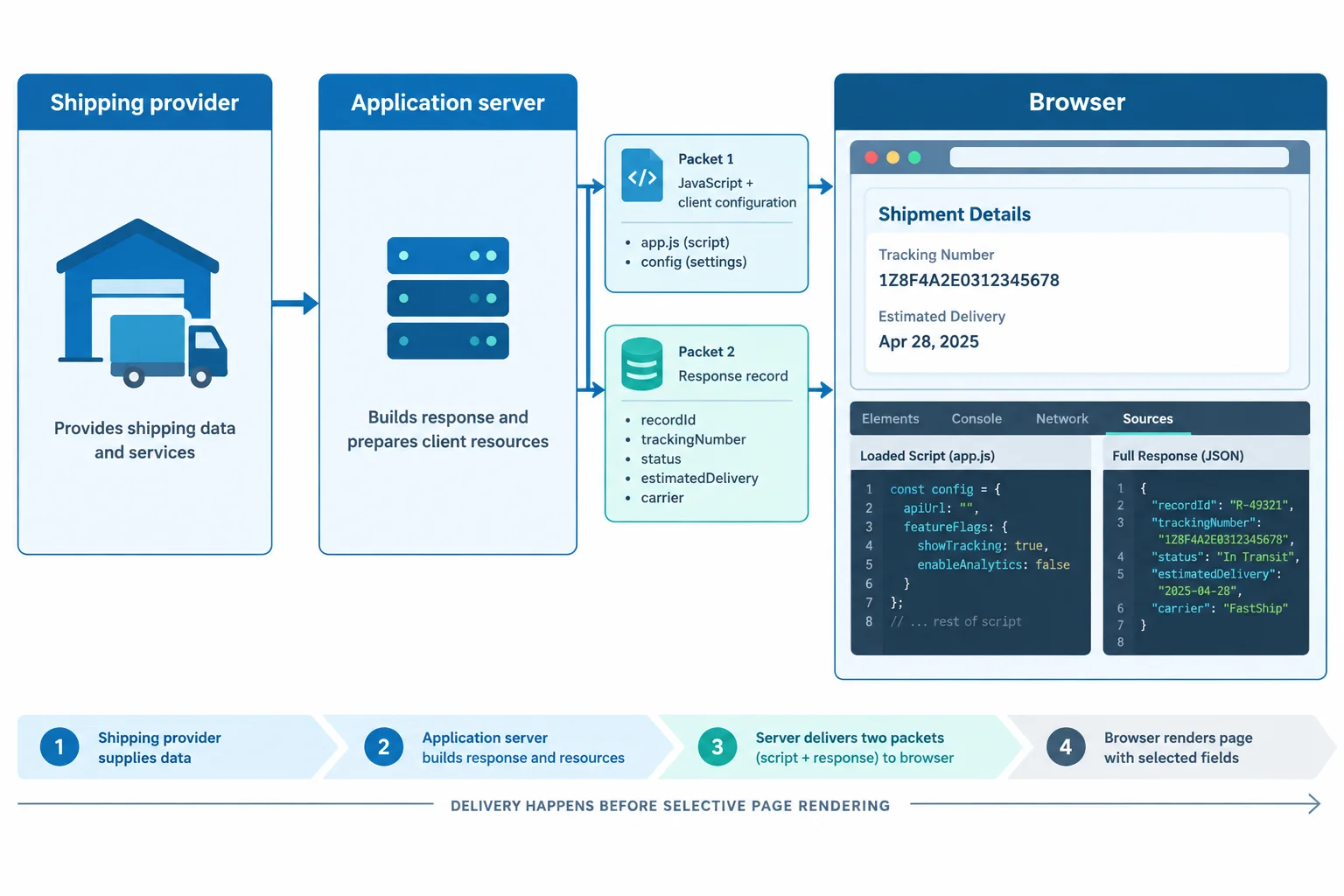
The browser boundary is what enters the Browser—not only what appears in the page.
Suppose Parcel Desk renders only a shipment ID and its current status. If the response includes additional fields, the browser has already received those fields before the interface selects what to show.
The same principle applies to a value inside delivered JavaScript: the absence of a visible page element does not make the delivered value unavailable to the browser user.
Response received by the Browser; the interface renders only shipmentId and status.
{
  "shipmentId": "ship-1042",
  "status": "In transit",
  "recipientEmail": "avery@example.test",
  "deliveryAddress": "14 Example Lane"
}This statement is part of delivered JavaScript even if no visible interface element displays its value.
const shipmentId = "ship-1042";A response field is concealed from the browser user when the interface does not render it.
A value inside delivered JavaScript is concealed from the browser user if no page element displays it.
When reviewing the browser boundary, delivery into the Browser matters more than whether a value is visible on the page.
Step 2 of 7
Classify Parcel Desk values as intentionally public configuration, private credentials, or sensitive user data according to their purpose.
Before Parcel Desk handles a value, ask two questions:
Use these three classifications:
A value is not safe or unsafe because it looks like an ID, contains the word “key,” or is hidden by the interface. Its documented role and capabilities determine its classification.
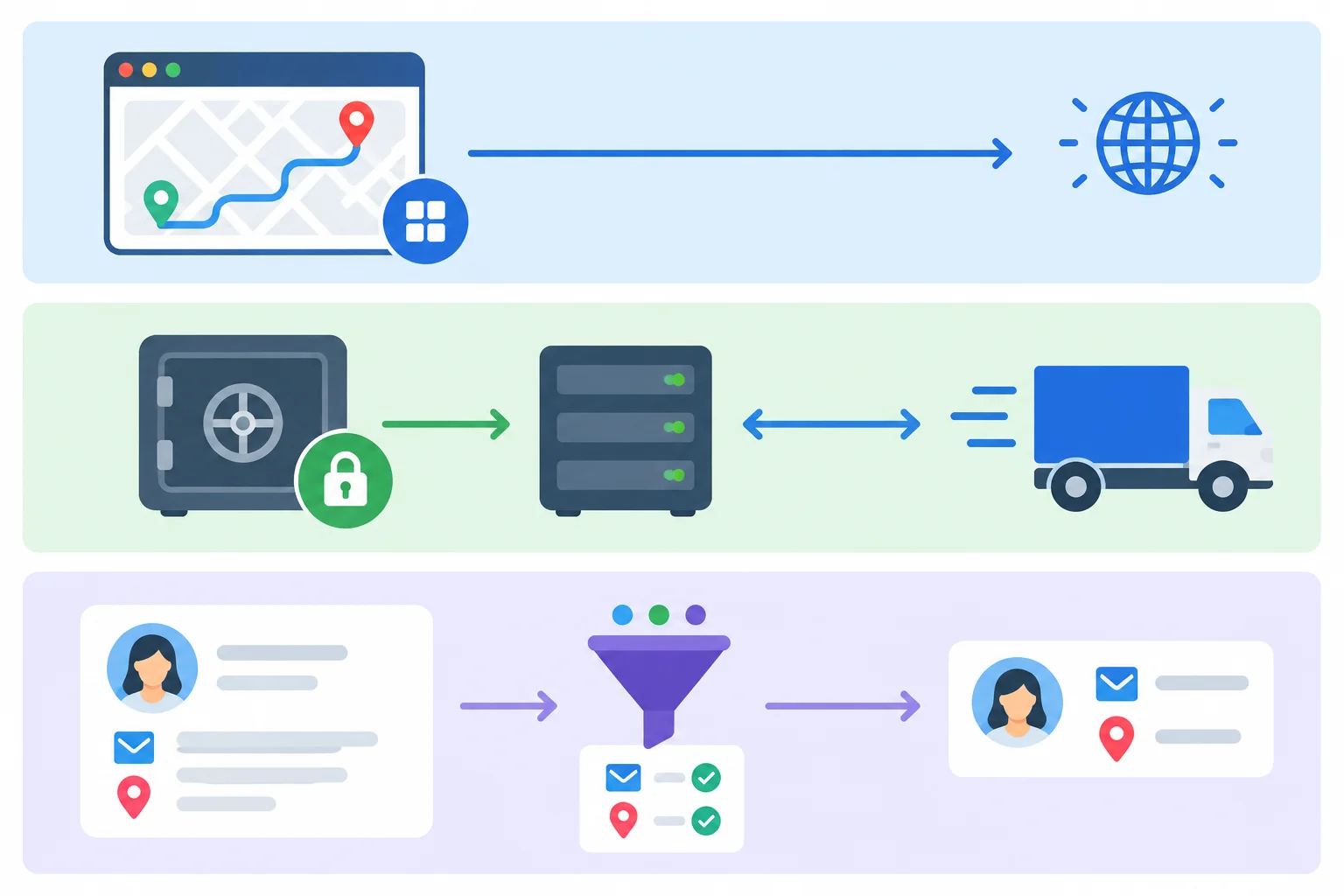
Classify each value by what it enables and whether the browser genuinely needs it.
Parcel Desk can classify common feature values like this. The API base path and client application ID are deliberately public labels for the client. The shipping-service key would authorize privileged provider access. Recipient details describe a person and should be sent or kept only when the interface has a specific need.
Tip
The name alone is not evidence. A provider may designate an identifier as publishable, but that does not make every key-like value browser-safe. Conversely, a public application ID is not a credential merely because it identifies an app. Check the value’s documented capability: if it can authorize privileged service actions, treat it as a private credential.
Examples used by the shipment-status feature
| Value | Purpose | Classification |
|---|---|---|
| VITE_API_BASE_URL=/api | Client route base path | Intentionally public configuration |
| VITE_CLIENT_APP_ID=parcel-desk-web | Public client application label | Intentionally public configuration |
| DEMO_PRIVATE_KEY_NOT_REAL | Privileged shipping-provider access | Private credential |
| recipientEmail: "avery@example.test" | Recipient contact detail | Sensitive user data |
| deliveryAddress: "14 Example Lane" | Recipient location detail | Sensitive user data |
Match each Parcel Desk value and purpose to its classification.
Tap an item and then its matching pair.
Step 3 of 7
See why Vite client environment variables are public configuration rather than a place for private credentials.
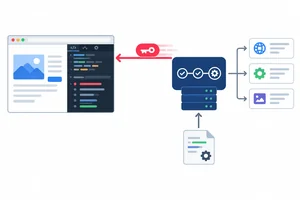
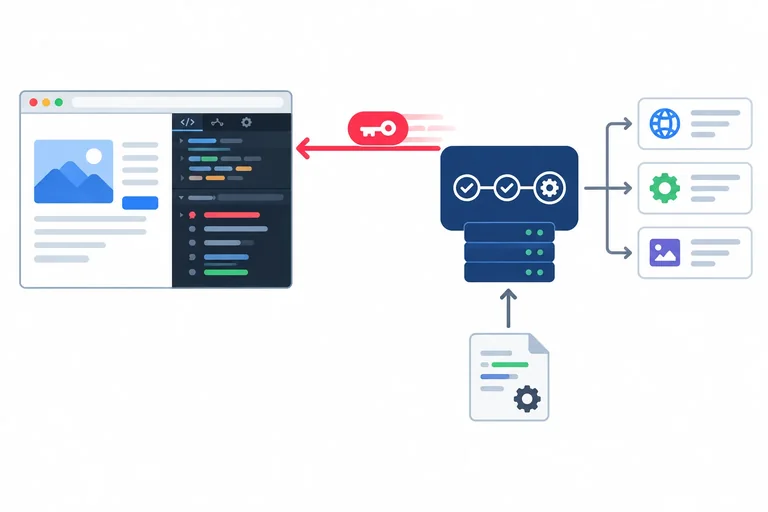
When Parcel Desk client code references a Vite variable whose name starts with VITE_, Vite makes that value available through import.meta.env. A referenced value can then become part of the application delivered to the Browser.
The browser user can inspect delivered JavaScript, network requests, and runtime values. It does not matter whether the interface renders the value. A private credential must therefore not be used by browser code.
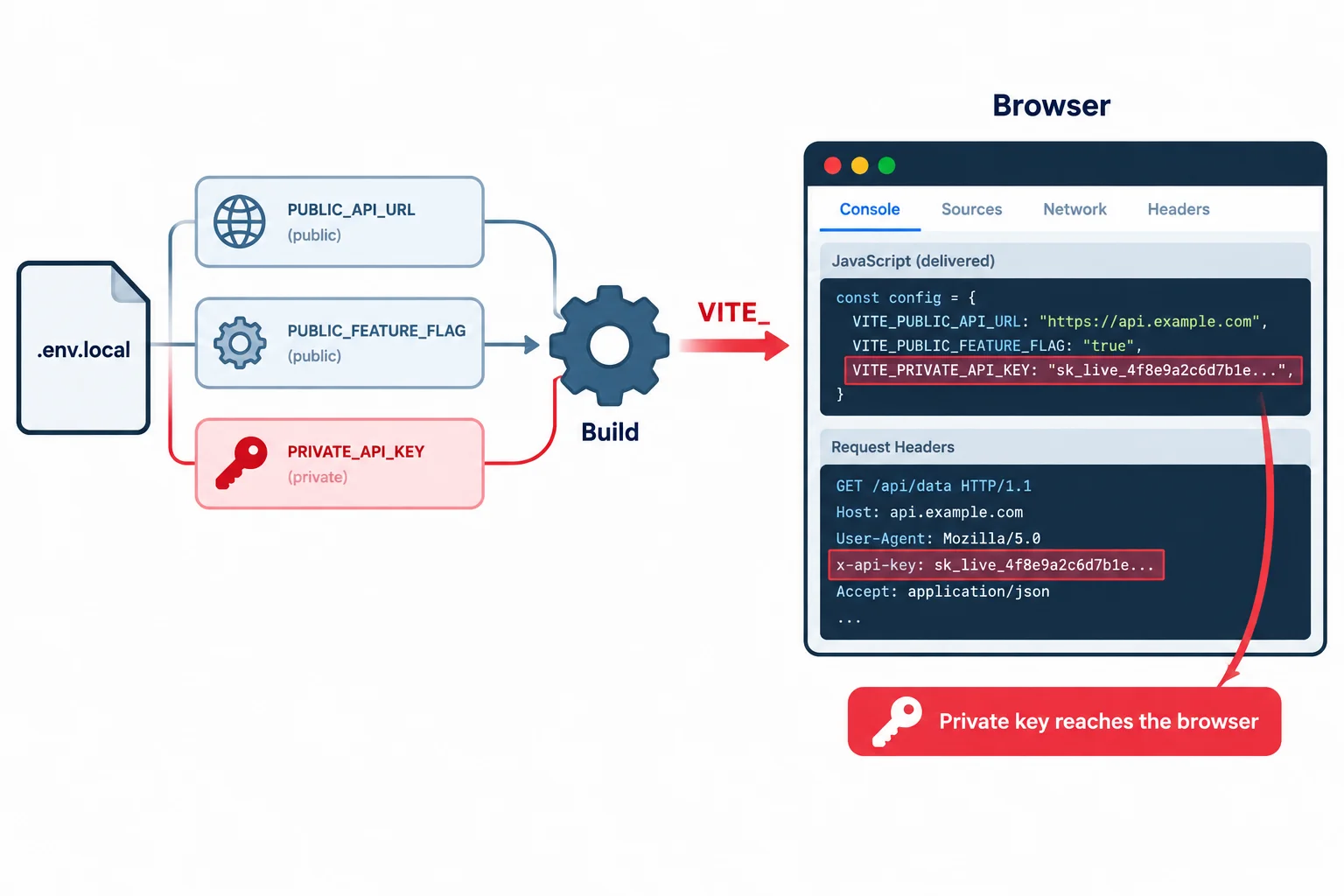
A file location does not change the boundary: once client code uses the value, it can reach the Browser.
Tip
Treat the browser as user-controlled. “Not shown in the UI” is not the same as “not delivered to the user.”
This setup has two separate concerns: Git exclusion and client delivery. The .gitignore entry can prevent an environment file from being committed. It does not prevent Vite from using a referenced VITE_ value while producing code for the browser.
Local environment configuration. The third line is unsafe because it is a private credential exposed to client code.
VITE_API_BASE_URL=/api
VITE_CLIENT_APP_ID=parcel-desk-web
VITE_SHIPPING_SERVICE_KEY=DEMO_PRIVATE_KEY_NOT_REALGit exclusion is a separate file-level rule.
.env.localWarning
.env.local may not be served as a file at a URL, and it should still be excluded from Git. But neither fact protects DEMO_PRIVATE_KEY_NOT_REAL if browser code reads import.meta.env.VITE_SHIPPING_SERVICE_KEY.
Git exclusion addresses repository inclusion. A server-controlled boundary concerns where an operation and its private credential can run.
Minification or obfuscation can make generated JavaScript less convenient to read, but the browser must still receive enough information to run it. A user can inspect runtime behavior and requests; obscuring code does not establish a private credential boundary.
With Vite's default behavior, removing VITE_ means import.meta.env.SHIPPING_SERVICE_KEY is not exposed to ordinary client code. That does not turn the client into a server or make a browser-dependent private-key operation safe. It only removes the client value that the design was trying to use.
This reference is an unsafe example because it makes browser code depend on a private credential.
const shippingServiceKey = import.meta.env.VITE_SHIPPING_SERVICE_KEY;

const providerRequestHeaders = {
  Authorization: `Bearer ${shippingServiceKey}`,
};Complete the Parcel Desk client configuration using only the designated public values.
VITE_API_BASE_URL=
VITE_CLIENT_APP_ID=Write a revised .env.local excerpt containing only the two intentionally public configuration lines for Parcel Desk. Then explain why neither adding .env.local to .gitignore nor minifying generated JavaScript would protect DEMO_PRIVATE_KEY_NOT_REAL if client code read it through import.meta.env.VITE_SHIPPING_SERVICE_KEY.
Write at least 180 characters (0/180).
Step 4 of 7
Reduce unnecessary sensitive-data copies in Parcel Desk URLs, diagnostics, and error messages.
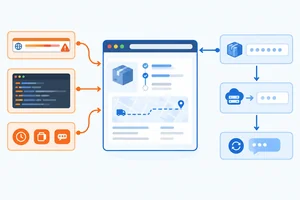
A value in a feature URL is easy to copy beyond the immediate request. If Parcel Desk requests status with recipient details in the query string, those details can be retained in browser history, copied with the link, or recorded by systems that record request URLs.
The status view needs the shipment identifier. It does not need the recipient email or delivery address in its URL. Use the purpose-limited application contract instead:
GET /api/shipments/ship-1042/status
Removing unnecessary query values reduces extra copies. It does not make a value secret if that value was already delivered to the browser.
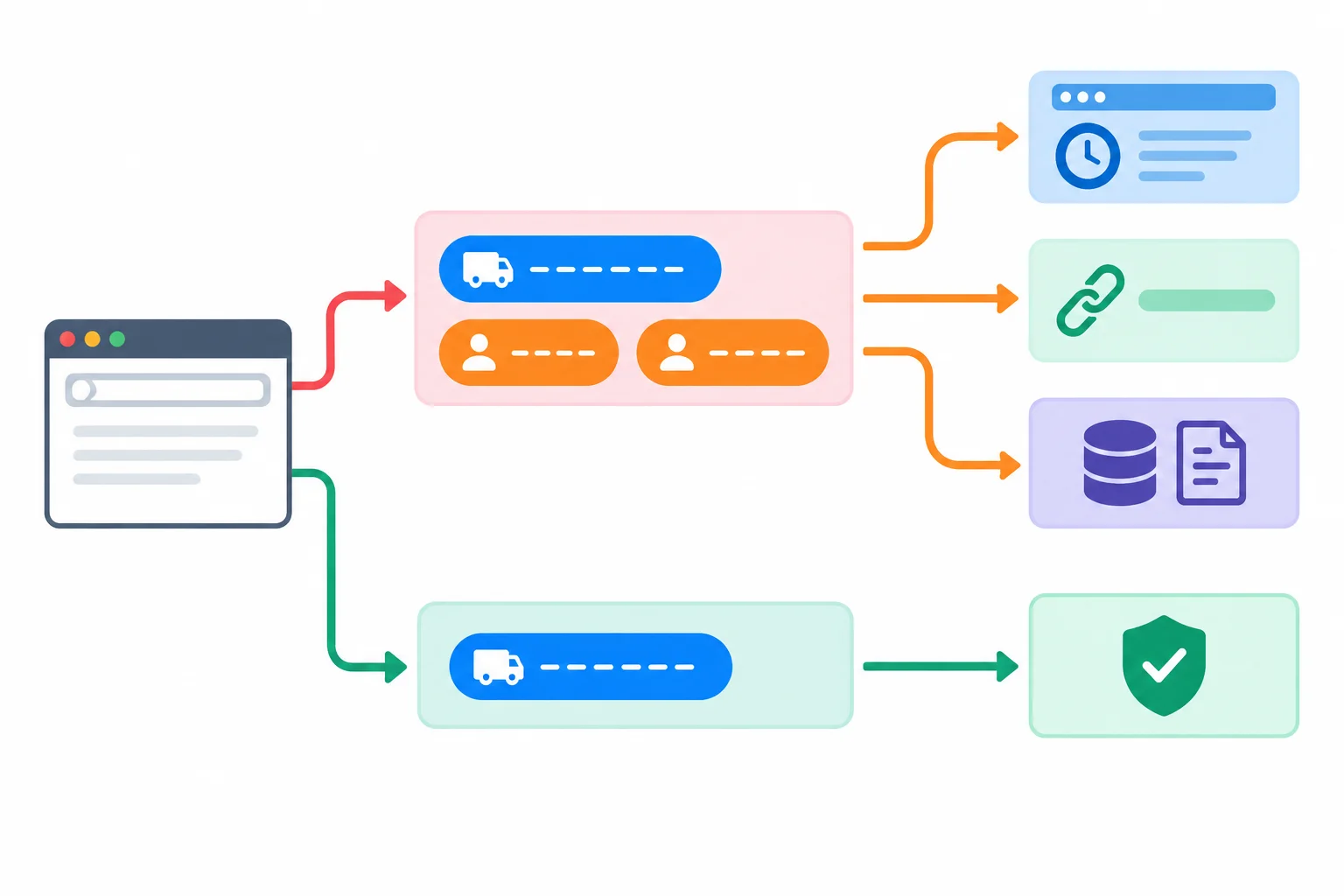
A sensitive query value can create multiple unnecessary copies after it is placed in a URL.
Diagnostics should answer a specific question, not capture every available value. Logging an entire configuration object can expose a private credential; logging a full provider record can expose personal fields. A user-facing error should help the user recover without echoing raw upstream details.
Choose reviewed diagnostic fields such as the shipment identifier and a short event description. Keep raw provider errors and complete records out of browser messages unless a reviewed, necessary purpose requires a field.
Compare the unsafe example with a safer design. The safer diagnostic identifies the failed feature request without copying configuration or the complete provider response.
// Unsafe example
console.error("Status request failed", import.meta.env);
console.error("Provider failure", providerResponse);
setError(providerError.message);

// Safer design
console.warn("Shipment status request failed", { shipmentId });
setError("We could not load the shipment status. Try again.");
Tip
A generic recovery message is not a claim that the underlying failure is harmless. It simply avoids reflecting provider details, sensitive request data, or internal implementation information into the interface.
Parcel Desk currently uses all three unsafe patterns below:
GET /api/shipments/ship-1042/status?recipientEmail=avery@example.test&deliveryAddress=14%20Example%20Laneconsole.error("Status request failed", import.meta.env);setError(providerError.message);Which replacement keeps the required navigation or feedback while removing unnecessary personal data and private-configuration exposure?
Step 5 of 7
Specify the smallest shipment-status record for the browser, then distinguish reduced retention from preventing unnecessary delivery.
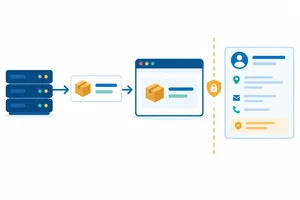
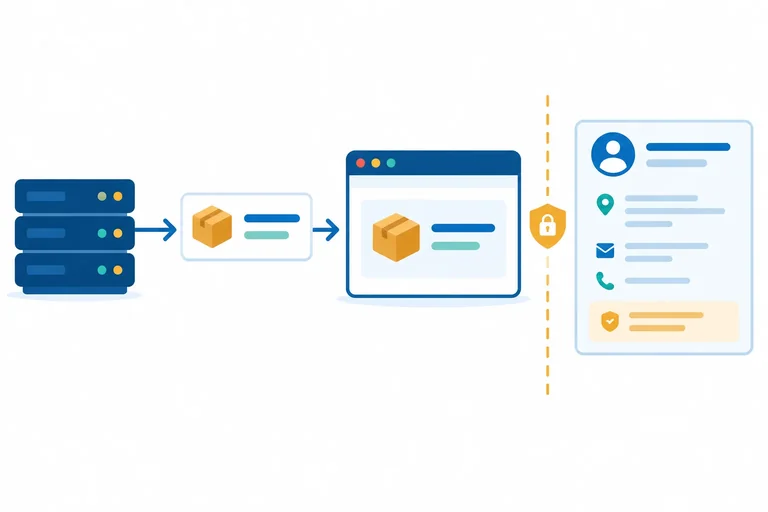
A shipment-status view needs a small browser-facing record: the shipment identifier and its status. The full provider record may contain sensitive user data, but recipientEmail and deliveryAddress are not needed to show this screen.
Minimize delivery at the browser boundary. It is not enough to hide unnecessary fields after they arrive: a browser-facing response should already contain only the fields the feature needs.
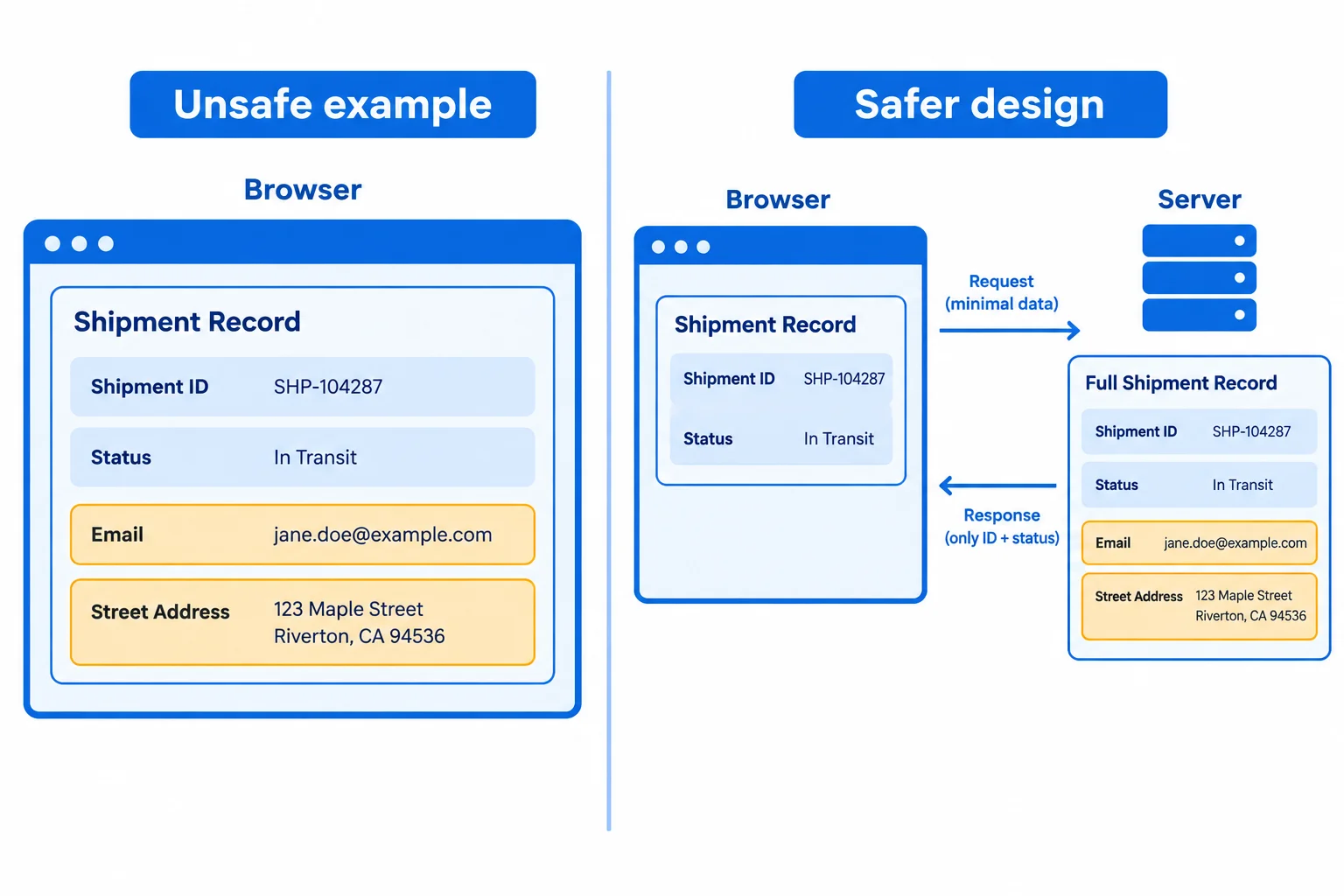
The status view needs the compact record, not the recipient details.
{
  "shipmentId": "ship-1042",
  "status": "In transit",
  "recipientEmail": "avery@example.test",
  "deliveryAddress": "14 Example Lane"
}{
"shipmentId": "ship-1042",
"status": "In transit"
}Filtering a record in client code can reduce later copies in component state or rendering, but it happens after every field in the original record has crossed into the Browser.
Likewise, omitting a field from JSX does not remove it from the response object, a state object, or a cached record. Treat the delivered response—not the visible screen—as the relevant boundary.
This creates a smaller later copy, but the full provider record has already been delivered to the browser.
const providerRecord = {
shipmentId: "ship-1042",
status: "In transit",
recipientEmail: "avery@example.test",
deliveryAddress: "14 Example Lane"
};
const statusView = {
shipmentId: providerRecord.shipmentId,
status: providerRecord.status
};Warning
Do not mistake a smaller client-side object for a delivery control. It improves what is retained next, but it cannot undo the initial exposure of the full record.
Retain a reviewed snapshot only when the feature needs it, and only for the needed period. A status view can hold shipmentId and status; it does not need to retain the recipient record by default.
In-memory state is not secret storage. Clearing a targeted value reduces ongoing retention, but cannot erase copies previously captured elsewhere.
If this feature previously stored a reviewed snapshot under the named key, remove that targeted entry when its purpose ends.
type ShipmentStatusSnapshot = {
shipmentId: string;
status: string;
};
let lastShipment: ShipmentStatusSnapshot | null = {
shipmentId: "ship-1042",
status: "In transit"
};
function clearShipmentView(): void {
lastShipment = null;
localStorage.removeItem("parcel-desk:last-shipment");
}Warning
Clearing targeted state limits future use of that copy. It does not retroactively remove data from places where it may already have been observed or recorded.
A full provider record already reached the Browser before this code runs. Complete the minimal retained snapshot and the two boundary statements.
const lastShipment = {
"": "ship-1042",
"": "In transit"
};
const reducesRetention = ;
const preventsExtraDelivery = ;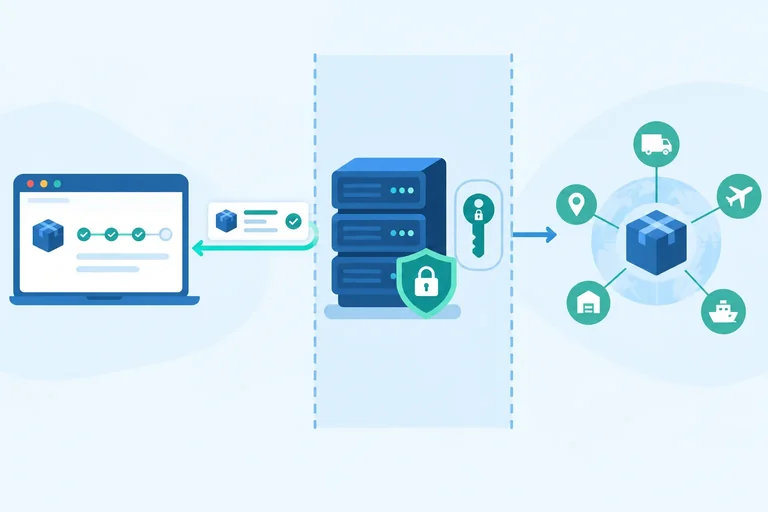
Step 6 of 7
Redesign Parcel Desk shipment-status access so a private provider credential stays behind an application-controlled server operation.
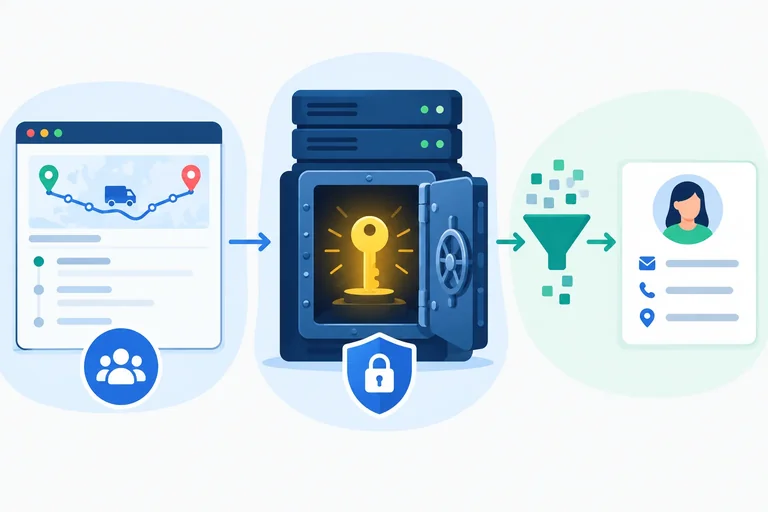
A private credential must not cross into the Browser. If Parcel Desk needs a shipping-provider operation that requires one, change the caller—not just the user interface.
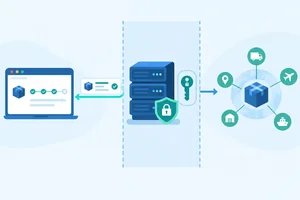
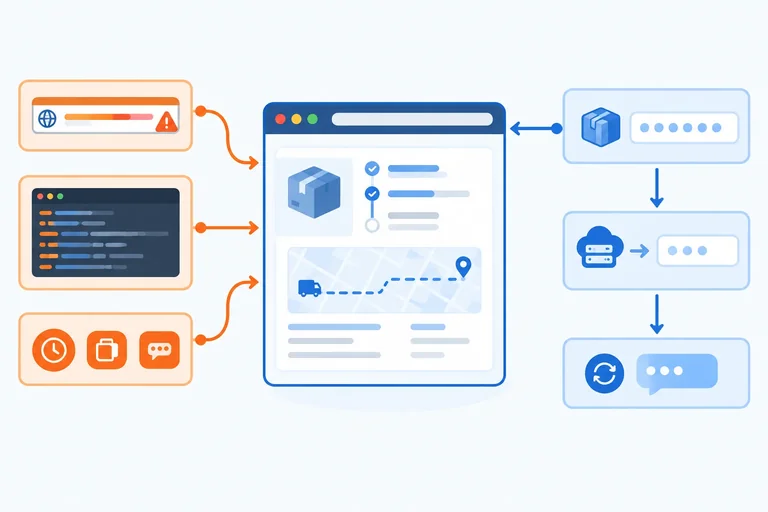
In the safer flow, the Browser asks the Application server for a shipment-status capability. The Application server holds the server configuration, uses the private credential when it contacts the Shipping provider, and keeps that credential out of the delivered application.
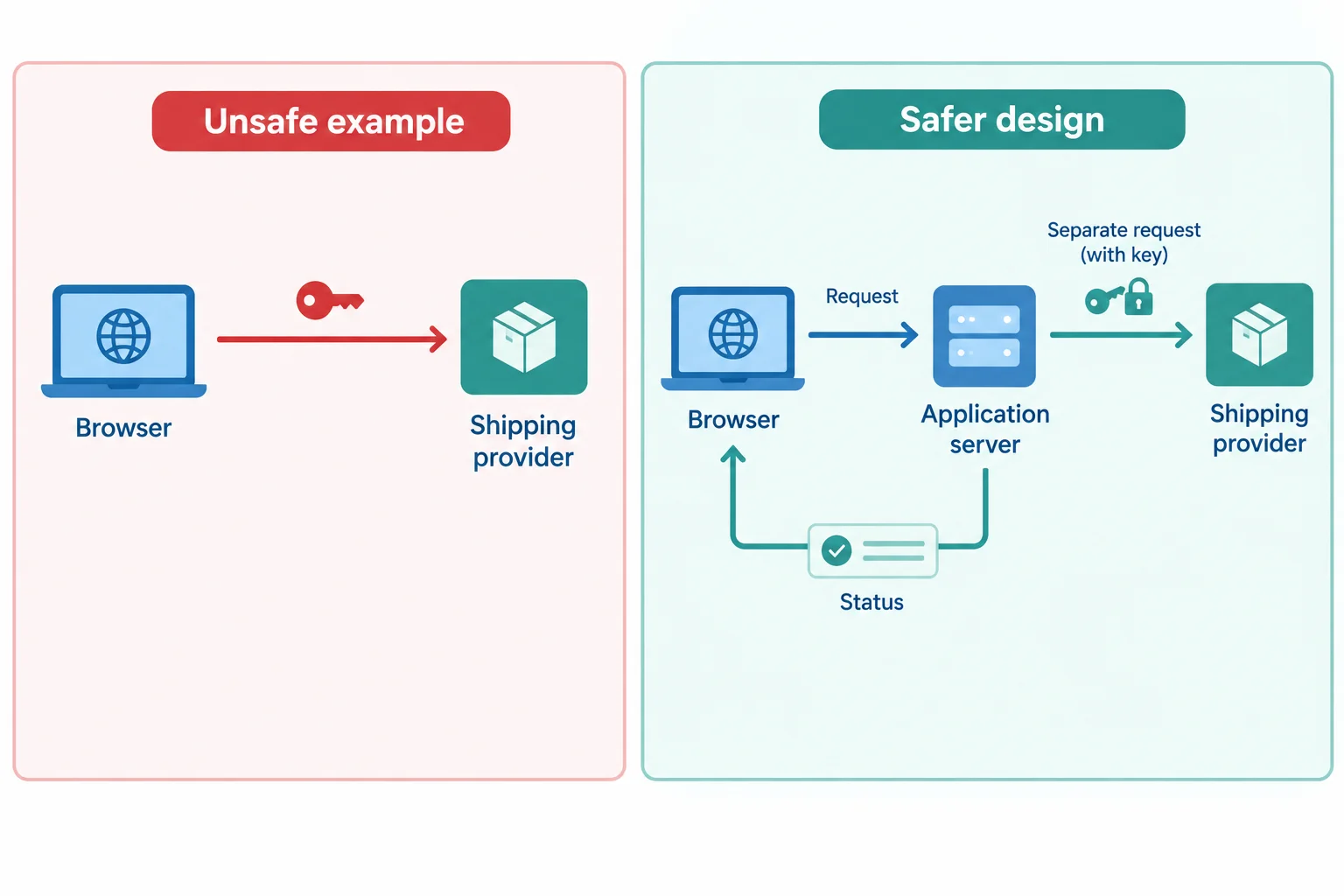
The private credential belongs only on the Application server to Shipping provider interaction.
Expose a defined feature capability, not a credential endpoint and not an unrestricted provider proxy. For this view, the illustrative capability is GET /api/shipments/ship-1042/status.
The Application server can obtain a broader provider result, but it should map that result to the minimal record needed by the Browser. It should also return a useful feature error rather than forwarding raw provider details.
Minimal browser-facing success response
{
  "shipmentId": "ship-1042",
  "status": "In transit"
}Warning
This route is an illustrative design contract, not an available backend. A browser-only TypeScript helper or a local in-memory adapter still runs under browser control; neither creates a server-controlled boundary. The real server operation also needs validation and access controls, whose detailed design is outside this tutorial.
Which design creates a server-controlled boundary for the Parcel Desk shipment-status operation?
Arrange the safer Parcel Desk interactions from first to last.

Step 7 of 7
Apply an integrated browser-boundary review to a flawed Parcel Desk shipment-status feature and propose a minimal safer flow.
A browser-boundary review follows one feature end to end—not just what appears in its interface. For Parcel Desk, trace each value through configuration, client code, request URLs, returned records, diagnostic messages, and retained browser state.
For every value, ask:
The review should produce concrete changes: keep intentionally public configuration available, remove unnecessary sensitive user data, and keep private credentials outside the Browser.
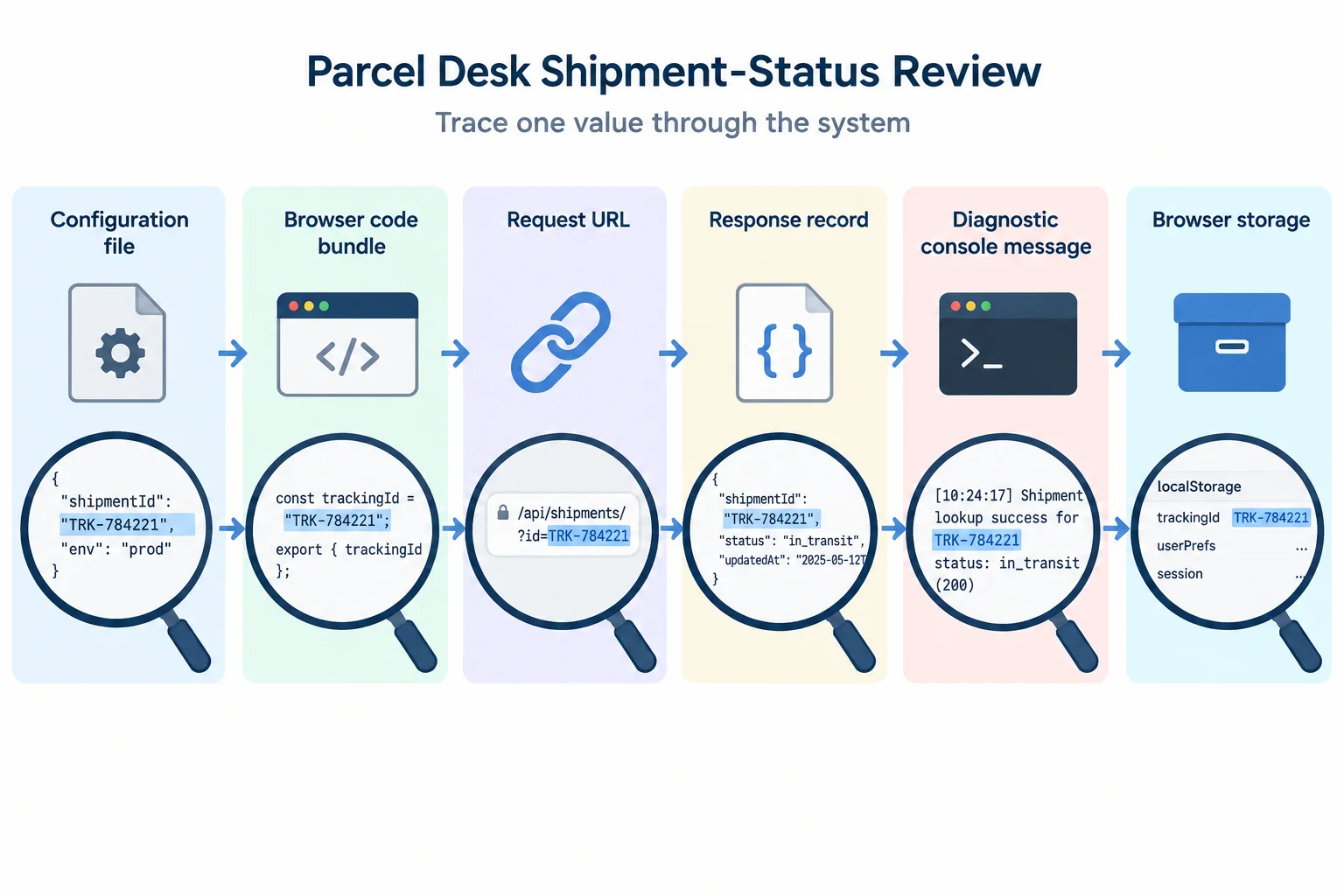
Review the whole path. A value can be unnecessary even when it is not rendered in the interface.
Tip
Do not treat a single cleanup as a complete fix. Removing a personal field from a URL, for example, reduces one copy; it does not change data that was already delivered in a response or stored in browser state. A complete review records each remaining browser-visible copy and its purpose.
VITE_API_BASE_URL=/api
VITE_CLIENT_APP_ID=parcel-desk-web
VITE_SHIPPING_SERVICE_KEY=DEMO_PRIVATE_KEY_NOT_REALThis feature excerpt, together with the flow diagram, is the evidence for your review.
const shipmentId = "ship-1042";
const recipientEmail = "avery@example.test";
const deliveryAddress = "14 Example Lane";
const serviceKey = import.meta.env.VITE_SHIPPING_SERVICE_KEY;

const requestUrl =
  `https://shipping-provider.example.test/status?shipmentId=${shipmentId}&recipientEmail=${recipientEmail}`;

console.error("Shipment request failed", {
  serviceKey,
  recipientEmail,
  deliveryAddress,
});

const shipment = {
  shipmentId,
  status: "In transit",
  recipientEmail,
  deliveryAddress,
};

localStorage.setItem(
  "parcel-desk:last-shipment",
  JSON.stringify(shipment),
);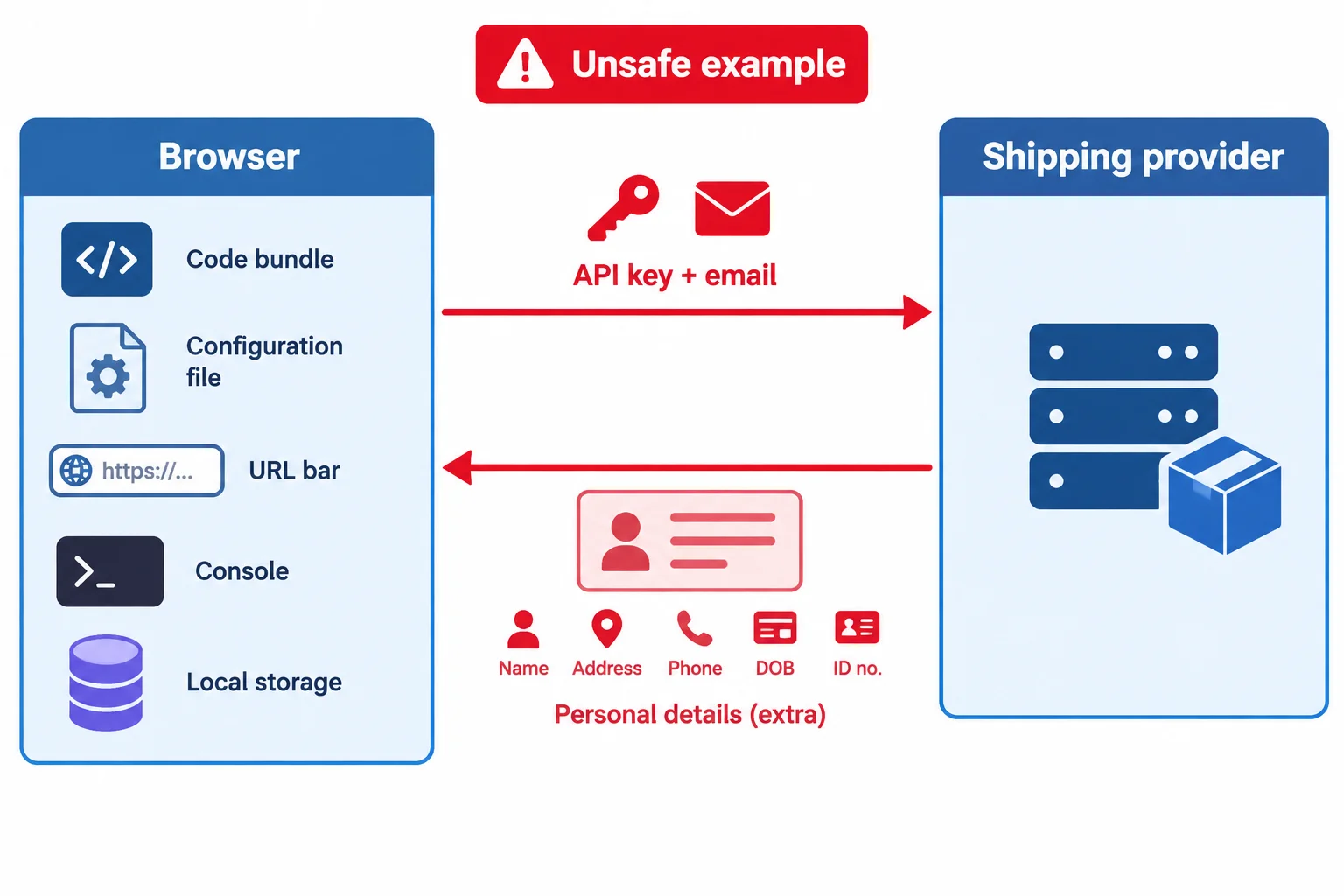
Use the code and this flow to trace what reaches the Browser and where copies accumulate.
Write a concise five-part review of the unsafe Parcel Desk feature.
Use the fixed terms from this tutorial where they apply.
Write at least 300 characters (0/300).
Summary
Congratulations! You completed: Protect Sensitive Data at the Browser Boundary
20 XP
Thousands of online courses in video, ebooks and audiobooks.
To test your knowledge during online courses
Generated directly from your cell phone's photo gallery and sent to your email

Download our app via QR Code or the links below:.



Carry knowledge in your pocket.
Download the Cursa app.
There are hundreds of free courses available, with a free certificate of completion that is saved in your mobile image gallery.
Download the app to access the Course Completion Certificate for Free.


+ 10 million
students

Free and Valid
Certificate

60 thousand free
exercises

4.8/5 rating in
app stores

Free courses in
video and ebooks