Step 1 of 8
Describe the Permitted Alternatives
Define primitive and literal unions for a product-search interface, then identify why a type-specific operation is unsafe before the union is narrowed.

Learning path · Level 8 · Tutorial 4
Represent alternative states and safely use values that may be missing or have different shapes, including values obtained from browser APIs.

 Describe the Permitted Alternatives
Define primitive and literal unions for a product-search interface, then identify why a type-specific operation is unsafe before the union is narrowed. 2 min
Describe the Permitted Alternatives
Define primitive and literal unions for a product-search interface, then identify why a type-specific operation is unsafe before the union is narrowed. 2 min
 Narrow with Checks and Early Returns
Use runtime checks and early returns to narrow primitive and literal unions before type-specific operations. 3 min
Narrow with Checks and Early Returns
Use runtime checks and early returns to narrow primitive and literal unions before type-specific operations. 3 min
 Separate Missing Values from Available Values
Recognize explicit absence and omitted optional properties, then narrow missing alternatives before using an available value. 3 min
Separate Missing Values from Available Values
Recognize explicit absence and omitted optional properties, then narrow missing alternatives before using an available value. 3 min
 Choose Defaults Without Losing Valid Values
Use optional chaining and nullish coalescing to handle an absent product selection without replacing valid falsy product values. 3 min
Choose Defaults Without Losing Valid Values
Use optional chaining and nullish coalescing to handle an absent product selection without replacing valid falsy product values. 3 min
 Distinguish Object Shapes with in
Narrow a typed object union by checking a required property key, including when that property's value is an empty string. 2 min
Distinguish Object Shapes with in
Narrow a typed object union by checking a required property key, including when that property's value is an empty string. 2 min
 Check DOM Presence and Element Type
Safely narrow DOM selections by checking both whether an element exists and whether it has the required input subtype. 3 min
Check DOM Presence and Element Type
Safely narrow DOM selections by checking both whether an element exists and whether it has the required input subtype. 3 min
 Model Interface Outcomes with a Discriminant
Model product-search outcomes as a discriminated union and safely use the payload available in each status branch. 4 min
Model Interface Outcomes with a Discriminant
Model product-search outcomes as a discriminated union and safely use the payload available in each status branch. 4 min
 Apply and Verify Safe Narrowing
Complete and locally verify a compact product-search interface that safely narrows unions, nullish values, DOM selections, object shapes, and interface states. 4 min
Apply and Verify Safe Narrowing
Complete and locally verify a compact product-search interface that safely narrows unions, nullish values, DOM selections, object shapes, and interface states. 4 min
Step 1 of 8
Define primitive and literal unions for a product-search interface, then identify why a type-specific operation is unsafe before the union is narrowed.
A union lists permitted alternatives for one value. The value can be one alternative at a time; it does not need to be every listed type simultaneously.
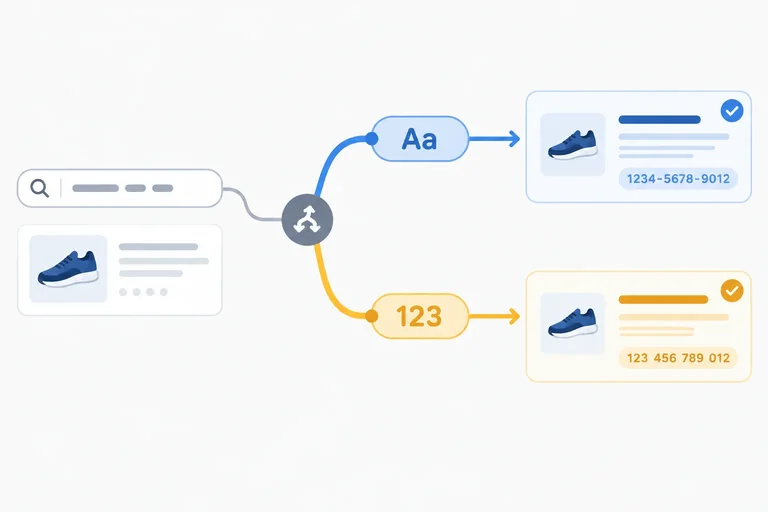
In a product search, an identifier might come from a numeric database key or a text-based catalog key. ProductId communicates both permitted forms. A literal union is narrower: ViewMode permits only the exact strings listed.
These aliases reject values outside their contracts, such as true for ProductId or "table" for ViewMode.
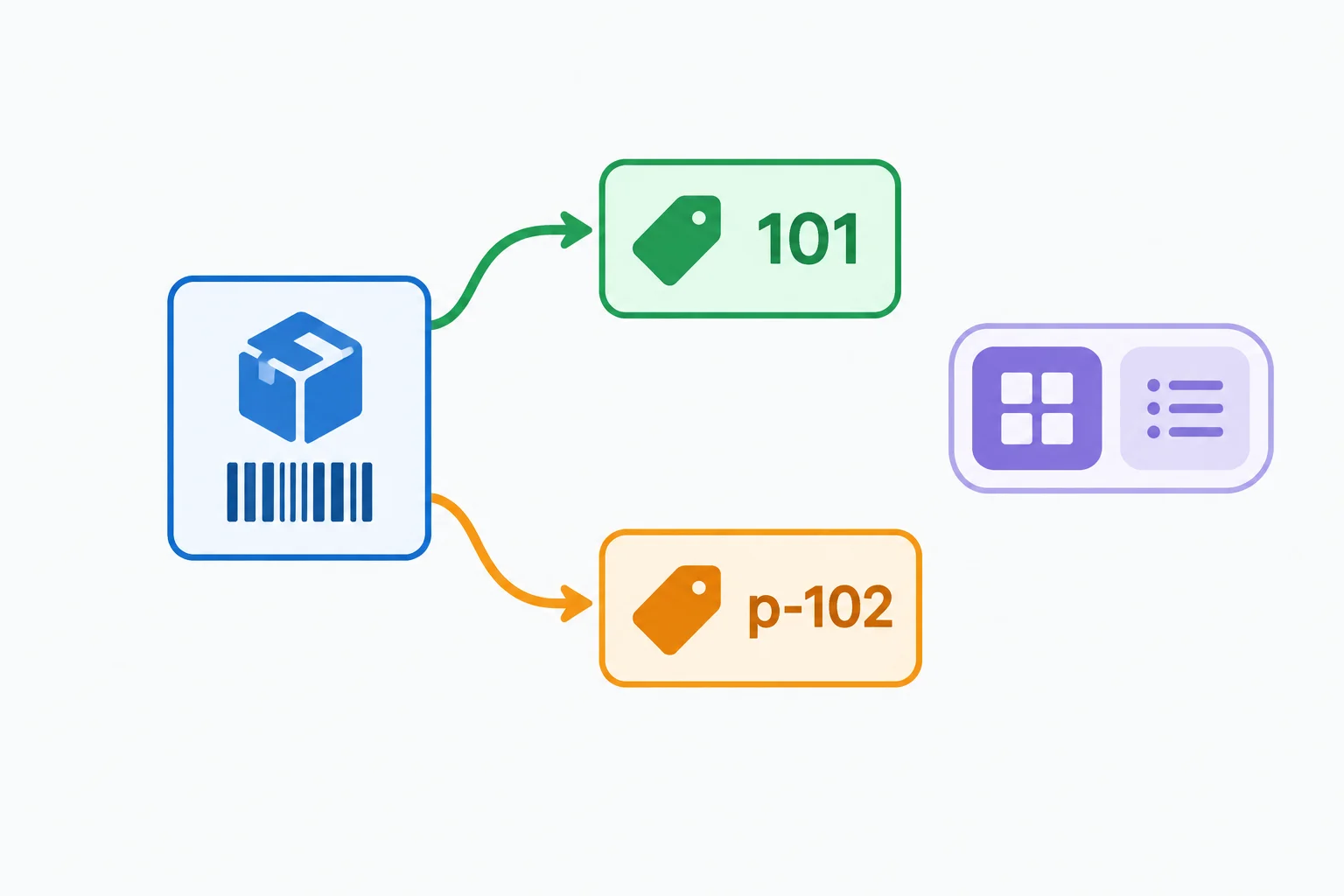
Each union value takes one permitted form. Literal unions limit values to an exact, small set.
These aliases describe the permitted values for the product-search interface.
type ProductId = string | number;
type ViewMode = "grid" | "list";

const numericId: ProductId = 101;
const textId: ProductId = "p-102";
const currentMode: ViewMode = "grid";TypeScript must protect every remaining possibility in a union. That means an operation is allowed only when it works for all alternatives currently permitted.
For example, toUpperCase() is a string operation. It cannot be called directly on a ProductId, because a ProductId might currently be a number. Conversely, number-specific arithmetic cannot assume the identifier is numeric.
A preceding check will later let TypeScript narrow the possibilities. For now, the key rule is: do not use an operation that only one union member supports while the other member is still possible.
This function has a type error because the parameter may be a number.
type ProductId = string | number;

function formatProductId(productId: ProductId): string {
  return productId.toUpperCase();
}
Tip
The declared return type is not the issue. The unsafe expression is productId.toUpperCase(): toUpperCase exists on strings, but not on numbers. TypeScript requires the code to account for the permitted alternatives before using a type-specific operation.
Complete the two aliases so the shown assignments are accepted by TypeScript.
Fill in the permitted alternatives.
type ProductId =  | ;
type ViewMode =  | ;

const numericId: ProductId = 101;
const textId: ProductId = "p-102";
const currentMode: ViewMode = "list";Which review of this code is correct?
Step 2 of 8
Use runtime checks and early returns to narrow primitive and literal unions before type-specific operations.
A runtime check also gives TypeScript information. Before a guard, ProductId can be either string or number, so an operation must work for both. Inside a branch guarded by typeof id === "string", only the string alternative remains reachable. The other branch contains the number alternative.
This refinement of a union is called narrowing. TypeScript follows the control flow of your conditions rather than changing the value itself.
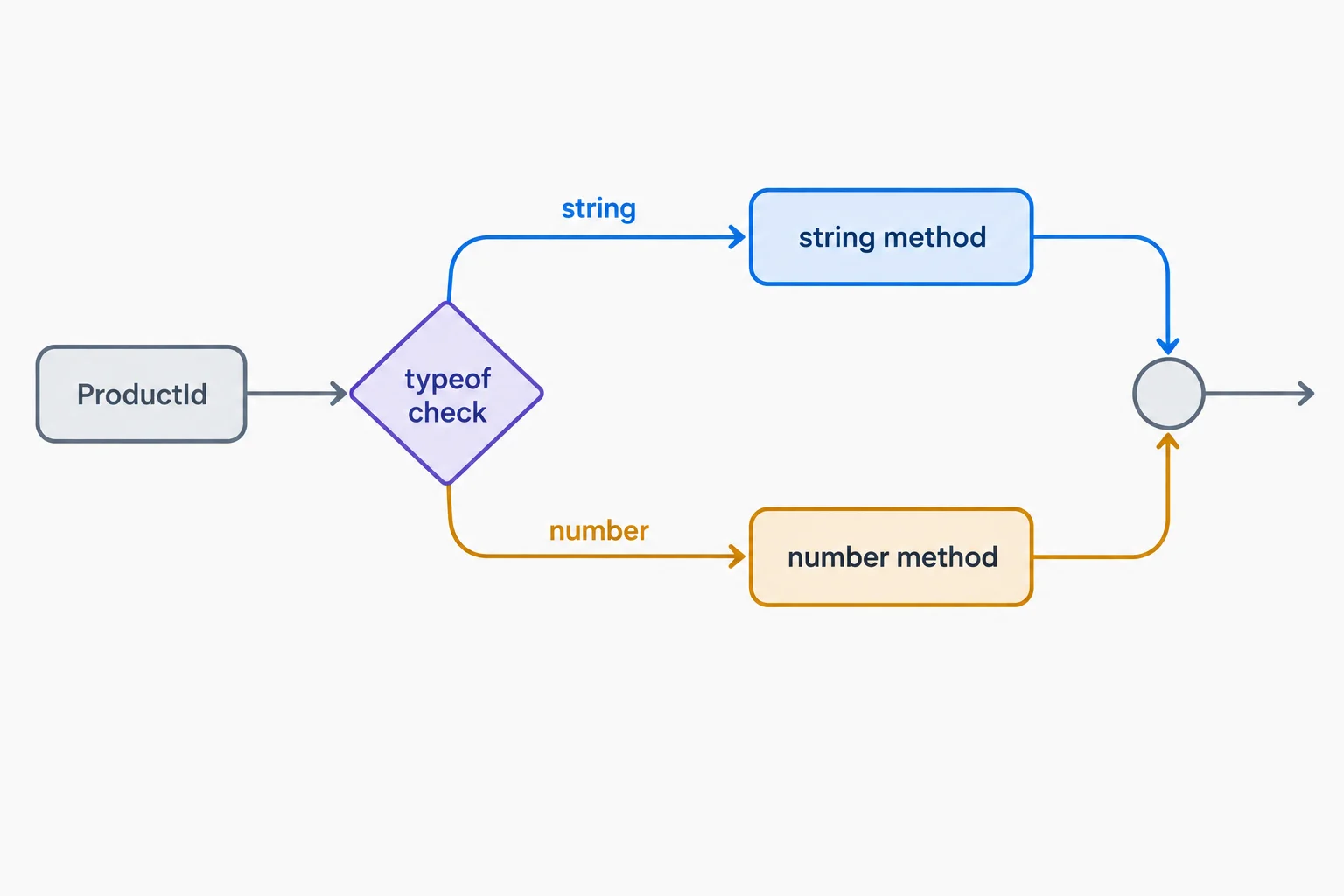
Each branch has fewer reachable alternatives than the union before the check.
Equality can narrow a union of literal values in the same way. When mode is checked against one permitted literal, that branch has exactly that literal. Once the grid branch returns, the final return can only be reached when the remaining literal is present.
A strict equality check selects one literal alternative.
type ViewMode = "grid" | "list";

function getViewLabel(mode: ViewMode): string {
  if (mode === "grid") {
    return "Grid view";
  }

  return "List view";
}An early return makes the remaining type especially clear. If the string path returns immediately, execution can continue only when id is a number. The final line can therefore call a number-specific method safely.
This is control-flow analysis: TypeScript tracks which alternatives are still reachable at each point in the function.
The first return removes the string alternative from the code below it.
type ProductId = string | number;

function formatProductId(id: ProductId): string {
  if (typeof id === "string") {
    return id.toUpperCase();
  }

  return `Product #${id.toFixed(0)}`;
}
Tip
Prefer a guard that makes the later code simpler. Here, the early return avoids nesting the number-specific work in an else block while preserving the same safe narrowing.
Complete the condition so that both type-specific operations are safe.
function formatProductId(id: ProductId): string {
  if ( id  "string") {
    return id.toUpperCase();
  }

  return `Product #${id.toFixed(0)}`;
}Match each code location to the type TypeScript knows at that location.
Tap an item and then its matching pair.
Step 3 of 8
Recognize explicit absence and omitted optional properties, then narrow missing alternatives before using an available value.
A value can be missing in two different ways under strict null checking:
null is an explicit value. In this product search, it means there is deliberately no selected product.undefined occurs when an optional property was omitted.Both are nullish values: specifically, null or undefined. Before using a value that might be nullish, narrow away its missing alternatives.
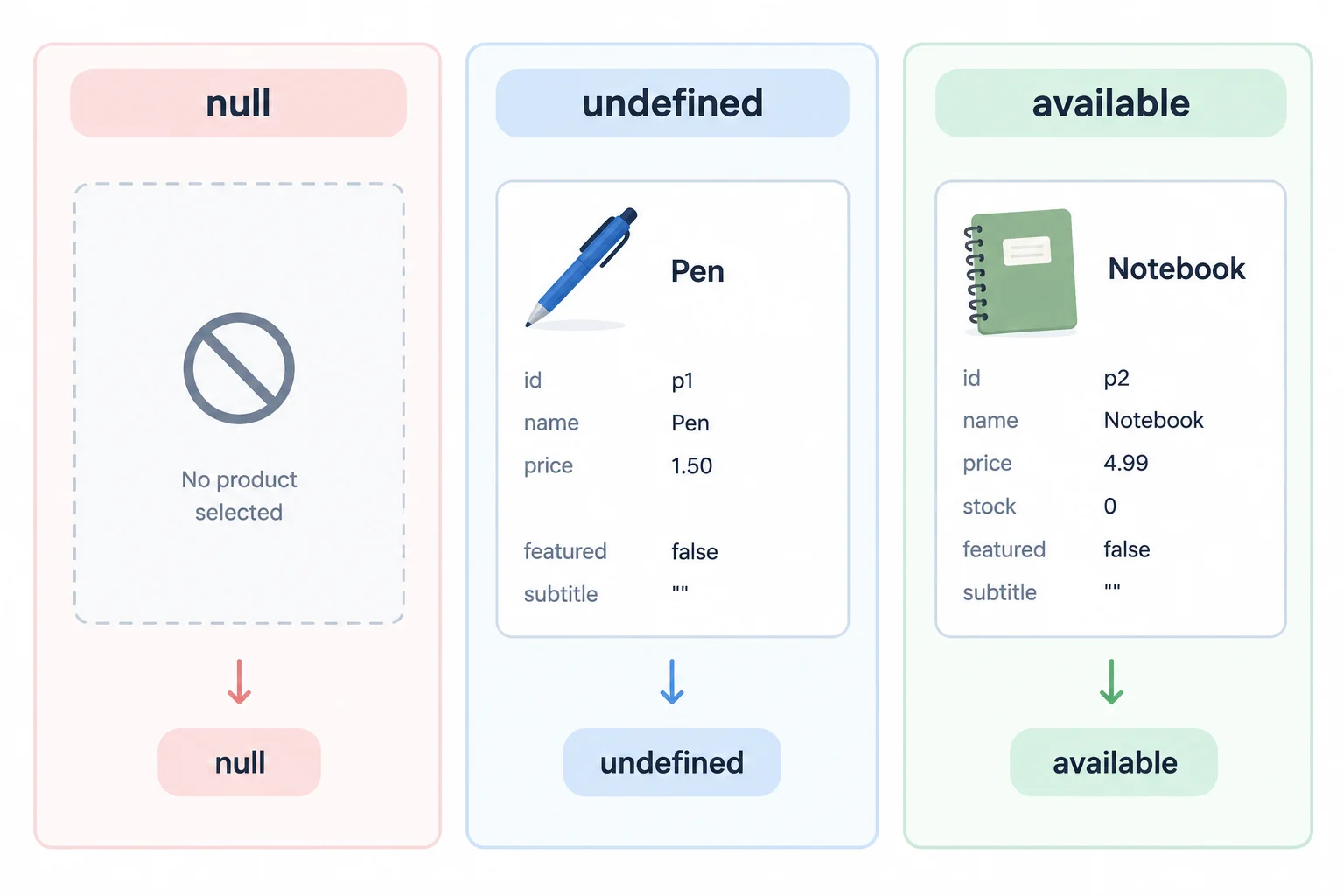
null is explicit absence; an omitted optional property reads as undefined. Values such as 0, false, and "" are still available values.
The optional-property marker affects the type you get when you read the property. It does not mean that every product object contains that property.
Use the existing product contracts and fixtures below. Hover a variable in your editor to inspect its inferred union type.
TypeScript infers a union for each optional-property read.
type ProductId = string | number;

type Product = {
  id: ProductId;
  name: string;
  stock?: number;
  featured?: boolean;
  subtitle?: string | null;
};

const notebook: Product = {
  id: 101,
  name: "Notebook",
  stock: 0,
  featured: false,
  subtitle: ""
};

const pen: Product = { id: "p-102", name: "Pen" };
const selectedProduct: Product | null = null;

const stock = pen.stock; // number | undefined
const subtitle = pen.subtitle; // string | null | undefined
These types describe the possible result of reading each value, not just the values in one fixture.
| Expression | Inferred type | Why |
|---|---|---|
| selectedProduct | Product | null | A selection can be explicitly absent. |
| pen.stock | number | undefined | stock is optional and omitted on pen. |
| pen.subtitle | string | null | undefined | subtitle is optional and may explicitly be null. |
Guard each missing alternative explicitly. After a branch returns, control flow knows that alternative cannot reach the code below it.
Do not use typeof subtitle === "object" to establish that a subtitle is available: typeof null is also "object", and undefined is a separate possibility. Once explicit null and undefined guards have returned, the remaining type is string.
Each early return removes one missing alternative from the remaining path.
function formatSubtitle(subtitle: string | null | undefined): string {
  if (subtitle === null) {
    return "No subtitle";
  }

  if (subtitle === undefined) {
    return "No subtitle";
  }

  return subtitle.toUpperCase();
}
Tip
An empty string reaches toUpperCase() safely because it is a string. A guard for absence must not discard it merely because it has no characters.
Complete the two explicit guards so the final string operation is safe.
function formatSubtitle(subtitle: string | null | undefined): string {
  if (subtitle === ) {
    return "No subtitle";
  }

  if (subtitle === ) {
    return "No subtitle";
  }

  return subtitle.toUpperCase();
}
Step 4 of 8
Use optional chaining and nullish coalescing to handle an absent product selection without replacing valid falsy product values.
selectedProduct may be a Product or null. Optional chaining, written as ?., checks its receiver before continuing a property access.
selectedProduct is null or undefined, the access stops and produces undefined.subtitle normally. That property can still be a string, null, or undefined.Optional chaining handles an absent receiver; it does not make fields from a different object type available.
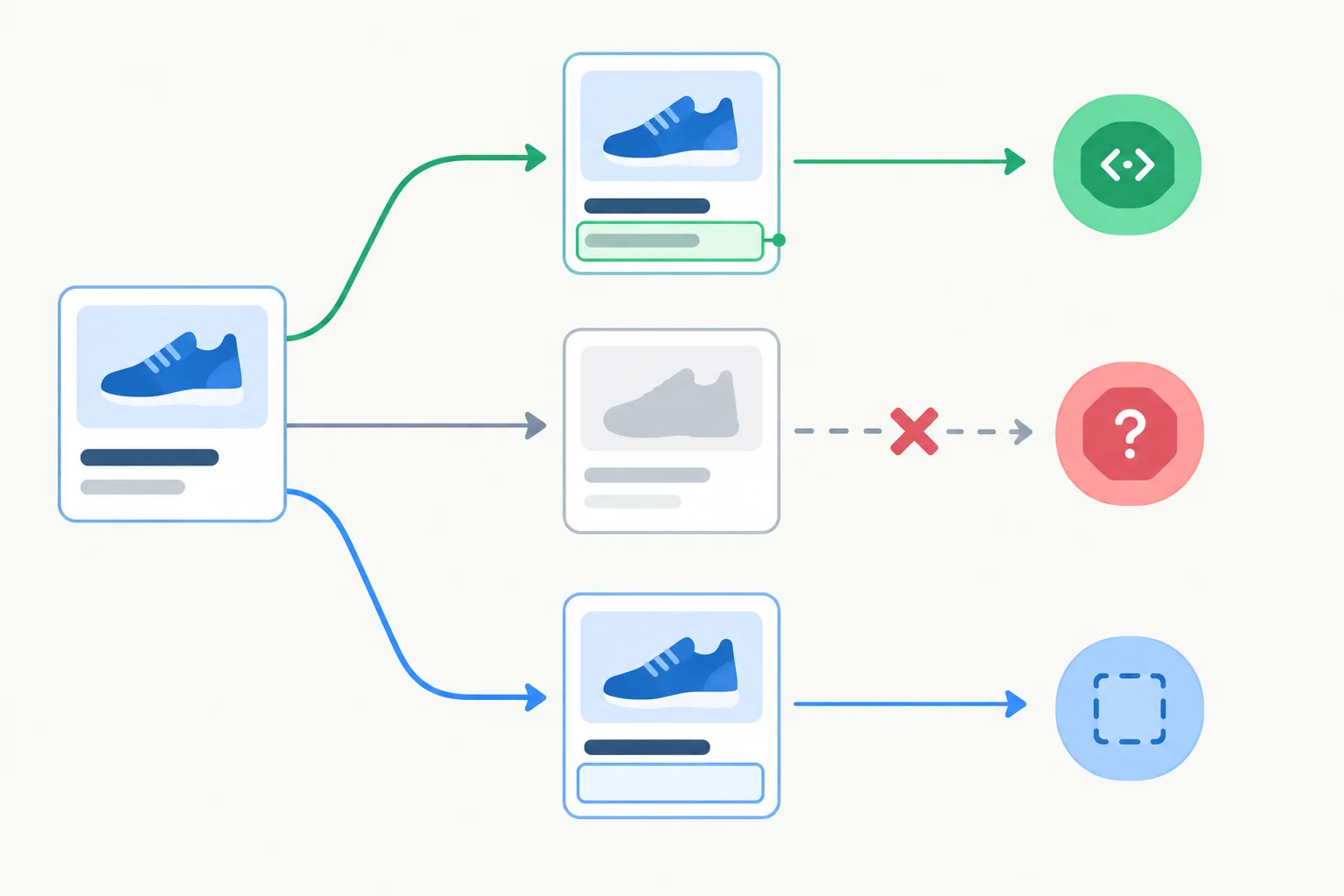
The chain stops only when its receiver is nullish. A subtitle that belongs to an available product keeps its own value.
The result can still contain the property’s own missing alternatives.
type ProductId = string | number;

type Product = {
  id: ProductId;
  name: string;
  stock?: number;
  featured?: boolean;
  subtitle?: string | null;
};

const selectedProduct: Product | null = {
  id: 101,
  name: "Notebook",
  stock: 0,
  featured: false,
  subtitle: ""
};

const subtitle = selectedProduct?.subtitle;
// subtitle: string | null | undefinedAn optional-chain result may need a fallback. Use nullish coalescing, ??, when the fallback should apply only to null or undefined.
This is different from logical OR, ||. OR treats every falsy value as a reason to use the fallback, including values that may be intentional in a product interface.
Compare the same fallback rule with values that are falsy or nullish.
| Stored value | value ?? "Default" | value || "Default" |
|---|---|---|
| 0 | 0 | "Default" |
| false | false | "Default" |
| "" (empty string) | "" (empty string) | "Default" |
| null | "Default" | "Default" |
| undefined | "Default" | "Default" |
Here, the main fixture keeps its intentional empty subtitle, zero stock, and false featured value. A fallback is used only when the selection or property is nullish.
const subtitleLabel = selectedProduct?.subtitle ?? "No subtitle";
const stockLabel = selectedProduct?.stock ?? 0;
const featuredLabel = selectedProduct?.featured ?? false;Complete the product-display expression.
const subtitleLabel = selectedProduct.subtitle "No subtitle";Use the main Notebook fixture: its stock is 0, its featured value is false, and its subtitle is an empty string. selectedProduct can also be absent.
0 with 10; false with true; empty string with "Fallback"; null with "Fallback"; undefined with "Fallback".stock with fallback 10, and one for subtitle with fallback "No subtitle". Both must safely handle an absent selection and preserve the fixture’s intentional values.Write at least 80 characters (0/80).

Step 5 of 8
Narrow a typed object union by checking a required property key, including when that property's value is an empty string.
SearchTarget can describe one of two object shapes:
query propertyproductId propertyBefore a check, TypeScript cannot assume that either property exists. The in operator checks whether an object has a property key. When you check "query" in target, TypeScript narrows the matching branch to the text-search shape.
This is a property-presence check, not a truthiness check. An empty string is still a present query property.
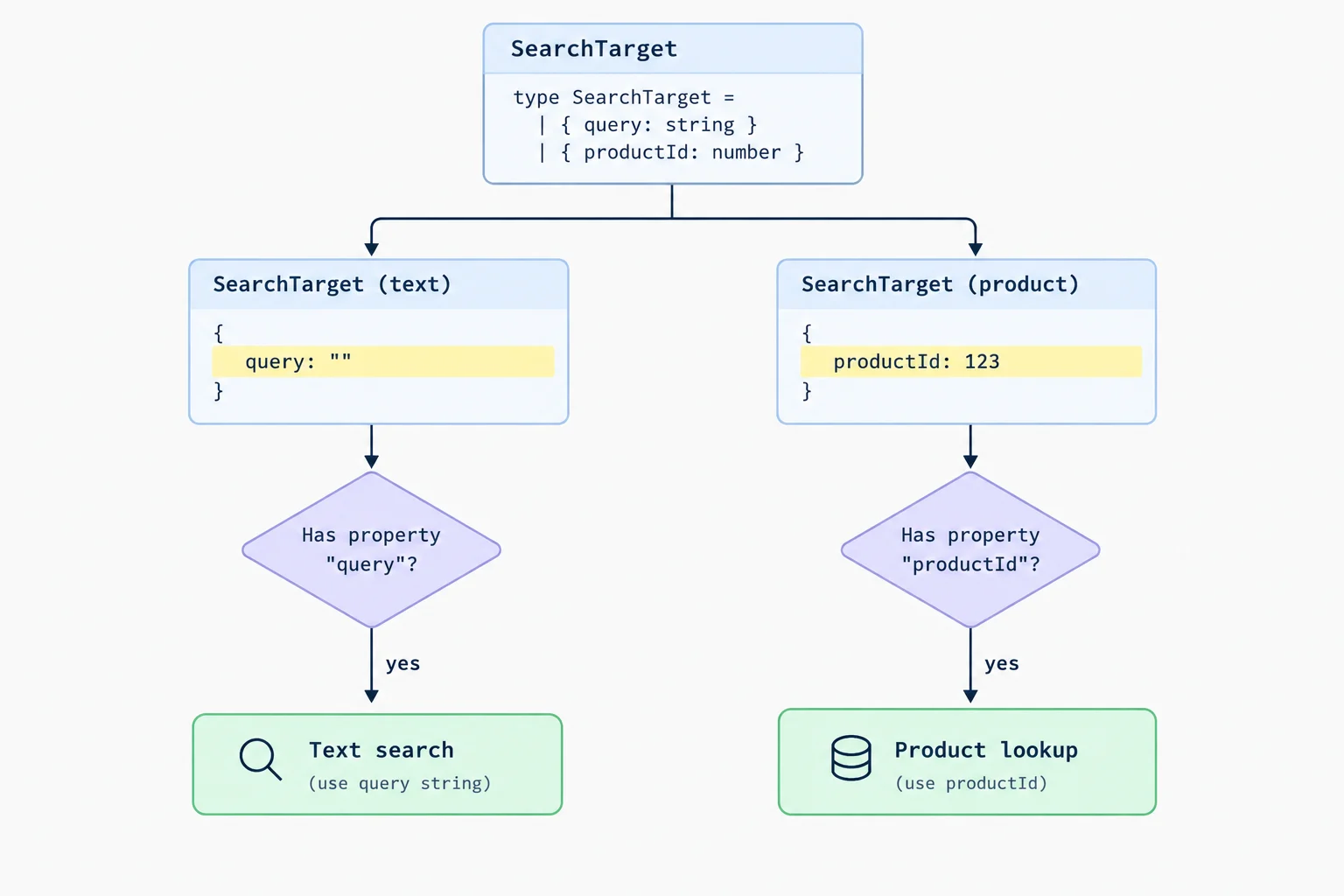
The key is present even when its string value is empty.
For a focused local check, temporarily use this complete example in src/main.ts. Run npx tsc --noEmit, then run npm run dev and inspect the browser console.
A required query key makes the first branch safe: it can read target.query.length. The other branch is narrowed to the shape that has productId.
type ProductId = string | number;

function formatProductId(id: ProductId): string {
  if (typeof id === "string") {
    return id.toUpperCase();
  }

  return id.toString();
}

type SearchTarget =
  | { query: string }
  | { productId: ProductId };

function getSearchTargetLabel(target: SearchTarget): string {
  if ("query" in target) {
    return `Text search (${target.query.length} characters)`;
  }

  return `Product lookup: ${formatProductId(target.productId)}`;
}

console.log(getSearchTargetLabel({ query: "" }));
console.log(getSearchTargetLabel({ productId: "p-102" }));Text search (0 characters) Product lookup: P-102
Open the browser console after starting Vite. The first line confirms that an empty query still takes the text-search branch.
Tip
This narrowing works because query is required in one alternative and absent from the other. A key that is optional, or appears in both alternatives, does not necessarily separate the shapes.
Also, in selects among alternatives that are already typed as SearchTarget. It does not validate arbitrary external data or prove that a property's value has the expected type.
Complete the condition. A text-search object may carry an empty string, so the first branch must be selected by its key rather than its value.
function getTargetKind(target: SearchTarget): string {
  if ("query"  target) {
    return `text:${target.query.length}`;
  }

  return `product:${formatProductId(target.productId)}`;
}
Step 6 of 8
Safely narrow DOM selections by checking both whether an element exists and whether it has the required input subtype.
document.querySelector("#product-query") can either find an element or find nothing, so TypeScript gives its result the type Element | null. The selector ID identifies what you looked for; it does not prove which HTML element was found.
A null guard proves that a selection exists. A second guard, instanceof HTMLInputElement, proves that the existing element is specifically an input. Only then is the input-only value property safe to read.
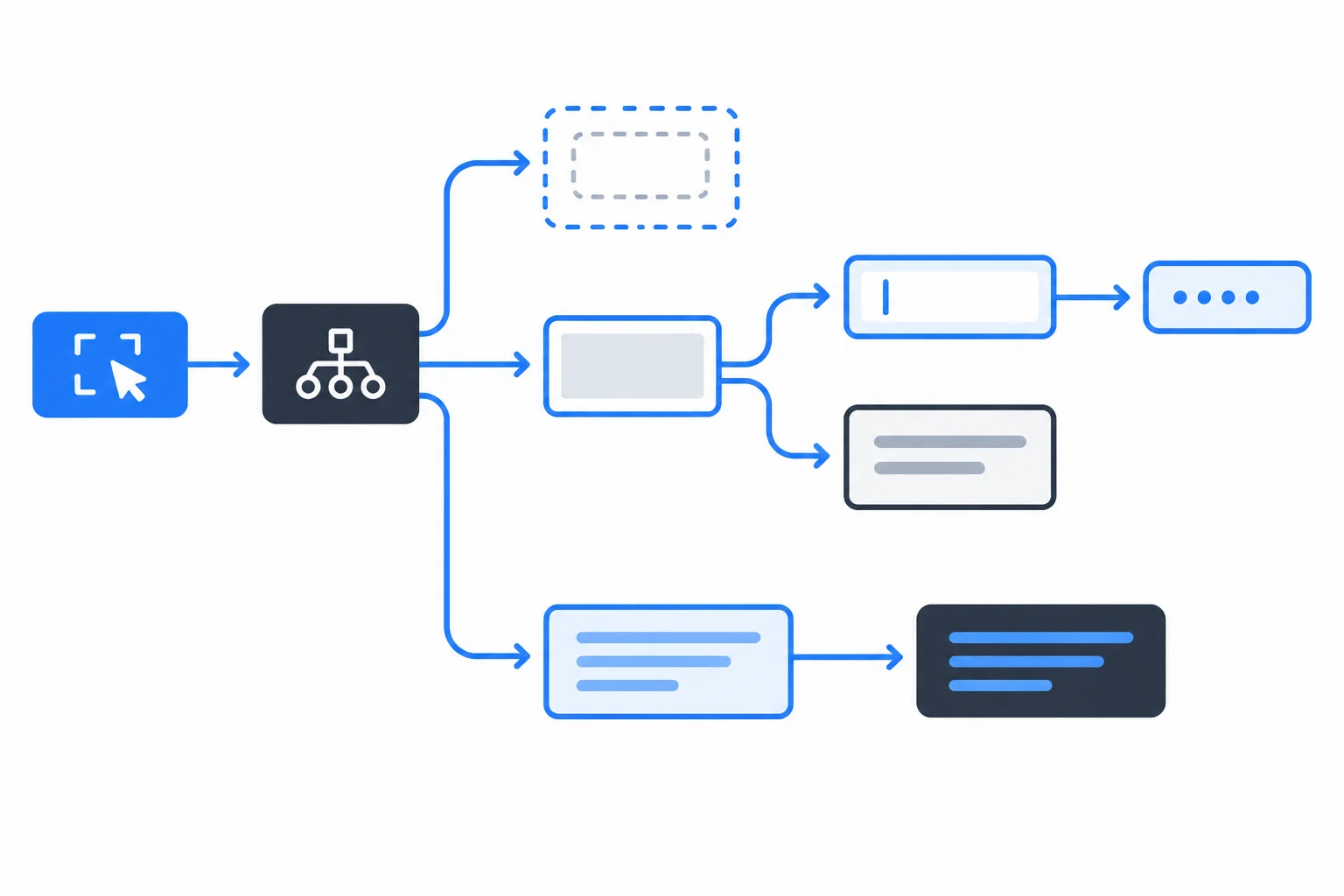
First establish presence; then establish the element subtype required by the property you need.
Tip
Element is a broad DOM type. It supports shared properties such as textContent, but not the input-specific value property. Therefore, a status element needs only an absence check before updating textContent.
Replace the relevant part of your existing index.html with this small search interface. Keep the status element in every test variation.
<!doctype html>
<html lang="en">
  <head>
    <meta charset="UTF-8" />
    <meta name="viewport" content="width=device-width, initial-scale=1.0" />
    <title>Product search</title>
  </head>
  <body>
    <label for="product-query">Search products</label>
    <input id="product-query" value="desk" />
    <p id="search-status" role="status"></p>
    <script type="module" src="/src/main.ts"></script>
  </body>
</html>The guards are deliberately separate. If the search input is absent, the code can show one message. If an element exists at that ID but is not an input, it can show a different message.
Select both references first. Guard statusElement before assigning its textContent; it does not need an input subtype check. Then guard queryElement for absence and subtype before reading its value.
Put the operations in the only safe order for reading the search input value.
Complete src/main.ts. The function should distinguish an absent selection from a found non-input element, then read the search value only in the remaining branch.
function showQueryStatus(): void {
  const queryElement = document.();
  const statusElement = document.querySelector("#search-status");

  if (statusElement === null) {
    return;
  }

  if (queryElement === ) {
    statusElement.textContent = "Search input is missing.";
    return;
  }

  if (!(queryElement  HTMLInputElement)) {
    statusElement.textContent = "Search target is not an input.";
    return;
  }

  const query = queryElement.;
  statusElement.textContent = `Query ready: ${query}`;
}

showQueryStatus();Enter your completed code in src/main.ts, then run npx tsc --noEmit and npm run dev.
Test three versions of index.html while keeping #search-status:
id="product-query".<div id="product-query"></div>.For each version, inspect the status region in the browser. The second and third cases should be distinguishable rather than treated as the same failure.
Report the status text for all three HTML versions. For the two non-ready versions, identify whether the absence guard or the subtype guard produced that result.
Write at least 90 characters (0/90).

Step 7 of 8
Model product-search outcomes as a discriminated union and safely use the payload available in each status branch.
A discriminated union is an object union in which every variant shares a discriminant property with a distinct literal value. Here, status identifies the current search outcome.
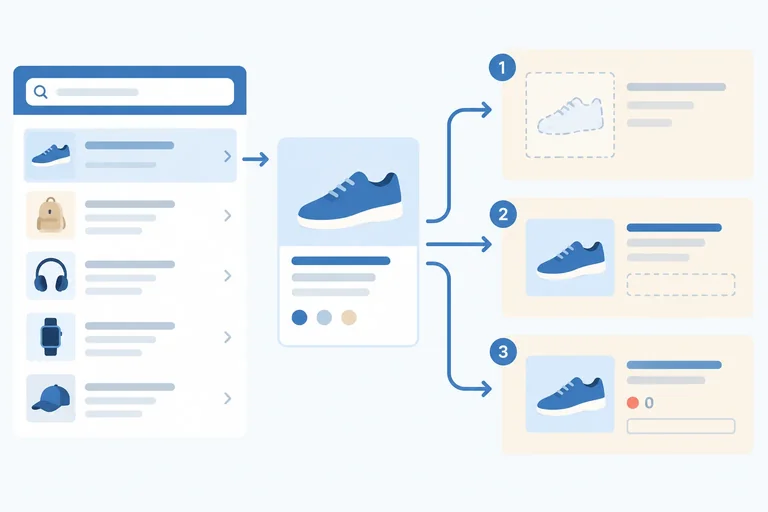
Each object represents one coherent state. A loading or empty search has no payload; a successful search owns products; a failed search owns message. This is safer than one broad object with several optional payload properties, where contradictory combinations could be possible.
Add this type alongside the existing Product type in src/main.ts.
type SearchState =
  | { status: "loading" }
  | { status: "empty" }
  | { status: "success"; products: Product[] }
  | { status: "error"; message: string };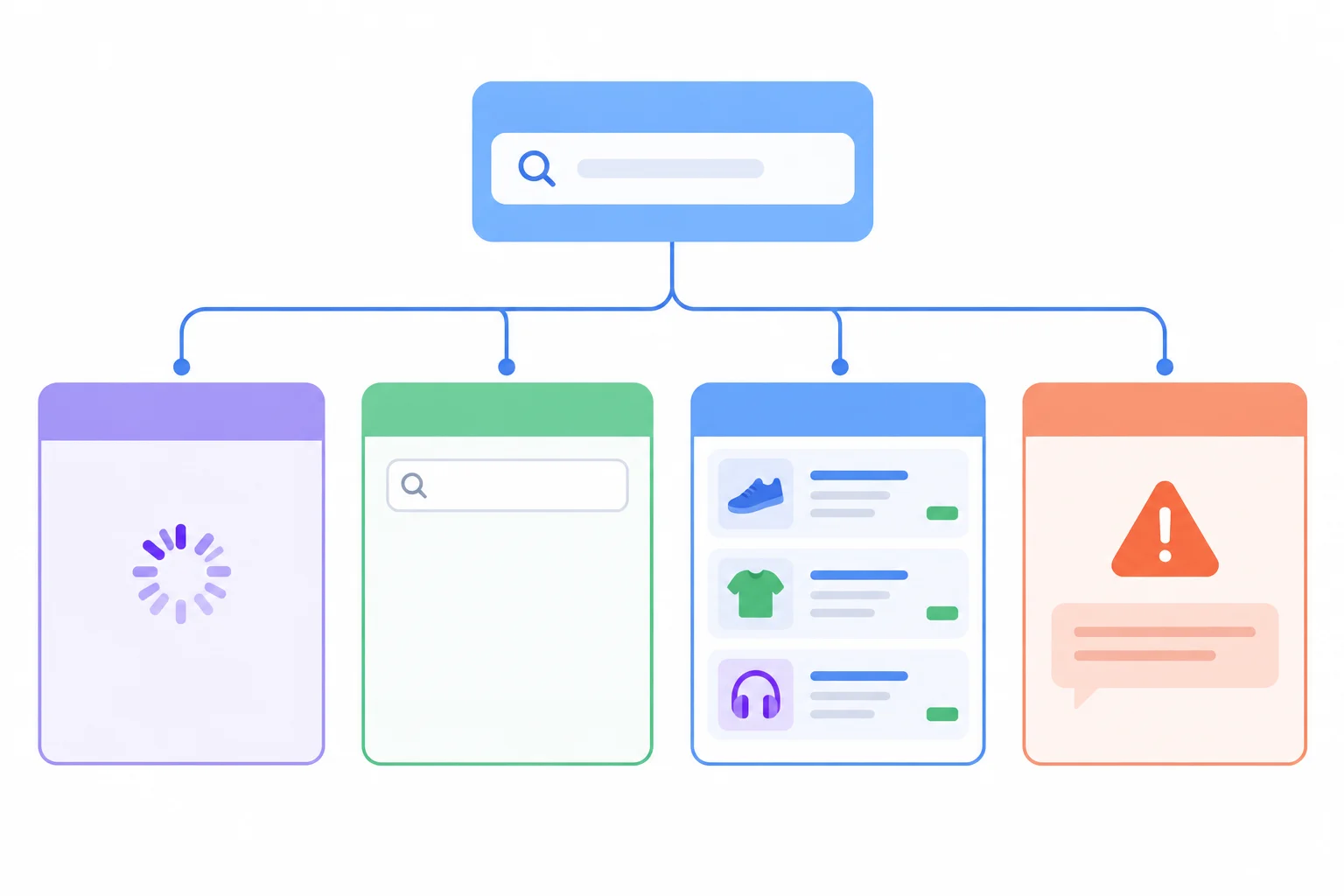
The status discriminant selects one complete object shape, not a mixture of payloads.
Which proposed value will TypeScript reject when it is assigned to SearchState?
A Product[] may contain zero items, even in the success variant. Choose the explicit empty outcome after checking products.length.
When status is checked, TypeScript narrows the whole state object in that branch. Therefore, products is available only in the success branch and message only in the error branch.
Use the state creator and message function in src/main.ts.
function createSearchState(products: Product[]): SearchState {
  if (products.length === 0) {
    return { status: "empty" };
  }

  return { status: "success", products };
}

function getSearchMessage(state: SearchState): string {
  switch (state.status) {
    case "loading":
      return "Searching products...";
    case "empty":
      return "No products found.";
    case "success":
      return `${state.products.length} products found.`;
    case "error":
      return `Search failed: ${state.message}`;
  }
}
Tip
Run npx tsc --noEmit after adding the code. The compiler accepts each payload access because the preceding case narrows state to its matching variant.
Complete the field accesses so this function reads each payload only in its matching narrowed branch.
function getSearchMessage(state: SearchState): string {
  switch (state.status) {
    case "loading":
      return "Searching products...";
    case "empty":
      return "No products found.";
    case "success":
      return `${state..length} products found.`;
    case "error":
      return `Search failed: ${state.}`;
  }
}
Step 8 of 8
Complete and locally verify a compact product-search interface that safely narrows unions, nullish values, DOM selections, object shapes, and interface states.
This final demo combines the checks you have already practiced. Each specialized operation follows a guard that answers one precise uncertainty:
typeof selects the current primitive alternative.=== null handles an absent selection or DOM lookup."query" in target selects an object shape by a required key.instanceof HTMLInputElement establishes an input subtype.state.status === ... selects one interface outcome.?? supplies a default only when a value is nullish.The goal is not new syntax. It is to connect each uncertainty to the guard that makes the next operation safe.
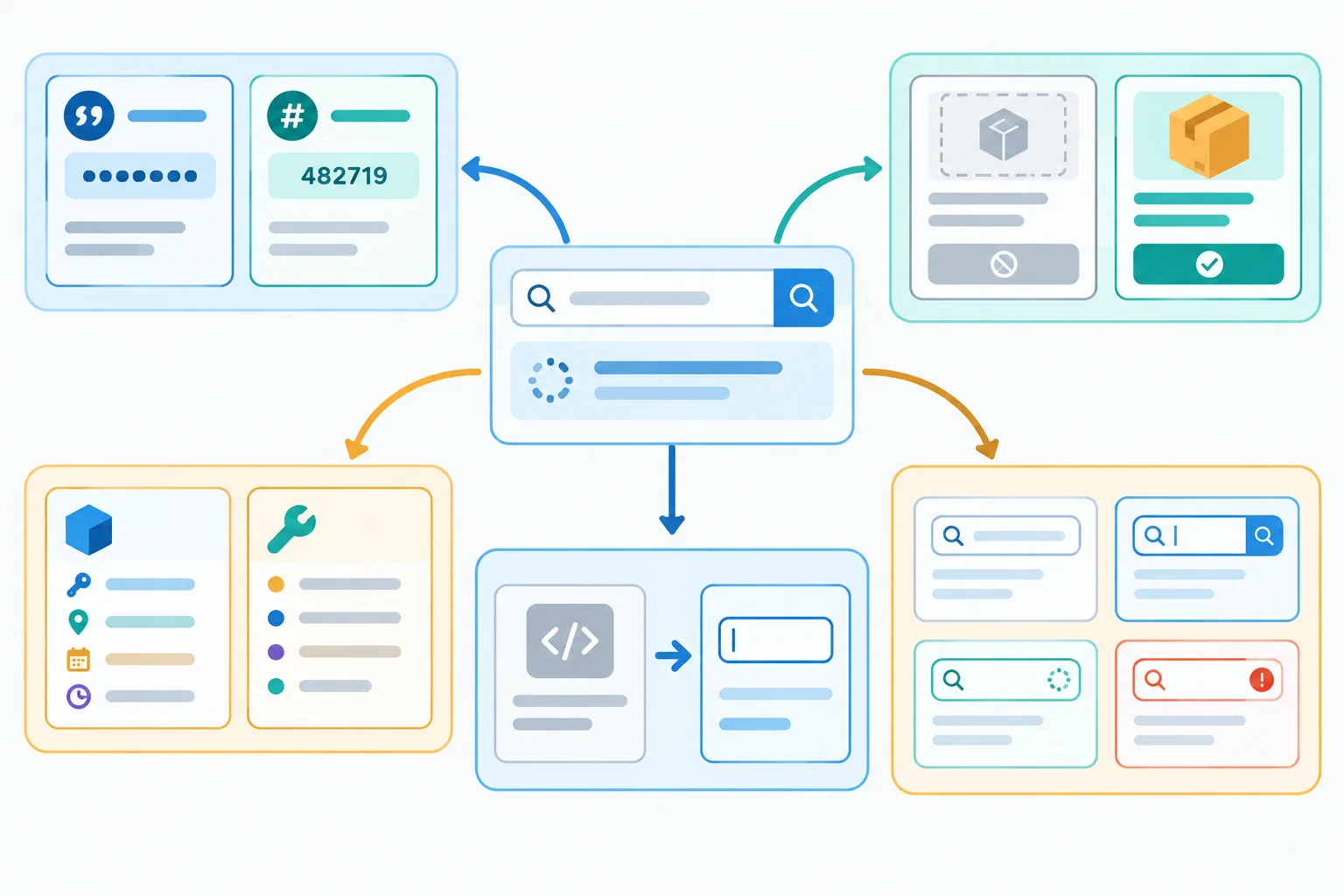
Narrowing removes only the alternative that prevents the next operation.
Use this map while reading and testing the supplied demo.
| Uncertainty | Guard | Safe next operation |
|---|---|---|
| `ProductId` | `typeof` | String or number formatting |
| `Product | null` | `=== null` or `?.` | Use a selected product |
| `SearchTarget` | `"query" in target` | Read the matching field |
| `Element | null` | Null check + `instanceof` | Read input `value` |
| `SearchState` | `status === ...` | Read variant payloads |
In your existing local Vite project, replace index.html with this small interface. It supplies the search input and the status region used by the TypeScript demo.
index.html
<!doctype html>
<html lang="en">
  <head>
    <meta charset="UTF-8" />
    <meta name="viewport" content="width=device-width, initial-scale=1.0" />
    <title>Product search</title>
  </head>
  <body>
    <main>
      <label for="product-query">Search products</label>
      <input id="product-query" type="search" />
      <p id="search-status" role="status"></p>
    </main>
    <script type="module" src="/src/main.ts"></script>
  </body>
</html>Replace src/main.ts with this first section. chooseSelectedProduct has an explicit Product | null return type, so changing its argument later keeps both alternatives available to TypeScript.
src/main.ts — part 1
type ProductId = string | number;
type ViewMode = "grid" | "list";

type Product = {
  id: ProductId;
  name: string;
  stock?: number;
  featured?: boolean;
  subtitle?: string | null;
};

type SearchTarget = { query: string } | { productId: ProductId };

type SearchState =
  | { status: "loading" }
  | { status: "empty" }
  | { status: "success"; products: Product[] }
  | { status: "error"; message: string };

const viewMode: ViewMode = "grid";
const productFixture: Product = {
  id: 101,
  name: "Notebook",
  stock: 0,
  featured: false,
  subtitle: ""
};
const secondProductFixture: Product = { id: "p-102", name: "Pen" };

function chooseSelectedProduct(hasSelection: boolean): Product | null {
  if (hasSelection) {
    return productFixture;
  }

  return null;
}

const selectedProduct: Product | null = chooseSelectedProduct(true);
const searchTarget: SearchTarget = { productId: secondProductFixture.id };
const state: SearchState = {
  status: "success",
  products: [productFixture, secondProductFixture]
};Append this directly after part 1.
function formatProductId(id: ProductId): string {
  if (typeof id === "string") {
    return `SKU ${id.toUpperCase()}`;
  }

  return `Product #${id.toFixed(0)}`;
}

function describeTarget(target: SearchTarget): string {
  if ("query" in target) {
    return `Query: ${target.query}`;
  }

  return `Product ID: ${formatProductId(target.productId)}`;
}

function getSearchMessage(state: SearchState): string {
  switch (state.status) {
    case "loading":
      return "Searching products...";
    case "empty":
      return "No products found.";
    case "success":
      return `${state.products.length} products found.`;
    case "error":
      return `Search failed: ${state.message}`;
  }
}Append this final section in src/main.ts. It checks the status element, distinguishes a missing query selection from a wrong element subtype, and preserves the fixture's intentional 0, false, and empty string with ??.
src/main.ts — part 3
const queryElement = document.querySelector("#product-query");
const statusElement = document.querySelector("#search-status");

function renderSearchStatus(
  selectedProduct: Product | null,
  state: SearchState
): void {
  if (statusElement === null) {
    return;
  }

  if (queryElement === null) {
    statusElement.textContent = "Search input is missing.";
    return;
  }

  if (!(queryElement instanceof HTMLInputElement)) {
    statusElement.textContent = "Search target is not an input.";
    return;
  }

  const stock = selectedProduct?.stock ?? "Unavailable";
  const featured = selectedProduct?.featured ?? false;
  const subtitle = selectedProduct?.subtitle ?? "No subtitle";
  const selectedName = selectedProduct?.name ?? "No selected product";
  const selectedId = selectedProduct === null
    ? "No product ID"
    : formatProductId(selectedProduct.id);

  queryElement.value = describeTarget(searchTarget);
  statusElement.textContent = `${getSearchMessage(state)} Mode: ${viewMode}. Selected: ${selectedName}; ID: ${selectedId}; stock: ${stock}; featured: ${featured}; subtitle: "${subtitle}"`;
}

renderSearchStatus(selectedProduct, state);Input value: Product ID: SKU P-102 Status region: 2 products found. Mode: grid. Selected: Notebook; ID: Product #101; stock: 0; featured: false; subtitle: ""
This is the expected browser result, not terminal output. A successful `npx tsc --noEmit` command is normally silent.
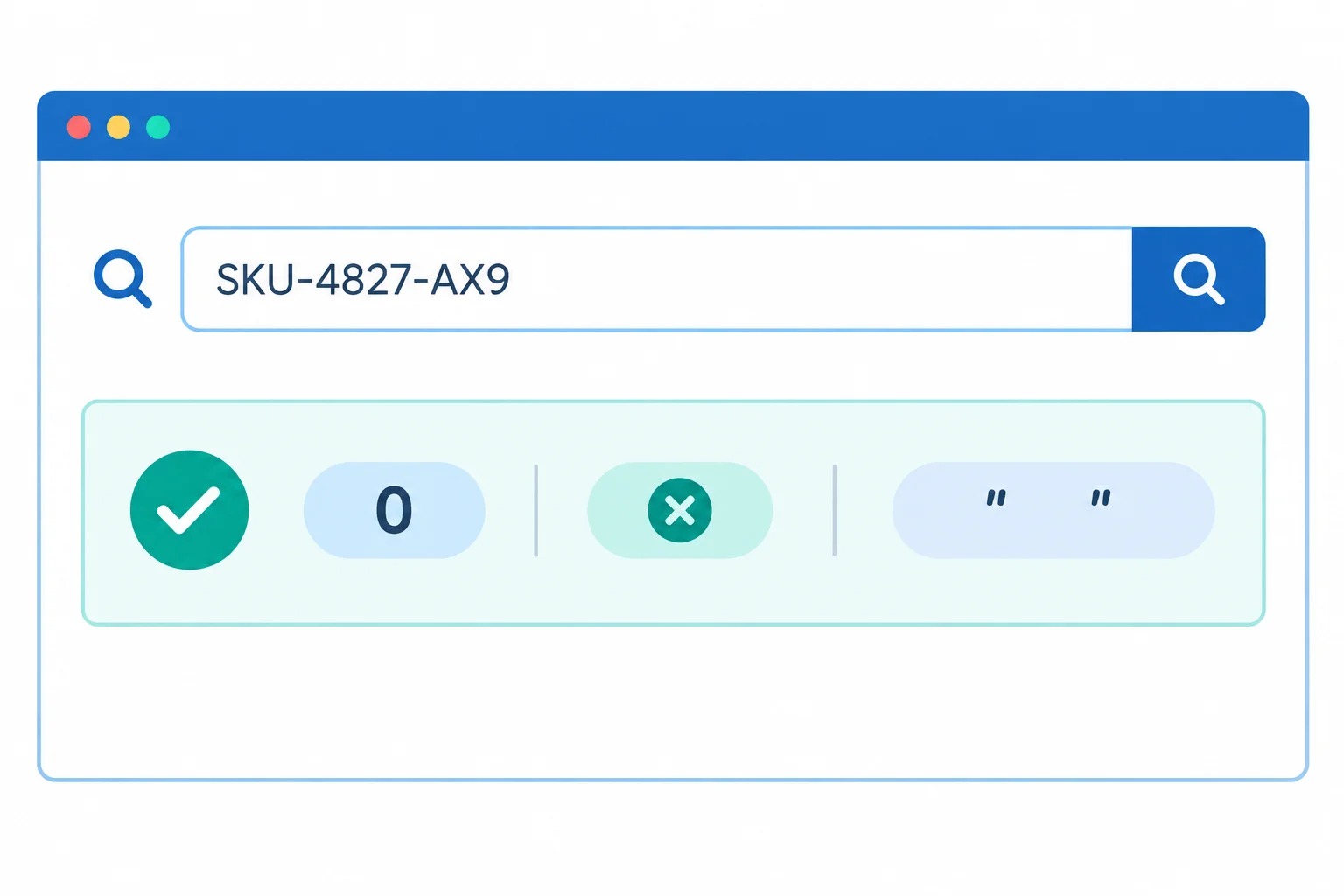
Compare exact initial strings with the code output; the image shows the layout and preserved-value result.
From the project folder, run the type check and then start the local preview. Open the local address printed by Vite.
Run these commands from the project folder.
npx tsc --noEmit
npm run dev> npm run dev > vite VITE v6.0.0 ready in 180 ms ➜ Local: http://localhost:5173/ ➜ press h + enter to show help
The Vite version, startup time, and local port can differ. Type checking succeeds without output when there are no diagnostics.
Complete this self-contained function so each access is safe and the stock default preserves an intentional zero.
function getCompactStatus(
  queryElement: Element | null,
  selectedProduct: Product | null,
  state: SearchState
): string {
  if (queryElement  null) {
    return "Search input is missing.";
  }

  if (!(queryElement  HTMLInputElement)) {
    return "Search target is not an input.";
  }

  const stock = selectedProduct?.stock  "Unavailable";

  if (state.status  "error") {
    return `Search failed: ${state.message}; stock: ${stock}`;
  }

  return `Query: ${queryElement.value}; ${getSearchMessage(state)}; stock: ${stock}`;
}Use your local copy for these controlled variations. After each source edit, run npx tsc --noEmit, refresh the browser, observe the result, and restore the initial code before the next variation.
0, false, and empty subtitle.state value one at a time with { status: "loading" }, { status: "empty" }, and { status: "error", message: "Network unavailable" }.chooseSelectedProduct(true) to chooseSelectedProduct(false). Its declared return type remains Product | null, so this variation must still type-check."#missing-query", then to "#search-status". Finally change the status selector to "#missing-status". The final case has no status region to update, but it should return safely without an exception.Summary
0, false, and empty-string values.SearchState payload available.Report your local verification in a short paragraph or bulleted list. Include the initial input and status result; all four SearchState messages; the result after the selected-product variation; the result for missing and wrong-type query selections; what occurred when the status selection was missing; and whether every variation passed npx tsc --noEmit. Mention that you restored the initial source afterward.
Write at least 260 characters (0/260).
Congratulations! You completed: Narrow Unions and Nullable Values
Thousands of online courses in video, ebooks and audiobooks.
To test your knowledge during online courses
Generated directly from your cell phone's photo gallery and sent to your email

Download our app via QR Code or the links below:.



Carry knowledge in your pocket.
Download the Cursa app.
There are hundreds of free courses available, with a free certificate of completion that is saved in your mobile image gallery.
Download the app to access the Course Completion Certificate for Free.


+ 10 million
students

Free and Valid
Certificate

60 thousand free
exercises

4.8/5 rating in
app stores

Free courses in
video and ebooks