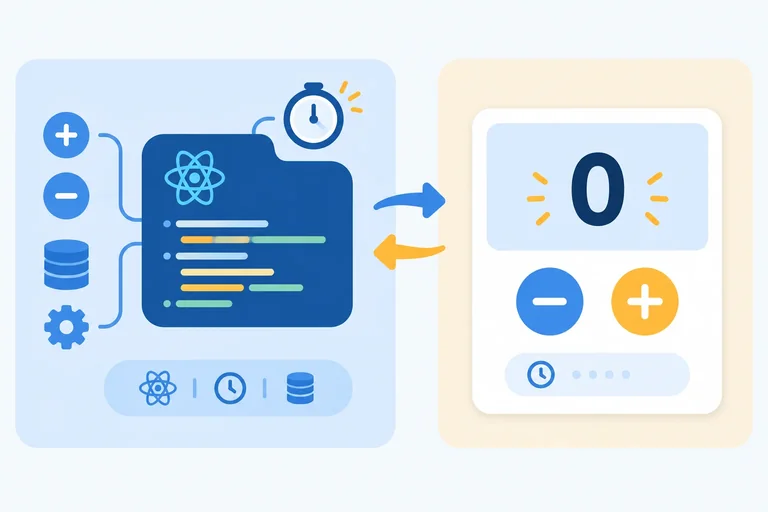
Step 1 of 6
Choose the Right Reusable Abstraction
Identify which counter code is pure, stateful reusable behavior, or component presentation before extracting a custom Hook.

Learning path · Level 10 · Tutorial 4
Extract reusable stateful behavior into a typed custom Hook while keeping rendering decisions in components. Distinguish sharing a Hook implementation from sharing its state.
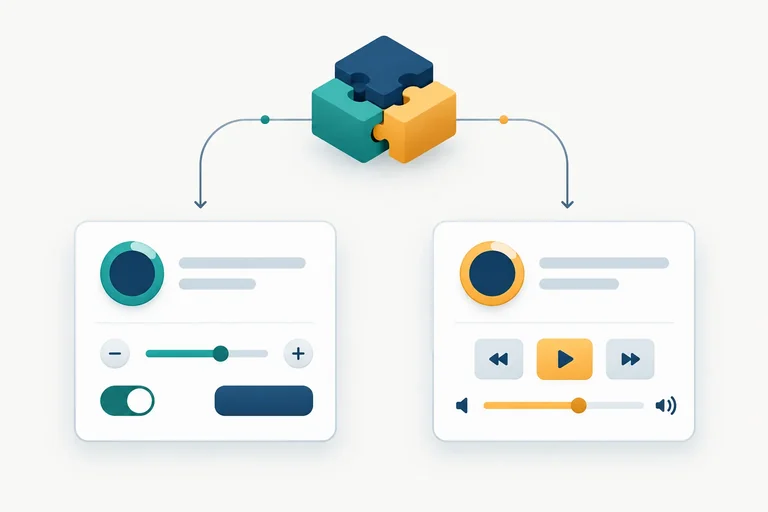
 Choose the Right Reusable Abstraction
Identify which counter code is pure, stateful reusable behavior, or component presentation before extracting a custom Hook. 2 min
Choose the Right Reusable Abstraction
Identify which counter code is pure, stateful reusable behavior, or component presentation before extracting a custom Hook. 2 min
 Define a Small, Typed Hook Contract
Define the typed input and return contract for a custom Hook, then apply the rules for calling it from a component. 2 min
Define a Small, Typed Hook Contract
Define the typed input and return contract for a custom Hook, then apply the rules for calling it from a component. 2 min
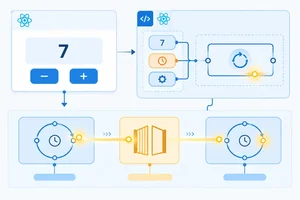 Extract the Logic Without Changing Its Lifecycle
Extract the inline timer behavior into a typed custom Hook while preserving its reactive input, dependencies, functional update, and cleanup lifecycle. 4 min
Extract the Logic Without Changing Its Lifecycle
Extract the inline timer behavior into a typed custom Hook while preserving its reactive input, dependencies, functional update, and cleanup lifecycle. 4 min
 Reuse the Hook in Two Different Interfaces
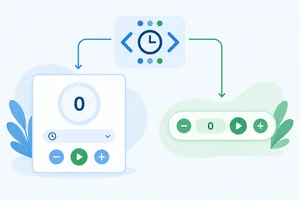
Connect two differently rendered counter components to one typed custom Hook contract while preserving presentation decisions in the consumers. 3 min
Reuse the Hook in Two Different Interfaces
Connect two differently rendered counter components to one typed custom Hook contract while preserving presentation decisions in the consumers. 3 min
 Prove That Reused Logic Has Independent State
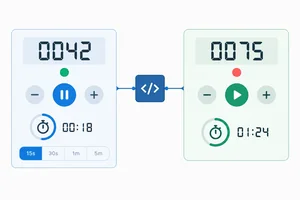
Predict and observe how two consumers reuse one custom Hook implementation while keeping their state and timer synchronization independent. 2 min
Prove That Reused Logic Has Independent State
Predict and observe how two consumers reuse one custom Hook implementation while keeping their state and timer synchronization independent. 2 min
 Review and Verify the Completed Refactor
Audit the completed typed custom Hook refactor, repair its lifecycle details, and verify independent consumers locally. 3 min
Review and Verify the Completed Refactor
Audit the completed typed custom Hook refactor, repair its lifecycle details, and verify independent consumers locally. 3 min
Step 1 of 6
Identify which counter code is pure, stateful reusable behavior, or component presentation before extracting a custom Hook.
When counter behavior appears in more than one interface, separate what React statefully does from what a component renders.
A custom Hook is a named composition of React Hooks and related behavior. It can group state, actions, and synchronization behind one reusable boundary. It is not a special mechanism that automatically creates shared state.
For this counter, the extraction candidate is the changing behavior: count state, running state, actions, and timer synchronization. The heading, buttons, and layout remain rendering decisions for a component.
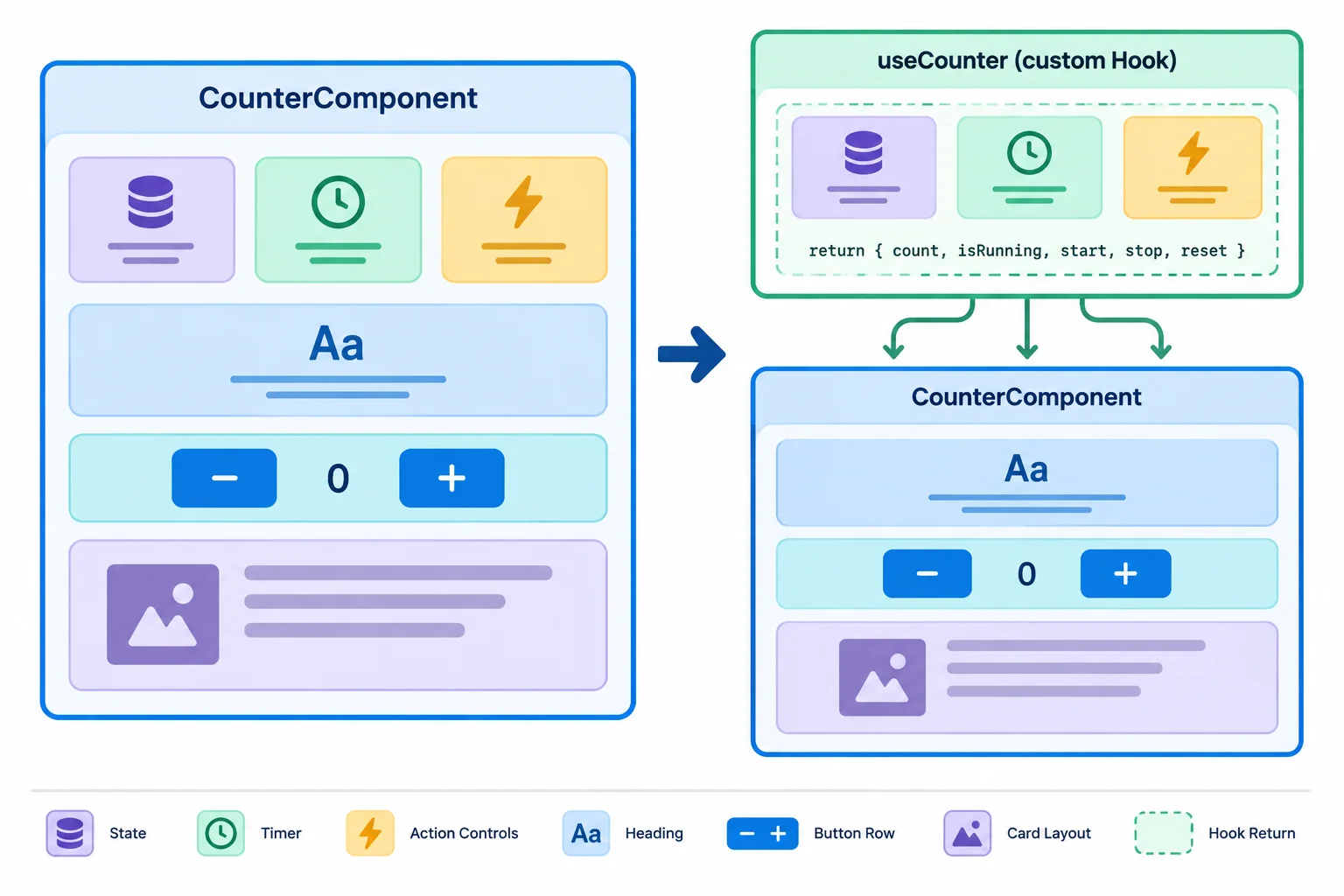
Extract stateful behavior; keep presentation decisions with the component.
Tip
Ask one boundary question: Can this code run without React state or React Hooks?
This keeps the Hook focused on behavior while each consumer remains free to present that behavior differently.
This pure helper receives a number and returns a string. It has no React state, Effect, or rendering work, so it is a plain function—not a custom Hook.
export function formatCount(count: number): string {
  return `Ticks: ${count}`;
}

formatCount(3); // 'Ticks: 3'Use the responsibility, rather than the file name, to select the abstraction.
| Work to do | Best home | Why |
|---|---|---|
| Format a numeric count | Plain function | Pure input-to-output calculation |
| Track count and running state | Custom Hook | Stateful reusable behavior |
| Start and clear a browser timer | Custom Hook | Timer synchronization belongs with behavior |
| Choose a heading and button arrangement | Component | It is a rendering decision |
| Choose compact or card-like spacing | Component | It is a layout decision |
Match each counter responsibility to its best home.
Tap an item and then its matching pair.

Step 2 of 6
Define the typed input and return contract for a custom Hook, then apply the rules for calling it from a component.
A Hook contract is the consumer-facing boundary of a custom Hook. For this counter, intervalMs is the numeric input. The Hook returns current values plus semantic actions—not JSX, DOM event objects, or raw state setters.
intervalMs remains a reactive input: a consumer can pass a supported value such as 1000 or 500, and the Hook receives that value for its behavior.
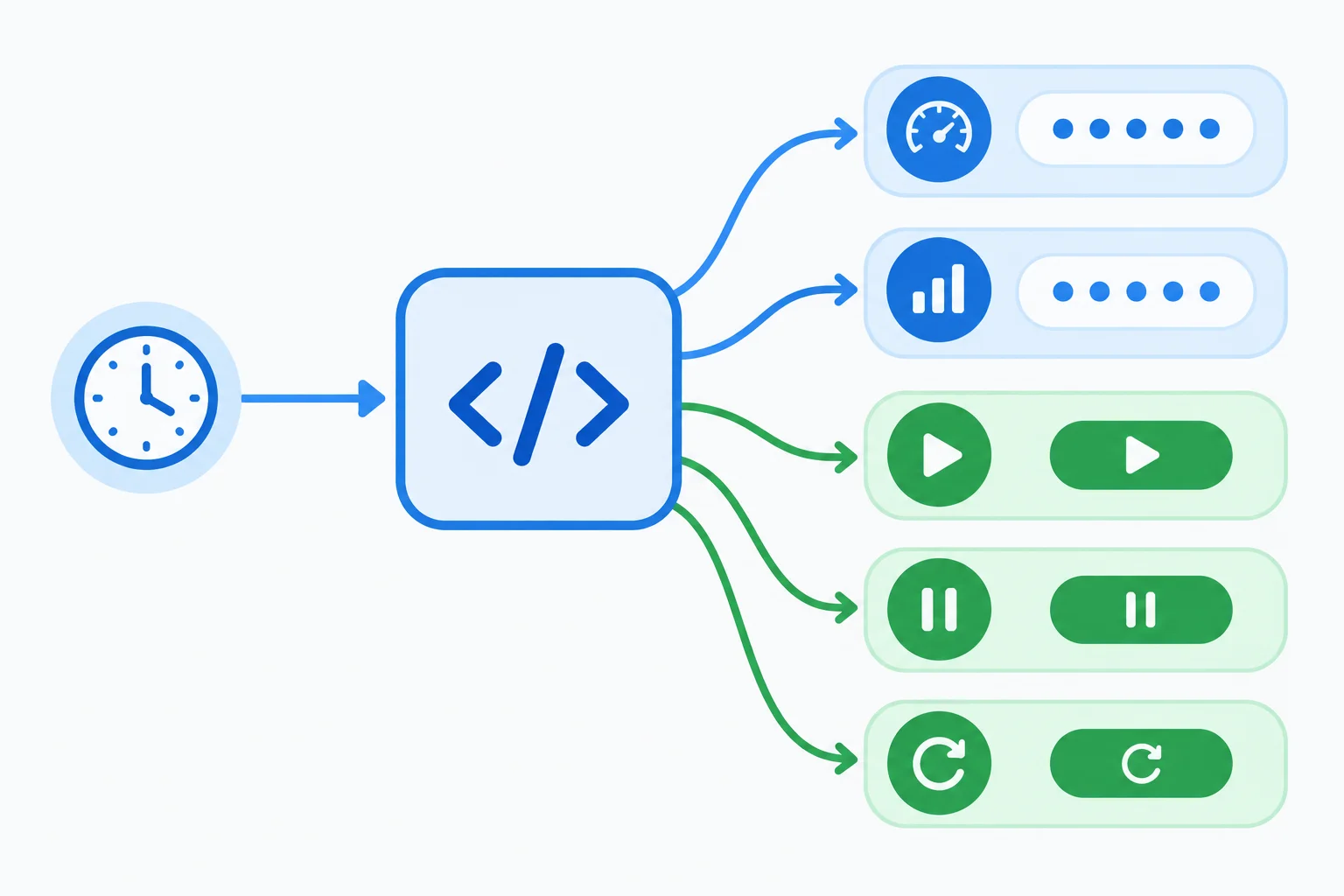
The consumer supplies an interval input and receives a small Hook contract. The component still decides how to render those results.
Tip
Keep the contract semantic. A consumer asks the counter to start, stop, or reset; it does not need to know which state setter or browser timer operation makes that happen.
Place the logic contract in src/features/counters/hooks/useTickCounter.ts. The named export is the custom Hook; start, stop, and reset are values returned by that Hook.
This is a contract sketch only. Its implementation comes next; consumers should depend on the types and meanings below, not on internal details.
src/features/counters/hooks/useTickCounter.ts — contract sketch
type TickCounter = {
  count: number;
  isRunning: boolean;
  start: () => void;
  stop: () => void;
  reset: () => void;
};

export function useTickCounter(
  intervalMs: number = 1000,
): TickCounter {
  throw new Error('Not implemented.');
}
The values report the current counter state. Each action expresses one allowed transition, so a consumer does not receive setCount or setIsRunning.
Action meanings
| Action | Promised behavior |
|---|---|
| start | Start the counter |
| stop | Stop without clearing the count |
| reset | Stop and set the count to 0 |
Complete the action callback types and the Hook declaration.
type TickCounter = {
  count: number;
  isRunning: boolean;
  start: ;
  stop: ;
  reset: ;
};

export function useTickCounter(
  : number = 1000,
):  {
  throw new Error('Not implemented.');
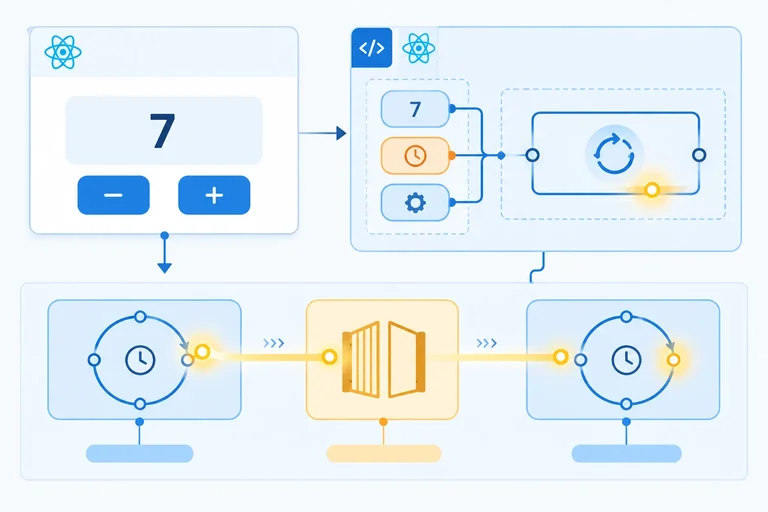
}Which consumer uses the custom Hook legally and connects its returned action correctly?
Step 3 of 6
Extract the inline timer behavior into a typed custom Hook while preserving its reactive input, dependencies, functional update, and cleanup lifecycle.
Before extraction, CounterCard owns the counter state, semantic actions, timer synchronization, and its JSX. The extraction moves only the stateful behavior into a custom Hook. The component remains responsible for its heading, status wording, controls, and layout.
This is the complete starting version to replace in src/features/counters/components/CounterCard.tsx. Its visible behavior must stay the same after extraction.
import { useEffect, useState } from 'react';

type CounterCardProps = {
  intervalMs: number;
};

export function CounterCard({ intervalMs }: CounterCardProps) {
  const [count, setCount] = useState(0);
  const [isRunning, setIsRunning] = useState(false);

  const start = (): void => {
    setIsRunning(true);
  };

  const stop = (): void => {
    setIsRunning(false);
  };

  const reset = (): void => {
    setIsRunning(false);
    setCount(0);
  };

  useEffect(() => {
    if (!isRunning) {
      return;
    }

    const intervalId = window.setInterval(() => {
      setCount((current) => current + 1);
    }, intervalMs);

    return () => {
      window.clearInterval(intervalId);
    };
  }, [isRunning, intervalMs]);

  return (
    <section>
      <h2>Counter A</h2>
      <p aria-live='polite'>{isRunning ? 'Running' : 'Stopped'}</p>
      <p>Ticks: {count}</p>
      <button type='button' onClick={start}>Start</button>
      <button type='button' onClick={stop}>Stop</button>
      <button type='button' onClick={reset}>Reset</button>
    </section>
  );
}Create src/features/counters/hooks/useTickCounter.ts. The custom Hook owns its state and Effect, receives intervalMs as a reactive input, and returns the Hook contract. It returns values and actions—not JSX or button handlers.
A consumer can render those returned values in any interface without knowing how the timer is synchronized.
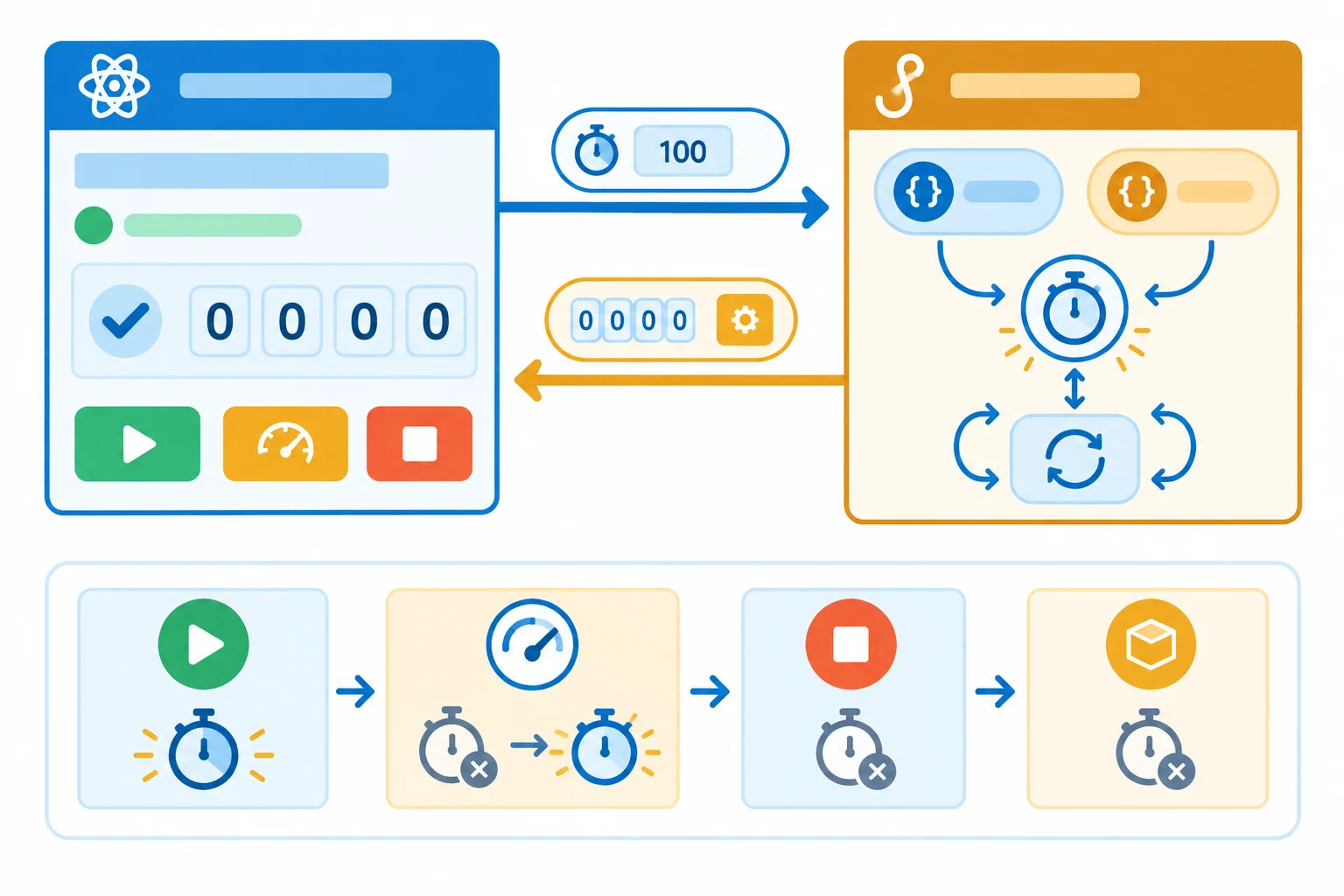
The Hook keeps the timer handle created by each setup. When a running interval changes, React cleans up that current handle before the replacement setup creates another one.
import { useEffect, useState } from 'react';

type TickCounter = {
  count: number;
  isRunning: boolean;
  start: () => void;
  stop: () => void;
  reset: () => void;
};

export function useTickCounter(intervalMs: number = 1000): TickCounter {
  const [count, setCount] = useState(0);
  const [isRunning, setIsRunning] = useState(false);

  const start = (): void => {
    setIsRunning(true);
  };

  const stop = (): void => {
    setIsRunning(false);
  };

  const reset = (): void => {
    setIsRunning(false);
    setCount(0);
  };

  useEffect(() => {
    if (!isRunning) {
      return;
    }

    const intervalId = window.setInterval(() => {
      setCount((current) => current + 1);
    }, intervalMs);

    return () => {
      window.clearInterval(intervalId);
    };
  }, [isRunning, intervalMs]);

  return { count, isRunning, start, stop, reset };
}
Tip
intervalMs stays an input to the custom Hook. Do not copy it into state: a new input such as 500 ms must cause the Effect to replace the running interval. The functional updater also remains unchanged, so the timer callback does not rely on a captured count value.
Complete the missing cleanup method, reactive dependencies, and Hook-contract action.
useEffect(() => {
  if (!isRunning) {
    return;
  }

  const intervalId = window.setInterval(() => {
    setCount((current) => current + 1);
  }, intervalMs);

  return () => {
    window.(intervalId);
  };
}, [, ]);

return {
  count,
  isRunning,
  start,
  stop,
  ,
};A running consumer changes its interval from 1000 ms to 500 ms. Put the lifecycle events in order.
Step 4 of 6
Connect two differently rendered counter components to one typed custom Hook contract while preserving presentation decisions in the consumers.
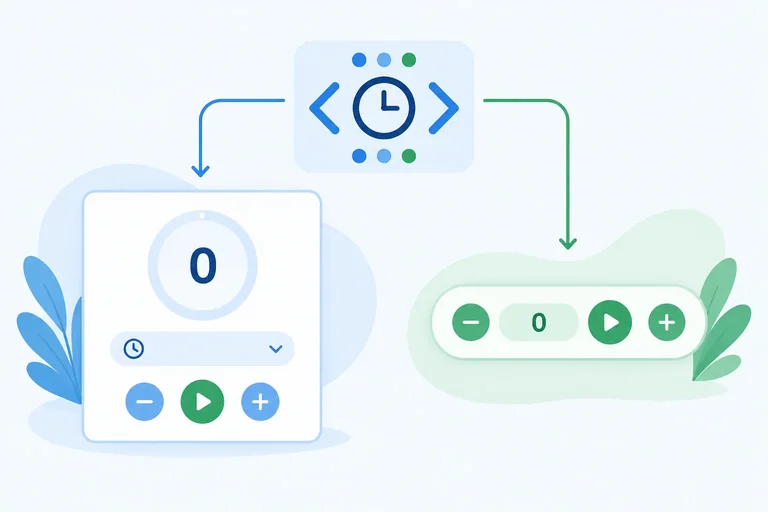
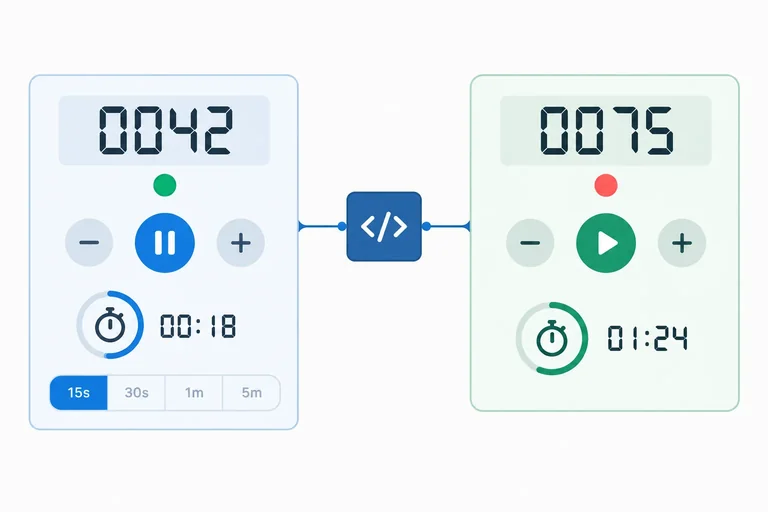
CounterCard and CompactCounter are consumers of the same useTickCounter Hook contract. Each consumer calls the custom Hook once at its top level, destructures its values and actions, and decides how to render them.
The custom Hook owns counter behavior. The consumers own headings, status wording, button arrangement, and other JSX choices. App composes both consumers and owns Counter A’s selected interval.
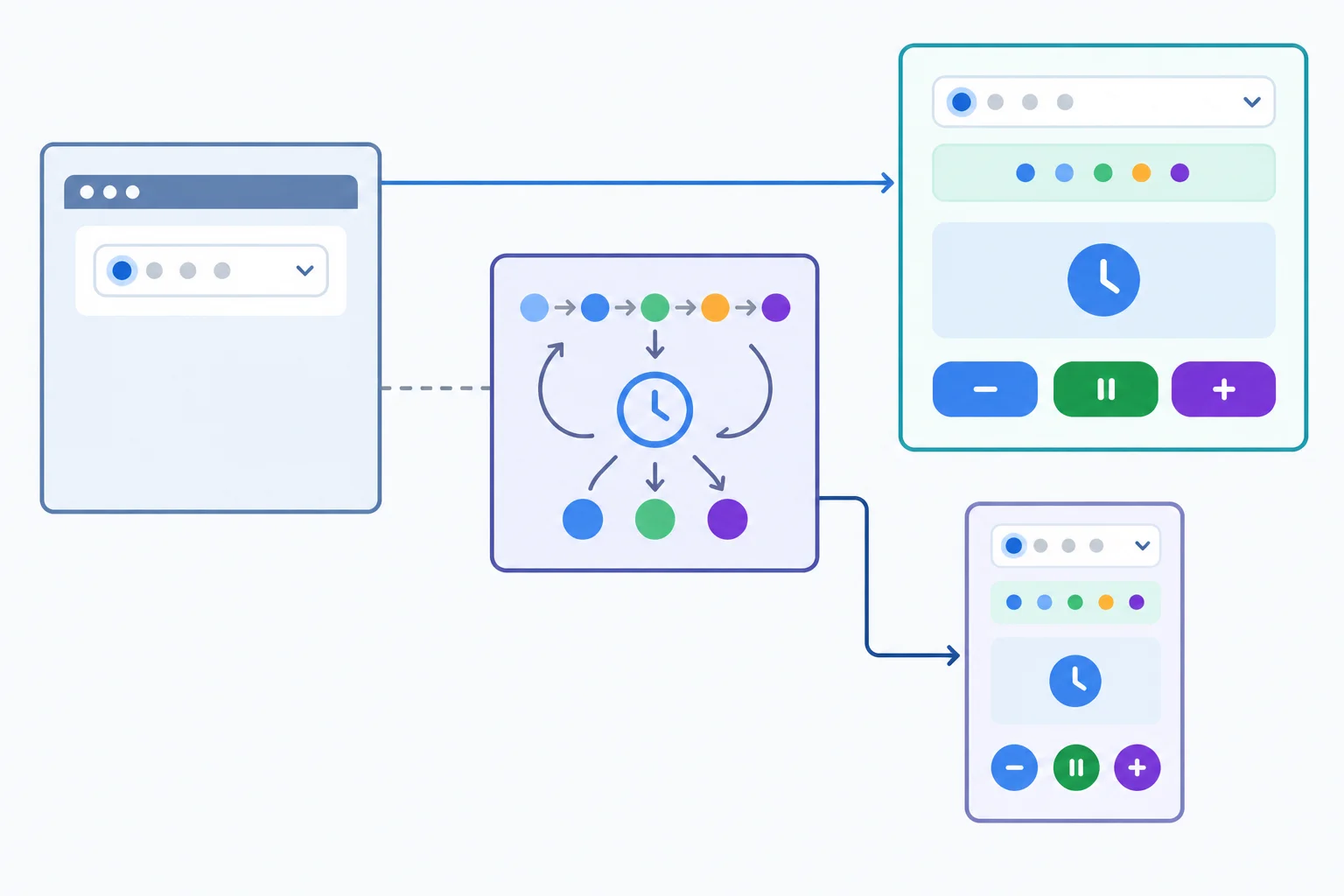
Both presentation components import one behavior implementation, while their layouts remain local.
Tip
Keep JSX out of the custom Hook. A consumer can use the same values and actions in a card, toolbar, dialog, or another interface without changing the Hook contract.
Replace src/features/counters/components/CounterCard.tsx with this complete consumer. It receives Counter A’s selected interval and callback from App, calls the custom Hook once, and retains the full-card interface.
import { useTickCounter } from '../hooks/useTickCounter';

type CounterCardProps = {
  intervalMs: 1000 | 500;
  onIntervalMsChange: (intervalMs: 1000 | 500) => void;
};

export function CounterCard({
  intervalMs,
  onIntervalMsChange,
}: CounterCardProps) {
  const { count, isRunning, start, stop, reset } = useTickCounter(intervalMs);

  return (
    <section>
      <h2>Counter A</h2>
      <label>
        Interval
        <select
          value={intervalMs}
          onChange={(event) => {
            const selectedIntervalMs = Number(event.currentTarget.value);
            if (selectedIntervalMs === 1000 || selectedIntervalMs === 500) {
              onIntervalMsChange(selectedIntervalMs);
            }
          }}
        >
          <option value={1000}>1000 ms</option>
          <option value={500}>500 ms</option>
        </select>
      </label>
      <p>{`Ticks: ${count}`}</p>
      <p aria-live='polite'>{isRunning ? 'Running' : 'Stopped'}</p>
      <button type='button' onClick={start}>Start</button>
      <button type='button' onClick={stop}>Stop</button>
      <button type='button' onClick={reset}>Reset</button>
    </section>
  );
}The custom Hook is called while CounterCard renders. Later, native button handlers invoke the returned start, stop, and reset actions. Do not call a custom Hook from an event handler.
Create or replace src/features/counters/components/CompactCounter.tsx with this complete consumer. It uses the fixed supported interval of 1000 ms and deliberately presents the same Hook contract in a different layout.
import { useTickCounter } from '../hooks/useTickCounter';

export function CompactCounter() {
  const { count, isRunning, start, stop, reset } = useTickCounter(1000);

  return (
    <section>
      <h2>Counter B</h2>
      <p>Interval: 1000 ms</p>
      <p>{`Ticks: ${count}`}</p>
      <p>{isRunning ? 'Running' : 'Stopped'}</p>
      <button type='button' onClick={start}>Start</button>
      <button type='button' onClick={stop}>Stop</button>
      <button type='button' onClick={reset}>Reset</button>
    </section>
  );
}Replace src/App.tsx with this complete composition. App owns Counter A’s selectable interval, initially 1000. Counter B has no interval prop because its consumer uses a fixed 1000 ms input. Keep the existing src/features/counters/hooks/useTickCounter.ts implementation from the previous step and retain your existing React–TypeScript entry point and tooling.
import { useState } from 'react';
import { CompactCounter } from './features/counters/components/CompactCounter';
import { CounterCard } from './features/counters/components/CounterCard';

export function App() {
  const [counterAIntervalMs, setCounterAIntervalMs] = useState<1000 | 500>(1000);

  return (
    <main>
      <h1>Tick counters</h1>
      <CounterCard
        intervalMs={counterAIntervalMs}
        onIntervalMsChange={setCounterAIntervalMs}
      />
      <CompactCounter />
    </main>
  );
}Tick counters Counter A Interval: [1000 ms] Ticks: 0 Stopped [Start] [Stop] [Reset] Counter B Interval: 1000 ms Ticks: 0 Stopped [Start] [Stop] [Reset]
Expected initial rendered interface after starting your local development server. The exact browser styling depends on your existing CSS.
Complete the Hook consumption in both consumers and the individual action bindings. Each custom Hook call belongs at the component’s top level.
export function CounterCard({ intervalMs }: CounterCardProps) {
  const  = useTickCounter(intervalMs);

  return (
    <section>
      <p>{`Ticks: ${count}`}</p>
      <p>{isRunning ? 'Running' : 'Stopped'}</p>
      <button type='button' onClick={}>Start</button>
      <button type='button' onClick={}>Stop</button>
      <button type='button' onClick={}>Reset</button>
    </section>
  );
}

export function CompactCounter() {
  const  = useTickCounter(1000);

  return (
    <section>
      <p>{`Ticks: ${count}`}</p>
      <p>{isRunning ? 'Running' : 'Stopped'}</p>
      <button type='button' onClick={}>Start</button>
      <button type='button' onClick={stop}>Stop</button>
      <button type='button' onClick={reset}>Reset</button>
    </section>
  );
}Match each responsibility to the place where it belongs after this extraction.
Tap an item and then its matching pair.
Step 5 of 6
Predict and observe how two consumers reuse one custom Hook implementation while keeping their state and timer synchronization independent.
One imported custom Hook implementation can serve many consumers, but it does not create one shared state record. Every top-level call to useTickCounter creates local count and isRunning state for that consumer and its own timer synchronization.
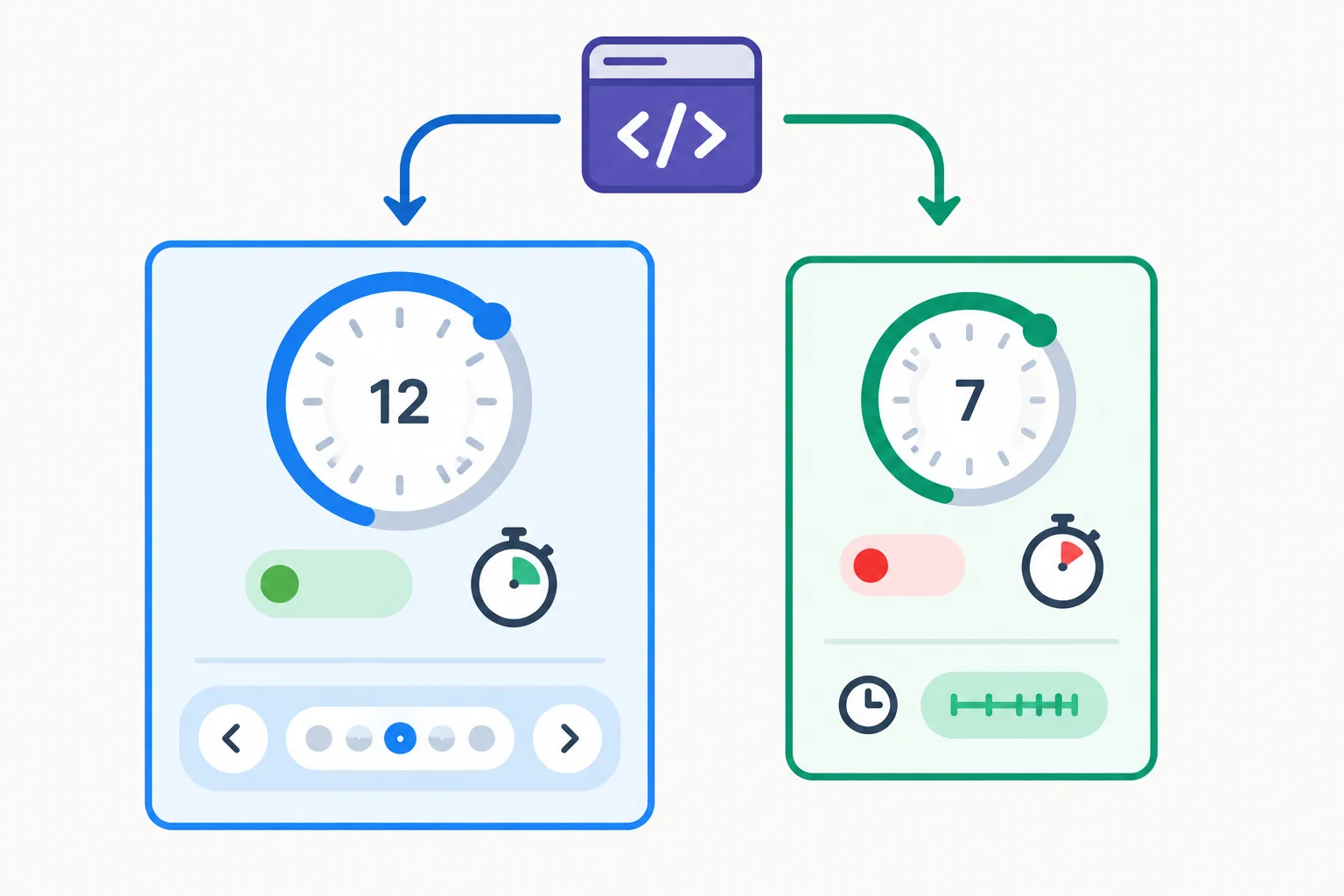
Counter A and Counter B reuse one Hook implementation while owning separate state and timer lifecycles.
CounterCard calls useTickCounter once for Counter A. CompactCounter calls it once for Counter B. The calls run the same Hook implementation, but they are different call sites with independent state.
Starting, stopping, or resetting one consumer acts on the values returned to that consumer. It does not reach into the other component’s Hook call.
Example
Same implementation, two local instances
count, isRunning, actions, and timer synchronization from its call.count, isRunning, actions, and timer synchronization from its call.An import makes behavior reusable. It does not turn Hook state into module-level storage.
If a product genuinely needs shared state, first choose a deliberate state owner. Reusing a custom Hook alone is not a substitute for that ownership decision.
Tip
Changing Counter A from 1000 ms to 500 ms changes Counter A’s reactive intervalMs input only. Counter B continues using its fixed 1000 ms input and keeps its own state.
Why do Counter A and Counter B keep independent state even though they import the same custom Hook?
On your own computer, use the completed app and perform this sequence:
1000 ms to 500 ms.Before running it, predict which consumer should change after each action. Then run it and report what you observed. Discuss ticks and statuses qualitatively—do not rely on exact tick totals. Include whether Counter B’s interval changed.
Write at least 180 characters (0/180).

Step 6 of 6
Audit the completed typed custom Hook refactor, repair its lifecycle details, and verify independent consumers locally.
A completed extraction needs two kinds of evidence. Visible checks show that each consumer responds to its own controls. Source inspection confirms the behavior that a screen cannot prove: the reactive dependencies and cleanup of the timer Effect.
Use this final audit: the counter behavior belongs in a custom Hook; its consumer-facing Hook contract exposes values and semantic actions; consumers call it at top level and retain their JSX; and each call has independent state.
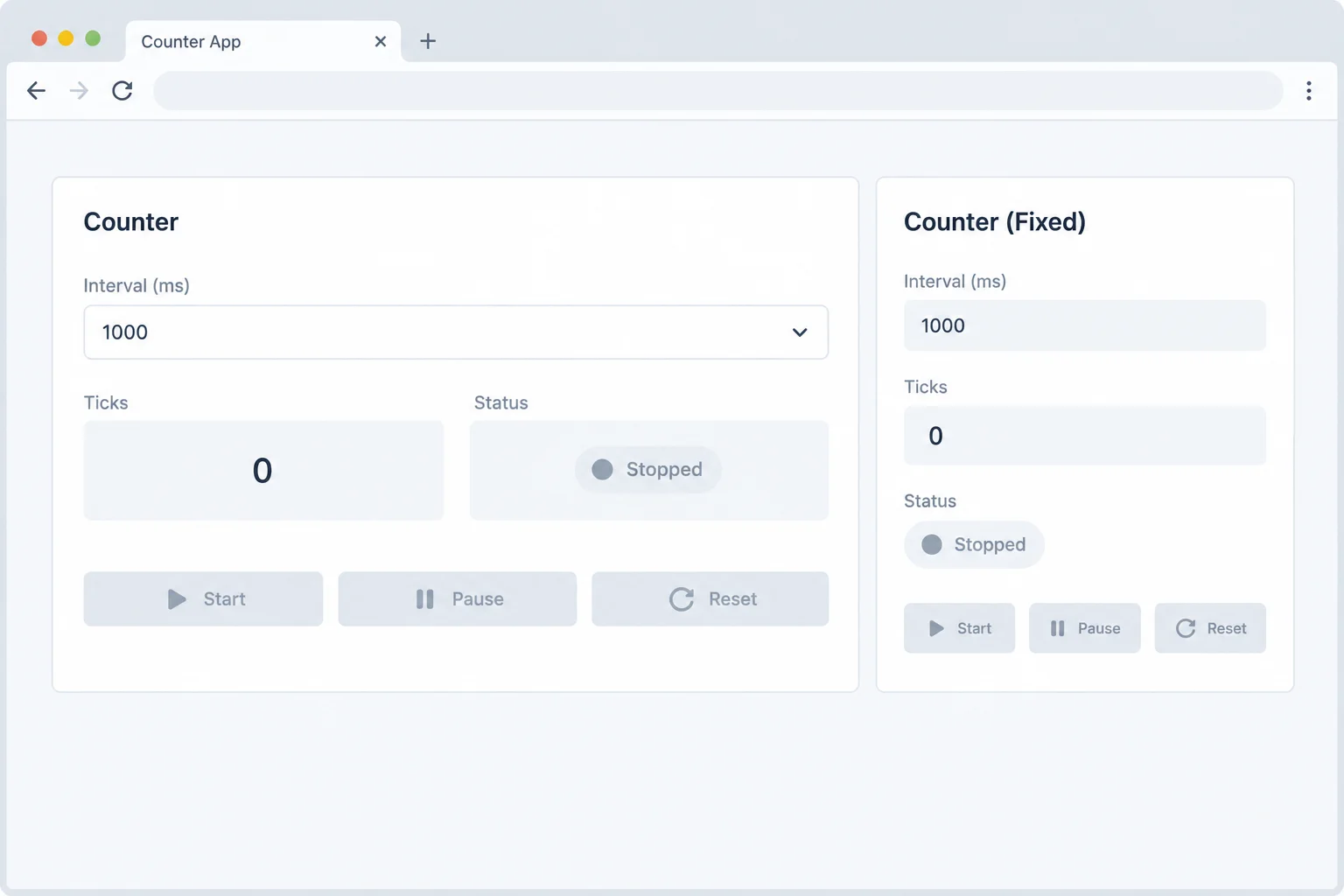
Before interaction, both consumers render their own initial state: zero ticks and a stopped status.
Check the implementation and the interface separately before considering the refactor complete.
| Review area | Confirm |
|---|---|
| Abstraction | Pure formatting remains a plain function; timer behavior is a custom Hook. |
| Hook contract | The named Hook accepts intervalMs and returns count, isRunning, start, stop, and reset. |
| Consumer boundary | Components call the Hook at top level and keep their JSX, labels, and handlers. |
| Effect lifecycle | The Effect depends on isRunning and intervalMs and clears its own intervalId. |
| State ownership | Counter A and Counter B each call the Hook, so their state and timers are independent. |
Repair this compact Hook implementation. Complete the Hook boundary and timer lifecycle without adding presentation code.
Complete the missing Hook name, cleanup method, and Effect dependencies.
export function (intervalMs: number = 1000): TickCounter {
  const [count, setCount] = useState(0);
  const [isRunning, setIsRunning] = useState(false);

  const start = (): void => {
    setIsRunning(true);
  };

  const stop = (): void => {
    setIsRunning(false);
  };

  const reset = (): void => {
    setIsRunning(false);
    setCount(0);
  };

  useEffect(() => {
    if (!isRunning) {
      return;
    }

    const intervalId = window.setInterval(() => {
      setCount((current) => current + 1);
    }, intervalMs);

    return () => {
      window.(intervalId);
    };
  }, [, ]);

  return { count, isRunning, start, stop, reset };
}Replace the four application files below in your local project. Keep your existing working React–TypeScript entry point and tooling; do not replace src/main.tsx and do not add any stylesheet dependency. Then start your local development server as you normally do.
src/features/counters/hooks/useTickCounter.ts
import { useEffect, useState } from 'react';

type TickCounter = {
  count: number;
  isRunning: boolean;
  start: () => void;
  stop: () => void;
  reset: () => void;
};

export function useTickCounter(intervalMs: number = 1000): TickCounter {
  const [count, setCount] = useState(0);
  const [isRunning, setIsRunning] = useState(false);

  const start = (): void => {
    setIsRunning(true);
  };

  const stop = (): void => {
    setIsRunning(false);
  };

  const reset = (): void => {
    setIsRunning(false);
    setCount(0);
  };

  useEffect(() => {
    if (!isRunning) {
      return;
    }

    const intervalId = window.setInterval(() => {
      setCount((current) => current + 1);
    }, intervalMs);

    return () => {
      window.clearInterval(intervalId);
    };
  }, [isRunning, intervalMs]);

  return { count, isRunning, start, stop, reset };
}src/features/counters/components/CounterCard.tsx
import { useTickCounter } from '../hooks/useTickCounter';

type CounterCardProps = {
  intervalMs: 1000 | 500;
  onIntervalMsChange: (intervalMs: 1000 | 500) => void;
};

export function CounterCard({
  intervalMs,
  onIntervalMsChange,
}: CounterCardProps) {
  const { count, isRunning, start, stop, reset } = useTickCounter(intervalMs);

  return (
    <section>
      <h2>Counter A</h2>
      <label>
        Interval
        <select
          value={intervalMs}
          onChange={(event) => {
            const selectedIntervalMs = Number(event.currentTarget.value);
            if (selectedIntervalMs === 1000 || selectedIntervalMs === 500) {
              onIntervalMsChange(selectedIntervalMs);
            }
          }}
        >
          <option value={1000}>1000 ms</option>
          <option value={500}>500 ms</option>
        </select>
      </label>
      <p>{`Ticks: ${count}`}</p>
      <p aria-live='polite'>{isRunning ? 'Running' : 'Stopped'}</p>
      <button type='button' onClick={start}>Start</button>
      <button type='button' onClick={stop}>Stop</button>
      <button type='button' onClick={reset}>Reset</button>
    </section>
  );
}src/features/counters/components/CompactCounter.tsx
import { useTickCounter } from '../hooks/useTickCounter';

export function CompactCounter() {
  const { count, isRunning, start, stop, reset } = useTickCounter(1000);

  return (
    <section>
      <h2>Counter B</h2>
      <p>Interval: 1000 ms</p>
      <p>{`Ticks: ${count}`}</p>
      <p>{isRunning ? 'Running' : 'Stopped'}</p>
      <button type='button' onClick={start}>Start</button>
      <button type='button' onClick={stop}>Stop</button>
      <button type='button' onClick={reset}>Reset</button>
    </section>
  );
}src/App.tsx
import { useState } from 'react';
import { CompactCounter } from './features/counters/components/CompactCounter';
import { CounterCard } from './features/counters/components/CounterCard';

export function App() {
  const [counterAIntervalMs, setCounterAIntervalMs] = useState<1000 | 500>(1000);

  return (
    <main>
      <h1>Tick counters</h1>
      <CounterCard
        intervalMs={counterAIntervalMs}
        onIntervalMsChange={setCounterAIntervalMs}
      />
      <CompactCounter />
    </main>
  );
}Tick counters Counter A Interval: 1000 ms Ticks: 0 Stopped Start Stop Reset Counter B Interval: 1000 ms Ticks: 0 Stopped Start Stop Reset
After Start, only that consumer becomes Running and its ticks increase. Stop changes that consumer to Stopped without clearing its ticks; Reset stops it and returns it to Ticks: 0. While Counter A is running, selecting 500 ms replaces its active interval, so its ticks increase more frequently. Counter B remains independent with its fixed 1000 ms behavior.
On your computer, run the corrected application and report this sequence qualitatively; do not rely on exact tick totals.
Also inspect useTickCounter.ts. Report the dependency array and cleanup call you found, plus how the interface showed that Counter B remained independent and retained its fixed 1000 ms behavior.
Write at least 300 characters (0/300).
Summary
A custom Hook reuses stateful behavior, not one shared state instance. Its Hook contract exposes values and semantic actions, while each consumer retains presentation decisions. State ownership follows the Hooks composed at each top-level call.
Visible controls can demonstrate independent consumer behavior. Source inspection is still necessary to verify that reactive dependencies and cleanup preserve the timer lifecycle.
Congratulations! You completed: Extract Reusable Stateful Logic into Custom Hooks
Thousands of online courses in video, ebooks and audiobooks.
To test your knowledge during online courses
Generated directly from your cell phone's photo gallery and sent to your email

Download our app via QR Code or the links below:.



Carry knowledge in your pocket.
Download the Cursa app.
There are hundreds of free courses available, with a free certificate of completion that is saved in your mobile image gallery.
Download the app to access the Course Completion Certificate for Free.


+ 10 million
students

Free and Valid
Certificate

60 thousand free
exercises

4.8/5 rating in
app stores

Free courses in
video and ebooks