
Step 1 of 8
Add TypeScript to the Local Project
Prepare a compact local Vite baseline and add the TypeScript compiler without changing the existing Vite or ESLint roles.

Learning path · Level 8 · Tutorial 1
Add TypeScript to a local Vite project, enable strict checking, and extend the existing ESLint workflow to cover TypeScript source while keeping linting, type checking, and browser execution separate.

 Add TypeScript to the Local Project
Prepare a compact local Vite baseline and add the TypeScript compiler without changing the existing Vite or ESLint roles. 3 min
Add TypeScript to the Local Project
Prepare a compact local Vite baseline and add the TypeScript compiler without changing the existing Vite or ESLint roles. 3 min
 Connect TypeScript Modules to Vite
Rename the Study Session modules to TypeScript, update their explicit paths, and verify that Vite serves the unchanged browser result. 3 min
Connect TypeScript Modules to Vite
Rename the Study Session modules to TypeScript, update their explicit paths, and verify that Vite serves the unchanged browser result. 3 min
 Configure Strict, No-Emit Checking
Configure a strict TypeScript compiler check for browser source without producing JavaScript files. 4 min
Configure Strict, No-Emit Checking
Configure a strict TypeScript compiler check for browser source without producing JavaScript files. 4 min
 Use Inferred and Explicit Primitive Types
Read inferred primitive types, write explicit annotations, and distinguish static type contracts from runtime conversion. 3 min
Use Inferred and Explicit Primitive Types
Read inferred primitive types, write explicit annotations, and distinguish static type contracts from runtime conversion. 3 min
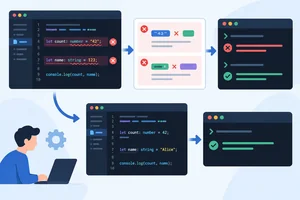 Read and Repair Type Errors
Locate TypeScript assignment diagnostics, repair primitive values without weakening strict checking, and verify the fixes with a separate compiler run. 3 min
Read and Repair Type Errors
Locate TypeScript assignment diagnostics, repair primitive values without weakening strict checking, and verify the fixes with a separate compiler run. 3 min
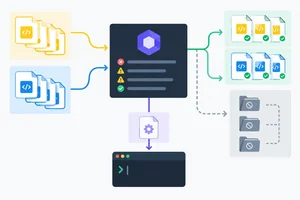 Extend ESLint to TypeScript Source
Extend the existing ESLint flat configuration so it checks authored TypeScript without losing JavaScript, environment, or ignore coverage. 5 min
Extend ESLint to TypeScript Source
Extend the existing ESLint flat configuration so it checks authored TypeScript without losing JavaScript, environment, or ignore coverage. 5 min
 Distinguish Lint, Type Check, and Browser Results
Use two controlled defects to compare ESLint diagnostics, TypeScript compiler diagnostics, and Vite browser execution. 3 min
Distinguish Lint, Type Check, and Browser Results
Use two controlled defects to compare ESLint diagnostics, TypeScript compiler diagnostics, and Vite browser execution. 3 min
 Verify the Complete Local Workflow
Repair and verify the complete local Vite, TypeScript, and ESLint workflow using separate evidence from each tool. 3 min
Verify the Complete Local Workflow
Repair and verify the complete local Vite, TypeScript, and ESLint workflow using separate evidence from each tool. 3 min
Step 1 of 8
Prepare a compact local Vite baseline and add the TypeScript compiler without changing the existing Vite or ESLint roles.
Work in a local practice copy of an existing vanilla Vite project named study-session. Keep its ESM setup, including "type": "module" in package.json.
This step establishes a small, known baseline. You will keep Vite as the development server and keep the existing ESLint workflow. Installing TypeScript adds a project-local compiler tool; it does not replace either tool.
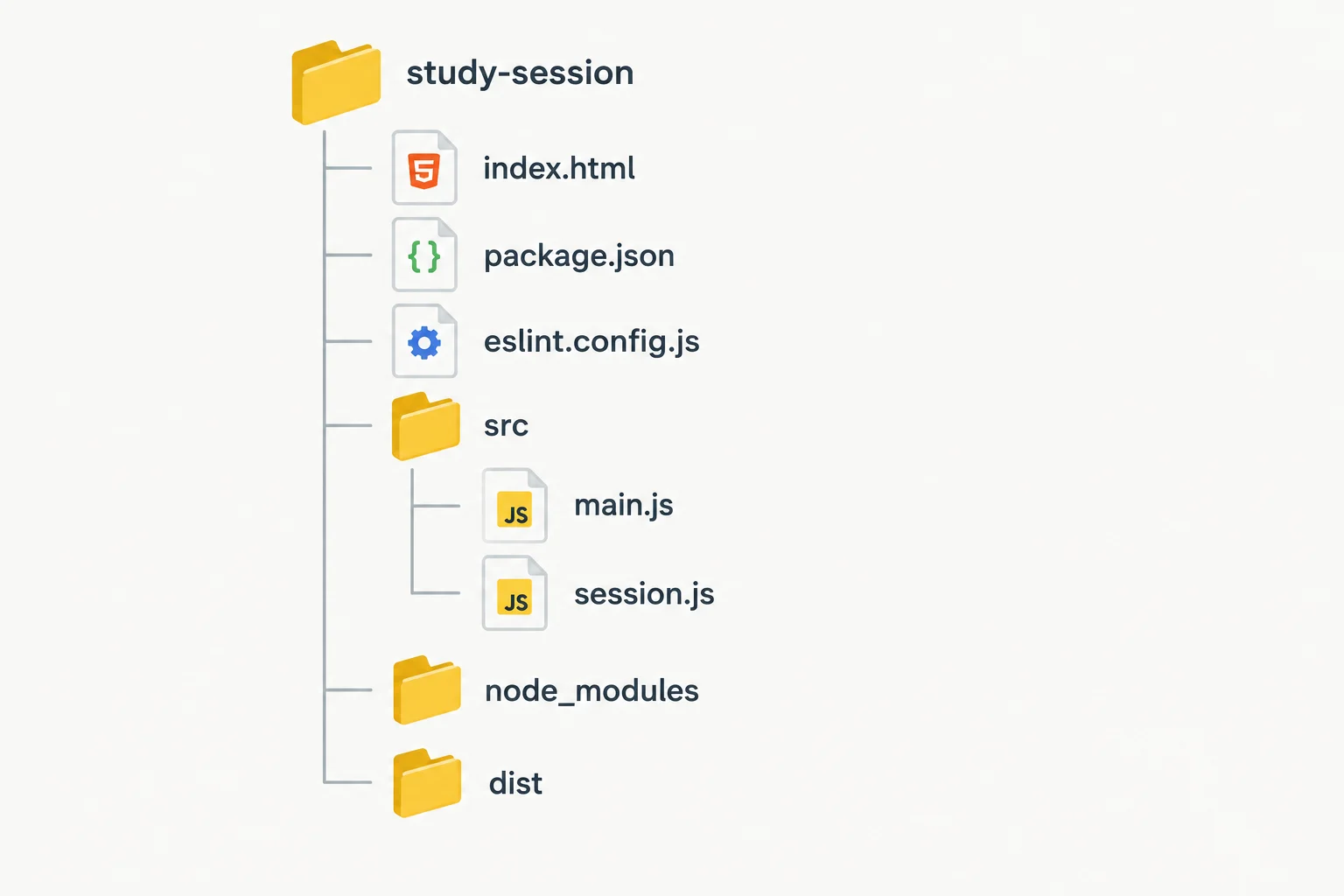
The HTML entry stays at the project root. Authored browser modules begin in src/; configuration files and package scripts stay at the root.
Use these complete baseline files in study-session. They render one Study Session line without needing a starter download. Keep package.json and eslint.config.js from the existing Vite project unchanged for now.
index.html
<!doctype html>
<html lang="en">
  <head>
    <meta charset="UTF-8" />
    <meta name="viewport" content="width=device-width, initial-scale=1.0" />
    <title>Study Session</title>
  </head>
  <body>
    <script type="module" src="/src/main.js"></script>
  </body>
</html>
src/session.js
export const sessionTitle = "TypeScript practice";
src/main.js
import { sessionTitle } from "./session.js";

let minutes = 25;
minutes = 30;
const remindersEnabled = true;

const sessionText = `Session: ${sessionTitle} | Minutes: ${minutes} | Reminders: ${remindersEnabled}`;
const sessionElement = document.createElement("p");
sessionElement.textContent = sessionText;
document.body.append(sessionElement);
From the study-session project root, install the compiler as a development dependency. npm records it in the local project and lockfile.
Vite still transforms and serves the page during development. TypeScript is now available locally, but you will configure and run its checking separately in a later step.
Run from the study-session project root.
npm install -D typescript
added 1 package, and audited 101 packages in 1s

found 0 vulnerabilities
The number of added packages, audit count, timing, and TypeScript version can vary by project and npm version. A successful install normally ends without an npm error.
Tip
Do not replace the Vite development script with a compiler command. Keep "dev": "vite", continue using npm run dev for the browser, and leave the existing ESLint configuration and lint workflow in place.
Complete the local installation command and identify the two current source files planned for conversion in the next step.
npm install -D

# Source file 1 planned for conversion: src/ → src/main.ts
# Source file 2 planned for conversion: src/ → src/session.ts

Step 2 of 8
Rename the Study Session modules to TypeScript, update their explicit paths, and verify that Vite serves the unchanged browser result.
In your local study-session project, rename these authored source files:
src/main.js → src/main.tssrc/session.js → src/session.tsUse your editor’s rename action or rename the files in your file manager. Keep the code JavaScript-compatible for now: TypeScript can load ordinary JavaScript syntax in a .ts file.
The HTML file remains at the project root. The renamed entry module will import the renamed supporting module.
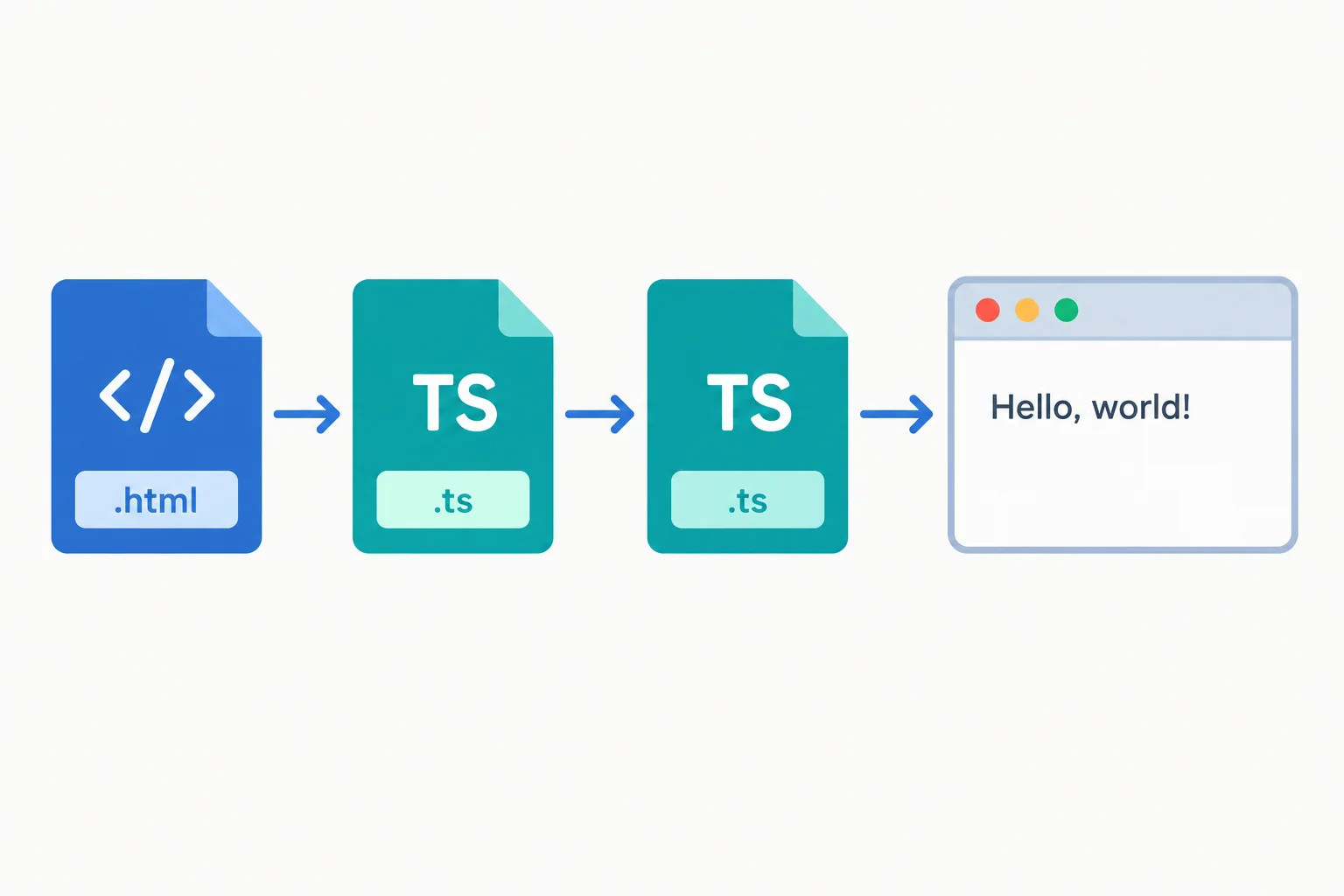
Vite follows the module references, transforms the TypeScript modules, and serves the page to the browser.
After renaming, update the local module reference in src/main.ts so it names the .ts file. Keep the Study Session values and DOM rendering unchanged.
Save both files after replacing their contents with the versions below.
Save as src/session.ts
export const sessionTitle = "TypeScript practice";Save as src/main.ts
import { sessionTitle } from "./session.ts";

let minutes = 25;
minutes = 30;

const remindersEnabled = true;
const sessionSummary = `Session: ${sessionTitle} | Minutes: ${minutes} | Reminders: ${remindersEnabled}`;
const sessionMessage = document.createElement("p");

sessionMessage.textContent = sessionSummary;
document.body.append(sessionMessage);Now change the module script in the root index.html so Vite starts from src/main.ts. The browser still loads one module entry; Vite resolves its local .ts dependency and transforms the modules for browser execution.
This conversion does not change the intended page text. Configuration for compiler checking of explicit .ts paths comes in the next step.
Replace the root index.html with this complete file.
<!doctype html>
<html lang="en">
  <head>
    <meta charset="UTF-8" />
    <meta name="viewport" content="width=device-width, initial-scale=1.0" />
    <title>Study Session</title>
  </head>
  <body>
    <script type="module" src="/src/main.ts"></script>
  </body>
</html>From the project root, start the existing Vite development server and open the local address it prints.
npm run dev> study-session@1.0.0 dev > vite VITE vX.X.X ready in XXX ms ➜ Local: http://localhost:5173/
The Vite version, startup time, and local port can vary. Leave this command running while you inspect the page.
In your local project, confirm the renamed files are saved and the Vite page is open. Then write the exact HTML module path and the exact local import path you used. Finally, report whether the expected Study Session text appears in your browser, including the text you see.
Write at least 50 characters (0/50).

Step 3 of 8
Configure a strict TypeScript compiler check for browser source without producing JavaScript files.
Create one root-level tsconfig.json for the browser TypeScript source. It tells the TypeScript compiler what to check; it does not control whether Vite can serve the page.
strict enables TypeScript’s broader family of stricter checks. Treat it as a compile-time safety setting, not as a browser feature. The individual checks within that family are explored later.
The include pattern limits this compiler project to authored .ts files under src. Existing JavaScript remains in the ESLint workflow rather than becoming part of this TypeScript check.
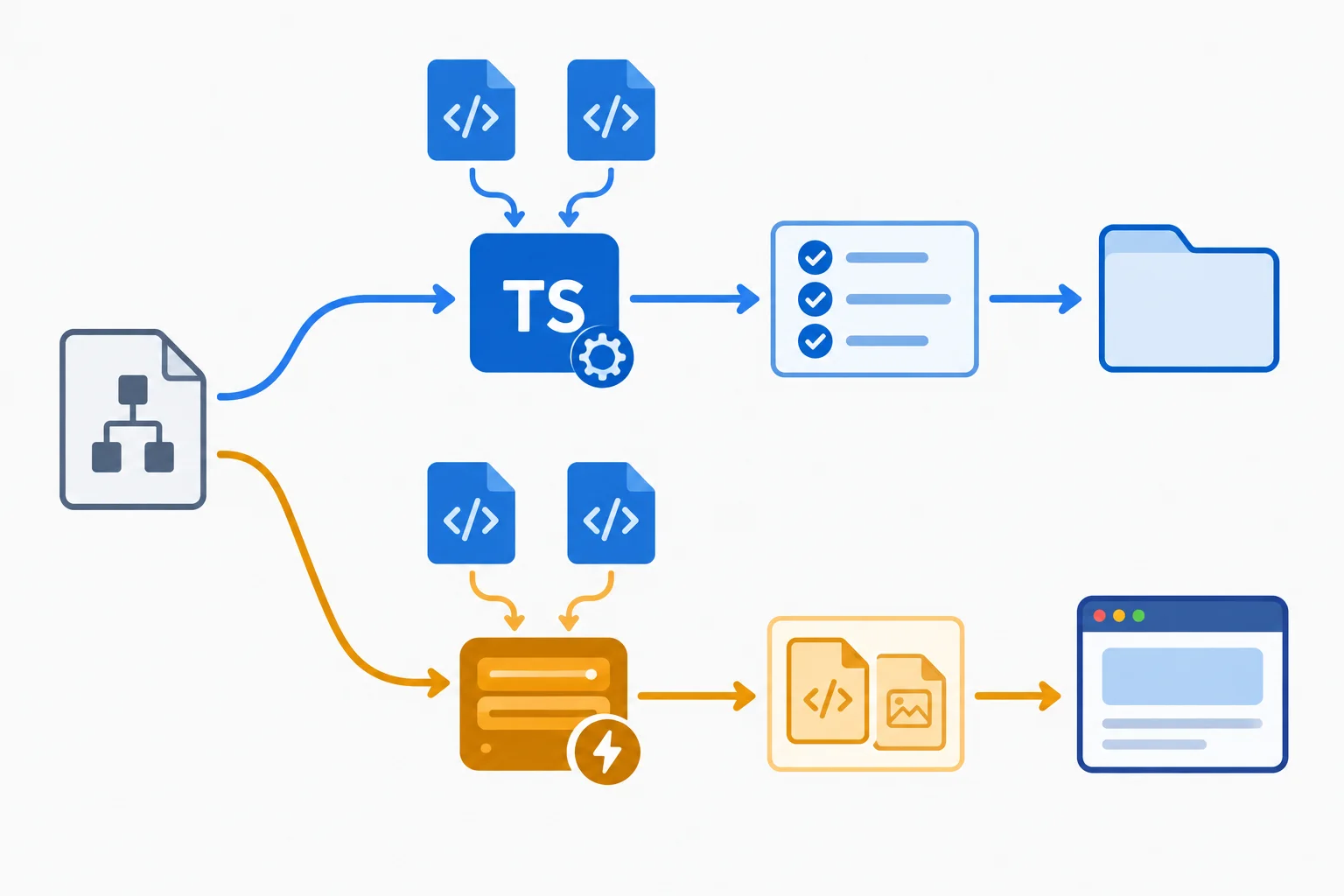
The compiler checks configured TypeScript source; Vite transforms and serves it during development.
At the project root, create tsconfig.json with this complete browser-oriented configuration.
{
  "compilerOptions": {
    "target": "ES2022",
    "lib": ["ES2022", "DOM", "DOM.Iterable"],
    "module": "ESNext",
    "moduleResolution": "Bundler",
    "allowImportingTsExtensions": true,
    "strict": true,
    "noEmit": true
  },
  "include": ["src/**/*.ts"]
}lib supplies modern JavaScript and browser declarations. module: "ESNext" and moduleResolution: "Bundler" match this Vite module project.
allowImportingTsExtensions permits the existing explicit .ts import path in src/main.ts. It fits this check-only workflow because noEmit prevents tsc from writing JavaScript; Vite remains responsible for browser transformation.
In package.json, retain your other package fields and set the scripts to this standardized set.
{
  "scripts": {
    "dev": "vite",
    "typecheck": "tsc --noEmit",
    "lint": "eslint ."
  }
}Complete the settings that define the strict, no-emit TypeScript checking boundary.
{
  "compilerOptions": {
    "allowImportingTsExtensions": ,
    "strict": ,
    "noEmit":
  },
  "include": []
}After saving tsconfig.json and the package script, run this dedicated check from the study-session project root.
npm run typecheck> study-session@1.0.0 typecheck > tsc --noEmit
The package version shown by npm can differ. On success, TypeScript produces no diagnostics and returns to your prompt.
A quiet successful command means the included TypeScript files passed this compiler check. It does not create JavaScript output because noEmit prevents emission.
Use npm run dev separately to serve the page through Vite. A page in the browser shows that Vite transformed and executed the source; it does not establish that this independent type-check command passed.
In your local study-session project, verify the strict-checking configuration and the typecheck package script, then run the script from the project root. Write a short report that identifies the settings for strict checking, no output, explicit .ts imports, and TypeScript source inclusion; records the command and result you observed; and explains why no JavaScript output files were created.
Write at least 180 characters (0/180).
Step 4 of 8
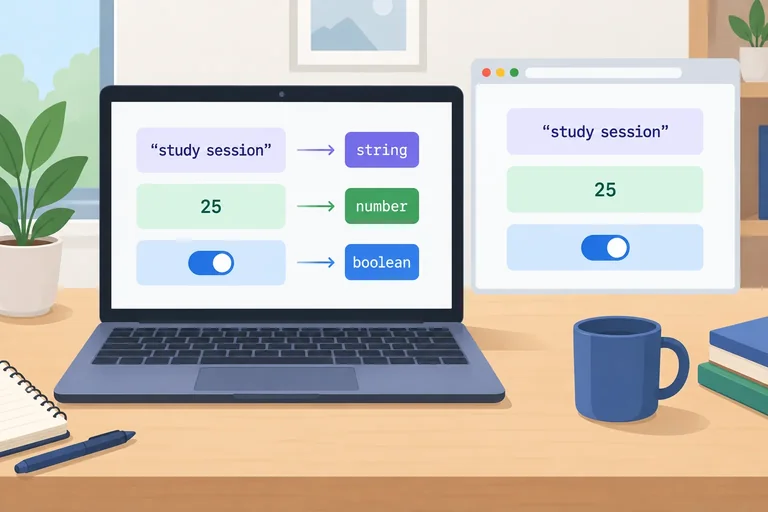
Read inferred primitive types, write explicit annotations, and distinguish static type contracts from runtime conversion.
Inference starts with an initialized value. In the Study Session entry module, let minutes = 25; gives minutes the primitive type number. A later assignment must therefore be another number.
TypeScript uses this static information while checking your source. It does not wait for the browser to run the page.
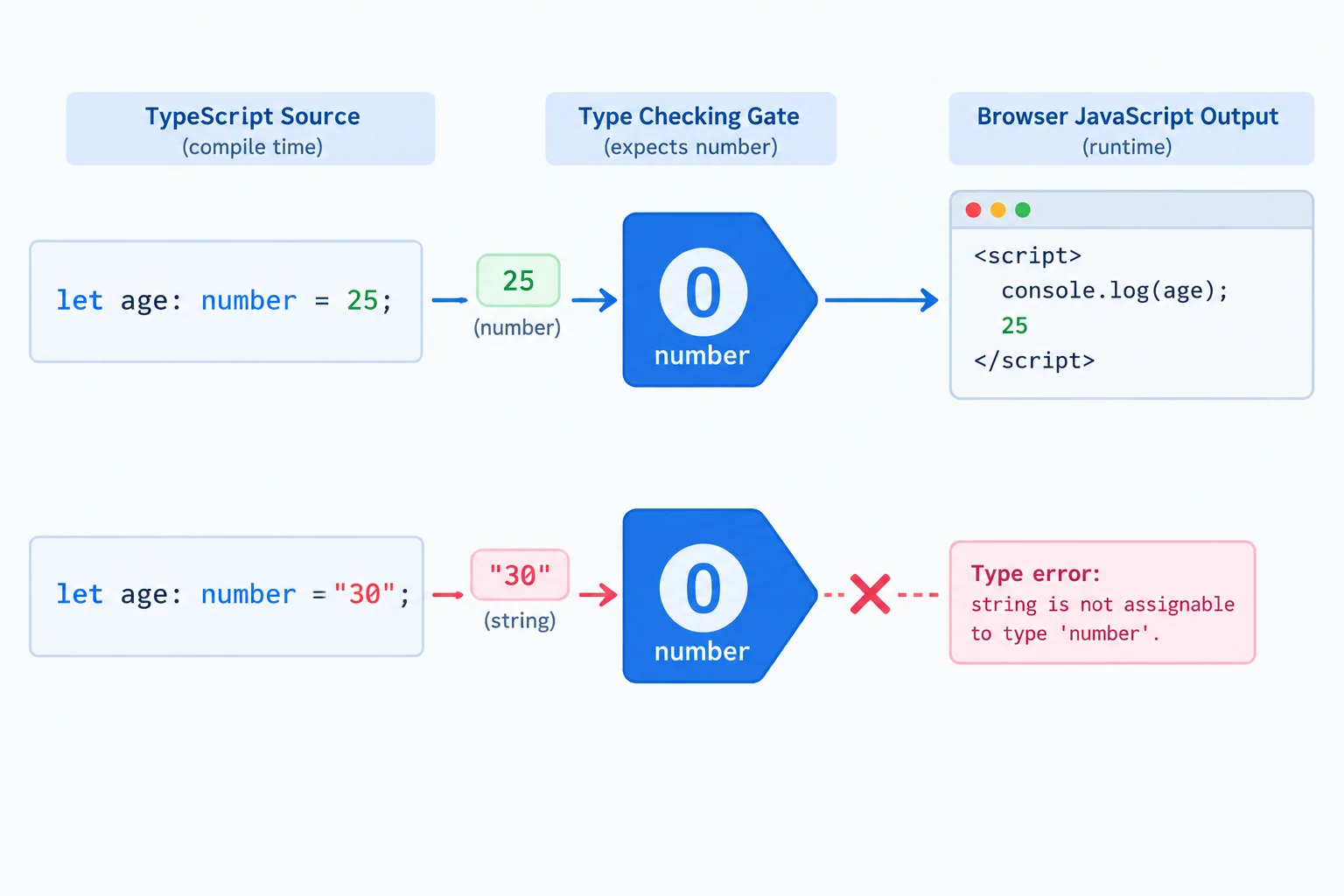
The initializer establishes the inferred primitive type; a later value of a different primitive type is not accepted.
In src/main.ts, the initialized let binding infers number. The later numeric reassignment remains compatible.
let minutes = 25;
minutes = 30;Use a colon annotation when you want to state a primitive contract explicitly: name: type. The available primitive annotations here are lowercase string, number, and boolean.
Annotations are useful when the intended type deserves to be visible. Do not add them mechanically to every declaration when a clear initializer already communicates the type.
These annotations keep the Study Session values clear while preserving the same runtime values.
// src/session.ts
export const sessionTitle: string = "TypeScript practice";

// src/main.ts
let minutes: number = 25;
minutes = 30;

const remindersEnabled: boolean = true;
Tip
A type annotation is removed when TypeScript is transformed for the browser. It does not convert a value, add browser validation, or make a string become a number.
For example, writing minutes: number expresses a checking rule; it does not convert the runtime value "30" into 30. Keep the numeric value numeric instead.
Choose the annotation that matches the value contract.
| Annotation | Compatible value example | Study Session use |
|---|---|---|
| string | "TypeScript practice" | sessionTitle |
| number | 25 or 30 | minutes |
| boolean | true | remindersEnabled |
Complete the three primitive annotations.
const sessionTitle:  = "TypeScript practice";
let minutes:  = 25;
const remindersEnabled: = true;Match each declaration to a compatible assignment or value.
Tap an item and then its matching pair.
Step 5 of 8
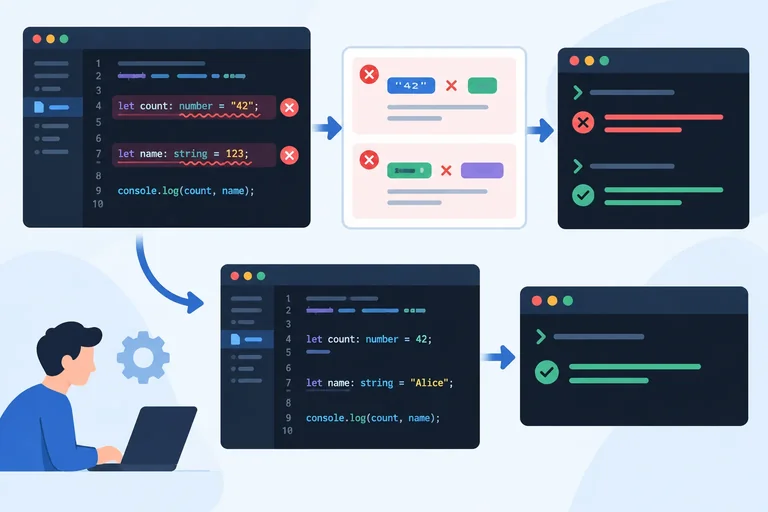
Locate TypeScript assignment diagnostics, repair primitive values without weakening strict checking, and verify the fixes with a separate compiler run.
A primitive contract is checked where you declare it and wherever you assign a new value later. Start with a declaration mismatch in src/main.ts:
const remindersEnabled: boolean = "true";
The annotation requires a boolean, but the quoted value is a string. When you run npm run typecheck, TypeScript reports TS2322. Read the diagnostic as a comparison: the value supplied is the actual type; the annotation is the expected type.
Do not turn off strict to hide this. Decide what the session value is intended to mean, then edit the value to match that intended primitive.
const remindersEnabled: boolean = true;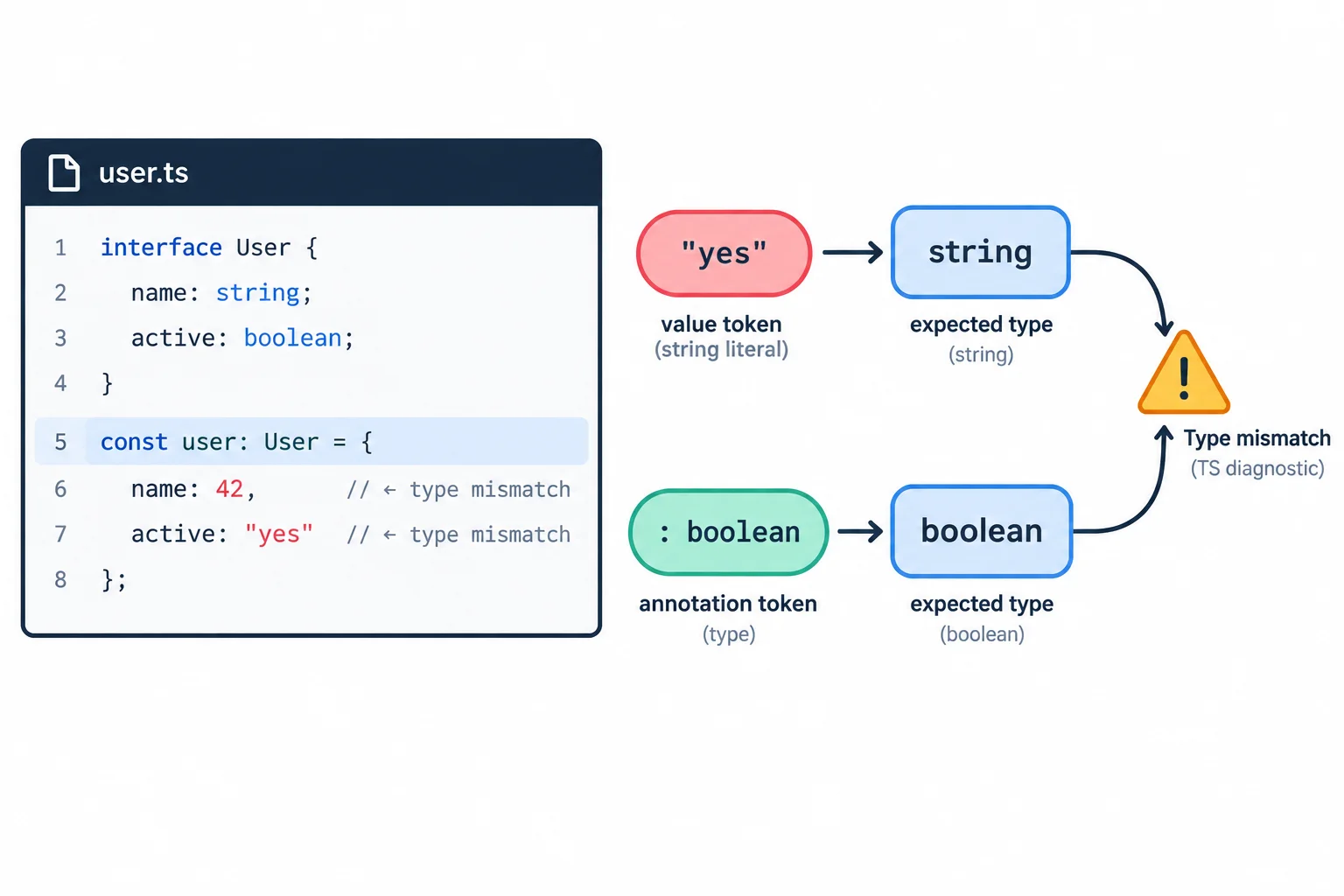
Use the file and location to find the code, then compare the actual value type with the type the declaration requires.
A later assignment must also satisfy the type established for its variable. In this Study Session code, minutes starts with a number, so TypeScript keeps its inferred type as number.
If a later edit changes the assignment to minutes = "30";, TS2322 reports an actual string where number is expected. The quotation marks matter: they create a string; they do not represent a numeric value to TypeScript.
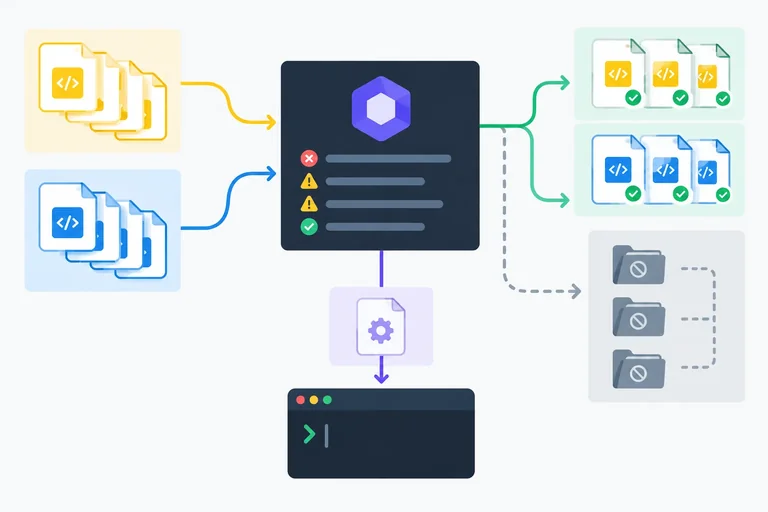
Fix the intended value, then run npm run typecheck again. A successful no-emit check normally finishes with no compiler diagnostics and creates no output files.
let minutes = 25;
minutes = 30;
Tip
Use a focused loop:
npm run typecheck again.The checker verifies compatibility; Vite still handles transformation and serving separately.
Complete the two value edits so this module has no primitive assignment mismatches.
import { sessionTitle } from "./session.ts";

let minutes = 25;
minutes = ;
const remindersEnabled: boolean = ;

const status = document.createElement("p");
status.textContent = `Session: ${sessionTitle} | Minutes: ${minutes} | Reminders: ${remindersEnabled}`;
document.body.append(status);Put the edit-and-verification actions in the order that confirms the two repairs.
Step 6 of 8
Extend the existing ESLint flat configuration so it checks authored TypeScript without losing JavaScript, environment, or ignore coverage.
Install the TypeScript ESLint integration from the study-session project root:
npm install -D typescript-eslint
This package provides a TypeScript parser, TypeScript-aware recommended rules, and flat-config presets. It extends the existing ESLint setup; it does not replace Vite, tsc, or JavaScript linting.
Keep the lint script as "lint": "eslint .". File patterns in the flat config determine which authored files that command checks.
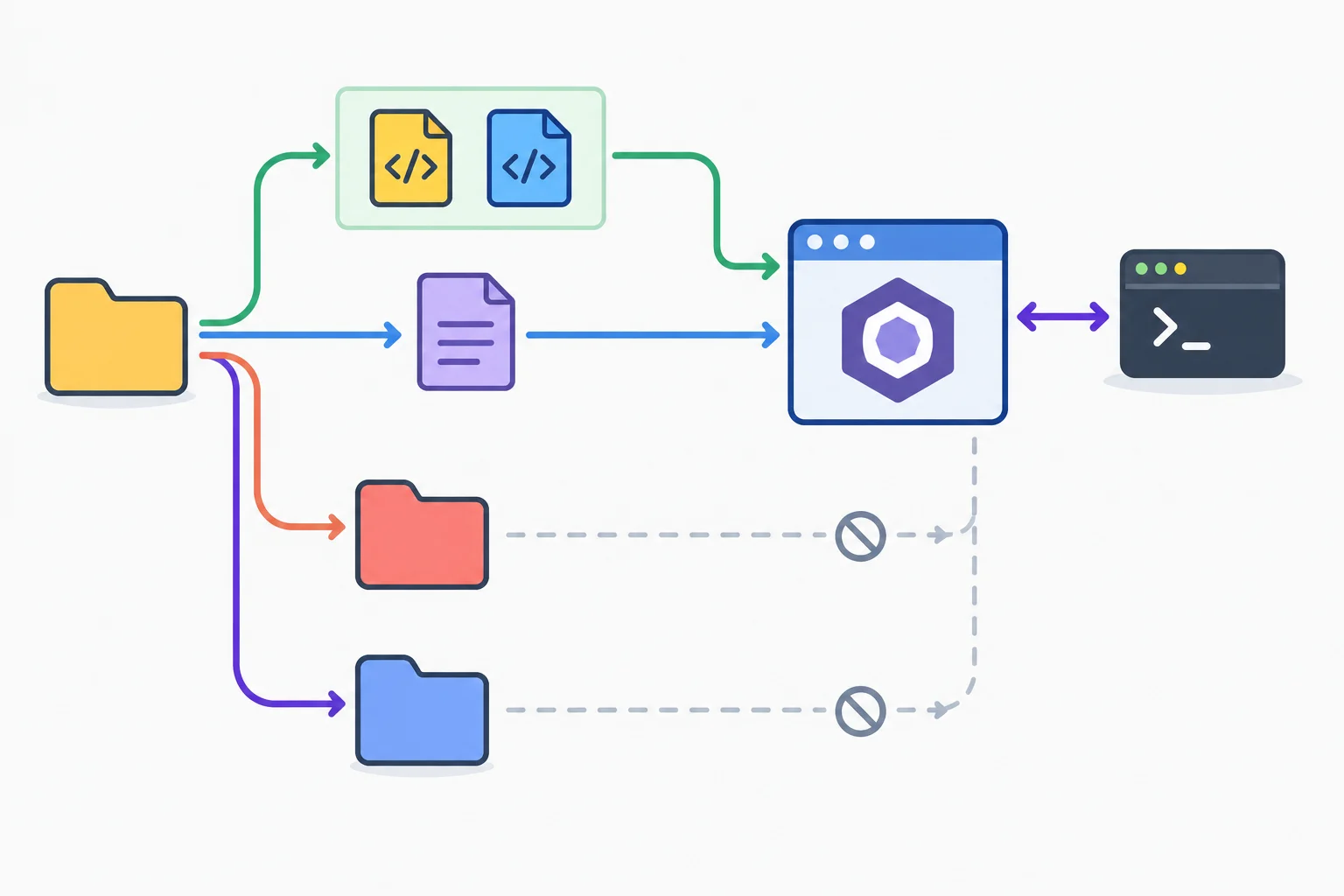
The flat config assigns environments and rules by file scope; eslint . discovers files according to those scopes.
Tip
The TypeScript recommended preset is syntax-based here. It can parse .ts and apply TypeScript-focused rules, but it does not read tsconfig.json as a type-aware lint project. Keep npm run typecheck as the separate strict compiler check.
Replace the root eslint.config.js with the complete flat configuration below. The shared JavaScript recommended rules come first for authored source. The TypeScript configurations come afterward, so their TypeScript-specific rule adjustments apply to .ts files.
Root file: eslint.config.js
import js from "@eslint/js";
import globals from "globals";
import tseslint from "typescript-eslint";

export default [
  {
    ignores: ["dist/**", "node_modules/**"],
  },
  {
    files: ["src/**/*.{js,ts}"],
    ...js.configs.recommended,
    languageOptions: {
      globals: globals.browser,
    },
  },
  ...tseslint.configs.recommended.map((config) => ({
    ...config,
    files: ["src/**/*.ts"],
  })),
  {
    files: ["eslint.config.js"],
    ...js.configs.recommended,
    languageOptions: {
      globals: globals.node,
    },
  },
];Each block has a distinct responsibility. The source block intentionally includes both extensions; TypeScript rules are an additional, narrower layer rather than a replacement.
| Files | Rules and parser | Globals |
|---|---|---|
| src/**/*.js and src/**/*.ts | JavaScript recommended rules | Browser |
| src/**/*.ts | TypeScript recommended configurations | Inherited browser scope |
| eslint.config.js | JavaScript recommended rules | Node |
| dist/** and node_modules/** | Ignored | None |
Complete the missing scopes, preset name, and environment globals.
import js from "@eslint/js";
import globals from "globals";
import tseslint from "typescript-eslint";

export default [
  {
    ignores: ["dist/**", "node_modules/**"],
  },
  {
    files: ,
    ...js.configs.recommended,
    languageOptions: {
      globals: globals.,
    },
  },
  ...tseslint.configs..map((config) => ({
    ...config,
    files: ,
  })),
  {
    files: ["eslint.config.js"],
    ...js.configs.recommended,
    languageOptions: {
      globals: globals.,
    },
  },
];Save the completed configuration. In src/main.ts, temporarily add this unused binding on its own line:
const unusedNote = "draft";
From the project root, run npm run lint, then remove the temporary line.
Submit a three-line report:
Write at least 80 characters (0/80).

Step 7 of 8
Use two controlled defects to compare ESLint diagnostics, TypeScript compiler diagnostics, and Vite browser execution.
Lint, Type check, and Browser are three separate observations of the same local source.
npm run lint applies configured ESLint rules.npm run typecheck asks TypeScript to check compatibility without writing output.npm run dev has Vite transform and serve the application.Starting the dev server does not automatically run either of the other scripts. A page that appears in the browser is evidence that transformed JavaScript executed; it is not evidence that linting or TypeScript checking passed.
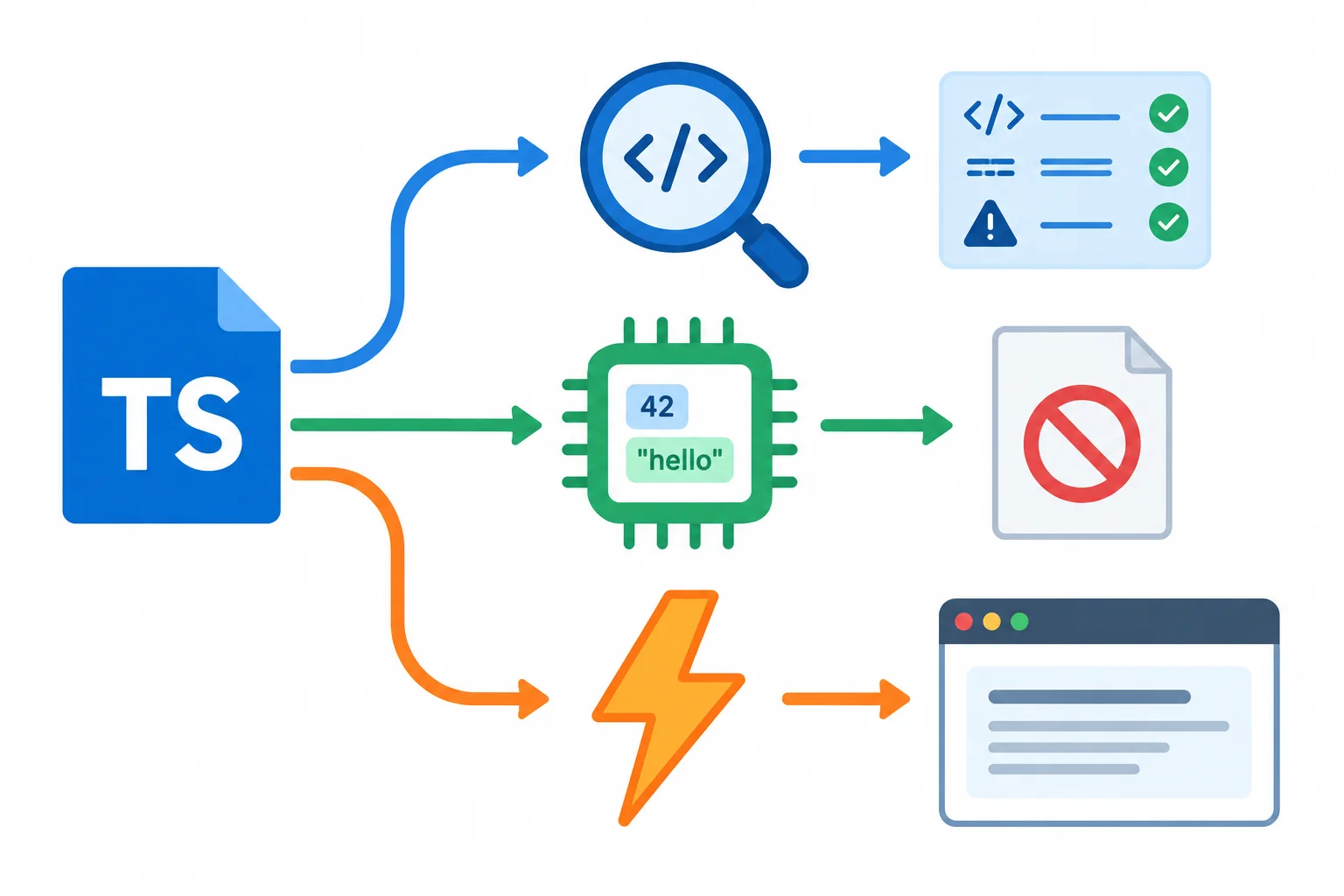
The same source can produce different observations because each path asks a different question.
Each result has a boundary. Static checks reduce mistakes but do not prove every runtime outcome is correct.
| Observation | Command | Evidence | Does not establish |
|---|---|---|---|
| Lint | npm run lint | Configured rule violations | Type compatibility or browser behavior |
| Type check | npm run typecheck | TypeScript compatibility under tsconfig.json | That the interface behaves correctly at runtime |
| Browser | npm run dev | Vite transformed code that the browser can execute | That lint and type checks were run or passed |
Begin with the repaired Study Session baseline. In src/main.ts, add the following local binding after remindersEnabled. Do not change the minutes = 30; assignment yet.
Local context in src/main.ts
const remindersEnabled = true;
const unusedNote = "draft";Run npm run lint, then run npm run typecheck from the project root.
Lint reports unusedNote through @typescript-eslint/no-unused-vars.
Type check succeeds without a diagnostic: this project deliberately leaves noUnusedLocals and noUnusedParameters unset.
The declaration is valid JavaScript, so the Browser can still render the Study Session page. Remove unusedNote before the next observation so the defects remain independent.
With unusedNote removed, replace only the numeric reassignment in src/main.ts with this incompatible assignment. Keep the original numeric initializer unchanged.
The local variable was initialized with a number, so its inferred type remains number.
let minutes = 25;
minutes = "30";Now run npm run lint, npm run typecheck, and inspect the page through npm run dev.
Lint can pass with the configured recommended, syntax-based TypeScript rules. Type check reports TS2322: a string is not assignable to the expected number type. Yet Vite can transform this syntactically valid source, and the Browser can display Session: TypeScript practice | Minutes: 30 | Reminders: true because interpolating the string produces the same visible characters.
Vite does not use this page render as a type-check result. Type information is erased during transformation; it does not convert a string into a number or add runtime validation.
Tip
The two controlled defects demonstrate why command success must be interpreted by tool:
After observing the result, restore minutes = 30; so the project returns to its baseline.
Starting from the repaired baseline, perform both observations yourself, one at a time:
minutes reassignment and again record all three results. Inspect the page while the defect is present, then restore the numeric reassignment.In your response, compare the recorded results for both defects and explain why the page can render during the second defect even though the type-check command fails.
Write at least 250 characters (0/250).

Step 8 of 8
Repair and verify the complete local Vite, TypeScript, and ESLint workflow using separate evidence from each tool.
Your final repair brief uses the established local study-session project. Temporarily replace src/main.ts with the supplied version, then repair all three defects without changing tsconfig.json, eslint.config.js, or the npm scripts:
minutes value numeric.The supporting file remains src/session.ts and continues to export the existing sessionTitle value. This brief combines module resolution, type compatibility, and a configured lint rule.
Save this temporary version as src/main.ts before performing the repair.
import { sessionTitle } from "./sessions.ts";

let minutes = 25;
minutes = "30";
const remindersEnabled = true;
const unusedNote = "draft";

const sessionSummary = `Session: ${sessionTitle} | Minutes: ${minutes} | Reminders: ${remindersEnabled}`;
const sessionMessage = document.createElement("p");

sessionMessage.textContent = sessionSummary;
document.body.append(sessionMessage);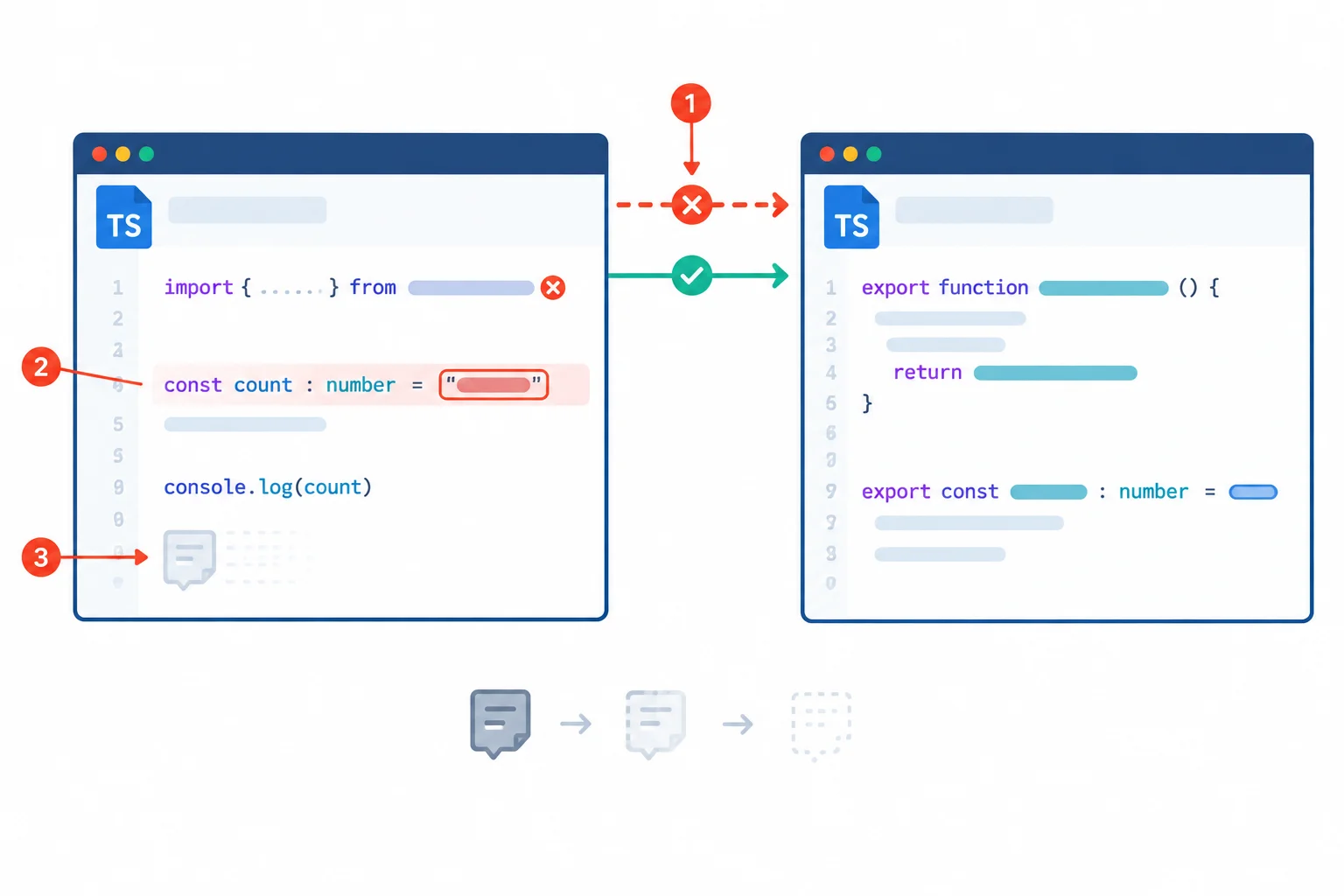
Repair the module reference, the primitive assignment, and the unused binding while preserving the checking configuration.
Do not solve the brief by weakening the guardrails. Audit the existing root configuration before verification. The compiler remains strict and check-only, while ESLint keeps shared browser-source coverage, adds TypeScript rules only to authored .ts files, and checks its JavaScript configuration as Node tooling.
Use this checklist to confirm that the existing configuration still has the intended boundaries.
| Area | Required audit result |
|---|---|
| Compiler strictness | `strict` is true |
| Compiler output | `noEmit` is true |
| Compiler source scope | `include` is `src/**/*.ts` |
| Shared source linting | `src/**/*.{js,ts}` uses recommended JavaScript rules and browser globals |
| TypeScript linting | Recommended TypeScript configurations are mapped to `src/**/*.ts` |
| Tooling linting | `eslint.config.js` uses JavaScript rules and Node globals |
| Global exclusions | `dist/**` and `node_modules/**` are ignored |
| Separate scripts | `dev`, `typecheck`, and `lint` remain separate |
First, with the supplied defective entry module still saved, run Type check once. It must fail because ./sessions.ts does not name the existing supporting source file. You do not need to interpret a diagnostic code: this failure simply confirms that the module-reference repair is required.
Then make all three source repairs and save the file. From the project root, run the three commands below. After the repair, Lint and Type check should complete without diagnostics. Start Browser separately and inspect the local Vite address. The dev server does not run either static-check command automatically.
Run these commands from the study-session project root after completing the three repairs.
npm run lint
npm run typecheck
npm run dev> study-session@1.0.0 lint > eslint . > study-session@1.0.0 typecheck > tsc --noEmit > study-session@1.0.0 dev > vite VITE ready Local: http://localhost:5173/
Package versions, startup time, and the available local port can vary. The important evidence is no lint or compiler diagnostics, followed by a running Vite server that you inspect in the browser.
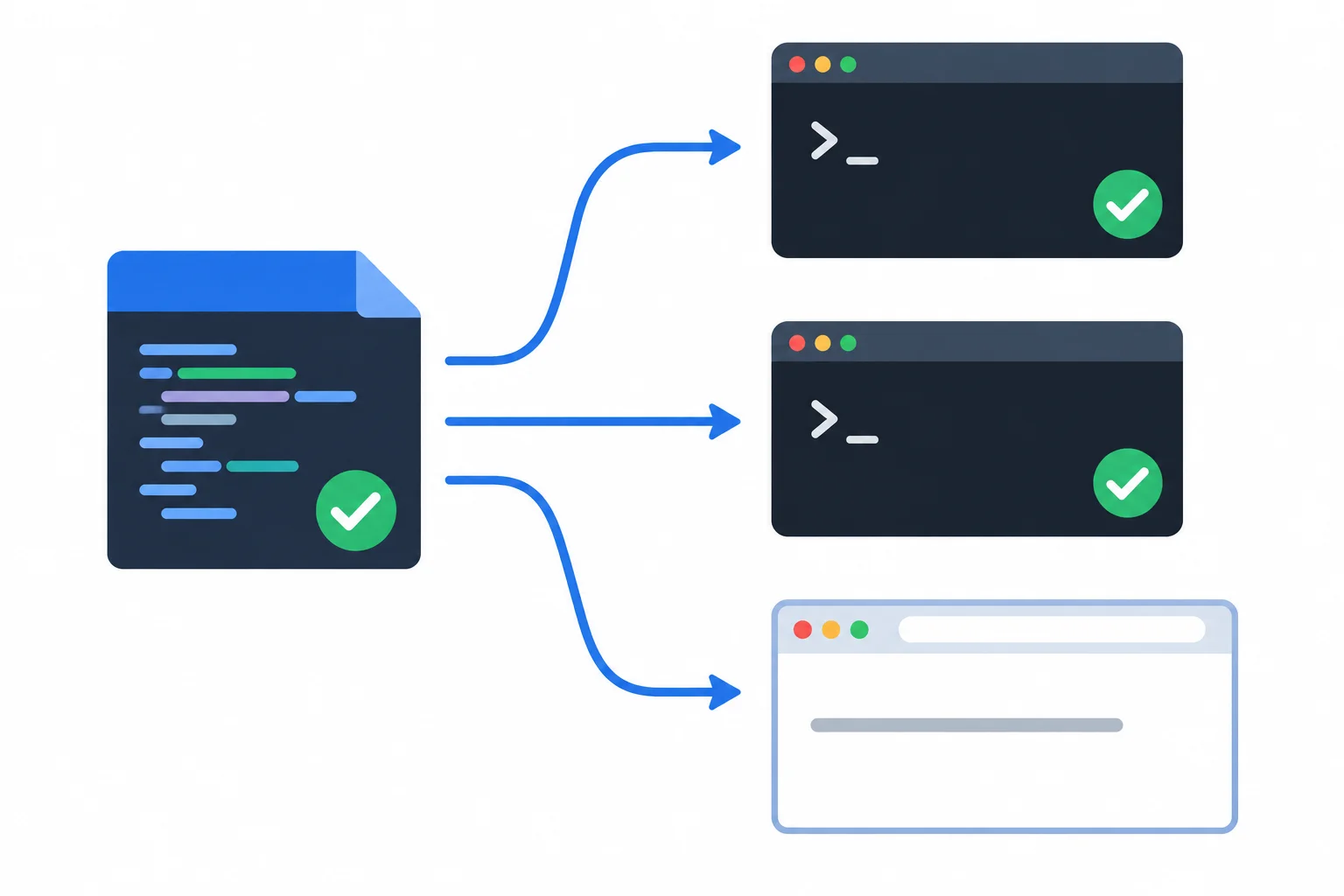
Expected Browser display: Session: TypeScript practice | Minutes: 30 | Reminders: true
Summary
npm run typecheck and writes no output in this workflow.npm run lint, including TypeScript rules for authored .ts files.Complete the three repairs locally, then submit a concise verification report. Include:
Write at least 180 characters (0/180).
Congratulations! You completed: Enable Strict Type Checking in a Local Vite Project
50 XP
Thousands of online courses in video, ebooks and audiobooks.
To test your knowledge during online courses
Generated directly from your cell phone's photo gallery and sent to your email

Download our app via QR Code or the links below:.



Carry knowledge in your pocket.
Download the Cursa app.
There are hundreds of free courses available, with a free certificate of completion that is saved in your mobile image gallery.
Download the app to access the Course Completion Certificate for Free.


+ 10 million
students

Free and Valid
Certificate

60 thousand free
exercises

4.8/5 rating in
app stores

Free courses in
video and ebooks