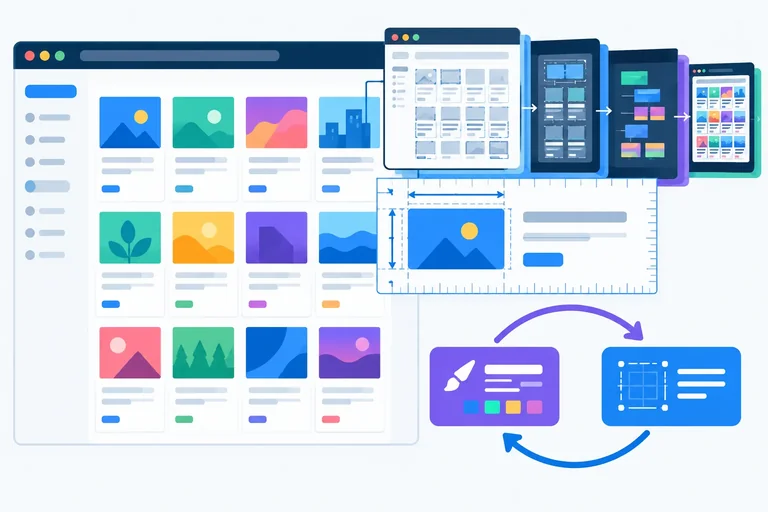
Step 1 of 8
Recognize the Read That Forces Layout
Recognize when geometry reads can synchronously demand pending layout work and identify the alternating pattern behind layout thrashing.

Learning path · Level 13 · Tutorial 6
Remove avoidable synchronous layout work from a measured interaction, compare the result with its baseline, and confirm that the improvement preserves behavior and accessibility.

 Recognize the Read That Forces Layout
Recognize when geometry reads can synchronously demand pending layout work and identify the alternating pattern behind layout thrashing. 2 min
Recognize the Read That Forces Layout
Recognize when geometry reads can synchronously demand pending layout work and identify the alternating pattern behind layout thrashing. 2 min
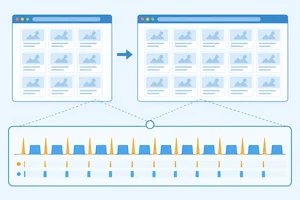 Capture a Reproducible Baseline
Build and record a stable baseline whose repeated geometry read can be connected to browser trace evidence. 3 min
Capture a Reproducible Baseline
Build and record a stable baseline whose repeated geometry read can be connected to browser trace evidence. 3 min
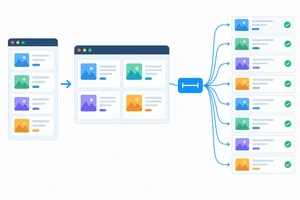 Batch Updates Without Changing Their Meaning
Refactor Layout Lab so one required new-state measurement feeds a batch of card writes, removing repeated read/write crossings without measuring the wrong board state. 3 min
Batch Updates Without Changing Their Meaning
Refactor Layout Lab so one required new-state measurement feeds a batch of card writes, removing repeated read/write crossings without measuring the wrong board state. 3 min
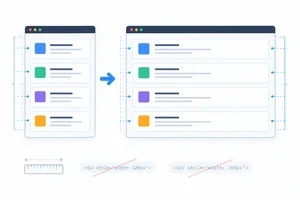 Replace Unnecessary Measurements with CSS
Replace a redundant JavaScript sizing routine with a CSS containing-block relationship while preserving the Layout Lab controls. 2 min
Replace Unnecessary Measurements with CSS
Replace a redundant JavaScript sizing routine with a CSS containing-block relationship while preserving the Layout Lab controls. 2 min
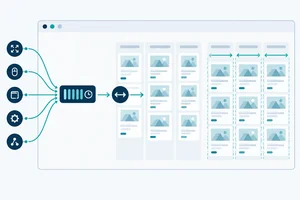 Coalesce Necessary Visual Updates by Frame
Use one pending animation-frame callback to coalesce necessary imperative sizing while preserving batched reads and writes and cancelling queued work during cleanup. 3 min
Coalesce Necessary Visual Updates by Frame
Use one pending animation-frame callback to coalesce necessary imperative sizing while preserving batched reads and writes and cancelling queued work during cleanup. 3 min
 Compare Evidence, Not One Fast Run
Compare repeated, controlled recordings so a candidate is judged by relevant layout and interaction evidence rather than one unusually fast trace. 3 min
Compare Evidence, Not One Fast Run
Compare repeated, controlled recordings so a candidate is judged by relevant layout and interaction evidence rather than one unusually fast trace. 3 min
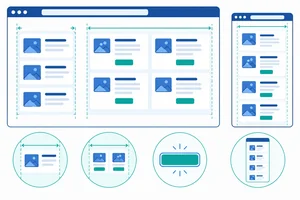 Recheck Behavior and Accessibility
Verify that the measured candidate preserves sizing, state, keyboard operation, focus, and responsive behavior. 3 min
Recheck Behavior and Accessibility
Verify that the measured candidate preserves sizing, state, keyboard operation, focus, and responsive behavior. 3 min
 Make a Keep-or-Revert Decision
Integrate measured layout evidence with behavior and accessibility results to make a justified final optimization decision. 2 min
Make a Keep-or-Revert Decision
Integrate measured layout evidence with behavior and accessibility results to make a justified final optimization decision. 2 min
Step 1 of 8
Recognize when geometry reads can synchronously demand pending layout work and identify the alternating pattern behind layout thrashing.
A React profile can show that component render work is under control while the browser still spends time calculating layout. Those are different costs.
When JavaScript changes the DOM or a layout-relevant style, the browser can defer style calculation and layout until a rendering opportunity. But if JavaScript then asks for geometry that depends on stale rendering information, the browser may have to calculate it immediately. This is forced synchronous layout.
“May” matters: a DOM read is not automatically a geometry read, and a geometry read does not automatically force layout. The browser forces work only when the requested result needs relevant rendering information that is pending.
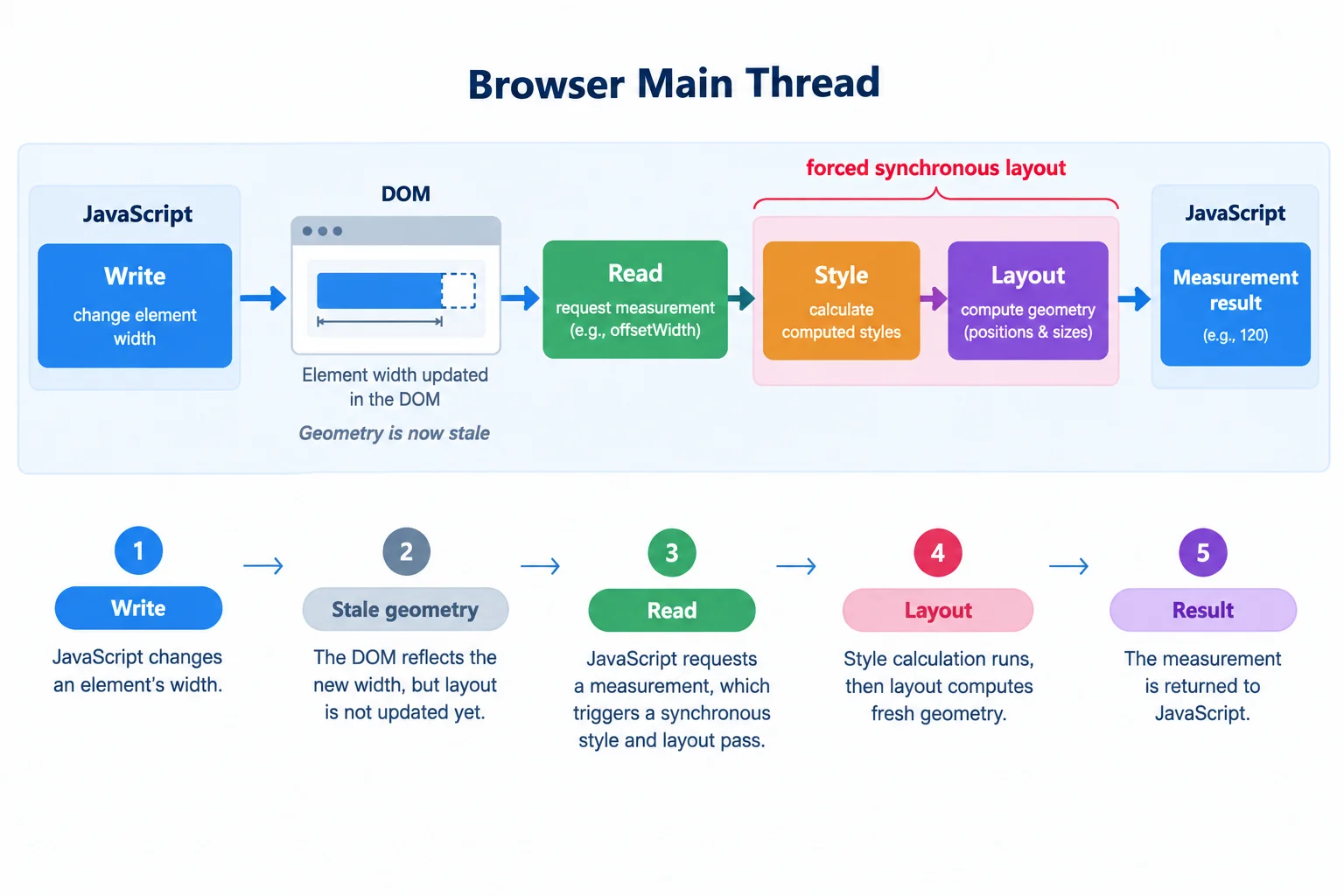
A geometry read can synchronously request pending work when its answer depends on the preceding write.
These APIs both expose an element’s width, but they do not mean the same thing. Choose the API that matches the measurement requirement; do not treat them as interchangeable.
Both calls can require current layout when relevant rendering information is stale.
| API | Width result | Transforms | Precision |
|---|---|---|---|
| getBoundingClientRect().width | Bounding-rectangle width | Included | Can be fractional |
| offsetWidth | Layout border-box width | Excluded | Integer |
Study these two values from the same board.
const board = document.querySelector('#board');
const rectWidth = board.getBoundingClientRect().width;
const integerLayoutWidth = board.offsetWidth;Layout thrashing occurs when code repeatedly crosses from a layout-affecting write to a geometry read. After each write, the next read may need the browser to make layout current again.
In this source order, adding .is-wide changes the board’s layout state. Each card width assignment is also layout-affecting. The next loop iteration reads board geometry after that preceding write, so it can synchronously demand layout again. The browser may perform normal layout after JavaScript finishes; that is different from layout synchronously demanded in the middle of JavaScript.
This is a pattern to diagnose, not yet a refactoring.
const board = document.querySelector('#board');
const cards = [...document.querySelectorAll('.card')];

board.classList.add('is-wide');

cards.forEach((card) => {
  const width = board.getBoundingClientRect().width;
  card.style.width = `${width}px`;
});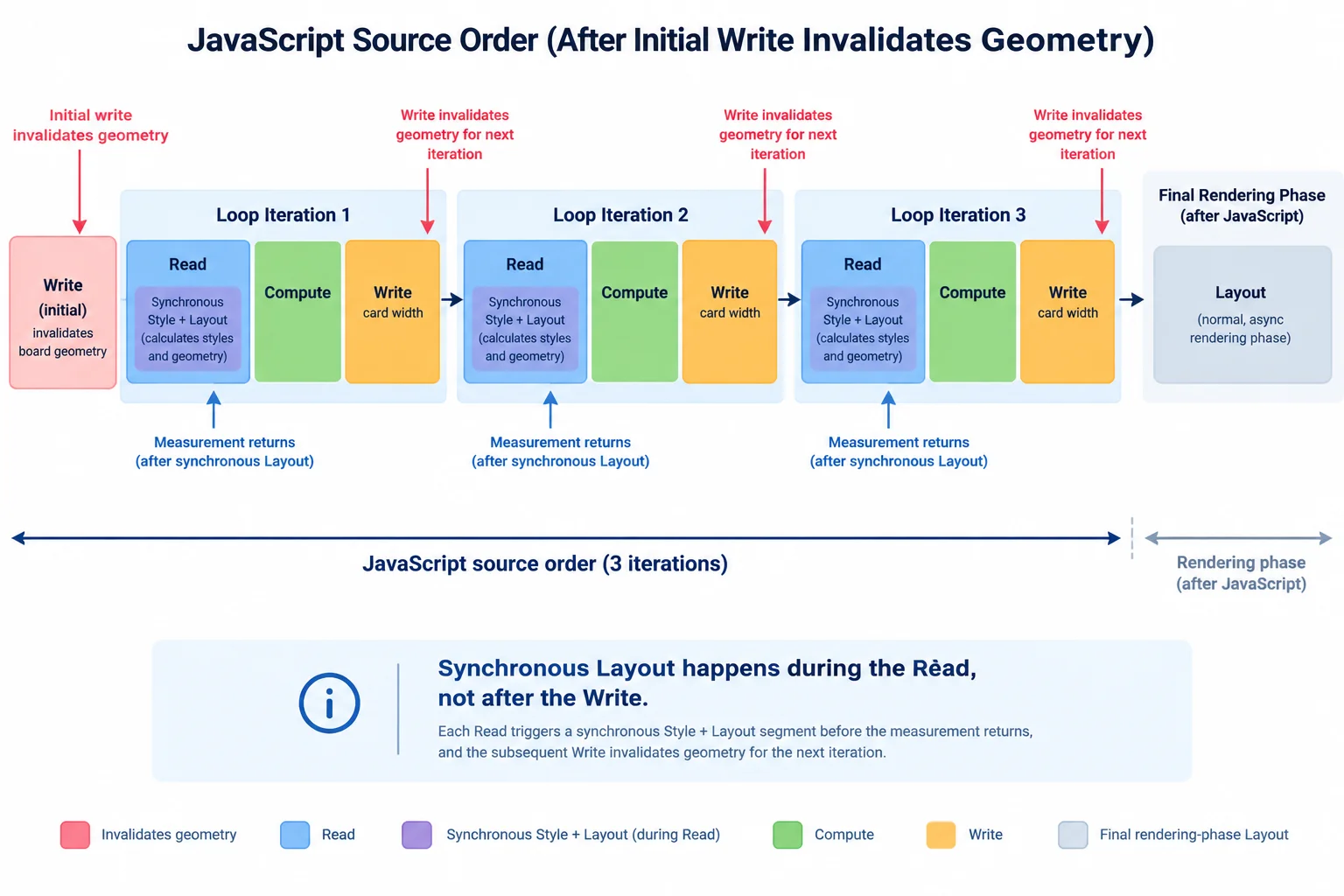
A Write can invalidate geometry. The following Read may synchronously enter Layout before JavaScript receives the measurement and continues.
Match each source operation or situation to its most accurate classification.
Tap an item and then its matching pair.
Step 2 of 8
Build and record a stable baseline whose repeated geometry read can be connected to browser trace evidence.
Create a local Vite fixture named layout-lab. It uses only local HTML, CSS, and JavaScript—no remote data, images, or fonts. Replace the scaffolded index.html and src/styles.css with the complete files below. On the next screen, create src/main.js from the two consecutive code sections.
Run these commands in a terminal.
npm create vite@latest layout-lab -- --template vanilla
cd layout-lab
npm installScaffolding project in ./layout-lab... Done. Now run: cd layout-lab npm install npm run dev added packages found 0 vulnerabilities
The Vite version, package count, audit text, and timing vary by machine and date.
Replace index.html with this complete file.
<!doctype html>
<html lang="en">
  <head>
    <meta charset="UTF-8" />
    <meta name="viewport" content="width=device-width, initial-scale=1.0" />
    <title>Layout Lab</title>
  </head>
  <body>
    <main>
      <h1>Layout Lab</h1>
      <p>Measure layout updates with a repeatable set of cards.</p>
      <div class="controls" aria-label="Layout controls">
        <button id="wide-toggle" type="button" aria-pressed="false">Wide layout</button>
        <button id="reset-button" type="button">Reset layout</button>
      </div>
      <section id="board" aria-label="Measurement cards"></section>
    </main>
    <script type="module" src="/src/main.js"></script>
  </body>
</html>Replace src/styles.css with this complete file. The board alone controls its compact or wide width. Its lack of padding, border, and transform makes its border-box measurement unambiguous; the reserved scrollbar reduces viewport-width variation.
:root {
  color: #172033;
  font-family: system-ui, sans-serif;
}

html {
  overflow-y: scroll;
}

body {
  margin: 0;
  background: #f4f7fb;
}

main {
  width: min(100% - 2rem, 72rem);
  margin: 0 auto;
  padding: 2rem 0;
}

.controls {
  display: flex;
  flex-wrap: wrap;
  gap: 0.75rem;
  margin-block: 1rem;
}

#board {
  display: grid;
  gap: 0.5rem;
  width: min(100%, 40rem);
}

#board.is-wide {
  width: min(100%, 60rem);
}

.card {
  box-sizing: border-box;
  margin-inline: 0;
  padding: 1rem;
  border: 1px solid #9aa8bf;
  background: white;
}

.card h2 {
  margin: 0 0 0.25rem;
  font-size: 1rem;
}

.card p {
  margin: 0;
}The baseline deliberately performs a repeated read/write sequence. It starts with 200 deterministic cards and uses native controls: each activation of Wide layout switches between wide and compact state, while Reset layout explicitly restores compact state. Every syncWidths() call reads the board's current border-box width for each card, then writes that card's inline width. Do not refactor this baseline yet.
Create src/main.js with this first section. It creates the fixed content before the measured interaction.
import './styles.css';

const board = document.querySelector('#board');
const wideToggle = document.querySelector('#wide-toggle');
const resetButton = document.querySelector('#reset-button');
const cards = [];
const fragment = document.createDocumentFragment();

for (let index = 1; index <= 200; index += 1) {
  const card = document.createElement('article');
  const heading = document.createElement('h2');
  const body = document.createElement('p');

  card.className = 'card';
  heading.textContent = `Card ${String(index).padStart(3, '0')}`;
  body.textContent = 'A repeatable card for measuring layout updates.';
  card.append(heading, body);
  cards.push(card);
  fragment.append(card);
}

board.append(fragment);Append this directly after the preceding section in src/main.js. Initial sizing, reset work, and any resize work are outside the compact-to-wide interaction you will inspect.
const syncWidths = () => {
  cards.forEach((card) => {
    const width = board.getBoundingClientRect().width;
    card.style.width = `${width}px`;
  });
};

const setWide = (isWide) => {
  board.classList.toggle('is-wide', isWide);
  wideToggle.setAttribute('aria-pressed', String(isWide));
};

const handleWideToggle = () => {
  setWide(!board.classList.contains('is-wide'));
  syncWidths();
};

const handleReset = () => {
  setWide(false);
  syncWidths();
};

wideToggle.addEventListener('click', handleWideToggle);
resetButton.addEventListener('click', handleReset);
window.addEventListener('resize', syncWidths);
syncWidths();

const destroy = () => {
  wideToggle.removeEventListener('click', handleWideToggle);
  resetButton.removeEventListener('click', handleReset);
  window.removeEventListener('resize', syncWidths);
};| Source order | Browser consequence |
|---|---|
| Board mode write | The board changes to its requested compact or wide state. |
| Read | The geometry read can require current layout. |
| Card-width write | One inline width changes layout-relevant state. |
| Next Read | It can synchronously demand Layout again. |
Record one defined interaction using the optimized local build. Set the viewport to 1280 × 800 CSS px. Load or reset the page so compact mode is settled. Start recording immediately before one activation of Wide layout, then stop after the resulting wide layout settles.
Keep startup, Reset layout, and resizing outside this interaction window. They are separate sources of work. Save the raw trace so later comparisons can use the same scenario.
From the layout-lab project root, create the optimized build and serve its local preview.
npm run build && npm run preview> layout-lab@0.0.0 build > vite build vite vX.X.X building for production... ✓ built in XXXms > layout-lab@0.0.0 preview > vite preview ➜ Local: http://localhost:4173/
File names, compressed sizes, timings, Vite version, and the preview port can vary. Keep this command running while you record the interaction.
Tip
In the trace, inspect Layout activity occurring during the click's JavaScript work. Where the tool exposes attribution or a call stack, connect repeated synchronous work to the geometry expression inside syncWidths().
Tool labels and available attribution vary by browser version. Your trace may show repeated Layout entries, a call stack, both, or less direct evidence. Record what it actually shows; do not promise a particular event count or infer evidence the tool did not expose.
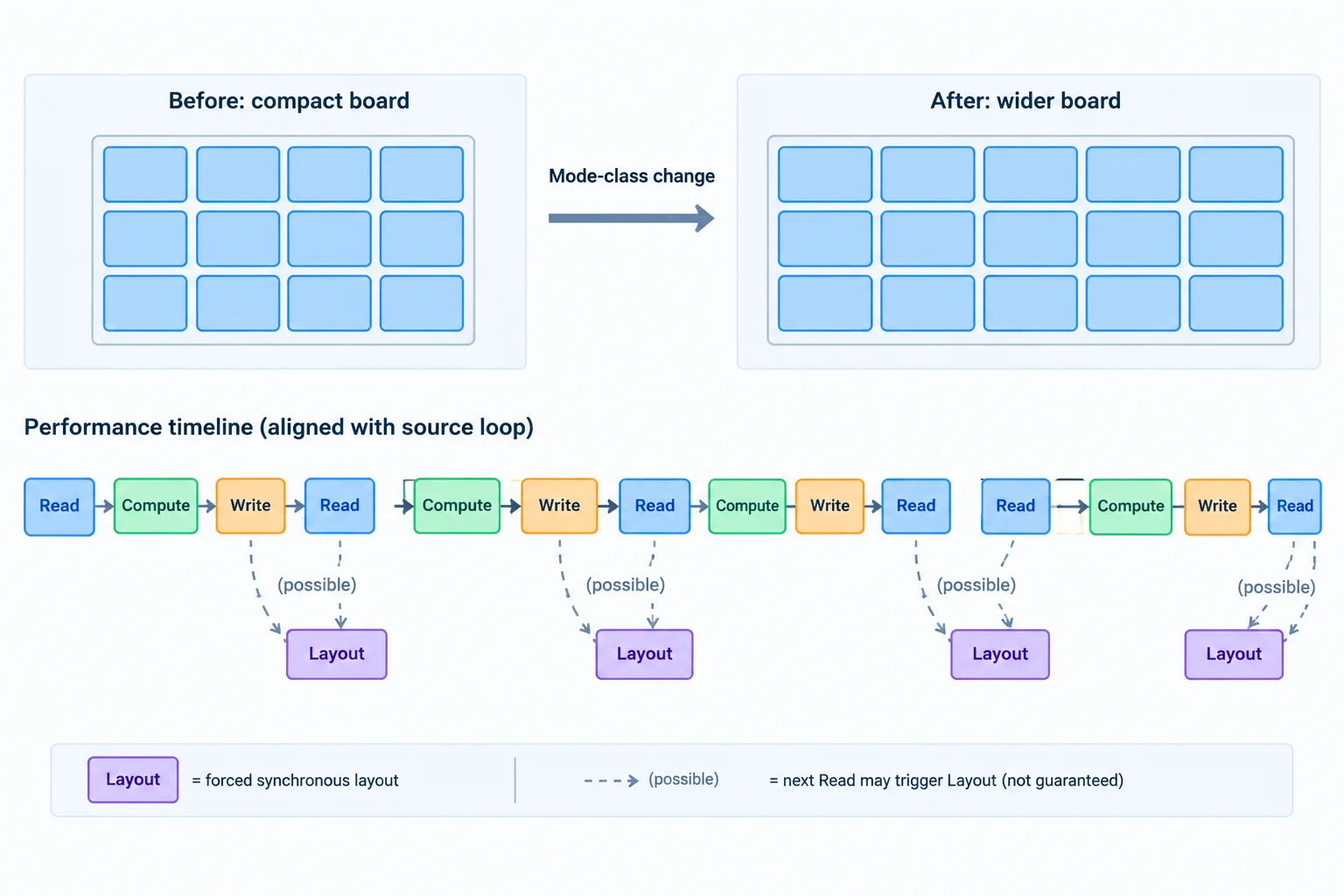
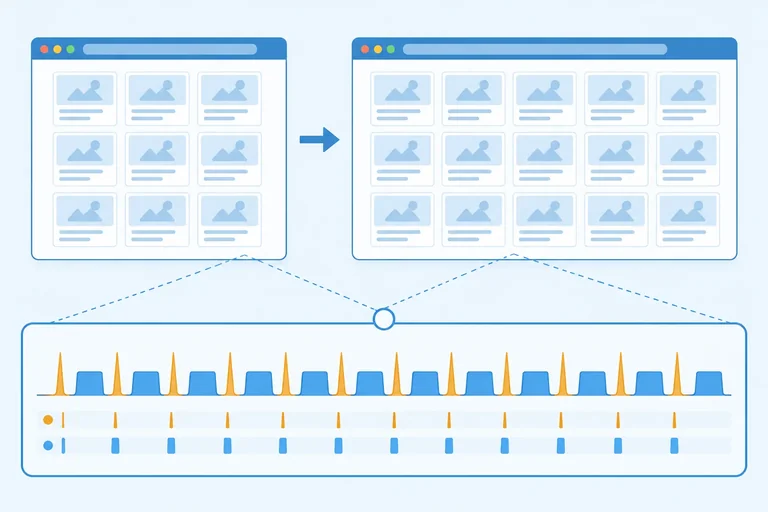
Use the trace to test this source-order hypothesis: repeated geometry reads after card-width writes may be associated with forced synchronous layout.
Start a baseline record with the scenario and environment details in your notes: browser and version, optimized local build, 1280 × 800 CSS px, one compact-to-wide activation, and the relevant syncWidths() call site. Fill numeric metrics only when the tool exposes them. Use one decimal place for durations and write N/A when unavailable.
| Variant | Run | Forced-layout events | Layout (ms) | Interaction (ms) | Notes |
|---|---|---|---|---|---|
| baseline | 1 | N/A | N/A | N/A | Add browser/version, call site, and observed trace evidence. |
After recording one compact-to-wide baseline interaction, report both parts:
If the trace does not show the expected repetition, report the browser/version, the scenario you performed, and that honest observation instead.
Write at least 80 characters (0/80).
Step 3 of 8
Refactor Layout Lab so one required new-state measurement feeds a batch of card writes, removing repeated read/write crossings without measuring the wrong board state.
Batching is not merely “put all reads first.” First identify which state a measurement must describe.
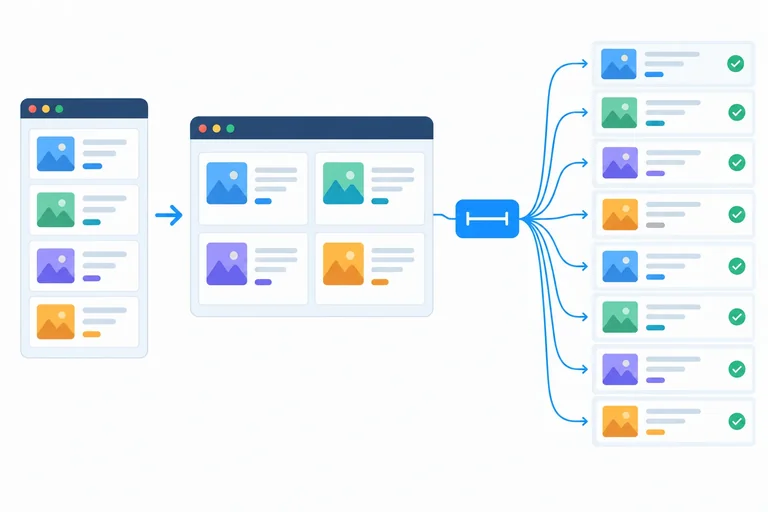
In Layout Lab, each card must receive the width of #board after Wide layout changes the board from compact to wide. The dependency-safe sequence is:
A read before the mode change might look cheaper, but it measures the compact board. That would change the interface’s meaning rather than optimize its implementation.
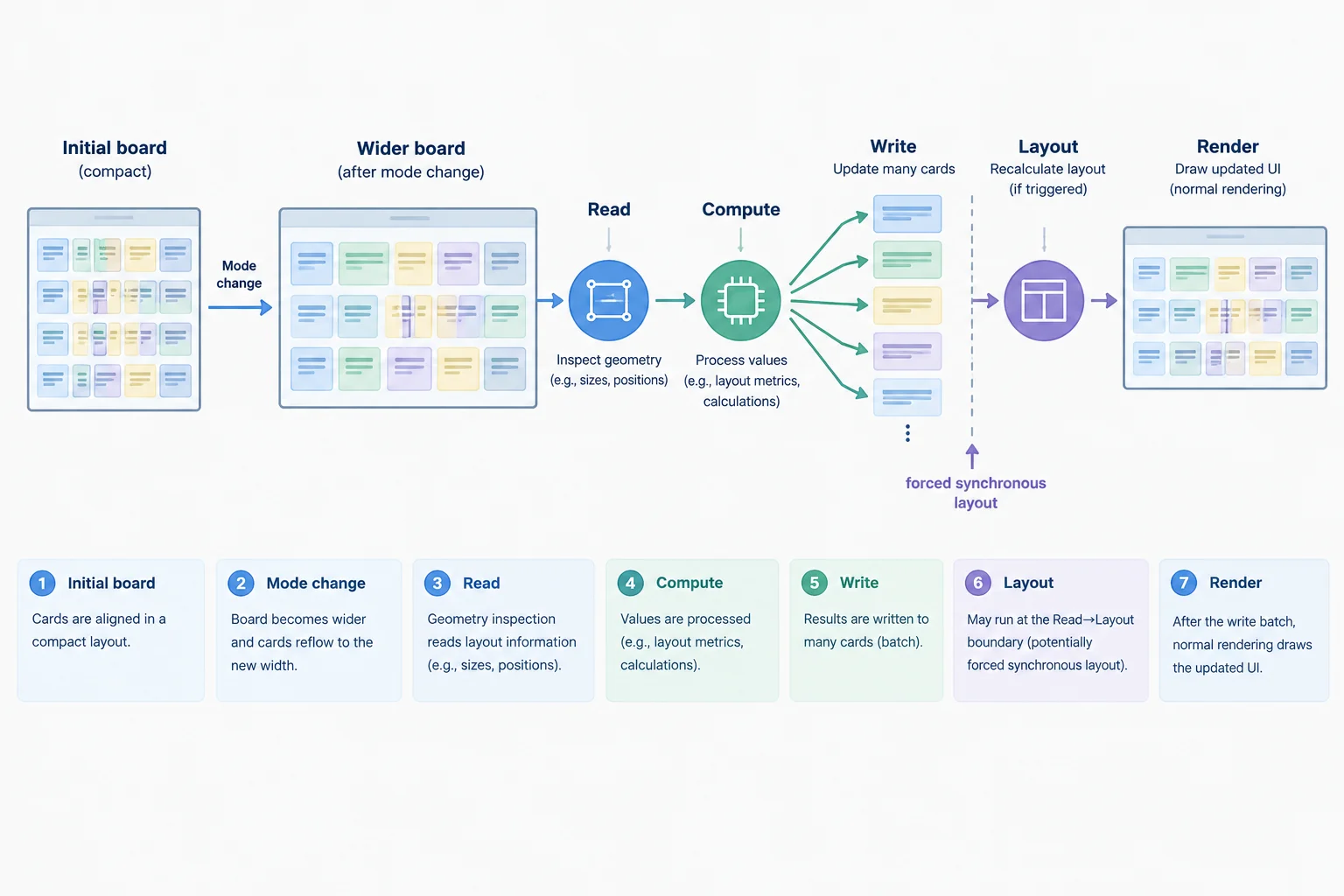
The mode change comes before the single geometry read because the required measurement belongs to the resulting board state.
Replace the entire contents of src/main.js with the two code sections on this screen, in order. This produces the complete runnable batched variant: it preserves card creation, registers every listener once, performs initial compact sizing once, and keeps cleanup aligned with the registered handlers.
src/main.js — part 1 of 2
import './styles.css';

const board = document.querySelector('#board');
const wideToggle = document.querySelector('#wide-toggle');
const resetButton = document.querySelector('#reset-button');
const cards = [];
const fragment = document.createDocumentFragment();

for (let index = 1; index <= 200; index += 1) {
  const card = document.createElement('article');
  const heading = document.createElement('h2');
  const body = document.createElement('p');

  card.className = 'card';
  heading.textContent = `Card ${String(index).padStart(3, '0')}`;
  body.textContent = 'A repeatable card for measuring layout updates.';
  card.append(heading, body);
  cards.push(card);
  fragment.append(card);
}

board.append(fragment);

const syncWidths = () => {
  const width = board.getBoundingClientRect().width;
  const cardWidth = `${width}px`;

  cards.forEach((card) => {
    card.style.width = cardWidth;
  });
};

const setWide = (isWide) => {
  board.classList.toggle('is-wide', isWide);
  wideToggle.setAttribute('aria-pressed', String(isWide));
  syncWidths();
};src/main.js — part 2 of 2
const handleWideToggle = () => {
  setWide(!board.classList.contains('is-wide'));
};

const handleReset = () => {
  setWide(false);
};

wideToggle.addEventListener('click', handleWideToggle);
resetButton.addEventListener('click', handleReset);
window.addEventListener('resize', syncWidths);
syncWidths();

const destroy = () => {
  wideToggle.removeEventListener('click', handleWideToggle);
  resetButton.removeEventListener('click', handleReset);
  window.removeEventListener('resize', syncWidths);
};
Tip
The first geometry read after changing .is-wide can still require forced synchronous layout when relevant rendering information is stale. That one read is required by this imperative new-state measurement.
The improvement is that the other 199 read/write crossings are gone. syncWidths() now reads once, computes once, and writes as a batch, so it removes avoidable layout thrashing rather than promising zero layout.
For multiple independent elements, collect every required measurement first, compute from those values, and then write. A genuinely dependent value may require another phase: a write can intentionally establish the state that a later read must measure. If that dependency is not truly required, redesign the relationship instead of pretending all reads can be moved earlier.
Put the Wide layout update phases in their only dependency-safe order.
Complete the two lines in setWide. The first blank must establish the requested mode; the second must run the batched update after that state change.
const setWide = (isWide) => {

  wideToggle.setAttribute('aria-pressed', String(isWide));

};

const syncWidths = () => {
  const width = board.getBoundingClientRect().width;
  const cardWidth = `${width}px`;

  cards.forEach((card) => {
    card.style.width = cardWidth;
  });
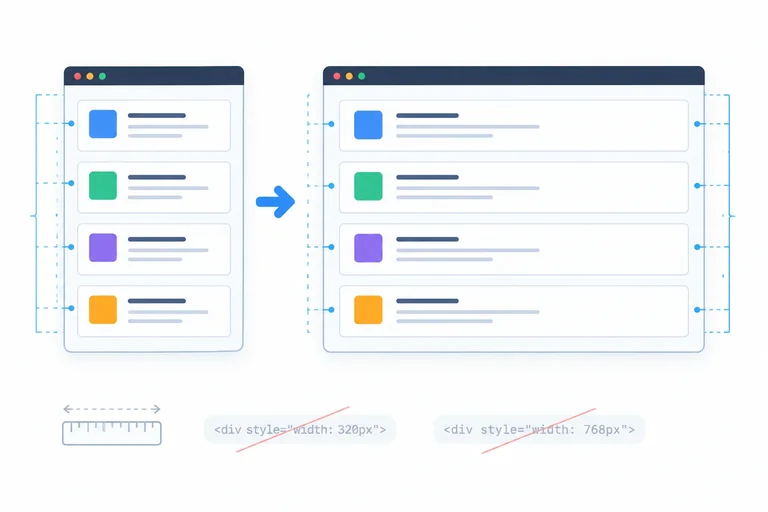
};
Step 4 of 8
Replace a redundant JavaScript sizing routine with a CSS containing-block relationship while preserving the Layout Lab controls.
A card that simply fills #board has a CSS layout relationship, not a measurement requirement. The browser already knows the containing block’s width and can resolve a percentage width during normal layout.
In the css variant, changing .is-wide still changes the board from min(100%, 40rem) to min(100%, 60rem). Each .card follows that new width through CSS—without JavaScript reading board.getBoundingClientRect().width or assigning widths card by card.
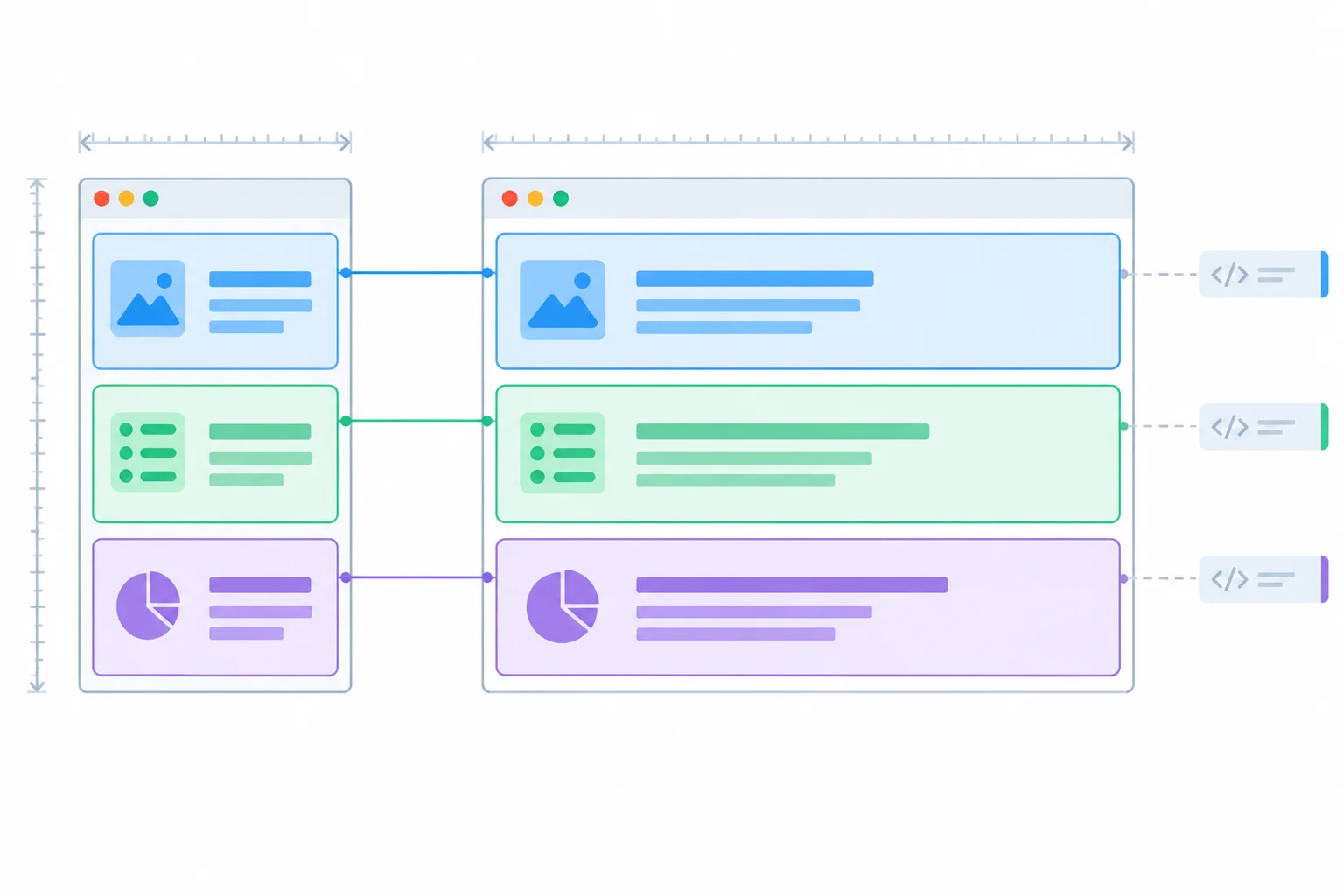
When the board changes width, width: 100% lets normal layout size every card.
The fixture’s box-model contract makes this relationship precise: cards use box-sizing: border-box and zero horizontal margins; #board has no padding, border, or transform. Therefore, width: 100% gives every card the board’s available width without a JavaScript measurement.
CSS removes avoidable JavaScript geometry work. The browser still performs normal style and layout work after the board class changes. That normal rendering work is not automatically a forced synchronous layout event.
In src/styles.css, retain the existing board rules and replace the corresponding .card rule with this version. Keep the remaining card appearance rules unchanged.
#board {
  display: grid;
  gap: 0.5rem;
  width: min(100%, 40rem);
}

#board.is-wide {
  width: min(100%, 60rem);
}

.card {
  box-sizing: border-box;
  width: 100%;
  margin-inline: 0;
  padding: 1rem;
  border: 1px solid #9aa8bf;
  background: white;
}Compare responsibilities rather than only counting trace events.
| Concern | batched | css |
|---|---|---|
| Board mode | Class change | Class change |
| Card width source | Measured board rectangle | Containing block |
| Per-card inline width | Assigned by JavaScript | Avoided |
| Resize width synchronization | Listener required | No listener needed |
| Accessible button state | Updated | Updated |
Tip
Choose the css variant when “each card fills the board” is the actual requirement. Use an imperative measurement only when an actual requirement cannot be represented by an available CSS relationship.
CSS must become the only owner of card widths. Remove syncWidths(), every call to it, the resize listener that existed only to run it, and every card.style.width assignment. Old inline width values override the stylesheet, so replace the prior module and reload the page to recreate the cards without those runtime styles.
The controls still own the board mode and its exposed state. Wide layout remains a toggle: a second activation returns to compact mode. Reset layout explicitly restores compact mode.
Replace the complete contents of src/main.js with this runnable css variant. It creates the same 200 cards, retains native control behavior, and has no geometry read or resize synchronization.
import './styles.css';

const board = document.querySelector('#board');
const wideToggle = document.querySelector('#wide-toggle');
const resetButton = document.querySelector('#reset-button');
const cards = [];
const fragment = document.createDocumentFragment();

for (let index = 1; index <= 200; index += 1) {
  const card = document.createElement('article');
  const heading = document.createElement('h2');
  const body = document.createElement('p');

  card.className = 'card';
  heading.textContent = `Card ${String(index).padStart(3, '0')}`;
  body.textContent = 'A repeatable card for measuring layout updates.';
  card.append(heading, body);
  cards.push(card);
  fragment.append(card);
}

board.append(fragment);

const setWide = (isWide) => {
  board.classList.toggle('is-wide', isWide);
  wideToggle.setAttribute('aria-pressed', String(isWide));
};

const handleWideToggle = () => {
  setWide(!board.classList.contains('is-wide'));
};

const handleReset = () => {
  setWide(false);
};

wideToggle.addEventListener('click', handleWideToggle);
resetButton.addEventListener('click', handleReset);

const destroy = () => {
  wideToggle.removeEventListener('click', handleWideToggle);
  resetButton.removeEventListener('click', handleReset);
};
Tip
After saving both files, reload Layout Lab. In compact mode and wide mode, the cards should follow #board through normal CSS layout. No production JavaScript should read board geometry or assign an inline card width for this relationship.
Apply the css replacement to your local Layout Lab files. In 4–6 concise lines, identify: the card-sizing declaration; every width-synchronization responsibility removed from JavaScript; how you prevent stale inline widths from overriding CSS; and the behavior retained by both controls. Include the second-activation behavior of Wide layout.
Write at least 180 characters (0/180).
Step 5 of 8
Use one pending animation-frame callback to coalesce necessary imperative sizing while preserving batched reads and writes and cancelling queued work during cleanup.
Use the frame variant only when imperative card sizing remains necessary. It is an alternative to the css variant, not an extra layer on top of CSS sizing.
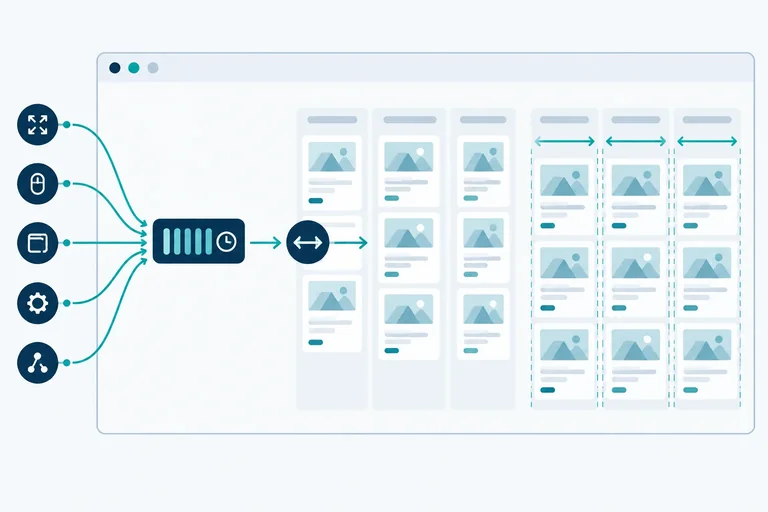
requestAnimationFrame() requests a callback before a future rendering update. It does not prove that an earlier change has painted, and it does not make a geometry read free. Its value here is that a mode change and several resize events can share one pending callback.
When that callback runs, it must measure the board then—not when an earlier event occurred. The resulting syncWidths() call still preserves the batched Read → Compute → Write sequence using the latest board state.
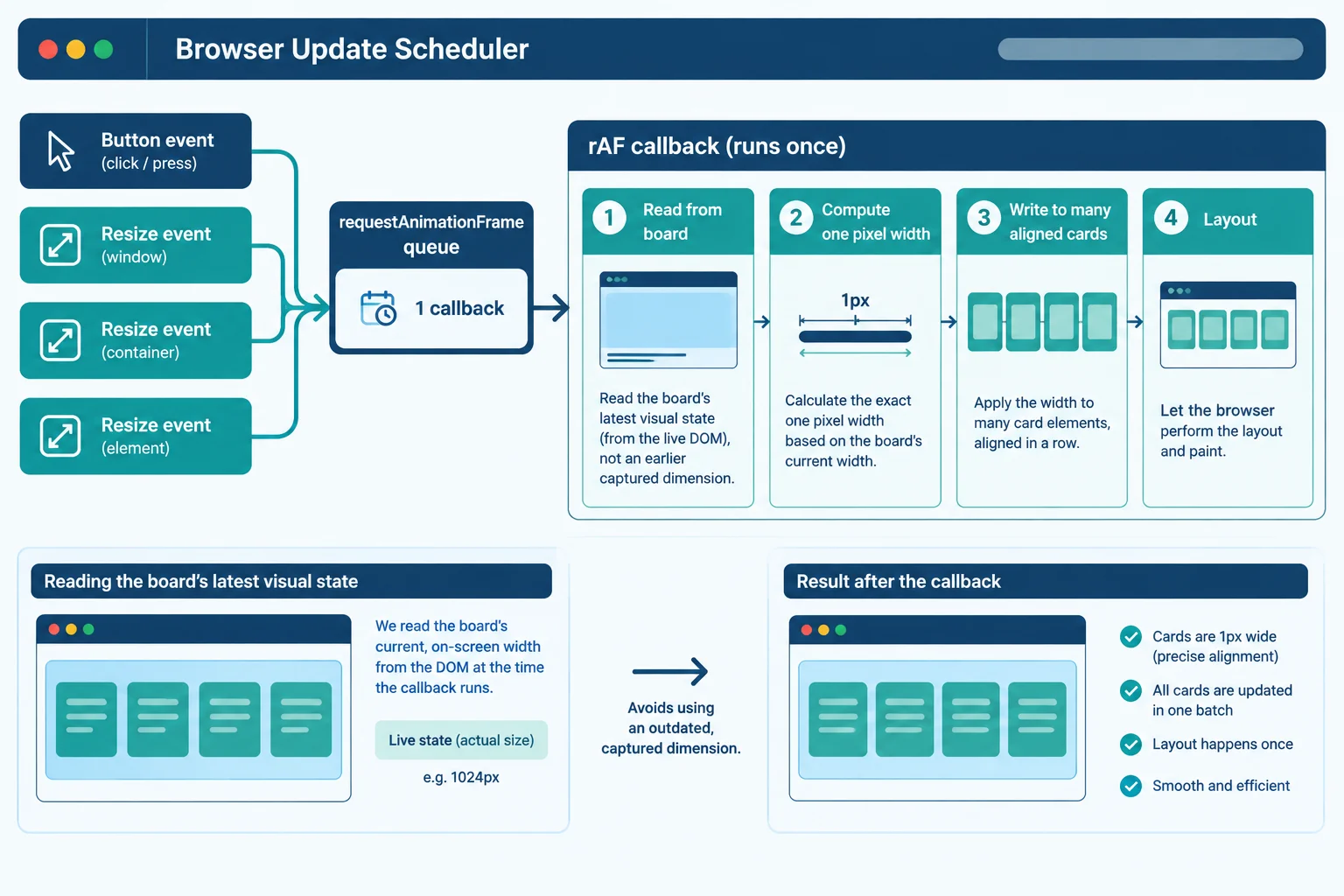
A frame-coalesced update can remove duplicate executions while retaining the Read, Compute, Write, and Layout sequence.
Switch away from the preceding css variant before using the frame variant: JavaScript must be the single owner of the card widths here. In src/styles.css, replace the .card rule with the version below, which removes width: 100% but keeps the fixture's box-model constraints.
Then replace all of src/main.js with the next two code sections in order. This complete module recreates the same deterministic 200 cards before it collects them for imperative sizing.
src/styles.css — replace the .card rule
.card {
  box-sizing: border-box;
  margin-inline: 0;
  padding: 1rem;
  border: 1px solid #9aa8bf;
  background: white;
}src/main.js — part 1 of 2
import './styles.css';

const board = document.querySelector('#board');
const wideToggle = document.querySelector('#wide-toggle');
const resetButton = document.querySelector('#reset-button');
const fragment = document.createDocumentFragment();

for (let index = 1; index <= 200; index += 1) {
  const card = document.createElement('article');
  const heading = document.createElement('h2');
  const body = document.createElement('p');

  card.className = 'card';
  heading.textContent = `Card ${String(index).padStart(3, '0')}`;
  body.textContent = 'A repeatable card for measuring layout updates.';
  card.append(heading, body);
  fragment.append(card);
}

board.append(fragment);

const cards = [...document.querySelectorAll('.card')];
let pendingFrame = null;

const syncWidths = () => {
  const width = board.getBoundingClientRect().width;
  const cardWidth = `${width}px`;

  cards.forEach((card) => {
    card.style.width = cardWidth;
  });
};src/main.js — part 2 of 2; append directly after part 1
const scheduleSync = () => {
  if (pendingFrame !== null) return;

  pendingFrame = requestAnimationFrame(() => {
    pendingFrame = null;
    syncWidths();
  });
};

const setWide = (isWide) => {
  board.classList.toggle('is-wide', isWide);
  wideToggle.setAttribute('aria-pressed', String(isWide));
  scheduleSync();
};

const handleWideToggle = () => {
  setWide(!board.classList.contains('is-wide'));
};

const handleReset = () => {
  setWide(false);
};

wideToggle.addEventListener('click', handleWideToggle);
resetButton.addEventListener('click', handleReset);
window.addEventListener('resize', scheduleSync);
scheduleSync();

const destroy = () => {
  wideToggle.removeEventListener('click', handleWideToggle);
  resetButton.removeEventListener('click', handleReset);
  window.removeEventListener('resize', scheduleSync);

  if (pendingFrame !== null) {
    cancelAnimationFrame(pendingFrame);
  }

  pendingFrame = null;
};pendingFrame stores an animation-frame identifier; null means that no callback is queued. The guard leaves an existing identifier untouched, so repeated events do not create additional callbacks.
The callback resets that identifier before syncWidths() runs. A later event can therefore schedule a new update. destroy() removes every registered listener, cancels a callback that is still queued, and returns the identifier to null. A callback already running cannot be cancelled, but queued work must not update a disposed interface.
Warning
Coalescing removes redundant executions; it does not reduce the cost of work that remains. In the callback, getBoundingClientRect() can still cause forced synchronous layout when the board's relevant rendering information is stale.
Likewise, a long syncWidths() callback can still miss a frame. A frame-coalesced update changes when the batched work is requested; it is not proof of a paint or a performance guarantee.
Complete the lifecycle lines for a one-pending-frame scheduler.
let pendingFrame = null;

const scheduleSync = () => {


  pendingFrame = requestAnimationFrame(() => {

    syncWidths();
  });
};

const destroy = () => {
  if (pendingFrame !== null) {

  }

  pendingFrame = null;
};Without copying the completed snippet, write 4–6 sentences about this scenario: scheduleSync() is called three times before the browser runs its queued callback. State the guard behavior, the callback count, when the board measurement occurs, and what must happen to the pending callback if destroy() runs first. Also explain why the measurement inside the callback can still cause forced synchronous layout.
Write at least 220 characters (0/220).
Step 6 of 8
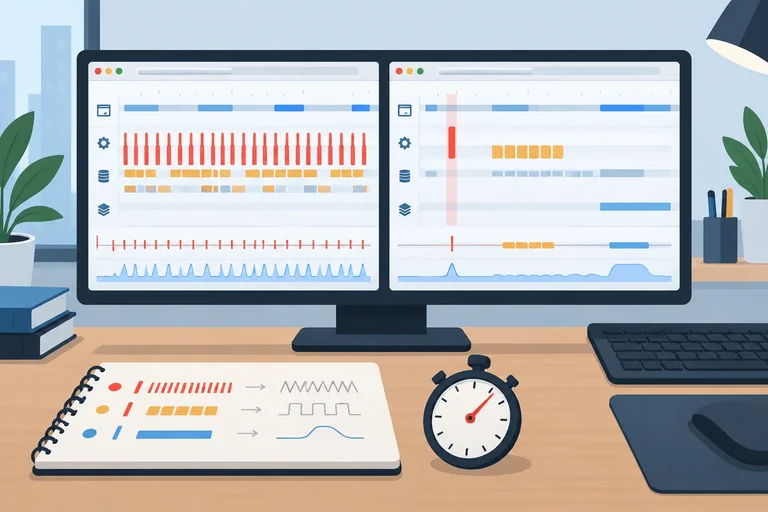
Compare repeated, controlled recordings so a candidate is judged by relevant layout and interaction evidence rather than one unusually fast trace.
A useful comparison keeps the interaction meaning the same in every recording. Compare baseline with one candidate—batched, css, or frame—while holding content, starting state, browser, optimized build mode, throttling, viewport, and interaction window constant.
For Layout Lab, warm each build the same way, let compact mode settle, then activate Wide layout once at 1280 × 800 CSS px. Keep startup, Reset layout, and resizing outside this interaction window. Collect at least three recordings per variant.
A resize burst is a different scenario. Record and evaluate it separately; do not mix it with compact-to-wide recordings.
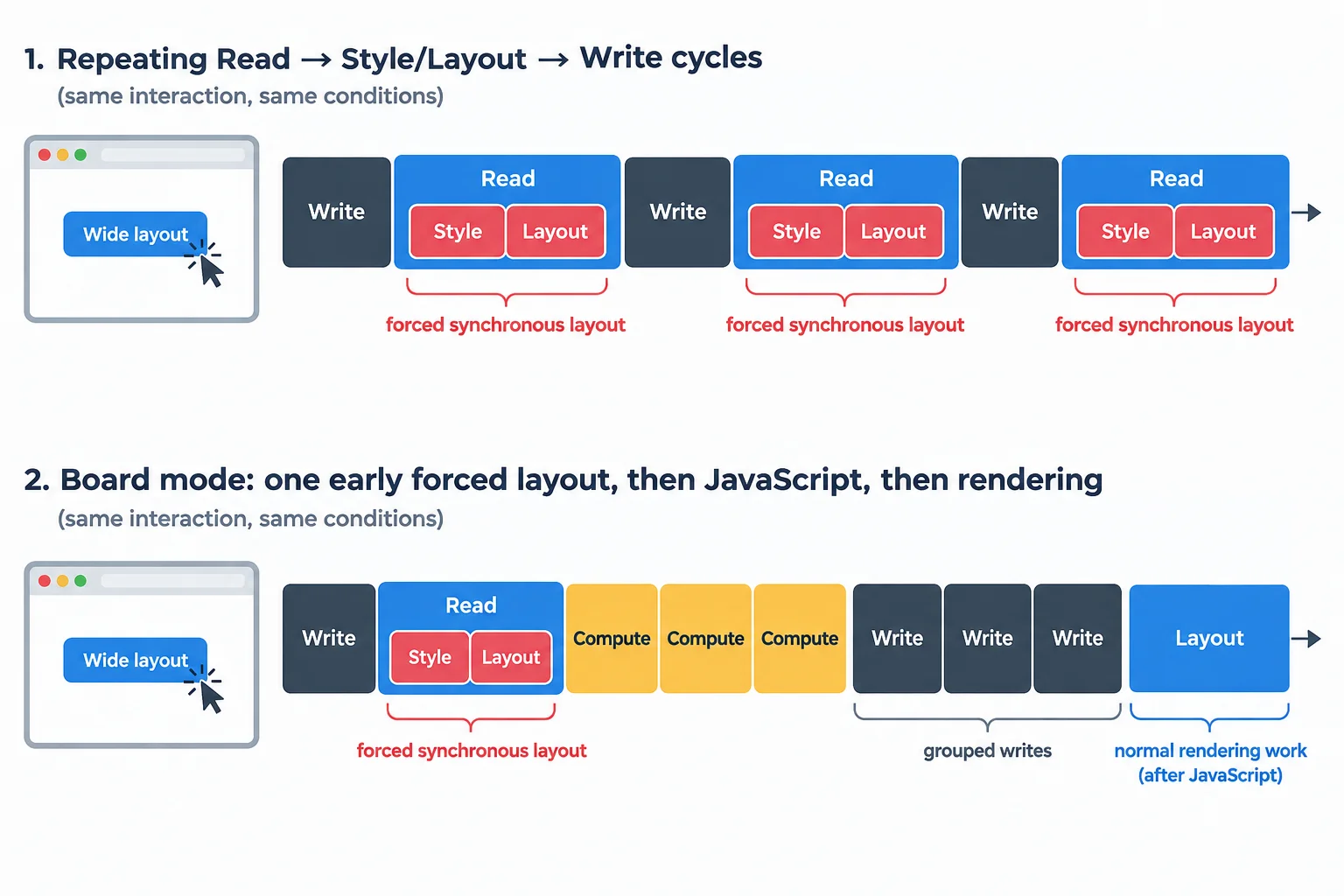
A Layout entry is not automatically a forced-layout event. Attribute synchronous work by its relationship to JavaScript and the relevant call site.
Tip
A rendering-phase Layout after JavaScript is normal browser work; it is not automatically a forced-layout event. Conversely, a frame variant can make the input handler look shorter by moving work to a later animation frame. Inspect the whole interaction window, including available interaction timing and presentation, before calling that an improvement.
Keep the raw recordings, then summarize each metric with a median and range. Compare attributed forced-layout events, total Layout time inside the same interaction window, and available interaction timing. If a browser does not expose a metric, write N/A; do not invent precision.
This illustrative example compares only baseline and batched for the controlled compact-to-wide interaction. Its numbers are not targets for your machine.
Illustrative raw recordings: same content, warmed optimized build, 1280 × 800 CSS px, and one Wide layout activation.
| Variant | Run | Forced-layout events | Layout (ms) | Interaction (ms) | Notes |
|---|---|---|---|---|---|
| baseline | 1 | 200 | 18.2 | 32.7 | syncWidths() attribution |
| baseline | 2 | 200 | 17.5 | 31.9 | syncWidths() attribution |
| baseline | 3 | 200 | 18.8 | 33.6 | syncWidths() attribution |
| batched | 1 | 1 | 4.8 | 15.1 | post-change read |
| batched | 2 | 1 | 5.2 | 15.7 | post-change read |
| batched | 3 | 1 | 4.9 | 15.3 | post-change read |
Example
For these illustrative runs, baseline has a Layout median of 18.2 ms with a range of 17.5–18.8 ms, and an interaction median of 32.7 ms with a range of 31.9–33.6 ms. batched has a Layout median of 4.9 ms with a range of 4.8–5.2 ms, and an interaction median of 15.3 ms with a range of 15.1–15.7 ms.
The separated ranges and agreement across metrics support a bounded local conclusion: batching reduced relevant work in this scenario. If ranges overlap, or one unusual run creates the apparent win, rerun the comparison. Local traces do not establish a real-user INP result or a guaranteed percentage improvement.
Which conclusion is best supported by the illustrative comparison?
First, state the conclusion supported by the illustrative baseline-versus-batched comparison. Then summarize your own repeated local comparison of baseline and one candidate.
Include your fixed scenario; three raw runs per variant for forced-layout events, Layout (ms), and interaction (ms), using N/A where needed; each median and range; and a conclusion of improvement, regression, or inconclusive with one evidence-based reason. Keep the conclusion local—do not claim a real-user INP result.
Write at least 180 characters (0/180).
Step 7 of 8
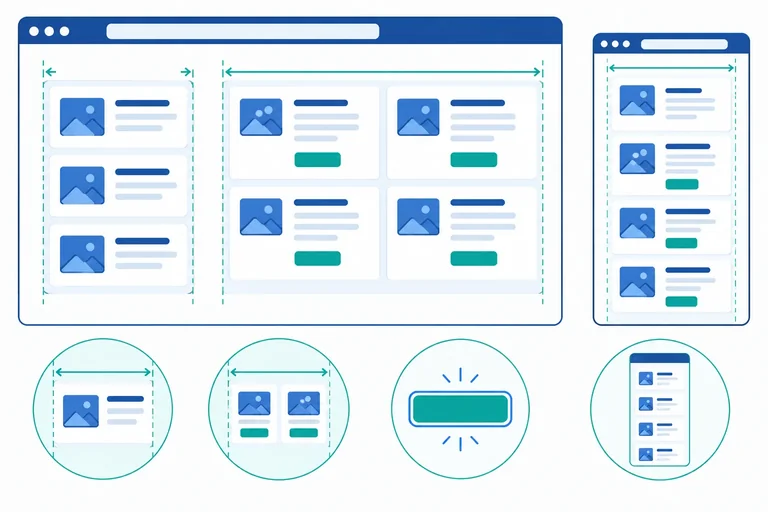
Verify that the measured candidate preserves sizing, state, keyboard operation, focus, and responsive behavior.
A faster trace is not enough. Your chosen candidate must still start in compact mode, make all 200 cards match #board, toggle Wide layout from compact to wide and back, and let Reset layout explicitly restore compact mode.
Keep correctness checks separate from performance recordings. This journey deliberately reads rendered geometry to assert the final interface. Those test reads are not production work, so do not include them in your forced-layout comparison.
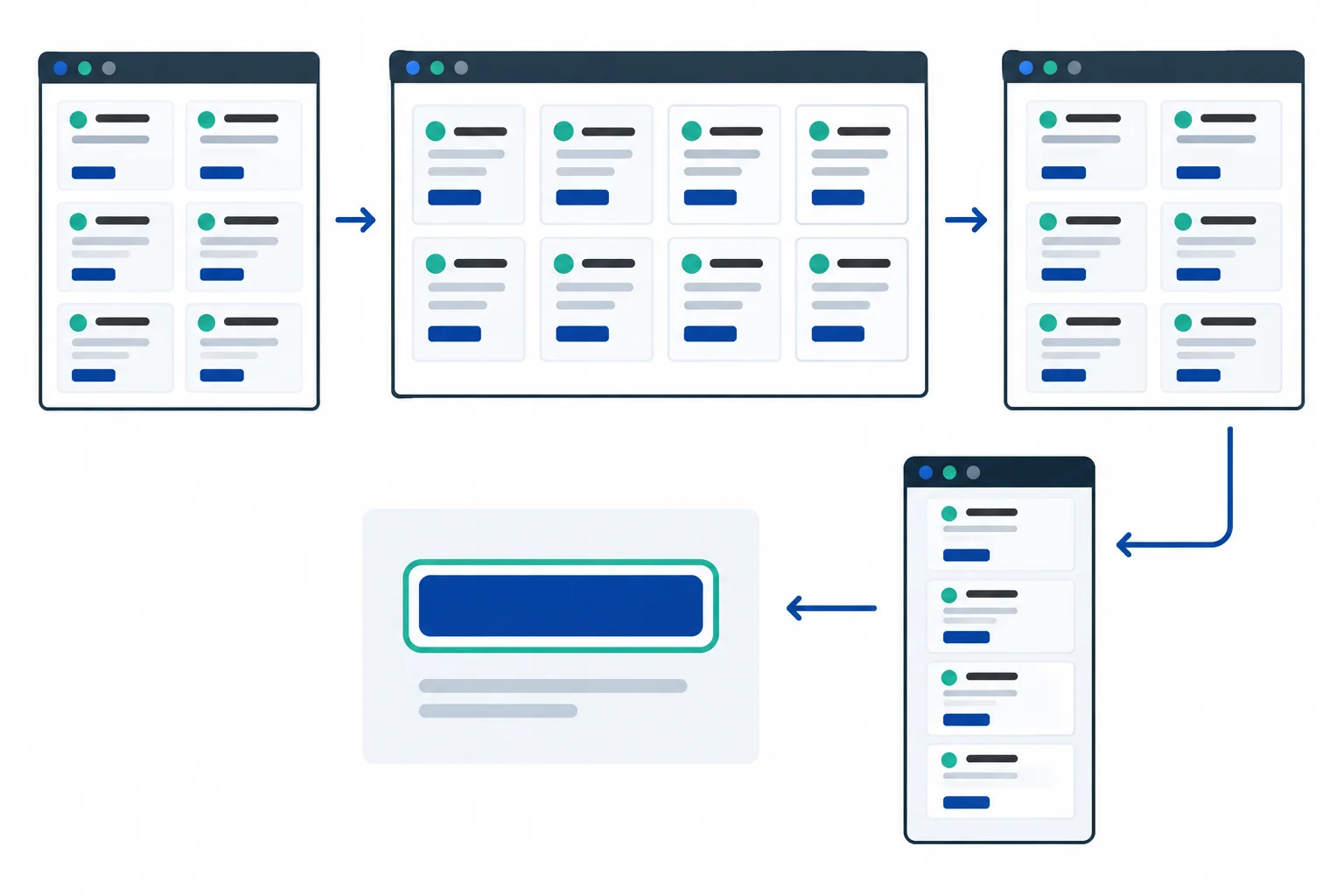
Check rendered sizing, exposed state, responsive behavior, and keyboard focus—not only whether a click handler ran.
From the layout-lab project root, install Playwright locally and install the Chromium browser used by this local journey.
npm install -D @playwright/test
npx playwright install chromiumCreate playwright.config.js. This correctness server uses port 4174, distinct from the port 4173 preview used for performance recordings. reuseExistingServer: false requires Playwright to start a fresh server from your current source, rather than silently testing a stale server.
import { defineConfig } from '@playwright/test';

export default defineConfig({
  testDir: './tests',
  use: {
    baseURL: 'http://127.0.0.1:4174',
  },
  projects: [
    {
      name: 'chromium',
      use: { browserName: 'chromium' },
    },
  ],
  webServer: {
    command: 'npm run dev -- --host 127.0.0.1 --port 4174 --strictPort',
    url: 'http://127.0.0.1:4174',
    reuseExistingServer: false,
  },
});Create tests/layout.spec.js with these helpers. widthsMatch() waits for a settled state, including a pending frame update, and checks the maximum width difference across every card—not just the first one.
import { expect, test } from '@playwright/test';

const widthsMatch = async (page) => {
  await expect.poll(() => page.locator('#board').evaluate((board) => {
    const boardWidth = board.getBoundingClientRect().width;
    const cards = [...board.querySelectorAll('.card')];

    if (cards.length !== 200) return Infinity;

    return Math.max(...cards.map((card) => Math.abs(
      boardWidth - card.getBoundingClientRect().width,
    )));
  })).toBeLessThanOrEqual(1);
};

const boardWidth = (page) => page.locator('#board').evaluate(
  (board) => board.getBoundingClientRect().width,
);Append this targeted journey. Reset is tested at 1280 × 800 CSS px, where compact and wide board widths differ. The later narrow viewport check is a separate responsive-layout assertion.
test('preserves the Layout Lab interaction', async ({ page }) => {
  await page.setViewportSize({ width: 1280, height: 800 });
  await page.goto('/');

  const wide = page.getByRole('button', { name: 'Wide layout' });
  const reset = page.getByRole('button', { name: 'Reset layout' });
  await expect(page.locator('.card')).toHaveCount(200);
  await expect(wide).toHaveAttribute('aria-pressed', 'false');
  await widthsMatch(page);
  const compactWidth = await boardWidth(page);

  await wide.focus();
  await page.keyboard.press('Space');
  await expect(wide).toBeFocused();
  await expect(wide).toHaveAttribute('aria-pressed', 'true');
  await widthsMatch(page);
  expect(await boardWidth(page)).toBeGreaterThan(compactWidth + 1);

  await page.keyboard.press('Space');
  await expect(wide).toBeFocused();
  await expect(wide).toHaveAttribute('aria-pressed', 'false');
  await widthsMatch(page);

  await wide.click();
  await expect(wide).toHaveAttribute('aria-pressed', 'true');
  await widthsMatch(page);
  await reset.click();
  await expect(reset).toBeFocused();
  await expect(wide).toHaveAttribute('aria-pressed', 'false');
  await widthsMatch(page);
  expect(Math.abs((await boardWidth(page)) - compactWidth)).toBeLessThanOrEqual(1);

  await page.setViewportSize({ width: 500, height: 800 });
  await widthsMatch(page);
  expect(await page.evaluate(() => (
    document.documentElement.scrollWidth <= document.documentElement.clientWidth
  ))).toBe(true);
});
Run this now, before adding the optional frame cleanup diagnostic on the next screen. Playwright starts a fresh server on port 4174 for this run; a preview still running on port 4173 is not reused. At this point the file contains one test, so one passing test is the expected shape of the result.
npx playwright test tests/layout.spec.jsRunning 1 test using 1 worker ✓ 1 [chromium] › tests/layout.spec.js:19:1 › preserves the Layout Lab interaction 1 passed (1.4s)
Elapsed time and file positions vary by machine and Playwright version.
Do this only for the frame variant. Add let syncCount = 0; immediately before const syncWidths, then add syncCount += 1; as the first statement inside syncWidths(). Append this hook immediately after the existing destroy() definition. It exposes the local scheduler solely for this cleanup check; remove the counter and hook after testing.
window.__layoutLabFrameCheck = {
  schedule: scheduleSync,
  destroy,
  getPendingFrame: () => pendingFrame,
  getSyncCount: () => syncCount,
};For the frame variant, append this second test to tests/layout.spec.js. It settles startup work, queues a new update, destroys the interface before that callback runs, then attempts resize and button events. The assertions require no queued frame, no additional width sync, and no changed pressed state.
test('cancels queued work for the frame variant', async ({ page }) => {
  await page.goto('/');
  const hasHook = await page.evaluate(() => Boolean(window.__layoutLabFrameCheck));
  test.skip(!hasHook, 'Run this check only with the frame variant.');

  await page.evaluate(() => new Promise((resolve) => {
    requestAnimationFrame(() => requestAnimationFrame(resolve));
  }));

  const result = await page.evaluate(async () => {
    const hook = window.__layoutLabFrameCheck;
    const before = hook.getSyncCount();

    hook.schedule();
    hook.destroy();
    window.dispatchEvent(new Event('resize'));
    document.querySelector('#wide-toggle').click();

    await new Promise((resolve) => {
      requestAnimationFrame(() => requestAnimationFrame(resolve));
    });

    return {
      before,
      pending: hook.getPendingFrame(),
      syncCount: hook.getSyncCount(),
      pressed: document.querySelector('#wide-toggle').getAttribute('aria-pressed'),
    };
  });

  expect(result.pending).toBeNull();
  expect(result.syncCount).toBe(result.before);
  expect(result.pressed).toBe('false');
});With the temporary hook present in the current frame source, run the full file. The fresh port-4174 server ensures this run loads that current source rather than an earlier preview. Both tests should pass before you remove the temporary diagnostic code.
npx playwright test tests/layout.spec.jsRunning 2 tests using 1 worker ✓ 1 [chromium] › tests/layout.spec.js:19:1 › preserves the Layout Lab interaction ✓ 2 [chromium] › tests/layout.spec.js:55:1 › cancels queued work for the frame variant 2 passed (2.3s)
Elapsed time and file positions vary by machine and Playwright version.
For baseline, batched, or css, append the same second test but do not add the frame hook. The test deliberately skips because this cleanup contract applies only to the frame scheduler. The interaction journey must still pass.
npx playwright test tests/layout.spec.jsRunning 2 tests using 1 worker ✓ 1 [chromium] › tests/layout.spec.js:19:1 › preserves the Layout Lab interaction - 2 [chromium] › tests/layout.spec.js:55:1 › cancels queued work for the frame variant 1 passed 1 skipped (1.6s)
Elapsed time and file positions vary by machine and Playwright version.
Run automation, then inspect the same local candidate manually. Do not merge a resize-burst investigation into the fixed compact-to-wide performance recording. A passing browser journey proves only its explicit assertions; it cannot substitute for these observations.
Use this checklist after the automated journey. For the frame variant, remove the temporary counter and hook after the cleanup test has completed.
| Check | Procedure | Observe |
|---|---|---|
| Narrow resize | Resize to a narrow browser width; use Wide layout and Reset layout. | Cards wrap without clipping or unintended horizontal overflow. |
| Wide resize | Expand to a wide viewport and repeat both controls. | Board and every card remain aligned. |
| Zoom | Set browser zoom to 200% and repeat the interaction. | Controls remain usable; content wraps instead of disappearing offscreen. |
| Keyboard and focus | Use Tab, Space, and Enter with both native controls. | Logical order, visible focus, correct pressed state, and focus on the activated control remain. |
| Frame cleanup | For `frame`, run its diagnostic before removing the hook. | Queued work is cancelled; destroyed controls and resize events cannot trigger another update. |
Run npx playwright test tests/layout.spec.js, then complete the narrow resize, wide resize, 200% zoom, and keyboard/focus checks for your local candidate. If you used frame, also report the cleanup-test result before removing its temporary hook.
Report every failure or unresolved observation. Do not treat a passing automated test as evidence that an unchecked manual condition passed.
Write at least 100 characters (0/100).

Step 8 of 8
Integrate measured layout evidence with behavior and accessibility results to make a justified final optimization decision.
A performance change is ready to keep only when one record connects why the work happened, what changed, and what stayed correct.
Start with the cause you observed: the baseline alternated a board-width geometry read with card-width writes, producing repeated forced synchronous layout. Then identify the single candidate you compared: batched, css, or frame.
Your decision is not based on an event count alone. It combines repeated trace evidence with the targeted behavior and accessibility journey. If any part is uncertain, the honest outcome is investigate, not an unsupported claim of success.
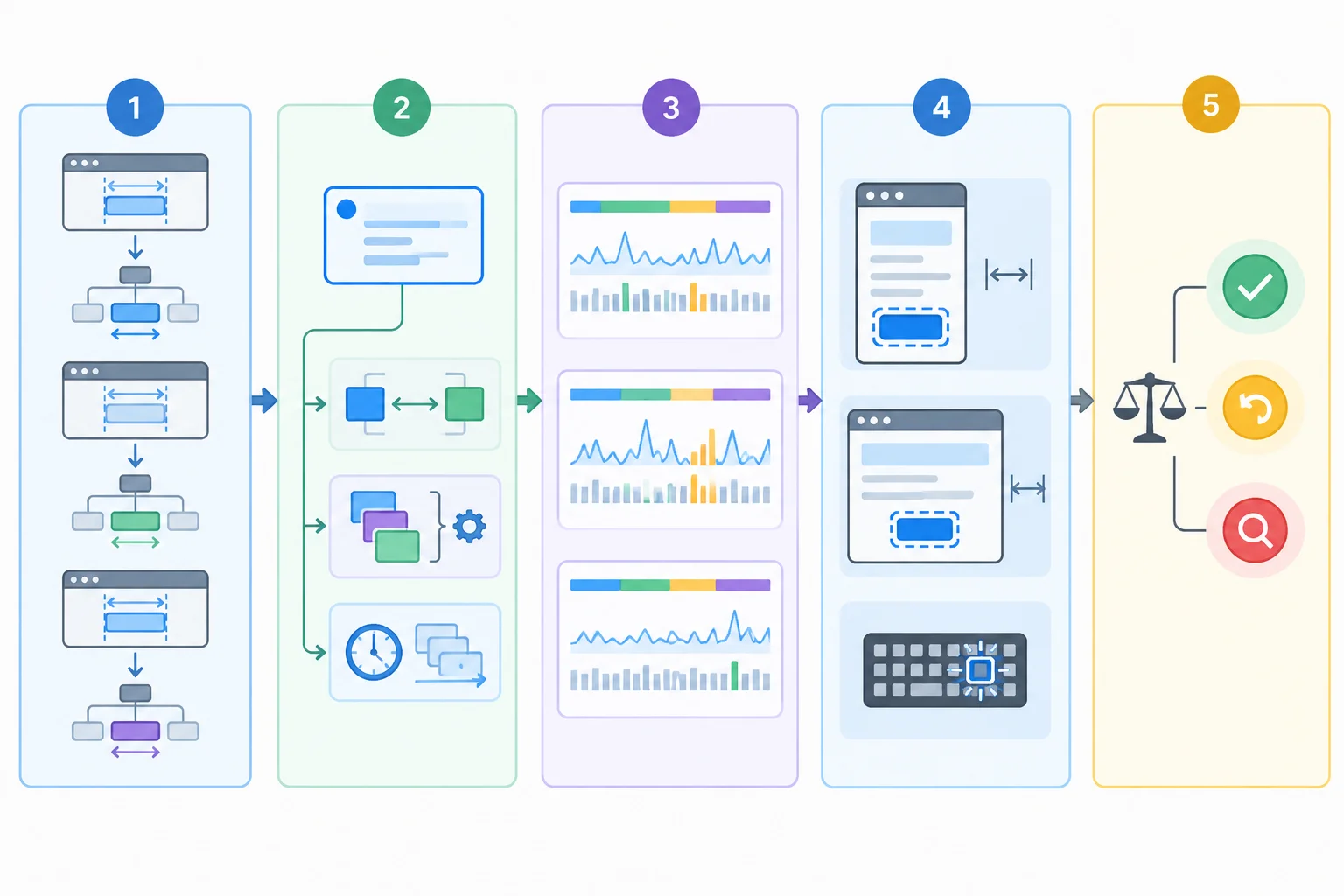
Decision flow: Cause → chosen variant → repeated measurements → regression checks → keep, revert, or investigate.
Use this compact record after comparing one candidate with baseline under the same scenario. Keep raw recordings separately; this record states the conclusion without hiding uncertainty.
If css fully expresses the card-to-board relationship, retaining it usually removes an unnecessary imperative sizing system. That preference still depends on the same behavior and accessibility checks.
| Record area | What to state | Evidence to retain |
|---|---|---|
| Cause | Relevant read/write sequence and call site | Trace observation |
| Chosen change | batched, css, or frame | Why it preserves the requirement |
| Measurement semantics | Whether width is after the mode change | Source order or implementation note |
| Repeated results | At least three like-for-like runs | Medians, ranges, raw runs |
| Regression outcome | Sizing, resize, zoom, keyboard, focus | Test and manual-check results |
| Decision | Keep, revert, or investigate | Reasoned conclusion |
Summary
Use the decision rule below; it prevents a narrow metric from overruling the actual interface.
Create your final local optimization record. Write six short labeled parts: Cause, Chosen variant, Measurement semantics, Repeated evidence, Regression results, and Decision.
Name one decision—keep, revert, or investigate—and justify it from your own recordings and checks.
Write at least 250 characters (0/250).
Congratulations! You completed: Reduce Forced Layout with Batched DOM Updates
You completed the path
Congratulations! You went through every tutorial in this path.
Thousands of online courses in video, ebooks and audiobooks.
To test your knowledge during online courses
Generated directly from your cell phone's photo gallery and sent to your email

Download our app via QR Code or the links below:.



Carry knowledge in your pocket.
Download the Cursa app.
There are hundreds of free courses available, with a free certificate of completion that is saved in your mobile image gallery.
Download the app to access the Course Completion Certificate for Free.


+ 10 million
students

Free and Valid
Certificate

60 thousand free
exercises

4.8/5 rating in
app stores

Free courses in
video and ebooks