Step 1 of 8
Choose the Right Property Coverage
Choose a Search Console property whose URL coverage matches the investigation.

Learning path · Level 5 · Tutorial 4
Explain the access needed for Search Console and use written search-performance and indexing examples to identify justified next actions. Ownership of a website and live verification are not required.

 Choose the Right Property Coverage
Choose a Search Console property whose URL coverage matches the investigation. 2 min
 Understand Verification and Shared Access
Choose an authorized Search Console access or verification route based on the task and property type. 2 min
 Read the Four Performance Metrics Together
2 min
 Investigate a Change with Consistent Filters
Define a consistent Search results segment, interpret a fixed comparison, and choose a justified query-level next check without claiming an unproven cause. 3 min
 Separate Expected Exclusions from Indexing Issues
Classify Page indexing statuses by comparing the reported reason with the URL’s intended purpose. 2 min
 Use URL Inspection to Narrow the Next Check
Use stored URL Inspection information and a live test to identify what is supported, what remains unknown, and who should investigate a guide-page noindex directive. 3 min
 Explain Why Clicks and Sessions Differ
Explain why Search Console Clicks and GA4 sessions can differ by examining scope, counting rules, timing, and collection visibility. 2 min
 Write an Evidence-Based SEO Issue Note
Synthesize Search Console evidence into a concise issue note with a defined scope, supported evidence, explicit uncertainty, feasible next check, and responsible person. 3 min
Step 1 of 8
Choose a Search Console property whose URL coverage matches the investigation.
A Search Console property sets the URL coverage for its reports. Before investigating anything, ask: Which exact URLs must this report include?
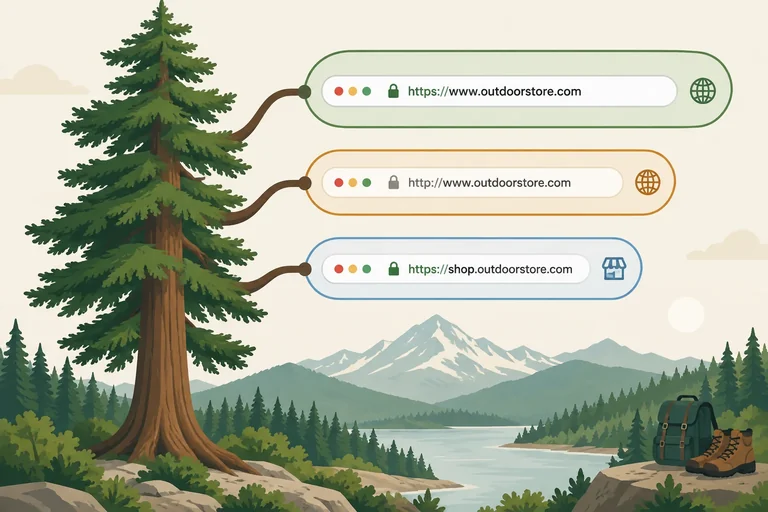
For Cedar Trail, a Domain property for cedartrail.example covers the domain across protocols and subdomains. A URL-prefix property covers only URLs that begin with its exact prefix.
This step uses written examples and illustrative reports. You do not need a website, account, or live setup.
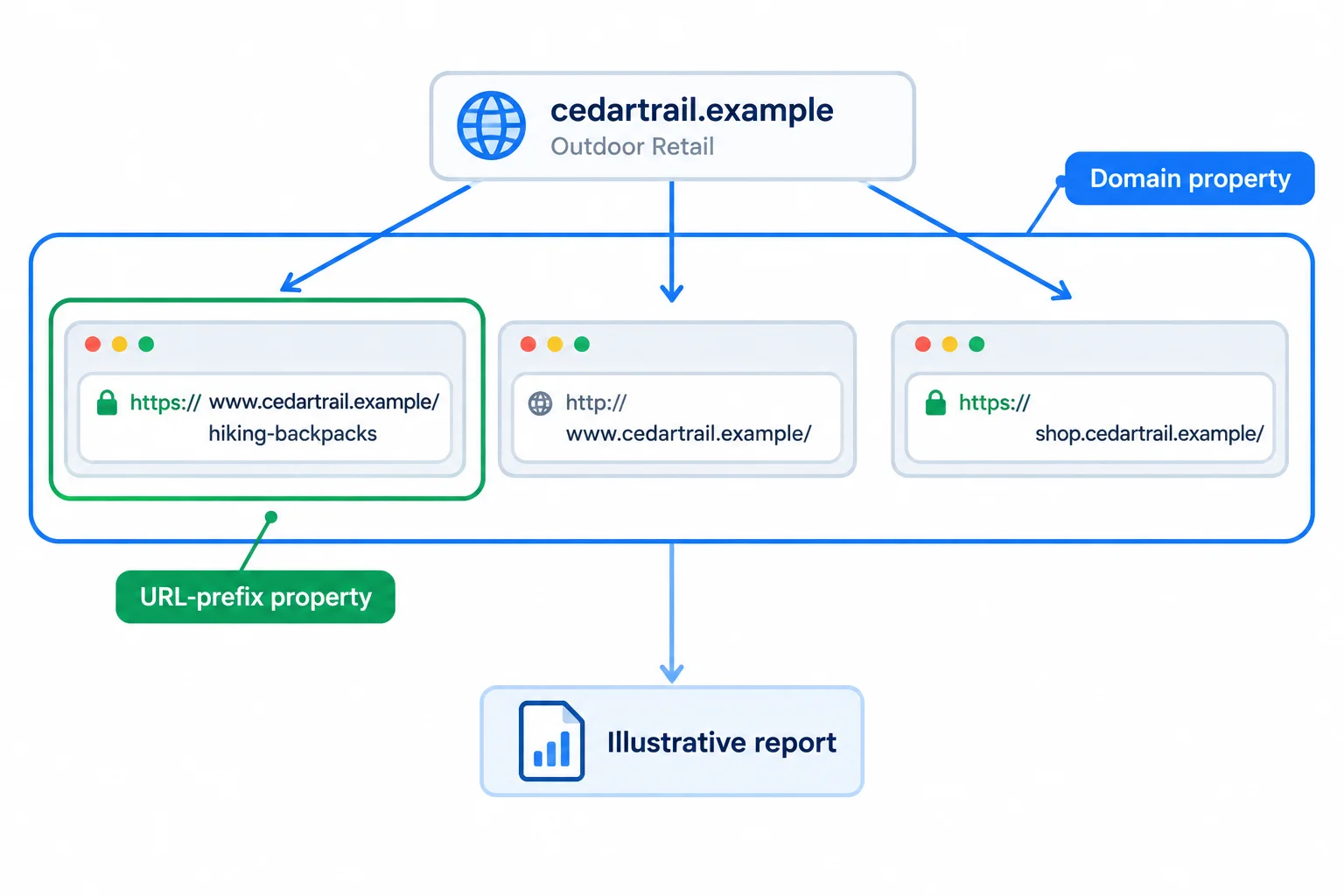
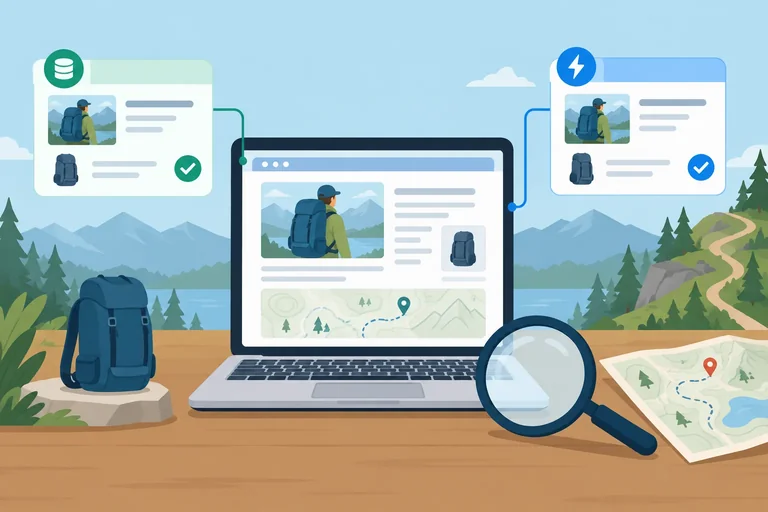
Illustrative report: property boundaries determine which Cedar Trail URLs a report can represent.
A Domain property is useful when the question spans the whole domain, including protocol or subdomain variations.
A URL-prefix property is useful when the question is intentionally limited. Its protocol, hostname, and any path in the prefix matter. For example, https://www.cedartrail.example/ does not include the HTTP version or the shop subdomain. A more specific prefix ending in /guides/ would cover only URLs beginning with that path.
Practice data
| Property | Includes | Does not include |
|---|---|---|
| Domain: cedartrail.example | HTTPS and HTTP; www and shop subdomains | URLs outside cedartrail.example |
| URL-prefix: https://www.cedartrail.example/ | HTTPS www pages, including /hiking-backpacks/ and /guides/choose-a-backpack/ | http://www.cedartrail.example/ and https://shop.cedartrail.example/ |
Tip
Do not assume that a familiar property represents the entire website. Match the property to the URLs and the question first.
Match each investigation or URL to the coverage that fits it.
Tap an item and then its matching pair.

Step 2 of 8
Choose an authorized Search Console access or verification route based on the task and property type.
Verification and report access solve different problems.
Ownership verification proves that someone controls a Search Console property. It is needed when establishing ownership of a property.
Shared access lets another authorized person use a property that an owner already controls. A Marketing analyst who only needs to read reports does not need to verify ownership. An existing owner can grant the analyst an appropriate user role instead.
Choose the route based on the task: establish or administer a property, or simply view its reports. Neither route requires changing DNS, tags, or site files during this tutorial.
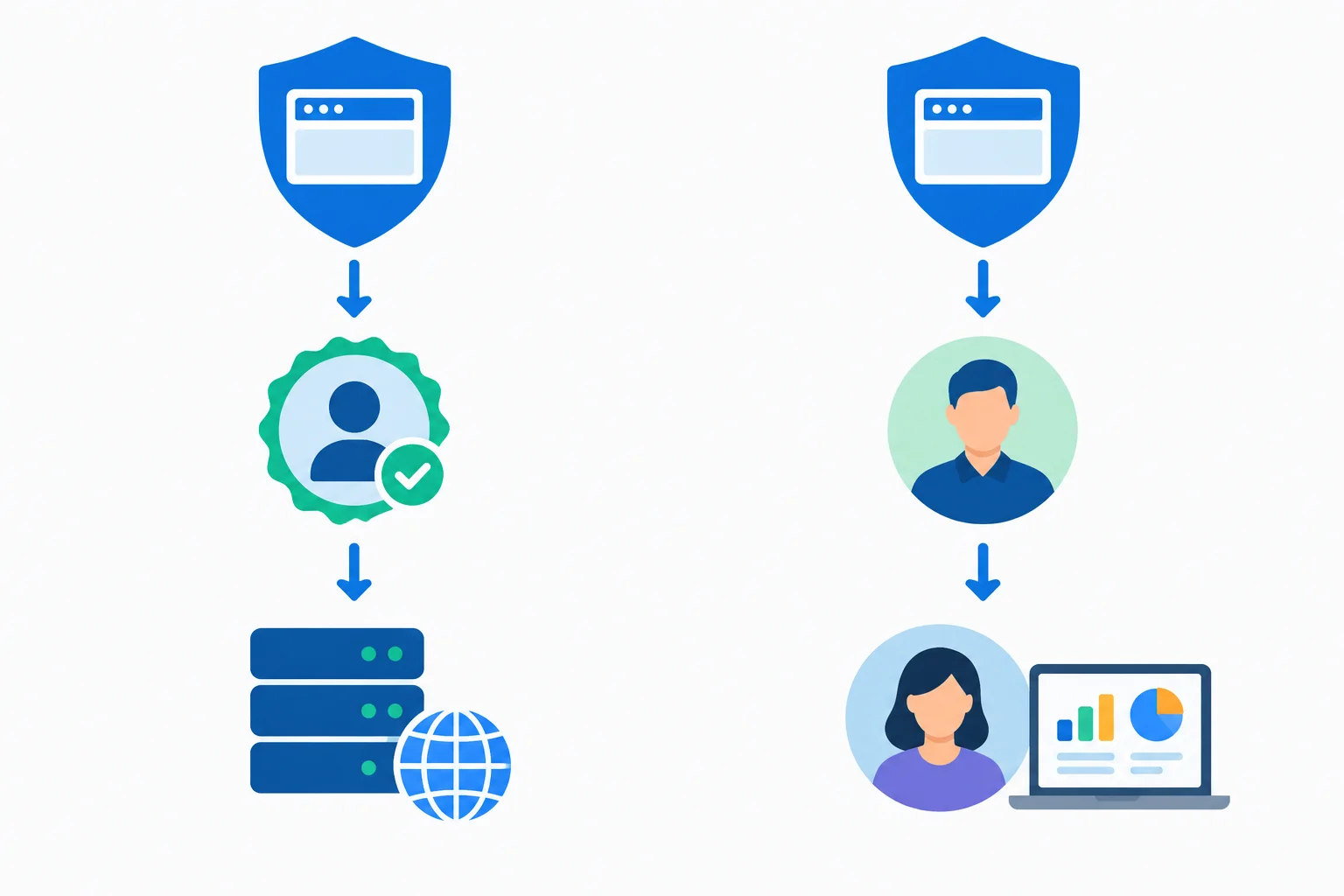
Illustrative access paths: verification establishes control; an existing owner can share report access without asking the recipient to verify ownership.
Tip
Use authorized access only. If a verification method needs DNS, a site file, a page tag, or a tag-management configuration, identify the person who controls that resource rather than attempting a change yourself.
Search Console roles are not interchangeable. Ownership is the broadest form of control; user roles are for access to an owner-controlled property. Give the least access that supports the work.
For a report-reading task, restricted user access is often sufficient. If the analyst needs data or tools unavailable to a restricted user, an owner can consider full user access. Access should follow the authorized scope of work.
These labels describe typical access levels. Exact available tools can depend on the property and current Search Console settings.
| Role | Typical purpose | Key distinction |
|---|---|---|
| Verified owner | Establishes control through verification | Can manage property access and settings |
| Delegated owner | Receives owner-level access from a verified owner | Does not independently prove control |
| Full user | Works with the property's data and supported tools | Is not an owner |
| Restricted user | Reads most report data | Has more limited data and tool access |
Tip
Access to GA4 reports alone does not prove Search Console ownership and does not automatically provide access to Search Console. Each product has its own property and permission model.
The verification route depends on the property type and on who controls the required resource.
A Domain property such as cedartrail.example requires DNS verification, commonly a TXT record. The person responsible is the DNS administrator.
A URL-prefix property such as https://www.cedartrail.example/ can use DNS verification, an HTML-file upload, an HTML tag, or an eligible Google Analytics or Google Tag Manager configuration. Each option still requires the necessary authorized access and a qualifying setup.
Use this as a planning guide, not as instructions to make a change.
| Property type | Possible verification route | Who must have control |
|---|---|---|
| Domain property | DNS TXT record | DNS administrator |
| URL-prefix property | DNS record | DNS administrator |
| URL-prefix property | HTML file or HTML tag | Site owner or Web developer |
| URL-prefix property | Eligible Google Analytics or Google Tag Manager setup | Authorized administrator of the eligible setup |
Warning
A Site owner should coordinate with the DNS administrator or Web developer when verification needs their resource. Eligibility for an Analytics or Tag Manager method depends on its existing configuration and permissions; ordinary GA4 report access is not enough.
Cedar Trail has an existing Search Console property whose reports a Marketing analyst needs to read. In a separate task, the Site owner is establishing the Domain property cedartrail.example.
Which authorized route fits both tasks?
Select the best route.

Step 3 of 8
In the Search results report, each metric describes a different part of search visibility and visits. Read them within the report scope that produced them; a total from one scope cannot be assumed to describe every page, query, country, or device.
Clicks count qualifying clicks from Google Search results to the property.Impressions count eligible appearances in Google Search under Search Console reporting rules.Average CTR connects those two measures.Average position summarizes where the property’s topmost result appeared across recorded impressions.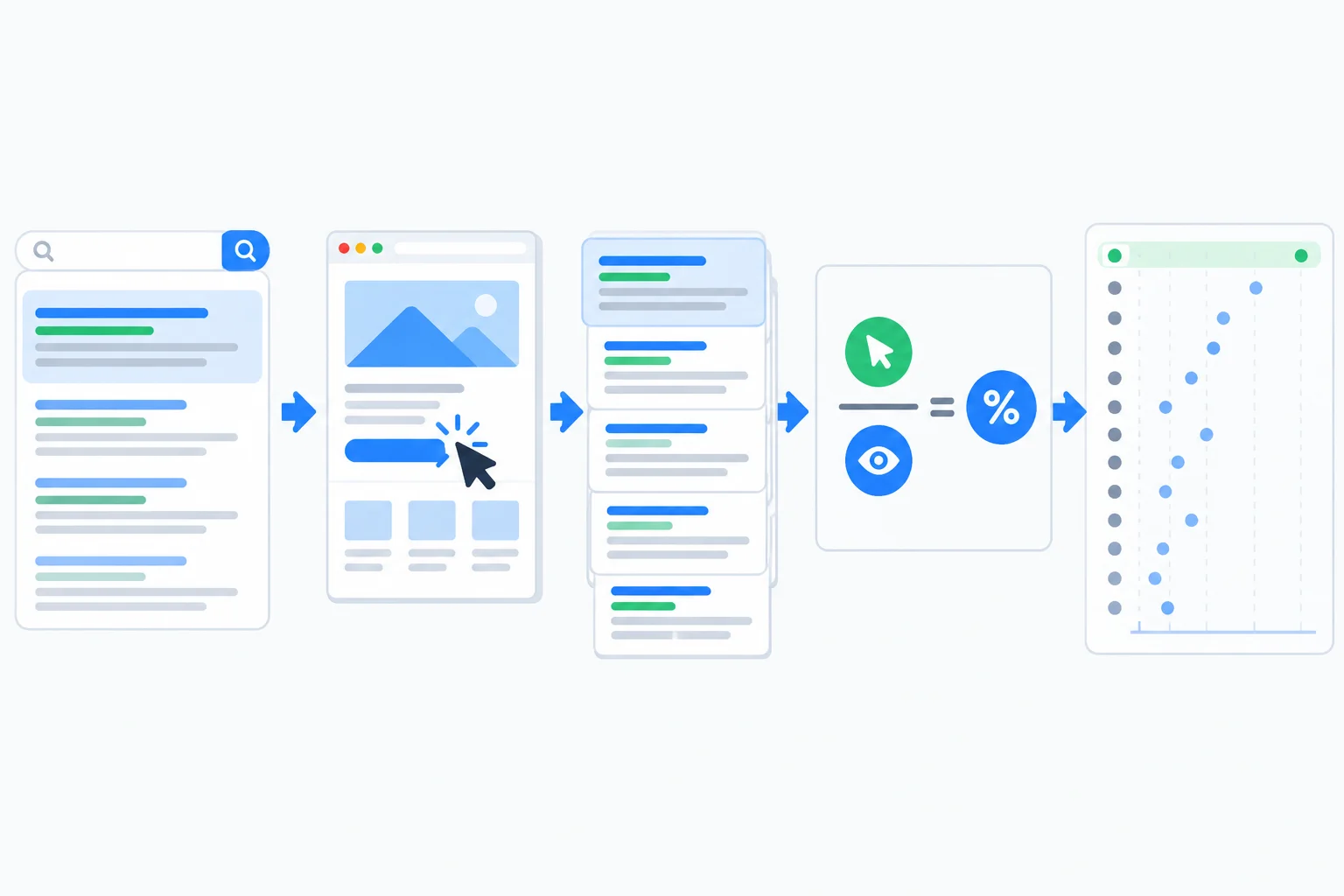
Clicks and impressions are counts; Average CTR is their ratio; Average position is an aggregate summary rather than a fixed placement.
Use the metrics together. Average CTR is calculated as:
CTR = (clicks / impressions) × 100%
For example, 45 Clicks from 1,500 Impressions produces a 3.0% Average CTR. CTR is meaningful only for the same selected scope as its clicks and impressions.
These definitions prevent a common error: treating one metric as proof of a different one.
| Metric | What it summarizes | What it does not establish alone |
|---|---|---|
| Clicks | Qualifying visits from Google Search results | A fixed ranking or a technical cause |
| Impressions | Eligible search-result appearances | That every searcher saw or clicked the result |
| Average CTR | Clicks relative to impressions | Why people did or did not click |
| Average position | The topmost property result across recorded impressions | One guaranteed rank for every searcher |
Example
Average position is an aggregate, not a promise. Different queries, devices, countries, search-result layouts, and users can contribute different positions. A value of 8.2 summarizes recorded impressions; it does not mean the page ranked exactly eighth for every search.
Likewise, a change in Clicks alone does not establish a ranking, content, or technical problem. First describe the complete metric pattern; possible explanations need further evidence.
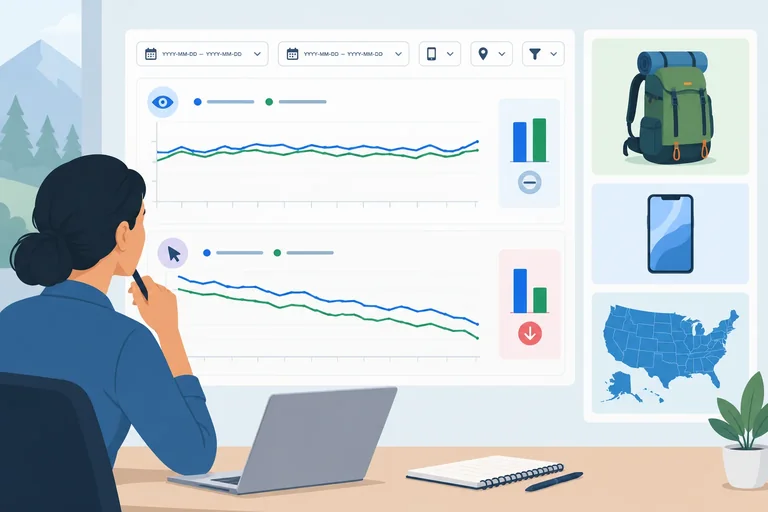
For Cedar Trail's selected Search results segment—URL-prefix property https://www.cedartrail.example/, search type Web, country United States, device Mobile, and exact URL /hiking-backpacks/—the earlier period 2025-05-05 through 2025-06-01 recorded 180 Clicks and 6,000 Impressions.
Using CTR = (clicks / impressions) × 100%, the Average CTR was _.
For the Cedar Trail segment in the previous screen, which interpretation is valid?
Step 4 of 8
Define a consistent Search results segment, interpret a fixed comparison, and choose a justified query-level next check without claiming an unproven cause.
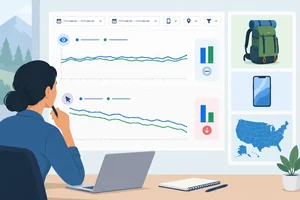
Before interpreting a change, define one comparison scope. Keep the property, report, search type, page, country, device, and query conditions fixed across both periods. Otherwise, a difference may come from comparing different audiences or URLs rather than from a meaningful change.
For this investigation, use the main HTTPS URL-prefix property and one exact category page. A page filter answers a focused question; it does not describe all of Cedar Trail search performance.
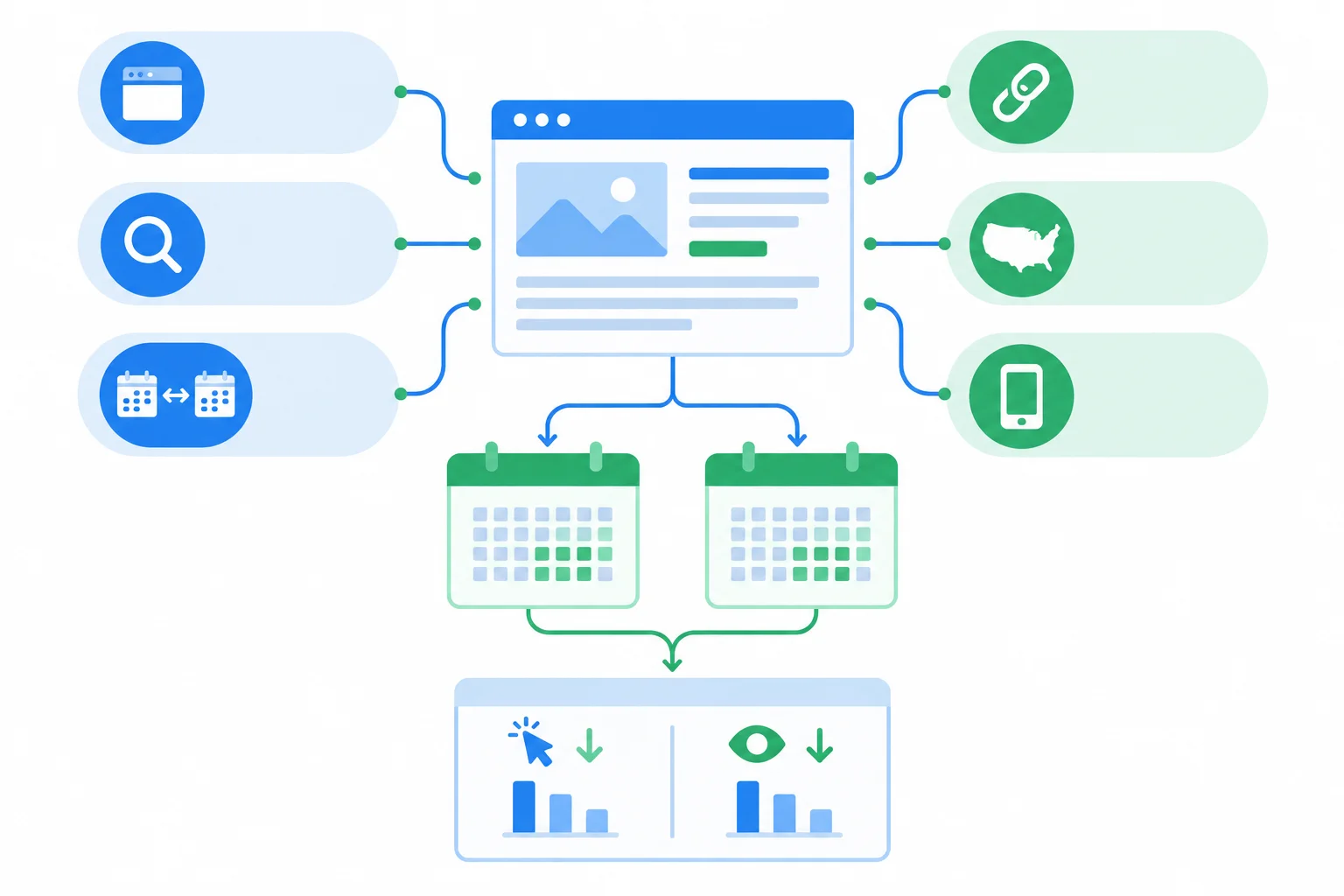
Illustrative report — Hold the scope constant before comparing the two periods.
Use this exact segment for the practice comparison.
| Setting | Value |
|---|---|
| Property | https://www.cedartrail.example/ |
| Report | Search results |
| Search type | Web |
| Page | https://www.cedartrail.example/hiking-backpacks/ |
| Country | United States |
| Device | Mobile |
| Query filter | No query filter |
| Earlier period | 2025-05-05 through 2025-06-01 |
| Later period | 2025-06-02 through 2025-06-29 |
Both supplied periods contain 28 complete days. Within this fixed segment, Clicks fell from 180 to 120 while Impressions stayed at 6,000. CTR = (clicks / impressions) × 100%, so Average CTR fell from 3.0% to 2.0%: a decrease of 1.0 percentage point. Average position moved only from 8.2 to 8.3.
This is an Observation: clicks and CTR declined, while impressions and average position changed little. It is not yet an explanation for the decline.
The figures apply only to the defined Search results segment.
| Period | Clicks | Impressions | Average CTR | Average position |
|---|---|---|---|---|
| 2025-05-05 through 2025-06-01 | 180 | 6,000 | 3.0% | 8.2 |
| 2025-06-02 through 2025-06-29 | 120 | 6,000 | 2.0% | 8.3 |
Tip
Check freshness before making a comparison. A newest day can be incomplete, so do not compare a partial period with a complete one. The supplied periods both end on complete dates and have equal length.
Do not turn the CTR decline into a certain diagnosis. A changed query mix, different search-result presentation, demand, or competition are possible Hypotheses, not proven causes in this aggregate comparison.
Next check: examine query-level changes while keeping the same page, country, device, search type, and periods. Some queries are omitted for privacy, so visible query rows may not add up to the headline totals. Do not prescribe a page edit until the next check supplies relevant evidence.
Arrange the investigation actions in the most defensible order.
Create a concise investigation handoff in three numbered lines using the Cedar Trail practice data.
Write at least 250 characters (0/250).
Step 5 of 8
Classify Page indexing statuses by comparing the reported reason with the URL’s intended purpose.
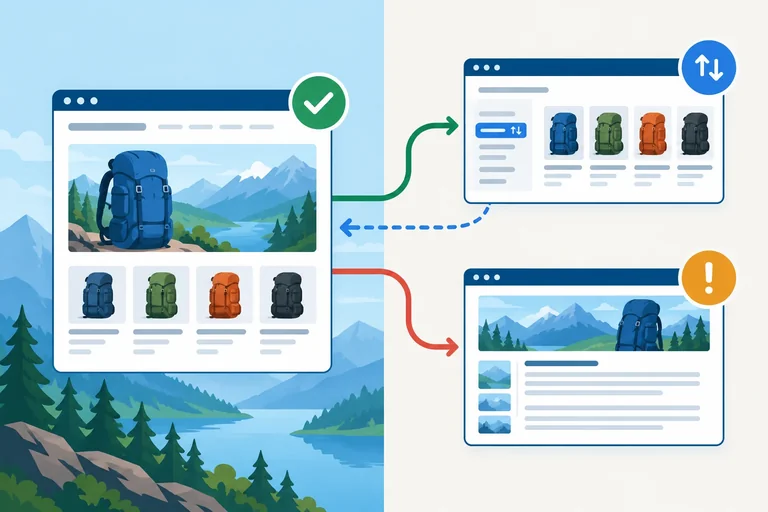
The Page indexing report groups URLs into indexed and not-indexed states, with a reported reason for not-indexed URLs. Treat that reason as evidence to interpret—not as an automatic error.
Start with the URL’s intended role. A primary category or guide page may be intended for indexing. An alternate URL, a redirect, or a deliberately excluded utility page may appropriately stay out of the index.
Ask one question before escalating: Does the reported state match what this URL is meant to do?
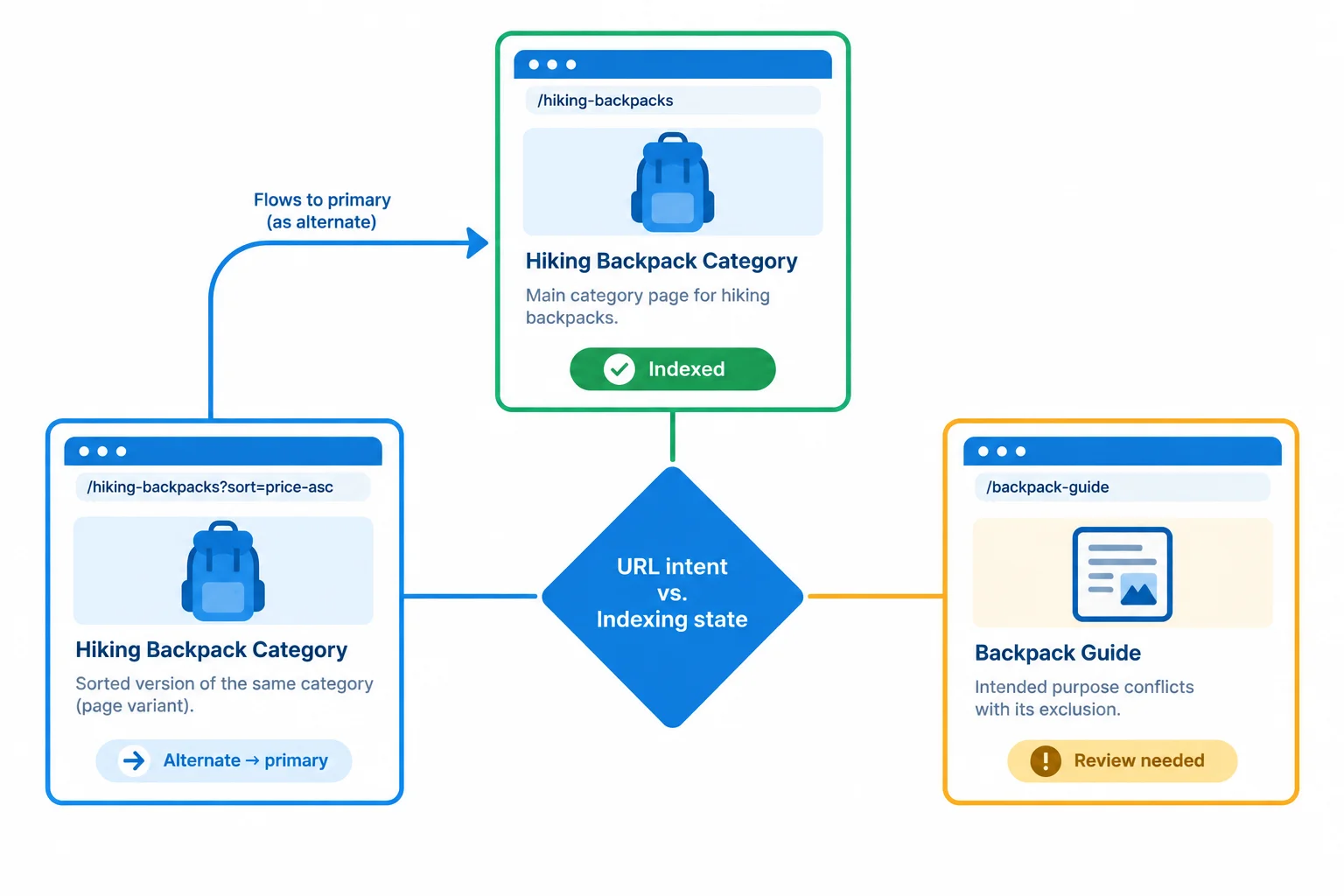
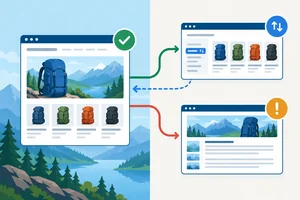
Illustrative report: a not-indexed state can be expected or worth investigating depending on the URL’s intended treatment.
The examples below are from the Domain property cedartrail.example, reviewed on 2025-06-29. They are starting points for a decision; they do not establish a cause of a traffic change.
Use the report state and the page’s intended treatment together.
| URL | Page indexing state or reason | Intended treatment | Initial classification |
|---|---|---|---|
| https://www.cedartrail.example/hiking-backpacks/ | Indexed | Indexable category page | Expected indexed state |
| https://www.cedartrail.example/hiking-backpacks/?sort=price | Alternate page with proper canonical tag | Intentional alternate; canonical is https://www.cedartrail.example/hiking-backpacks/ | Expected exclusion |
| https://www.cedartrail.example/guides/choose-a-backpack/ | Excluded by 'noindex' tag | Guide intended for indexing | Needs investigation |
Example
The sorted category URL is intentionally an alternate, so its exclusion can support the preferred category URL rather than signal a problem.
The guide’s Excluded by 'noindex' tag state conflicts with its stated purpose, so it needs investigation. This does not prove what caused the exclusion or whether it caused any traffic change. The report identifies where to investigate; it does not establish a causal explanation.
Crawled - currently not indexed means Google crawled a URL but had not indexed it at that time. It is an investigation signal, not proof of one specific technical defect.
First confirm whether affected URLs are actually intended for indexing. Then assess their page and site context before proposing a change. Likewise, report counts and example URLs can help prioritize review, but they do not by themselves explain a change in Clicks, Impressions, Average CTR, or Average position.
Example
Observation: The Page indexing report includes URLs with Crawled - currently not indexed.
Hypothesis: There may be a mismatch between the intended treatment of some URLs and how Google evaluated them, but the reason is not established.
Next check: Confirm which affected URLs are intended for indexing, then ask an SEO specialist to review the relevant page and site context before any change is proposed.
Tip
Do not treat every not-indexed URL as an error or request indexing for every URL. Decide whether index inclusion is appropriate for that URL before escalating.
Match each status-and-intent pair to its appropriate initial classification.
Tap an item and then its matching pair.
Step 6 of 8
Use stored URL Inspection information and a live test to identify what is supported, what remains unknown, and who should investigate a guide-page noindex directive.
URL Inspection narrows a broad Page indexing finding to one URL. It presents two related but different views:
For Cedar Trail, inspect https://www.cedartrail.example/guides/choose-a-backpack/ after seeing its noindex exclusion in Page indexing. Compare the two views before proposing any action.
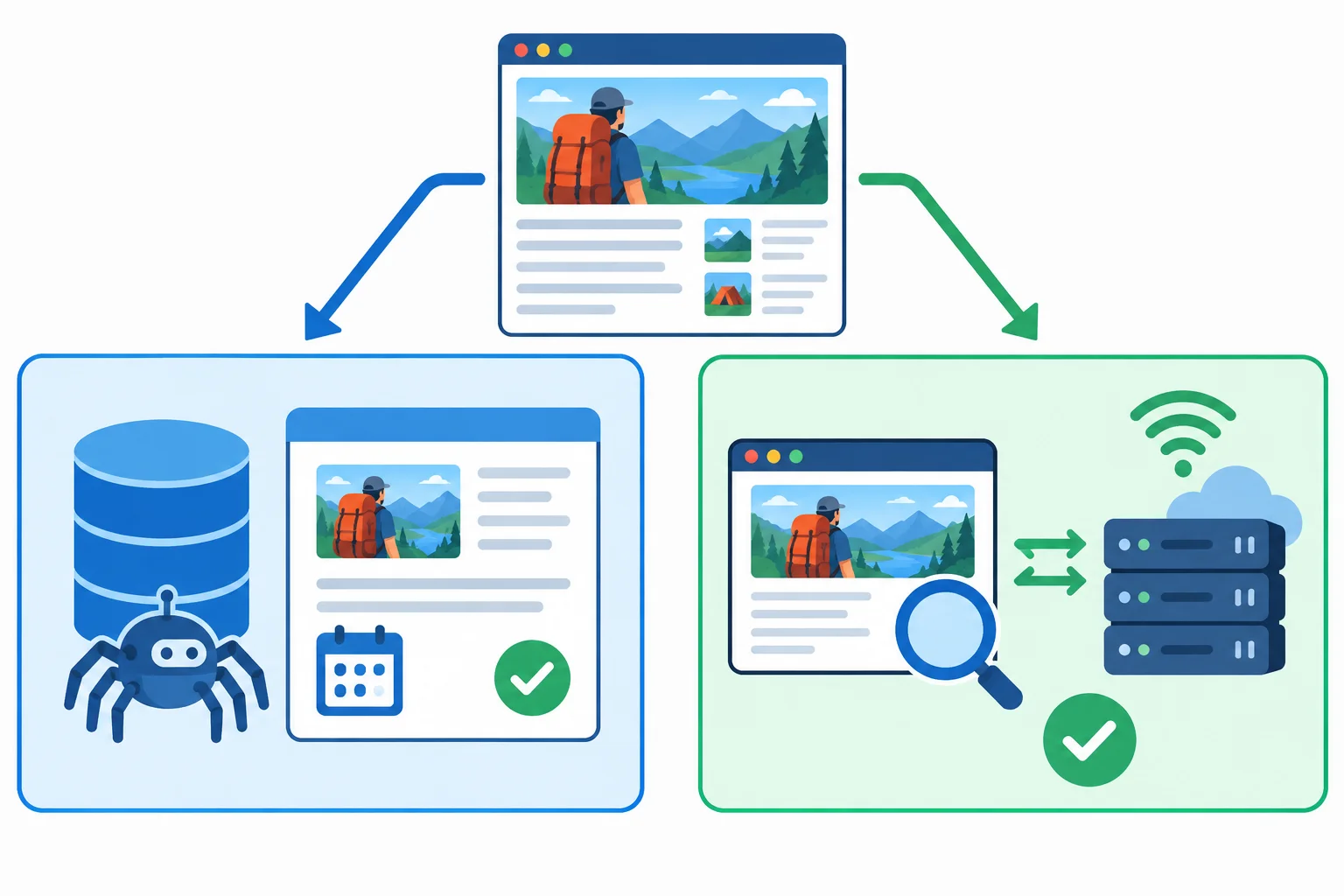
Illustrative report: stored information and a live test provide complementary evidence about one URL.
Use each field for the question it can actually answer. The guide-page values below are written examples, not proof of why the directive exists.
Example
The guide URL is intended for indexing. Both views detect noindex, so the exclusion is supported by more than one observation. However, neither view identifies whether the directive comes from page markup, an HTTP response header, or another implementation path.
Tip
If the Site owner confirms that the guide should be indexable and the Web developer removes an unintended directive, a request for indexing may notify Google of the change. It does not guarantee inclusion, canonical selection, or ranking.
Compare the stored record with the live test for https://www.cedartrail.example/guides/choose-a-backpack/.
| Field | Stored record | Live test | Warranted reading |
|---|---|---|---|
| Indexing status | Not indexed: Excluded by 'noindex' tag | Does not issue a final indexing verdict | Google previously recorded a noindex exclusion |
| Last crawl | 2025-06-26 | Not supplied by the live test | The stored record reflects a prior crawl |
| Crawl permission | Allowed | Allowed now | Google can crawl the URL in both observations |
| Indexing permission | Not allowed | Not allowed now; noindex detected | The directive is present in current evidence too |
| Canonical fields | User-declared and Google-selected canonicals may appear where available | A live test does not guarantee Google’s canonical choice | Canonical information is supporting evidence, not a ranking promise |
For https://www.cedartrail.example/guides/choose-a-backpack/, the stored record says Excluded by 'noindex' tag; crawling was allowed and indexing was not allowed. The live test finds the URL reachable, crawling allowed, and noindex detected. Which conclusion is warranted?
For https://www.cedartrail.example/guides/choose-a-backpack/, write one sentence that states: (1) the unresolved question about the noindex directive’s source, and (2) the responsible person for the next authorized check.
Write at least 40 characters (0/40).

Step 7 of 8
Explain why Search Console Clicks and GA4 sessions can differ by examining scope, counting rules, timing, and collection visibility.
Search Console and GA4 describe related stages of a journey, but they do not measure the same thing.
In the Search results report, a Click represents qualifying activity from Google Search to the selected Search Console property. In GA4, a session represents website activity collected or modeled under that GA4 property's configuration.
A click is not a session. The reports do not provide a one-to-one link between individual clicks and individual sessions, so their aggregate totals should not be expected to match exactly.
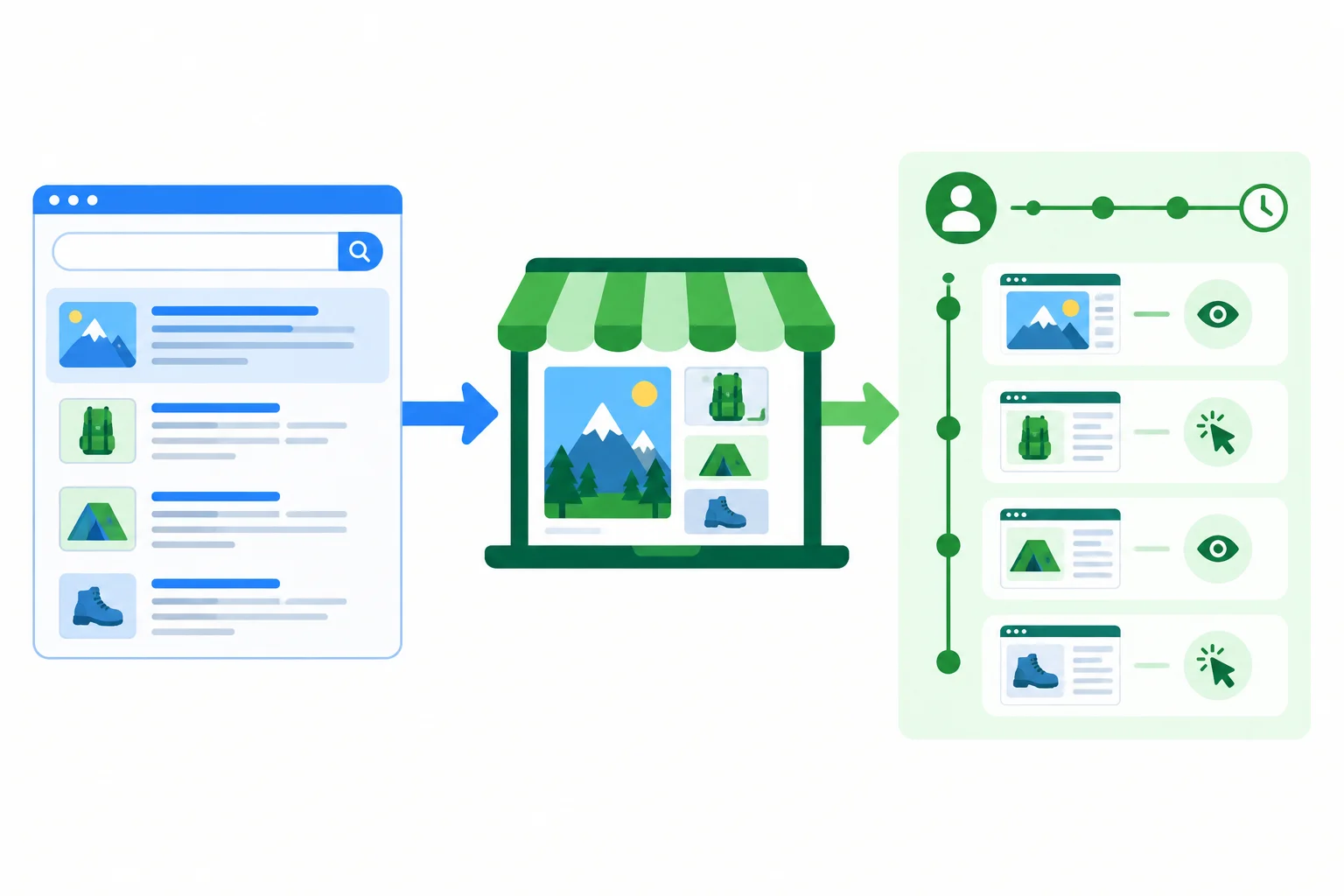
Illustrative report: Search Console records Google Search activity, while GA4 records configured website activity.
Start with the closest practical comparison—not all GA4 traffic. Compare Search Console data for the relevant Cedar Trail property with GA4 Google organic acquisition for corresponding website coverage. Use aligned, complete periods.
For example, the URL-prefix property https://www.cedartrail.example/ should not be casually compared with GA4 data that includes a different hostname, an untracked area, or all acquisition channels. Aligning scope makes the comparison more useful, but it does not make Clicks and sessions interchangeable.
Observation: the totals differ. Next check: first confirm comparable coverage, Google organic scope, and complete reporting periods.
Use these checks before interpreting different aggregate totals.
| Check | Search Console | GA4 | Why totals may differ |
|---|---|---|---|
| Primary activity | Google Search activity | Website activity | The tools observe different stages. |
| Counting unit | Clicks | Sessions | A click is not a session. |
| Scope | Selected property | Configured property or stream | Website coverage may not match. |
| Time boundary | Pacific Time daily dates | Property reporting time zone | The same date labels can cover different hours. |
| Collection visibility | Search reporting rules | Consent and collection configuration | Blocked or missing collection can reduce GA4 visibility. |
| Freshness | Processing can vary | Processing can vary | Recently processed data may not align. |
Warning
A discrepancy is an investigation signal, not a diagnosis. Consent choices, blocked or missing analytics collection, navigation behavior, property coverage, time-zone boundaries, and processing freshness can all contribute.
Hypothesis: one or more measurement differences may explain the mismatch. Do not conclude that tracking is broken or that there is an SEO problem from unequal totals alone.
Match each stated situation to the measurement difference it directly supports. Treat these as aggregate-report conditions, not as a way to trace individual clicks to individual sessions.
Tap an item and then its matching pair.
Unequal Search Console Clicks and GA4 sessions automatically demonstrate broken tracking or an SEO problem.

Step 8 of 8
Synthesize Search Console evidence into a concise issue note with a defined scope, supported evidence, explicit uncertainty, feasible next check, and responsible person.
A useful SEO issue note is not a diagnosis or a promise of recovery. It turns one report finding into an authorized, testable next check.
Use these fields in this exact order:
Keep Observation, Hypothesis, and Next check distinct. A hypothesis can guide a check, but it is not evidence.
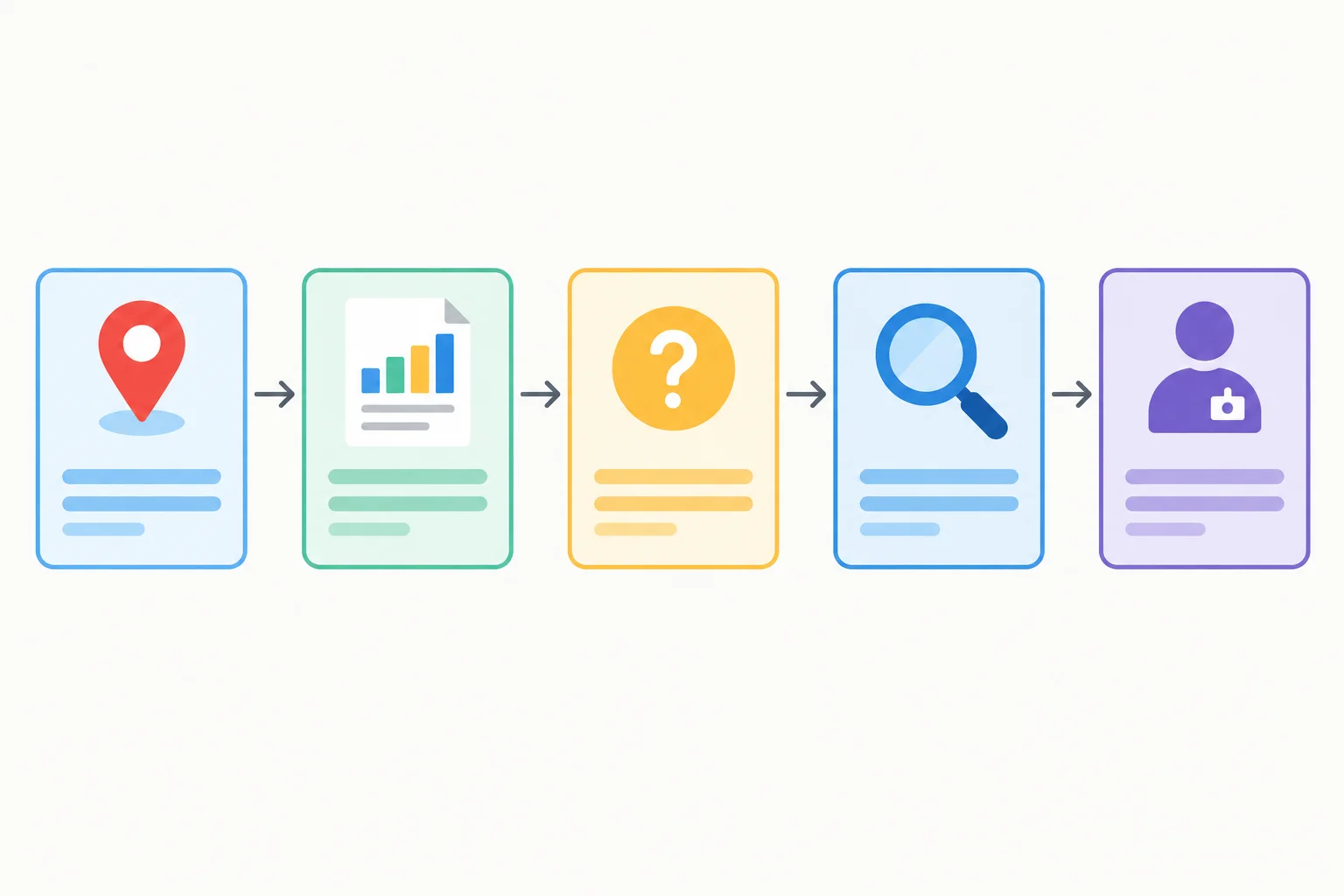
Illustrative report: define the scope, state only supported evidence, acknowledge uncertainty, choose a feasible next check, and assign it to an appropriate role.
Tip
Do not combine findings merely because they appear in the same review. A category-page CTR change and a separate guide-page indexing status need evidence of a connection before they belong in one note.
Use this case packet only. It contains two possible investigations and one intentional exclusion. The Search results comparison uses the same filters across two complete 28-day periods. The indexing evidence was reviewed on 2025-06-29.
These facts support follow-up checks. They do not prove a cause, an implementation fix, an indexing outcome, a ranking outcome, or a traffic outcome.
Every row uses the URL-prefix property https://www.cedartrail.example/. Choose one of the two actionable findings for your final note.
| Evidence source | Property and scope | Reported fact | Interpretation boundary |
|---|---|---|---|
| Search results | Property: https://www.cedartrail.example/ Web; United States; Mobile; no query filter URL: https://www.cedartrail.example/hiking-backpacks/ 2025-05-05 through 2025-06-01 vs 2025-06-02 through 2025-06-29 | Clicks: 180 to 120; Impressions: 6,000 to 6,000; Average CTR: 3.0% to 2.0%; Average position: 8.2 to 8.3. | Observation: Average CTR decreased by 1.0 percentage point. The report does not establish why. |
| Page indexing | Property: https://www.cedartrail.example/ URL: https://www.cedartrail.example/hiking-backpacks/?sort=price Reviewed 2025-06-29 | Not indexed as an alternate page with proper canonical tag. Its canonical is https://www.cedartrail.example/hiking-backpacks/. | Expected exclusion. Do not treat it as the issue. |
| Page indexing and URL Inspection | Property: https://www.cedartrail.example/ URL: https://www.cedartrail.example/guides/choose-a-backpack/ Reviewed 2025-06-29 | The guide is intended for indexing, but its status is Excluded by 'noindex' tag. Stored information and a live test both indicate a noindex directive. | Potential conflict with page intent. The directive source is not confirmed. |
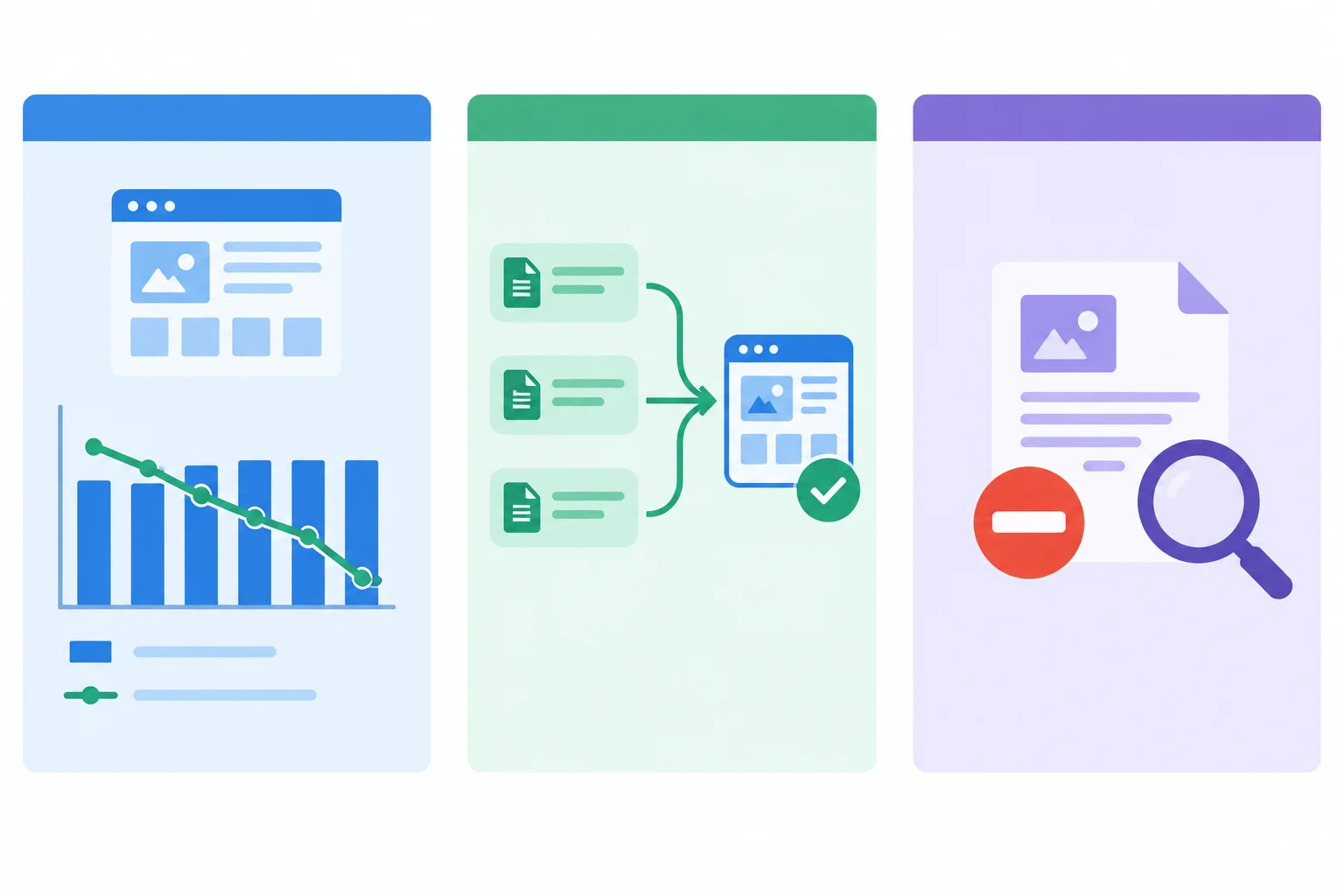
Illustrative report: the category performance observation, intentional alternate exclusion, and guide-page indexing finding are separate evidence items.
Which action is justified for https://www.cedartrail.example/hiking-backpacks/?sort=price?
Using only the Cedar Trail case packet, choose ONE actionable investigation: the category-page performance change OR the guide-page noindex finding. Do not choose the intentional sorted alternate.
Write one concise issue note with these headings in this exact order:
Scope
Evidence
Uncertainty
Next check
Responsible person
In Scope, include the relevant property, URL or report segment, and its reporting period or review date. Keep the category and guide findings separate. Do not equate Clicks with sessions or claim a cause, fix, or guaranteed outcome.
Write at least 250 characters (0/250).
Summary
You completed an evidence-based investigation workflow.
Congratulations! You completed: Use Search Console Reports to Identify SEO Issues
30 XP
Thousands of online courses in video, ebooks and audiobooks.
To test your knowledge during online courses
Generated directly from your cell phone's photo gallery and sent to your email

Download our app via QR Code or the links below:.



Carry knowledge in your pocket.
Download the Cursa app.
There are hundreds of free courses available, with a free certificate of completion that is saved in your mobile image gallery.
Download the app to access the Course Completion Certificate for Free.


+ 10 million
students

Free and Valid
Certificate

60 thousand free
exercises

4.8/5 rating in
app stores

Free courses in
video and ebooks