Step 1 of 8
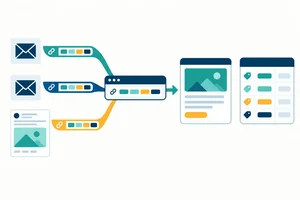
Connect Business Actions to Events and Key Events
Distinguish Northstar Studio’s business actions, events, parameters, and key-event priority before planning collection.

Learning path · Level 5 · Tutorial 1
Create a GA4 measurement plan for a sample business, specifying useful events, key events, access needs, consent safeguards, and feasible no-code setup options without requiring a live website.
 Connect Business Actions to Events and Key Events
Distinguish Northstar Studio’s business actions, events, parameters, and key-event priority before planning collection. 2 min
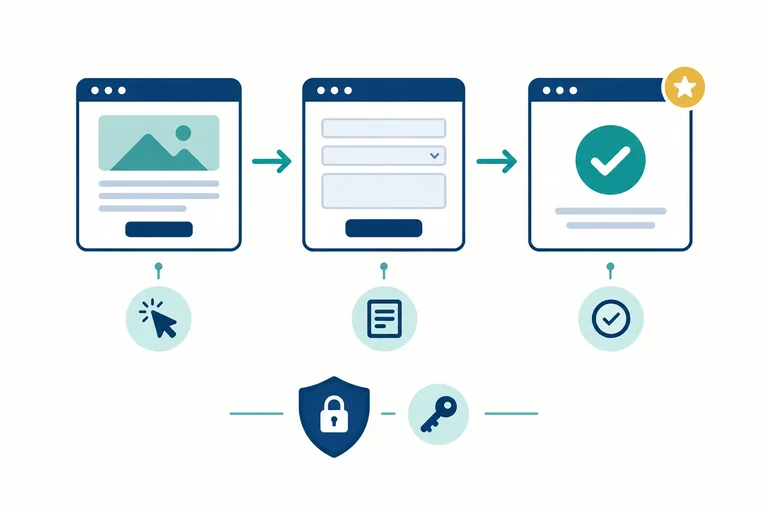
 Identify the Destination and Required Access
Map the GA4 account, property, and web data stream, then identify the least access and responsible owner needed for each planned task. 2 min
 Separate Available Signals from Events That Need Setup
Classify available GA4 signals and identify when planned business events need setup or verification. 2 min
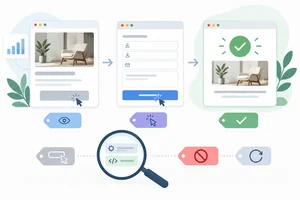 Specify Names, Parameters, and Exact Triggers
Turn Northstar Studio's planned events into precise specifications with necessary parameters, observable triggers, and validation boundaries. 3 min
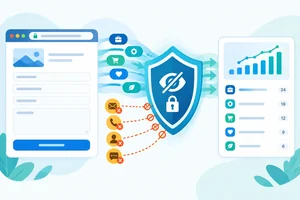 Add Consent and Data-Minimization Safeguards
Remove unnecessary or unsafe data from a GA4 event plan and document the consent-related conditions that must be resolved before activation. 2 min
 Choose a Feasible No-Code Collection Route
Choose supported no-code routes for Northstar Studio’s planned GA4 signals while documenting dependencies and avoiding unsupported tracking promises. 3 min
 Evaluate Initial Evidence in Realtime
Use simulated Realtime observations to distinguish an observed GA4 event signal from an unverified tracking claim. 3 min
 Complete and Review the Measurement Plan
Complete and review an implementation-ready GA4 measurement plan for Northstar Studio, including routes, owners, consent safeguards, and final Realtime evidence. 4 min
Step 1 of 8
Distinguish Northstar Studio’s business actions, events, parameters, and key-event priority before planning collection.
Northstar Studio designs websites. Its measurement objective is to count successfully accepted consultation requests—not every visit, click, or form interaction.
Separate three business actions:
/consultation.An event is a recorded interaction or occurrence sent to GA4. A website action is not automatically proof that GA4 received an event. Later steps will determine how each signal can be collected and checked.
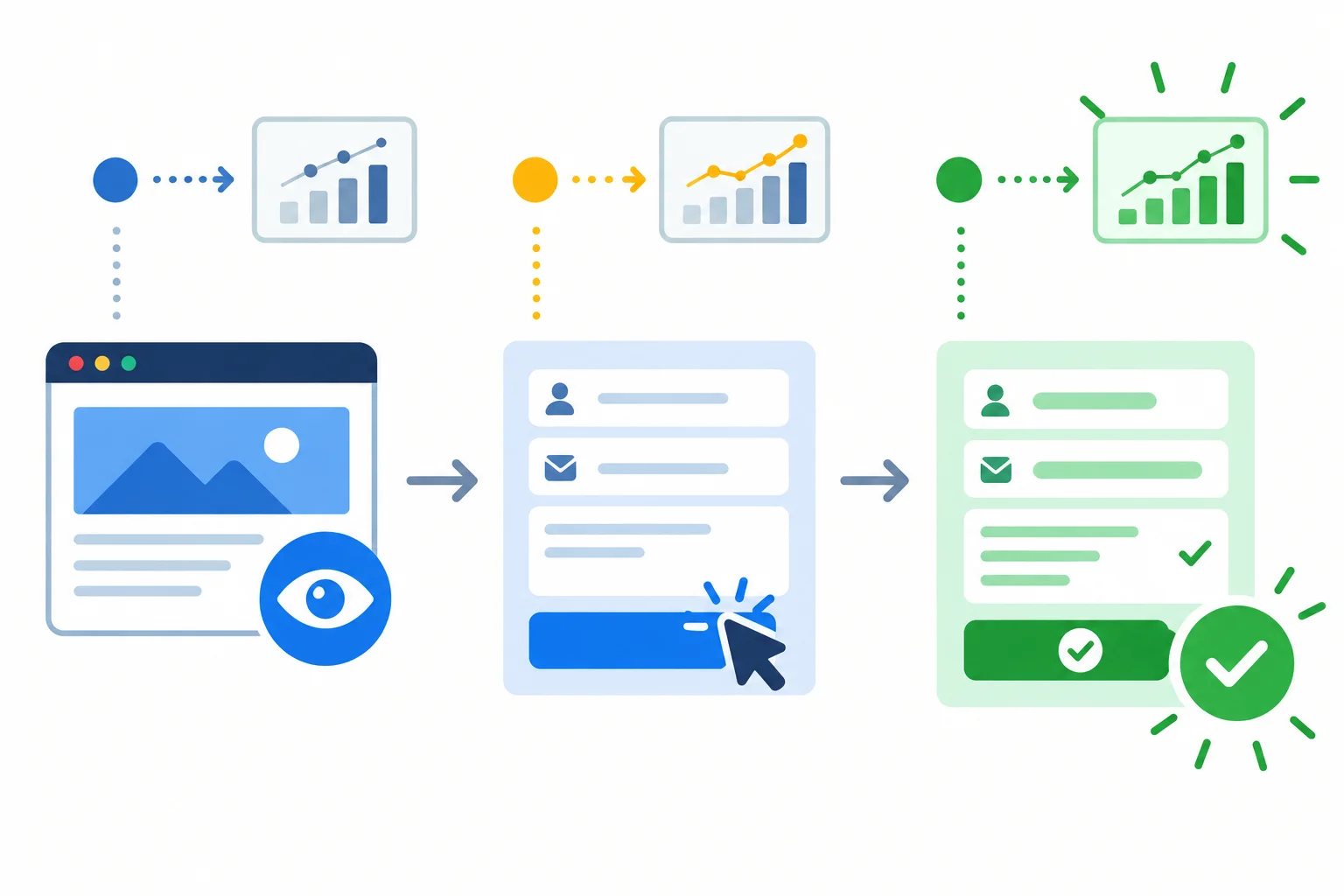
Earlier actions provide context; an accepted request is the business outcome Northstar Studio wants to prioritize.
An event answers what happened. A parameter adds useful context to that event.
For this plan, a visit can be represented by page_view, form engagement by form_start, and an accepted request by generate_lead. Context can clarify which form and request type were involved:
form_id = "consultation_request"lead_type = "consultation"page_location for the collected page URLParameters should help answer a measurement question. They do not turn an interaction into confirmed success.
A key event is an event the business designates as especially important. It is a priority label, not a collection method.
For Northstar Studio, generate_lead is the strongest candidate: it represents a successfully accepted consultation request. page_view and form_start are still useful context, but they do not show that a request was accepted.
Marking an event as a key event does not create collection, prove lead quality, or prove a sale.
Example
Northstar Studio can use form_start to understand form engagement while reserving key-event status for generate_lead. A started form may be abandoned, invalid, or never accepted.
Match each item to its correct concept.
Tap an item and then its matching pair.
In 2–3 sentences, state which Northstar Studio action should be the primary key event. Explain why it is stronger evidence than a form start, and name one thing that this designation still does not prove.
Write at least 120 characters (0/120).

Step 2 of 8
Map the GA4 account, property, and web data stream, then identify the least access and responsible owner needed for each planned task.
GA4 has a destination hierarchy. For this plan:
Northstar Studio.Northstar Studio — Web.Northstar website.Website collection is sent to the web data stream. Its measurement ID, shown here as G-XXXXXXXXXX, identifies that destination for web collection.
A measurement ID is not a password, user account, or permission. Knowing it does not let someone view reports, change events, edit the website, or manage users.
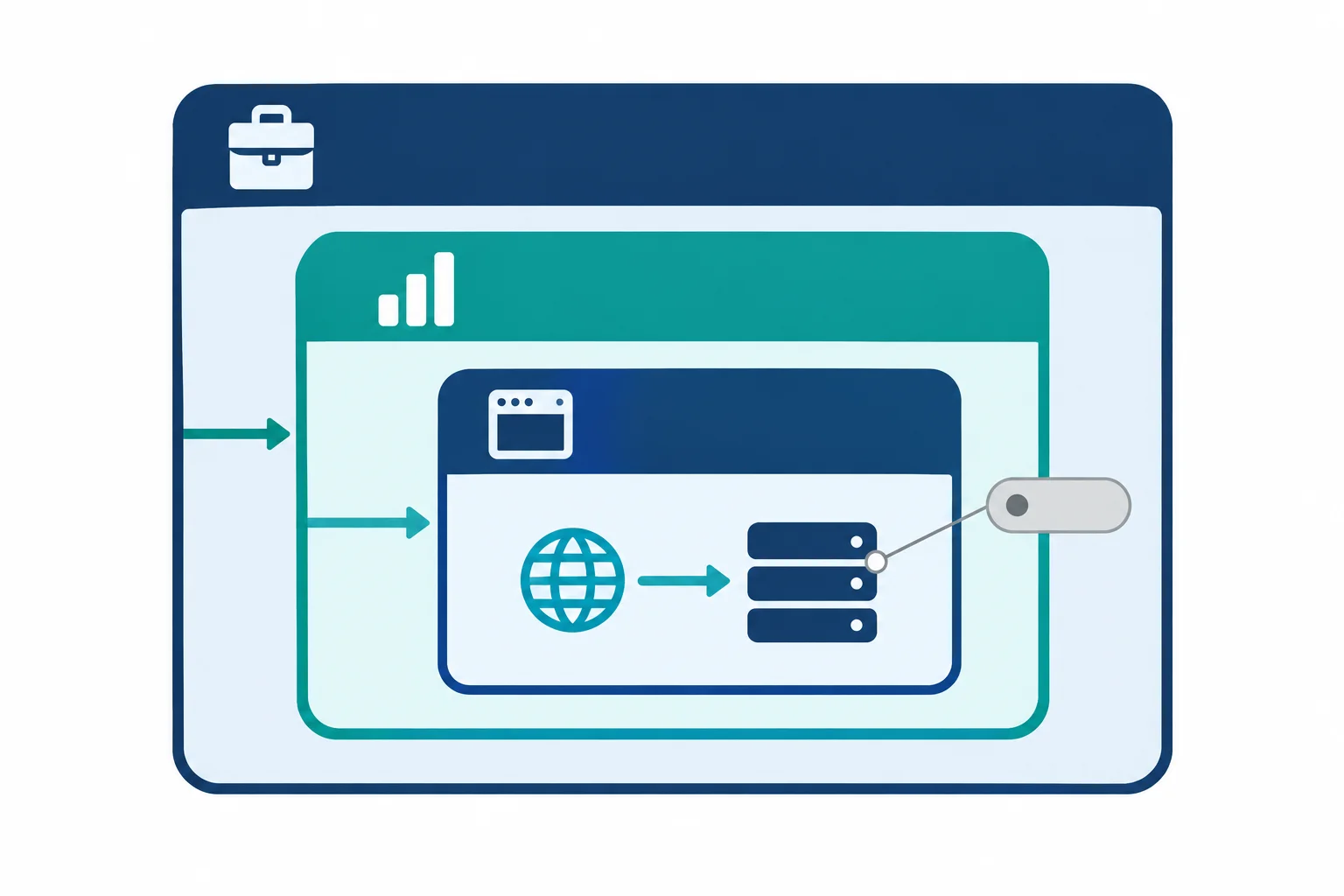
The measurement ID identifies the web data stream destination; it does not authorize access.
Choose access based on the task, not on the highest role available. GA4 roles and website access are separate.
A Viewer can inspect reports. Managing events or key events needs an appropriate GA4 role such as Marketer or higher. Property or web data stream configuration generally needs Editor or Administrator. Only an Administrator can manage GA4 users and permissions.
This tutorial uses text scenarios and illustrative views. You do not need a live website, paid tool, or your own GA4 account to make the plan.
Use this task-to-access guide when documenting who must be involved.
| Planned task | Appropriate access or owner | Why |
|---|---|---|
| Inspect existing reporting | GA4 Viewer | Read report information |
| Manage events or key events | GA4 Marketer or higher | Change event-related setup |
| Configure property or web data stream | GA4 Editor or Administrator | Change collection destination settings |
| Manage GA4 users | GA4 Administrator | Grant or remove permissions |
A workable plan records dependencies outside GA4 as well. A person with GA4 access may still be unable to connect an integration, change website settings, publish a change, or control the consent-management tool.
For example, a website owner or administrator may need to approve and publish a site-side integration. The consent owner is responsible for confirming applicable requirements and the intended consent behavior. Do not assume that a GA4 role, a measurement ID, or a connected integration grants either authority.
Before implementation, name the owner and access needed for each dependency. Ask only for the access required for that task.
For the Northstar Studio plan, document these dependencies under Owner and access rather than treating them as one permission.
| Dependency | Typical responsible owner | Needed capability |
|---|---|---|
| GA4 reports | Analytics user | Viewer access |
| Event or key-event management | Analytics implementer | Marketer or higher access |
| Stream configuration | Analytics administrator | Editor or Administrator access |
| Website integration or publishing | Website owner or administrator | Site administration and publishing rights |
| Consent-management behavior | Consent owner | Consent-management access and approval |
Match each planned task to the appropriate access or responsible owner.
Tap an item and then its matching pair.

Step 3 of 8
Classify available GA4 signals and identify when planned business events need setup or verification.
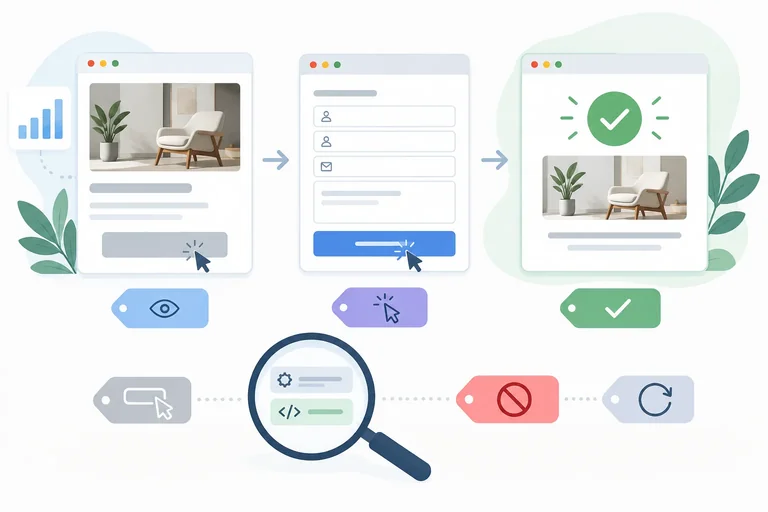
GA4 can record website activity only when collection is working. An action on the site is not automatically proof that GA4 received an event.
Some signals can be collected automatically, such as first_visit and session_start. A standard web setup can collect page_view for visited pages. These signals provide context, but they do not by themselves show that Northstar Studio received an accepted consultation request.
Enhanced measurement can collect supported browser interactions when it is enabled and functioning. Its form-interaction support may provide form_start on compatible forms. Treat this as a capability to verify, not a guarantee for every form.
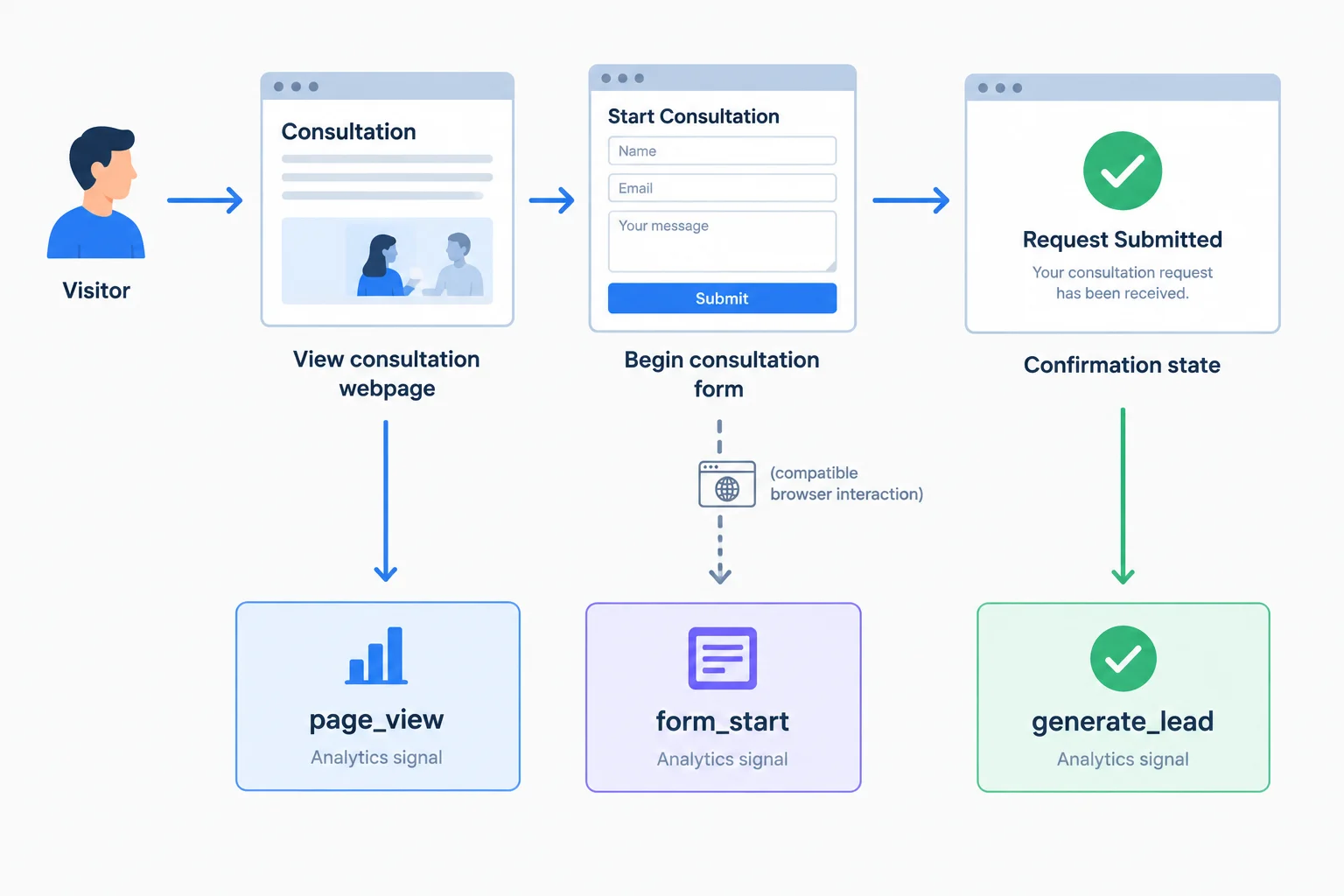
A business action and a received event are related, but they are not the same thing.
Collection category and implementation route are separate decisions.
A recommended event gives a recognized name and meaning for a business action. For example, generate_lead is a suitable recommended name for an accepted consultation request. Recommendation does not make the event appear in GA4 automatically.
Use a custom event only when no suitable recommended event exists. Whether an event is automatic, enhanced-measurement based, or requires an additional configured route is a separate question. In all cases, verify that usable source data can reach the web data stream.
Use this classification before deciding how each signal will be collected.
| Signal or event | Collection category | Planning implication |
|---|---|---|
| `first_visit` / `session_start` | Automatically collected | Useful context when collection works; not request success. |
| `page_view` | Standard web collection | Shows visit context; verify important page transitions. |
| `form_start` | Enhanced measurement | May be available for a supported, compatible form; verify it. |
| `generate_lead` | Recommended event | Appropriate meaning, but needs intentional collection setup. |
| Custom event | Fallback category | Use only when no suitable recommended event exists. |
Tip
Do not assume that every apparent page transition produces the intended page_view. Enhanced measurement can handle supported browser-history changes when enabled, but site behavior still needs verification.
For Northstar Studio, separate the strength of each signal:
page_view on /consultation provides visit context.form_start indicates engagement with the consultation form when that interaction is actually collected.generate_lead should represent a successfully accepted consultation request—not merely an attempted submission.The measurement objective is accepted requests. Neither a form start nor a detected form-submit signal proves that the request was accepted, qualified, or sold.
This is a planning classification, not proof that these events are already live.
| Business action | Event name | What the signal supports | What remains to verify |
|---|---|---|---|
| Visit `/consultation` | `page_view` | Consultation-page context | Whether the relevant page view arrives as expected |
| Begin the designated form | `form_start` | Form engagement | Compatibility and actual enhanced-measurement collection |
| Successfully accepted request | `generate_lead` | Business-important request signal | A collection route tied to accepted success, not just submission |
Example
Example: A visitor can click Submit and still see validation errors, encounter a technical failure, or create an event that does not demonstrate acceptance. Plan generate_lead around a reliable success condition, then verify the signal after setup.
Northstar Studio has working base collection. A visitor opens /consultation, begins a compatible form, and submits it. Which planning statement is defensible?
Step 4 of 8
Turn Northstar Studio's planned events into precise specifications with necessary parameters, observable triggers, and validation boundaries.
A measurement-plan entry is a testable statement, not just an event name. It connects:
For Northstar Studio, write event names in lowercase with underscores. Event names are case-sensitive, so generate_lead and Generate_Lead are different names. Reuse the appropriate recommended name rather than inventing a custom name.
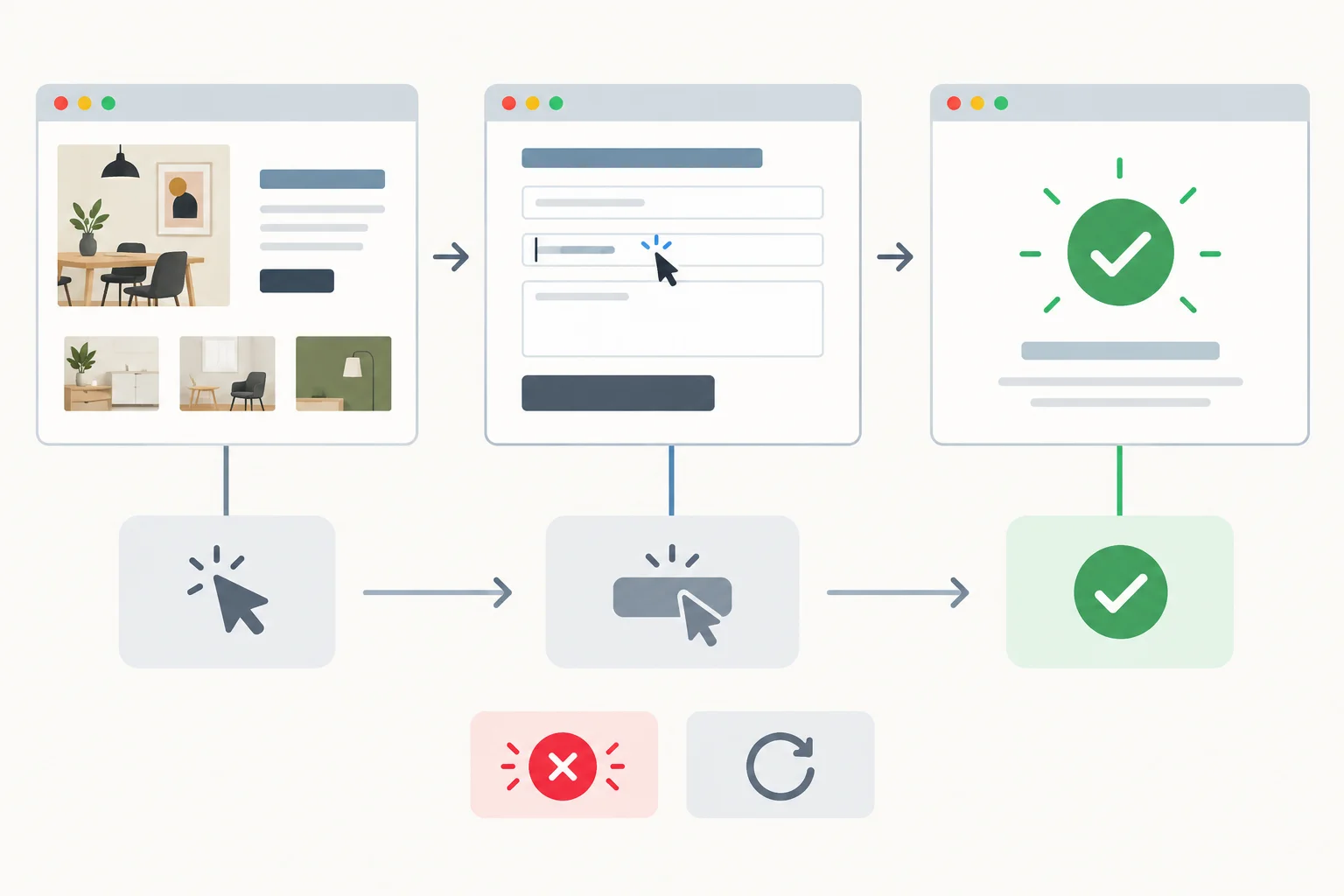
The trigger must identify the green accepted-request state, not a nearby interaction or page state.
This compact plan separates visit context, form engagement, and the outcome Northstar Studio wants to count. page_location identifies the collected page URL. The listed parameter values are planned configuration values; a collection source must actually be able to provide them.
| Business action | Event name | Parameters | Trigger | Key event? | Rationale |
|---|---|---|---|---|---|
| View consultation page | `page_view` | `page_location` | A page view is collected for `/consultation` | No | Visit context is not a completed request. |
| Begin designated form | `form_start` | `form_id = "consultation_request"` | A detectable start of that form occurs | No | Shows form engagement, not success. |
| Request is successfully accepted | `generate_lead` | `form_id = "consultation_request"`; `lead_type = "consultation"` | The website confirms acceptance of the request | Yes | Counts the defined consultation-request outcome. |
A submit-button click is an attempt, not proof that a request was accepted. An invalid submission is not success. A visitor can also directly open or reload /consultation/thank-you; that page state alone does not prove a new accepted request.
Write the Trigger around the acceptance condition itself. Then make Validation evidence test both boundaries: one accepted request should produce the intended signal once, while a click, an invalid submission, and a confirmation-page reload should not produce an additional success signal.
Example
Strong specification
Trigger: Send generate_lead when the designated consultation request has been successfully accepted by the website.
Validation evidence: One accepted request produces one generate_lead. A submit-button click with an invalid form does not produce it. Opening or reloading /consultation/thank-you does not itself add another generate_lead.
This does not decide how collection will be configured. It states the behavior that any proposed collection route must be able to support.
Tip
Use only parameters that answer a measurement question. If the planned source cannot reliably provide a parameter, do not guess or manufacture its value; record the dependency for the collection-route decision.
Complete the missing field in this compact specification.
Business action: Successfully accepted consultation request
Event name: __
Complete the missing field in this compact specification.
Event name: generate_lead
Key event?: __
A draft specification says: “Send generate_lead when a visitor opens or reloads /consultation/thank-you.”
Rewrite its Trigger and Validation evidence in two short lines. Your rewrite must tie the event to an accepted request and make clear that a button click, invalid submission, direct opening, or reload must not create the success signal.
Write at least 120 characters (0/120).
Step 5 of 8
Remove unnecessary or unsafe data from a GA4 event plan and document the consent-related conditions that must be resolved before activation.
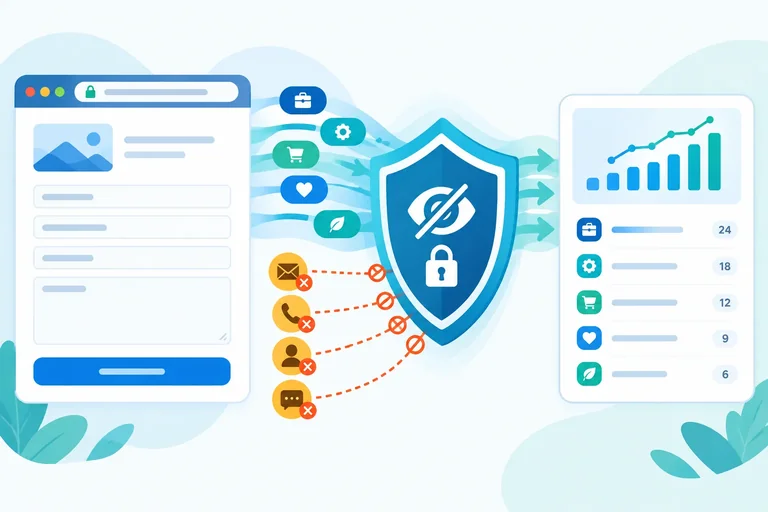
A measurement plan should collect only the context needed to answer its business question. This applies to automatically collected surfaces as well as parameters deliberately added to an event.
For Northstar Studio, generate_lead needs business context—not customer identity. The planned values form_id = "consultation_request" and lead_type = "consultation" describe the request without identifying the person who submitted it.
Do not send names, email addresses, phone numbers, or identifying free-text form responses to Google Analytics. Hashing an identifier is not a general workaround. A plan with no direct identifiers is also not automatically anonymous or exempt from applicable privacy requirements.
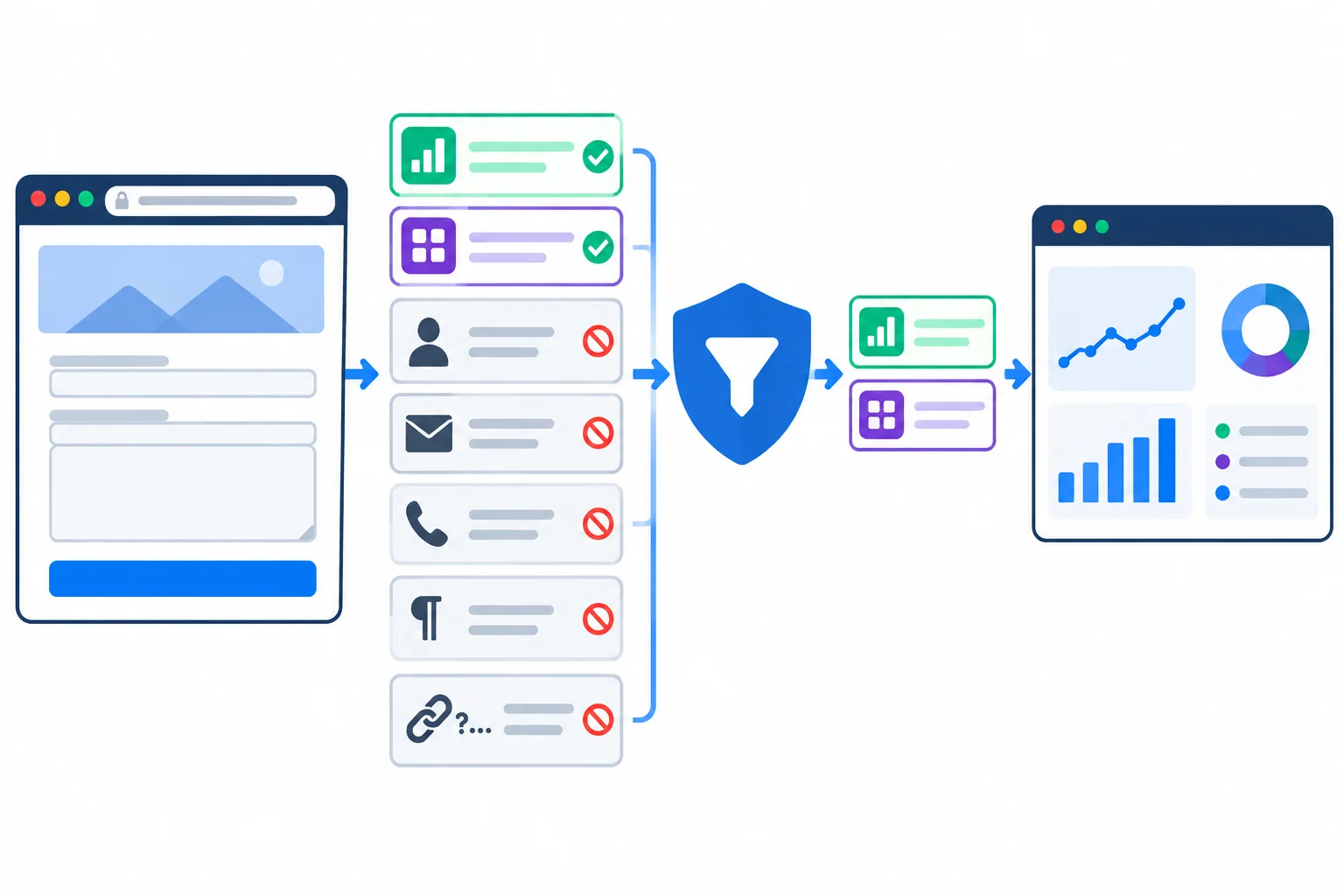
Review parameters, URLs, page titles, query strings, and form fields—not just the event name.
Use the smallest useful set of non-identifying values. A URL can be useful as page_location, but inspect it carefully: query strings or page paths must not expose submitted details.
| Collection surface | Plan treatment | Why |
|---|---|---|
| `form_id = "consultation_request"` | Retain | Identifies the designated form. |
| `lead_type = "consultation"` | Retain | Describes the request category. |
| Name, email, or phone parameter | Remove | Direct identifying information is prohibited. |
| Project-notes free-text field | Do not send | It can contain identifying or sensitive details. |
| `page_location` with a query string | Inspect and prevent exposure | A query value can carry personal information. |
| Page title | Inspect before activation | A title can unintentionally reveal a customer detail. |
Warning
Before activation, determine the applicable consent and disclosure requirements. Where consent is required, the responsible owner must verify behavior before consent, after refusal, and after withdrawal.
A GA4 setting, a consent banner, or Consent Mode does not by itself obtain valid consent or prove compliance. If requirements are unclear, data could be sensitive, or collection behavior is advanced, pause and involve qualified privacy or technical support.
Match each proposed collection item to the appropriate safeguard.
Tap an item and then its matching pair.
Audit this proposed generate_lead plan for Northstar Studio.
It proposes: form_id = "consultation_request", lead_type = "consultation", a submitter email parameter, a project-notes free-text parameter, and page_location from /consultation/thank-you?email={submitted_email}. The team has not yet confirmed applicable consent requirements.
Write a short audit note that states: (1) which business-context parameters to retain, (2) what to remove or prevent from being collected, including any surface to inspect, and (3) the consent-related launch condition and the owner or specialist who must resolve it. Do not assume that a GA4 setting solves the consent question.
Write at least 180 characters (0/180).
Step 6 of 8
Choose supported no-code routes for Northstar Studio’s planned GA4 signals while documenting dependencies and avoiding unsupported tracking promises.
A GA4 connection is only a destination. Before choosing a route, read what the website or CMS integration is documented to collect.
For Northstar Studio, check five things: basic page collection, support for the specific business event, available non-identifying parameters, how accepted success is detected, and compatibility with the required consent behavior. Do not infer a capability merely because the integration can send data to GA4.
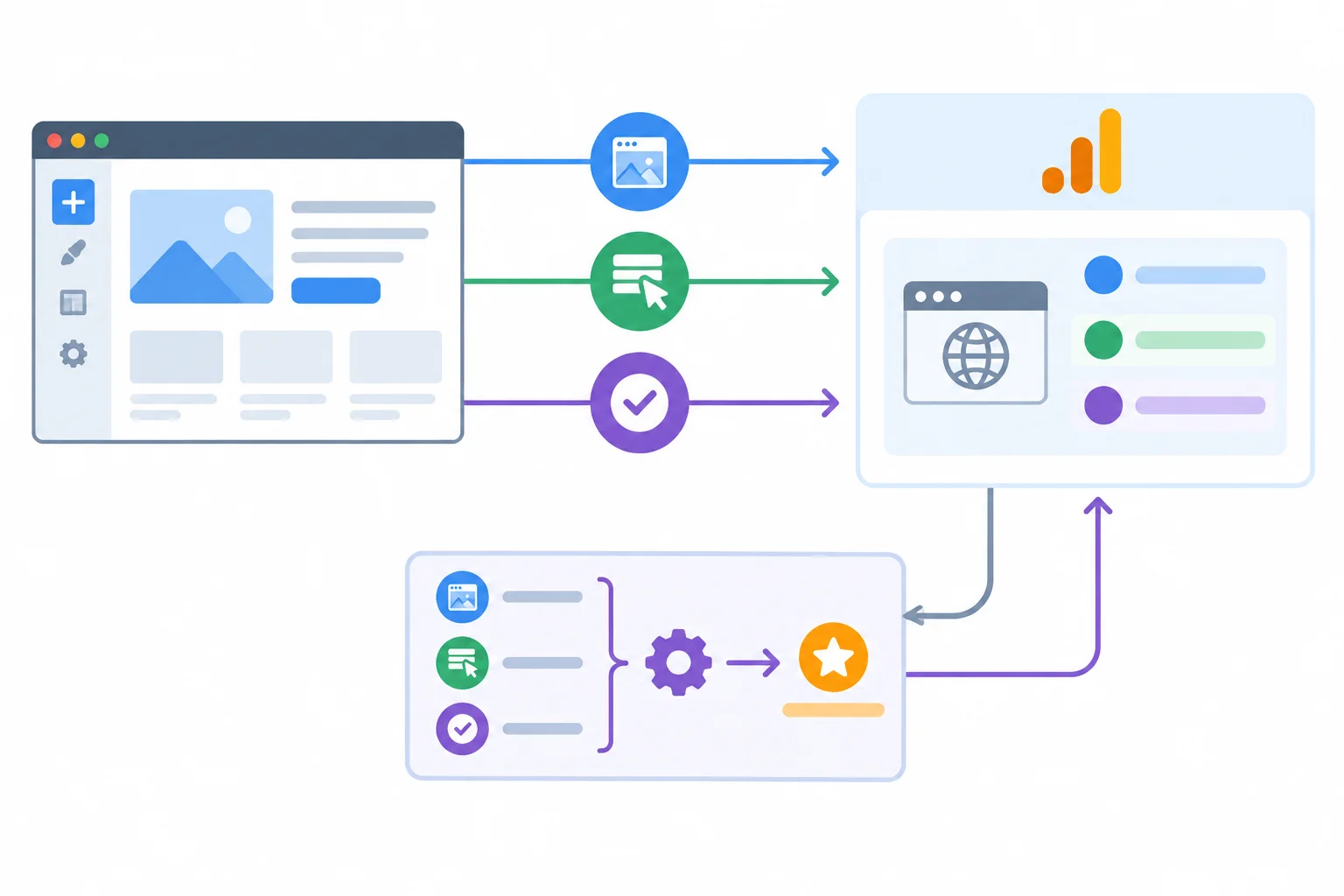
Choose a route from documented source signals—not from an assumption that GA4 can see every website action.
This is the scenario capability profile for Northstar Studio. It is a planning input, not a claim about every CMS or integration.
| Capability | Documented behavior | Planning implication |
|---|---|---|
| Native CMS integration | Sends `page_view`, `form_start`, and `generate_lead` after the CMS accepts a consultation request | Can support the three planned signals |
| Parameters | Can send `form_id = "consultation_request"` and `lead_type = "consultation"` with the accepted-request event | Use only these needed business-category details |
| GA4 connection | Identifies the destination `Northstar website` with `G-XXXXXXXXXX` | Does not by itself prove event support |
| Consent setting | Can follow the site's configured consent behavior | Consent owner must verify required behavior before launch |
Use one intentional collection route for each business signal. For this profile, use the native CMS integration for page_view, form_start, and generate_lead. Do not add a derived rule that produces the same generate_lead from a confirmation-page view: two routes for one success signal can double-count it.
A no-code derived-event rule is useful only when GA4 already receives a usable source event and matching condition. It transforms received data; it cannot observe a button, acceptance decision, or form state that never reaches GA4.
Warning
A rule based on /consultation/thank-you is only a conditional fallback. It might be considered only if the page is reliably shown after an accepted request and the team has addressed direct visits, reloads, and repeated signals.
In this scenario, the confirmation page can be opened directly and reloaded. A page_view there is therefore not reliable proof that the CMS accepted a request. If no accepted-request signal is available, record generate_lead as Unverified or blocked and escalate to the website owner or a technical specialist rather than promise collection.
A route is ready only when its responsibilities are explicit.
| Event name | Collection route | Owner and access | Privacy and consent |
|---|---|---|---|
| `page_view` | Native CMS integration | Website owner publishes; GA4 access supports inspection | Consent owner verifies configured behavior |
| `form_start` | Native CMS integration | Website owner publishes; appropriate GA4 role inspects configuration | No identifying form text or customer details |
| `generate_lead` | Native CMS accepted-request event | Website owner publishes; appropriate GA4 role manages event settings | Consent owner verifies behavior; use only needed parameters |
The native CMS integration already sends generate_lead only after a consultation request is accepted. A teammate also proposes a derived generate_lead whenever /consultation/thank-you receives page_view. What is the best plan?
Use this planning profile:
Northstar website is connected through G-XXXXXXXXXX.page_view, form_start, and generate_lead only when the CMS accepts a consultation request. It can send form_id = "consultation_request" and lead_type = "consultation"./consultation/thank-you can be opened directly and reloaded.Write a short route decision. State: (1) the route for generate_lead; (2) what a derived-event rule would need before it could work; and (3) what to do if the native accepted-request signal disappeared and only confirmation-page views remained. Include the relevant owner dependency.
Write at least 220 characters (0/220).
Step 7 of 8
Use simulated Realtime observations to distinguish an observed GA4 event signal from an unverified tracking claim.
Realtime is an initial receipt check: it can show that GA4 recently received an event for the intended destination. It does not prove that all visitors are counted, that every trigger is accurate, or that collection is compliant.
Keep two checks separate:
Seeing generate_lead in Realtime is useful evidence of recent receipt. It does not prove lead quality, a sale, complete historical reporting, attribution accuracy, or correct downstream reporting behavior.
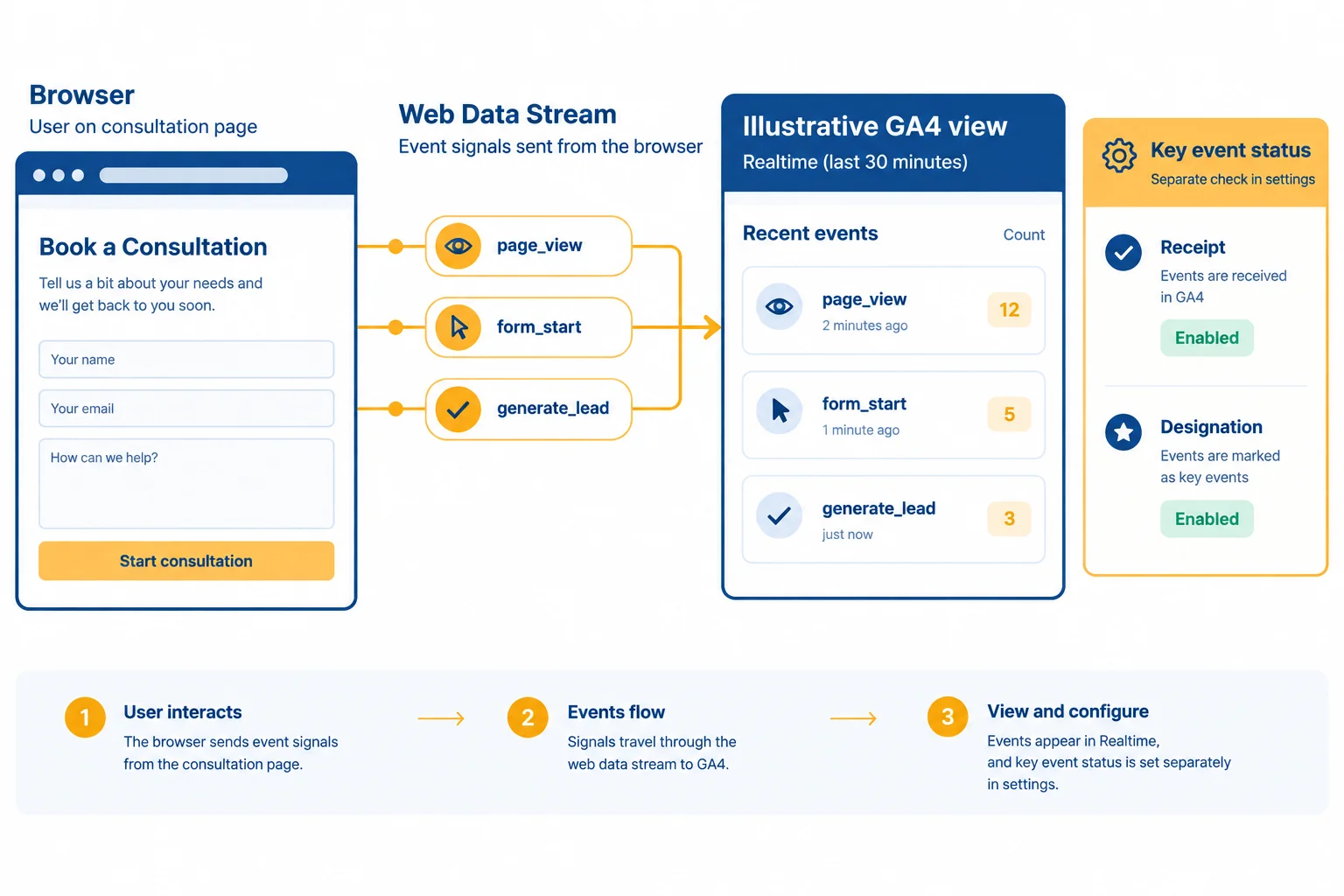
Illustrative GA4 view: Realtime shows recently received signals; key-event designation requires a separate check.
Use one controlled action at a time. Before testing, record the intended destination: property Northstar Studio — Web and web data stream Northstar website. Also record the consent state, a baseline observation, the action performed, and the expected change.
Compare counts before and after each action. Inspect parameter details only when they are visible. A missing parameter in the supplied observation is not evidence that it was collected, and a visible event name does not prove the success condition behind its trigger.
Simulated Realtime observations from one controlled test. The status records what the observation itself shows, not a final verdict on the implementation.
| Time and action | `generate_lead` count | Visible detail | Status |
|---|---|---|---|
| 14:05:00 Baseline | 0 | No `generate_lead` detail | Observed |
| 14:06:00 Successfully accepted consultation request | 0 to 1 | `form_id = "consultation_request"` | Observed |
| 14:08:00 Invalid submission | Remains 1 | No new `generate_lead` detail | Not observed |
| 14:10:00 Reload `/consultation/thank-you` | 1 to 2 | No additional acceptance detail | Observed |
Use careful language. The accepted-request action coincides with an expected signal in this controlled test. The later increase after a confirmation-page reload is an extra observed signal, not evidence of another accepted request.
A missing signal remains unresolved until timing, collection support, consent state, possible blocking, and the intended property and web data stream have been checked. For an unexpected extra signal, compare the trigger and selected collection route with the controlled action, then retest. Do not make an immediate diagnosis from Realtime alone.
Based only on the Simulated Realtime observations, which statement is supported?
Controlled test record for Northstar Studio — Web / Northstar website, with consent granted for the test:
page_view = 1, form_start = 0, generate_lead = 0form_start = 1 and generate_lead = 0generate_lead = 1 and the visible detail is form_id = "consultation_request"/consultation/thank-you is reloaded; generate_lead = 2Write a short initial evidence note. Compare the actions with the before-and-after observations. Identify one expected signal and one suspicious signal, state what is observed and what remains unverified, then name the next appropriate check. Do not claim that tracking is fully validated.
Write at least 180 characters (0/180).

Step 8 of 8
Complete and review an implementation-ready GA4 measurement plan for Northstar Studio, including routes, owners, consent safeguards, and final Realtime evidence.
A completed measurement plan is a defensible handoff: it states what Northstar Studio intends to collect, under which conditions, and what evidence will be checked. It is not yet proof that collection is live, accurate, or ready to rely on.
The objective remains narrow: count successfully accepted consultation requests. Visits and form engagement provide useful context, but neither is evidence that a request was accepted. The destination is account Northstar Studio, property Northstar Studio — Web, and web data stream Northstar website, represented by measurement ID G-XXXXXXXXXX.
Use this core specification consistently when assigning collection routes and validation checks.
| Business action | Event name | Parameters | Trigger | Key event? | Rationale |
|---|---|---|---|---|---|
| View `/consultation` | `page_view` | `page_location` | The native CMS integration collects a page view for `/consultation` | No | Provides consultation-page context, not request success. |
| Begin the designated form | `form_start` | `form_id = "consultation_request"` | A detectable start of the designated consultation form occurs | No | Shows form engagement, not acceptance. |
| Successfully accepted consultation request | `generate_lead` | `form_id = "consultation_request"`; `lead_type = "consultation"` | The CMS confirms that the designated request was successfully accepted | Yes | Matches the stated objective: accepted consultation requests. |
Use one intentional collection route per signal. In this scenario, all three signals use the native CMS integration. Its standard page-collection capability sends page_view; its supported form capability sends form_start; and its accepted-request signal sends generate_lead only after CMS acceptance.
Do not add a derived confirmation-page rule for generate_lead alongside this route. A direct visit or reload of /consultation/thank-you can create misleading repeat signals. A completed plan must identify this overlap risk instead of presenting duplicate collection as reliable.
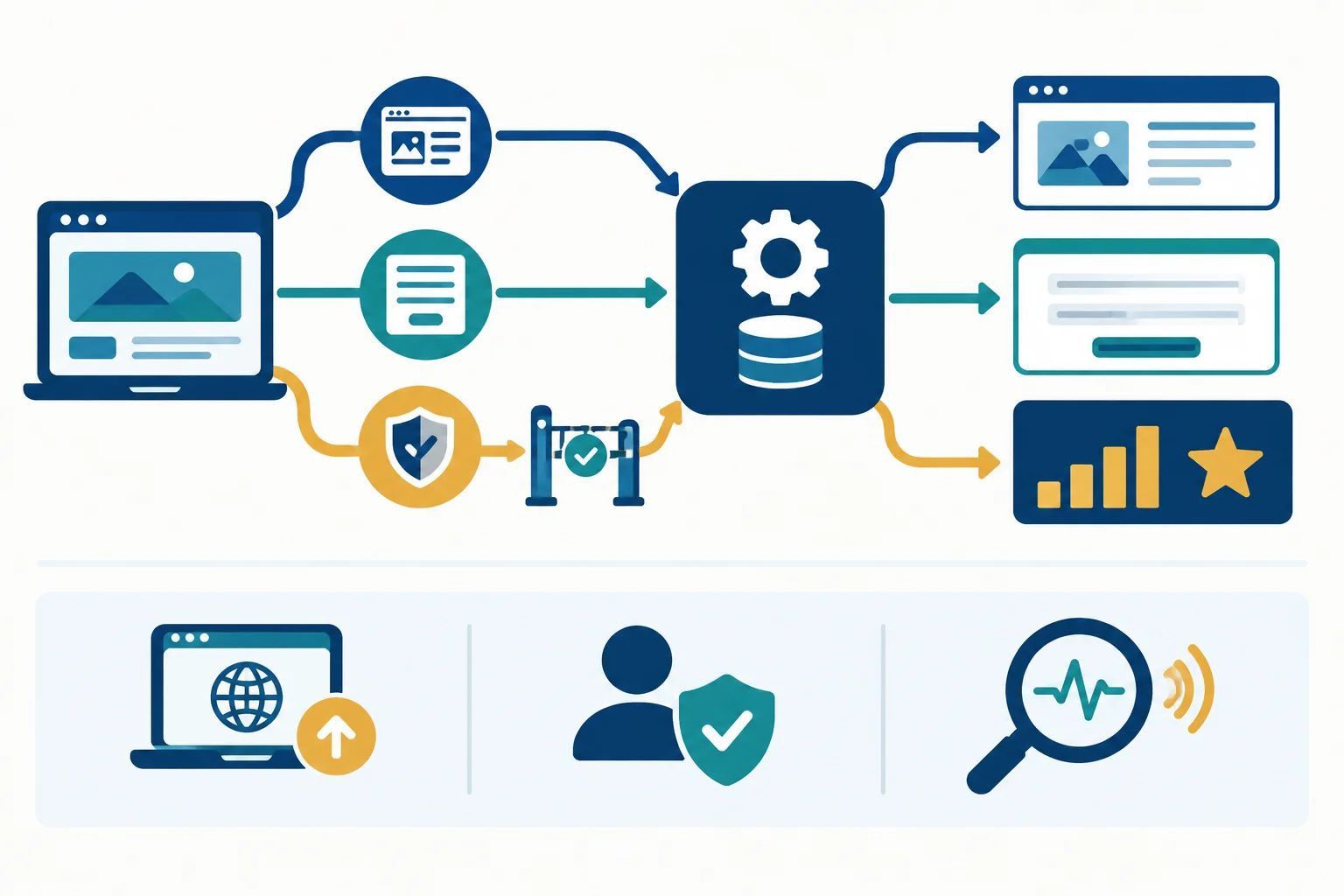
Illustrative GA4 view: the accepted-request signal requires an acceptance condition before it can support the key event.
These are requirements to implement and test. They are not claims that Northstar Studio has already verified live collection.
| Collection route | Owner and access | Privacy and consent | Validation evidence |
|---|---|---|---|
| Native CMS integration: standard page-collection capability for `page_view` | Website owner has site administration and publishing rights; GA4 Viewer can inspect results | Inspect `page_location` and prevent personal information in paths or query strings; consent owner verifies required behavior | A controlled visit to `/consultation` shows the expected `page_view` in Realtime. |
| Native CMS integration: supported designated-form signal for `form_start` | Website owner publishes; analytics implementer has an appropriate GA4 role, such as Marketer or higher, for event-related management | Retain only `form_id = "consultation_request"`; do not send names, emails, phone numbers, or form text | A controlled start of the designated form shows `form_start`; compatibility and visible details are checked. |
| Native CMS integration: CMS accepted-request signal for `generate_lead` | Website owner confirms and publishes the acceptance condition; analytics implementer has Marketer or higher access to manage the key event | Retain only `form_id = "consultation_request"` and `lead_type = "consultation"`; consent owner verifies required behavior before consent, after refusal, and after withdrawal | One accepted request produces one signal; invalid submission and confirmation-page reload do not add another success signal. |
Write the final Northstar Studio handoff in 6–9 short bullet points. Include:
Business action → Event name pairs, each planned Parameters, and each precise Trigger.key event.Collection route for all three signals and the needed Owner and access roles.Privacy and consent safeguards, including what must not enter analytics.generate_lead:14:05:00 baseline: count 0 — Observed14:06:00 successfully accepted consultation request: count 1 — Observed14:08:00 invalid submission: count remains 1 — Not observed14:10:00 reload /consultation/thank-you: count 2 — ObservedDo not diagnose the source of the repeated signal from these observations alone. State what is observed, what remains Unverified, and the next check.
Write at least 500 characters (0/500).
Summary
A robust measurement plan connects the business objective to precise event specifications, intentional collection routes, responsible owners, privacy conditions, and validation evidence.
A completed plan is different from readiness to implement, and both differ from verified live collection. Here, the confirmation-page reload produced an extra success signal. Treat that as an issue to investigate and retest—not as evidence of two accepted consultation requests.
page_view for consultation-page context, form_start for designated-form engagement, and generate_lead only for an accepted request.generate_lead as the key event because it matches the accepted-request objective; designation does not create or validate collection.Congratulations! You completed: Plan GA4 Events and Key Events
Thousands of online courses in video, ebooks and audiobooks.
To test your knowledge during online courses
Generated directly from your cell phone's photo gallery and sent to your email

Download our app via QR Code or the links below:.



Carry knowledge in your pocket.
Download the Cursa app.
There are hundreds of free courses available, with a free certificate of completion that is saved in your mobile image gallery.
Download the app to access the Course Completion Certificate for Free.


+ 10 million
students

Free and Valid
Certificate

60 thousand free
exercises

4.8/5 rating in
app stores

Free courses in
video and ebooks