Step 1 of 8
Turn strategic direction into useful content
Use the supplied DeskNest strategy and evidence to identify content opportunities that are useful and strategically connected.

Learning path · Level 2 · Tutorial 1
Turn a strategy brief into a focused editorial plan with useful content themes, consistent brand voice, clear briefs, and a realistic publishing calendar.
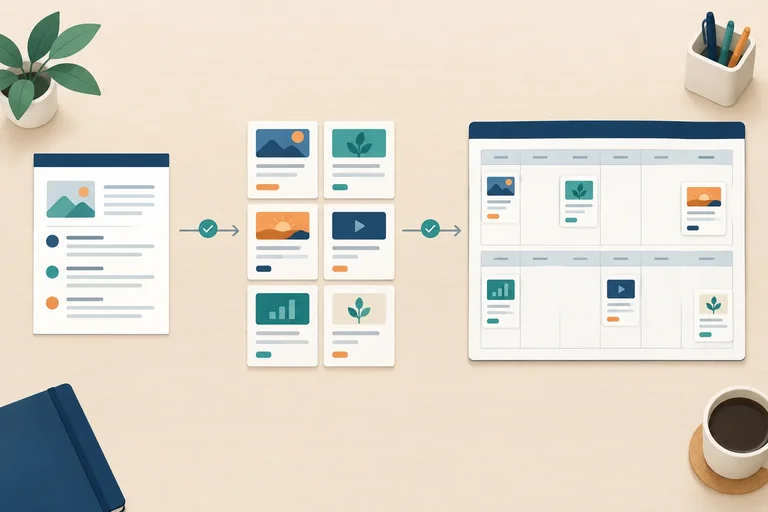
 Turn strategic direction into useful content
Use the supplied DeskNest strategy and evidence to identify content opportunities that are useful and strategically connected. 2 min
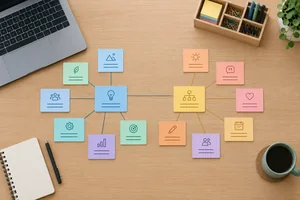 Choose focused themes and specific angles
Turn DeskNest audience questions into a small, distinct set of editorial themes and content angles. 3 min
 Give each angle a role and a next step
Connect DeskNest content angles to audience questions, primary funnel roles, and proportionate desired actions. 3 min
 Define a consistent voice and adaptable tone
Define a consistent DeskNest voice and adapt its tone to different audience situations. 2 min
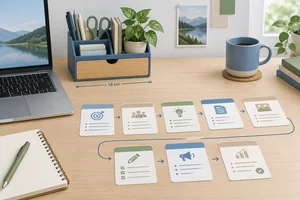 Write a content brief someone can use
Turn a selected content angle into a compact, evidence-based production brief. 3 min
 Check production effort and ownership
Check whether DeskNest’s planned content fits the available owner and reviewer capacity before building the detailed calendar. 2 min
 Build a realistic two-week calendar
Schedule DeskNest content across two weeks with milestones, ownership, review checks, and conditional publication. 3 min
 Review and finalize your editorial plan
Consolidate the DeskNest editorial plan and confirm that it is ready to guide content creation. 2 min
Step 1 of 8
Use the supplied DeskNest strategy and evidence to identify content opportunities that are useful and strategically connected.
Content marketing is not a list of posts to fill empty slots. It offers useful information for an audience need while supporting a business purpose.
For DeskNest, keep the inherited direction fixed:
Your editorial plan will make content decisions within this direction. It supports the 4-week objective; it does not replace it.
Use this relevance filter before adding a content opportunity to the plan.
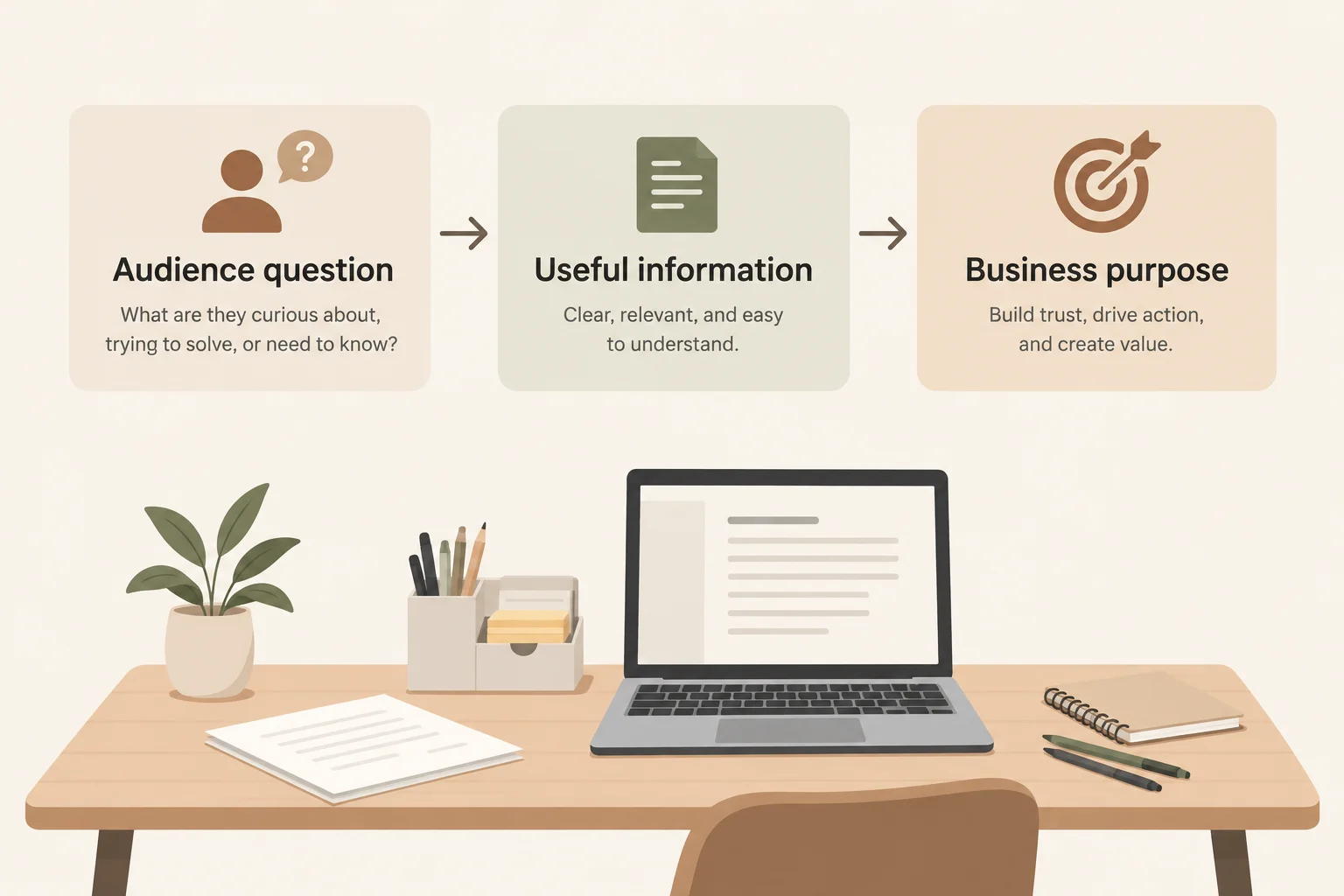
Audience question → Useful information → Business purpose
DeskNest has two recurring questions in its Audience notes:
Useful information should answer one of these questions clearly. When a piece mentions the product, use only supported facts from the Product fact sheet: a 24 cm × 12 cm footprint, 3 compartments, and no assembly required.
If a claim needs information that is not available, label it: Verify before publishing.
Example
A plain-text plan outline is enough to begin. You do not need a live website, publishing account, or earlier file.
Candidate opportunity
Audience question: Will this organizer fit beside my laptop?
Useful information: Explain the organizer’s 24 cm × 12 cm footprint and suggest measuring the available desk space.
Business purpose: Help a careful visitor decide whether to visit the product page for details.
Evidence: Product fact sheet
This is connected: it answers a real question, gives practical help, and can support the visit objective without inventing a claim.
Which content opportunity best passes the relevance filter for the current DeskNest strategy?
Step 2 of 8
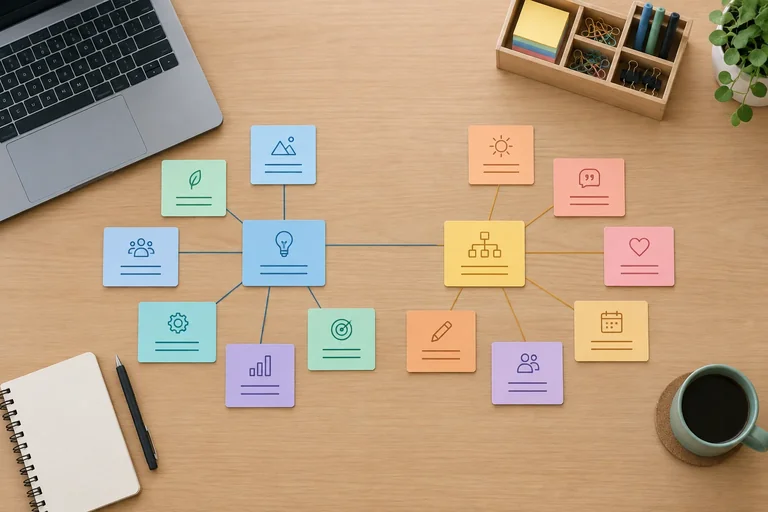
Turn DeskNest audience questions into a small, distinct set of editorial themes and content angles.
An editorial theme is a recurring subject area that can hold several useful pieces. A content angle is one precise treatment of an audience question or situation.
Think of a theme as a folder and an angle as a planned item inside it. “Small-desk organization” is broad enough to recur. “Where do I start with a crowded desk?” gives one piece a specific direction.
For DeskNest, begin with the supplied Audience notes—not with a random list of posts. The plan should help remote workers with small desks while supporting the inherited goal of more product-page visits.
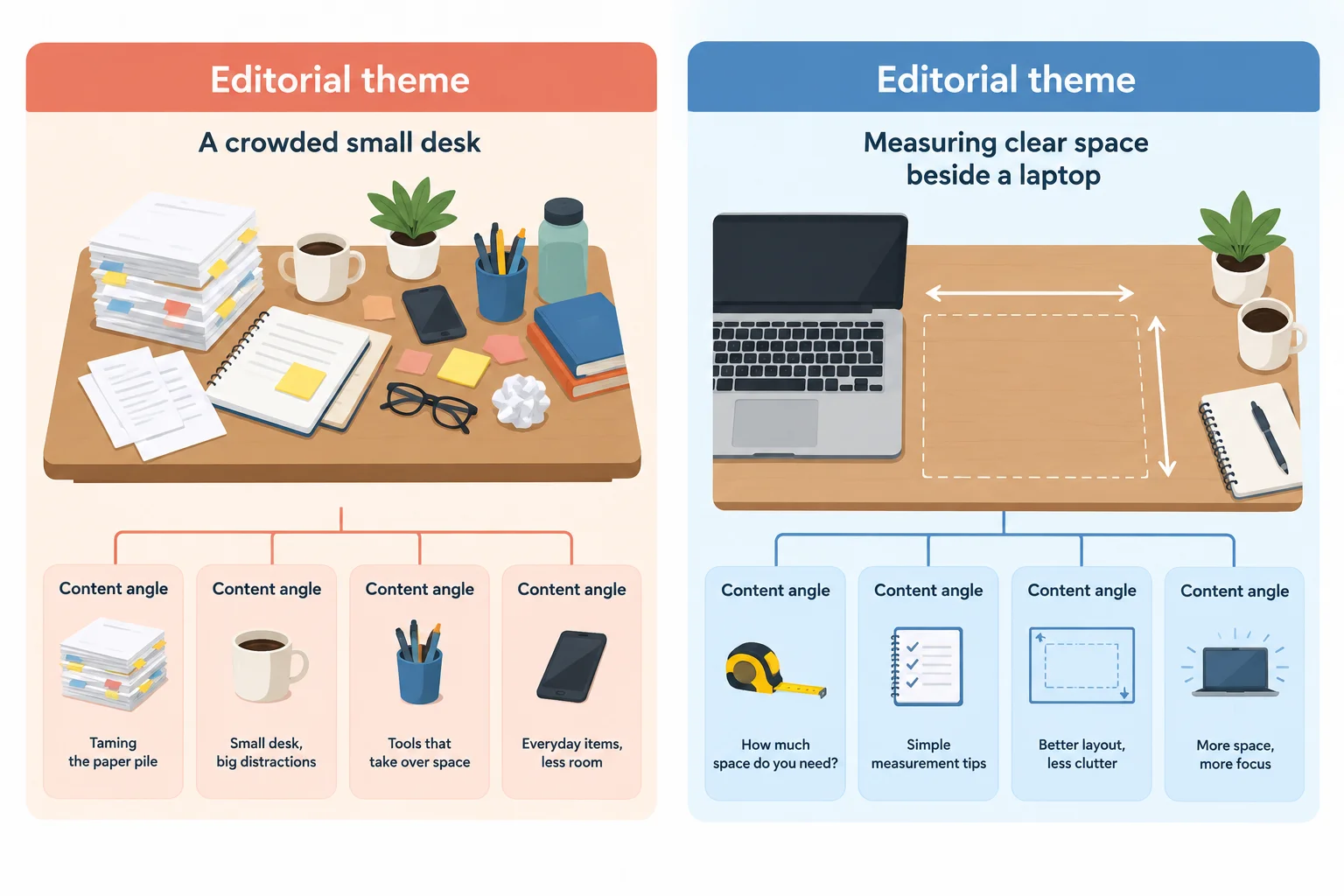
A small number of recurring themes can hold several distinct, audience-focused angles.
Build a short theme-to-angle map before choosing individual pieces. Check that:
Avoid using only “DeskNest” or “organizers” as a theme: those labels are product-led and too broad. Likewise, “organization tips” is not yet an angle because it does not select a particular audience need.
This working map retains two themes and three distinct angles for the DeskNest plan. These are sentence-case planning labels, not polished headlines.
| Editorial theme | Audience basis | Content angle |
|---|---|---|
| Start a workable desk | Where do I start with a crowded desk? | Start with the essentials on a crowded desk |
| Start a workable desk | A small desk needs a manageable setup | Give daily essentials a compartment |
| Check fit and access | Will this organizer fit beside my laptop? | Check 24 cm × 12 cm beside a laptop |
Example
“Start a workable desk” is a theme because it can guide more than one piece. “Start with the essentials on a crowded desk” is an angle because it selects a first-step situation.
“Small-desk tips” would overlap both themes and still leaves the treatment unclear. A map makes that excessive breadth visible before production begins.
Match each planning term to its role.
Tap an item and then its matching pair.
Create a mini theme-to-angle map for DeskNest.
Use sentence-case planning labels. Do not choose a format, channel, funnel stage, or desired action yet.
Write at least 180 characters (0/180).

Step 3 of 8
Connect DeskNest content angles to audience questions, primary funnel roles, and proportionate desired actions.
Give every content angle one primary role: the audience question it answers, the funnel stage that best fits that question, and a proportionate Desired action.
Choose the stage from the question—not from the channel or format. A Short website article and a Single-image Instagram post can each support different stages.
Match the depth of the piece to audience readiness. A person asking where to start needs one manageable first move. A person checking fit needs practical information for a comparison. The Desired action is the useful next response after the piece; it does not need to be an immediate purchase.
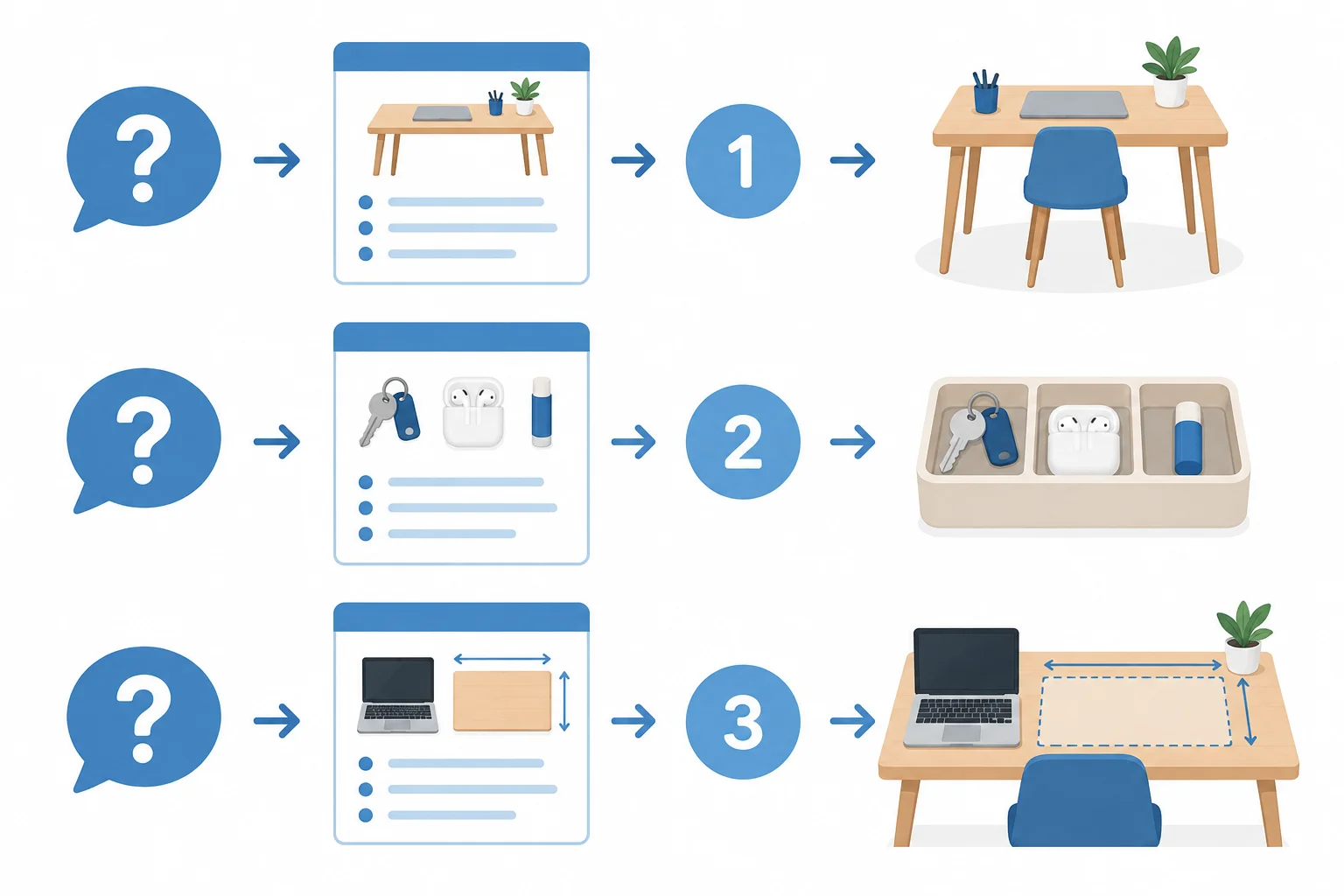
Use a question → role → stage → Desired action path for each planned piece. The arrows show planning relationships, not a fixed customer journey.
Tip
Do not force every funnel stage into a small plan. More than one piece can serve Awareness when each answers a different early question or supports a different manageable step. What matters is that the audience question, depth, stage, and Desired action fit together.
A question-to-stage-to-action matrix makes alignment visible. DeskNest retains the same three angles from its theme-to-angle map: one Short website article and two Single-image Instagram posts. Their formats help present the idea, but they do not determine the primary stage.
A working role matrix for the DeskNest plan
| Content angle | Format | Audience question | Primary stage | Desired action | Readiness reason |
|---|---|---|---|---|---|
| Start with the essentials on a crowded desk | Short website article | Where do I start with a crowded desk? | Awareness | Identify the daily essentials to keep within reach | Needs one manageable place to begin |
| Give daily essentials a compartment | Single-image Instagram post | Where do I start with a crowded desk? | Awareness | Choose daily essentials to place within 3 compartments | Needs a simple way to organize the first essentials |
| Check 24 cm × 12 cm beside a laptop | Single-image Instagram post | Will this organizer fit beside my laptop? | Consideration | Compare available desk space with 24 cm × 12 cm | Needs fit information before deciding whether to explore further |
Example
The first two angles both serve Awareness, but they are not duplicates. One reduces a crowded desk to a manageable first choice; the other focuses on giving chosen daily essentials a place. The fit angle serves Consideration because it helps a careful comparer assess available space.
Use Audience notes for the recurring questions. Use the Product fact sheet for the 24 cm × 12 cm footprint and 3 compartments. The footprint supports a comparison, not a claim that DeskNest fits beside every laptop. Mark unavailable support as Verify before publishing.
Match each content role to the most suitable primary stage and Desired action.
Tap an item and then its matching pair.
Assign a role to each retained DeskNest angle:
For each, write:
Audience question | Primary stage | Desired action | one-sentence readiness-based justification
Use the labels Awareness, Consideration, Conversion, or Post-purchase as needed. Base your justification on what the audience is ready to do after receiving useful information—not on whether the piece is for Website or Instagram.
Write at least 180 characters (0/180).

Step 4 of 8
Define a consistent DeskNest voice and adapt its tone to different audience situations.
Brand voice is the small set of communication traits that stay recognizable across DeskNest content. It guides how the brand explains, reassures, and recommends.
Tone is the situation-specific adjustment of that voice. It can change the emphasis or emotional intensity without changing the underlying traits.
For DeskNest, the worked voice is practical, calm, and encouraging. The same voice should help an overwhelmed beginner take one manageable step and give a careful comparer clear details to consider.

The communication need changes by situation, while the DeskNest voice remains consistent.
A trait becomes usable when it describes both what to do and what to avoid. Abstract labels alone do not tell a content creator how to make a decision.
Use the three traits below as working guidance for DeskNest. They are not a full style guide; they are enough to keep this editorial plan coherent.
DeskNest voice guidance
| Trait | Do | Avoid |
|---|---|---|
| Practical | Give a useful step or concrete detail. | Vague inspiration with no help. |
| Calm | Use clear, measured language and one focus at a time. | Pressure, urgency, or cluttered claims. |
| Encouraging | Acknowledge progress and make the next step feel manageable. | Talking down to the reader or promising a perfect result. |
Example
Situation: overwhelmed beginner
Keep the practical, calm, encouraging voice. Put reassurance first: make the task feel smaller, then offer one clear place to begin. Avoid making the crowded desk sound like a personal failure.
Situation: careful comparer
Keep the same voice, but put factual clarity first: explain the relevant product details and leave room for the reader to assess fit. Avoid pressure or unsupported certainty.
DeskNest is addressing a careful comparer who asks whether the organizer will fit beside a laptop. Which tone adjustment best preserves a practical, calm, encouraging voice?
Write at least 40 characters (0/40).
For DeskNest, specify 2 or 3 brand-voice traits. For each trait, state one observable behavior that a content creator should use.
Then choose either the overwhelmed beginner or the careful comparer situation and identify one tone adjustment that respects those traits. Focus on communication decisions, not polished marketing copy.
Write at least 120 characters (0/120).
Step 5 of 8
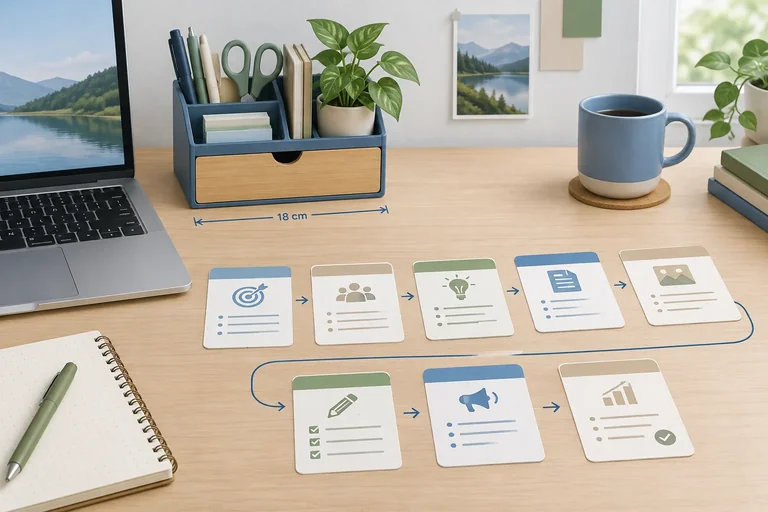
Turn a selected content angle into a compact, evidence-based production brief.
A content brief is a compact production guide. It tells a creator what a planned piece needs to achieve, what information can support it, and how it should be delivered. It is not the finished article, caption, headline, or call to action.
A usable brief connects one audience need to one main message, evidence, a delivery choice, and an appropriate next step. This keeps an editorial-plan decision from becoming a disconnected post.
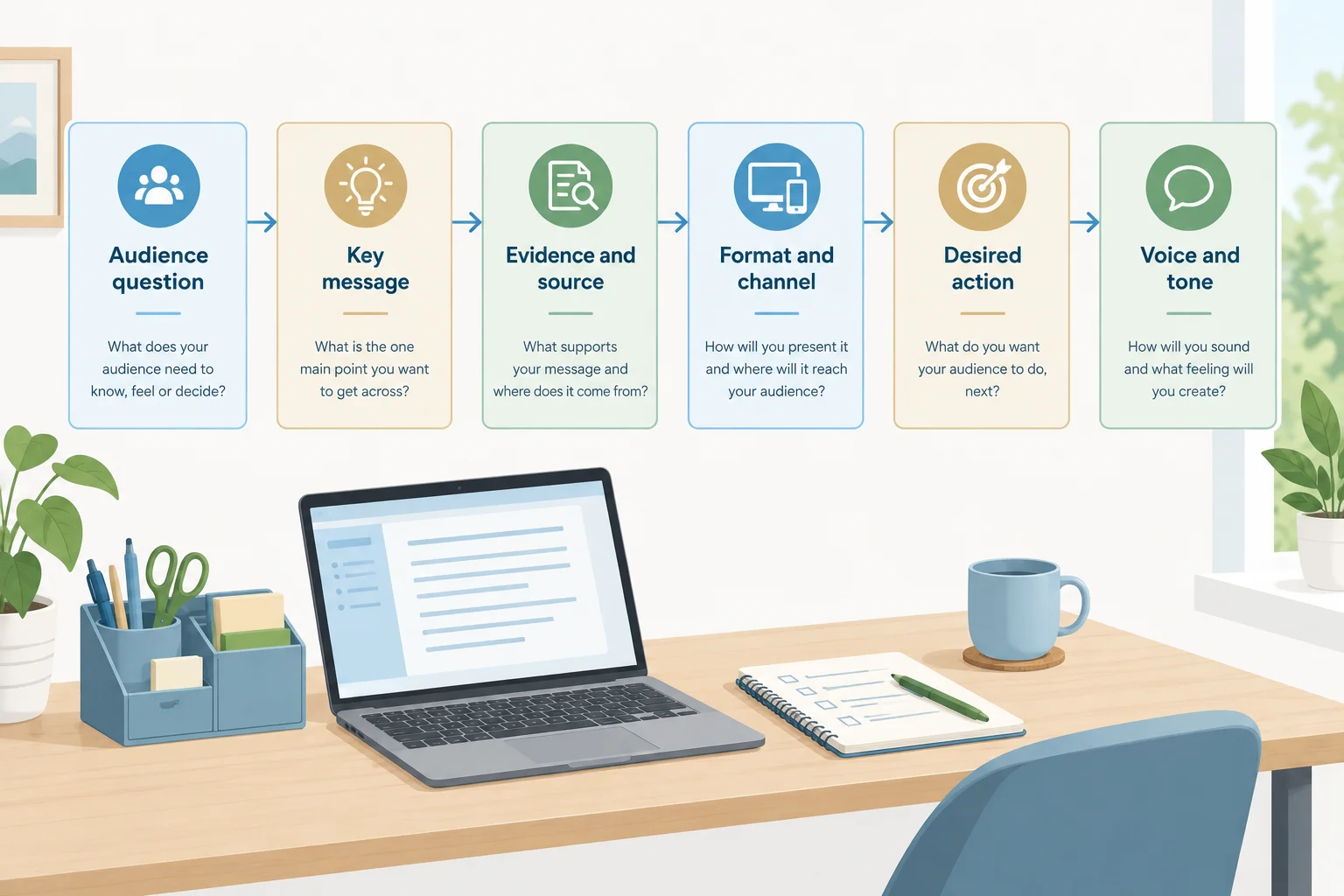
A content brief records the connected decisions needed before content creation begins.
Tip
Keep the Key message to one main takeaway. The Evidence and source field records both the supporting detail and where it came from. Choose Format and Channel according to the explanation needed and the inherited scope: DeskNest uses Website and Instagram only.
This completed brief guides one planned piece. It records production requirements; it does not contain finished marketing copy.
| Brief field | Decision |
|---|---|
| Audience | Remote workers with small desks; overwhelmed beginner |
| Audience question | Where do I start with a crowded desk? |
| Funnel stage | Awareness |
| Purpose | Offer a practical first step for keeping daily essentials within reach. |
| Key message | Start by identifying the daily essentials to keep within reach. |
| Evidence and source | Recurring crowded-desk question — Audience notes |
| Format | Short website article |
| Channel | Website |
| Desired action | Identify the daily essentials to keep within reach |
| Voice and tone | Practical, calm, encouraging; reassuring tone for an overwhelmed beginner. |
Warning
Do not turn an unknown detail into a claim. Neither supplied source proves that DeskNest fits beside every laptop. If that statement is needed, record Verify before publishing until reliable support exists.
The retained fit piece is Check 24 cm × 12 cm beside a laptop. It remains a Consideration piece: a Single-image Instagram post on Instagram. Its Desired action is to compare available desk space with 24 cm × 12 cm. The footprint comes from the Product fact sheet; it supports a comparison, not universal-fit certainty.
Match each statement to the correct evidence status or source.
Tap an item and then its matching pair.
Complete a compact content brief for the established planned piece: Check 24 cm × 12 cm beside a laptop.
Use the supplied case sources:
Write all 10 labels and decisions: Audience; Audience question; Funnel stage; Purpose; Key message; Evidence and source; Format; Channel; Desired action; Voice and tone. If a statement would need an unprovided fact, write Verify before publishing rather than inventing support.
Write at least 450 characters (0/450).
Step 6 of 8
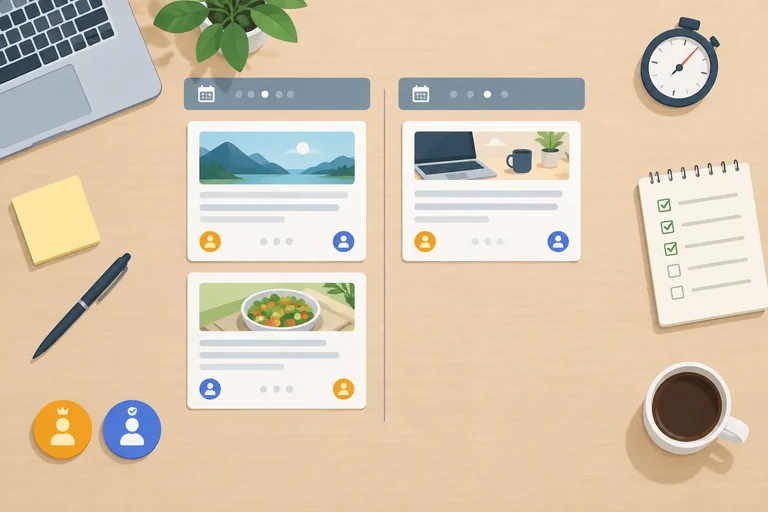
Check whether DeskNest’s planned content fits the available owner and reviewer capacity before building the detailed calendar.
A publishing slot is the end of the work, not the work itself. For every planned piece, account for the full workflow:
Draft → Produce → Review → Publish
For DeskNest, Alex owns the work of moving each piece through drafting, production, and publishing. Sam is the reviewer who checks it before release. The owner and reviewer have different weekly limits, so a plan is feasible only when both people have enough time.
Treat capacity as a ceiling, not a target. Time left unallocated can absorb source checks, revisions, or small delays.
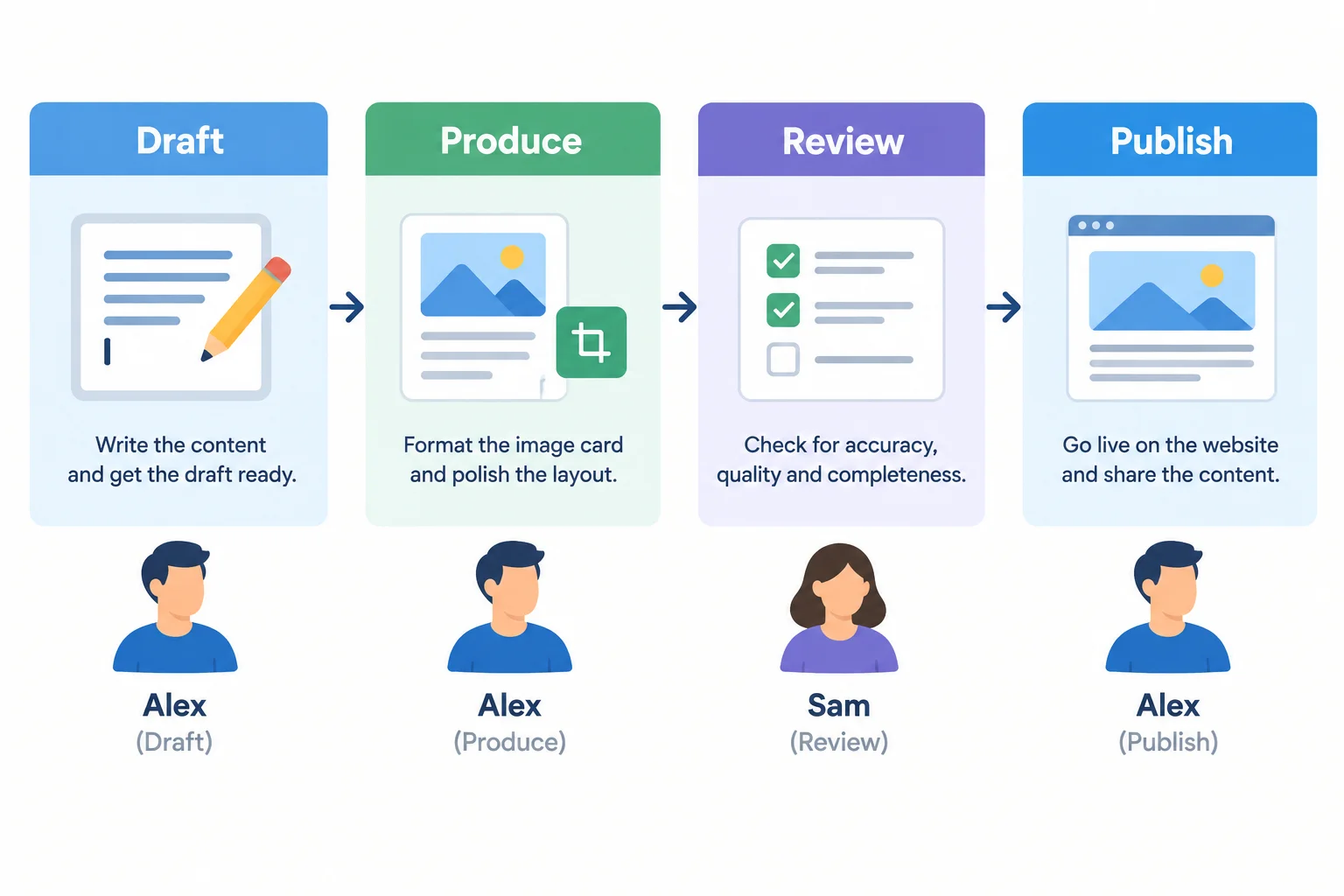
A planned publishing date depends on work completed beforehand: Draft → Produce → Review → Publish.
Use the supplied estimate for each format, then check workload separately for Alex and Sam. Alex’s estimate already includes drafting, production, and publishing tasks. Sam’s estimate is the review work.
Do not combine their minutes into one shared total: Alex cannot use Sam’s available review time to produce a piece, and Sam cannot review more than 30 min in a week.
Effort estimates for the three DeskNest planned pieces
| Planned format | Alex | Sam | Total |
|---|---|---|---|
| Short website article | 90 min | 20 min | 110 min |
| Single-image Instagram post | 60 min | 10 min | 70 min |
Example
Feasible weekly allocation example
Put the Short website article in Week 1. Alex uses 90 min and Sam uses 20 min, leaving 60 min for Alex and 10 min for Sam.
Put both Single-image Instagram posts in Week 2. Alex uses 120 min and Sam uses 20 min, leaving 30 min for Alex and 10 min for Sam.
All three pieces fit within Alex’s 150 min per week and Sam’s 30 min per week. The remaining time is a buffer for revisions or delays.
Tip
If a weekly allocation exceeds either person’s limit—or uses every available minute—reduce or redistribute scope before treating it as ready. Do not silently assume that review, verification, or revisions will take no time.
A proposed two-week DeskNest plan puts 1 Short website article and 2 Single-image Instagram posts in Week 1, with nothing in Week 2. Alex has 150 min available per week; Sam has 30 min available per week.
Which adjustment schedules all 3 pieces, keeps Alex and Sam within their weekly capacities, and preserves space for revisions?
Step 7 of 8
Schedule DeskNest content across two weeks with milestones, ownership, review checks, and conditional publication.
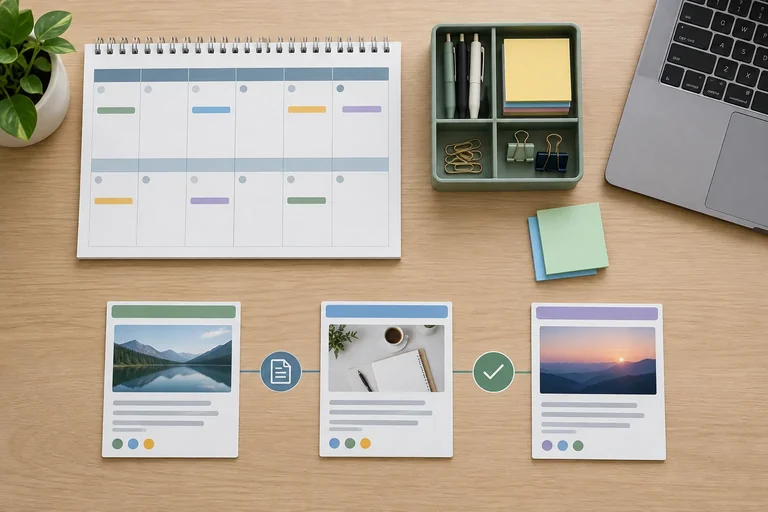
A publishing calendar is not a list of posting slots. It links each DeskNest publication to the work and decisions that must happen first.
This two-week plan supports the inherited objective: increase product-page visits from 100 to 130 over 4 weeks using Website and Instagram. It does not replace that 4-week objective or add channels.
For every piece, schedule the workflow before its publication date: Draft → Produce → Review → Publish. A later milestone depends on the earlier work being ready.
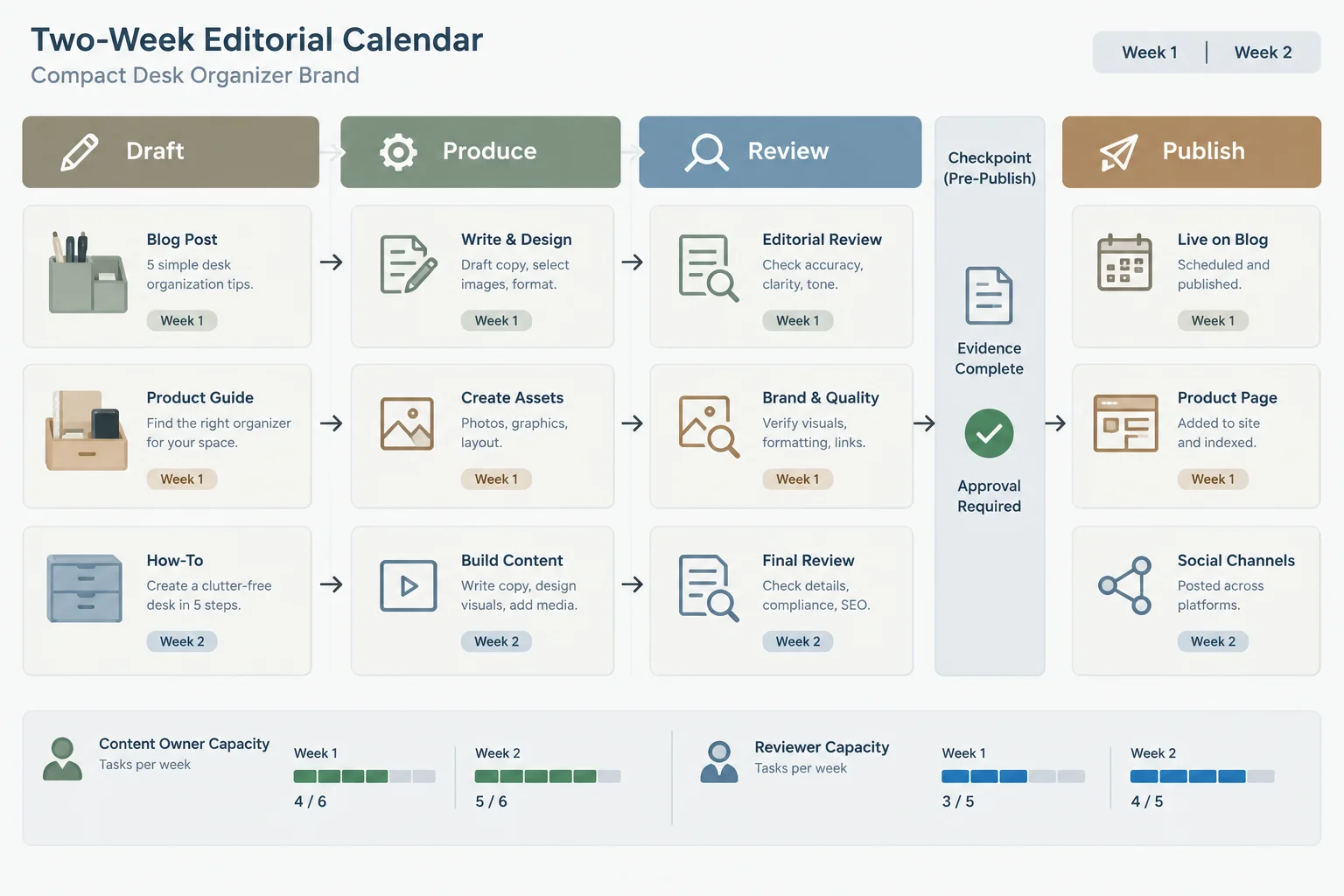
Schedule the work before the publish date. Evidence and approval are gates: a planned date does not authorize an unsupported piece.
This calendar schedules the three DeskNest content angles already selected. The labels below are planning labels, not polished headlines.
Trace each row to its earlier role and Desired action:
One Short website article is scheduled in Week 1. The two Single-image Instagram post entries are scheduled in Week 2, leaving capacity for changes rather than filling every day.
Each row includes the required accountability and early-work milestones.
| Content angle | Format | Channel | Owner | Reviewer | Draft due |
|---|---|---|---|---|---|
| Start with the essentials on a crowded desk | Short website article | Website | Alex | Sam | Week 1 Mon |
| Give daily essentials a compartment | Single-image Instagram post | Alex | Sam | Week 2 Mon | |
| Check 24 cm × 12 cm beside a laptop | Single-image Instagram post | Alex | Sam | Week 2 Mon |
Calendar milestones and effort, continuing the same rows in the same order.
| Production due | Review due | Publish | Effort |
|---|---|---|---|
| Week 1 Tue | Week 1 Wed | Week 1 Thu | Alex 90 min; Sam 20 min |
| Week 2 Tue | Week 2 Wed | Week 2 Thu | Alex 60 min; Sam 10 min |
| Week 2 Wed | Week 2 Thu | Week 2 Fri, if approved | Alex 60 min; Sam 10 min |
Tip
Capacity by production week remains feasible: Week 1 uses Alex 90 min of 150 min and Sam 20 min of 30 min. Week 2 uses Alex 120 min of 150 min and Sam 20 min of 30 min.
At each Review due checkpoint, Sam checks audience usefulness, message support, voice and tone, and the intended Desired action. If needed support is not available in Audience notes or the Product fact sheet, mark it Verify before publishing. The Publish date remains conditional until evidence and approval are ready.
Put the milestones for one DeskNest piece in the working order.
Write a short personal calendar note using the calendar on the previous screen.
Write at least 180 characters (0/180).
Step 8 of 8
Consolidate the DeskNest editorial plan and confirm that it is ready to guide content creation.
Your final review does not create finished copy or visual assets. It checks whether the plan can guide their creation.
Trace every planned piece from its audience question through its Purpose, Key message, Evidence and source, Desired action, and scheduled production. Then check the plan as a whole: its editorial themes are focused, its three content angles are distinct, and it supports the inherited objective of increasing product-page visits from 100 to 130 over 4 weeks.
A ready plan is useful, coherent, and feasible. Writing marketing copy and creating assets happen next; no upload, live publication, or new channel is required now.
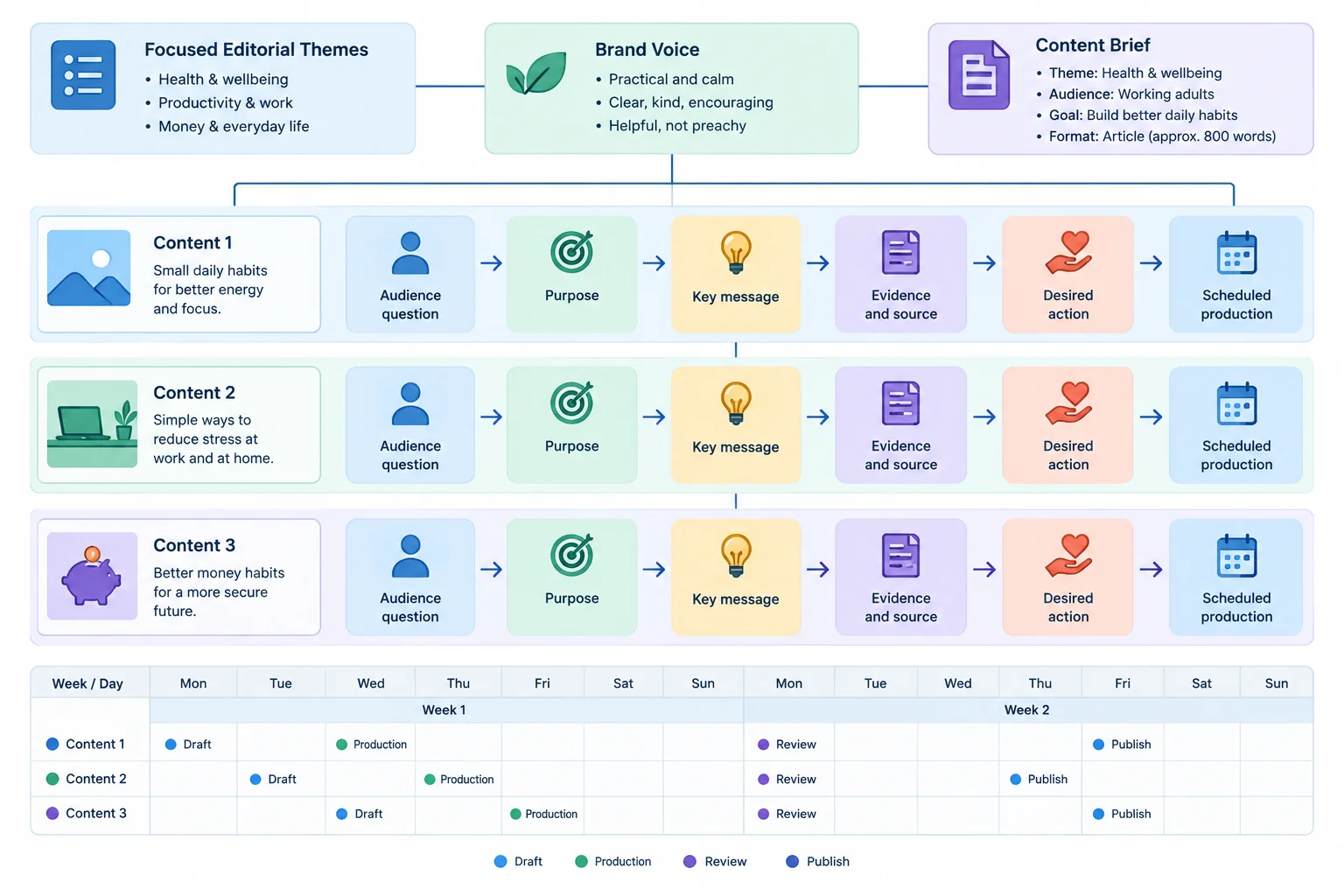
A final check follows each piece from an audience need to the work required before publication.
Summary
Inspect the same three planning labels used throughout the DeskNest plan. They are sentence-case planning labels, not polished headlines.
The first table checks relevance and role. The calendar tables then confirm the exact formats, channels, ownership, milestones, and effort. Alex has 150 min available per week; Sam has 30 min available per week. Check each person and each week separately, while preserving the workflow: Draft → Produce → Review → Publish.
The completed content brief remains the guide for the selected fit-focused piece. If a needed claim lacks support from Audience notes or the Product fact sheet, record Verify before publishing rather than inventing a fact.
This trace checks that every established angle answers a supplied question with an appropriate role, supported message, and next step.
| Content angle | Audience question | Funnel stage and Purpose | Key message | Evidence and source | Desired action |
|---|---|---|---|---|---|
| Start with the essentials on a crowded desk | Where do I start with a crowded desk? | Awareness — Offer a practical first step for keeping daily essentials within reach. | Start by identifying the daily essentials to keep within reach. | Recurring crowded-desk question — Audience notes | Identify the daily essentials to keep within reach |
| Give daily essentials a compartment | Where do I start with a crowded desk? | Awareness — Give a simple way to organize the first chosen essentials. | DeskNest has 3 compartments for chosen daily essentials. | Recurring crowded-desk question — Audience notes; 3 compartments — Product fact sheet | Choose daily essentials to place within 3 compartments |
| Check 24 cm × 12 cm beside a laptop | Will this organizer fit beside my laptop? | Consideration — Help a careful comparer assess available desk space. | DeskNest has a 24 cm × 12 cm footprint; compare it with available desk space. | Fit question — Audience notes; 24 cm × 12 cm footprint — Product fact sheet | Compare available desk space with 24 cm × 12 cm |
These rows preserve the planned delivery choices and accountability.
| Content angle | Format | Channel | Owner | Reviewer | Draft due |
|---|---|---|---|---|---|
| Start with the essentials on a crowded desk | Short website article | Website | Alex | Sam | Week 1 Mon |
| Give daily essentials a compartment | Single-image Instagram post | Alex | Sam | Week 2 Mon | |
| Check 24 cm × 12 cm beside a laptop | Single-image Instagram post | Alex | Sam | Week 2 Mon |
These milestones continue the same calendar rows in the same order. Publication remains conditional on evidence and approval.
| Production due | Review due | Publish | Effort |
|---|---|---|---|
| Week 1 Tue | Week 1 Wed | Week 1 Thu | Alex 90 min; Sam 20 min |
| Week 2 Tue | Week 2 Wed | Week 2 Thu | Alex 60 min; Sam 10 min |
| Week 2 Wed | Week 2 Thu | Week 2 Fri, if approved | Alex 60 min; Sam 10 min |
Write 4–6 short bullets as a final handoff review.
This is a planning review, not finished marketing copy.
Write at least 300 characters (0/300).
Congratulations! You completed: Build an Editorial Plan from a Strategy Brief
Thousands of online courses in video, ebooks and audiobooks.
To test your knowledge during online courses
Generated directly from your cell phone's photo gallery and sent to your email

Download our app via QR Code or the links below:.



Carry knowledge in your pocket.
Download the Cursa app.
There are hundreds of free courses available, with a free certificate of completion that is saved in your mobile image gallery.
Download the app to access the Course Completion Certificate for Free.


+ 10 million
students

Free and Valid
Certificate

60 thousand free
exercises

4.8/5 rating in
app stores

Free courses in
video and ebooks