Step 1 of 8
Separate Crawling, Indexing, and Visibility
Learn to distinguish crawling, indexing, and search visibility while keeping diagnostic claims proportional to the evidence.

Learning path · Level 3 · Tutorial 4
Classify common technical SEO problems from written diagnostic cases and browser observations. Recommend proportionate next actions without needing website ownership, code access, or Search Console.

 Separate Crawling, Indexing, and Visibility
Learn to distinguish crawling, indexing, and search visibility while keeping diagnostic claims proportional to the evidence. 2 min
 Tell Crawl Restrictions from Indexing Instructions
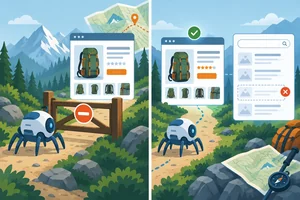
Differentiate robots.txt crawl restrictions from noindex instructions, and recognize why blocking crawling can interfere with indexing exclusion. 3 min
 Use Sitemaps as Discovery Clues
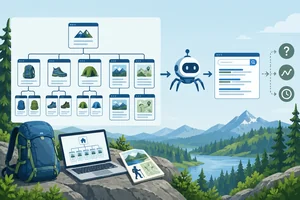
Interpret sitemap evidence without treating a sitemap as an indexing guarantee or a complete diagnosis. 2 min
 Recognize Mobile Usability Barriers
Recognize visible mobile usability barriers and describe repeatable evidence without assuming their cause. 2 min
 Spot Speed Warnings Without Guessing the Cause
Identify speed warning signs, record comparable observations, and recommend a testable next action without guessing the cause. 2 min
 Distinguish Duplicate URLs, Canonicals, and Redirects
Learn to distinguish same-content URL variants from genuinely moved pages, and route canonical or redirect decisions for informed specialist review. 3 min
 Route Each Issue to a Safe Next Action
Build concise technical SEO triage records that separate evidence from hypotheses and route the next action safely. 3 min
 Complete a Basic Technical SEO Triage
Apply the tutorial’s technical SEO distinctions to mixed Trailside Gear evidence and produce a cautious, actionable handoff. 4 min
Step 1 of 8
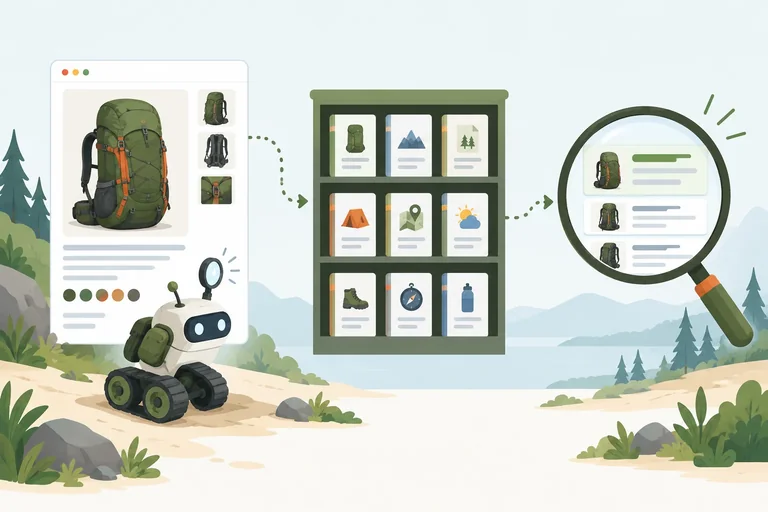
Learn to distinguish crawling, indexing, and search visibility while keeping diagnostic claims proportional to the evidence.
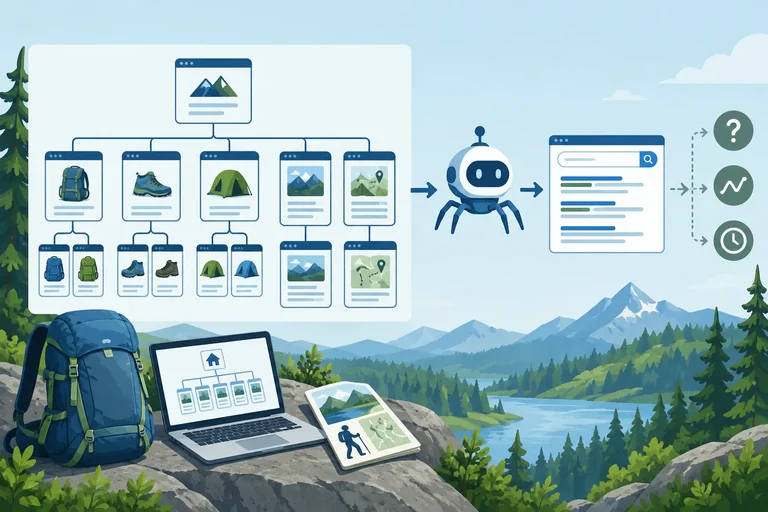
A page can be reachable yet still have an unresolved search problem. To describe the problem accurately, separate three stages:
These stages are related, but none automatically guarantees the next. A crawler may read a page without indexing it. An indexed page may not appear for the search someone tried.
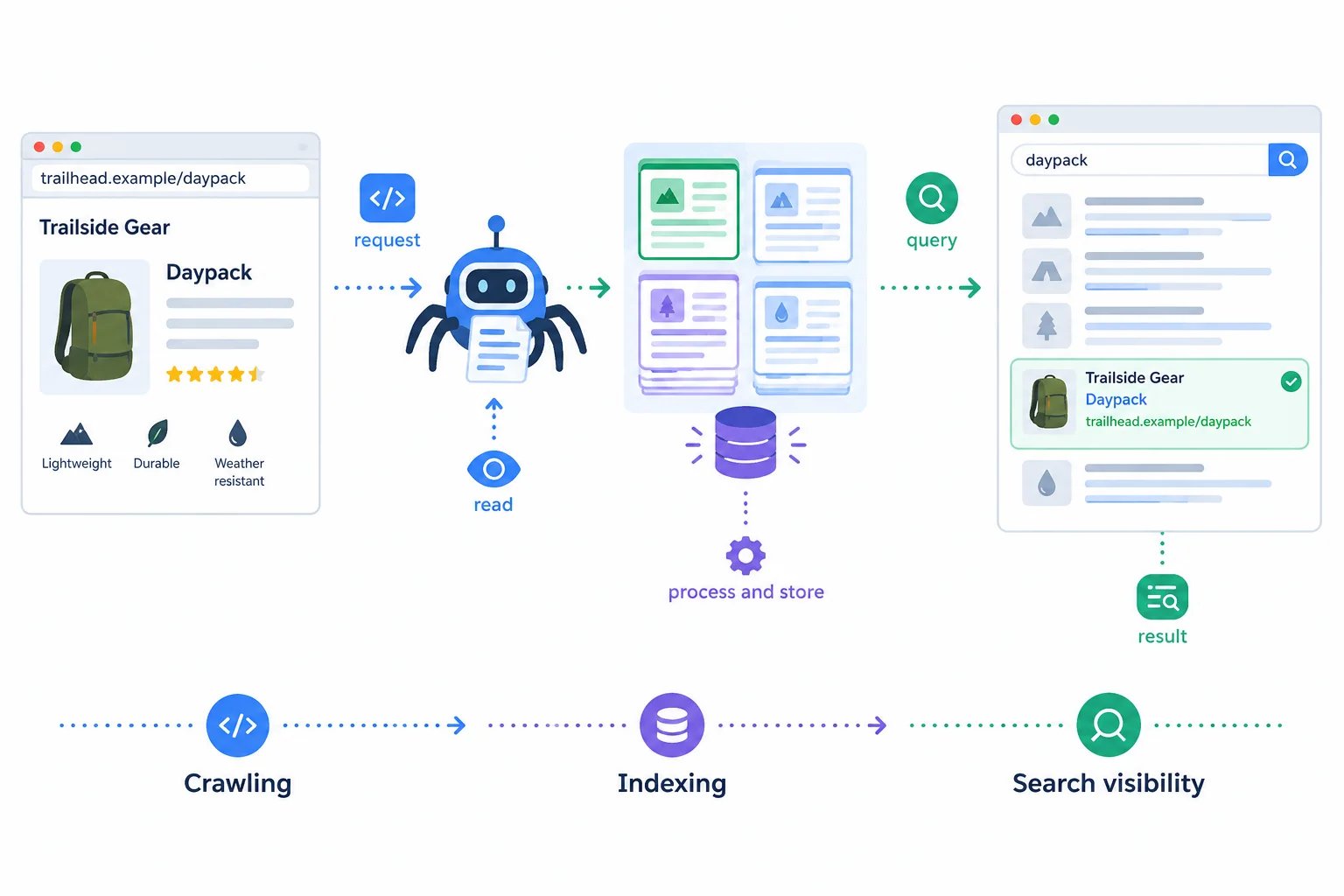
Illustrative case: each stage can inform the next, but the arrows do not promise an outcome or timeline.
Tip
Think of the diagram as a set of possible stages, not an automatic conveyor belt. A visible page in a browser tells you only that it loaded in that browsing situation. It does not establish that a search engine has crawled it or that it is indexed.
Likewise, one search that does not show https://trailside.example/daypack is an observation about search visibility for that search. It is not, by itself, proof that the page is absent from the index.
Match each diagnostic statement to the stage it directly describes.
Match the statement to its primary stage.
Tap an item and then its matching pair.
A browser observation is useful evidence, but it has a limited meaning. If https://trailside.example/guides/packing loads for you, you can report that it was accessible in your browser at that time.
Do not extend that observation into a claim about crawling or indexing without additional evidence. Similarly, a missing result can be worth investigating, but the query, location, personalization, and competing results can all affect what is shown.
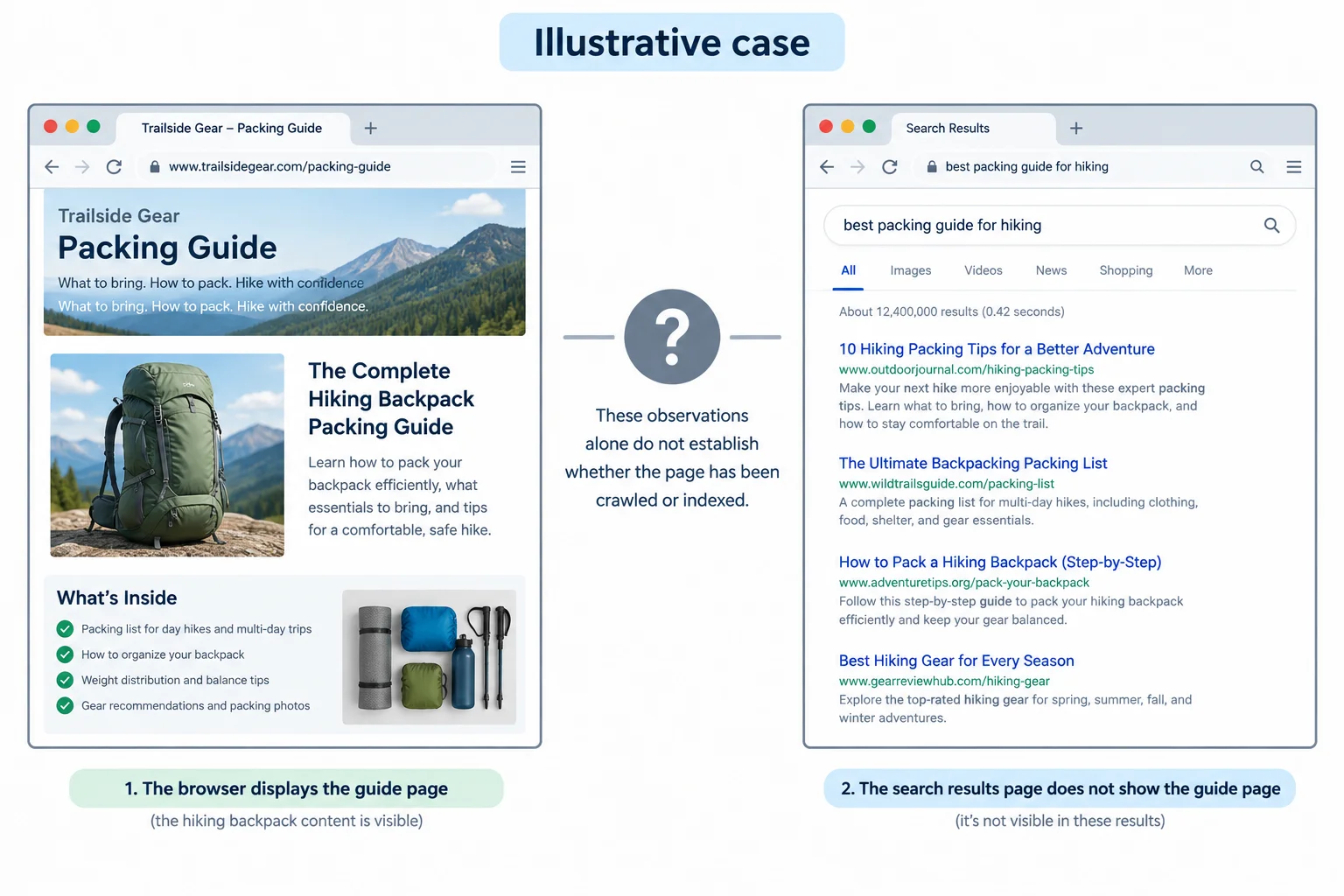
Illustrative case: page access and one missing search result support narrow observations, not a final conclusion about indexing.
True or false: If https://trailside.example/daypack does not appear in one search result, that proves the page is not indexed.
Step 2 of 8
Differentiate robots.txt crawl restrictions from noindex instructions, and recognize why blocking crawling can interfere with indexing exclusion.
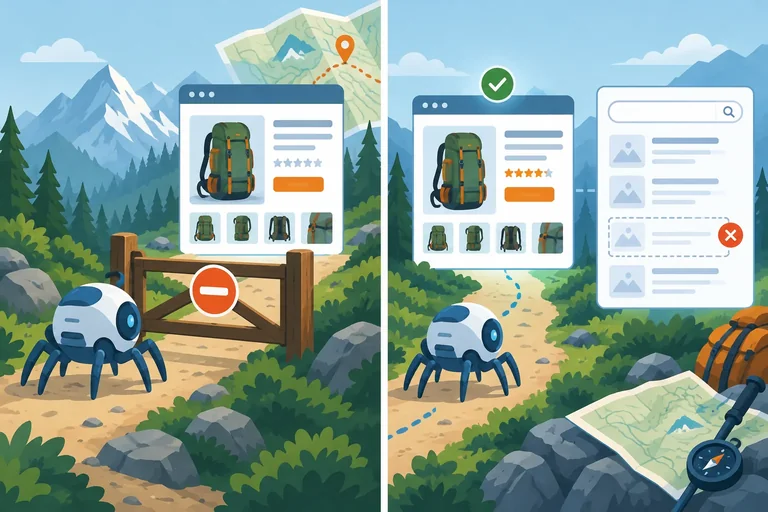
robots.txt at /robots.txt gives crawling instructions to compliant crawlers: whether they should request particular URLs. It is not a dependable command to remove a URL that may already be indexed.
A noindex instruction has a different purpose. It tells a supporting search engine not to include a page in search results after the engine can access and process that instruction.
For example, Trailside Gear might keep /daypack?view=print available to shoppers while deliberately asking that version not appear in search results.
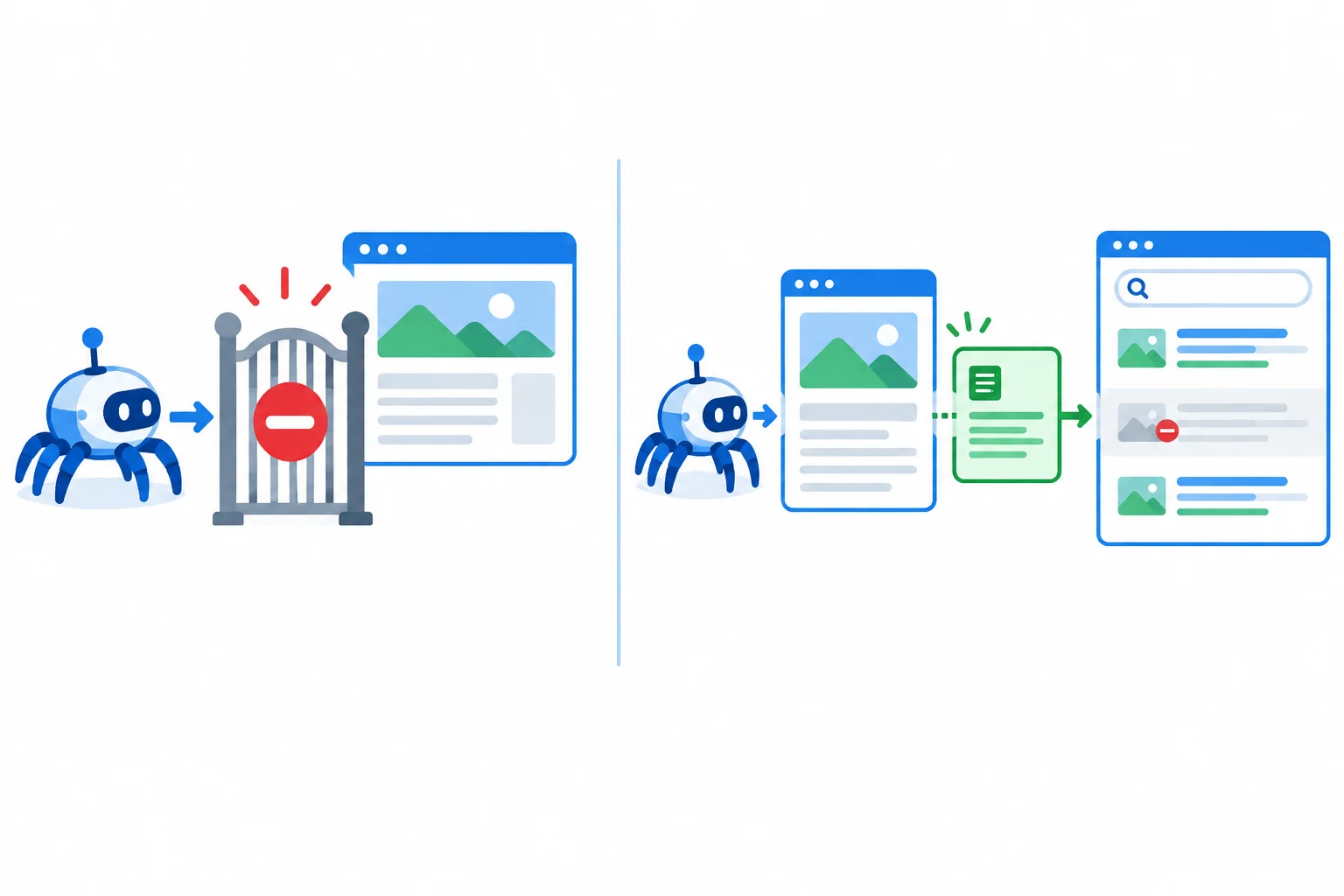
A crawl restriction affects whether a compliant crawler requests a page. A noindex instruction can affect inclusion in search results only after the page can be accessed and processed.
Compare the purpose of each instruction.
| Instruction | Primary purpose | What it does not reliably do |
|---|---|---|
| robots.txt | Guide compliant crawling | Remove an already indexed URL from search results |
| noindex | Request exclusion from search results after processing | Protect private content or stop all access |
For a search engine to act on noindex, it must be able to reach and process the page containing that instruction. A crawl restriction in robots.txt can prevent that access.
So, if a URL is crawl-blocked, a search engine may not see its noindex instruction. Blocking crawling alone is therefore not a reliable way to remove a URL that was already indexed.
The page's intended purpose matters. Excluding a print view or another intentionally non-search page can be deliberate, not automatically an error. Written notes such as “crawling is restricted” or “noindex was detected after access” are useful diagnostic evidence; you do not need to inspect or edit files yourself.
Warning
Do not treat robots.txt or noindex as access controls for private material. They do not prevent people from reaching a URL or reliably protect sensitive information. Private content needs appropriate access controls managed by the responsible site team.
Illustrative case — /guides/packing
A written note says this page appeared in search results earlier. A newer note says compliant crawlers are instructed through /robots.txt not to request it. Trailside Gear wants the page to stop appearing in search results. There is no evidence of an accessible noindex instruction.
Which conclusion is best supported?
Match each Illustrative case to the best conclusion.
Tap an item and then its matching pair.
Step 3 of 8
Interpret sitemap evidence without treating a sitemap as an indexing guarantee or a complete diagnosis.
An XML sitemap is a machine-readable list of URLs that can help search engines discover pages. At Trailside Gear, it might be available at /sitemap.xml.
It is not a visitor-facing navigation menu, and it is not a report of what a search engine has indexed. A listed URL is a discovery clue: it gives a search engine another place to find a page.
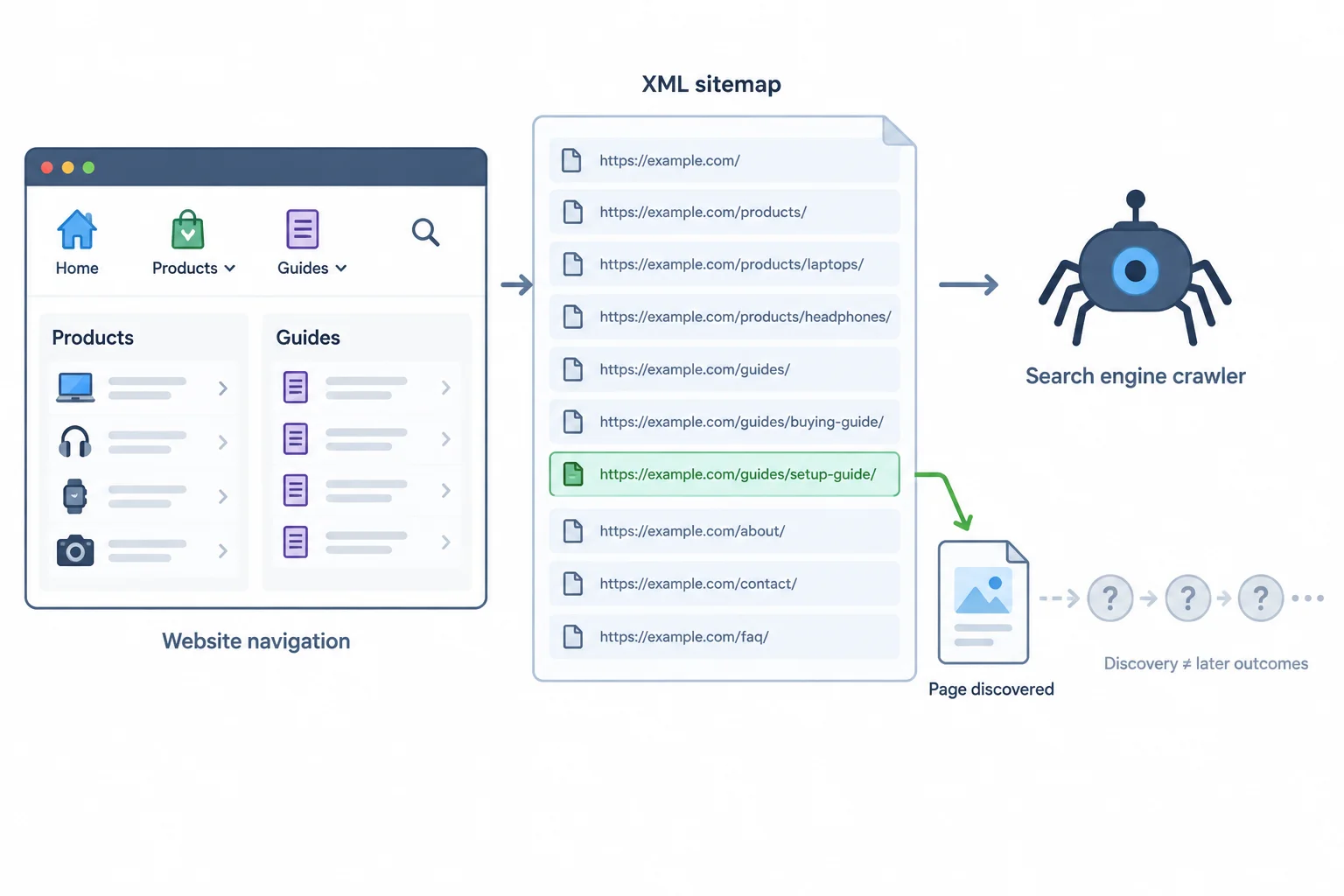
Illustrative case: an XML sitemap supplies URLs as discovery clues; it is not visitor navigation or an indexing guarantee.
Sitemap evidence should be read narrowly. A missing, unavailable, or outdated sitemap can justify a review, but it does not by itself explain why a page is absent from search.
Review whether listed URLs reflect the site’s intended public pages. Do not assume that every possible URL must be listed. A sitemap also does not override a robots.txt crawl restriction or a noindex instruction.
Read each item of evidence as a clue, then identify what would still need checking.
| Evidence | Supported conclusion | Still unknown |
|---|---|---|
| `/daypack` appears in `/sitemap.xml` | It is supplied as a discovery clue. | Whether crawling, indexing, or search visibility occurred. |
| `/guides/packing` is absent from `/sitemap.xml` | Review whether an intended public page was omitted. | Whether it was discovered another way or why it is absent from search. |
| `/daypack` is listed and has a reported `noindex` instruction | The sitemap listing does not override `noindex`. | Whether the instruction was accessed and processed. |
| `/sitemap.xml` is unavailable or lists an old address | The sitemap may need investigation for accuracy. | The reason for any search-result symptom. |
True or false: Because /daypack appears in /sitemap.xml, it is guaranteed to be indexed and to have search visibility.
Match each Trailside Gear case to the conclusion that is justified.
Tap an item and then its matching pair.

Step 4 of 8
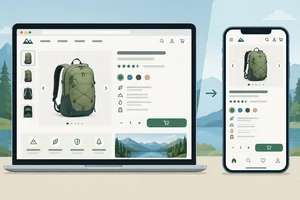
Recognize visible mobile usability barriers and describe repeatable evidence without assuming their cause.
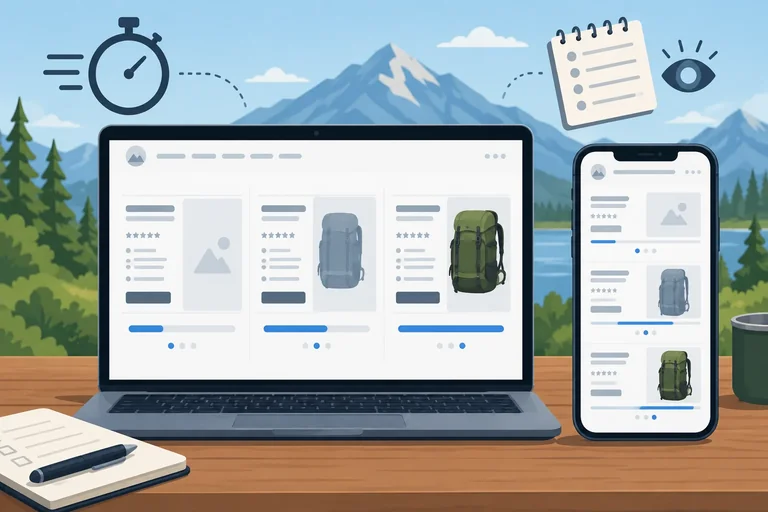
Mobile usability is about whether a person can complete a task on a small screen. On Trailside Gear, a shopper might need to read /daypack details, open the navigation, choose an option, or use a button.
Warning signs include text that is difficult to read, content that overlaps, unintended horizontal scrolling, navigation that cannot be reached easily, and touch targets that are crowded together. These are visible barriers—not proof of a particular technical cause.
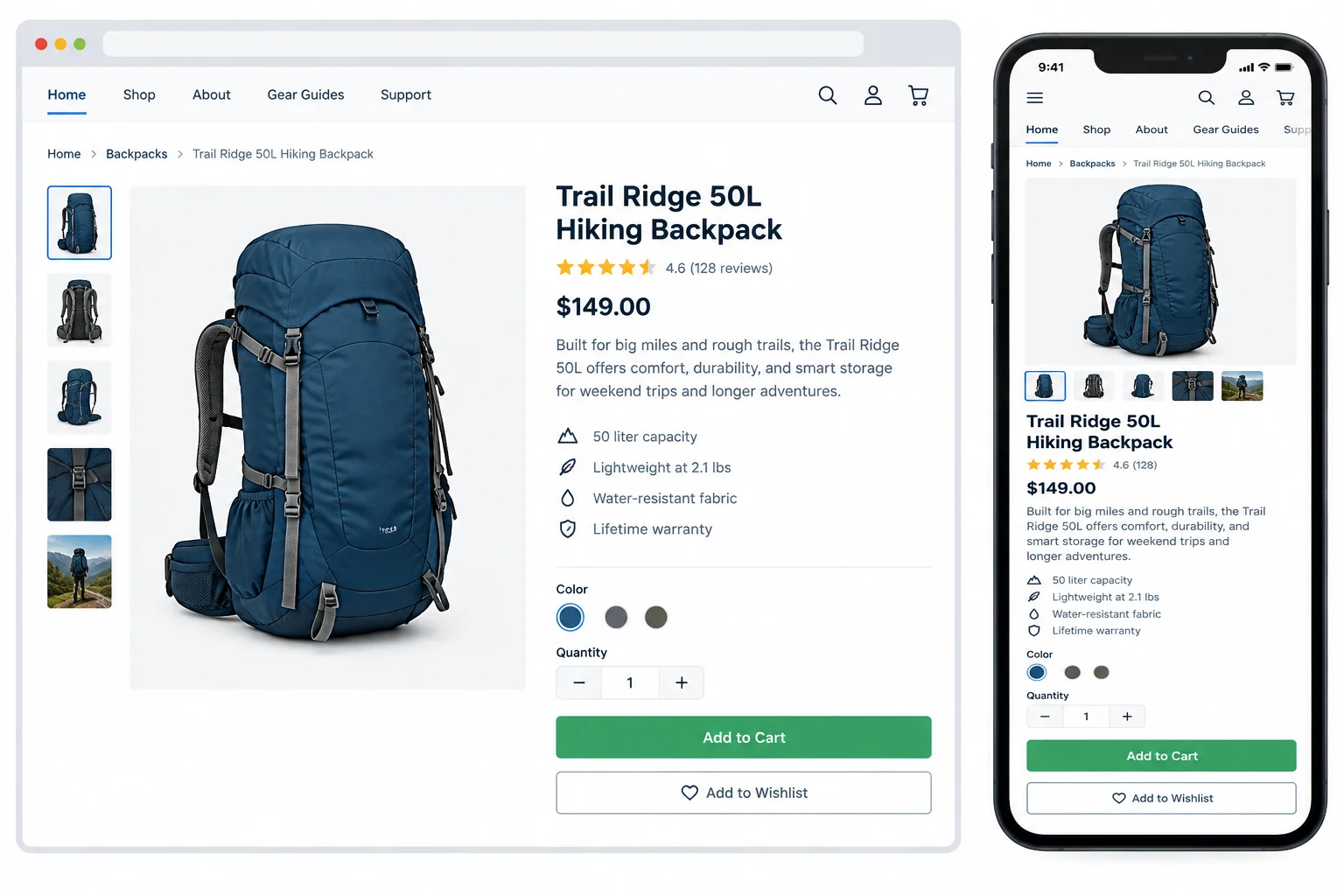
Illustrative case: comparing the same task on a wide and a narrow screen can reveal a barrier.
A useful observation is specific enough for another person to repeat. Record:
For example, distinguish “I could not open the navigation on a narrow viewport” from “the mobile page is broken.” The first states what happened in a defined context; it does not claim why it happened.
Tip
Resizing a desktop browser to a narrow width is a useful preliminary layout check. It is not a substitute for trying the task on an actual phone, where browser controls, touch input, zoom, and device behavior may differ.
You can optionally inspect a public page in your own browser or phone. The illustrated cases in this tutorial provide all evidence needed for practice.
Which triage note best separates a visible mobile usability problem from an unverified explanation?
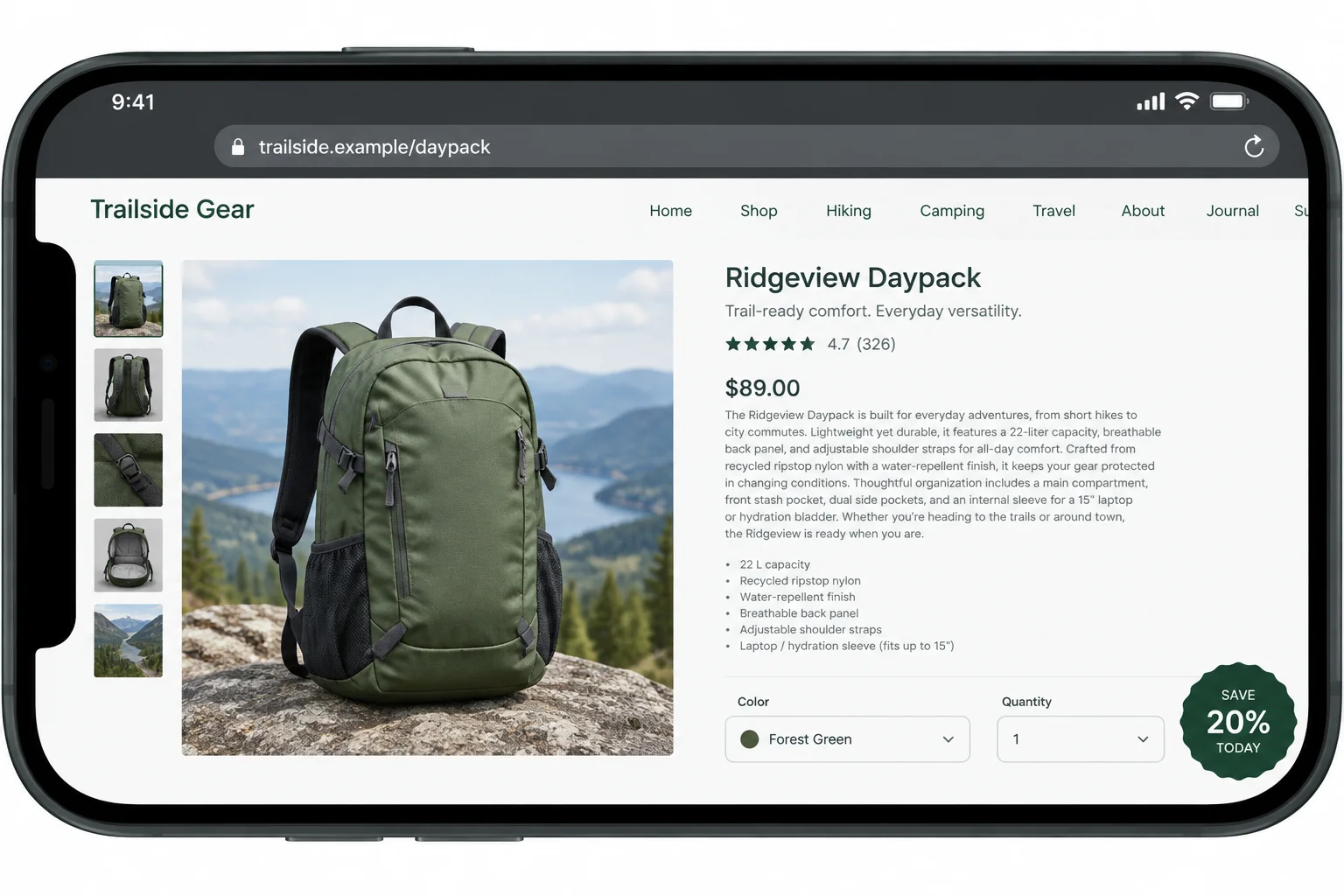
Illustrative case
Review the illustrated case for https://trailside.example/daypack. A shopper is trying to read the product details and select an option.
Write a concise observation that names the narrow-screen context, identifies the visible barrier or barriers, and explains how the task is affected. Then state one possible but unverified explanation and the observation you would repeat before diagnosing that explanation.
Write at least 180 characters (0/180).
Step 5 of 8
Identify speed warning signs, record comparable observations, and recommend a testable next action without guessing the cause.
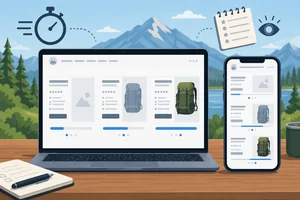
A slow visit can be a useful warning sign, but it is not a diagnosis. On a page such as https://trailside.example/daypack, notice what delays a real task: useful product details appearing, product media becoming usable, or a tap responding.
Possible contributors include oversized media and optional page features. They are possibilities—not confirmed causes from a single browser visit. Network conditions, device capability, browser state, and temporary conditions can also change what you observe.
Treat illustrated loading sequences and written cases as examples. They are not measured performance reports, universal pass/fail thresholds, or predictions of search visibility.
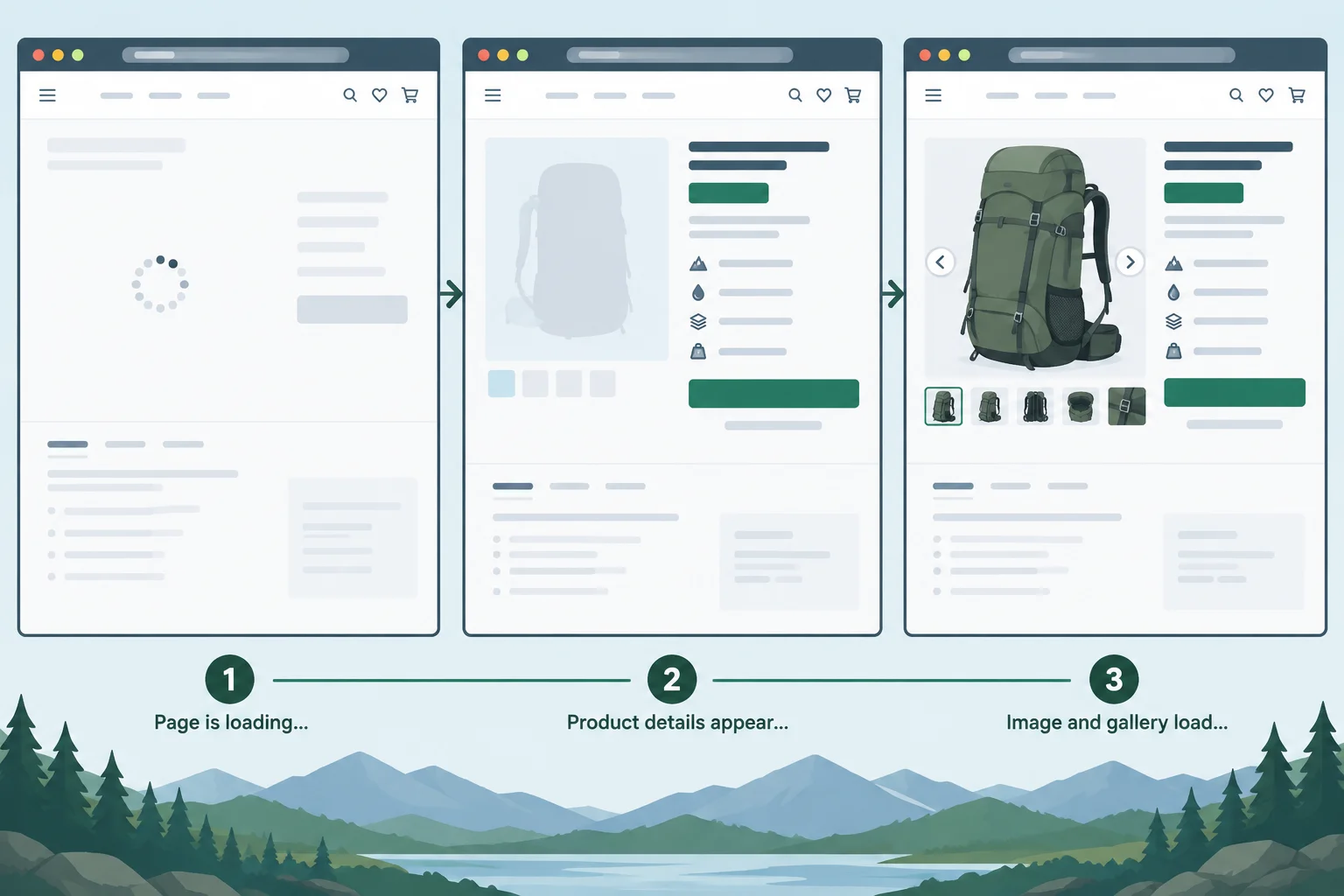
Illustrative case: useful content can appear before large media. The sequence suggests where to observe a delay; it does not identify its cause.
Warning
A page that eventually loads has not necessarily loaded well for every visitor. Describe the visible effect first, then collect enough context to test a possible explanation.
Repeat a check under recorded conditions before treating a delay as a recurring page concern. Record the page, device or browser context, connection context, and the task affected. Compare like with like: a phone on a mobile connection and a laptop on office Wi-Fi do not provide the same conditions.
The observations below point to a recurring delay in one context. They still do not prove why it happens.
Repeated observations for https://trailside.example/daypack. Timings are observations from this illustrative case, not universal thresholds.
| Check | Context | Useful details visible | Hero media fully visible | Observed task effect |
|---|---|---|---|---|
| 1 | Phone, 4G, fresh browser session | 4.2 s | 7.1 s | Product details readable before image |
| 2 | Same phone, 4G, later that day | 4.0 s | 6.8 s | Product details readable before image |
| 3 | Laptop, office Wi-Fi | 1.1 s | 1.9 s | No noticeable wait to view media |
Tip
Choose the next action to match the evidence:
A learner waits a long time for the hero image on one mobile visit to /daypack. Which conclusion is most supportable?
Use this short observation log for https://trailside.example/daypack:
Write a concise handoff. State the recurring evidence, state one conclusion that is not supported, then propose a possible media or optional-feature follow-up without claiming a confirmed cause. Name a proportionate owner and action category.
Write at least 220 characters (0/220).
Step 6 of 8
Learn to distinguish same-content URL variants from genuinely moved pages, and route canonical or redirect decisions for informed specialist review.
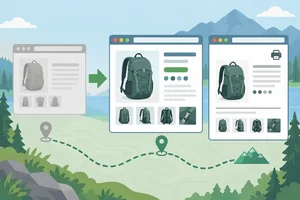
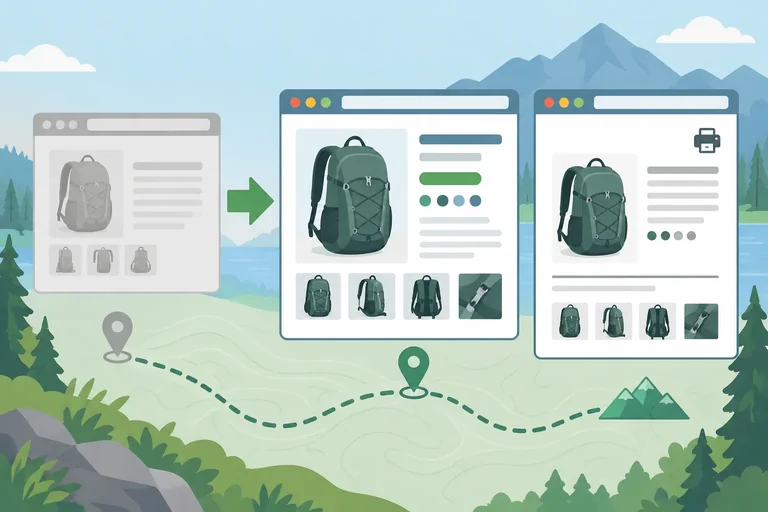
Two URLs can show identical or near-identical core content. That may be intentional—for example, a print-friendly product view—and it is not automatically a penalty.
At Trailside Gear, https://trailside.example/daypack and https://trailside.example/daypack?view=print can describe the same daypack even though their addresses differ. In contrast, /guides/packing may mention daypacks but serve an informational purpose. Shared subject matter alone does not prove duplication.
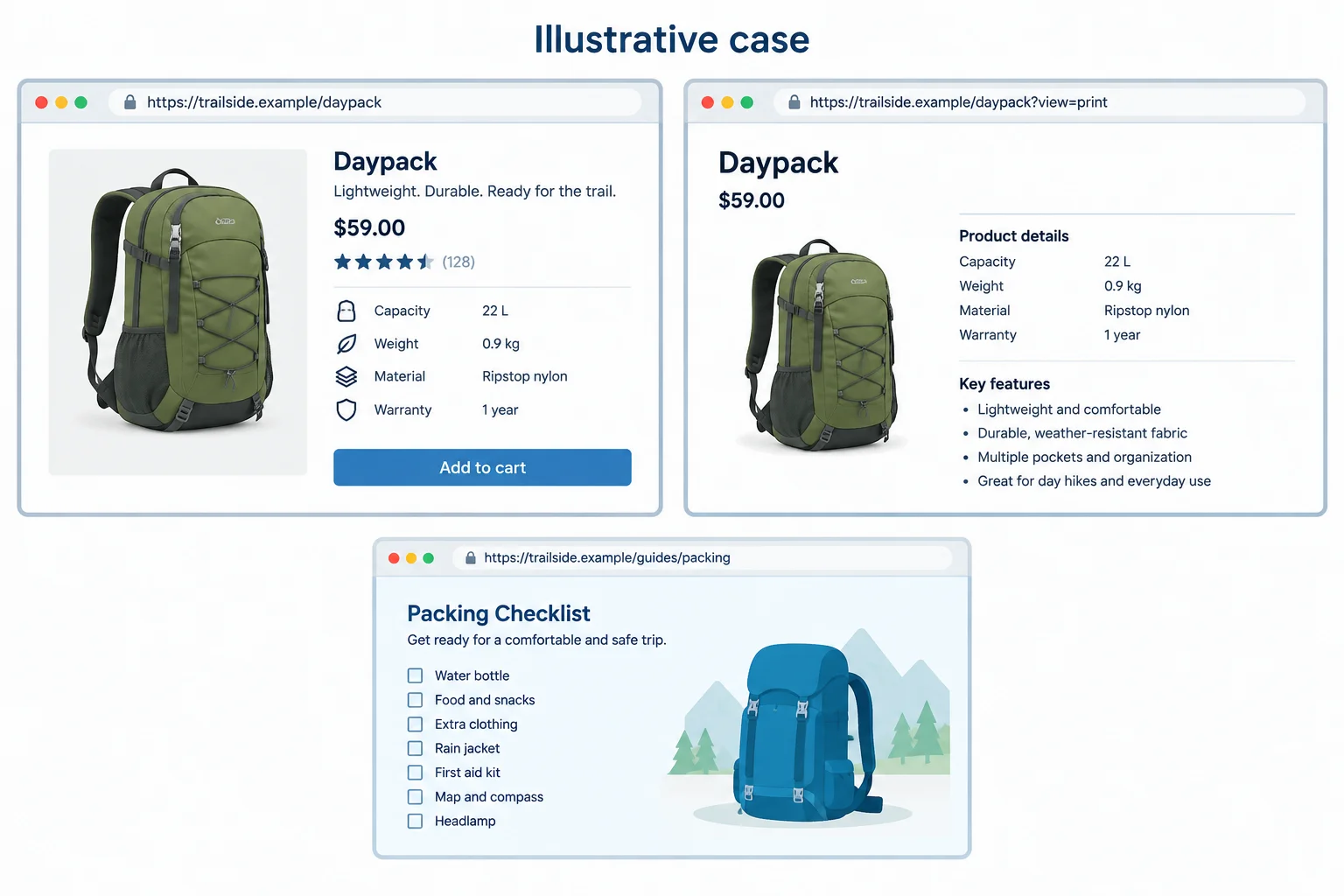
Illustrative case: compare what each URL is for and what core content it presents; do not decide from a shared topic alone.
A canonical signal indicates the preferred representative URL for duplicate or very similar content. It does not move a visitor: both addresses may remain accessible. A search engine may also select a different URL than the preferred one.
A redirect sends visitors and crawlers from one URL to another. It can suit a page that was genuinely moved or retired, provided the destination is relevant. For example, /old-daypack may need review if its former content has moved to /daypack.
These mechanisms are not interchangeable. Before any implementation, an SEO or development specialist should check page purpose, destination relevance, and existing behavior.
Use the observed situation to decide what is worth reviewing—not to make a technical change immediately.
| Question | Canonical signal | Redirect |
|---|---|---|
| Primary role | Indicates a preferred representative URL | Sends one URL to another URL |
| What a visitor experiences | Both URLs may remain accessible | Visitor is taken to the destination |
| Typical review clue | Same or very similar core content at multiple URLs | A former address is moved or retired |
| Important caution | Search engine may choose another representative | Destination must fit the former page's purpose |
Match each Trailside Gear situation to the most appropriate mechanism or conclusion to review.
Tap an item and then its matching pair.
Write a concise recommendation for both cases.
Case A: https://trailside.example/daypack and https://trailside.example/daypack?view=print both load and present the same core product details. Their intended roles and current technical behavior have not been checked.
Case B: https://trailside.example/old-daypack is described as a former product address. https://trailside.example/daypack appears relevant, but the current behavior of the former address has not been checked.
For each case: identify whether a canonical signal or a redirect is the mechanism worth reviewing, then explain why changing it now would be premature.
Write at least 180 characters (0/180).

Step 7 of 8
Build concise technical SEO triage records that separate evidence from hypotheses and route the next action safely.
A triage record is a handoff, not a diagnosis. Start with what was observed, then state a possible cause separately. Add how strongly the available evidence supports that cause, route the next action to an accountable owner, and define what to check again.
This structure prevents a browser observation from becoming an unsupported claim about crawling, indexing, search visibility, or a technical cause.
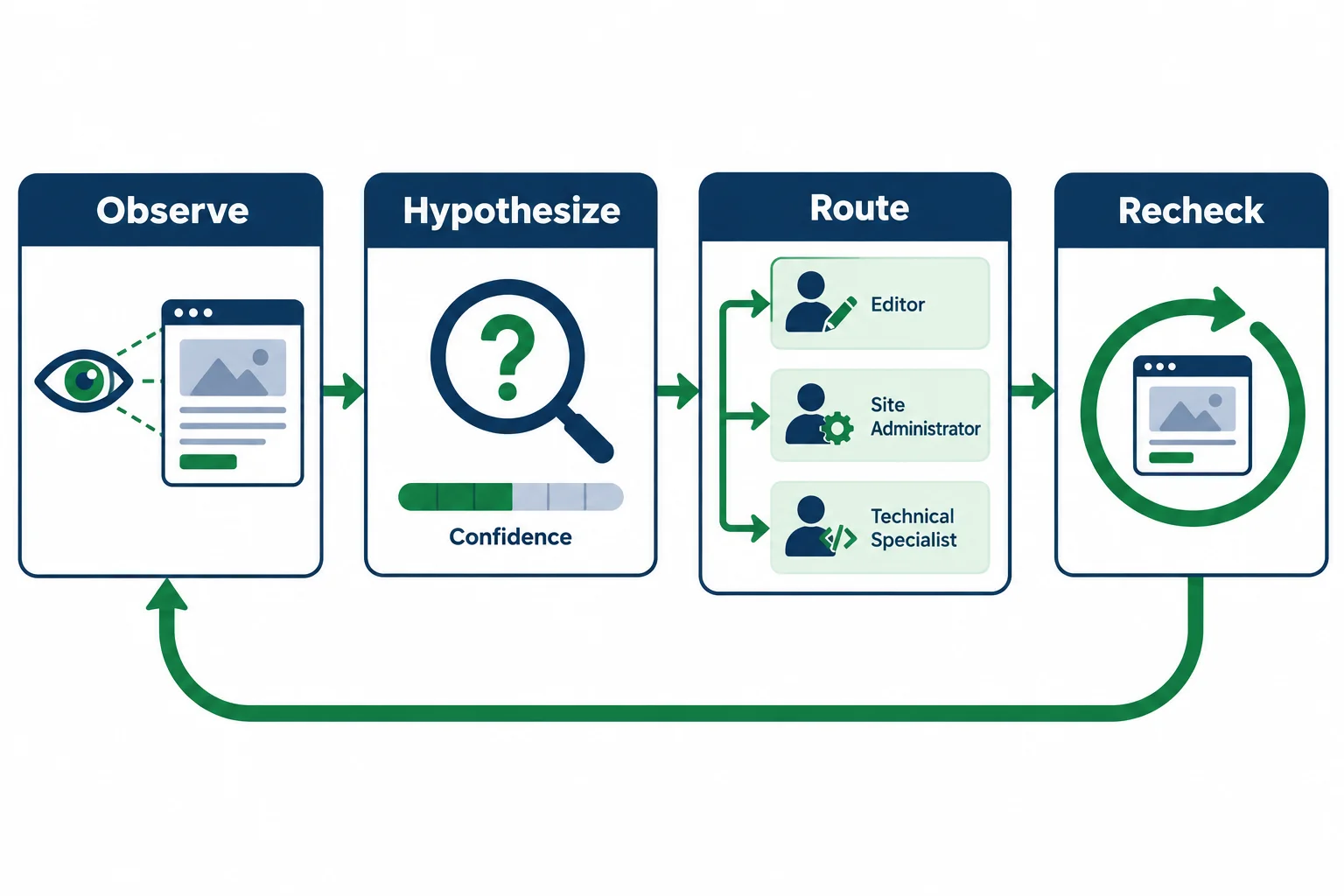
Illustrative case: triage keeps an observed symptom separate from a possible cause and closes with a targeted recheck.
Use these labels for every concise record. The confidence describes the possible cause—not whether the symptom happened.
| Record label | What to record |
|---|---|
| Page | The specific affected address. |
| Observed symptom | A specific fact seen or stated, with relevant context. |
| Possible cause | A cautious, testable explanation for the symptom. |
| Confidence | Low, Medium, or High for that possible cause. |
| Action category | The proportionate route for now. |
| Next action | A specific question, check, or bounded safe change. |
| Owner | The accountable role. |
| Recheck | The original symptom to test again. |
Choose confidence from the evidence available now:
Priority is separate from confidence. A problem on an important product page may deserve prompt attention while still needing investigation before anyone changes it. Consider page importance, the extent of the barrier, and evidence—not the most alarming-sounding technical term.
Route the immediate next step, not the most dramatic possible fix.
| Action category | When it fits | Typical owner |
|---|---|---|
| No-code adjustment | A bounded content or media change can be previewed and reversed after evidence supports it. | Content editor |
| Further investigation | Evidence is incomplete or conflicting; state the exact question to resolve. | Site administrator |
| Specialist work | Changes to crawling or indexing controls, canonical handling, redirects, templates, or technical performance behavior. | SEO or development specialist |
Tip
A good recheck repeats the original task or symptom. For example, recheck whether a product image still appears late under recorded conditions—not whether rankings changed immediately. Do not promise an indexing or search visibility outcome from a handoff.
Match each proposed next action to its action category.
Tap an item and then its matching pair.
Illustrative case
At https://trailside.example/daypack, the main product image appeared after about 3.2 s on one phone visit using an unknown network. The image file is 2.5 MB. A colleague says, “Compress it now; that must be the cause.”
Separately, https://trailside.example/old-daypack still loads a product page. The case does not state its intended purpose or whether it currently uses a redirect or a canonical signal.
Create two concise triage records, one for each page, using every record label from the earlier screen. For each, select the immediate Action category, Owner, Next action, Confidence, and Recheck. Then explain why the potentially important /daypack observation should be investigated before treating the proposed cause as confirmed.
Write at least 350 characters (0/350).
Step 8 of 8
Apply the tutorial’s technical SEO distinctions to mixed Trailside Gear evidence and produce a cautious, actionable handoff.
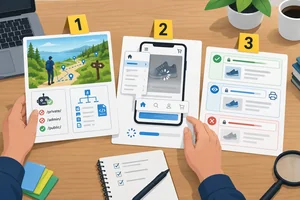
You are making a handoff, not declaring a technical verdict. For every case, keep three layers separate:
For example, a page loading in a browser does not establish crawling or indexing. An absent result from one exact-title search is a search visibility symptom, not proof of exclusion from an index. Route the next action to the owner who can safely investigate or change the relevant area.
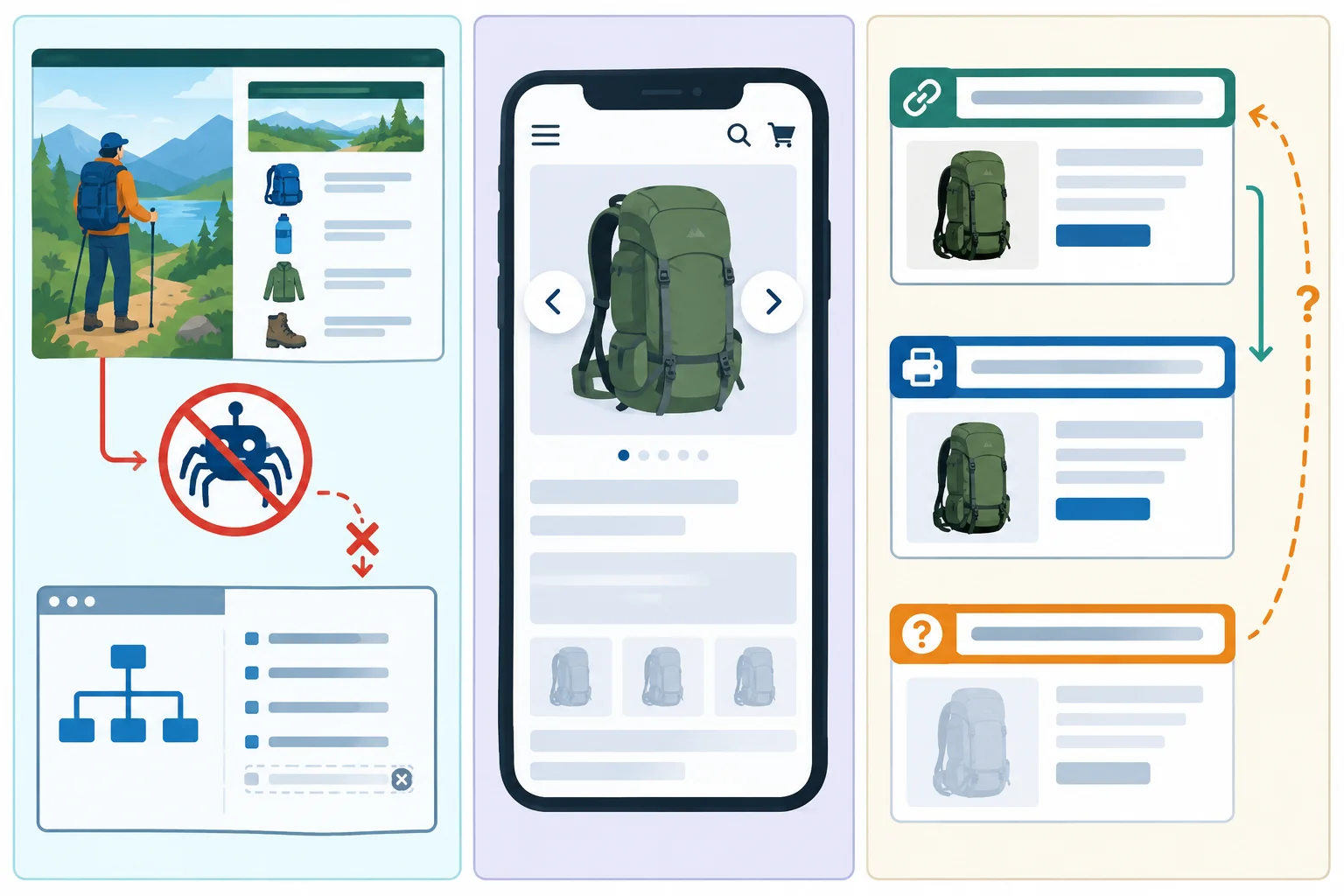
Illustrative case: each panel contains evidence to interpret, not a confirmed diagnosis.
Read each case as a bounded set of facts. Do not add a cause or intended outcome that the evidence does not support.
| Case | Known facts | Not yet established |
|---|---|---|
| A — Guide discovery | The content plan identifies `/guides/packing` as a public guide intended to be discoverable in search. It loads in a browser. A written note says `/robots.txt` blocks `/guides/`, `/sitemap.xml` omits the guide, and one exact-title search did not show it. | Whether the crawl restriction caused the search visibility symptom; whether the page is indexed. |
| B — Mobile product page | At a 390 px viewport, `/daypack` navigation overlaps. A 2.5 MB image remains blank for 3.2 s on two checks using one phone and Wi-Fi connection. | The layout cause; whether the loading observation repeats on other devices, networks, or visits. |
| C — Similar and former URLs | `/daypack?view=print` has the same core product content as `/daypack`. `/old-daypack` still shows the product at the former address, with no observed redirect. | Whether a canonical signal exists; which URL should be preferred; whether the former address should redirect. |
Match each Illustrative case to its most proportionate immediate route.
Tap an item and then its matching pair.
Use the triage record structure you practiced: Page, Observed symptom, Possible cause, Confidence, Action category, Next action, Owner, and Recheck.
Keep the possible cause separate from the symptom. The confidence level—Low, Medium, or High—describes support for the possible cause, not whether the symptom occurred. A recheck returns to the original symptom, rather than promising an indexing, ranking, or search visibility outcome.
A complete record lets another person act without mistaking a hypothesis for a fact.
| Record label | Focus for this handoff |
|---|---|
| Observed symptom | State the written or browser evidence with its context. |
| Possible cause and Confidence | Name a testable explanation and the support for it. |
| Action category and Owner | Route the immediate next step to the appropriate role. |
| Next action and Recheck | Name a specific check, then return to the original symptom. |
Summary
No-code adjustment, Further investigation, or Specialist work for the immediate next step—not a dramatic unproven fix.Complete one integrated handoff using these three Trailside Gear cases.
A: The content plan identifies https://trailside.example/guides/packing as a public guide intended to be discoverable in search. It loads in a browser. A written note says /robots.txt blocks /guides/, /sitemap.xml omits the guide, and one exact-title search did not show it.
B: On https://trailside.example/daypack at a 390 px viewport, navigation overlaps. A 2.5 MB image stayed blank for 3.2 s on two checks using one phone and Wi-Fi connection.
C: https://trailside.example/daypack?view=print has the same core product content as /daypack. https://trailside.example/old-daypack still displays the product at its former address, with no observed redirect and an unknown canonical signal.
In one response:
Action category and Owner for each.Page, Observed symptom, Possible cause, Confidence, Action category, Next action, Owner, and Recheck.Write at least 700 characters (0/700).
Congratulations! You completed: Triage Basic Technical SEO Issues
20 XP
Thousands of online courses in video, ebooks and audiobooks.
To test your knowledge during online courses
Generated directly from your cell phone's photo gallery and sent to your email

Download our app via QR Code or the links below:.



Carry knowledge in your pocket.
Download the Cursa app.
There are hundreds of free courses available, with a free certificate of completion that is saved in your mobile image gallery.
Download the app to access the Course Completion Certificate for Free.


+ 10 million
students

Free and Valid
Certificate

60 thousand free
exercises

4.8/5 rating in
app stores

Free courses in
video and ebooks