Step 1 of 7
Start with a Searcher's Need
Turn an audience need into a plausible candidate keyword and set realistic expectations for keyword research.

Learning path · Level 3 · Tutorial 1
Use public search results and Google Trends to create a prioritized keyword shortlist grounded in audience needs and search intent, without paid tools or an owned website.

 Start with a Searcher's Need
Turn an audience need into a plausible candidate keyword and set realistic expectations for keyword research. 2 min
 Recognize Four Search Intents
Classify likely search intent from query wording, and keep broad queries open to further evidence. 2 min
 Check Intent Against Search Results
Use public search results to support, revise, or qualify an initial search-intent hypothesis. 3 min
 Collect Candidate Keywords from Free Sources
Build a small candidate-keyword list from audience language and accessible public discovery sources, while recording where each idea came from. 3 min
 Compare Relative Interest in Google Trends
Interpret a controlled Google Trends comparison and explain what its values can and cannot establish. 3 min
 Prioritize Useful, Realistic Opportunities
Assign qualitative priorities using audience fit, likely intent, capability, evidence, and stated limitations. 3 min
 Build and Defend Your Keyword Shortlist
Create a concise, evidence-led LoopBottle keyword shortlist and explain the limits behind each decision. 3 min
Step 1 of 7
Turn an audience need into a plausible candidate keyword and set realistic expectations for keyword research.
Search engine optimization (SEO) is the work of improving how relevant and visible useful content can be in unpaid search results. It does not guarantee a ranking, traffic, or sales.
This tutorial begins before a website or a paid tool is needed: with the words a person might type when trying to solve a real need.
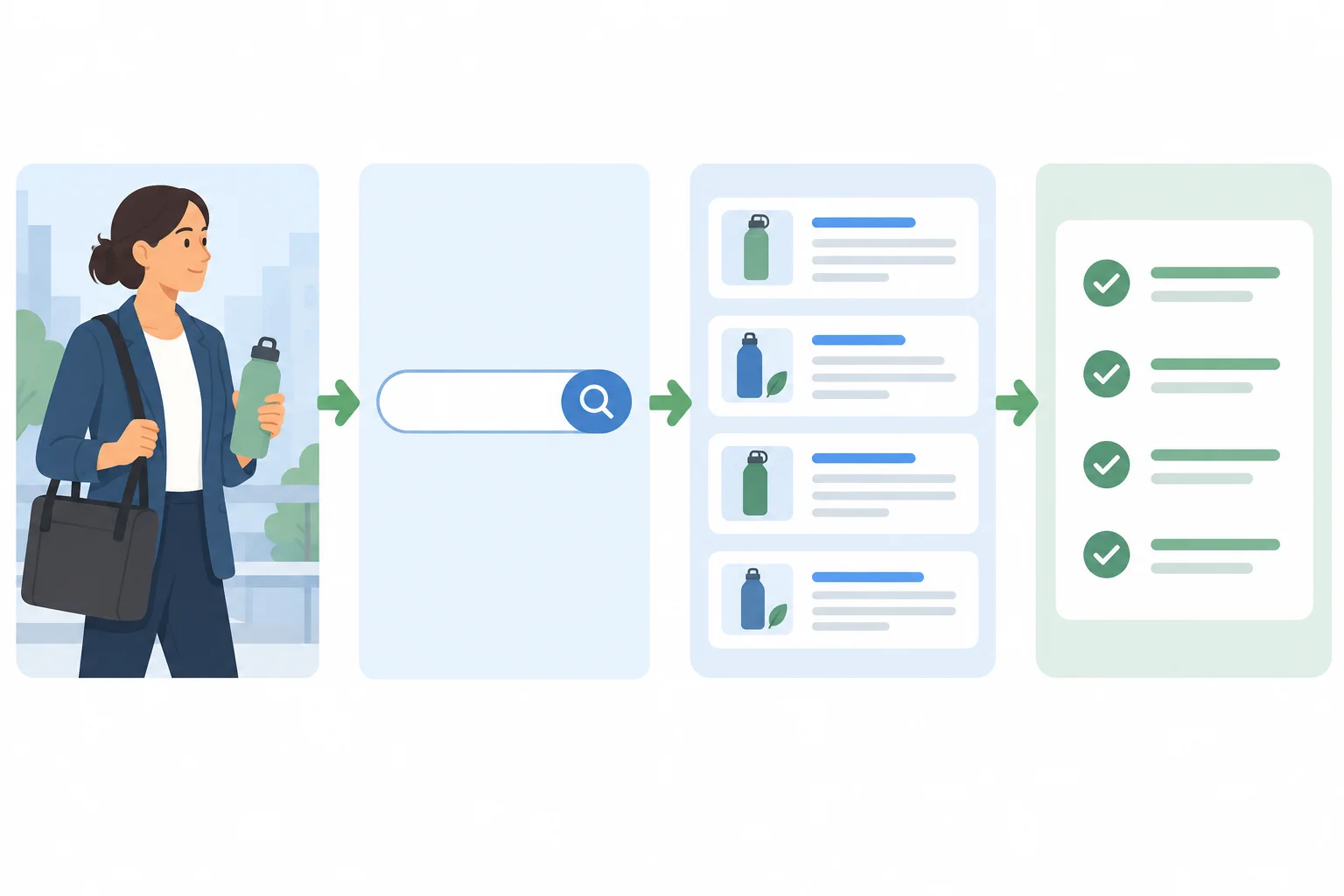
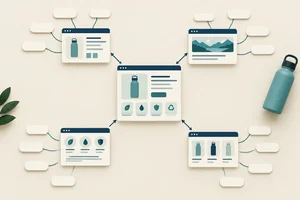
Keyword research follows a trail: audience need, candidate query, evidence, then a prioritized shortlist.
A keyword is the wording someone enters into search. It can be one word, a multi-word phrase, or a complete question.
LoopBottle sells reusable water bottles to adults commuting in the United States. An internal description might say: “double-wall stainless-steel bottle with a leak-resistant lid.” A commuter is more likely to search using their own goal or problem.
Example
Illustrative example
Audience need: “I carry a bottle in my work bag and want water that stays cool during my commute.”
Internal product description: “insulated stainless-steel bottle.”
Plausible candidate keyword: best water bottle for commuting
The candidate keyword is not a claim about what people definitely search. It is a starting wording to investigate with evidence.
Keep a simple research record as you work:
You can practice with a browser, public search results, and supplied examples. You do not need an owned website, paid tool, or account access. Later steps will show how to inspect evidence and assign priorities.
Tip
Do not treat a candidate keyword as a guaranteed opportunity. Search wording, visible results, location, and time can all affect what you find. The realistic goal is to make a useful, evidence-based choice—not to promise a top ranking.
A commuter needs a bottle that works well in a work bag during daily travel. Which choice has both a plausible starting query and a realistic research goal?
Step 2 of 7
Classify likely search intent from query wording, and keep broad queries open to further evidence.
Search intent is the searcher’s likely goal behind a keyword. Start with the wording, then treat your label as a hypothesis—not a certainty.
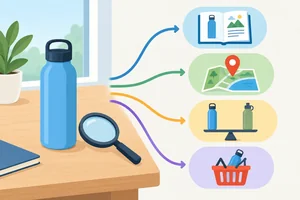
Four intent categories are useful:
A keyword may be a full question or a multi-word phrase. The goal matters more than the number of words.
Common wording clues
| Likely intent | Common clue | Example wording |
|---|---|---|
| Informational | how to, why, guide | how to clean a reusable water bottle |
| Navigational | brand or site name | LoopBottle |
| Commercial investigation | best, compare, review | best water bottle for commuting |
| Transactional | buy, order, price | buy reusable water bottle |

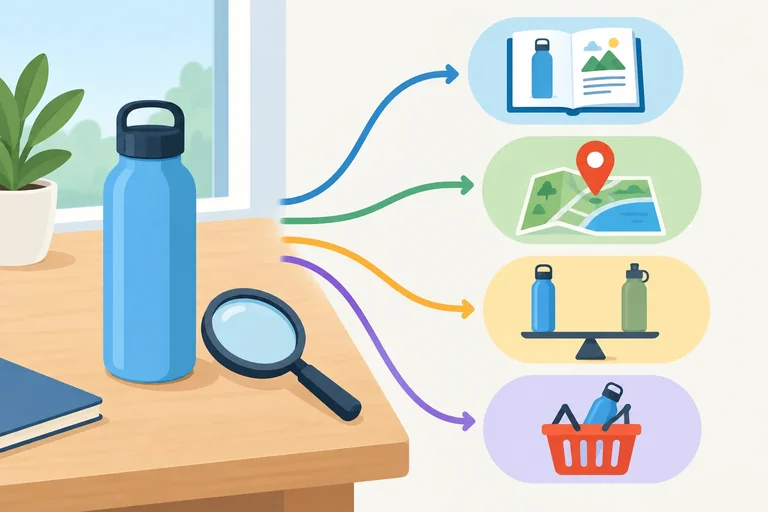
The same product area can lead to four different searcher goals.
A commuter searches best water bottle for commuting to evaluate options before deciding. What is the likely intent?
Some wording does not reveal one clear goal. For example, reusable water bottle could mean:
Do not invent a fifth intent category. Instead, record the evidence status as Mixed/unclear when the wording supports more than one plausible goal. More evidence is needed before you label it confidently.
insulated water bottle can also be broad. A searcher may want an explanation, comparisons, or products.
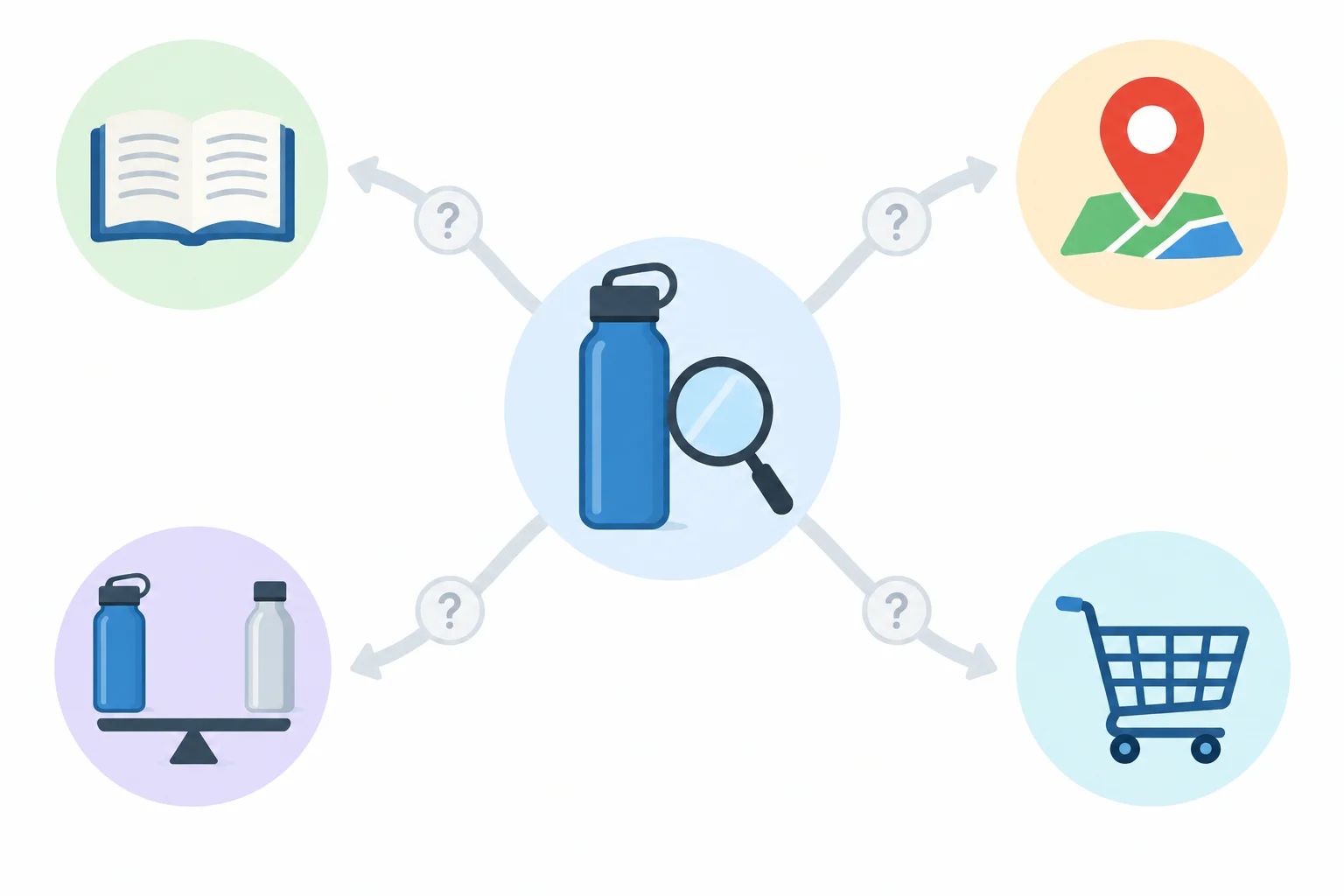
For a broad query, mark the evidence status Mixed/unclear rather than forcing an intent label.
Tip
In the next step, you will use public search results to test an initial intent hypothesis. Results can vary by location, device, personalization, and time, so a careful record will note what was observed.
Match each query to its most likely intent or evidence status.
Tap an item and then its matching pair.
Step 3 of 7
Use public search results to support, revise, or qualify an initial search-intent hypothesis.
Search wording gives you a starting hypothesis. Public search results give you evidence to check it.
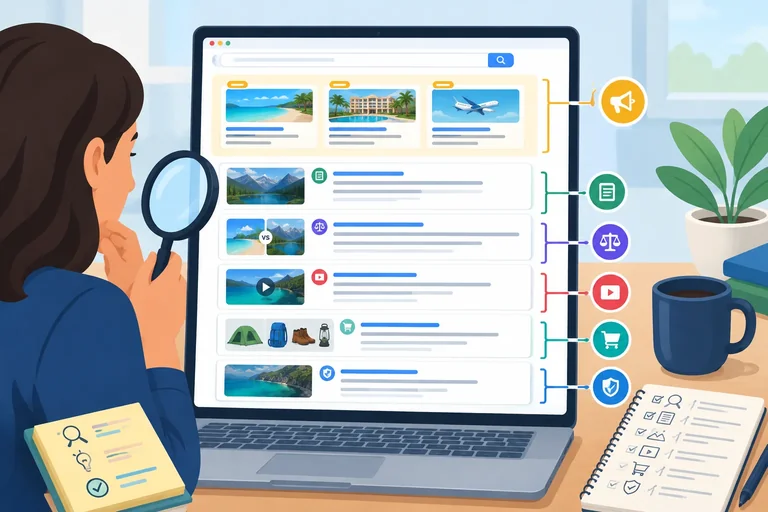
A results page may include sponsored placements and unpaid results. Sponsored placements are paid for, so they are not the main evidence for what search engines consider useful. Focus your intent check on several relevant unpaid results.
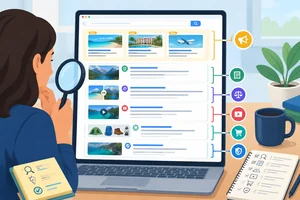
Look at each result’s visible format and purpose. A guide or how-to video often supports an Informational need. A comparison or buyer’s guide often supports Commercial investigation. Product and category pages can support a Transactional need. An official brand destination can support a Navigational need.
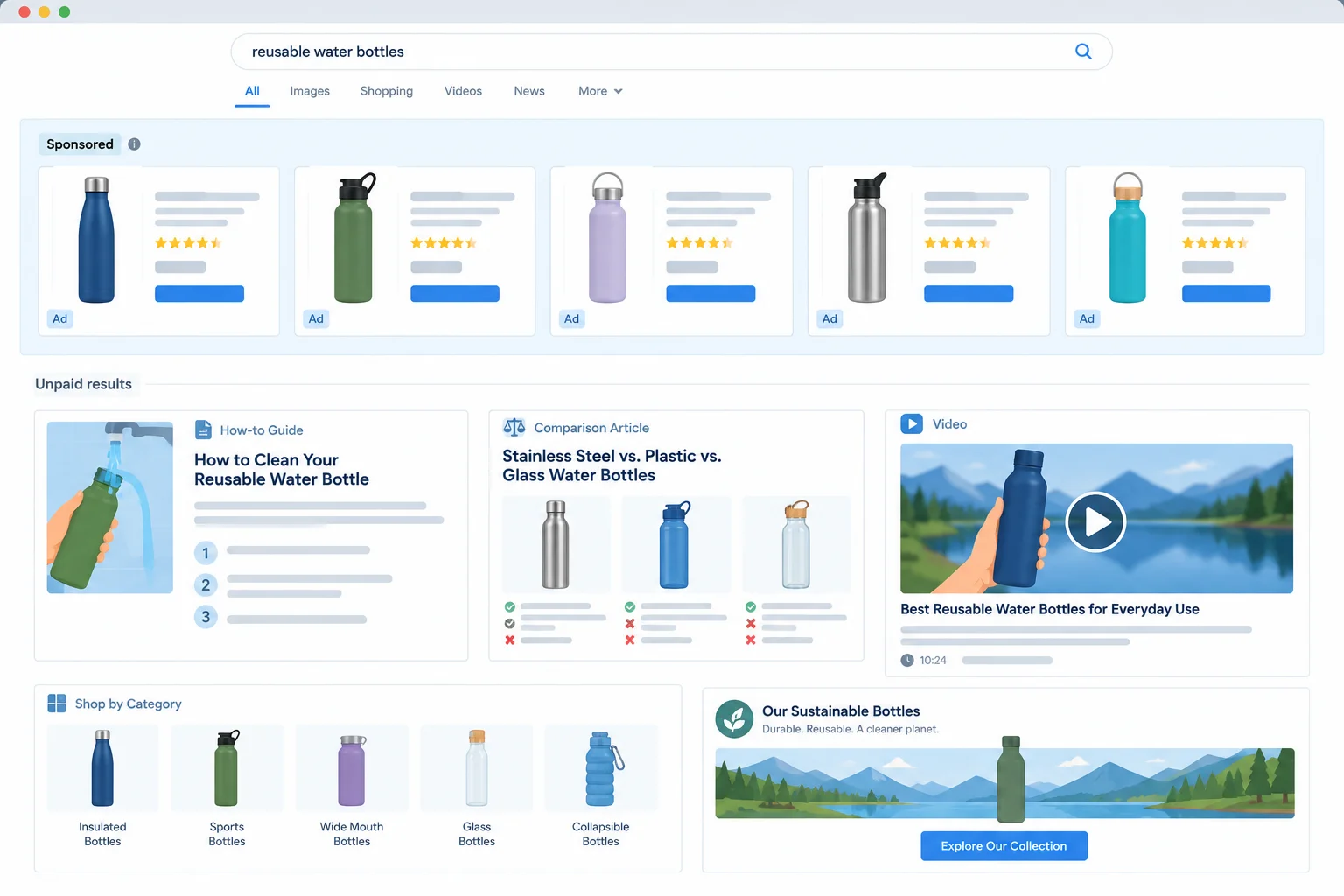
Illustrative example: use result format and page purpose as clues, then examine several relevant unpaid results.
Use a small sample, not one appealing title. Check several relevant unpaid results and, when available, open their destination pages. Ask: what task does each page help the searcher complete?
Then decide whether the initial hypothesis is supported, should be revised, or remains uncertain. Different useful formats can coexist. That does not create a fifth intent category; record the likely intent and describe the evidence as mixed or unclear when needed.
Example
This record captures an intent hypothesis without claiming search volume, ranking difficulty, or a guaranteed outcome.
Illustrative example: a compact intent record based on a simplified public-results sample.
| Keyword | Source/context | Likely intent | Evidence | Assumption/limitation |
|---|---|---|---|---|
| best water bottle for commuting | Illustrative example: public search results; United States; desktop; signed out; 2025-03-08 | Commercial investigation | Three unpaid results include a comparison article, comparison video, and buyer’s guide. | Illustrative sample only; live formats can differ by location, device, personalization, and time. |
Tip
Optional browser check: search one candidate keyword in a public browser. Record your finding as Live observation with the search date in YYYY-MM-DD, your location or country, and any relevant device or filter setting. Check several relevant unpaid results; do not expect them to match an illustrative sample exactly.
An initial hypothesis labels how to clean a reusable water bottle as Informational. A public-results sample shows two unpaid cleaning guides and one step-by-step cleaning video. What is the best conclusion?
Illustrative example — supplied public-results sample
Keyword: best water bottle for commuting
Context: United States; desktop; signed out; 2025-03-08.
Visible placements include one sponsored retailer listing. Relevant unpaid results include:
Write a short research note. State the most likely intent label, cite two observable clues from the unpaid results, and name one uncertainty that would limit this conclusion.
Write at least 120 characters (0/120).

Step 4 of 7
Build a small candidate-keyword list from audience language and accessible public discovery sources, while recording where each idea came from.
A candidate keyword is a search query worth investigating, not a final choice. Start with the audience’s own question, everyday vocabulary, and a problem in the product’s use.
For LoopBottle, adults commuting in the United States may describe a smell, a leaking bag, or wanting cold water on a long trip. Turn that need into plausible wording someone could enter into search. A keyword can be several words or a complete question.
Avoid starting from internal product language such as “thermal commuter hydration vessel.” Searchers are more likely to use familiar words such as “insulated,” “clean,” or “water bottle.”
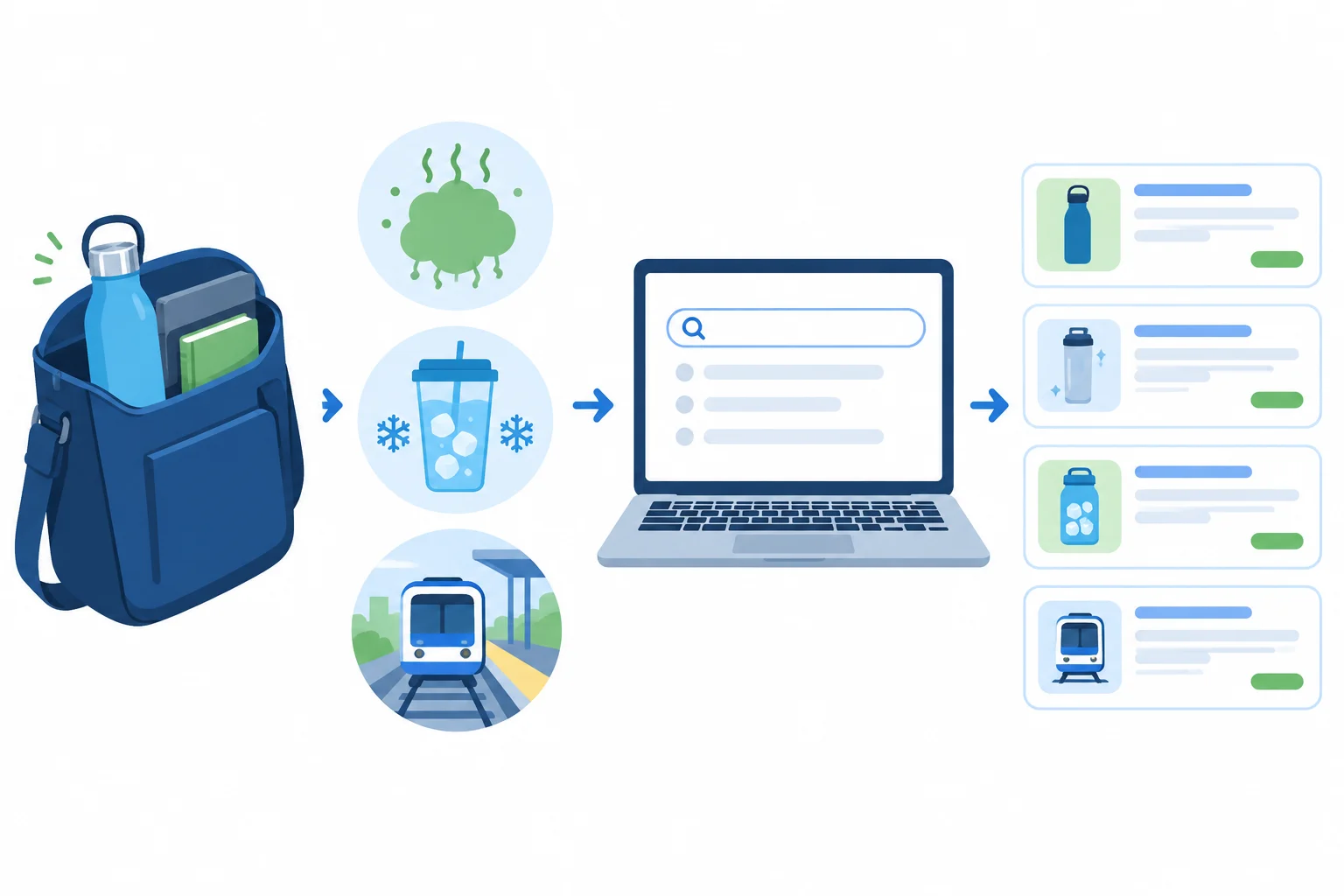
Begin with a real audience need, then express it in likely search wording.
Example
Illustrative example
Audience language: “My reusable bottle smells after my commute. How do I get it clean?”
Seed query: how to clean a reusable water bottle
Audience language: “I want my water cold on the train and at work.”
Seed query: insulated water bottle
These are starting points for research. They do not yet prove demand, visibility, or suitability for LoopBottle.
Expand each seed with accessible public sources. Autocomplete can expose phrasing people may use. Related searches or question features can expose adjacent questions when they appear. Public page headings can reveal how other pages address the same need.
A competitor is any page competing to answer the searcher’s need—not only another bottle seller. For a cleaning question, a care guide, retailer article, or publisher’s comparison may all be useful discovery sources.
Record the source beside every candidate. Suggestions and coverage are discovery clues only: they do not prove demand, ranking feasibility, or permission to copy another page’s content.
The supplied snippets below are complete examples for practice when live features are unavailable. A live browser may show different wording or no feature at all.
| Source/context | Complete snippet |
|---|---|
| Autocomplete after typing `reusable water bottle` | reusable water bottle; reusable water bottle for commuting; reusable water bottle coloring pages |
| Related searches | how to clean a reusable water bottle; insulated water bottle |
| Public competing page headings in a commuter-gear guide | best water bottle for commuting; choosing a leak-resistant bottle for public transit |
Keep each distinct query as its own candidate. Do not group queries into pages or decide priorities yet; those are later tasks.
Remove an exact duplicate if it appears again, but preserve its origins. For example, if the same query appears in autocomplete and in a public heading, keep one Keyword entry and note both sources in Source/context.
When you collect a current result yourself, label it Live observation and include the observation date in YYYY-MM-DD plus relevant location, language, or filter settings. When you use the supplied material, retain the label Illustrative example.
Use this compact structure while collecting. Add likely intent and final priority only after later evidence checks.
| Keyword | Source/context | Evidence | Assumption/limitation |
|---|---|---|---|
| [candidate query] | Autocomplete — Live observation — [YYYY-MM-DD]; [location/language] | Appeared after typing [seed query]. | A suggestion is a discovery clue, not proof of demand or ranking feasibility. |
| [candidate query] | Public page heading — Illustrative example | The heading addresses a related search need. | Coverage does not permit copying and does not show whether LoopBottle can give the best answer. |
Tip
Optional live discovery: use your own browser to check one seed query. Record only what you can observe publicly. If suggestions, related searches, or relevant public headings are unavailable, use the supplied Illustrative example snippets instead. No paid tool, account, or owned website is required.
Using the supplied source snippets on the previous screen, create a candidate list with at least four distinct candidate queries. For each, write its Keyword and Source/context. Use at least two source types.
Then identify one suggestion you would exclude and explain why it does not fit LoopBottle’s reusable-water-bottle audience. Do not assign priorities or pages.
Write at least 180 characters (0/180).
Step 5 of 7
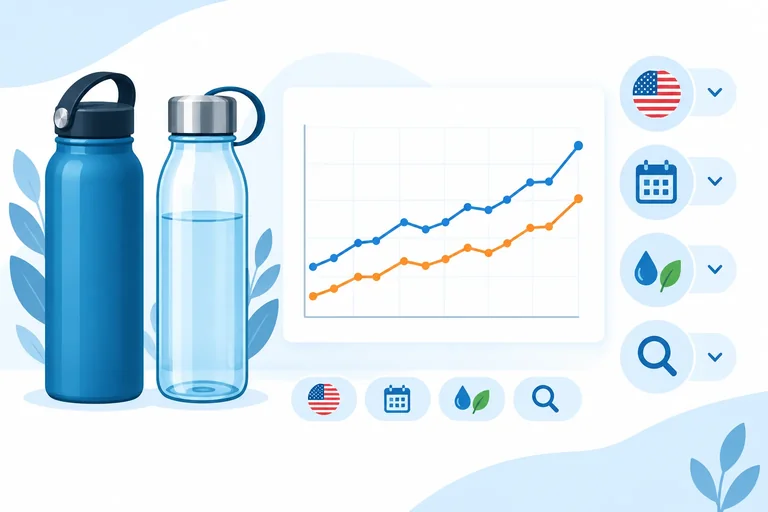
Interpret a controlled Google Trends comparison and explain what its values can and cannot establish.
Google Trends can add context to candidate-keyword research when you compare terms under the same conditions. It shows normalized relative interest, not a count of searches.
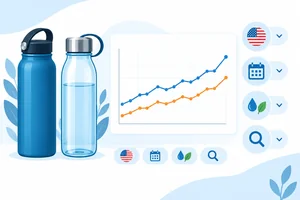
For a fair comparison, put both candidates into one chart and keep the location, time range, category, and search type identical. Here, enter both candidates as Search term entries. A Topic entry has a different scope, so do not substitute one without noting that difference.
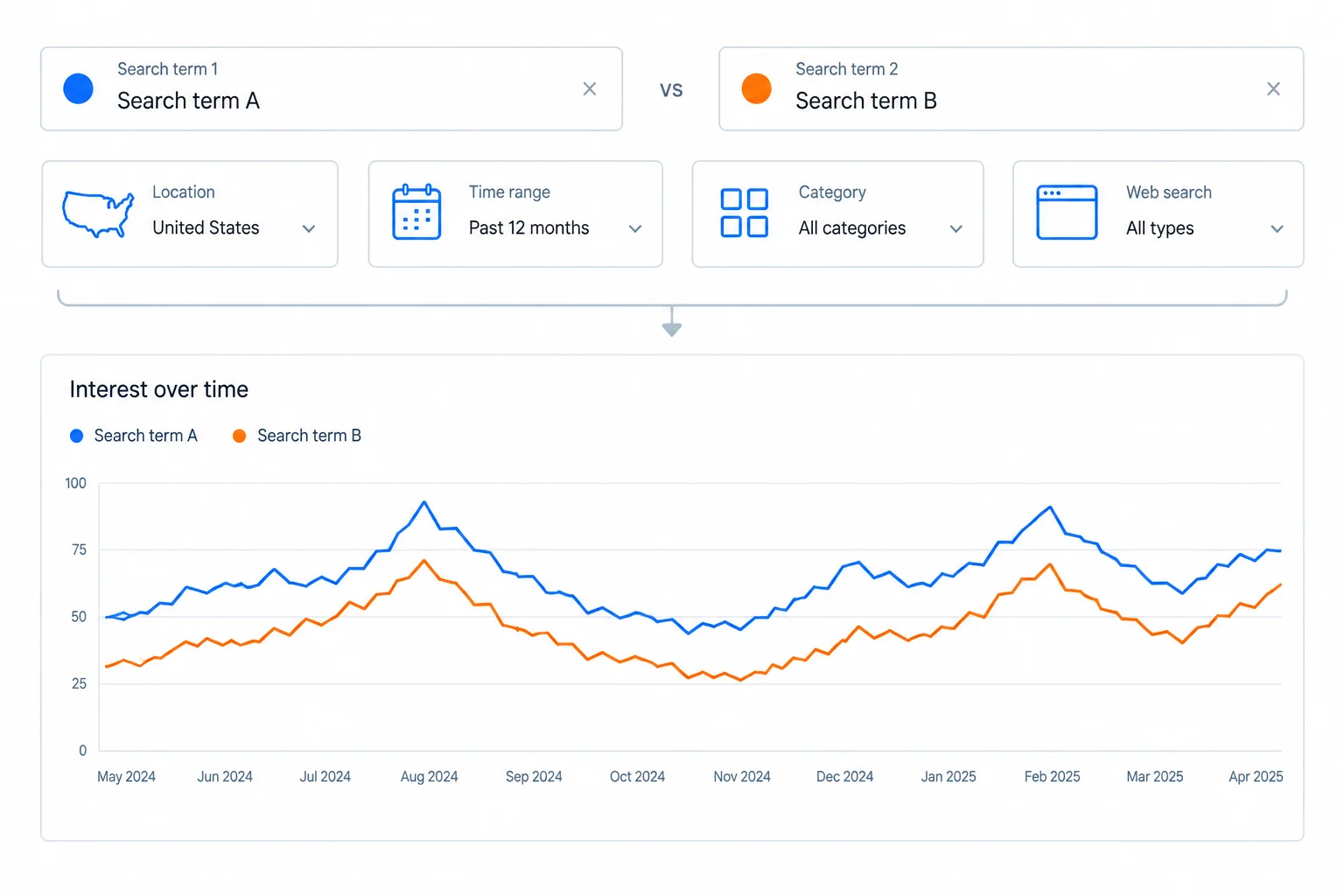
Illustrative example: compare both candidates together under one consistent set of filters.
Use this settings record for the main comparison.
| Field | Value |
|---|---|
| Entry type | Search term |
| Terms | reusable water bottle; insulated water bottle |
| Location | United States |
| Time range | Past 12 months |
| Category | All categories |
| Search type | Web Search |
Tip
Optional live check: reproduce these settings in Google Trends if it is available. In your notes, label a current result as Source/context: Live observation and include the observation date as YYYY-MM-DD plus the location and filter settings. If the interface is unavailable, use the supplied illustrative examples instead.
Read the two lines only within this chart and these settings. An interest index of 100 marks the highest relative-interest point in the selected comparison. It does not mean 100 searches, 100 percent of the market, or monthly search volume.
Because both terms share one chart and one set of filters, their patterns can be compared as relative context. Do not compare numbers from separately created, normalized charts as though they used the same scale.
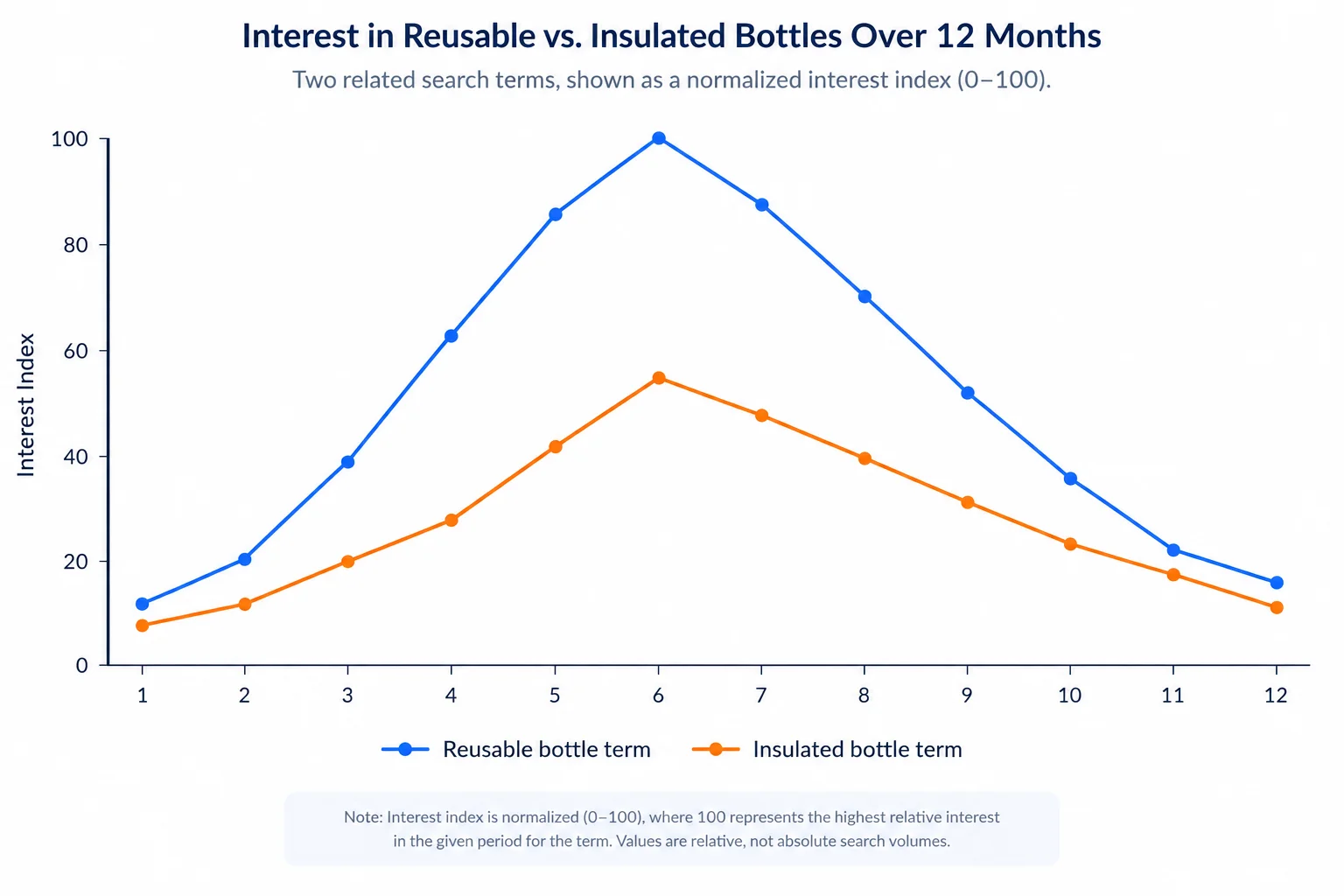
Illustrative example: 100 identifies this chart's peak relative interest; it is not a search-count total.
Example
A careful note could say: “In this shared United States, Past 12 months comparison, reusable water bottle reached the highest observed interest index. This is relative interest within the selected chart, so it does not establish how many searches either term received.”
That statement describes the evidence without turning the index into volume or a ranking prediction.
A short chart can show a spike, but not whether it repeats. Change only the time range to Past 5 years for a separate seasonality check, while keeping the other settings consistent. A similar rise in the same season across several years is stronger evidence of a recurring pattern than one brief rise.
Even then, it is context—not a demand forecast. A one-time spike may reflect news, a campaign, a temporary event, or ordinary variation.
Use each signal cautiously.
| Observed signal | Defensible interpretation |
|---|---|
| Similar rise in several years | Possible recurring seasonal pattern; verify context |
| One isolated spike | Do not call it a seasonal pattern yet |
| Low interest index | Low relative interest in this chart; not proof of no searches |
| Insufficient data message | The available data cannot support a confident comparison or conclusion |
Tip
An insufficient-data message is a limit on what the chart can show. It is not evidence that nobody searches. Likewise, low values can reflect normalization, limited data, or the selected settings. Record the limitation rather than filling the gap with an assumption.
Use the illustrative comparison and settings shown in the previous screens. Write a compact four-sentence research note:
Past 5 years check before it is called seasonal.Keep the note grounded in the supplied evidence; do not estimate monthly search volume or predict rankings.
Write at least 260 characters (0/260).
Step 6 of 7
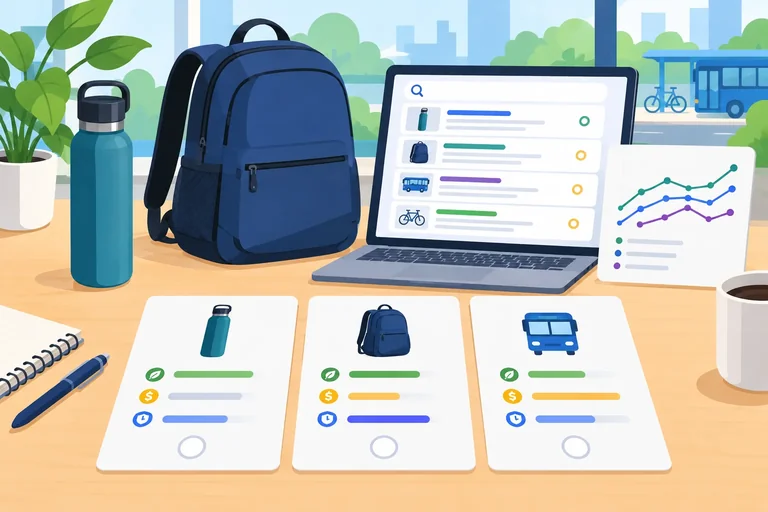
Assign qualitative priorities using audience fit, likely intent, capability, evidence, and stated limitations.
A priority is a decision about where to focus research and useful response effort. It is not a promise of rankings, a keyword-difficulty score, or a monthly-search-volume estimate.
For each candidate keyword, weigh five questions:
Use High, Medium, or Low only after considering the set of evidence—not one signal in isolation.
Use several signals together before assigning a qualitative priority.
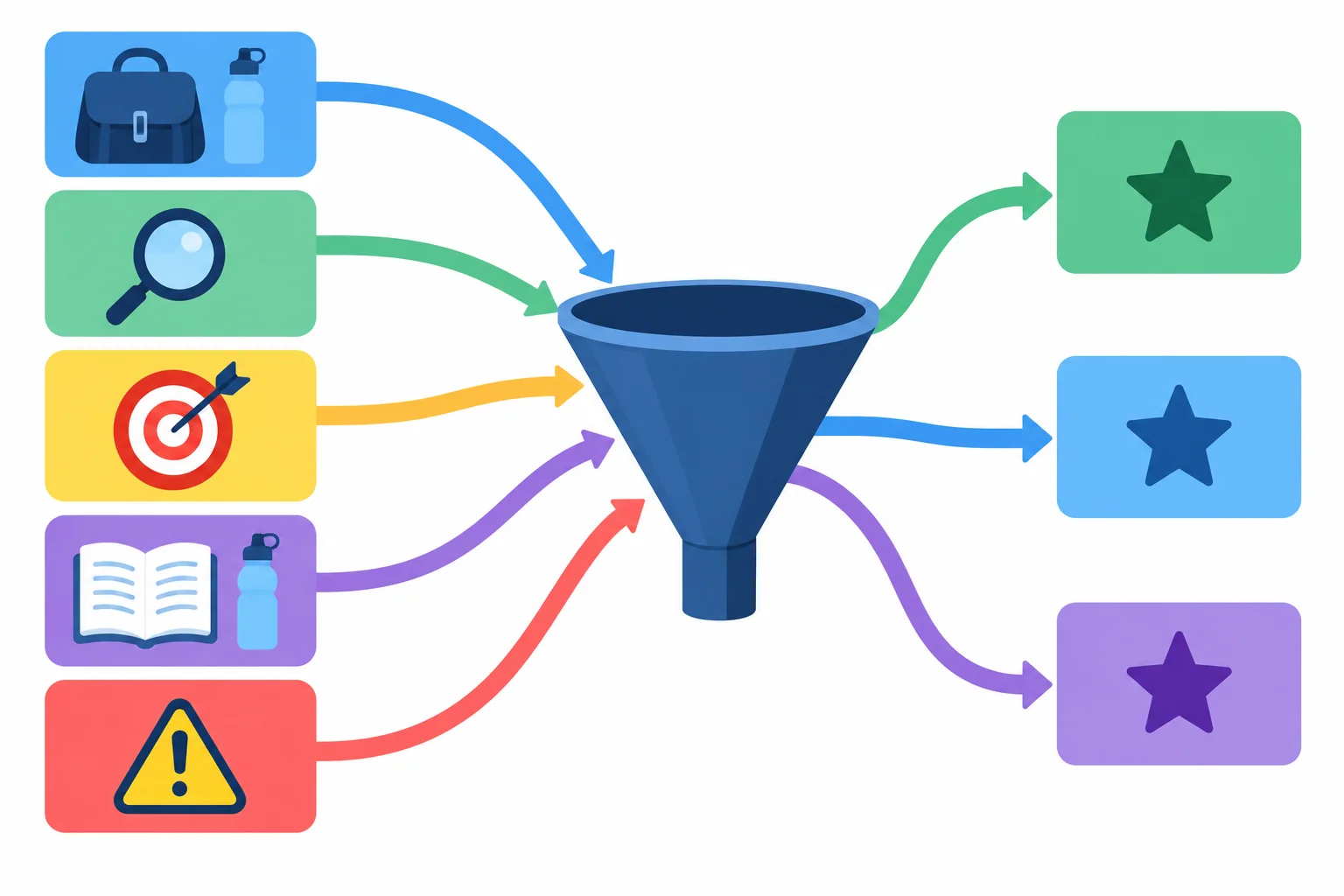
Audience fit, intent, specificity, capability, and limitations should all influence the decision.
Warning
Specific wording can clarify a searcher’s need, but it is not automatically easier to rank for. Likewise, pages already appearing in search results show the usefulness searchers may expect; they do not provide a reliable ranking-difficulty estimate.
Use observed competing pages to ask, “What would a useful response need to do?” For example, a results sample dominated by independent comparison roundups may signal that a credible response needs comparative evidence. Do not turn that observation into a prediction that a keyword is easy or hard to rank for.
Google Trends is supporting context. In one controlled comparison, a higher interest index can help identify a topic worth investigating, but it cannot override a poor audience fit, an unclear intent, or a response LoopBottle cannot credibly provide.
Use this compact check before writing a record.
| Check | Useful evidence | What it supports | What it cannot prove |
|---|---|---|---|
| Audience fit | Commuter question or vocabulary | Relevance to a real need | Demand at a known volume |
| Intent | Unpaid result formats and purposes | Likely goal and expected response | One fixed intent for every searcher |
| Specificity | Clear task, product, or situation | How well the need is defined | Ease of ranking |
| Capability | Accurate product knowledge or demonstration | Whether LoopBottle can help credibly | That every claim is complete |
| Trends | Interest index in identical settings | Relative context within that chart | Search counts or future demand |
Example
Keyword: reusable water bottle
Source/context: Illustrative example — commuter audience language; controlled Google Trends comparison using Search term entries, United States, Past 12 months, All categories, Web Search.
Likely intent: Commercial investigation
Evidence: Illustrative example — the interest index is 49 in this comparison; a small unpaid-results sample includes category pages and product guides. Evidence status: Mixed/unclear.
Assumption/limitation: LoopBottle sells reusable bottles, but current product details and live results still need verification. Results can vary by location, device, personalization, and date.
Priority: High
Rationale: The candidate fits the audience and LoopBottle can provide accurate product information. The Trends value is context, not a search count or a reason by itself.
Next evidence check: Make a Live observation dated YYYY-MM-DD, recording United States location, device, and search filters while reviewing several relevant unpaid results.
True or false: If insulated water bottle has a higher interest index than reusable water bottle in the same controlled comparison, it must receive a higher priority.
Create a short priority record for this supplied research packet. Assign High, Medium, or Low to all three candidates, then name the one LoopBottle should focus on first.
Illustrative example — reusable water bottle: interest index 49 in a controlled comparison; unpaid results include category pages and product guides; LoopBottle sells reusable water bottles for adult commuters.
Illustrative example — insulated water bottle: interest index 74 in that same controlled comparison; the candidate is broad; the packet does not verify that LoopBottle offers an insulated bottle.
Illustrative example — best water bottle for commuting: unpaid results include independent multi-brand comparison roundups; LoopBottle can demonstrate its own bottles but has no independent multi-brand testing.
In 5–8 sentences, give each priority and a rationale. Explain why your first choice is more useful and answerable than a candidate with a higher interest index. Identify one evidence fact, one assumption, one unresolved limitation, and one sensible next evidence check.
Write at least 350 characters (0/350).
Step 7 of 7
Create a concise, evidence-led LoopBottle keyword shortlist and explain the limits behind each decision.
Your final deliverable is a three-keyword shortlist for LoopBottle. It is a research decision, not a promise of rankings and not a plan for pages.
For each selected candidate keyword, create a compact record with these labels:
Use High, Medium, or Low priority. A useful rationale connects the commuter audience, the searcher’s goal, LoopBottle’s ability to help, and the available evidence.
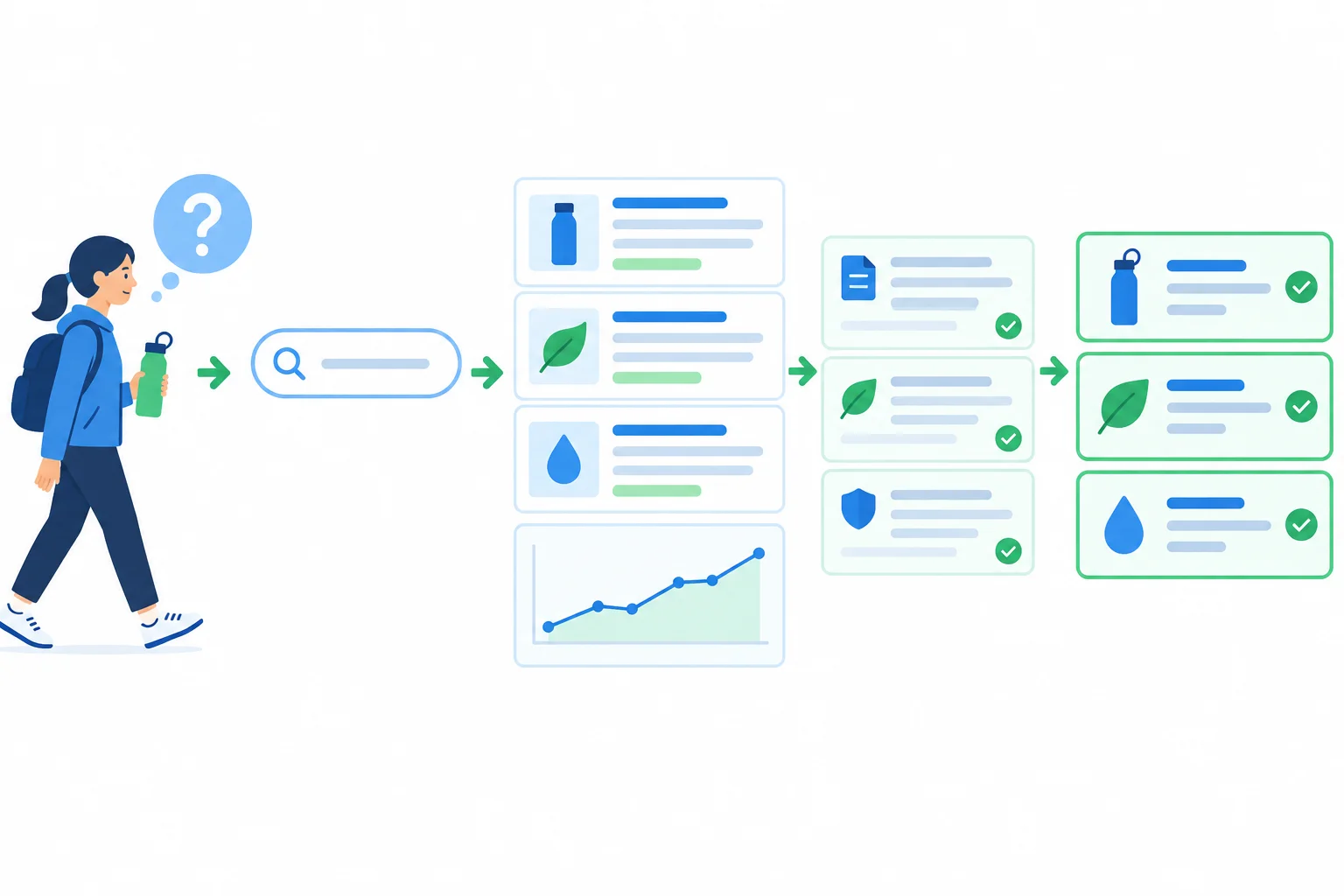
Each choice should leave a visible trail from audience need to evidence, limitation, and priority.
Warning
Avoid three shortcuts:
Choose what LoopBottle can credibly help with. State uncertainty instead of filling gaps with claims.
Use this self-contained evidence summary for the final application. Every item below is an Illustrative example, not a live finding. Do not use an external tool.
Google Trends context: Illustrative example, 2025-03-08. Compare reusable water bottle and insulated water bottle as Search term entries: United States, Past 12 months, All categories, Web Search. In this one comparison, the reusable term ranges from an interest index of 68–100 and the insulated term from 39–68. A separate Past 5 years check shows recurring early-year increases for both terms. These indexes support a relative comparison in these settings only; they are not monthly search volume.
Source, result-format, and capability notes for the six recurring candidate keywords.
| Keyword | Source/context | Likely intent | Evidence | Assumption/limitation |
|---|---|---|---|---|
| reusable water bottle | Illustrative example — autocomplete; public category and review results | Commercial investigation | Category pages, buying guides, and reviews appear. Evidence status: Mixed/unclear. | Broad wording may represent several needs; results can vary by location, device, personalization, and time. |
| insulated water bottle | Illustrative example — Google Trends comparison; public product and review results | Commercial investigation | Product categories and comparisons appear; interest index is lower in this comparison. | Confirm LoopBottle offers insulation before prioritizing. |
| how to clean a reusable water bottle | Illustrative example — audience question; public guides and videos | Informational | Step-by-step cleaning guides and videos appear. | Guidance must match LoopBottle materials and care instructions. |
| best water bottle for commuting | Illustrative example — audience wording; public review and list pages | Commercial investigation | Comparison lists evaluate bottles for travel and workdays. | LoopBottle has no independent multi-brand testing to support a broad “best” claim. |
| buy reusable water bottle | Illustrative example — public product and category results | Transactional | Product and shopping-oriented pages appear. | Confirm product availability, price, and delivery details. |
| LoopBottle | Illustrative example — branded-query result set | Navigational | An official brand destination appears. | Branded-query results are illustrative, not a live discovery target. |
Using only the supplied evidence summary, write a prioritized shortlist of exactly three candidate keywords for LoopBottle.
For each keyword, include all seven labels: Keyword, Source/context, Likely intent, Evidence, Assumption/limitation, Priority, and Rationale. Use one of these four labels for Likely intent: Informational, Navigational, Commercial investigation, or Transactional. Use only High, Medium, or Low for Priority.
Then add two short notes:
Do not assign keywords to pages. Your response should show how evidence and capability shaped the decision.
Write at least 700 characters (0/700).
Summary
A defensible shortlist is concise, evidence-led, and candid about uncertainty. It is ready for a later activity that organizes related keywords and page purposes—but this step stops at the shortlist.
Congratulations! You completed: Research Search Intent and Keyword Opportunities
Thousands of online courses in video, ebooks and audiobooks.
To test your knowledge during online courses
Generated directly from your cell phone's photo gallery and sent to your email

Download our app via QR Code or the links below:.



Carry knowledge in your pocket.
Download the Cursa app.
There are hundreds of free courses available, with a free certificate of completion that is saved in your mobile image gallery.
Download the app to access the Course Completion Certificate for Free.


+ 10 million
students

Free and Valid
Certificate

60 thousand free
exercises

4.8/5 rating in
app stores

Free courses in
video and ebooks