
Step 1 of 8
Recognize Each Stage's Job
Identify the distinct job of the product page, cart, checkout, and order confirmation in a text-based shopping journey.

Learning path · Level 6 · Tutorial 2
Evaluate a text-based shopping journey and specify the information and controls customers need to move from product selection to a confirmed order without avoidable confusion or pressure.

 Recognize Each Stage's Job
Identify the distinct job of the product page, cart, checkout, and order confirmation in a text-based shopping journey. 2 min
 Check Product Information Before Add to Cart
Review a fictional product-page excerpt to identify the facts, images, selection state, and availability information needed before a shopper adds an item to the cart. 3 min
 Make Costs and Conditions Visible Before Commitment
Specify where price, delivery, return, and tax information should appear before a customer commits to payment. 3 min
 Keep the Cart Reviewable and Editable
Specify the cart information, controls, and recalculation feedback that help customers correct an intended purchase before checkout. 2 min
 Reduce Checkout Effort Without Removing Choice
Specify checkout changes that remove unnecessary work while retaining review, correction, and a clear final payment commitment. 3 min
 Distinguish Trust from Pressure
Learn to separate checkable transaction information from vague reassurance, unsupported guarantees, and pressure tactics. 2 min
 Verify a Clear Order Confirmation
Determine whether a post-purchase message records an accepted order and gives the customer clear, accurate next steps. 2 min
 Review the Complete Shopping Journey
Evaluate a complete Northline Goods shopping journey and write actionable corrections for each stage. 3 min
Step 1 of 8
Identify the distinct job of the product page, cart, checkout, and order confirmation in a text-based shopping journey.
A shopping journey has four distinct stages. Each stage should support the decision the customer is making at that moment:
This tutorial uses supplied text about Northline Goods, not a functioning store. Your task is to review whether information and actions appear at the stage where they help customers most.
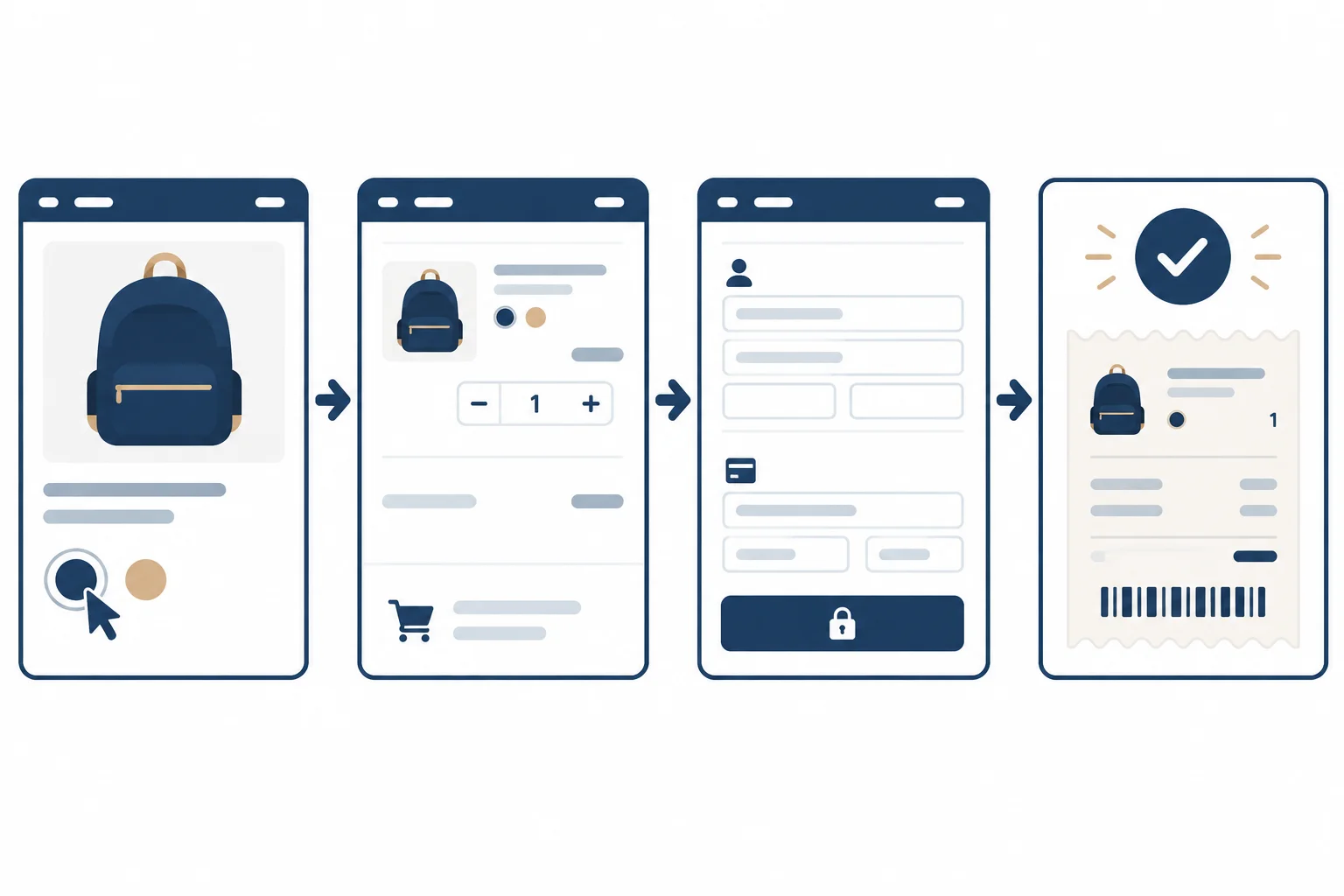
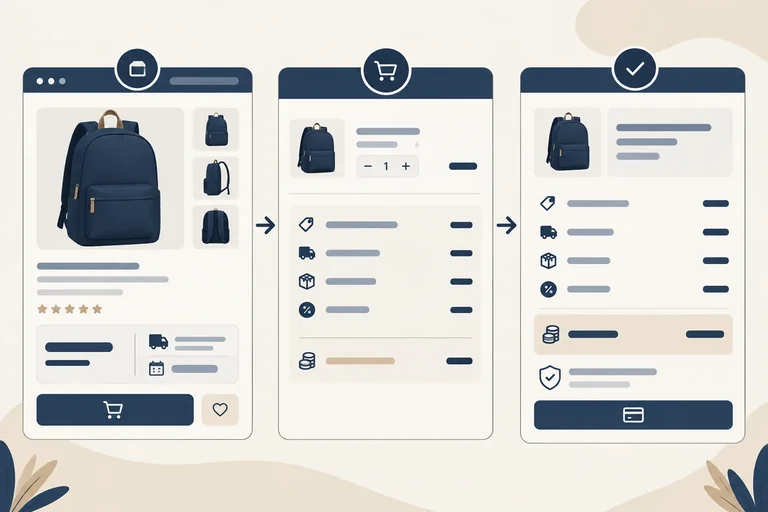
Illustrative wireframe: the journey moves from choosing, to reviewing, to committing, to receiving a record of an accepted order.
Confirmed store facts
Northline Goods sells the Everyday Backpack in Navy and Sand. Both variants are in stock.
Current excerpt
Add to cart.Checkout.Place order and pay.The labels describe stages, not a guarantee that every prior action succeeded.
Tip
Moving forward is not the same as completing an order.
Add to cart moves a selected product from the product page to the cart. Checkout moves the customer from the cart to checkout. Place order and pay expresses the customer’s final action, but the order is not established merely because the button was selected.
Use Processing while the outcome is unresolved. Use Order confirmed only when the order has been accepted. Use Order not completed when it was not accepted or could not be completed.
In later steps, you will examine what each stage needs in more detail. For now, focus on assigning the customer’s question to the correct stage.
Match each customer question to the stage where it should be answered or supported.
Tap an item and then its matching pair.
Step 2 of 8
Review a fictional product-page excerpt to identify the facts, images, selection state, and availability information needed before a shopper adds an item to the cart.
A product page should let a shopper decide whether the item fits their need and what they are about to add. Before using Add to cart, the shopper should be able to check the product facts, the chosen variant, its availability, and the price for that selection.
Confirmed store facts
| Fact | Confirmed detail |
|---|---|
| Product | Everyday Backpack |
| Material | polyester |
| Capacity | 18 L |
| Dimensions | 42 × 28 × 14 cm |
| Variants | Navy and Sand |
| Availability | Both variants are in stock |
| Price | USD 48.00 for either variant |
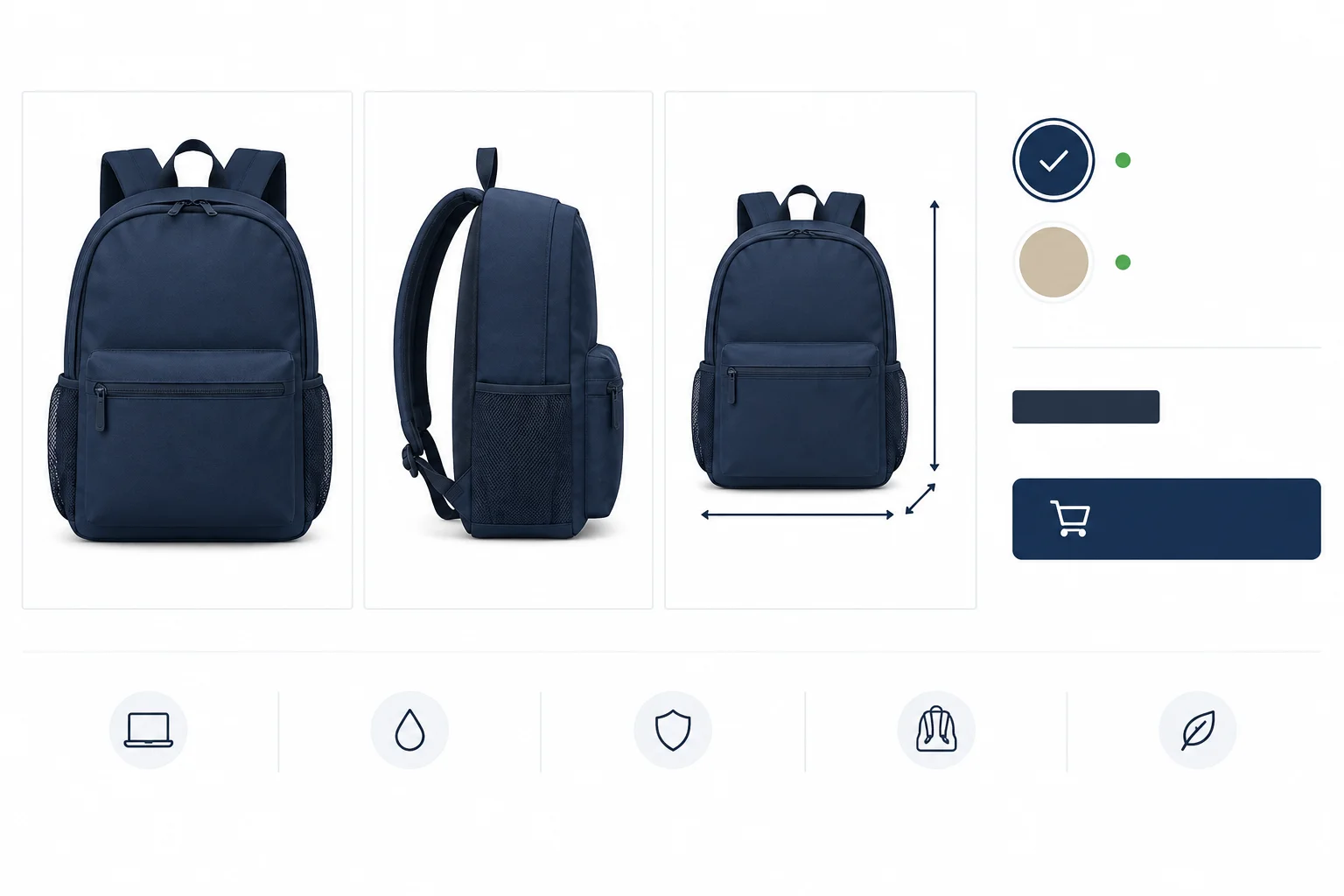
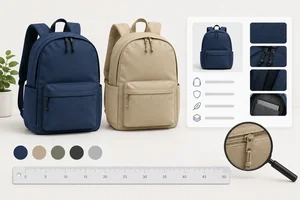
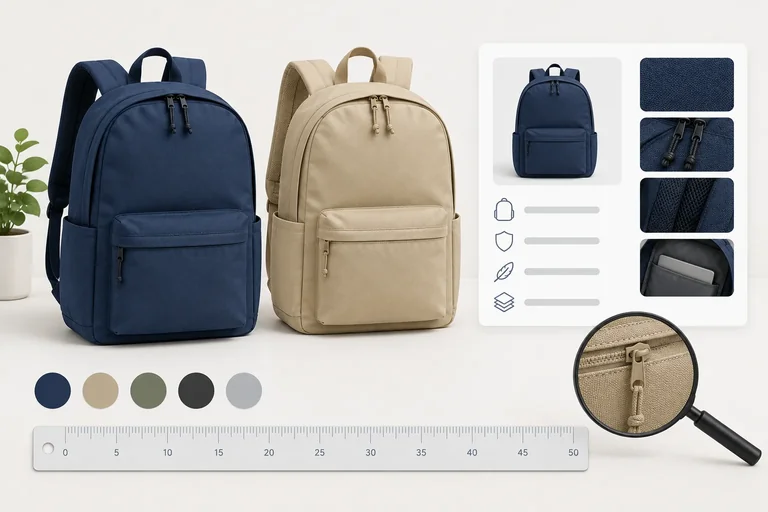
Illustrative wireframe: images, specifications, variant state, availability, price, and the purchase control work together to make the intended selection checkable.
Example
Current excerpt
Everyday Backpack
Color: Navy | Sand
USD 48.00
[Add to cart]
The excerpt gives a product name, two color names, a price, and an action. It does not show whether a color is selected, whether either variant is available, or enough product information to judge fit.
Suggested revision
Everyday Backpack
polyester • 18 L • 42 × 28 × 14 cm
Color
Navy — Selected — In stock
Sand — In stock
USD 48.00 for the selected variant
[Add to cart]
The page should make clear that Add to cart adds the currently selected variant. Useful images can show relevant views, scale, and visible details. Descriptions for those images should convey meaningful visual information; they do not replace written specifications.
Use only confirmed facts. Do not invent claims about pockets, comfort, weather resistance, or any other unlisted feature.
Which product presentation makes the chosen variant and its availability clear before the shopper uses Add to cart?
Current excerpt
Everyday Backpack
Color: Navy
USD 48.00
[Add to cart]
Use only the Confirmed store facts presented earlier. Do not infer features that were not supplied.
Name one decision-relevant detail missing from the Current excerpt. State what should be added, using only the Confirmed store facts.
Write at least 10 characters (0/10).
Step 3 of 8
Specify where price, delivery, return, and tax information should appear before a customer commits to payment.
An item price answers, “What does this product cost?” An order total answers, “What will I pay for this order?” They are not the same when shipping, applicable tax, or a mandatory fee applies.
Make the path to the final amount predictable:
Place order and pay.Do not substitute a vague promise such as “Fast shipping” for a delivery estimate.
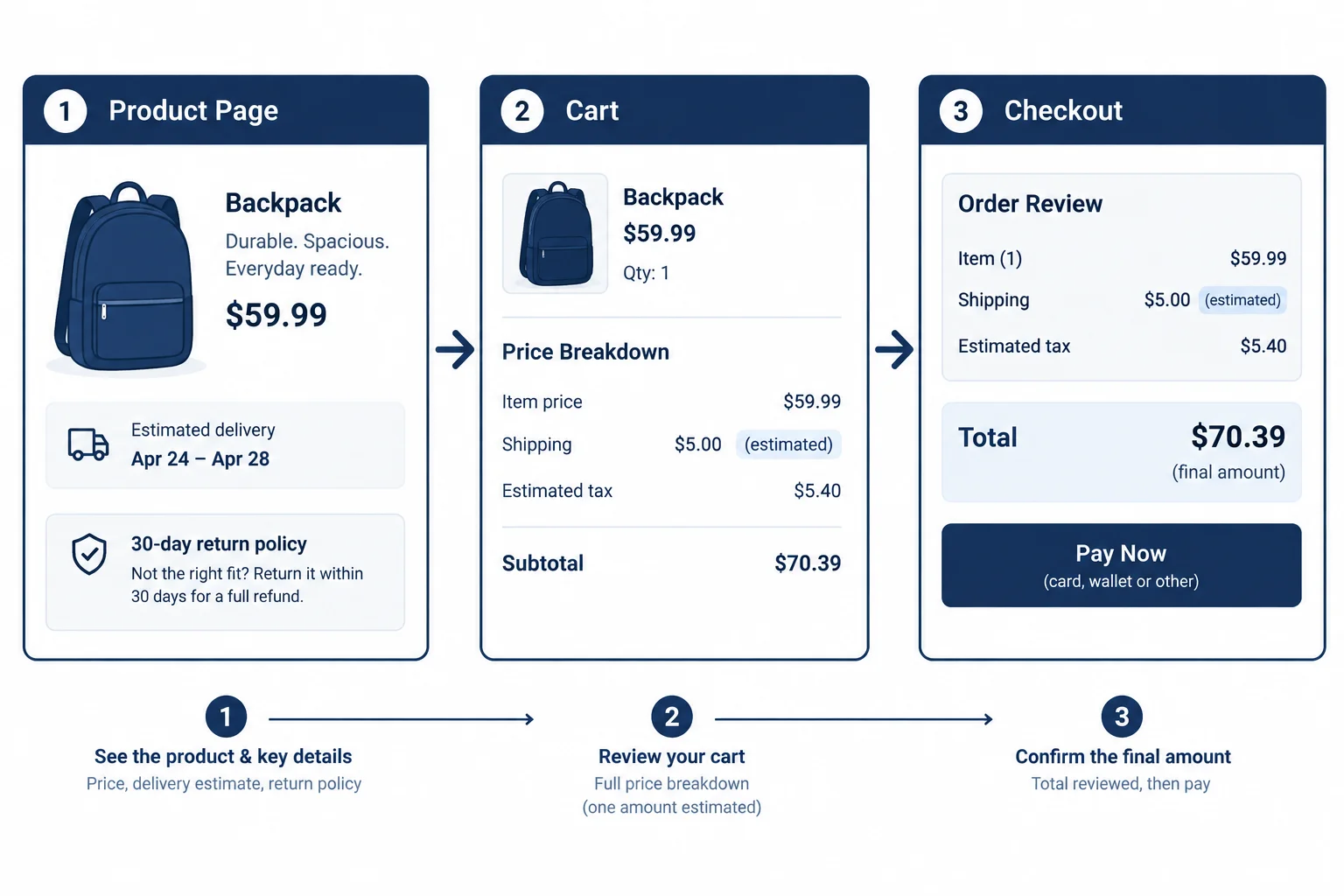
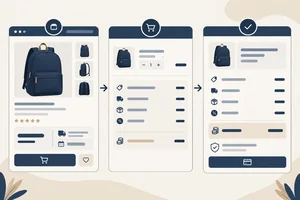
Illustrative wireframe: disclose predictable conditions early, identify uncertainty clearly, and show the final amount before payment.
Confirmed store facts
Northline Goods sells the Everyday Backpack for USD 48.00. Shipping is USD 5.00 per order. For the fictional destination, tax on one backpack is USD 4.80.
Product page conditions should be easy to find before Add to cart:
If the destination is not known yet, explain that tax depends on the destination and label it Estimated until the customer provides the needed address information. The checkout review must show the final amount before Place order and pay.
For one Everyday Backpack delivered to the fictional destination, the checkout review uses this price breakdown.
| Price breakdown | Amount |
|---|---|
| Items subtotal | USD 48.00 |
| Shipping | USD 5.00 |
| Tax | USD 4.80 |
| Order total | USD 57.80 |
Warning
Tax amounts and consumer-disclosure requirements vary by location. The tax amounts in this exercise are scenario facts, not a general tax rule. Do not present an uncertain tax amount as a final charge.
Match each information block to the stage where it is most important.
Tap an item and then its matching pair.
Current excerpt
USD 48.00 + taxes and shipping. Fast shipping.
Write a Suggested revision in three labeled lines: product page, cart, and checkout.
Place the price, shipping/tax disclosure, delivery expectation, and return condition at appropriate stages. Revise the vague wording so a customer can tell what is estimated, what information makes it final, and what the final one-backpack total is for the fictional destination.
Write at least 180 characters (0/180).

Step 4 of 8
Specify the cart information, controls, and recalculation feedback that help customers correct an intended purchase before checkout.
A cart is an editable review point between the product page and checkout. It should let a customer verify what they intend to buy and correct it before payment.
For each cart item, show the product name, selected variant, editable Quantity, unit price, and line total. Keep a visible Remove control and a clear route back to the product details or shopping.
Show the price breakdown in this order: Items subtotal, Shipping, Tax, Order total. A Checkout action moves the customer to checkout; it does not mean the order has been placed or confirmed.
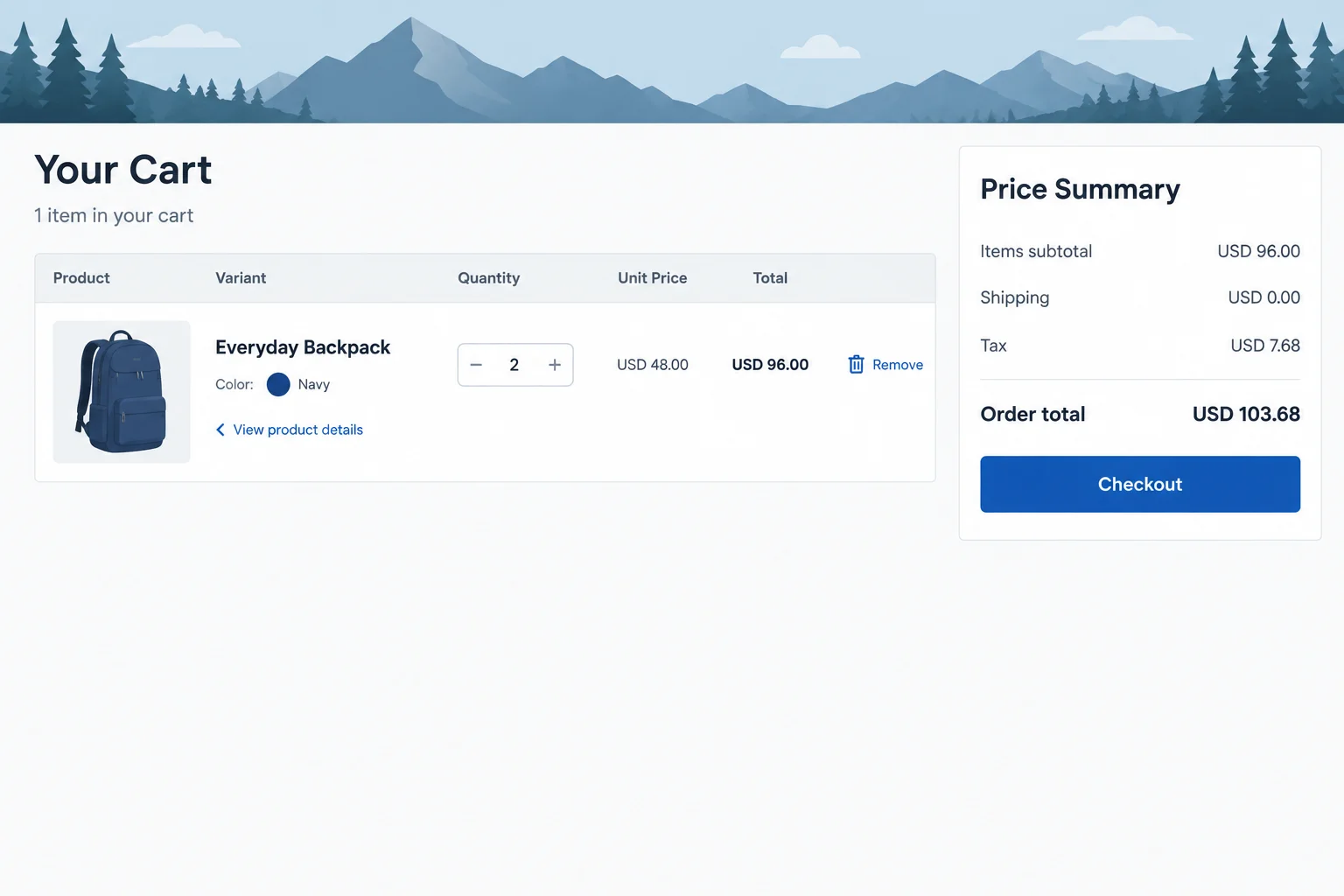
Illustrative wireframe: the customer can inspect the selected variant, change Quantity, remove the item, and understand the order cost before moving to checkout.
Example
Confirmed store facts: The Everyday Backpack costs USD 48.00. Navy and Sand are both in stock and have the same price.
Current excerpt
Everyday Backpack — Navy
Quantity: 2
Unit price: USD 48.00
Line total: USD 96.00
Items subtotal: USD 96.00
Shipping: USD 5.00
Tax: USD 9.60
Order total: USD 110.60
Suggested revision
When the customer changes Quantity from 2 to 1, retain the selected Navy variant and visibly recalculate:
Items subtotal: USD 48.00
Shipping: USD 5.00
Tax: USD 4.80
Order total: USD 57.80
The cart should update the item line and the full summary together, rather than leaving an old total on screen.
Tip
If a requested quantity or variant cannot be supplied, explain the restriction near the affected item or Quantity control. Do not silently switch the customer to another variant or quantity. Recalculate the displayed totals for the selection that can actually proceed.
Which cart presentation best supports a customer who wants to check and edit an intended purchase before moving to checkout?
Using the more usable presentation from the previous screen, write a 2–3 sentence review. Identify the presentation, then describe what must be visible after the customer reduces Quantity from 2 to 1. Include the selected product and variant, the updated Order total, and one control that enables correction.
Write at least 120 characters (0/120).

Step 5 of 8
Specify checkout changes that remove unnecessary work while retaining review, correction, and a clear final payment commitment.
Checkout should collect the details needed to fulfill and process the purchase, then let the customer review the order before the final payment action. It should not require an account when an account is not necessary for that purchase.
A guest route reduces avoidable work. Account creation can be offered separately and must not interrupt the path to payment. This preserves a customer’s choice without making registration a condition of buying.
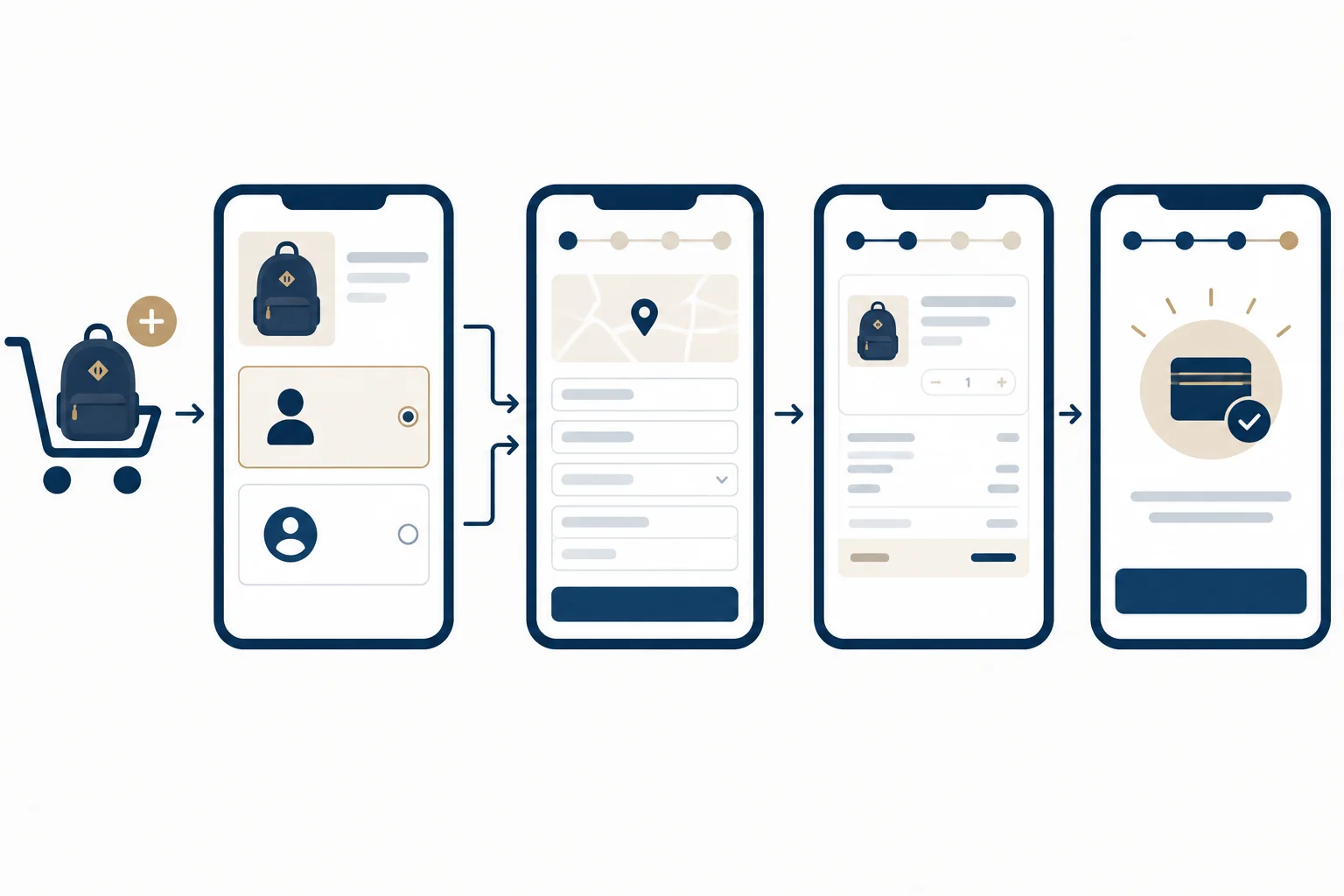
Illustrative wireframe: the guest route reaches the required transaction details and a reviewable summary without being blocked by registration.
Example
Suggested revision
At checkout, Northline Goods presents Continue as guest alongside an optional account choice. The customer can provide delivery, contact, and payment details, review the order summary, correct a detail if needed, and then use Place order and pay.
This is a text specification of intended behavior. It does not demonstrate that a functioning checkout actually behaves this way.
Ask for information the store needs to fulfill or process this order, such as a delivery address, a contact method for the receipt or updates, and payment details. Do not make an unrelated question mandatory. If an extra detail could be useful only in some cases, make it optional and explain why it is requested.
On mobile, keep field labels visible rather than relying only on placeholder text. Use an input format that brings up an appropriate device keyboard, keep the order summary readable, and make controls large enough to reach and activate.
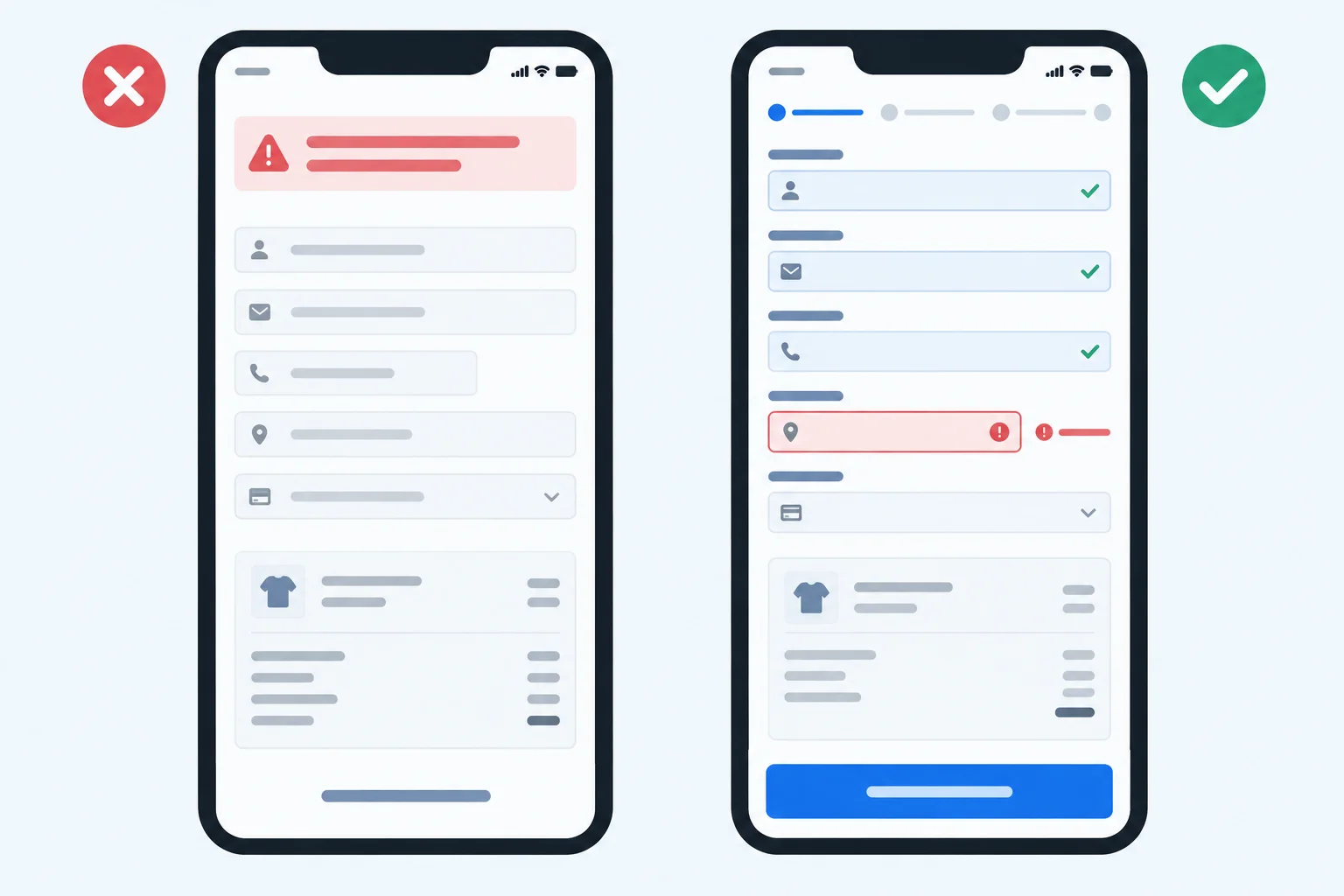
Illustrative wireframe: a field-specific error directs attention to the correction while the rest of the completed form and the order summary remain visible.
Example
Suggested revision
Use visible labels such as Contact email, Delivery address, and Postal code. Keep an optional Company name field clearly marked optional.
If the Postal code is incomplete, show a nearby message such as “Enter a complete postal code.” Keep the customer’s valid name, address, and other entries in place. A general message at the top of the page does not tell the customer what to fix.
Before the final action, show a readable order summary and an obvious route to correct order details.
Warning
A written recommendation can specify labels, field behavior, and placement. It cannot prove that a live mobile checkout preserves entries, provides the expected keyboard, or submits payment correctly. Those are implementation behaviors to check separately.
Match each checkout barrier to the remedy that best preserves informed choice.
Tap an item and then its matching pair.
Current excerpt
Checkout
“Create an account to continue.”
Everyday Backpack — Navy
Quantity: 1
Contact email: [ ]
“How did you hear about Northline Goods?” (required)
Postal code: [9410]
Error at the top: “Invalid information.”
Order total: USD 57.80
[Place order and pay]
Rewrite this as a short mobile-checkout excerpt. Address the registration barrier, the unnecessary required field, and the unhelpful error. Retain Everyday Backpack — Navy, Quantity: 1, Order total: USD 57.80, and the final Place order and pay action so the purchase remains reviewable and the payment commitment stays clear. Do not invent a new price or store policy.
Write at least 220 characters (0/220).
Step 6 of 8
Learn to separate checkable transaction information from vague reassurance, unsupported guarantees, and pressure tactics.
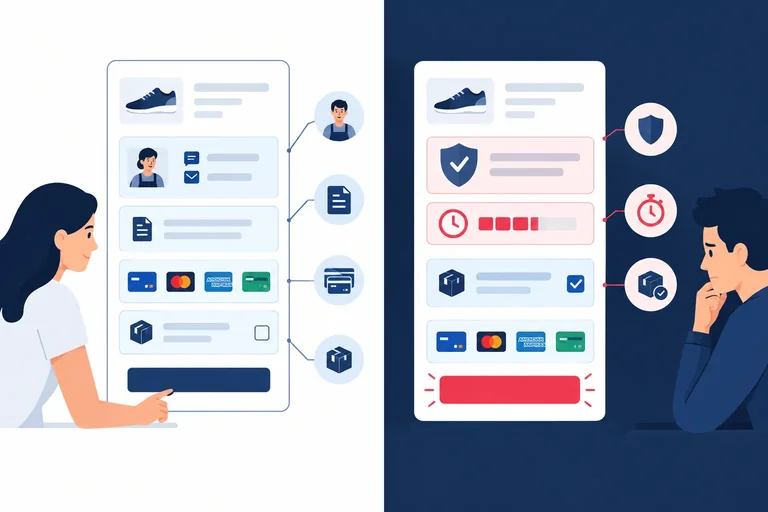
Credible trust information helps a customer check who they are buying from and what to expect. On a product page, cart, or checkout, look for an identifiable seller, a usable contact route, accessible policies, and payment options described accurately.
These details support an informed decision; they are not a promise that every transaction will succeed. A vague badge, an absolute safety claim, or a broad reassurance gives the customer little to verify.
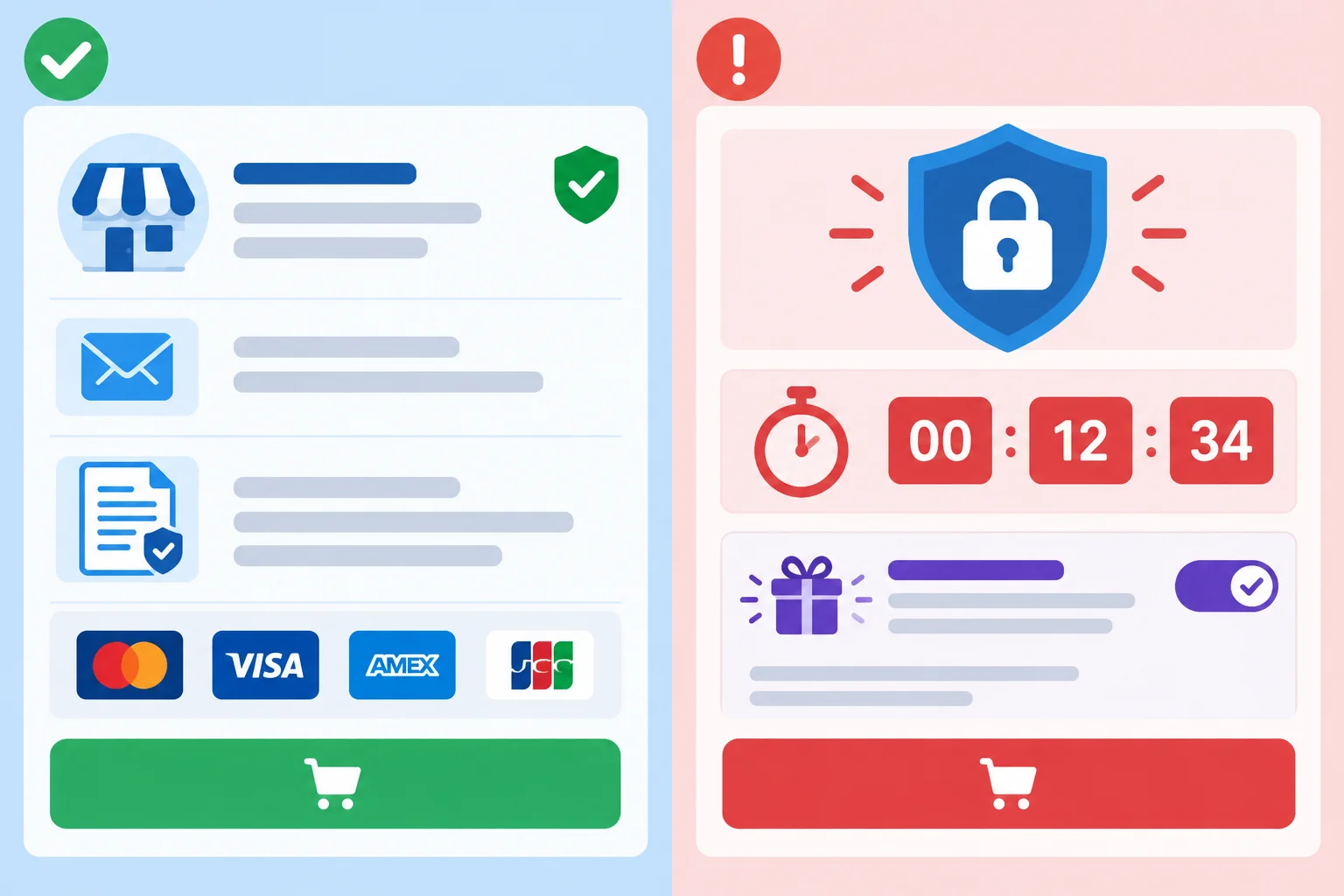
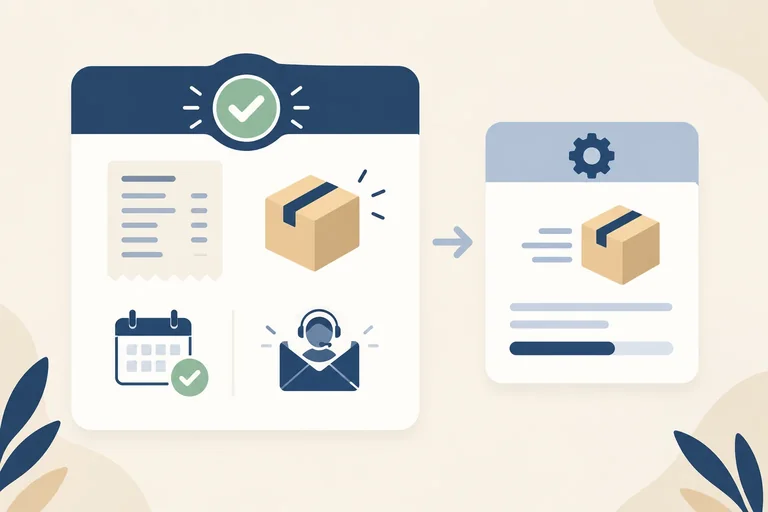
Illustrative wireframe: identifiable details and accessible policies provide more useful evidence than a generic badge or a timer.
Use this quick test: can the customer identify what the statement means, check it through the store, and act on it if needed? If not, the statement may be reassurance rather than useful transaction information.
A credible detail is specific enough to check. It should not imply more than the available evidence supports.
| Information or claim | What it can support | What it cannot prove |
|---|---|---|
| Seller name and contact route | Who the customer can contact | That every order will arrive |
| Accessible return policy | The stated return conditions | That returns are free or unlimited |
| Named payment options | Which methods are offered | That payment is risk-free in every situation |
| Encrypted connection | Data is protected in transit | That the seller is legitimate or fulfillment is guaranteed |
| Generic security badge | Very little without supporting detail | A guarantee of safety or delivery |
Warning
An encrypted connection is useful technical protection, but it does not independently establish who operates a store, whether its policies are followed, or whether goods will be delivered.
True or false: A checkout can truthfully state that it uses an encrypted connection while still lacking evidence that every delivery is guaranteed.
Confirmed store facts
Current excerpt — checkout
Write a concise review using these four fields: Stage, Issue, Recommended change, and Customer benefit.
In Issue, judge all three claims as Supported or Unsupported using only the confirmed store facts. In Recommended change, name and replace both the Gift wrap control and the urgency message with honest, optional or evidence-based wording.
Write at least 250 characters (0/250).
Step 7 of 8
Determine whether a post-purchase message records an accepted order and gives the customer clear, accurate next steps.
A click on Place order and pay is a customer action, not proof that the order was accepted. The message after submission must match what is actually known.
Processing: the request is still being handled; do not promise acceptance, dispatch, or delivery.Order not completed: the purchase was not accepted or finished; explain the next action or provide a contact route.Order confirmed: the store has accepted the order and can provide a record and next steps.Order acceptance is not the same as dispatch or delivery. Do not say an item is on its way unless that event is known.
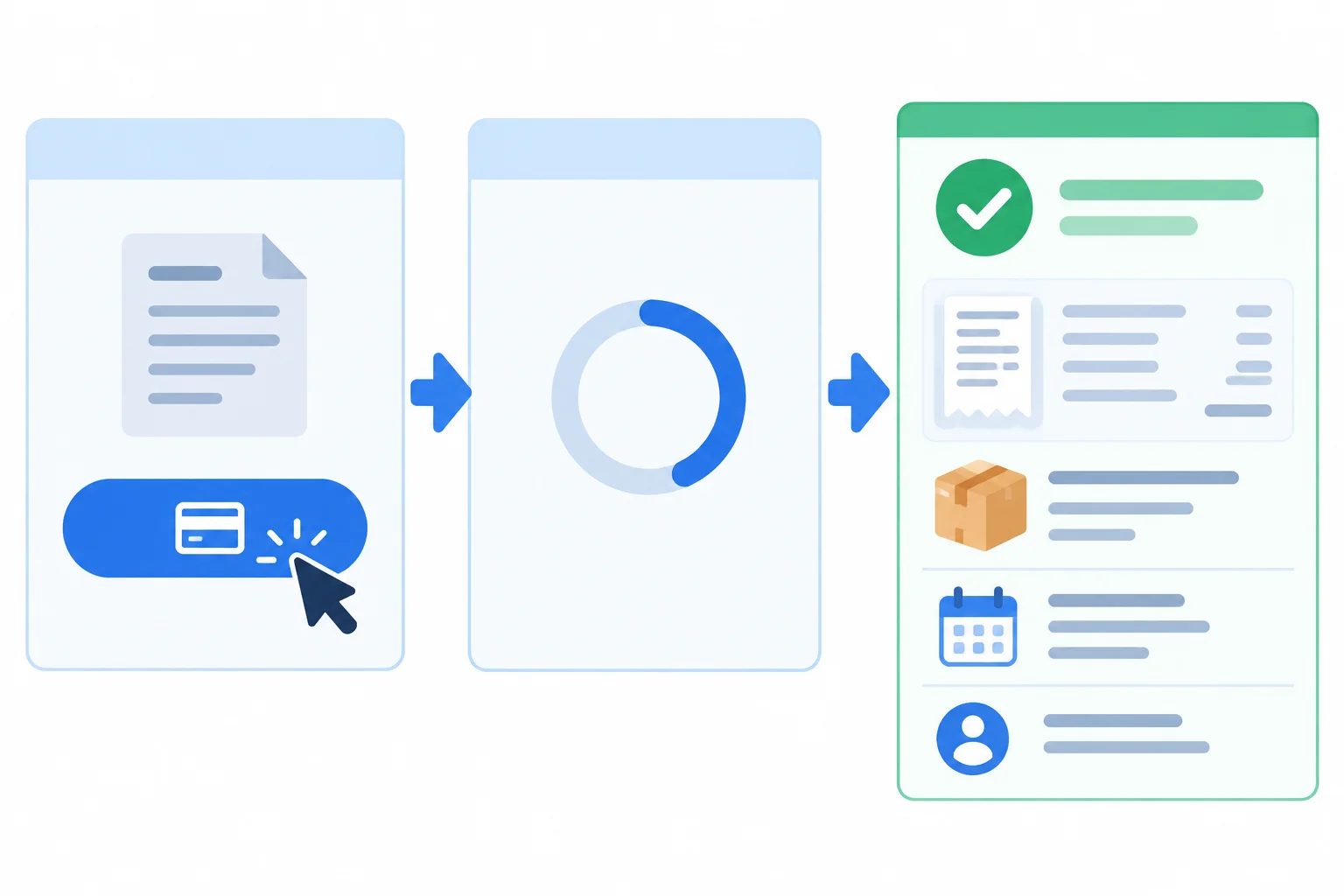
Illustrative wireframe: submitting payment, processing it, and recording an accepted order are different states.
A useful confirmation lets the customer identify the accepted purchase and understand what happens next. It should include an order reference; items, variants, and quantities; the final total; an accurate payment status; delivery details; and a usable contact route.
Confirmed store facts
This example is an accepted order with the status Order confirmed. Order reference: NG-1048. The purchase is one Everyday Backpack in Navy, Quantity: 1. The final order total is USD 57.80, and the payment status is Payment accepted. Estimated delivery: 3–5 business days after order confirmation. The contact route is help@northlinegoods.example.
No confirmation email or delivery-update service is specified for this scenario. Do not add either claim to the record.
Example
Suggested revision
Order confirmed
Order reference: NG-1048
Everyday Backpack — Navy
Quantity: 1
Items subtotal: USD 48.00
Shipping: USD 5.00
Tax: USD 4.80
Order total: USD 57.80
Payment status: Payment accepted
Estimated delivery: 3–5 business days after order confirmation
Questions about this order? Contact help@northlinegoods.example.
Warning
A confirmation can state acceptance and an estimated delivery window. It should not imply that the backpack has already been dispatched or delivered. If payment or acceptance is still unresolved, use Processing instead of Order confirmed.
Current excerpt
Processing
We are checking your request.
Everyday Backpack — Navy
Quantity: 1
Order total: USD 57.80
Does this establish an accepted order? In your response, name two details missing from an accepted-order record and write an appropriate next-step message for this status.
Write at least 100 characters (0/100).

Step 8 of 8
Evaluate a complete Northline Goods shopping journey and write actionable corrections for each stage.
Use this final case to turn observations into a compact review. Follow the journey in order: product page, cart, checkout, then order confirmation.
For every entry, connect a specific issue to a concrete interface change and the decision or action that change supports. Use only the supplied facts—do not add delivery promises, product features, or payment claims.
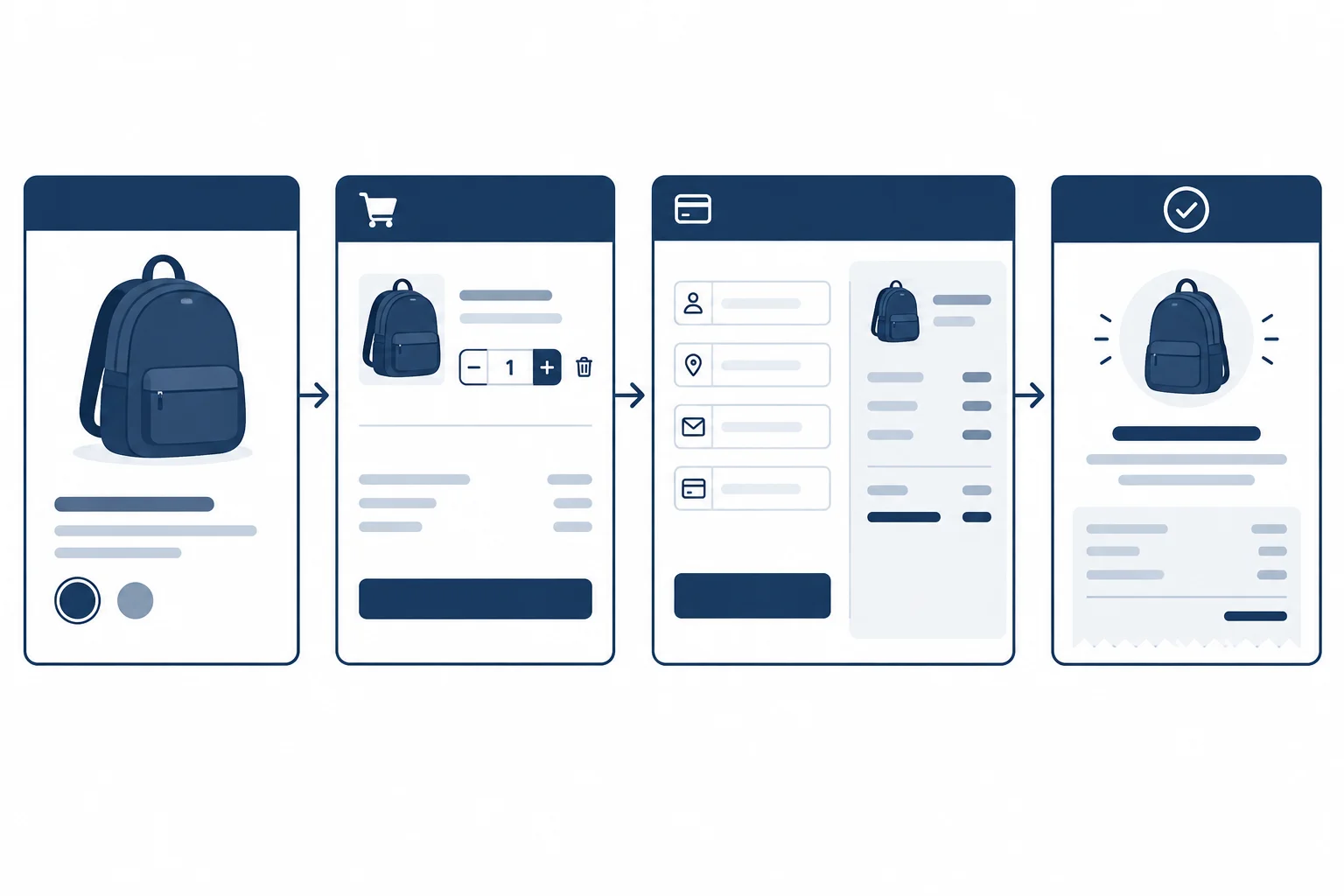
Illustrative wireframe: review the customer path from choosing an item through a recorded order.
Current excerpt Compare each short excerpt with the Confirmed store facts. The excerpts are intentionally incomplete; identify what would help a customer make or correct a decision.
| Stage | Current excerpt | Confirmed store facts |
|---|---|---|
| product page | Everyday Backpack — USD 48.00. Color: Navy. Add to cart. | The backpack is polyester, 18 L, and 42 × 28 × 14 cm. Navy and Sand are both in stock and have the same price. |
| cart | Everyday Backpack (Navy), Quantity 2, USD 96.00. Checkout. | One backpack costs USD 48.00. The excerpt provides no editable Quantity control and no Remove control. |
| checkout | Address and payment fields, then Place order and pay. | Items subtotal: USD 96.00 Shipping: USD 5.00 Tax: USD 9.60 Order total: USD 110.60 Estimated delivery: 3–5 business days after order confirmation. Unused items may be returned within 30 days of delivery; the buyer pays return shipping. |
| order confirmation | Processing. Your order is on its way. | Processing does not establish acceptance or dispatch. A confirmed-order record needs an order reference, items and variants, quantities, total, accurate payment status, delivery details, and a contact route. |
Write four concise review entries: one for the product page, cart, checkout, and order confirmation.
Use these exact fields in each entry:
Stage | Issue | Recommended change | Customer benefit
Across all four entries, address missing product information, cost or condition visibility, a cart or checkout control, and a confirmation problem. Ground every recommendation in the Confirmed store facts and name the affected information or control.
Write at least 450 characters (0/450).
Summary
Congratulations! You completed: Review Product Pages, Carts, and Checkout
Thousands of online courses in video, ebooks and audiobooks.
To test your knowledge during online courses
Generated directly from your cell phone's photo gallery and sent to your email

Download our app via QR Code or the links below:.



Carry knowledge in your pocket.
Download the Cursa app.
There are hundreds of free courses available, with a free certificate of completion that is saved in your mobile image gallery.
Download the app to access the Course Completion Certificate for Free.


+ 10 million
students

Free and Valid
Certificate

60 thousand free
exercises

4.8/5 rating in
app stores

Free courses in
video and ebooks