
Step 1 of 8
Define the Workflow Contract
Define a bounded human-reviewed workflow contract for the Harbor Workshops LinkedIn drafting task.

Learning path · Level 9 · Tutorial 4
Build and evaluate a repeatable workflow for turning an approved content brief into a channel-specific draft. Use an optional free-tier assistant or text-based response examples, retaining human approval and comparing the result with a manual baseline.
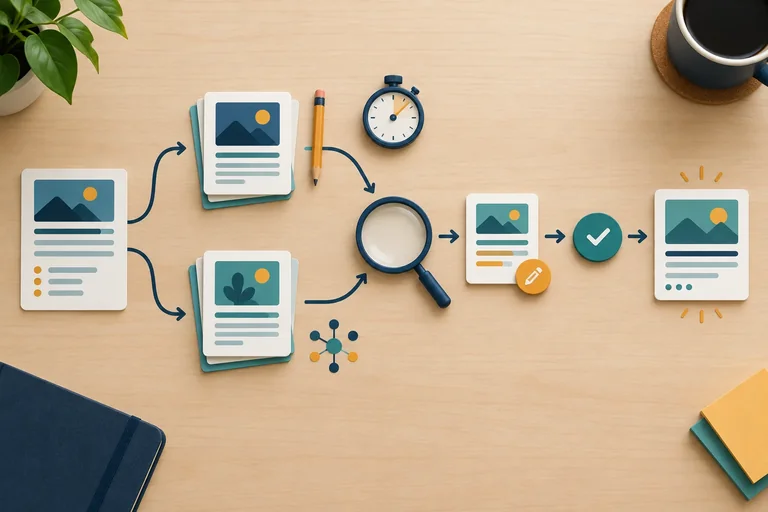
 Define the Workflow Contract
Define a bounded human-reviewed workflow contract for the Harbor Workshops LinkedIn drafting task. 2 min
 Map Human Decisions and Handoffs
Build a workflow map with named responsibilities, approval gates, and explicit return paths. 3 min
 Make the Workflow Reusable and Recoverable
Package a human-reviewed workflow into reusable specifications, prompts, versioned artifacts, run records, and bounded fallback rules. 3 min
 Set the Comparison and Capture a Manual Baseline
Establish a fixed, reviewable comparison protocol and capture a traceable manual baseline before any AI-assisted result is considered. 4 min
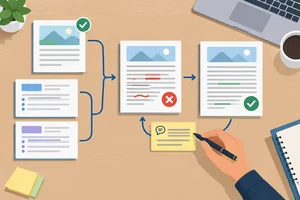 Run, Revise, and Approve the Draft
4 min
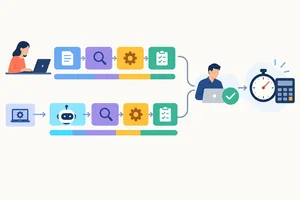 Calculate the Full Cost of the Run
Calculate recurring and first-use effort differences from complete run records, keeping active work, elapsed duration, setup, and timing evidence distinct. 3 min
 Decide What the Evidence Supports
Use quality, risk, complete effort, and evidence limits to make a proportionate workflow decision. 3 min
 Finalize Your Workflow and Decision Note
Consolidate a reusable workflow package, verify its traceability, and write a bounded decision note grounded in the supplied comparison. 3 min
Step 1 of 8
Define a bounded human-reviewed workflow contract for the Harbor Workshops LinkedIn drafting task.
A human-reviewed workflow is a repeatable, bounded sequence: eligible inputs enter, a Drafter may use limited AI assistance, humans make the decisions, and the workflow ends with an approved draft. It does not include publishing.
The contract makes that boundary explicit before anyone drafts. This prevents an assistant response, or an incomplete brief, from being treated as ready for use.
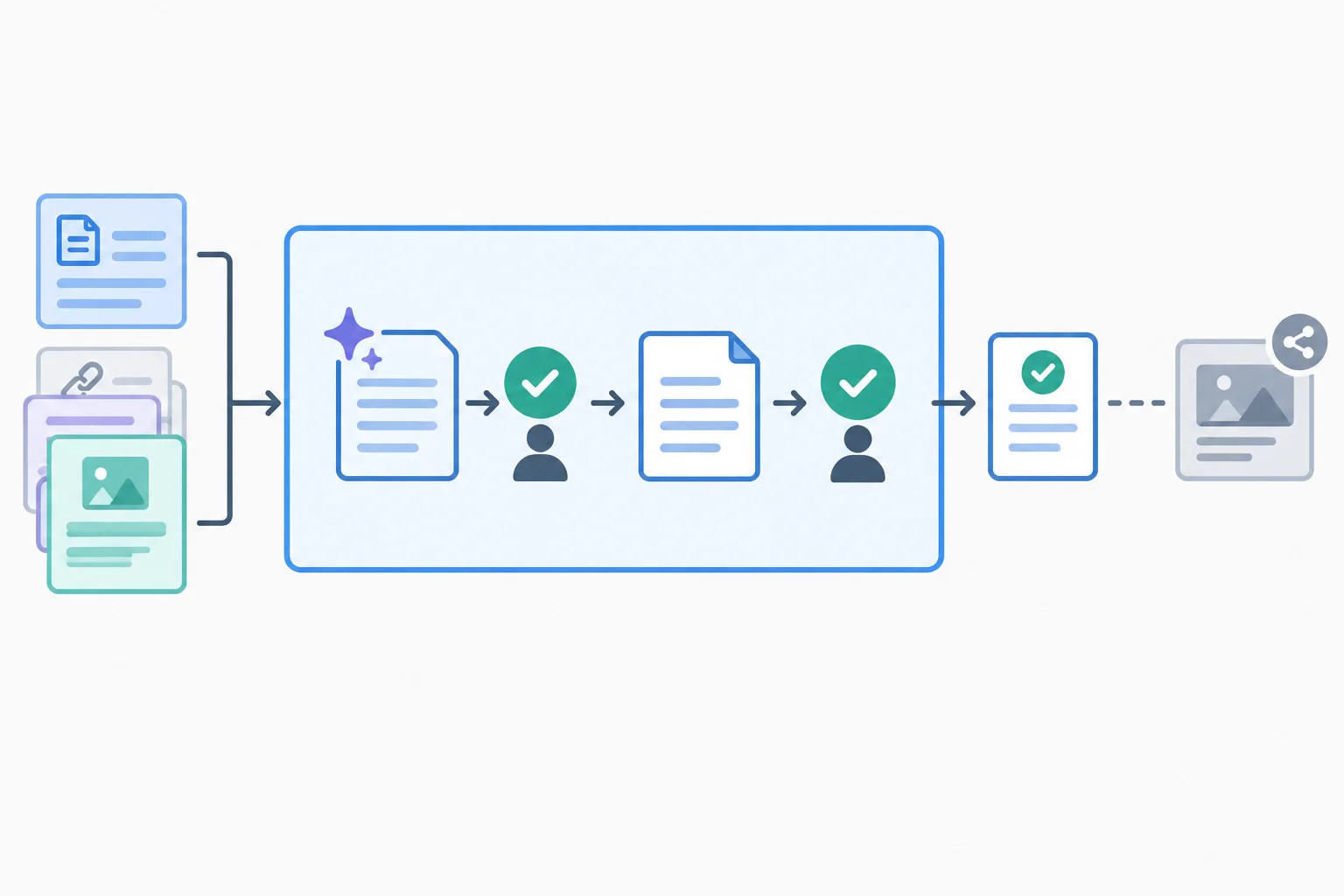
Inputs enter the workflow; the endpoint is an approved draft. Publication is outside the workflow.
The input contract says what must be present before work begins. For this practice, the Workflow owner is the input owner: they confirm that the approved brief and source are complete for the requested channel.
Both the manual baseline and the AI-assisted run must create the same output bundle. Changing the deliverable between methods would make a later comparison unfair.
Use this contract for Harbor Workshops.
| Part | Requirement |
|---|---|
| Approved source | source v1.0 |
| Approved facts | [F1] Plan Your First Content Calendar; [F2] free, 45-minute online workshop; [F3] solo business owners; [F4] topic selection and weekly scheduling; [F5] registration required; no replay |
| Audience | Solo business owners |
| Channel | |
| Input owner | Workflow owner |
| Post requirement | One 80–120-word LinkedIn post in a warm, practical tone |
| Required CTA | Register for the free workshop. |
| Also deliver | A concise factual-claim-to-source checklist and any unresolved questions |
Example
The finished post uses only reader-facing language; it does not show labels such as [F2]. The checklist may use those references to show where each factual claim came from.
At this stage, the contract defines the work. It does not yet define detailed review routing or prompt versions.
A received brief is not automatically eligible. Before entry, confirm that the source is approved and current, the audience and channel are stated, the required output bundle is known, and the Workflow owner can identify the inputs.
For this fictional task, source v1.0 is approved and supplies the needed facts. The audience is solo business owners, the channel is LinkedIn, and the required bundle is specified. It is ready to enter the workflow.
Tip
If a condition is missing, pause before drafting and return for clarification or an approved source update. Do not fill a gap with an assumption or let an AI assistant invent it.
The endpoint remains an approved draft, not a live post, account action, or publication.
Match each proposed requirement to its workflow classification.
Tap an item and then its matching pair.
Is the Harbor Workshops brief described in this step ready to enter the workflow?
Step 2 of 8
Build a workflow map with named responsibilities, approval gates, and explicit return paths.
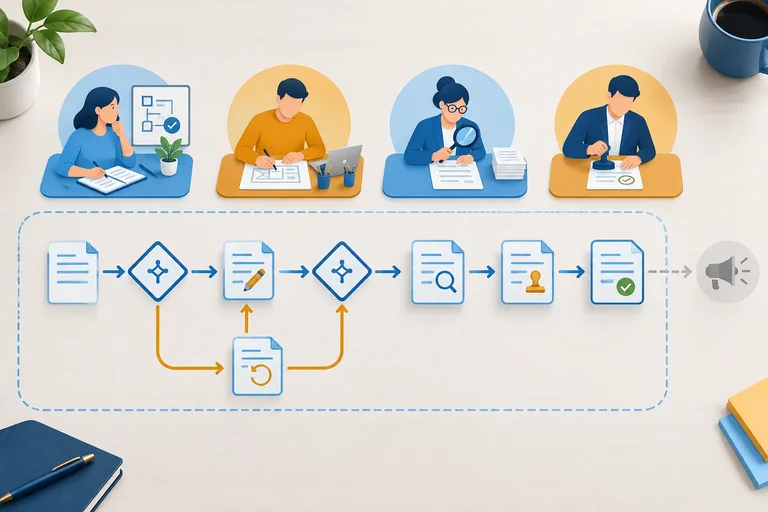
A workflow map makes human judgment visible. It shows the normal route, the gates that stop unsuitable work, and the return paths when a decision is not positive.
For Harbor Workshops, the route begins only after the brief and approved source are ready. The workflow ends with an approved draft—not publication. Text may be copied manually between a document and an optional assistant; no integration, account access, or automatic publishing is involved.
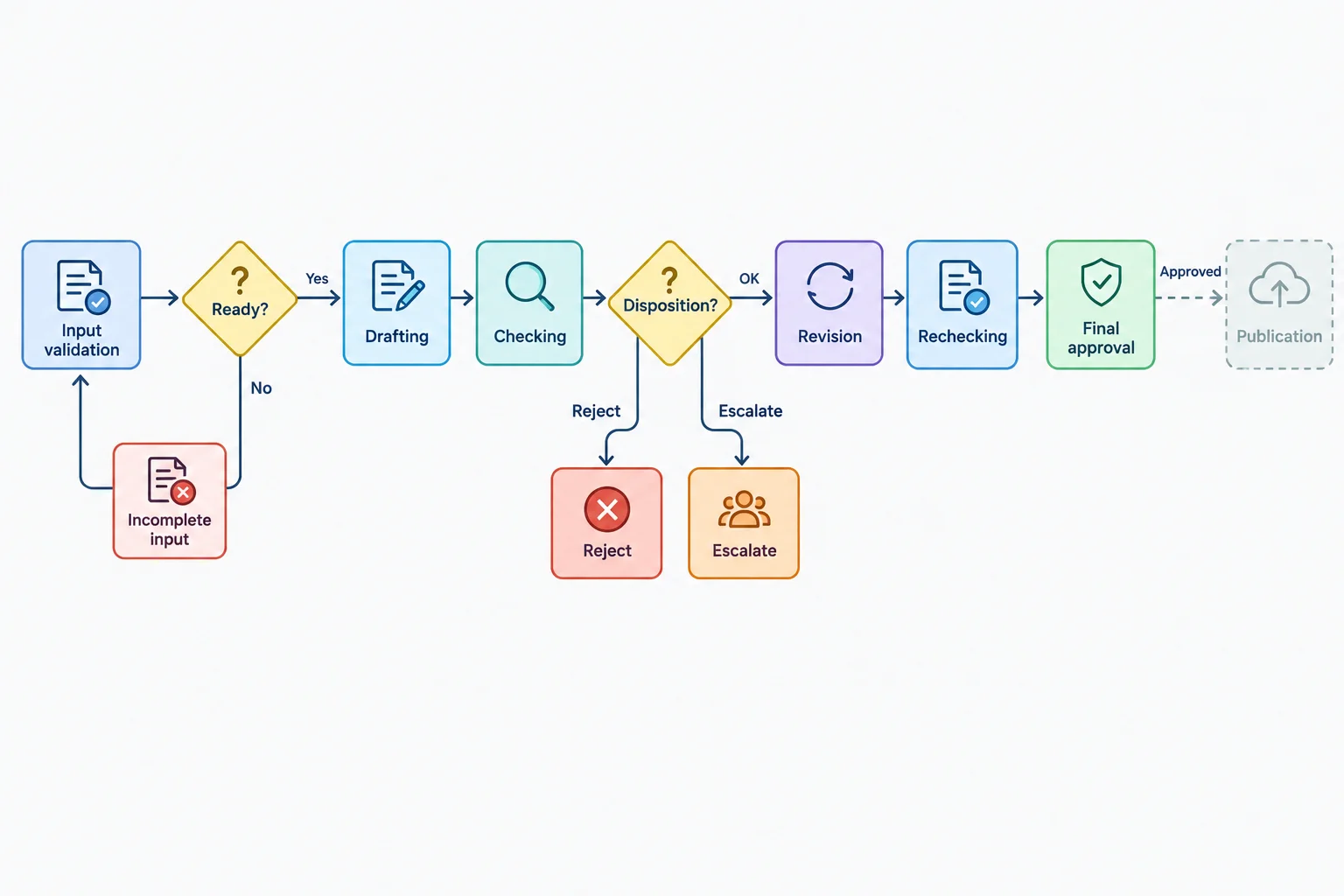
The map separates a reviewed, approved draft from any later publication activity.
At every handoff, record three things: who acts next, which artifact they receive, and which decision they must record. A handoff is incomplete if the next person has a draft but no stated decision to make.
The Reviewer and Approver are separate passes. A Reviewer may mark a draft Accept, Edit, Reject, or Escalate. Only the Approver records the final result: Approved or Not approved.
Use these roles consistently for the Harbor Workshops workflow.
| Role | Receives | Acts and records |
|---|---|---|
| Workflow owner | Brief and approved source | Validates readiness; returns incomplete input or resolves an escalation path |
| Drafter | Ready brief, source, and requirements | Creates or revises the output bundle; hands it to review |
| Reviewer | Draft plus approved source | Checks the draft; records Accept, Edit, Reject, or Escalate |
| Approver | Reviewed draft and review decision | Makes the final approval pass: Approved or Not approved |
Tip
In solo practice, perform all four roles as separate passes. This is self-review, not independent review: pause between passes and read the artifact from the next role's decision criteria.
The input-readiness gate comes before any AI use. The Workflow owner confirms that the approved source and required output requirements are present. If a needed fact is missing, return the incomplete brief rather than asking the Drafter or an assistant to infer it.
After checking, a repairable problem follows the Edit path: the Reviewer identifies the issue, the Drafter revises, and the Reviewer rechecks. An unusable draft is marked Reject and cannot proceed to approval. An unresolved question is marked Escalate and goes to the Workflow owner for a decision.
These paths protect the same endpoint even when the draft is produced manually or with optional AI assistance.
| Situation | Recorded disposition | Next owner and action |
|---|---|---|
| Required source fact is absent | Escalate | Workflow owner returns the incomplete brief for completion before drafting |
| Supported draft has a fixable error | Edit | Drafter corrects the draft; Reviewer rechecks it |
| Draft is unusable for the task | Reject | Workflow owner receives the rejection record; the draft stops before approval |
| Question cannot be resolved from approved material | Escalate | Workflow owner decides how to resolve the issue; no unsupported claim is added |
| Draft meets review criteria | Accept | Approver performs the separate final approval pass |
Arrange the stages for the repairable-draft route. Begin after the input has passed its readiness gate and end at the workflow endpoint.
Put these stages in the correct order for a repairable draft.
Match each situation to its next owner and action.
Tap an item and then its matching pair.
Step 3 of 8
Package a human-reviewed workflow into reusable specifications, prompts, versioned artifacts, run records, and bounded fallback rules.
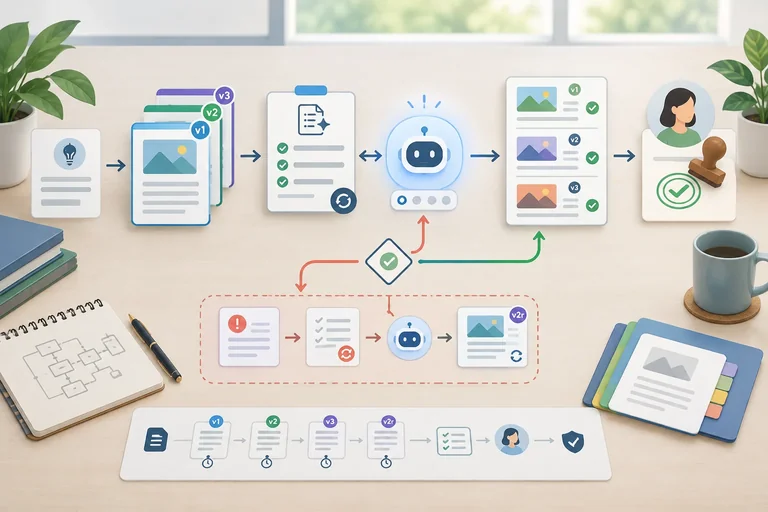
A reusable workflow is a small set of plain-text artifacts, not a one-off chat. The workflow specification tells each role what may enter, what must leave, who decides, and what happens when the normal route fails. It connects the input contract, reusable prompt, output bundle, review ownership, gates, and fallback rules. Its endpoint is an approved draft; publication remains outside the workflow.
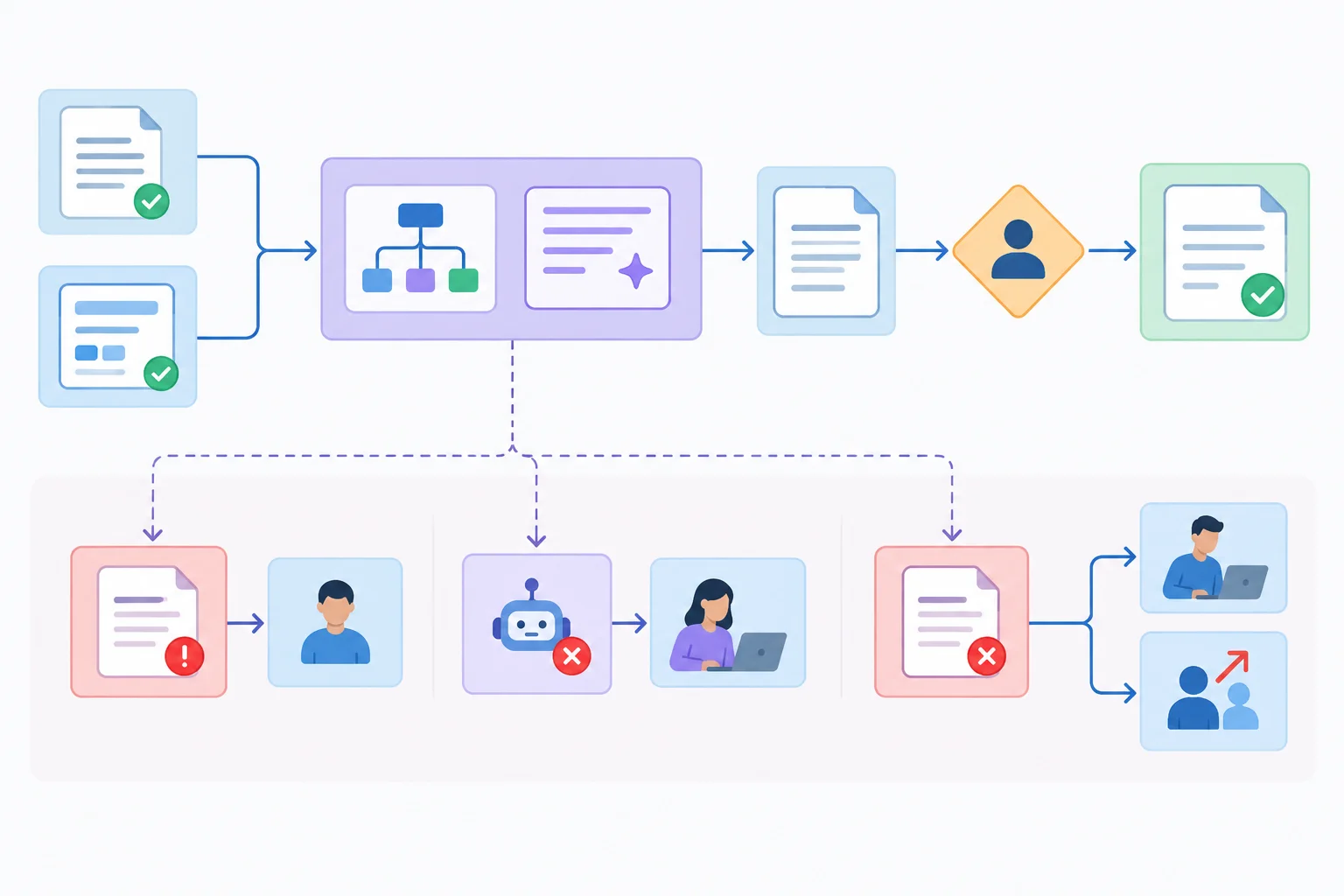
The workflow specification links normal work and recovery paths without extending to publication.
Keep this specification as reusable plain text. It defines the operating rules; a run record later captures what actually happened in one run.
# workflow v1.0
Purpose: Turn an eligible approved brief into an approved draft for a named channel. The workflow ends at approval, not publication.

Input contract
- Workflow owner confirms an approved source version, audience, channel, and required output bundle.
- Return incomplete or unapproved inputs to the Workflow owner before drafting.

Expected output bundle
- One 80–120-word LinkedIn post in a warm, practical tone.
- Exact CTA: "Register for the free workshop."
- A concise factual-claim-to-source checklist and any unresolved questions.

Roles and gates
- Drafter creates or revises the bundle from the approved source and prompt.
- Reviewer records Accept, Edit, Reject, or Escalate.
- Approver records Approved or Not approved only after every required review check passes.

Fallback rules
- If an assistant is unavailable or limited, complete the bundle manually.
- Allow one focused AI revision for a repairable output.
- If it still cannot meet acceptance conditions, complete manually or Escalate; do not use unlimited retries.
- Preserve source, prompt, output revisions, review reasons, and approval records.Double braces mark replaceable approved inputs. They are plain-text placeholders, not executable code. Keep the headings and fixed constraints unchanged when reusing the prompt.
Objective
Draft one {{channel}} post that invites the stated audience to Harbor Workshops' workshop.

Audience
{{audience}}

Source material
{{approved_source}}

Constraints
- Treat the source material as the only authority for factual claims.
- Do not invent benefits, conditions, testimonials, links, or replay availability.
- Write 80–120 words in a warm, practical tone.
- Include this CTA exactly: Register for the free workshop.
- Do not put [F#] references in the post.

Output criteria
Return exactly these three sections:
1. Post
2. Factual-claim-to-source checklist, using [F#] references
3. Unresolved questions, or "None" if there are no unresolved questions.Keep versions separate because they answer different questions. source v1.0 records approved facts. prompt v1.0 records the reusable instruction. A draft revision records what the run produced. If approved facts change, create a new source version. If fixed instructions change, create a new prompt version. If only the produced draft changes, create the next output revision, such as A1-r2 after A1-r1. Do not overwrite an earlier artifact.
Tip
A provided example is a learning route: you can inspect a supplied response without using an external assistant. In real work, an unavailable assistant or free-tier limit triggers the manual fallback. The human still uses the same approved source, required output bundle, review gate, and approval rule.
A run record is short but sufficient to reconstruct a decision. Start it with the source and prompt versions used for that run, then record the draft revision, review reason, and final approval separately. Use Not disclosed when a model identifier is unavailable. Use Not used only when a field genuinely does not apply, such as Tool/model in a manual run.
Use this field set for each actual run. Fill it with the values that occurred; the template is not a pre-approved result.
| Field | Value to record |
|---|---|
| Run | {{run_id}} |
| Mode | Manual, Live assistant, or Provided example |
| Source version | {{source_version}} |
| Prompt version | {{prompt_version}} or Not used |
| Tool/model | {{tool_or_model}}; Not disclosed; or Not used |
| Draft revision | {{draft_revision}} |
| Review disposition | Accept, Edit, Reject, or Escalate |
| Reason and changes | Evidence, requested change, or decision |
| Approval | Approved or Not approved |
| Approver | Approver or Not used |
| Timing basis | Observed or Scenario estimate |
Use the fallback that matches the failure. A repairable output receives one focused AI revision attempt, not an open-ended cycle. If that attempt still cannot meet acceptance conditions, complete the bundle manually or record Escalate for a decision. In either case, keep approval as Not approved until all required checks pass.
A fallback protects the human gate rather than lowering it.
| Situation | Required action and record |
|---|---|
| Input is incomplete or unapproved | Return it to the Workflow owner. Do not begin a draft run. |
| Assistant or free tier is unavailable | Use the manual fallback; record Mode as Manual and Tool/model as Not used. |
| First output is repairable | Record Edit, state the defect, and make one focused AI revision. |
| Focused revision still fails conditions | Complete manually or record Escalate; keep Approval as Not approved until conditions are met. |
| Output is unusable or raises an unresolved concern | Record Reject or Escalate; do not send it forward as an approved draft. |
Match each situation to the required version or fallback and run-record entry.
Tap an item and then its matching pair.
Step 4 of 8
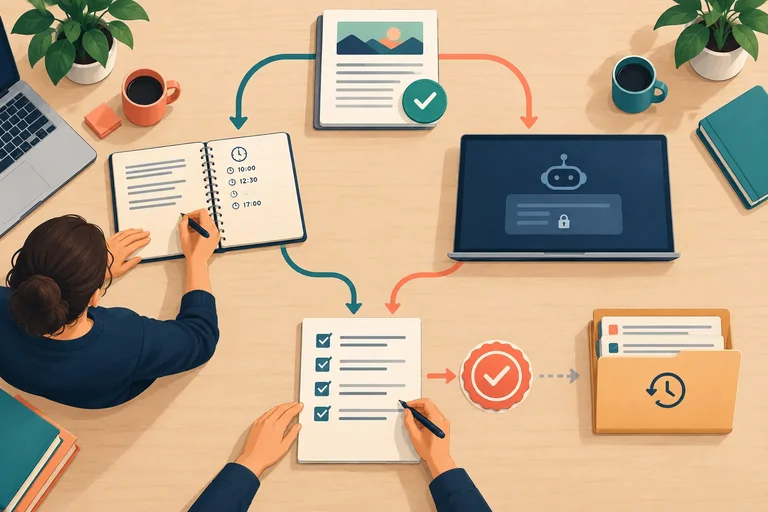
Establish a fixed, reviewable comparison protocol and capture a traceable manual baseline before any AI-assisted result is considered.
Design the comparison before inspecting either result. Keep four elements equivalent:
source v1.0 for Harbor Workshops.Compare approved endpoints, but do not erase the route taken to reach them. Keep initial defects, corrections, review dispositions, and any rejected attempts in the run record. A quick first draft in one route is not comparable with an approved draft in the other.
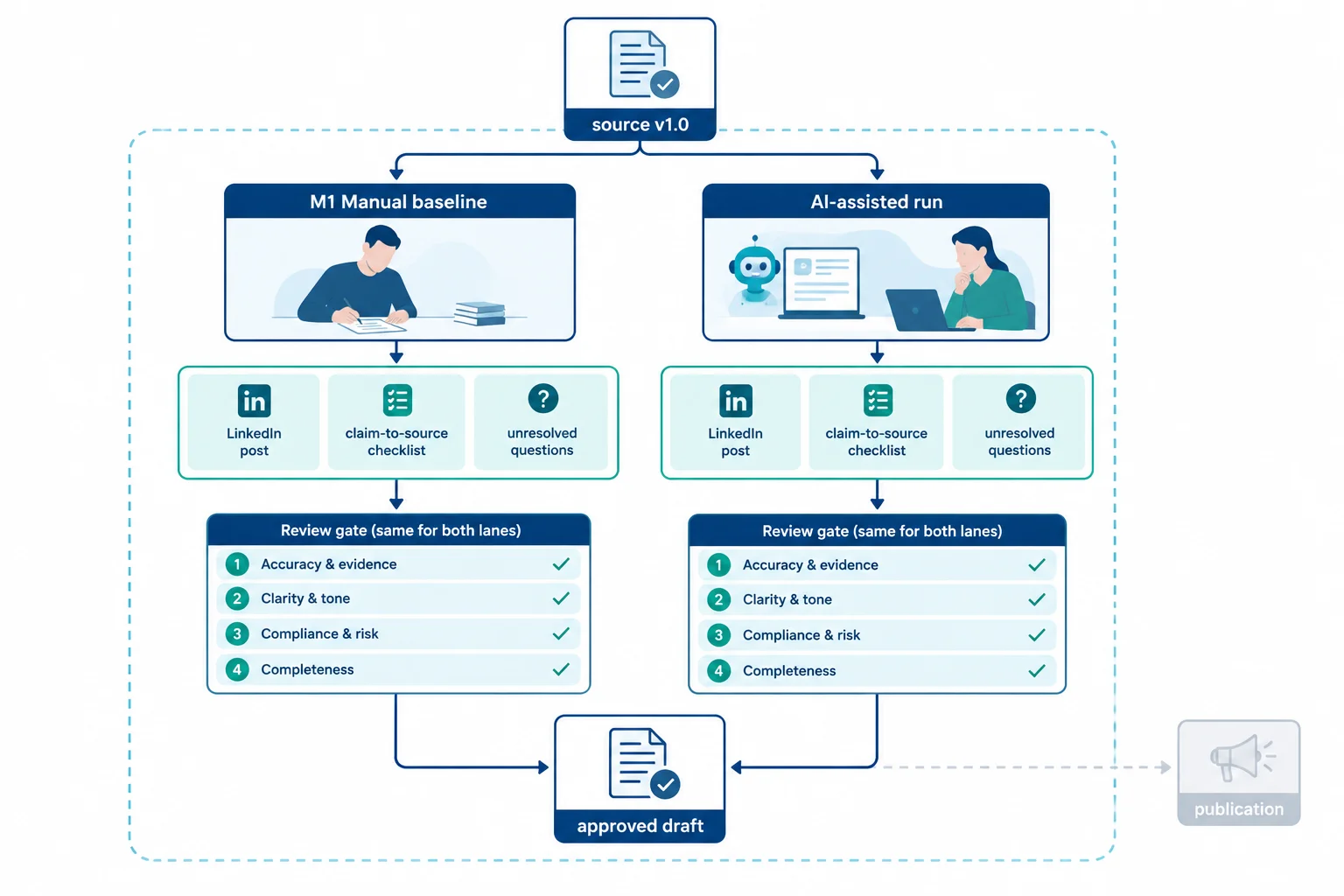
Compare equivalent approved work, not an early draft in one lane with a completed result in the other.
Tip
Create the manual baseline before opening or reading an AI response. Otherwise, the manual work can be influenced by wording, structure, or ideas already seen in that response. This order reduces imitation and practice effects; it does not eliminate every source of variation.
Use the established review rubric as a gate, not a score to average. A polished tone cannot compensate for unsupported facts, and a strong factual record cannot compensate for a safety or rights concern.
For each completed bundle, record Pass, Revise, or Block for every row. A Revise result identifies a repairable issue and sends the work back through correction and recheck. A Block prevents progress unless the issue is resolved through the workflow. Final approval is a separate decision: it can be Approved only after all four rows pass.
Apply these rows to both the manual baseline and the AI-assisted run.
| Rubric row | Reviewer checks | Approval condition |
|---|---|---|
| Factual support | Claims trace to approved source material | Pass |
| Brief and channel fit | Required bundle, LinkedIn format, length, tone, and CTA | Pass |
| Brand and readability | Warm, practical, clear wording | Pass |
| Safety and rights | No unsuitable, unsupported, or rights-related concern | Pass |
Tip
Retain the path to approval. If an initial draft needs a correction, preserve its Edit disposition and reason. Then record the corrected revision, its recheck, its Accept disposition, and the final approval decision separately. This history makes quality risk and correction effort visible in the later comparison.
Example
Completed supplied manual baseline — M1-r2
LinkedIn post
Looking for a practical way to plan content? Harbor Workshops is hosting Plan Your First Content Calendar, a free, 45-minute online workshop for solo business owners. The workshop covers topic selection and weekly scheduling. Bring the questions you have about choosing topics and setting a weekly schedule, then use the session to focus on those two planning tasks. Registration is required, and no replay is available. Set aside 45 minutes to focus on your content planning. Register for the free workshop.
Unresolved questions: None.
This is the completed manual bundle, not the initial draft. Its post is 81 words and contains no source-reference labels.
The finished post stays reader-facing. The checklist keeps the evidence trail outside the post.
| Factual claim | Source |
|---|---|
| Workshop title | [F1] |
| Free, 45-minute, online | [F2] |
| Solo business owners | [F3] |
| Topic selection and weekly scheduling | [F4] |
| Registration required; no replay | [F5] |
| Required CTA | Output requirement |
Example
Initial manual record
Post-correction record
Supplied M1 timing by stage. These are scenario estimates for the complete manual route, including its correction and final approval.
| Stage | Active human work | Elapsed duration |
|---|---|---|
| Preparation | 2.0 person-min | 2.0 min |
| Drafting | 8.0 person-min | 8.0 min |
| Tool waiting | 0.0 person-min | 0.0 min |
| Verification | 3.0 person-min | 3.0 min |
| Correction | 1.0 person-min | 1.0 min |
| Approval | 2.0 person-min | 2.0 min |
| M1 recurring total | 16.0 person-min | 16.0 min |
Record reusable work separately. For the supplied route, workflow v1.0 setup is 6.0 person-min and 6.0 min, both labeled Scenario estimate. It is not part of M1’s recurring total.
Choose one route for this learning activity:
The supplied-example route takes approximately 24 minutes. Optional original drafting or live-tool use may take longer.
Write four labeled bullets to complete the comparison protocol and baseline record.
Use the supplied M1 record. Do not introduce AI-assisted results or calculate savings yet.
Write at least 240 characters (0/240).
Step 5 of 8
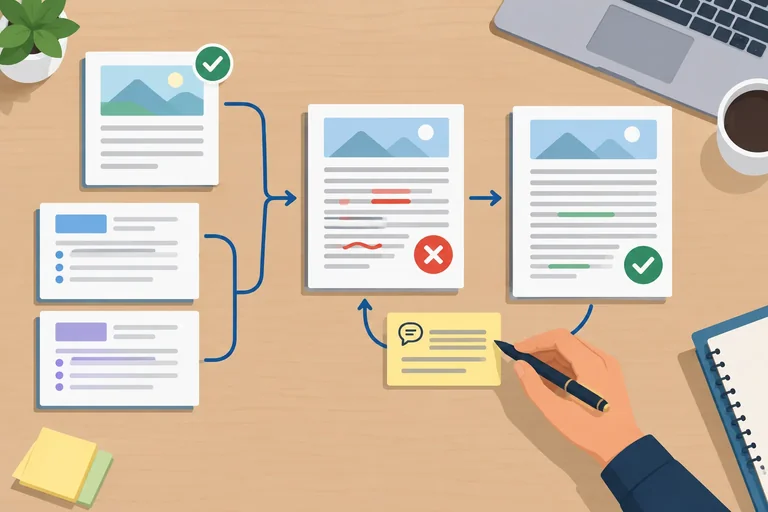
Choose one bounded route: transfer the approved material to an optional free-tier assistant, or inspect the complete supplied route on these screens. Neither route publishes anything.
For the supplied route, create the starting record before inspecting the response: Run: A1; Mode: Provided example; Source version: source v1.0; Prompt version: prompt v1.0; Tool/model: Not disclosed; Timing basis: Scenario estimate.
Keep the approved source and starting prompt distinct from later revisions. References such as [F5] belong in review notes and the factual-claim-to-source checklist, never in the reader-facing LinkedIn post. Reading a supplied example is learning time; it is not production timing.
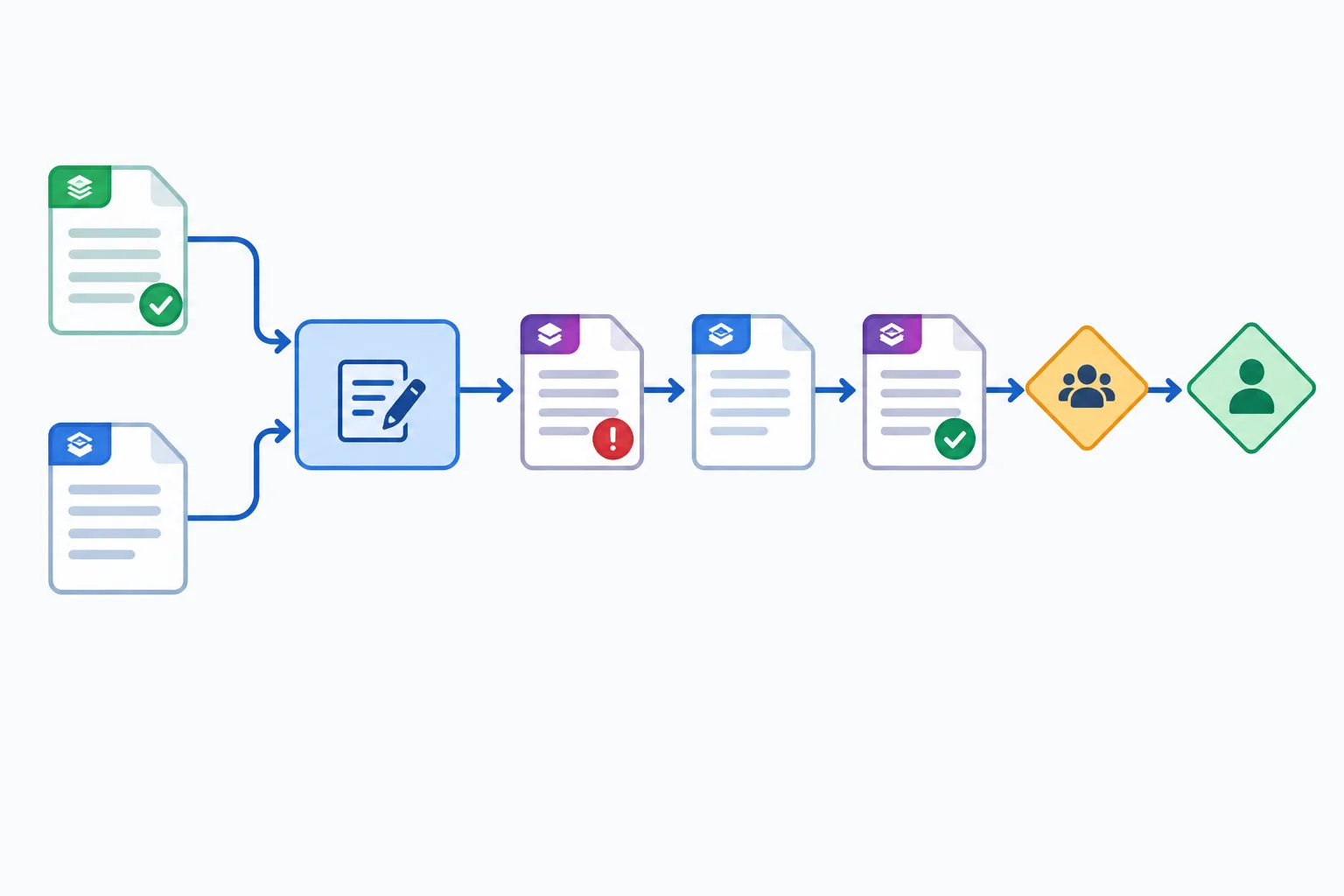
The supplied chain preserves the source while the reusable instruction changes: source v1.0 plus prompt v1.0 produces A1-r1; prompt v1.1 and the same source produce A1-r2.
Example
Supplied initial output — A1-r1
LinkedIn post
Looking for a practical way to plan content? Harbor Workshops is hosting Plan Your First Content Calendar, a free, 45-minute online workshop for solo business owners. The workshop covers topic selection and weekly scheduling. Bring the questions you have about choosing topics and setting a weekly schedule, then use the session to focus on those two planning tasks. Registration is required, and a replay will be available afterward. Set aside 45 minutes to focus on your content planning. Register for the free workshop.
Factual-claim-to-source checklist
Unresolved questions: None.
A1-r1 is an 83-word post, includes the required CTA, and contains the complete output bundle. Its only defect is the replay statement, which directly contradicts [F5]. The Reviewer records Edit, not silent acceptance, and approval remains Not approved.
This failure calls for a specific control in the reusable instruction. Create prompt v1.1; preserve prompt v1.0 as the artifact used for A1-r1. Make one focused revision request: “Using source v1.0 and prompt v1.1, revise A1-r1 to correct the replay condition. Return the complete output bundle for recheck.” The resulting output revision is A1-r2.
The complete current reusable prompt adds an explicit no-replay control. It does not replace source v1.0.
Objective
Draft one {{channel}} post that invites the stated audience to Harbor Workshops' workshop.

Audience
{{audience}}

Source material
{{approved_source}}

Constraints
- Treat the source material as the only authority for factual claims.
- Do not invent benefits, conditions, testimonials, links, or replay availability.
- State that registration is required and that no replay is available.
- Do not state or imply that a replay will be available.
- Write 80–120 words in a warm, practical tone.
- Include this CTA exactly: Register for the free workshop.
- Do not put [F#] references in the post.

Output criteria
Return exactly these three sections:
1. Post
2. Factual-claim-to-source checklist, using [F#] references
3. Unresolved questions, or "None" if there are no unresolved questions.
Example
Supplied revised output — A1-r2
LinkedIn post
Looking for a practical way to plan content? Harbor Workshops is hosting Plan Your First Content Calendar, a free, 45-minute online workshop for solo business owners. The workshop covers topic selection and weekly scheduling. Bring the questions you have about choosing topics and setting a weekly schedule, then use the session to focus on those two planning tasks. Registration is required, and no replay is available. Set aside 45 minutes to focus on your content planning. Register for the free workshop.
Factual-claim-to-source checklist
Unresolved questions: None.
Recheck the full bundle, not only the sentence that changed. The Reviewer applies the same shared rubric used for M1; the Approver acts only after the review result is Accept and every row passes.
| Rubric row | A1-r1 | A1-r2 | Review evidence |
|---|---|---|---|
| Factual support | Revise | Pass | The replay claim is corrected to match [F5]; remaining claims trace to [F1]–[F5]. |
| Brief and channel fit | Pass | Pass | 81-word LinkedIn post, exact CTA, checklist, and unresolved questions. |
| Brand and readability | Pass | Pass | Warm, practical, readable post without padded repetition. |
| Safety and rights | Pass | Pass | No concern in the supplied bundle. |
Example
Initial review record
Post-correction record
Warning
If an optional assistant is unavailable, use the manual fallback rather than inventing an AI result: record Mode: Manual and Tool/model: Not used. If the one focused AI revision still fails the acceptance conditions, complete the bundle manually or record Escalate. In either case, keep approval as Not approved until a complete bundle passes every rubric row and the Approver makes a separate decision.
For supplied examples, keep all generation and production timing labeled Scenario estimate. Do not treat the time spent reading these screens as a measured run.
Act as the record auditor. Reconstruct the two supplied A1 entries: the initial review of A1-r1 and the post-correction recheck of A1-r2. For each entry, include every run-record field: Run, Mode, Source version, Prompt version, Tool/model, Draft revision, Review disposition, Reason and changes, Approval, Approver, and Timing basis.
Then write a one- or two-sentence endpoint verdict. State whether the final artifact may leave the workflow as an approved draft and justify your answer from the revision path and human gates.
Write at least 500 characters (0/500).
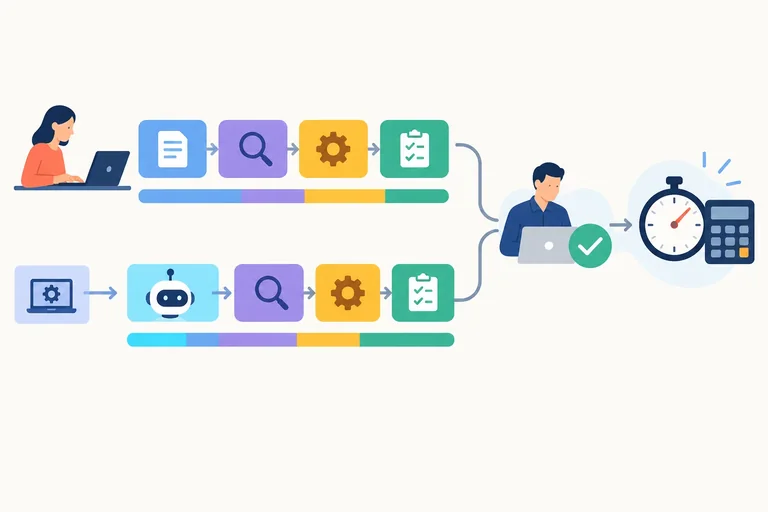
Step 6 of 8
Calculate recurring and first-use effort differences from complete run records, keeping active work, elapsed duration, setup, and timing evidence distinct.
Use the completed M1 manual baseline and A1 AI-assisted run as a stage-by-stage ledger. Both completed output bundles passed the common rubric, so their effort can be compared.
Record active human work in person-min and elapsed duration in min separately. Include Preparation, Drafting, Tool waiting, Verification, Correction, and Approval. Correction includes work caused by an initial defect or unsuccessful attempt.
Sequential stages can be summed. If durations overlap, do not count the same elapsed interval twice. Unattended tool waiting adds to elapsed duration but not to active human work. These supplied values are Scenario estimate, not Observed timings.
Scenario-estimate timing ledger for the same approved output bundle.
| Stage | M1 person-min | M1 min | A1 person-min | A1 min |
|---|---|---|---|---|
| Preparation | 2.0 | 2.0 | 2.0 | 2.0 |
| Drafting | 8.0 | 8.0 | 2.0 | 2.0 |
| Tool waiting | 0.0 | 0.0 | 0.0 | 1.0 |
| Verification | 3.0 | 3.0 | 4.0 | 4.0 |
| Correction | 1.0 | 1.0 | 2.0 | 2.0 |
| Approval | 2.0 | 2.0 | 1.0 | 1.0 |
| Recurring total | 16.0 | 16.0 | 11.0 | 12.0 |
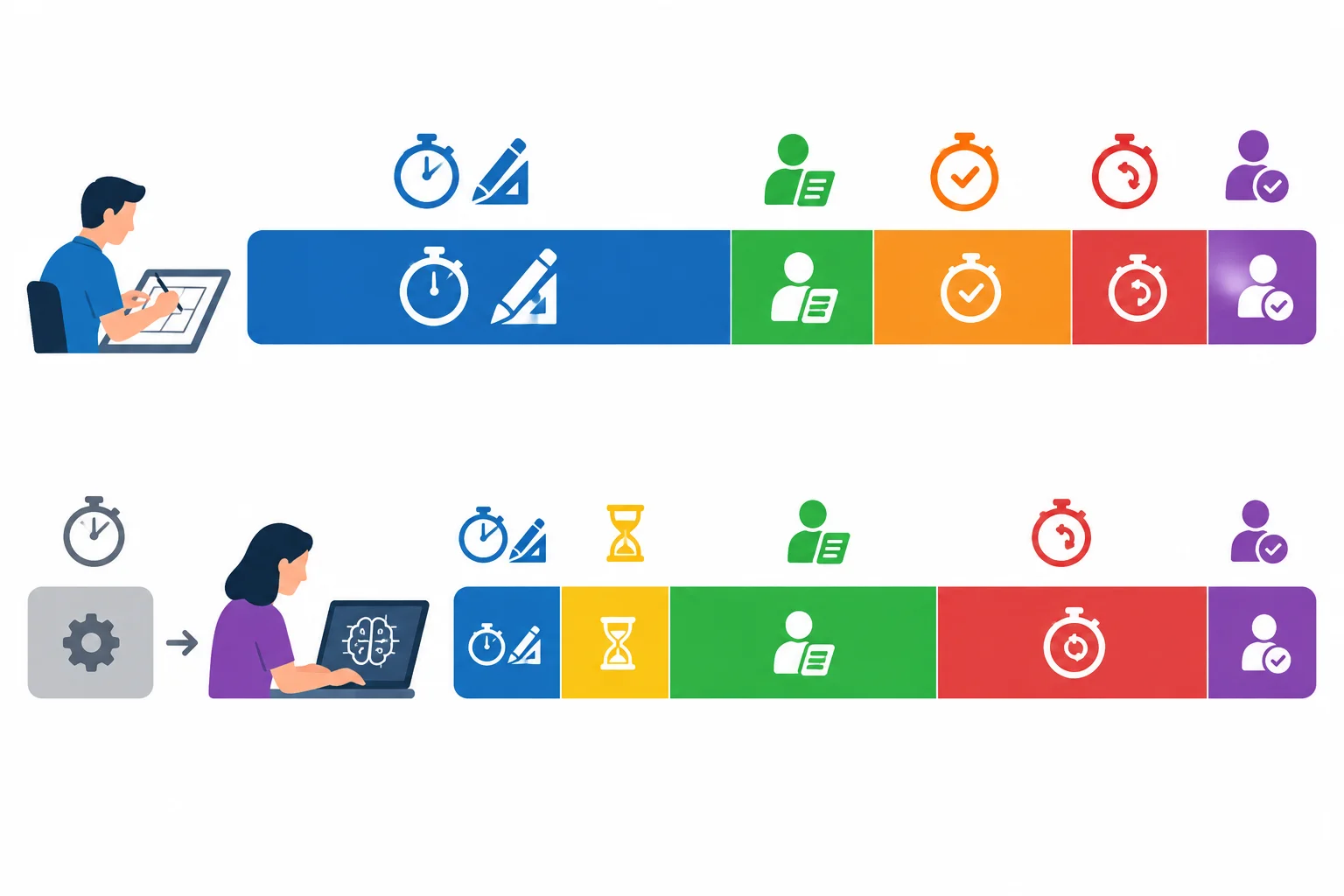
A faster drafting stage can coexist with waiting, verification, correction, and setup work. Compare complete approved runs, not drafting alone.
For a recurring comparison, exclude One-time setup and calculate each measure as manual baseline − AI-assisted run.
For the first use, add the separate One-time setup of 6.0 person-min and 6.0 min to A1. Its first-use total is therefore 17.0 person-min and 18.0 min. Against M1 at 16.0 person-min and 16.0 min, manual − AI-assisted is −1.0 person-min and −2.0 min. In this supplied scenario, A1 takes more total effort on its first use.
Do not silently spread setup across future runs. First state a reuse assumption, then calculate any allocation separately.
Example
Recurring calculation
M1 (16.0 person-min; 16.0 min) minus A1 (11.0 person-min; 12.0 min) gives 5.0 person-min and 4.0 min.
First-use calculation
A1 plus One-time setup is 11.0 + 6.0 = 17.0 person-min and 12.0 + 6.0 = 18.0 min. M1 minus this first-use total is negative: −1.0 person-min and −2.0 min. Setup remains visible because this comparison covers one use, not an assumed future series of runs.
Tip
Keep Observed records separate from Scenario estimate records. A missing stage, mixed timing basis, or unknown overlap means the comparison cannot support a confident savings claim.
Using the supplied Scenario estimate ledger, write a short calculation note.
Write at least 180 characters (0/180).

Step 7 of 8
Use quality, risk, complete effort, and evidence limits to make a proportionate workflow decision.
A workflow decision starts with quality and risk—not with a fast-looking draft.
Output volume or a quick first draft is not decision evidence by itself.
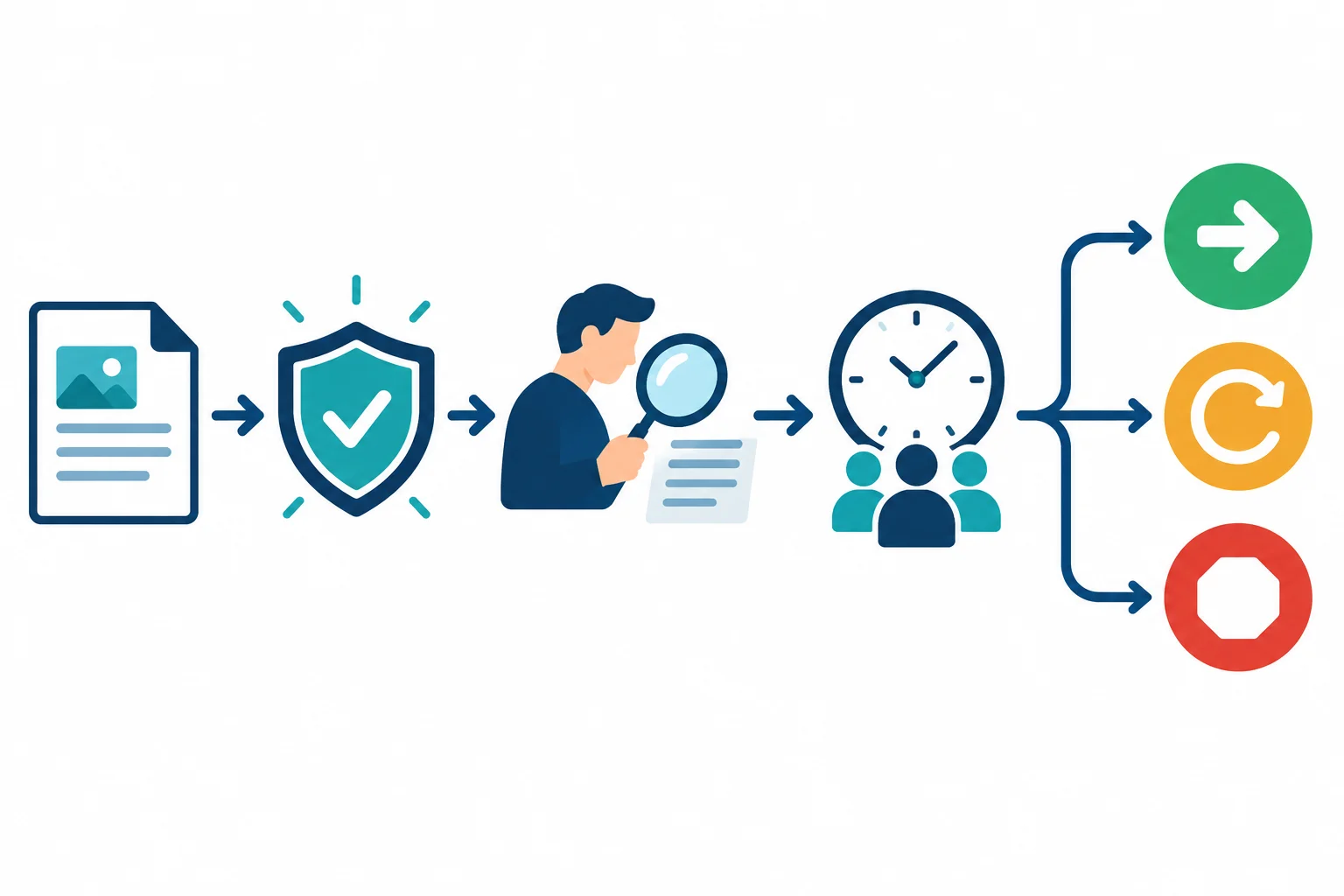
First establish acceptable quality and manageable risk; only then evaluate effort and choose a path.
Use the decision that fits the evidence, while keeping the approval gate intact.
| Decision | Use when | Next action |
|---|---|---|
| Adopt | Quality passes, risk is manageable, and the bounded use shows a useful net benefit. | Define the permitted use and continue recording runs. |
| Revise | A specific failure, bottleneck, or uncertainty can be addressed without weakening safeguards. | Change the relevant control and retest comparable briefs. |
| Abandon | Quality, safeguards, or net benefit remain inadequate after a reasonable attempt. | Stop this workflow for the task and use the manual path or escalate. |
For the supplied scenario, both M1 and A1 passed the common rubric. The recurring comparison is 5.0 person-min and 4.0 min in favor of A1 (manual − AI-assisted). But its evidence is Scenario estimate, not Observed.
First use tells a different story: M1 is 16.0 person-min and 16.0 min; A1 plus One-time setup is 17.0 person-min and 18.0 min. The first A1 draft also violated the no-replay condition before human correction and approval.
Treat this as evidence about a bounded scenario—not proof of general productivity. Approval effort, correction work, fallback frequency, free-tier availability, and unresolved issues can outweigh a faster drafting stage.
Tip
A small local comparison has important limits:
A targeted next check is stronger than a broad claim: test several comparable approved briefs, retain the same output bundle and rubric, label timings Observed, and record corrections, approvals, and any fallback use.
In the supplied scenario, M1 and A1 both pass the common rubric. A1 has estimated recurring savings, but first use costs more after setup, and its first response required correction for a no-replay error. What is the most defensible next decision?
Write a 90–150 word decision note for workflow v1.0 using the supplied scenario.
Choose Adopt, Revise, or Abandon. Cite the common quality result and both recurring and first-use effort evidence. State at least two limitations of the comparison, and name one targeted next check needed before broader use. Keep the timing basis clear and do not claim statistical certainty.
Write at least 450 characters (0/450).
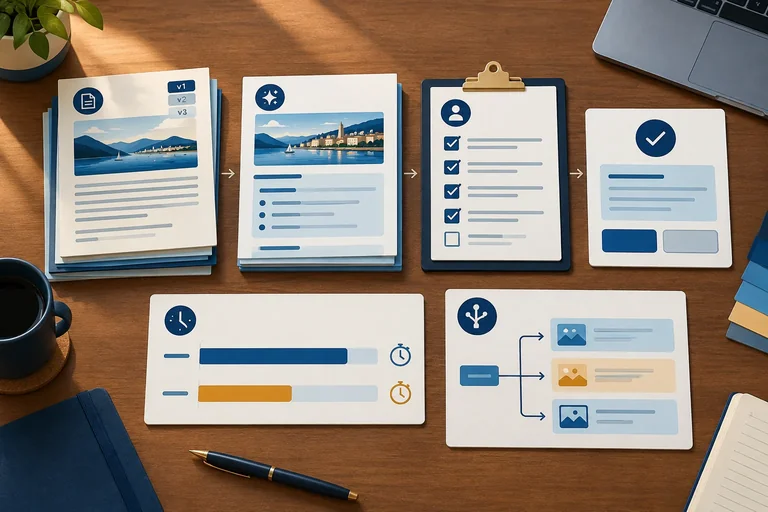
Step 8 of 8
Consolidate a reusable workflow package, verify its traceability, and write a bounded decision note grounded in the supplied comparison.
A reusable package is a short operational reference, not a collection of disconnected notes. Consolidate the artifacts already built into workflow v1.0:
prompt v1.1 with approved inputs. Preserve prompt v1.0 because it documents the earlier A1 attempt.Approved only after every row is Pass.Escalate if conditions still fail.Keep source, prompt, and output versions distinct. The endpoint is an approved draft. Publication remains outside the workflow.
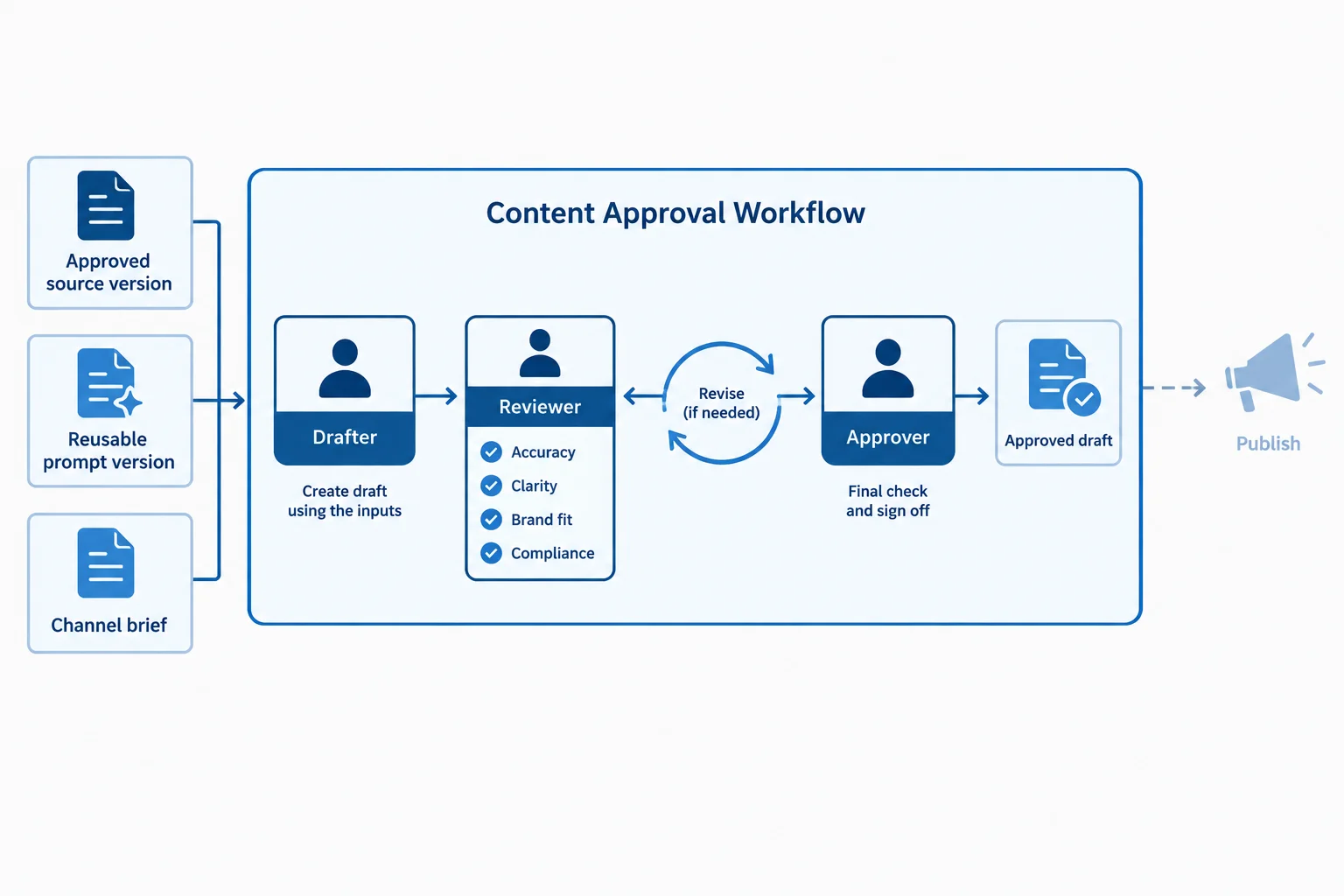
The reusable package preserves a human approval gate and ends with an approved draft, not publication.
Summary
Use this check before reusing the workflow.
Traceability is a chain of evidence, not merely a final file. The canonical supplied history for the AI-assisted run is:
source v1.0 + prompt v1.0 → A1-r1 → Edit → prompt v1.1 + source v1.0 → A1-r2 → Accept → Approved
A1 is the run identifier. A1-r1 is the first draft revision. The Reviewer records Edit because its replay statement contradicts [F5]. The reusable instruction is then changed to prompt v1.1; that changed prompt and source v1.0 produce A1-r2.
The Reviewer rechecks the complete A1-r2 bundle. Factual support, Brief and channel fit, Brand and readability, and Safety and rights must all be Pass. Only then does the Approver separately record Approved. Keep the defect, change reason, and earlier Not approved status in the record; do not overwrite history.
The two records below preserve the initial defect and final human decision.
| Record | Source and prompt | Draft and disposition | Reason and changes | Approval and approver | Timing basis |
|---|---|---|---|---|---|
| A1; Provided example; Tool/model: Not disclosed | source v1.0; prompt v1.0 | A1-r1; Edit | Replay statement contradicts [F5]; revise the reusable instruction. | Not approved; Not used | Scenario estimate |
| A1; Provided example; Tool/model: Not disclosed | source v1.0; prompt v1.1 | A1-r2; Accept | No-replay requirement addressed; complete bundle rechecked; all rubric rows Pass. | Approved; Approver | Scenario estimate |
A comparison is fair only because the completed M1 manual baseline and A1 AI-assisted run pass the same rubric and deliver the same bundle. In the supplied Scenario estimate, recurring effort is M1 minus A1: 5.0 person-min and 4.0 min in favor of A1.
For first use, retain One-time setup: A1 is 17.0 person-min and 18.0 min after adding setup, versus M1 at 16.0 person-min and 16.0 min. Therefore, manual minus AI-assisted is −1.0 person-min and −2.0 min for first use. This is local estimated evidence, not an observed productivity claim or a guarantee for another brief, reviewer, model response, or free-tier condition.
Tip
The corrected prompt is not a reason to weaken review. prompt v1.1 is a control to retest with comparable approved briefs, while the Reviewer and Approver still apply the same gates to every new draft.
Write a concise final decision note with these five labeled parts. Use only the supplied records.
workflow v1.0, the current prompt v1.1, the required output bundle, roles, gates, and one fallback rule.source v1.0 and prompt v1.0 through A1-r1, the [F5] review issue, prompt v1.1, A1-r2, recheck, and approval.prompt v1.1 already addresses the replay failure; do not propose that same change again.source v1.0 is superseded by approved source v1.1 immediately before A1-r2 would receive approval. Apply the existing readiness, review, and fallback rules. Explain how you preserve records and prevent approval from being bypassed.Write at least 700 characters (0/700).
Congratulations! You completed: Build and Evaluate a Human-Reviewed AI Workflow
You completed this level!
Up next: Integrated Marketing Plan and Pitch
 Connect Channels in an Integrated Marketing PlanDraft the strategic core of an integrated marketing plan for a real or hypothetical business. Connect audience evidence and objectives to coordinated channel roles, explaining what to include, defer, or exclude without building a website or launching campaigns.
Thousands of online courses in video, ebooks and audiobooks.
To test your knowledge during online courses
Generated directly from your cell phone's photo gallery and sent to your email

Download our app via QR Code or the links below:.



Carry knowledge in your pocket.
Download the Cursa app.
There are hundreds of free courses available, with a free certificate of completion that is saved in your mobile image gallery.
Download the app to access the Course Completion Certificate for Free.


+ 10 million
students

Free and Valid
Certificate

60 thousand free
exercises

4.8/5 rating in
app stores

Free courses in
video and ebooks