
Step 1 of 8
Establish the Permission Boundary
Decide whether fictional contact sources provide documented permission for Northstar Stationery marketing, lack it, or need further verification.

Learning path · Level 8 · Tutorial 1
Design a permission-based signup and subscriber-list structure for a hypothetical business. Specify useful segments, preference choices, and unsubscribe handling without collecting real personal data.

 Establish the Permission Boundary
Decide whether fictional contact sources provide documented permission for Northstar Stationery marketing, lack it, or need further verification. 2 min
 Write a Clear Signup Promise
2 min
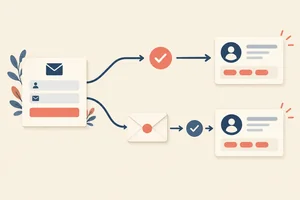 Choose an Opt-In Approach
2 min
 Specify the Minimum Subscriber Record
Choose the smallest useful subscriber fields, preserve understandable permission evidence, and avoid collecting optional data without a defined use. 2 min
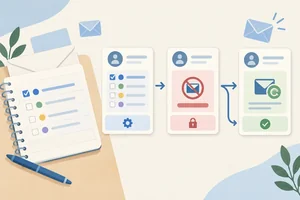 Preserve Preferences and Honor Unsubscribes
Specify how topic preferences, global unsubscribes, and later imports change subscriber records without silently restoring withdrawn permission. 3 min
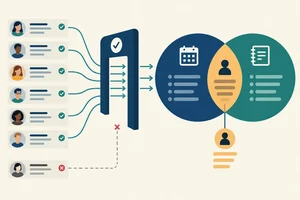 Build Useful, Testable Segments
Define purposeful, eligibility-first email segments and test them against fictional subscriber records. 2 min
 Separate Service Messages from Marketing
Classify necessary service communications, promotions, and mixed-purpose messages without treating a purchase or service label as a marketing exemption. 2 min
 Complete and Test Your List Design
Assemble and validate a permission-based list design for Northstar Stationery before any future marketing campaign is drafted or sent. 3 min
Step 1 of 8
Decide whether fictional contact sources provide documented permission for Northstar Stationery marketing, lack it, or need further verification.
A permission-based list is not a list of every address a business can find. It contains contacts for whom the business can point to a documented, appropriate basis for the specific marketing it plans to send.
For Northstar Stationery, the intended marketing is practical planning tips and occasional stationery offers. Having an email address alone does not show that its owner chose to receive that marketing.
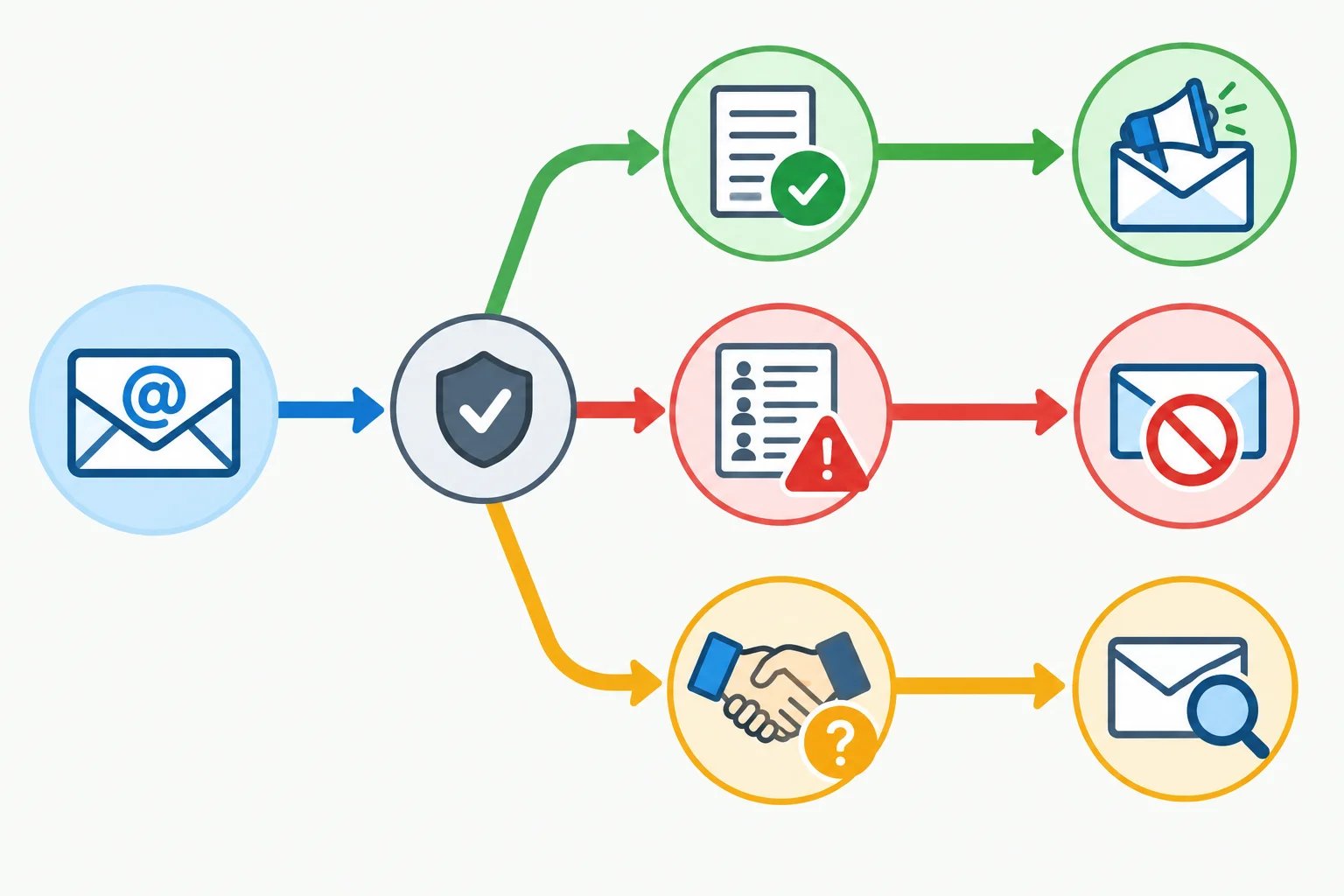
The key question is whether there is evidence appropriate to Northstar Stationery's proposed marketing.
Permission has scope. Ask two linked questions:
Permission for another organization, a service request, or an unrelated purpose cannot simply be assumed to cover Northstar Stationery marketing. In this tutorial, use a permission-first standard: when evidence is absent or unclear, do not treat the contact as eligible marketing permission.
These sources do not, by themselves, document permission for Northstar Stationery marketing:
They may show a possible relationship or interest. They do not automatically show an affirmative, appropriately scoped marketing choice.
Example
A spreadsheet contains subscriber01@example.com because the person bought a notebook from Northstar Stationery. No record shows a marketing choice.
Decision: marketing permission is missing. The purchase does not turn the address into a marketing-list entry.
Warning
Use only the supplied fictional contacts and scenarios in this tutorial. Do not enter real addresses, create a live signup page, set up an email account, or send messages.
Requirements can vary by jurisdiction, recipient type, relationship, and email-provider policy. This permission-first design exercise is educational and is not legal advice. Check current applicable requirements before real use.
Match each fictional situation to its permission assessment for Northstar Stationery marketing.
Tap an item and then its matching pair.

Step 2 of 8
A signup promise lets a person make an informed marketing choice. State four things plainly:
This is a fictional design exercise. Do not enter real contact details or create a live signup form.
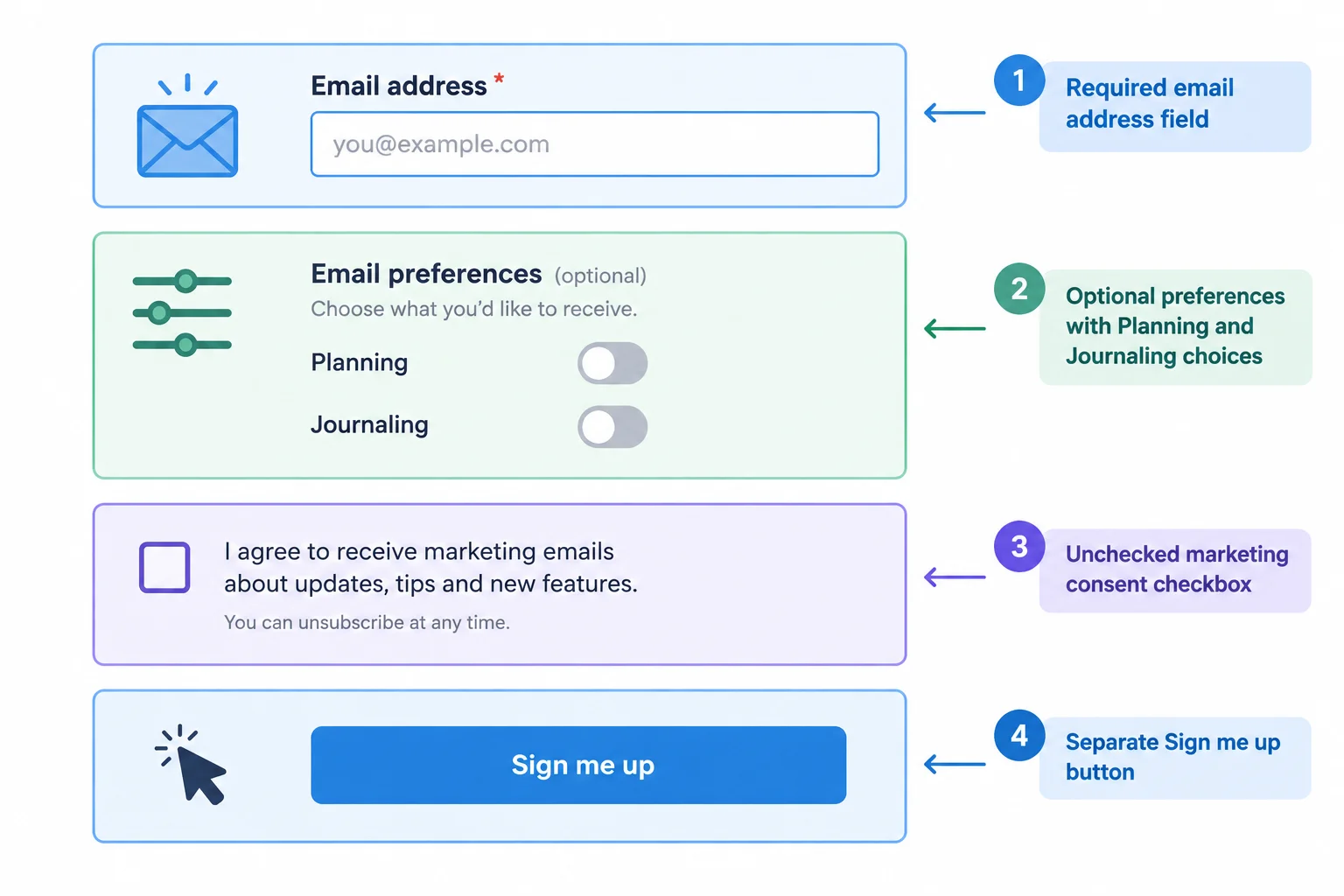
Separate required contact information, optional preferences, the marketing choice, and the action that submits that choice.
A person should be able to see what is required and what is optional before signing up. An email address may be required to receive email; interests are optional preferences, not a condition of marketing permission.
Keep a Privacy Notice available because it explains data handling. However, reading a Privacy Notice is not itself an affirmative choice to receive marketing.
Keep marketing separate from checkout, account creation, a service request, and acceptance of unrelated terms. Give people a concise reminder that they can later use Update preferences or Unsubscribe from all marketing.
Example
Northstar Stationery signup wording — v1
“Northstar Stationery sends practical planning tips and occasional stationery offers, with up to 2 marketing emails per month. Select preferences if you wish. You can use Update preferences or Unsubscribe from all marketing at any time.”
Email address (required)
Preferences (optional)
[ ] Planning
[ ] Journaling
[ ] Yes, I choose to receive the marketing described above from Northstar Stationery.
Sign me up
Read our Privacy Notice to understand how we handle your information.
The marketing checkbox starts unchecked. The Privacy Notice supports transparency, but the checkbox and signup action make the affirmative marketing choice.
A fictional stationery business is redesigning its website form. Which design best preserves a voluntary marketing choice?
Write a short signup draft for the fictional business Northstar Stationery. Include:
Do not hide the promotional content or make marketing permission part of a purchase, account creation, service request, or Privacy Notice. Do not use real personal data.
Write at least 80 characters (0/80).
Step 3 of 8
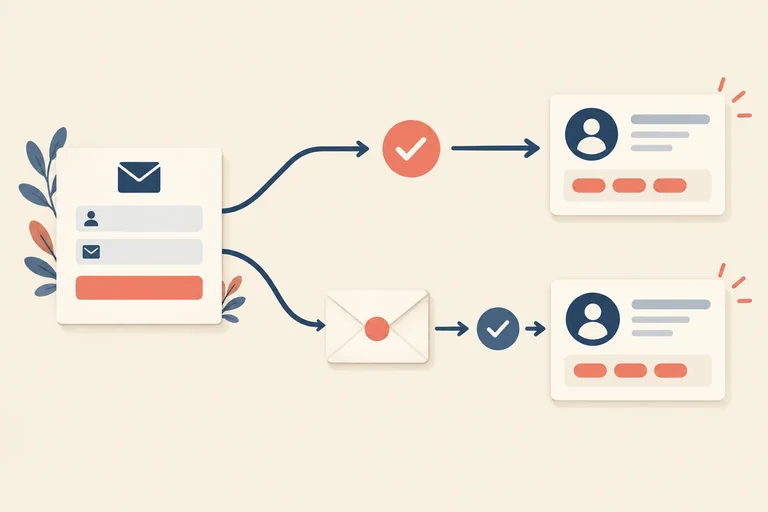
An opt-in approach defines when a person becomes eligible for Northstar Stationery marketing after making an affirmative signup choice.
With single opt-in, the recorded signup takes the contact directly to subscribed. With confirmed opt-in (also called double opt-in), the signup creates a pending record, and a separate confirmation action is required before the record becomes subscribed.
For this worked design, Northstar uses confirmed opt-in. A pending contact is not eligible for practical planning tips or occasional stationery offers. The confirmation request exists only to verify the signup; it is not a promotional message.
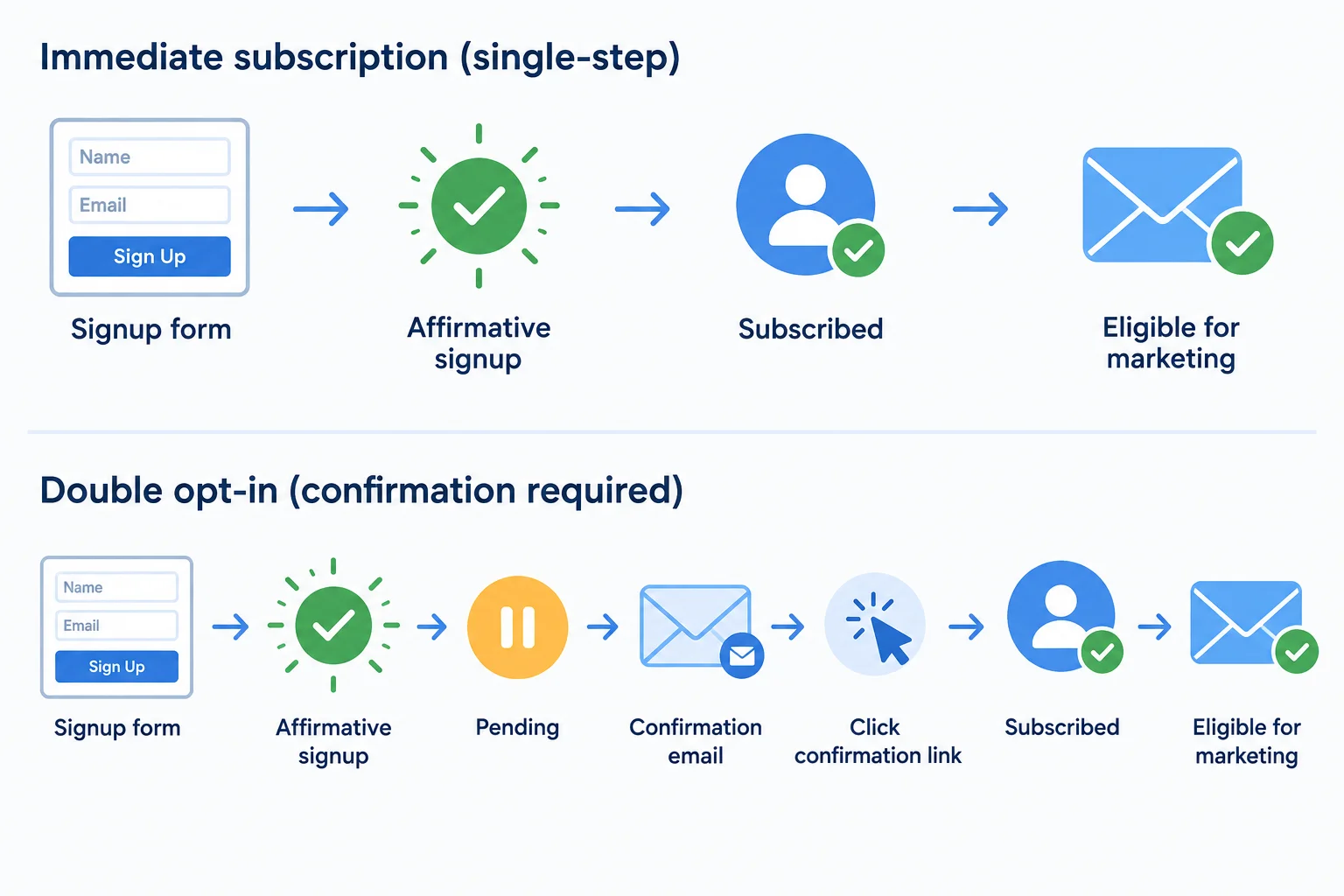
In the worked confirmed-opt-in design, only the subscribed state is eligible for marketing.
Neither method is automatically right for every situation. Choose deliberately, then verify what applies before a real launch.
Compare the practical trade-offs before selecting an approach.
| Factor | Single opt-in | Confirmed opt-in |
|---|---|---|
| Signup experience | Fewer steps | Requires a further action |
| Address quality | Mistyped addresses may be enrolled | Can reduce mistyped-address enrollment |
| Evidence | Records the initial affirmative choice | Adds evidence that the address was controlled for confirmation |
| What it does not prove | Identity or universal legal compliance | Identity or universal legal compliance |
| Before deployment | Check current applicable requirements and provider rules | Check current applicable requirements and provider rules |
Warning
Do not assume confirmed opt-in is universally mandatory, or that single opt-in is always sufficient. Check current official requirements or qualified guidance for the relevant jurisdictions and recipient relationship, plus the email provider's rules.
Arrange the events in the only correct order for Northstar Stationery’s confirmed-opt-in design.
Northstar Stationery is deciding how to collect marketing signups. A fictional contact submitted the v1 signup but has not taken the confirmation action.
Write a short design recommendation that:
Write at least 220 characters (0/220).
Step 4 of 8
Choose the smallest useful subscriber fields, preserve understandable permission evidence, and avoid collecting optional data without a defined use.
A subscriber record should hold only what Northstar Stationery needs to send permission-based marketing and demonstrate why that contact is eligible.
Start with these core fields:
Email: the delivery address.Permission status: not recorded, pending, subscribed, or unsubscribed.Signup source: where the affirmative action occurred.Permission action at (UTC): when that action happened.Wording version: the version of the signup promise accepted.For a confirmed opt-in design, add Confirmed at (UTC). This preserves the separate confirmation event; a pending contact has not completed it yet.
A compact record keeps the evidence for permission separate from optional information used for a defined purpose.
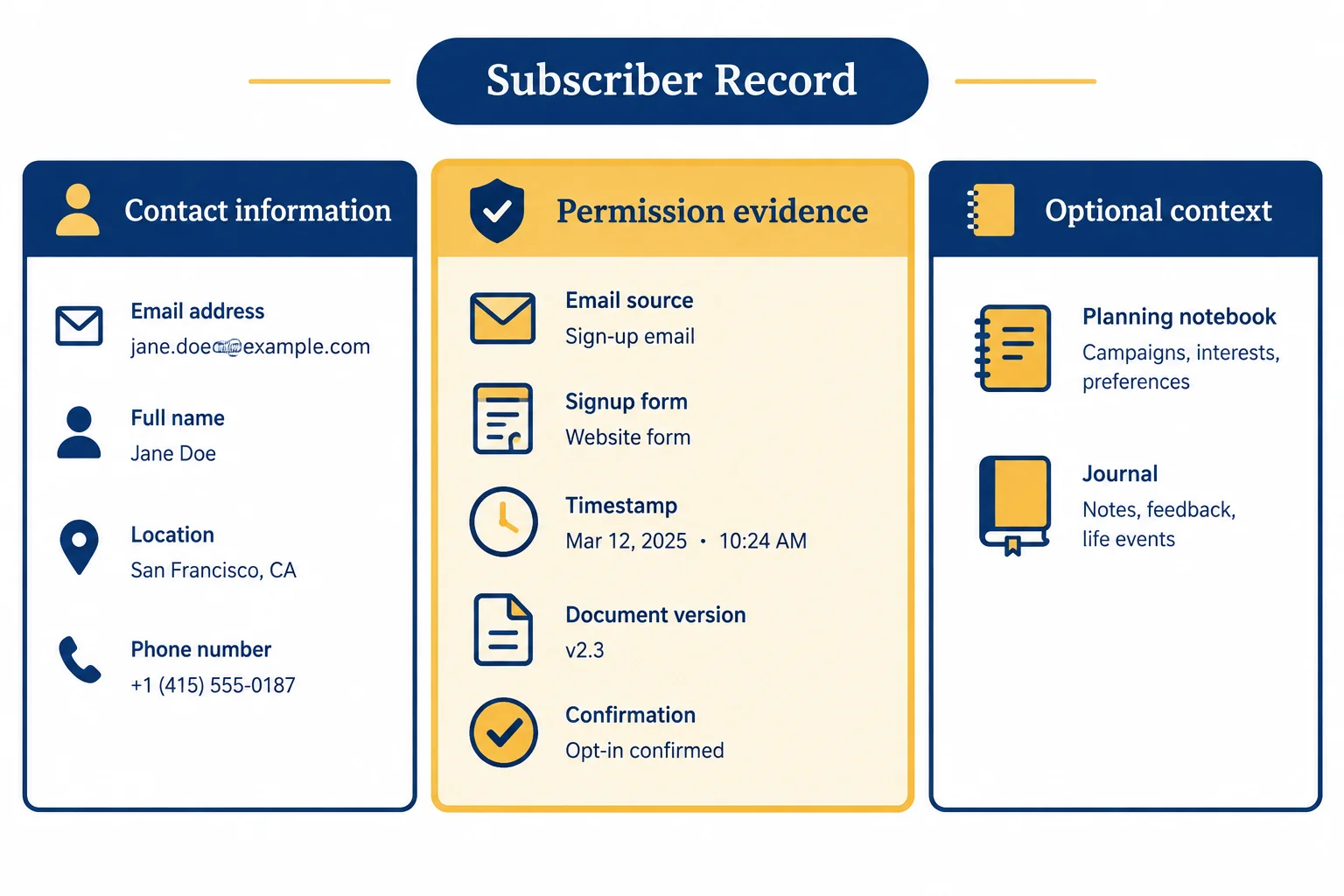
Store the evidence that supports eligibility before considering optional context.
Wording version is useful only when it points to the actual wording that was retained. A label such as v1 alone does not show what the person saw or agreed to.
In this shared worked example, Northstar Stationery uses confirmed opt-in. The signup action and the later confirmation are separate evidence events. The wording referenced as v1 must resolve to the retained signup promise: practical planning tips and occasional stationery offers, with up to 2 marketing emails per month.
Worked confirmed-opt-in record for a fictional contact
| Field | Worked value | Why it is kept |
|---|---|---|
| subscriber01@example.com | Delivery address | |
| Permission status | subscribed | Current permission state |
| Signup source | Website signup form | Where the action occurred |
| Permission action at (UTC) | 2026-05-04T09:30:00Z | Time of signup action |
| Wording version | v1 | Links to retained signup wording |
| Confirmed at (UTC) | 2026-05-04T09:34:00Z | Time of confirmation action |
Optional fields need a stated use—not just an available column in a tool.
Interests may contain the declared preferences Planning and/or Journaling when Northstar Stationery will use them to make topic choices more relevant. They are optional and do not create marketing permission.
Lifecycle stage is optional too. Use Customer only when a supplied confirmed purchase record establishes that status. If the available information does not establish it, use Unknown.
Do not collect birth dates, sensitive attributes, detailed behavioral histories, or technical identifiers merely because they could be collected. More data increases handling responsibility without automatically improving a permission-based list.
Tip
Limit access to people who need the record for a defined task, and review retention proportionately. Permission evidence or an exclusion record may need to be retained for a justified period, but that does not mean every field should be kept forever. Check applicable retention and erasure requirements before setting real policies.
Audit this proposed confirmed-opt-in record:
Email: subscriber01@example.comPermission status: subscribedSignup source: Website signup formPermission action at (UTC): 2026-05-04T09:30:00ZWording version: v1Confirmed at (UTC): not recordedv1.Write three short bullet points:
field — purpose pairs from the record.Write at least 120 characters (0/120).
Step 5 of 8
Specify how topic preferences, global unsubscribes, and later imports change subscriber records without silently restoring withdrawn permission.
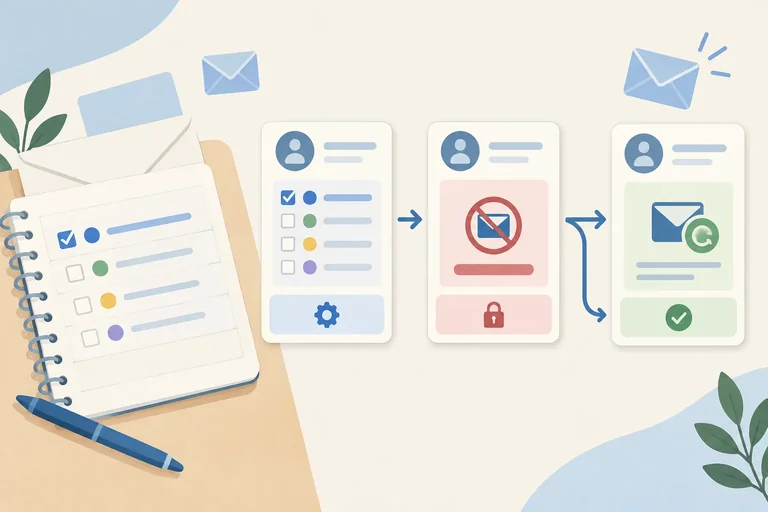
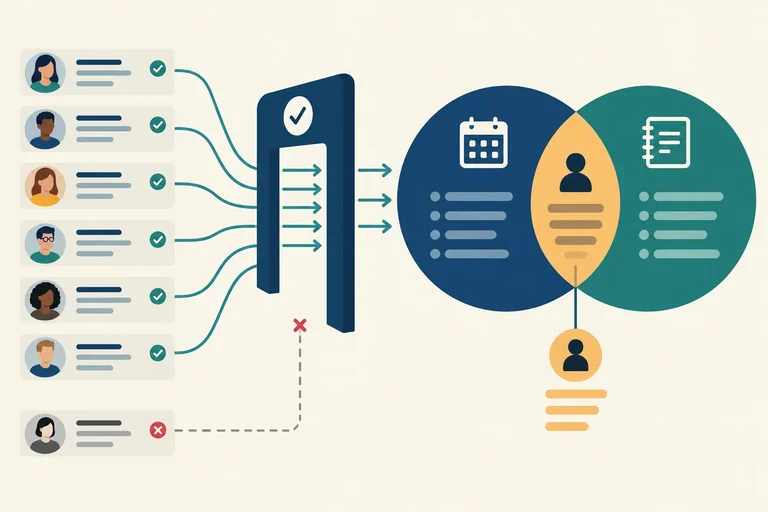
Preferences describe the topics a person wants, such as Planning or Journaling. They narrow relevant content; they do not create, replace, or restore marketing permission.
In the worked design, marketing eligibility requires both Permission status = subscribed and Marketing suppression = off. Updating Interests alone does not change either condition.
A global unsubscribe is different: it withdraws marketing permission across topics. Record it promptly rather than treating it as merely removing a preference.
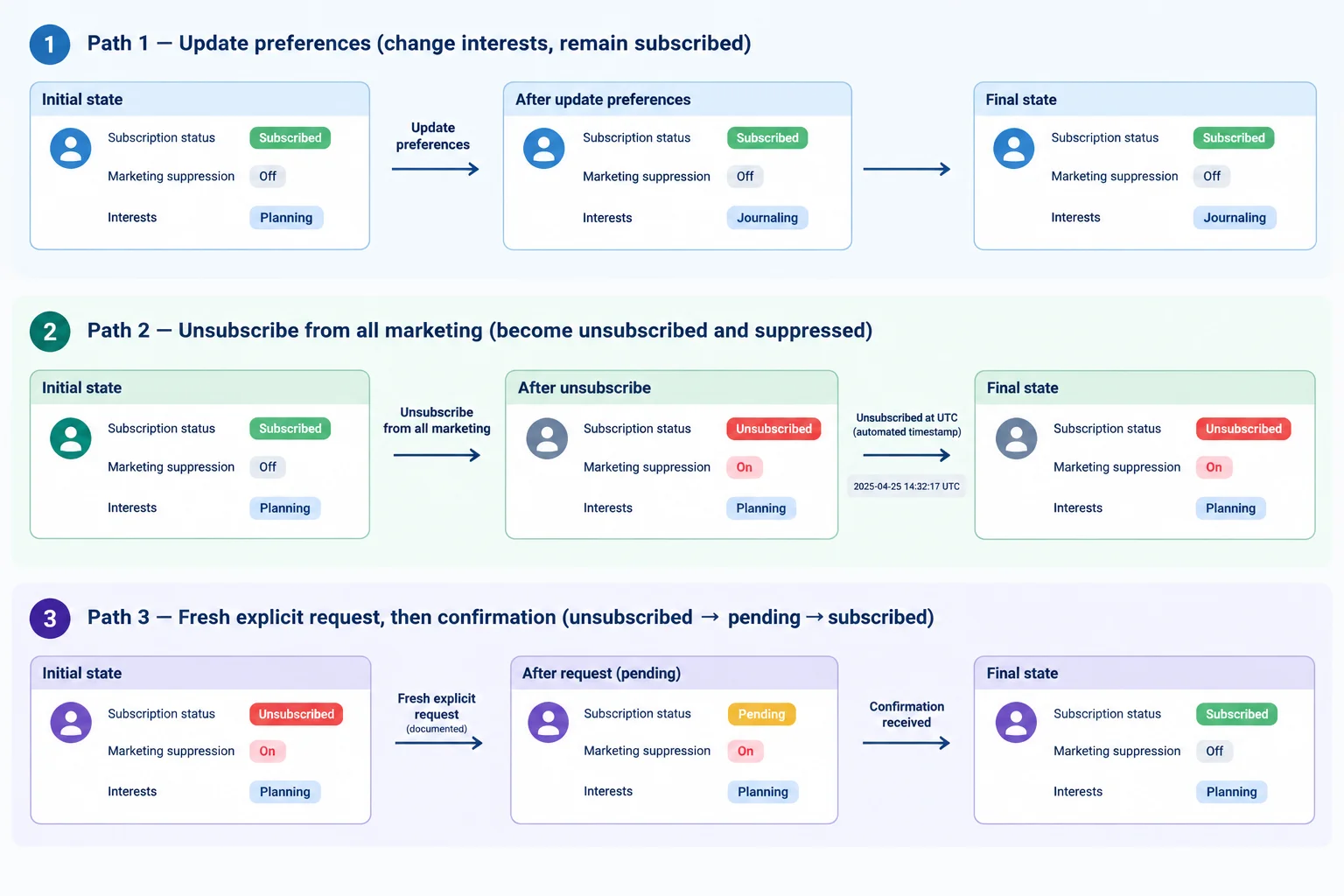
Only a fresh, documented permission process can move a suppressed record back toward marketing eligibility.
Give people two visibly different controls. Topic selections are preferences; the global action ends all marketing. The global option should be clear and readily usable, without requiring a survey or asking the person to keep a topic selected.
For Northstar Stationery, the optional preferences are Planning and Journaling. The signup promise remains practical planning tips and occasional stationery offers, with up to 2 marketing emails per month across all marketing.
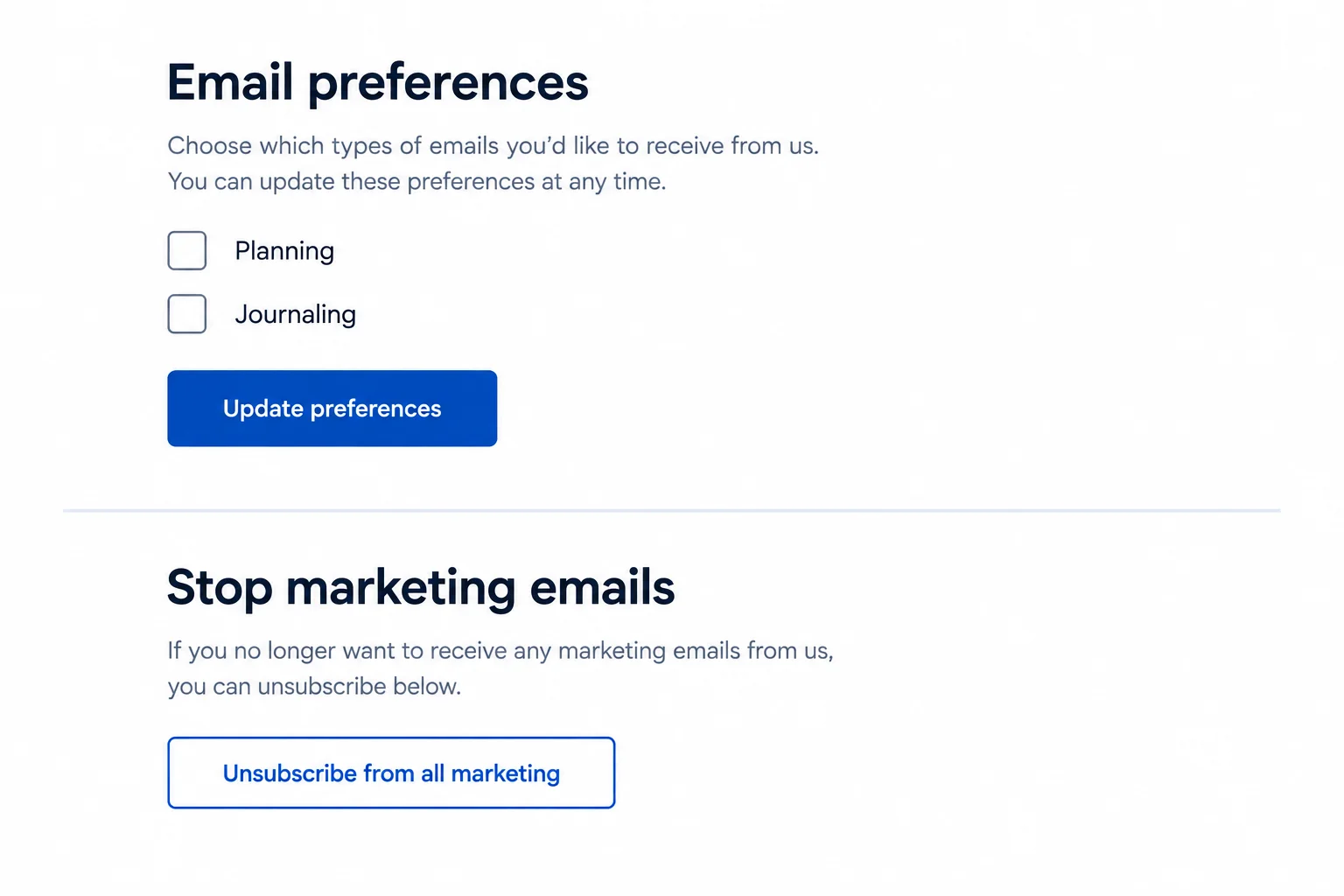
Topic controls and the global marketing exit should never be presented as the same action.
Tip
Removing Planning, adding Journaling, or editing any other preference must not silently switch Marketing suppression from on to off. It also must not turn an unsubscribed record back into a subscribed one.
Keep an exclusion mechanism even when a contact is removed from a working audience. A minimal suppression record can retain the Email, Marketing suppression, and Unsubscribed at (UTC) values needed to prevent accidental marketing re-enrollment.
Retain only what is justified. Suppression records are still personal data, so retention and erasure obligations require checking for the relevant situation.
Assume subscriber01@example.com was subscribed with Marketing suppression off before these events.
| Event | Permission status | Marketing suppression | Required result |
|---|---|---|---|
| Updates Interests to Journaling | subscribed | off | Update Interests only |
| Uses Unsubscribe from all marketing at 2026-05-04T09:30:00Z | unsubscribed | on | Store Unsubscribed at (UTC) |
| Later import supplies Lifecycle stage Customer | unsubscribed | on | Do not overwrite or restore eligibility |
Warning
A purchase record, a stale import, or an administrative preference edit does not reverse a previous unsubscribe. To resubscribe, the person must make a fresh, explicit, documented request and complete the applicable verification process. In the worked confirmed-opt-in design, that request begins as pending rather than immediately restoring marketing eligibility.
Match each event for subscriber01@example.com to the required record outcome.
Tap an item and then its matching pair.
Step 6 of 8
Define purposeful, eligibility-first email segments and test them against fictional subscriber records.
A segment is a rule-based group created for a specific marketing purpose. It is not a new source of permission.
Start every marketing segment with the eligibility conditions:
Permission status is subscribed AND Marketing suppression is off
Then add only information that supports the purpose. For Northstar Stationery, declared preferences can support Planning or Journaling content. A supplied confirmed purchase record can support the Lifecycle stage Customer.
A contact may match more than one segment. That overlap does not create extra permission or raise the promise of up to 2 marketing emails per month across all marketing.
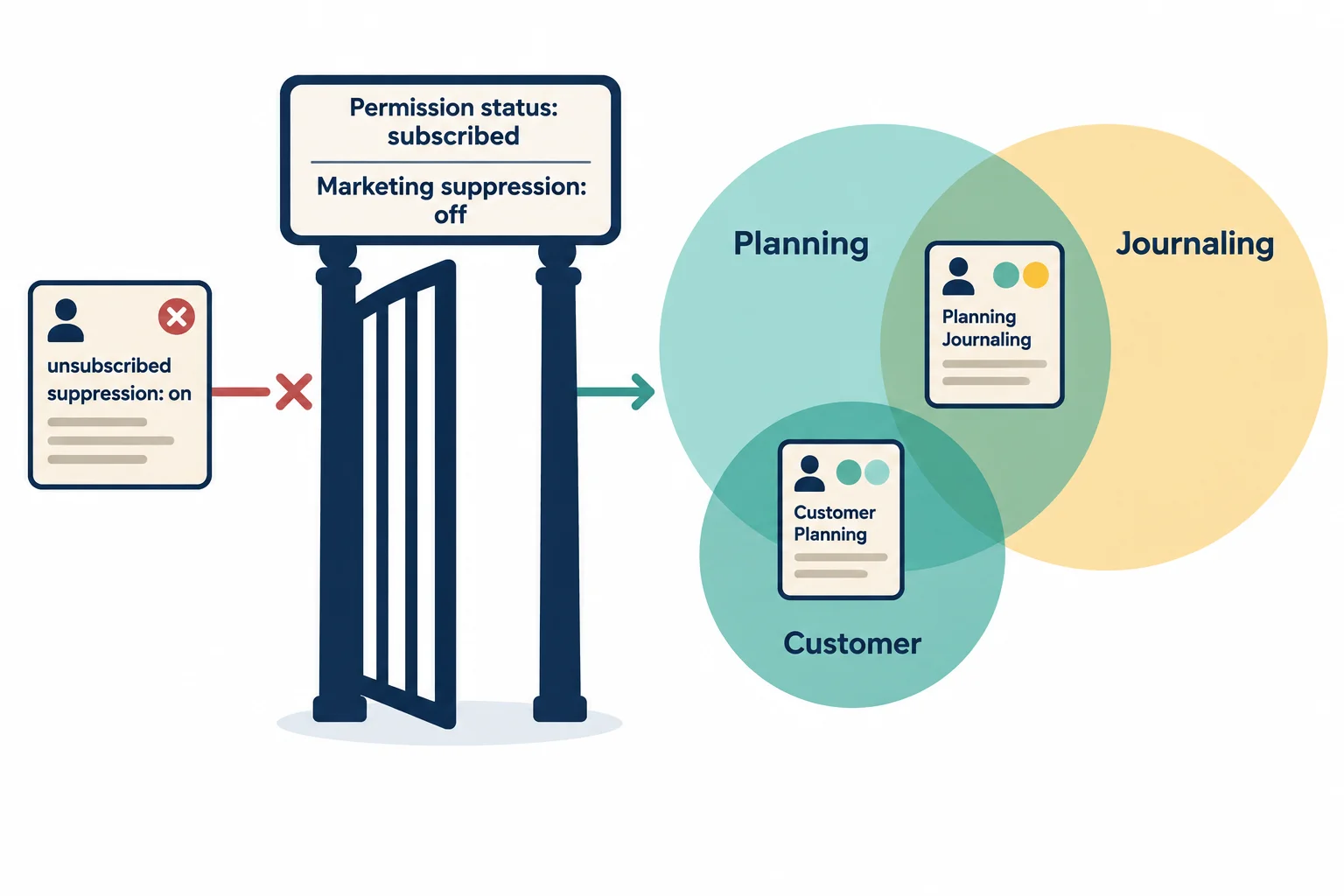
Eligibility is the gate. Interests and justified lifecycle details refine the audience after that gate.
Write rules in plain English so another person can test them against a record. Use uppercase AND and OR, and put alternatives in parentheses.
Examples:
Permission status is subscribed AND Marketing suppression is off AND Interests include PlanningPermission status is subscribed AND Marketing suppression is off AND (Interests include Planning OR Interests include Journaling)Permission status is subscribed AND Marketing suppression is off AND Interests include Planning AND Lifecycle stage is CustomerUnknown does not satisfy a condition requiring Customer. Lifecycle or behavioral data can refine a meaningful audience only when it was appropriately collected; it never replaces marketing permission.
Test the Customer Planning rule against these fictional records. A record belongs only when every condition in that one rule is true.
| Record | Permission status | Marketing suppression | Interests | Lifecycle stage | Customer Planning? |
|---|---|---|---|---|---|
| subscriber01@example.com | subscribed | off | Planning, Journaling | Customer | Yes |
| subscriber02@example.com | subscribed | off | Planning | Unknown | No |
| subscriber03@example.com | subscribed | off | Journaling | Customer | No |
| subscriber04@example.com | pending | off | Planning | Customer | No |
| subscriber05@example.com | subscribed | on | Planning | Customer | No |
Tip
The matrix tests one rule only: Customer Planning. subscriber02@example.com has valid marketing eligibility and declared Planning interest, but Unknown is not positive evidence of Customer status.
Use segments to make a message more relevant, not to multiply sends. Before sending, the combined marketing schedule must still honor Northstar Stationery’s maximum of two marketing emails per month.
Build the Customer Planning segment rule in the correct order.
Your sentence
Available words
Northstar Stationery wants a Customer Planning segment for relevant Planning marketing. Write one complete eligibility-first rule, state its marketing purpose, and apply it to the records below.
For each record, state whether it belongs and give a brief reason.
Write at least 250 characters (0/250).

Step 7 of 8
Classify necessary service communications, promotions, and mixed-purpose messages without treating a purchase or service label as a marketing exemption.
A necessary service communication helps deliver, confirm, or support a transaction or service the recipient requested—for example, an order receipt or a delivery update. A promotional message encourages additional commercial activity, such as buying another product or using a discount.
Classify by the message’s real purpose and content, not by a label such as “transactional” in an email tool. A marketing unsubscribe blocks promotional eligibility, but it does not automatically prevent every genuinely necessary service communication. Service messages still need their own appropriate purpose and must never be used to bypass marketing suppression.

A service need, a promotional aim, and a mixed-purpose case require different handling.
Use this matrix as a practical first classification. “Further checking” means checking current requirements for the relevant jurisdictions, recipient relationship, and provider policy before sending; it is not a conclusion that the message is permitted.
| Message content | Initial classification | Why it fits | Marketing-unsubscribe implication |
|---|---|---|---|
| Order receipt with amount and items | Clearly service-focused | Confirms a requested purchase | May be necessary service handling; do not add promotion |
| “Save 15% on your next notebook” | Clearly promotional | Encourages an additional purchase | Do not send to a marketing-unsubscribed contact |
| Delivery update plus product recommendations | Mixed-purpose | Necessary update is combined with promotion | Do not assume a service exemption; review before sending |
| Account password-reset link | Clearly service-focused | Supports a requested account action | Use only for that service purpose |
| Purchase confirmation plus a discount code | Mixed-purpose | Discount promotes a further purchase | Separate or review promotional content before sending |
Example
A purchase record can establish the lifecycle stage Customer when it is a supplied confirmed purchase record. It does not create general permission for promotions. Likewise, a necessary service message is not a vehicle for recommendations, discounts, or upsells simply because it includes service information.
When content is mixed or uncertain, avoid treating it as automatically exempt. Consider separating the necessary service content from the promotion, then check the applicable current rules and provider policy.
Northstar Stationery needs to send subscriber01@example.com a delivery-delay update for a confirmed order. The contact has Permission status: unsubscribed and Marketing suppression: on. The draft also says, “Use code PLAN15 on your next order.” What is the best assessment?

Step 8 of 8
Assemble and validate a permission-based list design for Northstar Stationery before any future marketing campaign is drafted or sent.
A list design is ready for review only when its parts agree. Trace one path from the signup promise to the stored evidence, marketing eligibility, later preference changes, and message purpose.
For every proposed marketing segment, check:
Permission status is subscribed AND Marketing suppression is off?This is a no-send design review. It creates an eligibility foundation; campaign copy and email accessibility come next.
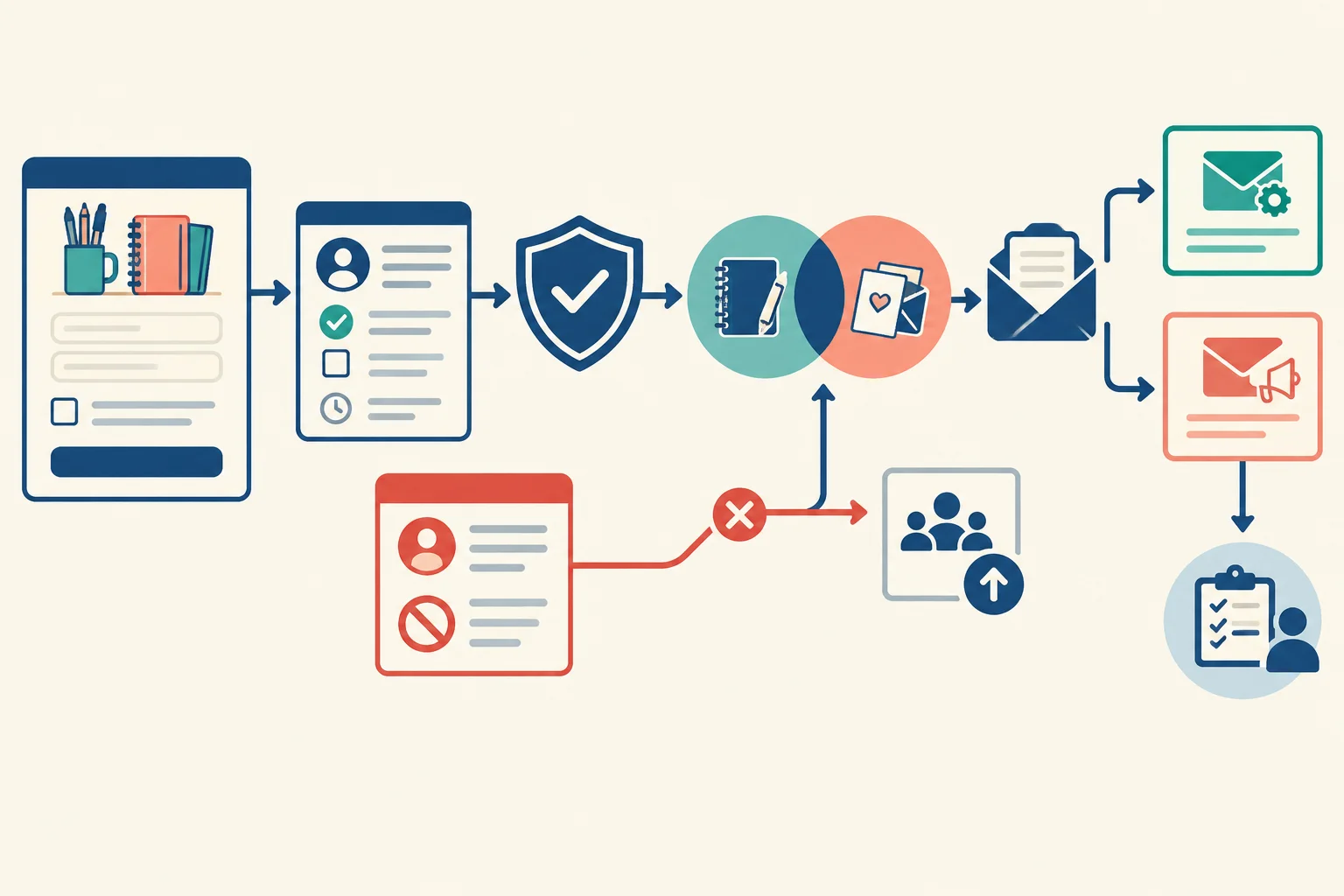
Preferences refine topic selection; documented permission and suppression status determine whether marketing is eligible.
Tip
Before real use, keep unresolved questions visible: applicable jurisdictional requirements, recipient relationship, retention or erasure duties, and the email provider's current policies. A review flag is not permission to send. It identifies something to check with current official or qualified guidance.
Use one concise specification rather than scattered notes. The shared worked design uses confirmed opt-in: an affirmative signup creates pending, and a separate confirmation action changes pending → subscribed. A pending contact is not eligible for marketing. The confirmation request exists only to verify the signup, not to promote an offer.
Retain this complete signup wording and control set as v1:
Northstar Stationery signup wording — v1
“Northstar Stationery sends practical planning tips and occasional stationery offers, with up to 2 marketing emails per month. Select preferences if you wish. You can use Update preferences or Unsubscribe from all marketing at any time.”
Email address (required)
Preferences (optional)
[ ] Planning
[ ] Journaling
[ ] Yes, I choose to receive the marketing described above from Northstar Stationery.
Sign me up
Read our Privacy Notice to understand how we handle your information.
The marketing checkbox starts unchecked. The checkbox and separate signup action are the affirmative marketing choice; the Privacy Notice explains data handling but is not that choice.
Keep only fields that document permission, support a stated use, or prevent an unwanted marketing send. Wording version must resolve to the retained complete wording shown above, not merely to the label v1. Interests support relevant topic segments. Lifecycle stage supports a customer-interest segment only when a supplied confirmed purchase record supports Customer; otherwise use Unknown.
| Field | Example or allowed value | Purpose |
|---|---|---|
| subscriber01@example.com | Delivery address | |
| Permission status | not recorded, pending, subscribed, or unsubscribed | Current permission state |
| Signup source | Website signup form | Where the affirmative request began |
| Permission action at (UTC) | 2026-05-04T09:30:00Z | Time of signup action |
| Wording version | v1 | Links to retained signup wording |
| Confirmed at (UTC) | 2026-05-04T09:34:00Z or not recorded | Confirmation evidence |
| Interests | Planning and/or Journaling | Optional topic targeting |
| Lifecycle stage | Customer or Unknown | Optional stated-use targeting |
| Marketing suppression | on or off | Exclusion safeguard |
| Unsubscribed at (UTC) | UTC timestamp or not recorded | Opt-out evidence |
Example
Example segments and controls:
Permission status is subscribed AND Marketing suppression is off AND Interests include Planning — purpose: relevant Planning marketing.Permission status is subscribed AND Marketing suppression is off AND Interests include Planning AND Lifecycle stage is Customer — purpose: tailor Planning marketing to confirmed customers.Update preferences changes Interests only. Unsubscribe from all marketing changes Permission status to unsubscribed, sets Marketing suppression to on, and records Unsubscribed at (UTC). Keep a justified suppression record so an import cannot silently restore eligibility.
A necessary service message must remain service-focused. Promotional content added to it is mixed-purpose and needs review; a service label must not evade marketing suppression.
Run edge cases before using a segment or treating a message as service-only. Require positive evidence: Unknown does not satisfy a condition requiring Customer, and a stale imported value does not override an unsubscribe.
Expected result for each fictional validation case
| Case | Correct outcome | Why |
|---|---|---|
| Confirmation not completed | Not eligible for marketing | Permission status remains pending. |
| Subscribed person changes Planning to Journaling | Planning segment excludes; Journaling segment may include | The preference changes topic membership, not underlying permission. |
| Unsubscribed person appears in a later import | Remain unsubscribed; Marketing suppression remains on | The suppression record prevents accidental re-enrollment. |
| Service receipt includes an additional offer | Flag for review as mixed-purpose | Promotion can change classification and must not bypass marketing suppression. |
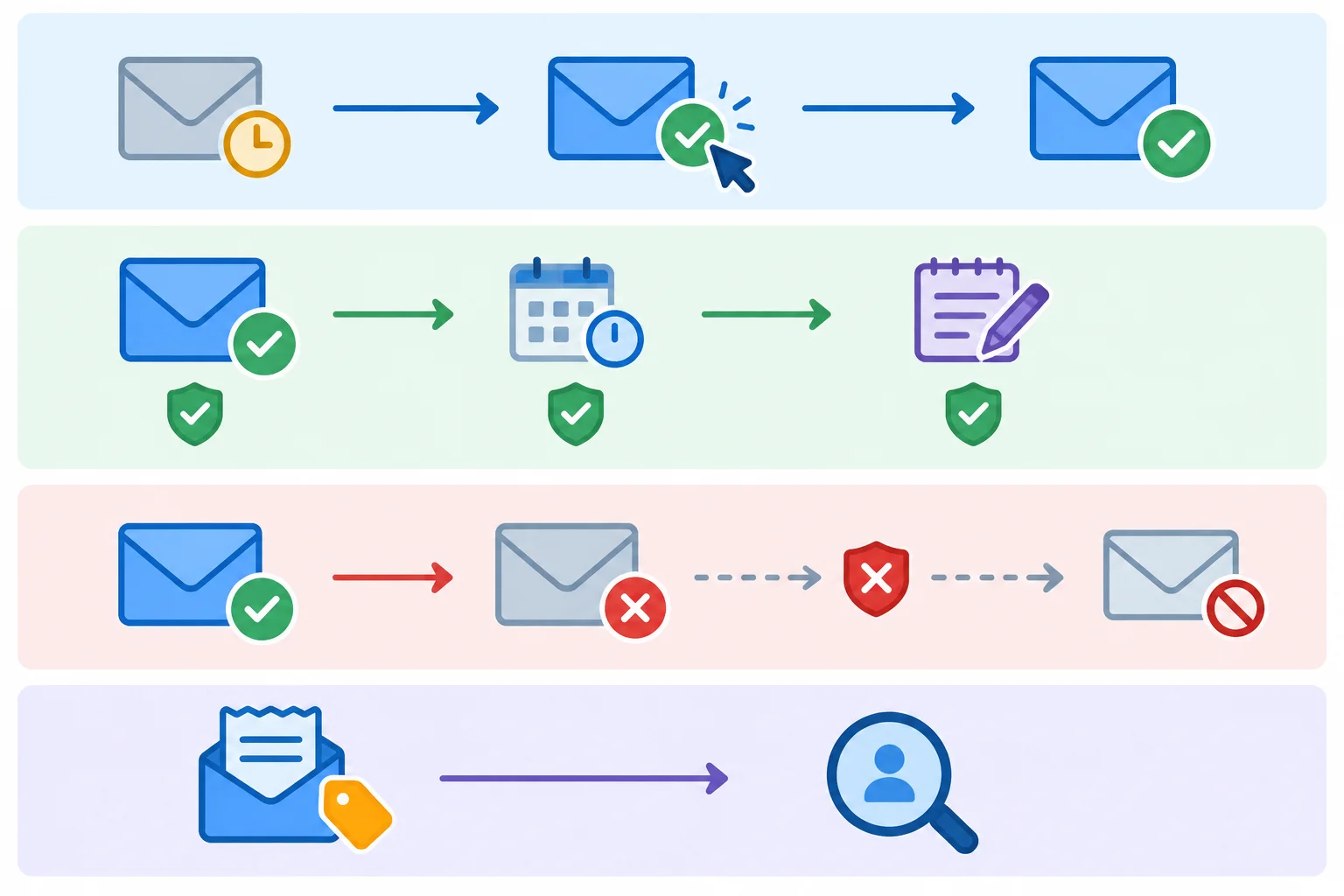
Only a fresh, explicit, documented request and the applicable verification process can support deliberate resubscription; neither an import nor a preference edit can do so.
Summary
Create a concise no-send list specification for Northstar Stationery using structured bullets or short paragraphs.
Include:
v1 signup wording, including sender, practical planning tips and occasional stationery offers, frequency, an initially unchecked marketing checkbox or equivalent affirmative mechanism, and a separate signup action.v1 resolves to retained wording.Update preferences and Unsubscribe from all marketing change records and preserve suppression.Then give the outcome and reason for all four cases: pending confirmation; a Planning-to-Journaling preference change; an unsubscribed contact returning in an import; and a service receipt that adds an offer.
Write at least 700 characters (0/700).
Congratulations! You completed: Design a Permission-Based Email List
Thousands of online courses in video, ebooks and audiobooks.
To test your knowledge during online courses
Generated directly from your cell phone's photo gallery and sent to your email

Download our app via QR Code or the links below:.



Carry knowledge in your pocket.
Download the Cursa app.
There are hundreds of free courses available, with a free certificate of completion that is saved in your mobile image gallery.
Download the app to access the Course Completion Certificate for Free.


+ 10 million
students

Free and Valid
Certificate

60 thousand free
exercises

4.8/5 rating in
app stores

Free courses in
video and ebooks