Step 1 of 8
Recognize Fluent but Unreliable Output
Learn to recognize reliability warning signs in fluent AI-generated marketing drafts and use the approved brief as the fixed reference.

Learning path · Level 9 · Tutorial 3
Audit an AI-generated marketing draft for factual reliability, brand fit, bias, privacy, and usage-rights concerns. Decide what can be retained, what needs correction, and what should not be used.

 Recognize Fluent but Unreliable Output
Learn to recognize reliability warning signs in fluent AI-generated marketing drafts and use the approved brief as the fixed reference. 2 min
 Trace Claims to Evidence
Classify factual claims by tracing them to approved evidence and independently checking whether a cited source actually supports the claim. 3 min
 Check Meaning, Brand, and Channel Fit
Compare an AI-generated Instagram post with its approved brief to preserve supported language and correct material changes. 3 min
 Review Bias and Audience Assumptions
Identify unsupported audience assumptions and revise AI-generated marketing language around approved, non-sensitive product use. 2 min
 Check for Exposed Information
Identify potentially exposed information in AI-generated marketing output and respond cautiously without spreading it or assuming it is genuine. 2 min
 Review Provenance and Usage Rights
Review provenance, permissions, tool terms, and similarity signals before using an AI-generated marketing asset. 3 min
 Record an Evidence-Based Decision
Choose review dispositions, document findings with evidence, and separate excerpt decisions from Human approval for the complete draft. 2 min
 Complete a Marketing Draft Review
Audit a complete fictional Northstar Paper marketing draft, correct what approved evidence supports, and identify blockers that require escalation before human approval. 4 min
Step 1 of 8
Learn to recognize reliability warning signs in fluent AI-generated marketing drafts and use the approved brief as the fixed reference.
Polished marketing language can sound complete, confident, and ready to post. That fluency is not evidence that its facts are accurate.
Treat unusually precise claims, confident promises, source references, and missing offer details as review targets. A warning sign tells you what to check; it does not, by itself, prove the statement false.
A reliable review compares the draft with approved evidence instead of trusting how professional it sounds.

A fluent draft still needs evidence-based checking.
Use this fixed reference throughout the tutorial. It is the boundary for what the draft may safely claim.
Approved brief — Fictional training material
| Area | Approved fact |
|---|---|
| Product | Week Planner: undated A5 paper planner with weekly layouts and notes pages |
| Offer | USD 18.00 for first-time US customers through September 30, 2026 |
| Condition | Shipping charged separately |
| Not approved | Digital features, performance statistics, testimonials, or environmental claims |
| Audience and voice | Adults interested in paper-based weekly planning; calm, practical, and inclusive |
Common AI-specific warning signs:
At this stage, flag the wording. Later, you will determine its evidence status.
Example
AI draft — Fictional training material
“Plan every week perfectly with the Week Planner.”
This is a warning sign of unsupported certainty. The brief supports paper-based weekly planning; it does not support a perfect-result promise.
AI draft — Fictional training material
“Get your Week Planner for USD 18.00.”
This may omit qualifications. Compare it with the approved offer before treating it as usable.
Tip
Keep supported, effective language when it matches the brief. The goal is not to reject a draft because AI wrote it; the goal is to identify exactly what needs checking.
Match each AI draft excerpt to its most relevant reliability warning sign.
Tap an item and then its matching pair.
Step 2 of 8
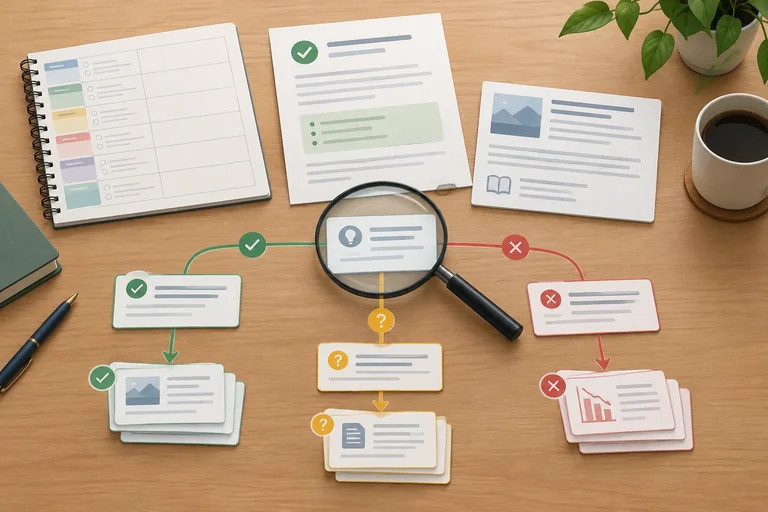
Classify factual claims by tracing them to approved evidence and independently checking whether a cited source actually supports the claim.
A polished phrase can be useful without needing proof: “Make room for the week ahead.” A checkable claim asserts something that could be confirmed or challenged: a feature, price, statistic, date, result, or quoted source.
For each checkable claim, trace a path back to a specific piece of approved evidence. Then compare the exact wording—not just the general topic. Ask: Does the evidence support this meaning, scope, certainty, and any qualification?
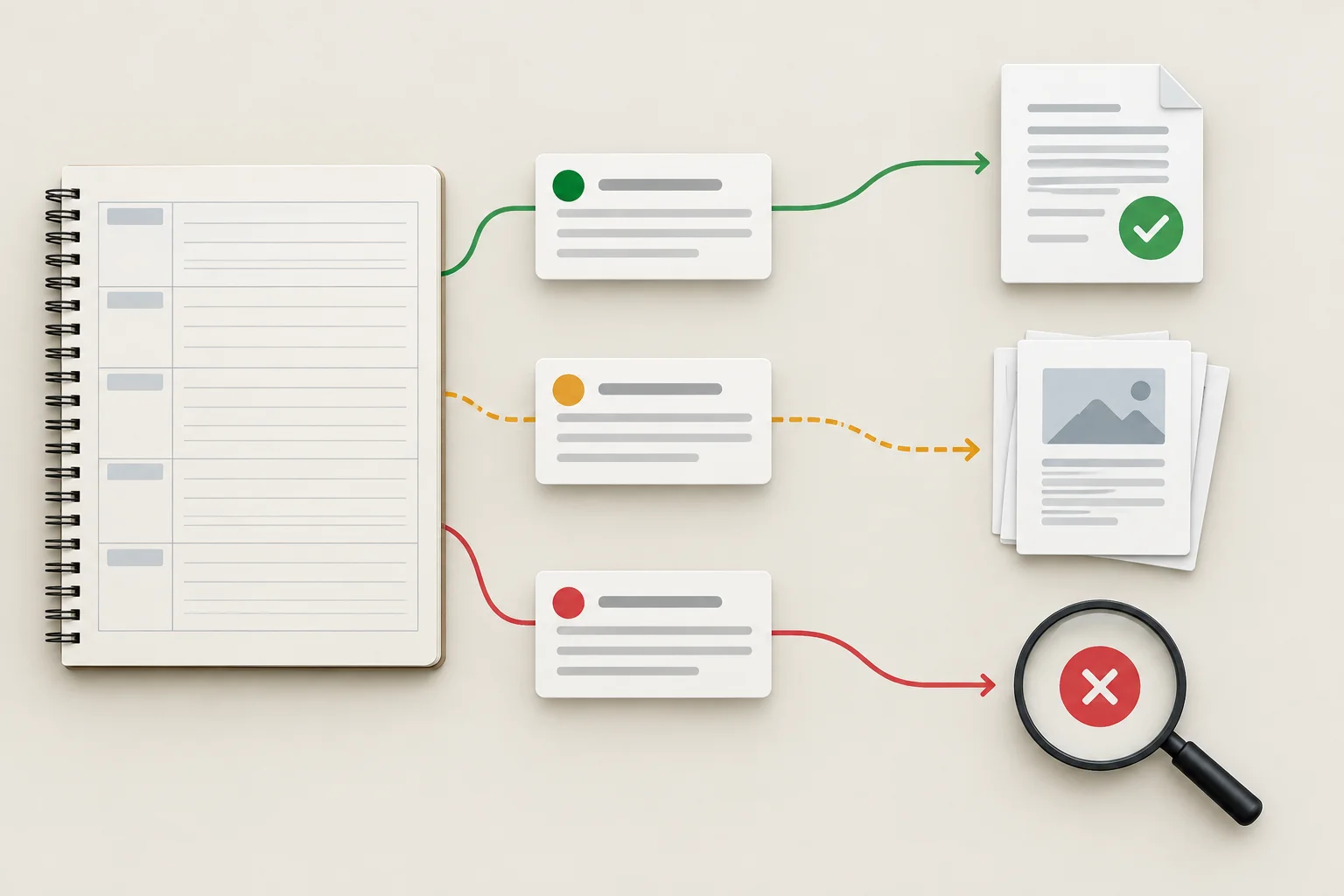
A claim earns confidence from traceable evidence, not from fluent wording.
Use one evidence-status label for each factual claim. These labels describe the evidence currently available; they are not guesses about what the AI “probably meant.”
| Status | Use when | Key caution |
|---|---|---|
| Supported | Specific evidence matches the claim’s meaning and qualifications. | Check the exact scope. |
| Contradicted | Reliable supplied evidence conflicts with the claim. | State the conflicting detail. |
| Not verified | Available material does not establish the claim. | Missing evidence does not automatically prove falsehood. |
A citation is not proof merely because it looks detailed. Independently check the original source: can you locate it, identify its author and date, inspect what it actually says, and confirm that it is relevant to the claim?
An AI-generated citation summary—or a second model agreeing with it—is not an independent check. Treat it as a lead to investigate, not evidence.
Example
AI draft — Fictional training material
“Week Planner gives you a calm paper space for each week, with room for notes.”
Approved brief — Fictional training material
Week Planner is an undated A5 paper planner with weekly layouts and notes pages.
The draft’s factual portion is Supported: “weekly” aligns with weekly layouts, and “room for notes” aligns with notes pages. “Calm” is brand-style language, not a product fact to verify. Notice that the review retains accurate wording rather than rewriting it simply because AI produced it.
Tip
For a claim such as “This planner is proven to improve productivity,” the approved brief does not establish the promised result. That is Not verified, not automatically false.
If the brief instead states that the planner has no digital features, a claim that it “syncs every schedule automatically” is Contradicted. Exact product scope determines the status.
Use the evidence packet below. Write 3 short numbered bullets:
Approved brief — Fictional training material
Week Planner is an undated A5 paper planner with weekly layouts and notes pages. It has no digital features, performance statistics, or testimonials.
AI draft — Fictional training material
A. “The A5 Week Planner includes weekly layouts and notes pages.”
B. “The planner automatically syncs every schedule.”
C. “Planning Research Digest reports that 9 in 10 users finish tasks sooner.”
Source excerpt — Fictional training material
Citation supplied with claim C: Planning Research Digest, “Paper Tools That Transform Productivity,” March 4, 2025.
Verification note — Fictional training material
A search of the supplied archive found no issue, article, or author record matching that citation.
Write at least 120 characters (0/120).

Step 3 of 8
Compare an AI-generated Instagram post with its approved brief to preserve supported language and correct material changes.
Use the Approved brief — Fictional training material as the fixed reference. This check is about whether the draft preserves meaning—not whether its wording sounds polished.
For Brand and channel fit, compare every offer condition and product capability. A changed price, audience eligibility, deadline, shipping condition, or feature is a material difference. Also check the case requirements for the organic Instagram post: the static visual and caption must work as one message.
Approved brief — Fictional training material
| Area | Approved requirement |
|---|---|
| Product | Week Planner: undated A5 paper planner with weekly layouts and notes pages |
| Regular price | USD 24.00 |
| Promotion | USD 18.00 for first-time US customers through September 30, 2026 |
| Shipping | Charged separately |
| Channel | Organic Instagram post: static visual and caption |
| Caption requirements | At most 60 words; CTA: View planner details; visible offer qualifications |
| Voice | Calm, practical, and inclusive |
First, check the facts on each surface. Then compare the surfaces with each other.
A harmless paraphrase preserves the approved meaning: “Plan your week on paper” can express the product’s paper-based weekly purpose without adding a capability. A meaning change does not: calling it a digital planner, promising a result, or widening the promotion to all customers changes what is being offered.
Keep language that is effective, supported, and on voice. AI authorship alone is not a reason to replace it. Check that the caption stays within 60 words, uses the exact CTA, and that the visual and caption do not conflict on price, eligibility, deadline, shipping, or capabilities.
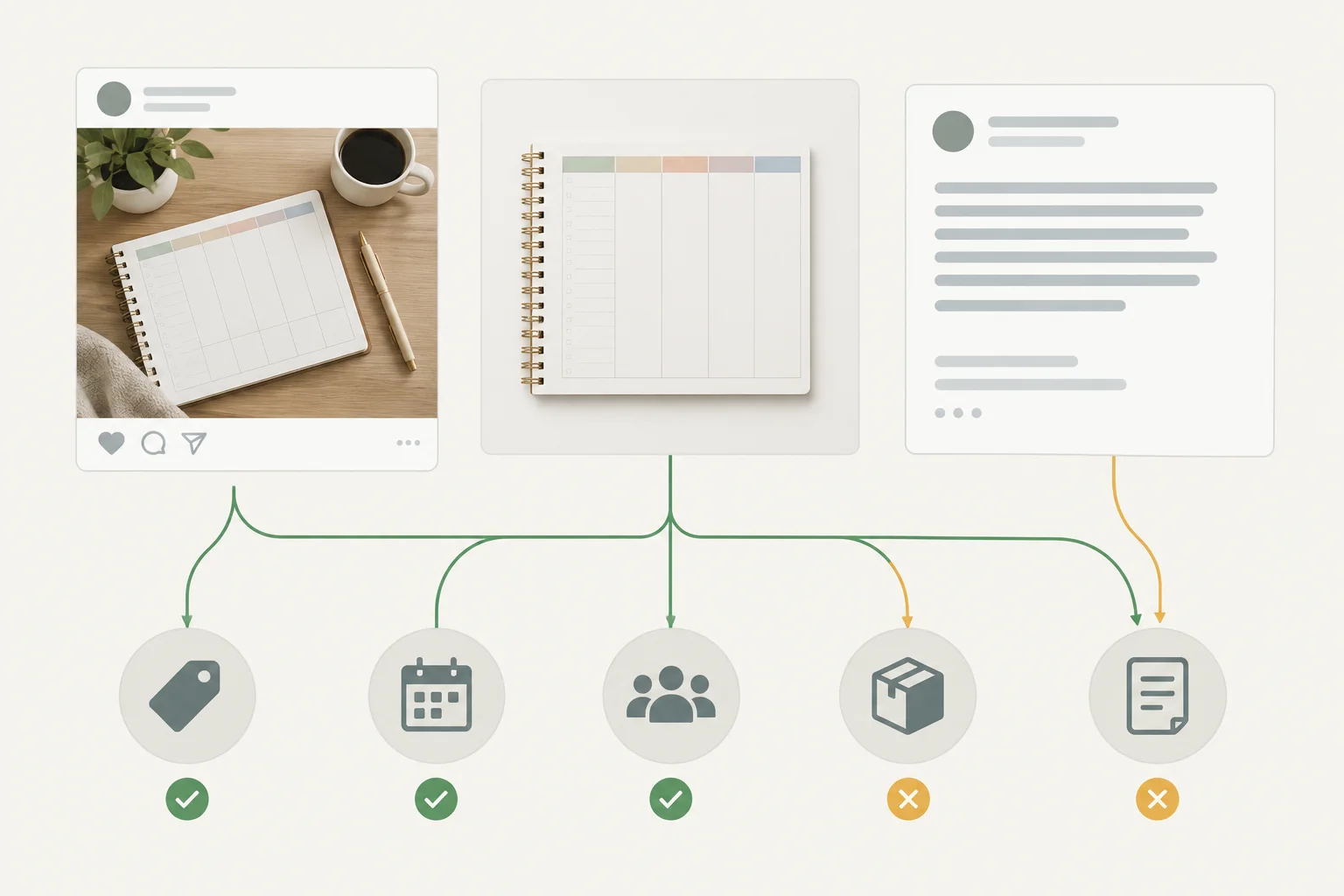
Review the visual and caption separately, then check whether they communicate the same approved offer and product.
Example
AI draft — Fictional training material
“Make space for the week ahead with the Week Planner: an A5 paper planner with weekly layouts and notes pages. USD 18.00 for first-time US customers through September 30, 2026; shipping charged separately. View planner details.”
This caption retains approved product details and offer qualifications, uses the required CTA, and stays within the 60-word limit. Its calm wording may be retained; it does not need a full rewrite.
Which caption line can be retained unchanged under the Approved brief?
AI draft — Fictional training material
Static visual: An unbranded Week Planner product image. Its offer badge follows the Approved brief for eligibility and deadline, and its footer includes the approved shipping qualification.
Caption: “Plan your week on paper, with weekly layouts and notes pages. USD 18.00 for all US customers through October 31, 2026. View planner details.”
Write a short review response with 3 parts:
Write at least 120 characters (0/120).
Step 4 of 8
Identify unsupported audience assumptions and revise AI-generated marketing language around approved, non-sensitive product use.
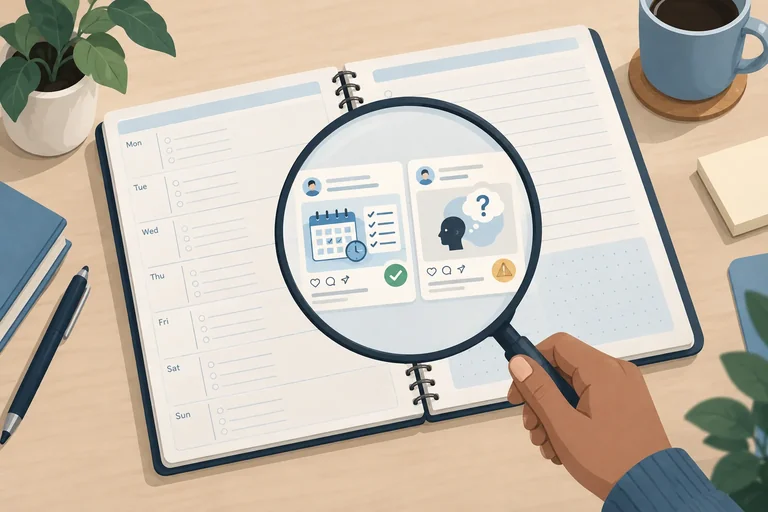
A bias review is an evidence check, not a vague reaction that a draft “feels wrong.” Compare each audience statement and visual cue with the Approved brief.
For this case, the approved audience is adults interested in paper-based weekly planning. The approved voice is calm, practical, and inclusive. Those facts support language about planning a week on paper; they do not support claims or implications about a person’s health, ethnicity, religion, financial situation, or identity.
Also inspect representation. A visual can imply that only one type of person belongs, even if its caption sounds neutral.
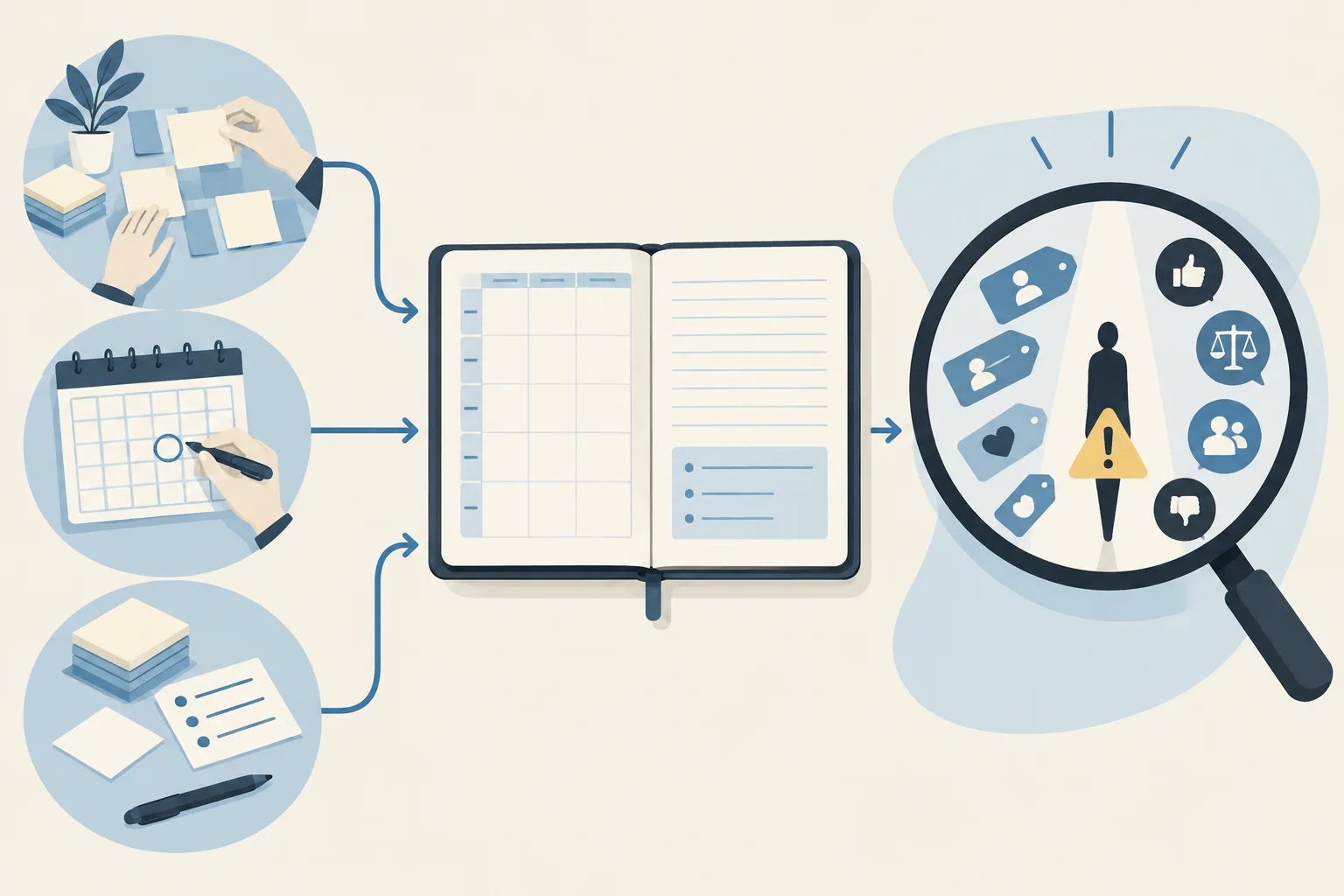
Review path: retain supported product-use context; flag unsupported identity assumptions, implied judgments, and exclusionary cues.
Tip
Write a precise flag: quote the phrase or describe the visual cue, name the assumption it makes, and state why the Approved brief does not support it. Then revise around a relevant product use or feature.
Example
Approved brief — Fictional training material
Audience: adults interested in paper-based weekly planning.
Product: Week Planner, an A5 paper planner with weekly layouts and notes pages.
Brand voice: calm, practical, and inclusive.
AI draft — Fictional training material
“For overwhelmed moms who need to get organized, Week Planner is your answer.”
Review note — Fictional training material
Bias: “moms” assumes a gendered caregiver identity not approved in the brief. “Overwhelmed” and “need to get organized” add a negative judgment about the audience. Neither assumption is needed to describe the product benefit.
Revision
“Week Planner brings weekly layouts and notes pages together for paper-based weekly planning.”
The revision keeps a relevant use and approved features without substituting a different stereotype.
AI draft — Fictional training material
“For busy moms who need to get their life together, Week Planner is for you.”
Which revision removes the unsupported audience assumption while retaining an approved product benefit?
AI draft — Fictional training material
Caption: “Week Planner is for people with ADHD who need to get their life under control.”
Visual description: A static visual shows Week Planner beside its weekly layouts and notes pages.
Write 3 short parts:
Write at least 120 characters (0/120).

Step 5 of 8
Identify potentially exposed information in AI-generated marketing output and respond cautiously without spreading it or assuming it is genuine.
A privacy check examines the output, not only the prompt. Look for material that appears to contain:
[internal margin];Run this check even when the Approved brief was safe. An AI model can introduce, combine, or fabricate details that look sensitive. Their appearance is a reason to pause—not proof that the information is real or that a breach occurred.
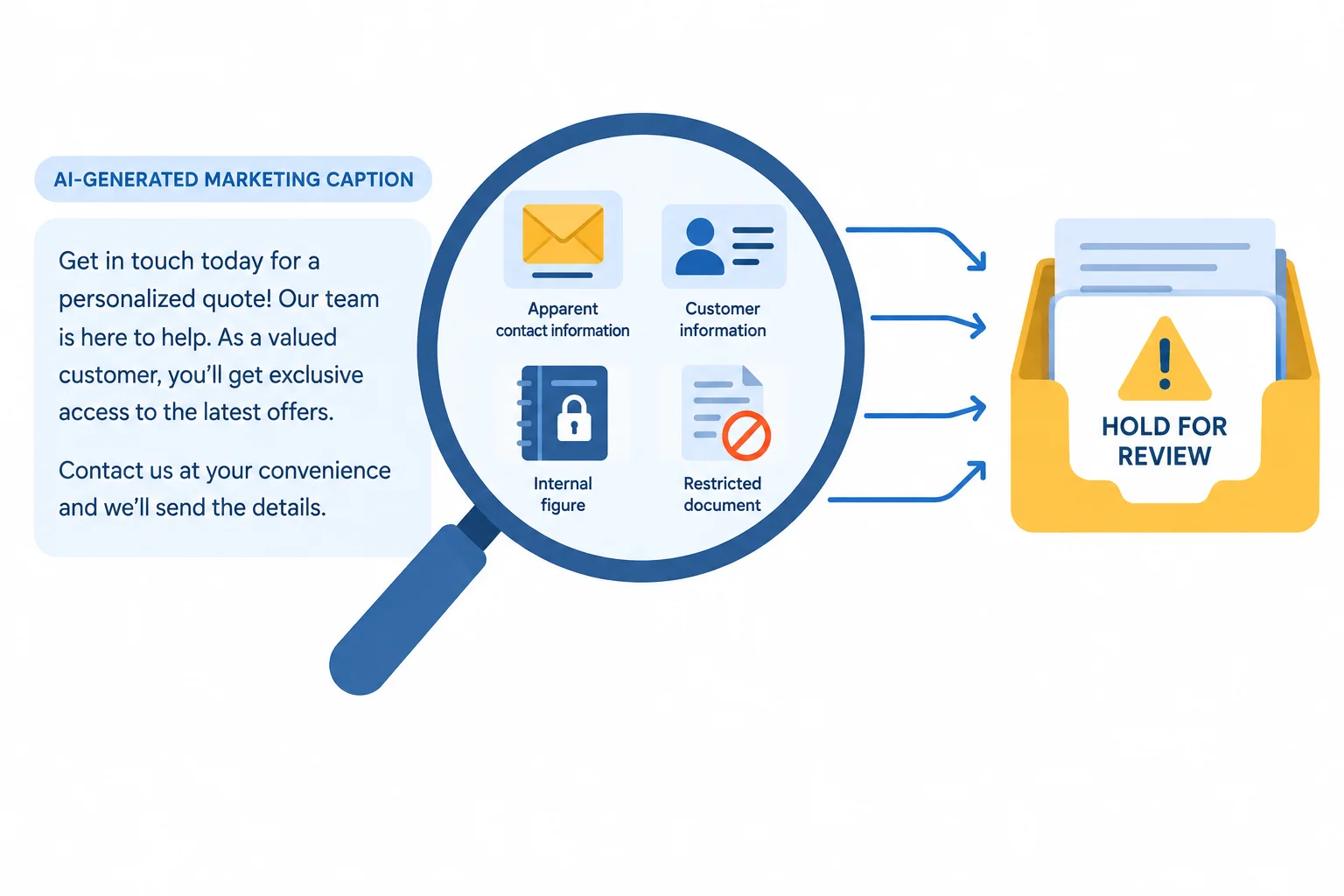
Potentially exposed material can be introduced by the model and must be checked before publication.
If an output appears to disclose sensitive material, pause publication of the affected material. Do not paste the detail into another AI tool, chat, ticket, or shared document merely to investigate it.
An apparent detail may be fabricated, but it still must not be published as though it were harmless. When its authenticity, exposure, or the right next owner is uncertain, seek the appropriate internal review.
Removing visible words from a caption is useful, but it does not by itself answer whether the material was real, where it came from, or whether further review is needed.
Example
AI draft — Fictional training material
“Make weekly planning easier. Questions? Contact [customer email] for a personal recommendation.”
The apparent contact detail is absent from the Approved brief — Fictional training material. First, keep this excerpt out of the public post. Next, do not copy the detail into other tools or broad channels. Then seek appropriate internal review to determine how it should be handled.
These actions are cautious because the text may be fabricated, yet publishing or redistributing it could still create harm. Simply deleting the visible sentence does not settle its origin or whether additional review is needed.
Warning
Do not turn an uncertain detail into a wider exposure. Avoid forwarding, searching for, or repeating apparent information in additional tools. Keep the review focused on the minimum needed to pause publication and obtain appropriate internal review.
AI draft — Fictional training material
A caption includes [customer email], which does not appear in the Approved brief. What is the most cautious next action?
AI draft — Fictional training material
“Northstar Paper Week Planner brings calm to every week. Questions? Email [customer email]. Internal note: protect [internal margin].”
Write 3 short parts:
Do not state that the detail is authentic or that a confirmed breach occurred.
Write at least 180 characters (0/180).

Step 6 of 8
Review provenance, permissions, tool terms, and similarity signals before using an AI-generated marketing asset.
An AI-generated asset is not automatically original, owned by your organization, or cleared for commercial use. A generation record may show that a tool produced an output, but it does not establish rights in every element of that output.
For a Northstar Paper Week Planner static visual, review 3 areas:
The purpose is educational review: separate documented support from unresolved concerns before an asset is used. It is not a legal determination.
Review the asset’s history, supplied materials, applicable terms, and visible signals rather than relying on the fact that AI generated it.
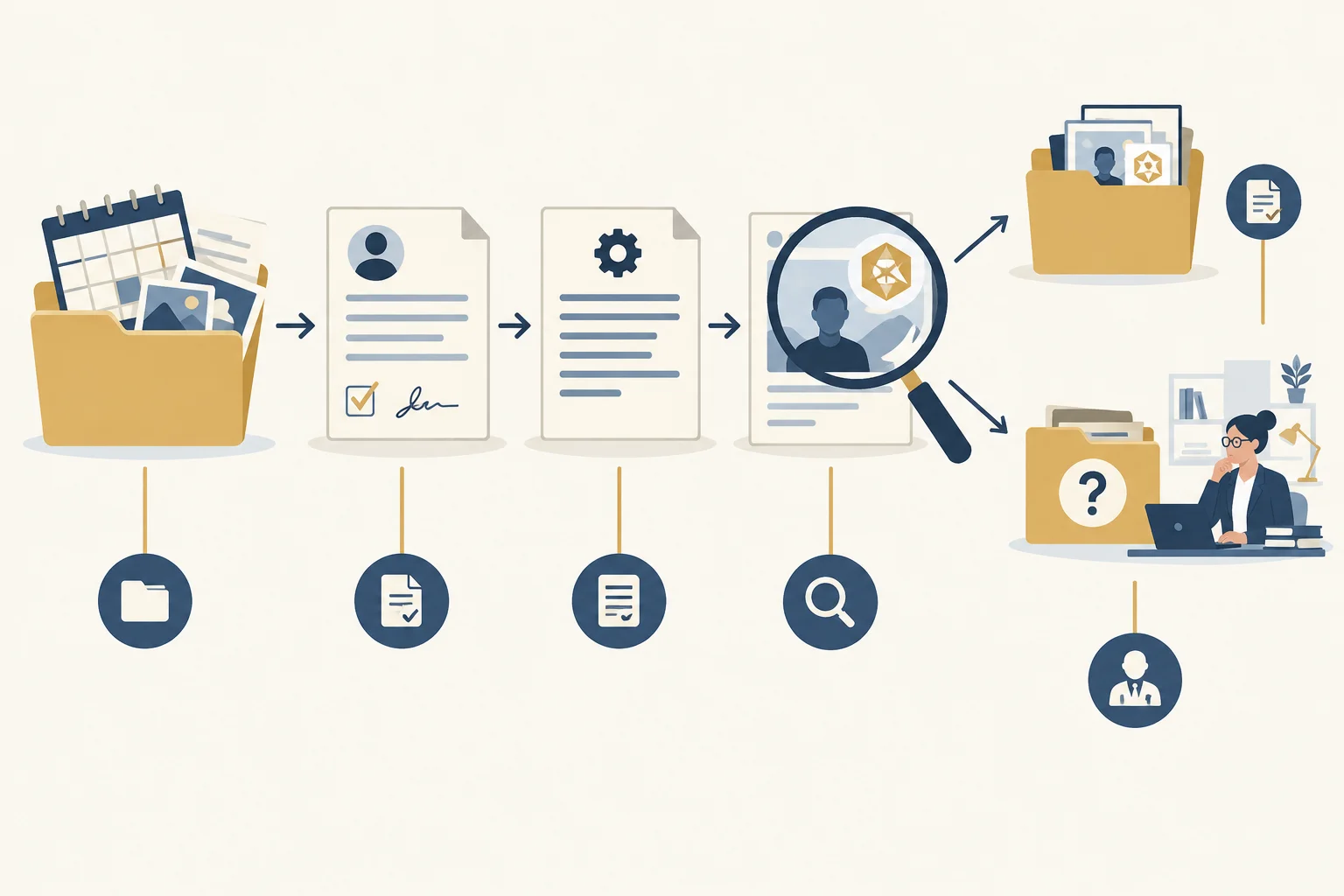
Each type of evidence has a limited purpose in a Usage rights review.
Read each record narrowly. A provider’s terms may grant a permission from that provider, but they may not grant rights in a reference image supplied by a user or settle rights held by others.
Also inspect text and visuals for distinctive names, branding, recognizable-looking characters, or identifiable-looking people. A close resemblance is a reason to investigate, not proof of infringement. Conversely, no obvious resemblance is not clearance.
Use this map when reviewing a Week Planner visual for the organic Instagram post.
| Evidence item | Can support | Does not settle |
|---|---|---|
| Generation record | Which tool and account produced an output | Originality or all third-party rights |
| Permission record for supplied material | Whether documented permission covers the intended use | Rights outside the documented scope |
| Tool terms excerpt | What the provider explicitly permits under its terms | Third-party rights or similarity concerns |
| Visual inspection | A reason to investigate a distinctive brand, material, or likeness | Definitive legal clearance |
Tip
Keep the conclusion proportionate. Record what the evidence supports, what it does not cover, and what needs further review. Route unresolved questions about permission, provenance, or similarity to an authorized specialist rather than making a legal conclusion yourself.
Verification note — Fictional training material
A Northstar Paper account generated a proposed Week Planner visual in the fictional tool PaperSpark AI. The asset record and prompt are retained. The prompt included a planner-reference image found online, but the record does not identify that image’s source or permission.
Intended use: a static visual for Northstar Paper’s organic Instagram post.
Tool terms excerpt — Fictional training material
“Account holders may use generated outputs commercially, subject to these terms. These terms do not grant rights in third-party content supplied by users and do not resolve claims arising from similarity to third-party material.”
AI draft — Fictional training material
Compare visible elements with the records available for them. The visual includes an unfamiliar emblem and a portrait-style element, while the available record does not document their source or permission.

Visible resemblance signals and incomplete records are different kinds of information to review.
Using the fictional records from the previous screen, write 3 short parts for this asset:
Do not make a legal conclusion. Base each part only on the supplied fictional records.
Write at least 180 characters (0/180).

Step 7 of 8
Choose review dispositions, document findings with evidence, and separate excerpt decisions from Human approval for the complete draft.
A review disposition is a bounded judgment, not publication permission.
A polished sentence can be acceptable as an excerpt while another part of the draft still prevents publication.
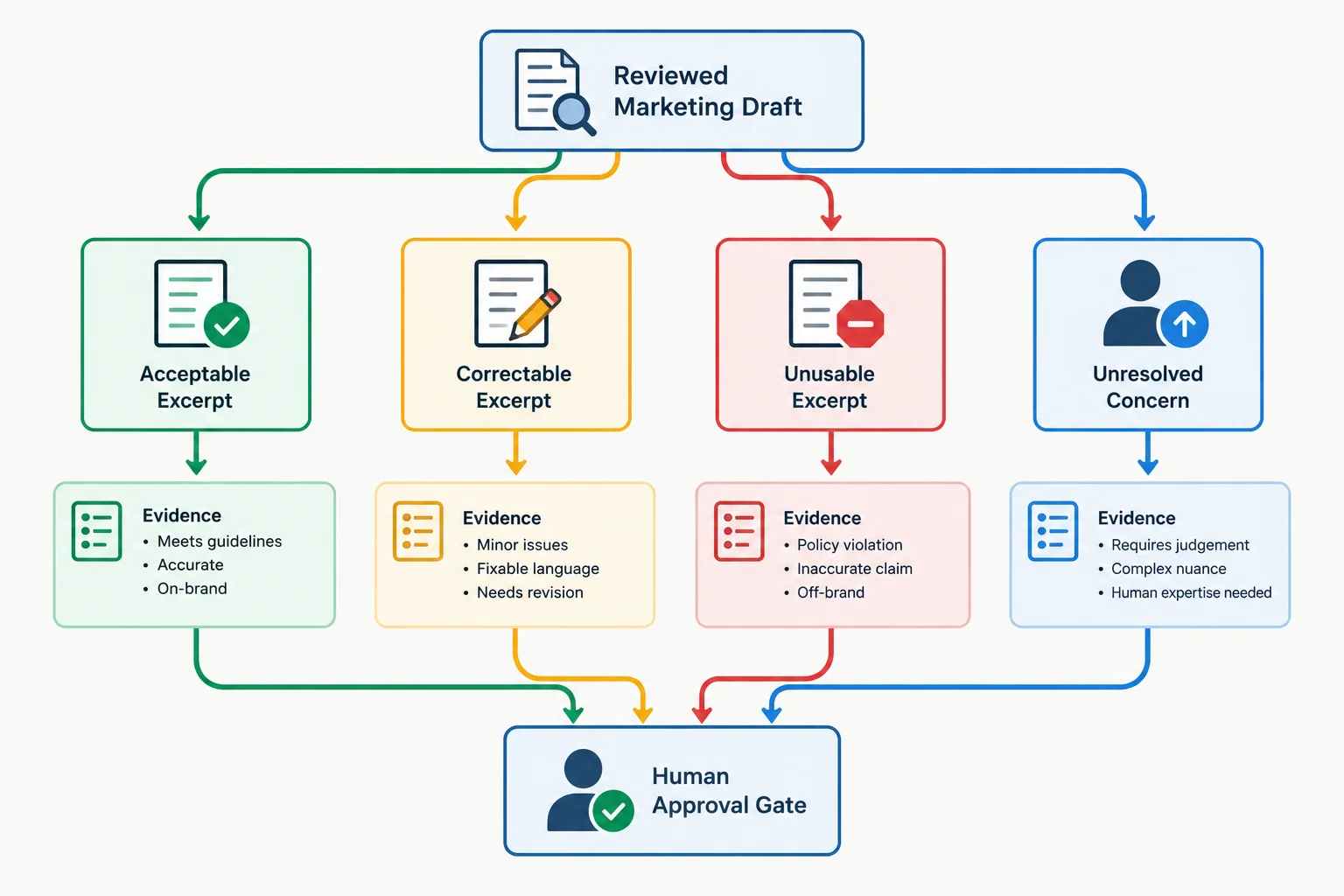
Choose a disposition for the specific finding first. Human approval for publication is a separate decision.
Fictional training material
A useful record names the exact excerpt and the check performed. It then states the evidence status or gap, a disposition, and a practical next action. Do not write only “approved” or “looks good.”
Decision scope: Excerpt
Use the label Excerpt for a decision about a specific sentence, visual, or asset. Use Whole draft only when judging the complete deliverable. An accept decision for one excerpt does not mean the Whole draft is ready for Human approval.
Fictional training material. These are excerpt-level records for a Northstar Paper Week Planner draft.
| Excerpt | Check | Evidence or gap | Decision | Required action |
|---|---|---|---|---|
| “Weekly layouts and notes pages” | Factual reliability | Supported — Approved brief lists both features. | accept | Retain the excerpt. |
| “USD 20.00 for first-time US customers” | Brand and channel fit | Contradicted — Approved brief sets USD 18.00. | edit | Replace with the approved price; recheck. |
| “A customer said it doubled my productivity” | Factual reliability | Not verified — no authentic testimonial is approved. | reject | Remove the testimonial; do not present it as customer evidence. |
Example
After excerpt decisions are complete, assess the Whole draft separately. A blocking issue—such as an unresolved privacy or Usage rights concern—means the draft should not move to Human approval yet, even if other excerpts were accepted.
Fictional training material
Match each review case to the most appropriate disposition.
Tap an item and then its matching pair.
Fictional training material
Approved brief: Northstar Paper Week Planner is an undated A5 paper planner with weekly layouts and notes pages. Offer: USD 18.00 for first-time US customers through September 30, 2026. Shipping charged separately. Required call to action: “View planner details.”
AI draft:
Write a review record for the static visual using these fields exactly: Excerpt | Check | Evidence or gap | Decision | Required action.
Then add:
Write at least 180 characters (0/180).
Step 8 of 8
Audit a complete fictional Northstar Paper marketing draft, correct what approved evidence supports, and identify blockers that require escalation before human approval.
Approved brief — Fictional training material
Northstar Paper is promoting the Week Planner, an undated A5 paper planner with weekly layouts and notes pages. The approved audience is adults interested in paper-based weekly planning. The voice is calm, practical, and inclusive.
Approved offer: regular price USD 24.00; USD 18.00 for first-time US customers through September 30, 2026; shipping charged separately.
This case requires an organic Instagram post with a static visual and a caption of no more than 60 words. The caption must include the call to action View planner details and visible offer qualifications.
AI draft — Fictional training material
“Meet the Week Planner: the proven choice for busy moms. Its undated weekly layouts and notes pages keep every plan on track. 90% of customers say it doubles productivity (Paper Planning Report, 2025). Get yours for USD 18.00. Questions? [customer email]”
Use the brief as the fixed reference while reviewing this compact deliverable.
| Area | Requirement |
|---|---|
| Product | Undated A5 paper planner; weekly layouts and notes pages |
| Offer | USD 18.00 for first-time US customers through September 30, 2026; shipping charged separately |
| Channel | Organic Instagram static visual and caption of at most 60 words |
| Caption | Include visible qualifications and “View planner details” |
Compare the visual with the caption and approved brief; one deliverable can communicate conflicting conditions across its parts.
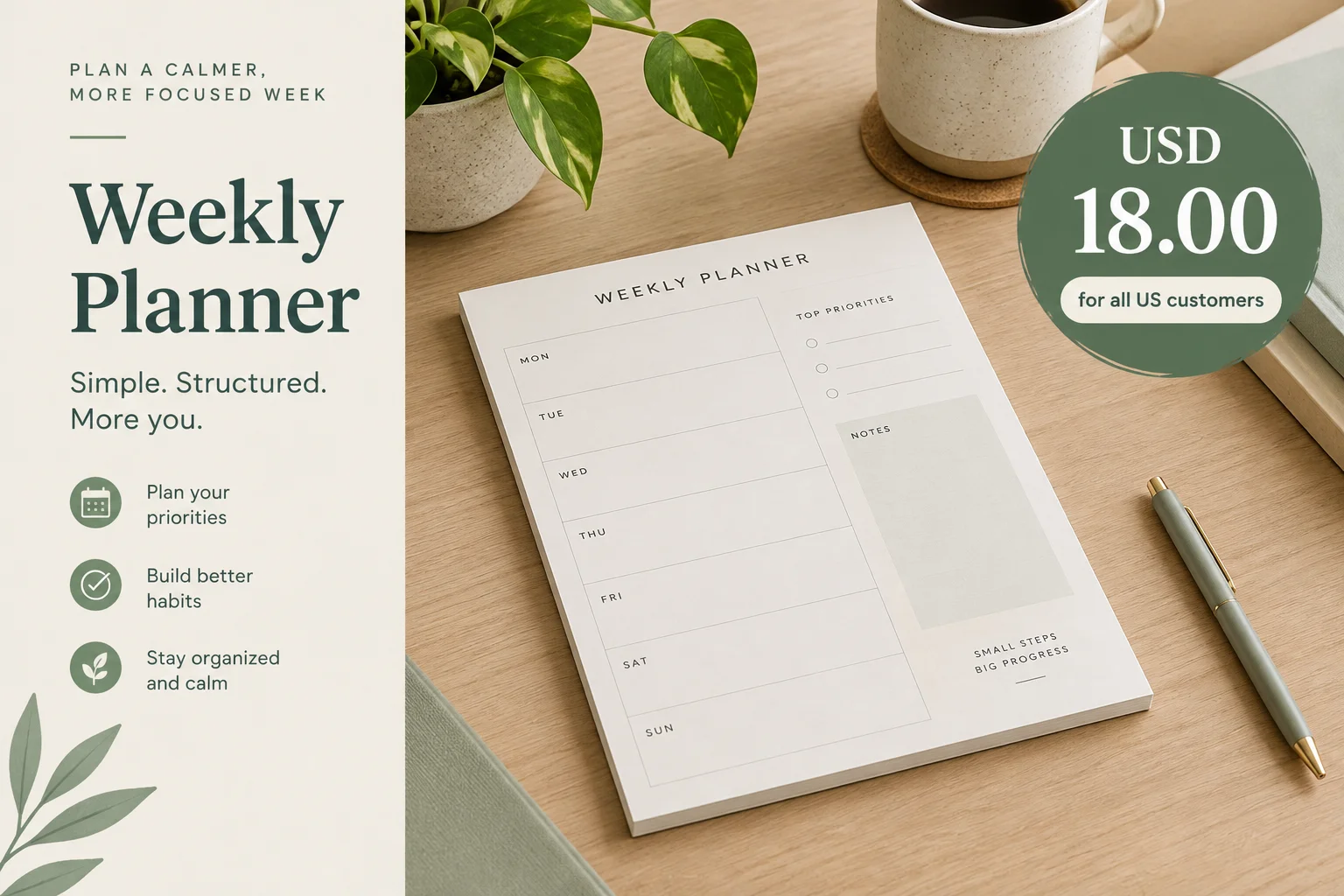
AI draft static visual — Fictional training material. The visual states “USD 18.00 for all US customers” and omits the deadline and shipping condition.
Verification notes and provenance information — Fictional training material
Use these supplied checks rather than searching externally. A missing or unverified source does not prove a claim false; it means the claim cannot be treated as supported. For every concern, decide whether the material can be retained, corrected from the brief, rejected as unusable, or must be escalated.
Each note is part of the same fictional case packet.
| Material | Result |
|---|---|
| Verification note — Paper Planning Report, 2025 | No publisher record, author, date page, or original report could be located. The productivity statistic is Not verified. |
| Verification note — Contact field | [customer email] was not in the approved brief. Its authenticity and origin are Not verified. |
| Source excerpt — Approved brief | The brief supports “undated,” “A5,” “weekly layouts,” and “notes pages.” |
| Tool terms excerpt — Image tool | Commercial use of generated output is permitted, but the user must have rights to supplied inputs; terms do not grant third-party rights. |
| Verification note — Visual provenance | The source and permission for the planner-reference image used in the visual are Not verified. |
Tip
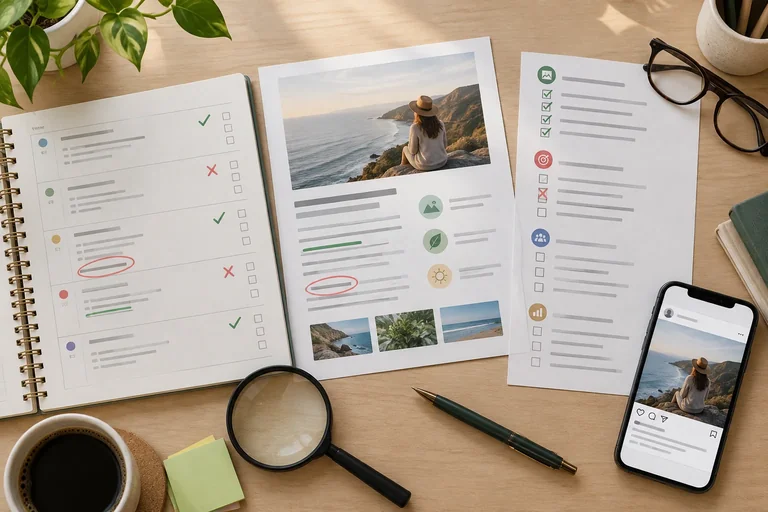
A useful integrated review is selective:
A corrected caption alone cannot make the entire deliverable ready for publication if another part still has a blocking concern.
Review the complete fictional packet from the prior screens. Write a concise review record using this format for each finding:
Excerpt | Check | Evidence or gap | Decision | Required action
Write at least 500 characters (0/500).
This worked review keeps the supported product description, removes the unsupported performance claim, corrects the offer and channel mismatch, and treats uncertain exposure and provenance cautiously.
The decisions are evidence-based, but the unresolved Privacy and Usage rights concerns keep the complete deliverable from publication.
| Excerpt | Check | Evidence or gap | Decision | Required action |
|---|---|---|---|---|
| Excerpt — “undated weekly layouts and notes pages” | Factual reliability | Approved brief; Supported | accept | Retain unchanged. |
| Excerpt — “90% of customers say it doubles productivity (Paper Planning Report, 2025)” | Factual reliability | Verification note; Not verified | reject | Do not use the statistic or citation. |
| Excerpt — visual: “USD 18.00 for all US customers” | Brand and channel fit | Contradicted by approved eligibility; deadline and shipping are omitted | edit | Correct visual and caption to show all approved qualifications and CTA. |
| Excerpt — “the proven choice for busy moms” | Bias | Not verified audience assumption; excludes the approved broader audience | edit | Use a relevant planning need without assigning gender or parent status. |
| Excerpt — “[customer email]” | Privacy | Origin and authenticity are Not verified | escalate | Hold from publication; avoid sharing it further and seek internal review. |
| Excerpt — planner-reference image | Usage rights | Provenance and permission are Not verified; tool terms do not clear third-party rights | escalate | Hold or replace only after authorized rights review. |
| Whole draft — caption and static visual | Whole draft | Privacy and Usage rights blockers remain Not verified | escalate | Do not publish. Resolve blockers, recheck edits, then obtain Human approval. |
Example
The A5 Northstar Paper Week Planner has undated weekly layouts and notes pages. First-time US customers: USD 18.00 through September 30, 2026; shipping charged separately. View planner details
Summary
Congratulations! You completed: Review AI-Generated Marketing Outputs
Thousands of online courses in video, ebooks and audiobooks.
To test your knowledge during online courses
Generated directly from your cell phone's photo gallery and sent to your email

Download our app via QR Code or the links below:.



Carry knowledge in your pocket.
Download the Cursa app.
There are hundreds of free courses available, with a free certificate of completion that is saved in your mobile image gallery.
Download the app to access the Course Completion Certificate for Free.


+ 10 million
students

Free and Valid
Certificate

60 thousand free
exercises

4.8/5 rating in
app stores

Free courses in
video and ebooks