Step 1 of 8
Define the Search Campaign's Job
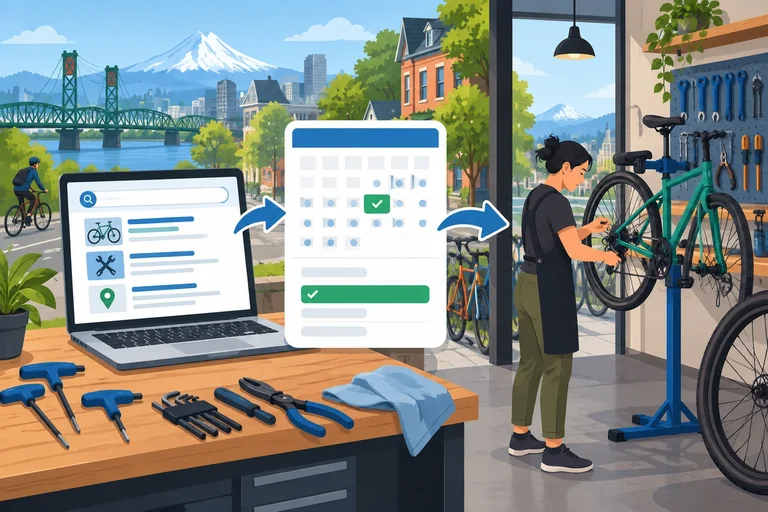
Create the first section of an offline Search campaign blueprint and distinguish a confirmed booking from ad exposure or a click.

Learning path · Level 7 · Tutorial 1
Draft the structure and targeting of a Google Ads Search campaign in a text document, connecting search intent to ad groups, keywords, exclusions, and destinations. No advertising account, payment details, or live campaign is required.

 Define the Search Campaign's Job
Create the first section of an offline Search campaign blueprint and distinguish a confirmed booking from ad exposure or a click. 2 min
 Build the Campaign and Ad-Group Structure
Organize Harbor Bike Repair’s two services into one Search campaign, focused ad groups, and planned destination-page mappings. 3 min
 Choose Geographic and Language Settings
Choose and document local geographic and language settings for Harbor Bike Repair's Search campaign. 2 min
 Separate Keywords from Search Terms
Distinguish advertiser-selected keywords from hypothetical customer searches, then keep candidate wording aligned to Harbor Bike Repair's two service-focused ad groups and destination pages. 2 min
 Choose Meaning-Based Match Types
Choose broad, phrase, and exact positive keyword notation for the Harbor Bike Repair draft, while distinguishing possible matching from guaranteed ad delivery. 4 min
 Add Negatives Without Blocking Good Searches
Draft scoped negative keywords for Harbor Bike Repair and test them against hypothetical Search terms without blocking valuable repair demand. 4 min
 Map Conversion Measurement Dependencies
Plan a proposed conversion action and document the access, collection, linking, consent, and validation checks needed before its data can be trusted. 3 min
 Review and Complete the Campaign Draft
3 min
Step 1 of 8
Create the first section of an offline Search campaign blueprint and distinguish a confirmed booking from ad exposure or a click.
This tutorial builds an offline planning document, not a live Google Ads campaign. Open a blank text document and build it section by section as you progress.
Start with the heading Goal. The fictional business is Harbor Bike Repair: an in-shop bike repair business in Portland, Oregon, United States. Its meaningful business result is a customer completing a service booking. An ad appearing in Search is only an opportunity; a click is only a visit. Neither confirms that a repair appointment was booked.
The document will later record campaign structure, targeting, keywords, exclusions, destination pages, and measurement readiness. No advertising account, payment details, or live setup is needed.

Search visibility and visits can support the journey, but the intended business action is a successfully confirmed service booking.
Example
Write this under the Goal heading in your document:
“Create a Search campaign draft for Harbor Bike Repair that supports confirmed bookings for in-shop bike tune-ups and flat tire repairs in Portland, Oregon.”
This states the outcome without claiming that an ad view or a click is success. The service-specific destination pages and the rest of the campaign blueprint will be added in later sections.
Search ads are distributed through auctions. A keyword that is relevant to a person's search can make an ad eligible for consideration, but eligibility does not promise that the ad will appear, appear prominently, receive a click, or produce a booking.
Payment matters through a bid, but a bid is not the only consideration. Ad relevance, destination-page quality, and other auction factors also influence whether and where an eligible ad may appear. Therefore, paying more alone does not automatically secure the best placement.
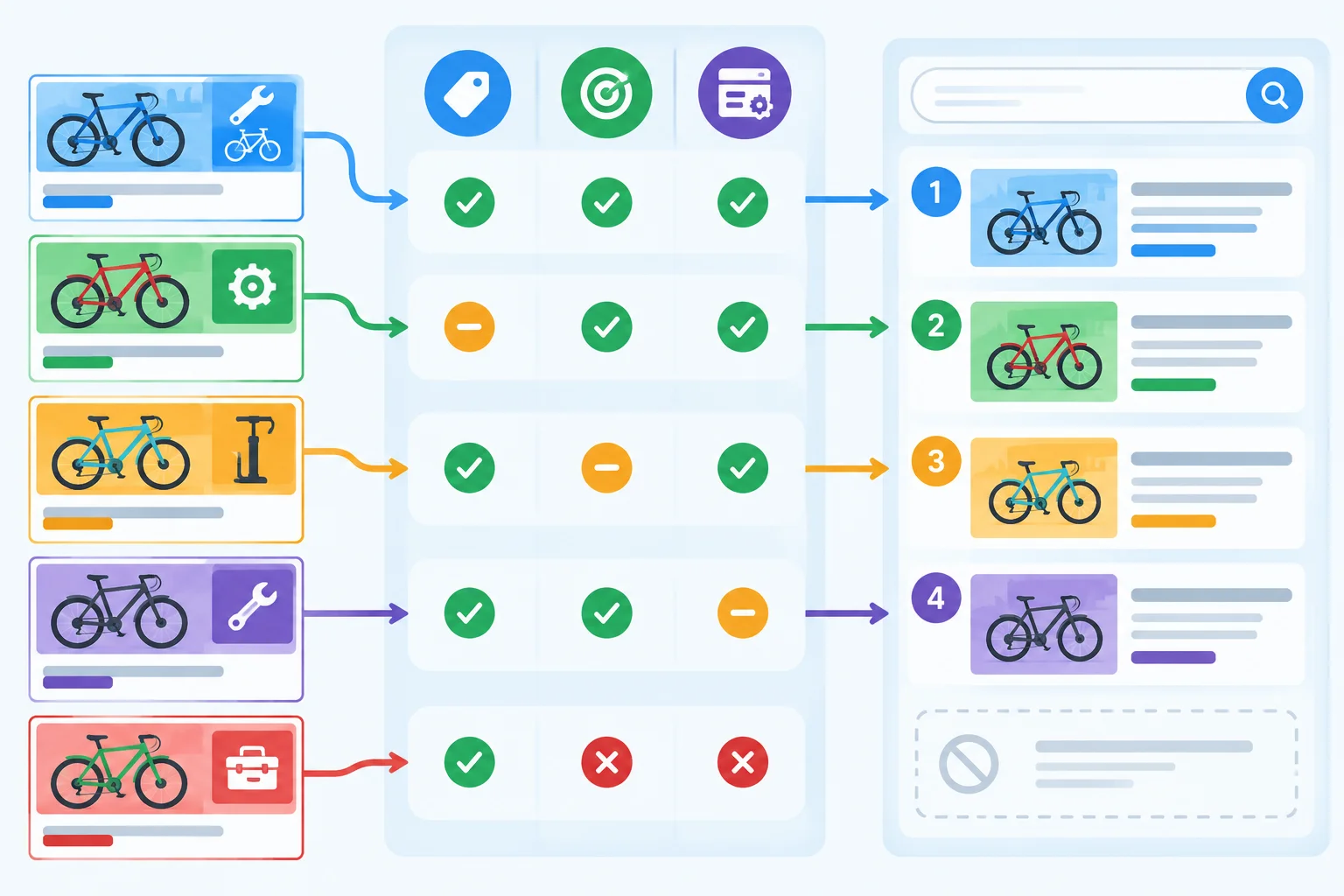
A bid is one input among several auction factors; being eligible is not a guarantee of an impression or a booking.
Tip
Keep the draft focused on planning decisions, not on a promise of results. Later, you will define the campaign structure, local targeting, keywords, negative keywords, destination pages, and measurement dependencies. Bids, budgets, and ad creative are outside this tutorial's draft.
Choose the most accurate conclusion for the Harbor Bike Repair campaign draft.
Which statement correctly describes the campaign's job and auction reality?

Step 2 of 8
Organize Harbor Bike Repair’s two services into one Search campaign, focused ad groups, and planned destination-page mappings.
A campaign is the shared container for delivery decisions, such as geography and language. An ad group sits inside the campaign and keeps one customer need together with its related keywords and ads.
Harbor Bike Repair can use one campaign because both services are in-shop repairs for the same local business. It needs two focused ad groups—not a separate ad group for every wording variation:
Bike Tune-UpsFlat Tire RepairLater, keyword choices can vary within each theme. The theme itself should stay focused on the service a searcher wants.
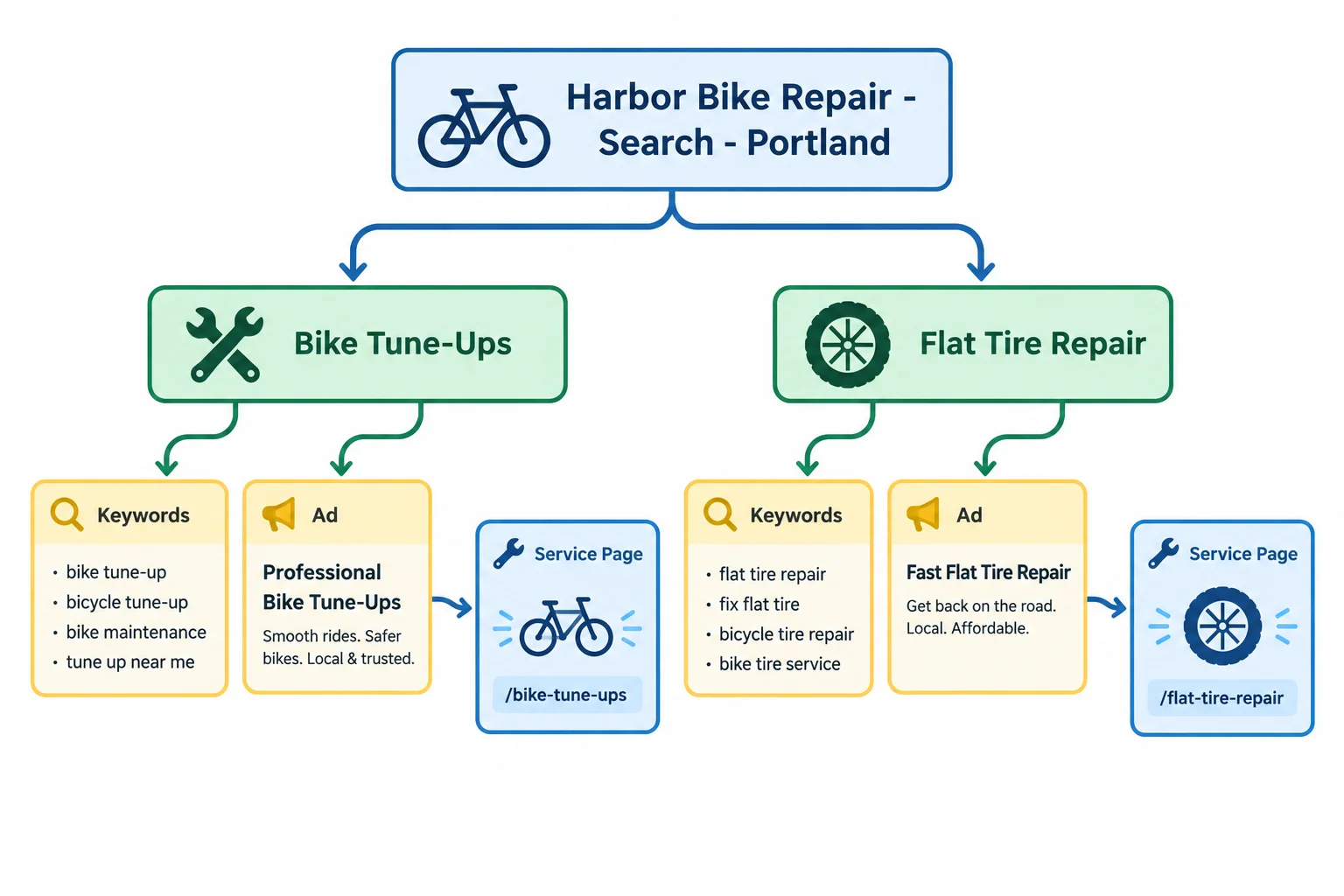
The hierarchy runs from campaign to ad groups to keywords and ads. The arrows to service pages represent the planned destinations carried by ads.
Open your own text document and add the heading:
Ad groups and destinations
Under it, record the campaign name and the two service themes. For each ad group, leave an Ads: placeholder line. Do not draft headlines or descriptions in this tutorial.
Plan a destination-page mapping for each service need:
/bike-tune-ups./flat-tire-repair.This is a planning map, not a claim that an ad group has one universal destination setting. In an actual build, each ad specifies its own final URL; the mapping helps keep future ads aligned with the right page and booking action.
Tip
A useful ad group separates distinct customer needs, such as a tune-up versus a flat tire repair. It does not split every small wording variation into a new group. Keep related wording together when it serves the same repair need and the same planned destination page.
Example
A concise section of the draft can look like this:
Ad groups and destinations
Campaign: Harbor Bike Repair - Search - Portland
Ad group: Bike Tune-Ups
Theme: in-shop bike tune-up service
Ads: placeholder
Planned destination page: /bike-tune-ups
Ad group: Flat Tire Repair
Theme: in-shop flat tire repair service
Ads: placeholder
Planned destination page: /flat-tire-repair
Keywords will be added under the appropriate ad group later. The destination-page lines are planning mappings; final URLs are set on individual ads.
Match each planning element to its role in this Search campaign.
Match each element with its proper role.
Tap an item and then its matching pair.
In your text document, complete the Ad groups and destinations section. Show the campaign-wide role, then add both named ad groups with their service theme, an ad placeholder, and the correct planned destination page.
Finally, add one sentence explaining that the planned page mapping guides ad relevance, while an individual ad specifies its final URL.
Write at least 180 characters (0/180).
Step 3 of 8
Choose and document local geographic and language settings for Harbor Bike Repair's Search campaign.
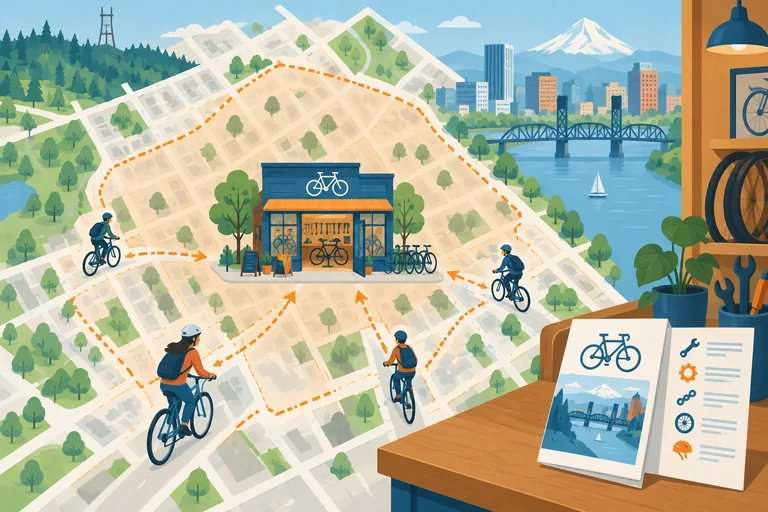
Harbor Bike Repair performs in-shop bike tune-ups and flat tire repairs in Portland, Oregon, United States. Its campaign settings should focus on people the shop can realistically serve—not everyone who might be researching Portland from elsewhere.
Choose a presence-focused location option: target people in or regularly in Portland, Oregon, United States. This fits a local service that requires the customer to bring a bike to the shop.
A broader presence-or-interest option can also include people who show interest in Portland. That may be useful for some businesses, but it can widen reach to people who are not local customers for this in-shop offer.
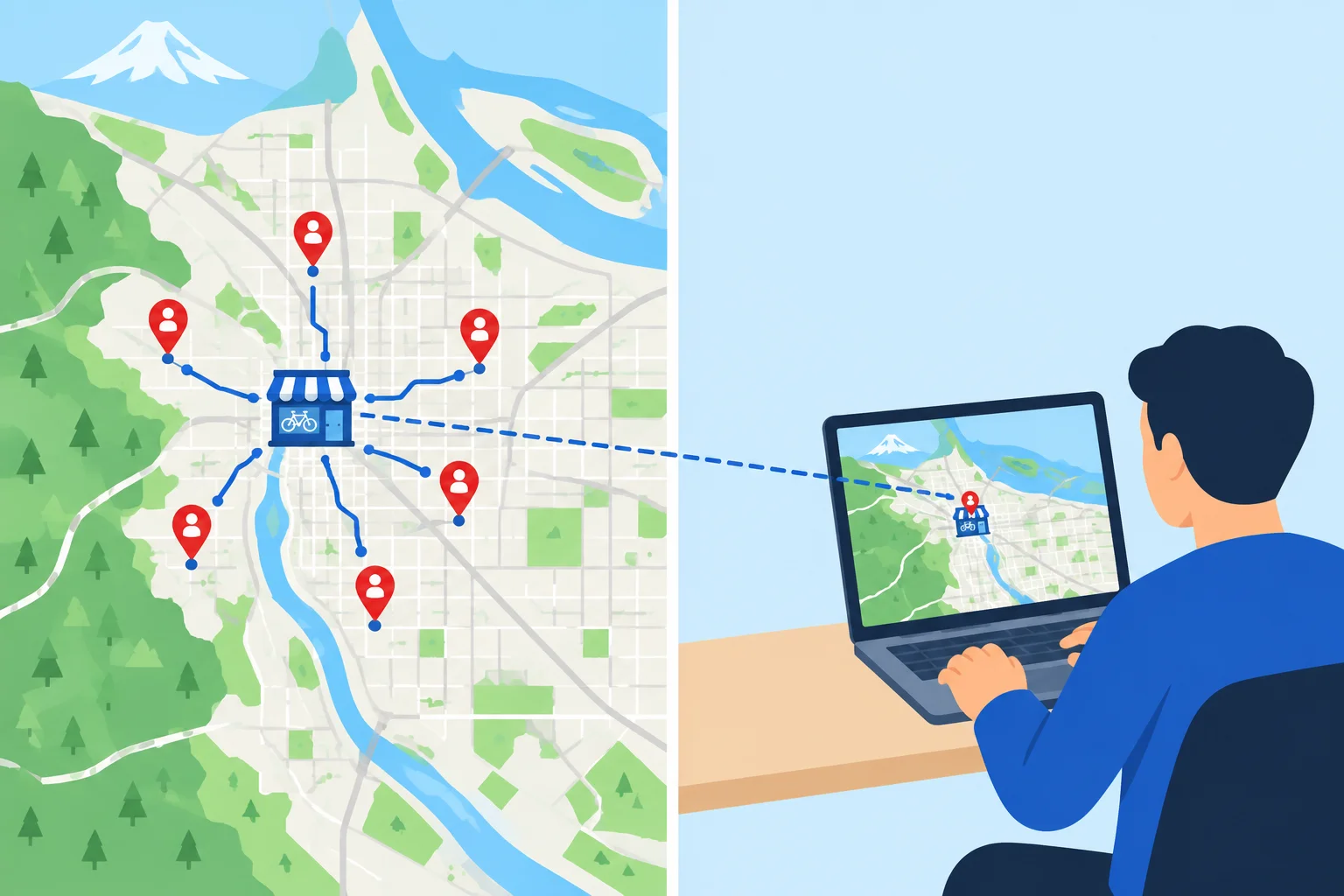
For an in-shop service, nearby presence is more aligned with the ability to book and visit than location interest alone.
Tip
Location targeting uses signals; it is not a perfect physical boundary or proof of a searcher's exact location. Treat it as a practical delivery setting, then keep the campaign's offer and destination pages clearly local.
Compare the two planning options before recording the campaign setting.
| Approach | Who may be included | Fit for Harbor Bike Repair |
|---|---|---|
| Presence-focused | People in or regularly in Portland | Strong fit: they are more likely able to visit the shop |
| Presence or interest | People in Portland plus people showing interest in Portland | Broader reach; may include remote researchers |
Language targeting also uses signals and language understanding. Set the campaign language to English because Harbor Bike Repair provides English-language service and pages. This does not guarantee that every eligible search query will be written in English.
In your text-document draft, add this under Campaign settings:
Location: Portland, Oregon, United States
Location option: People in or regularly in Portland, Oregon, United States
Rationale: In-shop services require customers who can realistically visit.
Language: English
Limitation: Location and language settings rely on signals; they are not guarantees.
Which location option is the best planning choice for Harbor Bike Repair's in-shop services?
Write a short Campaign settings entry for the draft. In 3–5 sentences:
Write at least 180 characters (0/180).
Step 4 of 8
Distinguish advertiser-selected keywords from hypothetical customer searches, then keep candidate wording aligned to Harbor Bike Repair's two service-focused ad groups and destination pages.
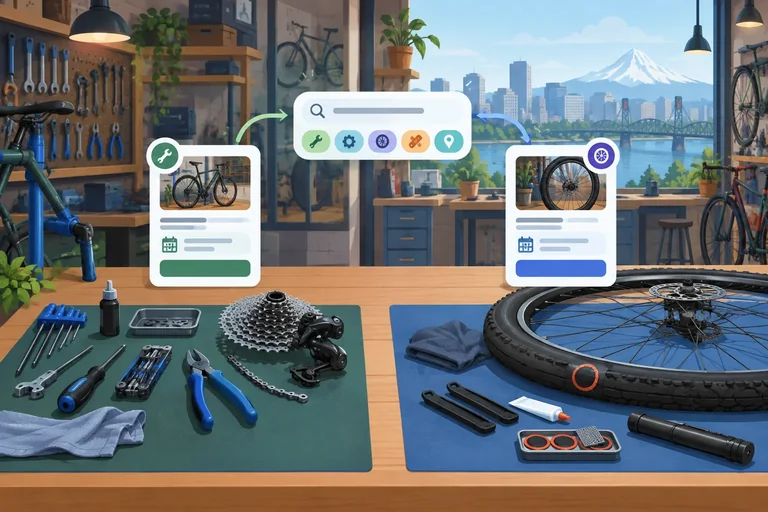
A Search term is what a person enters into a search engine. A keyword is wording the advertiser chooses as a targeting input.
For this draft, treat every Search term example as hypothetical, not observed account data. Use it as evidence of a customer need, then decide whether that need fits a service Harbor Bike Repair actually provides.
A Search term and a keyword do not need identical wording for a match to be possible. However, similarity alone does not make a search useful: the intent must fit an in-shop tune-up or flat tire repair service.

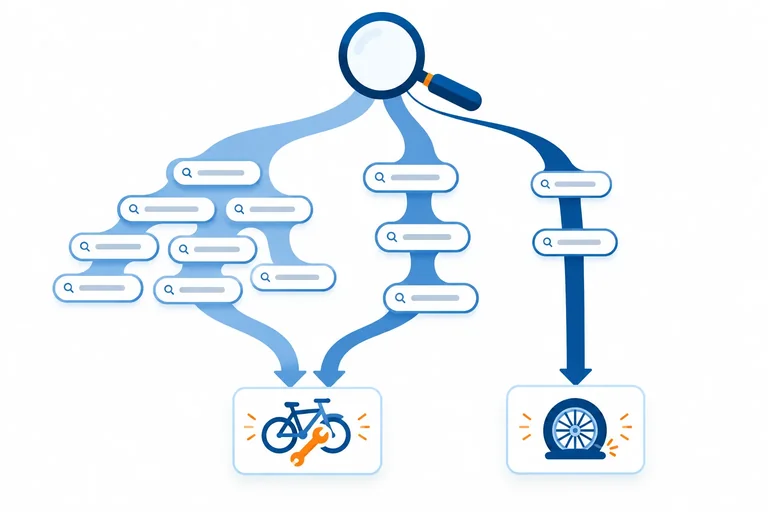
Use a hypothetical Search term to judge demand; organize suitable keyword candidates in the focused ad group that leads to the matching destination page.
Tip
Do not treat a keyword as a report of what customers typed, and do not add every wording variation as its own ad group. The decision is about the underlying service need.
Later, you will attach match types and add exclusions. For now, select clear candidate wording and keep the two existing service themes separate.
Evaluate a hypothetical Search term by asking two questions:
Searches for learning, employment, bike purchases, or mobile repair do not describe the offered service. Do not turn unsupported intent into a keyword candidate merely because it includes the word “bike.”
These are hypothetical searches, not account data.
| Hypothetical Search term | Decision | Why |
|---|---|---|
| bicycle tune up close by | Bike Tune-Ups | Seeks the tune-up service. |
| flat tire repair shop | Flat Tire Repair | Seeks repair for a punctured tire. |
| bike repair course | Do not add | Seeks training, not a repair service. |
| bikes for sale Portland | Do not add | Seeks a product the business does not sell. |
| mobile bike repair Portland | Do not add | Requests a service the business does not offer. |
In your text document, work under the heading Keywords and match types. Record a compact set of candidate keywords under the existing ad group they describe.
Keep wording focused on one service need. Do not create a new ad group for every synonym or location phrase. These are planning candidates, not a promise that every related search will show an ad. Match-type choices come next.
Use the service-specific destination alongside each ad group while planning. The destination page must support the same need expressed by the keyword candidates.
| Ad group | Destination page | Candidate keyword |
|---|---|---|
| Bike Tune-Ups | /bike-tune-ups | bike tune up |
| Bike Tune-Ups | /bike-tune-ups | bicycle tune up |
| Bike Tune-Ups | /bike-tune-ups | bike maintenance service |
| Flat Tire Repair | /flat-tire-repair | flat tire repair |
| Flat Tire Repair | /flat-tire-repair | bike flat tire repair |
| Flat Tire Repair | /flat-tire-repair | bicycle tire repair |
Match each item to its correct classification and planning decision.
Tap an item and then its matching pair.
Step 5 of 8
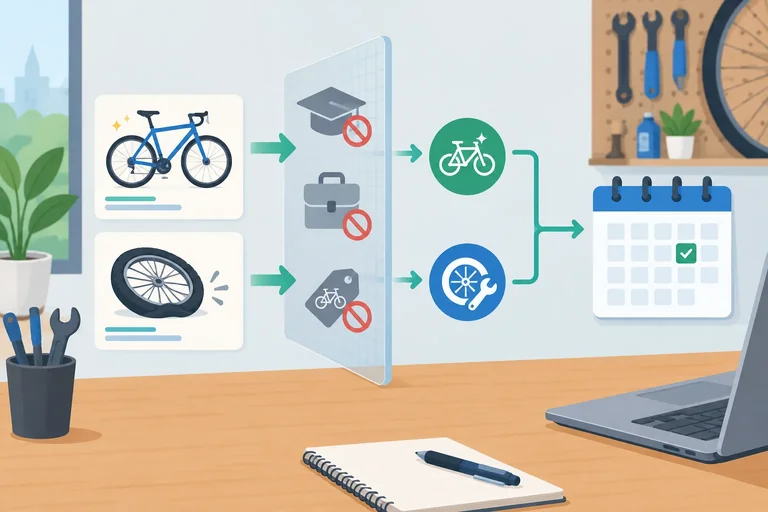
Choose broad, phrase, and exact positive keyword notation for the Harbor Bike Repair draft, while distinguishing possible matching from guaranteed ad delivery.
Add to your text document under the heading Keywords and match types: a positive keyword’s notation affects its likely reach and control, not whether an ad is guaranteed to appear.
Broad match has no punctuation: bike tune up. It can reach searches related to that service need, even when the search does not use those exact words.
Phrase match uses straight double quotation marks: "bike tune up". It can reach searches with that keyword’s meaning, including more specific expressions.
Exact match uses square brackets: [bike tune up]. It can reach searches with the same meaning or intent; it does not require identical characters or word order.
Positive matching can include close variants. No positive match type is a strict literal whitelist. A possible match still does not guarantee an impression, position, click, or booking.
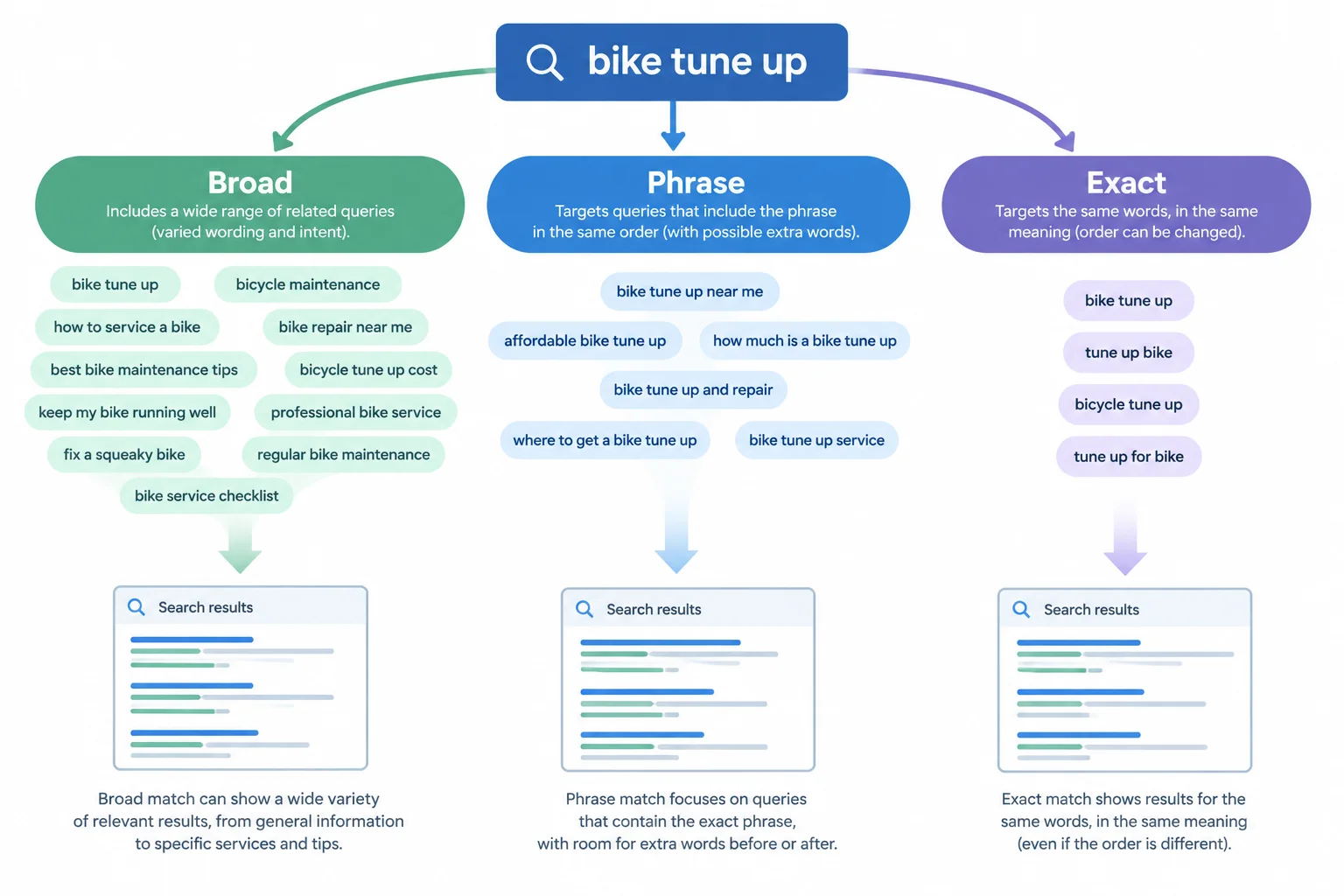
Broad generally offers wider potential reach and less control; phrase is a middle option; exact is relatively more focused. All three use meaning-based matching.
The following examples are hypothetical Search terms, not observed account data. They illustrate possible meaning-based relationships only. They do not predict which query will match, whether an ad will enter an auction, or whether it will be shown.
Use the punctuation in the first column when you record a positive keyword. The Search term column deliberately has no match-type punctuation because it represents what a person hypothetically types.
| Keyword notation | Match type | Hypothetical Search term | Possible relationship | Relative reach and control |
|---|---|---|---|---|
| bike tune up | Broad | bicycle maintenance appointment | Could be considered because the service need is related, despite different wording. | Widest potential reach; least control |
| "bike tune up" | Phrase | bike tune up near me | Could be considered as a more specific expression of the tune-up need. | Middle ground |
| [bike tune up] | Exact | tune up bike | Could be considered when the intent is the same despite reordered words. | More focused potential reach; more control |
Example
In Keywords and match types, you can record planning entries such as:
Bike Tune-Ups — bike tune up — Broad — wider potential reach for related tune-up intent, so it needs careful relevance review.Bike Tune-Ups — "bike tune up" — Phrase — a middle option for tune-up meaning with more specific expressions.Flat Tire Repair — [flat tire repair] — Exact — a relatively focused option for the flat-repair intent.These are draft choices, not a forecast. Broader matching can bring useful additional demand, but it also calls for greater care with relevance and later review.
Which statement about positive exact match is accurate?
Update your text document under Keywords and match types.
In your response:
Bike Tune-Ups and one in Flat Tire Repair. For each choice, justify the relevance-versus-reach trade-off. State clearly that a hypothetical match is not guaranteed ad delivery.Keep the two service themes separate and use the required campaign terminology.
Write at least 260 characters (0/260).
Step 6 of 8
Draft scoped negative keywords for Harbor Bike Repair and test them against hypothetical Search terms without blocking valuable repair demand.
Negative keywords are filters: they stop ads from being eligible for searches you do not want. They do not target customers or work like positive keywords.
Use their own rules. Negative matching does not automatically include close variants, plurals, singulars, or synonyms. For example, a negative for an employment word in plural form does not automatically exclude its singular form.
Before adding a negative, test it against an irrelevant hypothetical Search term and a valuable one. A filter that removes unwanted traffic but also blocks a repair customer is not a good filter.
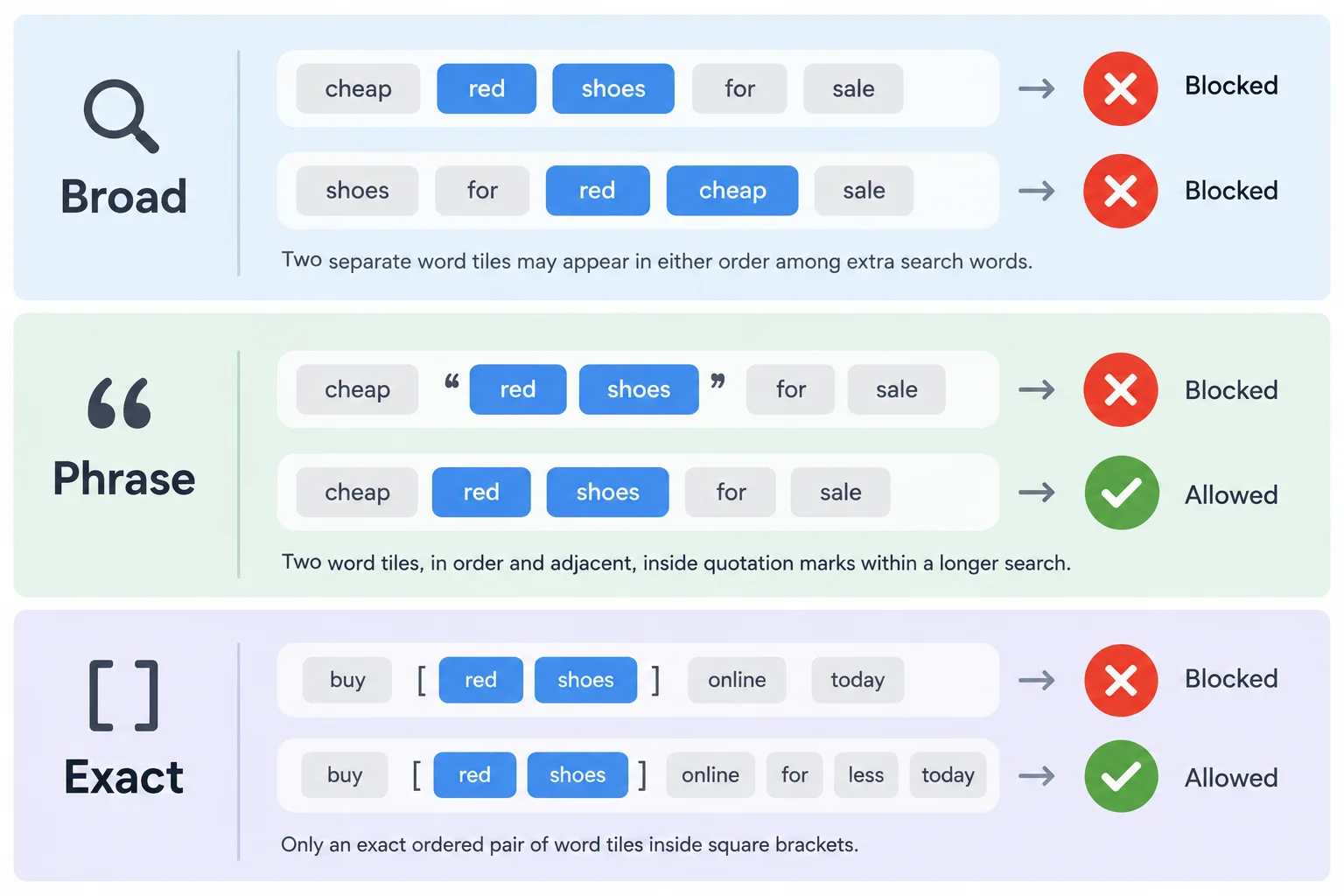
Negative matching uses filtering rules that are separate from positive keyword matching.
Write a negative broad match as bare words: jobs. It blocks a Search term containing all of those negative words in any order, even with extra words.
Write a negative phrase match in straight quotation marks: "repair course". It blocks a Search term containing those words together in that order, even with extra words.
Write a negative exact match in brackets: [free bikes]. It blocks only that same ordered Search term, with no extra words.
These are filtering rules, not meaning-based promises. Do not assume a negative will also block a synonym or a close variant.
In your own text document, use the heading Negative keywords and scope. Under it, add the label Negative keywords and record exclusions separately from your positive keywords.
The following are starting exclusions for Harbor Bike Repair. They apply to both services, so their scope is Campaign. The exact-match entry is intentionally narrow: it demonstrates that a longer related Search term would not be filtered by that entry.
| Negative keyword | Match type | Scope | Reason |
|---|---|---|---|
| jobs | Negative broad | Campaign | Neither service offers job opportunities |
| "repair course" | Negative phrase | Campaign | Neither service offers repair courses |
| [free bikes] | Negative exact | Campaign | The business does not sell bikes; this entry filters only this exact request |
Tip
Use Campaign scope when an unwanted intent applies to both Bike Tune-Ups and Flat Tire Repair. Use Ad group scope only when a term is unsuitable for one service theme but could still be useful for the other.
Do not add the broad negative bikes merely because Harbor Bike Repair does not sell bikes. A valuable hypothetical Search term such as “bikes tune up Portland” contains that word and could be blocked. Check common service words especially carefully.
Match each negative-keyword notation to the rule that determines when it blocks a hypothetical Search term.
Tap an item and then its matching pair.
Use the existing Campaign negatives jobs, "repair course", and [free bikes].
For each hypothetical Search term below, write whether it is blocked or not blocked and give the matching-rule reason:
Then identify the missed word variant. Explain why using the plural product word as a broad Campaign negative would overblock a valuable tune-up search. Finally, add one justified row to your Negative keywords table: Negative keyword, Match type, Scope, and Reason.
Write at least 250 characters (0/250).
Step 7 of 8
Plan a proposed conversion action and document the access, collection, linking, consent, and validation checks needed before its data can be trusted.
The intended business outcome is a successfully confirmed repair booking—not an ad impression, a visit, or a booking-button click.
For this draft, propose the GA4 event booking_confirmed for that completed outcome. A GA4 key event marks an important event in Analytics. A Google Ads conversion action defines an outcome measured in Google Ads. The proposed Google Ads conversion action is Confirmed Repair Booking.
Marking booking_confirmed as a GA4 key event does not, by itself, create or validate Confirmed Repair Booking in Google Ads. Collection, access, an appropriate measurement route, and validation still matter.

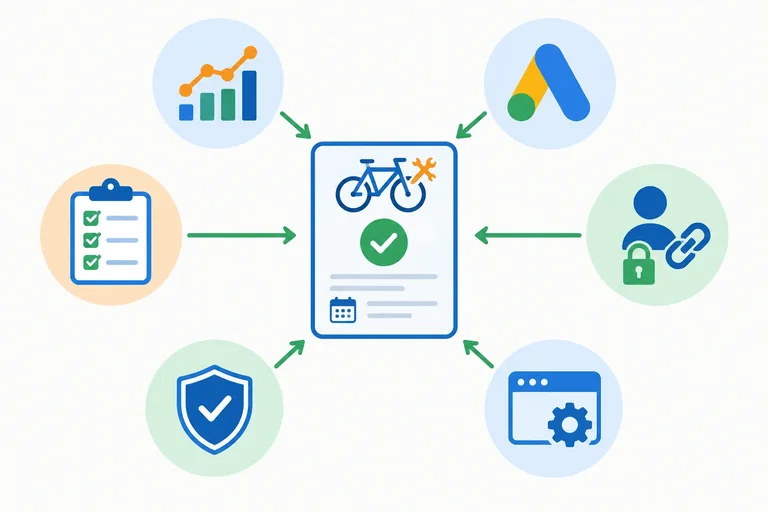
A confirmed booking must pass through a planned collection and validation path before it can be trusted as a Google Ads conversion.
A direct Google Ads website-conversion route and a GA4-based route can both be planned. This draft proposes the GA4-based route because it explicitly connects the planned GA4 event to the proposed Google Ads conversion action.
Add the headings Measurement readiness and Open checks to your text-document draft. Record planning decisions as Planned, unavailable permissions or implementation access as Needs access, and unproven collection or recording as Not validated. These labels describe readiness; they do not claim that anything is live.
Both routes need authorized implementation access, applicable consent and data-collection review, and validation. The route is a planning choice, not a request to set up accounts or tags.
| Route | Planning path | What must still be checked |
|---|---|---|
| Direct Google Ads website collection | Google Ads action → website collection → validation | Google Ads and website access, consent conditions, correct booking trigger, no duplicates |
| GA4-based route (proposed) | Valid booking_confirmed collection → GA4 key event → authorized linking → create or import Confirmed Repair Booking → validation | GA4 access, Google Ads access, linking authority, website access, consent conditions, correct booking trigger, no duplicates |
Warning
Account linking alone does not install collection, prove that booking_confirmed was received, or prove that a confirmed booking was recorded correctly. A test event also does not prove an ad-attributed conversion.
Under Open checks, identify an authorized owner for unresolved work. The draft should name needs for Google Ads permissions, GA4 property and linking permissions, and website or tag-manager implementation access. It should also state that applicable consent and data-collection requirements must be confirmed before implementation.
A planner has marked the intended booking event as a GA4 key event. Which statement is still true?
In your text document, complete a compact readiness note under Measurement readiness and Open checks. Write four numbered lines:
Keep this explicitly a draft: no account creation, tag installation, or live test is required.
Write at least 300 characters (0/300).

Step 8 of 8
This final pass consolidates the document you have built; it does not create a new campaign scenario. Review every connection: a local customer need should lead through a focused ad group and relevant keyword choices to the matching destination page.
Your text document must use these headings:
Goal
Campaign settings
Ad groups and destinations
Keywords and match types
Negative keywords and scope
Measurement readiness
Open checks
Label the result a structure-and-targeting draft. It is not launch-ready: ad creative, bids, budgets, account setup, payment setup, and publishing are outside this tutorial.
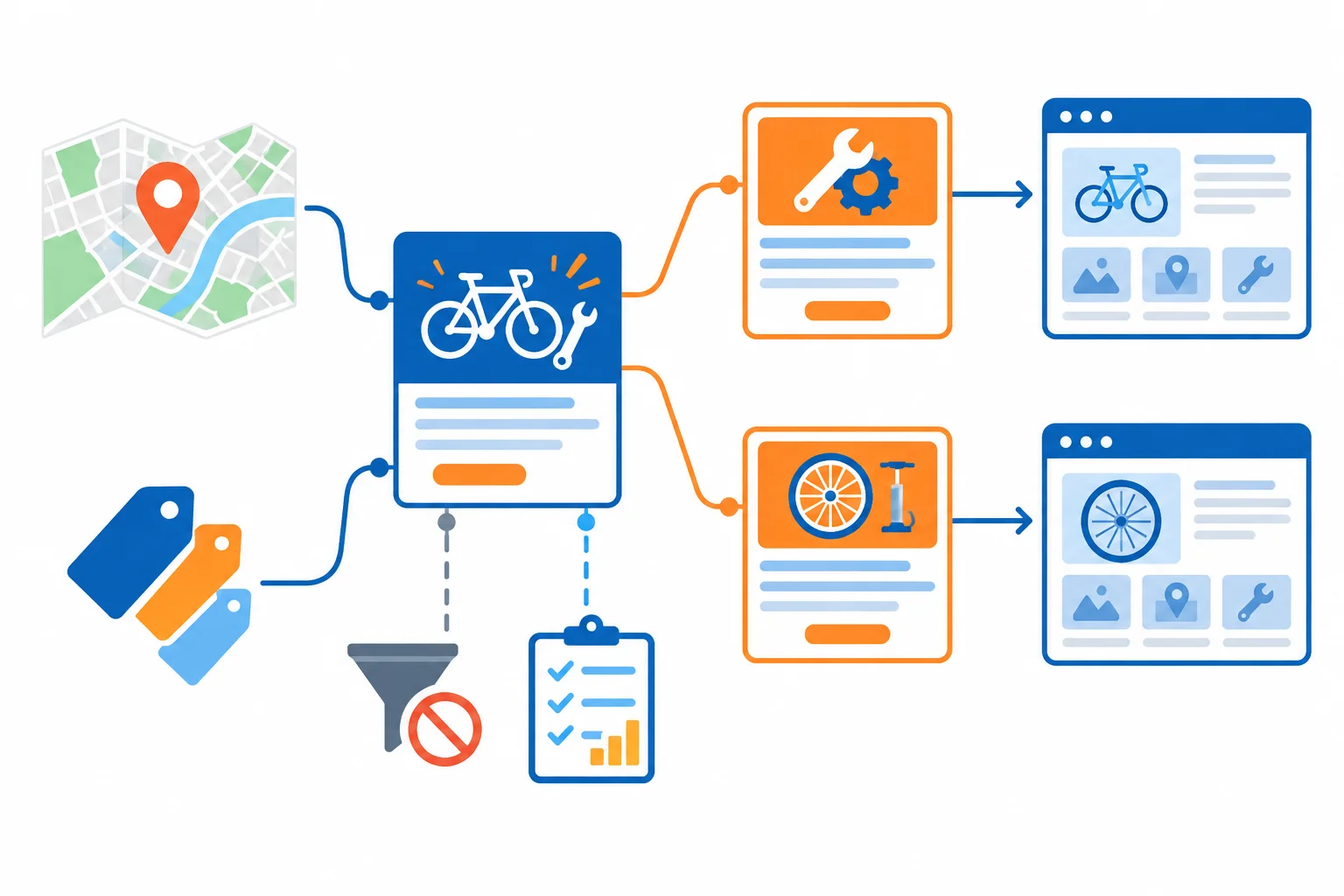
A coherent draft connects goal, settings, service intent, destination, exclusions, and measurement dependencies.
Use this checklist before you write your final review.
| Check | Pass condition |
|---|---|
| Business outcome | A successfully confirmed booking—not an impression, click, or booking-button click. |
| Shared settings | Local service area and English-language setting fit an in-shop Portland business. |
| Ad-group focus | Each ad group represents one service need and has its matching destination page. |
| Positive keywords | Notation is correct and the rationale recognizes meaning-based matching and relative reach. |
| Negative keywords | Each exclusion has a reason and scope; it does not needlessly block valuable service searches. |
| Measurement | Planning decisions are separated from access requirements and unvalidated implementation work. |
| Boundary | The document is clearly a draft, not a live campaign or performance claim. |
Use the following as the consolidated source of truth for the completed planning decisions. Keep the wording and labels consistent in your own document.
Example
Goal
Generate a successfully confirmed booking for an in-shop bike tune-up or flat tire repair.
Campaign settings
Campaign: Harbor Bike Repair - Search - Portland
Location: Portland, Oregon, United States
Location option: people in or regularly in the location. This suits an in-shop service; location signals are not proof of a person's exact physical location.
Language: English. Language signals do not guarantee every query is written in English.
Ad groups and destinationsBike Tune-Ups → /bike-tune-upsFlat Tire Repair → /flat-tire-repair
Record ad placeholders only; do not draft ad assets here.
Keywords and match types
Use positive keyword notation consistently and attach a rationale to each choice. Positive matching is meaning-based and can include close variants. Broad offers relatively wider reach; phrase is a middle option; exact is relatively more focused. None is a strict literal whitelist or a guarantee of impressions or bookings.
Place this separately under the Negative keywords and scope heading. These are negative-specific rules, not positive keyword rules. The rows below preserve the employment-word variant correction from the earlier audit. Retain any other justified row you added during that audit; do not present a baseline list as proof that no further review is needed.
| Negative keyword | Match type | Scope | Reason |
|---|---|---|---|
| jobs | Negative broad | Campaign | Neither service offers job opportunities. |
| job | Negative broad | Campaign | The singular employment query is also unsupported; negative keywords do not automatically cover word variants. |
| "repair course" | Negative phrase | Campaign | Neither service offers repair courses. |
| [free bikes] | Negative exact | Campaign | The business does not sell bikes; this excludes only that exact request. |
Record these as dependencies, not completed tracking. booking_confirmed must represent a successful booking, never just a booking-button click.
| Item | Status | What the draft records |
|---|---|---|
| GA4 event: booking_confirmed | Planned | A successful confirmed repair booking is the intended event. |
| Google Ads conversion: Confirmed Repair Booking | Planned | A corresponding Google Ads conversion action is proposed. |
| Consent and data-collection review | Planned | Review applicable requirements before implementation; compliance has not been confirmed. |
| Google Ads, GA4/linking, and website or tag-manager access | Needs access | An authorized owner must be identified for unresolved permissions and implementation work. |
| Collection route, linking or import where applicable, duplicate prevention, and booking recording | Not validated | No collection or conversion recording has been proven. A test event alone does not prove an ad-attributed conversion. |
Tip
Under Open checks, identify who can provide Google Ads permissions, GA4 property and linking permissions, and website or tag-manager implementation access. Also record that applicable consent and data-collection requirements still need confirmation, and that the proposed route must be validated for one confirmed booking without duplicate recording. These are implementation risks, not reasons to claim live validation.
In your own text document, write a concise final review using all seven required headings. Summarize the campaign settings; map both service-focused ad groups to their destination pages; include positive keyword match types with relevance-versus-reach reasons; and list scoped negative keywords with their likely filtering effect.
Then distinguish what is Planned, what Needs access, and what is Not validated for measurement. End by identifying one remaining implementation risk. Do not claim that anything is live, linked, collected, or validated.
Write at least 650 characters (0/650).
Summary
booking_confirmed and Confirmed Repair Booking are planned outcomes, while permissions, implementation access, and validation dependencies remain explicitly visible.Congratulations! You completed: Draft a Google Ads Search Campaign
Thousands of online courses in video, ebooks and audiobooks.
To test your knowledge during online courses
Generated directly from your cell phone's photo gallery and sent to your email

Download our app via QR Code or the links below:.



Carry knowledge in your pocket.
Download the Cursa app.
There are hundreds of free courses available, with a free certificate of completion that is saved in your mobile image gallery.
Download the app to access the Course Completion Certificate for Free.


+ 10 million
students

Free and Valid
Certificate

60 thousand free
exercises

4.8/5 rating in
app stores

Free courses in
video and ebooks