Step 1 of 8
Turn the Integrated Plan into Executable Work
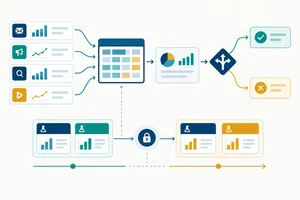
Translate the carried-forward FocusFlow strategy into bounded work packages without introducing unsupported channel activity.

Learning path · Level 10 · Tutorial 2
Turn the integrated plan into a phased roadmap with owners, dependencies, cash budgets, and realistic workload estimates. Use a compact text table to compare feasible execution scenarios and explain what changes when resources or assumptions change.
 Turn the Integrated Plan into Executable Work
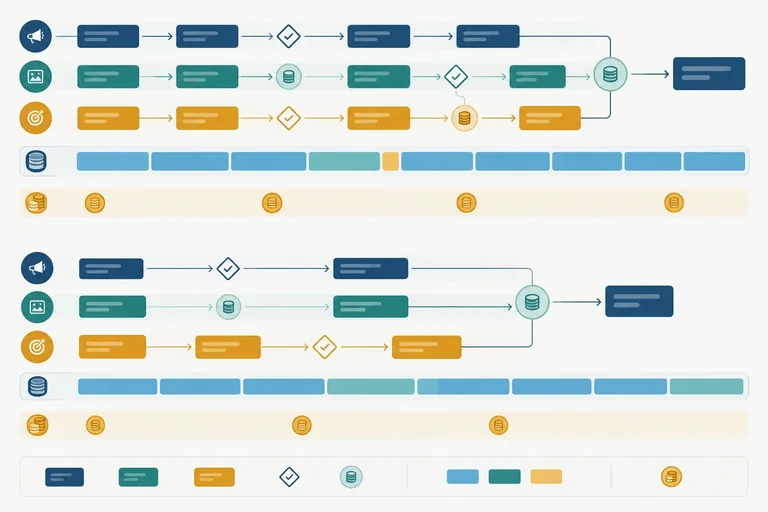
Translate the carried-forward FocusFlow strategy into bounded work packages without introducing unsupported channel activity. 2 min
 Sequence Dependencies and Readiness Gates
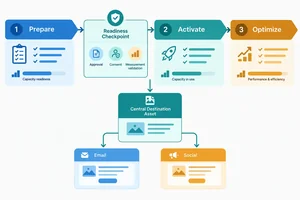
Sequence FocusFlow work through Prepare, Activate, and Optimize so shared assets, approvals, consent requirements, and measurement checks are ready before dependent activity launches. 3 min
 Make Ownership and Review Work Visible
Assign clear ownership, visible review work, role-level effort, and actionable handoffs to FocusFlow roadmap packages. 3 min
 Resolve Weekly Capacity Bottlenecks
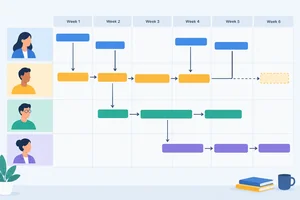
Reconcile FocusFlow’s role-week workload against protected capacity, then repair a visible bottleneck while preserving dependencies, readiness, ownership, and handoffs. 3 min
 Build a Cash-and-Time Resource Budget
Build the Resource budget section of the FocusFlow roadmap by keeping cash categories, timing, shared assets, and internal staff time visible and reconcilable. 3 min
 Make Forecasts Respect Time and Business Capacity
Document a conditional FocusFlow forecast that respects readiness, channel timing, conversion lag, and the capacity to serve new customers. 3 min
 Compare Feasible Scenarios and Trade-offs
Create a feasible constrained-resource scenario and justify what changes, what remains protected, and what is deferred. 4 min
 Finalize and Check Your Marketing Roadmap
Assemble, audit, and preserve a feasible FocusFlow roadmap for the next stage of the integrated marketing-plan capstone. 4 min
Step 1 of 8
Translate the carried-forward FocusFlow strategy into bounded work packages without introducing unsupported channel activity.
This roadmap extends the integrated plan; it does not reopen strategy. If you do not have an earlier document available, use the complete FocusFlow case below. If you are continuing a learner-selected business, retain that business’s existing strategic core in the equivalent fields.
Start the cumulative artifact as FocusFlow roadmap. Its four sections are Continuity brief, Roadmap, Resource budget, and Scenarios and assumptions.
Use Carried forward for prior strategic decisions. Use Planning assumption for new operating figures that will constrain execution. A planning assumption can change the feasible delivery plan, but it does not authorize a new channel, audience, offer, or objective.
This populated brief makes the case self-contained. It is a recap of the integrated plan, not an invitation to select channels again.
| Brief element | Carried forward fact |
|---|---|
| Audience | Operations leads at small client-service teams that coordinate recurring client work. |
| Offer | FocusFlow’s 14-day guided trial for planning recurring client work, with a setup consultation. |
| Objective and outcome | Generate qualified trial requests for the guided trial. The primary conversion outcome is a qualified trial request; new-customer starts are a later operational outcome. |
| Included channels | Paid search placements and permission-based email to opted-in contacts. |
| Deferred work | Organic social publishing and SEO expansion are Deferred work for this six-week horizon. |
| Excluded channels | Influencer partnerships, new social channels, and new automation flows are excluded. |
| Handoffs | Paid search placement or permission-based email → shared trial landing page → qualified trial request → consented email follow-up. |
| Shared assets | Approved creative master with the core offer message and visual treatment; one shared trial landing page used by both included channels. |
| Strategic assumptions | Offer terms remain consistent. Email and follow-up use consented contacts only. Both included channels use the shared destination. |
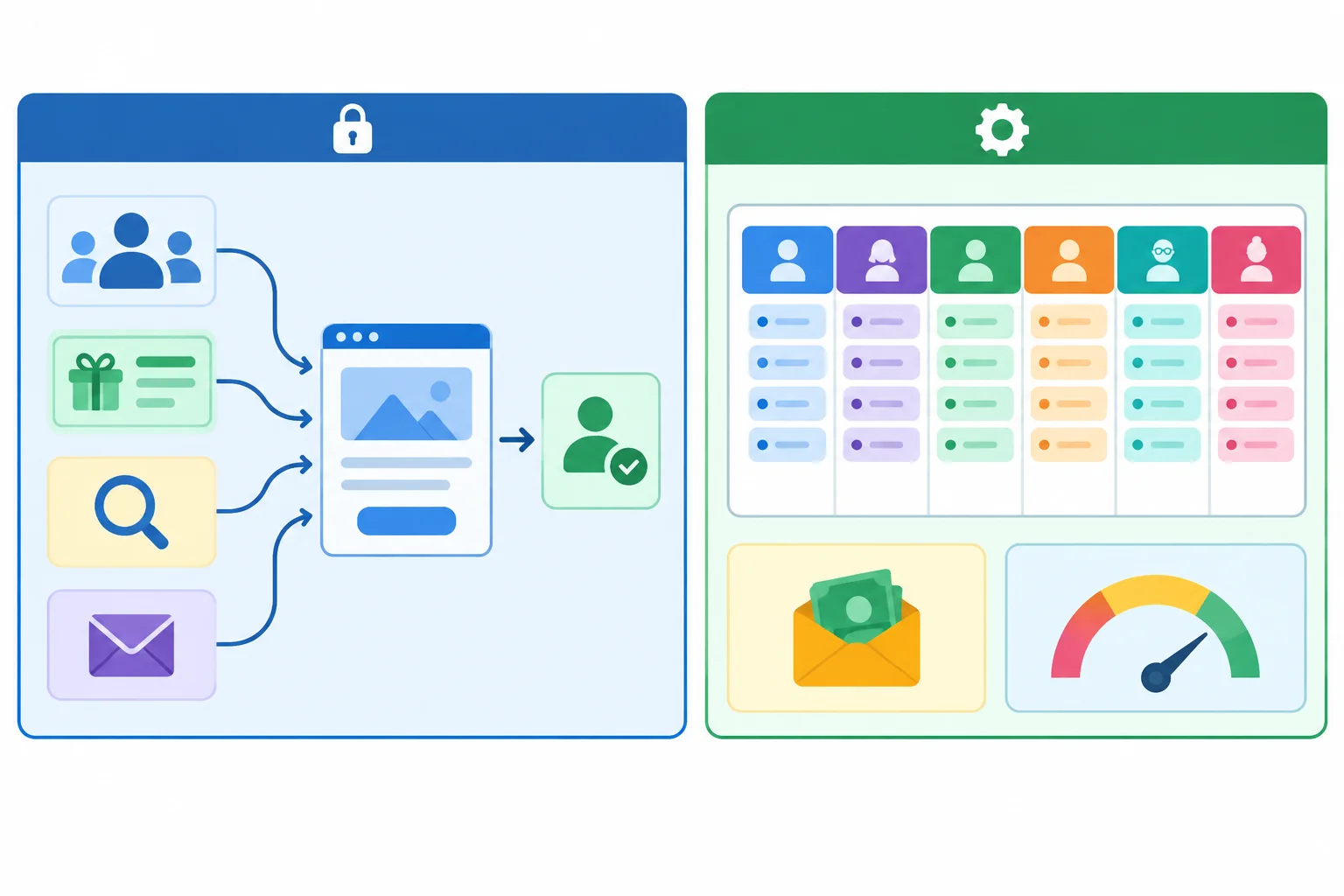
The strategic core is carried forward; operating figures are Planning assumptions for execution.
Record these new Planning assumption inputs without using them to redesign FocusFlow:
These fictional figures will later test capacity, cash, and forecast feasibility. They are not spending instructions and do not change the carried-forward channel portfolio.
Example
Your artifact can now have this compact start:
FocusFlow roadmap

Continuity brief
Carried forward: [the populated FocusFlow facts above]
Planning assumption: six-week horizon, role allocations, reserve, cash ceilings, and operations ceiling.

Roadmap
[Add bounded work packages here]

Resource budget
[Complete later]

Scenarios and assumptions
[Complete later]
Later steps will sequence, assign, cost, and compare this same roadmap.
A work package is a bounded deliverable that can be completed, checked, and handed off. A label such as “do social media” or “improve paid search” is not a package: it has no finish line and may introduce unsupported work.
For every proposed package, state:
At this stage, define the work. Detailed dependency order, Readiness gates, ownership, workload, cash, and forecasts follow in later steps.
These packages stay inside FocusFlow’s stated channel scope and use its shared destination rather than creating a new tactic.
| Too vague | Bounded work package | Observable completion condition | Trace |
|---|---|---|---|
| Create content | Finalize the approved creative master for paid search and permission-based email. | The reusable master is accepted and available once for both channel uses. | Shared asset and consistent offer. |
| Run paid search | Prepare the paid-search placement set using the approved creative master and shared landing-page URL. | Placement copy and destination link are complete and ready for required checks. | Included channel and paid-search-to-destination handoff. |
| Send email | Build the permission-based email for opted-in contacts using the shared offer and destination. | Email copy, destination link, and consented audience selection are complete. | Included channel and email-to-destination handoff. |
| Improve conversion | Prepare the shared trial landing-page launch package. | The page presents the carried-forward offer and supports a qualified trial request. | Objective, shared destination, and both channel handoffs. |
Which proposal is ready to enter the FocusFlow roadmap as a work package?
For the FocusFlow case, assess these four proposed entries:
A. Be more active on social media.
B. Finalize the reusable creative master for paid search and permission-based email; it is complete when one approved master is available for both uses.
C. Improve paid-search results.
D. Build the permission-based email for opted-in contacts; it is complete when its copy, shared destination link, and consented audience selection are complete.
Identify the two bounded work packages. For each selected package, write its deliverable, completion condition, and a trace to a named FocusFlow objective, handoff, Shared asset, or necessary readiness requirement. Finish with one sentence explaining why the other statements cannot be scheduled as written.
Write at least 180 characters (0/180).
Step 2 of 8
Sequence FocusFlow work through Prepare, Activate, and Optimize so shared assets, approvals, consent requirements, and measurement checks are ready before dependent activity launches.
Continuity brief
Carried forward: FocusFlow’s existing audience, offer, objective and outcome definition; its included, deferred, and excluded channels; the channel handoffs; shared assets; and strategic assumptions. Keep these decisions intact—this roadmap sequences their execution rather than reopening strategy.
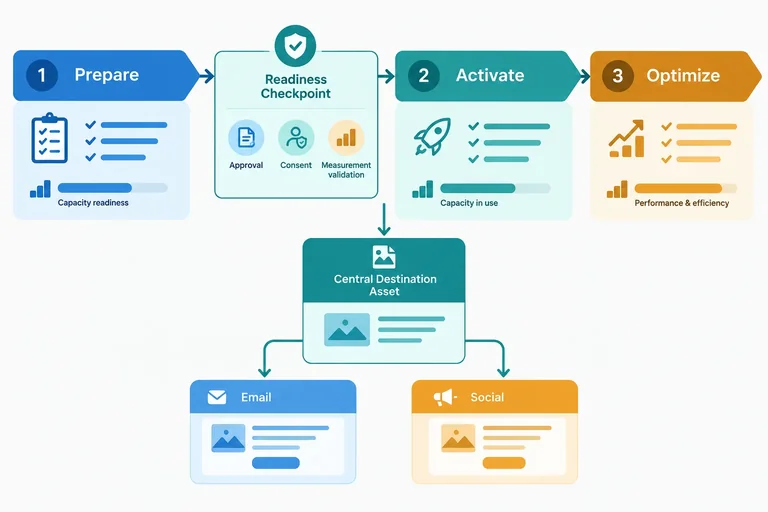
The carried-forward pathway is: included discovery activity → shared destination → permitted follow-up. A shared destination and consistent offer are reusable upstream assets, not separate production jobs for each channel.
Planning assumption: map work across Week 1 through Week 6 using the phases Prepare, Activate, and Optimize. A phase changes only when its required conditions are ready; a calendar week is not proof of readiness.
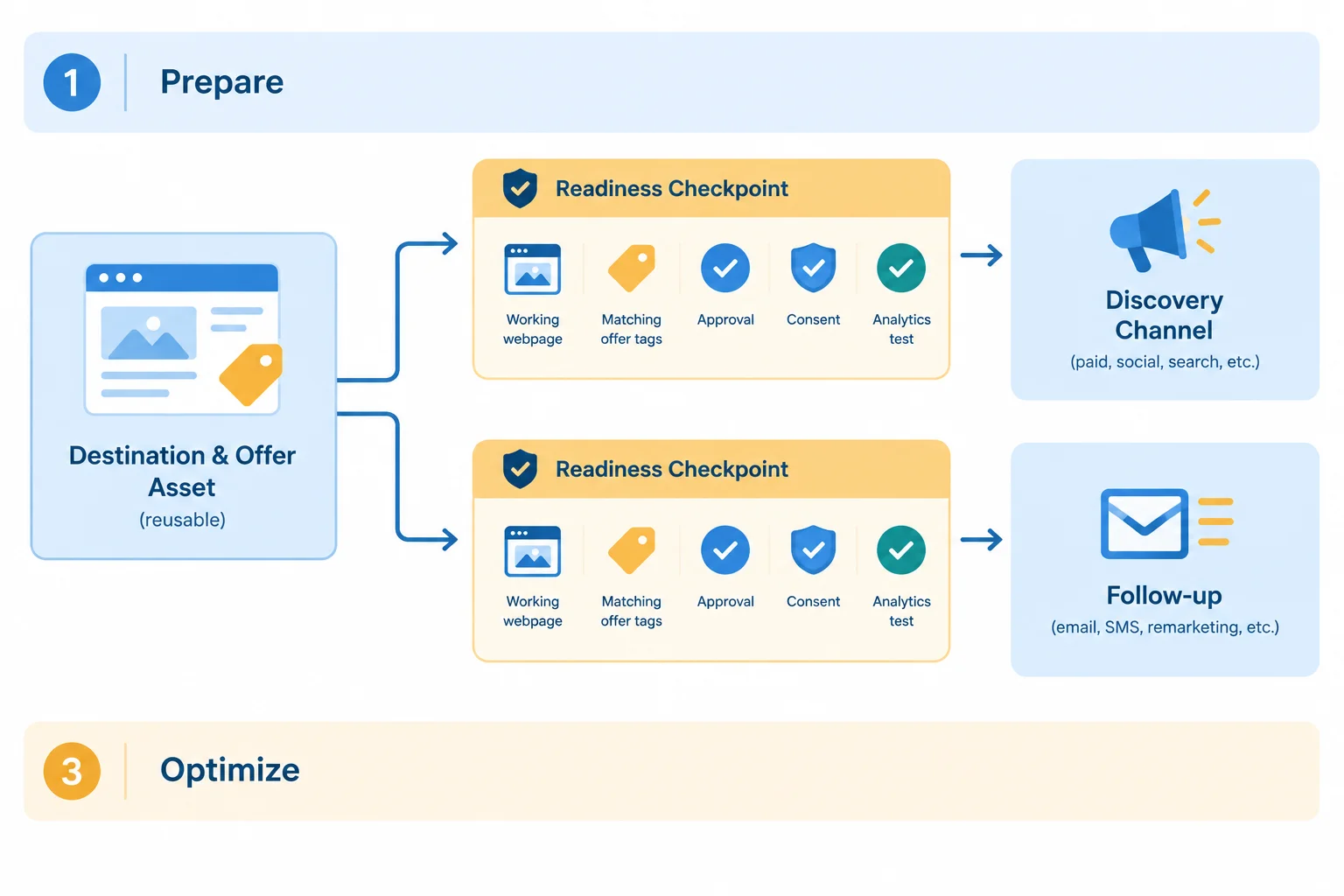
Prepare reusable inputs first. Downstream activity activates only after the readiness checkpoint is passed.
Add a short dependency sequence to the Roadmap section of your FocusFlow roadmap. Use the required headers now; detailed ownership and effort estimates are added later.
Roadmap
Phase/week | Work package | Accountable owner | Contributors/approver | Effort by role | Dependency/gate | Handoff
Prepare / Week 1 | Produce shared destination and offer asset | To assign | Required Approver | Add later | Matches Continuity brief | Asset enters preflight
Prepare / Week 1 | Complete consent and measurement preflight | To assign | Required contributors | Add later | Usable destination | Result to Readiness gate
Prepare / Week 2 | Confirm Readiness gate | To assign | Approver | Add later | All conditions confirmed | Go/no-go to activation
Activate / Week 2–6, only when ready | Run included activity and carried-forward handoff | To assign | Required contributors | Add later | Readiness gate passed | Discovery to destination to follow-up
Optimize / after activation | Refine the live pathway | To assign | Required contributors | Add later | Activity has activated | Updated work enters roadmap
“Week 2–6” reserves possible timing; it does not authorize a launch. Work in Prepare may run in parallel only when it does not need an unfinished input.
Use this gate before moving from Prepare to Activate. Record a visible confirmation rather than treating a scheduled date as confirmation.
| Gate condition | Observable confirmation | If unmet |
|---|---|---|
| Usable destination | The destination can support the carried-forward next action. | Keep activation blocked. |
| Consistent offer | The shared asset and destination present the same offer terms. | Correct the inconsistency. |
| Required approval | The Approver has recorded approval. | Wait for approval or revise. |
| Consent requirement | Collection and follow-up follow the carried-forward consent plan. | Resolve the requirement. |
| Measurement preflight | A test confirms the expected measurement path. | Fix and recheck before activation. |
The shared asset is awaiting required approval. The destination work can begin, and the consent and measurement preflight can be prepared. Which pair can run in parallel now?
For FocusFlow, place these packages into ordered layers. Identify the package(s) that can run in parallel, then explain why activation is blocked when required approval has not been recorded.
Packages:
Use a format such as “Layer 1,” “Layer 2,” and so on. State the unmet Readiness gate condition explicitly.
Write at least 180 characters (0/180).

Step 3 of 8
Assign clear ownership, visible review work, role-level effort, and actionable handoffs to FocusFlow roadmap packages.
Carried forward — FocusFlow: keep the existing audience and offer, objective and outcome definition, included/deferred/excluded channels, channel handoffs, shared assets, and strategic assumptions from the Continuity brief. This roadmap does not reopen those choices; it makes execution accountable.
For every work package, name exactly one Accountable owner. That person is answerable for completion and for making the next handoff happen. They may delegate tasks, but accountability stays visible. List people who help separately as contributors, and list a required Approver separately from both.
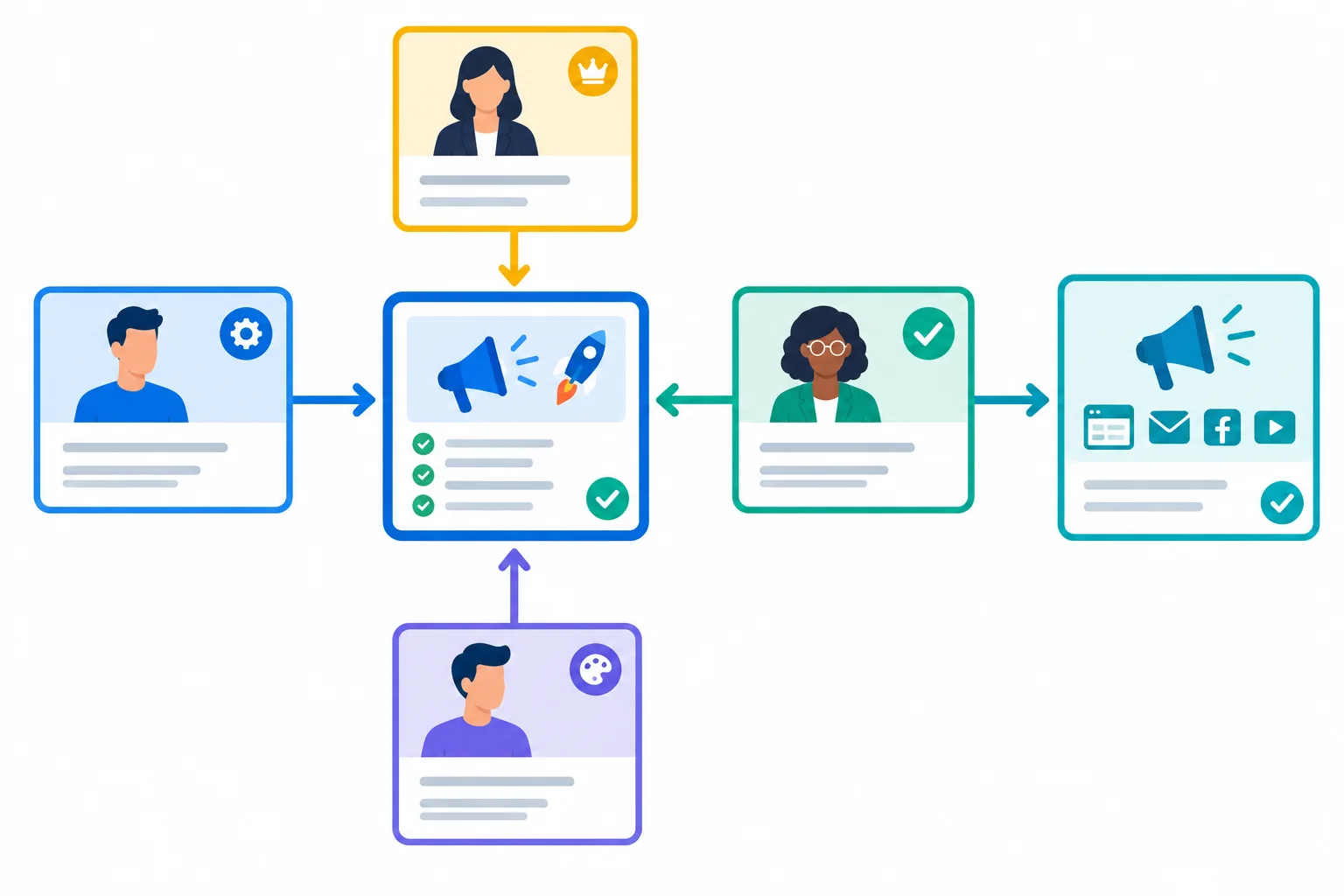
Separate accountability, contribution, approval, and handoff so that a finished task can move reliably to the next activity.
Planning assumption: estimate effort by role, rather than using one undifferentiated total. Include preparation, production, checking, expected revision, and approval. This makes work that is often treated as “extra” visible before activation.
The row below uses an already selected FocusFlow destination and handoff. It does not add a new channel or change the carried-forward strategy.
Phase/week | Work package | Accountable owner | Contributors/approver | Effort by role | Dependency/gate | Handoff
Prepare / Week 1 | Landing-page launch package | Web/Analytics | Marketing Lead; Content/Design; Approver | Marketing Lead: 1 h (brief/check); Content/Design: 3 h (draft/revision); Web/Analytics: 3 h (build/test); Approver: 0.5 h (review) | Approved offer; consent requirements; measurement-preflight criteria | Accepted page URL and validated event check to Marketing Lead for activation
Example
Web/Analytics is accountable for the package, even though several roles work on it. The Content/Design estimate already includes revision after review. The Approver’s 0.5 h is planned hands-on review work, not an invisible addition after production is “finished.”
A handoff is usable only when it names all three parts: the deliverable, an acceptance condition, and the receiving person or role. “Send page to marketing” is not enough; the receiver needs to know what is accepted and ready to use.
Also record hands-on review effort separately from elapsed turnaround. An approver may spend little time reviewing but return a decision days later. Activation must wait for the decision and any planned revision, even while the reviewer’s effort total remains small.
For the same FocusFlow launch package, record both timing measures and the accepted downstream input.
| Record | Meaning | FocusFlow entry |
|---|---|---|
| Review effort | Hands-on time used by the reviewer | 0.5 h |
| Elapsed turnaround | Time until a review decision returns | 2 working days |
| Handoff | Accepted input and receiving role | Accepted page URL + validated event check to Marketing Lead |
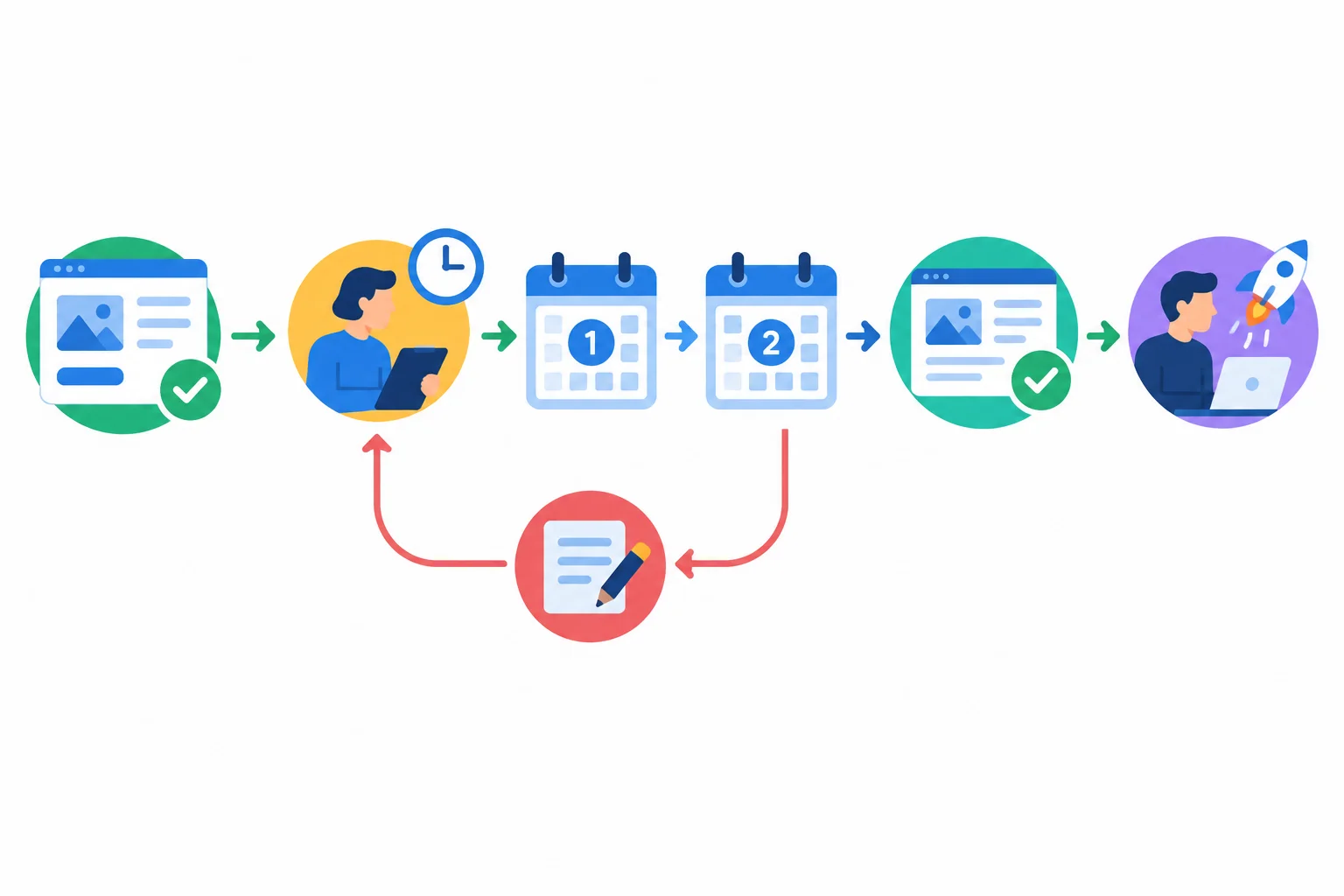
A short review effort can have a longer turnaround. Plan both the review work and the waiting period before the downstream handoff.
Complete the responsibility-and-effort record for the same launch package.
Accountable owner:
Contributors:
Required approval by:
Review effort:
Elapsed turnaround:
Handoff: Send the accepted page URL and validated event check to  for activation.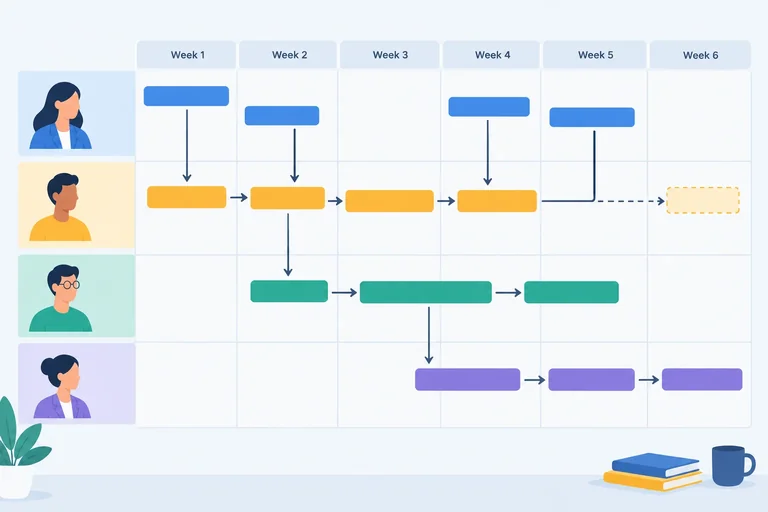
Step 4 of 8
Reconcile FocusFlow’s role-week workload against protected capacity, then repair a visible bottleneck while preserving dependencies, readiness, ownership, and handoffs.
Continue the FocusFlow roadmap; capacity planning changes execution feasibility, not the carried-forward strategy. FocusFlow still uses its approved Shared asset and shared trial landing page for paid search placements and permission-based email.
Planning assumption: business-as-usual commitments have already been removed from the weekly allocations. Protect a further 20% reserve for uncertainty, revision, or disruption. Schedule planned work only within the remaining role-specific limit. The reserve is not spare planned capacity and should not be filled with routine work.
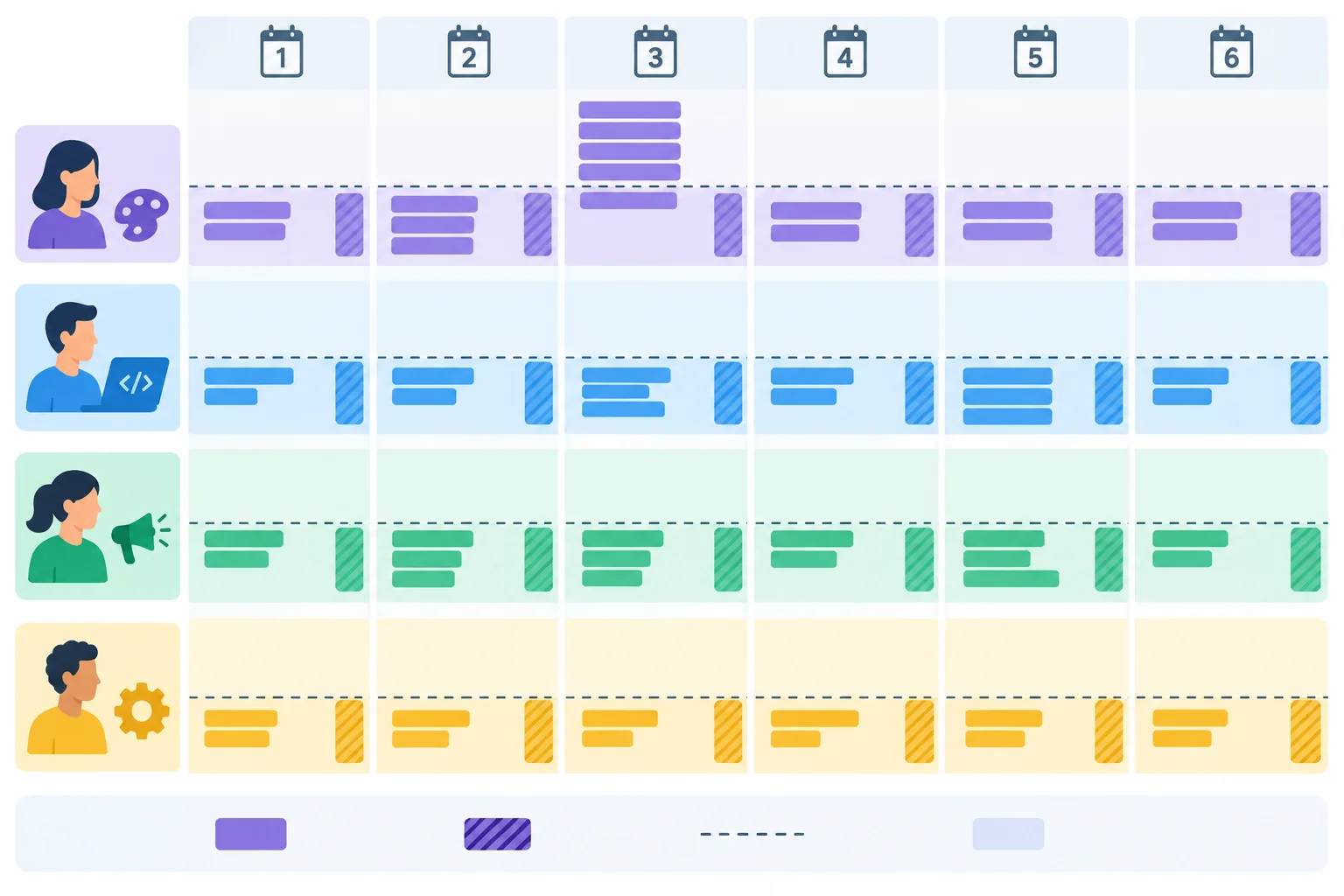
Capacity belongs to a role and a week. Unused time in one lane does not automatically solve a bottleneck in another.
Apply the reserve before assigning roadmap work.
| Role | Weekly allocation | 20% reserve | Planned weekly limit |
|---|---|---|---|
| Marketing Lead | 10 h/week | 2 h | 8 h |
| Content/Design | 15 h/week | 3 h | 12 h |
| Web/Analytics | 10 h/week | 2 h | 8 h |
| Approver | 5 h/week | 1 h | 4 h |
A six-week total can look feasible while a single week is impossible. Check every role-week cell: add the effort assigned to that role in that week, then compare it with that role’s planned weekly limit.
In this illustration, Content/Design has 48 h across six weeks, below its 72 h of planned six-week capacity. Yet its Week 2 concentration creates an overload. Concurrent Shared asset revisions, activation work, or reviews can cause this pattern.
Spare time for Web/Analytics does not resolve a Content/Design bottleneck. Reassignment is valid only when a qualified contributor is explicitly named and the ownership, review, dependency, and Handoff still make sense.
Each cell is planned hands-on effort for that role in that week.
| Week | Marketing Lead | Content/Design | Web/Analytics | Approver |
|---|---|---|---|---|
| Week 1 | 6 h | 11 h | 7 h | 2 h |
| Week 2 | 7 h | 14 h | 8 h | 4 h |
| Week 3 | 8 h | 9 h | 6 h | 2 h |
| Week 4 | 5 h | 6 h | 7 h | 3 h |
| Week 5 | 4 h | 5 h | 4 h | 2 h |
| Week 6 | 3 h | 3 h | 3 h | 1 h |
Repair overload openly rather than hiding it in the reserve. You may reduce optional scope, shift work to a feasible week, explicitly reassign work to a qualified contributor, or mark it as Deferred work.
Protect prerequisites first: the usable shared destination, approved Shared asset, consent requirement, measurement preflight, and required approval. A repair must retain one Accountable owner, its Dependency/gate, and a usable Handoff. Record the schedule consequence: if a variant moves, its dependent update moves too; it is not available on the original date.
Example
In the illustrative grid, Week 2 has 14 h of Content/Design work: 8 h for paid-search creative adaptation, 4 h for the core permission-based email, and 2 h for an optional email visual variant.
Keep the required paid-search and core-email packages conditional on the Readiness gate. Move only the optional variant to Week 3 as Deferred work:
Optimize / Week 3 | Deferred work: optional email visual variant | Marketing Lead | Content/Design | Content/Design: 2 h | Core email accepted | Variant to Marketing Lead; optional update moves to Week 3Week 2 Content/Design effort becomes 12 h; Week 3 rises from 9 h to 11 h. The core email can still activate when the gate passes, while the optional variant has an explicit later Handoff.
Warning
Do not solve an overload by consuming the reserve in advance, silently moving effort to another role, or activating before the Readiness gate. These actions conceal risk instead of making the roadmap feasible.
Use the two tables together for this capacity-check excerpt. All figures are internal staff effort; do not introduce cash changes.
The Week 2 activation rows are conditional: they can proceed only if the Week 1 handoff is accepted and the Readiness gate has passed. No role effort exists beyond the rows shown. Keep the same Accountable owner and Handoff when you repair the schedule.
These rows contain all planned hands-on effort by role.
| Package | Phase/week | Work package | Accountable owner | Contributors/approver | Effort by role |
|---|---|---|---|---|---|
| R1 | Prepare / Week 1 | Shared destination, creative master, and preflight | Web/Analytics | Content/Design; Marketing Lead; Approver | Marketing Lead: 5 h; Content/Design: 7 h; Web/Analytics: 7 h; Approver: 3 h |
| R2 | Activate / Week 2 | Paid-search placement activation package | Marketing Lead | Content/Design; Web/Analytics; Approver | Marketing Lead: 3 h; Content/Design: 8 h; Web/Analytics: 2 h; Approver: 1 h |
| R3 | Activate / Week 2 | Permission-based core email | Marketing Lead | Content/Design; Web/Analytics; Approver | Marketing Lead: 3 h; Content/Design: 3 h; Web/Analytics: 4 h; Approver: 2 h |
| R4 | Activate / Week 2 | Optional email visual variant | Marketing Lead | Content/Design | Content/Design: 2 h |
| R5 | Optimize / Week 3 | Planned live-pathway refinement | Web/Analytics | Marketing Lead; Content/Design; Approver | Marketing Lead: 4 h; Content/Design: 4 h; Web/Analytics: 5 h; Approver: 2 h |
Use these gates and Handovers when deciding what can move.
| Package | Dependency/gate | Handoff |
|---|---|---|
| R1 | Consistent offer; consent and measurement checks; required approval | Accepted master, usable landing-page URL, and passed preflight to Marketing Lead for activation |
| R2 | Readiness gate passed; approved Shared asset | Accepted placement set to Marketing Lead for activation using the shared landing page |
| R3 | Readiness gate passed; consented audience; approved Shared asset | Approved email and shared landing-page URL to Marketing Lead |
| R4 | Readiness gate passed; approved Shared asset | Optional variant to Marketing Lead after acceptance |
| R5 | Included activity is live | Checked refinement to Marketing Lead |
Reconcile and repair the capacity-check excerpt from the preceding screen.
Write at least 220 characters (0/220).
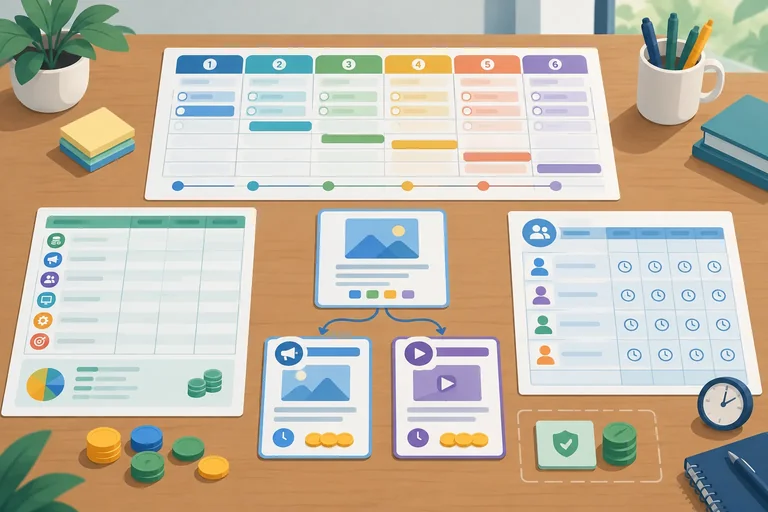
Step 5 of 8
Build the Resource budget section of the FocusFlow roadmap by keeping cash categories, timing, shared assets, and internal staff time visible and reconcilable.
Carried forward: FocusFlow’s audience, offer, objective, outcome definition, channel decisions, handoffs, and shared assets remain unchanged. This step adds the Resource budget section to the FocusFlow roadmap; it does not reopen strategy.
Use two linked views:
Advertising, External production, and Tools.Staff time view records internal role hours from the Roadmap.Internal work can cost $0 in the cash ledger and still be scarce. Reconcile every staff-time line to its roadmap work package and its role-level effort estimate. For Base, all cash lines together must stay at or below the six-week ceiling of $3,000.
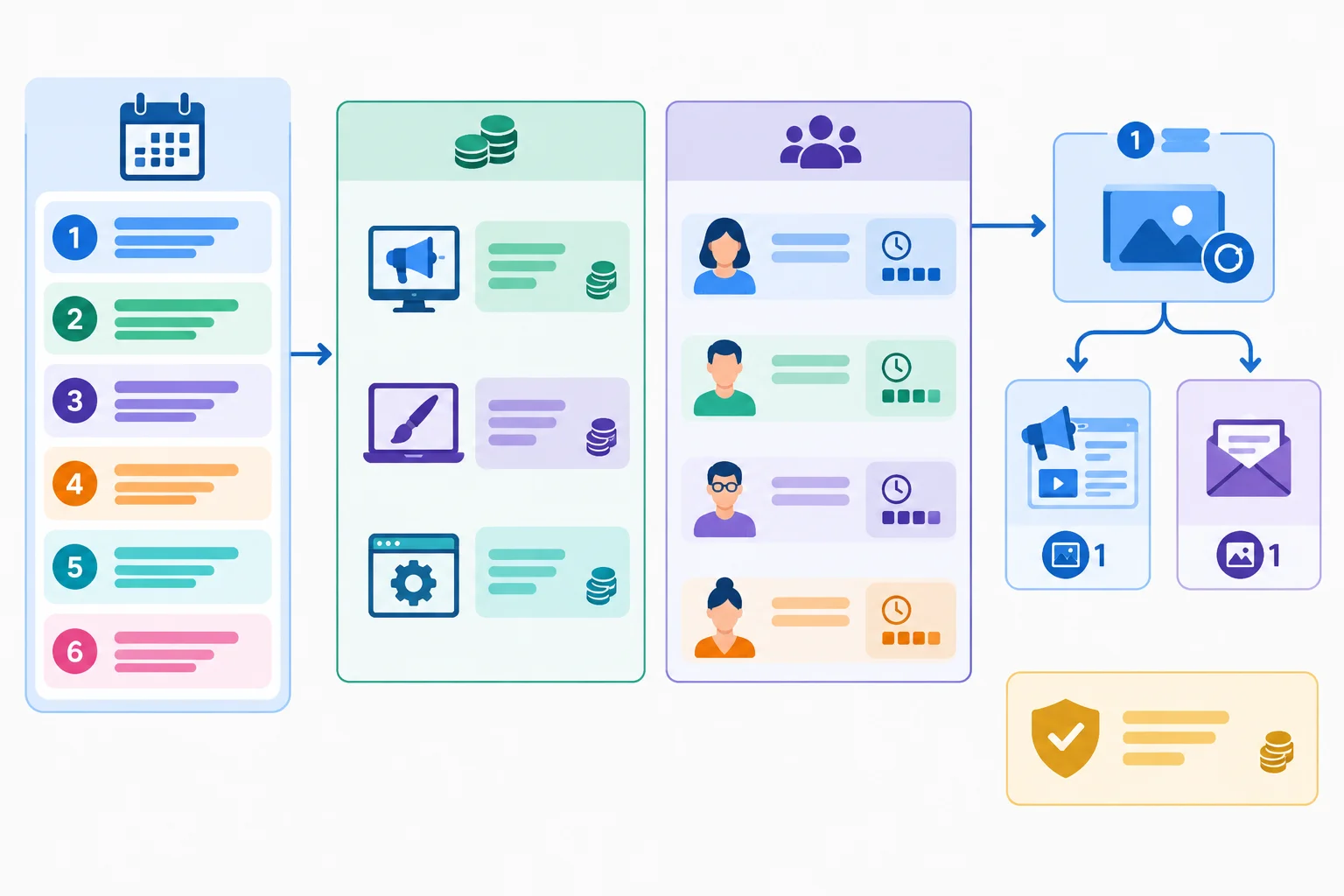
Cash and staff hours are connected to the same roadmap, but they are not interchangeable resources.
Tip
Record timing and charging pattern, not just a six-week total. For example, mark a tool as recurring and an external creative fee as one-off.
Uncommitted cash is money not assigned to a ledger line. It is not permission to add work without checking owners and dependencies. Likewise, the 20% staff-time reserve is a buffer already withheld from planned weekly limits; it is not spare planned capacity.
Example
This illustrative Base ledger uses only work already represented in the roadmap. A reusable asset has one production entry even though several carried-forward channels use it. Replace the channel references with the ones in your own Continuity brief; do not create separate production charges for the same approved asset.
Cash ledger for the six-week Base plan
| Timing | Entry | Cash category | Cash | Charge pattern |
|---|---|---|---|---|
| Week 1 | Shared asset: approved creative master; used by the two carried-forward included channels | External production | $600 | One-off |
| Week 1–Week 6 | Analytics connector | Tools | $30/week = $180 | Recurring |
| Week 3–Week 6 | Approved paid placements | Advertising | $400/week = $1,600 | Flight |
Staff-time view reconciled to Roadmap work packages
| Roadmap work package | Role | Staff time | Ledger check |
|---|---|---|---|
| Create shared asset | Content/Design | 6 h | Matches production work |
| Measurement preflight | Web/Analytics | 3 h | Matches readiness work |
| Approval review | Approver | 2 h | Matches approval work |
| Placement setup | Marketing Lead | 4 h | Matches activation setup |
Match each resource entry to its correct budget category.
Tap an item and then its matching pair.
Audit this six-week Base draft. Write a four-part ledger check.
A. Week 3–Week 6: $300/week for approved paid placements.
B. Week 1: $500 contractor invoice to create one reusable visual kit.
C. Week 4: $500 contractor invoice recorded again for that same visual kit; there is no new deliverable.
D. Week 1: $120 analytics connector charge for six weeks.
Roadmap staff time: Content/Design 6 h; Marketing Lead 3 h; Web/Analytics 4 h; Approver 2 h.
Write at least 120 characters (0/120).
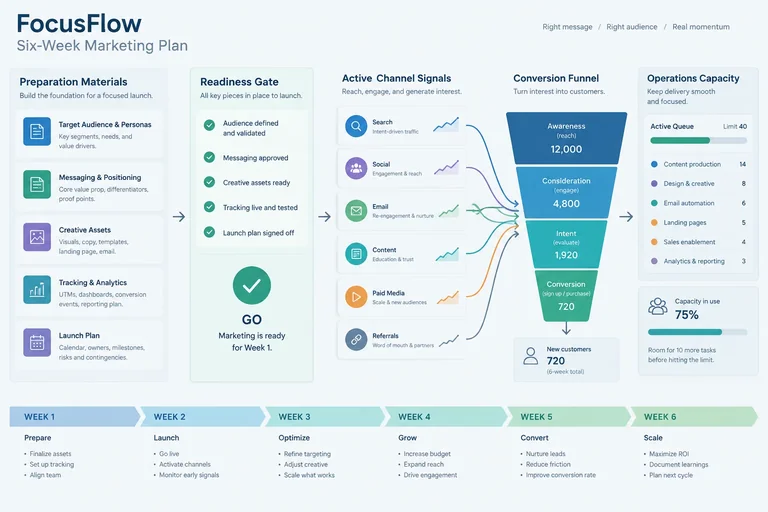
Step 6 of 8
Document a conditional FocusFlow forecast that respects readiness, channel timing, conversion lag, and the capacity to serve new customers.
Use the existing FocusFlow roadmap as the source of truth. Its audience, offer, objective, selected and deferred channels, handoffs, shared assets, and strategic assumptions are Carried forward; do not reopen those decisions here.
A forecast adds operating logic to that plan. Preserve the exact primary-conversion outcome name from the integrated plan, then map it through the journey:
selected touchpoint → agreed destination → primary conversion → new-customer start
A primary conversion signals potential demand. A new-customer start is the operational outcome that must fit delivery capacity. They are not automatically the same count.
Forecast only the period in which activity can actually run. Prepare work, approvals, the usable destination, consent requirements, and measurement preflight must pass their Readiness gate before Activate work begins.
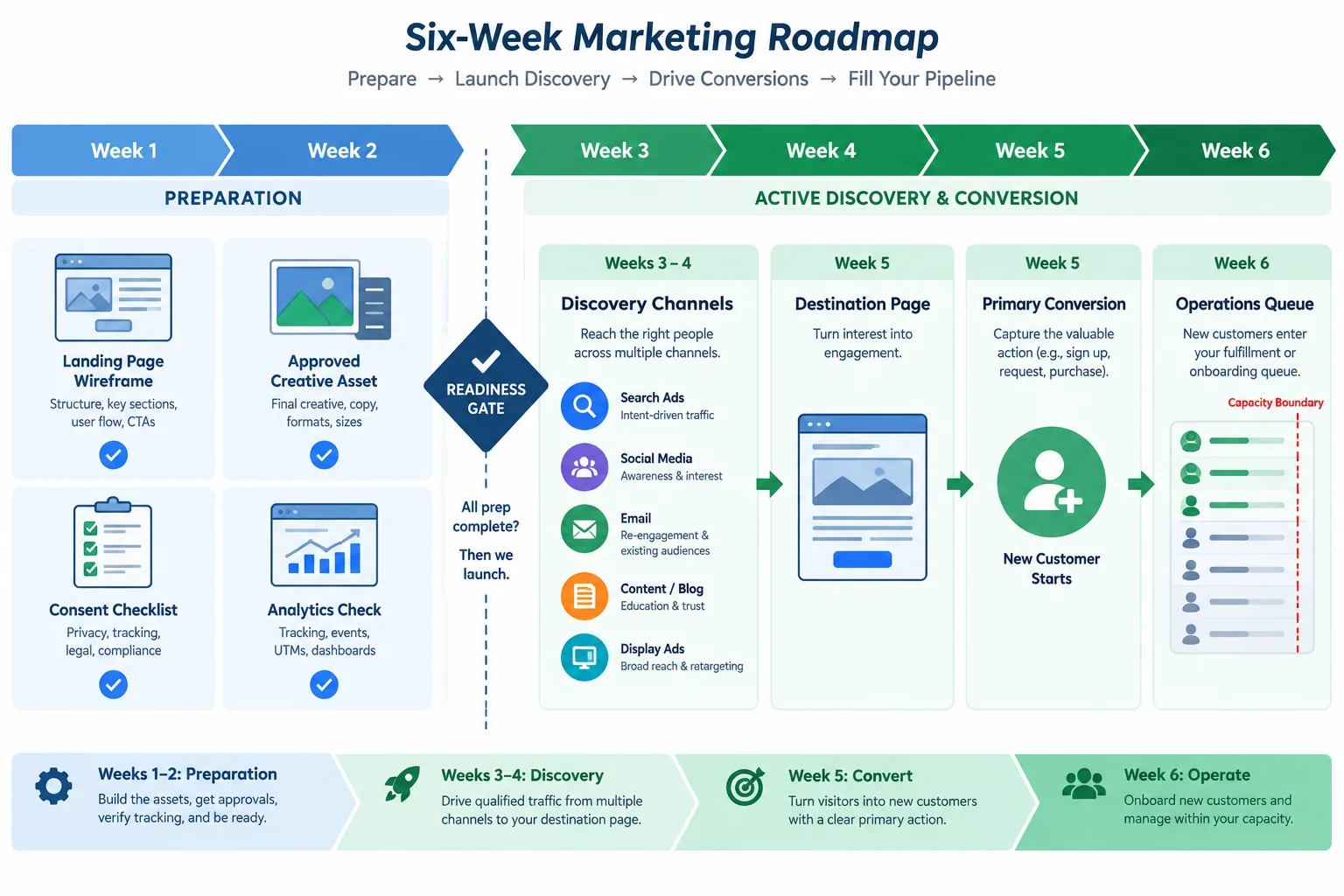
Do not assign mature channel results to Weeks 1–2 when the work is still in Prepare. A conversion can also become a start only after its conversion lag.
Build the assumption register before calculating a range. Every input needs a source status. Evidence is supported by the carried-forward plan or verified records. A Planning assumption is an explicit, revisable operating figure. An Unknown is not silently converted into a precise forecast number.
Illustrative FocusFlow forecast register
| Forecast input | Status | How it constrains the forecast |
|---|---|---|
| Carried-forward journey and named primary conversion | Evidence | Defines the conversion path |
| Readiness gate clears by end of Week 2 | Planning assumption | Activation cannot begin earlier |
| Channel activation after the gate | Planning assumption | Weeks 1–2 have no active-channel result |
| Primary conversion to start rate: 50%–60% | Planning assumption | Maps demand to potential starts |
| Conversion-to-start lag: 1 week | Planning assumption | Moves starts into a later week |
| Operations ceiling: 20 new-customer starts/week | Planning assumption | Caps supported starts |
| Organic contribution during this horizon | Unknown | Do not add a precise volume yet |
| Effect of extra cash on results | Unknown | Do not assume proportional returns |
Example
This illustration assumes the Readiness gate clears at the end of Week 2. Week 3 is a ramp period with 8–12 primary conversions. Weeks 4–6 have a conditional range of 16–24 primary conversions per week. The 50%–60% mapping and one-week lag determine when potential starts appear.
The Week 6 primary conversions may create starts in Week 7, outside this roadmap horizon. They should not be counted as completed Week 6 starts.
Potential starts are calculated before applying the operational limit.
| Week | Primary conversions | Potential starts | Supported starts |
|---|---|---|---|
| Week 1 | 0; Prepare work | 0 | 0 |
| Week 2 | 0; gate not cleared | 0 | 0 |
| Week 3 | 8–12; ramp | 0; 1-week lag | 0 |
| Week 4 | 16–24 | 4–7; from Week 3 | 4–7 |
| Week 5 | 16–24 | 8–14; from Week 4 | 8–14 |
| Week 6 | 16–24 | 8–14; from Week 5 | 8–14 |
Capacity becomes binding only when potential starts exceed 20 in a week. For example, if a revised, supported input projects 40 primary conversions in Week 4, Week 5 potential starts are 20–24. Operations can support no more than 20. The remaining 0–4 are potential demand, not completed starts; record a handling assumption such as delayed onboarding or a waitlist.
An extra budget line does not prove that this higher input will occur. Its effect remains Unknown until supported by appropriate evidence.
A draft says: “FocusFlow will produce 40 primary conversions in every week from Week 1 through Week 6. All 40 become new-customer starts in the same week. Adding $300 will raise results proportionally.”
Correct this draft in three short bullets. Use these proposed inputs: 12 primary conversions in Week 3, 40 in Week 4, a 50%–60% conversion-to-start mapping, a one-week lag, and a ceiling of 20 new-customer starts/week.
Write at least 180 characters (0/180).

Step 7 of 8
Create a feasible constrained-resource scenario and justify what changes, what remains protected, and what is deferred.
Continue the same FocusFlow roadmap. A scenario changes operating feasibility, not the strategic core.
Carried forward: FocusFlow serves operations leads at small client-service teams with a 14-day guided trial and setup consultation. Its objective is qualified trial requests. Included channels are paid search placements and permission-based email to opted-in contacts. Both use the approved Shared asset and shared trial landing page, leading to a qualified trial request and consented email follow-up. Organic social publishing and SEO expansion remain Deferred work.
Protect the work that makes this pathway viable: the Shared asset, usable destination, consent safeguards, measurement preflight, required approval, and the Readiness gate. Then make targeted decisions: protect, reduce, defer, or replace. Do not cut every package by the same percentage. A replacement is not free: assess its cash, staff time, quality, dependencies, acceptance condition, and Handoff before scheduling it.
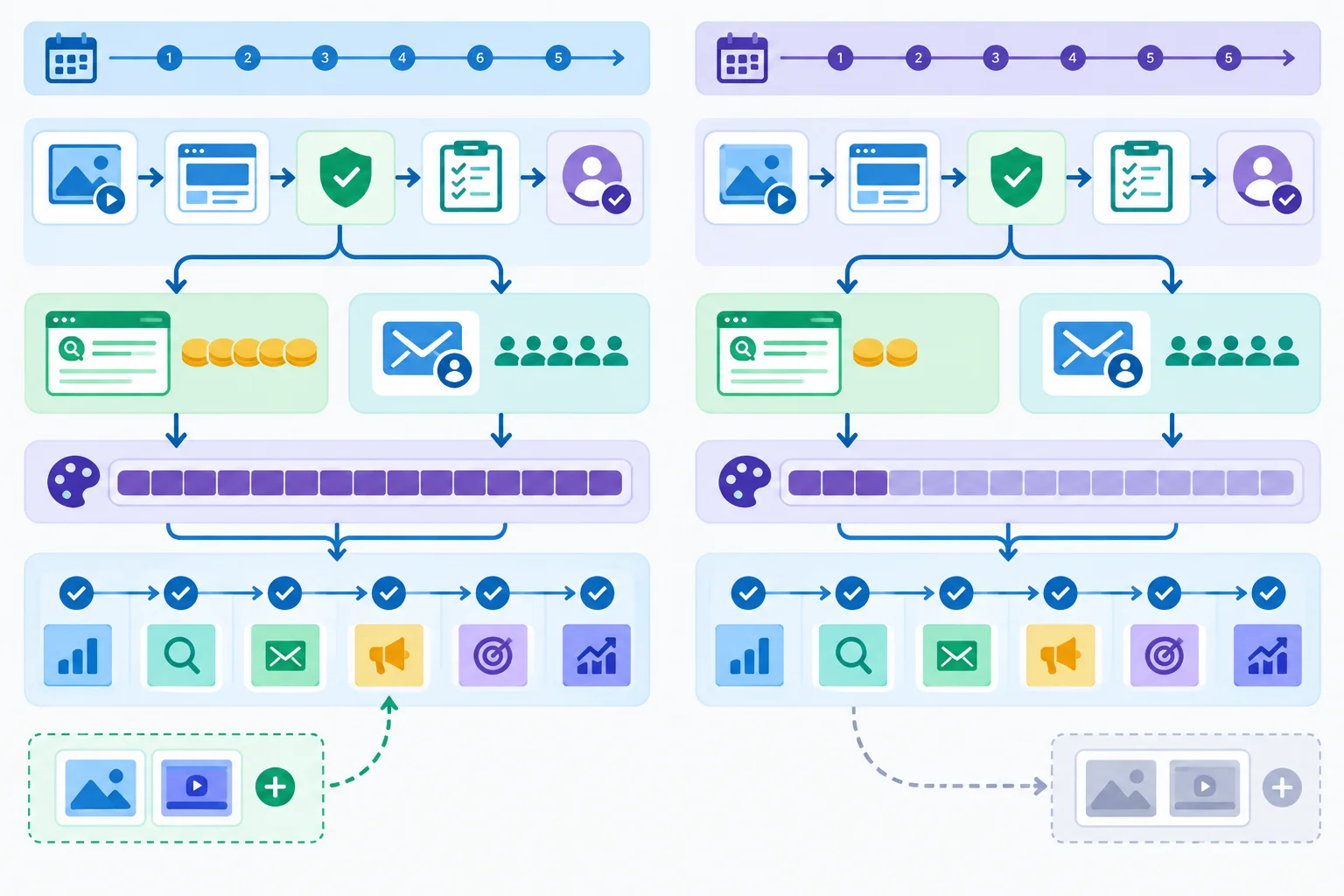
Change scope and timing deliberately; do not remove the foundations that make the carried-forward handoffs usable.
Record the operating inputs before changing a work package. All role limits below are after the protected 20% reserve.
| Planning dimension | Base | Constrained |
|---|---|---|
| Six-week cash ceiling | $3,000 | $1,800 |
| Marketing Lead limit | 8 h/week | 8 h/week |
| Content/Design limit | 12 h/week | 8 h/week |
| Web/Analytics limit | 8 h/week | 8 h/week |
| Approver limit | 4 h/week | 4 h/week |
| Activation rule | Conditional on the Readiness gate | Same conditional Readiness gate |
| Operations ceiling | 20 new-customer starts/week | 20 new-customer starts/week |
Tip
A cash ceiling is a maximum, not a spending target. Record any remainder as uncommitted cash, but do not treat it as extra Content/Design capacity or as permission to consume the staff-time reserve. Cash, role capacity, approval availability, and dependencies are separate constraints.
Use the package blocks and fixed background load together. The blocks show every role’s hands-on effort for work whose timing or scope changes. “Prepare” work may be completed before the gate, but launch remains blocked until the Readiness gate is confirmed. P4’s reduction is specific: two paid-search copy variants become one accepted core placement set using the approved Shared asset and shared landing-page URL.
For P4 and P5, the preparation and launch effort are separate parts of the same package. A zero means that role has no hands-on effort in that package.
| Package | Base timing | Constrained timing | Effort by role | Dependency/gate and Handoff |
|---|---|---|---|---|
| P1 Shared asset | Week 1 | Week 1 | Marketing Lead: 1 h; Content/Design: 6 h; Web/Analytics: 3 h; Approver: 1 h | Required approval; accepted master to P4 and P5 |
| P2 Destination, consent, and preflight | Week 1 | Week 2 | Marketing Lead: 1 h; Content/Design: 3 h; Web/Analytics: 3 h; Approver: 1 h | Usable destination; passed preflight to P3 |
| P3 Confirm Readiness gate | End of Week 2 | End of Week 2 | Marketing Lead: 1 h; Content/Design: 0 h; Web/Analytics: 1 h; Approver: 1 h | P1 and P2 accepted; recorded go/no-go to P4 and P5 |
| P4 Paid-search placement set | Prepare Week 2; launch Week 3 | Prepare Week 3; launch Week 4 | Base preparation: Marketing Lead 2 h, Content/Design 6 h, Web/Analytics 1 h, Approver 1 h; Constrained preparation: Marketing Lead 2 h, Content/Design 4 h, Web/Analytics 1 h, Approver 1 h; launch: Marketing Lead 1 h, Web/Analytics 1 h | Approved master and URL; accepted set to Marketing Lead |
| P5 Core permission-based email | Prepare Week 2; launch Week 3 | Prepare Week 3; launch Week 4 | Preparation: Marketing Lead 2 h, Content/Design 4 h, Web/Analytics 1 h, Approver 1 h; launch: Marketing Lead 1 h, Web/Analytics 1 h | Consented audience, master, URL, and gate; accepted email to Marketing Lead |
| P6 Optional email visual variant | Week 4 | Beyond Week 6: Deferred work | Marketing Lead: 1 h; Content/Design: 2 h; Web/Analytics: 0 h; Approver: 0 h | Core email live; optional variant to Marketing Lead after acceptance |
These are all other unchanged roadmap loads. They exclude P2–P6, include P1 in Week 1, and must be added to the moved package blocks. They make each revised role-week total fully checkable.
| Week | Marketing Lead | Content/Design | Web/Analytics | Approver |
|---|---|---|---|---|
| Week 1 | 1 h | 6 h | 3 h | 1 h |
| Week 2 | 2 h | 0 h | 1 h | 0 h |
| Week 3 | 1 h | 0 h | 2 h | 0 h |
| Week 4 | 3 h | 2 h | 3 h | 1 h |
| Week 5 | 3 h | 2 h | 3 h | 1 h |
| Week 6 | 3 h | 1 h | 2 h | 1 h |
Base uses the Shared asset once for both included channels. Its gate clears at the end of Week 2, so activation begins in Week 3. In Constrained, activation moves to Week 4 and the paid flight is reduced; Base primary-conversion ranges must not be copied as if results decline proportionally.
| Area | Base | Constrained |
|---|---|---|
| External production | Shared asset for both included channels: $600 | Shared asset for both included channels: $600 |
| Tools | Analytics connector: $30/week × 6 = $180 | Analytics connector: $30/week × 6 = $180 |
| Advertising | $400/week, Week 3–Week 6 = $1,600 | $300/week, Week 4–Week 6 = $900 |
| Cash total | $2,380; $620 uncommitted | $1,680; $120 uncommitted |
| Activation timing | Week 3, after end-of-Week-2 gate | Week 4, after preparation in Week 3 |
| Primary conversions | Week 3: 8–12; Week 4–Week 6: 16–24/week | Do not reuse Base volumes; a new range is a Planning assumption or Unknown |
| Start mapping | 50%–60%; 1-week lag | Same mapping unless explicitly revised |
| Operational consequence | Supported starts cannot exceed 20/week | Same 20 new-customer starts/week ceiling |
This feasible Constrained revision protects P1, P2, and P3; reduces P4 to one accepted core placement set; keeps the core consented email; and marks P6 as Deferred work beyond Week 6. It does not replace a carried-forward channel. P2 moves to Week 2, P3 remains at the end of Week 2, preparation moves to Week 3, and activation moves to Week 4. The totals below include both the fixed background load and every moved package block.
Compare every cell with its limit: Marketing Lead 8 h/week, Content/Design 8 h/week, Web/Analytics 8 h/week, and Approver 4 h/week.
| Week | Marketing Lead | Content/Design | Web/Analytics | Approver |
|---|---|---|---|---|
| Week 1 | 1 h | 6 h | 3 h | 1 h |
| Week 2 | 4 h | 3 h | 5 h | 2 h |
| Week 3 | 5 h | 8 h | 4 h | 2 h |
| Week 4 | 5 h | 2 h | 5 h | 1 h |
| Week 5 | 3 h | 2 h | 3 h | 1 h |
| Week 6 | 3 h | 1 h | 2 h | 1 h |
Contingency: required approval is returned and recorded at the end of Week 3 rather than the end of Week 2. P2 remains complete in Week 2. P3 moves to the end of Week 3, while P4 and P5 can be prepared and held in Week 3 because their launch still depends on P3. Their launch shifts to Week 5. P6 remains Deferred work.
Marketing Lead owns P3, P4, and P5; Web/Analytics contributes to all three; the Approver supplies P3’s recorded decision. Advertising now runs only in Week 5–Week 6: $600. Cash becomes $1,380, leaving $420 uncommitted. The earliest primary-conversion ramp shifts to Week 5 and, with the 1-week lag, the earliest potential starts shift to Week 6. Do not assert a new conversion volume without an explicit Planning assumption or Evidence.
These totals include the moved P3 gate effort, held preparation in Week 3, shifted launch in Week 5, and all fixed background load.
| Week | Marketing Lead | Content/Design | Web/Analytics | Approver |
|---|---|---|---|---|
| Week 1 | 1 h | 6 h | 3 h | 1 h |
| Week 2 | 3 h | 3 h | 4 h | 1 h |
| Week 3 | 6 h | 8 h | 5 h | 3 h |
| Week 4 | 3 h | 2 h | 3 h | 1 h |
| Week 5 | 5 h | 2 h | 5 h | 1 h |
| Week 6 | 3 h | 1 h | 2 h | 1 h |
Create a compact update for the Scenarios and assumptions section of your FocusFlow roadmap. Use the supplied package blocks, fixed background load, and scenario totals from the preceding screens.
First, revise Base into Constrained: show Advertising, External production, and Tools; the total cash and uncommitted cash; Staff time separately; the protected work; P4’s reduced deliverable; P6 as Deferred work; and the Week 4 activation consequence. Verify the preserved Readiness gate, relevant Handoffs, role-week limits, and conditional forecast effect.
Then choose one contingency:
A. Approval delay. Use the supplied approval-delay totals. State which owners and gate work are affected, why P4 and P5 launch in Week 5 rather than Week 4, the revised advertising cash, the explicit Deferred work, and the Week 6 earliest-start consequence.
B. Forecast revision. Assume the conversion-to-start Planning assumption changes to 40%–50%, while the 1-week lag remains. Using Base primary conversions of 8–12 in Week 3 and 16–24 in Week 4, calculate the potential-start ranges for Weeks 4 and 5. State whether the 20 new-customer starts/week ceiling binds and label the revised mapping correctly.
Keep the analysis conditional. Do not create performance-detection thresholds or decision rules; those belong to the next tutorial.
Write at least 700 characters (0/700).

Step 8 of 8
Assemble, audit, and preserve a feasible FocusFlow roadmap for the next stage of the integrated marketing-plan capstone.
Your completed artifact is the FocusFlow roadmap: a reusable, plain-text extension of the same integrated plan. Do not reopen the strategy or add unsupported channels. Carry forward the existing audience, offer, objective, included/deferred/excluded channels, handoffs, shared assets, and strategic assumptions.
Assemble your work in four compact sections:
Keep tables compact. A section can use more than one small table; do not force the full plan into one oversized table.
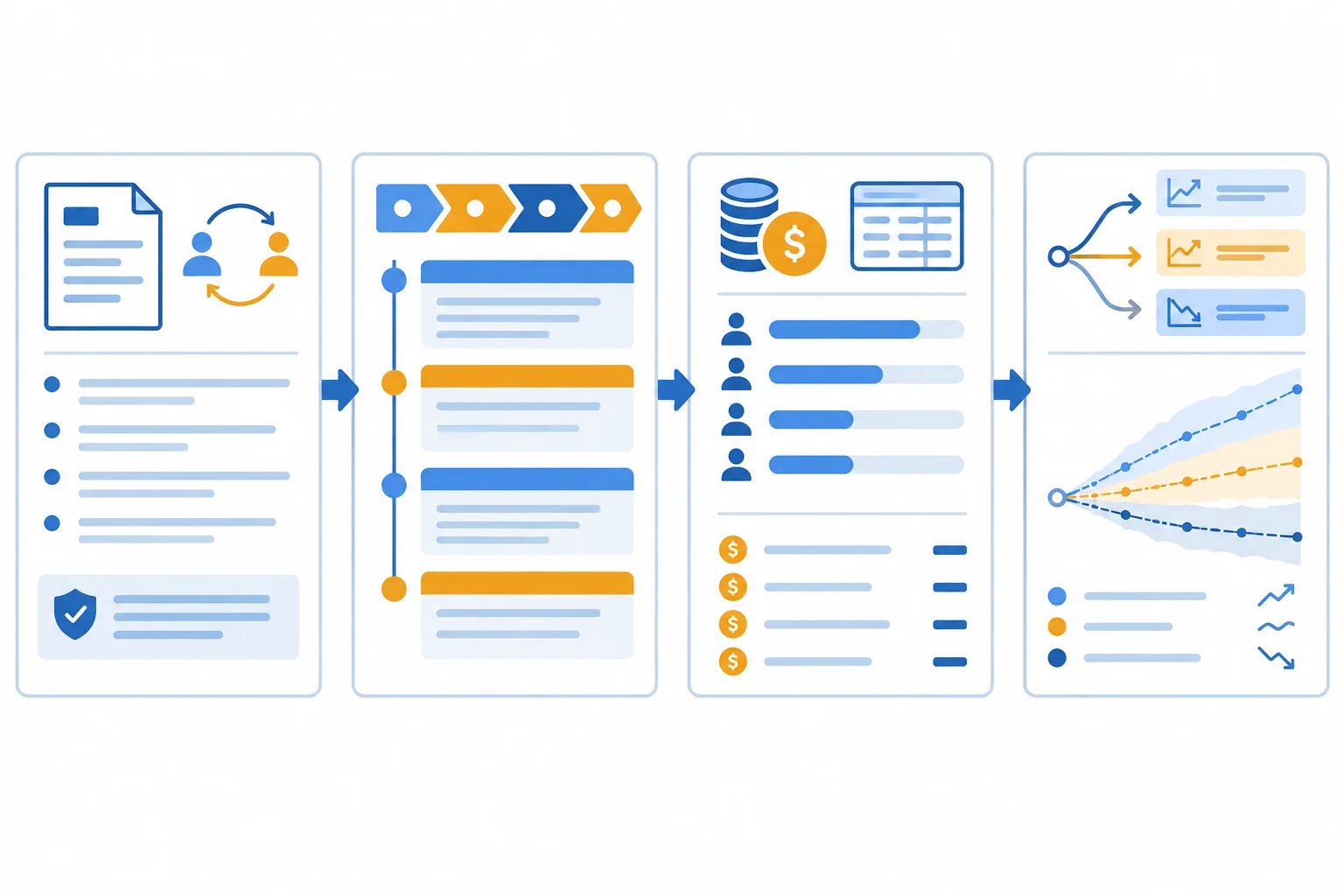
The four sections should connect: strategic continuity informs execution, resources constrain it, and scenarios make changed assumptions visible.
Example
Use this outline, then replace the bracketed prompts with your completed work from earlier steps:
FocusFlow roadmap

Continuity brief
[Carried forward: audience, offer, objective/outcome, channel decisions,
handoffs, shared assets, strategic assumptions]
[Planning assumption: six-week horizon, role allocations, reserve, operations ceiling]

Roadmap
Phase/week | Work package | Accountable owner | Contributors/approver | Effort by role | Dependency/gate | Handoff
[Your rows for Week 1 through Week 6]

Resource budget
[Cash ledger: Advertising, External production, Tools]
[Staff time by role and week; shared assets counted once]

Scenarios and assumptions
[Base versus Constrained comparison]
[Forecast register: Evidence, Planning assumption, Unknown]
[Protected priority, binding constraint, trade-off, Deferred work]Run a final feasibility audit after assembly. This is a consistency check, not a new planning method. Correct the roadmap wherever a check exposes a contradiction or an unrecorded consequence.
Check the finished artifact from top to bottom.
| Audit area | Question to answer |
|---|---|
| Traceability | Does each work package serve a carried-forward objective, handoff, shared asset, or readiness requirement? |
| Dependencies | Do required asset, consent, approval, and measurement-preflight work occur before dependent activation? |
| Readiness gate | Is Activate conditional on observable readiness rather than merely a planned date? |
| Ownership | Does every work package have one Accountable owner, named contributors, and an Approver where required? |
| Capacity | Does each role stay within its planned weekly limit: Marketing Lead 8 h, Content/Design 12 h, Web/Analytics 8 h, Approver 4 h? |
| Cash | Do Base cash lines total no more than $3,000, with no duplicated Shared asset cost? |
| Constrained | Does Constrained cash total no more than $1,800 and Content/Design stay within 8 h/week? |
| Forecast | Do timing, lead times, conversion dependencies, and the 20 new-customer starts/week operations ceiling bound the forecast? |
Tip
Do not treat unused cash as extra staff capacity, or staff-time reserve as uncommitted cash. They are different constraints. Also check that a delayed approval, shared-asset revision, or overloaded specialist has a visible downstream schedule consequence.
The two scenarios must tell a coherent story. Base and Constrained share the strategic core, but Constrained has a lower six-week cash ceiling and less Content/Design capacity. Therefore it must show a concrete change in scope, timing, resource use, expected outcome, or more than one of these.
Protect work that makes the plan viable: essential Shared asset work, required approvals, consent safeguards, and measurement preflight. Then identify what is reduced, deferred, or replaced. A replacement is not free: record its cash, effort, quality, and dependency implications.
Example
Write the rationale as a short chain of decisions, not a vague claim that the plan is “optimized.”
Example
Protected priority: [essential asset, safeguard, or gate]
Binding constraint: [cash, named role-week capacity, approval availability, or assumption]
Principal trade-off: [what changes and why]
Deferred work: [specific work package and schedule consequence]

Next-stage handoff: Preserve the roadmap and forecast register so the next tutorial can attach measurement decision rules to this same plan.
Warning
Avoid claiming that a lower budget automatically causes a proportional decline in outcomes. Keep forecasts conditional on the recorded assumptions, activation timing, channel lead time, conversion path, and service capacity.
Complete your FocusFlow roadmap in your own notes or document using the four required headings. Use the audit to revise it before responding.
Then submit a concise four-part completion note. It should confirm that you assembled and checked the artifact, name the most important trade-off, and explain how the preserved roadmap supports the next stage of this same capstone.
Write four labeled lines:
Use details from your own completed FocusFlow roadmap; do not introduce a new strategy, channel, or decision rule.
Write at least 280 characters (0/280).
Congratulations! You completed: Build a Capacity-Aware Marketing Roadmap
Thousands of online courses in video, ebooks and audiobooks.
To test your knowledge during online courses
Generated directly from your cell phone's photo gallery and sent to your email

Download our app via QR Code or the links below:.



Carry knowledge in your pocket.
Download the Cursa app.
There are hundreds of free courses available, with a free certificate of completion that is saved in your mobile image gallery.
Download the app to access the Course Completion Certificate for Free.


+ 10 million
students

Free and Valid
Certificate

60 thousand free
exercises

4.8/5 rating in
app stores

Free courses in
video and ebooks