
Learning path

Digital Marketing from Beginner to Advanced

Build practical digital marketing skills from first principles to advanced, integrated planning. For learners already comfortable with computers, the web, and social networks, this compact path covers strategy, content, SEO, social media, analytics, conversion, advertising, email, and responsible AI use. Finish by building and presenting a complete marketing plan. Practice uses free tools or free tiers, no-code activities, and text-based scenarios; paid software, advertising spend, and a live website are not required.

  • 10 levels
  • 45 tutorials
  • Total duration: 14h 58min
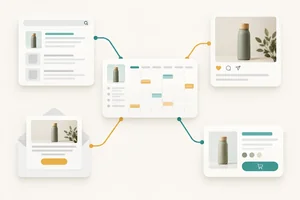
Start How Digital Marketing Channels Work Together
Digital Marketing from Beginner to Advanced

Path contents

  1. Level 1 5 tutorials 1h 23min

    Marketing Fundamentals and Strategy

    Establish the marketing concepts and commercial reasoning needed before choosing channels or creating campaigns. Turn audience needs and business goals into a focused strategy, without spending time on basic computer or internet skills.

    What you will learn

    • Explain how owned, earned, and paid channels contribute to customer acquisition, conversion, and retention.
    • Develop an evidence-informed customer persona and value proposition, separating research findings from assumptions.
    • Map a customer journey and funnel, identifying audience questions, barriers, and useful touchpoints.
    • Translate business goals into measurable objectives and KPIs, including conversion rate, customer acquisition cost, and return on ad spend.
    • Create a concise strategy brief with channel priorities, resource constraints, and ethical marketing principles.
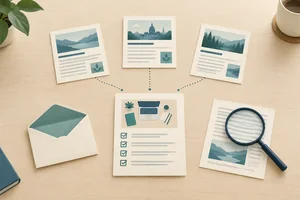
    1. Tutorial 1: How Digital Marketing Channels Work Together Explain what digital marketing contributes to a business and how owned, earned, and paid channels work together to attract, convert, and retain customers. Beginner 12 min
    2. Tutorial 2: Build an Evidence-Informed Persona and Value Proposition Develop a focused customer persona and a matching value proposition from a short business case or accessible audience evidence, making uncertainty explicit. Beginner 18 min
    3. Tutorial 3: Map a Customer Journey and Marketing Funnel Map how a customer moves from recognizing a need to choosing and continuing with a business, identifying useful touchpoints and a priority barrier. Beginner 15 min
    4. Tutorial 4: Set Marketing Objectives and Calculate Core KPIs Turn a business goal into a measurable marketing objective, choose relevant KPIs, and calculate basic performance measures from small text-based examples. Beginner 20 min
    5. Tutorial 5: Write a Focused Marketing Strategy Brief Create a concise strategy brief for a real or hypothetical business, choosing a focused direction that fits available resources and responsible marketing principles. Beginner 18 min

  2. Level 2 4 tutorials 1h 23min

    Content Marketing and Copywriting

    Translate strategy into useful content and persuasive messages. Establish content planning, copywriting, and asset creation skills before applying them to search, social platforms, advertising, and email.

    What you will learn

    • Build a focused editorial plan with audience needs, funnel stages, content briefs, brand voice, and a manageable publishing calendar.
    • Write benefit-led headlines, body copy, and calls to action supported by credible evidence rather than misleading claims.
    • Create simple, accessible marketing assets using free tools such as Canva, with attention to readability and usage rights.
    • Repurpose one core idea into complementary written and visual formats while preserving its message and purpose.

    Prerequisites

    • Customer personas, value propositions, and customer journeys.
    • Marketing objectives, channel roles, and basic KPIs.
    1. Tutorial 1: Build an Editorial Plan from a Strategy Brief Turn a strategy brief into a focused editorial plan with useful content themes, consistent brand voice, clear briefs, and a realistic publishing calendar. Beginner 20 min
    2. Tutorial 2: Write Benefit-Led Marketing Copy Write a short marketing message with a benefit-led headline, persuasive body copy, credible support, and a clear call to action. Beginner 20 min
    3. Tutorial 3: Create Readable Marketing Visuals with Free Tools Create a simple marketing graphic in Canva's free tier or another free design tool, then check its readability, accessibility, and permitted use of visual elements. Beginner 25 min
    4. Tutorial 4: Repurpose One Idea into Written and Visual Content Adapt one source idea into complementary written and visual content while preserving its purpose, evidence, and brand voice. Beginner 18 min
  3. Level 3 5 tutorials 1h 27min

    Search Engine Optimization

    Make content easier for search engines and people to discover. Build from keyword research to page organization, on-page improvements, technical essentials, and legitimate authority building, without programming or requiring an owned website.

    What you will learn

    • Research search intent and keyword opportunities using public search results, Google Trends, and other accessible research sources.
    • Group related keywords and map them to distinct pages, avoiding competing pages and planning useful internal links.
    • Draft search-friendly page titles, headings, meta descriptions, URLs, and image descriptions that support useful content.
    • Recognize basic crawling, indexing, mobile usability, speed, sitemap, and duplicate-content issues, distinguishing no-code fixes from issues needing specialist help.
    • Develop an ethical link-earning and outreach approach based on relevant content and relationships rather than purchased or spam links.

    Prerequisites

    • Audience needs, value propositions, and funnel stages.
    • Content briefs, clear copy, and accessible content structure.
    1. Tutorial 1: Research Search Intent and Keyword Opportunities Use public search results and Google Trends to create a prioritized keyword shortlist grounded in audience needs and search intent, without paid tools or an owned website. Beginner 18 min
    2. Tutorial 2: Map Keywords to Pages and Internal Links Turn a keyword shortlist into a clear page map for a hypothetical site, assigning distinct page purposes and useful internal links without creating unnecessary competing pages. Beginner 16 min
    3. Tutorial 3: Draft Search-Friendly Page Elements Draft an on-page SEO specification for a proposed page, including its search title, headings, meta description, URL, and image descriptions. Complete the work as text without coding or publishing a website. Beginner 18 min
    4. Tutorial 4: Triage Basic Technical SEO Issues Classify common technical SEO problems from written diagnostic cases and browser observations. Recommend proportionate next actions without needing website ownership, code access, or Search Console. Beginner 20 min
    5. Tutorial 5: Plan Ethical Link Earning and Outreach Develop a small, ethical link-earning plan around a useful resource, relevant publishers, and personalized outreach. Explain why editorial value and relationships matter more than purchased links or ranking promises. Beginner 15 min
  4. Level 4 5 tutorials 1h 32min

    Organic Social Media

    Apply content skills to the distinct discovery and engagement patterns of Instagram, TikTok, LinkedIn, and YouTube. Focus on sustainable organic publishing and community interaction before introducing paid distribution.

    What you will learn

    • Plan Instagram content using appropriate formats, including Reels and carousels, and evaluate reach, saves, and meaningful audience actions.
    • Develop TikTok video concepts using clear hooks, audience-relevant trends, retention principles, and responsible use of media.
    • Create LinkedIn content and interaction plans that build professional credibility and support relevant business conversations.
    • Plan discoverable YouTube videos with aligned topics, titles, thumbnails, and retention-focused structures.
    • Establish a manageable publishing, community-response, and native-metrics review routine, using Meta Business Suite where supported.

    Prerequisites

    • Content planning, persuasive writing, and asset repurposing.
    • Audience intent, discoverability, and marketing KPIs.
    1. Tutorial 1: Plan Instagram Reels and Carousels Plan Instagram Reels and carousels for a specific audience need, then assess their usefulness using illustrative native-metric summaries. Develop written content plans without needing to publish or access a professional account. Intermediate 18 min
    2. Tutorial 2: Storyboard a TikTok Video That Holds Attention Develop a TikTok video concept with an honest hook, a clear payoff, and a feasible sequence of shots. Use a written storyboard to evaluate trend fit, accessibility, and audio permissions without filming or publishing. Intermediate 18 min
    3. Tutorial 3: Build Professional Credibility on LinkedIn Draft a LinkedIn post and interaction plan that demonstrate useful professional knowledge and invite relevant business conversations. Practice through written examples without posting publicly or contacting strangers. Intermediate 16 min
    4. Tutorial 4: Plan a Discoverable YouTube Video Plan a discoverable YouTube video whose topic, title, thumbnail concept, and structure deliver the same promise. Work with written outlines and illustrative performance summaries rather than producing a finished video. Intermediate 20 min
    5. Tutorial 5: Run a Sustainable Social Publishing and Review Routine Create a sustainable routine for publishing, responding to the community, and reviewing organic results. Assess where Meta Business Suite can help, with a manual alternative and illustrative metric tables when account access is unavailable. Tables are limited to six columns: define the publishing queue with at most six fields (for example Post, Platform, Publish time (UTC), Method, Owner, Status) and keep approval details in a separate, complementary table rather than adding extra columns. Intermediate 20 min
  5. Level 5 5 tutorials 1h 40min

    Analytics and Measurement

    Learn to assess results before making optimization or spending decisions. Use Google Analytics 4, Search Console, UTM links, and Looker Studio through no-code planning, report examples, and optional learner-owned accounts.

    What you will learn

    • Define a GA4 event and key-event measurement plan, including consent requirements, access prerequisites, and suitable no-code setup options.
    • Interpret GA4 acquisition, engagement, and key-event reports while recognizing attribution limitations and data-quality problems.
    • Explain Search Console ownership verification and interpret search-performance and indexing reports to identify actionable issues.
    • Create consistently tagged UTM links and explain how tagging choices affect campaign reporting.
    • Build a focused Looker Studio dashboard from manually entered practice data or an accessible data source, connecting results to business decisions.

    Prerequisites

    • Marketing objectives, funnels, conversion rates, and acquisition metrics.
    • SEO fundamentals and the roles of organic distribution channels.
    1. Tutorial 1: Plan GA4 Events and Key Events Create a GA4 measurement plan for a sample business, specifying useful events, key events, access needs, consent safeguards, and feasible no-code setup options without requiring a live website. Intermediate 20 min
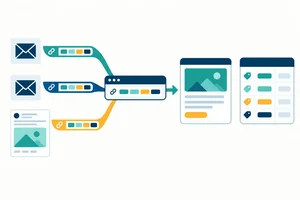
    2. Tutorial 2: Create Consistent UTM Campaign Links Create and audit consistently tagged campaign links using a manual naming register or a free URL builder. Explain how tagging choices affect the grouping and interpretation of campaign traffic. Intermediate 15 min
    3. Tutorial 3: Read GA4 Acquisition, Engagement, and Key-Event Reports Interpret text-based GA4 acquisition, engagement, and key-event reports to explain observed performance. Separate defensible findings from attribution uncertainty and possible tracking problems. Intermediate 22 min
    4. Tutorial 4: Use Search Console Reports to Identify SEO Issues Explain the access needed for Search Console and use written search-performance and indexing examples to identify justified next actions. Ownership of a website and live verification are not required. Intermediate 18 min
    5. Tutorial 5: Build a Decision-Focused Looker Studio Dashboard Build a focused Looker Studio dashboard using practice rows written on screen and manually entered into your own Google Sheet, or a suitable source you can access. Validate the results and use them to explain a business-relevant finding without a live website or paid connector. Intermediate 25 min
  6. Level 6 4 tutorials 1h 21min

    Conversion and E-commerce

    Turn traffic into useful business outcomes before investing in acquisition. Combine landing-page planning, e-commerce essentials, friction analysis, and practical experimentation without requiring a live store or paid testing software.

    What you will learn

    • Draft a landing-page structure with message match, a clear offer, credible proof, accessible presentation, and a focused call to action.
    • Identify product-page, cart, and checkout essentials, including transparent pricing, delivery information, trust signals, and reduced purchasing friction.
    • Use funnel reports and structured usability observations to prioritize conversion improvements by evidence, likely impact, and effort.
    • Design and interpret a simple A/B test with a hypothesis, primary metric, guardrails, and stopping criteria, recognizing inconclusive results and the limits of small samples.

    Prerequisites

    • Value propositions, persuasive copy, and calls to action.
    • Funnel measurement, key events, and interpretation of performance reports.
    1. Tutorial 1: Draft a Landing Page That Matches Visitor Intent Draft an annotated landing-page outline that fulfills an incoming message's promise, presents a clear offer, and guides visitors toward one accessible, well-supported action. Practice uses text rather than a live website. Intermediate 18 min
    2. Tutorial 2: Review Product Pages, Carts, and Checkout Evaluate a text-based shopping journey and specify the information and controls customers need to move from product selection to a confirmed order without avoidable confusion or pressure. Intermediate 18 min
    3. Tutorial 3: Prioritize Conversion Improvements from Evidence Combine funnel counts and structured usability observations to identify plausible conversion barriers and prioritize improvements. Work from report tables and interface descriptions presented in the tutorial, with no analytics account or live store required. Intermediate 20 min
    4. Tutorial 4: Design and Interpret a Simple A/B Test Write a practical A/B test brief and interpret simulated results without running an experiment or using paid testing software. Distinguish an observed improvement from evidence strong enough to justify a decision. Intermediate 25 min
  7. Level 7 5 tutorials 1h 55min

    Paid Media and Budget Optimization

    Apply strategy, content, measurement, and conversion knowledge to Google Ads and Meta Ads. Draft campaigns and evaluate simulated performance before risking money; account creation, payment details, and live advertising are not required.

    What you will learn

    • Draft a Google Ads Search campaign with a clear campaign and ad-group structure, intent-aligned keywords, match types, and negative keywords.
    • Draft a Meta Ads campaign with appropriate objectives, campaign and ad-set structure, prospecting audiences, and consent-aware retargeting conditions.
    • Specify platform-appropriate ad copy and creative variants that match the destination page and respect advertising policies.
    • Choose introductory bidding and budget approaches, forecast plausible outcomes, and distinguish revenue-based ROAS from profitability.
    • Use campaign reports to diagnose weak performance and recommend controlled changes to search terms, audiences, placements, creative, and budget allocation.

    Prerequisites

    • Audience targeting, marketing objectives, and acquisition KPIs.
    • UTM tagging, key-event measurement, and attribution limitations.
    • Landing-page message match and conversion principles.
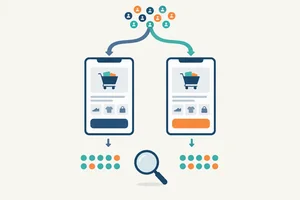
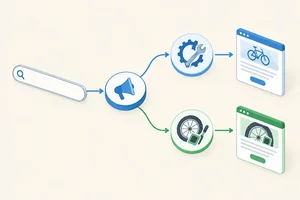
    1. Tutorial 1: Draft a Google Ads Search Campaign Draft the structure and targeting of a Google Ads Search campaign in a text document, connecting search intent to ad groups, keywords, exclusions, and destinations. No advertising account, payment details, or live campaign is required. Intermediate 23 min
    2. Tutorial 2: Draft a Meta Ads Campaign Draft a Meta campaign structure that connects the business outcome to delivery goals, prospecting audiences, placements, and justified retargeting conditions. Use a text-based plan without creating an account or collecting customer data. Intermediate 23 min
    3. Tutorial 3: Specify Search and Meta Ad Creative Variants Write a responsive Search ad asset set and specify Meta creative variants that fit their placements and destination. Produce complete text drafts and visual briefs without needing to publish ads or obtain media files. Intermediate 20 min

    4. Tutorial 4: Choose Ad Bids and Budgets with Realistic Forecasts Choose an introductory bidding and budget approach for a hypothetical campaign and build a transparent forecast using simple arithmetic. Evaluate whether apparently strong advertising returns could still leave the business unprofitable, without spending money. Intermediate 25 min
    5. Tutorial 5: Diagnose Paid Campaign Performance and Plan Changes Analyze simulated campaign reports presented in the tutorial and recommend a justified next action. Produce a controlled optimization note covering search terms, audiences, placements, creative, or budget without accessing a live advertising account. Intermediate 25 min
  8. Level 8 4 tutorials 1h 22min

    Email Marketing and Automation

    Extend acquisition into consent-based customer relationships and repeat business. Learn campaign design and lifecycle automation using accessible email tools, such as Mailchimp where its current free tier permits, with text-based workflow designs for unavailable features.

    What you will learn

    • Design permission-based signup and segmentation practices with clear expectations, preference management, unsubscribe options, and data minimization.
    • Draft an accessible email campaign with aligned subject line, preview text, body, and call to action, and explain sender authentication and deliverability essentials.

    • Map welcome, nurture, and post-purchase automations with explicit triggers, timing, conditions, exclusions, and exit rules without depending on paid automation features.
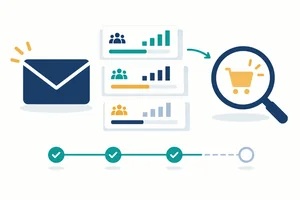
    • Evaluate clicks, conversions, bounces, and unsubscribes to improve campaigns, accounting for the unreliability of open-rate tracking.

    Prerequisites

    • Customer journeys, funnel stages, and persuasive copy.
    • Conversion measurement and e-commerce customer touchpoints.
    1. Tutorial 1: Design a Permission-Based Email List Design a permission-based signup and subscriber-list structure for a hypothetical business. Specify useful segments, preference choices, and unsubscribe handling without collecting real personal data. Intermediate 17 min
    2. Tutorial 2: Draft an Accessible Email Campaign Draft an accessible email whose inbox preview, body, and call to action work together, and explain what must be checked before sending. Use a text-based draft or an optional Mailchimp editor where its current free tier permits; no domain setup or live send is required. Intermediate 22 min
    3. Tutorial 3: Map Welcome, Nurture, and Post-Purchase Automations Map compact welcome, nurture, and post-purchase workflows with clear entry, timing, branching, and stopping rules. Validate them through fictional contact walkthroughs without requiring paid automation features or an integrated store. Intermediate 25 min
    4. Tutorial 4: Use Email Metrics to Improve Campaigns Interpret text-based email and automation reports, calculate meaningful rates, and recommend a focused improvement. Account for unreliable opens, automated clicks, delivery failures, and incomplete workflow observation before judging results. Intermediate 18 min
  9. Level 9 4 tutorials 1h 15min

    AI-Assisted Marketing Workflows

    Use AI to accelerate established marketing tasks rather than substitute for marketing judgment. Build repeatable, no-code workflows with grounding, quality checks, and human approval after learning how to judge the underlying work.

    What you will learn

    • Select suitable AI-assisted tasks by comparing expected time savings, quality requirements, risks, and free-tier limitations.
    • Write structured prompts with objectives, audience context, source material, constraints, and output criteria for marketing tasks.
    • Check AI outputs for factual errors, unsupported claims, bias, brand consistency, and usage-rights concerns while protecting confidential and personal data.
    • Build and evaluate a repeatable human-in-the-loop workflow using reusable prompts, approval checkpoints, and a comparison against a manual baseline.

    Prerequisites

    • Clear marketing briefs and channel-specific content requirements.
    • Campaign planning, performance interpretation, and conversion testing.
    • Consent, usage rights, and responsible handling of customer information.
    1. Tutorial 1: Choose Marketing Tasks for AI Assistance Choose suitable marketing tasks for AI assistance by weighing likely time savings, quality requirements, information risks, and current free-tier limits. Make a defensible choice without purchasing software or using real customer data. Intermediate 13 min
    2. Tutorial 2: Write Source-Grounded Marketing Prompts Write source-grounded prompts that turn an existing marketing brief into a constrained, channel-appropriate draft. Practice with text-based prompt-and-response examples or an optional free-tier AI assistant. Intermediate 18 min
    3. Tutorial 3: Review AI-Generated Marketing Outputs Audit an AI-generated marketing draft for factual reliability, brand fit, bias, privacy, and usage-rights concerns. Decide what can be retained, what needs correction, and what should not be used. Intermediate 20 min
    4. Tutorial 4: Build and Evaluate a Human-Reviewed AI Workflow Build and evaluate a repeatable workflow for turning an approved content brief into a channel-specific draft. Use an optional free-tier assistant or text-based response examples, retaining human approval and comparing the result with a manual baseline. Advanced 24 min
  10. Level 10 4 tutorials 1h 40min

    Integrated Marketing Plan and Pitch

    Integrate the channel skills into one defensible plan for a real or hypothetical business. Add advanced planning capabilities through cross-channel coordination, resource trade-offs, scenario analysis, and stakeholder communication rather than simply reviewing earlier material.

    What you will learn

    • Build a complete marketing plan connecting audience evidence, positioning, objectives, customer journeys, content, SEO, social, paid media, email, and conversion, with reasons for prioritizing or excluding channels.
    • Create a phased execution roadmap with responsibilities, channel dependencies, budget scenarios, forecast assumptions, and realistic resource trade-offs.
    • Define a measurement and experimentation framework with reporting cadence, decision thresholds, consent safeguards, and rules for adapting the plan when results differ from expectations.
    • Present the plan as a concise written or spoken pitch, defend its assumptions against scenario challenges, and revise it using a structured self-review rubric.

    Prerequisites

    • Marketing strategy, content, SEO, and organic social planning.
    • Paid media, email lifecycle design, and conversion optimization.
    • Measurement, experimentation, and responsible AI-assisted workflows.
    1. Tutorial 1: Connect Channels in an Integrated Marketing Plan Draft the strategic core of an integrated marketing plan for a real or hypothetical business. Connect audience evidence and objectives to coordinated channel roles, explaining what to include, defer, or exclude without building a website or launching campaigns. Advanced 25 min
    2. Tutorial 2: Build a Capacity-Aware Marketing Roadmap Turn the integrated plan into a phased roadmap with owners, dependencies, cash budgets, and realistic workload estimates. Use a compact text table to compare feasible execution scenarios and explain what changes when resources or assumptions change. Advanced 25 min
    3. Tutorial 3: Set Decision Rules for Measurement and Experiments Create a measurement and experimentation framework that turns the plan into an accountable decision process. Define review schedules, evidence requirements, consent safeguards, and practical rules for responding to results without overreacting to noisy or incomplete data. Advanced 25 min
    4. Tutorial 4: Present and Defend Your Marketing Plan Assemble the completed marketing plan and communicate it through a concise written or spoken pitch. Rehearse responses to text-based stakeholder challenges, then improve the plan with a structured self-review; no live audience, recording, or file submission is required. Advanced 25 min

Download the App now to have access to + 5000 free courses, exercises, certificates and lots of content without paying anything!

  • 100% free online courses from start to finish

    Thousands of online courses in video, ebooks and audiobooks.

  • More than 60 thousand free exercises

    To test your knowledge during online courses

  • Valid free Digital Certificate with QR Code

    Generated directly from your cell phone's photo gallery and sent to your email

Cursa app on the ebook screen, the video course screen and the course exercises screen, plus the course completion certificate