Step 1 of 7
Classify the Response Needed
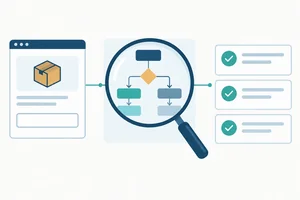
Classify a selected email excerpt by the action needed next while keeping the assistant and manual sending under human control.

Learning path · Level 5 · Tutorial 4
Create a manual email triage and drafting routine using selected, sanitized message excerpts. Categorize messages, draft context-aware replies, and keep sending under human control without connecting an assistant to a live mailbox.

 Classify the Response Needed
Classify a selected email excerpt by the action needed next while keeping the assistant and manual sending under human control. 2 min
 Set Priority Separately
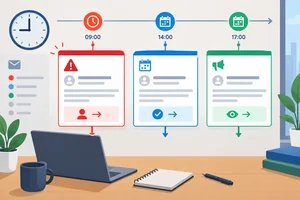
Rank messages using deadlines and consequences without confusing priority with the response category. 2 min
 Establish the Current Thread State
2 min
 Build a Minimum Sufficient Excerpt
Prepare a permitted, privacy-conscious excerpt that preserves the current request and relevant context without sharing an entire email thread. 2 min
 Specify the Reply Before Drafting
Turn a sanitized thread state into a precise assistant request that supports a useful draft without inventing commitments. 2 min
 Review the Draft and Assign Its Status
Review a proposed reply for recipient scope, supported commitments, internal information, and the correct draft-review status before manual sending. 3 min
 Apply the Complete Manual Routine
Apply the complete manual email routine to a fresh fictional mini-inbox, correct an unsupported draft, and retain human control through manual sending. 4 min
Step 1 of 7
Classify a selected email excerpt by the action needed next while keeping the assistant and manual sending under human control.
Use an assistant only with a selected excerpt you are permitted to share. It can suggest a category, but it does not connect to a mailbox, move messages, or send anything.
You remain responsible for choosing one primary next action for each message. A category describes that action—not the sender’s seniority or how urgent the message may feel. Urgency is assessed separately later.

The assistant may suggest; a person selects the next action and keeps manual sending separate.
Tip
Choose the category that removes the current blocker. If a client asks for a decision that only an internal approver can authorize, route it for review first—even if you may later send a limited acknowledgement.
There are exactly four response categories. Use the evidence in the message and the information currently approved for communication.
Choose the category that describes what must happen next.
| Category | Use it when | Primary next action |
|---|---|---|
| Reply | Approved information supports an answer. | Send a bounded response after human review. |
| Clarify | The requester must provide a missing detail. | Ask for the needed information. |
| Route for review | An internal decision, authorization, or specialist judgment is needed. | Ask the appropriate internal person to decide. |
| No reply needed | No response is requested or necessary. | Record or read the message; do not reply. |
Example
At 14 May 2026, 09:00 UTC, Alex at Harbor Works asks Maya for final files by 15 May 2026, 12:00 UTC and printing at no extra cost. Maya has committed only to sending a proof by 14 May 2026, 16:00 UTC.
The primary category is Route for review. Accelerated final delivery and free printing require Priya’s confirmation. The fact that Maya can acknowledge the request later does not turn the internal decision into an approved reply.
Match each fictional message to its single primary response category.
Match each message with the appropriate response category.
Tap an item and then its matching pair.
Step 2 of 7
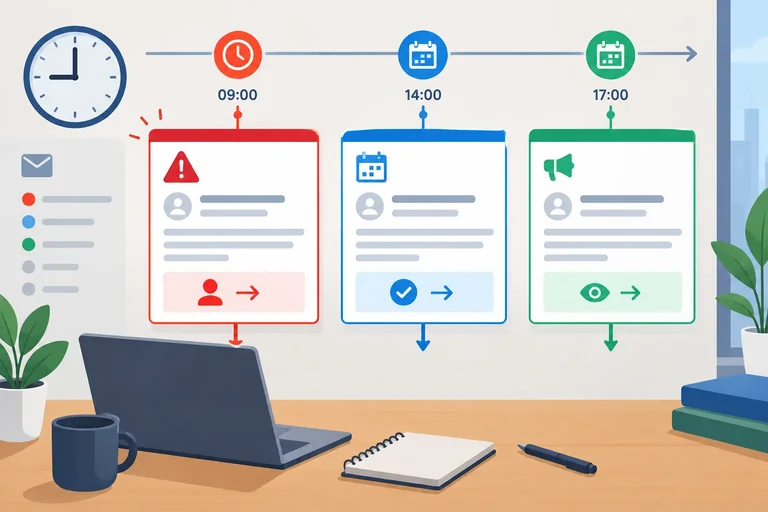
Rank messages using deadlines and consequences without confusing priority with the response category.
At the assessment time of 14 May 2026, 09:00 UTC, make two separate decisions for each message:
A message can need a Reply without being High. Equally, a system notice can need No reply needed while still being High because work will be blocked. Do not let the sender, subject line, or category substitute for evidence about time and consequences.
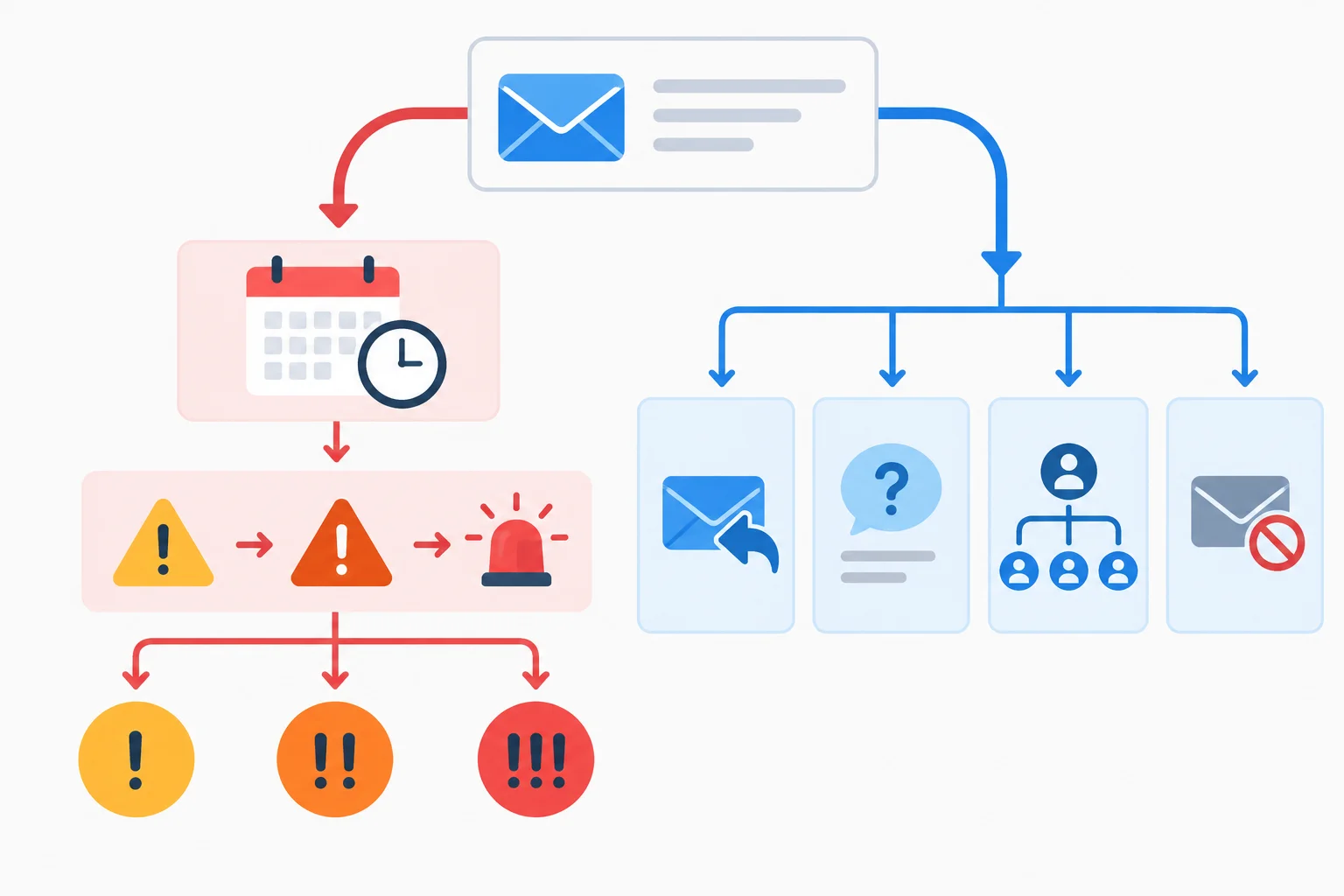
Use the time-and-consequence path to set priority; use the next-action path to select the response category.
Apply the same rubric consistently. The evidence must be in the message: a deadline, an active blocker, or a stated consequence. Do not invent urgency from a vague request.
| Priority | Use when | Evidence to record |
|---|---|---|
| High | An imminent hard deadline or active work blocker has a stated consequence | Time and what will be blocked or lost |
| Normal | Action is required, but the evidence does not show that urgency | Requested action and any known date |
| Low | No time-sensitive action or consequence is stated | Absence of requested action, timing, and consequence |
Example
Record 1
Message: System notice — “At 14 May 2026, 10:30 UTC, the shared drive will become read-only; active uploads will stop.”
Category: No reply needed
Priority: High
Reason: An imminent stated interruption will block active work, even though nobody needs an email response.
Record 2
Message: Dana — “Please confirm attendance for the planning session.”
Category: Reply
Priority: Normal
Reason: A response is required, but no deadline or consequence is stated.
When timing or consequences are missing, say so in the Reason. Missing evidence is not proof that the message is Low.
Put these messages in priority order, from highest to lowest, using the assessment time of 14 May 2026, 09:00 UTC.
For the System notice in the previous screen, which Category–Priority pairing is justified?
Step 3 of 7
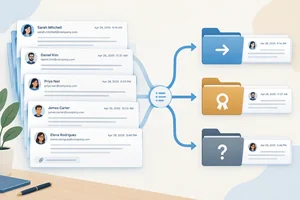
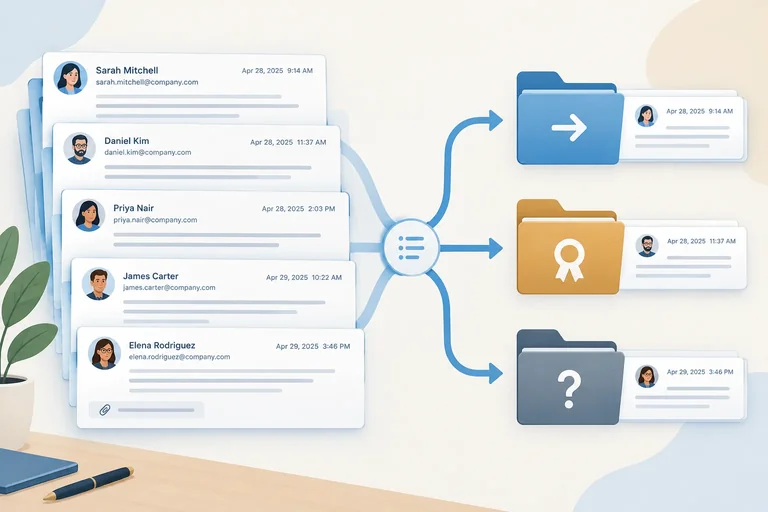
Before drafting anything, reduce a thread to its current state:
Read the sender and sent date on each message. Quoted email blocks can make an older message look prominent, but the visible layout is not proof of sequence.
A newer request can replace or refine what someone wants. It does not automatically create a new commitment from the recipient.

Use the messages' senders and dates to sort evidence into the three parts of the current state.
Example
At 14 May 2026, 09:00 UTC, Maya sees this Harbor launch pack thread. It is displayed newest first:
Alex — sent 14 May 2026, 08:45 UTC
“Please send the final files by 15 May 2026, 12:00 UTC. Can you include printing at no extra cost?”
Maya — sent 13 May 2026, 15:30 UTC
“I will send a proof by 14 May 2026, 16:00 UTC.”
Alex — sent 13 May 2026, 09:10 UTC
“Could the final files be ready this week?”
Project approval context: Priya is the internal approver for delivery and pricing. Neither accelerated final delivery nor free printing has been approved.
Keep the newer, specific request. Retain Maya’s earlier proof commitment because it remains relevant. Do not convert Alex’s requested date or price into a promise.
A compact record separates what Alex asks for from what Maya has committed to and what Priya must still confirm.
| Thread-state heading | Record | Supporting context |
|---|---|---|
| Latest request | Final files by 15 May 2026, 12:00 UTC; printing at no extra cost | Alex — sent 14 May 2026, 08:45 UTC |
| Existing commitments | Send a proof by 14 May 2026, 16:00 UTC | Maya — sent 13 May 2026, 15:30 UTC |
| Unresolved questions | Whether final delivery can meet Alex’s requested time; whether printing can be free | Alex — sent 14 May 2026, 08:45 UTC; Priya confirmation is required |
Using the Harbor launch pack thread and approval context from the previous screen, write the compact thread-state record.
Use these headings exactly: Latest request, Existing commitments, and Unresolved questions. Do not turn Alex’s requested final-delivery date or free printing into an approved commitment.
Write at least 120 characters (0/120).

Step 4 of 7
Prepare a permitted, privacy-conscious excerpt that preserves the current request and relevant context without sharing an entire email thread.
A minimum sufficient excerpt is not simply the shortest possible text. It is the smallest permitted selection that still lets an assistant understand the current situation.
Keep the latest request, relevant existing commitments, timing, qualifications, and the roles needed to interpret an unresolved issue. Remove material that does not change the next response.
The assistant sees only the excerpt you deliberately provide. It does not need—and should not receive—a live mailbox or an entire thread.
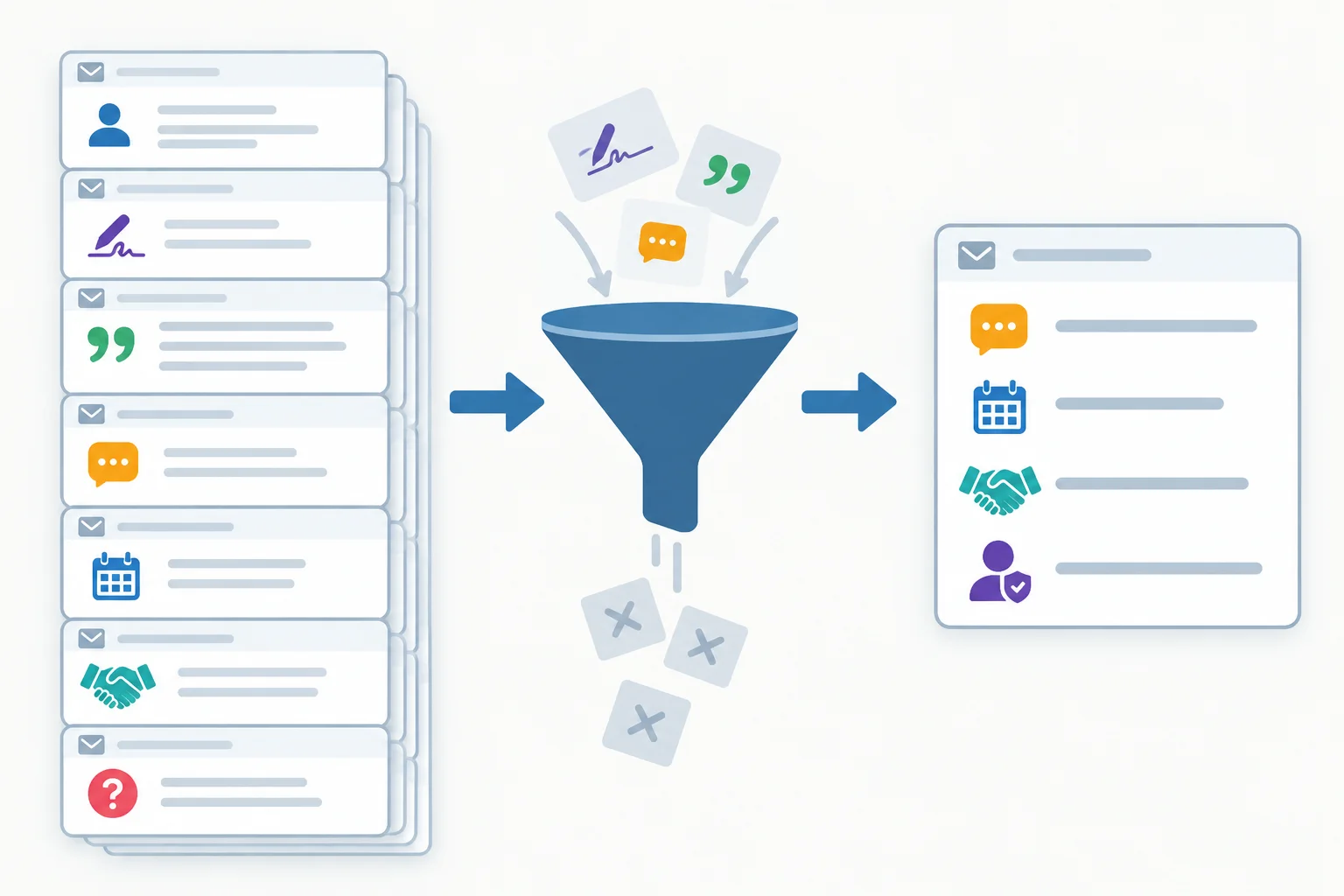
Filter for decision-relevant context, not for the fewest possible words.
Permission comes before redaction. Check whether workplace policy permits this material to be processed by an assistant at all. Removing an address does not make prohibited content permitted.
When processing is allowed, remove unnecessary addresses, signatures, contact details, unrelated recipients, confidential side discussions, and repeated quoted history. Keep any mapping between real people and placeholders locally; do not include that mapping in the excerpt. If permission is unavailable, use the tutorial's fictional text instead of real email.
Warning
Do not paste an original thread merely because it has been shortened. A permitted excerpt still needs a policy check, and it should contain no more personal or confidential information than the task requires.
Example
A compact fictional excerpt can preserve the thread state without exposing unnecessary details:
Latest request
Alex, client at Harbor Works — sent 14 May 2026, 08:45 UTC: requests final files by 15 May 2026, 12:00 UTC and printing at no extra cost.
Existing commitments
Maya, coordinator at Northstar Studio — sent 13 May 2026, 15:30 UTC: committed to sending a proof by 14 May 2026, 16:00 UTC.
Unresolved questions
Priya is the internal approver for delivery and pricing. Confirmation is still required for accelerated final delivery and free printing.
This excerpt preserves roles, dates, the request, the commitment, and the approval state. It excludes signatures, phone numbers, unrelated recipients, and repeated quoted history. If an address is needed later in a reply package, represent the removed client address as [CLIENT EMAIL].
Before using a sanitized excerpt, what is the most useful final check?
Assume this fictional source is permitted for assistant use. Choose the candidate that is both privacy-conscious and minimum sufficient. Then name one detail from the source that Candidate A appropriately leaves out.
Fictional source material
Alex, client at Harbor Works — sent 14 May 2026, 08:45 UTC. The sender field also contains [CLIENT EMAIL]. Alex requests final files by 15 May 2026, 12:00 UTC and printing at no extra cost. The signature includes a direct mobile number. An unrelated recipient is copied. A repeated older quotation discusses a color choice.
Maya, coordinator at Northstar Studio — sent 13 May 2026, 15:30 UTC: committed to sending a proof by 14 May 2026, 16:00 UTC.
Priya is the internal approver for delivery and pricing. Accelerated final delivery and free printing still require Priya's confirmation.
Candidate A: Alex's role and sent date; latest request; Maya's role, sent date, and proof commitment; Priya's approval context.
Candidate B: Alex's role and latest request; Maya's proof commitment.
Candidate C: Everything in Candidate A plus [CLIENT EMAIL], the direct mobile number, copied recipient, and repeated color-choice quotation.
Write at least 25 characters (0/25).

Step 5 of 7
Turn a sanitized thread state into a precise assistant request that supports a useful draft without inventing commitments.
A reply specification is the instruction you give an assistant before it creates a draft. It defines the boundaries of the reply so the assistant can be useful without turning a client request into an unapproved promise.
Include: recipient role, purpose, questions to address, approved facts, tone, length, forbidden commitments, and the requested output format.
The assistant receives a selected excerpt and produces a proposal for review. It does not connect to a mailbox, send a message, or make a business decision.
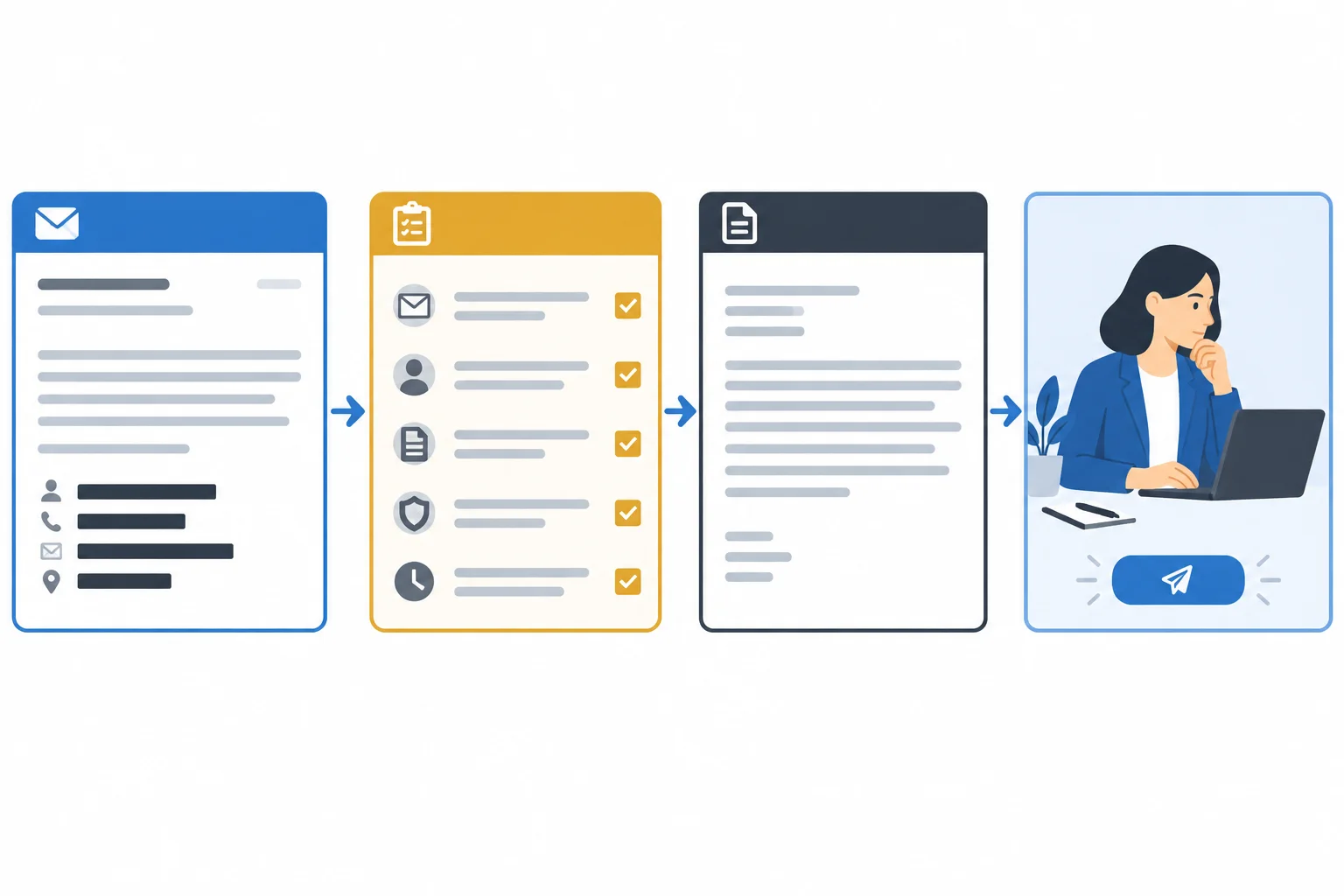
The specification constrains the draft; human review and manual sending remain separate actions.
At 14 May 2026, 09:00 UTC, first separate what Alex wants from what Maya is authorized to state.
Latest request
Alex requests final files by 15 May 2026, 12:00 UTC and printing at no extra cost.
Existing commitments
Maya has committed to sending a proof by 14 May 2026, 16:00 UTC.
Unresolved questions
Can final delivery be accelerated? Can printing be provided at no extra cost? Priya must confirm both.
A client request belongs in the draft, but it does not become an approved fact merely because it appears in the excerpt.
Use this mapping when writing the specification.
| Topic | What is known | Instruction for the assistant |
|---|---|---|
| Proof | Committed for 14 May 2026, 16:00 UTC | State this as an approved fact. |
| Final files | Requested for 15 May 2026, 12:00 UTC; not approved | Acknowledge the request without accepting the date; flag it for confirmation. |
| Printing | Requested at no extra cost; not approved | Acknowledge the request without accepting the terms; flag them for confirmation. |
| Priya | Internal approver for delivery and pricing | Do not claim Priya has approved anything. |
Use observable constraints, not vague instructions such as “make it professional.” For this case, ask for a calm, courteous, concise body of no more than 120 words. Explicitly forbid unsupported certainty, acceptance of the requested deadline, and acceptance of free printing.
Ask for two outputs: a reply package and separate reviewer notes. Put unresolved details only in reviewer notes with square-bracket confirmation markers. The outgoing body must not present those details as settled.
Example
Create a reply package for a client.
Recipient role: Alex, client at Harbor Works
Purpose: acknowledge the request and state the approved proof commitment.
Questions to address: final-file timing and printing at no extra cost.
Approved fact: Maya will send the Harbor launch pack proof by 14 May 2026, 16:00 UTC.
Unresolved: final delivery by 15 May 2026, 12:00 UTC and printing at no extra cost require Priya's confirmation.
Tone and length: calm, courteous, concise; body no more than 120 words.
Forbidden commitments: do not accept the final-delivery date, free printing, or imply Priya has approved either.
Output: To:, Cc:, Subject:, Body:, and separate Reviewer notes:. Use [CLIENT EMAIL] for the removed address. Put unresolved details in reviewer notes with confirmation markers. Create a draft for review only; do not send anything.
Example
To: [CLIENT EMAIL]
Cc: None
Subject: Harbor launch pack next steps
Body:
Hello Alex,
Thank you for outlining the requested timing and printing option. We will send the Harbor launch pack proof by 14 May 2026, 16:00 UTC. We are checking the final-file timing and printing terms internally and will confirm them after review.
Best,
Maya
Reviewer notes:
[CONFIRM: final delivery date]
[CONFIRM: printing terms]
Using the established Harbor launch pack thread state, write a short assistant request for a reply package. Include the approved proof deadline, address both of Alex’s requests, set calm/courteous/concise tone and a 120-word body limit, and forbid acceptance of unapproved delivery or printing terms. Require separate reviewer notes with confirmation markers for the unresolved details. End by making clear that the output is a draft for review, not a sent message.
Write at least 250 characters (0/250).

Step 6 of 7
Review a proposed reply for recipient scope, supported commitments, internal information, and the correct draft-review status before manual sending.
A draft is a proposed outgoing message, not a completed action. Review it in three passes:
Check actual addresses locally. A display name—and a sanitized placeholder such as [CLIENT EMAIL]—does not verify where the final message will go.
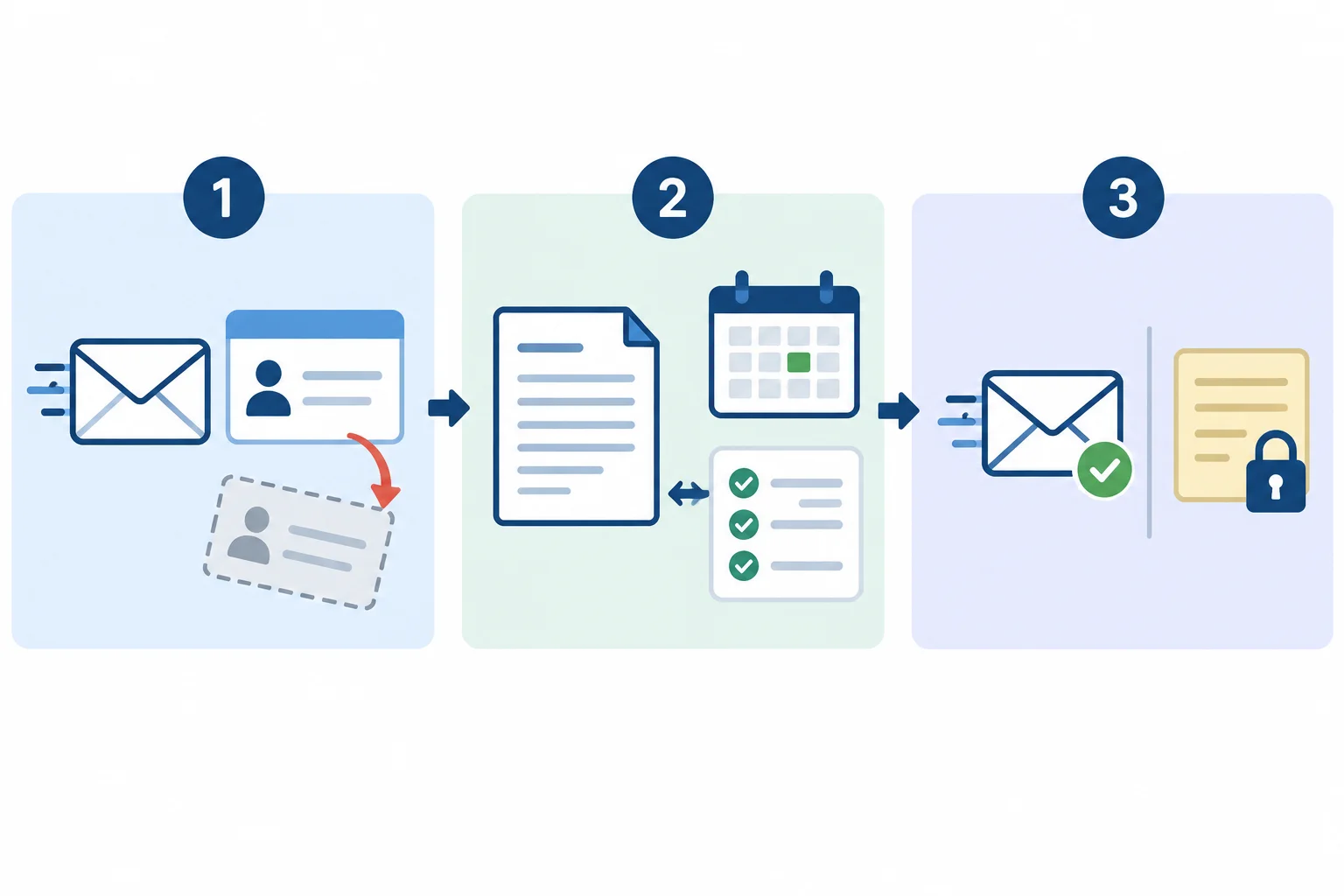
Review recipient scope, factual support, and sendability before assigning a draft-review status.
Tip
Use the assistant's draft as material to inspect, not as evidence. Verify recipient details and commitments against approved information and your local email system.
The right status depends on the intended reply scope. First ask what this particular reply is meant to accomplish.
Missing authorization does not always require a Hold. If the intended scope is a bounded acknowledgement, the draft can acknowledge the request without accepting an unapproved date or price.
Choose the status from the purpose of the reply, not from the presence of an unresolved business question.
| Intended reply scope | Review finding | Status | Why |
|---|---|---|---|
| Confirm final-file timing and free printing | Priya has not authorized either term | Hold | The reply must state a decision that is not available. |
| Acknowledge Alex's request and state the proof commitment | The draft promises unapproved delivery and printing | Revise | Replace the promises with a bounded acknowledgement using approved facts. |
| Send the checked bounded acknowledgement | Recipient, facts, tone, and internal notes are all correct | Approved for manual sending | Human review is complete; sending remains a separate human action. |
Warning
Do not label a draft Approved for manual sending merely because Priya is copied. A copied recipient does not grant authorization, and an unnecessary copied recipient may receive information outside the reply's scope.
For the Harbor launch pack, assume the intended scope is a bounded acknowledgement: recognize Alex's requests, state Maya's approved proof commitment, and avoid accepting unapproved delivery or printing terms. Priya's confirmation is not needed to send that limited acknowledgement.
The displayed package remains sanitized. Before assigning its status, Maya restored and checked the actual client address locally.
Example
To: [CLIENT EMAIL]
Cc: None
Subject: Harbor launch pack next steps
Body:
Hello Alex,
Thank you for outlining the requested timing and printing option. We will send the Harbor launch pack proof by 14 May 2026, 16:00 UTC. We are reviewing the final-file timing and printing terms internally and will confirm them after review.
Best,
Maya
Reviewer notes:
[CONFIRM: final delivery date]
[CONFIRM: printing terms]
Review status: Approved for manual sending
Warning
Keep confirmation markers in reviewer notes, never in the outgoing body. Restore necessary recipient details locally, remove internal notes from the final outgoing version, and recheck it after any substantive change. Even an Approved for manual sending draft still requires a person to perform manual sending.
At 14 May 2026, 09:00 UTC, inspect this proposed Harbor launch pack reply. Its intended scope is only to acknowledge Alex's requests and state the approved proof commitment; it does not need to confirm final delivery or printing.
To: [CLIENT EMAIL]
Cc: Priya
Subject: Harbor launch pack final files
Body:
Hello Alex,
We will send the proof by 15 May 2026, 12:00 UTC. We will deliver the final files by then and include printing at no extra cost. Priya has not approved these terms yet.
Best,
Maya
Reviewer notes: None
Which review decision and next handling are correct?

Step 7 of 7
Apply the complete manual email routine to a fresh fictional mini-inbox, correct an unsupported draft, and retain human control through manual sending.
This final practice joins the routine into one human-controlled sequence:
An assistant can suggest a draft from selected text. It does not connect to a mailbox, choose recipients, authorize commitments, or send anything.

Keep each decision distinct: classification and priority come before drafting; review comes before manual sending.
Summary
Assess this fictional mini-inbox at 14 May 2026, 09:00 UTC. It is permitted training text, not content from a live mailbox.
Message A is a short client thread. Message B is a separate competing notice. Read the sender and sent date for Message A before deciding what remains current. For a possible draft, retain only the source lines that preserve the request, prior commitment, and approval boundary.
Do not treat a client request as an approved commitment.
The contact details and unrelated copied recipient in Message A are unnecessary for drafting. A sufficient sanitized excerpt would use a placeholder such as [CLIENT EMAIL] if an address field is needed later.
| Message | Sender and sent date | Source text |
|---|---|---|
| A — prior commitment | Nadia, Brightline Design — 13 May 2026, 16:20 UTC | I will send a display-layout proof by 14 May 2026, 15:30 UTC. |
| A — latest request | Evan, client at Summit Museum — 14 May 2026, 08:35 UTC | Could you provide the final print-ready panels by 15 May 2026, 11:00 UTC and include onsite installation at no extra cost? We need confirmation before the venue reserves its loading window. Sender field includes [CLIENT EMAIL]; signature has a direct number; an unrelated recipient is copied. |
| A — approval context | Leah, internal approver for production timing and service pricing — 14 May 2026, 08:20 UTC | Expedited final-panel delivery and no-cost onsite installation require my confirmation. |
| B — competing notice | Facilities system notice — 14 May 2026, 08:50 UTC | At 14 May 2026, 09:30 UTC, badge readers will be unavailable for maintenance. The delivery crew cannot enter the studio during the interruption. No reply is needed. |
The following proposal was produced for Message A. It is not an outgoing email. Compare every claim with the source material and Leah's authorization boundary.
Example
To: [CLIENT EMAIL]
Cc: None
Subject: Summit Museum panel delivery
Body:
Hello Evan,
We will provide the final print-ready panels by 15 May 2026, 11:00 UTC and include onsite installation at no extra cost. We will also send the display-layout proof by 14 May 2026, 15:30 UTC.
Best,
Nadia
Reviewer notes:
None
Tip
If you want an optional assistant trial after this tutorial, use only the fictional sanitized excerpt shown here and a permitted tool of your own. Request a proposal and separate reviewer notes, then perform the same human checks. Do not paste real mailbox content unless workplace policy permits it.
Warning
A requested date, service, or price is not evidence of authorization. Keep unresolved matters in reviewer notes until the appropriate internal approver confirms them.
Create one concise review record using the mini-inbox and candidate draft from the previous screens.
Include all of the following:
Message, Category, Priority, and Reason.Latest request, Existing commitments, and Unresolved questions.To:, Cc:, Subject:, Body:, and Reviewer notes:. Use [CLIENT EMAIL].Hold, Revise, or Approved for manual sending—and a source-based reason. For this decision, assume the corrected package is intended only as a bounded acknowledgement, the actual client address has been restored and checked locally, and no copied recipient is needed.Use short bullets where helpful. Do not add a commitment absent from the source material.
Write at least 500 characters (0/500).
Congratulations! You completed: Triaging Email and Drafting Replies for Review
20 XP
Thousands of online courses in video, ebooks and audiobooks.
To test your knowledge during online courses
Generated directly from your cell phone's photo gallery and sent to your email

Download our app via QR Code or the links below:.



Carry knowledge in your pocket.
Download the Cursa app.
There are hundreds of free courses available, with a free certificate of completion that is saved in your mobile image gallery.
Download the app to access the Course Completion Certificate for Free.


+ 10 million
students

Free and Valid
Certificate

60 thousand free
exercises

4.8/5 rating in
app stores

Free courses in
video and ebooks