
Learning path

Artificial Intelligence: From Zero to Advanced Use

Progress from AI fundamentals to designing, evaluating, and presenting a responsible AI-assisted solution. Use assistants, create media, improve everyday work, and build document-grounded, no-code workflows. Designed for confident computer users, with plain-language explanations, worked examples, and no programming or advanced mathematics. Practice prioritizes free tiers, with text-based alternatives when features require payment.

  • 10 levels
  • 45 tutorials
  • Total duration: 13h 28min
Start Distinguishing AI, Machine Learning, and Generative AI
Artificial Intelligence: From Zero to Advanced Use

Path contents

  1. Level 1 4 tutorials 45 min

    AI Foundations and Safe Use

    Build the vocabulary and judgment needed for the rest of the path. Explore recognizable AI applications, distinguish capabilities from hype, and establish basic safeguards before using AI tools.

    What you will learn

    • Distinguish rule-based automation, artificial intelligence, machine learning, deep learning, and generative AI through everyday examples.
    • Recognize prediction, classification, recommendation, and generation tasks, and distinguish an underlying model from the product that uses it.
    • Decide when AI can support a task and when uncertainty, consequences, or human judgment make delegation inappropriate.
    • Apply basic safeguards: protect sensitive information, use authorized inputs, verify consequential claims, and remain accountable for decisions.
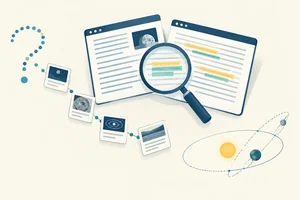
    1. Tutorial 1: Distinguishing AI, Machine Learning, and Generative AI Use everyday examples to distinguish automation, AI, machine learning, deep learning, and generative AI without treating them as interchangeable terms. Beginner 12 min
    2. Tutorial 2: Identifying AI Tasks and the Products Around Models Identify the task an AI feature performs and distinguish its underlying model from the application people interact with. Beginner 10 min
    3. Tutorial 3: Deciding When AI Should Assist Decide whether AI should assist with a task, whether a person must retain the decision, or whether AI use is inappropriate for the situation. Beginner 11 min
    4. Tutorial 4: Applying Basic AI Safety Checks Apply a basic safety checklist before sharing information with AI and before using its output, without needing a paid tool or sharing real sensitive data. Beginner 12 min

  2. Level 2 5 tutorials 1h 17min

    How Models Learn and Generate

    Explain where model capabilities and failures come from before learning advanced tool use. Follow the progression from learning patterns in data to neural networks, language generation, and image generation using small, nonmathematical examples.

    What you will learn

    • Explain training versus inference, features and labels, and the basic differences among learning from labeled examples, unlabeled data, and rewards.
    • Interpret training, validation, and test results in worked examples, recognizing overfitting, data leakage, and misleading accuracy.
    • Describe neural networks as systems that learn layered representations, and explain why data quality and computation affect their performance.
    • Explain how language models use tokens, context windows, and next-token prediction, including why hallucinations and inconsistent answers occur.
    • Describe image generation through iterative denoising and conditioning, and explain common limits in spatial relationships, text rendering, and consistency.

    Prerequisites

    • Basic distinctions among AI, machine learning, deep learning, and generative AI.
    • Recognition of common AI tasks and their limitations.
    1. Tutorial 1: How Models Learn from Data Explain how a model learns and then uses patterns, identifying features, labels, and different forms of learning in small everyday examples. Beginner 15 min
    2. Tutorial 2: Reading Model Evaluation Results Read small model-performance tables and judge whether apparently strong results provide credible evidence of useful performance on new cases. Beginner 18 min
    3. Tutorial 3: How Neural Networks Learn Layered Patterns Trace how a neural network transforms an input through learned layers and explain why suitable data and sufficient computation both matter. Beginner 13 min
    4. Tutorial 4: How Language Models Generate Text Explain how language models produce text and use that mechanism to account for context limits, varied answers, and confident factual errors. Beginner 17 min
    5. Tutorial 5: How Diffusion Models Generate Images Explain diffusion-based image generation and recognize why a visually convincing result may still misrepresent relationships, lettering, or recurring details. No image-generation tool is required. Beginner 14 min
  3. Level 3 5 tutorials 1h 31min

    Prompting and Verified Assistant Use

    Turn an understanding of model behavior into reliable assistant interactions. Practice with an accessible assistant such as ChatGPT, Claude, or Gemini, distinguishing available features from assumptions about what every assistant can do.

    What you will learn

    • Construct and refine prompts with a clear task, relevant context, constraints, examples, and a useful output format.
    • Produce and revise writing and summaries while preserving source meaning, important qualifications, and the intended audience.
    • Analyze supplied text or tables while separating evidence from assumptions and independently checking calculations and conclusions.
    • Research a question by distinguishing generated answers from retrieved evidence and opening original sources to verify citations and claims.
    • Manage long tasks with staged requests, explicit context, and reusable instructions without assuming unlimited context or persistent memory.

    Prerequisites

    • Training versus inference and the limitations of learned patterns.
    • Tokens, context windows, hallucinations, and basic safe-use practices.
    1. Tutorial 1: Building and Refining a Task Prompt Build and refine useful prompts in a free-tier assistant such as ChatGPT, Claude, or Gemini, with worked text exchanges as an alternative when access is unavailable. Beginner 15 min
    2. Tutorial 2: Writing and Summarizing Without Changing Meaning Draft, rewrite, and summarize short passages for a specified audience while keeping claims, qualifications, and attribution faithful to the source. Beginner 18 min
    3. Tutorial 3: Checking AI Analysis of Text and Tables Analyze short text and small tables with an assistant, then check whether each conclusion is supported and whether the calculations are correct using a calculator or simple manual checks. Intermediate 20 min
    4. Tutorial 4: Researching with Verifiable Sources Research a focused question using an assistant and freely accessible sources, opening original pages in your own browser rather than accepting generated citations or search snippets as proof. Intermediate 20 min
    5. Tutorial 5: Keeping Long Assistant Tasks on Track Keep a longer assistant task coherent through reviewed stages, concise handoff briefs, and reusable text instructions without relying on persistent memory or specialized workspaces. Intermediate 18 min
  4. Level 4 4 tutorials 1h 18min

    Creating and Editing AI Media

    Extend prompting into visual and time-based media. Use your own or authorized material in accessible tools; when generation or editing features are unavailable, express the intended result through an edit specification, audio script, or storyboard.

    What you will learn

    • Generate and refine an image from a concrete visual brief, evaluating subject accuracy, composition, and unwanted artifacts.
    • Plan and perform targeted image edits, such as replacing a region or extending a scene, while preserving details that should remain unchanged.
    • Generate or edit a short audio asset, checking pronunciation, intelligibility, and consent without imitating an identifiable person without permission.
    • Generate and revise a short video clip, or specify it in a storyboard, checking motion, continuity, synchronization, and potentially misleading presentation.

    Prerequisites

    • Prompt construction, iteration, and output verification.
    • Conceptual understanding of generative models and their limitations.
    • Basic safeguards for authorized inputs and responsible sharing.
    1. Tutorial 1: Generating Images from a Visual Brief Turn a concrete visual brief into an image and refine it using an available free-tier tool. If generation is unavailable, prepare a generation-ready brief and practice visual inspection with on-screen examples. Intermediate 18 min
    2. Tutorial 2: Replacing and Extending Image Regions Replace part of an image or extend its scene while checking that important details remain intact. Work with your own or authorized image in a tool you can access, or write a precise edit specification when editing features are unavailable. Intermediate 20 min
    3. Tutorial 3: Generating and Revising Short Narration Create and revise a short narrated audio asset using an accessible text-to-speech tool and an authorized voice. If audio generation is unavailable, prepare a narration script with pronunciation, delivery, and listening-check instructions without claiming to have verified unheard audio. Intermediate 18 min
    4. Tutorial 4: Creating a Short Video from a Storyboard Plan, generate, and revise a short video in an available tool, or represent the same result through a timed text storyboard. Review motion, continuity, audio timing, and presentation choices that could mislead viewers. Intermediate 22 min
  5. Level 5 5 tutorials 1h 28min

    AI for Everyday Work

    Move from individual assistant exchanges to practical workplace tasks. Apply tool-specific checks to documents, spreadsheets, meetings, email, and collaboration with coding helpers without writing or executing code.

    What you will learn

    • Turn approved source notes into a structured document or presentation outline, checking consistency, completeness, and suitability for its audience.
    • Use AI to suggest spreadsheet formulas and explain trends, verifying calculations with small examples and checking assumptions about the data.

    • Convert a meeting transcript into traceable decisions, owners, and action items without inventing commitments or overlooking recording consent.
    • Create an email triage and drafting routine with clear categories, tone constraints, privacy safeguards, and human approval before sending.
    • Use coding helpers conceptually to clarify a software request, interpret a proposed change, and define acceptance checks without treating generated code as validated.

    Prerequisites

    • Reliable prompting for writing, summarization, analysis, and research.
    • Source verification and basic privacy safeguards.
    1. Tutorial 1: Structuring a Work Document from Source Notes Turn approved source notes into a structured workplace brief. Organize the material around the reader's needs, identify missing information, and check that the finished document is complete and internally consistent. Intermediate 16 min
    2. Tutorial 2: Requesting and Checking Spreadsheet Formulas Use a small table entered in your own spreadsheet to request and inspect AI-suggested formulas. Check results against simple calculations and assess whether an accompanying trend explanation matches the spreadsheet data. Intermediate 22 min

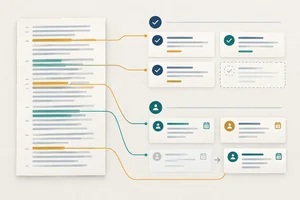
    3. Tutorial 3: Extracting Decisions and Actions from Meeting Transcripts Convert an authorized or fictional meeting transcript into a traceable decision log and action list. Preserve uncertainty, flag missing owners or deadlines, and distinguish confirmed commitments from suggestions. Intermediate 16 min
    4. Tutorial 4: Triaging Email and Drafting Replies for Review Create a manual email triage and drafting routine using selected, sanitized message excerpts. Categorize messages, draft context-aware replies, and keep sending under human control without connecting an assistant to a live mailbox. Intermediate 16 min
    5. Tutorial 5: Clarifying Software Changes with a Coding Helper Use a coding helper as a requirements and explanation partner without writing or executing code. Clarify a software request, assess a proposed change through its plain-language explanation, and specify acceptance checks for an implementer. Intermediate 18 min
  6. Level 6 5 tutorials 1h 26min

    Document Retrieval and Quality Testing

    Make assistant answers more useful by grounding them in a controlled document collection. Introduce retrieval and systematic quality testing before connecting assistants to workflows that can take actions.

    What you will learn

    • Explain chunks, embeddings, semantic search, and retrieval-augmented generation, distinguishing retrieval from model retraining and simply adding more context.
    • Prepare a small collection of non-sensitive documents you own or may use, with clear source labels, scope, versions, and update dates.
    • Configure document-grounded question answering in an accessible tool, requesting source references and an explicit acknowledgment when evidence is missing.
    • Create a small test set with expected evidence and a rubric for accuracy, grounding, coverage, and appropriate uncertainty.
    • Test missing, conflicting, outdated, and maliciously instructed source passages, recognizing prompt injection and documenting changes that improve reliability.

    Prerequisites

    • Language-model context limits and the difference between generation and verified evidence.
    • Source-grounded summarization, document organization, and output checking.
    1. Tutorial 1: How Retrieval-Augmented Generation Uses Documents Explain how an assistant retrieves document passages to support an answer, and distinguish this process from retraining a model or simply pasting more text into a conversation. Intermediate 13 min
    2. Tutorial 2: Preparing a Traceable Document Collection Prepare a small, traceable collection in your own tools using authorized, non-sensitive documents or sample texts included in the tutorial. Organize the material so answers can be checked against identifiable sources and versions. Intermediate 15 min
    3. Tutorial 3: Setting Up Document-Grounded Question Answering Configure source-referenced question answering in an accessible document tool, such as NotebookLM. If retrieval features are unavailable, practice the same answer requirements by pasting labeled excerpts into a free assistant, clearly identifying this as a direct-context fallback. Intermediate 18 min
    4. Tutorial 4: Building an Evidence-Based Answer Test Set Create a small, repeatable test set and a clear rubric for document-grounded answers. Evaluate evidence and meaning rather than relying on whether an answer sounds convincing or matches one preferred wording. Intermediate 18 min
    5. Tutorial 5: Stress-Testing Document-Grounded Answers Challenge your question-answering setup with missing, conflicting, outdated, and maliciously instructed passages. Use text-only tests in your own tools, document the failures, and compare targeted improvements without assuming that a passing test guarantees reliability. Intermediate 22 min
  7. Level 7 5 tutorials 1h 31min

    No-Code Workflows and Bounded Agents

    Progress from answering questions to coordinating bounded tasks. Build with accessible no-code tools, using manual simulations for gated features. Distinguish custom GPTs or Projects from autonomous agents rather than assuming every workspace can act independently.

    What you will learn

    • Configure a reusable assistant or instruction workspace with a defined purpose, approved knowledge, examples, and explicit boundaries.
    • Build a small no-code trigger-and-action workflow with defined inputs, outputs, and a simple conditional branch.
    • Configure or simulate a bounded tool-using agent with a clear goal, permitted tools, limited state, stopping conditions, and escalation rules.
    • Restrict permissions and data exposure, isolate untrusted instructions, and require human confirmation before external or consequential actions.
    • Test complete workflow runs, including failures, retries, and unexpected outputs, while recording actions and setting usage or cost limits.

    Prerequisites

    • Reusable assistant instructions and structured task outputs.
    • Document retrieval, evaluation rubrics, and prompt-injection awareness.
    • Human approval and privacy safeguards for workplace tasks.
    1. Tutorial 1: Configuring a Reusable Assistant Workspace Configure a narrowly focused assistant using available workspace features, such as a custom GPT or Project. When creation features are unavailable, reproduce the setup with a saved configuration brief and a fresh chat, then check its behavior on an in-scope and an out-of-scope request. Intermediate 15 min
    2. Tutorial 2: Setting Permissions and Approval Gates for AI Tools Define safe access and approval boundaries before connecting an assistant to tools. Apply available controls or document a manual execution boundary so that untrusted content cannot authorize actions and external or consequential actions require human confirmation. Intermediate 16 min
    3. Tutorial 3: Building a No-Code Workflow with a Conditional Branch Build or manually simulate a small request-to-draft workflow with defined fields and one conditional branch. Use synthetic requests in your own tools, route uncertain cases to review, and keep all external sending under human control. Intermediate 20 min
    4. Tutorial 4: Configuring a Bounded Tool-Using Agent Configure or simulate an agent that consults approved reference material and prepares a draft. Give it a narrow goal, a small set of permitted operations, limited task state, and explicit stopping and escalation rules rather than unrestricted autonomy. Advanced 20 min
    5. Tutorial 5: Testing Workflow Runs, Retries, and Usage Limits Test complete workflow and agent runs rather than judging only the final answer. Record actions, introduce controlled failures, check retry behavior, and set usage limits using safe drafts or manual simulations instead of live consequential actions. Advanced 20 min
  8. Level 8 4 tutorials 1h 21min

    Responsible AI and Governance

    Expand individual safeguards into responsible operating practices. Address impacts on other people, information rights, organizational security, and regulatory responsibilities. Legal examples are educational and require current official guidance and qualified advice when appropriate.

    What you will learn

    • Assess bias using contrasting cases, identify who could be disadvantaged, and select mitigation, oversight, or escalation measures.
    • Create a privacy and security checklist covering consent, data minimization, access, retention, provider terms, and incident escalation.
    • Assess copyright, licensing, likeness, and deepfake risks, using provenance checks without treating AI-detection tools as proof of authenticity.
    • Explain the EU AI Act's basic risk-based approach and provider-versus-deployer responsibilities, recognizing that obligations and timelines must be checked against current official guidance.

    Prerequisites

    • Evaluation of generated text, media, and document-grounded answers.
    • Workflow permissions, human approval, and prompt-injection safeguards.
    1. Tutorial 1: Assessing Bias with Contrasting Cases Assess unequal AI treatment using contrasting fictional cases. Identify who could be disadvantaged and recommend a proportionate response without treating a small test as proof that a system is fair. Intermediate 18 min
    2. Tutorial 2: Creating an AI Privacy and Security Checklist Create an evidence-backed privacy and security checklist for a fictional AI workflow, covering its full data lifecycle, provider arrangements, and the response to an incident. Intermediate 21 min
    3. Tutorial 3: Checking AI Content Rights and Authenticity Assess whether AI-assisted content can be used responsibly by checking license scope, likeness risks, and evidence of origin. Make a reasoned use-or-hold recommendation while recognizing legal uncertainty and the limits of detection tools. Intermediate 23 min
    4. Tutorial 4: Navigating the EU AI Act's Risk-Based Rules Use a simplified scenario to identify possible EU AI Act requirements and provider-versus-deployer responsibilities. Record what must be confirmed through current official sources and qualified advice rather than making a definitive compliance claim. Intermediate 20 min
  9. Level 9 4 tutorials 1h 21min

    AI Strategy for Teams and Small Businesses

    Use technical and governance knowledge to make realistic adoption decisions for a team or small business. Focus on suitable problems, measurable value, operating costs, and the people who will maintain and use the solution.

    What you will learn

    • Prioritize use cases by user need, feasibility, data readiness, potential value, and the consequences of failure.
    • Compare an existing assistant, a no-code solution, a specialized vendor, and a non-AI approach using capability, reliability, access, cost, and lock-in criteria.
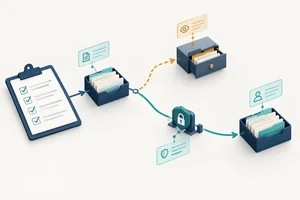
    • Design a bounded pilot with a current-process baseline, measurable benefits, quality thresholds, and a realistic estimate of total operating effort and cost.

    • Create an adoption plan with ownership, staff training, approval responsibilities, monitoring, and conditions for changing or retiring the solution.

    Prerequisites

    • Practical experience designing AI-assisted work and no-code workflows.
    • Quality evaluation, privacy, security, and responsible-use principles.
    1. Tutorial 1: Prioritizing AI Use Cases for a Team Create an evidence-backed shortlist of AI opportunities for a team or small business, balancing user needs and potential value against feasibility, data readiness, and unacceptable risks. Intermediate 18 min
    2. Tutorial 2: Comparing AI and Non-AI Solution Options Compare AI and non-AI delivery options for a shortlisted task and recommend an approach using explicit requirements, evidence, access constraints, pricing structures, and switching risks. Intermediate 18 min
    3. Tutorial 3: Designing a Bounded AI Pilot Write a bounded pilot plan that can establish whether a proposed approach improves the current process without concealing review effort, operating costs, or quality failures. Keep the work at the planning stage rather than building or testing the final solution. Advanced 25 min
    4. Tutorial 4: Planning AI Adoption and Ongoing Ownership Create an adoption plan, conditional on pilot evidence, that assigns operating responsibilities, prepares staff, establishes ongoing review, and defines when to change, pause, or retire the solution. Advanced 20 min
  10. Level 10 4 tutorials 1h 30min

    Delivering an AI-Assisted Solution

    Integrate the path into a complete solution for a real, bounded problem. The new focus is end-to-end acceptance, explicit design tradeoffs, and stakeholder handover. Demonstrate the solution in your own tools or through a documented manual simulation without submitting files.

    What you will learn

    • Translate a real user problem into an end-to-end specification linking requirements, source data, workflow steps, human checkpoints, and acceptance criteria.
    • Assemble a working no-code prototype or faithful manual simulation using reusable prompts, authorized sources, and clearly defined component boundaries.
    • Run an acceptance test against the baseline, record quality and safety failures, improve the design, and justify a launch, revise, or stop decision.
    • Present a demonstration and handover brief explaining the solution's value, design choices, evaluation evidence, limitations, operating instructions, and remaining risks.

    Prerequisites

    • Prompting, document grounding, and no-code workflow design.
    • Evaluation methods, safety controls, and responsible-use requirements.
    • Pilot planning, success metrics, and operating-cost assessment.
    1. Tutorial 1: Specifying an End-to-End AI-Assisted Solution Turn a real, low-risk user problem into a compact solution specification. Connect requirements, authorized sources, component responsibilities, human checkpoints, and acceptance criteria while making important design tradeoffs explicit. Advanced 20 min
    2. Tutorial 2: Assembling a Small AI Solution Prototype Assemble the specified solution in your own tools or as a faithful text-only simulation. Use reusable prompts and authorized source excerpts, resolve component handoff mismatches, and preserve a reproducible prototype without requiring coding or paid features. Advanced 25 min
    3. Tutorial 3: Making an Evidence-Based Acceptance Decision Evaluate the assembled prototype against its requirements and current-process baseline. Record failures, make a targeted improvement, and justify a limited launch, revision, or stop decision without treating a successful simulation as proof of deployment readiness. Advanced 25 min
    4. Tutorial 4: Demonstrating and Handing Over an AI Solution Present the solution through a short demonstration or narrated text walkthrough, then prepare a handover brief another person could use. Explain its value, design choices, acceptance evidence, limitations, operating instructions, and remaining risks without submitting files. Advanced 20 min

Download the App now to have access to + 5000 free courses, exercises, certificates and lots of content without paying anything!

  • 100% free online courses from start to finish

    Thousands of online courses in video, ebooks and audiobooks.

  • More than 60 thousand free exercises

    To test your knowledge during online courses

  • Valid free Digital Certificate with QR Code

    Generated directly from your cell phone's photo gallery and sent to your email

Cursa app on the ebook screen, the video course screen and the course exercises screen, plus the course completion certificate