Step 1 of 7
Prediction: Estimate an Outcome
Recognize Prediction features by the unknown outcome they estimate.

Learning path · Level 1 · Tutorial 2
Identify the task an AI feature performs and distinguish its underlying model from the application people interact with.
 Prediction: Estimate an Outcome
Recognize Prediction features by the unknown outcome they estimate. 1 min
 Classification: Assign a Category
Distinguish category assignment from outcome estimation by examining the expected output of a ShopGuide feature. 1 min
 Recommendation: Suggest Relevant Options
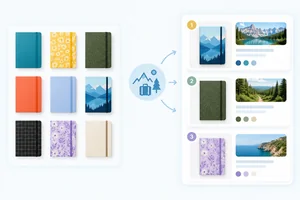
Recognize recommendation as selecting or ranking relevant options, using ShopGuide’s notebook suggestions. 1 min
 Generation: Produce Content
1 min
 One Product, Several AI Tasks
2 min
 The Model Is Not the Whole Product
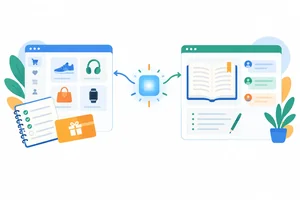
Separate an output-producing model from the product experience that surrounds it, using ShopGuide, ReadNext, and Model Cedar. 2 min
 Apply the Task and Product Map
Apply all four AI task labels to a new product scenario and separate the product experience from its named drafting model. 2 min
Step 1 of 7
Recognize Prediction features by the unknown outcome they estimate.
To identify an AI feature’s task, start with one question: What is this feature intended to produce from its input?
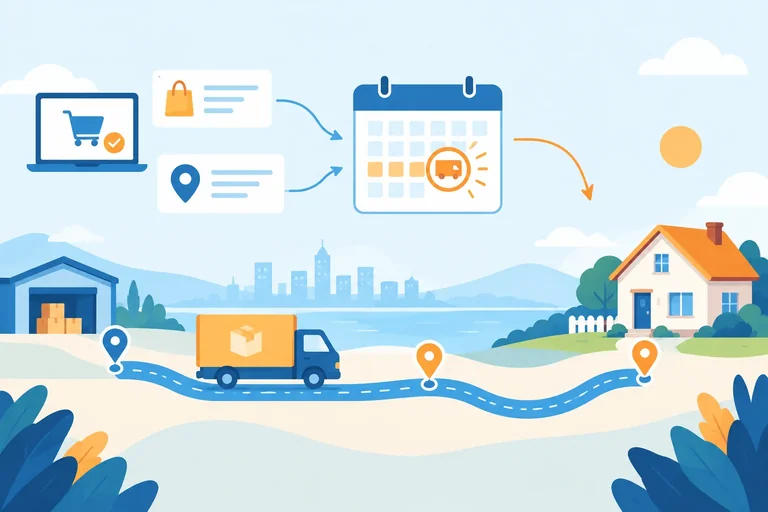
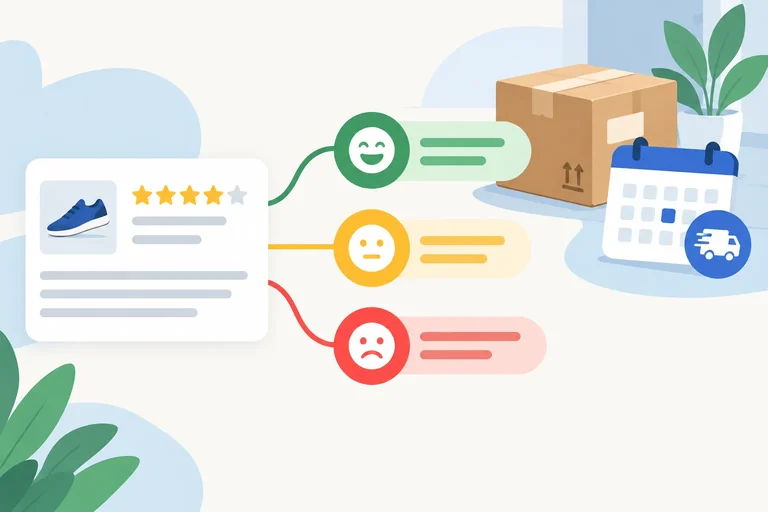
A Prediction feature estimates an outcome that is not yet known. Its output is an estimate, such as a duration, amount, or time.
For example, ShopGuide receives delivery details and estimates how long delivery will take. The feature’s purpose is the estimate—not the order details it received.
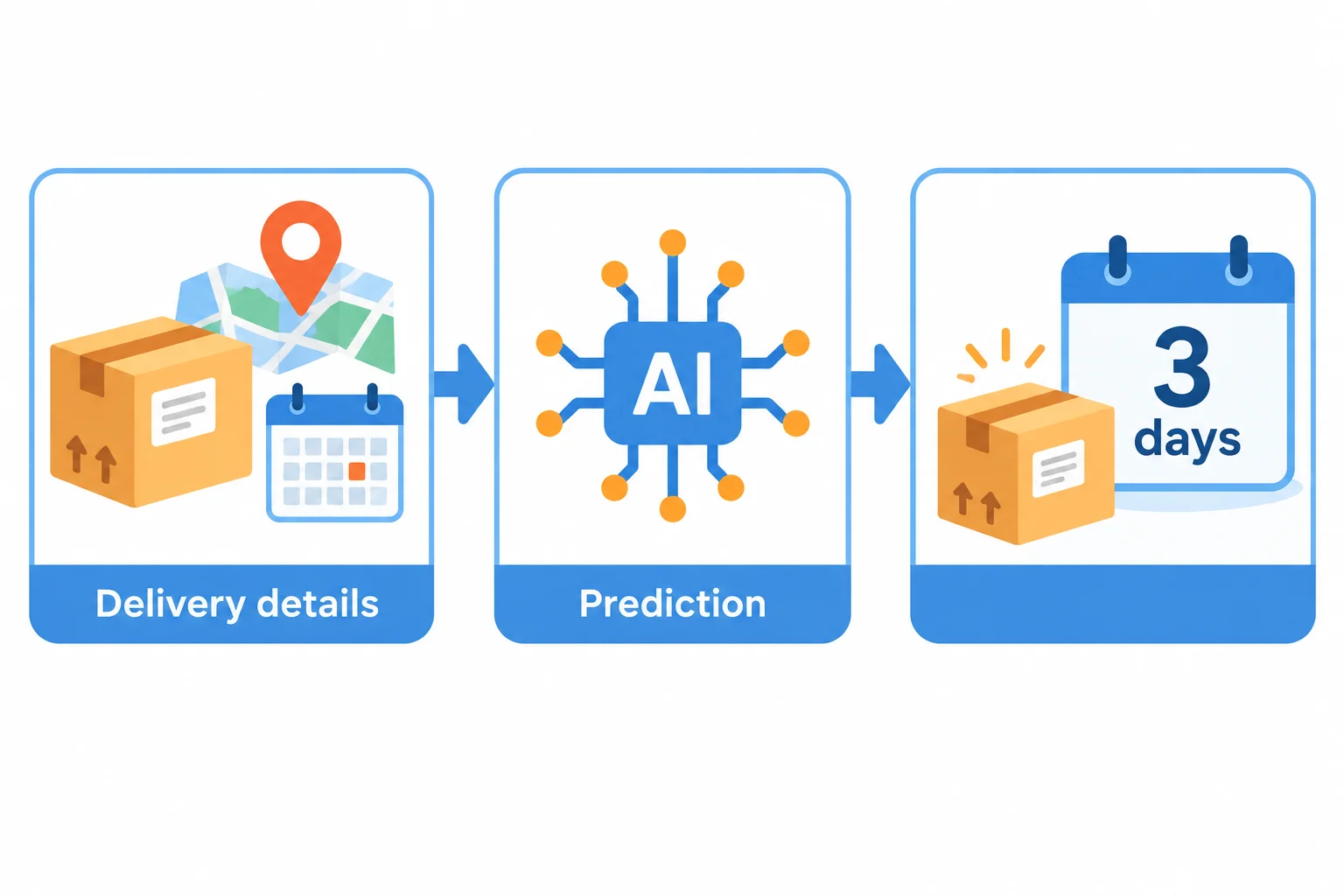
delivery details → Prediction → estimated delivery time: 3 days
An estimate is different from an observed result.
When ShopGuide says 3 days, it is estimating the delivery duration before the delivery outcome is known. After the package arrives, the actual duration is an observed result.
Prediction is not limited to events that have not happened yet. A feature can estimate an unknown outcome even when part of the situation has already happened—for example, after an order has been shipped but before it arrives.
Example
Feature: ShopGuide receives delivery details for an order and displays an estimated delivery time.
Task: Prediction
Expected output: estimated delivery time: 3 days
The input helps form the estimate. It is not itself the predicted outcome.
Tip
The labels used in this tutorial describe a feature’s practical purpose. They are not names for four separate, mutually exclusive model technologies. Later steps compare other purposes; for now, focus on whether the feature estimates an unknown outcome.
A navigation feature receives a route and current traffic details. It estimates when a driver will arrive. What is the feature’s expected output?
Step 2 of 7
Distinguish category assignment from outcome estimation by examining the expected output of a ShopGuide feature.
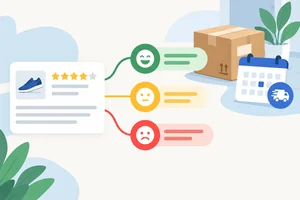
A feature performs Classification when its intended output is a category from a defined set. Start with the output: if the feature assigns a label such as a sentiment category, it is classification.
ShopGuide can read a customer review and assign one of 3 categories: Positive, Neutral, or Negative. The feature is not estimating how long something will take; it is selecting the category that describes the review.
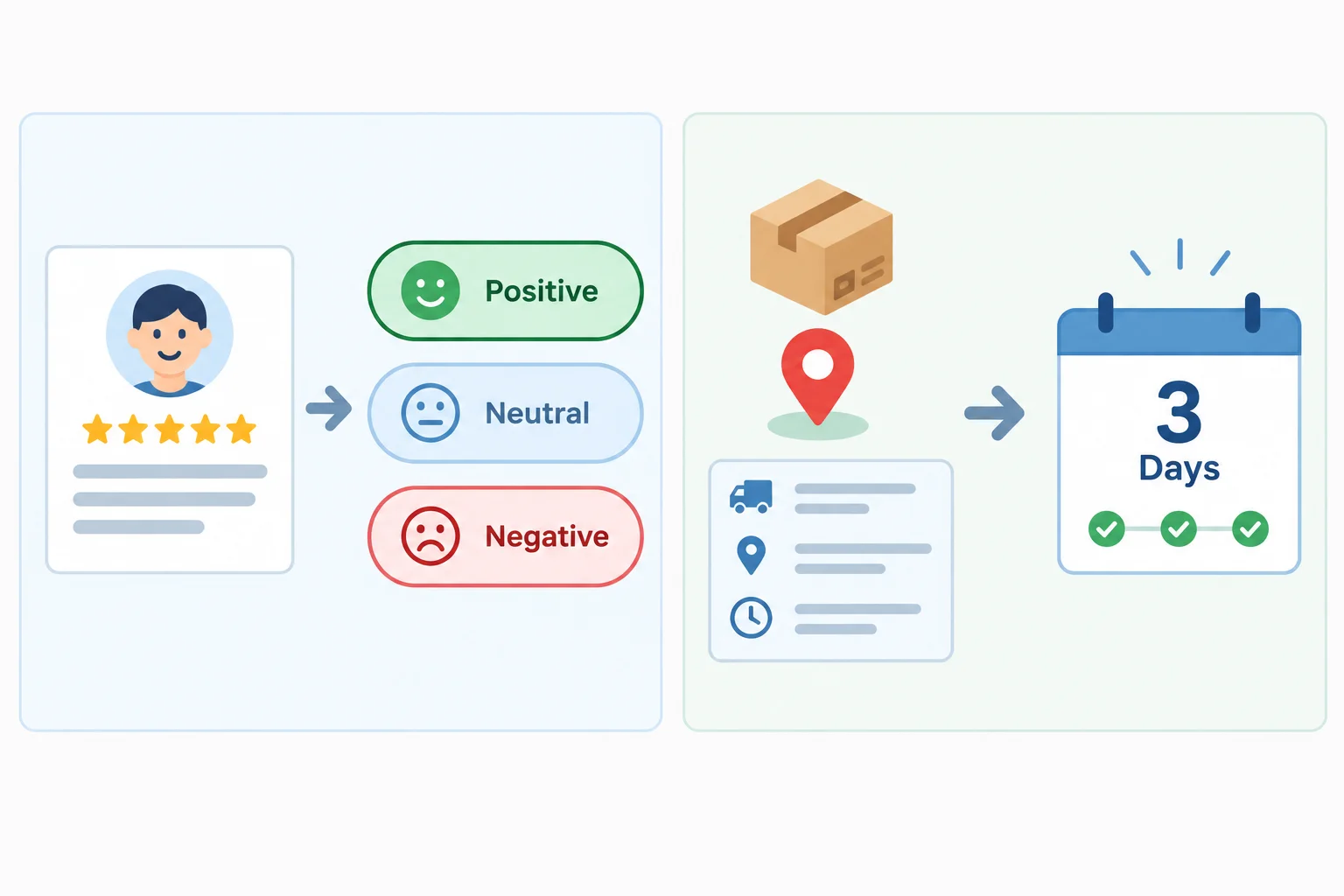
A category is an assigned label; 3 days is an estimated outcome.
Both features may use information about an input, but their visible purposes differ. Use the more specific task label that matches what the feature is meant to return.
| Feature input | Task | Expected output |
|---|---|---|
| Customer review text | Classification | Positive, Neutral, or Negative |
| Delivery details | Prediction | estimated delivery time: 3 days |
Tip
Sometimes people describe assigning a label as “predicting a label.” That is a broad use of the word prediction. In this tutorial, when the output comes from a defined category set, use the more specific label Classification.
Do not decide from the topic alone. A review can be classified today, and a delivery estimate can concern an outcome not yet observed. The deciding clue is the intended output: category or estimate.
Match each feature description to its task and expected output.
Tap an item and then its matching pair.
Step 3 of 7
Recognize recommendation as selecting or ranking relevant options, using ShopGuide’s notebook suggestions.
A Recommendation feature selects or ranks options that may be useful in a person’s context. Its visible purpose is to suggest choices—not to estimate one outcome and not to assign one category.
Ask: What does the feature give the shopper? If it gives one or more suggested items, the task is Recommendation.
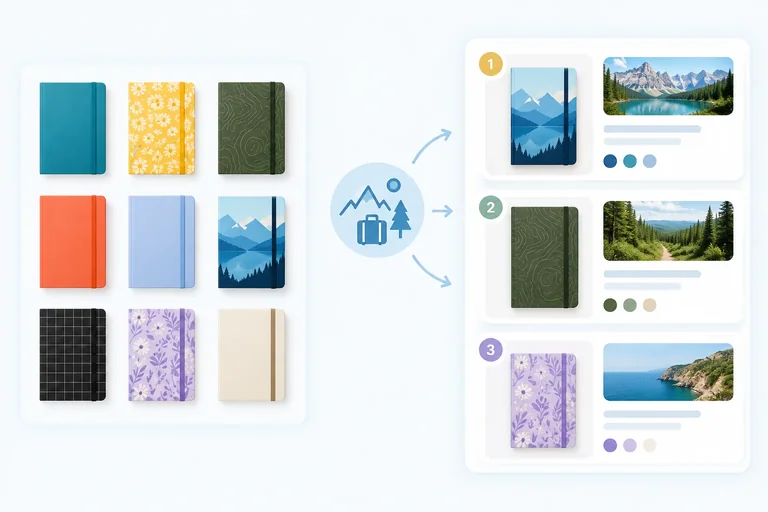
ShopGuide can use a shopper’s stated interests to suggest notebooks from its available options. The output may be a single suggestion or a ranked list.
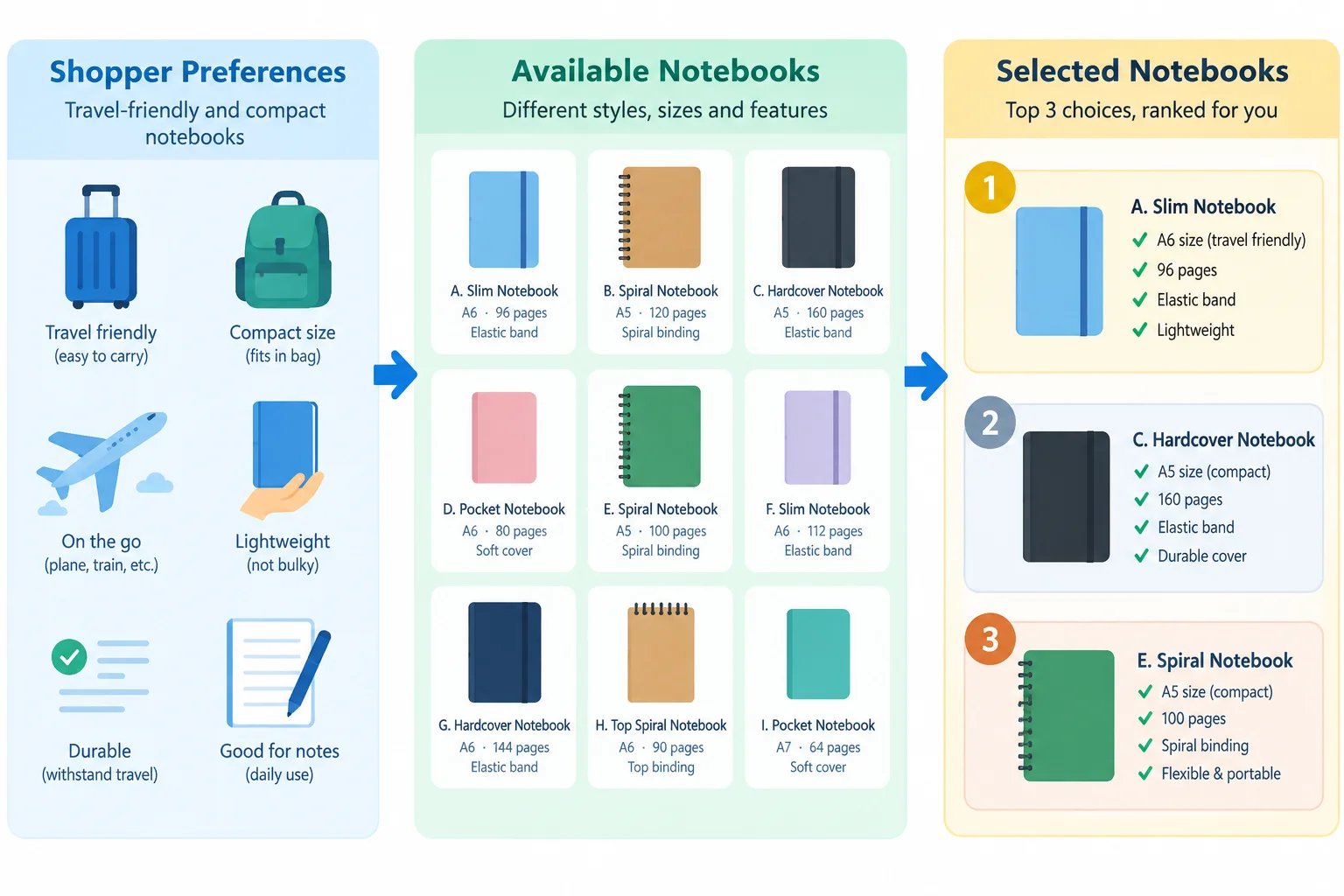
A recommendation selects or ranks options from the available notebooks based on the shopper’s context.
Example
ShopGuide feature
stated interest: compact notebooks for a trip → Recommendation → Pocket Notebook, Travel Notebook, Desk Notebook
The three notebook names are suggestions in ranked order. They are not labels applied to the shopper or to a notebook.
A recommendation system may use estimates internally, but identify the feature by its visible result: it helps the shopper choose among options.
True or false: A ShopGuide feature returns a ranked list of notebook options. Because the list contains names, the feature’s task is Classification.
A shopper says they want a small notebook for travel. ShopGuide shows, in order: Pocket Notebook, Travel Notebook, Desk Notebook.
Which explanation is correct?

Step 4 of 7
A feature performs Generation when its purpose is to produce new content from an input.
In ShopGuide, recipient details can lead to a drafted gift message:
recipient details → Generation → gift-message draft
The output is composed for this request. It is not a label from a fixed set and not a selection from existing notebook options.
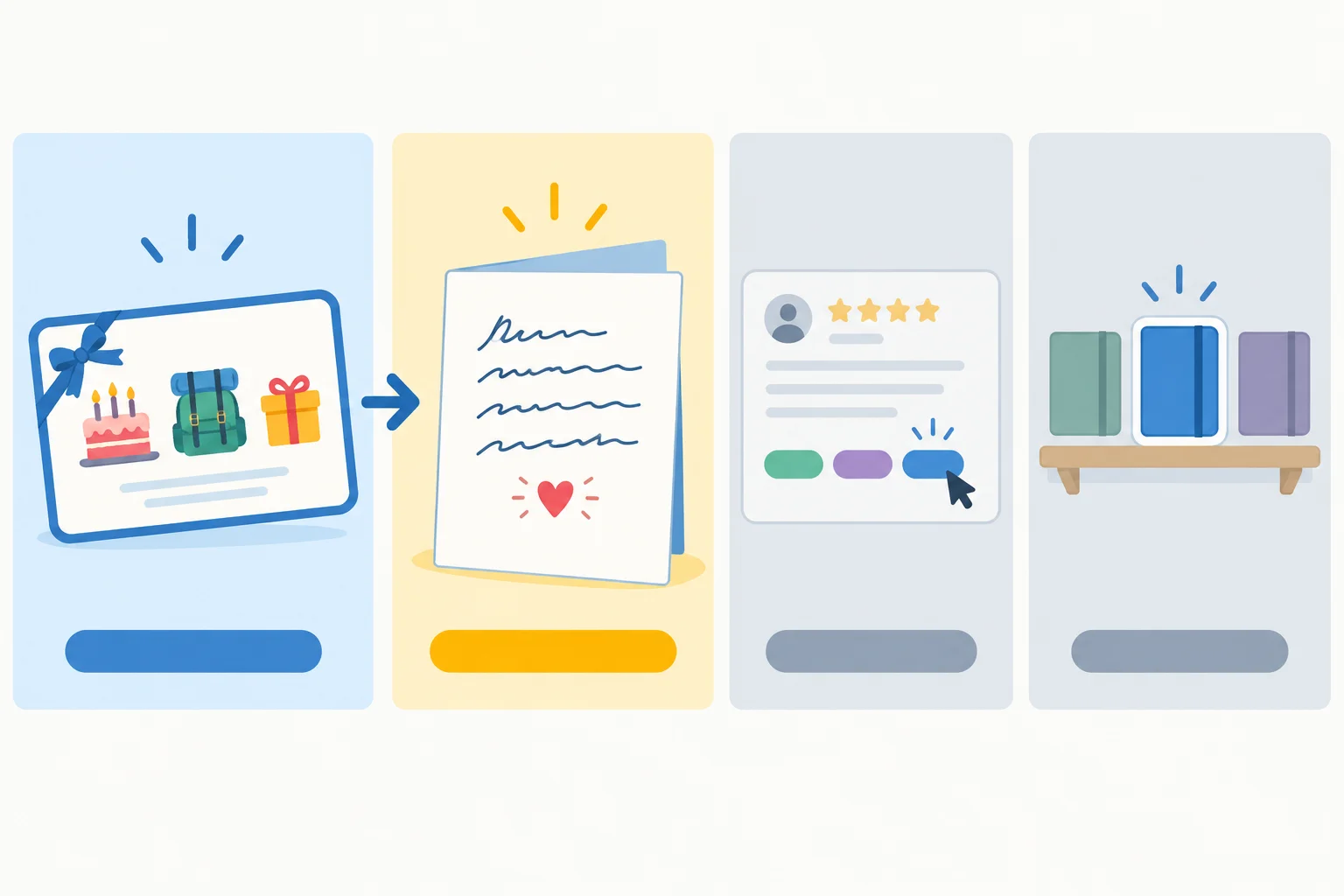
A gift-message draft is Generation. A review category is Classification. A highlighted existing notebook is Recommendation.
Generation can produce text, images, audio, or video. Here, focus on text: ShopGuide drafts a gift message.
Do not identify a task only by what appears on the screen. A category label such as Positive is text, but its purpose is category assignment. A notebook name is also text, but its purpose can be to suggest an existing option.
Compare each feature by its intended output, not by its display format.
| Input | Task | Expected output |
|---|---|---|
| recipient details | Generation | gift-message draft |
| review text | Classification | Positive |
| shopper interests | Recommendation | Travel Notebook |
Tip
Ask: “Is this feature composing content, assigning a category, or choosing relevant existing options?” The answer identifies the task.
Match each ShopGuide feature to its task label.
Tap an item and then its matching pair.

Step 5 of 7
A product can offer several AI-powered features, and each feature can have a different task. Do not force the whole ShopGuide product into one label.
In this scenario, ShopGuide explicitly states that its delivery estimate, review-sentiment label, notebook suggestions, and gift-message draft are AI-powered. A visible interface alone would not prove that a feature uses AI; the description supplies that information here.
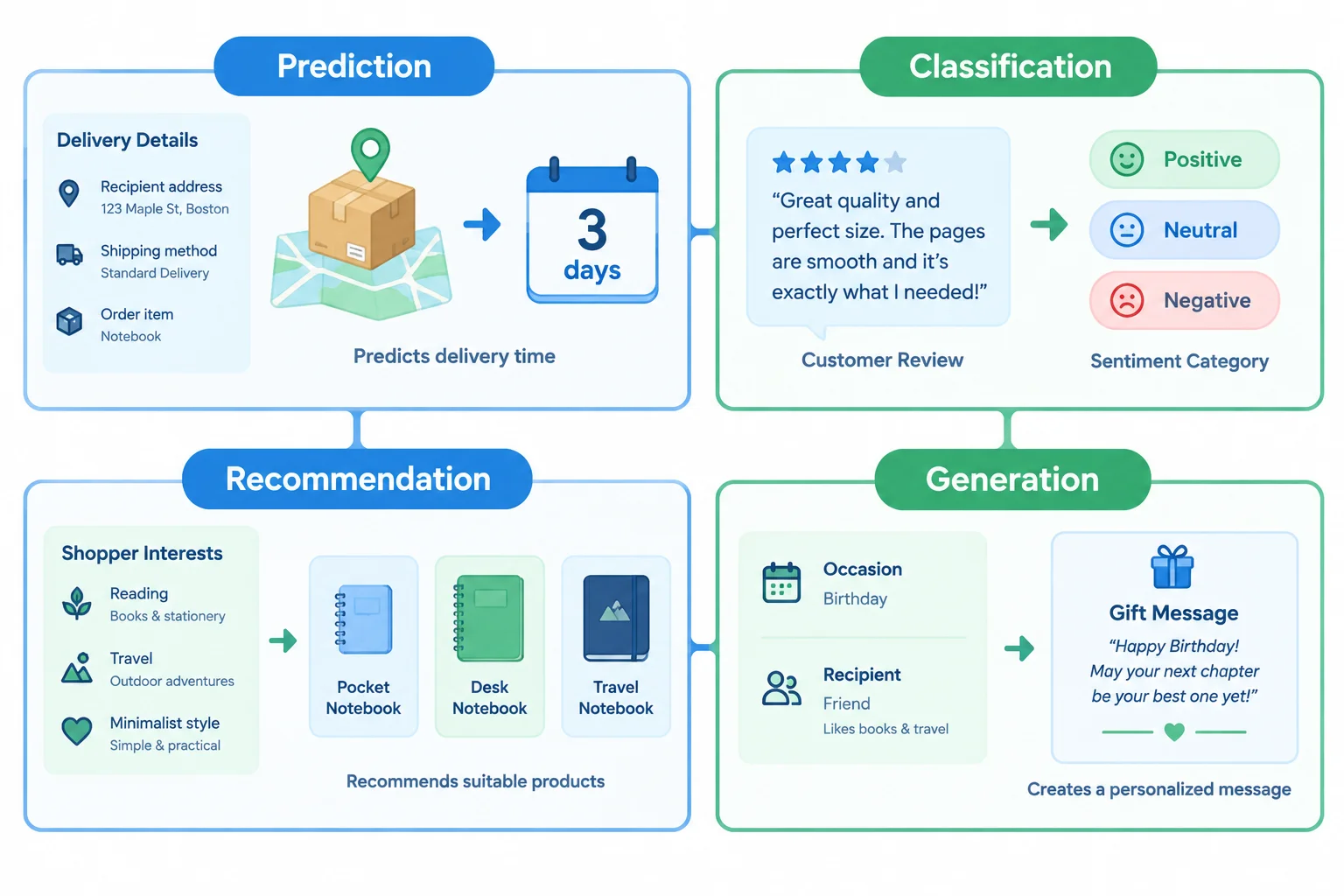
Each card represents a feature. The task label belongs to that feature, not to ShopGuide as a whole.
Decompose the product by tracing each feature from its input to its intended output.
| Input | Task | Expected output |
|---|---|---|
| Delivery details | Prediction | estimated delivery time: 3 days |
| Review text | Classification | sentiment category: Positive, Neutral, or Negative |
| Shopper's stated interests | Recommendation | suggested notebooks: Pocket Notebook, Desk Notebook, Travel Notebook |
| Occasion and recipient details | Generation | gift-message draft |
Match each ShopGuide feature to its task.
Tap an item and then its matching pair.
Analyze ShopGuide as a multi-feature product. For each of its 4 features, write the input, the Task: label, and the Expected output:. Then explain why calling ShopGuide only a recommendation tool is incomplete.
Write at least 250 characters (0/250).
Step 6 of 7
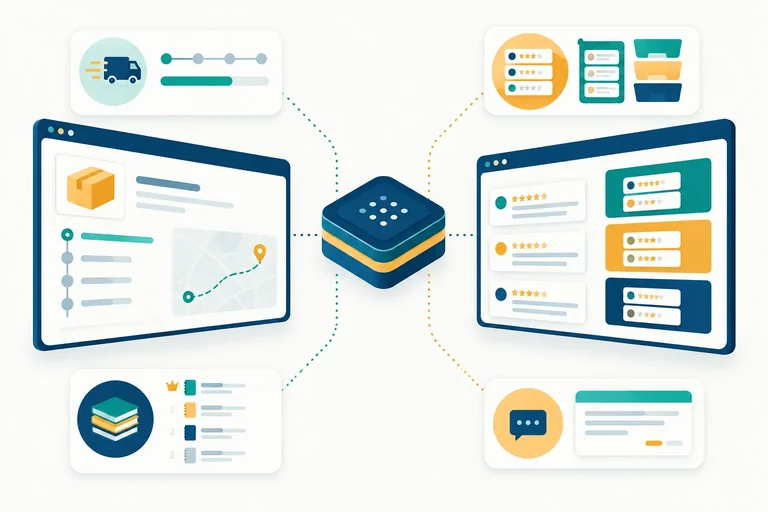
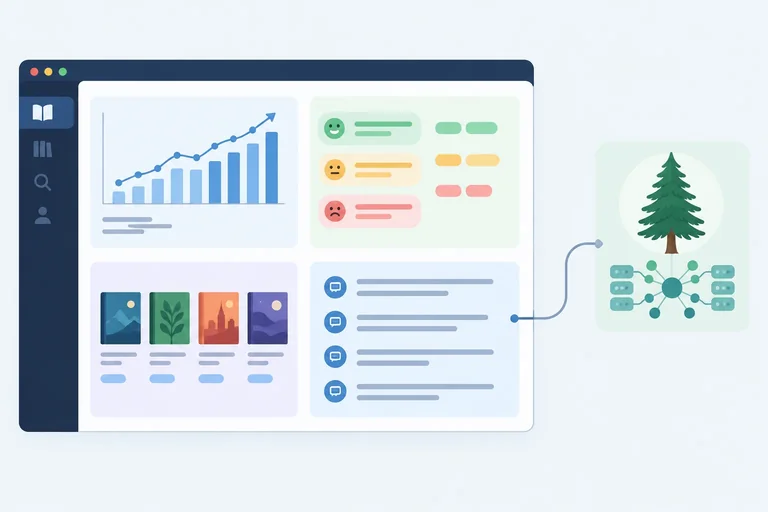
Separate an output-producing model from the product experience that surrounds it, using ShopGuide, ReadNext, and Model Cedar.
A product is the user-facing application. It can provide screens, input controls, settings, saved history, and connections to information or other software.
A model is an underlying component that receives an input and produces an output. It is not the whole application.
Product: ShopGuide is the illustrative shopping product that a person uses.
Model: In the stated scenario, Model Cedar receives a gift-message request and produces a draft for ShopGuide’s gift-message feature.
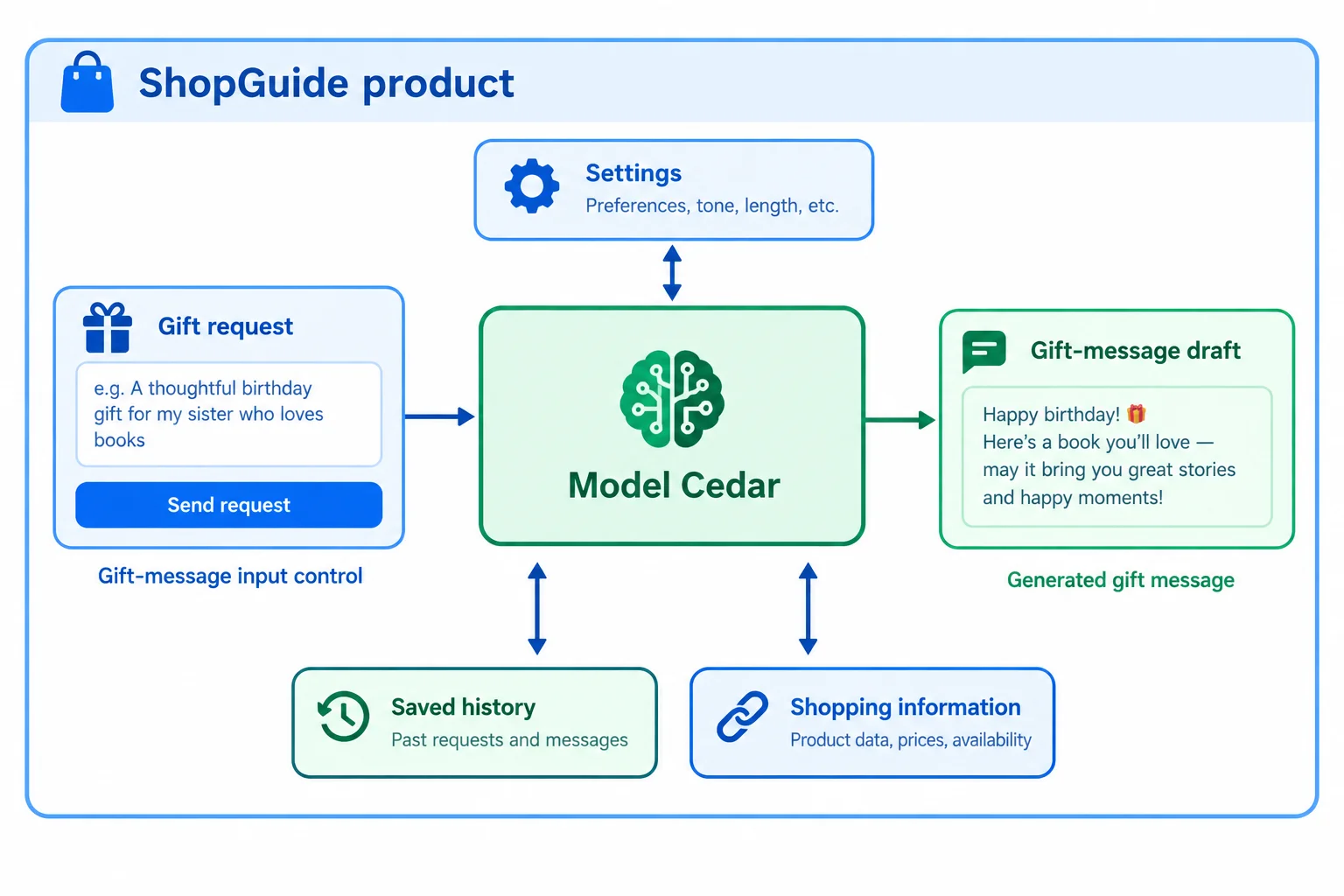
Model Cedar produces the draft for the stated feature. ShopGuide provides the surrounding experience.
The same model can appear in different products. Conversely, one product may use several models. Do not assume that a named model powers every feature unless product information explicitly says so.
These are illustrative product experiences. The stated shared model applies to the drafting feature shown in each row, not automatically to every feature in either product.
| Product | Stated drafting feature | Model in the stated scenario | Surrounding functionality |
|---|---|---|---|
| ShopGuide | Gift-message draft | Model Cedar | Shopping inputs, settings, saved history |
| ReadNext | Discussion-question draft | Model Cedar | Reading controls, saved history, library connections |
True or false: A product name or screenshot alone reliably identifies its underlying model.
Using the component diagram you studied, match each statement to its correct conclusion.
Tap an item and then its matching pair.
Step 7 of 7
Apply all four AI task labels to a new product scenario and separate the product experience from its named drafting model.
Apply the task map to a new scenario. In this illustrative brief, every function below is explicitly described as an AI-powered feature in the reading product ReadNext.
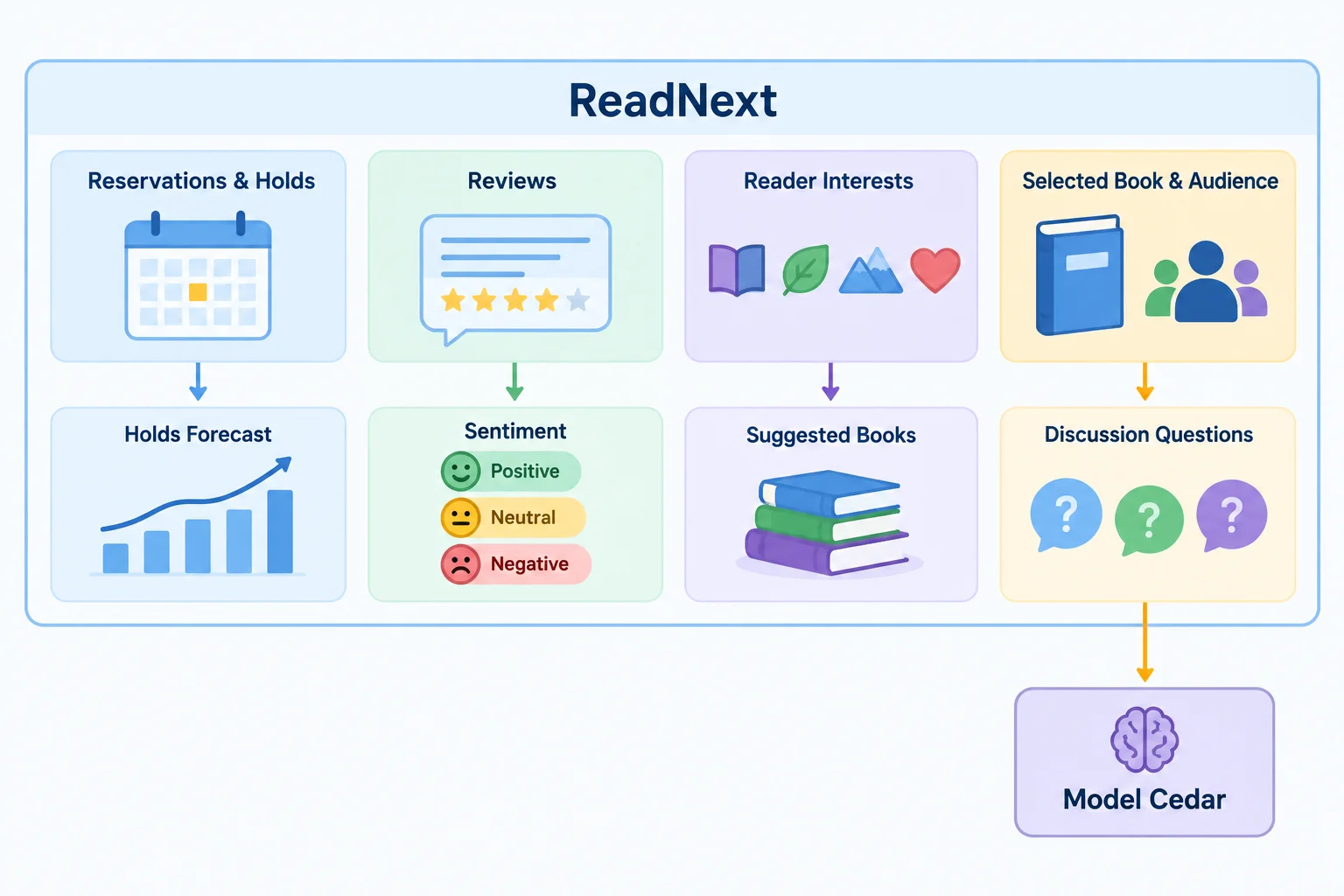
ReadNext presents the features to its users. Model Cedar is explicitly named only for the discussion-question drafts in this scenario.
Product: ReadNext is the user-facing reading application. Its interface can present features and provide surrounding functionality for readers.
Model: Model Cedar is the underlying component explicitly named for producing ReadNext’s discussion-question drafts.
ShopGuide uses Model Cedar for gift-message drafts. Shared use of one model does not make ReadNext and ShopGuide the same product: they serve different users through different interfaces and features. The brief does not name the models, if any, used by ReadNext’s other features.
Match each ReadNext feature to its task label.
Tap an item and then its matching pair.
Create a concise map from the earlier ReadNext brief. Include all 4 features with their Task: label and Expected output:. Then identify the product and the named model with their stated roles. Finally, explain why the two products that share that model for a drafting feature are not identical.
Write at least 300 characters (0/300).
Summary
Congratulations! You completed: Identifying AI Tasks and the Products Around Models
Thousands of online courses in video, ebooks and audiobooks.
To test your knowledge during online courses
Generated directly from your cell phone's photo gallery and sent to your email

Download our app via QR Code or the links below:.



Carry knowledge in your pocket.
Download the Cursa app.
There are hundreds of free courses available, with a free certificate of completion that is saved in your mobile image gallery.
Download the app to access the Course Completion Certificate for Free.


+ 10 million
students

Free and Valid
Certificate

60 thousand free
exercises

4.8/5 rating in
app stores

Free courses in
video and ebooks