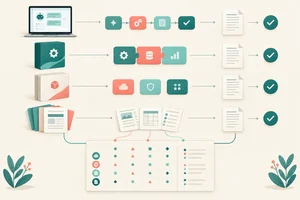
Step 1 of 8
Start with the user problem
Turn a technology-first suggestion into a bounded use case with a specific user and observable desired improvement.

Learning path · Level 9 · Tutorial 1
Create an evidence-backed shortlist of AI opportunities for a team or small business, balancing user needs and potential value against feasibility, data readiness, and unacceptable risks.

 Start with the user problem
Turn a technology-first suggestion into a bounded use case with a specific user and observable desired improvement. 2 min
 Apply non-negotiable gates
Use essential consequence, authorization, review, and fallback requirements to decide whether a candidate can proceed to later assessment. 2 min
 Estimate potential value
Rate potential value from evidence about recurring work and user improvement, without treating current workload as guaranteed savings. 3 min
 Check practical feasibility
Rate practical implementation feasibility using consistent anchors while keeping essential blockers and data readiness separate. 2 min
 Inspect data readiness
Assess whether candidate use cases have accessible, permitted, relevant, current, and sufficiently representative sources before assigning Data readiness (D). 2 min
 Build an evidence-aware scorecard
Use gates, ratings, and criterion-specific evidence labels together so a numerical score does not hide uncertainty or blockers. 2 min
 Turn the scorecard into a shortlist
Turn a completed scorecard into a transparent, evidence-aware use-case shortlist. 2 min
 Make and defend the recommendation
Integrate evidence, gates, ratings, uncertainty, and next actions into a defensible use-case shortlist for Harbor Office Supplies. 3 min
Step 1 of 8
Turn a technology-first suggestion into a bounded use case with a specific user and observable desired improvement.
A candidate use case is a specific work problem that may be improved—not a request to “add AI” or a choice of product.
Frame each candidate by answering four questions:
This keeps the decision focused on people and outcomes before discussing technology.
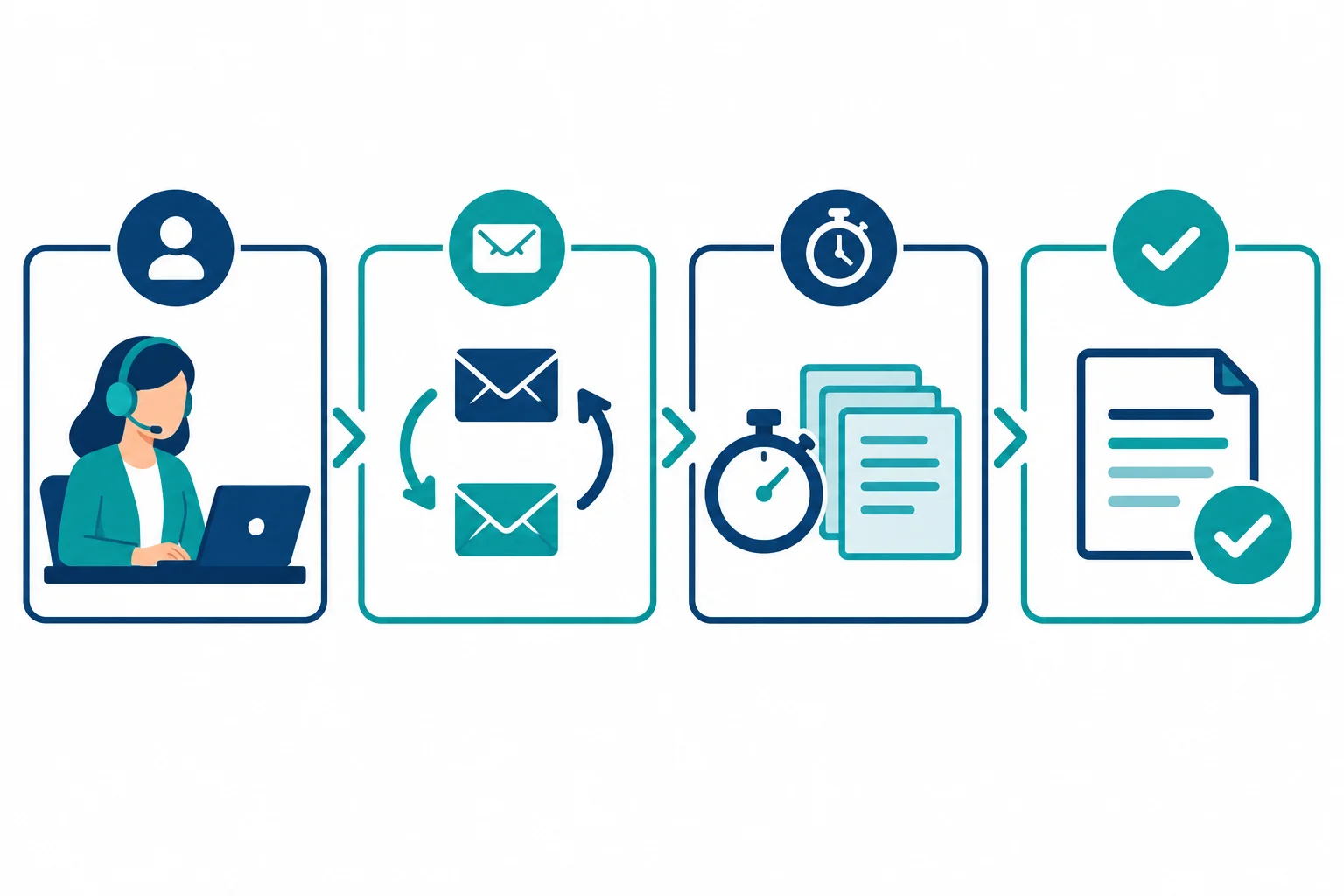
A useful use-case statement connects the affected user, their repeated task, the present friction, and an improvement that could later be observed.
At Harbor Office Supplies, use the shared candidates as problem frames—not as assumed solutions. All case evidence needed for the exercises appears in this tutorial.
For example, FAQ reply drafts concerns customer-support work. Agents handle 100 requests/week at 6 min/request today. Those figures describe current work; they do not prove that any future approach will save time.
Example
Technology-first suggestion:
“Add AI to answer FAQ questions.”
Problem-first use case:
“Customer-support agents handle recurring FAQ requests. Writing replies from approved FAQ material takes repeated effort; they need a reviewable, consistent first draft.”
The second statement identifies a user, task, difficulty, and desired improvement. It does not select a product or promise a result.
A useful scope says where assistance starts and stops. For FAQ reply drafts, assistance could begin when an agent opens a recurring FAQ request and end with a first draft based on approved FAQ material.
The agent’s final review, correction, and sending of the customer-facing reply remain outside the assistance proposal. Non-FAQ cases are also outside this scope.
Boundaries make later assessment more realistic: you can ask whether a defined task improves without quietly expanding the proposal.
For FAQ reply drafts, arrange the parts into one problem-first use-case statement. Do not add a technology choice.
Your sentence
Available words
Step 2 of 8
Use essential consequence, authorization, review, and fallback requirements to decide whether a candidate can proceed to later assessment.
A gate check is an eligibility screen, not a comparison of benefits. Before assessing a candidate further, use existing findings to ask:
Assign one status:
A promising benefit cannot compensate for a missing authorization or an essential safeguard.
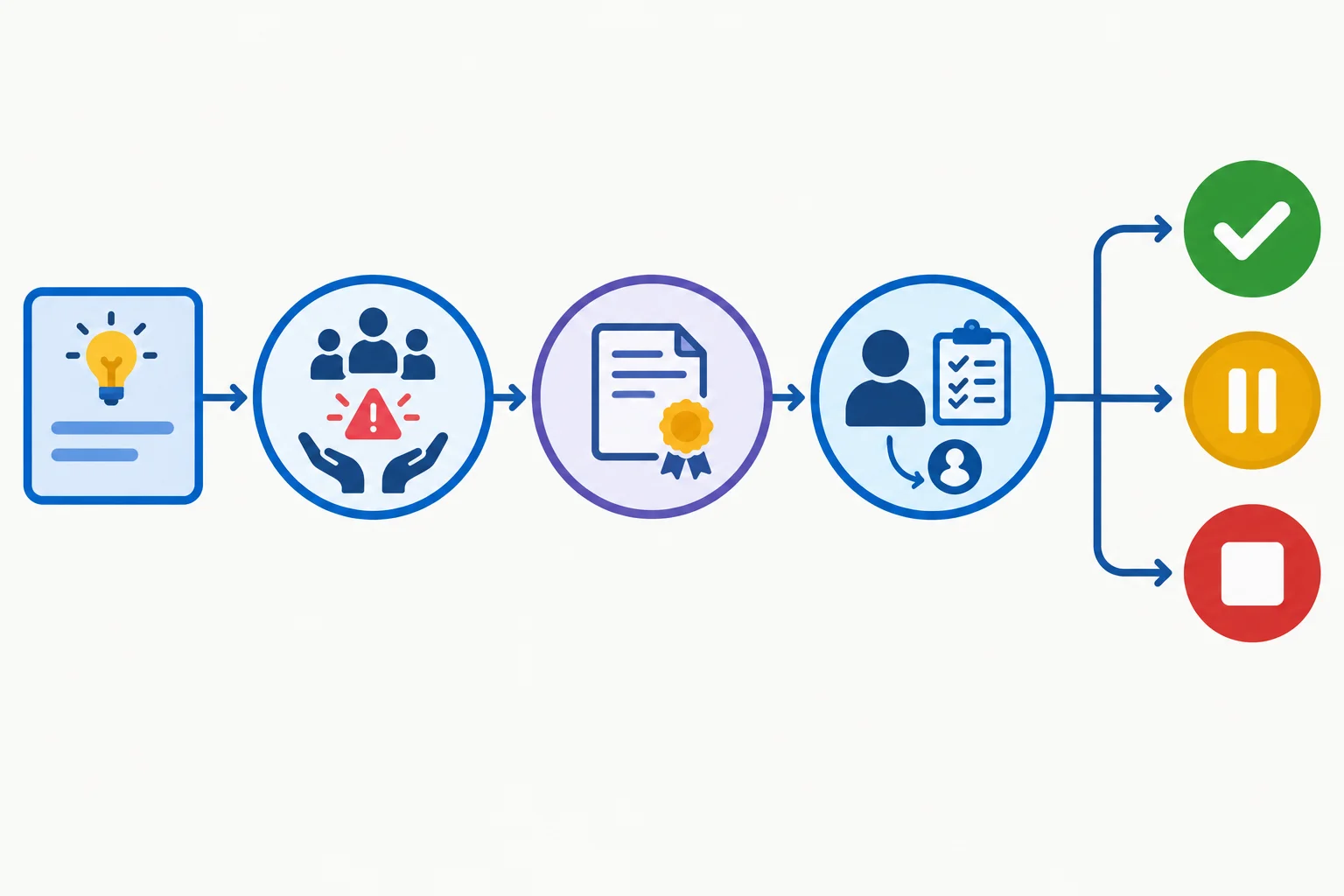
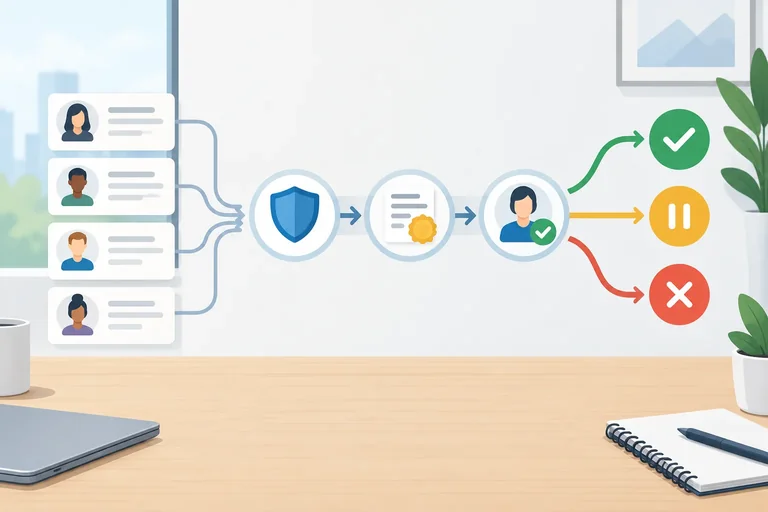
Check essential conditions first. The outcome is Pass, Hold, or Stop—not a numerical trade-off.
Tip
A Pass only permits further assessment; it is not approval to deploy. Revisit the status if evidence changes. In particular, missing authorization remains a gate issue rather than something a later rating can offset.
Use the responsible-use and authorization findings already available. Record the specific requirement and evidence that produce the gate status, rather than making a broad claim that a candidate is simply “safe” or “unsafe.”
These candidates do not proceed as currently framed.
| Candidate | Existing evidence | Gate status | Decision basis |
|---|---|---|---|
| Order-status reply drafts | Authorization to process order records is pending. | Hold | Necessary authorization is unresolved. |
| Unreviewed refund denials | The proposal removes review and appeal before customer-facing denials. | Stop | It conflicts with required review and leaves no adequate correction path. |
Warning
Do not turn either result into a low implementation rating. A pending authorization is a Hold. Removing the required review from refund denials is a Stop for this proposal as framed. Neither result declares every possible order-status or refund-support approach unacceptable.
Match each evidence-backed case to its gate status and the requirement that supports or blocks it.
Tap an item and then its matching pair.

Step 3 of 8
Rate potential value from evidence about recurring work and user improvement, without treating current workload as guaranteed savings.
For an eligible candidate, Potential value (V) asks how much improvement could matter—not whether an AI tool is exciting.
Consider four signals together:
High volume can support value, but it is not the only source. A lower-volume task may still matter greatly if it improves an important user outcome.
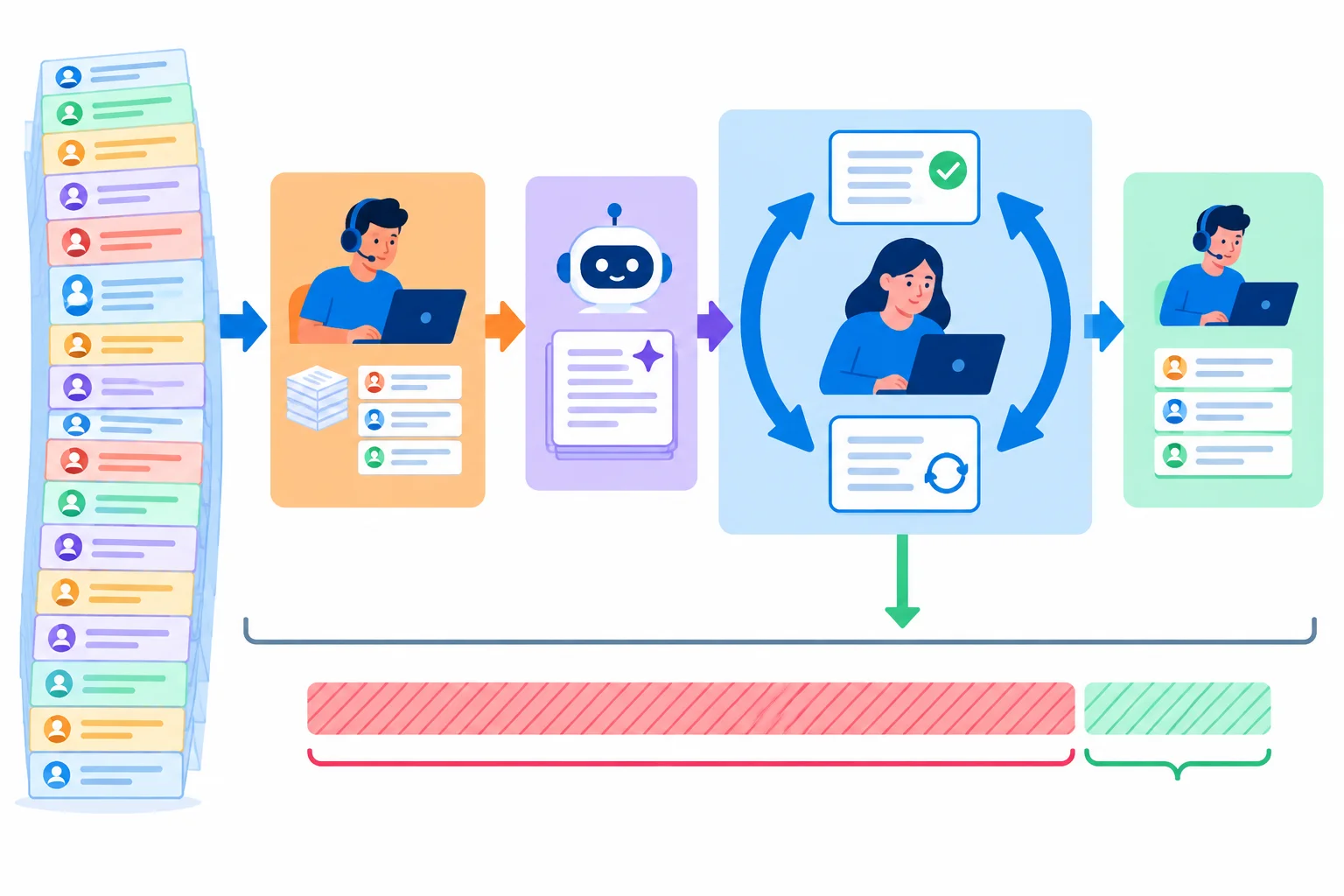
Current workload shows work that could be affected. Review, correction, and remaining manual tasks mean that only part of it may become avoidable effort.
Use the same anchors for every candidate.
| Rating | Anchor |
|---|---|
| 1 | Limited benefit |
| 2 | Meaningful recurring improvement |
| 3 | Substantial avoidable effort or a major improvement to a user-important outcome |
Workload records provide concrete evidence about the scale of current work. They do not demonstrate what an AI-assisted process will save.
For Harbor Office Supplies, multiply requests per week by current handling time to describe the workload potentially affected. Keep the result separate from any future claim about time released or savings.
These calculations describe the current process only.
| Candidate | Current-work calculation | What the record supports | What it does not show |
|---|---|---|---|
| FAQ reply drafts | 100 requests/week × 6 min/request = 10.0 hours/week | A substantial amount of recurring work may be affected | That 10.0 hours/week will be saved |
| Product-spec lookup | 60 requests/week × 3 min/request = 3.0 hours/week | A meaningful recurring workload may be affected | How much review, correction, or remaining work is needed |
For FAQ reply drafts, which assessment of Potential value (V) is best supported by the case evidence?

Step 4 of 8
Rate practical implementation feasibility using consistent anchors while keeping essential blockers and data readiness separate.
Feasibility asks a practical question: can this team realistically support this task as proposed? Look for the capabilities, staff skills, system connections, and changes to everyday work that the proposal needs.
A familiar drafting or lookup task may fit existing ways of working. A task that needs unavailable system access, an unsupported action, or a major workflow change may not.
Keep this distinct from source quality. Whether records are current or sufficiently complete is assessed separately as data readiness; do not subtract for the same weakness twice.
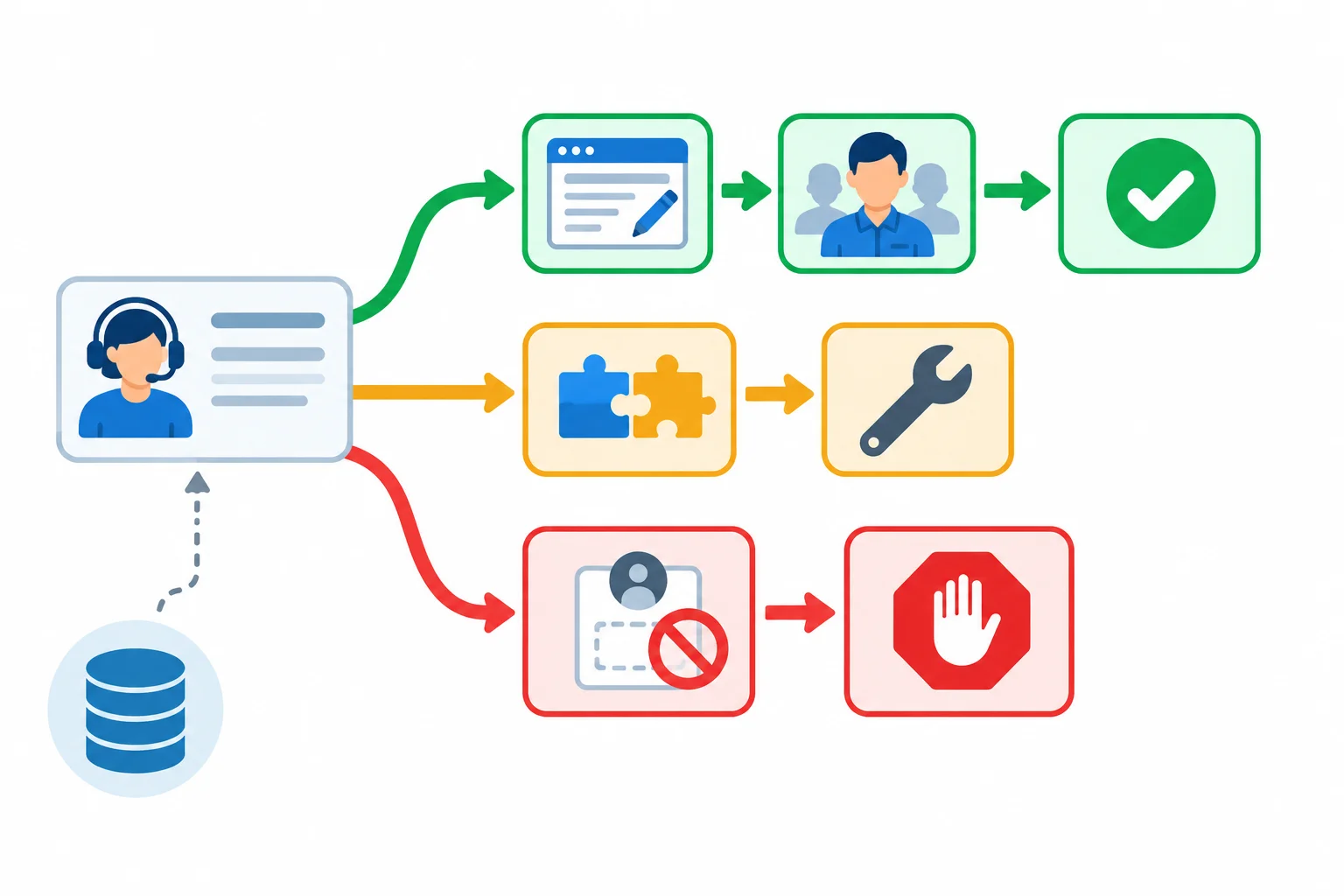
Feasibility considers implementation fit and dependencies. A missing essential requirement goes back to gate review; source readiness is a separate assessment.
Tip
For example, FAQ reply drafts and Product-spec lookup resemble work the support team already performs. If existing capabilities and reviewers can support the assistance with limited change, that is evidence toward a high feasibility rating. It does not by itself prove that the sources have sufficient coverage for every task.
Use the same anchors for every candidate. Rate the realistic implementation path, not enthusiasm for the idea.
A numerical rating is appropriate only when essential requirements remain satisfied. If an essential requirement fails, return to gate review instead of treating it as a low score.
| Feasibility (F) | Implementation evidence | Interpretation |
|---|---|---|
| 3 | Available capabilities and skills support the task; limited process change | A supported fit |
| 2 | Manageable gap or dependency with an identifiable path to address it | Proceed only with that dependency visible |
| 1 | Substantial unresolved capability, integration, skill, or process gap | Implementation is currently difficult |
| Not a rating | Required review, workable manual fallback, or necessary authorization cannot be satisfied | Return to gate review |
Warning
At Harbor Office Supplies, order-record processing authorization is pending for Order-status reply drafts. That is a gate finding: its status remains Hold, rather than becoming a low feasibility rating.
Likewise, a proposal that removes review and appeal for Unreviewed refund denials conflicts with the team’s requirements. Its Stop status cannot be outweighed by an attractive score.
Match each implementation evidence pattern to the appropriate feasibility anchor or decision route.
Tap an item and then its matching pair.

Step 5 of 8
Assess whether candidate use cases have accessible, permitted, relevant, current, and sufficiently representative sources before assigning Data readiness (D).
Data readiness asks a narrower question than feasibility: do we have usable evidence sources for this task? Check five things before rating: source availability, permitted use, relevance, currency, and coverage of typical cases.
A source can be large and approved yet still be a weak fit if it does not cover the cases the proposed task must handle. Record what is known; do not fill gaps with optimism.
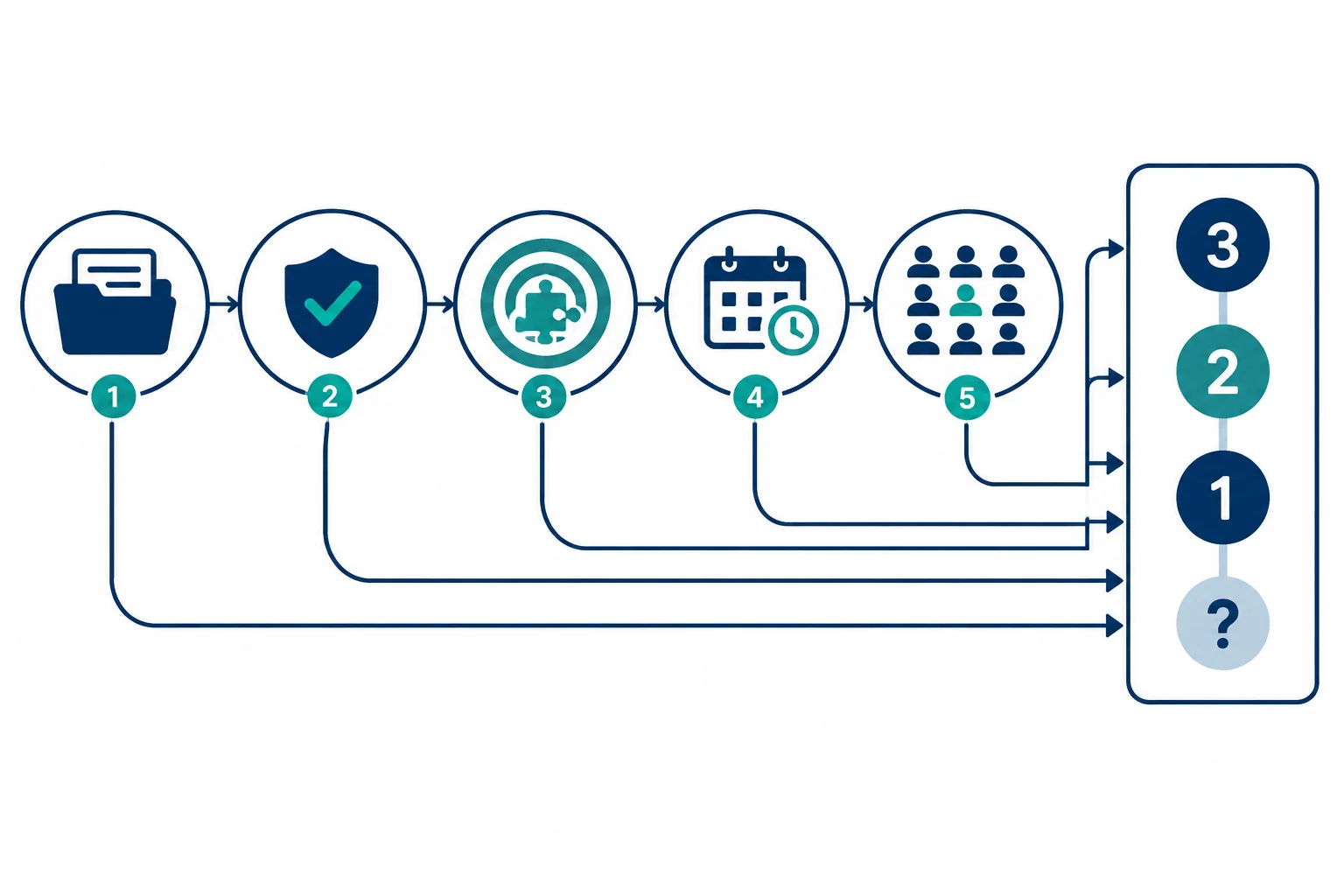
Check the source evidence before assigning Data readiness (D).
Use the same anchors for every candidate. A rating is defensible only when its supporting evidence matches the anchor.
If a required fact is not known, do not guess a low or high rating. Mark the affected criterion as Unknown, use U as its numerical rating, and leave any incomplete total as Not calculated.
Use evidence that can be checked within the candidate’s stated scope.
| D rating | Evidence pattern |
|---|---|
| 3 | Accessible, permitted, current, task-relevant sources with sufficient demonstrated coverage |
| 2 | Usable sources with bounded gaps |
| 1 | Known major source gaps |
| U | A required readiness fact is Unknown; do not infer a numerical rating |
Tip
An approval record supports permitted use, but it does not by itself prove coverage. A source inventory can show availability; update information can show currency; representative examples can show whether typical cases are covered.
Apply the checks to the Harbor Office Supplies candidates. The FAQ evidence supports a complete rating because the sources are current, approved for this proposed use, and matched to typical FAQ requests. The issue-category records are approved, but their coverage of typical issues is uncertain. That is an unknown fact, not proof of a major gap.
This compact view keeps gate status separate from Data readiness (D).
| Candidate | Gate status | D | Evidence and uncertainty |
|---|---|---|---|
| FAQ reply drafts | Pass | 3 | Data readiness (D): Supported — current, approved FAQ sources match typical requests |
| Product-spec lookup | Pass | 3 | Data readiness (D): Supported — current, approved product-catalog sources match typical lookups |
| Weekly issue summaries | Pass | U | Data readiness (D): Unknown — issue-category records are approved; typical-case coverage is uncertain |
Warning
A pending authorization to process order records is a gate finding. Record Hold rather than trying to compensate with a lower Data readiness (D) score. Gate status answers whether assessment may proceed; the rating describes source readiness.
Use this concise evidence brief to select the most defensible scorecard records.
Which pair of records follows the evidence and scoring rules?

Step 6 of 8
Use gates, ratings, and criterion-specific evidence labels together so a numerical score does not hide uncertainty or blockers.
A scorecard makes the reasoning behind a use-case shortlist visible. Keep three layers separate:
Potential value (V), Feasibility (F), and Data readiness (D), each from 1 to 3.Calculate only when Gate status is Pass and all three ratings are integers:
Priority score = V + F + D
The possible range is 3–9. This equally weighted score is a discussion aid—not a probability of success or an objective measure of worth. Do not calculate a score for a Hold or Stop candidate.
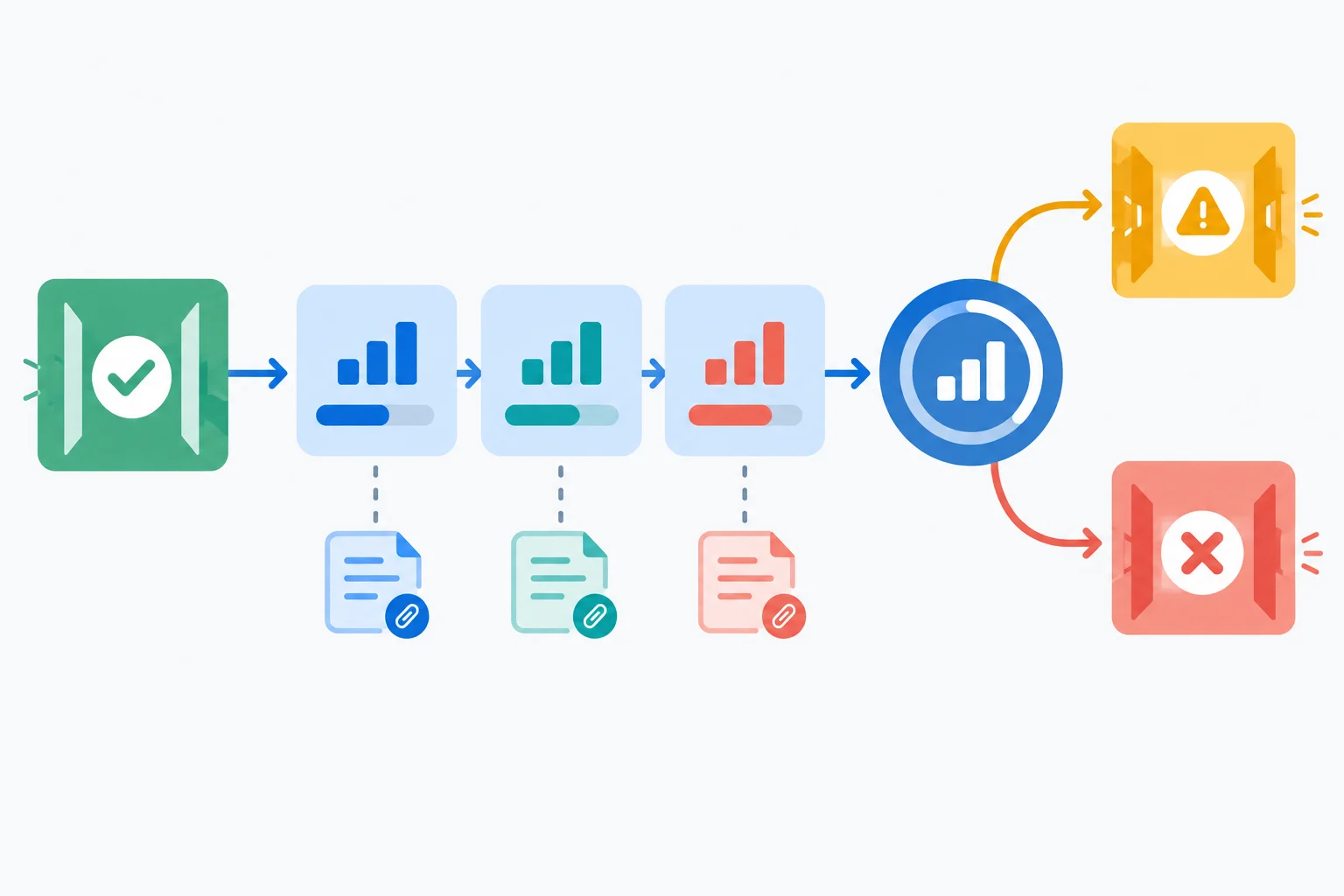
Calculate a total only after a Pass gate and complete numerical ratings. Record evidence beside each criterion, not inside the total.
Tip
Use one evidence-status label for each criterion:
Supported does not guarantee future results. It means the team can point to evidence for the rating it recorded. If a required rating is Unknown, record U and use Not calculated for the incomplete total.
The compact scorecard keeps the gate result, the three ratings, and the total visible as separate records. Weekly issue summaries has a complete feasibility rating: the support lead can use an available summarization capability on the existing issue-category records, with no new system integration and limited change to the weekly review routine. Its data coverage remains a separate unknown.
A compact view of the working evidence for the use-case shortlist.
| Candidate | Gate status | V | F | D | Priority score |
|---|---|---|---|---|---|
| FAQ reply drafts | Pass | 3 | 3 | 3 | 9 |
| Product-spec lookup | Pass | 2 | 3 | 3 | 8 |
| Weekly issue summaries | Pass | 2 | 3 | U | Not calculated |
| Order-status reply drafts | Hold | U | U | U | Not calculated |
| Unreviewed refund denials | Stop | U | U | U | Not calculated |
Keep the evidence attached to the specific criterion it supports.
| Candidate | Evidence and uncertainty |
|---|---|
| FAQ reply drafts | V: Supported—100 requests/week at 6 min/request, or 10.0 hours/week of current work. F: Supported—drafting fits the team’s existing support-reply workflow and available capabilities, with limited process change. D: Supported—current, approved FAQ sources cover typical requests. |
| Product-spec lookup | V: Supported—60 requests/week at 3 min/request, or 3.0 hours/week of current work. F: Supported—lookup fits agents’ existing work and available capabilities, with limited process change. D: Supported—current, approved product-catalog sources match typical lookups. |
| Weekly issue summaries | V: Estimated—the benefit of recurring summaries is an estimate. F: Supported—available summarization capability can support the support lead’s existing weekly review routine without a new integration. D: Unknown—approved issue-category records have uncertain coverage of typical issues. |
Example
A hypothetical Pass record can have V = 3 Estimated, F = 3 Supported, and D = 3 Supported. Its Priority score is 9, but the total is provisional because one rating relies on an estimate.
FAQ reply drafts also has a score of 9, with all three ratings Supported in the stated scope. Equal totals do not mean equal evidence strength. Inspect the rating profile, evidence labels, and assumptions before using a score to discuss the order of the use-case shortlist.
Complete and interpret two independent scorecard records in your own words.
Record A has Gate status Pass. A reasoned forecast supports V = 3. Documented implementation evidence supports F = 3, and documented source evidence supports D = 3.
Record B has Gate status Pass. Documented task evidence supports V = 2 and documented implementation evidence supports F = 3. The source coverage has not been sampled, so D cannot receive a numerical rating.
For each record, state the evidence status for V, F, and D; then give the Priority score or Not calculated. State whether Record A’s total is provisional. Finally, explain why its attractive total is not stronger evidence than the supported score for FAQ reply drafts.
Write at least 180 characters (0/180).

Step 7 of 8
Turn a completed scorecard into a transparent, evidence-aware use-case shortlist.
Start with eligibility. Rank candidates only when their gate status is Pass and their ratings are complete enough to calculate a Priority score. Then inspect the user problem, rating profile, evidence strength, and dependencies—not just the total.
A close score is a provisional order, not a tie-breaker by itself. Stronger evidence or a less important dependency can justify an order; an unresolved tie can remain visible.
Use dispositions precisely:
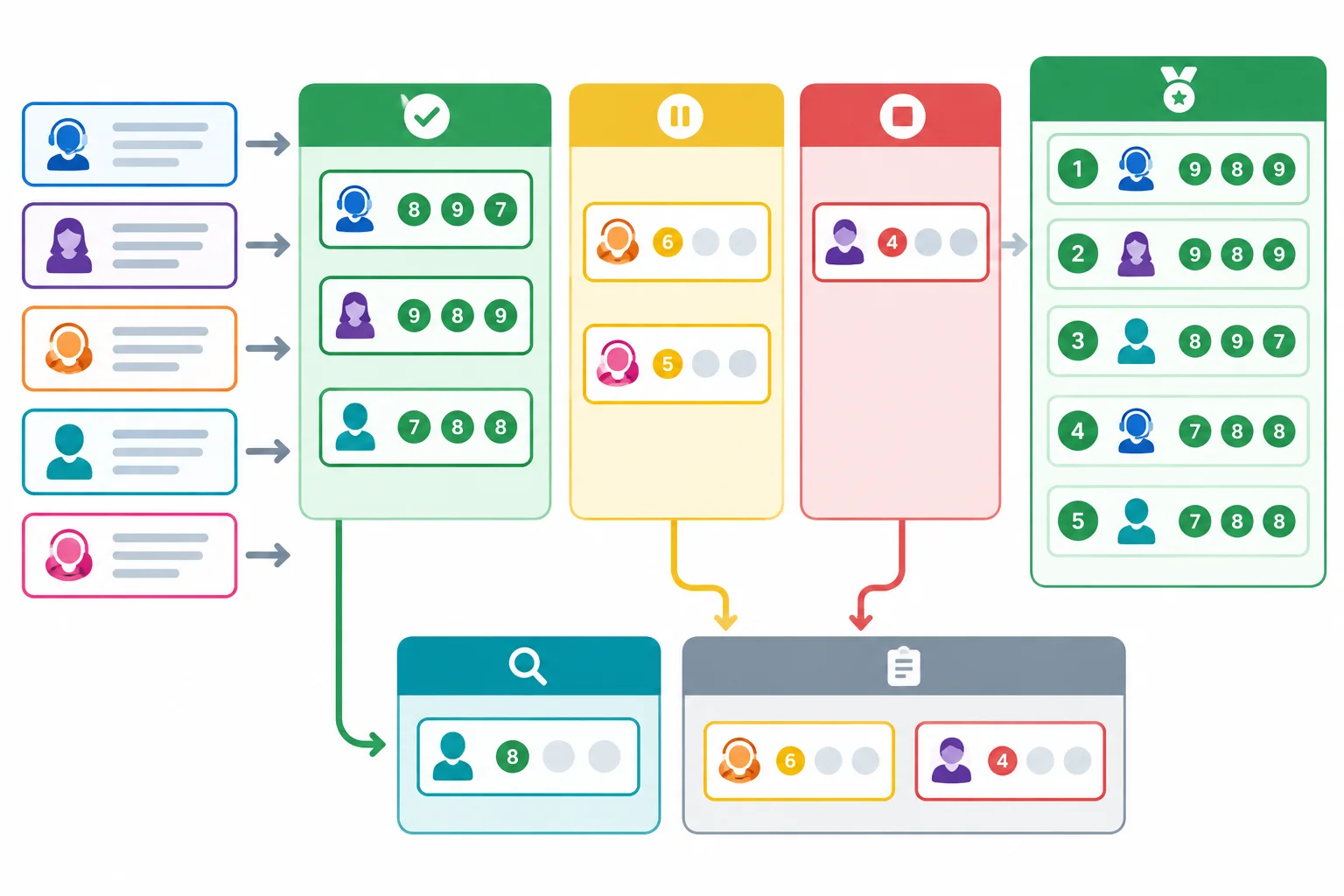
Gate status determines eligibility first. A numerical score sequences eligible, sufficiently supported candidates; it does not override a Hold or Stop.
The compact scorecard below separates the ranked, complete-rating candidates from entries that need investigation or cannot progress. U means the numerical rating is unknown, so the total is Not calculated.
The first two candidates form the current ranked eligible set: FAQ reply drafts before Product-spec lookup. Weekly issue summaries passes the gate but stays outside that ranked set until its unknown data-readiness rating is resolved. Hold and Stop candidates are retained for traceability, not ranked.
Ratings and totals
| Candidate | Gate status | V | F | D | Priority score |
|---|---|---|---|---|---|
| FAQ reply drafts | Pass | 3 | 3 | 3 | 9 |
| Product-spec lookup | Pass | 2 | 3 | 3 | 8 |
| Weekly issue summaries | Pass | 2 | 3 | U | Not calculated |
| Order-status reply drafts | Hold | U | U | U | Not calculated |
| Unreviewed refund denials | Stop | U | U | U | Not calculated |
Evidence, decisions, and actions
| Candidate | Evidence and uncertainty | Disposition | Next step / open question |
|---|---|---|---|
| FAQ reply drafts | V: Supported—100 requests/week × 6 min/request = 10.0 hours/week of current work. F: Supported. D: Supported—current, approved FAQ sources. | Pursue now | Compare solution options. No material question currently known. |
| Product-spec lookup | V: Supported—60 requests/week × 3 min/request = 3.0 hours/week of current work. F: Supported. D: Supported—current, approved product-catalog sources. | Pursue now | Compare solution options. No material question currently known. |
| Weekly issue summaries | V: Estimated—benefit is an estimate. F: Supported. D: Unknown—approved issue-category records have uncertain coverage. | Investigate further | Check representative coverage of issue categories. Does the record set represent typical issues? |
| Order-status reply drafts | V, F, D: Unknown—not assessed after the Hold gate. Gate evidence: order-record processing authorization is pending. | Defer | Obtain or confirm processing authorization. Will it permit the intended order-record processing? |
| Unreviewed refund denials | V, F, D: Unknown—not assessed after the Stop gate. Gate evidence: the proposal removes required review and appeal. | Avoid | Do not progress the proposal as framed. No material question currently known. |
Create a concise use-case shortlist for Harbor Office Supplies using the decision record.
Do not use a score cutoff alone: keep incomplete, Hold, and Stop cases distinct from the ranked eligible set.
Write at least 350 characters (0/350).

Step 8 of 8
Integrate evidence, gates, ratings, uncertainty, and next actions into a defensible use-case shortlist for Harbor Office Supplies.
A defensible use-case shortlist is a decision record, not a pitch for AI. A reader should be able to trace every recommendation from the user problem, through gate status and criterion-specific evidence, to uncertainty and a next action.
Keep the five Harbor Office Supplies problem frames in view:
FAQ reply drafts: agents need reviewable drafts grounded in the current FAQ.Product-spec lookup: agents need approved product details while answering requests.Weekly issue summaries: the support lead needs a recurring view of issue categories.Order-status reply drafts: agents would draft replies using order records.Unreviewed refund denials: the proposal would deny refunds without review or an appeal path.A Priority score can support an order among eligible candidates. It cannot turn a Hold or Stop into an eligible recommendation.
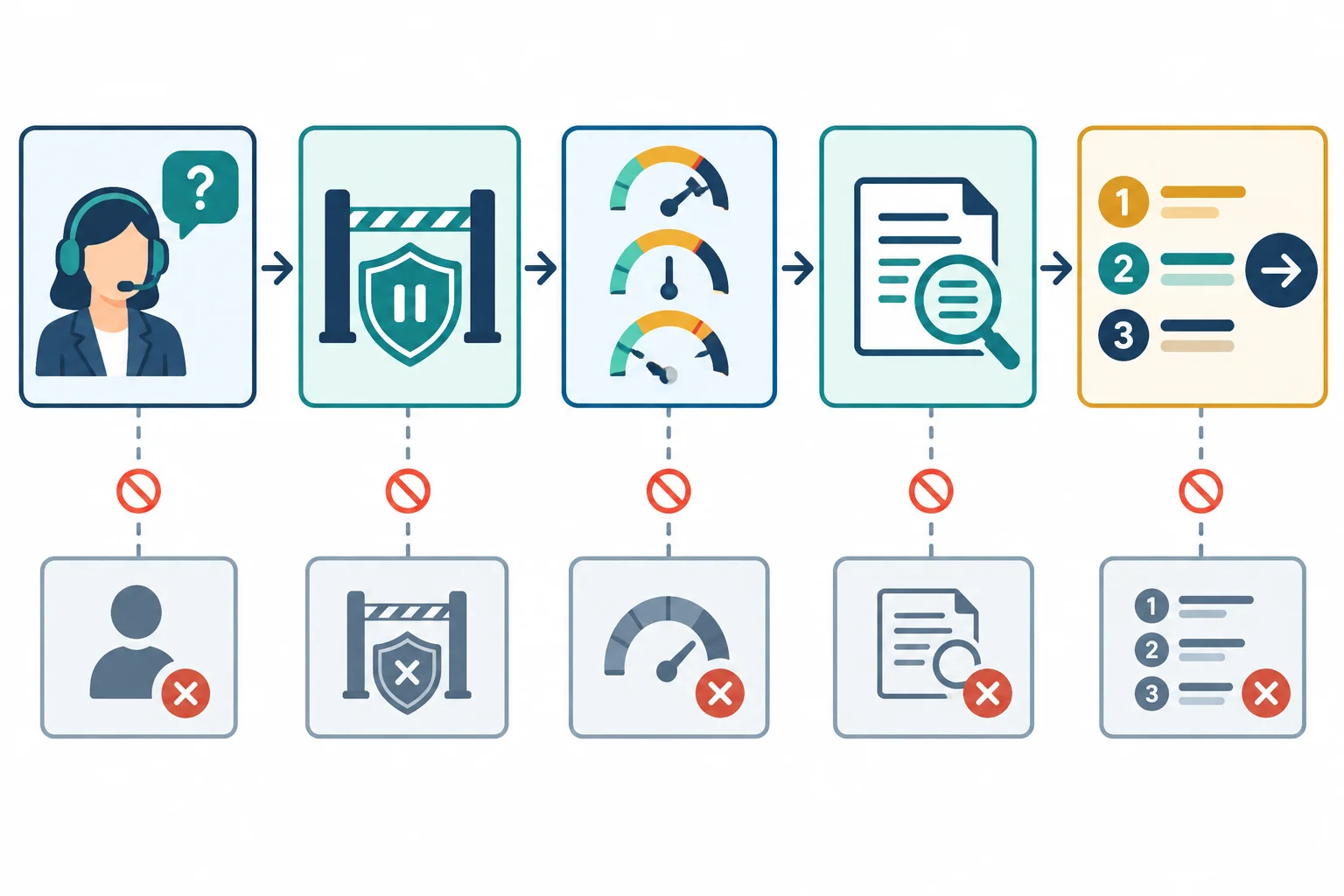
Keep the chain visible: problem → gate status → ratings and evidence → disposition → next step.
Use this complete evidence brief for the final application. U means the numerical rating is Unknown, not low. Calculate only when Gate status is Pass and all three ratings are integers: Priority score = V + F + D, with a possible range of 3–9.
Current-work figures describe work potentially affected. They do not demonstrate AI time savings.
The ratings and totals are a compact view of the use-case shortlist evidence.
| Candidate | Gate status | V | F | D | Priority score |
|---|---|---|---|---|---|
| FAQ reply drafts | Pass | 3 | 3 | 3 | 9 |
| Product-spec lookup | Pass | 2 | 3 | 3 | 8 |
| Weekly issue summaries | Pass | 2 | 3 | U | Not calculated |
| Order-status reply drafts | Hold | U | U | U | Not calculated |
| Unreviewed refund denials | Stop | U | U | U | Not calculated |
Use the evidence status attached to each criterion. The final recommendation must add a disposition and next step without inventing evidence.
| Candidate | Evidence and uncertainty |
|---|---|
| FAQ reply drafts | V: Supported—100 requests/week at 6 min/request, or 10.0 hours/week of current work. F: Supported—available drafting fit; agent review and manual fallback remain available. D: Supported—current, approved FAQ sources cover typical requests. |
| Product-spec lookup | V: Supported—60 requests/week at 3 min/request, or 3.0 hours/week of current work. F: Supported—lookup fits existing work; review and manual fallback remain available. D: Supported—current, approved product-catalog sources match typical lookups. |
| Weekly issue summaries | V: Estimated—benefit of recurring summaries is an estimate. F: Supported—available summarization fits the weekly review routine; a manual routine remains workable. D: Unknown—approved issue-category records have uncertain coverage. |
| Order-status reply drafts | V, F, D: Unknown—not assessed after the Hold gate. Necessary authorization to process order records is pending. |
| Unreviewed refund denials | V, F, D: Unknown—not assessed after the Stop gate. The proposal removes required review and appeal. |
Using the evidence brief, write a concise use-case shortlist and an audit of it.
Keep gate status separate from ratings and do not create a score for an incomplete record.
Write at least 700 characters (0/700).
Ranked eligible set
FAQ reply drafts — Pursue now. It is first because its Priority score is 9 and V, F, and D are all Supported. Its 100 requests/week at 6 min/request describe 10.0 hours/week of current work, supporting a stronger Potential value (V) than the second candidate. This is not a claim that 10.0 hours/week will be saved. Next step: compare solution options. No material question is currently known.Product-spec lookup — Pursue now. It is second because its supported ratings produce a Priority score of 8. Next step: compare solution options. No material question is currently known.Weekly issue summaries — Investigate further. It passes the gate, but Data readiness (D) is Unknown because coverage of typical issues is uncertain. Its Priority score is Not calculated, so it is not ranked yet. Next step: check representative coverage of issue categories. Open question: does the record set represent typical issues?
Order-status reply drafts — Defer. Its Hold status reflects pending authorization for order-record processing. It cannot be ranked or scored while that essential requirement is unresolved. Next step: obtain or confirm processing authorization. Open question: will it permit the intended order-record processing?
Unreviewed refund denials — Avoid. Its Stop status applies because the proposal removes required review and appeal. A claimed benefit cannot override that conflict. Next step: do not progress the proposal as framed. No material question is currently known.
Summary
The selected opportunities now move only to solution-option comparison. This shortlist does not choose a tool, authorize deployment, define a pilot, or approve rollout.
use-case shortlist traceable from the user problem to gate status, evidence, uncertainty, disposition, and action.Congratulations! You completed: Prioritizing AI Use Cases for a Team
Thousands of online courses in video, ebooks and audiobooks.
To test your knowledge during online courses
Generated directly from your cell phone's photo gallery and sent to your email

Download our app via QR Code or the links below:.



Carry knowledge in your pocket.
Download the Cursa app.
There are hundreds of free courses available, with a free certificate of completion that is saved in your mobile image gallery.
Download the app to access the Course Completion Certificate for Free.


+ 10 million
students

Free and Valid
Certificate

60 thousand free
exercises

4.8/5 rating in
app stores

Free courses in
video and ebooks