
Step 1 of 7
Break the Task into Reviewable Stages
Break a multi-output assistant task into visible, reviewable stages before drafting the final deliverables.

Learning path · Level 3 · Tutorial 5
Keep a longer assistant task coherent through reviewed stages, concise handoff briefs, and reusable text instructions without relying on persistent memory or specialized workspaces.

 Break the Task into Reviewable Stages
Break a multi-output assistant task into visible, reviewable stages before drafting the final deliverables. 3 min
 Use a Review Gate Before Moving On
Decide whether an intermediate output can advance, needs revision, or must wait for missing information. 3 min
 Choose the Context the Next Stage Needs
Select a focused context packet for the next stage while preserving active constraints, source support, approved decisions, and relevant uncertainty. 2 min
 Build a Compact Handoff Brief
Create a concise, source-traceable record that preserves the current task state for another chat without relying on the earlier conversation. 3 min
 Resume in a Fresh Chat and Check the Result
3 min
 Make the Instructions Reusable
Create a portable instruction template, then inspect it for old task state and missing context before using it again. 2 min
 Apply the Full Keep-on-Track Routine
Update and resume a paused task after a requirement changes, then make a justified review decision about the next response. 4 min
Step 1 of 7
Break a multi-output assistant task into visible, reviewable stages before drafting the final deliverables.
The Riverside Library Reading Meetup has two final deliverables: a public invitation and a staff checklist. Do not treat this as one large request for a finished pack.
Instead, divide the work by outputs a person can inspect. Each stage produces one concrete artifact, then pauses at a human review gate. The visible sequence becomes the task record; it does not depend on the assistant remembering how to manage the whole task.
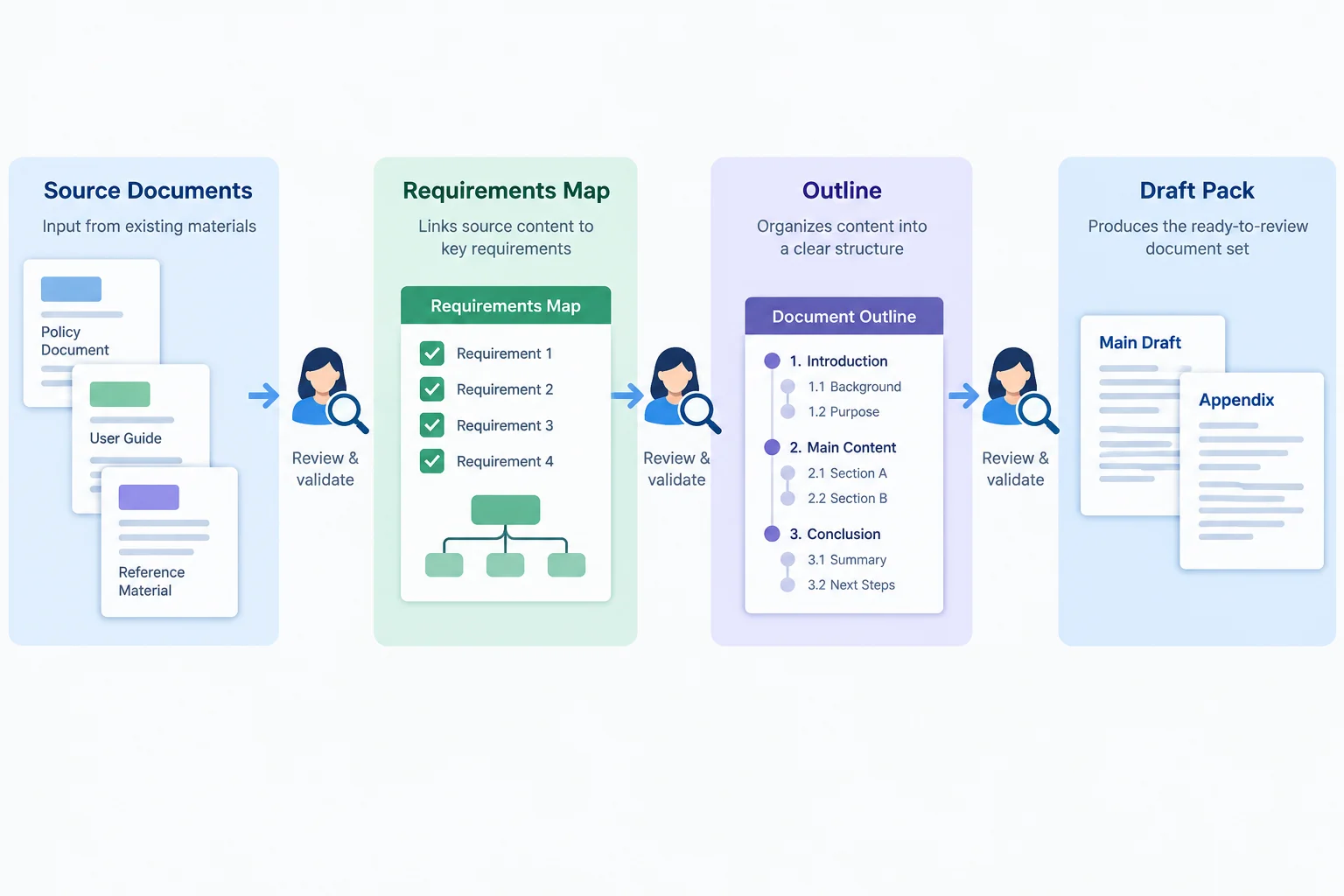
Split a long task at outputs that can be checked, not at an arbitrary number of prompts.
Source excerpts — Fictional practice material
Event brief — Details
The meetup is at Riverside Library on 2026-10-17, from 14:00–15:00 local time. Admission is free. Capacity is 20 participants.
Coordinator note — Requirements
Create a public invitation of at most 120 words for adult community members in a friendly, factual tone. Create a staff checklist of exactly 6 bullets. Advance registration is required, but the registration method is unconfirmed.
Plan each stage before you ask for it. Its input tells the assistant what to use; its deliverable makes the output inspectable; its review gate tells the assistant to pause rather than continue into the next stage.
| Stage | Input | Deliverable | Human review gate |
|---|---|---|---|
| Requirements map | Supplied notes | Constraints, facts, and the unresolved registration method | Check that requirements and uncertainty are captured |
| Outline | Reviewed Requirements map | Structure for both final deliverables | Check coverage before prose is drafted |
| Draft pack | Reviewed Outline and source notes | Invitation plus staff checklist | Check limits, facts, tone, and unresolved detail |
Put the Riverside task stages in the order you would request them.
For the Riverside Library Reading Meetup, write the three stage names in order. Then choose one stage and state its concrete deliverable and its human review gate.
Keep this as a stage plan, not a request for the complete finished pack.
Write at least 90 characters (0/90).

Step 2 of 7
Decide whether an intermediate output can advance, needs revision, or must wait for missing information.
A stage request should ask for one reviewable deliverable—not the whole project—and tell the assistant to stop. The output is a candidate for human review, not an automatic input to the next stage.
For the Riverside Library Reading Meetup, request the Requirements map first. Do not allow the assistant to jump ahead to the Outline or Draft pack.
Example
Fictional practice material
Create the Requirements map for the Riverside Library Reading Meetup. Use the supplied source material. List the requirements, distinguish confirmed facts from open questions, and identify the planned deliverables. Do not draft the public invitation or the staff checklist. Stop for human review.
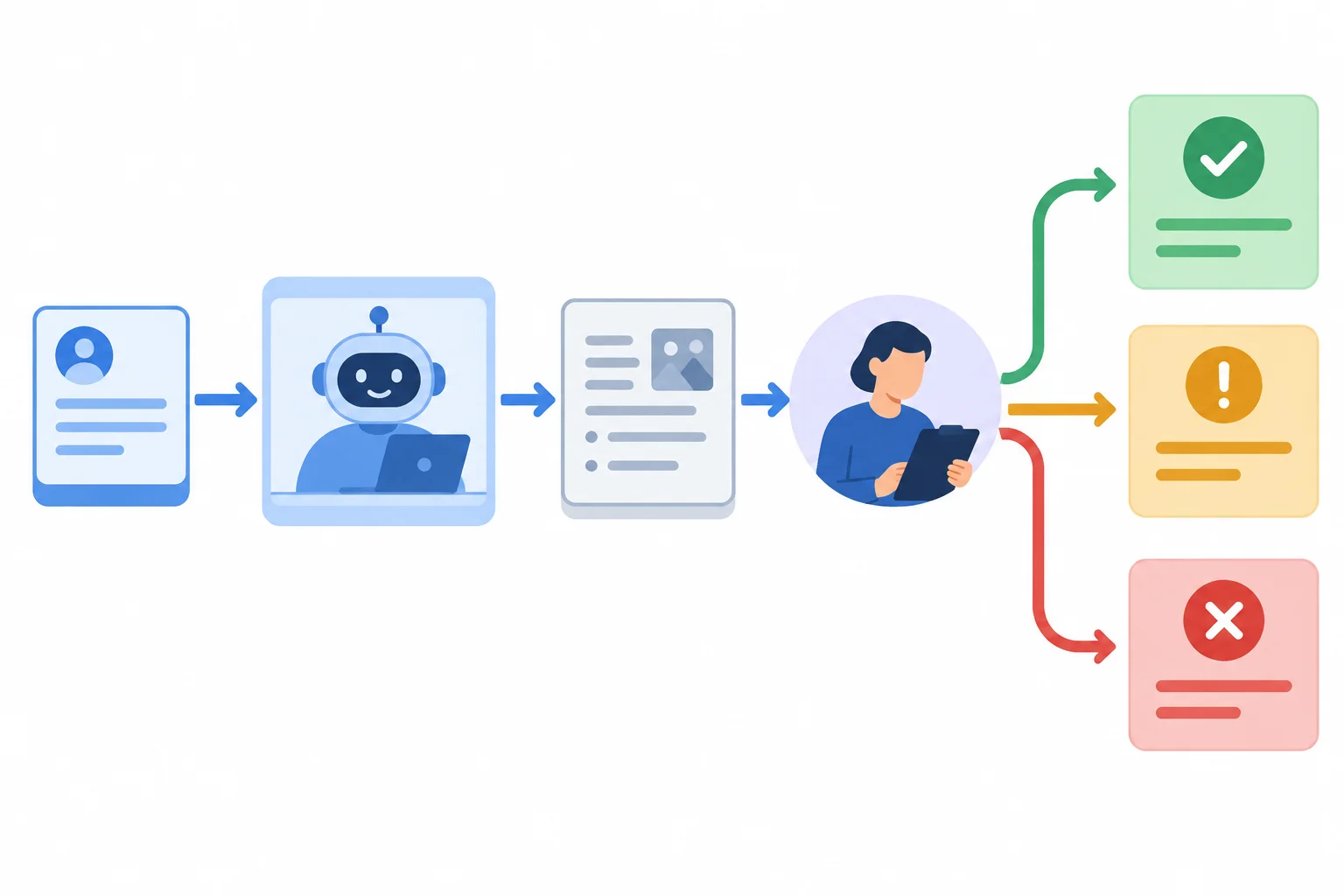
Ask for one stage, review its output, then decide whether it may advance.
Tip
A review gate makes the task state visible. It prevents a plausible-looking answer from silently becoming the basis for later work.
A review gate has three outcomes:
A corrected output becomes an input to the next stage only after explicit approval.
Example
Fictional practice material
Event brief — Details
The Riverside Library Reading Meetup is at Riverside Library on 2026-10-17, from 14:00–15:00 local time. Admission is free. Capacity is 20 participants.
Coordinator note — Requirements
Create a public invitation of at most 120 words for adult community members in a friendly, factual tone. Create a staff checklist of exactly 6 bullets. Advance registration is required, but the registration method is unconfirmed.
Keep source-backed facts and review decisions separate. A reviewer can approve a Requirements map, but that approval is not evidence that a claim is true.
| Record type | Example | Why it matters |
|---|---|---|
| Confirmed fact | Capacity is 20 participants — Event brief — Details | It was checked against supplied source material. |
| Approved decision | Requirements map: Approved | It says only that this stage may be used next. |
| Open question | Registration method is unconfirmed — Coordinator note — Requirements | It must remain uncertain until confirmed. |
Tip
An open question does not always block the current stage. The Requirements map can accurately record that advance registration is required while the registration method remains unconfirmed. Do not silently choose a website, phone number, or other method.
A Requirements map lists the checked event facts and deliverable limits. It marks the registration method as unconfirmed. A reviewer compares it with both supplied documents and finds it accurate. What should the reviewer record?
Review this intermediate Outline:
“The public invitation will tell adult community members to register through the library website. It will stay under 120 words.”
Using the Fictional practice material, choose the appropriate review status. Identify the issue controlling that decision, then state what must be corrected or confirmed before this Outline can advance. Write 2–4 sentences.
Write at least 100 characters (0/100).

Step 3 of 7
Select a focused context packet for the next stage while preserving active constraints, source support, approved decisions, and relevant uncertainty.
A context packet is selected for the next stage; it is not a copy of the whole conversation. Suppose the Requirements map and Outline have passed their review gates, and the next stage is Draft pack.
Ask one question for each fragment: “Will the Draft pack depend on this to be accurate, compliant, or checkable?” Keep active constraints, source passages that establish needed facts, approved decisions that guide the draft, and open questions that affect its wording.
A shorter packet is useful only when it preserves every dependency. Do not let a missing constraint or erased uncertainty become an invented detail.
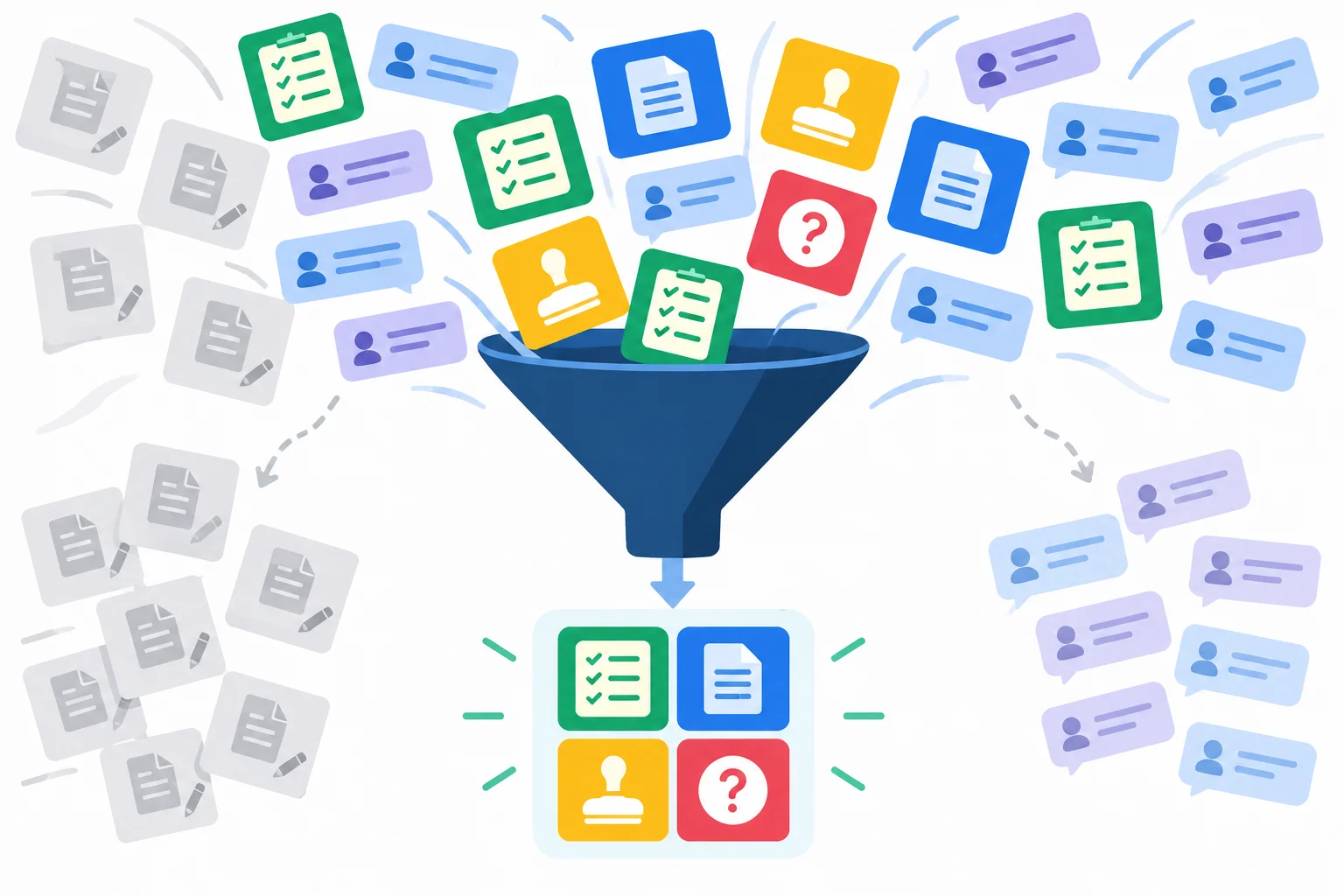
Filter conversation history by what the next stage needs—not by what happened most recently.
For the Draft pack stage, classify information before pasting it. Needed now means the assistant needs it to create or check this deliverable. Retained separately means it can remain in the wider task record but does not affect this request. Superseded means it conflicts with the current record, or is a rejected proposal that must not be reused.
Keep source material distinct from instructions and decisions. A source passage supports a factual claim. An approved decision tells the assistant how to proceed. Neither turns an unsupported suggestion into a requirement.
Apply the dependency test to the Riverside Library Reading Meetup.
| Fragment | Status | Why |
|---|---|---|
| Event brief — Details: location, date, time, admission, and capacity | Needed now | Confirmed logistical facts for the draft |
| Coordinator note — Requirements: deliverables, limits, audience, tone, and registration uncertainty | Needed now | Active constraints and an evidence gap |
| Outline: Approved: state confirmed logistics and registration requirement without naming a method | Needed now | An approved decision guides wording |
| An early draft stating capacity is 30 participants | Superseded | It conflicts with Event brief — Details |
| Unapproved discussion comparing decorative heading colors | Retained separately | It does not affect the written deliverables |
| A rejected proposal to promise refreshments, with no source support | Superseded | It must not become an apparent requirement |
Example
Draft pack request
Create a public invitation of at most 120 words and a staff checklist of exactly 6 bullets for adult community members. Use a friendly, factual tone. Stop at the review gate; do not publish.
Source excerpts — Fictional practice material
Event brief — Details: The meetup is at Riverside Library on 2026-10-17, from 14:00–15:00 local time. Admission is free. Capacity is 20 participants.
Coordinator note — Requirements: Advance registration is required, but the registration method is unconfirmed.
Approved decision
Outline: Approved. State confirmed logistics and the registration requirement, but do not invent a registration method.
The source excerpts support event facts. The approval controls the current drafting work. Keep the unconfirmed method visible rather than filling it in.
Classify each fragment for a request that creates the Draft pack.
Tap an item and then its matching pair.
Step 4 of 7
Create a concise, source-traceable record that preserves the current task state for another chat without relying on the earlier conversation.
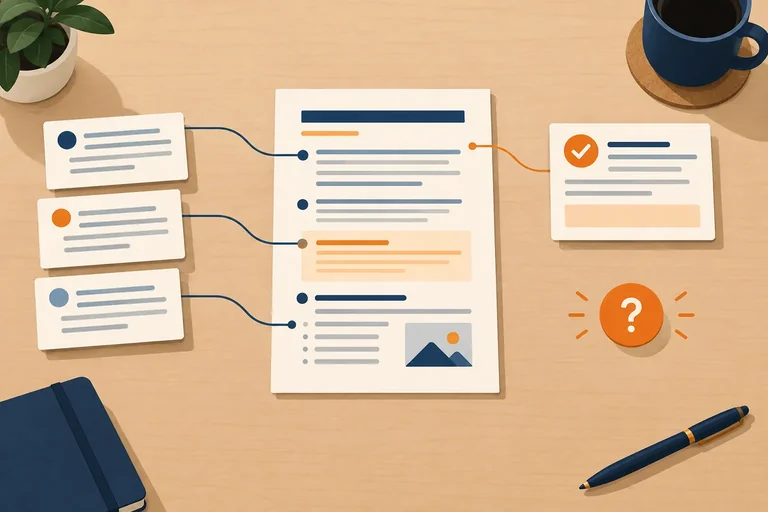
A handoff brief is a compact, checked record of the task’s current state. It is not a transcript of every prompt, draft, correction, or rejected idea.
Keep what the next stage depends on: the goal and audience, active deliverable limits, confirmed facts, approved decisions, the current stage, unresolved questions, and one next request. This lets a receiving chat use the task record without treating an earlier conversation as available context.
Compression is useful only when it keeps the task accurate and checkable.
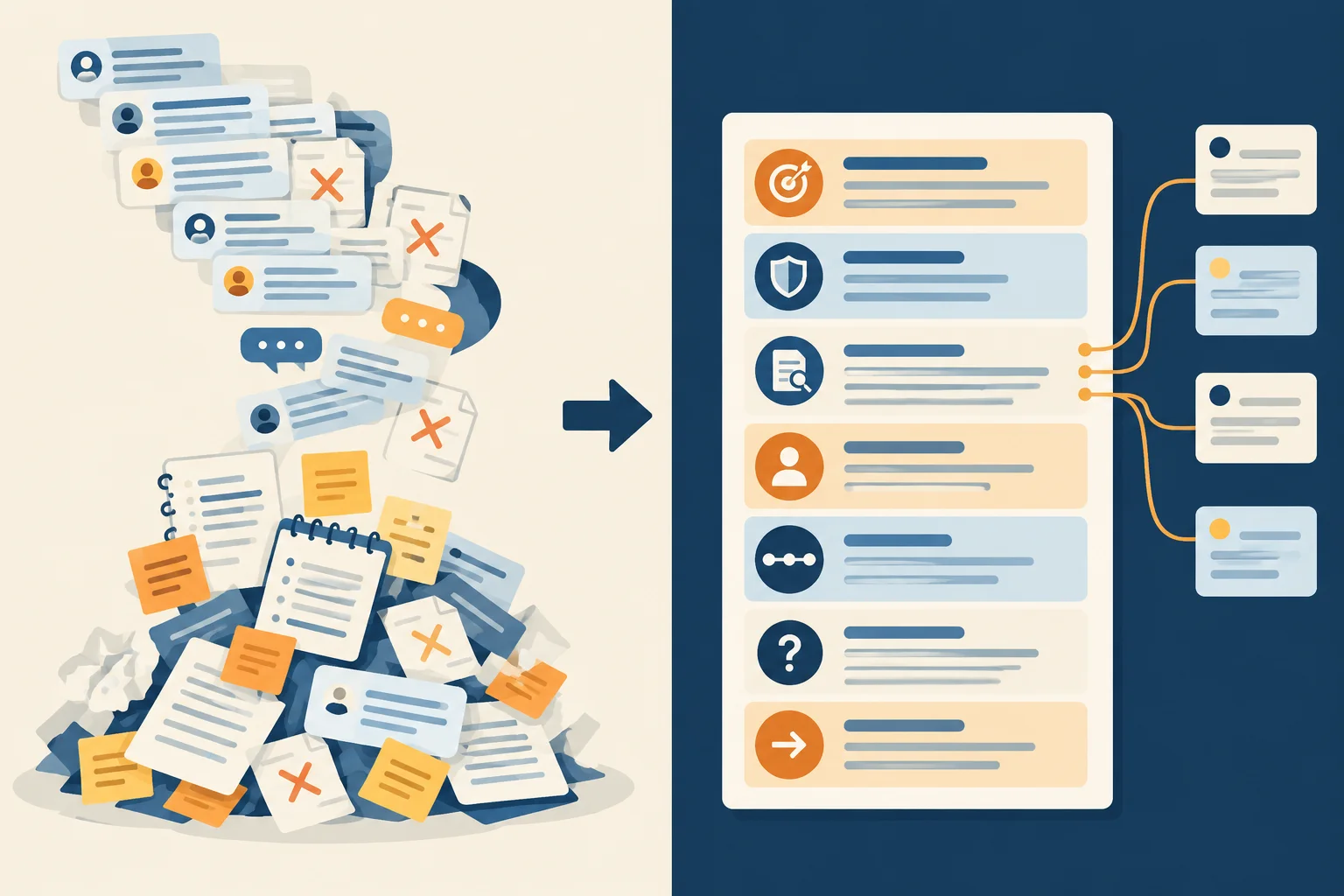
The brief retains the current decisions and evidence that the next stage needs; it does not preserve every earlier exchange.
Use these headings separately and consistently:
Use Confirmed facts and sources only for claims checked against supplied material. An approval is a review decision, not source evidence. Put the relevant supporting passages under Source excerpts so a receiving chat can check facts even when it cannot see the original documents.
Example
Goal and audience
Prepare a public invitation for adult community members and a staff checklist for library staff.
Deliverables and constraints
The public invitation must be at most 120 words and use a friendly, factual tone. The staff checklist must have exactly 6 bullets. Advance registration is required; its method is unconfirmed.
Confirmed facts and sources
The meetup is at Riverside Library on 2026-10-17, from 14:00–15:00 local time. Admission is free. Capacity is 20 participants. Source: Event brief — Details.
Approved decisions
Outline: Approved. The outline directs the draft to state confirmed logistics and the registration requirement without naming a registration method.
Current stage
Outline: Approved; Draft pack is the next authorized stage.
Open questions
The registration method is unconfirmed.
Next request
Create the Draft pack only: a public invitation and a staff checklist. Stop at the review gate.
Source excerpts
Fictional practice material
Event brief — Details
The meetup is at Riverside Library on 2026-10-17, from 14:00–15:00 local time. Admission is free. Capacity is 20 participants.
Coordinator note — Requirements
Create a public invitation of at most 120 words for adult community members in a friendly, factual tone. Create a staff checklist of exactly 6 bullets. Advance registration is required, but the registration method is unconfirmed.
Check a handoff brief before reusing it. Compare each retained claim with either supplied material or a reviewed stage note:
An assistant-generated summary can help organize information, but it is not a source. If a detail is not supported, remove it, mark it uncertain, or seek confirmation.
Example
Use these practice records for the next screen.
Fictional practice material
Event brief — Details
The meetup is at Riverside Library on 2026-10-17, from 14:00–15:00 local time. Admission is free. Capacity is 20 participants.
Coordinator note — Requirements
Create a public invitation of at most 120 words for adult community members in a friendly, factual tone. Create a staff checklist of exactly 6 bullets. Advance registration is required, but the registration method is unconfirmed.
Reviewed stage notes
Using the practice records on the previous screen, write a compact handoff brief. Use every required heading, including Source excerpts. Preserve the limits and source references, record the approved stage accurately, keep the registration method unresolved, and request only the authorized next stage.
Write at least 450 characters (0/450).

Step 5 of 7
A fresh chat is a restart, not a continuation you can safely assume. Restore the task state explicitly: paste the checked handoff brief, the source excerpts the next stage depends on, and a request limited to one authorized stage.
For Riverside Library Reading Meetup, the request must name the Draft pack, its expected outputs, and the review gate. The assistant should stop for human review rather than moving on or treating a short restatement as permission to publish.
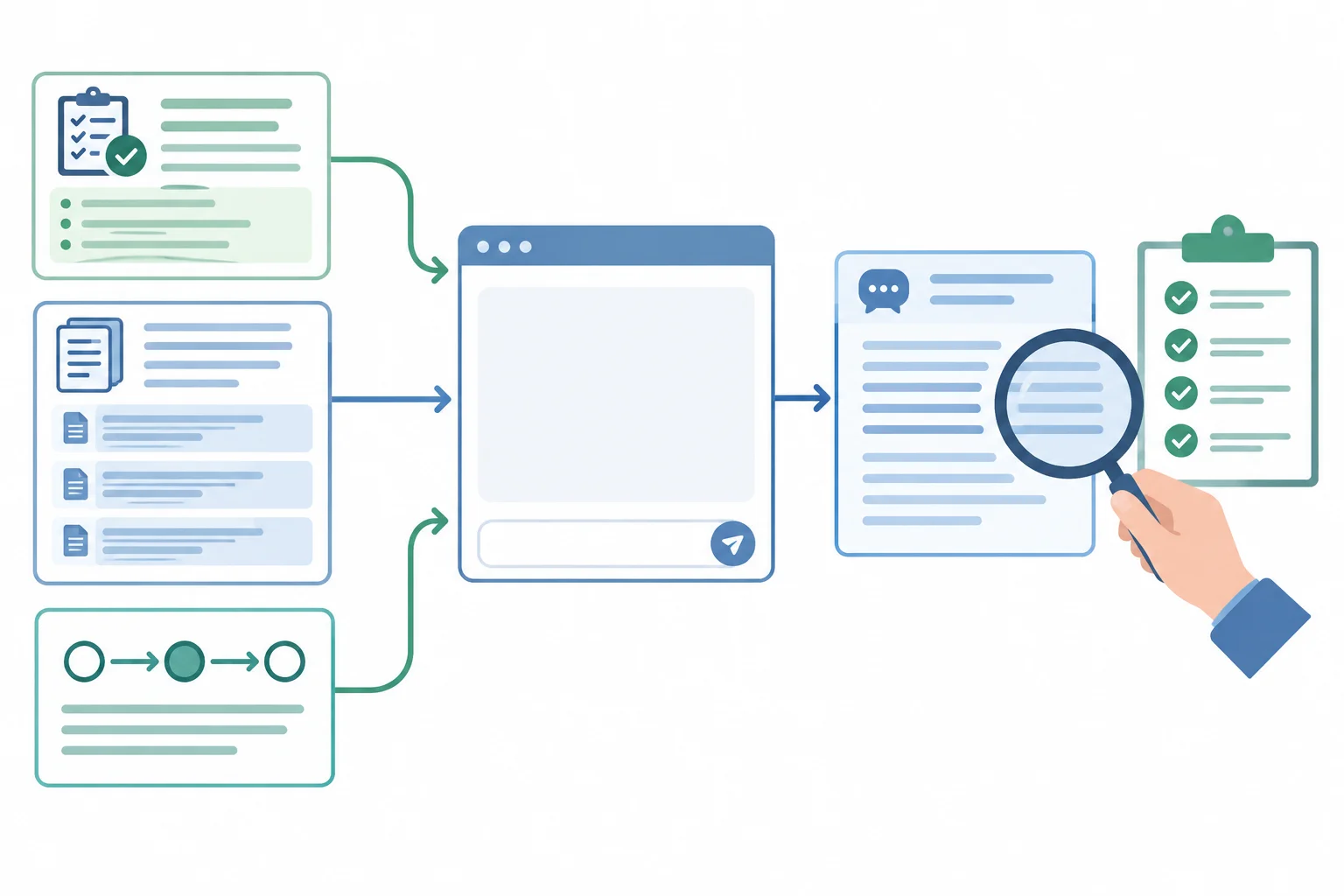
Restore the evidence and task state first; then review the new response against them.
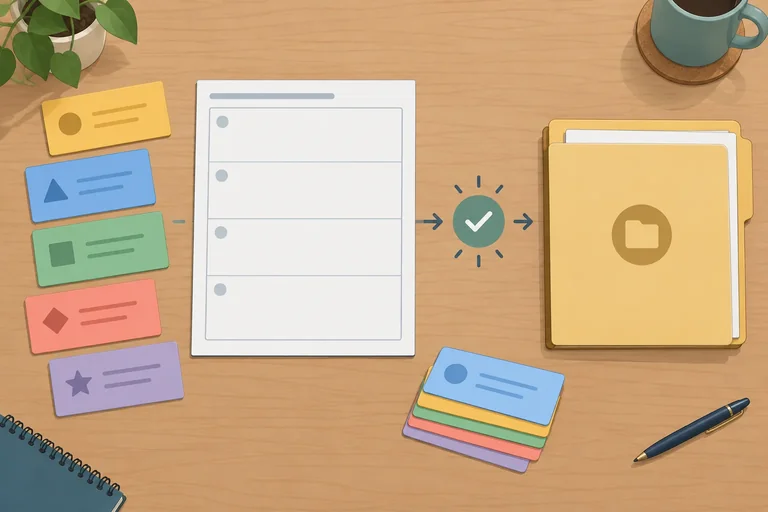
Use a checked handoff brief as the task record. This example distinguishes the public-facing invitation from the internal checklist, and its Source excerpts let a receiving chat check every retained requirement.
Goal and audience
Prepare a public invitation for adult community members and an internal staff checklist for library staff.
Deliverables and constraints
The public invitation must be at most 120 words and use a friendly, factual tone. The staff checklist must have exactly 6 bullets. Advance registration is required, but its method is unconfirmed. Source: Coordinator note — Requirements.
Confirmed facts and sources
The meetup is at Riverside Library on 2026-10-17, from 14:00–15:00 local time. Admission is free. Capacity is 20 participants. Source: Event brief — Details.
Approved decisions
Outline: Approved. State confirmed logistics and the registration requirement without naming a registration method.
Current stage
Outline: Approved; Draft pack is the next authorized stage.
Open questions
The registration method is unconfirmed.
Next request
Create the Draft pack only: a public invitation and a staff checklist. Stop at the review gate.
Source excerpts
Fictional practice material
Event brief — Details
The meetup is at Riverside Library on 2026-10-17, from 14:00–15:00 local time. Admission is free. Capacity is 20 participants.
Coordinator note — Requirements
Create a public invitation of at most 120 words for adult community members in a friendly, factual tone. Create a staff checklist of exactly 6 bullets. Advance registration is required, but the registration method is unconfirmed.
Example
Paste the checked handoff brief and Source excerpts above.
Use only the pasted material. First, restate the event date, time, capacity, and the unresolved registration question in a short list so I can check that the context was restored. Then create the Draft pack only:
Keep the registration method as an open question; do not invent one. Stop at the review gate for human review. Do not publish or begin another stage.
A brief restatement at the beginning is an early mismatch check: it can reveal that context was missed before the assistant drafts. It is not proof that the substantive response follows every retained requirement.
Review the actual Draft pack against the handoff brief: constraints, confirmed facts, Approved decisions, and open questions. If a mismatch appears, repair it before advancing. A confident answer does not turn an unsupported detail into a confirmed fact.
A fresh-chat response accurately restates the date, time, and capacity. Its invitation then says, “Register through the library website.” What should happen next?
Use the checked handoff brief and Source excerpts from the previous screen as the context to paste into a fresh chat.
For this practice, imagine that the fresh-chat response begins with an accurate restatement of the date, time, capacity, and registration requirement. Its invitation then says: “Register through the Riverside Library website to reserve your place.”
You may also replicate this practice in your own assistant by pasting only the handoff brief, Source excerpts, and your restart request. The supplied response is enough for the review practice below.
Write two short parts.
Write at least 250 characters (0/250).
Step 6 of 7
Create a portable instruction template, then inspect it for old task state and missing context before using it again.
An instruction template is reusable plain text that tells an assistant how to work. It should hold directions that stay true across tasks: work one stage at a time, preserve uncertainty, and stop at a human review gate.
Task state does not belong permanently in the template. Goals, audiences, requirements, approved decisions, source excerpts, and unresolved questions change with each task. Put those values into replaceable fields when you use the template.
A handoff brief and an instruction template have different jobs. A handoff brief is the checked state of one current task. An instruction template is the reusable set of directions for handling that state. Copy and update the text yourself; this does not require saved memory, a paid plan, or a specialized workspace.
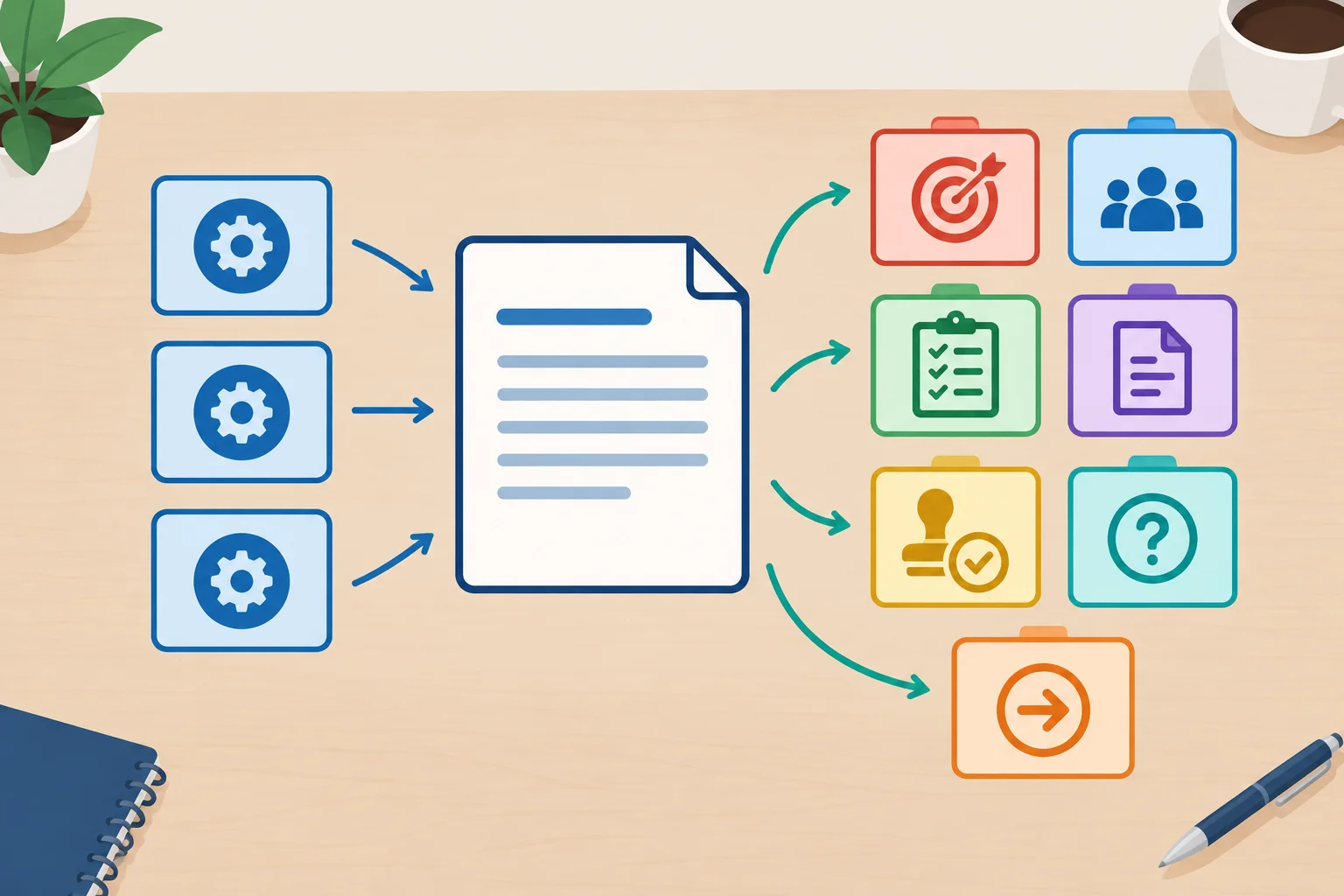
Keep the working method stable; replace the task state before each use.
Tip
A value can be stale even if it was correct in an earlier task. Treat old facts and old source excerpts as replaceable context, not as permanent instructions.
Use explicit lowercase snake_case fields for values that must be supplied again. The fields make omissions visible and prevent an old example value from quietly becoming the next task's context.
The template below is portable plain text. It requests only the authorized stage and requires a human review gate before anything advances.
Example
Instruction template
Use the task state below. Work only on {current_stage}. Preserve uncertainty: do not turn an open question into a confirmed fact. Use confirmed facts only when they are supported by the supplied source material. Do not advance to another stage; stop at the human review gate.
Goal and audience
{goal}
{audience}
Deliverables and constraints
{deliverables}
{constraints}
Confirmed facts and sources
{confirmed_facts_and_sources}
Source excerpts
{source_excerpts}
Approved decisions
{approved_decisions}
Current stage
{current_stage}
Open questions
{open_questions}
Next request
{next_request}
Return only the requested deliverable for the current stage, then wait for review.
Match each item to its role in an instruction template.
Tap an item and then its matching pair.
Audit this draft before it is reused for a different task.
Use the assistant to work on Draft pack only. Preserve uncertainty and stop at the human review gate.
Goal and audience: Create a friendly public invitation for adult community members for the Riverside Library Reading Meetup.
Confirmed facts and sources: The meetup is at Riverside Library on 2026-10-17, 14:00–15:00 local time; admission is free; capacity is 20 participants. Event brief — Details.
Approved decisions: Outline: Approved.
Current stage: Draft pack.
In one short response:
Write at least 120 characters (0/120).

Step 7 of 7
Update and resume a paused task after a requirement changes, then make a justified review decision about the next response.
A paused task restarts safely only after you refresh its current state. Treat a change as new source material: update the affected fact, retain unchanged requirements, and keep unresolved details unresolved.
Fictional practice material
Event brief — Details
The meetup is at Riverside Library on 2026-10-17, from 14:00–15:00 local time. Admission is free. Capacity is 20 participants.
Coordinator note — Requirements
Create a public invitation of at most 120 words for adult community members in a friendly, factual tone. Create a staff checklist of exactly 6 bullets. Advance registration is required, but the registration method is unconfirmed.
Capacity update — Change
Capacity is now 16 participants instead of 20 participants. All other requirements remain unchanged.
Outline: Approved means the reviewed Outline may guide the next request. It does not authorize publication. Draft pack is the next authorized stage.
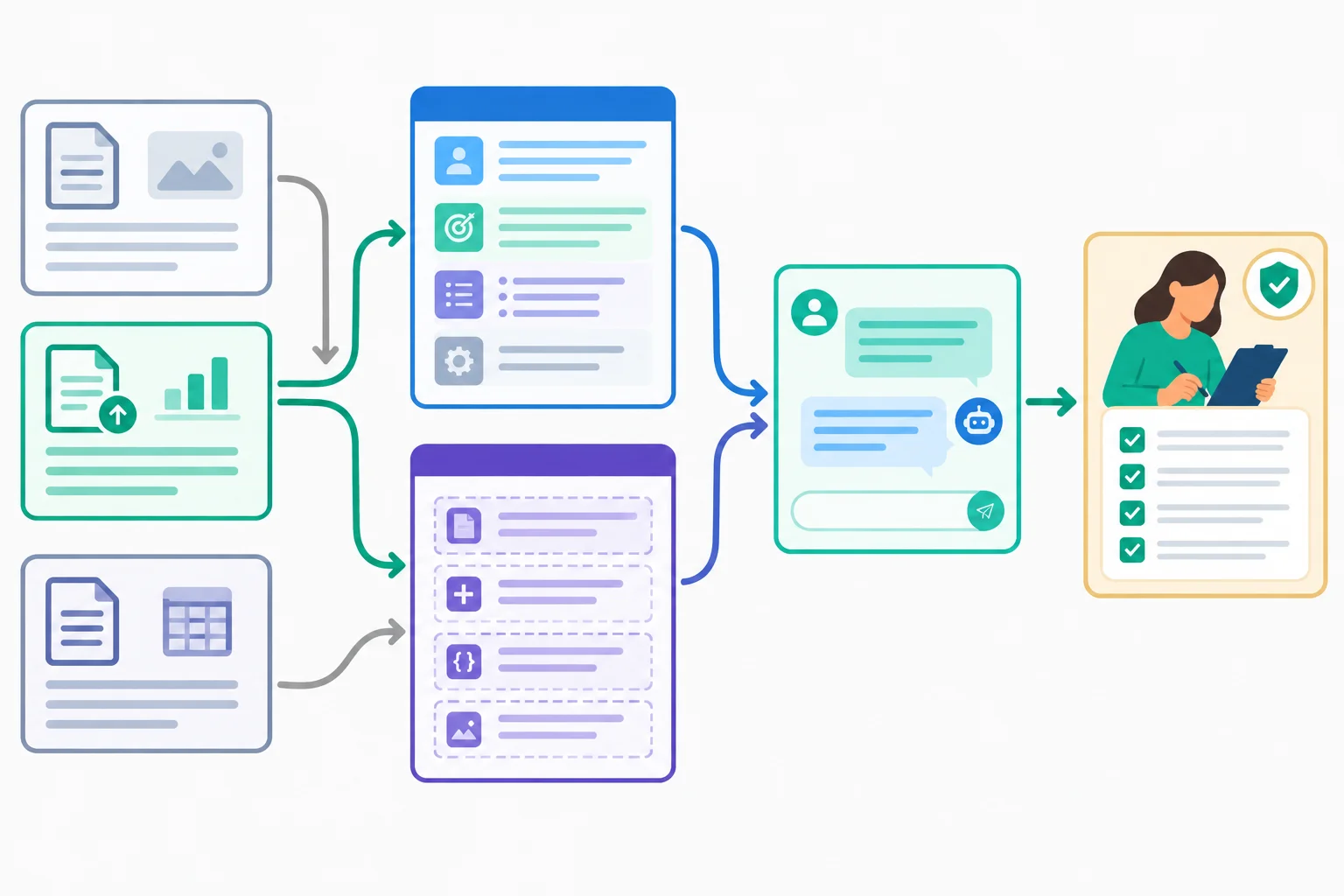
Refresh the current task record and the replaceable template fields separately before restarting.
Tip
Keep this cycle visible:
An approved intermediate stage is not permission to publish. An open question remains open until a reliable source or a human decision resolves it.
A handoff brief and an instruction template work together, but they are not interchangeable.
The handoff brief records this task’s checked state: goal, constraints, facts with sources, approved decisions, current stage, open questions, next request, and Source excerpts.
The instruction template supplies stable directions for handling that state. When you reuse it, replace every task-specific field with current information. For this restart, Capacity update — Change supersedes the earlier capacity in Confirmed facts and sources and in all drafting instructions.
The phrase “20 participants” may appear only within quoted source excerpts that record the historical capacity, including Event brief — Details and Capacity update — Change. It must not appear as the current capacity in task-state fields, the Next request, or drafting instructions. The invitation limit, checklist limit, and registration uncertainty do not change.
Supply the checked handoff brief and relevant Source excerpts to a fresh chat. Request Draft pack only, then stop at the human review gate.
Example
Instruction template
Use the task state below. Work only on {current_stage}. Preserve uncertainty: do not turn an open question into a confirmed fact. Use confirmed facts only when they are supported by the supplied source material. Do not advance to another stage; stop at the human review gate.
Goal and audience
{goal}
{audience}
Deliverables and constraints
{deliverables}
{constraints}
Confirmed facts and sources
{confirmed_facts_and_sources}
Source excerpts
{source_excerpts}
Approved decisions
{approved_decisions}
Current stage
{current_stage}
Open questions
{open_questions}
Next request
{next_request}
Return only the requested deliverable for the current stage, then wait for review.
Tip
A repeated field must receive the same value everywhere. For this restart, replace both occurrences of {current_stage} with “Draft pack.” Keep “Outline: Approved” under Approved decisions, where the earlier review decision belongs.
Write an updated handoff brief for the paused Riverside Library Reading Meetup. Use every required heading:
Goal and audience; Deliverables and constraints; Confirmed facts and sources; Approved decisions; Current stage; Open questions; Next request; Source excerpts.
Apply Capacity update — Change. Use 16 participants as the current capacity in Confirmed facts and sources and in Next request. The phrase “20 participants” may appear only inside quoted Source excerpts that mention the historical capacity, including Event brief — Details and Capacity update — Change. Do not use it as the current capacity in task-state fields, the Next request, or drafting instructions.
Preserve the unchanged deliverable limits and the registration uncertainty. Request only the authorized stage and include a human review gate.
Write at least 500 characters (0/500).
Populate the task-state portion of the instruction template for the current Riverside task. Write the stable opening instruction and these headings: Goal and audience, Deliverables and constraints, Confirmed facts and sources, Approved decisions, Current stage, and Open questions.
Do not include Source excerpts or Next request yet; you will add them on the next screen. Replace every relevant placeholder. Both uses of {current_stage} must become the identical value “Draft pack.” Treat 16 participants as the current capacity; do not place the historical capacity in this task-state portion.
Write at least 450 characters (0/450).
Complete the remaining portion of the restart template: Source excerpts and Next request. Paste the relevant supplied passages, including Event brief — Details, Coordinator note — Requirements, and Capacity update — Change.
The phrase “20 participants” may appear only inside quoted Source excerpts that mention the historical capacity, including both Event brief — Details and Capacity update — Change. Make clear in Next request that 16 participants is current. Do not use the historical capacity as the current value in the Next request or drafting instructions.
Request Draft pack only and require a human review gate; do not ask to publish or begin another stage.
Write at least 350 characters (0/350).
Use the completed restart template as the standard for this supplied fresh-chat response:
“Here is the Draft pack. Join Riverside Library on 2026-10-17, 14:00–15:00 local time, for a free reading meetup. Space is available for 20 participants, so register online today.
Staff checklist:
The outline was approved, so this is ready to publish.”
Record one review status—Approved, Needs revision, or Blocked—and name its scope. Then state the corrections required before the task can advance. Check the current capacity, unchanged output limits, registration uncertainty, and review gate.
Write at least 180 characters (0/180).
You completed a full stage-management cycle:
A historical value can remain inside quoted Source excerpts, but the later source controls the current task state. Completion of this cycle does not settle the unconfirmed registration method or authorize publication.
Congratulations! You completed: Keeping Long Assistant Tasks on Track
You completed this level!
Up next: Creating and Editing AI Media
 Generating Images from a Visual BriefTurn a concrete visual brief into an image and refine it using an available free-tier tool. If generation is unavailable, prepare a generation-ready brief and practice visual inspection with on-screen examples.
Thousands of online courses in video, ebooks and audiobooks.
To test your knowledge during online courses
Generated directly from your cell phone's photo gallery and sent to your email

Download our app via QR Code or the links below:.



Carry knowledge in your pocket.
Download the Cursa app.
There are hundreds of free courses available, with a free certificate of completion that is saved in your mobile image gallery.
Download the app to access the Course Completion Certificate for Free.


+ 10 million
students

Free and Valid
Certificate

60 thousand free
exercises

4.8/5 rating in
app stores

Free courses in
video and ebooks