
Step 1 of 9
Define What a Successful Run Must Do
Define observable expectations for the Harbor Helpdesk normal workflow run, including its route, required operations, approval boundary, prohibited actions, output quality, and stopping outcome.

Learning path · Level 7 · Tutorial 5
Test complete workflow and agent runs rather than judging only the final answer. Record actions, introduce controlled failures, check retry behavior, and set usage limits using safe drafts or manual simulations instead of live consequential actions.

 Define What a Successful Run Must Do
Define observable expectations for the Harbor Helpdesk normal workflow run, including its route, required operations, approval boundary, prohibited actions, output quality, and stopping outcome. 2 min
 Record Actions Without Overclaiming
Build a minimal, evidence-based action record for Harbor Helpdesk workflow runs without overstating what happened. 2 min
 Introduce Failures Safely
Use controlled, text-only failure probes to verify that Harbor Helpdesk routes safely to review or stops before an unsafe downstream operation. 3 min
 Choose Retry, Stop, or Escalation
Choose an evidence-based recovery action for a workflow run while respecting approval decisions and retry bounds. 2 min
 Check for Completion Before Retrying
Verify an uncertain state-changing operation before any retry, so a lost confirmation does not become a duplicate record. 2 min
 Budget the Whole Run, Including Recovery
Calculate tool-call, service-call, retry, and illustrative cost totals before allowing another operation. 2 min
 Verify Which Limits Actually Stop Execution
Distinguish advisory usage controls from verified enforced stops, then use supervised execution when reporting is delayed. 2 min
 Retest the Repair Without Weakening Safeguards
Select regression cases that show a targeted repair works while preserving approval, duplicate-prevention, and usage safeguards. 2 min
 Complete a Safe Run-Test Review
Integrate route expectations, action evidence, recovery, usage limits, and regression traces into a concise conclusion without treating simulated evidence as production certification. 3 min
Step 1 of 9
Define observable expectations for the Harbor Helpdesk normal workflow run, including its route, required operations, approval boundary, prohibited actions, output quality, and stopping outcome.
A workflow run is more than its final reply. Test the full path: required inputs, transferred fields, selected route, each permitted operation, approval decision, output quality, and the point where the run stops.
For Harbor Helpdesk, use the fictional inputs request_ref and summary. In the normal case, the summary is What time do you close on Friday?. classify_request must return topic with the valid value hours before the normal route can continue.
A reply that says the right closing time is still not a successful run if it took the review route incorrectly, skipped approval, or saved before approval.
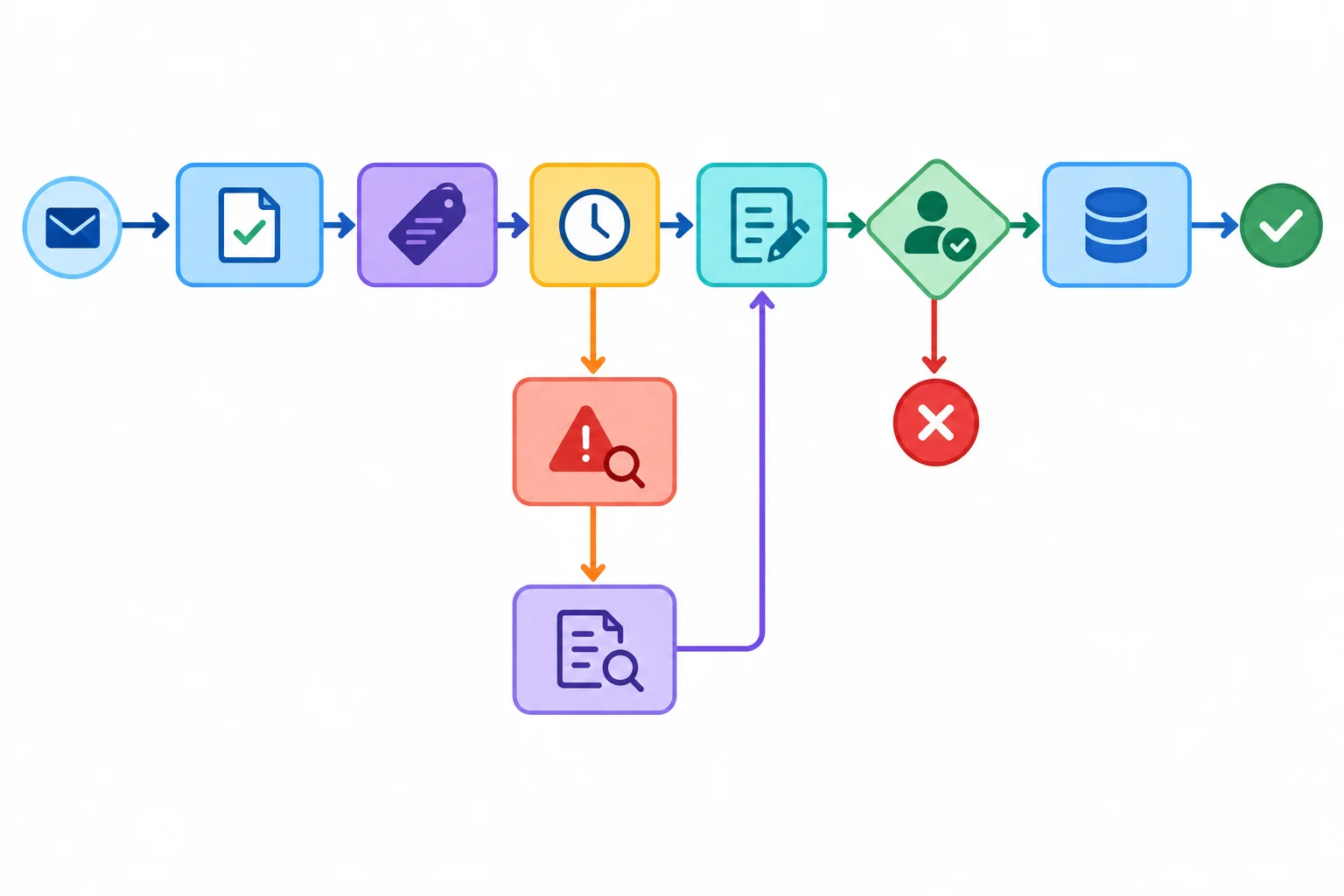
Use this as a route reference: invalid inputs or outputs go to review, and approval is a boundary before the simulated save.
Tip
Use a text-only simulation first: write the fictional inputs and supplied observations, then compare them with expectations. If you also inspect a no-code tool, use disconnected or draft-only operations. Do not send messages or perform a live consequential action.
Before observing a result, write expectations that can be checked. Include what must happen and what must not happen. This prevents a polished final reply from hiding an incorrect route or an unauthorized operation.
Expected normal-run record for workflow configuration v1
| Aspect | Expectation |
|---|---|
| Case | Normal Friday-hours request |
| Expected route | `classify_request` → `lookup_hours` → `draft_reply` → approval → `save_draft_record` |
| Expected actions | Required fields are present; `topic` is `hours`; the approved note is used; a nonempty `reply_text` is drafted. |
| Expected approval | Approval is required before `save_draft_record`. |
| Expected stop | A granted approval permits a simulated save, then the workflow run ends. |
| Must not occur | No `review` route, no save before approval, and no message sending. |
| Output quality | `reply_text` is consistent with `Hours note v1`: Monday–Friday, 09:00–17:00. |
Example
Case: Normal Friday-hours request
Expected route: classify_request returns topic = hours; then lookup_hours, draft_reply, approval, and save_draft_record.
Expected actions: Transfer the supplied request_ref and summary; use Hours note v1; draft a nonempty reply_text consistent with the note.
Expected approval: Required before the simulated save.
Expected stop: End after the simulated save is permitted.
The later test record can add Observed result and a verdict. Do not fill those from an assumption before the workflow run is tested.
Which proposed test is incomplete because it judges only the final reply?
A proposed Harbor Helpdesk test supplies the normal inputs and checks only that a final draft gives the Friday closing time. Which added expectation set would make it capable of exposing an incorrect route or an unauthorized save?

Step 2 of 9
Build a minimal, evidence-based action record for Harbor Helpdesk workflow runs without overstating what happened.
An action record reports only what the evidence supports for one workflow run; it is not a retrospective success story. Each event links Run, Event, Operation, Attempt, Status, Input summary, Evidence, Approval, and Error.
For Harbor Helpdesk, a minimal record can state that request_ref and summary are present without copying the request content. It can retain the approved reference Hours note v1 when relevant, while omitting a full reply_text, private message body, secrets, and unrestricted raw service responses.
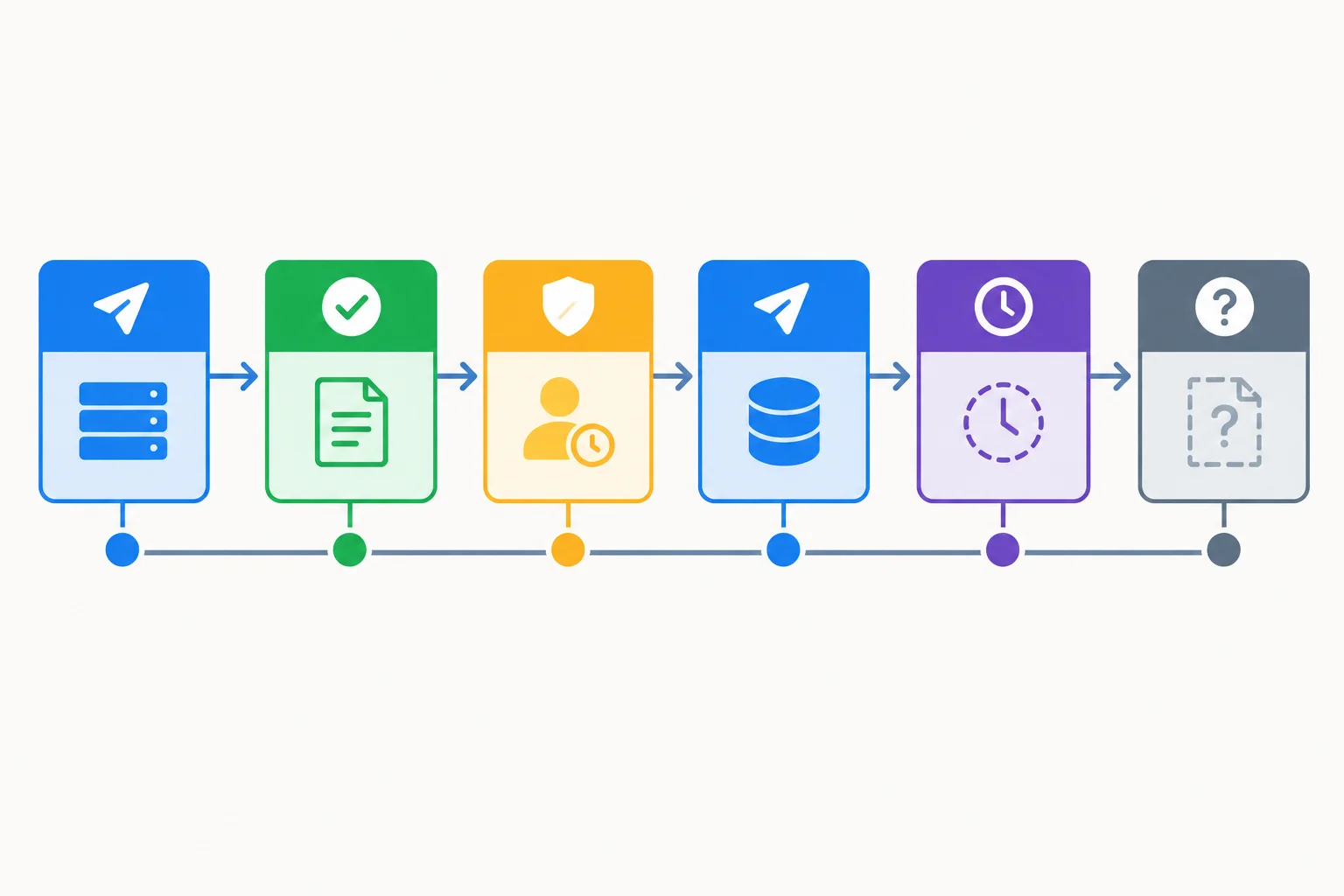
Keep the initial attempted event and later evidence in order. A timeout without completion evidence becomes outcome_unknown, not completed or failed.
Status describes the evidence for an operation event. Approval is a separate field with not_required, pending, granted, or denied. An approval decision itself is neither an operation nor a service call.
| Status | Use when | Safe evidence example |
|---|---|---|
| attempted | The operation request was dispatched; no result is established yet. | Dispatch recorded |
| completed | Evidence confirms that the operation finished. | Returned required result |
| failed | An explicit failure result was observed. | Unavailable-operation error |
| approval_pending | A proposed operation awaits a decision and has not been dispatched. | Approval request shown |
| outcome_unknown | A timeout or connection loss leaves completion unconfirmed. | Confirmation missing after timeout |
| not_run | The operation was never dispatched. | Approval was denied |
Tip
Prefix evidence with Simulated for a supplied manual result and Observed for a result actually seen in the test. A simulated completion never means an external action occurred. If execution details are unavailable, record them as unknown.
If approval is denied, the proposed operation is not_run. Put the denial in Approval, not in Status as a failed operation.
This fictional Harbor Helpdesk trace includes every operation dispatched on the valid hours route: classify_request, lookup_hours, draft_reply, and save_draft_record. For each dispatched operation, the initial attempted event remains visible beside its later result. The save has no completion evidence after its timeout, so the record does not rewrite it as a success or failure.
Each repeated operation name below refers to the same initial operation and attempt; it is not a new operation. Field presence and approved references are sufficient for this record.
| Run | Event | Operation | Attempt | Status | Input summary |
|---|---|---|---|---|---|
| R-17 | 1 | `classify_request` | 1 | attempted | `request_ref` present; `summary` present |
| R-17 | 2 | `classify_request` | 1 | completed | `request_ref` present; `summary` present |
| R-17 | 3 | `lookup_hours` | 1 | attempted | `request_ref` present; `topic` present |
| R-17 | 4 | `lookup_hours` | 1 | completed | Approved source: `Hours note v1` |
| R-17 | 5 | `draft_reply` | 1 | attempted | Approved source: `Hours note v1` |
| R-17 | 6 | `draft_reply` | 1 | completed | Draft reference only; no message body retained |
| R-17 | 7 | `save_draft_record` | 1 | approval_pending | `request_ref` present; draft reference only |
| R-17 | 8 | `save_draft_record` | 1 | attempted | `request_ref` present; approved draft reference only |
| R-17 | 9 | `save_draft_record` | 1 | outcome_unknown | `request_ref` present; approved draft reference only |
Approval and evidence support the statuses, but do not replace them. Saving is simulated; no message is sent in this example.
| Run | Event | Evidence | Approval | Error |
|---|---|---|---|---|
| R-17 | 1 | Simulated: dispatch recorded | not_required | none |
| R-17 | 2 | Simulated: returned `topic=hours` | not_required | none |
| R-17 | 3 | Simulated: dispatch recorded | not_required | none |
| R-17 | 4 | Simulated: approved hours reference returned | not_required | none |
| R-17 | 5 | Simulated: dispatch recorded | not_required | none |
| R-17 | 6 | Simulated: nonempty draft consistent with `Hours note v1` | not_required | none |
| R-17 | 7 | Simulated: valid draft awaits a decision | pending | none |
| R-17 | 8 | Observed: approval granted and dispatch recorded | granted | none |
| R-17 | 9 | Observed: timeout; no completion confirmation | granted | Confirmation timeout |
Example
Event 8 remains attempted: it records dispatch. Event 9 records the later evidence for that same save attempt. Because completion was not observed, the supported outcome is unknown. This trace does not decide what to do next; it records only what happened and what remains unconfirmed.
Match each Harbor Helpdesk trace event to the action status supported by its evidence.
Tap an item and then its matching pair.

Step 3 of 9
Use controlled, text-only failure probes to verify that Harbor Helpdesk routes safely to review or stops before an unsafe downstream operation.
A controlled failure probe starts from the Harbor Helpdesk normal case in configuration v1: request_ref is present, summary is What time do you close on Friday?, and the approved source remains Hours note v1.
Change exactly one condition for each probe. Preserve the other inputs, source, and configuration so that any route change or blocked operation has a clear cause.
Use supplied fictional observations rather than disrupting a real service. Prefix the evidence with Simulated. Check the whole workflow run: selected route, dispatched and blocked operations, approval decision, relevant action status, and stopping outcome. A plausible reply never makes an unsafe path acceptable.
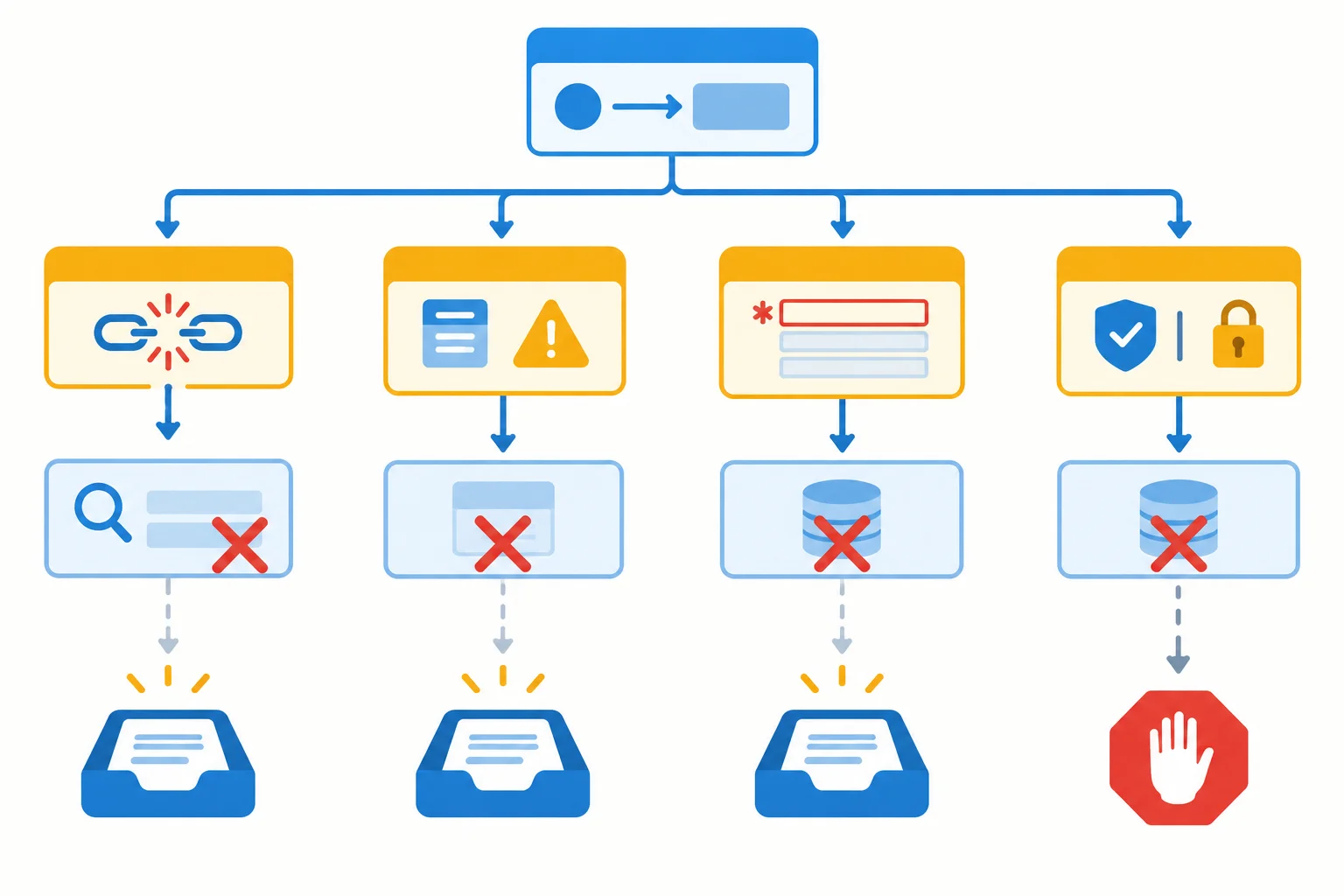
Each probe changes one condition while preserving the normal Harbor Helpdesk context.
For an unexpected-output probe, substitute one invalid result at a time—for example, an invalid topic value or a missing topic field. Do not combine both substitutions in one workflow run.
For every case, decide what must not happen as well as what should happen. Record only minimal, permitted details: field presence, the approved source reference, the simulated result category, and any error. Keep an approval decision separate from an operation status.
Use this matrix before simulating a case. It makes the required route, blocked work, and stopping boundary observable without using a live service.
| Case | Expected route | Expected actions | Expected approval | Expected stop | Action-record evidence |
|---|---|---|---|---|---|
| Unavailable operation | `review` after `lookup_hours` | `lookup_hours` is attempted, then failed; no `draft_reply` or `save_draft_record` | not_required | Stop at review after the lookup failure | Simulated unavailable response; `lookup_hours` status `failed` |
| Unexpected output | `review` after `classify_request` | Invalid or missing `topic` is not consumed; no `lookup_hours` | not_required | Stop at review | Simulated invalid output; record the classification result and no downstream operation |
| Missing data | `review` before classification | Do not invent a required field; `classify_request` is not dispatched | not_required | Stop for correction or review | Simulated required-field absence; `classify_request` status `not_run` |
| Denied approval | Approval boundary after a valid draft | Completed draft remains available for review; `save_draft_record` is not dispatched | denied | Stop after denial; no alternate save operation | Simulated valid draft; approval `denied`; save status `not_run` |
Tip
A denied approval is not a failed operation. Record the completed draft_reply separately, record approval as denied, and record the proposed save_draft_record as not_run. The simulated save never occurs, and no alternate operation may bypass the decision.
For each supplied text-only observation, match it to the complete safe test conclusion: route, relevant action status, blocked operation, and stopping outcome.
Tap an item and then its matching pair.
Put the controlled-test procedure in the only order that supports a clear comparison.
Write a concise test note for this supplied text-only scenario:
Configuration v1, request_ref, summary, and Hours note v1 are preserved. classify_request, lookup_hours, and draft_reply reached a valid draft consistent with the approved note. The approval decision is recorded as denied. No save observation is supplied.
Use numbered lines to provide:
Do not infer an external save from this simulation.
Write at least 350 characters (0/350).

Step 4 of 9
Choose an evidence-based recovery action for a workflow run while respecting approval decisions and retry bounds.
A retry is an additional attempt after an initial attempt. It is a recovery choice, not a response to any result you dislike.
First classify the evidence. A failed operation with observed evidence of a temporary service problem may justify one bounded retry. Respect a service-specified wait when one is available.
Do not automatically retry missing request_ref or summary, an invalid topic, or a permission failure. Those conditions need correction, review, or escalation. A valid hours route still requires approval before save_draft_record.
Treat approval separately from an operation status. A denied approval is a decision to stop the save, not a technical failure to overcome.
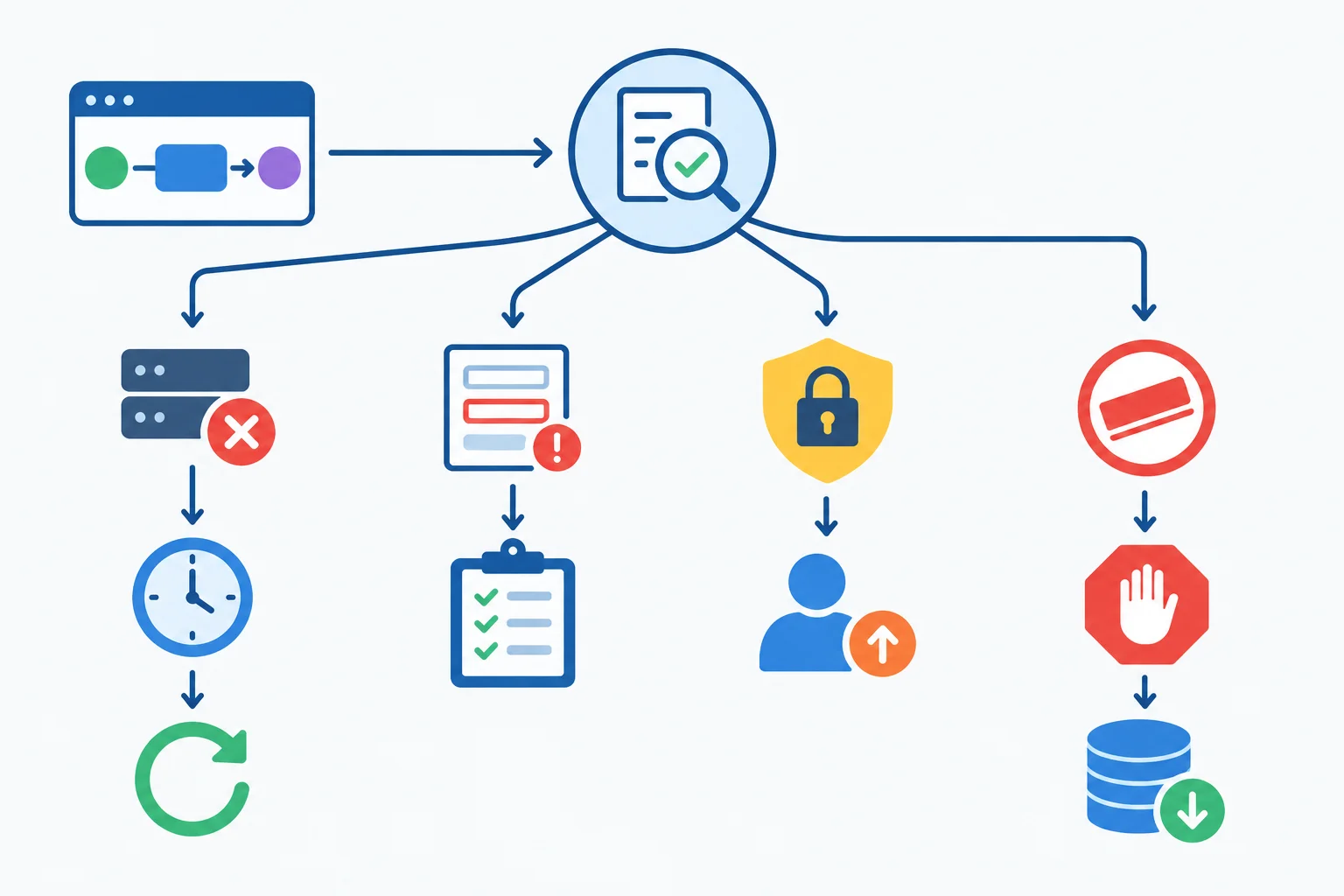
Only observed temporary failure can support a bounded retry. Approval denial blocks the proposed save.
Use the stated limits across the whole workflow run:
The initial attempt does not count as a retry. For example, an initial lookup_hours attempt followed by one additional attempt uses 1 retry for that operation and 1 retry for the run.
Before dispatching a retry, check the operation’s prior attempts, retries already used in the workflow run, the failure evidence, and any stated waiting period. Both an automatic retry and a person’s manual retry count toward the same allowance.
Use this decision guide after reading the action record. It does not replace the required approval gate.
| Observed condition | Next action | Information to check first |
|---|---|---|
| Temporary service failure | Bounded retry may be allowed | Failure evidence, stated wait, remaining retry bounds |
| Missing required input | Request correction or route to review | Which required field is absent |
| Invalid output such as `topic` | Route to review; do not continue downstream | Output contract and recorded invalid value |
| Permission failure | Stop and escalate | Permission scope and authorized owner |
| Approval denied | Stop `save_draft_record` | Recorded approval decision; no alternate save path |
| Retry allowance exhausted | Stop or escalate | Operation and run retry counters |
Example
If draft_reply initially fails with observed evidence that its service is temporarily unavailable, one later additional attempt can be considered only after the stated wait and both retry counters are checked. If that retry also fails, its per-operation retry allowance is exhausted. Record a stop or escalation instead of adding another attempt.
An outcome_unknown status needs special care when the operation could change state. A lost confirmation for save_draft_record does not prove that the simulated save failed, and it does not prove completion either.
Do not issue a retry merely to obtain a clearer answer. First seek appropriate completion evidence. If completion cannot be established safely, stop and escalate rather than assuming another attempt is harmless. The next step develops the full read-only verification procedure.
Example
Run: HH-204
Event: 5
Operation: save_draft_record
Attempt: 1
Status: outcome_unknown
Input summary: request_ref present; approved draft reference only
Evidence: Observed confirmation unavailable after request dispatch
Approval: granted
Error: confirmation unavailable
Decision: do not label this operation failed or completed without evidence. Preserve the same operation reference and record a stop or escalation if safe completion evidence is unavailable.
Tip
For any recovery decision, keep the initial attempt in the record. A later retry does not erase it. If you stop, record why: invalid input, invalid output, permission failure, denied approval, exhausted retry allowance, or uncertain outcome.
Match each Harbor Helpdesk condition to the appropriate next action and the information required before acting.
Tap an item and then its matching pair.

Step 5 of 9
Verify an uncertain state-changing operation before any retry, so a lost confirmation does not become a duplicate record.
A timeout after save_draft_record does not prove that the save failed. The destination may have completed the operation while its confirmation was lost. Mark the operation as outcome_unknown and preserve its operation reference.
Do not restart the whole workflow run. Re-running earlier operations can create a second save attempt for the same draft. First establish what happened to the original state-changing operation.
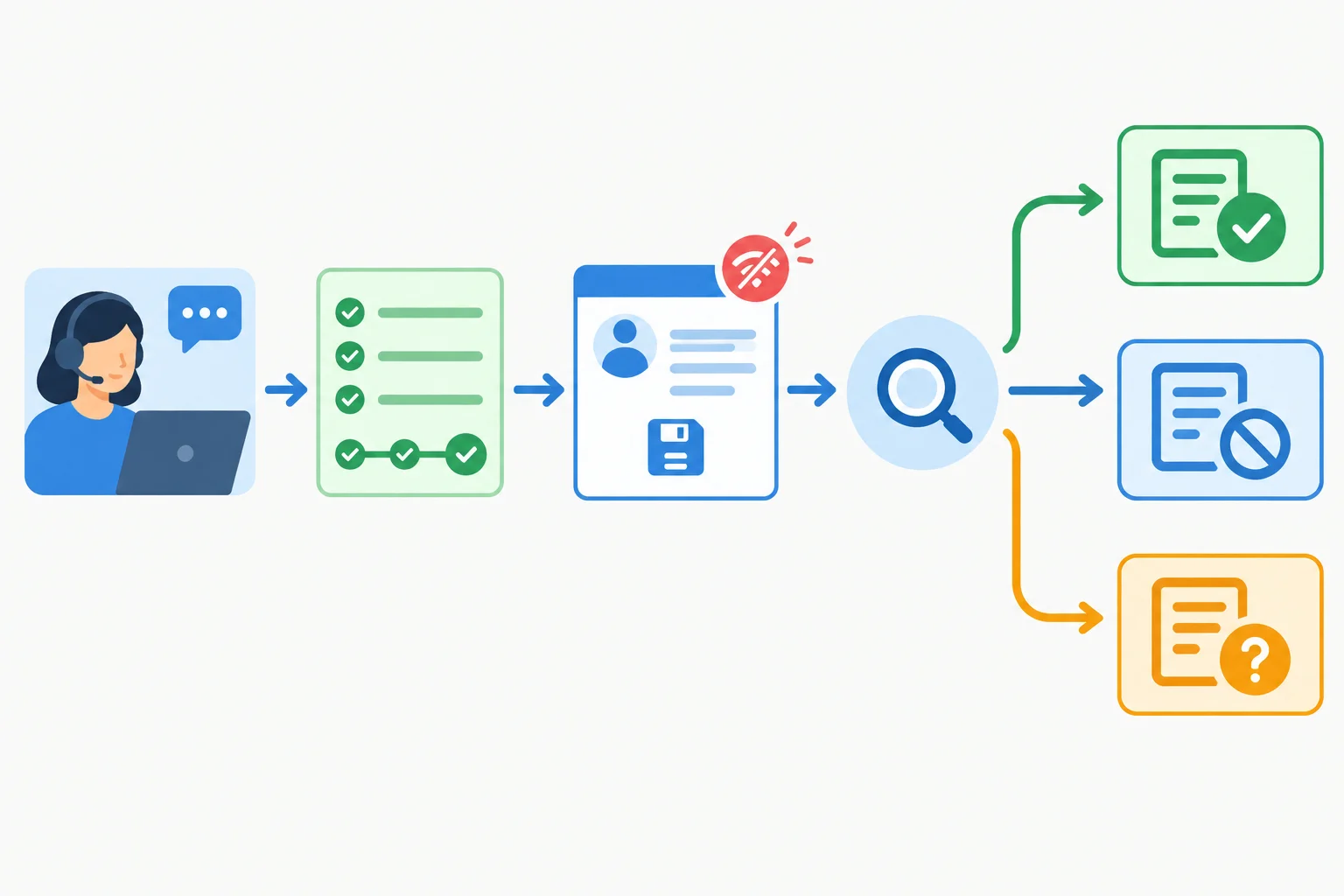
After an uncertain save, verify the destination before deciding whether any retry is safe.
Use the same operation reference when you check the destination. In Harbor Helpdesk, check_draft_record is read-only: it can look for the draft record without creating or changing one.
Evidence of a matching record means save_draft_record is already completed: do not repeat it. An authoritative destination result that confirms no matching record can support a possible retry. But a missing result from a delayed or incomplete search is still inconclusive—not proof of noncompletion.
Before a retry after confirmed noncompletion, confirm that the granted approval still covers the unchanged proposed save, the run is at a safe recovery point, and retry allowance remains. Otherwise, stop and escalate.
Example
Run: HH-27
Event: 4
Operation: save_draft_record
Attempt: 1
Status: outcome_unknown
Input summary: request_ref present; approved hours route; draft reference only
Evidence: Simulated save confirmation timed out; completion was not observed
Approval: granted
Error: Simulated timeout
Event: 5
Operation: check_draft_record
Attempt: 1
Status: attempted
Input summary: same operation reference
Evidence: Simulated read-only destination check requested
Approval: not_required
Error: none
The record does not relabel the save as failed or completed without evidence. The next observed check result determines the safe outcome.
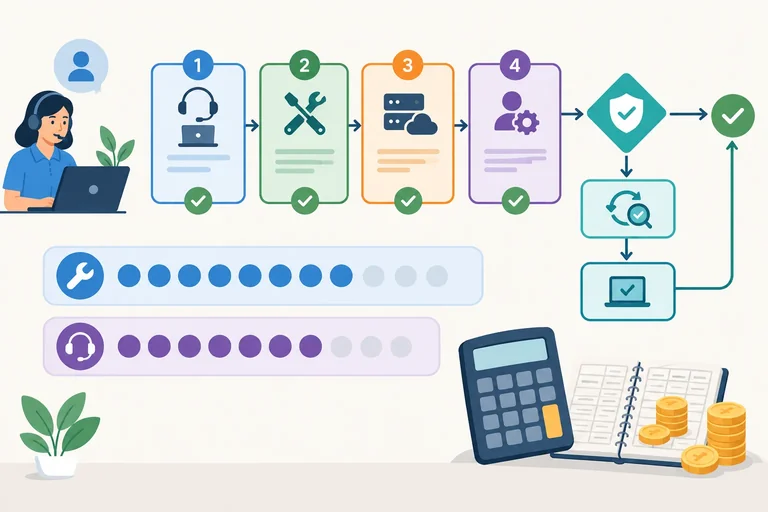
A simulated save_draft_record confirmation timed out. Put the recovery actions in the only safe order.
Match each simulated verification result to its safe outcome.
Tap an item and then its matching pair.
Step 6 of 9
Calculate tool-call, service-call, retry, and illustrative cost totals before allowing another operation.
A visible workflow step is not a complete usage unit. Track each layer separately:
operation is the named action in the workflow run.tool call is one dispatched operation request.service call is an underlying request made by that operation.In Harbor Helpdesk, most operations use one tool call and one service call. draft_reply is different: its one tool call triggers two model-service calls—drafting and checking. Approval decisions use neither tool calls nor service calls.
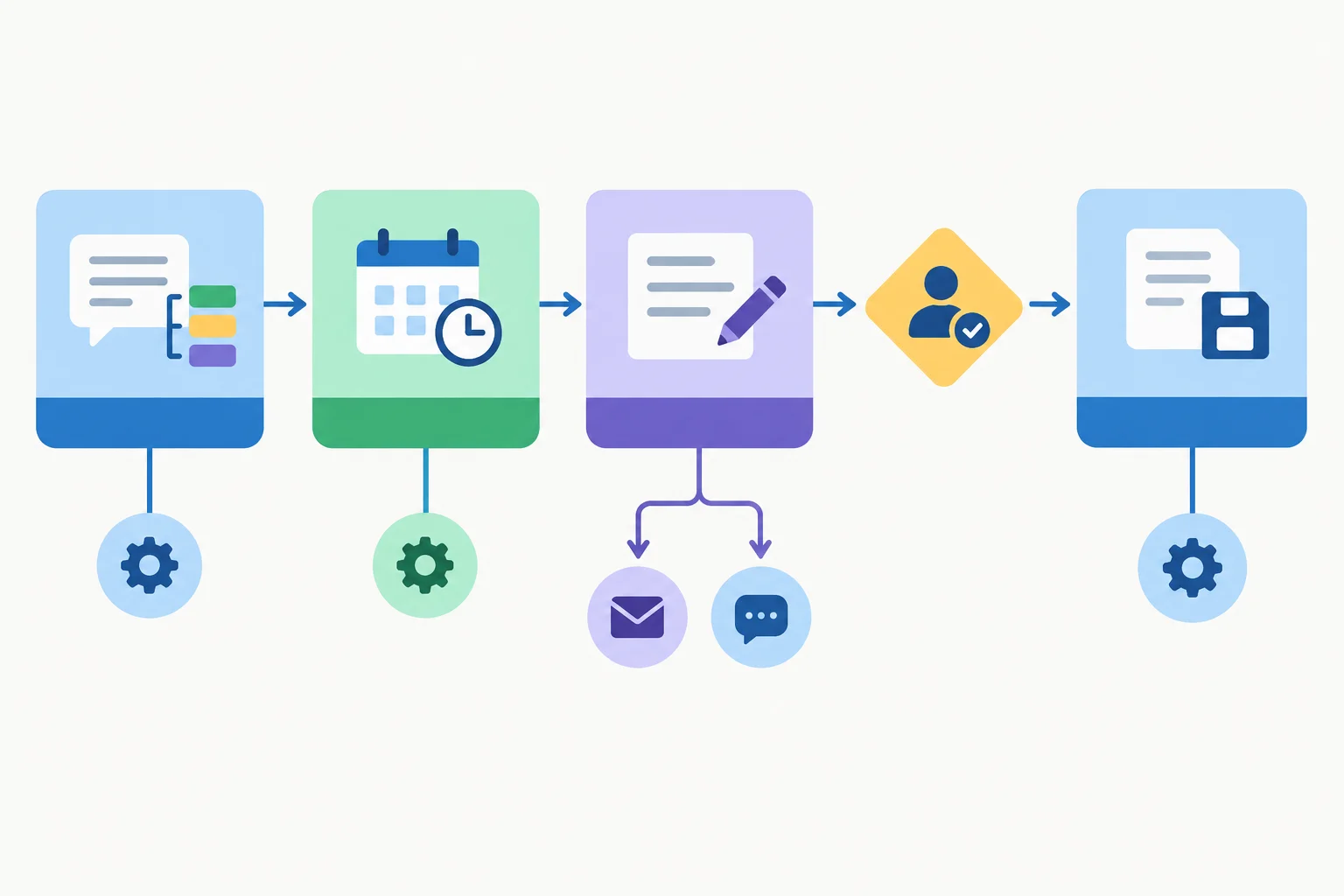
Use the operation route to plan usage, but total the dispatched tool calls and underlying service calls separately.
Use this fictional rate card only for the exercises in this tutorial. It is an accounting example, not provider pricing.
| Operation | Service calls per tool call | Estimated cost |
|---|---|---|
| `classify_request` | 1 | USD 0.01 |
| `lookup_hours` | 1 | USD 0.00 |
| `draft_reply` | 2 | USD 0.02 each |
| `save_draft_record` | 1 | USD 0.00 |
| `check_draft_record` | 1 | USD 0.00 |
Example
For normal workflow run N-01, request_ref and summary are present. classify_request returns topic: hours; lookup_hours uses approved Hours note v1; draft_reply produces a nonempty reply_text consistent with that note. Approval is granted, so the simulated save_draft_record operation can run.
The route has four operations. It has four tool calls, but five service calls because draft_reply makes two. Its estimated cost is USD 0.05. A correct final reply alone would not replace the required approval or save boundary.
This compact ledger is linked to Run and uses the counter headings consistently. The save is simulated; no message is sent.
| Run | Operation | Tool calls used | Service calls used | Estimated cost |
|---|---|---|---|---|
| N-01 | `classify_request` | 1 | 1 | USD 0.01 |
| N-01 | `lookup_hours` | 1 | 1 | USD 0.00 |
| N-01 | `draft_reply` | 1 | 2 | USD 0.04 |
| N-01 | `save_draft_record` | 1 | 1 | USD 0.00 |
| N-01 | Total | 4 | 5 | USD 0.05 |
Tip
Before dispatching an operation, reserve its known possible usage. For example, draft_reply needs one tool call, two service calls, and USD 0.04 under this rate card. Do not infer its cost from the number of visible operations.
Recovery also has a budget. Suppose a save_draft_record attempt has outcome_unknown. A read-only check_draft_record is an additional operation, not free bookkeeping: it uses one tool call and one service call. If authoritative evidence confirms noncompletion, an allowed retry of the same save operation adds another tool call and service call.
A failed request can also consume quota or incur a charge under a service's rules. When usage or pricing is hidden or variable, record the estimate as uncertain rather than calling it an exact bill.
Assume this recovery occurs after the normal-prefix counts: the original save attempt was already dispatched. check_draft_record confirms that no record was saved, so one retry of save_draft_record is permitted. The rate card assigns USD 0.00 to both operations.
| Run | Event | Tool calls used | Service calls used | Estimated cost |
|---|---|---|---|---|
| R-42 | Before completion check | 4 | 5 | USD 0.05 |
| R-42 | `check_draft_record` completed | 5 | 6 | USD 0.05 |
| R-42 | Allowed save retry projected | 6 | 7 | USD 0.05 |
Tip
The planned targets are: one retry per operation, two retries per workflow run, six tool calls per workflow run, eight service calls per workflow run, USD 0.08 per workflow run, and USD 0.20 per test session.
For R-42, the projected retry remains within the per-operation retry target, the per-run retry target, and the projected run counters. A new workflow run resets per-run counters only. It does not reset the test session's accumulated estimated cost or a shared allowance.
Warning
These are planning targets, not a claim that any platform automatically blocks excess use. Keep the workflow run ledger and the test-session total separate; a run that fits its own target can still exceed the session allowance.
For a normal Harbor Helpdesk workflow run with the normal route, complete this compact ledger total. Enter the values in this order: tool calls / service calls / estimated cost.
In workflow run R-32, the original save_draft_record attempt has outcome_unknown. A completed check_draft_record gives authoritative evidence of noncompletion, and the proposed save retry is allowed. Complete the projected total after that retry: tool calls / service calls / estimated cost. Before R-32, the test session has already recorded USD 0.12.
Does the proposed retry in R-32 fit every applicable retry, workflow-run, and test-session allowance?

Step 7 of 9
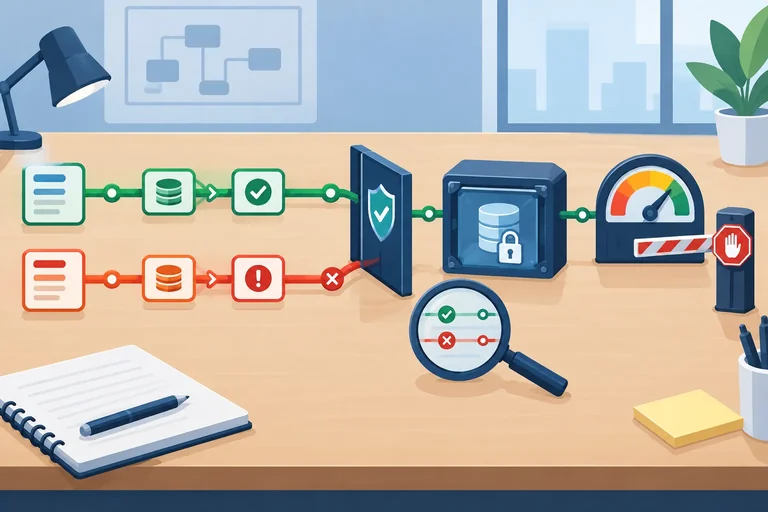
Distinguish advisory usage controls from verified enforced stops, then use supervised execution when reporting is delayed.
A limit inventory separates what a limit says from what it can actually do. For each limit, record its scope, value, enforcement mechanism, visible evidence, and the supervision still required.
Use the inventory before dispatching an operation. A cap is a hard cap only when evidence shows that the application blocks the relevant service call or tool call at the stated scope. A displayed target alone is not proof of enforcement.
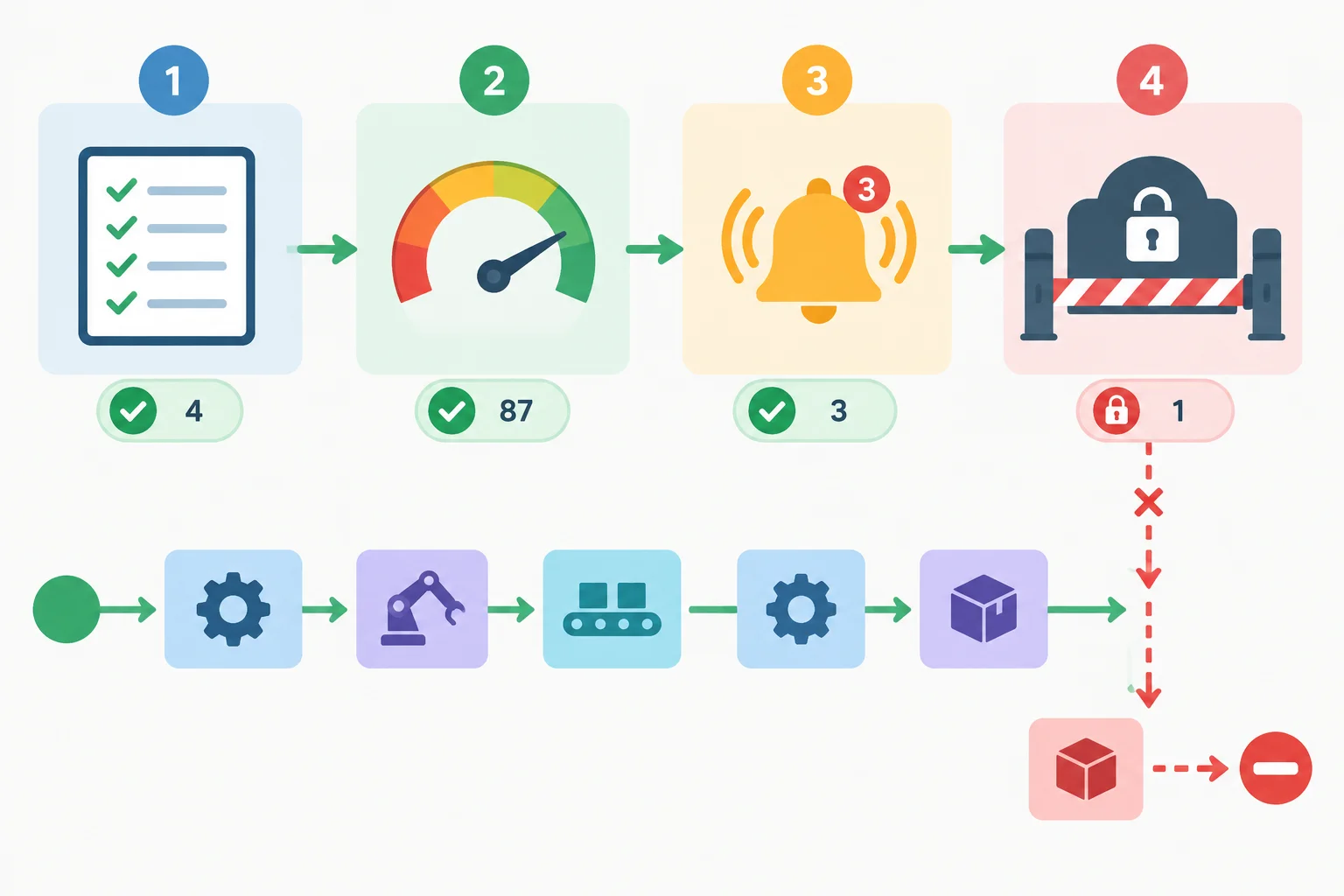
Information and notifications can support a decision, but only a verified stop blocks dispatch.
For Harbor Helpdesk v1, document evidence rather than assuming that every displayed target is enforced.
| Control | Scope and value | Mechanism | Visible evidence | Supervision needed |
|---|---|---|---|---|
| Run tool-call target | 6 per workflow run | Written instruction | Configuration note | Check before each dispatch |
| Run service-call target | 8 per workflow run | Manual ledger | Counter summary by `Run` | Reserve multi-call operations |
| Run cost target | USD 0.08 per workflow run | Dashboard alert | Usage alert after reporting | Treat delayed totals as uncertain |
| Simulated tool-call guard | One simulated workflow run; 6 tool calls | Application stop in simulation | Simulated seventh dispatch blocked | Production enforcement not established |
These controls provide different protection:
Do not extend a claim beyond its evidence. A verified stop for one connected service does not automatically cover another service, the full workflow run, or session-wide spending.
Warning
Counters can lag behind reality. Queued operations may run later; concurrent workflow runs may consume the same allowance; automatic retries add attempts; and reporting may arrive after service calls were made.
A manual ledger or alert is useful for supervision, but neither proves that all remaining allowance is available. Do not use delayed reporting as a reason to dispatch a bypass retry.
When reliable enforcement is unavailable, use supervised execution:
Run after the observation.This fallback reduces risk; it does not turn a manual ledger into an enforced cap.
Example
Simulated boundary test for Run R-18:
draft_reply attempt 1 had a simulated temporary service failure after the valid classify_request and lookup_hours operations. The current counters are Tool calls used 3, Service calls used 4, and Estimated cost USD 0.05. The test-session total is USD 0.17. Usage reporting is delayed.
A permitted retry would be draft_reply attempt 2. It would require 1 tool call, 2 service calls, and USD 0.04 under the fictional rate card. The projected workflow run cost would be USD 0.09 and the projected session cost would be USD 0.21. Both exceed their planned targets.
Do not dispatch the retry. Record the stopped proposal accurately:
Run: R-18Event: 7Operation: draft_replyAttempt: 2Status: not_runInput summary: required fields present; approved source Hours note v1Evidence: Simulated boundary check: projected run and session cost exceed targets; reporting delayedApproval: not_requiredError: remaining cost allowance insufficient
The counters remain unchanged. Do not add a bypass retry; the recorded stop is the expected outcome.
A written instruction says “stay under the budget.” A dashboard displays usage. An alert appears at a threshold. A verified application stop blocks a dispatch for one service. A manual ledger is maintained by an operator.
Usage reporting is delayed before the next operation. Which classification and response is safe?
Step 8 of 9
Select regression cases that show a targeted repair works while preserving approval, duplicate-prevention, and usage safeguards.
A regression workflow run asks two questions at once: did v2 fix the observed defect, and did it preserve the controls that were already correct in v1?
For Harbor Helpdesk, do not judge only whether a final reply looks plausible. Compare the route, the transferred permitted fields (request_ref, summary, and topic), each dispatched operation, approval, and the stopping outcome.
The normal path remains: classify_request returns hours; lookup_hours uses Hours note v1; draft_reply produces a nonempty reply_text consistent with that note; approval is granted; then save_draft_record is simulated. other, missing inputs, or invalid outputs go to review without saving.
A repair is not demonstrated if it gets a good-looking result by skipping approval, hiding an error, or removing a stopping limit.
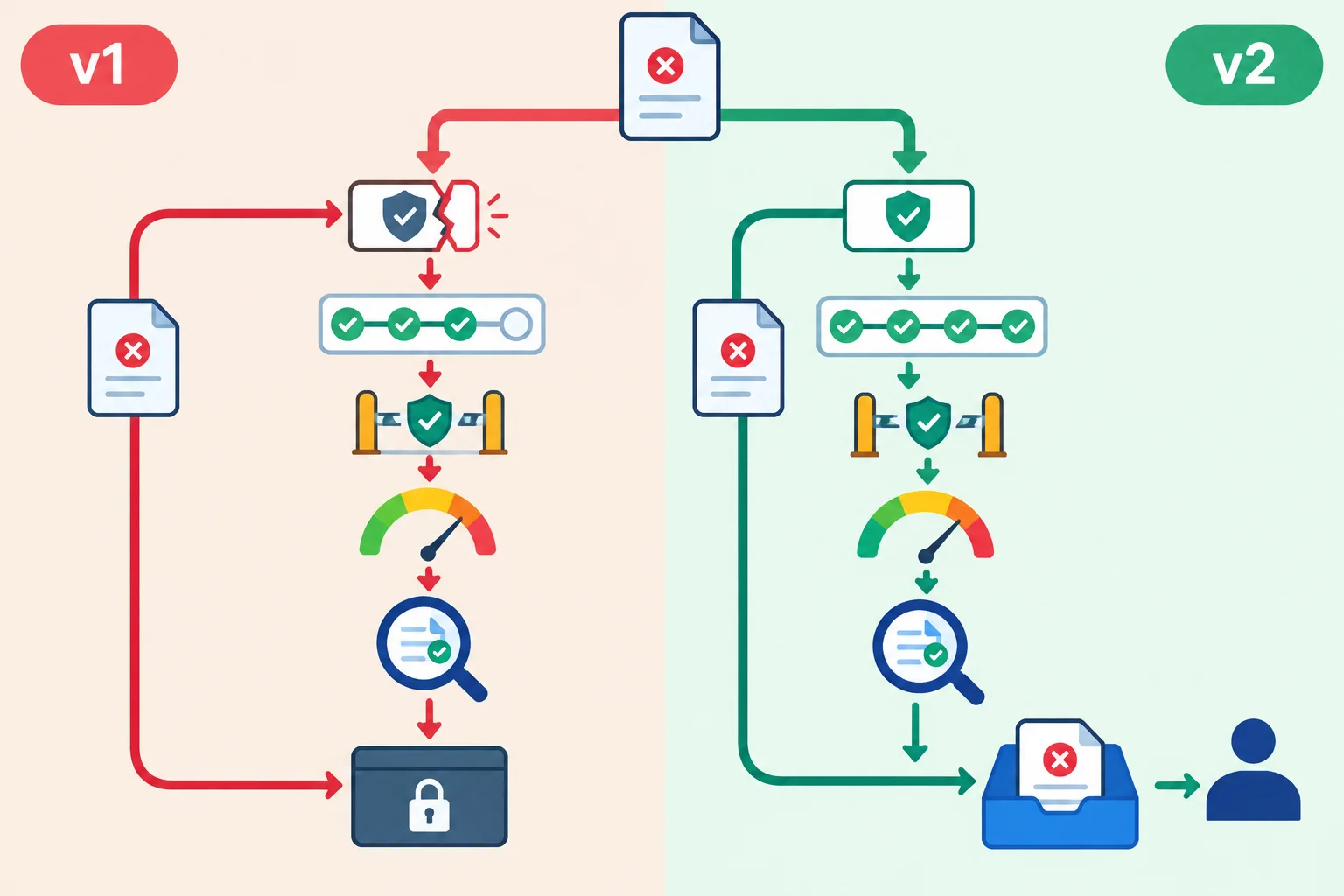
Compare the entire trace: the targeted route can change, while approval, stopping limits, and verification protections remain.
Record the change narrowly enough to test it. The source note stays unchanged: Hours note v1 contains Monday–Friday, 09:00–17:00. A configuration change is not evidence by itself; the before-and-after traces provide the evidence.
For each comparable case, inspect the selected route, permitted field transfers, operations and attempts, approval decision, counters, and stop. A verdict is pass, fail, or not_verified—not an action status. If a behavior cannot be observed, mark it not_verified rather than assuming success.
A compact change record for a fictional validation repair. It describes what v2 must prove; it does not claim that a live save occurred.
| Field | Recorded entry |
|---|---|
| Configuration | v1 → v2 |
| Observed defect | An empty `reply_text` was allowed past draft validation |
| Specific adjustment | Require nonempty, note-consistent `reply_text` before approval |
| Unchanged source | `Hours note v1` |
| Must remain unchanged | Approval before simulated save; review for invalid output; planned limits |
Select regression cases from the changed boundary outward. Start with the original failing case, then include the normal route that shares the changed validation point. Add safety cases whose protections could be bypassed by the changed route.
Use a compact test record with these headings: Case, Expected route, Expected actions, Expected approval, Expected stop, Observed result, and Verdict. Cite observable evidence in Observed result; use not_verified when the needed behavior was inaccessible.
All Harbor Helpdesk saving remains simulated. A simulated completion is evidence about the test trace, not an external action.
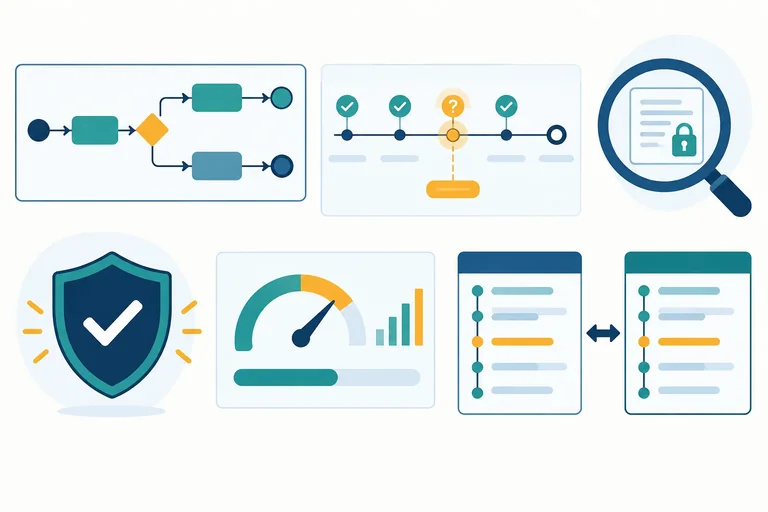
For the v2 validation repair, these cases check both the fix and retained safeguards.
| Case | What it checks | Required safe outcome |
|---|---|---|
| Original invalid draft | Empty or invalid `reply_text` | `review`; no approval or save |
| Normal request | Valid hours route and field transfer | Approval still precedes simulated save |
| Denied approval | Valid draft, approval denied | Stop; `save_draft_record` is not_run |
| Uncertain simulated save | Lost confirmation after a save attempt | Use `check_draft_record` before any retry |
| Limit boundary | Next operation would exceed planned allowance | Do not dispatch; record the stop |
In v1, an empty reply_text after an hours classification incorrectly continued toward approval. In v2, validation was changed so an invalid draft routes to review. A demonstration shows a normal draft being saved, but approval was omitted and the planned limit of six tool calls per run was disabled.
Which conclusion and regression plan is valid?
Step 9 of 9
Integrate route expectations, action evidence, recovery, usage limits, and regression traces into a concise conclusion without treating simulated evidence as production certification.
A final run-test review connects expectations, action evidence, recovery decisions, remaining allowances, enforcement evidence, and regression results. It is an evidence-backed conclusion—not a claim that a workflow is ready for production.
This capstone uses supplied fictional Harbor Helpdesk records only. No external account, message, or live write is used. A Simulated completion describes the test trace; it never means an external action occurred.
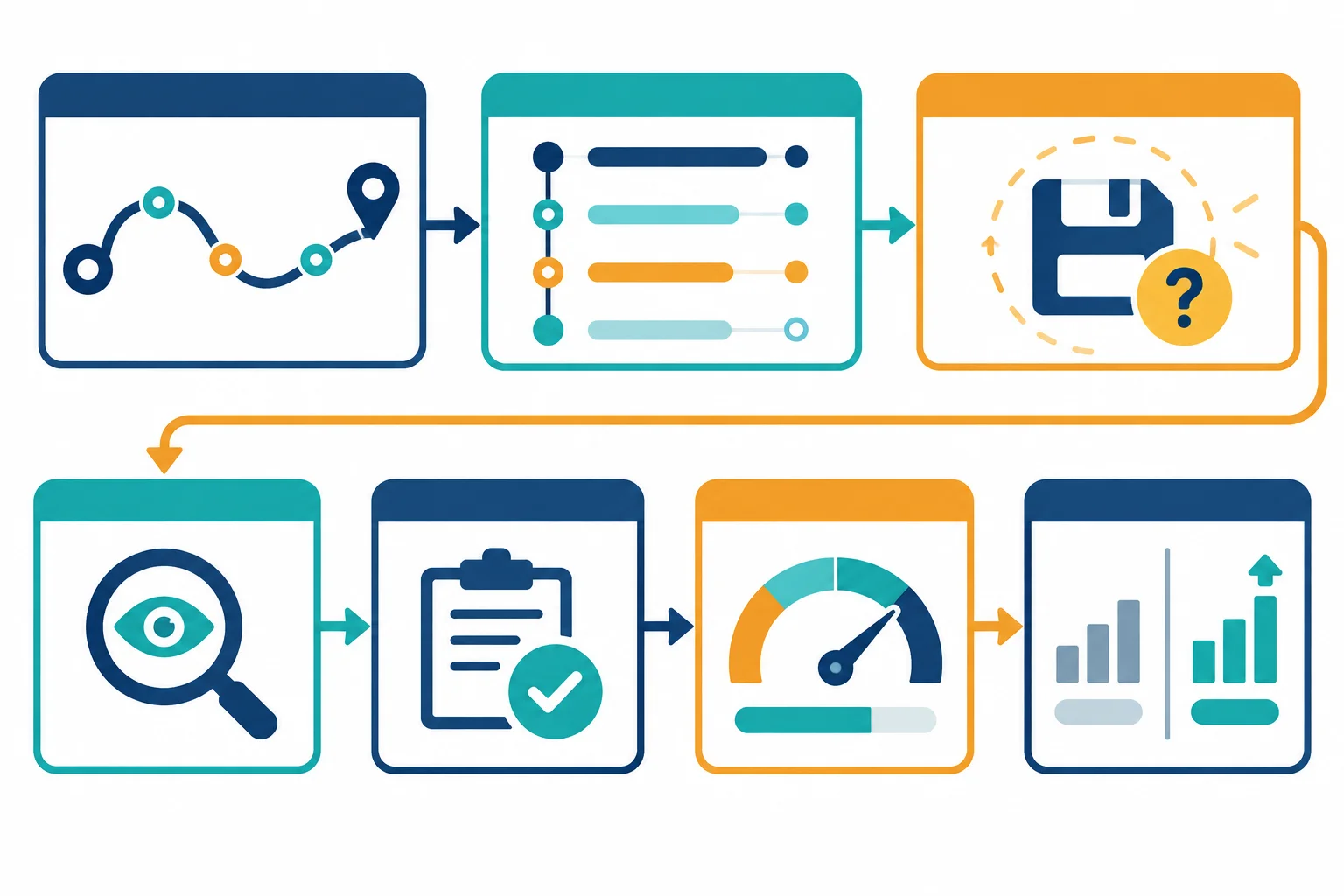
A defensible conclusion links what was expected, what the trace shows, what recovery was allowed, and what remains unverified.
R-17 is a v1 timeout case using request_ref, the summary What time do you close on Friday?, and unchanged Hours note v1. The valid route reaches granted approval, then the first save_draft_record attempt loses its confirmation.
The proposed direct retry is recorded as not_run: it was blocked because no completion check occurred. It uses no additional tool call or service call. This run stops for escalation; it is not continued or relabeled as v2.
Each dispatched operation retains an attempted event and a later result event. Event 10 records a blocked proposal, not a dispatch.
| Run | Event | Operation | Attempt | Status | Input summary |
|---|---|---|---|---|---|
| R-17 | 1 | `classify_request` | 1 | attempted | `request_ref` present; `summary` present |
| R-17 | 2 | `classify_request` | 1 | completed | `request_ref` present; `summary` present |
| R-17 | 3 | `lookup_hours` | 1 | attempted | `request_ref` present; `topic` present |
| R-17 | 4 | `lookup_hours` | 1 | completed | Approved source: `Hours note v1` |
| R-17 | 5 | `draft_reply` | 1 | attempted | Approved source: `Hours note v1` |
| R-17 | 6 | `draft_reply` | 1 | completed | Draft reference only; nonempty and note-consistent |
| R-17 | 7 | `save_draft_record` | 1 | approval_pending | `request_ref` present; approved draft reference |
| R-17 | 8 | `save_draft_record` | 1 | attempted | `request_ref` present; approved draft reference |
| R-17 | 9 | `save_draft_record` | 1 | outcome_unknown | Same save operation reference; confirmation unavailable |
| R-17 | 10 | `save_draft_record` | 2 | not_run | Unchanged approved draft reference; proposed direct retry |
Evidence, approval, and error support the action statuses; they do not replace them.
| Run | Event | Evidence | Approval | Error |
|---|---|---|---|---|
| R-17 | 1 | Simulated: dispatch recorded | not_required | none |
| R-17 | 2 | Simulated: returned `topic=hours` | not_required | none |
| R-17 | 3 | Simulated: dispatch recorded | not_required | none |
| R-17 | 4 | Simulated: approved hours reference returned | not_required | none |
| R-17 | 5 | Simulated: dispatch recorded | not_required | none |
| R-17 | 6 | Simulated: nonempty draft consistent with `Hours note v1` | not_required | none |
| R-17 | 7 | Simulated: valid draft awaits a decision | pending | none |
| R-17 | 8 | Observed: approval granted and dispatch recorded | granted | none |
| R-17 | 9 | Observed: confirmation timeout; completion not established | granted | Confirmation timeout |
| R-17 | 10 | Simulated: direct retry proposal blocked before dispatch | granted | Verification required before retry |
R-21 is a separate v2 regression simulation of the same timeout condition. It is not a continuation or rerun of R-17. After the timeout, v2 checks the same save operation reference with read-only check_draft_record before considering a retry.
The unchanged approval remains granted for the unchanged proposed save. The supplied check result is simulated and authoritative for this fictional exercise: no matching record exists with immediate visibility.
The first nine events reach the uncertain save outcome without assuming either failure or completion.
| Run | Event | Operation | Attempt | Status | Input summary |
|---|---|---|---|---|---|
| R-21 | 1 | `classify_request` | 1 | attempted | `request_ref` present; `summary` present |
| R-21 | 2 | `classify_request` | 1 | completed | `request_ref` present; `summary` present |
| R-21 | 3 | `lookup_hours` | 1 | attempted | `request_ref` present; `topic` present |
| R-21 | 4 | `lookup_hours` | 1 | completed | Approved source: `Hours note v1` |
| R-21 | 5 | `draft_reply` | 1 | attempted | Approved source: `Hours note v1` |
| R-21 | 6 | `draft_reply` | 1 | completed | Draft reference only; nonempty and note-consistent |
| R-21 | 7 | `save_draft_record` | 1 | approval_pending | `request_ref` present; approved draft reference |
| R-21 | 8 | `save_draft_record` | 1 | attempted | `request_ref` present; approved draft reference |
| R-21 | 9 | `save_draft_record` | 1 | outcome_unknown | Same save operation reference; confirmation unavailable |
The timeout evidence belongs in Evidence, not Input summary. Approval remains a separate field.
| Run | Event | Evidence | Approval | Error |
|---|---|---|---|---|
| R-21 | 1 | Simulated: dispatch recorded | not_required | none |
| R-21 | 2 | Simulated: returned `topic=hours` | not_required | none |
| R-21 | 3 | Simulated: dispatch recorded | not_required | none |
| R-21 | 4 | Simulated: approved hours reference returned | not_required | none |
| R-21 | 5 | Simulated: dispatch recorded | not_required | none |
| R-21 | 6 | Simulated: nonempty draft consistent with `Hours note v1` | not_required | none |
| R-21 | 7 | Simulated: valid draft awaits a decision | pending | none |
| R-21 | 8 | Simulated: approval granted and dispatch recorded | granted | none |
| R-21 | 9 | Observed: confirmation timeout; completion not established | granted | Confirmation timeout |
The read-only check has its own operation and attempt. Only after its authoritative simulated noncompletion result does the original save operation receive attempt 2.
| Run | Event | Operation | Attempt | Status | Input summary |
|---|---|---|---|---|---|
| R-21 | 10 | `check_draft_record` | 1 | attempted | Same save operation reference; `request_ref` present |
| R-21 | 11 | `check_draft_record` | 1 | completed | Same save operation reference; no matching record |
| R-21 | 12 | `save_draft_record` | 2 | attempted | Same save operation reference; unchanged approved draft |
| R-21 | 13 | `save_draft_record` | 2 | completed | Same save operation reference; simulated draft record |
The check is read-only and has not_required approval. The retry preserves the prior granted approval because the proposed save is unchanged.
| Run | Event | Evidence | Approval | Error |
|---|---|---|---|---|
| R-21 | 10 | Simulated: read-only destination check dispatched | not_required | none |
| R-21 | 11 | Simulated: authoritative no matching record with immediate visibility | not_required | none |
| R-21 | 12 | Simulated: bounded retry dispatched after verified noncompletion | granted | none |
| R-21 | 13 | Simulated: completion confirmed for retry attempt | granted | none |
Counters remain linked to each Run. R-17 used 4 tool calls, 5 service calls, and USD 0.05; its blocked proposal changes none of these. Before the R-21 retry, the completion check brings R-21 to 5 tool calls, 6 service calls, and USD 0.05. The remaining per-run targets are 1 tool call, 2 service calls, and USD 0.03. The retry needs 1 tool call, 1 service call, and USD 0.00.
This recovery-comparison session started at USD 0.04. R-17 and R-21 add USD 0.05 each, so the session estimate after R-21 is USD 0.14, leaving USD 0.06 against USD 0.20. The simulated seventh-call guard is enforced only in this supplied simulation. The session-cost total is a manual estimate requiring supervision, not verified platform enforcement.
The two tables below form one compact test record. The first table preserves the required route, action, approval, stop, and observed-result fields. The linked verdict table keeps verdicts explicit without exceeding the table column limit.
Each row is a separate text-only case. R-19 and R-20 are safeguard cases, not additions to the recovery-comparison session ledger.
| Case | Expected route | Expected actions | Expected approval | Expected stop | Observed result |
|---|---|---|---|---|---|
| R-16 normal, `v1` | `hours` normal route | Four operations | granted | After simulated save | Route and stop matched |
| R-17 timeout, `v1` | Verify before any retry | No second save before check | granted | At unknown outcome | Direct retry proposed without verification; blocked before dispatch |
| R-21 timeout, `v2` | Check, then bounded retry | Check plus one save retry | granted unchanged | After simulated save | Authoritative no-record check; retry completed |
| R-19 denied approval, `v2` | `hours` to approval | Save is `not_run` | denied | At denial | No bypass operation |
| R-20 limit boundary, `v2` | Do not dispatch seventh call | At most 6 tool calls | not_required | At guard | Seventh dispatch blocked in simulation |
A verdict assesses the supplied test evidence. It is not an action status and does not establish production readiness.
| Case | Verdict |
|---|---|
| R-16 normal, `v1` | pass |
| R-17 timeout, `v1` | fail |
| R-21 timeout, `v2` | pass |
| R-19 denied approval, `v2` | pass |
| R-20 limit boundary, `v2` | pass |
Summary
not_verified.Write a concise final review of the supplied Harbor Helpdesk capstone records. Include all of these points:
save_draft_record attempt in R-17 and the trace evidence supporting it.R-17, including the status of its proposed retry.R-21 in v2 tests the recovery rule, including the verification result and retry decision.R-21 retry, plus the session allowance after R-21.Identify at least one behavior that remains not_verified. End with an evidence-based conclusion, not a production-certification claim.
Write at least 450 characters (0/450).
Congratulations! You completed: Testing Workflow Runs, Retries, and Usage Limits
You completed this level!
Up next: Responsible AI and Governance
 Assessing Bias with Contrasting CasesAssess unequal AI treatment using contrasting fictional cases. Identify who could be disadvantaged and recommend a proportionate response without treating a small test as proof that a system is fair.
Thousands of online courses in video, ebooks and audiobooks.
To test your knowledge during online courses
Generated directly from your cell phone's photo gallery and sent to your email

Download our app via QR Code or the links below:.



Carry knowledge in your pocket.
Download the Cursa app.
There are hundreds of free courses available, with a free certificate of completion that is saved in your mobile image gallery.
Download the app to access the Course Completion Certificate for Free.


+ 10 million
students

Free and Valid
Certificate

60 thousand free
exercises

4.8/5 rating in
app stores

Free courses in
video and ebooks