Step 1 of 8
Check Permission Before Processing
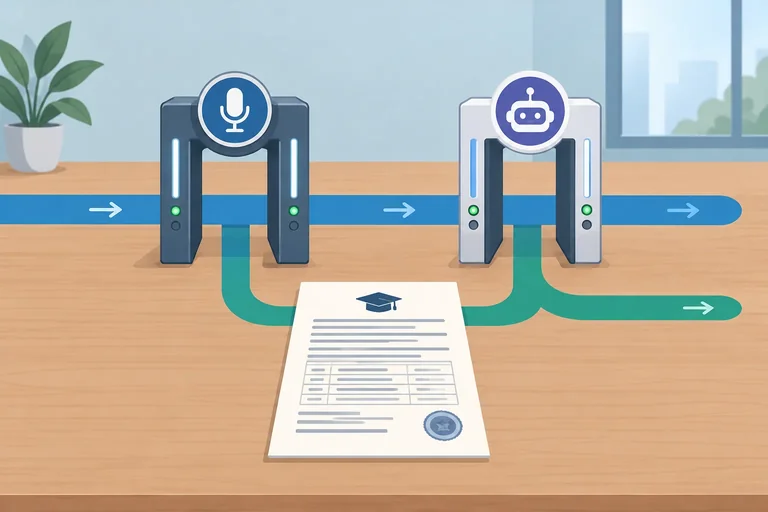
Decide whether real meeting material is authorized for AI processing, using separate checks for recording and transcript sharing.

Learning path · Level 5 · Tutorial 3
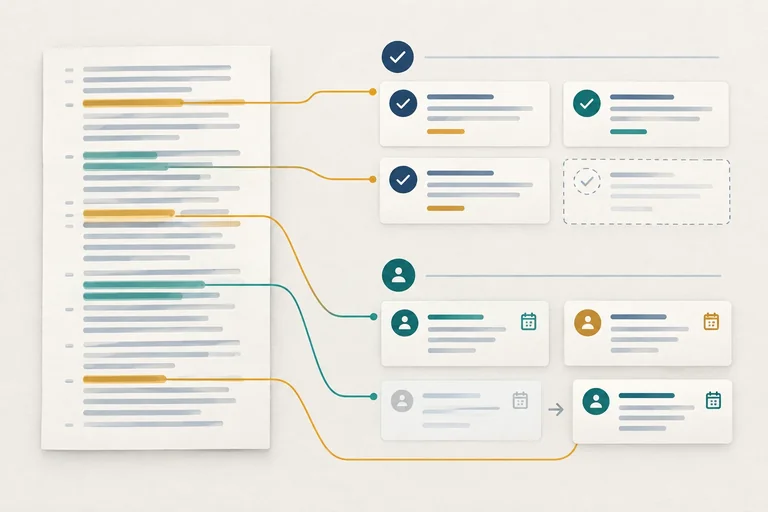
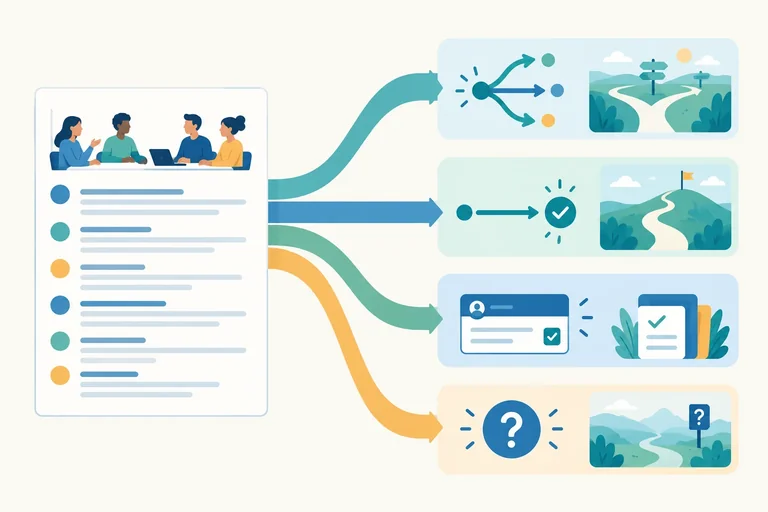
Convert an authorized or fictional meeting transcript into a traceable decision log and action list. Preserve uncertainty, flag missing owners or deadlines, and distinguish confirmed commitments from suggestions.
 Check Permission Before Processing
Decide whether real meeting material is authorized for AI processing, using separate checks for recording and transcript sharing. 2 min
 Separate Decisions from Suggestions
Classify meeting exchanges as proposals, confirmed decisions, commitments, or unresolved questions without inferring acceptance. 2 min
 Build a Traceable Decision Log
Turn an explicitly confirmed meeting choice into a concise, traceable decision-log row supported by a labeled transcript passage. 2 min
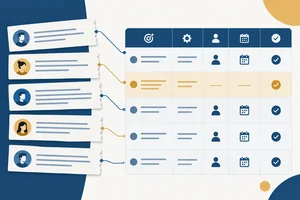 Extract Tasks, Owners, and Deadlines
Build action-list rows that preserve transcript-stated tasks, owners, deadlines, evidence, and missing details. 2 min
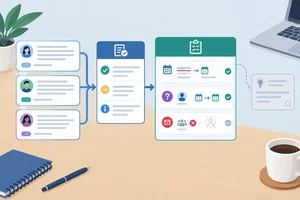 Reconcile Corrections and Withdrawals
Determine the current supported decision and action state after explicit corrections, withdrawals, and later suggestions. 2 min
 Turn Uncertainty into Confirmation Questions
Distinguish absent details from ambiguous details and turn unresolved transcript passages into neutral confirmation questions. 2 min
 Request and Check an AI Extraction
Use a bounded extraction request to produce a meeting-extraction draft, then check every claim and omission against the complete fictional transcript. 2 min
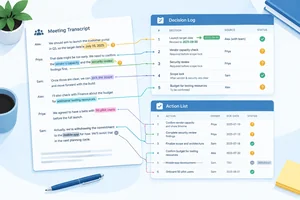 Complete a Review-Ready Meeting Record
Convert an authorized or fictional meeting transcript into a traceable decision log and action list. Preserve uncertainty, flag missing owners or deadlines, and distinguish confirmed commitments from suggestions. 3 min
Step 1 of 8
Decide whether real meeting material is authorized for AI processing, using separate checks for recording and transcript sharing.
Before you process real meeting material with an AI service, make two separate checks:
A “yes” to the first question does not automatically answer the second. An existing transcript is evidence that text exists—not proof of either permission.
Consider the applicable rules, organizational policy, participant permissions, and the service settings available to you. This tutorial uses fictional material when real-material authorization is not clear.
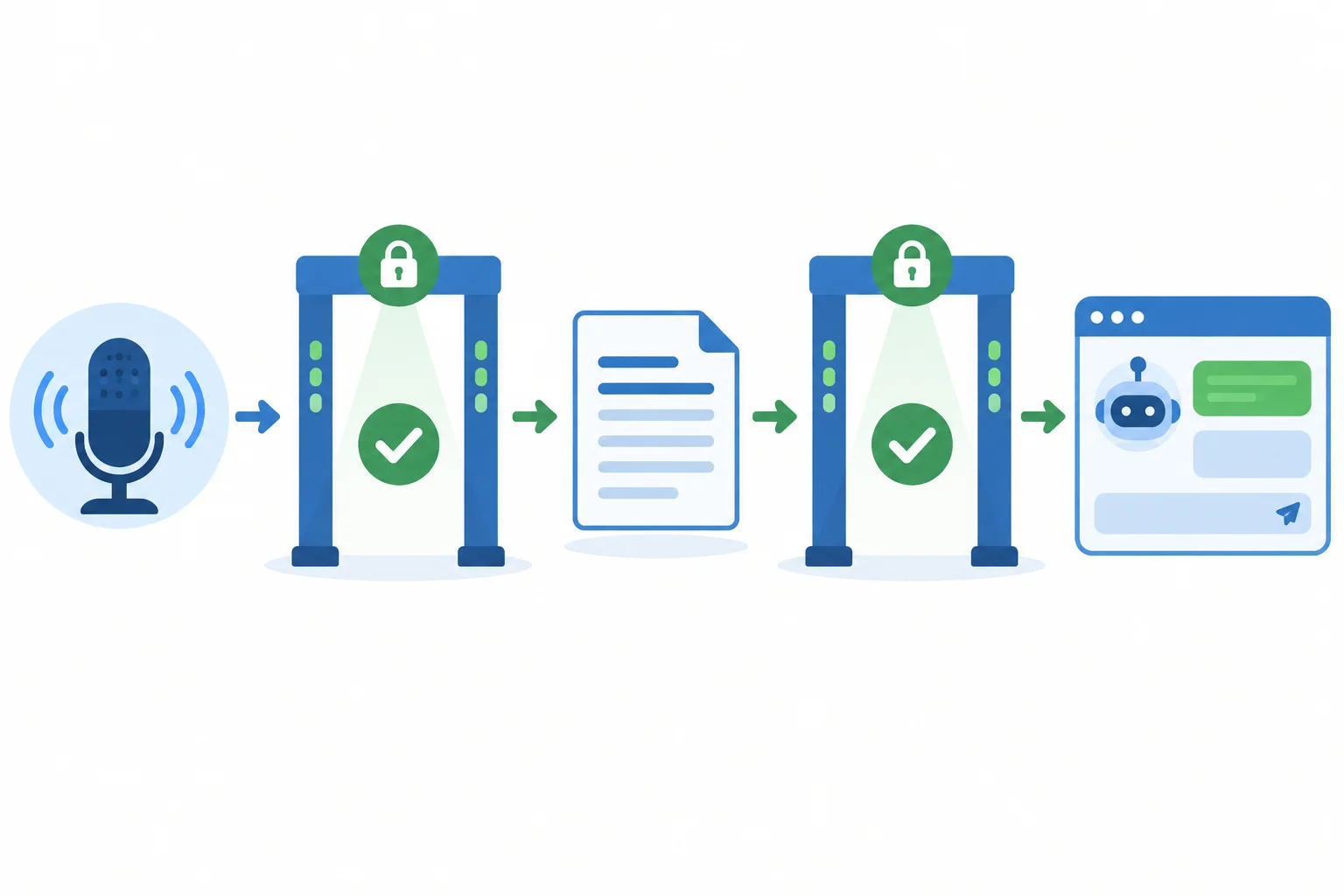
Treat recording authorization and AI-processing authorization as separate gates.
If either gate is uncertain, pause before sharing the real transcript. Do not assume that a meeting attendee, a transcript file, or an earlier recording approval covers AI processing.
Use an authorized fictional transcript instead while the question is resolved. This is a practical safeguard, not a legal conclusion about any particular meeting.
Tip
Share only content that is authorized and necessary for the task. If anonymized speaker labels are appropriate, keep them consistent and retain enough surrounding context to interpret what each person said. Removing all context can change the meaning of a statement.
Warning
Do not upload real meeting material merely to “check whether it is useful.” Confirm that processing with the selected AI service is authorized first.
A meeting was recorded with participant consent. You have a transcript, but no one has confirmed whether it may be processed by an AI service. What should you do?
Step 2 of 8
Classify meeting exchanges as proposals, confirmed decisions, commitments, or unresolved questions without inferring acceptance.
Read each statement with the response around it. Do not classify a line solely by words such as “could,” “should,” or “I’ll.”
A request to a person is not that person’s commitment. Silence is not acceptance. Classify only what the exchange supports; do not upgrade a suggestion, request, or question into a stronger claim.
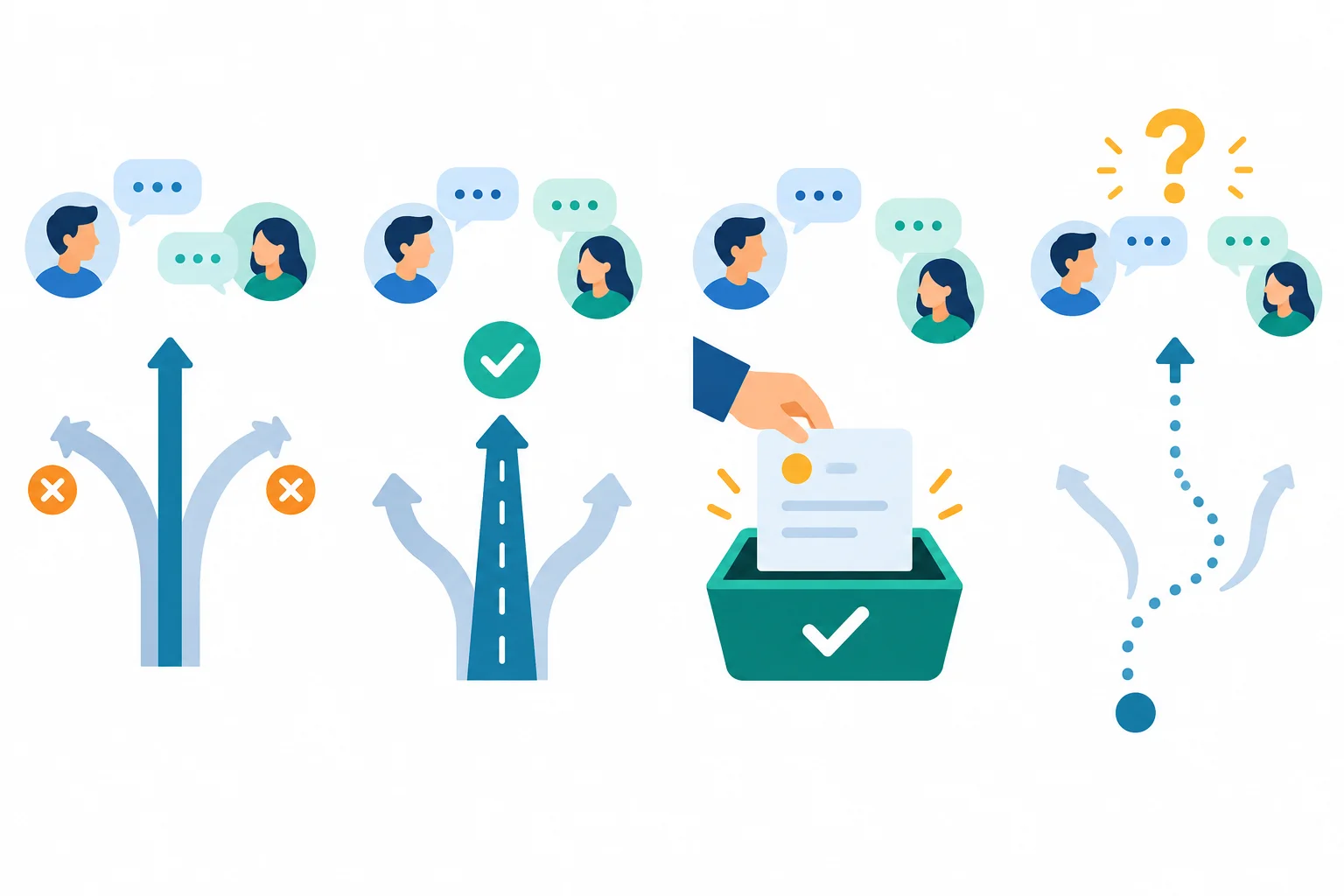
The response context determines whether an exchange is a proposal, confirmed decision, commitment, or unresolved question.
Each example below is a separate fictional snippet, not an excerpt from Cedar pilot review. Notice how the complete exchange—not its opening keyword—determines the category.
| Transcript exchange | Classification | What the context supports |
|---|---|---|
| L21 | Maya: We could add a support checklist. L22 | Priya: Let’s revisit that after the pilot. | Proposal | An option is raised but not settled. |
| L31 | Maya: Should the pilot use the existing signup page? L32 | Leo: Yes. L33 | Maya: Then we will use the existing signup page. | Confirmed decision | The final line explicitly settles the choice. |
| L41 | Maya: Leo, can you update the FAQ? L42 | Leo: I can do that by 2026-04-17. | Commitment | Leo explicitly accepts the action. |
| L51 | Priya: Who will prepare the support checklist? | Unresolved question | No recorded reply accepts the work. |
Example
A settled choice is not always a personal task.
Separate fictional snippet
L61 | Maya: We agreed to use a support checklist for the pilot.
L62 | Priya: Who will prepare it?
L63 | Maya: We have not assigned that yet.
The exchange confirms the choice to use the checklist. It does not show anyone accepting responsibility for preparing it. Likewise, an agreed task can exist without a named owner. Keep those ideas separate rather than assuming that a chair, role, or nearby speaker owns the work.
Tip
A proposal followed by discussion can remain only a proposal. Look for an explicit settlement before calling it a confirmed decision, and look for explicit acceptance before calling it a commitment.
Match each complete separate fictional snippet to its supported classification.
Tap an item and then its matching pair.

Step 3 of 8
Turn an explicitly confirmed meeting choice into a concise, traceable decision-log row supported by a labeled transcript passage.
A decision log records a choice that the meeting explicitly settled—not every option that someone mentioned.
Write the confirmed choice concisely while preserving any stated scope, condition, or limit. Keep the transcript’s stable line labels so another reviewer can inspect the source passage.
This step focuses only on decisions. Tasks, owners, and deadlines belong in the action list, which comes later.
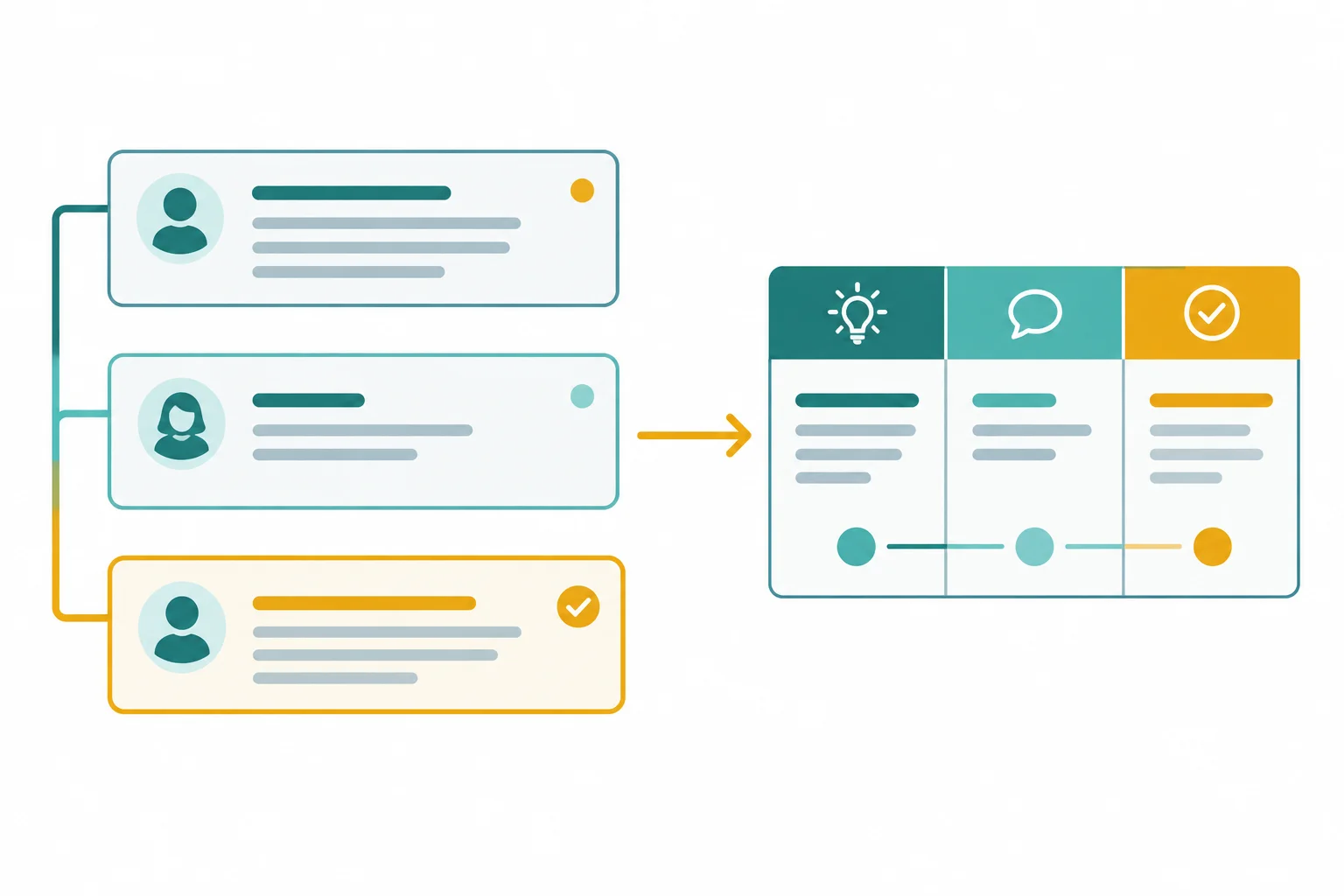
Base the row on the statement that settles the choice, then link it to the exchange that demonstrates confirmation.
Evidence has two parts: a passage reference and a short verbatim quotation. The reference tells a reviewer where to look; the quotation shows the wording that supports the row.
Use enough of the exchange to establish confirmation. A passage reference makes a claim inspectable, but it does not prove the claim by itself. Check that the cited lines support both the decision wording and its status.
This separate fictional snippet is not part of the Cedar pilot review. The final line explicitly settles the choice, while the preceding lines show how the exchange reached it.
| Decision | Status | Evidence |
|---|---|---|
| Use the existing signup page | Confirmed | [L41-L43] "Then we will use the existing signup page." |
Example
Transcript passage — separate fictional snippet
L51 | Maya: I propose that the pilot include internal staff only.
L52 | Leo: That limit is sensible.
L53 | Maya: Confirmed: the pilot will include internal staff only.
A citation to [L51] points only to a proposal. [L51-L53] lets a reviewer see the option, the discussion, and the statement that settled it. The phrase internal staff only is a limiting condition, so it belongs in the decision-log wording.
True or false: A decision-log row can use status Confirmed solely because it includes the reference [L51], even though the quotation is only “I propose that the pilot include internal staff only.”
Select the faithful completed decision-log entry for this separate fictional snippet.
L61 | Maya: I propose that the pilot use the support checklist before launch.
L62 | Leo: I support that.
L63 | Maya: Confirmed: the pilot will use the support checklist before launch.
Step 4 of 8
Build action-list rows that preserve transcript-stated tasks, owners, deadlines, evidence, and missing details.
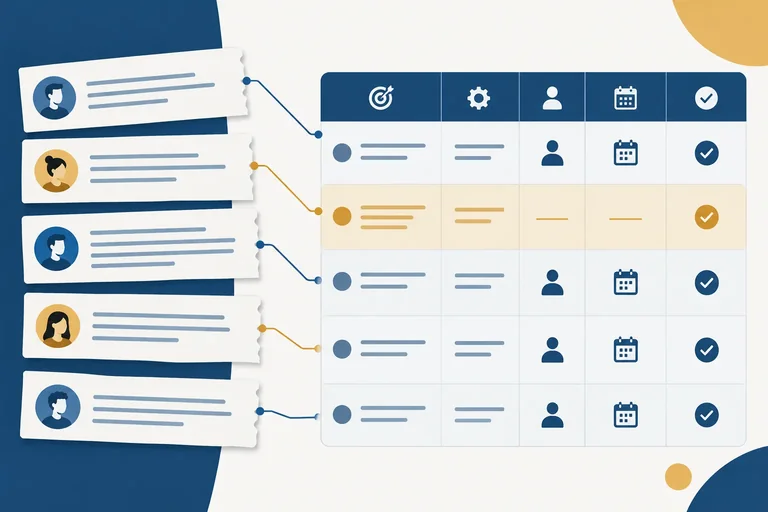
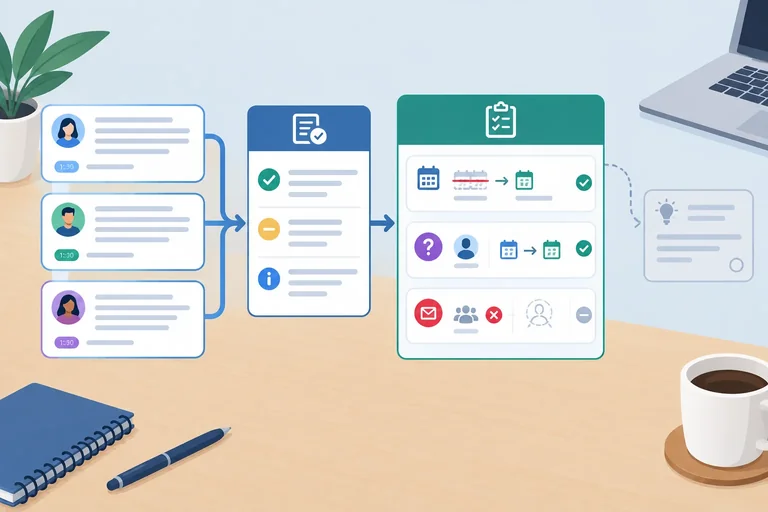
An action list turns an agreed task into a reviewable row. Record only what the transcript supports:
Confirmed when the commitment and its recorded details are supported; Needs confirmation when an agreed task lacks required details.Do not complete a row with a plausible name, role, or date. A useful action list makes gaps visible for review.
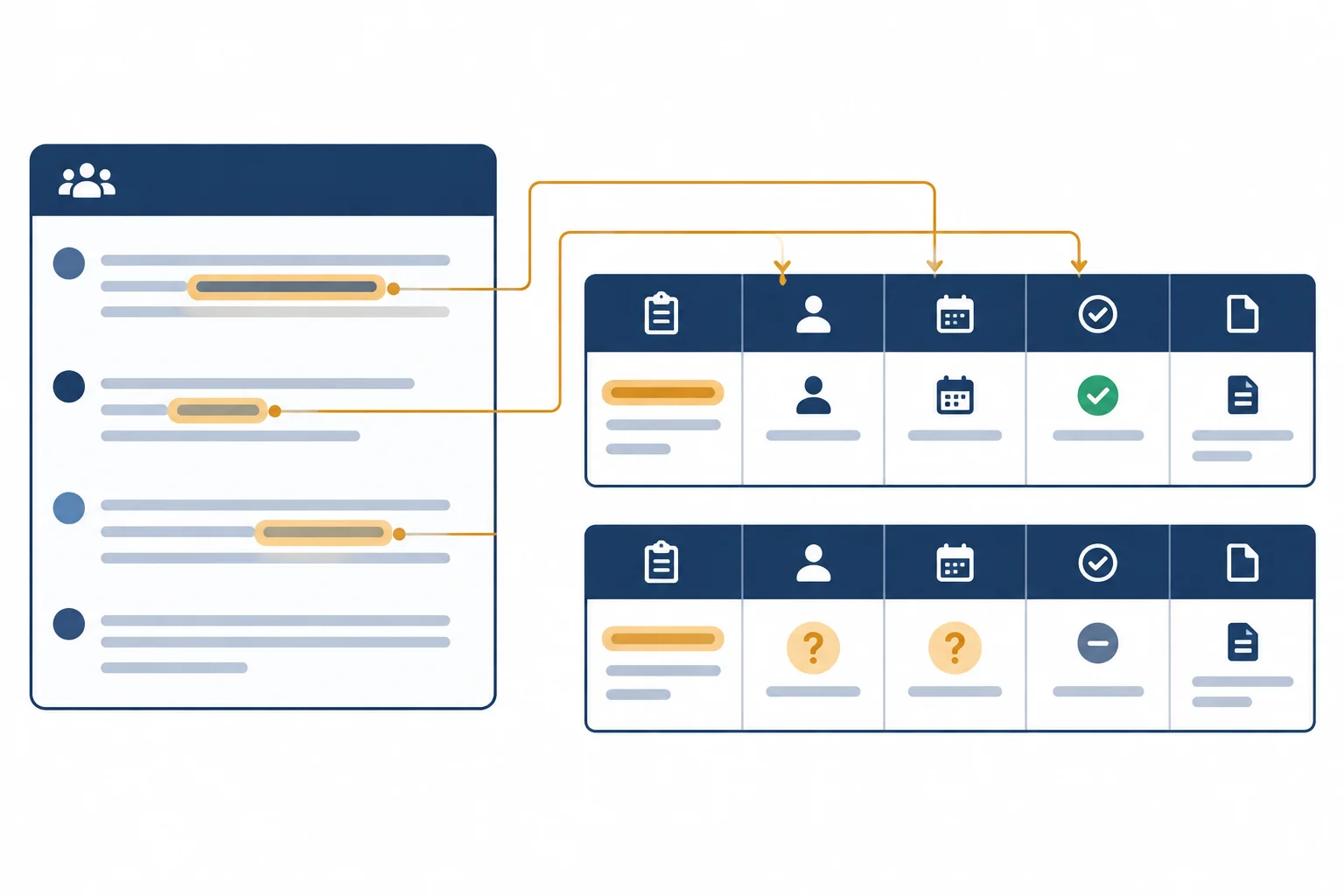
Every field must trace back to the transcript. A missing field is information, not an invitation to guess.
Apply a literal-field check before writing each row:
Not stated when an owner or deadline is absent.next Friday; do not silently turn it into a calendar date.An agreed task with missing details remains in the action list with status Needs confirmation.
Use these checks while extracting each field.
| Field | Record | Do not infer |
|---|---|---|
| Task | Agreed scope | Extra deliverables |
| Owner | Explicit acceptance | A role or nearby name |
| Deadline | Stated date or wording | A project milestone |
| Evidence | Reference plus quotation | A claim without support |
Example
Separate fictional snippet
L41 | Maya: We agreed to publish the FAQ notice.L42 | Leo: I will publish the FAQ notice by next Friday.
Leo explicitly accepts the task and gives a relative deadline. The action-list wording preserves that task; it does not add related work such as revising the FAQ itself.
This row records the commitment using the wording that was actually stated.
| Task | Owner | Deadline | Status | Evidence |
|---|---|---|---|---|
| Publish the FAQ notice | Leo | next Friday | Confirmed | [L42] “I will publish the FAQ notice by next Friday.” |
In the fictional Cedar pilot review transcript, this agreed task has no stated owner or deadline:
L08 | Maya: We agreed to prepare the support checklist.
Keep the task visible. Do not assign it to Maya as chair, Priya as support coordinator, or Leo as content writer. No deadline may be derived from the meeting date or pilot schedule.
The row faithfully reports the agreement and makes the missing details reviewable.
| Task | Owner | Deadline | Status | Evidence |
|---|---|---|---|---|
| Prepare the support checklist | Not stated | Not stated | Needs confirmation | [L08] “We agreed to prepare the support checklist.” |
Use the practice excerpt below to create two action-list rows on the next screen: one for the agreed support-checklist task and one for the FAQ-notice commitment.
Use exactly these columns:Task | Owner | Deadline | Status | Evidence
For each Evidence field, include a line reference and a short verbatim quotation. Preserve relative deadline wording. Do not infer an owner from a role or a deadline from the pilot date.
Example
Separate fictional practice excerpt
L51 | Maya: We agreed to prepare the support checklist for the pilot.L52 | Priya: Support coordination is part of my role.L53 | Maya: The pilot begins on 2026-04-23.L54 | Leo: I will publish the FAQ notice by next Friday.
Use this excerpt on the next screen.
Complete the two action-list rows supported by the practice excerpt on the preceding screen.
Write at least 120 characters (0/120).
Step 5 of 8
Determine the current supported decision and action state after explicit corrections, withdrawals, and later suggestions.
A later statement changes the record only when it explicitly corrects an earlier decision or commitment, or clearly agrees to replace it. Keep both passages: one shows the original state; the other explains why it is no longer current.
Relevant excerpts from the fictional Cedar pilot review on 2026-04-14:
L01 | Maya: We will run the Cedar pilot on 2026-04-21.L03 | Maya: Correction: the pilot date is 2026-04-23.L04 | Leo: I will update the FAQ by 2026-04-17.L05 | Leo: Change that FAQ deadline to 2026-04-20.L06 | Priya: I will send the invitations.L07 | Priya: I withdraw that commitment; no replacement owner yet.
L03 explicitly corrects the pilot date. L05 changes the FAQ deadline, not its task or owner. L07 withdraws Priya’s invitation commitment. Do not invent a replacement owner.
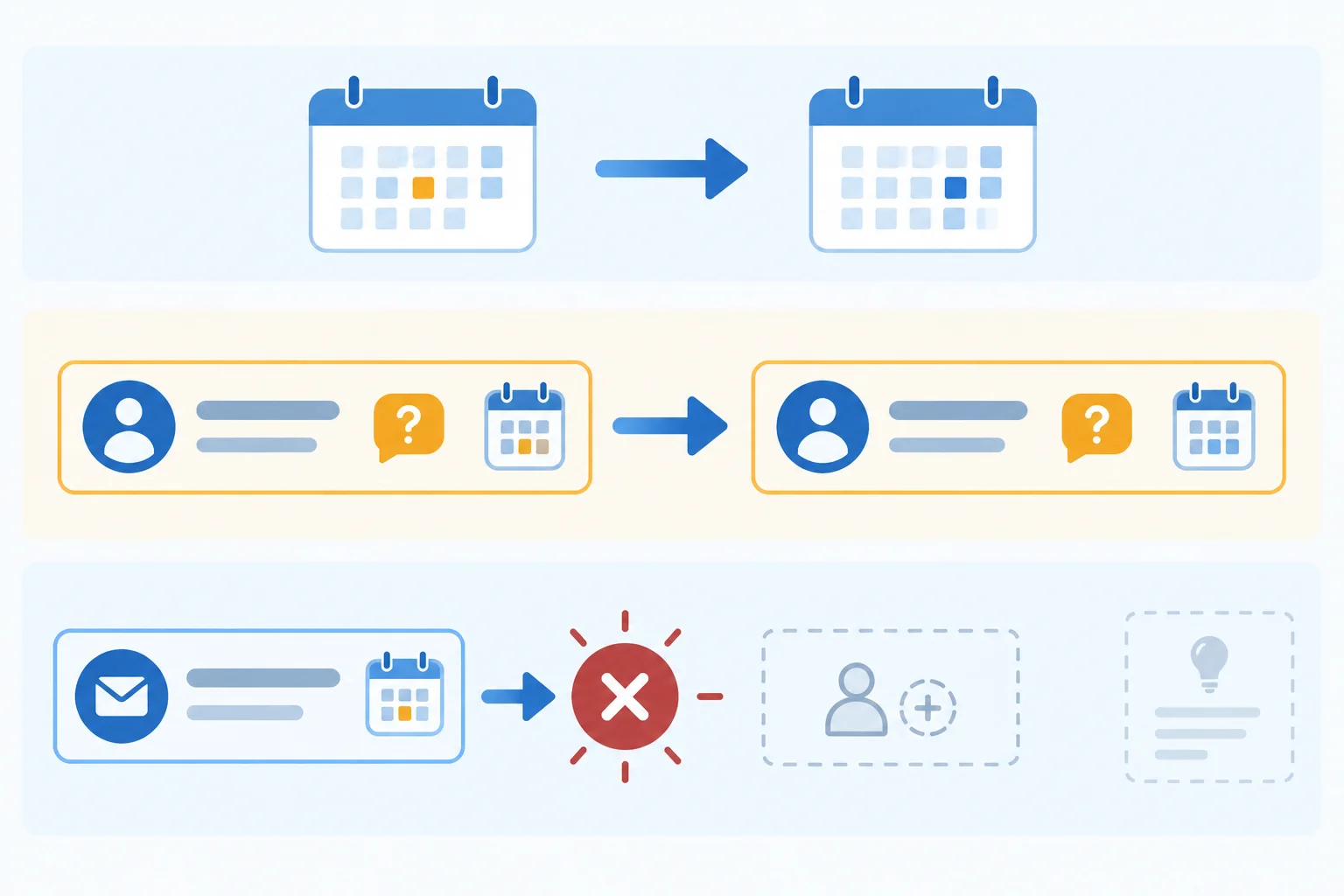
Apply a correction only to the decision, field, or commitment that the later passage explicitly changes. A withdrawal makes the earlier commitment inactive.
Retain inactive entries so the current state is reviewable. The first date is visible as Superseded; the corrected date is the current Confirmed decision. Both entries preserve the evidence trail.
| Decision | Status | Evidence |
|---|---|---|
| Run the Cedar pilot on 2026-04-21 | Superseded | [L01-L03] “2026-04-21” / “Correction” |
| Run the Cedar pilot on 2026-04-23 | Confirmed | [L03] “pilot date is 2026-04-23” |
The FAQ task and owner remain the same; only its deadline is superseded. Priya’s invitation commitment remains visible as Withdrawn, not as a current confirmed task. The transcript gives no replacement owner.
| Task | Owner | Deadline | Status | Evidence |
|---|---|---|---|---|
| Update the FAQ | Leo | 2026-04-17 | Superseded | [L04-L05] “by 2026-04-17” / “Change that FAQ deadline” |
| Update the FAQ | Leo | 2026-04-20 | Confirmed | [L05] “deadline to 2026-04-20” |
| Send invitations | Priya | Not stated | Withdrawn | [L06-L07] “withdraw that commitment” |
Separate fictional snippet — not Cedar pilot review
L41 | Maya: Confirmed: the pilot date is 2026-05-08.L42 | Leo: Could we instead use 2026-05-10?
How should the decision log handle the later statement?
Using the Cedar pilot review excerpts from the earlier screens, write a three-line current-state check:
For each line, include the relevant passage reference or range and a short verbatim quotation. Show the change trail where needed rather than relying on the latest line alone.
Write at least 150 characters (0/150).

Step 6 of 8
Distinguish absent details from ambiguous details and turn unresolved transcript passages into neutral confirmation questions.
Use Not stated when the transcript gives no value at all. Use Unclear when a value appears but cannot be reliably read, interpreted, or attributed.
For example, L08 | Maya: We agreed to prepare the support checklist. confirms an agreed task, but names neither an owner nor a deadline. Those fields are Not stated.
Do not fill either marker from a person’s role, nearby context, or what seems likely. A missing owner is not automatically the chair; a partial date is not automatically a calendar date.
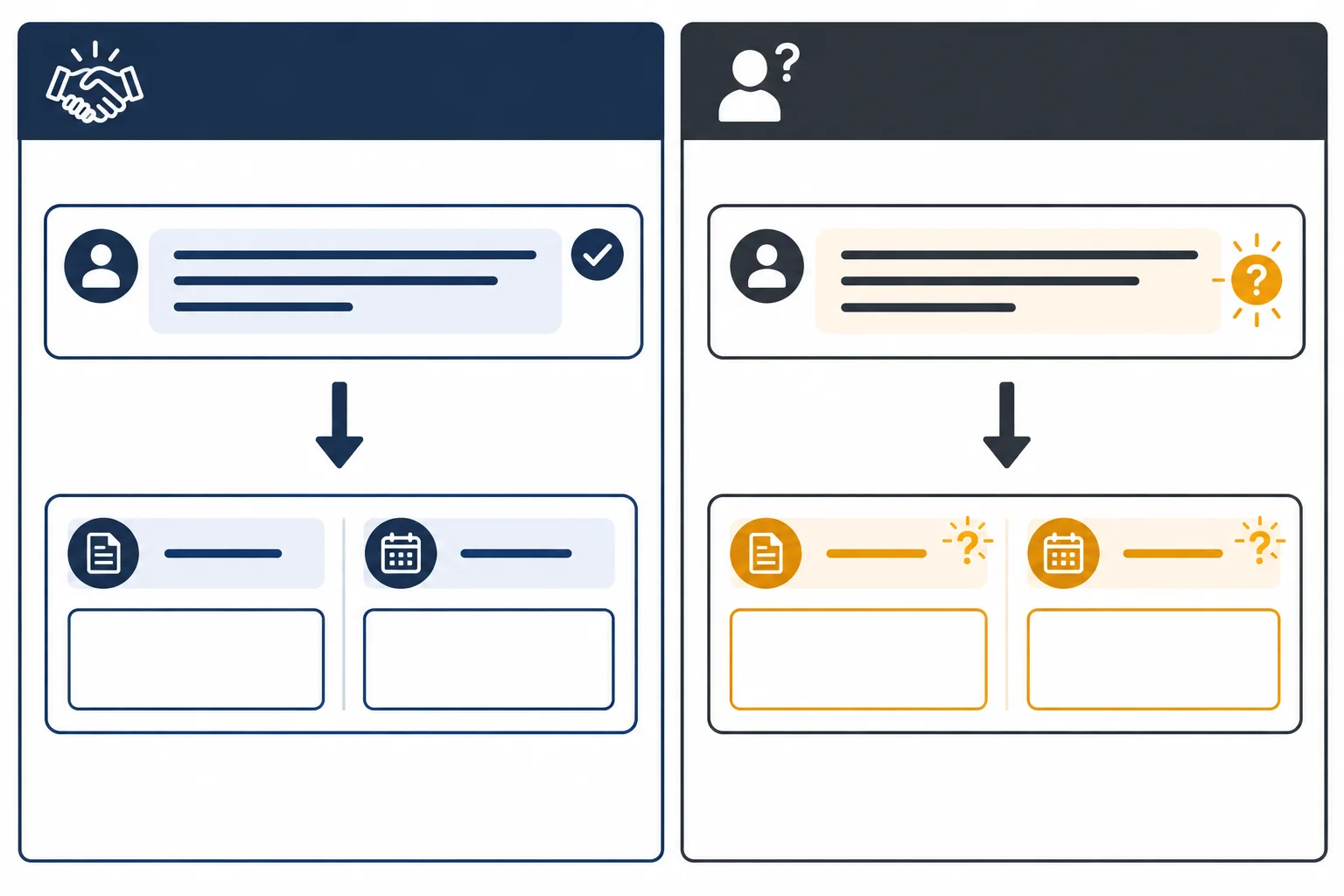
Use Not stated when no detail appears. Use Unclear when a detail is present but cannot be reliably identified or read.
Preserve the original wording when attribution, a name, a date, or a negation is garbled. Do not silently repair it. Likewise, conflicting statements remain unresolved unless a later passage explicitly corrects or replaces the earlier one; do not settle them by majority wording or plausibility.
A useful confirmation question has three parts: the passage reference, the uncertain field, and the exact clarification requested. It asks for information without implying that a likely person accepted the task.
Example
Separate fictional snippet
L41 | Unknown speaker: I can [unclear: can't?] send the notes by Wed...
Neutral confirmation question
“For [L41], please confirm whether anyone accepted sending the notes. If so, who accepted it and what exact deadline was stated?”
This question preserves the uncertain negation, owner, and deadline. It does not turn a possibly withdrawn statement into a commitment.
Apply the same check to the fictional Cedar pilot review source:
L09 | Unknown speaker: I'll book the room by next Fr...L10 | Maya: The room-booking deadline is hard to hear in the recording.
The first-person wording supports a room-booking task, but Unknown speaker is a transcript label—not an identified owner. The deadline wording is present but incomplete, and L10 confirms that it cannot be reliably heard. Keep the source wording visible for participant confirmation.
Warning
Do not resolve a conflict by counting similar statements or choosing the most plausible version. If the transcript contains no clear correction, keep the affected detail Unclear and use Needs confirmation until participants clarify it.
Using the Cedar pilot review excerpt on the previous screen, create one action-list row with these fields in this order: Task | Owner | Deadline | Status | Evidence.
Then write one neutral confirmation question linked to the relevant passage or passage range. Preserve uncertainty; do not guess the speaker or complete the date.
Write at least 120 characters (0/120).

Step 7 of 8
Use a bounded extraction request to produce a meeting-extraction draft, then check every claim and omission against the complete fictional transcript.
Treat an extraction request as a boundary, not a request for a plausible summary. The transcript is the only evidence source. The output must preserve what was said, mark what is missing or unclear, and remain a draft for human review—not an instruction to create tasks or contact participants.
Use this complete fictional source throughout this step. No external AI account is needed: you will inspect an illustrative draft inside the tutorial.
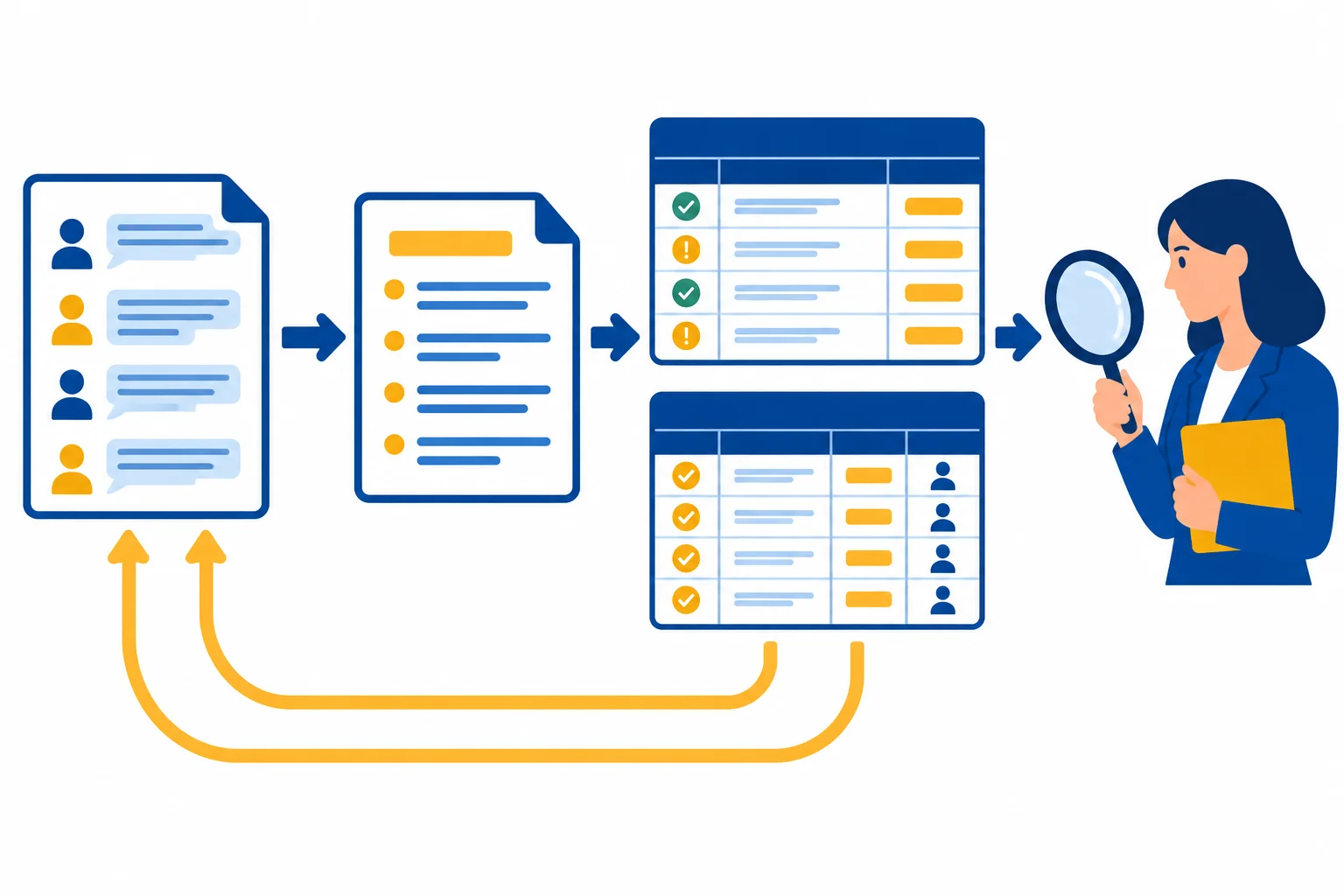
An AI draft is useful only when every row can be checked against the complete transcript.
L01 | Maya: We will run the Cedar pilot on 2026-04-21.
L02 | Leo: That date works for content.
L03 | Maya: Correction: the pilot date is 2026-04-23.
L04 | Leo: I will update the FAQ by 2026-04-17.
L05 | Leo: Change that FAQ deadline to 2026-04-20.
L06 | Priya: I will send the invitations.
L07 | Priya: I withdraw that commitment; no replacement owner yet.
L08 | Maya: We agreed to prepare the support checklist.
L09 | Unknown speaker: I'll book the room by next Fr...
L10 | Maya: The room-booking deadline is hard to hear in the recording.A bounded request makes the expected output inspectable. It names the exact schemas, allowed status labels, evidence requirements, correction rules, and limits on inference.
The plain-text request below includes the complete fictional transcript. You may copy it into any available text assistant if you choose. That is optional: the next screen provides an illustrative AI draft that you can check manually.
Use only the transcript below as evidence. Do not infer commitments.

Return:
1. Decision log: Decision | Status | Evidence
2. Action list: Task | Owner | Deadline | Status | Evidence

Use only: Confirmed, Superseded, Withdrawn, Needs confirmation. Give every row a line reference and short verbatim quotation. Apply explicit corrections and withdrawals; mark replaced historical rows Superseded or Withdrawn. Write Not stated for an absent owner or deadline and Unclear for ambiguous or unreadable information. If the speaker label is Unknown speaker, record the owner as Unclear. Preserve relative deadline wording. Add neutral confirmation questions. This is a review draft only: do not create tasks or notify people.

TRANSCRIPT
L01 | Maya: We will run the Cedar pilot on 2026-04-21.
L02 | Leo: That date works for content.
L03 | Maya: Correction: the pilot date is 2026-04-23.
L04 | Leo: I will update the FAQ by 2026-04-17.
L05 | Leo: Change that FAQ deadline to 2026-04-20.
L06 | Priya: I will send the invitations.
L07 | Priya: I withdraw that commitment; no replacement owner yet.
L08 | Maya: We agreed to prepare the support checklist.
L09 | Unknown speaker: I'll book the room by next Fr...
L10 | Maya: The room-booking deadline is hard to hear in the recording.Check a draft in two directions:
A line reference is not enough by itself. The referenced words must support the exact claim in the row.
This illustrative AI draft handles the corrected pilot decision history correctly.
| Decision | Status | Evidence |
|---|---|---|
| Run the Cedar pilot on 2026-04-21 | Superseded | [L01-L03] “2026-04-21” / “Correction” |
| Run the Cedar pilot on 2026-04-23 | Confirmed | [L03] “pilot date is 2026-04-23” |
Now inspect this action list against all ten transcript lines. It contains issues for review.
| Task | Owner | Deadline | Status | Evidence |
|---|---|---|---|---|
| Update the FAQ | Maya | 2026-04-17 | Confirmed | [L04] “I will update the FAQ” |
| Send invitations | Priya | Not stated | Withdrawn | [L06-L07] “withdraw that commitment” |
| Book the room | Unclear | Unclear | Needs confirmation | [L09-L10] “book the room by next Fr...” |
Tip
The room-booking row does not identify an owner: Unknown speaker is a transcript label, not a person. A neutral confirmation question can address both uncertain fields: “For [L09-L10], who made the room-booking commitment, and what exact deadline was stated?”
Review the AI draft on the previous screen against the complete transcript. Write three evidence-based repairs:
For each repair, include line references and a short quotation.
Write at least 180 characters (0/180).
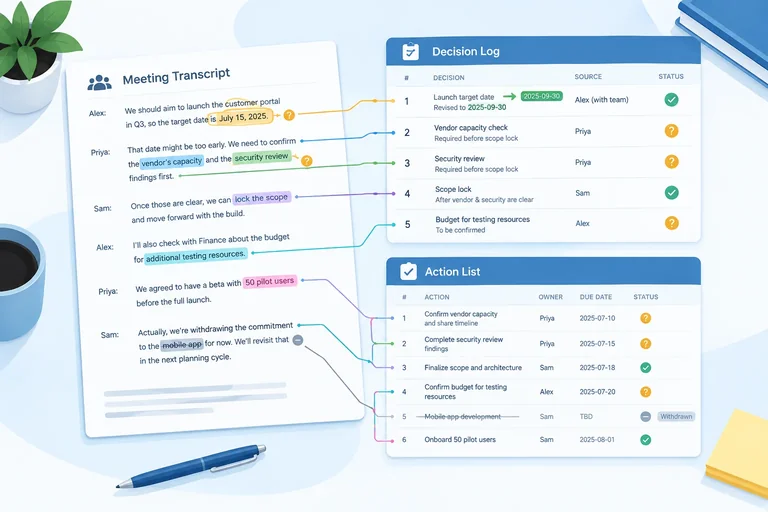
Step 8 of 8
Convert an authorized or fictional meeting transcript into a traceable decision log and action list. Preserve uncertainty, flag missing owners or deadlines, and distinguish confirmed commitments from suggestions.
This final practice uses a new, self-contained fictional meeting: Cedar pilot follow-up, dated 2026-04-15. Do not carry facts forward from Cedar pilot review.
Because this is fictional material, it is safe for practice. For a real transcript, complete both permission checks before processing or sharing it: authorization to record and authorization to process the transcript with the selected AI service.
Read every line before making the record. Report what this transcript supports—not what would be sensible for the project.
Read the complete fictional transcript. Keep the line labels exactly as shown when you cite evidence.
| Transcript line(s) | Transcript |
|---|---|
| L01 | L01 | Maya: For this fictional follow-up, I propose we release the revised FAQ on 2026-04-28. |
| L02 | L02 | Leo: I support that date. |
| L03 | L03 | Maya: Then the release date is 2026-04-28. |
| L04 | L04 | Maya: Correction: the release date is 2026-04-29. |
| L05 | L05 | Leo: I will revise the FAQ intro by 2026-04-22. |
| L06 | L06 | Priya: I will send the attendee note by next Friday. |
| L07 | L07 | Priya: I cannot take the attendee note after all; I withdraw that commitment. |
| L08 | L08 | Maya: We agreed to prepare a support handoff checklist. |
| L09 | L09 | Unknown speaker: I'll reserve the room by [garbled: Tue?]. |
| L10 | L10 | Maya: Could Leo also draft social posts? |
Before you submit, compare source and output in four directions:
A proposal or request stays out unless the transcript shows acceptance. A passage reference makes a row inspectable; it does not make an unsupported interpretation correct.
Use source-to-row links to check support, coverage, current status, and uncertainty.
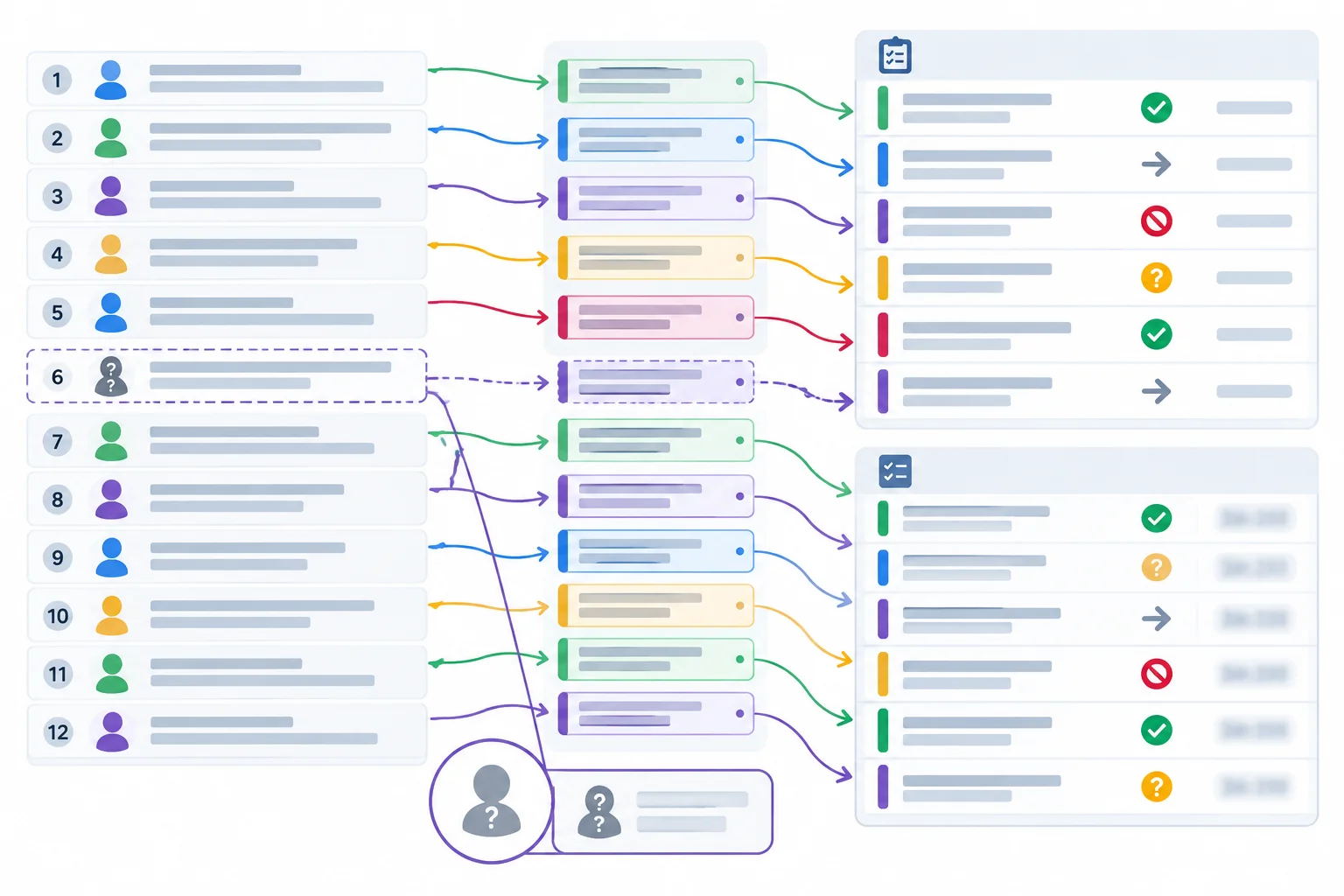
A review-ready record keeps evidence links visible and preserves uncertainty instead of filling gaps.
Tip
Use this compact checklist for this practice and future authorized material:
Not stated and ambiguous or unattributable fields Unclear?Unknown speaker belongs in a transcript label when attribution is unavailable; it is not an identified owner.
Create a compact, review-ready record from the Cedar pilot follow-up transcript.
Include these three headings:
Decision | Status | Evidence.Task | Owner | Deadline | Status | Evidence.Use [L##] or [L##-L##] plus a short verbatim quotation as evidence. Show the current supported state while retaining any necessary superseded or withdrawn entry visibly inactive. Use only the permitted status labels. Preserve next Friday; do not convert it. Use Not stated for absent fields and Unclear for ambiguous or unattributable fields.
Do not promote a proposal or request into a commitment. This is a self-check: compare your response with the evidence-linked reference on the next screen.
Write at least 350 characters (0/350).
Compare your decision log with this transcript-grounded reference. The first date remains visible because the correction changes it; the later row is the current supported decision.
| Decision | Status | Evidence |
|---|---|---|
| Release the revised FAQ on 2026-04-28 | Superseded | [L03-L04] “release date is 2026-04-28” / “Correction” |
| Release the revised FAQ on 2026-04-29 | Confirmed | [L04] “release date is 2026-04-29” |
Compare every task, owner, deadline, status, and quotation with the source. The attendee-note row remains inactive after withdrawal. The unidentified speaker is recorded as Unclear in the Owner field; Unknown speaker is only the label in source line L09.
| Task | Owner | Deadline | Status | Evidence |
|---|---|---|---|---|
| Revise the FAQ intro | Leo | 2026-04-22 | Confirmed | [L05] “I will revise the FAQ intro” |
| Send the attendee note | Priya | next Friday | Withdrawn | [L06-L07] “withdraw that commitment” |
| Prepare a support handoff checklist | Not stated | Not stated | Needs confirmation | [L08] “We agreed to prepare” |
| Reserve the room | Unclear | Unclear | Needs confirmation | [L09] “reserve the room by [garbled: Tue?]” |
Summary
Confirmation questions
[L08] Who will prepare the support handoff checklist, and what is its deadline?[L09] Who made the room-booking commitment, and what exact deadline was intended?[L07] Following Priya’s withdrawal, has anyone accepted responsibility for the attendee note? If so, what deadline was agreed?These questions seek clarification; they do not claim that anyone accepted the work. This reference is a transcript-grounded draft for human review. Accurate extraction does not authorize distribution or resolve unclear commitments.
Congratulations! You completed: Extracting Decisions and Actions from Meeting Transcripts
Thousands of online courses in video, ebooks and audiobooks.
To test your knowledge during online courses
Generated directly from your cell phone's photo gallery and sent to your email

Download our app via QR Code or the links below:.



Carry knowledge in your pocket.
Download the Cursa app.
There are hundreds of free courses available, with a free certificate of completion that is saved in your mobile image gallery.
Download the app to access the Course Completion Certificate for Free.


+ 10 million
students

Free and Valid
Certificate

60 thousand free
exercises

4.8/5 rating in
app stores

Free courses in
video and ebooks