
Step 1 of 7
Define the reader and the decision
Translate the workplace request into a reader-focused purpose and a clear approval decision.

Learning path · Level 5 · Tutorial 1
Turn approved source notes into a structured workplace brief. Organize the material around the reader's needs, identify missing information, and check that the finished document is complete and internally consistent.

 Define the reader and the decision
Translate the workplace request into a reader-focused purpose and a clear approval decision. 2 min
 Build an outline around reader questions
Organize the Request intake pilot brief around the operations manager’s decision and the distinct questions each section must answer. 2 min
 Map the notes and expose required gaps
Build a coverage map from approved source notes, preserving required gaps and separating optional detail. 3 min
 Ask the assistant to assemble a bounded draft
Use the outline and coverage map to request a source-bounded draft that preserves missing information. 3 min
 Audit coverage and cross-section consistency
Check a structured draft for missing required information and contradictions before it moves to human review. 3 min
 Keep the main brief focused
Decide which information remains visible in the main brief, which supports it separately, and which can be removed. 2 min
 Finish and review the workplace brief
Apply the full document-structuring workflow to repair a short workplace brief while preserving unresolved decision-critical gaps. 3 min
Step 1 of 7
Translate the workplace request into a reader-focused purpose and a clear approval decision.
Approved source notes are input, not the structure of a brief. Do not arrange the document simply in the order the notes were collected.
Start with the reader’s task: what must this person understand, assess, or decide? That task determines the purpose of the brief. A useful purpose is specific about both the reader and the decision.
Example
If notes begin with a problem, then describe a possible pilot, that sequence may be useful for collecting information. It does not automatically meet the operations manager’s needs.
For this task, the brief must help the operations manager decide whether to approve a Proposed shared request form pilot for Harbor Services.
A document brief records four connected elements:
For Harbor Services, the reader is the operations manager. The decision concerns approval of a Proposed shared request form pilot.
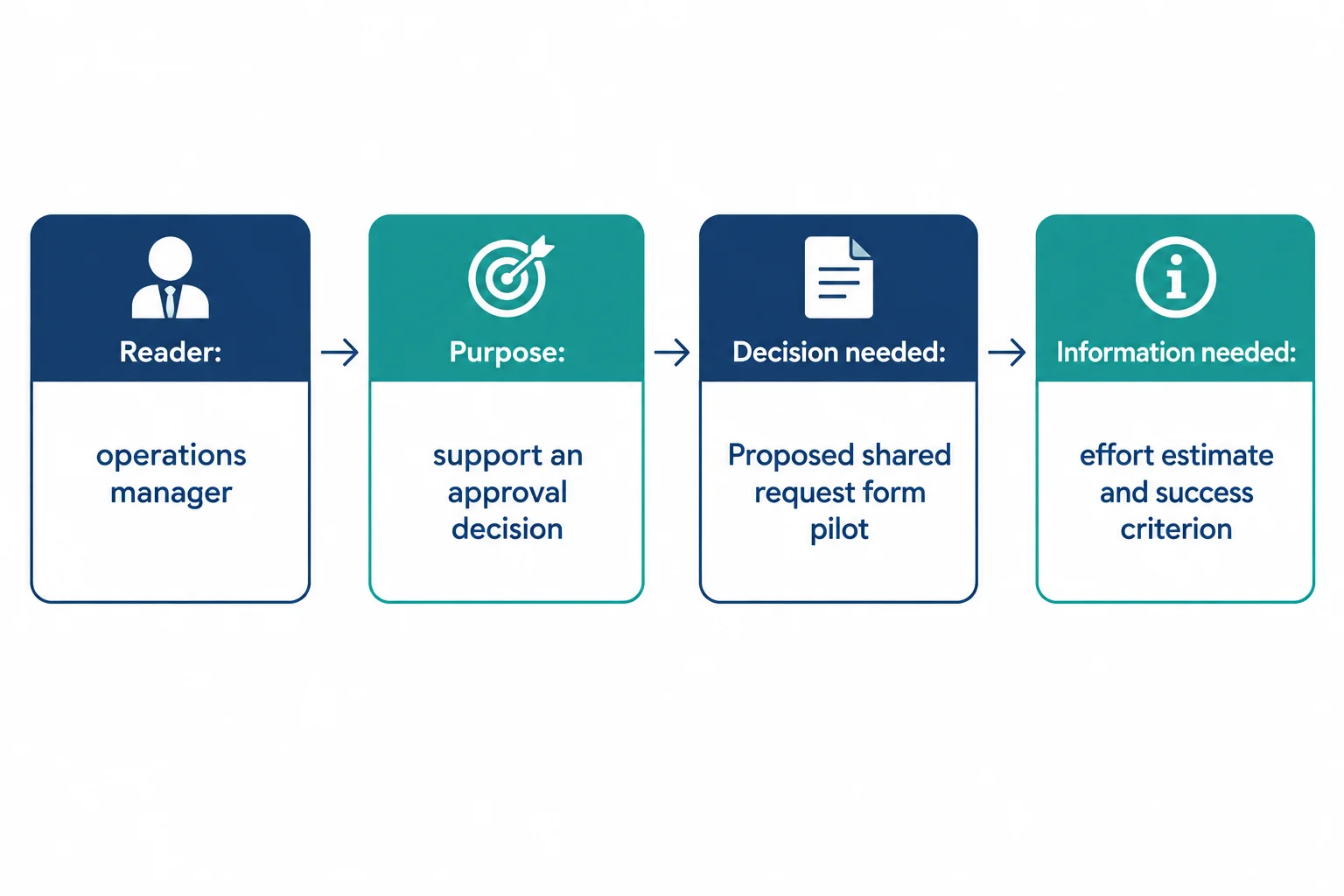
The reader’s decision determines the information the brief must make visible.
Example
Reader: operations manager
Purpose: Support the operations manager’s decision about whether to approve the Proposed shared request form pilot.
Decision needed: Whether to approve the Proposed pilot.
Required information before final approval: [Missing: effort estimate] and [Missing: success criterion]
These items are required questions, not facts. A requirement to have an effort estimate or success criterion does not show that approved source notes contain either answer.
Which purpose best fits the Harbor Services brief?

Step 2 of 7
Organize the Request intake pilot brief around the operations manager’s decision and the distinct questions each section must answer.
Source notes are often collected in time order: an issue, a proposal, then open questions. A brief uses a different order: the order in which its reader needs to understand and decide.
Give every section one distinct reader question. If two sections answer the same question, merge them or narrow their roles. This keeps the operations manager from having to reconstruct the decision from a chronology of notes.

A decision-oriented outline follows the reader’s path to a decision, not the order in which notes were collected.
For the Request intake pilot brief, place the decision and the suggested course of action first. Then provide the reason to consider the change, its proposed boundaries, and what still needs resolution.
This is an annotated outline, not draft prose. The annotations make each section’s job visible before you begin writing.
Each label answers a different question for the operations manager.
| Section | Reader question |
|---|---|
| Decision needed | What approval is requested now? |
| Recommendation | What course of action do we suggest? |
| Evidence | Why should the manager consider this change? |
| Pilot scope | What would the proposed pilot include and limit? |
| Risks and gaps | What must be resolved before approval? |
Tip
Keep Recommendation separate from Evidence and Pilot scope. A recommendation is a suggested course of action; evidence is what supports consideration, and scope describes the boundaries of the proposed pilot.
Match each brief section to the reader question it should answer.
Tap an item and then its matching pair.
Create a plausible decision-first outline for the Request intake pilot brief. Put Decision needed first and place Recommendation near the beginning. Arrange the other three section labels in the order you think best supports the operations manager.
On each line, use this format: Section — reader question. Use all five core section labels and write a distinct reader question for each.
Write at least 180 characters (0/180).

Step 3 of 7
Build a coverage map from approved source notes, preserving required gaps and separating optional detail.
A coverage map starts with a compact source pack: only the approved source notes that may support the brief. Keep the note headings distinct before deciding where each point belongs.
The notes describe an observed issue, a proposed pilot, unanswered approval questions, and optional form detail. They are not arranged in the order the operations manager needs to read them.
Example
Current issue
30 reviewed requests; 9 requests lacked required details.
Proposed pilot
Proposed shared request form for 8 proposed participants, running 6 April 2026–1 May 2026.
Open questions
No effort estimate is supplied. No success criterion is supplied.
Form details
Optional fields: Request type, Needed by, and Description.
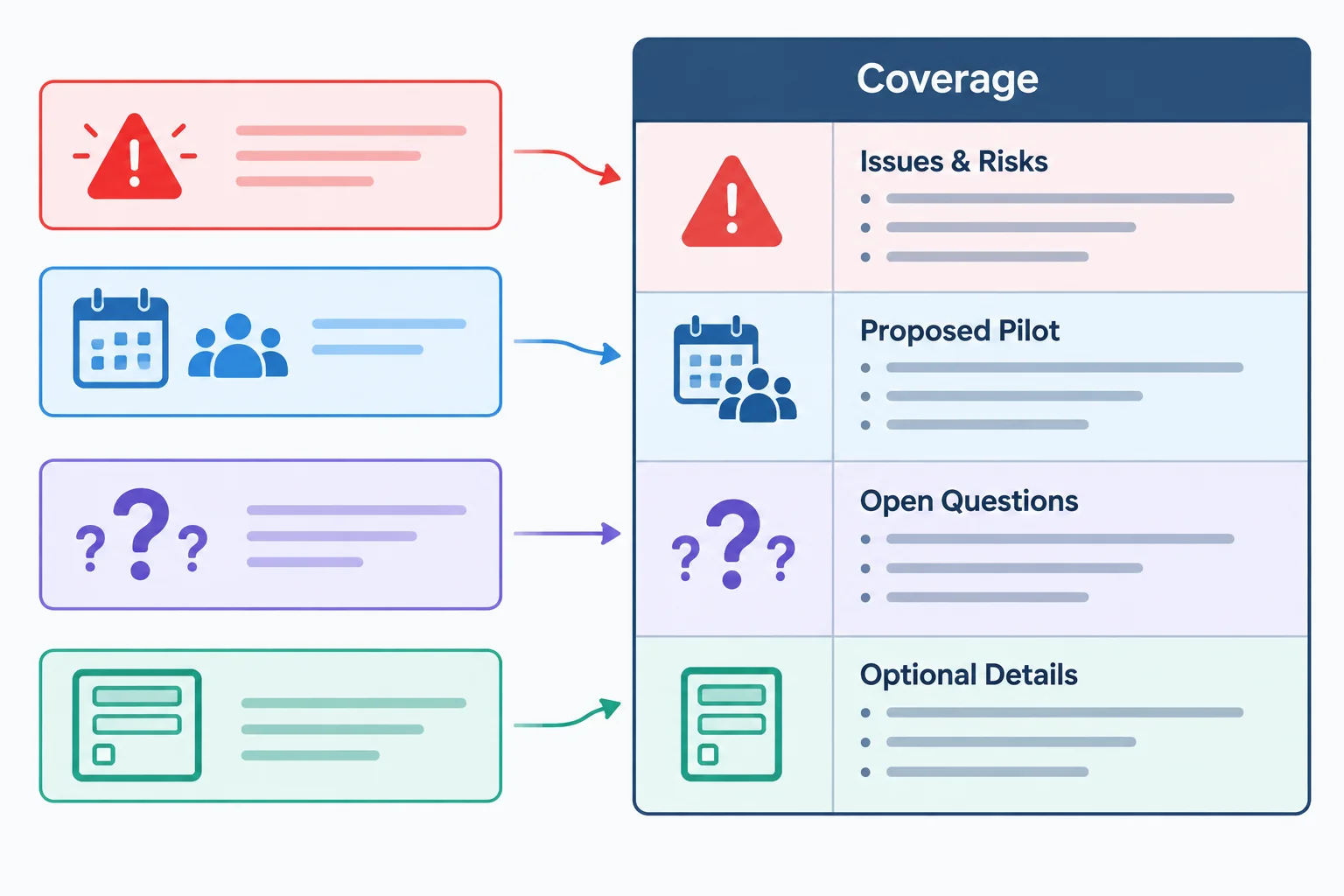
Separate the note headings first; then map their useful content to reader-facing sections.
A coverage map records the route from a reader question to the source note that can support it. It does not copy all note text into every section.
A single note can inform more than one part of a brief when needed. For example, the Proposed pilot may help frame the decision and supply Pilot scope. Map the primary use clearly, then reuse only the relevant fact later.
This compact map accounts for the sections that need evidence or detail from the source pack.
| Section | Reader question | Source note heading | Coverage |
|---|---|---|---|
| Evidence | What issue supports a change? | Current issue | Supported |
| Pilot scope | What is proposed, for whom, and when? | Proposed pilot | Supported |
| Risks and gaps | What is still needed before approval? | Open questions | Missing—required |
| Supporting detail | What fields may be included? | Form details | Optional |
A required gap is information the operations manager needs for the approval decision but the approved source notes cannot answer. Do not estimate, infer, or quietly remove it.
For this pilot, the effort estimate and success criterion are required gaps. The form-field descriptions are useful, but they are optional: their absence would not block a decision-ready structure. Put them in Supporting detail rather than letting them interrupt the main decision path.
Example
Risks and gaps
[Missing: effort estimate]
[Missing: success criterion]
Supporting detail
Optional form fields: Request type, Needed by, and Description.
Tip
Coverage means every required reader question is either supported by an approved source note or visibly marked unresolved. It does not mean every source detail must appear in the main brief.
Match each entry to its proper coverage-map destination.
Tap an item and then its matching pair.

Step 4 of 7
Use the outline and coverage map to request a source-bounded draft that preserves missing information.
An assembly request is more than “write a brief.” It gives the assistant the decision context and the boundaries for using it.
Bundle five inputs: the reader and decision, approved source notes, the outline, the coverage map, and output boundaries. The boundaries tell the assistant what must remain unresolved instead of being polished into an unsupported answer.
Here, the reader is the operations manager. The decision is whether to approve the Proposed shared request form pilot. The effort estimate and success criterion are required for that decision, but the notes do not supply them.
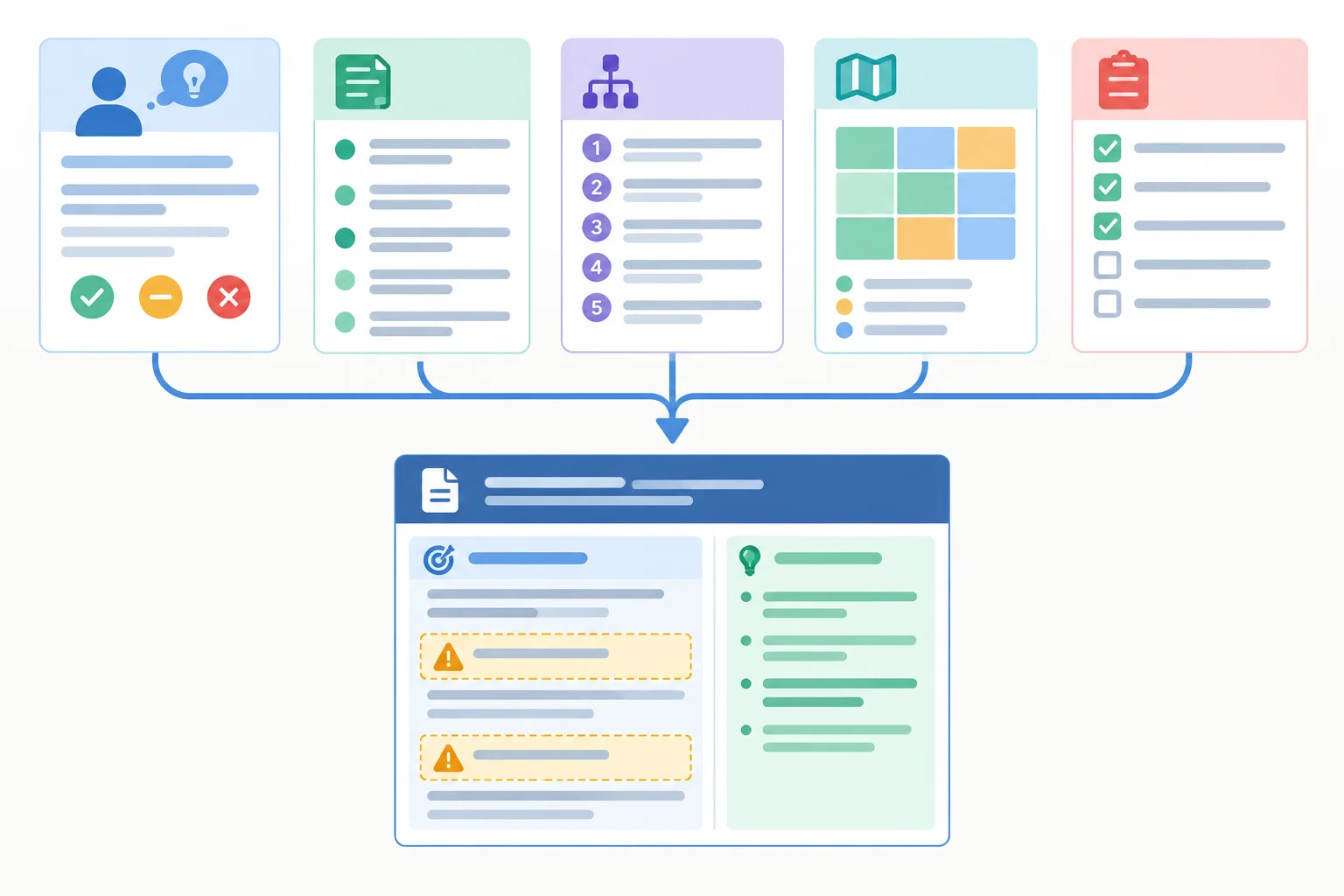
The assistant needs both the source material and limits on how it may use that material.
Tip
“Approved source notes” means the material is cleared for use. It does not mean the Proposed pilot, or its approval, has already been decided.
A Recommendation is different from a source-note coverage label: it is a newly suggested course of action. Label it clearly and keep it separate from source-backed statements.
Copy or adapt this request in an assistant. If you are not using an assistant, inspect the supplied assistant-style draft on the next screen.
Draft a short brief titled “Request intake pilot brief.”

Reader and decision: The reader is the operations manager. They must decide whether to approve a Proposed shared request form pilot.

Approved source notes:
- Current issue: 30 reviewed requests; 9 requests lacked required details.
- Proposed pilot: shared request form; 8 proposed participants; 6 April 2026–1 May 2026.
- Open questions: No effort estimate is supplied. No success criterion is supplied.
- Form details: Optional fields: Request type, Needed by, and Description.

Outline and coverage map:
- Decision needed: approval requested now.
- Evidence | Current issue | Supported.
- Pilot scope | Proposed pilot | Supported.
- Risks and gaps | Open questions | Missing—required.
- Supporting detail | Form details | Optional.

Include Recommendation as a separately labeled suggested action, not as a source fact or coverage category.

Output boundaries: Use the section labels in this order: Decision needed, Recommendation, Evidence, Pilot scope, Risks and gaps, Supporting detail. Keep the pilot status Proposed. Retain [Missing: effort estimate] and [Missing: success criterion] exactly. Do not invent costs, benefits, dates, commitments, effort estimates, or success criteria. Produce a concise brief.
Example
Request intake pilot brief
Decision needed
Should the operations manager approve the Proposed shared request form pilot? The decision still requires an effort estimate and a success criterion.
Recommendation
Gather the missing decision information before returning the Proposed pilot for an approval decision.
Evidence
Of 30 reviewed requests, 9 lacked required details. Source: Current issue.
Pilot scope
The Proposed pilot uses a shared request form with 8 proposed participants from 6 April 2026–1 May 2026. Source: Proposed pilot.
Risks and gaps
[Missing: effort estimate]
[Missing: success criterion]
The shared request form will save $2,000 in its first month.
Supporting detail
Optional form fields are Request type, Needed by, and Description. Source: Form details.
Which instruction set best prevents an assistant from silently filling the decision-critical gaps?
Review the supplied draft from the earlier screen. Name the two missing-information markers it preserves, identify the unsupported addition that should be removed, and state one instruction from the assembly request that would block that addition.
Write at least 80 characters (0/80).

Step 5 of 7
Check a structured draft for missing required information and contradictions before it moves to human review.
A coverage pass asks whether each required reader question has a real answer in the brief—or is explicitly marked unresolved. A heading alone is not coverage.
Start with the coverage map, then inspect the draft. For each required row, locate the supporting statement or its missing-information marker. Approved source notes are cleared for use; they do not turn an unresolved question into an approved decision.

Use the map to trace each required reader question to support or to an explicit gap.
Use the map as an audit checklist. The labels describe whether the notes cover the reader question, not whether the prose sounds polished.
| Section | Reader question | Source note heading | Coverage |
|---|---|---|---|
| Evidence | What issue supports a change? | Current issue | Supported |
| Pilot scope | What is proposed? | Proposed pilot | Supported |
| Risks and gaps | Is an effort estimate available? | Open questions | Missing—required |
| Risks and gaps | Is a success criterion available? | Open questions | Missing—required |
| Supporting detail | Which fields are described? | Form details | Optional |
Next, run a consistency pass. Compare every repeated claim with the approved source notes and with the task requirements: terminology, dates, quantities, pilot status, and the recommendation.
Agreement between sections is not enough. Two sections can repeat the same wrong date or call a Proposed pilot approved. When you find a mismatch, identify every affected section and repair each occurrence—not just the first one you notice.
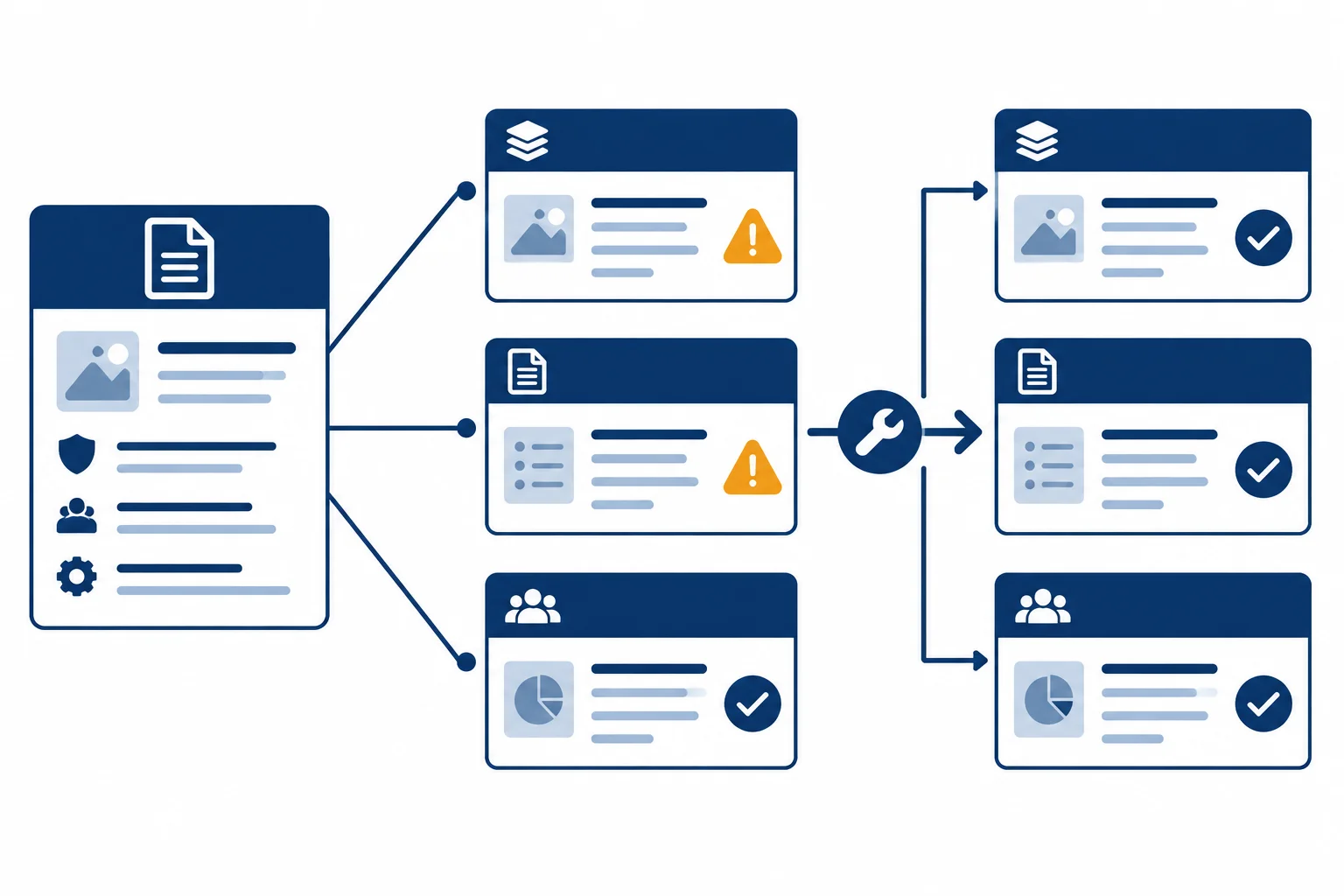
Compare repeated claims with their source, then correct every section that relies on the wrong claim.
The source or task requirement is the authority for this case. A Recommendation can suggest an action, but it must not present a missing estimate or criterion as known.
| Check | Draft claim to flag | Source or task requirement | Repair focus |
|---|---|---|---|
| Status | Pilot is approved | Pilot status is Proposed | Correct every status claim |
| Dates | 6 April 2026–6 May 2026 | 6 April 2026–1 May 2026 | Correct every date range |
| Count | 10 participants | 8 proposed participants | Correct every count |
| Decision readiness | Approve now | Two required inputs are unavailable | Keep both gaps visible |
Example
Repair pattern:
[Missing: effort estimate] and [Missing: success criterion].This is a targeted repair because it restores the same supported facts wherever the draft relies on them.
Tip
An assistant can help list claims to inspect, but its self-check is a review aid—not evidence that those claims are correct. Verify its findings against the approved source notes, coverage map, and task requirements yourself.
For this case, compare the draft with Source: Current issue, Source: Proposed pilot, and Source: Open questions. Also check that the recommendation does not bypass the two required missing-information markers.
True or false: If two sections use the same pilot status, no comparison with the approved source notes is needed.
Audit the candidate brief against the approved source notes, coverage map, and task requirements from the previous screens.
Write a concise review note that identifies the missing required content, any mismatches in the pilot details, and any unsupported approval claim. State the targeted repairs needed in the affected sections.
Candidate brief
Decision needed
Approve the shared request form pilot.
Recommendation
Approve the pilot now.
Evidence
Of 30 reviewed requests, 9 lacked required details. Source: Current issue.
Pilot scope
The approved pilot will involve 10 participants from 6 April 2026–6 May 2026. Source: Proposed pilot.
Risks and gaps
No gaps remain.
Write at least 250 characters (0/250).

Step 6 of 7
Decide which information remains visible in the main brief, which supports it separately, and which can be removed.
The main brief should help the operations manager make or pause a decision quickly. Keep information in the main brief when leaving it out could change the decision or change how the reader interprets it.
For the Request intake pilot brief, that includes the decision, recommendation, evidence, pilot scope, and approval-blocking gaps. The proposed status, 8 participants, and the 6 April 2026–1 May 2026 date range belong in the decision path.
Useful detail that does not change that path can sit in Supporting detail. Do not move a required gap simply to make the main brief look cleaner.
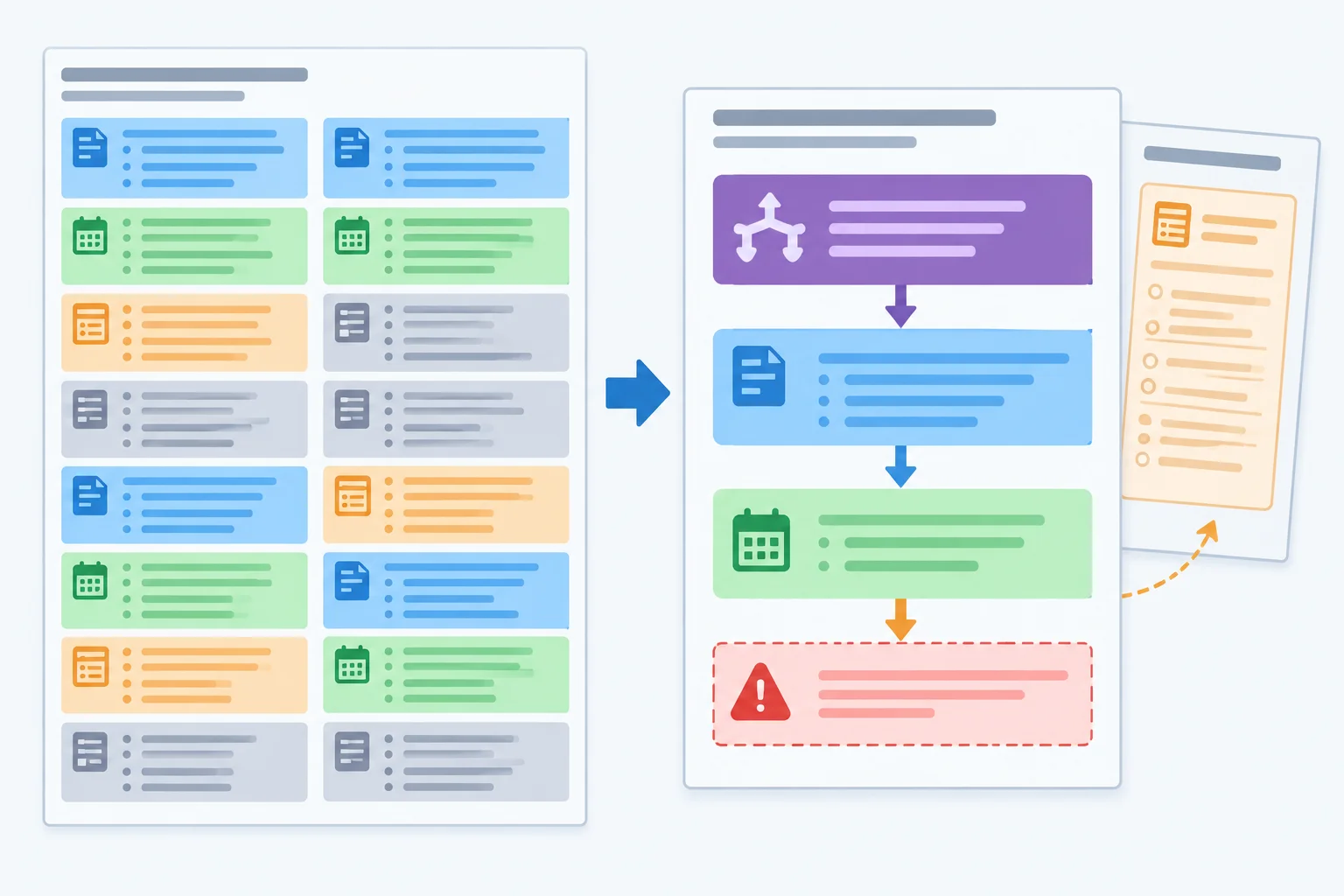
A focused main brief preserves evidence, scope, and unresolved gaps while moving nonessential background out of the reader's first path.
Example
A compact brief can remain candid and useful:
Decision needed
Decide whether to approve the proposed shared request form pilot.
Recommendation
Obtain the missing approval information before making that decision.
Evidence
Of 30 reviewed requests, 9 lacked required details. Source: Current issue.
Pilot scope
Proposed: 8 participants using a shared request form from 6 April 2026–1 May 2026. Source: Proposed pilot.
Risks and gaps
[Missing: effort estimate]
[Missing: success criterion]
Use the destination that best serves the reader. Removing a duplicate does not remove the supported fact from the brief; it leaves one clear, appropriate occurrence.
| Detail | Destination | Reason |
|---|---|---|
| 30 reviewed requests; 9 lacked required details | Evidence in main brief | It affects the decision. |
| Proposed pilot dates and 8 participants | Pilot scope in main brief | It defines what could be approved. |
| [Missing: effort estimate] | Risks and gaps in main brief | It blocks approval. |
| Request type, Needed by, Description | Supporting detail | Useful form background; not decision-critical. |
| A second identical statement of pilot dates | Remove | One scope statement is enough. |
For each excerpt, choose its best destination in the reviewed brief.
Tap an item and then its matching pair.

Step 7 of 7
Apply the full document-structuring workflow to repair a short workplace brief while preserving unresolved decision-critical gaps.
Final review brings together the work you have already done: the audience-led outline, the coverage map, the source-bounded draft, and the coverage, consistency, and detail checks.
Do not treat a polished draft as a completed decision. First repair what the document says. Then separate two outcomes:
This distinction lets the operations manager see both a usable brief and the questions that still need an authorized answer.

A correct brief can move to human review while missing decision-critical information remains visible.
Tip
Make targeted repairs rather than rewriting from memory. Check the source notes for each repeated fact, preserve required missing-information markers, and move optional detail out of the main decision path when it does not change the decision.
Use this self-contained review pack for the final application.
Reader: the operations manager
Purpose: support a decision about the proposed shared request form pilot
Decision needed: whether to approve the Proposed pilot
Approval requirement: an effort estimate and a success criterion are required before final approval.
The notes below are approved source notes. They support facts; they do not authorize an invented estimate, criterion, cost, benefit, or approval.
Compare the candidate brief with every source note before revising it.
| Source note heading | Approved source note |
|---|---|
| Current issue | 30 reviewed requests; 9 requests lacked required details. |
| Proposed pilot | Shared request form; 8 proposed participants; 6 April 2026–1 May 2026; status: Proposed. |
| Open questions | Effort estimate not provided. Success criterion not provided. |
| Form details | Optional fields: Request type, Needed by, and Description. |
Example
Decision needed
Approve the shared request form pilot.
Recommendation
Approve the pilot as proposed because incomplete requests are a known problem.
Evidence
Of 30 reviewed requests, 8 lacked required details. Source: Current issue.
Pilot scope
Approved pilot for 8 participants, 6 April 2026–1 May 2026. Form fields: Request type, Needed by, and Description. Source: Proposed pilot; Source: Form details.
Risks and gaps
[Missing: effort estimate]
Revise the candidate brief using the review pack on the previous screen. Write the complete revised brief, followed by one line that states whether it is ready for human review and why.
Use purposeful sections. Keep both required gaps visible, make repeated facts and pilot status consistent, and place optional form-field detail outside the main decision path.
Write at least 500 characters (0/500).
A successful final pass produces two clear results:
Document improvements: the brief has a decision-oriented structure; its evidence, dates, counts, and Proposed status align with the approved source notes; optional field descriptions sit in Supporting detail.
Questions for an authorized human answer: [Missing: effort estimate] and [Missing: success criterion] remain visible. The brief may be ready for human review, but those markers still prevent a final approval decision.
Summary
Congratulations! You completed: Structuring a Work Document from Source Notes
20 XP
Thousands of online courses in video, ebooks and audiobooks.
To test your knowledge during online courses
Generated directly from your cell phone's photo gallery and sent to your email

Download our app via QR Code or the links below:.



Carry knowledge in your pocket.
Download the Cursa app.
There are hundreds of free courses available, with a free certificate of completion that is saved in your mobile image gallery.
Download the app to access the Course Completion Certificate for Free.


+ 10 million
students

Free and Valid
Certificate

60 thousand free
exercises

4.8/5 rating in
app stores

Free courses in
video and ebooks